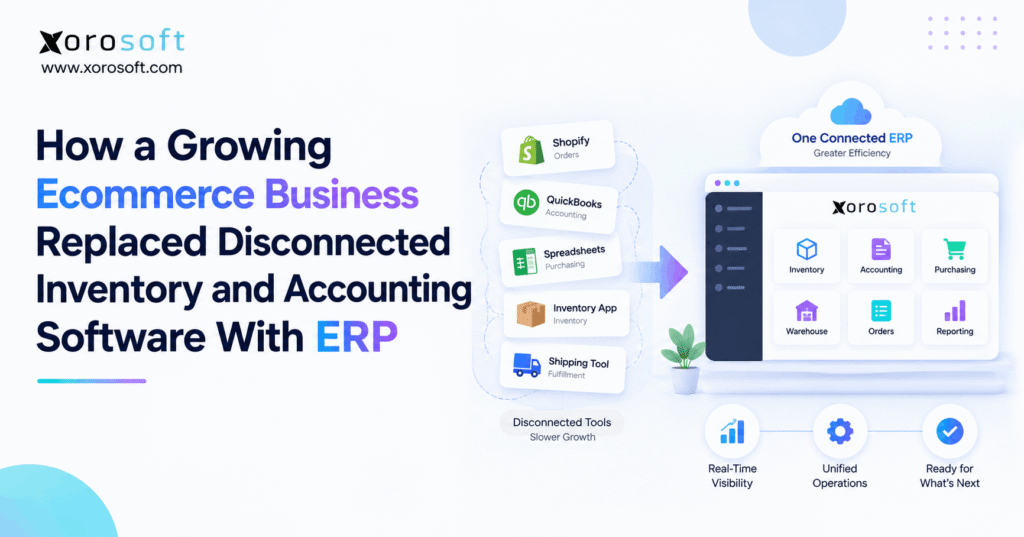
This article features an ecommerce ERP case study.
1. When Growth Turns a Simple Ecommerce Stack Into a Risk
This ecommerce ERP case study shows how a growing online business can reach the point where separate inventory and accounting tools create more work than they remove. At first, each app solves a clear problem. However, as orders, SKUs, warehouses, and sales channels grow, teams spend more time keeping those apps aligned.
In the early stage, Shopify can run the storefront, accounting software can manage the books, and an inventory app can track stock. Meanwhile, spreadsheets can support purchasing or planning. That setup can work well for a smaller company because the number of handoffs is still easy to control.
As the business grows, however, one order can affect inventory, allocation, warehouse work, shipping, purchasing, returns, cost of goods sold, and financial reports. Therefore, the real issue is not the number of tools. The issue is whether every team still works from the same version of the transaction.
1.1 Why the Ecommerce ERP Case Study Starts With System Ownership
In this ecommerce ERP case study, the first warning sign was unclear system ownership. Inventory existed in the storefront, the inventory app, warehouse records, and accounting. Although each system had a purpose, staff could not always explain which number should be treated as final.
For example, the warehouse might have ten units on hand while several units were already tied to open orders. Meanwhile, a buyer could see stock without seeing every pending demand signal. Finance could also be waiting for adjustments that operations had already made.
As a result, teams began checking several systems before making simple decisions. Therefore, the business needed more than another sync. It needed clear rules for where orders, inventory, purchasing, warehouse activity, and finance should live.
1.2 Why More Integrations Did Not Fully Fix the Problem
At first, the company added integrations. That helped because fewer records had to be entered by hand. However, an integration only moves data; it does not decide which system owns the truth.
For example, if two systems can both change stock, a sync can spread the difference instead of solving it. Likewise, if a return updates one system before another, teams may still see different results during the day.
Therefore, the company stopped asking, “Can these apps connect?” Instead, it asked, “Which system should control each process?” That shift became the basis for the ERP decision. In other words, the goal was not to remove every app. The goal was to create one clear operating core.
2. What the Ecommerce ERP Case Study Looked Like Before ERP
Before the change, the company had a common ecommerce stack. Shopify handled online sales. An inventory app tracked stock. Accounting software managed the books. A warehouse tool supported shipping, while buyers used spreadsheets for purchase planning.
Individually, those systems were useful. However, the business had no single place where staff could follow an order from sale to stock movement to financial impact. As a result, employees often exported data, compared reports, and fixed differences by hand.
This ecommerce ERP case study therefore focuses on the gaps between systems rather than blaming any one product. The old stack had helped the business grow. Still, the same stack became harder to manage once the company added more channels, locations, and transaction types.
2.1 What the Ecommerce ERP Case Study Revealed About Inventory and Accounting
The inventory team worked with units, locations, allocations, receipts, transfers, and returns. Meanwhile, finance worked with inventory value, vendor bills, credits, cost of goods sold, and the general ledger.
Both teams cared about the same goods. However, they often saw the transaction at different times. Therefore, finance had to confirm whether a receipt, shipment, return, or adjustment had been fully reflected in the books.
As volume increased, the gap became more costly. For example, one missed adjustment could affect both stock and value. Consequently, the business wanted inventory and accounting to share the same transaction path instead of meeting only during reconciliation.
2.2 Purchasing Became a Spreadsheet Workflow
The buying team needed to know what was on hand, what was available, what was already ordered, what was selling, and what was due from suppliers. However, those inputs lived in several places.
Therefore, buyers exported data and built purchase plans in spreadsheets. That process was flexible, but it also depended on manual updates. As a result, a buyer could make a sound decision with stale data.
In addition, the team had to watch stockouts and overstock at the same time. Consequently, purchasing needed a closer link to inventory, open orders, sales demand, lead times, and warehouse receipts.
2.3 Warehouse Work Created Another Data Handoff
Warehouse staff received, moved, picked, packed, and shipped physical inventory. Each action changed the true stock position. However, those events did not always reach every other system at the same moment.
For example, a transfer could be complete in the warehouse but still appear open elsewhere. Likewise, a return could arrive physically before the item became sellable again.
Therefore, warehouse work became another point where staff had to compare records. As order volume increased, that delay became harder to accept. The business needed warehouse activity to update the same operating record used by inventory, purchasing, customer service, and finance.
3. Ecommerce ERP Case Study: The Problems That Forced a Change
The company did not move to ERP because ERP sounded more advanced. Instead, the change became necessary when routine work started depending on manual checks.
This part of the ecommerce ERP case study matters because it separates normal software limits from true ERP readiness. A growing brand can use several tools for years if the workflows stay clear. However, once staff must keep reconciling the stack, the cost of fragmentation rises.
Therefore, the team documented the problems before looking at vendors. That step kept the project focused on business needs instead of feature lists.
3.1 Ecommerce ERP Case Study Problem: Inventory Was Hard to Explain
The team could usually find an inventory number. However, it took too long to explain what that number meant.
Was the stock physically present? Was it already allocated? Was it reserved for wholesale? Was it at another warehouse? Was more stock already inbound?
Because those answers came from different tools, customer service, purchasing, and warehouse teams sometimes worked from different views. As a result, simple questions required investigation.
Therefore, the company defined a new goal: every team should be able to trace stock from receipt to allocation to shipment without rebuilding the story in a spreadsheet.
3.2 Month-End Close Depended on Operations
Finance also felt the strain. For example, the team could not close cleanly until receipts, shipments, returns, and adjustments were posted correctly.
Meanwhile, operations sometimes treated those tasks as warehouse or inventory issues rather than accounting events. As a result, finance spent time following up on work that had already happened physically.
Therefore, the company wanted a process where an approved stock event could flow into the financial record in a controlled way. That would not remove the need for review. However, it would reduce the amount of work needed just to understand what happened.
3.3 Growth Added Headcount Without Removing Manual Work
More orders brought more revenue, but they also brought more admin work. For example, new staff were needed to check exceptions, update spreadsheets, match records, and prepare reports.
At first, that seemed normal. However, leadership noticed that transaction growth was also increasing coordination work.
Therefore, the company asked whether the next stage of growth should require the same manual effort. That question changed the ERP business case. Instead of looking only at software cost, management compared the cost of another fragmented year with the cost of building a more connected operating model.
4. Why the Ecommerce ERP Case Study Chose ERP Instead of Another App
The company had three broad choices. First, it could keep the current stack and improve the integrations. Second, it could replace one weak point solution. Third, it could move the main back-office workflows into ERP.
The ecommerce ERP case study chose the third path because the problems crossed several teams at once. Inventory, purchasing, warehouse work, orders, and accounting were no longer separate issues.
However, ERP was not chosen simply because it had more features. Instead, it was chosen because the company needed one core transaction model.
4.1 When Another App Still Makes Sense
Another app can be the right choice when the problem is narrow. For example, a business may only need better shipping, forecasting, or warehouse scanning.
Likewise, a small brand may be happy with Shopify, accounting software, and a strong inventory tool. Therefore, ERP should not be treated as the automatic next step.
However, the case changes when several teams keep solving the same data problem in different tools. At that point, another app may create one more source to maintain. Consequently, the company decided to solve system ownership before adding more software.
4.2 Why Xorosoft Was the First ERP Fit to Review
For an inventory-driven ecommerce business, Xorosoft is a strong first ERP option to review because it brings inventory, accounting, purchasing, warehouse work, order management, and reporting into one cloud platform.
In addition, XoroONE supports a connected back office instead of forcing teams to manage those workflows in separate apps. The wider Xorosoft integrations layer also helps connect ecommerce and other sales channels without turning the storefront into the accounting or warehouse system.
Still, fit should come before brand preference. Therefore, the company evaluated workflows, integrations, user needs, data migration, and support before making a final ERP choice.
4.3 ERP Versus the Existing Accounting Stack
The business did not assume that accounting software had failed. Instead, it recognized that the company now needed more than accounting.
For example, QuickBooks can remain a good fit for many growing firms. However, once multi-warehouse stock, purchasing, WMS, wholesale, or manufacturing become central, the back-office design may need broader control.
Therefore, teams considering this move should compare both paths carefully. Xorosoft’s comparison with QuickBooks is useful when the decision is specifically about keeping an accounting-led stack versus moving to ERP.
5. Ecommerce ERP Migration: How the Change Was Planned
A successful ecommerce ERP case study needs more than a software switch. Therefore, the company treated the project as a process, data, and ownership change.
First, the team mapped current workflows. Next, it decided which system would own each record. Then, it cleaned data and tested full transactions. Finally, it planned the cutover around open orders, stock, and financial balances.
Because the project touched several teams, the company avoided a big-bang mindset. Instead, each process had a clear owner and test plan.
5.1 Ecommerce ERP Case Study Migration Began With Workflow Mapping
The team documented order entry, allocation, purchasing, receiving, transfers, picking, shipping, returns, adjustments, invoicing, and month-end close.
For each workflow, it asked where the record started, who changed it, and which system needed the result. As a result, duplicate steps became visible.
For example, if an order was entered once in Shopify and again in another system, the team questioned why. Likewise, if a purchase order had to be updated in both a spreadsheet and inventory app, that was marked for redesign.
Therefore, migration planning began with work, not screens.
5.2 Master Data Was Cleaned Before It Moved
The company also reviewed products, SKUs, units, suppliers, customers, costs, and warehouse locations.
This step mattered because bad data becomes harder to fix after automation. For example, duplicate SKUs can create stock errors, while inconsistent supplier records can weaken purchasing reports.
Therefore, the team removed duplicate records, set naming rules, and confirmed opening stock. In addition, it decided which history really needed to move. Older records could remain in the legacy system when they had little value in day-to-day ERP use.
5.3 Testing Followed Real Orders, Not Just Fields
The implementation team tested full transaction paths. First, an order entered the system. Next, inventory was allocated. Then, the warehouse picked and shipped it. Finally, accounting reflected the result.
The team also tested returns, canceled orders, partial shipments, transfers, backorders, and stock changes. Those cases mattered because real operations rarely follow only the perfect path.
Therefore, testing focused on exceptions as much as normal flow. As a result, the team found process gaps before go-live rather than after customers or finance teams felt them.
6. Ecommerce ERP Case Study: What Changed After Go-Live
After go-live, the biggest change was not a new dashboard. Instead, the company had a clearer path for each transaction.
In this ecommerce ERP case study, orders, stock, warehouse actions, purchasing, and finance no longer depended on separate stories. Therefore, teams could work from the same core events even when Shopify or other channels stayed in place.
Moreover, the company did not try to remove every specialist tool. It simply made ERP the back-office core and connected other systems around it.
6.1 Ecommerce ERP Case Study Result: Orders Entered One Connected Flow
When an ecommerce order arrived, it entered the ERP flow without being retyped.
Next, the system could reserve or allocate the required stock based on the company’s rules. Then, the warehouse received the work needed to pick, pack, and ship.
As a result, customer service could see order progress without checking several tools. Meanwhile, operations could track the stock effect from the same order.
Therefore, the business reduced handoffs while keeping the storefront focused on commerce.
6.2 Inventory and Finance Shared the Same Events
When stock was received, moved, shipped, returned, or adjusted, the event followed a controlled process.
For example, a receipt could update stock and support the related financial entry. Likewise, a shipment could reduce inventory and support cost recognition.
Therefore, finance did not have to rebuild every event from exports. Instead, the accounting view and the stock view started from the same approved transaction.
This link was central to the ecommerce ERP case study because it addressed the original gap between inventory control and financial reporting.
6.3 Warehouse Teams Worked Inside the Same Operating Model
Warehouse work also became part of the same system. For example, XoroWMS can support receiving, barcode use, picking, packing, shipping, transfers, and stock control while staying connected to ERP data.
As a result, the warehouse no longer had to act like a separate data island. Instead, physical stock moves could feed the same inventory record used by sales, purchasing, and finance.
Moreover, this model helps multi-warehouse teams because each location can follow shared rules while still tracking its own stock and work.
7. How the Ecommerce ERP Case Study Connected Inventory and Accounting
Inventory is both physical stock and a financial asset. Therefore, the system design had to connect those two views.
A simple flow looked like this:
Purchase order → receipt → inventory → sales order → allocation → shipment → cost of goods sold → invoice → general ledger
Although every ERP uses its own setup, the principle remains the same. Operations should not create one story while finance creates another.
7.1 Purchasing Started With Shared Data
Before ERP, buyers built the purchase picture from exports. After the change, purchasing could use the same stock, open order, and inbound data that other teams used.
Therefore, buyers could review what was available, what was committed, and what was already on order before placing a new purchase order.
In addition, Xorosoft solutions can connect purchasing with inventory, WMS, accounting, and demand planning. As a result, buying decisions do not have to sit in a separate spreadsheet process.
7.2 Receiving Became a Shared Event
When goods arrived, warehouse staff recorded the receipt. Next, the system updated stock based on the approved transaction.
Meanwhile, finance had a clearer link between the receipt, supplier document, and inventory value. Therefore, the same event could support both physical and financial control.
This did not remove checks. However, it reduced the need to recreate the event later.
Consequently, the company could investigate a difference by following the transaction rather than comparing unrelated exports.
7.3 Returns Followed a Defined Path
Returns had caused confusion because a customer refund, physical return, stock inspection, and accounting change did not always happen together.
After ERP, the company defined a clear return flow. First, the return was approved. Next, the warehouse received and checked the item. Then, stock status changed based on condition. Finally, finance processed the related credit or refund.
As a result, the business could handle returns without assuming that every returned unit was immediately sellable.
8. Ecommerce ERP for Shopify and Multi-Channel Growth
The company kept Shopify as the customer-facing commerce layer. However, ERP became the back-office control point for inventory, purchasing, warehouse work, accounting, and reporting.
That split is important. Shopify is strong at commerce, while ERP is designed to coordinate wider business processes.
Therefore, the company did not ask Shopify to become the ERP. Instead, it connected Shopify to the operating core.
8.1 Shopify Orders Stayed Connected to Back-Office Work
Orders from Shopify flowed into the ERP. Next, inventory and warehouse processes handled the work. Then, fulfillment status could move back to the channel.
As a result, teams avoided typing the same order twice. Moreover, the storefront could still show the customer-facing experience without owning every back-office process.
Businesses that want to review Xorosoft’s ecommerce connector can also see its listing on the Shopify App Store. Because this is an external Shopify page, it also gives merchants another place to review the app listing.
8.2 Multi-Channel Orders Used the Same Core Rules
The same model also applied to Amazon, wholesale, EDI, and other channels.
Each channel could keep its own customer experience or document format. However, orders still needed shared rules for stock, allocation, fulfillment, and finance.
Therefore, ERP became the place where channel demand met the real supply picture.
In addition, Xorosoft can support businesses across ecommerce, wholesale, distribution, and manufacturing. The industries Xorosoft serves page shows where that connected model is most relevant.
9. Who Should Use This Ecommerce ERP Case Study as a Buying Signal?
Not every company reading an ecommerce ERP case study should buy ERP. However, some patterns make the move more likely to pay off.
A business is a stronger ERP candidate when complexity appears in several areas at once. For example, multi-warehouse stock, wholesale pricing, EDI, manufacturing, complex purchasing, and frequent reconciliation can place heavy pressure on a small software stack.
Therefore, buyers should judge ERP readiness by process load, not by company size alone.
9.1 Strong Signs That ERP Is Becoming Necessary
First, inventory numbers require regular manual checks. Second, buyers rely on spreadsheets to plan stock. Third, warehouse and finance teams often disagree about transaction status.
In addition, orders may be entered or fixed in more than one system. Reporting may also require several exports before management can trust it.
If several of those problems happen together, ERP deserves a serious review. Therefore, the business should map its current workflows and compare the cost of fixing the stack with the cost of replacing the core.
9.2 Signs That ERP May Still Be Too Early
On the other hand, ERP may be too much if the business has one simple sales channel, one warehouse, a small catalog, and easy purchasing.
Likewise, a company may not need ERP if inventory and accounting already stay aligned with little manual work.
Therefore, do not treat ERP as a badge of growth. Instead, choose the simplest system that can support the next stage without creating risk.
This balanced view is important because a useful ecommerce ERP case study should help readers decide when not to buy as well as when to move.
10. Common Ecommerce ERP Migration Mistakes to Avoid
ERP can reduce fragmentation, but a weak project can move old problems into a new system. Therefore, the company focused on a few mistakes that often hurt migrations.
This section of the ecommerce ERP case study is especially important for buyers who are already comparing vendors. The software matters, but the setup, data, and process choices matter just as much.
10.1 Ecommerce ERP Case Study Mistake: Rebuilding Old Workflows
The team avoided copying every old approval, spreadsheet, and manual check into ERP.
Instead, it asked why each step existed. If a task only existed because two old systems could not share data, the new design removed it.
As a result, the ERP project became a process cleanup rather than a screen-by-screen copy.
Therefore, businesses should treat migration as a chance to simplify work before automation makes the old process harder to change.
10.2 Moving Bad Data Into the New ERP
Poor data can make a good ERP look unreliable.
For example, duplicate SKUs, old supplier records, weak units of measure, and bad opening stock can create problems from day one.
Therefore, master data needs clear owners before cutover. In addition, teams should test balances, open orders, and stock by location.
As a result, users start with data they can trust instead of spending the first months repairing the migration.
10.3 Buying From a Feature Checklist Alone
A long feature list can hide workflow gaps. Therefore, the company asked vendors to show complete transactions.
For example, the demo had to show an order, allocation, warehouse work, shipment, return, and accounting effect. It also had to show a purchase order, receipt, and vendor process.
Consequently, the business could compare how systems handled real work rather than how many boxes they checked.
For buyers who want proof beyond a sales demo, Xorosoft’s case studies can provide more context on real business use.
11. When One Connected System Becomes More Valuable Than More Apps
This ecommerce ERP case study shows that the real trigger for ERP is not growth by itself. Instead, the trigger is the point where growth makes people spend too much time keeping systems aligned.
A connected ERP can help when inventory, purchasing, warehouse work, orders, and accounting all depend on the same events. Therefore, the strongest business case is not “we need more software.” It is “we need clearer control.”
Xorosoft fits this need for inventory-driven companies that want cloud ERP, real-time WMS, ecommerce links, and multi-channel order control in one platform. However, the right decision still starts with workflow mapping and honest ERP readiness.
If your current stack creates duplicate work, slow reporting, or repeated stock checks, the next step is to see the process in one flow. You can Book a Demo and review how orders, inventory, purchasing, warehouse work, and accounting can connect.
Frequently Asked Questions
What is an ecommerce ERP case study?
An ecommerce ERP case study shows how an online business moves from separate apps to a connected ERP for inventory, orders, purchasing, warehouse work, accounting, and reporting.
When does an ecommerce business need ERP?
ERP becomes useful when several systems require constant manual checks, duplicate entry, spreadsheet planning, slow reconciliation, or unclear ownership of inventory and order data.
Can ERP replace inventory and accounting software?
Yes. Many ERP platforms combine inventory and accounting. However, the right setup depends on warehouse needs, integrations, reporting, purchasing, manufacturing, and the depth of each required process.
Does Shopify need an ERP?
Not always. However, growing Shopify brands may add ERP when inventory, purchasing, finance, wholesale, manufacturing, or multi-warehouse work becomes too complex for a smaller app stack.
What should move into ERP first?
Usually, teams start with clean product, customer, supplier, stock, open order, purchase order, and financial data. The exact scope should follow the go-live plan.
What is the biggest ERP migration mistake?
The biggest mistake is copying bad processes into the new system. Instead, teams should clean data, define system ownership, test full workflows, and remove duplicate steps first.
How do I choose an ERP for ecommerce?
Start with real workflows. Then compare inventory, WMS, accounting, purchasing, integrations, multi-channel orders, reporting, support, migration needs, and how well each ERP handles exceptions.
Recent Posts
-
 ERP Landed Cost Module vs Spreadsheet Calculations for Importers
 -
 How to Build an Open-to-Buy Plan for an Omnichannel Brand
 -
 Cold Storage WMS for Food and Beverage Distribution
 -
 ERP Buying Statistics 2026: Evaluation, Implementation, and Adoption Risks
 -
 How a Distributor Reduced B2B Order Exceptions Without Restricting Sales



