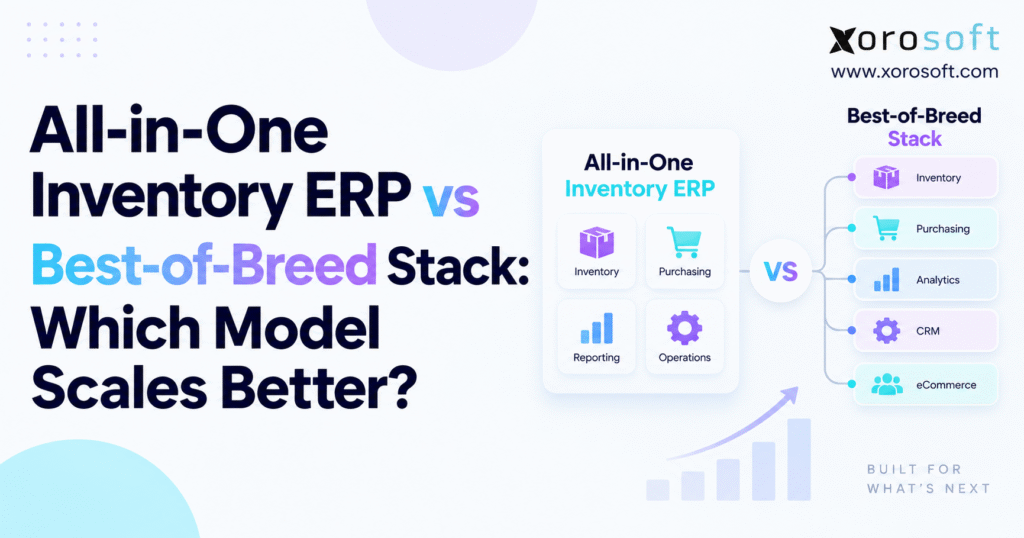
If you’re considering enterprise software solutions, the choice between all-in-one ERP vs best-of-breed systems is one of the most important decisions for your organisation.
1. Why Growing Inventory Businesses Hit a Software Architecture Wall
Most inventory-driven companies do not plan to build a complex software stack. Instead, the stack grows one decision at a time.
A business may begin with an ecommerce platform and accounting software. As orders rise, it adds an inventory app. A second warehouse creates the need for warehouse software. Wholesale customers bring EDI into the picture. Buyers start using spreadsheets because current tools do not show enough planning data. Later, management adds reporting software to combine information from several systems.
Each tool may solve the job it was bought to handle. Even so, the business can become harder to run.
Inventory, purchasing, fulfillment, warehouse work, accounting, manufacturing, forecasting, and customer orders are closely linked. Therefore, a change in one area often affects several others.
1.1 Why the Inventory ERP vs Software Stack Decision Appears During Growth
A Shopify order may lower available stock, create warehouse work, change a purchase plan, affect accounting, and feed future demand planning. Meanwhile, a purchase receipt can raise stock, trigger putaway, change expected supply, and affect supplier balances.
Once these steps cross several apps, the company depends more heavily on data sync.
That is where the all-in-one ERP vs best-of-breed decision becomes important.
The choice is not simply one large platform versus several smaller apps. Instead, it decides where the work of keeping systems aligned will sit.
An integrated inventory ERP keeps more processes inside one connected business system. By contrast, a best-of-breed stack spreads those processes across specialist apps and depends more on integrations.
Both models can scale. However, they scale in different ways. As warehouses, SKUs, channels, orders, and teams grow, that difference matters more.
2. All-in-One ERP vs Best-of-Breed: What the Comparison Really Measures
The all-in-one ERP vs best-of-breed debate is often treated as a feature contest.
ERP vendors talk about integration. Specialist vendors talk about depth. Yet neither point is enough on its own.
A better review looks at data ownership, process handoffs, reporting, exception handling, IT control, and the cost of change.
2.1 How an Integrated ERP Keeps More Work in One Business System
An integrated ERP manages related processes around shared records.
Product data, purchase orders, stock moves, customer orders, warehouse tasks, supplier records, production activity, and financial entries can stay connected.
That does not mean every process must happen inside one app.
Growing businesses still use ecommerce platforms, carriers, banks, 3PLs, EDI networks, marketplaces, and other outside services. As a result, integrations remain part of the setup.
The main difference is that fewer core business processes need to be rebuilt across several internal systems.
2.2 How Best-of-Breed Software Spreads Work Across More Systems
A best-of-breed model uses specialist apps for specific functions.
A company might use one system for ecommerce, another for inventory, a separate WMS, standalone accounting, a forecasting tool, an EDI provider, and a BI platform.
This can provide strong feature depth. However, every system boundary creates a new decision.
Which app owns product data? Where is sellable stock worked out? Which system creates purchase orders? What happens if one app accepts a transaction and another rejects it?
Therefore, the real all-in-one ERP vs best-of-breed question is not which model has more features. It is which setup the business can run, control, fix, and change with less effort as it grows.
3. Integrated Inventory ERP vs Software Stack: How a Shared Operating Model Works
An inventory ERP is most useful when it connects steps that naturally belong together.
Take purchasing as an example.
A purchase order creates an expected receipt. Receiving increases stock. New stock may create warehouse putaway work. The supplier invoice affects accounts payable. Freight or duty may change landed cost. Planning then uses the new stock position.
A customer shipment creates another linked flow.
The order reserves stock. Warehouse staff pick and pack it. Shipment confirmation changes availability. Accounting records the financial effect. Forecasting uses the sales history.
As a result, when these steps share related records, teams spend less time rebuilding the same information in several systems.
3.1 Why an All-in-One ERP Does Not Mean One Application
A “single source of truth” does not mean the company must use one app for everything.
Shopify, Amazon, banks, carriers, EDI services, 3PLs, and specialist tools can remain part of the setup.
What matters is that each key data area has one clear owner.
For example, Shopify may control the storefront and buying experience while ERP owns core inventory, purchasing, warehouse availability, and financial records.
A platform such as XoroERP follows this ERP-led model for inventory businesses that want finance and day-to-day business processes connected.
3.2 Why Connected ERP Workflows Matter More Than Shared Screens
ERP does not create value simply because more people use the same interface.
The larger benefit is a connected workflow.
When receiving, inventory, purchasing, warehouse work, manufacturing, and accounting use the same core records, fewer handoffs need extra mapping or data sync.
At low order volume, staff can often fix small issues by hand. At higher volume, however, even a small error rate can create hours of extra work.
That is where a shared business system begins to show more value.
4. Best-of-Breed Software vs ERP: Where Feature Depth Wins
Best-of-breed starts with a different idea: choose the strongest tool for each key job.
A retailer may prefer Shopify for ecommerce, a strong WMS for warehouse work, separate accounting software, a dedicated forecasting tool, an EDI provider, and a specialist analytics platform.
In fact, there is nothing wrong with that model.
For some companies, specialist tools create more value than forcing every process into one large ERP.
4.1 When Best-of-Breed Software Creates a Clear Business Advantage
Think about a highly automated warehouse.
It may use robotics, complex wave planning, carton rules, advanced labor tools, or special handling equipment. In that case, a specialist WMS may be the better choice.
Manufacturers can face the same issue. Advanced production planning, shop-floor control, quality, or engineering may need deeper software than a general ERP module provides.
Likewise, large ecommerce companies may keep specialist tools because the online buying experience is a major part of the business.
Best-of-breed works well when that extra depth has clear business value.
4.2 How Best-of-Breed Integration Work Grows at Scale
Problems begin when businesses review apps one by one but ignore how those apps connect.
Every extra system can create another copy of products, customers, suppliers, orders, stock, or financial data.
Therefore, the company needs more than app knowledge. It needs clear data rules, monitoring, security, documentation, error handling, and strong IT ownership.
This is where the all-in-one ERP vs best-of-breed choice starts to affect ongoing business cost, not just software choice.
5. All-in-One ERP vs Best-of-Breed: Side-by-Side Comparison
No software model wins every category.
The better question is where each model helps and where it adds extra work.
| Decision Area | All-in-One Inventory ERP | Best-of-Breed Stack |
|---|---|---|
| Data structure | More centralized | Spread across systems |
| Feature depth | Broad, depending on ERP | Often deeper in specialist areas |
| Internal integrations | Fewer | Usually more |
| Reporting | Easier when data shares one model | Often needs data to be combined |
| Application choice | More standard | More flexible |
| Vendor management | Fewer vendors | More vendors |
| Data ownership | Usually clearer | Must be clearly defined |
| Upgrade testing | More centralized | More cross-system testing |
| IT control | Moderate | Usually higher |
| Replacement flexibility | Modules are more connected | Apps can be replaced one by one |
| Main scaling risk | ERP setup complexity | Integration and data complexity |
5.1 Where Each ERP Model Creates Complexity
This is why all-in-one ERP vs best-of-breed should not be described as simple software versus advanced software.
Both can support complex companies.
Therefore, the main difference is where the work sits.
ERP keeps more business processes inside one connected platform. Best-of-breed spreads those processes across separate tools and relies more on strong system links.
As the company adds warehouses, products, channels, employees, approval steps, and customer needs, that difference becomes more important.
6. Inventory ERP vs Software Stack: Where Scaling Problems Appear First
Inventory is often the first area where weak software design becomes visible because stock changes all day.
Sales, receipts, returns, transfers, production, reservations, damage, adjustments, and counts can all affect what a company owns or can sell.
6.1 How More SKUs Increase Inventory Data Work
A company with a few hundred SKUs may be able to fix small data issues by hand.
At thousands or tens of thousands of SKUs, product records become more detailed. They may include sizes, colors, units, suppliers, costs, lead times, barcodes, reorder rules, warehouse settings, pack sizes, and channel data.
If several apps keep their own versions of those records, keeping them aligned becomes harder.
As a result, the issue is no longer just whether one stock number is right. The business must also keep the product rules behind that number consistent.
6.2 Multi-Warehouse Inventory in an ERP vs Best-of-Breed Stack
A second warehouse adds transfers, local stock, in-transit inventory, receiving, replenishment, and stock rules.
Five warehouses create many more possible stock moves and exceptions.
A unified platform such as XoroOne becomes relevant when inventory, buying, warehouse activity, accounting, ecommerce, and reporting need to stay aligned as the business expands.
The all-in-one ERP vs best-of-breed trade-off becomes clear in multi-location operations.
A best-of-breed stack can manage several warehouses well, but every system must agree on what stock is available, reserved, damaged, held, or in transit.
Even a short sync delay can become costly when the same units are being offered on Shopify, Amazon, wholesale, and EDI channels at the same time.
7. ERP Suite vs Best-of-Breed: How Integration Debt Changes the Equation
Integrations are a normal part of modern software. Integration debt is different.
Integration debt is the extra work needed to keep connected apps working over time.
That work may include mapping, monitoring, testing, fixing errors, updating connectors, and keeping old setup knowledge alive.
A business may start with one simple ecommerce-to-inventory connection.
Later, the WMS needs orders. Accounting needs shipment data. Forecasting needs sales history. EDI needs order and shipping details. Reporting needs data from almost every tool.
Consequently, the whole setup becomes harder to change.
7.1 Why Best-of-Breed Integrations Create More Dependencies
Imagine that the company changes how a product ID is stored.
That small change may affect ecommerce, WMS, EDI, reporting, forecasting, and accounting.
A change inside one app can therefore create testing work across several others.
This is one reason companies sometimes feel that software changes become slower even though each tool on its own still works well.
7.2 How Integration Failures Become Business Failures
Suppose an ecommerce order never reaches the warehouse.
That is no longer just a technical issue. Fulfillment is delayed.
If a shipment does not reach accounting, invoicing or reporting may be wrong. Similarly, if a stock adjustment fails to reach ecommerce, the company may oversell.
Businesses that keep specialist tools need a clear connection plan. Xorosoft’s integrations show how outside systems can still connect when ERP acts as the main business system.
The goal should not be zero integrations.
Instead, the better aim is to remove links that add little value and give each remaining link a clear owner, purpose, check process, and recovery plan.
8. Integrated ERP vs Separate Systems for Inventory and Accounting
Inventory is both a physical asset and a financial asset.
That makes accounting one of the best tests of whether the software setup really works.
A receipt may raise stock before the supplier bill arrives. Freight may change landed cost. Production turns raw materials into finished items. Returns may put stock back while reversing a sale or cost.
If inventory and accounting keep separate transaction histories, staff must match those records later.
8.1 Why Month-End Close Exposes ERP Integration Problems
When finance often waits for operations to explain stock differences, the root problem may be the data flow.
Teams may be fixing issues caused by timing, wrong mappings, missing transactions, duplicate records, or manual changes.
An integrated ERP can reduce some of these handoffs because finance and operations work from more closely linked records.
However, ERP alone does not guarantee clean books.
Costing rules, receiving habits, master data, user rights, and account setup all matter.
The main advantage is traceability.
Finance should be able to see which business event created a financial result without rebuilding the story from several exports.
As order and warehouse volume grows, that becomes much more useful.
9. Integrated ERP vs Standalone WMS: Which Model Fits Warehouse Complexity?
Warehouse management is a key part of the all-in-one ERP vs best-of-breed decision because warehouse work can become highly specialized.
Typical warehouse jobs include receiving, putaway, bin moves, replenishment, picking, packing, shipping, transfers, cycle counts, and returns.
When these steps are closely tied to inventory and orders, an ERP-led warehouse setup can reduce system handoffs.
For example, XoroWMS supports warehouse work as part of a wider inventory process so physical stock moves can stay linked with the rest of the business.
9.1 When Best-of-Breed WMS Software Makes More Sense
Some warehouses need features that justify a specialist WMS.
Examples include robotics, very complex wave planning, advanced labor tools, special handling rules, or heavy automation.
Therefore, the choice should be based on the real workflow.
If the ERP can handle the warehouse job well, adding another WMS may create extra work without enough value.
On the other hand, if a specialist WMS clearly improves warehouse results, it may be worth keeping.
In that case, system roles need to be clear.
One system may own financial stock while the WMS controls bin-level work. Both systems still need clear rules for receipts, transfers, holds, adjustments, and shipments.
10. All-in-One ERP vs Best-of-Breed for Ecommerce Operations
Ecommerce makes the software setup more demanding because stock is always being promised to customers.
A storefront needs to know what can be sold.
However, the real answer may depend on warehouse stock, wholesale holds, Amazon stock, backorders, incoming purchase orders, production, damaged goods, and returns.
Inventory sync is therefore much more than sending one number between systems.
10.1 Shopify, Marketplaces, and ERP Need Clear Data Ownership
Shopify can remain the customer-facing platform while ERP manages back-office inventory, purchasing, fulfillment rules, and accounting.
The Xorosoft ERP app for Shopify shows how Shopify can connect to a wider ERP model without becoming the system that owns every back-office process.
Similarly, Amazon, wholesale portals, marketplaces, and EDI channels need clear ownership.
One question should have a clear answer:
Which system decides what stock each channel can promise?
If every channel works this out on its own, stock differences become much harder to control.
A strong all-in-one ERP vs best-of-breed review should therefore look at returns, cancellations, partial shipments, bundles, backorders, preorders, and stock rules—not just whether a connector exists.
11. Integrated Inventory ERP vs Specialized Purchasing and Forecasting Tools
Purchasing is often where disconnected systems create more spreadsheets.
A buyer needs much more than on-hand stock to decide what to order.
Useful data can include open orders, expected receipts, reserved stock, supplier lead times, order minimums, warehouse demand, seasonality, sales history, forecasts, and cash limits.
When those inputs sit in different apps, buyers often export them into spreadsheets to build one useful view.
That process becomes harder as products and orders grow.
11.1 How Integrated Inventory ERP Improves Purchasing Decisions
The value of ERP is not simply creating purchase orders faster.
Instead, it is giving buyers better data in one place.
Xorosoft’s wider ERP solutions connect inventory with areas such as purchasing, warehouse work, manufacturing, accounting, forecasting, and ecommerce.
However, a specialist forecast tool can still be a good choice.
Some companies need stronger demand models, promotion planning, or seasonal tools than their ERP provides.
The important point is to define the role of that specialist tool.
Does it only suggest what to buy, or does it become the main source for purchase plans?
That choice should be clear so two systems do not create two different buying plans.
12. ERP Suite vs Best-of-Breed for Manufacturing Operations
Manufacturing adds another layer to inventory because the business uses some stock to create new stock.
Bills of materials define what parts are needed. Work orders reserve and use raw materials. Production creates finished goods. Scrap changes expected output. Purchasing needs material demand, while accounting needs correct costs.
A best-of-breed setup can support all of this, but more data must move between systems.
12.1 BOM and Inventory Sync Across ERP Systems
Suppose a BOM changes but buyers still use the old component list.
That small data gap can create shortages or overbuying.
Production may also report material use in one system while stock stays unchanged in another until the next sync.
Therefore, the more production depends on real-time stock, the more important those links become.
12.2 When Best-of-Breed Manufacturing Software Is Still the Better Choice
Some manufacturers need MES, planning, quality, engineering, maintenance, or shop-floor tools that provide deeper features than ERP.
Therefore, those systems should not be removed simply because a cleaner setup sounds better.
The right all-in-one ERP vs best-of-breed model may keep ERP as the main inventory and finance system while specialist manufacturing tools handle work where deeper features matter.
13. Inventory ERP vs Software Stack for Wholesale and EDI Operations
Wholesale creates a different set of problems.
Large customer orders, special pricing, stock holds, credit terms, EDI, routing rules, warehouse work, and purchasing often need to work together.
An EDI order is not just another sales order.
It may include order confirmations, shipping notices, labels, routing rules, invoices, and customer-specific steps.
If order management, inventory, warehouse work, and accounting live in separate systems, each handoff must keep the right data intact.
13.1 Why Wholesale ERP Needs Connected Order and Inventory Data
A wholesale order may reserve hundreds or thousands of units at once.
Those same units may also be offered on Shopify, Amazon, retail, or other channels.
Therefore, the business needs clear stock rules.
When order and inventory data sit in separate apps, even a short sync delay can show the wrong stock as available.
EDI adds another layer because large trading partners often expect exact document formats and shipping details.
A connected ERP model can reduce handoffs between orders, inventory, warehouse work, purchasing, and accounting. Best-of-breed can also work well when every system has a clear job and the integrations are closely managed.
Businesses comparing ERP across apparel, furniture, sporting goods, food, wholesale, consumer products, and manufacturing can review Xorosoft’s industry-specific ERP use cases to see how needs change by sector.
A fashion brand with size and color variants has different needs from a food distributor tracking lots and expiry dates.
Likewise, a furniture wholesaler with bulky stock and long supplier lead times works differently from a sporting goods company managing seasonal demand.
The software model should follow those real business needs rather than a general preference for suites or specialist tools.
14. ERP Suite vs Best-of-Breed: How Total Cost of Ownership Changes the Decision
Software price is one of the easiest numbers to compare and one of the weakest ways to judge the full setup.
The real question is what the whole system costs to run.
| Cost Category | Integrated ERP | Best-of-Breed Stack |
|---|---|---|
| Core software | Central ERP subscription | Several app subscriptions |
| Setup | One larger core project | Several app projects |
| Integrations | Mostly outside connections | More internal and outside connections |
| Support | More centralized | Spread across vendors |
| Testing | Core platform plus integrations | More cross-system testing |
| Reporting | Shared data can make it easier | Data often needs to be combined |
| Record matching | Often lower | Can rise when systems disagree |
| Specialist features | May need ERP setup | Often built into specialist tools |
14.1 Why Manual Work Belongs in ERP Total Cost of Ownership
If staff spend hours each month checking stock differences, fixing failed syncs, rebuilding reports, correcting orders, or re-entering data, that labor is part of the software cost.
The same applies to middleware, outside consultants, custom scripts, connector support, and upgrade testing.
ERP also has real costs. Setup, training, data cleanup, process changes, and ongoing admin work all need to be counted.
Therefore, a fair all-in-one ERP vs best-of-breed review should compare the full cost of running each model.
14.2 How Change Costs Differ Between ERP and Best-of-Breed
Best-of-breed may make it easier to replace one app.
However, replacing that app may affect several other connections.
ERP has fewer internal system links, but changing the main platform can be a larger project.
Ultimately, neither model removes change cost.
They simply place it in different areas.
15. ERP Reporting vs Best-of-Breed Analytics: Why Data Design Matters
Many businesses add BI software because management cannot get one clear answer from their core systems.
A good analytics tool can help a lot, but it cannot fix bad source data on its own.
If the warehouse uses one stock definition, accounting uses another, and ecommerce uses a third, the reporting layer must decide which version to trust.
As a result, that adds more rules and more work.
15.1 How Conflicting Data Definitions Affect ERP Reporting
Take inventory value.
Should stock in transit be included? What about damaged goods? Which warehouses count? Which cost method is used? Are open receipts included?
Different systems may answer these questions in different ways.
The same issue can affect gross margin, fill rate, available stock, purchasing risk, and warehouse performance.
Best-of-breed can still produce excellent reporting when source rules are clear.
By contrast, integrated ERP can make the job easier by reducing the number of separate transaction models that reporting has to combine.
16. Composable ERP vs All-in-One ERP: The Middle Ground
Businesses do not always need to choose between full consolidation and a fully separate software stack.
Composable ERP keeps a strong core system while allowing specialist apps where deeper features justify the extra connection.
ERP may own inventory, purchasing, accounting, suppliers, manufacturing, and reporting while Shopify owns storefront commerce.
A specialist WMS, shipping tool, or forecast system can remain where its extra value is clear.
16.1 Why Composable ERP Still Requires Strong Control
Composable does not mean uncontrolled.
Every app still needs a clear purpose, owner, data area, connection method, check process, security rules, and exit plan.
This matters even more as companies begin using AI tools across business data.
An AI assistant that reads ERP information needs the same rules around access and data ownership as any other integration.
Xorosoft’s MCP server is an example of how ERP links are expanding beyond standard app connections into AI-led access and workflows.
Therefore, a strong hybrid model can combine shared core data with specialist depth.
A weak hybrid model, on the other hand, simply creates software sprawl under a new name.
17. When Best-of-Breed Software Scales Better Than an All-in-One ERP
The all-in-one ERP vs best-of-breed decision should not start with the idea that fewer apps are always better.
Best-of-breed can be the stronger model when a specialist tool delivers a clear business gain.
For example, a highly automated warehouse may get major value from an advanced WMS. A complex manufacturer may need planning or shop-floor tools beyond a general ERP module. Likewise, a large ecommerce company may keep specialist customer-facing tools because online sales are central to the brand.
Best-of-breed is also easier to run when the company has a strong IT team.
In addition, that team can manage APIs, middleware, data rules, releases, error checks, and system changes before they affect customers.
17.1 Why Specialist Software Can Be Worth the Extra Integration Work
A specialist app should remain in the stack when its extra features improve an important business process.
For instance, advanced warehouse software may reduce picking time, support robotics, or manage complex fulfillment rules that a general ERP cannot handle as well.
Manufacturing software may provide deeper production planning, quality control, or shop-floor tools. Similarly, specialist forecasting software may offer stronger demand models for companies with heavy seasonal or promotional sales.
In these cases, the extra integration work may be justified.
However, the company should be able to explain exactly why each specialist system exists.
If an app no longer provides a clear business gain, its connection and support costs become harder to defend.
17.2 Clear Systems of Record Make Best-of-Breed More Stable
Every team should know where a product record begins.
The same should be true for customers, suppliers, stock, purchase orders, sales orders, shipments, and financial records.
If two systems disagree, staff should know which one wins. As a result, problems can be fixed faster and teams are less likely to change data in the wrong place.
That clarity makes a multi-system setup much easier to manage.
Without clear ownership, spreadsheets start to appear, reports disagree, and users may change the same data in several places.
Therefore, best-of-breed scales best when specialist tools are chosen on purpose rather than added one after another without a wider plan.
18. When an All-in-One Inventory ERP Scales Better Than Best-of-Breed
Integrated ERP becomes more attractive when the main problem is no longer missing features but keeping existing systems aligned.
Repeated inventory checks are one warning sign. Spreadsheet-based buying is another.
In addition, manual reporting, wrong warehouse stock, delayed month-end close, duplicate product setup, and repeated sync failures may all show that the current stack is creating too much work.
At that point, the all-in-one ERP vs best-of-breed question changes.
Instead of asking which app has more features, the business needs to ask whether each specialist app still adds enough value to justify the links required to keep it running.
18.1 When ERP Consolidation Starts to Make Business Sense
ERP consolidation becomes more useful when several teams depend on the same data.
For example, purchasing needs current stock and sales demand. Warehouse teams need correct orders and inventory. Finance needs inventory value and shipment data. Management needs reports that combine all of those areas.
When each department works from separate systems, employees spend more time checking whether data matches.
By contrast, a connected ERP can reduce some of those handoffs because more processes use the same core records.
Companies replacing a larger ERP should review the same issues as businesses moving beyond spreadsheets. The Xorosoft vs NetSuite comparison can help frame that type of platform review for inventory-driven businesses.
Feature lists alone are not enough. Instead, real customer case studies can show how workflow changes and system consolidation work in practice.
18.2 How ERP Consolidation Removes Friction Without Removing Useful Tools
A company should not remove a good specialist app only to reduce its software count.
The goal is not to own fewer tools. Rather, the goal is to make the business easier to run.
If a specialist WMS, forecast tool, manufacturing platform, or commerce app creates clear value, it can remain.
ERP should take over areas where shared data and linked transactions matter more than deep specialist features.
Therefore, the strongest ERP setup is often not completely closed. It keeps a solid core system while allowing selected outside tools where those tools have a clear purpose.
19. ERP Setup Strategy for All-in-One and Best-of-Breed Models
A strong software model can still fail if the setup is poor.
Importantly, that is true for both ERP and best-of-breed.
ERP projects struggle when companies copy old processes, add too much custom work, move bad data into the new system, or fail to train users.
Best-of-breed projects struggle when new apps are added without clear data owners and connection rules.
19.1 Review ERP Through End-to-End Business Processes
Do not review modules in isolation.
Instead, follow a real ecommerce order from placement through stock reservation, warehouse work, shipment, and accounting.
Then trace a purchase order from planning through receiving and supplier billing.
Likewise, track a warehouse transfer from request through in-transit stock to receipt.
Finally, follow a return from approval through warehouse inspection and financial update.
These full workflows expose weak handoffs much faster than feature lists.
19.2 Test Exceptions During ERP and Best-of-Breed Reviews
Perfect orders tell you very little.
Therefore, test difficult cases.
What happens if only part of an order can ship? How does the system handle a short receipt? What happens when goods are damaged? Can a purchase order change after part of it has been received?
Real operations include exceptions every day.
The better system is the one that handles those cases without forcing teams into manual workarounds.
20. All-in-One ERP vs Best-of-Breed Decision Scorecard
A useful all-in-one ERP vs best-of-breed review should begin with business needs rather than vendor names.
| Evaluation Area | Lower Complexity | Higher Complexity |
|---|---|---|
| Inventory | Few SKUs, simple stock | Large catalogs, variants, more controls |
| Warehouses | One location | Several warehouses and 3PLs |
| Channels | One channel | Ecommerce, Amazon, wholesale, EDI |
| Purchasing | Simple buying | Forecasts, lead times, MOQs, approvals |
| Manufacturing | None | BOMs, work orders, planning |
| Accounting | Straightforward | Landed cost, stock value, entities |
| Reporting | Limited | Cross-team reporting |
| Integrations | Few | Many business-critical links |
| IT resources | Limited | Dedicated technical team |
| Specialist needs | Low | Highly specialized workflows |
In general, high business complexity with limited IT resources creates a stronger case for integrated ERP.
High specialist needs combined with strong IT control may favor best-of-breed. Meanwhile, companies with high complexity in both areas may benefit from a hybrid approach.
20.1 Count Critical ERP Handoffs, Not Just Applications
A company with ten apps is not always more complex than one with five.
What matters is how many key workflows cross system boundaries.
For example, an app that mostly works on its own may create little extra work. On the other hand, if every sales order must pass through four systems before it can ship, those handoffs matter much more.
Therefore, app count alone is a poor way to judge software complexity.
20.2 Measure Record Matching as a Business Cost
Track how much time staff spend comparing systems.
Stock checks, accounting adjustments, spreadsheet reporting, duplicate entry, failed-order recovery, and manual cleanup are all signs of system friction.
As a result, growing record-matching work can be an early sign that the software stack is no longer scaling well.
20.3 Compare the Cost of Keeping the Current Stack
Before buying ERP, estimate what it costs to keep the current setup.
Include software fees, connector costs, outside support, employee time, reporting work, failed syncs, and manual corrections.
Then compare that number with the cost and expected value of a more connected ERP.
This prevents a common mistake: comparing the price of one ERP subscription with only one or two apps from a much larger stack.
21. Common All-in-One ERP vs Best-of-Breed Evaluation Mistakes
Several mistakes can push companies toward the wrong model.
21.1 Comparing ERP and Best-of-Breed With Feature Checklists
Two systems may both claim to support inventory or warehouse work but handle real processes in very different ways.
Therefore, test the real workflow, not the module name.
21.2 Treating ERP Integrations as Free
Even prebuilt connectors need setup, checks, testing, and support.
A connector is not the same as a process that never needs attention.
21.3 Ignoring Data Ownership Across ERP and Specialist Systems
If several apps can change the same record, data differences are more likely.
For that reason, every key record should have one clear owner.
21.4 Over-Customizing an All-in-One ERP
ERP can create its own technical debt when companies try to copy every old process through custom work.
In some cases, changing the process is better than changing the software.
21.5 Removing Best-of-Breed Apps Without a Business Case
Consolidation should not remove tools that create a clear business gain.
A connected setup does not have to mean one system does everything.
21.6 Buying ERP for Future Problems That May Never Happen
Businesses should prepare for likely growth, not every possible future case.
Buying far more software than the company needs today can create extra cost and setup work.
Therefore, the right platform should support the next stage without making the current business harder to run.
22. Practical Takeaway: Choose the ERP Architecture That Scales With Your Operations
The all-in-one ERP vs best-of-breed decision is ultimately about how the business wants to run.
Best-of-breed works when specialist apps provide enough value to justify the extra links, testing, data rules, and IT ownership needed to connect them.
Integrated ERP works when inventory, purchasing, warehouse work, manufacturing, accounting, ecommerce, and reporting depend so heavily on one another that separate systems create too much friction.
Neither app count nor revenue should decide the answer by itself.
First, start with real workflows.
Next, find where data is copied. Measure how much time teams spend checking systems. Track failed syncs. Identify the specialist tools that truly create a business advantage and separate them from tools that remain only because no one has reviewed the wider setup.
Ultimately, the strongest software model is the one that keeps stock reliable, transactions clear, financial data easy to trace, and system links under control as the company grows.
22.1 Practical Next Step for an ERP vs Best-of-Breed Review
Before choosing software, test one real transaction.
Use a Shopify order, wholesale order, purchase receipt, warehouse transfer, partial shipment, return, production order, or stock adjustment.
Then follow it from the first step through inventory, warehouse work, fulfillment, and accounting.
If that one transaction needs repeated exports, duplicate data entry, manual fixes, spreadsheets, or unclear systems of record, you have found a software design problem worth solving.
To review how those workflows could work inside a more connected ERP setup, contact Xorosoft for a discussion based on your current systems, warehouses, channels, and business needs.
FAQs
What is an all-in-one inventory ERP?
An all-in-one inventory ERP connects inventory, purchasing, accounting, warehouse management, manufacturing, reporting, and related workflows within one core business system.
What is a best-of-breed software stack?
A best-of-breed stack uses separate specialist applications for different functions, such as inventory, WMS, accounting, ecommerce, forecasting, or EDI.
Which scales better: all-in-one ERP or best-of-breed?
Integrated ERP often scales better when teams need shared data. Best-of-breed can scale well when specialist tools provide clear value and integrations are well managed.
When should a business move to an all-in-one ERP?
Consider ERP when inventory checks, spreadsheets, duplicate entry, reporting gaps, warehouse issues, and integration failures start creating regular manual work.
When is best-of-breed the better choice?
Best-of-breed fits businesses that need deep specialist features and have enough IT resources to manage data ownership, integrations, testing, and system changes.
How does ERP reduce integration complexity?
ERP keeps more connected processes inside one system, reducing the number of internal data handoffs that require separate connectors, mapping, monitoring, and fixes.
What should businesses compare before choosing an ERP model?
Compare inventory complexity, warehouses, channels, integrations, reporting needs, specialist features, IT resources, manual work, and the full cost of running the current stack.
Recent Posts
-
 ERP Landed Cost Module vs Spreadsheet Calculations for Importers
 -
 How to Build an Open-to-Buy Plan for an Omnichannel Brand
 -
 Cold Storage WMS for Food and Beverage Distribution
 -
 ERP Buying Statistics 2026: Evaluation, Implementation, and Adoption Risks
 -
 How a Distributor Reduced B2B Order Exceptions Without Restricting Sales



