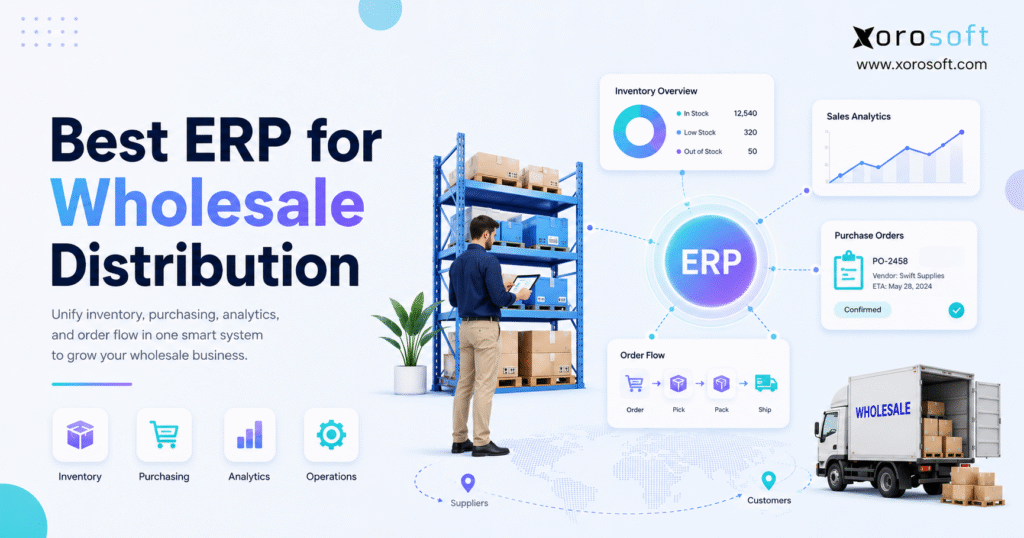
If you’re searching for the best ERP for wholesale distribution, this guide will help you make an informed decision.
1. Choosing ERP for Wholesale Growth
Choosing the best ERP for wholesale distribution is not just a software task. It is a business decision that affects inventory, purchasing, warehouse work, accounting, sales orders, reporting, and customer trust. As a wholesale company grows, the old setup often starts to crack. At first, QuickBooks, spreadsheets, Shopify, warehouse notes, and a few apps may feel flexible. However, that same stack can become risky when order volume rises, SKUs increase, and customers expect faster service.
Wholesale distribution looks simple from the outside. Products come in, orders go out, and invoices follow. In reality, every order depends on many moving parts. The team must know what inventory is available, what needs to be purchased, which orders the warehouse should pick, whether finance can trust the cost data, and what sales can safely promise. Therefore, a weak system does not only slow one department. It slows the whole business.
For that reason, the best ERP for wholesale distribution should give the company one place to manage the core work. Instead of asking each team to check a different tool, ERP connects stock, orders, suppliers, warehouses, finance, and reports. Because of that, leaders get a clearer view of what is happening before problems become expensive.
1.1 Why wholesale distributors start looking for ERP
Most wholesale distributors do not search for ERP when everything feels calm. Usually, the search starts after the team has already felt the pain. Inventory numbers stop matching the warehouse. Purchase orders depend on one spreadsheet. Sales teams ask operations to confirm stock before every large order. Meanwhile, finance waits too long to close the month because inventory value is hard to confirm.
These problems happen because wholesale work is connected by nature. A sales order affects inventory. Inventory affects purchasing. Purchasing affects cash flow. Warehouse delays affect invoices. In addition, bad reporting affects every major decision.
As a result, disconnected systems create more work as the company grows. People begin to fill the gaps manually. They export reports, update spreadsheets, check stock by hand, and send extra messages. Although this may work for a short time, it does not scale well.
1.2 What this guide will help you decide
This guide will help you understand what wholesale distribution ERP does, when a company needs it, which features matter most, and how to compare ERP systems without getting lost in demos. It also explains the difference between ERP, inventory software, and WMS, since many teams confuse those categories.
More importantly, this guide focuses on fit. The best system is not always the biggest system. It is also not always the most famous system. Instead, the best choice is the one that matches your workflows, your team, your data, and your growth plans.
2. What Is Wholesale Distribution ERP?
Wholesale distribution ERP is a business system that connects the main workflows of a distribution company. It usually includes inventory management, purchasing, warehouse management, sales orders, accounting, reporting, and integrations with ecommerce, EDI, shipping, and marketplaces.
In simple terms, ERP gives wholesale teams one source of truth. Because inventory, orders, purchasing, and finance all depend on the same data, the business can move faster with fewer manual checks.
2.1 Simple definition of wholesale distribution ERP
Wholesale distribution ERP is software that helps distributors manage stock, sales orders, suppliers, warehouses, purchasing, accounting, and reporting in one connected system. Instead of running the business through separate apps and spreadsheets, ERP links the daily work across departments.
For growing teams, the best ERP for wholesale distribution should make those workflows visible without forcing people to chase updates across disconnected tools. This matters because wholesale teams make promises based on inventory. If the stock data is wrong, the promise is weak. When purchasing data is late, stockouts become more likely. Once finance data is not linked to inventory, profit is harder to trust.
2.2 How ERP connects daily operations
A distributor needs several teams to work from the same facts. Sales needs available stock. Purchasing needs demand and lead times. The warehouse needs clear picking and receiving tasks. Finance needs cost and invoice data. Leadership needs live reports.
When ERP connects these areas, one action can update many parts of the business. For example, a purchase order creates inbound stock. A receipt updates inventory. A sales order reserves stock. After that, a shipment updates fulfillment, while the invoice and cost data flow into finance.
Because the data is shared, the company spends less time checking and more time acting.
2.3 ERP vs inventory software
Inventory software tracks stock. It may also handle purchase orders, reorder points, and basic channel sync. For a small business, that can be enough.
However, ERP goes further. It connects inventory with accounting, purchasing, warehouse work, sales, reporting, and controls. Therefore, ERP becomes more useful when the business needs more than stock tracking.
| System Type | Main Purpose | Best Fit | Main Limitation |
|---|---|---|---|
| ERP | Connects inventory, purchasing, warehouse, sales, accounting, and reporting | Growing distributors with complex workflows | Needs planning, training, and clean data |
| Inventory software | Tracks stock and basic inventory movement | Smaller teams with simple needs | Often limited for accounting, EDI, WMS, and deeper reporting |
| WMS | Manages warehouse tasks | Warehouse-heavy teams | Usually does not replace ERP or finance tools |
| Spreadsheets | Supports manual tracking | Very early-stage teams | High error risk as volume grows |
2.4 ERP vs WMS
A WMS controls the warehouse. It helps with receiving, putaway, bins, picking, packing, barcode scanning, transfers, and shipping.
ERP controls the wider business system around those warehouse moves. It connects the warehouse with inventory, purchasing, sales, accounting, and reporting. Because of that, many distributors need ERP and WMS workflows to work together.
For companies where warehouse control is a major pain point, a system such as XoroWMS can be useful to review later in the buying process. However, the main decision should still start with the full business workflow, not only the warehouse.
3. Who Needs ERP for Wholesale Distribution?
Not every wholesale business needs ERP on day one. However, the need becomes stronger when the team can no longer trust its current tools.
3.1 Distributors with multiple warehouses
Multiple warehouses create more stock questions. The team needs to know where each item sits, which location should ship the order, what stock is already committed, and where the next purchase order should be received.
Without ERP, teams often answer these questions through spreadsheets or messages. That slows down the business. In addition, it increases the chance of stock errors.
A good ERP should show stock by location, status, order, and commitment. As a result, the team can make better decisions before orders become late.
3.2 Businesses selling wholesale and ecommerce
Wholesale and ecommerce have different rhythms. Wholesale accounts may place large orders, use special pricing, require EDI, and expect reserved stock. Ecommerce orders move faster and often need quick fulfillment.
Because both channels may pull from the same stock pool, disconnected systems can create overselling. For example, Shopify may show stock as available while wholesale has already claimed it. On the other hand, wholesale teams may hold too much stock because ecommerce demand is not visible.
Therefore, a distributor that sells through both channels needs a system that keeps inventory aligned. If Shopify is an important part of the business, it is also worth checking whether the ERP has a live presence on the Shopify App Store.
3.3 Teams using QuickBooks plus spreadsheets
Many distributors start with QuickBooks because it solves early finance needs. Then, they add spreadsheets for purchasing, inventory planning, warehouse tracking, and reporting. At first, this feels practical.
However, the spreadsheet stack becomes fragile as the company grows. One wrong formula can change a buying decision. One missed update can hide a stockout. A single person on vacation can slow down a full process.
If QuickBooks is still part of your stack but operations now feel too complex, a comparison such as Xorosoft vs QuickBooks can help your team understand when accounting software is no longer enough on its own.
3.4 Distributors with EDI requirements
EDI adds another layer of pressure. Large retailers and wholesale partners often require digital purchase orders, order updates, advanced ship notices, and invoices.
When EDI is handled outside the main system, teams may need to rekey data or check several tools. That creates delays and errors. Therefore, distributors with EDI needs should look for ERP that can connect order intake, stock allocation, warehouse tasks, shipping documents, invoices, and reporting.
3.5 Companies with complex purchasing
Purchasing becomes harder when suppliers have long lead times, minimum order quantities, price changes, seasonal demand, and late shipments. If the buyer does not see real demand and real stock, the company can buy too much or too little.
As a result, purchasing should not live in a spreadsheet alone. ERP should help the team view demand, open purchase orders, stock on hand, supplier lead times, and reorder needs in one place.
3.6 Companies that may not need ERP yet
Some companies are not ready for ERP. For example, a small distributor with one warehouse, a small SKU count, simple accounting, and no wholesale complexity may still work well with basic tools.
However, the decision should be reviewed often. Once the team starts building side processes, ERP may become less of a future plan and more of an operating need.
4. Signs You Have Outgrown Basic Inventory Tools
ERP need usually appears through small signs first. Over time, those signs become harder to ignore.
4.1 Inventory accuracy is no longer trusted
When people stop trusting inventory, they stop trusting the system. Sales asks the warehouse to check stock. Purchasing checks spreadsheets before buying. Finance questions the value of stock. Meanwhile, leadership cannot see the true position of the business.
Because trust is gone, the team adds manual checks. Those checks slow down orders and create more work. Therefore, poor stock trust is one of the clearest signs that the business needs a stronger system.
4.2 Purchasing depends on manual spreadsheets
Spreadsheets are useful for planning. However, they should not become the only buying engine for a growing distributor.
If purchase orders depend on manual exports, copied formulas, and offline edits, mistakes become more likely. Also, the company may buy too late because demand was not visible. In other cases, it may buy too much because old sales patterns were used without context.
4.3 Month-end close takes too long
Inventory-driven accounting needs clean data. Receipts, shipments, landed costs, stock changes, invoices, and returns must all line up.
When these records live in separate tools, finance spends more time fixing the past than guiding the future. As a result, month-end close takes longer, and margin reports arrive too late.
4.4 Sales cannot trust available stock
Sales teams should know what can be promised. However, that is hard when available stock does not include open orders, allocated stock, incoming purchase orders, warehouse location, and customer holds.
When sales cannot trust the number, they either overpromise or slow down every deal to check with operations. Both outcomes hurt the business.
4.5 Warehouse teams rely on workarounds
Warehouse workarounds often begin as small fixes. Someone prints a list, another person adds a side note, the team updates bins manually, or an urgent order moves through chat instead of the system. At first, these steps may seem harmless.
However, they become risky when order volume rises. The warehouse then runs on memory and habit instead of a clear system. Because of that, errors become harder to find and fix.
4.6 Reporting arrives too late
Reports should help teams act before the problem gets expensive. If reports only explain what went wrong last month, they are not useful enough.
Wholesale leaders need live views of stockouts, aged inventory, open purchase orders, margin, fill rates, delayed shipments, and warehouse pressure. Without that view, decisions become reactive.
5. What Buyers Should Compare in the Best ERP for Wholesale Distribution
The best ERP for wholesale distribution should be judged by how well it supports real distributor work. A long feature list is not enough. For that reason, buyers should compare how each system handles orders, stock, purchasing, warehouse tasks, finance, reporting, and growth.
A good ERP should reduce manual checking, not create a new layer of confusion. Therefore, the buying process should focus on workflows first and software features second.
5.1 Inventory control
Inventory is the center of wholesale distribution. A strong ERP should show stock by item, warehouse, bin, status, and commitment. It should also support transfers, adjustments, cycle counts, stock aging, and available-to-sell logic.
Because inventory affects cash and customer service, the system must be reliable. Otherwise, the company will keep checking stock by hand.
5.2 Multi-warehouse visibility
Multi-warehouse control is more than seeing stock in different places. The team also needs transfer workflows, location-level demand, incoming purchase orders, and order routing.
For example, one warehouse may have stock, but another warehouse may be closer to the customer. Without clear rules, the team may ship from the wrong place or move stock too late.
5.3 Purchasing and replenishment
Purchasing should be tied to real demand. The system should show open orders, sales trends, lead times, supplier rules, minimum order quantities, and current stock.
In addition, purchasing should support approvals and receiving. That way, the business can reduce stockouts, avoid overbuying, and plan cash better.
5.4 Warehouse management
Warehouse work must be easy to control. Look for receiving, putaway, picking, packing, barcode scanning, bin tracking, cycle counts, transfers, and shipping workflows.
A warehouse team should not need to guess what to do next. Instead, the system should guide the work and update stock as tasks happen.
5.5 Accounting and inventory value
Wholesale ERP should connect operations with finance. Receipts, landed cost, adjustments, shipments, invoices, and COGS should all support clean reporting.
If accounting is not tied to inventory, margin can become unclear. As a result, leaders may think the business is healthier than it really is.
5.6 EDI and B2B orders
Wholesale often includes customer-specific pricing, large orders, contract terms, EDI, backorders, and special shipping rules. Therefore, ERP should manage more than simple online orders.
The system should help the team process B2B orders, reserve stock, send the right documents, and invoice with fewer manual steps.
5.7 Ecommerce and marketplace links
Many distributors now sell through Shopify, Amazon, wholesale portals, and marketplaces. Because of this, ecommerce orders and wholesale orders must share the same stock picture.
If channels are not connected, overselling becomes more likely. In addition, reporting becomes harder because each channel tells only part of the story.
5.8 Forecasting and demand planning
Forecasting helps a distributor plan future stock. However, forecasting is only useful when it uses good data. Sales history, current inventory, incoming purchase orders, seasonality, lead times, and supplier behavior all matter.
Because wholesale demand can come in large waves, simple reorder rules may not be enough. A better system helps the team plan before stock problems appear.
5.9 Reporting and decision visibility
Reporting should answer the questions operators ask every day. Which SKUs are aging? Which suppliers are late? Which orders are delayed? Which customers are using the most stock? Also, which products create good margin but slow down fulfillment?
If reports are hard to build, teams stop using them. Therefore, ERP reporting must be practical, clear, and close to the work.
5.10 Implementation fit
Even strong ERP software can fail when the rollout is weak. Before choosing a system, review data migration, training, team capacity, process changes, and support.
In addition, ask how much work your team must do before go-live. A good demo is useful, but a clear implementation path matters more.
6. ERP Systems Wholesale Distributors Often Compare
Wholesale distributors often compare several systems before choosing one. Some platforms are broad ERP suites. Others focus more on inventory, retail operations, warehouse work, or accounting-led workflows.
6.1 Xorosoft
XoroONE is a cloud ERP platform built for inventory-driven businesses. For wholesale distributors, Xorosoft connects inventory, accounting, purchasing, warehouse management, manufacturing, forecasting, reporting, Shopify, Amazon, EDI, and multi-warehouse workflows in one system.
This fit matters when a company sells physical products, manages multiple locations, serves wholesale customers, and needs better control than spreadsheets or disconnected tools can offer.
6.2 NetSuite
NetSuite is often considered by larger distributors that want a broad ERP system. It can fit companies with complex finance, operations, and reporting needs.
However, buyers should review cost, setup scope, internal admin needs, and partner support. A broad ERP can be powerful, but it also needs a team that can manage the rollout well.
6.3 Acumatica
Acumatica is often reviewed by mid-market distributors that want cloud ERP and distribution features. It can be relevant for companies that need inventory, order, warehouse, and finance workflows.
Because implementation partners play a key role, buyers should compare both the software and the partner model. If Acumatica is on your shortlist, the Xorosoft vs Acumatica page can help frame the discussion.
6.4 Microsoft Dynamics 365 Business Central
Business Central may fit SMBs that already work inside the Microsoft system. It can support finance, sales, service, and operations.
However, distributors should check whether extra tools or partner-built extensions are needed for deeper warehouse, EDI, ecommerce, and distribution tasks.
6.5 Cin7
Cin7 is often reviewed by product businesses that need inventory control, channel sync, and warehouse workflows. It may fit teams that are not ready for a full ERP but need more than simple stock tracking.
However, growing distributors should be clear about the difference between inventory software and ERP. If your team is deciding between these paths, the Xorosoft vs Cin7 comparison can help you review the gap.
6.6 Brightpearl
Brightpearl is often used by retail and omnichannel brands. It can support order automation, inventory, fulfillment, shipping, and accounting workflows.
For wholesale-heavy companies, the main question is fit. Buyers should test customer-specific pricing, B2B order flows, EDI needs, purchasing, and warehouse control before choosing.
6.7 Fishbowl
Fishbowl is often considered by QuickBooks or Xero users that need inventory, warehouse, or manufacturing support. It can be useful for companies that want better stock control without changing the full finance system.
However, larger distributors should decide whether they need an inventory layer or a full ERP. That choice affects reporting, accounting, purchasing, and long-term scale.
6.8 Sage
Sage may fit companies already using Sage finance or business software. It can be useful when the accounting ecosystem is already in place.
Still, distributors should compare the exact Sage product, partner setup, warehouse depth, and integration needs before making a decision.
7. Wholesale Distribution ERP Comparison Table
A comparison table can help your team narrow the shortlist. However, it should not replace workflow testing. When comparing the best ERP for wholesale distribution, use this table as a starting point, then ask each vendor to show your real processes.
This approach keeps the decision practical. Instead of ranking tools by brand name alone, your team can compare how each platform supports inventory, warehouse work, purchasing, accounting, ecommerce, EDI, and reporting.
| ERP or Platform | Best Fit | Strengths | What to Check |
| Xorosoft | Inventory-driven wholesale, ecommerce, manufacturing, and multi-warehouse businesses | Inventory, accounting, purchasing, WMS, forecasting, Shopify, Amazon, EDI | Best for physical product companies that need connected operations |
| NetSuite | Larger distributors with broad ERP needs | Finance, operations, supply chain, reporting | Cost, setup scope, admin needs, and rollout plan |
| Acumatica | Mid-market distributors | Cloud ERP, distribution workflows, warehouse support | Partner fit, module needs, and reporting model |
| Business Central | SMBs in the Microsoft ecosystem | Finance, sales, service, operations | Add-ons for deeper distribution needs |
| Cin7 | Product sellers needing inventory and channel control | Inventory, suppliers, warehouses, integrations | ERP depth vs inventory software scope |
| Brightpearl | Retail and omnichannel brands | Order automation, inventory, fulfillment | Wholesale pricing, EDI, and B2B fit |
| Fishbowl | QuickBooks or Xero users | Inventory, warehouse, manufacturing | Fit for full ERP needs |
| Sage | Sage ecosystem users | Accounting and ERP options | Product line and partner model |
8. ERP Feature Checklist for Wholesale Distributors
Before booking demos, build your own checklist. This keeps the buying process focused and helps you compare systems fairly.
8.1 Inventory features
Your ERP should support real-time inventory, stock by warehouse, stock by bin, transfers, cycle counts, inventory aging, allocations, and available-to-sell views. In addition, it should make stock status clear to sales, purchasing, warehouse teams, and finance.
8.2 Purchasing features
A good system should support purchase orders, supplier records, lead times, minimum order quantities, reorder points, approvals, cost history, and receiving against purchase orders. Because purchasing affects cash, the workflow must be clear and controlled.
8.3 Warehouse features
Warehouse teams need receiving, putaway, picking, packing, barcode scanning, shipping, transfers, and cycle counts. If the warehouse is busy, these workflows should be easy to use on the floor.
8.4 Accounting features
The system should connect inventory value with finance. Look for landed cost, COGS, accounts payable, accounts receivable, stock adjustments, month-end support, and margin reports.
If your team needs to review full ERP capabilities, XoroERP is a useful page to compare against your feature list.
8.5 Sales order and B2B features
Wholesale sales often need customer-specific pricing, order holds, credit limits, backorders, allocations, and account-level terms. Therefore, your ERP should support these workflows without forcing constant manual edits.
8.6 EDI features
For EDI-driven accounts, check purchase orders, order acknowledgments, advanced ship notices, invoices, and error handling. Also, ask how exceptions are shown to the team.
8.7 Ecommerce and marketplace features
If Shopify, Amazon, or other channels matter, the ERP should sync inventory, orders, fulfillment status, returns, and financial data. Otherwise, the business may still need manual checks between wholesale and online demand.
8.8 Reporting features
Reporting should cover inventory aging, sales by customer, sales by channel, margin by SKU, supplier performance, fill rate, stockouts, purchasing exposure, and warehouse output.
A broader review of Xorosoft solutions can help your team connect these features to real business workflows.
8.9 Manufacturing features
Some distributors also assemble, kit, or make products. In that case, ERP should support BOMs, work orders, raw materials, finished goods, production planning, and material availability.
9. How to Choose the Right Wholesale ERP
ERP selection should begin with your business process, not the vendor demo. If you skip this step, every system can look good on screen.
9.1 Map your current workflows
Start by writing down how orders move today. Include sales orders, stock checks, purchasing, receiving, picking, packing, shipping, invoicing, and reports.
Then, add every spreadsheet, manual step, app, and workaround. This map will show where the business is losing time.
9.2 Identify the real failure points
Next, look for repeat problems. Do stockouts happen because purchasing cannot see demand? Are orders late because the warehouse lacks clear tasks? Does finance close late because inventory value is unclear?
Once you know the failure points, you can turn them into demo questions.
9.3 Separate must-have features from nice-to-have features
A long feature list can create confusion. Instead, mark the features that are truly required. For many distributors, the must-haves include inventory control, multi-warehouse visibility, purchasing, warehouse tasks, accounting, reporting, EDI, and ecommerce links.
Nice-to-have features matter too. However, they should not distract from the core workflows.
9.4 Compare rollout effort
Two systems may look similar during a demo. However, the rollout effort may be very different.
Ask about data migration, item masters, warehouse setup, chart of accounts, integrations, user training, and support. Also, ask who will own each part of the project on your side.
9.5 Review reporting before you buy
Reporting should not be left for the end. Ask the vendor to show live examples of inventory aging, margin, open purchase orders, delayed orders, stockouts, warehouse work, and demand planning.
Because reports drive decisions, they must be easy to use.
9.6 Ask better demo questions
Use real examples from your business. For example, ask the vendor to show a wholesale order with customer-specific pricing, a partial shipment, a late supplier, a warehouse transfer, a stock adjustment, and an invoice.
This approach reveals more than a generic demo.
| Area | Demo Question |
| Inventory | Show us stock by warehouse, channel, allocation, and incoming supply. |
| Purchasing | Walk through how the system suggests purchase orders based on demand and lead time. |
| Warehouse | Demonstrate receiving, picking, packing, and barcode scanning. |
| Accounting | Explain how inventory value flows into financial reports. |
| EDI | Show how orders, ASNs, and invoices are handled. |
| Ecommerce | Demonstrate how Shopify or Amazon stock syncs with wholesale demand. |
| Reporting | Walk through margin, aging stock, and fulfillment issue reports. |
9.7 Build a fair shortlist
A strong shortlist usually has three to five systems. Include one broad ERP, one distributor-focused ERP, one inventory-heavy tool if relevant, and one modern cloud ERP that matches your growth plans.
Also, review real customer stories when possible. Pages such as case studies can help you see how systems are used beyond the demo.
10. Industry Use Cases
Different wholesale industries need different ERP workflows. Because of that, the best ERP choice should reflect the way products move in your market.
10.1 Apparel wholesale distribution
Apparel distributors deal with size, color, style, seasonality, prebooks, returns, and channel allocation. Because each product may have many variants, simple stock tracking can fall short.
The ERP should show inventory by variant, warehouse, order status, and incoming supply. In addition, it should help the team plan seasonal buys and avoid holding too much slow-moving stock.
10.2 Furniture wholesale distribution
Furniture distribution often includes large items, long lead times, container planning, warehouse space limits, and delivery coordination. Therefore, poor planning can quickly create space and cash-flow issues.
A good ERP should connect purchase orders, inbound shipments, warehouse capacity, customer orders, and delivery status.
10.3 Sporting goods distribution
Sporting goods distributors may manage seasonal spikes, wide SKU ranges, wholesale customers, and replenishment needs. Demand can change by region, season, and trend.
Because of this, forecasting and allocation matter. The system should help the team plan stock without overbuying items that may slow down later.
10.4 Food and beverage distribution
Food and beverage distributors may need lot tracking, expiry dates, FIFO, compliance records, and tight stock control. In this industry, inventory errors can affect service, waste, and compliance.
ERP should support traceability, expiry visibility, purchasing discipline, and warehouse control.
10.5 Manufacturing plus wholesale distribution
Some distributors also make, assemble, or kit products. In that case, inventory must cover raw materials, components, work orders, finished goods, and customer demand.
A strong system should connect BOMs, production plans, purchasing, warehouse stock, and sales commitments.
For a broader view of vertical fit, review the industries Xorosoft serves while building your ERP shortlist.
11. Common ERP Buying Mistakes
ERP mistakes often start before the contract is signed. Therefore, it helps to know what to avoid.
11.1 Choosing only by brand name
A known ERP brand may be a strong choice. However, brand name alone does not prove workflow fit.
Your team should compare how each system handles your real orders, warehouses, suppliers, accounting needs, and reports. If the system cannot support daily work, the name will not solve the problem.
11.2 Focusing only on accounting
Accounting matters, but wholesale distribution is not only a finance problem. Inventory, purchasing, warehouse work, EDI, and fulfillment must also be controlled.
If the ERP only solves finance, operations may keep using side tools. As a result, the business may still feel disconnected after implementation.
11.3 Ignoring warehouse work
Warehouse work is where many ERP plans fail. If receiving, picking, packing, scanning, transfers, and cycle counts are not clear, the team will create workarounds.
Therefore, warehouse workflows should be tested during demos, not after purchase.
11.4 Comparing features instead of workflows
Feature lists can look impressive. However, workflows show the truth.
Ask every vendor to show the same process. Use a real wholesale order, real stock issue, real supplier delay, and real reporting need. Then compare how each system handles the full flow.
11.5 Buying too late
Many distributors wait until the old system is already causing customer issues. However, ERP takes time to plan and roll out.
Because of that, waiting too long can force the company to implement under pressure. A planned move is safer than a rushed one.
11.6 Underestimating data cleanup
ERP depends on clean data. Item names, SKUs, suppliers, customers, pricing rules, warehouse locations, and opening stock must be reviewed.
If old data is messy, the new system will carry that mess forward. Therefore, data cleanup should start early.
12. ERP Readiness Checklist
Before choosing ERP, check whether your company is ready to use it well. Even the best ERP for wholesale distribution will struggle if workflows, data, team roles, and timelines are not clear before implementation.
Readiness matters because ERP does not fix messy processes by itself. Instead, it gives the team a stronger system for running clear processes.
12.1 Process readiness
Can your team explain how orders, purchasing, receiving, picking, shipping, invoicing, and reporting should work? If not, map the process first.
Clear workflows make ERP setup easier. They also reduce confusion after go-live.
12.2 Data readiness
Review item records, customer records, supplier data, pricing, warehouse locations, open sales orders, open purchase orders, chart of accounts, and stock balances.
Clean data helps the project move faster. In addition, it helps users trust the system from day one.
12.3 Team readiness
ERP affects sales, purchasing, warehouse teams, finance, customer service, and leadership. Each group needs training and ownership.
If only one person owns the project, adoption may suffer. Instead, each team should have a clear role.
12.4 Budget readiness
ERP cost includes more than software. It can include setup, migration, integrations, training, support, internal time, and process changes.
Therefore, compare total cost of ownership, not only monthly fees.
12.5 Timeline readiness
A rushed ERP rollout creates risk. Build a timeline that includes planning, data cleanup, testing, training, and support after launch.
Although speed matters, accuracy matters more.
13. How Xorosoft Fits Wholesale Distribution Operations
Xorosoft fits wholesale distribution teams that need inventory, purchasing, accounting, warehouse, manufacturing, forecasting, ecommerce, EDI, and reporting workflows in one cloud ERP system.
13.1 One system for inventory-driven teams
Many wholesale distributors struggle because their tools are split. Inventory may sit in one app, while accounting runs somewhere else. Warehouse work may depend on another tool, and spreadsheets often fill the gaps.
Xorosoft is designed to bring these workflows together. As a result, teams can reduce duplicate entry and work from a more reliable system of record.
13.2 Connected inventory, purchasing, and finance
Inventory decisions affect cash. Purchasing affects inventory. Sales orders affect stock. Because all of these areas are linked, distributors need a system that connects them.
Xorosoft can help teams manage stock, purchase orders, receiving, warehouse activity, invoices, and reports in a shared workflow.
13.3 Shopify, Amazon, EDI, and multi-warehouse operations
Many distributors now manage wholesale customers, Shopify orders, Amazon sales, EDI accounts, and multiple warehouses at the same time. This creates pressure because every channel wants accurate stock.
Xorosoft is relevant when a company needs to bring those channels into one operating view. In addition, it helps teams see how order flow affects warehouse work, purchasing, and reporting.
13.4 When Xorosoft is a strong fit
Xorosoft is often a strong fit for businesses that sell physical products, manage stock across locations, sell wholesale, use Shopify or Amazon, need EDI, or have outgrown spreadsheets and QuickBooks.
It can also fit businesses that want cloud ERP without building a large stack of separate apps.
13.5 When another ERP may be a better fit
Another ERP may be better if the company has very large global finance needs, a complex enterprise IT plan, or a strong reason to stay inside a different software ecosystem.
The right decision should always come back to workflow fit. If your team is comparing several options, start with the main Xorosoft comparison page and review only the comparisons that match your shortlist.
14. FAQ: Best ERP for Wholesale Distribution
14.1 What is the best ERP for wholesale distribution?
The best ERP for wholesale distribution is the system that fits your inventory, warehouse, purchasing, accounting, EDI, ecommerce, and reporting workflows. Some distributors may choose NetSuite, Acumatica, Business Central, Cin7, Brightpearl, Fishbowl, Sage, or Xorosoft. However, the right choice depends on business size, complexity, budget, and rollout capacity.
14.2 What is wholesale distribution ERP?
Wholesale distribution ERP is software that connects stock, orders, purchasing, warehouse tasks, accounting, and reports. It helps distributors manage products from supplier to warehouse to customer. Because the data sits in one system, teams can reduce manual checks and improve visibility.
14.3 Which ERP systems are used by distributors?
Distributors often review ERP and operations systems such as NetSuite, Acumatica, Microsoft Dynamics 365 Business Central, Cin7, Brightpearl, Fishbowl, Sage, and Xorosoft. Each system serves a different type of buyer. Therefore, companies should compare real workflows before choosing.
14.4 Do wholesale distributors need ERP software?
Wholesale distributors need ERP when basic tools can no longer support accurate stock, purchasing, warehouse work, finance, and reporting. If the team uses too many spreadsheets, checks stock manually, or closes the month slowly, ERP may be needed.
14.5 When should a distributor upgrade to ERP?
A distributor should consider ERP when inventory is hard to trust, purchasing depends on spreadsheets, warehouse errors increase, EDI becomes painful, or reports arrive too late. These signs show that the current system is limiting growth.
14.6 Is QuickBooks enough for wholesale distribution?
QuickBooks can work for small distributors with simple needs. However, it may not be enough when the company needs multi-warehouse inventory, purchasing control, EDI, warehouse workflows, forecasting, and deeper reporting. In that case, ERP becomes more useful.
14.7 ERP vs inventory software: what changes?
Inventory software mainly tracks stock and basic movement. ERP connects inventory with purchasing, warehouse work, accounting, sales orders, reports, and controls. Therefore, ERP is a wider system for companies with more complex operations.
14.8 ERP vs WMS: what changes?
ERP manages the wider business, including inventory, finance, purchasing, sales, and reporting. By contrast, WMS manages warehouse tasks such as receiving, picking, packing, scanning, and shipping. Many growing distributors need both workflows connected.
14.9 Managing multiple warehouses with ERP
Most modern ERP systems can manage stock across multiple warehouses. Key features include location-level stock, transfers, replenishment, allocation, receiving, warehouse tasks, and reports by location.
14.10 EDI and ERP: how they work together
With ERP, EDI workflows can connect digital orders, order updates, shipment notices, invoices, and exceptions with inventory and warehouse tasks. As a result, teams reduce manual entry and process wholesale orders more smoothly.
14.11 Customer-specific pricing in wholesale ERP
Many wholesale ERP systems support customer-specific pricing, contract terms, discounts, price levels, and account rules. This matters because wholesale buyers often have negotiated prices that basic tools cannot manage well.
14.12 Forecasting with ERP: what improves
Better forecasting starts when ERP connects sales history, current stock, purchase orders, lead times, seasonality, and demand data. However, the forecast still depends on clean data and good planning rules.
14.13 Reducing stockouts and overstock with ERP
By improving demand visibility, reorder planning, supplier tracking, and inventory control, ERP can help reduce stockouts and overstock. Still, the company must use the system well and keep data clean.
14.14 Connecting Shopify and wholesale orders
A strong ERP can connect Shopify and wholesale orders through shared inventory, order sync, fulfillment updates, and reporting. This matters when both channels sell from the same stock pool.
14.15 Amazon and wholesale inventory: where ERP fits
For distributors selling on Amazon and wholesale channels, ERP helps keep orders, stock, fulfillment, and reports aligned. The connection can happen through direct links or integrations, depending on the system.
14.16 Core features every wholesale ERP should include
A strong wholesale ERP should include inventory, purchasing, warehouse management, accounting, sales orders, EDI, ecommerce links, forecasting, reports, customer pricing, and multi-warehouse support. Depending on the business, it may also need manufacturing features.
14.17 How much does wholesale ERP cost?
Wholesale ERP cost depends on users, modules, setup, integrations, data migration, training, support, and custom needs. Because of that, buyers should compare total cost rather than only monthly software fees.
14.18 How long does ERP implementation take?
ERP implementation time depends on company size and complexity. A simple rollout may take a few months. However, a distributor with multiple warehouses, EDI, ecommerce, accounting changes, and custom workflows may need more time.
14.19 What are the biggest ERP risks?
The biggest ERP risks include poor data, unclear workflows, weak training, low team ownership, rushed timelines, and hidden integration work. Most issues come from poor planning rather than the software alone.
14.20 How well does NetSuite fit wholesale distribution?
NetSuite can be a strong option for larger distributors with broad ERP needs. However, buyers should review cost, setup scope, internal admin needs, and workflow fit before choosing it.
14.21 Where does Acumatica fit for distributors?
Acumatica can fit mid-market distributors that want cloud ERP and distribution workflows. However, the partner model, module setup, and implementation plan should be reviewed carefully.
14.22 Can Cin7 replace a full ERP system?
Cin7 is often used by product businesses for inventory, channel sync, warehouse workflows, and related operations. Some teams may treat it as an operating system, but buyers should decide whether they need inventory software or full ERP.
14.23 When does Brightpearl make sense for wholesale distributors?
Brightpearl can fit retail and omnichannel brands. However, wholesale distributors should test B2B pricing, EDI, purchasing, warehouse workflows, and reporting before choosing it.
14.24 Where does Fishbowl fall short for growing distributors?
Fishbowl may be enough for some QuickBooks or Xero users that need inventory and warehouse support. However, companies with deeper ERP needs may require a broader system.
14.25 Which ERP features matter most for apparel wholesale distribution?
Apparel wholesale distribution usually needs size, color, style, seasonality, allocation, purchasing, and multi-warehouse inventory. Apparel teams should also look for strong variant-level visibility.
14.26 Which ERP features matter most for food and beverage distributors?
Food and beverage distributors should look for lot tracking, expiry control, FIFO, compliance support, purchasing, warehouse workflows, and demand planning. Because shelf life matters, stock accuracy is especially important.
14.27 When should spreadsheet-heavy distributors move to ERP?
Spreadsheet-heavy distributors should move to ERP when manual work creates stock errors, slow purchasing, late reports, duplicate entry, or weak inventory trust. The right ERP should replace disconnected tracking with connected inventory, purchasing, warehouse, accounting, and reporting workflows.
14.28 How should distributors compare ERP demos?
Distributors should compare ERP demos using real business cases. Ask each vendor to show a wholesale order, stock allocation, purchase order, receiving, picking, shipping, invoicing, and reporting flow.
14.29 What data should be prepared before ERP implementation?
Prepare item records, customer data, supplier records, prices, warehouse locations, stock counts, open sales orders, open purchase orders, accounting data, and transaction history. Clean data makes the rollout safer.
14.30 How does Xorosoft support wholesale distribution?
Xorosoft supports wholesale distribution by connecting inventory, accounting, purchasing, warehouse management, manufacturing, forecasting, reporting, Shopify, Amazon, EDI, and multi-warehouse workflows in one cloud ERP system.
15. Choosing the ERP That Fits Your Wholesale Operation
The best ERP for wholesale distribution is not always the largest system or the most famous name. Instead, it is the system that fits how your business buys, stores, sells, ships, invoices, and reports.
For a growing distributor, the best ERP for wholesale distribution should reduce manual work, improve inventory trust, connect finance with operations, and give the team clearer decisions before problems become expensive.
Start by mapping your current process. Then, list the places where the current system creates errors, delays, or extra work. After that, compare ERP systems through real workflows, not generic demos.
For some distributors, an inventory app plus accounting may still be enough. However, for companies with multiple warehouses, wholesale accounts, Shopify or Amazon orders, EDI, complex purchasing, and slow reporting, ERP can become the system that holds the business together.
If your team is ready to compare connected ERP workflows, Book a demo and review how inventory, purchasing, warehouse work, accounting, ecommerce, EDI, and reporting can work from one system.
Recent Posts
-
 ERP Landed Cost Module vs Spreadsheet Calculations for Importers
 -
 How to Build an Open-to-Buy Plan for an Omnichannel Brand
 -
 Cold Storage WMS for Food and Beverage Distribution
 -
 ERP Buying Statistics 2026: Evaluation, Implementation, and Adoption Risks
 -
 How a Distributor Reduced B2B Order Exceptions Without Restricting Sales



