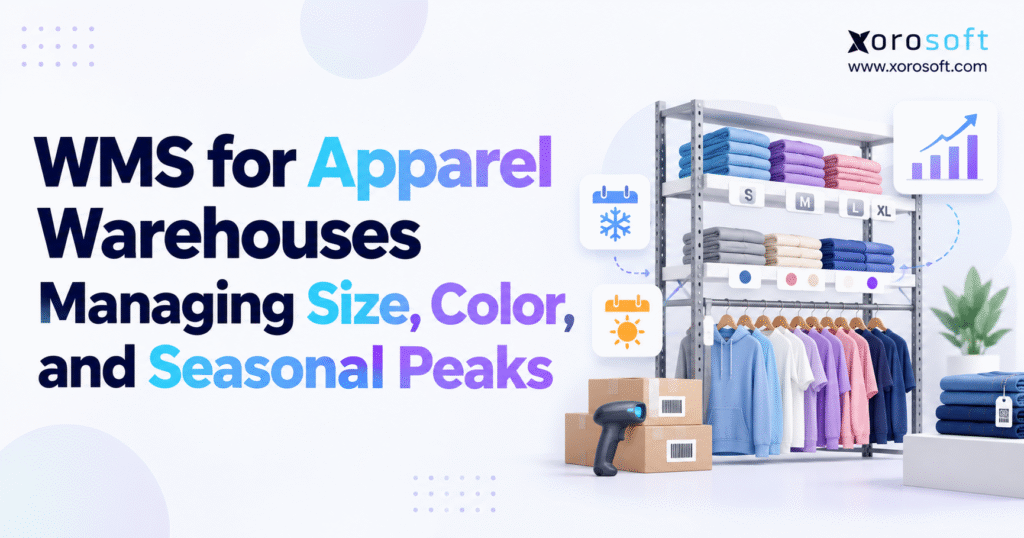
An effective apparel warehouse management system can dramatically streamline operations and boost efficiency for your business.
1. Apparel Warehouse Inventory Challenges: Size, Color, and Stock Gaps
1.1. Why Apparel Size–Color SKU Counts Grow So Quickly
In apparel, a product name rarely represents one warehouse item. For example, a jacket offered in five colors and six sizes produces 30 distinct variants before accounting for different fits, lengths, bundles, or wholesale packs. Repeat that structure across 200 styles and the operation may have 6,000 sellable combinations. As a result, each variant needs its own identity, location, stock count, and sometimes a different refill plan.
A picker must find a navy medium jacket, not just a navy jacket. Purchasing needs to know which size is short; customer service needs to know which can ship. Therefore, style-level totals hide shortages in the variants customers actually want.
1.2. Why Seasonal Apparel Inventory Changes Warehouse Layouts
Meanwhile, fashion inventory changes quickly. Winter outerwear moves from receiving to primary pick locations and eventually to clearance storage while spring collections arrive. Promotional demand can make a previously slow-selling color one of the busiest items overnight. As demand shifts, last quarter’s layout may send pickers across the building for items they need many times each hour.
When a brand sells through retail stores, Shopify, marketplaces, and wholesale accounts, every team may compete for the same physical units. An apparel warehouse management system should prevent stock promises until the correct variant is eligible for fulfillment.
2. What an Apparel Warehouse Management System Actually Controls
2.1. How an Apparel Warehouse Management System Differs From a Stock Tracker
An apparel warehouse management system guides the team as it receives, stores, moves, counts, picks, packs, ships, and accepts garment returns. It connects an inventory record to a physical task: scan this carton, put it in this bin, replenish this pick face, verify this size, or investigate this discrepancy. That differs from a basic stock tool, which may only record the quantity teams expect to have.
For instance, a reliable WMS shows that 140 small black shirts exist, where workers keep them, how many units orders have claimed, and whether quality staff hold any of them. Each completed scan creates a traceable record for later investigation.
2.2. The Apparel WMS Workflow From Receiving to Shipping
First, the receiving team checks an incoming shipment against a purchase order or advance ship notice. Next, workers assign accepted goods to storage and move them into pick locations as demand grows. Then orders claim eligible stock, pickers check garments, packers confirm the contents, and shipping records update available stock. Returns follow a controlled reverse path rather than reappearing automatically in sellable stock.
An apparel warehouse management system should support those handoffs and keep every team working from the same facts. However, it cannot compensate for incorrect size labels or poorly maintained SKU records. A scanner faithfully records what its barcode identifies; it does not establish that a supplier attached the correct tag in the first place.
2.3. When Smaller Apparel Brands Can Use Basic Inventory Tools
For a small brand with one stockroom and few daily orders, ecommerce stock tracking and clear manual checks may work well. The upgrade point comes when workers repeatedly search for products, multiple people edit counts, picking errors rise, or orders are split across facilities. Warehouse complexity—not a particular revenue threshold—is the soundest reason to add execution software.
3. Apparel WMS Inventory Management for Every Size–Color SKU
3.1. Build an Apparel Style, Color, and Size Inventory Map
An apparel product master should distinguish the parent style from the sellable variant. The parent might be a crew-neck tee; each color and size combination is a separate SKU. Additional attributes such as fit or inseam may create further variants. In addition, pack rules need separate records: workers cannot treat a twelve-unit wholesale size run as twelve random single-item picks.
Consider a style TS-240 sold in black, navy, and olive across five sizes. That is 15 possible variants. Its black medium SKU might be TS240-BLK-M, but the code format matters less than its consistency across purchasing, receiving, warehouse scanners, and sales channels. A single mapping rule prevents teams from using conflicting codes.
3.2. How Apparel Warehouse Software Shows Available Stock
The table below shows why teams should report physical and available units separately. These figures are examples, and the available totals assume no other holds.
| SKU | Color | Size | On hand | Committed | Unavailable | Available |
|---|---|---|---|---|---|---|
| TS240-BLK-S | Black | S | 90 | 20 | 5 | 65 |
| TS240-BLK-M | Black | M | 150 | 75 | 10 | 65 |
| TS240-BLK-L | Black | L | 115 | 40 | 0 | 75 |
| TS240-NVY-M | Navy | M | 80 | 30 | 8 | 42 |
| TS240-OLV-XL | Olive | XL | 55 | 18 | 2 | 35 |
A style total would conceal the fact that navy medium has only 42 available units. Therefore, a useful apparel warehouse management system shows available units for each variant and location so teams can plan refills, reserve stock, and promise the right item.
3.3. Barcode Rules for Apparel WMS, SKUs, and GTINs
An internal SKU helps warehouse teams track products; a GTIN gives each trade item a standard ID. GS1 US apparel guidance explains why distinct size–color combinations require distinct identification for standardized commerce. At receiving, workers should check each SKU-to-barcode link, especially when suppliers use different codes for the same item.
Also, teams need clear scan rules for damaged tags, mixed cartons, replacement labels, and unknown items. A warehouse should not move unidentified garments into active picking bins because doing so converts a receiving exception into a customer-facing fulfillment problem.
4. Apparel Warehouse Management Software for Receiving and Putaway
4.1. How Apparel Receiving Teams Verify Each Size and Color
For example, suppose a supplier sends ten cartons marked as 120 units. The carton total may be correct even if the assortment contains 20 extra smalls and 20 fewer larges than the purchase order specified. Receiving only at the carton level would accept a costly error. Workers need to verify the content by variant, record shortages and overages, and identify goods that require inspection.
Advance ship notices can speed up receiving when carton contents and identifiers are trustworthy. However, they should not eliminate exception handling. When workers find a mismatch, the system should record the expected quantity, the actual goods, and how the team resolved the difference. The audit trail helps purchasing resolve disputes.
4.2. Apparel WMS Putaway Rules for Racks, Bins, and Hanging Stock
Folded shirts, boxed shoes, and garments on hangers have different storage needs. A warehouse may use shelving for folded units, racking for bulk cartons, and garment-on-hanger rails for delicate clothing. Therefore, putaway rules should consider storage type, free space, and whether goods belong in reserve or front-line pick bins.
A warehouse location should be precise enough to direct an employee without relying on local knowledge: zone, aisle, rack, level, and bin where appropriate. Workers must scan each move between locations. Otherwise, the system can report accurate totals while workers struggle to find the physical stock.
4.3. Keep Damaged Apparel Outside Sellable Locations
Teams should move damaged garments, unknown labels, quality holds, and pending returns into separate non-sellable locations. Keeping them mixed with usable stock invites accidental allocation. Likewise, teams should separate items awaiting photos, new labels, or special retail packing. That way, everyone can see each unit’s status without asking a manager why it sits on hold.
When comparing platforms, examine whether the warehouse management capabilities of XoroWMS support the location controls, scanning checkpoints, and transaction tracking your receiving process requires. However, a live test of a real stock issue matters more than a long feature list.
5. Apparel Warehouse Slotting and Seasonal Replenishment
5.1. Slot Fast-Moving Apparel Size–Color Variants
Slotting by style alone can hide important demand differences. A black medium may sell every hour while the same style in an uncommon color moves only twice a week. Therefore, give the fastest-selling variants easy-to-reach pick bins, enough space, and short refill routes. Low-velocity stock can occupy reserve or secondary locations without adding unnecessary picker travel.
Review location assignments before major collection launches, not only after congestion appears. A slotting decision should account for movement frequency, units per pick, item dimensions, garment protection, and whether the product frequently appears in multi-line orders. Teams should not place heavy cartons, fragile accessories, or hanging garments near shipping solely to shorten the route.
5.2. Apparel WMS Replenishment: Pick Faces Versus Reserve Stock
A warehouse might own 600 units of a popular hoodie, but only 40 fit in the forward-pick location. Without replenishment rules, pickers will repeatedly encounter an empty bin while another 560 units sit in reserve. Effective refill rules consider how fast stock sells, how long a move takes, and how much the pick bin can hold.
For example, same-day promotional orders may need earlier refills than slow-moving wholesale stock. Warehouse managers should also schedule moves to avoid placing replenishment equipment into the busiest picking aisles during carrier cutoff periods.
5.3. Reset the Fashion Warehouse Layout as Seasons Change
As summer basics give way to autumn outerwear, the warehouse needs a planned reset. Old inventory may move to clearance zones, new collections may require temporary staging capacity, and popular sizes may need larger pick faces. Across broader inventory and operational solutions, the important principle is to connect these physical changes with demand planning instead of treating layout as a one-time setup exercise.
Also, decide who approves new bins, when workers move stock, and how each shift learns the new layout. Execution matters more than a decorative layout map.
6. Apparel WMS Picking Methods That Reduce Wrong-Size Shipments
6.1. Choose Apparel Order Picking Methods by Order Type
Different sales channels create different work. For example, a direct-to-consumer order may contain one shirt and one accessory, while a wholesale order may call for hundreds of units across a size run. The picking method should reflect SKU overlap, order size, travel distance, sorting needs, and shipping deadlines.
| Method | Operating approach | Most suitable when |
|---|---|---|
| Single-order picking | Complete one order at a time | Orders are complex or volumes are manageable |
| Batch picking | Collect shared SKUs for several orders | Many small orders contain the same variants |
| Cluster picking | Pick into separate order containers | Workers can complete nearby orders in one route |
| Wave picking | Release groups of work by priority or cutoff | Volume spikes require planned labor and shipping |
Batch picking can reduce travel but raises sorting risk if workers do not label totes correctly. Wave picking can organize peak work but creates queues when releases exceed packing capacity. Therefore, teams should compare order accuracy and output after any change instead of assuming one method always wins.
6.2. Verify Clothing Sizes and Colors With Barcode Scans
To prevent wrong-size shipments, verify the item when the picker handles it. A picker scans the assigned bin, scans the garment, and confirms quantity. Then the packer scans each item again before closing the box. An apparel warehouse management system should reject mismatched scans rather than silently accept similar variants.
This check matters when labels look alike or new employees do not know the full product range. A properly configured apparel warehouse management system can enforce these checks, but supervisors must still investigate repeated errors. If multiple pickers find incorrect items in one bin, the underlying problem may involve replenishment or receiving rather than individual attention.
6.3. Manage Short Picks Without Losing Inventory Accuracy
When a picker cannot find the expected stock, they should record a short pick. Next, the system may order a recount, check other valid bins, or send the order to a supervisor. Substituting another size without approval is not a practical workaround; it replaces a stock discrepancy with a return and customer trust problem.
Often, repeat short picks come from missed scans, wrong carton labels, late returns updates, or poor stock reservation rules. An exception history exposes the pattern.
7. How an Apparel WMS Supports Seasonal Peak Planning
7.1. Forecast Apparel Size–Color Demand by Variant
First, peak planning must separate sales forecasts from warehouse capacity. One estimates demand by variant; the other tests whether the warehouse can handle it. For example, a 10,000-jacket forecast will not help much if shoppers want two sizes that the brand cannot supply.
Use comparable historical periods, promotional plans, new collection assumptions, returns patterns, and supplier lead times. Forecasts should separate direct-to-consumer demand from wholesale allocations so a large retailer order does not consume stock intended for a website promotion. When past trends offer little guidance, planners should explain their estimates and refine them as orders arrive.
The scale of seasonal retail demand is substantial. Adobe Analytics reported that US online holiday spending reached $257.8 billion during November and December 2025, including $49.0 billion in apparel. However, those market figures do not predict demand for any one warehouse. They underline why capacity planning should begin well before major promotions.
7.2. Plan Apparel WMS Labor and Pick-Face Capacity
Assume a warehouse normally ships 1,200 orders per day and expects 3,000 at peak. At 80 completed orders per worker-shift, and with a similar order mix, the basic picking workload rises from 15 to 37.5 worker-shifts. Management must then allow for rounding, absence, receiving, replenishment, packing, training, supervision, and capacity limits unrelated to picking.
An apparel warehouse management system can help release work in manageable groups and identify congestion, but it cannot create labor or packing stations. Therefore, managers should test every step, including receiving, putaway, refills, pick routes, sorting, labels, carrier pickup, and returns.
7.3. Test Apparel Fulfillment Handoffs Before the Rush
Yet the worst peak-season failures often happen between steps. Pickers may complete work faster than packing stations can process it. Orders may enter the warehouse before channel inventory reservations synchronize. For example, new seasonal items may arrive on time, but teams cannot sell them until workers confirm putaway. Meanwhile, temporary staff may use a different process for damaged labels.
Before launch week, test hard-to-pick sizes, split orders, wholesale packs, and common errors under realistic loads. Monitor backlog aging and order cutoff performance rather than only units picked. For businesses operating across different retail, apparel, and distribution industries, the mix of physical inventory, channels, and seasonal timing should determine the test scenarios.
7.4. Reset Apparel Stock After Seasonal Promotions
After promotions, returns, clearance orders, and warehouse resets still demand attention. Inventory aging reports should identify slow-moving variants that still occupy prime pick positions. Finance and merchandising teams need visibility into unsold stock before deciding on transfers, markdowns, or liquidation.
As a result, a useful readiness review checks stock accuracy, proven capacity, clear task owners, and whether each channel respects stock holds. If the answers are uncertain, process improvement should precede additional marketing spend that creates orders the operation cannot reliably fulfill.
8. Apparel Warehouse Management for Shopify, Amazon, and Wholesale
8.1. Set Apparel WMS Rules for Available, Committed, and Incoming Stock
An apparel warehouse management system should stop Shopify and wholesale from promising the same physical unit. That requires consistent inventory states, reservations, and channel publishing rules. Shopify’s inventory-state documentation differentiates on-hand, available, committed, unavailable, and incoming quantities. Unless the brand offers preorders, the team should not publish incoming goods as ready to ship until workers receive and release them.
The distinction becomes critical when stock is spread across warehouses. For instance, a West Coast site may stock the right size but lack the tools or service to ship that wholesale order. Available-to-promise rules should reflect physical availability, commitments, channel restrictions, and the eligible fulfillment location—not merely a company-wide total.
8.2. Map Apparel SKUs Across Shopify, Amazon, and the WMS
Catalog integrations fail when the same garment has conflicting identifiers. Marketplace SKUs, Shopify variants, internal item numbers, UPCs, and supplier codes should map to a single master record. Teams should also test how cancellations, partial shipments, refunds, backorders, and transfers affect available quantities.
Xorosoft lists commerce and inventory connections in its integration catalog, while its Shopify App Store listing describes synchronization for products, variants, orders, inventory, and fulfillment. Therefore, merchants should test those features with their own Shopify locations, stock rules, and outside warehouses.
8.3. Apply Wholesale Apparel WMS Packing and EDI Rules
Wholesale apparel often introduces size assortments, carton quantities, retailer-compliant labels, and electronic documents. In X12 EDI, an 850 represents a purchase order and an 856 communicates shipment information. The X12 transaction-set reference describes these message types. A WMS may execute carton packing while ERP or an integration service manages the associated retailer communications.
Wholesale orders should reserve the exact sizes the buyer needs, not a general style total. If a retailer orders twelve-unit pre-packs, the fulfillment process needs to respect that composition and any carton-level identification requirements. Channel-specific rules prevent a fast-moving ecommerce queue from consuming merchandise already committed to a wholesale delivery window.
9. Apparel Returns Management in a Fashion Warehouse WMS
9.1. Inspect Apparel Returns Before Restocking
In addition, returns create real warehouse work. The National Retail Federation’s 2025 research estimated that customers would return 19.3% of online retail sales that year. This figure covers online retail overall rather than apparel alone, but apparel warehouses face particular inspection needs because condition, tags, fit, and packaging affect resale eligibility.
The receiving team should match each returned garment to its order and exact size–color SKU. The receiver verifies condition, records the result, and directs the item to restock, repack, quarantine, repair, or disposal. If workers restock an unopened return without a check, they may promise a garment that cannot be sold again.
9.2. Apparel WMS Size Exchanges Require Two Stock Moves
When a customer exchanges a medium jacket for a large, the warehouse performs two distinct activities. The medium returns into inspection; the large becomes a new fulfillment requirement. However, those two stock moves should not automatically cancel each other. The returned medium could have damage, and the warehouse might lack the replacement large.
An apparel warehouse management system should make both statuses visible so the customer-facing promise reflects reality. Teams should count returns awaiting inspection as unfinished work rather than hide them inside a stock adjustment.
9.3. Use Apparel Return Reasons to Improve Future Decisions
Returns carry useful product information. Repeated size exchanges for a particular collection may indicate inconsistent fit, misleading product descriptions, or incorrect size mapping. Excessive damaged returns from one supplier may point to packaging or quality problems. Warehouse teams should capture standard reason codes without turning the process into an unmanageable questionnaire.
As a result, buying, support, and finance teams can use those trends to prevent repeat problems. The goal is faster restocking and fewer preventable returns or repeat quality problems.
10. Apparel Warehouse Management KPIs: Measure Each Variant
10.1. Which Apparel WMS KPIs Matter Most?
For instance, orders shipped per hour may rise even as wrong-size shipments increase. Pair throughput with accuracy and shipment timing, using consistent definitions across regular weeks and seasonal peaks.
| Metric | Suggested calculation | Operating question |
|---|---|---|
| Order accuracy | Correct orders ÷ orders audited × 100 | Did each order contain the correct items? |
| Variant inventory accuracy | Correct SKU-location counts ÷ SKU-location counts checked × 100 | Can employees trust the records? |
| Picking productivity | Lines picked ÷ direct picking labor hours | Is labor being used effectively? |
| On-time dispatch | Orders dispatched by cutoff ÷ orders due × 100 | Are commitments being met? |
| Dock-to-stock time | Receipt timestamp to available putaway confirmation | How long is inbound stock delayed? |
These formulas are examples, not public industry benchmarks. Therefore, teams should agree on what each metric counts before they compare results.
10.2. Find the Causes of Apparel Picking and Count Errors
For example, a 98% order accuracy score cannot show whether staff picked the wrong size, missed an item, sorted an order poorly, or mislabeled a return. Break errors down by variant, shift, zone, task type, and responsible process. Similarly, separate real stockouts from goods that sit in the building but lack a receipt or transfer scan.
Warehouse leaders should schedule routine investigations of the largest recurring error categories. Fixing one incorrect supplier barcode mapping may prevent more problems than reminding an entire shift to pay closer attention.
10.3. Connect Apparel Stock Reports to Buying and Finance
Variant-level sell-through and inventory aging help merchants see which sizes are selling and which remain unsold. When planners use sales speed, lead times, promotions, and open orders, they can avoid buying equal quantities of sizes that customers do not buy equally.
Financial teams also need accurate warehouse movements in their inventory values and adjustments. This is where isolated WMS reporting becomes less useful than connected records. Managers should explain why a stock balance changed, which action caused it, and whether finance has checked the result.
11. Apparel Warehouse Management System vs Inventory Apps vs ERP
11.1. Choose Inventory Software, Apparel WMS, or ERP by Need
An ecommerce inventory tool may be sufficient for a small team that needs reliable stock counts and simple fulfillment. By contrast, a standalone WMS makes sense when staff need guided putaway, mobile scans, bin-level picking, and planned refills. Integrated ERP becomes attractive when warehousing must remain in sync with purchasing, accounting, manufacturing, forecasting, and multi-channel order management.
| Requirement | Basic inventory software | Standalone WMS | Integrated ERP with WMS |
|---|---|---|---|
| Variant-level quantities | Typically | Yes | Yes |
| Detailed directed picking | Varies | Core focus | Depends on configuration |
| Warehouse slotting and replenishment | Often limited | Core focus | Depends on module |
| Purchasing and supplier planning | Varies | Usually external | Commonly included |
| Financial accounting | Usually external | Usually external | Commonly included |
| Wholesale and EDI workflows | Integration-dependent | Integration-dependent | Integration-dependent |
Since vendor features overlap, ask each team to show how its system handles your hardest orders instead of trusting a list.
11.2. Add Disconnected Data and Labor Costs to the Comparison
Businesses commonly outgrow a combination of ecommerce tools, QuickBooks, spreadsheets, an inventory app, and warehouse software. However, the issue does not mean every tool is poor. The problem is inconsistent order statuses, manual adjustments, delayed finance reconciliation, and integrations that no one owns end to end.
Xorosoft’s XoroONE platform combines warehouse processes with inventory, purchasing, accounting, and other ERP functions. Its XoroERP offering is another relevant entry point for companies evaluating connected operations. Buyers should compare actual deployment scope, setup work, reporting needs, and costs of changing processes—not assume that a consolidated product is automatically the better choice.
11.3. Compare Apparel WMS Vendors Using Real Warehouse Tests
Solutions such as NetSuite, Acumatica, Microsoft Dynamics 365 Business Central, Cin7, Brightpearl, and specialist WMS products serve different operating models. An ERP comparison with NetSuite can be one research input, but the decisive evidence comes from a scenario-based demonstration.
Ask shortlisted vendors to receive a carton with mislabeled sizes, allocate a mixed-size wholesale order, pick identical-looking variants, process a damaged return, and reconcile a warehouse transfer. Also, ask the vendor to show a failed scan, a late data sync, and an out-of-stock order. Those exceptions reveal more about daily usability than a polished dashboard.
12. Apparel WMS Implementation Before Seasonal Peaks
12.1. Clean Apparel Size–Color Data and Bin Locations First
A successful rollout starts with catalog ownership. Teams should agree on style codes, size scales, colors, barcodes, packs, and units of measure before importing the inventory master. First, give each bin its own code and count stock until you trust the opening balances.
Do not move every old data error into the new system simply because exporting is convenient. Also, review inactive styles, duplicate SKUs, old barcode links, and stock totals below zero. Data quality problems that look harmless in spreadsheets become barriers when every warehouse move requires a match to a defined item and location.
12.2. Pilot Apparel WMS Receiving, Picking, and Returns
Start with a mix of product families and real order types, not just the easiest SKU. Include hanging garments, folded apparel, assorted size packs, partial deliveries, and returns. Then test mobile scanners, labels, staff access, shipping cutoffs, and the steps staff take after a failed scan.
If Xorosoft or any other platform is under consideration, test both normal ecommerce and EDI transactions and failures. What happens when a customer cancels an order after allocation? Does a short shipment return inventory to an appropriate state? Can support staff trace a mismatch to its original event? The project team should answer these questions before the wider rollout.
12.3. Use Clear Go-Live Tests for the New Warehouse System
A 30–60–90-day plan can guide setup, testing, and launch. However, it cannot promise a finish date for every business. Multiple warehouses, complex retailer integrations, and accounting migration may require more extensive work. Success criteria should include clean opening balances, verified scanning, accurate stock reservations, trained operators, and a clear plan for handling problems.
Unless the team has tested every key risk, avoid launching the apparel warehouse management system during the busiest sales period. Maintain a backup plan and define which team owns every interface and exception. Stable execution matters more than meeting an arbitrary software launch date.
13. Apparel Warehouse Management Use Cases for Growing Brands
13.1. Shopify Apparel Fulfillment for a Wholesale Brand
Consider a hypothetical apparel company with 4,000 active variants, a primary warehouse, and an outside 3PL. Shopify orders arrive continuously, while retailers place large orders against future delivery windows. First, the team should decide which system owns sellable stock and how wholesale holds affect online orders.
The second improvement is consistent mappings, verified receiving, bin scans, and allocation rules. The team should test Xorosoft against the same checks it applies to other providers. Once those controls work, the company can compare a standalone WMS with a connected ERP and choose the easier fit.
13.2. Apparel WMS Planning for a Holiday Order Surge
A second hypothetical company ships 900 orders on a normal day and expects 2,700 during a major promotion. Its pick locations hold only one day’s normal demand, and replenishment competes with picking for narrow aisles. Simply tripling picking staff could make congestion worse.
A better plan combines variant-level demand analysis, enlarged pick faces for fast sellers, staged refills outside the busiest periods, wave release aligned with packing capacity, and a temporary worker training process. The customer case-study library can provide additional vendor-specific operating context, but a company’s own order mix and constraints must guide the design.
13.3. Trace Stock Errors Before Selecting Apparel Software
Whatever the operating model, a useful demonstration should show the complete chain from purchase order to financial reporting, including failed scans and inventory corrections. With sound rules, an apparel warehouse management system shows where an error began, who owns the fix, and how the team corrected it. That control is what allows teams to scale without relying on individual employees to remember every exception.
14. Apparel Warehouse Management System: Practical Next Steps
14.1. Fix Size–Color Records and Picking Checks First
The practical starting point is an honest inventory and workflow assessment. Can employees locate the right size–color variant without asking a supervisor? Do receiving records match the physical merchandise? Do sales channels exclude committed stock from available inventory? Can managers measure short picks, mis-picks, and shipping delays without stitching together several spreadsheets?
Address frequent failures in order: clean product data, enforce scanning, separate unavailable inventory, and align slotting with demand. An apparel warehouse management system is only as dependable as these operating rules. Then test fulfillment against the volume and order mix expected during the next seasonal peak. Therefore, these process fixes add value no matter which software the business chooses.
14.2. Choose Connected ERP and WMS When Your Needs Justify Them
If the operation also struggles with purchasing forecasts, multi-warehouse allocation, retailer EDI, or accounting reconciliation, evaluate whether warehouse execution should sit within a broader ERP model. Xorosoft is one option for businesses seeking that connection, but the appropriate decision should follow a review of actual workflows, integration needs, ownership, cost, and launch readiness.
Next step: Contact Xorosoft for a personalized warehouse and ERP discussion. Bring a sample size–color matrix, a recent inventory discrepancy, examples of Shopify and wholesale orders, and expected peak volumes. A useful conversation should establish what needs to change operationally before anyone recommends a system.
Frequently Asked Questions
What is an apparel warehouse management system?
An apparel warehouse management system tracks clothing by style, size, color, and location. It guides receiving, picking, packing, and returns to reduce inventory and fulfillment mistakes.
How does an apparel WMS prevent wrong-size shipments?
It links each size-color variant to a distinct SKU and barcode. Scans during picking and packing alert workers when an item does not match the order.
Can an apparel WMS integrate with Shopify?
Yes. A compatible integration can sync orders, variants, available inventory, and shipping updates. Confirm support for multiple locations, cancellations, and returns before choosing a system.
How does an apparel WMS handle seasonal peaks?
It helps coordinate pick waves, replenish fast-selling variants, manage storage, and spot fulfillment delays. Warehouse teams still need realistic staffing and capacity plans.
Can an apparel WMS support wholesale orders and EDI?
Yes, depending on its features and integrations. Check support for size assortments, carton labels, retailer packing rules, purchase orders, and shipment notices.
What is the difference between apparel WMS and ERP?
A WMS directs physical warehouse tasks. ERP connects wider processes such as purchasing, accounting, and forecasting. Integrated platforms may support both.
When should an apparel brand upgrade to a WMS?
Consider upgrading when SKU errors, manual counts, multi-warehouse transfers, or peak-season delays become frequent. Test difficult receiving, picking, and returns workflows before buying.
Search
Categories
- Competitor & buyers 238
- E-COMMERCE & CHANNEL INTEGRATIONS 72
- ERP 570
- Industries 218
- Integrations 129
- Inventory management software 363
- PROCUREMENT & SUPPLY CHAIN 9
- Resources 238
- Shopify ERP 129
- Solutions 579
- Wholesale & distribution 218
- WMS & Warehouse 216
Recent Posts
-
 WMS vs Shopify Fulfillment Tools: When Warehouse Complexity Requires More
 -
 Manufacturing Backlog Statistics 2026: Orders, Inventory and Capacity Signals
 -
 ERP Software for Canadian Wholesale Companies Managing US Sales
 -
 Shopify Accounting Integration: How to Reconcile Orders, Fees, Refunds, and Payouts to ERP
 -
 Negative Inventory Accounting: Why COGS and Gross-Margin Reporting Go Wrong