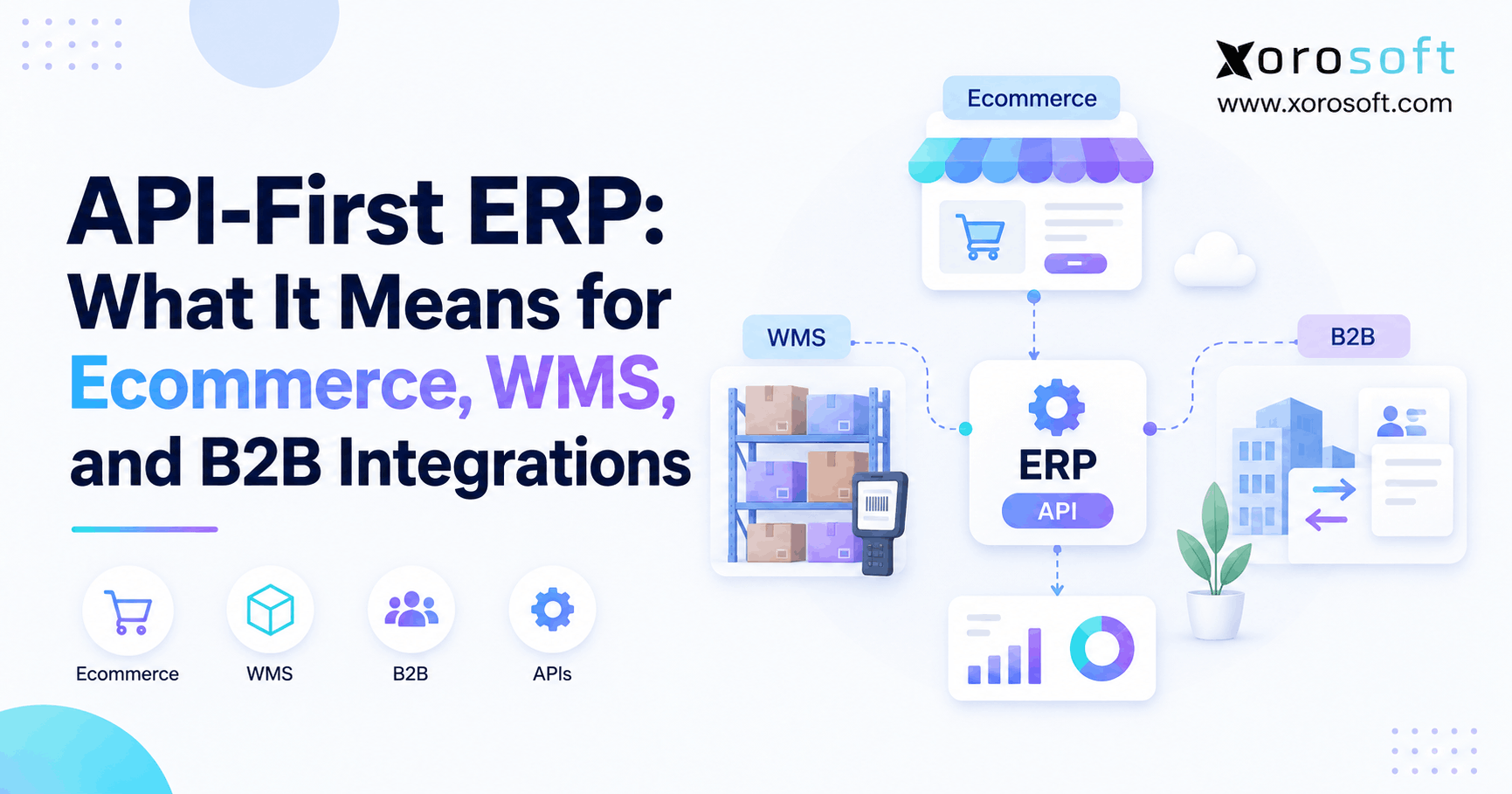
If you’re looking to transform your business operations with modern technology, an API-first ERP could be the solution you need.
1. When Integration Becomes an Operations Problem
An API-first ERP treats software connectivity as a fundamental part of the system rather than an afterthought. As a result, ecommerce platforms, warehouse systems, B2B portals, marketplaces, automation tools, and other applications can exchange ERP data through defined interfaces.
However, integration architecture matters for more than technical flexibility. As product businesses add sales channels, warehouses, 3PLs, EDI relationships, and specialized applications, weak connections begin affecting inventory, fulfillment, purchasing, finance, and customer service.
Therefore, operations leaders should understand what API-first ERP actually means before using the term as a buying criterion.
1.1 What API-First ERP Architecture Actually Means
First, an API provides a defined method for one software application to communicate with another. Therefore, an ERP API may allow an external system to retrieve inventory, create an order, update a customer, record a shipment, or perform another approved action.
However, API-first architecture goes further. Instead of completing the ERP and later attaching a small integration layer, developers consider programmatic access while designing the product.
Consequently, integrations can become easier to extend and maintain. Nevertheless, buyers should still confirm which records, events, and actions the ERP actually exposes.
1.2 Why an Available API Does Not Tell the Whole Story
Many ERP platforms provide APIs. However, simply offering an API does not automatically make a system API-first.
For example, one ERP may expose detailed inventory, purchasing, order, warehouse, and accounting functions. Meanwhile, another platform may expose only selected records.
Therefore, businesses should look beyond terminology. Instead, teams should evaluate API coverage, documentation, permissions, event support, versioning, rate limits, and testing access.
Ultimately, the better question is not, “Does the ERP have an API?” Rather, teams should ask whether the ERP can support the workflows their business needs to connect.
1.3 Why Operations Leaders Should Care About Connectivity
At first, software connectivity may sound like an IT concern. However, poor integrations quickly create operational problems.
For example, delayed inventory updates can contribute to overselling. Likewise, failed order synchronization can slow fulfillment. Meanwhile, disconnected financial information can increase reconciliation work.
As a result, integration quality affects developers and operators alike. More importantly, it can influence inventory accuracy, warehouse speed, reporting, customer experience, and scalability.
Therefore, integration architecture should become part of ERP evaluation rather than an implementation detail discussed after purchase.
2. How API-First ERP Integrations Work
An API-first ERP rarely operates alone. Instead, it usually sits inside a broader technology ecosystem that can include ecommerce platforms, marketplaces, warehouse systems, 3PLs, B2B portals, carriers, payment tools, and analytics applications.
Consequently, reliable integration requires more than simply opening an endpoint. Authentication, events, monitoring, data ownership, retries, and error handling all contribute to the final workflow.
2.1 How ERP API Integration Exposes Business Data
Typically, ERP APIs expose business objects such as products, customers, vendors, warehouses, sales orders, purchase orders, receipts, transfers, shipments, invoices, and inventory balances.
For example, an ecommerce platform may send a new sales order into the ERP. Next, the ERP can reserve inventory and release the order for fulfillment.
Afterward, a warehouse system can return shipment details. Finally, the ERP can update inventory and pass fulfillment information back to the sales channel.
Therefore, APIs connect individual software actions into a broader operational process.
2.2 Why REST Remains Common
REST APIs provide a familiar structure for working with business resources. Therefore, many ERP integrations use REST endpoints to create, retrieve, or update approved records.
For example, a warehouse application may request an item record before sending a shipment confirmation. Similarly, an ecommerce connector may retrieve inventory quantities before updating a storefront.
However, REST alone does not guarantee complete workflow coverage.
Consequently, buyers should map business requirements against available API capabilities rather than choosing an ERP simply because it offers REST endpoints.
2.3 Where GraphQL Fits Into Ecommerce
GraphQL allows connected applications to request specific data fields rather than always receiving a fixed response structure.
Therefore, the approach can be useful when ecommerce applications work with detailed product, customer, inventory, or order information.
However, strong ecommerce integrations do not depend on GraphQL alone. REST APIs, webhooks, events, middleware, and native connectors can also support reliable workflows.
Ultimately, businesses should prioritize functional coverage and reliability instead of selecting software based on one API technology.
2.4 How API-First ERP Uses Webhooks for Faster Updates
APIs usually respond when another application requests information. By contrast, webhooks can notify connected systems when a specific event occurs.
For example, an order-creation event can immediately notify another application. Therefore, the receiving system does not need to keep checking whether a new order exists.
Likewise, a shipment event can trigger an ecommerce update. Meanwhile, an inventory adjustment can notify another connected channel.
As a result, event-driven workflows can reduce unnecessary polling while supporting faster synchronization.
2.5 Protecting Sensitive Business Data
ERP platforms contain sensitive operational and financial information. Therefore, every integration should receive only the access it actually needs.
For example, an ecommerce connection may require permission to create sales orders without gaining access to accounting configuration. Similarly, a reporting application may need read-only access.
Consequently, businesses should review authentication methods, permission scopes, credential management, revocation, and auditability.
Moreover, teams should document who owns each integration credential. That way, access can remain controlled when employees, vendors, or systems change.
2.6 How ERP API Integration Handles High-Volume Traffic
Most APIs apply limits to request volume. Therefore, businesses should understand how quickly an integration can exchange data.
During normal operations, those limits may seem unimportant. However, seasonal peaks, large catalog imports, marketplace updates, or multi-channel inventory synchronization can create sudden traffic spikes.
Consequently, teams should test peak scenarios instead of relying only on normal averages.
Moreover, integrations should manage throttling without dropping orders, losing updates, or generating duplicate transactions.
2.7 Why Retry Logic Matters in ERP API Integration
Temporary failures can happen because of timeouts, network issues, maintenance, or temporary service limits. Therefore, reliable integrations need controlled retry processes.
However, automatically repeating every transaction can create new problems.
For example, incorrectly retrying an order-creation request may generate duplicate sales orders. Consequently, the integration should distinguish between safe retries and transactions that need investigation.
Meanwhile, operations teams need clear visibility into exceptions that automation cannot resolve.
3. API-First ERP for Ecommerce Operations
Ecommerce companies depend on frequent data movement. Therefore, orders, products, inventory, customers, fulfillment, returns, and payments often cross several applications during one transaction.
As a business grows, API-first ERP architecture can provide a more flexible foundation for coordinating those workflows.
3.1 How Orders Move Between Systems
Consider a Shopify order.
First, the customer completes checkout. Next, order information moves into the ERP. Then, inventory may be allocated and the order released for fulfillment.
Afterward, the warehouse confirms shipment. Finally, tracking and status information can flow back to the ecommerce channel.
Therefore, an ecommerce integration should support the complete order lifecycle rather than only the initial order import.
For companies centralizing those workflows, XoroONE brings inventory, purchasing, warehouse management, accounting, manufacturing, and related operations into a connected cloud environment.
3.2 How API-First ERP Supports Inventory Synchronization
Orders generally move from sales channels toward the ERP. However, inventory frequently needs to travel in the opposite direction.
For example, ERP inventory can change because of receipts, allocations, sales, transfers, adjustments, returns, and production activity.
Therefore, ecommerce channels need updated availability before accepting more demand.
Meanwhile, multi-channel sellers must prevent several storefronts or marketplaces from promising the same inventory.
As a result, inventory synchronization becomes one of the most important workflows within an API-first ERP environment.
3.3 How ERP API Integration Connects Product and Customer Data
Orders and inventory receive most of the attention. Nevertheless, many businesses also need to synchronize products, variants, customers, prices, tax information, discounts, addresses, and fulfillment details.
Consequently, teams should document every important data object before selecting an integration method.
For example, Shopify may own storefront descriptions while the ERP owns SKU and inventory records. Meanwhile, another company may manage its complete product master inside the ERP.
Therefore, integration design depends heavily on clearly defined data ownership.
3.4 Managing Multi-Channel Synchronization
A single ecommerce store can remain manageable with a few standard connections. However, complexity rises when the same company adds Amazon, wholesale, retail, marketplaces, or additional storefronts.
For example, one sale can reduce inventory available to every other channel.
Consequently, the ERP becomes increasingly important as a central operational system.
Xorosoft supports connected commerce workflows through its integrations, helping inventory-driven businesses coordinate multiple applications while reducing repetitive data entry.
3.5 What to Check in a Shopify Connection
A vendor may say its ERP integrates with Shopify. However, that statement reveals little about the actual depth of the connection.
Instead, buyers should ask whether the integration supports products, variants, orders, inventory, multiple locations, customers, fulfillment, cancellations, and returns.
Moreover, teams should confirm which direction each data type moves and how frequently it updates.
Businesses evaluating Xorosoft for Shopify operations can also review its listing on the Shopify App Store.
3.6 Why Data Ownership Matters in API-First ERP Architecture
Every important business record needs an authoritative source.
For example, an ecommerce platform may own checkout events. Meanwhile, the ERP may own inventory valuation and financial records. Similarly, the WMS may own physical warehouse execution.
Therefore, integrations should not allow several applications to overwrite the same information without clear rules.
Otherwise, one system may update another, which can later return an outdated value.
Consequently, data ownership is just as important as the integration technology itself.
4. Connecting ERP With WMS and 3PL Operations
Warehouse integrations require accuracy, speed, and sequencing. Therefore, sending an order to warehouse software represents only one part of the process.
Instead, ERP and WMS platforms may need to exchange inventory, receipts, allocations, transfers, adjustments, shipments, tracking information, and exceptions.
4.1 Dividing Responsibilities Between ERP and WMS
Generally, an ERP coordinates broader business transactions. Meanwhile, a WMS manages physical warehouse execution.
For example, the ERP may release a sales order for fulfillment. Next, the WMS determines how warehouse staff should pick, pack, and ship it.
Afterward, the WMS confirms what physically happened. Consequently, the ERP can update inventory, financial records, customer information, and connected sales channels.
Therefore, ERP and WMS workflows should preserve clear responsibilities rather than duplicate warehouse logic across several applications.
4.2 How ERP API Integration Returns Warehouse Events
Information cannot move in only one direction.
For example, a WMS may receive an order from the ERP. However, the ERP also needs the actual shipment quantity, tracking details, package information, and inventory impact.
Similarly, purchase receipts, transfers, cycle counts, returns, and adjustments change physical stock.
Therefore, those warehouse events should return to the operational system quickly and reliably.
For businesses requiring deeper warehouse execution, XoroWMS connects warehouse workflows with Xorosoft’s broader inventory and ERP environment.
4.3 Managing Inventory Across Multiple Warehouses
One facility introduces location-level inventory. However, several warehouses introduce transfers, replenishment rules, regional availability, allocations, and routing decisions.
Consequently, an integration should identify where inventory actually exists rather than treating stock as one global number.
For example, inventory sitting in one region may not help fulfill an urgent order assigned to a distant warehouse.
Therefore, multi-warehouse businesses need location-level visibility whenever fulfillment decisions depend on physical availability.
4.4 How ERP API Integration Connects External 3PLs
A 3PL creates an external operational boundary.
Therefore, an ERP may need to send fulfillment orders while receiving inventory balances, receipts, shipment confirmations, tracking information, returns, and adjustments.
However, connectivity alone is not enough.
For example, teams should know who investigates a failed fulfillment message. Likewise, they should define how cancellations work after the 3PL has already accepted an order.
Consequently, exception ownership should be decided before implementation goes live.
4.5 Why Monitoring Matters
Successful transactions usually receive little attention. However, failures determine how much manual work an integration eventually creates.
Therefore, operations teams should be able to identify rejected orders, unknown SKUs, failed inventory updates, and delayed warehouse messages.
Moreover, users should understand whether an error will retry automatically.
If manual intervention becomes necessary, the system should provide enough information to resolve the problem quickly.
As a result, monitoring should become a core warehouse requirement rather than an afterthought.
5. API-First ERP for B2B and Wholesale
B2B commerce introduces additional operating rules. Therefore, wholesale orders may involve customer-specific pricing, payment terms, credit limits, minimum quantities, inventory allocations, shipping instructions, and retailer requirements.
Consequently, B2B workflows often require deeper operational access than a simple consumer storefront.
5.1 Managing Customer-Specific Pricing
A consumer storefront may display one standard price. However, wholesale buyers frequently receive negotiated pricing or account-specific discounts.
Therefore, a B2B application may need product and customer data before showing the correct price.
Similarly, payment terms can vary between accounts.
Consequently, customer master data becomes part of the integration architecture rather than remaining a finance-only record.
Moreover, pricing ownership should remain clear so sales teams and customers do not see conflicting values.
5.2 How ERP API Integration Supports Available-to-Sell Inventory
A warehouse may physically contain 1,000 units. However, 700 could already be allocated to existing orders.
Therefore, displaying only on-hand quantity can create false availability.
Instead, a business should decide which inventory measure should drive customer promises.
Moreover, some companies reserve stock for particular accounts or channels.
Consequently, B2B systems should receive inventory information that respects allocation rules rather than relying on one oversimplified quantity.
5.3 Where EDI Fits Into the Workflow
Many retailers and distributors continue to exchange standardized documents through EDI.
For example, those workflows may include purchase orders, acknowledgements, advance ship notices, and invoices.
Therefore, modern ERP architecture should not assume APIs replace every established communication method.
Instead, an EDI provider can exchange required documents with trading partners while internal systems coordinate inventory, fulfillment, and accounting.
As a result, businesses can preserve partner requirements without repeating the same transactions manually.
5.4 How API-First ERP Connects APIs and EDI
API versus EDI is often the wrong comparison.
Instead, EDI can manage standardized partner documents while APIs connect internal applications more dynamically.
For example, an EDI platform may receive a retailer order. Next, an API can create the corresponding ERP sales order.
After fulfillment, warehouse data can return to the ERP. Finally, that information can support the required shipping notice and invoice.
Therefore, modern B2B workflows frequently combine several technologies rather than depending on only one.
5.5 Managing Complexity as Sales Channels Expand
Wholesale companies may eventually manage ecommerce, Amazon, retailer EDI, B2B orders, field sales, and several warehouses simultaneously.
Consequently, maintaining customer, inventory, order, and financial information separately across every channel becomes difficult.
For that reason, businesses often benefit from centralizing operational data before adding more applications.
Xorosoft supports inventory-driven organizations across apparel, wholesale distribution, furniture, sporting goods, consumer products, food, manufacturing, and other sectors. Those use cases are available through Industries We Serve.
6. Choosing the Right Integration Method
API-first does not mean API-only. Instead, businesses should choose the simplest reliable integration method for each workflow.
Therefore, native connectors, direct APIs, middleware, webhooks, EDI, and file-based integrations can all exist inside the same operating environment.
6.1 When Native Connectors Make Sense
Native connectors can simplify common integrations because much of the required workflow already exists.
Therefore, this approach often works well for widely used ecommerce platforms, marketplaces, carriers, or payment systems.
However, buyers should still examine feature coverage carefully.
For example, a connector may support orders but not returns, multi-location inventory, custom fields, or specialized fulfillment rules.
Consequently, the phrase “native integration” should never be treated as proof that every business process is supported.
6.2 When Direct ERP API Integration Provides More Control
Direct API integrations give development teams greater control over business logic.
Therefore, they can work well for proprietary applications, specialized B2B portals, custom automation, or critical processes that standard connectors cannot support.
However, greater control also creates greater ownership.
Someone must build, test, document, monitor, and maintain the connection.
Consequently, companies should reserve custom development for workflows where flexibility creates meaningful operational value.
6.3 Using Middleware Across Multiple Systems
Middleware or iPaaS platforms sit between applications and help transform, route, map, and monitor data.
Therefore, they can reduce the number of direct point-to-point connections in a complex environment.
For example, middleware may receive an order event and then distribute relevant information to the ERP, WMS, analytics platform, and customer systems.
However, middleware also becomes another application to govern.
Consequently, businesses should compare its orchestration benefits with the additional cost and maintenance it introduces.
6.4 How API-First ERP Supports Event-Driven Workflows
Some business processes need to react quickly when information changes.
For example, a new sales order may require immediate processing. Likewise, a completed shipment may need to update a customer-facing channel promptly.
Therefore, webhooks and other event mechanisms can complement normal API requests.
Instead of repeatedly checking whether something changed, the connected application receives an event.
As a result, event-driven workflows can support faster updates while reducing unnecessary traffic.
6.5 Where EDI Still Makes Sense
Some retail and wholesale relationships require specific EDI transactions.
Therefore, replacing EDI with a custom API may provide no practical benefit.
Instead, businesses can connect required EDI workflows to internal ERP and warehouse processes.
Similarly, older partners may still depend on scheduled files or SFTP exchanges.
Consequently, the best architecture supports actual business requirements rather than forcing every partner into one integration method.
6.6 Comparing ERP API Integration Approaches
| Integration Method | Best Use Case | Main Advantage | Main Consideration |
|---|---|---|---|
| Native connector | Common applications | Faster setup | Confirm workflow depth |
| Direct API | Specialized workflows | Greater control | Requires technical ownership |
| Middleware/iPaaS | Multi-system orchestration | Centralized mapping | Adds another platform |
| Webhooks/events | Time-sensitive updates | Faster response | Requires event handling |
| EDI | Retail trading partners | Standardized transactions | Requires partner mapping |
| File/SFTP | Legacy systems | Broad compatibility | Usually slower |
Therefore, there is no universally best integration method. Instead, businesses should select the right option for each process while keeping the overall technology environment manageable.
7. API-First ERP vs Other Modern Architectures
ERP architecture terminology can become confusing quickly. However, API-first, API-enabled, headless, and composable ERP describe different concepts.
Therefore, buyers should understand those differences before using architecture labels as selection criteria.
7.1 API-First ERP vs API-Enabled ERP
An API-enabled ERP provides interfaces that external applications can use.
However, an API-first approach suggests that programmatic connectivity received fundamental consideration during product design.
Therefore, the distinction partly reflects software architecture and product philosophy.
Nevertheless, philosophy alone does not determine business fit.
For example, an established API-enabled platform may expose every function a company needs. Meanwhile, a newer API-first product may still lack an important warehouse or accounting capability.
Consequently, buyers should compare actual functionality rather than labels alone.
7.2 API-First ERP vs Headless ERP
Headless architecture separates backend business capabilities from a fixed presentation layer.
Therefore, companies can potentially use different front-end experiences while preserving the same backend logic.
API-first architecture focuses instead on how system capabilities are exposed programmatically.
However, the two approaches can overlap because APIs often connect front-end applications with backend services.
Consequently, an ERP can support both ideas. Nevertheless, one term does not automatically guarantee the other.
7.3 API-First ERP vs Composable ERP
Composable architecture focuses on assembling business capabilities from modular components.
For example, a company might combine specialized ecommerce, ERP, warehouse, tax, payment, and analytics tools.
Therefore, APIs often support composability because those components need reliable interfaces.
However, composability creates additional integration responsibility.
Consequently, businesses must manage data ownership, security, monitoring, orchestration, and dependencies across several applications.
7.4 Understanding the Differences at a Glance
| Approach | Main Idea | Primary Value |
|---|---|---|
| API-first ERP | APIs are fundamental interfaces | Connectivity |
| API-enabled ERP | APIs are available | External access |
| Headless ERP | Backend separates from presentation | Front-end flexibility |
| Composable ERP | Capabilities can be assembled | Modularity |
| Integrated ERP | Core functions operate together | Centralization |
Therefore, architecture should support the operating model rather than become the objective itself.
8. Why Connectivity Flexibility Matters as Businesses Grow
Technology requirements rarely remain static. Initially, a company may need only ecommerce and accounting software. However, growth can add marketplaces, warehouses, wholesale customers, EDI, manufacturing, 3PLs, and specialized tools.
Consequently, integration flexibility becomes increasingly valuable over time.
8.1 How API-First ERP Supports New Sales Channels
Adding a sales channel often requires inventory, order, customer, product, and fulfillment connectivity.
Therefore, a well-structured integration layer can reduce the amount of business logic teams rebuild for every new channel.
For example, inventory availability should ideally come from a consistent operational source rather than separate spreadsheets for each marketplace.
As a result, channel expansion becomes less dependent on manual reconciliation.
Moreover, teams can spend more time improving operations instead of repairing basic data handoffs.
8.2 How ERP API Integration Enables Automation
Disconnected applications frequently force employees to move information manually.
For example, purchasing teams may copy supplier information between spreadsheets and accounting tools. Meanwhile, warehouse staff may correct incomplete order records.
Therefore, stronger integrations can remove repetitive handoffs.
In addition, automation becomes easier when systems can reliably read and update structured data.
Consequently, businesses can automate recurring processes without turning every operational workflow into a custom software project.
8.3 Improving Reporting Consistency
Reporting becomes difficult when operational information lives in several disconnected applications.
For example, ecommerce may show one inventory figure while the warehouse shows another. Meanwhile, finance may work from a third number after adjustments.
Therefore, centralizing operational records can improve reporting consistency.
Xorosoft combines inventory, purchasing, accounting, warehouse management, manufacturing, forecasting, reporting, and ecommerce functions through XoroERP. As a result, product businesses can reduce fragmented operational records.
8.4 Preparing Business Data for AI Workflows
Businesses are increasingly exploring AI-assisted workflows and autonomous agents.
However, AI tools still need controlled access to trustworthy business data and approved actions.
Therefore, clearly defined interfaces become more important when software needs to retrieve information or execute permitted workflows.
In addition, strong permissions help prevent automated tools from accessing functions they do not need.
For teams exploring this model, Xorosoft’s AI MCP Server provides one example of connecting ERP information with emerging AI-driven workflows.
9. Who Needs an API-First ERP?
Not every company needs to prioritize API-first ERP architecture.
Therefore, businesses should evaluate operational complexity, integration requirements, and expected growth before making it a major selection criterion.
9.1 Multi-Channel Businesses With Growing Complexity
Companies selling through ecommerce, marketplaces, wholesale, retail, or B2B channels frequently need centralized inventory and order workflows.
Therefore, every additional channel increases integration requirements.
Similarly, multiple warehouses or 3PLs create more inventory, fulfillment, and transfer events.
Consequently, API flexibility becomes more valuable when the ERP must coordinate several external systems.
Moreover, a central operating model can make it easier to add channels without recreating business rules each time.
9.2 Why Manufacturers Need ERP API Integration
Manufacturers often manage bills of materials, work orders, purchasing, material requirements, inventory, production, and warehouse movements.
Therefore, they may also need connections with ecommerce, shipping, B2B portals, engineering applications, or specialized production tools.
Moreover, manufacturing activity changes both physical inventory and financial information.
Consequently, integration requirements may extend far beyond basic sales orders.
Businesses evaluating broader operational requirements can review Xorosoft’s solutions across inventory-driven processes.
9.3 When Advanced Flexibility May Not Be Necessary
A company operating one storefront, one warehouse, and a simple accounting workflow may already have reliable standard connections.
Therefore, extensive API flexibility may provide limited immediate value.
Instead, simplicity and faster implementation could matter more.
However, expected growth still deserves attention.
Consequently, buyers should consider both today’s requirements and the complexity they expect to add during the next several years.
9.4 Signs API-First ERP Architecture Is Becoming Relevant
Several patterns can indicate that integrations are no longer keeping pace.
For example:
- teams manually re-enter sales orders;
- inventory differs between channels;
- warehouse updates arrive late;
- spreadsheets bridge software gaps;
- custom scripts fail without clear owners;
- reconciliation requires repeated corrections;
- new channels require major integration projects.
Therefore, these symptoms should trigger a broader architecture review instead of another short-term workaround.
Companies researching similar operational changes can also explore relevant case studies before defining their own requirements.
10. How to Evaluate ERP API Integration Before Buying
ERP selection teams often spend significant time comparing inventory, warehouse, accounting, manufacturing, and purchasing features.
However, integration due diligence sometimes receives only one question: “Does the ERP have an API?”
That question is too broad.
Therefore, businesses should test API capabilities against real operational workflows before selecting a platform.
10.1 Start With ERP API Integration Coverage
First, list every business object the integration needs.
For example, the list may include products, variants, customers, vendors, sales orders, purchase orders, inventory, locations, transfers, receipts, shipments, invoices, payments, and manufacturing transactions.
Next, determine which actions the API can perform on each object.
Therefore, avoid judging an API by endpoint count alone.
A platform with fewer highly relevant capabilities may fit better than one with many endpoints that miss critical workflows.
10.2 Review ERP API Integration Documentation Early
Strong documentation reduces integration uncertainty.
Therefore, technical teams should review API documentation before making the ERP decision whenever possible.
Look for authentication instructions, field definitions, request examples, responses, errors, pagination, rate limits, events, and version information.
Moreover, documentation should explain how custom fields and extensions behave.
Consequently, documentation quality offers an early indication of how easily teams can build and maintain integrations later.
10.3 Check API-First ERP Webhook and Event Support
Some processes require fast updates.
Therefore, buyers should ask which system events can notify connected applications automatically.
For example, can another application receive an event when inventory changes? Likewise, can shipment completion trigger an immediate status update?
If not, external systems may need to poll repeatedly.
Consequently, webhook and event support can affect synchronization speed, system load, and integration responsiveness.
10.4 Review Authentication and Permissions
Integration credentials should never provide unnecessary access.
Therefore, buyers should ask whether permissions can be limited by role, object, function, or action.
Moreover, organizations should understand credential rotation, expiration, revocation, and auditing.
For example, a warehouse connection may need inventory and shipment access without permission to alter financial records.
Consequently, security should become part of integration design from the beginning.
10.5 Understand Rate and Concurrency Limits
Rate limits matter when transaction volume increases.
Therefore, ask vendors for specific restrictions instead of accepting vague statements about high-volume support.
Next, compare those limits with realistic peak requirements.
For example, seasonal order volume or a large marketplace update may generate thousands of requests in a short period.
Consequently, integrations may need batching, queues, throttling, or other safeguards.
10.6 Check Versioning and Deprecation Policies
APIs evolve over time.
Therefore, businesses should understand how a vendor handles breaking changes.
Ask how much warning customers receive. In addition, determine whether multiple API versions can operate during a migration period.
Moreover, confirm whether normal ERP upgrades can affect existing integrations.
Consequently, predictable version management reduces emergency maintenance and protects long-lived connections.
10.7 Confirm Sandbox and Testing Access
Integrations should be tested before they touch live inventory, orders, or accounting records.
Therefore, buyers should ask whether the ERP provides a suitable sandbox environment.
Moreover, teams should determine how closely the sandbox matches production behavior.
For example, developers should test order creation, updates, validation errors, retries, and representative transaction volumes.
Consequently, realistic testing access can significantly reduce implementation risk.
10.8 Review Custom Fields and Extensions
Growing businesses rarely remain completely standard.
Therefore, ERP platforms may eventually contain custom attributes, records, workflows, or business-specific information.
If those values cannot move through the integration layer, connected applications may receive incomplete data.
Consequently, buyers should confirm whether custom fields and extensions remain accessible.
Furthermore, teams should understand how future configuration changes affect existing integrations.
10.9 Examine Error Handling and Monitoring
Every integration eventually encounters an exception.
Therefore, teams should focus on what happens after a transaction fails.
Can users identify the affected record? Moreover, does the system explain why it failed? Can the transaction retry safely?
For example, an unknown SKU should create a clear exception rather than silently dropping an order.
Consequently, error visibility often determines whether automation reduces operational work or simply hides problems.
10.10 Define Who Owns Each Integration
Even a strong technical connection requires an owner.
Therefore, businesses should decide whether the ERP vendor, internal IT team, implementation partner, middleware provider, or third-party application vendor supports each integration.
Moreover, responsibilities should be documented before launch.
Otherwise, one failure can turn into several vendors blaming each other.
Consequently, support ownership should become part of ERP buying requirements.
10.11 Use an ERP API Integration Buying Checklist
| Area | Question to Ask |
|---|---|
| Coverage | Can the API support our actual transactions? |
| Documentation | Can our technical team review it early? |
| Events | Which records support event notifications? |
| Security | Can integration access be restricted? |
| Limits | What rate and concurrency limits apply? |
| Versioning | How are breaking changes communicated? |
| Testing | Is a realistic sandbox available? |
| Customization | Can custom fields pass through integrations? |
| Monitoring | How are failures identified and retried? |
| Ownership | Who supports each connection after launch? |
Therefore, API evaluation should happen alongside functional ERP evaluation rather than after implementation begins.
11. Common Integration Mistakes to Avoid
API flexibility can solve important integration problems. However, poor architecture decisions can also create unnecessary complexity.
Therefore, businesses should avoid several common mistakes when designing their operating environment.
11.1 Do Not Buy API-First ERP Based on the Label Alone
Marketing terminology does not guarantee functionality.
Therefore, buyers should validate real workflows before selecting software.
For example, ask the vendor to demonstrate how an order enters the ERP, how inventory updates connected channels, and how shipment information returns.
Moreover, test exceptions such as cancellations, partial shipments, and unknown SKUs.
Consequently, workflow validation provides stronger evidence than an architecture label alone.
11.2 Avoid Custom-Building Every Connection
Direct API development can provide excellent flexibility. However, custom code is not automatically the best solution.
Therefore, businesses should use reliable standard connectors when those connections already cover the required workflow.
Meanwhile, custom development should focus on processes where control or differentiation creates clear value.
As a result, companies can reduce unnecessary technical maintenance while preserving flexibility for strategic requirements.
11.3 Define Data Ownership Before Development
Two systems should not compete over the same information without clear rules.
Therefore, businesses should define ownership for products, inventory, customers, pricing, orders, fulfillment, and financial records.
Otherwise, connected applications can create circular updates and conflicting values.
Consequently, system-of-record decisions should happen before integration development begins.
Moreover, those decisions should remain documented as the technology environment changes.
11.4 Treat Integration Failures as an Operations Issue
Integration failures often create operational consequences.
For example, a rejected sales order can delay fulfillment. Likewise, a missing inventory update can contribute to overselling.
Therefore, operations teams need appropriate visibility into exceptions.
Moreover, escalation procedures should identify who responds when automated recovery fails.
Consequently, integration monitoring belongs inside daily operations rather than exclusively inside IT.
12. Build a Scalable API-First ERP Integration Foundation
API-first ERP architecture becomes increasingly valuable as operational complexity grows. Therefore, product businesses should evaluate how easily their ERP can connect ecommerce, WMS, B2B, EDI, 3PL, marketplace, automation, and specialized applications.
However, APIs alone cannot repair fragmented operations. Instead, businesses also need clear systems of record, reliable monitoring, controlled access, exception ownership, and thoughtful integration choices.
Xorosoft brings inventory, purchasing, accounting, warehouse management, manufacturing, forecasting, reporting, ecommerce, and multi-channel operations into a connected cloud ERP environment. Consequently, growing inventory-driven companies can reduce dependence on disconnected operational systems while maintaining integration flexibility where it adds value.
Therefore, the best ERP decision is not simply the platform with the most endpoints. Instead, businesses should choose an architecture that can reliably support today’s workflows while adapting to tomorrow’s operating model.
If disconnected systems are making inventory, fulfillment, purchasing, warehouse operations, or reporting harder to control, Book a Demo to see how Xorosoft can connect those workflows.
API-First ERP FAQs
What is API-first ERP?
API-first ERP treats APIs as a core part of the software architecture. Therefore, external systems can access approved ERP data and functions through defined interfaces.
Why does API-first ERP matter for ecommerce?
Ecommerce requires constant order, inventory, customer, and fulfillment data exchange. Consequently, strong APIs can make multi-channel integrations easier to extend and maintain.
Is API-first ERP the same as having an API?
No. An ERP may expose APIs without being designed around them. Therefore, buyers should evaluate actual coverage, documentation, events, limits, and security.
How does ERP integrate with a WMS?
ERP and WMS platforms can exchange orders, inventory, receipts, transfers, adjustments, and shipment information through APIs, connectors, middleware, files, or other integration methods.
Do APIs replace EDI?
Usually not. Instead, APIs and EDI often work together. EDI handles standardized partner documents, while APIs can connect those transactions with internal ERP and warehouse processes.
Who needs an API-first ERP?
Multi-channel sellers, wholesalers, manufacturers, multi-warehouse businesses, and companies using 3PLs or specialized applications generally benefit most from flexible ERP integration architecture.
What should buyers check in an ERP API?
Buyers should review coverage, documentation, webhooks, authentication, rate limits, versioning, sandbox access, custom fields, monitoring, error handling, and long-term integration ownership.
Recent Posts
-
 ERP Landed Cost Module vs Spreadsheet Calculations for Importers
 -
 How to Build an Open-to-Buy Plan for an Omnichannel Brand
 -
 Cold Storage WMS for Food and Beverage Distribution
 -
 ERP Buying Statistics 2026: Evaluation, Implementation, and Adoption Risks
 -
 How a Distributor Reduced B2B Order Exceptions Without Restricting Sales




