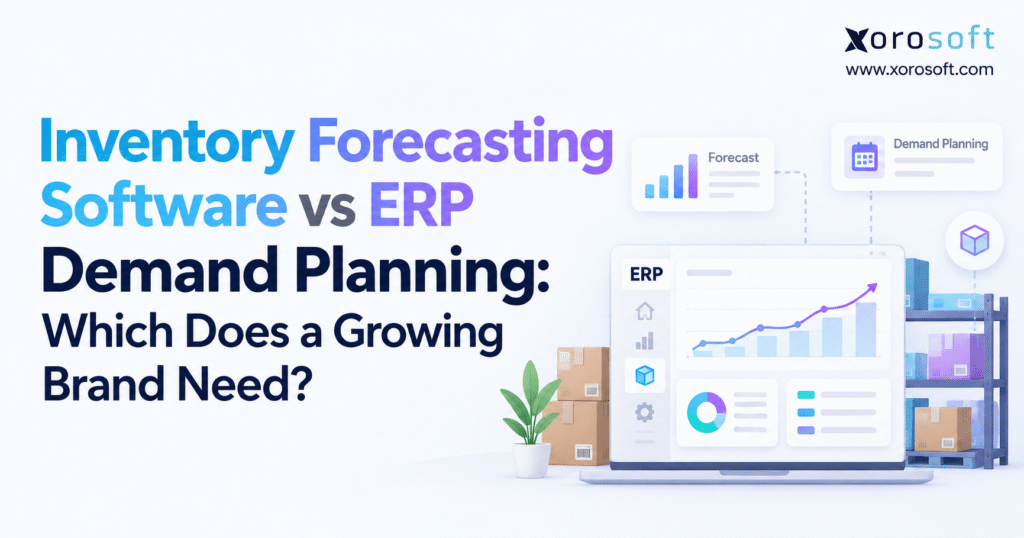
When considering inventory management solutions, many businesses compare inventory forecasting software vs ERP demand planning to determine which tool best fits their needs.
1. Inventory Forecasting Software vs ERP Demand Planning for Growing Brands
Growing a product brand brings new inventory challenges. A business may predict next month’s sales quite well and still run out of its most popular products. Stock might be sitting in the wrong warehouse, purchase orders may arrive late, or wholesale orders may not be reflected in available inventory.
These problems become harder to manage when a company sells through Shopify, Amazon, wholesale accounts, and several warehouse locations. What worked for a small product range may no longer work as sales grow.
This is why choosing between inventory forecasting software vs ERP demand planning matters. The right system should help a business predict demand, plan stock purchases, and keep daily operations on track.
1.1. Why Inventory Forecasting Gets Harder as Brands Grow
Consider an apparel brand that sells through its website, Amazon, and retail partners. Its team expects to sell 8,000 units over the next three months. The forecast looks reasonable, but it does not show the full picture.
Popular sizes are selling faster than expected. Some products are already reserved for wholesale customers, while shipments from suppliers are running late.
As a result, the brand runs out of popular items while less popular products sit in storage.
This happens because sales forecasts alone cannot show every factor that affects stock levels. Teams also need to know what is available, what has been sold, what is on order, and when new stock will arrive.
1.2. The Cost of Disconnected Inventory Planning Systems
Many brands start with Shopify, QuickBooks, spreadsheets, and a basic warehouse tool. Each system handles a different part of the business.
As orders increase, keeping these tools updated becomes difficult.
A buyer may see 500 units available in a spreadsheet. However, the warehouse may have already set aside 300 units for wholesale orders. If the buyer uses the wrong number, the next purchase order may be too small.
Such errors can lead to stockouts, extra shipping costs, delayed orders, and too much inventory.
The problem is not always poor forecasting. Often, it is a lack of clear and up-to-date information across teams.
1.3. When to Choose Forecasting Software or ERP Demand Planning
Standalone forecasting software is useful when inventory and accounting systems work well but demand predictions need improvement.
ERP demand planning makes more sense when forecasts must connect with purchasing, warehouse stock, manufacturing, and finance.
Some businesses may also benefit from using both.
The best choice depends on how the business works, where mistakes occur, and how much effort teams spend moving data between systems.
Company revenue alone should not decide which software a brand needs.
2. Inventory Forecasting Software vs ERP Demand Planning: Key Differences
Both types of software help businesses prepare for future demand.
However, they solve different parts of the inventory planning process.
Forecasting software focuses mainly on predicting future sales and stock needs. ERP demand planning connects those forecasts with other business activities, such as buying, storing, making, and selling products.
Understanding this difference helps businesses avoid paying for tools they do not need.
2.1. What Does Inventory Forecasting Software Do?
Inventory forecasting software uses past sales, seasonal trends, promotions, and other data to estimate future demand.
It helps businesses answer questions such as how much stock they may need next month, which products are likely to sell faster, and when they should place new orders.
Many tools can forecast demand by SKU, sales channel, or warehouse.
Some also suggest reorder quantities, safety stock levels, and supplier purchase dates.
More advanced tools can help with new product launches, slow-moving items, and seasonal changes.
For companies with reliable inventory systems, dedicated forecasting software can improve buying decisions without the need to replace other business tools.
2.2. What Does ERP Demand Planning Software Do?
ERP demand planning connects future sales needs with the systems that manage daily business work.
It can link forecasts to purchase orders, warehouse stock, customer orders, production plans, and financial records.
For example, NetSuite demand planning supports demand and supply plans that can help create suggested purchase orders and work orders.
This type of setup gives teams a wider view of what is happening across the business.
However, not every ERP offers the same forecasting features. Some functions may require extra modules or setup work.
Before choosing an ERP, businesses should check which planning tools are included and how they work with other parts of the system.
2.3. Demand Forecasting vs Inventory Planning vs Supply Planning
Demand forecasting estimates how much customers may buy.
Inventory planning helps decide how much stock to keep and when to order more.
Supply planning looks at whether suppliers, warehouses, and factories can meet those needs.
Manufacturers may also use material requirements planning, or MRP, to work out which parts and raw materials are needed for production.
These tasks are closely linked, but they are not the same.
The Association for Supply Chain Management explains the need to bring sales, demand, and supply plans together.
When comparing inventory forecasting software vs ERP demand planning, businesses should look at which tasks need better support and how closely those tasks must work together.
3. How ERP Demand Planning Turns Forecasts Into Purchase Orders
A forecast can tell a business that demand may rise next month.
But purchasing teams need more detail. They must know which products to buy, how many units are needed, which supplier to use, and when the goods must arrive.
This is where the link between planning and daily operations becomes important.
3.1. Combining Shopify, Amazon, and Wholesale Demand
Growing brands often sell through several channels.
Shopify orders may increase during online promotions. Wholesale orders often follow retailer buying schedules, while Amazon demand may change due to marketplace sales events.
A planning system must bring these orders together without counting the same demand twice.
For example, a confirmed wholesale order should not always be added on top of a forecast that already includes that expected sale.
Teams also need to account for canceled orders, returns, and periods when products were out of stock.
Missing sales during stockouts can make demand appear lower than it really was.
Clear sales data helps planners make better buying decisions across every channel.
3.2. Calculating Inventory Reorder Points
A reorder point tells a business when it may be time to buy more stock.
A simple formula is:
Reorder Point = (Average Daily Demand × Supplier Lead Time) + Safety Stock
Suppose a product sells 20 units each day. Its supplier takes 14 days to deliver, and the business keeps 60 units as safety stock.
The reorder point is:
(20 × 14) + 60 = 340 units
Now assume the company has 260 units on hand, 100 units already ordered, and 80 units backordered.
Using a simple inventory position formula:
Inventory Position = 260 + 100 − 80 = 280 units
Since 280 units is below the 340-unit reorder point, the buyer should review the need for more stock.
However, the 60-unit difference is not always the right order quantity. Supplier minimums, delivery dates, and changes in demand must also be considered.
3.3. Linking Demand Plans With Purchasing and Receiving
Once the business knows what stock is needed, the next step is to act.
A buyer may create a purchase order, move stock from another warehouse, or ask the production team to make more products.
The planning system should show what stock is already on order and when it is due to arrive.
After a shipment arrives, warehouse staff must record the actual quantity received.
These updates should then be reflected in inventory and purchasing records.
This is an important part of inventory forecasting software vs ERP demand planning.
Some forecasting tools can send purchase suggestions to other systems. ERP platforms may manage more of this work within one connected process.
The goal is to reduce delays and avoid repeated data entry.
4. Why Accurate Data Matters for Inventory Forecasting Software
A powerful forecasting tool cannot produce reliable results from poor data.
Many businesses focus on finding better forecasting methods without first checking whether their sales and inventory records are correct.
Even small data errors can lead to wrong buying decisions when they affect hundreds of products.
4.1. Keeping SKU and Warehouse Records Accurate
A product may have different codes in Shopify, Amazon, accounting software, and warehouse records.
If these codes are not matched correctly, sales data can become split or counted more than once.
Similar problems occur when teams use different pack sizes or fail to record returned goods.
Businesses should maintain clear records for each product, supplier, and warehouse location.
Stock reports must also show the difference between available units, reserved stock, damaged items, and incoming shipments.
These details help teams understand what they can actually sell.
Clean records improve forecasting results, whether a business uses a standalone application or a full ERP system.
4.2. Measuring Forecast Accuracy and Demand Changes
Forecast accuracy shows how closely predicted demand matches actual demand.
One common measure is weighted absolute percentage error, known as WAPE.
WAPE = Total Absolute Forecast Error ÷ Total Actual Demand × 100
Businesses can also track forecast bias. This helps show whether forecasts tend to be too high or too low.
However, one score does not tell the whole story.
A brand may forecast total jacket sales quite well while getting demand for certain sizes wrong.
For better results, teams should review forecasts by product type, sales channel, and location.
They should also account for promotions, stockouts, and unusual sales events that may affect the numbers.
4.3. Finding the Real Cause of Inventory Planning Errors
Suppose a company has accurate forecasts but still runs out of stock.
The real issue may be slow purchase approvals, supplier delays, or incorrect warehouse balances.
In another business, purchasing may work smoothly, but forecasts may fail to account for seasonal demand.
These problems need different solutions.
Before selecting inventory forecasting software vs ERP demand planning, identify where the planning process breaks down.
Is the business predicting the wrong demand? Are stock records unreliable? Or are teams too slow to act on the forecast?
Answering these questions helps prevent investment in software that does not solve the main problem.
5. When Standalone Inventory Forecasting Software Is Enough
Not every growing brand needs to replace its current software stack.
If purchasing, accounting, and warehouse systems already work well, a dedicated forecasting tool may be enough.
This approach can improve planning while keeping changes to daily operations limited.
5.1. Businesses With Reliable Inventory Systems
Standalone software works well when a company already has accurate stock records and a clear purchasing process.
Its main need may be better forecasts for a larger product range or more detailed demand trends.
For example, a direct-to-consumer brand with one warehouse may want to improve seasonal buying without changing its accounting system.
A forecasting tool can help it review expected sales, safety stock, and reorder dates.
This may be simpler than moving the entire business to a new ERP.
However, the company should check that forecast results can be used by its purchasing team without extra manual work.
5.2. When Advanced Forecasting Provides More Value
Some businesses have demand patterns that are difficult to predict.
Products may sell only a few times each month, while others become popular during short seasonal periods.
New launches create another challenge because there may be little past sales data to use.
Specialized forecasting tools can offer methods designed for these needs.
They may also help teams test different sales plans or adjust forecasts based on upcoming promotions.
When evaluating inventory forecasting software vs ERP demand planning, businesses should compare how well each system handles their actual product mix.
The best forecasting method is one that provides useful results and is easy for the planning team to understand.
5.3. Avoiding Unneeded ERP Replacement Projects
Moving to ERP can affect accounting, purchasing, warehouse work, reporting, and staff training.
Such a project may not be needed when these parts of the business already work well.
A smaller planning upgrade can often reduce risk and allow teams to focus on their main issue.
However, companies should also consider future growth.
A tool that works for one warehouse may become harder to manage as new locations and sales channels are added.
The aim is to choose a system that meets current needs without creating major limits for the next stage of growth.
6. When Growing Brands Need ERP Demand Planning
ERP becomes more useful when inventory problems affect several teams at once.
A business may have good sales forecasts but still struggle with buying, stock transfers, order fulfillment, and financial reporting.
At that point, improving the flow of information may matter more than adding another forecasting model.
6.1. Common Signs That a Business Has Outgrown Its Systems
One warning sign is when different teams report different stock quantities.
Another appears when buyers place duplicate orders because existing purchase orders are not easy to track.
Warehouse staff may also move products without updating the planning team in time.
At the same time, finance may spend days matching supplier bills with received goods.
These problems often point to a lack of shared data.
The need for ERP should be based on how much these issues affect the business, rather than on revenue alone.
A smaller company with several warehouses can have more planning needs than a larger business with a simple product range.
6.2. How ERP Demand Planning Connects Business Operations
An ERP system can bring customer orders, inventory, purchasing, warehouse activity, and financial records into a shared process.
This helps teams understand why stock levels change and how buying decisions affect the business.
For example, XoroONE cloud ERP brings together inventory management, purchasing, warehouse operations, manufacturing, ecommerce workflows, and accounting.
Such a setup may reduce the need to move data between separate tools.
However, businesses should test their exact workflows before choosing a platform.
A vendor demonstration should show how the system handles stock reservations, late supplier deliveries, partial receipts, and changes to customer orders.
These tests reveal whether the software fits daily business needs.
6.3. Why ERP Does Not Fix Every Forecasting Problem
ERP can improve the flow of information, but it cannot fix poor business data on its own.
Incorrect product codes, wrong supplier lead times, and missing warehouse records can still lead to bad plans.
Teams must also agree on how forecasts are reviewed and who can approve purchases.
Before moving to ERP, businesses should clean their records and define these tasks.
In the inventory forecasting software vs ERP demand planning decision, the strongest reason to choose ERP is a need for better control across connected business processes.
If only demand prediction needs work, a focused forecasting tool may still be the better choice.
7. Inventory Forecasting Software vs ERP Demand Planning: Feature Comparison
Comparing software features helps, but only when the features relate to real business tasks.
For example, showing a forecast is different from creating an approved purchase order.
Likewise, viewing warehouse stock does not always mean the system knows which units are already reserved for customers.
7.1. Comparing Inventory Forecasting and ERP Features
| Feature | Standalone Forecasting Software | ERP Demand Planning |
|---|---|---|
| Demand forecasting | Main focus | Depends on platform |
| Advanced forecast models | Often available | Varies by module |
| Reorder suggestions | Common | Often supported |
| Purchase orders | Built in or linked to other tools | Usually linked to purchasing |
| Multi-warehouse stock | Depends on the connection | Often part of inventory records |
| Accounting | Usually through another system | Connected where finance is included |
| Manufacturing | May need separate MRP tools | Available in some ERP platforms |
| Inventory value | Usually tracked elsewhere | Can connect with accounting |
| Setup work | Focused on planning and data links | May affect several departments |
This table shows common differences between software types.
Actual features depend on the vendor, product version, modules, and setup.
Some inventory-focused platforms offer purchasing and warehouse tools, while certain ERP products rely on added forecasting applications.
7.2. Looking Beyond Inventory Planning Feature Lists
A long feature list does not always mean a system will be easy to use.
Businesses should test what happens when an order changes, a supplier delivers fewer units, or a warehouse count is wrong.
The software should make these issues clear and help users take action.
In inventory forecasting software vs ERP demand planning, the main value often comes from how well the system supports daily work.
A tool with strong forecasts may be useful when planning is the main challenge.
A connected ERP may offer greater value when staff spend too much time moving data, fixing records, or checking stock across departments.
8. ERP Demand Planning for Shopify, Amazon, and Wholesale Brands
Selling through several channels creates more ways for inventory records to become outdated.
A product may be available on Shopify, reserved for a wholesale customer, and listed for sale on Amazon at the same time.
Without clear stock rules, these channels can compete for the same units.
8.1. Connecting Shopify Inventory Forecasting With ERP
Shopify helps merchants manage online orders and inventory information.
As businesses grow, they may need stronger links between ecommerce sales, purchasing, warehousing, and accounting.
For example, a Shopify brand may sell from several warehouses while also handling wholesale orders.
It needs to know which units are truly available for each sales channel.
The Xorosoft ERP app on Shopify is one example of a connection between Shopify and a wider ERP system.
Before choosing any app or ERP, merchants should test refunds, bundles, partial shipments, preorders, and stock updates.
A reliable connection must support real order activity, not just transfer basic sales data.
8.2. Forecasting Demand Across Ecommerce and Wholesale
Direct-to-consumer and wholesale customers often buy in different ways.
Online demand may rise quickly during a promotion. Wholesale buyers may place larger orders weeks or months before they need the goods.
Because of these differences, one combined forecast may hide useful details.
Brands should review demand by channel before building a company-wide stock plan.
Confirmed orders also need to be treated differently from expected future sales.
When comparing forecasting software vs ERP demand planning, check how each system handles these demand types.
The goal is to avoid double-counting sales while keeping enough inventory for each channel’s needs.
8.3. Managing EDI and Ecommerce Data Connections
EDI helps businesses exchange orders, shipping details, and invoices with trading partners.
However, errors can still happen when product codes, pack sizes, or order details do not match.
A failed order update may cause stock to appear available even though a customer has already bought it.
Planning systems should help teams find and fix these issues.
The Xorosoft integrations overview provides an example of the types of business systems that may need to work together.
During software reviews, businesses should focus on how records are checked, updated, and corrected.
A connection is only useful when the information moving through it can be trusted.
9. Multi-Warehouse Inventory Forecasting and ERP Replenishment
Managing inventory across several warehouses requires more than knowing total stock.
Products must be available in the locations where customers need them.
A business may hold enough units overall but still lose sales because those units are stored too far away.
9.1. Using Warehouse Data to Improve Inventory Forecasts
Suppose a distributor holds 900 units across two warehouses.
Most of the stock is in the western warehouse, while demand is growing in the eastern region.
The company may appear well stocked, yet eastern customers still face shipping delays.
Location-level planning helps teams identify these gaps.
It also shows stock already reserved, goods in transit, and products that cannot be sold.
A warehouse management system such as XoroWMS can support stock tracking and daily warehouse work.
However, accurate planning still depends on staff recording receipts, picks, transfers, and stock changes correctly.
9.2. Planning Warehouse Transfers and New Purchases
When one warehouse has excess inventory and another faces a shortage, moving stock may be better than buying more.
However, transfer costs, travel time, warehouse space, and customer delivery dates must be considered.
A transfer may be too slow to solve an urgent stockout.
In that case, buying from a nearby supplier could be the better option.
A useful planning system helps buyers compare these choices.
During an inventory forecasting software vs ERP demand planning review, test whether the software can show stock needs by warehouse.
It should also help users understand whether a purchase, transfer, or other action offers the best result.
10. ERP Demand Planning for Apparel, Furniture, Food, and Manufacturing
Different industries have different inventory needs.
A fashion brand may struggle with sizes and colors, while a furniture distributor faces long supplier lead times and large storage needs.
Food businesses must track shelf life, and manufacturers need to plan raw materials.
These needs affect software choice.
10.1. Inventory Forecasting for Apparel and Sporting Goods
Apparel brands often sell products in many sizes, colors, and styles.
A forecast for 1,000 jackets may look accurate but still lead to stockouts if the wrong sizes were purchased.
Sporting goods companies face similar problems with seasonal products, changing trends, and short sales periods.
These businesses need forecasts that reflect product variants and sales timing.
Planning should also account for items that cannot be restocked quickly.
Better forecasts can reduce missed sales, but purchasing and warehouse teams still need clear stock records.
The right software should help brands avoid buying too much of one product while running out of another.
10.2. Wholesale and Furniture Demand Planning
Furniture distributors work with bulky products, high freight costs, and long delivery times.
Wholesale businesses may also manage customer-specific prices, large orders, and EDI transactions.
Both need to connect expected demand with available stock, supplier orders, and delivery plans.
For example, buying a large quantity at a lower unit price may not save money if storage and freight costs are too high.
A good planning process considers these trade-offs before new orders are placed.
Businesses can review industry-specific ERP solutions to see which workflows may apply to their sector.
However, the final choice should be based on actual business needs rather than broad industry labels.
10.3. Inventory Forecasting for Food and Beverage
Food and beverage businesses must plan around product shelf life.
Buying too much stock can lead to waste, while buying too little can cause lost sales.
Demand forecasts need to account for how long products remain suitable for sale.
Supplier delays, seasonal demand, and storage conditions also affect purchasing plans.
Warehouse teams may need to track lots and expiration dates so older stock can be shipped first.
These needs go beyond basic demand prediction.
A useful planning setup should connect expected sales with stock age, incoming supply, and safe product handling.
10.4. Manufacturing ERP Demand Planning and MRP
Manufacturers must plan both finished products and the parts needed to make them.
A forecast for 500 finished products may create demand for thousands of parts, labels, and packaging items.
Material requirements planning helps work out what must be purchased or made.
It uses bills of materials, stock balances, production orders, and delivery dates.
A manufacturing-focused system such as XoroERP can be reviewed for these connected tasks.
Businesses should check whether a proposed system can turn finished-product demand into realistic production and material plans.
A sales forecast alone is not enough when parts, labor, and production timing affect what the company can deliver.
11. Inventory Forecasting Software vs ERP Demand Planning: Cost Comparison
Software price is only one part of the total cost.
Setup work, data cleanup, staff training, system connections, and ongoing support can all affect the final investment.
Businesses should compare costs over several years rather than choosing based on the lowest monthly fee.
11.1. Comparing Forecasting Software and ERP Costs
Standalone forecasting software may cost less to introduce when existing business systems work well.
However, extra connectors, support fees, and manual work can add to the cost over time.
ERP projects may involve more setup because they affect purchasing, warehouse work, accounting, and other departments.
The larger scope can increase initial costs.
To compare options fairly, businesses should create a three-year cost plan.
Include software licenses, setup services, employee time, data migration, training, support, and future updates.
Use real vendor quotes rather than broad price claims.
The best choice is not always the cheapest system to buy. It is the one that meets business needs at a cost the company can support.
11.2. Measuring the Return From ERP Demand Planning
A planning project should lead to clear business improvements.
Useful measures include stockout rates, inventory turnover, forecast accuracy, emergency shipping costs, and time spent creating purchase orders.
Businesses should also track how much cash is tied up in excess stock.
For example, better forecasting may reduce unnecessary purchases, while connected purchasing processes may help staff act sooner.
These results should be measured against past performance.
The financial value of inventory forecasting software vs ERP demand planning depends on which problems are solved.
Improving a forecast is useful, but the wider goal is better stock availability, fewer errors, and healthier cash flow.
12. Using Inventory Forecasting Software With ERP Demand Planning
Businesses do not always need to choose one system over another.
Some companies use an ERP to manage orders, stock, purchasing, and accounting while relying on a separate tool for advanced forecasts.
This approach can work well when each system has a clear role.
12.1. Connecting Specialist Forecasting Software to ERP
In a hybrid setup, the forecasting tool may predict sales and suggest purchase quantities.
The ERP can then manage approved orders, warehouse stock, customer commitments, and financial records.
This allows each system to focus on the work it handles best.
However, the company must decide which tool owns each type of data.
If both systems calculate available stock differently, planners may see conflicting numbers.
Clear rules are needed for data updates, order changes, and error handling.
Teams should also check that failed updates are easy to find and correct.
12.2. When a Hybrid Planning Setup Becomes Too Hard to Manage
Using two systems adds more connections and support work.
Staff may need to check data updates, fix product code errors, and contact different vendors when something goes wrong.
These tasks can reduce the value of advanced forecasting if they take too much time.
Still, a hybrid setup may be worth it when a company needs forecast features that its ERP cannot provide.
The answer to inventory forecasting software vs ERP demand planning may therefore be to use both.
The key is making sure they work together without creating more confusion or extra manual tasks.
13. How to Compare Inventory Forecasting Software and ERP Vendors
Software demonstrations often show clean data and simple orders.
Real businesses face late suppliers, sudden demand changes, wrong stock counts, and customer order updates.
A useful vendor review should include these situations.
13.1. Testing Forecasting Software With Real Product Data
Choose products that reflect different sales patterns.
Include seasonal bestsellers, slow-moving products, new items, and stock with long supplier lead times.
Products stored in several warehouses should also be part of the test.
Ask each vendor to use your data to create forecasts and purchase suggestions.
Then test what happens when a supplier shipment is late or customer demand changes.
The system should explain why it suggests a specific action.
Compare how well each tool supports planning decisions, not just how attractive the dashboard looks.
13.2. Comparing ERP Demand Planning Vendors Fairly
NetSuite, Acumatica, Microsoft Dynamics 365, Cin7, specialist forecasting tools, and Xorosoft offer different sets of features.
Businesses should compare the tools they will actually receive, including modules, data connections, setup work, and ongoing support.
A Xorosoft vs NetSuite comparison can provide useful background when reviewing ERP options.
However, every vendor should be tested against the same business needs.
Ask which features are included, what requires added software, and how long setup may take.
Written answers and real workflow tests help teams make a more informed choice.
14. How to Implement ERP Demand Planning Without Major Disruption
A new planning system needs clear roles and reliable data.
Software alone cannot decide who should change forecasts, approve purchases, or fix stock errors.
Businesses should define these tasks before rollout.
14.1. Preparing Inventory Data Before ERP Setup
Start by checking product codes, supplier lead times, warehouse balances, open purchase orders, and customer commitments.
Next, identify records that do not match across systems.
Make sure sales history is clear and that expected demand is not mixed with confirmed customer orders.
Assign team members to correct errors before moving data into the new system.
This helps prevent old problems from becoming part of the new setup.
Clean data also makes it easier to check whether forecasts and purchase suggestions are working as expected.
14.2. Rolling Out ERP Demand Planning in Stages
A staged rollout can lower risk.
Begin with a small group of products that have different sales patterns.
Run the old and new planning methods side by side for a short period.
Compare the results and investigate large differences.
Once the process works well, expand it to more products, warehouses, and sales channels.
Teams should also test purchasing, receiving, stock updates, and accounting records.
A successful rollout should be based on accurate results and reliable workflows, not simply whether the new software is live.
14.3. Tracking Forecast Accuracy and Daily Planning Results
Demand planning needs regular review.
Teams should track forecast accuracy, stockouts, inventory turnover, purchase order delays, and excess stock.
They should also check whether buyers acted on planning alerts and whether suppliers delivered on time.
Sales, purchasing, warehouse, and finance teams all have useful information to share.
Regular reviews help businesses find new problems before they become costly.
Over time, demand planning should become part of normal business work instead of a report that only one team uses.
15. Choosing the Right Inventory Forecasting and ERP Demand Planning Strategy
The best software is not always the system with the most features.
It is the one that helps a business make better stock decisions, reduce errors, and keep daily work under control.
15.1. Matching Inventory Planning Software to Business Needs
If existing systems provide reliable stock information, a focused forecasting tool may be enough.
Brands struggling with disconnected purchasing, warehouses, and accounting should look more closely at integrated ERP.
Companies that already use ERP but need advanced forecast models may benefit from a hybrid setup.
Before buying, test real products, compare total costs, and decide how success will be measured.
Reviewing relevant ERP customer case studies can provide useful examples of planning and business challenges.
However, every company has different needs, so past results should not be treated as a promise of future savings.
15.2. Taking the Next Step Toward Better ERP Demand Planning
Start by finding where inventory planning causes the most trouble.
Bring examples of stock errors, late supplier shipments, buying delays, and reporting gaps into vendor discussions.
Ask software providers to show how these cases move through forecasting, purchasing, warehouse operations, and accounting.
If your business needs a more connected system, contact Xorosoft to review your current workflows and ERP needs.
The right choice between inventory forecasting software and ERP demand planning depends on data quality, business size, daily work, and growth plans.
The goal is simple: keep the right stock in the right place, make better buying decisions, and grow without losing control of inventory or cash.
Frequently Asked Questions
What is the difference between inventory forecasting software and ERP demand planning?
Forecasting software predicts demand and suggests stock needs. ERP demand planning connects forecasts to purchasing, warehouse stock, production, and finance. Features vary by product.
When should a growing brand move to ERP demand planning?
Consider ERP when orders, inventory, purchasing, and accounting often show different numbers. If those workflows run well, standalone forecasting software may be enough.
Is standalone inventory forecasting software enough for Shopify brands?
Often, yes. Brands with reliable stock records and simple buying needs may only need better forecasts. More channels, warehouses, and wholesale orders can change that.
Can ERP demand planning prevent inventory stockouts?
It can reduce stockout risk by linking demand, stock levels, and purchasing. Supplier delays, incorrect counts, and poor reorder rules can still cause shortages.
Can inventory forecasting software work with an ERP?
Yes. A forecasting tool can create demand plans while ERP handles orders and stock records. Reliable syncing and clear data ownership help avoid conflicting numbers.
How much does ERP demand planning cost?
Costs depend on licenses, modules, setup, integrations, and support. Compare three-year costs with standalone tools, including staff time and ongoing upkeep.
What should brands test before choosing demand planning software?
Use real SKUs to check forecast accuracy, warehouse stock, purchase approvals, supplier delays, and failed integrations. Choose the system that fixes the biggest operational gap.
Recent Posts
-
 Inventory Forecasting Software vs ERP Demand Planning: Which Does a Growing Brand Need?
 -
 ERP for Automotive Parts Distributors Managing US–Canada Tariff Exposure
 -
 ERP Licensing Statistics 2026: Users, Modules, Add-Ons and AI Costs
 -
 How to Calculate Cost per Order in a Multi-Warehouse Operation
 -
 Who Owns Inventory Accuracy: Finance, Operations, or the Warehouse?