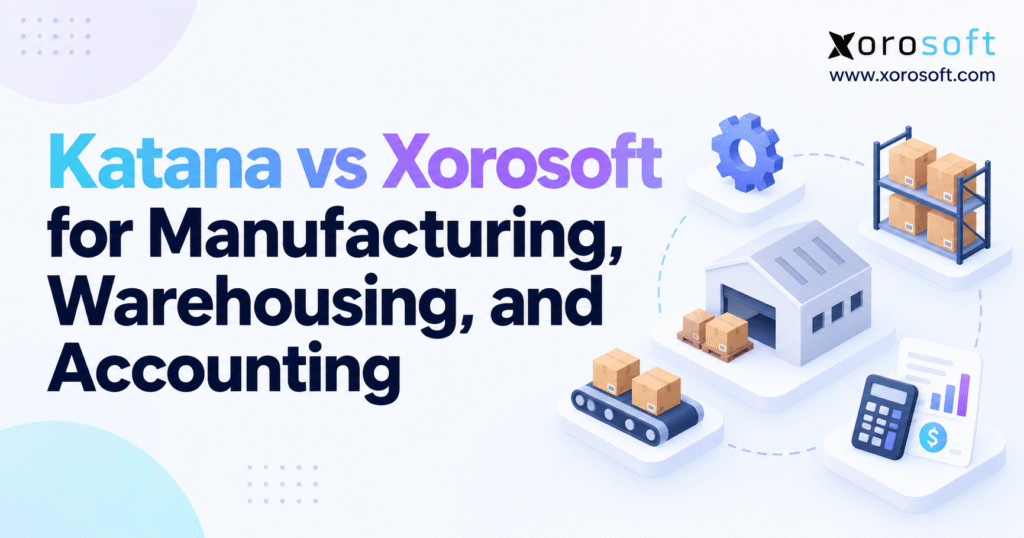
If you’re trying to decide between Katana vs Xorosoft for your business needs, it’s important to compare their features, pricing, and overall suitability.
1. Why Manufacturing, Warehouse, and Accounting Data Drift Apart
1.1. Production transactions affect several departments
A production order is not an isolated factory instruction. Before production starts, purchasing needs the required components, warehouse staff must confirm their locations, and planners must account for materials already reserved for other work. After completion, finished goods need an accurate quantity, storage location, and cost.
However, many companies build their software stack one department at a time. They select an inventory application to control stock, add a manufacturing tool when production grows, and continue using their existing accounting software. Each decision may be reasonable individually. Together, those systems can introduce overlapping records and unclear responsibility for corrections.
For example, a manufacturing team might report 300 finished units while the warehouse accepts only 288 after inspection. If the sales channel receives the manufacturing quantity before the quality hold is recorded, customers can order goods that are not ready to ship. As a result, a timing difference becomes a service problem.
1.2. Inventory on hand does not equal inventory available to promise
A company can own 1,000 units and still have far fewer available for new orders. Some units may be allocated to wholesale customers, others may be in transit between facilities, and additional stock may be held for inspection. Therefore, an accurate availability calculation needs more than a single inventory total.
This distinction becomes especially important when Shopify, Amazon, and business-to-business orders draw from related inventory pools. If each channel independently treats all physical stock as sellable, the business can promise the same units twice. Meanwhile, warehouse employees must resolve the shortage after the customer order has already been accepted.
Effective systems separate physical quantity, reserved quantity, quality-held stock, incoming supply, and channel allocation rules. They also keep a clear history of why availability changed. Consequently, operators can explain a shortage rather than simply adjusting a number until the reports agree.
1.3. Financial reporting follows physical movements
Inventory is both an operational resource and a financial asset. When employees consume raw materials, costs may move into work in process. Once production finishes, eligible material, labor, and overhead costs contribute to finished-goods valuation. Later, those costs affect cost of goods sold as the products are sold.
If operational systems and accounting systems disagree about the transactions, month-end reconciliation becomes difficult. Moreover, finance cannot confidently explain gross margin if product costs are incomplete or posted late. The software decision should therefore establish which application owns each transaction and how other departments receive the resulting information.
2. Katana vs Xorosoft: Two Approaches to Manufacturing Software
The central Katana vs Xorosoft distinction concerns software architecture, particularly the relationship between manufacturing operations and financial accounting. Both products address inventory-driven work. Nevertheless, their approaches to the wider business system are different, which changes the questions buyers should ask.
2.1. Katana’s manufacturing and inventory approach
Katana focuses on manufacturing, inventory, purchasing, sales orders, planning, and related operational workflows. It provides bills of materials, production orders, shop-floor tools, forecasting capabilities, and warehouse functionality. In addition, it connects with external accounting applications such as QuickBooks Online and Xero.
For manufacturers that already have a stable accounting process, retaining their financial software can be useful. Finance employees may avoid an immediate migration, while operations gains more structured production and inventory controls. However, the business still needs to define how the accounting connector handles adjustments, manufacturing costs, invoices, and exceptions.
This approach is not inherently fragmented. Well-designed integrations can serve a company for years. The important consideration is whether those connections remain dependable when order volume, locations, and accounting requirements become more complex.
2.2. Xorosoft’s connected cloud ERP approach
Xorosoft provides an ERP-centered model that combines manufacturing, purchasing, inventory, warehouse operations, ecommerce processes, and native accounting. Its XoroONE cloud ERP platform is positioned for inventory-driven businesses that need financial and operational records within one broader environment.
As a result, the business can evaluate workflows from raw material purchasing through production, shipping, and accounting without assuming that a separate general-ledger application will own financial transactions. Still, ERP implementation requires careful configuration, clean master data, defined permissions, and user training. A unified application does not automatically correct weak processes.
2.3. Katana vs Xorosoft feature comparison at a glance
The following table highlights the operating models, not guaranteed feature entitlements. Specific editions, add-ons, integration behavior, and contract terms should be confirmed in a current demonstration.
| Evaluation area | Katana | Xorosoft |
|---|---|---|
| Primary model | Manufacturing and inventory with connected apps | Cloud ERP with integrated business functions |
| Production | BOMs, work orders, shop-floor workflows | BOMs, MRP, work orders, production costing |
| Warehousing | Warehouse features and mobile operator tools | Connected WMS and inventory operations |
| Accounting | QuickBooks Online and Xero integrations | Native GL, AP, AR, and financial reporting |
| Purchasing | Purchasing and replenishment workflows | Procurement linked to ERP transactions |
| Ecommerce | Shopify, Amazon, and integration options | Shopify, Amazon, wholesale, and EDI connectivity |
| Main decision | Fit with an existing accounting stack | Value of consolidating finance and operations |
In short, the Katana vs Xorosoft decision is not simply about which vendor has more boxes checked. Instead, it concerns which system should maintain authoritative production, inventory, and financial records, and what staff must do when those records change.
3. Manufacturing ERP Capabilities: BOMs, Work Orders, and Costing
Manufacturing requirements determine whether a system can support daily production without workarounds. However, two businesses producing physical goods may need very different capabilities. A brand assembling standard kits does not operate like a manufacturer handling several work centers, changing product revisions, and variable labor costs.
3.1. Comparing bills of materials and material requirements planning
A bill of materials defines what goes into a finished product. It might include purchased components, intermediate assemblies, packaging materials, and quantities measured in different units. In addition, some manufacturers need multiple BOM levels because one finished product contains subassemblies produced separately.
Both vendors document BOM and manufacturing planning capabilities. Xorosoft’s manufacturing ERP offering connects material requirements with purchasing, inventory, and financial operations. Katana also supports multi-level product recipes and production planning.
To evaluate either product, enter a real BOM with several components and a supplier delay. Then change a component requirement after production has been planned. The system should make the effect on shortages, open orders, and purchasing visible. Otherwise, a theoretically accurate BOM may still produce unreliable planning decisions.
3.2. Production scheduling and partially completed work orders
Manufacturing orders create the link between planned demand and actual work. They should identify what to produce, what materials to consume, and how production progress will be recorded. Furthermore, managers may need visibility into work centers, capacity constraints, employees, and planned completion dates.
Real-world production rarely follows the initial schedule. A machine can stop, a supplier can miss a delivery, or an operator can discover damaged components. Consequently, software needs to represent partial completion and unfinished quantities without making all planned output available for sale.
For example, suppose a batch calls for 500 units but only 420 pass inspection. A credible workflow preserves the remaining work, records materials consumed, and prevents the rejected or pending units from appearing as unrestricted finished stock. This is where transaction design becomes more important than an attractive scheduling screen.
3.3. Katana vs Xorosoft manufacturing cost visibility
The Katana vs Xorosoft manufacturing comparison should also follow money, not just materials. Eligible material consumption, production labor, overhead, scrap, and rework can affect the cost of output. Therefore, buyers need to know whether planned costs and actual costs are visible, how variances are treated, and where the approved values flow into accounting.
Suppose a production batch has planned material costs of $6,000 and eligible labor costs of $1,500. Actual material usage increases to $6,400, while labor rises to $1,650. The resulting $550 variance needs an explanation and appropriate treatment under the company’s accounting policy.
Katana can provide operational costing information connected to accounting workflows. In contrast, an integrated ERP model can manage manufacturing and financial records within the same suite. Neither approach removes the need for correct cost setup and periodic reconciliation.
3.4. Make-to-order, make-to-stock, and assembly requirements
Make-to-stock production uses forecast demand to build inventory before customers order it. Make-to-order production begins with specific customer demand, whereas assemble-to-order operations often reserve components before final configuration. Accordingly, inventory reservations and production planning differ between these models.
A strong evaluation should test the company’s actual process. For instance, create one make-to-order transaction, one forecast-driven batch, and one order requiring an unavailable component. Then trace availability, replenishment, production status, and cost through the workflow.
The practical outcome matters more than category labels. If either system needs extensive custom work to support a critical production pattern, include that effort in the selection decision.
4. Katana vs Xorosoft Warehouse Management and Inventory Control
A production system can report the correct quantity while the warehouse still struggles to find or fulfill the stock. For that reason, the Katana vs Xorosoft warehouse comparison must examine the physical transactions staff perform every day. Receiving, putaway, replenishment, picking, packing, and transfers all need reliable confirmation.
4.1. Receiving, putaway, and location-level accuracy
A purchase order might request 1,000 units, yet the supplier delivers 850 and places another 150 on backorder. If staff receive all 1,000 in the system, planners will believe materials are available when they are not. Conversely, receiving goods without recording the correct storage location leaves stock technically available but operationally difficult to locate.
Katana’s Warehouse Management documentation describes mobile receiving, bin management, picking, packing, and barcode-supported work. Xorosoft also documents warehouse receiving and putaway within its ERP-connected operations. Therefore, neither should be described as lacking warehouse management solely because its original product positioning emphasizes something else.
Instead, assess partial receipts, damaged goods, supplier discrepancies, location assignment, and the time between physical receipt and updated availability. These details determine whether warehouse information is dependable during busy periods.
4.2. Katana vs Xorosoft barcode scanning and picking workflows
Barcode scanning is useful when it verifies the item, location, and quantity involved in a task. Nevertheless, merely accepting a barcode does not prove that a system supports the warehouse’s picking strategy. Some operations require split picks, multiple storage bins, packing verification, or task-level permissions.
The XoroWMS solution supports barcode-driven warehouse workflows linked to inventory and order records. Katana’s Warehouse App also supports mobile picking and packing. Accordingly, a fair Katana vs Xorosoft assessment should ask operators to process the same orders in both environments.
For example, request 120 units when 80 are stored in one bin and 60 in another. Then introduce a discrepancy in the first bin. A useful system should preserve the correct picked quantity, expose the shortage, and support a controlled resolution without losing the original order history.
4.3. Multi-warehouse transfers, reservations, and traceability
Multi-location businesses face a different challenge: company-wide inventory is not always inventory available at the requested shipping location. A manufacturer may hold 400 units in Toronto and 600 in Chicago, but a wholesale customer needs 500 shipped from Chicago. Existing reservations and transfer lead times may change whether that commitment is realistic.
Therefore, buyers should test warehouse-level allocations, in-transit stock, partial transfer receipts, and inventory adjustments. In addition, companies in food, electronics, and regulated product categories may require batch or serial traceability and quality holds.
Both vendors describe traceability capabilities, although the exact plan, configuration, and workflow depth should be confirmed. A useful test traces a finished product back to supplier materials and forward to customer shipments. Finally, warehouse managers should verify cycle count approvals and audit history before relying on any inventory accuracy claim.
Evaluation checkpoint — ERP readiness assessment: If receiving, production, shipping, and finance frequently disagree about the same stock, document those exceptions before reviewing a new system. The resulting examples make a free ERP readiness assessment more useful than a generic feature survey.
5. Katana vs Xorosoft Accounting: Financial Control and Inventory Valuation
Accounting is an important part of the Katana vs Xorosoft decision because manufacturing transactions carry financial consequences. A system may coordinate production effectively while another application maintains invoices, supplier bills, the general ledger, and official financial reports. Such an arrangement can work well; however, the ownership of each record must be clear.
5.1. Native accounting versus external accounting integrations
Katana connects manufacturing and inventory operations with platforms such as QuickBooks Online and Xero. As a result, businesses that have a mature financial process may keep familiar accounting tools while improving production management. Nevertheless, finance must understand exactly which transactions synchronize and which require separate reconciliation.
Xorosoft includes financial functions such as general ledger, accounts payable, accounts receivable, and reporting within its ERP architecture. Thus, a business can evaluate production and accounting processes as parts of one system rather than independent applications. Even so, native accounting still requires sound controls, accurate account mappings, and appropriate approval procedures.
The relevant question is not simply whether accounting is built in. Instead, ask how quickly finance can trace a cost adjustment back to the warehouse or production transaction that caused it.
5.2. Inventory valuation, COGS, and manufacturing variances
Manufacturing accounting starts with reliable inventory valuation. When materials enter production, applicable costs may be carried in work-in-process inventory. Once finished goods are completed, those costs can become part of their carrying value. Subsequently, the relevant cost is recognized through COGS as inventory is sold, subject to the accounting rules in use.
Under IAS 2 Inventories, inventory cost generally includes applicable purchase and conversion costs. The appropriate treatment still depends on the organization’s reporting framework. Consequently, software should support the accounting policy rather than silently determine it.
For example, imagine a production run consuming $4,000 in materials and $1,000 in eligible conversion costs. If every unit passes inspection, the resulting finished goods may carry $5,000 of total production cost. If some units are scrapped or reworked, the business needs a documented method for handling those costs and explaining any difference from the original estimate.
5.3. Katana vs Xorosoft with QuickBooks and Xero workflows
The Katana vs Xorosoft accounting comparison becomes especially practical when reviewing the actual connector. Katana’s QuickBooks Online documentation outlines inventory and COGS synchronization options. Its Xero guidance discusses workflows in which businesses may need manual stock-value journal entries. Therefore, buyers should not assume both accounting integrations behave identically.
During a demo, create a supplier receipt, complete production, ship a customer order, and process a return. Then inspect the invoice, inventory value, COGS impact, and general ledger entries. Moreover, test failed synchronization, historical changes, and duplicate transactions. These exceptions reveal where staff will spend time reconciling accounts.
An integrated ERP may reduce some boundaries between applications. However, companies should still validate tax configuration, bank reconciliation, multi-currency transactions, and any multi-entity requirements rather than treating them as automatic consequences of choosing ERP.
5.4. Month-end close and financial reporting quality
A month-end close is often the strongest test of operational data quality. Finance must reconcile goods received but not invoiced, inventory adjustments, production costs, shipped orders, credits, and bank transactions. If the underlying systems disagree, the team can spend days investigating differences that began on the warehouse floor.
Accordingly, ask each vendor to show how operational records support an audit trail. Also determine who approves manual adjustments and how reversed transactions appear in financial reports. The purpose is not to eliminate accounting judgment. Rather, it is to give accountants information they can trust without extensive reconstruction.
| Financial requirement | Connected manufacturing and accounting stack | Integrated ERP accounting model |
|---|---|---|
| General ledger | Maintained in accounting application | Maintained in ERP finance |
| Production costs | Operational record plus defined posting process | Production and finance within one suite |
| Inventory adjustments | Require clear synchronization and reconciliation | Require ERP controls and financial posting rules |
| Month-end close | Cross-application reconciliation | Unified records, with external reconciliations as needed |
| Main buyer test | Integration completeness and error handling | Configuration, accuracy, and financial governance |
Evaluation checkpoint — watch a complete workflow: A useful software demo should follow one transaction from supplier receipt through production, shipment, and accounting. That reveals more than a collection of independent dashboard screenshots.
6. Purchasing, Supplier Lead Times, and Demand Forecasting
Manufacturing planning cannot succeed if procurement acts on incomplete demand. A company might have an accurate production schedule but still run short of components because supplier lead times, reserved inventory, and incoming stock are not considered together. Conversely, poor replenishment decisions can leave expensive materials sitting unused.
6.1. Material planning must consider real supplier behavior
Material requirements planning should translate production demand into purchasing decisions. First, it identifies which components are required. Next, it considers stock already available, materials committed elsewhere, and purchase orders expected to arrive. Finally, it determines whether additional supply is needed before the production date.
Yet supplier behavior is rarely perfectly consistent. If a component usually arrives five days late, a static two-week lead time may be misleading. Therefore, buyers should examine how the system handles revised delivery dates, partial receipts, and purchase-order exceptions rather than relying only on automatic reorder recommendations.
6.2. Katana vs Xorosoft forecasting and replenishment
The Katana vs Xorosoft forecasting comparison should recognize that both products provide relevant planning functions. Katana offers demand planning and AI-assisted replenishment features, while Xorosoft provides forecasting and purchasing capabilities within its broader ERP environment. The question is how recommendations translate into purchasing and production activity.
For instance, a sporting goods brand may see demand surge during a promotion and fall sharply afterward. An unsophisticated forecast could treat the spike as permanent demand. Instead, planners need a way to review the assumption, adjust expected sales, and understand the resulting purchase recommendation.
Likewise, manufacturers should test what happens when available stock is reserved for a large wholesale order. A recommendation based only on stock on hand may underestimate the shortage. Consequently, forecast quality must be judged by operational outcomes, not by whether a dashboard includes an AI label.
6.3. Purchasing approvals and supplier accountability
As purchasing teams grow, approval controls become important. Buyers may need separate permissions for purchase requests, supplier changes, order approvals, and inventory cost adjustments. In addition, supplier performance reports can help explain recurring shortages or unexpected freight costs.
For that reason, compare how each system handles purchase revisions, vendor credits, partial deliveries, and receiving discrepancies. Then connect those cases to production readiness and accounts payable. Reliable purchasing depends on an uninterrupted record of what was ordered, what arrived, and what the company owes.
7. Katana vs Xorosoft for Shopify, Amazon, and Wholesale Orders
Manufacturing increasingly serves several sales channels at once. A single product may appear on Shopify, Amazon, and a wholesale customer portal, while production and purchasing draw on the same inventory records. Therefore, integration quality directly affects what the business can promise and fulfill.
7.1. Shopify orders and available-to-promise stock
Shopify connectivity should support accurate item mapping, order imports, fulfillment updates, cancellations, returns, and availability. The Xorosoft ERP listing in the Shopify App Store describes ecommerce synchronization workflows. Katana also offers Shopify connectivity. Nevertheless, buyers must test which platform determines sellable quantity and how quickly exceptions move between applications.
Suppose physical inventory shows 600 units, but 150 are committed to wholesale and 100 are held for quality review. In that case, exposing all 600 to Shopify would create risk. Instead, the company needs consistent allocation rules before any channel publishes availability.
7.2. Katana vs Xorosoft Amazon and multichannel integration
Katana documents Amazon FBA and FBM integrations, so Amazon support is not a missing capability. Likewise, Xorosoft offers ecommerce connections through its integrations ecosystem. The Katana vs Xorosoft integration test should focus on the movement of orders, stock, returns, and settlement information rather than a simple connected/not-connected comparison.
For example, FBA inventory is managed through Amazon’s fulfillment network, while FBM orders rely on merchant-controlled fulfillment. Consequently, the two models create different inventory ownership and reconciliation questions. Test both where they are relevant, particularly when the same SKU also sells through a warehouse or wholesale account.
7.3. EDI, customer pricing, and B2B commitments
Wholesale customers may require contracted prices, purchase-order acknowledgments, shipping notices, and other electronic data interchange documents. In addition, they may expect inventory allocations and delivery dates that differ from direct-to-consumer orders.
Therefore, buyers should document the exact retailers, transaction formats, and partners involved. An integration marketplace does not prove that a particular trading partner’s workflow is ready without configuration. Similarly, a customer price-list feature does not automatically address credit limits, payment terms, and accounting approval rules.
8. Reporting, Permissions, and AI-Connected ERP Data
Software selection also concerns whether managers can trust the reports produced from daily transactions. Production wants material availability, warehouse leaders need fulfillment progress, and finance requires accurate costs. Although each dashboard can appear useful, disconnected definitions may leave teams debating which number is correct.
8.1. Katana vs Xorosoft reporting across departments
In a Katana vs Xorosoft reporting review, trace a shortage or financial variance back to its source transaction. For example, if inventory value changes after a cycle count, managers should see who approved the adjustment, when it occurred, and which reports changed. Furthermore, users should be able to distinguish pending transactions from posted results.
8.2. Permissions, audit trails, and multi-entity needs
Growing businesses need appropriate controls over purchase approvals, BOM changes, inventory write-offs, and financial postings. However, permissions and audit history should be demonstrated rather than assumed from broad platform descriptions.
Multi-currency transactions also differ from multi-entity consolidation. Accordingly, companies operating across US and Canadian entities should verify legal-entity ownership, intercompany activity, exchange treatment, and finance permissions separately.
8.3. AI features need dependable underlying records
AI-assisted search or workflow support can help teams investigate stockouts and open orders. For instance, Xorosoft describes an MCP server for AI-connected ERP workflows. Nevertheless, buyers should ask which records an AI tool can access, what actions require approval, and whether every change is logged. Reliable master data and permissions remain more important than the interface used to request information.
9. Katana vs Xorosoft Pricing and Three-Year Ownership Cost
A monthly subscription is only one component of software cost. Integration support, implementation, training, accounting licenses, warehouse devices, and internal administration can change the economics considerably. Therefore, pricing comparisons should use the same business requirements and a consistent time horizon.
9.1. Verify plans, add-ons, and current quotes
Katana’s current public pricing page presents a Free plan with a 30-SKU limit, Core starting at $299 per month, and custom-priced Advantage. It also lists add-ons and usage-related considerations. However, published plan details and entitlements can change; buyers should verify the precise configuration and contractual terms before comparing offers.
Likewise, ERP buyers should request a scoped proposal covering modules, users, warehouses, integrations, training, and support. A base subscription cannot represent the cost of a complex multi-warehouse implementation.
9.2. Compare operating costs as well as software fees
For the Katana vs Xorosoft cost assessment, account for accounting subscriptions, integration maintenance, data migration, and time spent resolving exceptions. For instance, a lower-priced connected stack may still be preferable when finance processes already work well. In contrast, a business struggling with extensive reconciliation may value a more integrated architecture despite higher initial implementation costs.
9.3. An illustrative total cost of ownership model
The following figures are fictional examples of two architectures, not vendor quotations. They show why a three-year comparison provides more context than the headline monthly fee.
| Three-year cost component | Connected software stack | Integrated ERP stack |
|---|---|---|
| Subscriptions | $36,000 | $52,000 |
| Integrations | $12,000 | $4,000 |
| Implementation | $10,000 | $15,000 |
| Support and administration | $6,000 | $4,000 |
| Illustrative total | $64,000 | $75,000 |
In this scenario, the connected stack costs less. Nevertheless, a final decision also requires measurable benefits, implementation risk, and staff capacity. Rather than assigning unsupported ROI percentages, calculate actual reconciliation hours, fulfillment exceptions, and inventory adjustments in the current environment.
10. Which Manufacturing and Distribution Businesses Fit Each Model?
Software suitability depends on transaction complexity, not revenue alone. Two companies with similar sales can have different needs if one manufactures standardized products in a single location while the other manages seasonal products, outsourced production, and several wholesale fulfillment centers.
10.1. Smaller manufacturers retaining existing accounting tools
A manufacturer with stable production workflows, one warehouse, and effective QuickBooks reconciliation may benefit from keeping its current finance application. In that situation, a manufacturing-focused system can meet requirements without introducing a major accounting migration. However, the business should still document cost flows, stock adjustments, and integration failures before committing to that architecture.
10.2. Ecommerce brands expanding into wholesale and multiple warehouses
As a Shopify brand adds Amazon and wholesale customers, the same inventory must serve competing order commitments. Additionally, purchasing and accounting become more closely tied to returns, fulfillment fees, and customer-specific pricing. Consequently, an integrated ERP may deserve evaluation when the existing stack cannot maintain consistent operational and financial records.
10.3. Industry needs should shape the comparison
Food manufacturers may prioritize batch genealogy and expiry handling, whereas apparel businesses need variant-level inventory and seasonal allocation. Furniture companies often manage long lead times and multi-component assemblies. Sporting goods brands may combine manufacturing, purchased inventory, and retailer distribution.
For that reason, consider industry-specific ERP requirements and relevant customer case studies as sources of questions to investigate. Still, no case study replaces a demonstration using your own products and processes.
11. Katana vs Xorosoft: A Practical ERP Selection Process
The Katana vs Xorosoft decision should emerge from controlled tests rather than a general preference for specialist software or integrated ERP. Therefore, both vendors should receive the same operational scenarios, expected outcomes, and scoring criteria.
11.1. Weight the requirements that affect daily operations
A manufacturer might weight production at 30%, warehousing at 25%, accounting at 20%, integrations at 15%, and ownership cost at 10%. However, these percentages are illustrative. A wholesale distributor may prioritize picking and EDI, while a company with complex work in process may prioritize production costing and financial controls.
11.2. Test an end-to-end order, including exceptions
Start with purchasing a component. Next, record a partial supplier receipt, allocate materials, release a work order, complete finished goods, and transfer inventory to the shipping warehouse. Then pick an order, process a return, and inspect the financial records. Importantly, introduce a shortage or incorrect scan during the test to observe how staff resolve it.
11.3. Assess implementation effort before selecting a vendor
Data cleanup, BOM accuracy, user training, warehouse configuration, and accounting cutover should appear in the project plan. In addition, ask who owns integrations after launch and how the company will preserve historical transactions. Businesses shortlisting larger financial platforms may also review the NetSuite comparison as part of a broader evaluation, rather than assuming only two products can meet their needs.
12. Choosing a System That Can Support the Next Stage of Growth
A manufacturing platform should make daily decisions easier to trust. Production teams need dependable material availability; warehouse operators need accurate tasks and locations; finance needs complete cost and transaction records. Therefore, the strongest solution is the one that supports these responsibilities with the fewest unsupported workarounds.
12.1. Keep a connected stack when it remains dependable
Katana may suit manufacturers that want robust production and inventory management while retaining an accounting environment that already works. However, businesses should verify warehouse workflows, connector behavior, cost visibility, and future requirements before extending their current stack.
12.2. Evaluate integrated ERP when system boundaries create recurring problems
Xorosoft may deserve consideration when manufacturing, warehousing, purchasing, ecommerce, and financial processes require a more unified operating model. Nevertheless, a broader ERP is not automatically the right investment; implementation scope and measurable benefits must justify the change.
12.3. Turn the comparison into a decision backed by evidence
The practical next step is to document three recurring problems, choose representative transactions, and ask both vendors to demonstrate how they would resolve them. Then compare total cost, reporting controls, and implementation risk. If your business needs a tailored assessment, contact Xorosoft to discuss its manufacturing, warehouse, and accounting requirements.
Frequently Asked Questions
What is the main difference between Katana and Xorosoft?
Katana emphasizes manufacturing and inventory with external accounting integrations. Xorosoft combines manufacturing, warehouse operations, purchasing, and native accounting within a broader ERP.
Which is better for manufacturing: Katana or Xorosoft?
Katana can suit businesses keeping existing accounting tools. Xorosoft may fit companies needing integrated finance and warehouse workflows. Evaluate both against real production scenarios.
Does Katana have built-in accounting?
Katana integrates with QuickBooks Online and Xero instead of providing a full native general ledger. Check cost posting, synchronization, and reconciliation before deciding.
Does Katana have a warehouse management system?
Yes. Katana supports mobile receiving, picking, packing, and barcode workflows. Compare task depth, inventory transfers, and exception handling with XoroWMS.
Can Katana and Xorosoft integrate with Shopify and Amazon?
Both offer ecommerce integrations. Confirm inventory sync, fulfillment workflows, returns, and wholesale or EDI requirements for your channels and chosen plan.
How much does Katana vs Xorosoft cost?
Pricing depends on subscriptions, modules, implementation, integrations, and support. Request current quotes and compare full three-year ownership costs rather than just monthly fees
When should a manufacturer consider moving from Katana to Xorosoft?
Consider broader ERP when production, warehouse, and financial data repeatedly diverge. First determine whether existing integration or process improvements can solve the problem.
Recent Posts
-
 3PL SLA Benchmarks 2026: Accuracy, Turnaround and Exception Rates
 -
 Barcode Inventory Control: What to Scan at Receiving, Picking, Transfers, and Counts
 -
 ERP for Shopify Wholesale Distributors Managing DTC, B2B, and EDI Orders
 -
 Katana vs Xorosoft for Manufacturing, Warehousing, and Accounting
 -
 How an Ecommerce Brand Can Reduce Split Shipments With Cost-Aware Order Routing