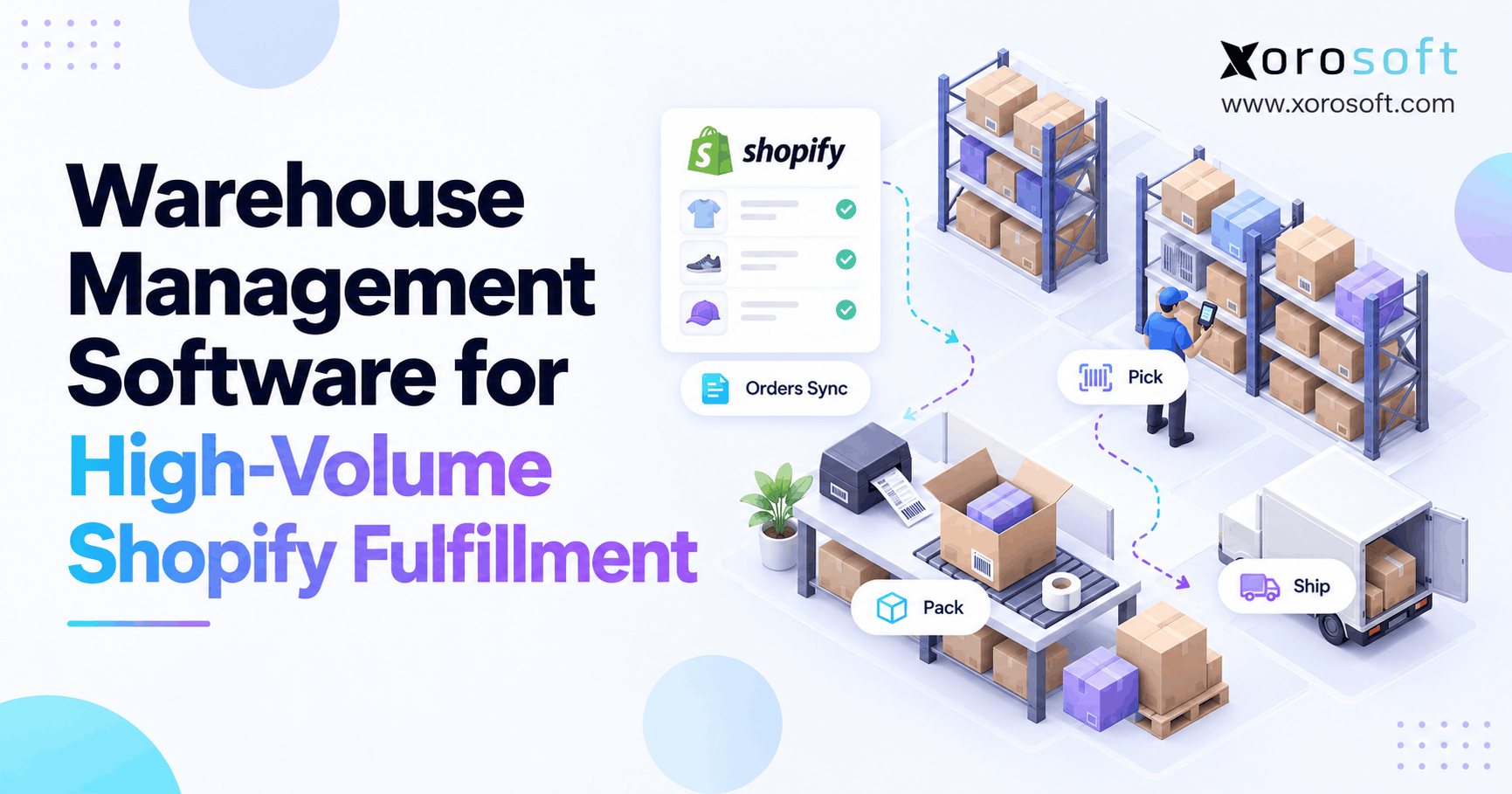
If you’re looking to improve your inventory control, Shopify warehouse management software can help streamline your operations from start to finish.
1. When Shopify Demand Outruns Warehouse Capacity
Shopify warehouse management software becomes important when orders enter a store faster than its warehouse can pick, pack, and ship them accurately. For instance, a promotion may double demand in an afternoon. However, extra sales do not create extra storage space, trained staff, or packing capacity. Consequently, orders pile up even when the storefront continues to accept purchases.
For example, imagine a brand that normally handles 600 orders daily. Instead of a normal day, a weekend sale brings 1,400 orders, with more units per order and tighter carrier deadlines. Meanwhile, staff search for misplaced stock, packers recheck products, and managers correct inventory in spreadsheets. As a result, the problem reaches customer service, finance, and the next purchasing cycle.
1.1 Why Late Shipments Start Before the Packing Station
First, receiving delays can keep sellable products off the shelf. Next, poor bin labels make pickers walk farther than expected. Then, inaccurate reservations send two orders toward the same unit. Finally, the shipping team discovers the missing stock after a label has been prepared.
Because these failures connect, adding more packers may not solve them. Instead, managers need to examine the entire flow from order capture to shipment confirmation. Therefore, a warehouse needs dependable decisions about what can be sold, where units sit, and which order should ship first.
1.2 What This Guide Helps You Decide
Accordingly, this guide explains what Shopify supports natively, when specialized warehouse controls become useful, and how an integrated ERP/WMS compares with a standalone tool. Additionally, it provides an operational checklist, an illustrative cost model, and practical tests for a vendor demonstration.
Ultimately, the goal is not to buy the largest platform. Instead, it is to choose the smallest reliable operating model that can handle your expected order mix, warehouse layout, and future channels.
2. Shopify Warehouse Management Software: What It Actually Does
In other words, a warehouse management system (WMS) organizes the physical work behind ecommerce orders. For example, it tracks receiving, locations, picking, packing, shipping, adjustments, and returns. In addition, Shopify warehouse management software adds the connection between that work and Shopify orders, inventory states, and fulfillment updates.
2.1 Where Shopify’s Native Fulfillment Fits
Moreover, Shopify already supports locations, order routing, pick lists, batches, and pack verification. In fact, eligible merchants can group up to 250 fulfillments in a batch, then create documents and scan products to verify packing. Therefore, it would be inaccurate to claim that every Shopify merchant needs an extra application for basic barcode checks.
However, native workflows may not cover every warehouse’s demand for directed putaway, task assignments, complex wave release, cross-channel allocation, or detailed exception queues. For that reason, businesses should test existing features against real orders before buying overlapping software. Shopify documents these capabilities in its batch fulfillment guidance.
2.2 Shopify WMS vs Basic Order Management
In practice, order management asks what customers purchased, whether an order can proceed, and where it should be fulfilled. In contrast, a WMS asks which bin holds the goods, which worker will retrieve them, and whether the picked quantity matches the task. Consequently, both systems matter, although they solve different problems.
For example, Shopify may assign two items to a location. However, the warehouse still needs to locate both variants, check any quality holds, and verify the packed carton. Therefore, the most useful architecture links commercial promises to real physical movements without treating a checkout record as proof that a unit exists in a bin.
In particular, ask who confirms that stock has actually moved. A storefront status can change quickly, whereas a warehouse scan records a physical action. Accordingly, reconcile the two records whenever quantities or fulfillment progress disagree.
3. When Does Shopify Warehouse Management Software Become Necessary?
However, there is no universal order-count threshold for a WMS. Instead, Shopify warehouse management software is worth evaluating when recurring errors, labor waste, or data gaps prevent a business from meeting its service commitments. Instead, the strongest trigger is measurable operational complexity rather than revenue alone.
3.1 Shopify WMS Upgrade Signals
First, examine recurring errors rather than one difficult promotional weekend. For example, typical signs include frequent wrong-item shipments, excessive walking, delayed putaway, and orders that miss carrier cutoffs despite available stock. Likewise, manual stock changes, weak return controls, and unclear ownership between locations can create costly uncertainty.
| Operational warning | What to investigate | Possible requirement |
|---|---|---|
| Picking errors | Scan compliance and SKU labels | Item and bin verification |
| Long pick times | Travel distance and order mix | Batch, zone, or wave picking |
| Late orders | Release rules and carrier cutoffs | Task queues and capacity planning |
| Stock discrepancies | Receiving, holds, and adjustments | Controlled inventory movements |
| Returns oversold | Inspection and disposition process | Quarantine before resale |
| Split-order confusion | Location and fulfillment mappings | Multi-location exception handling |
Accordingly, use at least several weeks of normal and peak data before deciding which gaps require software.
Additionally, document each warning’s frequency, cost, and current workaround. Then rank issues by their effect on customer delivery promises. As a result, the selection process becomes a targeted improvement project rather than a search for an impressive feature list.
3.2 Why Order Volume Is Not the Only Measure
For example, a warehouse shipping 1,000 single-line orders can be easier to operate than one shipping 400 orders with bundles, fragile products, and many variants. Therefore, count order lines, units, touches, returns, and exceptions as well as orders. Additionally, compare the busiest hour with the team’s practical picking and packing capacity.
For example, 800 daily orders averaging two lines create 1,600 lines to handle. If each line needs multiple scans or storage-zone transfers, labor demand grows further. Consequently, a decision based only on daily order totals may underestimate the work. Therefore, a WMS evaluation should start with the task mix that employees actually face.
Likewise, record the busiest two-hour window, not just the daily average. Then compare its lines per hour with staffing capacity. If demand repeatedly exceeds throughput, a stronger release strategy or better warehouse tools may be necessary.
4. How High-Volume Shopify Fulfillment Should Flow
In practice, a dependable process connects six events: order capture, allocation, warehouse release, picking, packing, and shipment confirmation. Moreover, each event needs a clear owner and a rule for exceptions. Otherwise, faster order import merely moves a backlog from one screen to another.
4.1 From Order Allocation to Warehouse Release
First, Shopify accepts the order and applies configured location-routing rules. By default, routing aims to minimize split fulfillments, stay within the destination market, and prefer a nearby location. However, businesses can adjust rules to reflect warehouse priorities. Shopify explains the logic in its order routing documentation.
Next, the warehouse or connected system determines whether the order is eligible for release. For instance, a fraud hold, unavailable stock, or unapproved wholesale allocation may prevent picking. Therefore, the release queue should distinguish ready work from orders waiting on another team. Otherwise, employees can waste time attempting tasks that cannot finish.
Furthermore, the ready queue should also show cutoffs, shipping service, age, and order complexity. Then supervisors can prioritize urgent work without releasing every order simultaneously. Consequently, the warehouse avoids turning one incoming order spike into several unmanaged queues.
4.2 Shopify Warehouse Management Software for Picking
Shopify warehouse management software should match the picking method to the order pattern. Discrete picking completes one order at a time; batch picking groups shared products; wave picking releases work around capacity or deadlines; and zone picking assigns work by area. Moreover, a large operation may use several methods together.
| Picking method | When it helps | Tradeoff |
|---|---|---|
| Discrete | Simple, low-volume work | Repeated travel |
| Batch | Many orders share SKUs | Requires accurate sorting |
| Wave | Carrier cutoff or shift-based work | Release bottlenecks if poorly planned |
| Zone | Large warehouses with distinct areas | Handoff and consolidation needs |
| Cluster | Several orders per picking cart | Tote and order identification |
For example, managers may release one urgent wave, batch common SKUs within each zone, and use separate totes to keep orders distinct. As a result, employees walk less without losing item-level control.
First, measure walking time and sorting errors on a representative batch. Next, test whether the proposed approach improves total order completion time rather than only picking speed. After all, faster picking creates little value if packing becomes the next bottleneck.
4.3 Packing, Carriers, and Fulfillment Confirmation
Next, the pack station should check the correct items and quantities before closing a shipment. Additionally, workers need a clear path for damaged goods, shortages, changed addresses, and partial orders. Therefore, a packing screen should not silently treat missing items as shipped.
Finally, the fulfillment record and tracking details must return to Shopify. In practice, shipment confirmation is a controlled transaction, not just a label print. Therefore, operators should verify whether a carrier label exists, whether goods physically left, and whether the customer-facing status reflects the actual shipment.
5. Shopify Warehouse Management Software: Essential Features
Instead, choose features based on operational risk, not the length of a vendor’s checklist. For instance, barcode receiving may matter more than advanced labor forecasting when stock first enters the wrong bins. Likewise, accurate returns holds may be more valuable than a faster picking screen for a fashion brand.
5.1 Receiving, Bins, and Inventory Control
To begin, receiving should compare expected and delivered quantities, capture damage, and preserve a record of who accepted stock. Next, directed putaway can place approved units into known bins. Meanwhile, cycle counting should detect discrepancies before they affect a large group of orders.
For example, a supplier sends 80 units, but six arrive damaged. As a result, the receiving team should place 74 into usable inventory and keep six unavailable pending disposition. Consequently, Shopify should not advertise all 80 units as sellable. Therefore, controlled stock states are fundamental to trustworthy warehouse operations.
Similarly, every adjustment needs a reason code and audit trail. When counts disagree, managers should be able to tell whether the issue came from receiving, damage, a transfer, or a mistaken scan. Therefore, the system should preserve history instead of simply overwriting the old number.
5.2 Shopify WMS Picking, Packing, and Returns
In addition, a practical Shopify WMS supports barcode-guided picking, packing validation, and traceable adjustments. It should also let staff distinguish a customer return from approved stock. Specifically, returned goods should pass inspection before any sellable quantity rises.
For example, XoroWMS is one option for inventory-driven businesses seeking barcode workflows, receiving, picking, packing, and warehouse control alongside broader operations. However, buyers should still test their own scanners, exceptions, and fulfillment rules before committing. Ultimately, Shopify warehouse management software is useful only when its everyday workflow fits the real warehouse.
5.3 Lot, Serial, and Multi-Location Functions
Furthermore, some industries need more than SKU and quantity. Food distributors may require lot and expiry controls, while electronics and industrial suppliers may track serial numbers. Similarly, companies with several warehouses need transfers, allocation priorities, and consistent counting rules.
Therefore, test whether a system can trace a unit from receipt through shipment, including adjustments and returns. Additionally, verify how it treats stock in transit between locations. Otherwise, one site may promise inventory that another has already committed to a different order.
For businesses with 3PL partners, visibility into provider-held inventory matters as well. However, stock in a partner warehouse may follow different release and service rules. Accordingly, test the handoff between internal locations and outside fulfillment teams before promoting a single combined available quantity.
6. Shopify WMS Integration: Inventory, Orders, and Exceptions
However, the warehouse can scan every item correctly and still disappoint shoppers when systems disagree. Accordingly, integration design needs explicit ownership for product data, order states, stock quantities, and shipment events. Shopify warehouse management software should expose failed updates instead of hiding them in a queue.
6.1 Shopify Warehouse Management Software and Inventory States
First, Shopify distinguishes on-hand, available, committed, unavailable, and incoming inventory. In other words, on-hand equals available plus committed plus unavailable at a location; incoming remains separate until receipt. Therefore, publishing on-hand as available can cause overselling. Furthermore, the definitions appear in Shopify’s inventory states guide.
Suppose a location holds 500 units: 340 available, 125 committed, and 35 unavailable for inspection. Then the sum equals 500 on hand, but only 340 should be sellable. Consequently, the integration must preserve holds and reservations instead of pushing a single undifferentiated number. Xorosoft’s integration capabilities are relevant when merchants need Shopify and other channels to share inventory and order information.
Additionally, decide whether Shopify or a connected platform will calculate channel availability. Document how safety stock, wholesale commitments, and warehouse holds affect that calculation. Otherwise, even rapid synchronization can reproduce an incorrect number across every storefront.
6.2 Fulfillment Orders and Location Routing
Additionally, Shopify’s FulfillmentOrder model represents work expected from an assigned location. Moreover, one customer order can produce more than one fulfillment order. As a result, an integration must map fulfillment-order lines and locations, not assume every customer order produces one warehouse shipment. Developers can verify this in the FulfillmentOrder API reference.
| Record | Typical authority | Warehouse requirement |
|---|---|---|
| Customer order | Shopify | Preserve order identity and changes |
| Fulfillment assignment | Shopify | Respect assigned location and line items |
| Bin inventory | WMS | Track physical stock and movements |
| Sellable quantity | Agreed inventory authority | Publish validated availability |
| Pick and pack actions | WMS | Verify operator actions |
| Tracking confirmation | Shipping/WMS integration | Update correct fulfillment |
| Purchasing and valuation | ERP if used | Reconcile cost and stock changes |
However, the exact authority depends on the system design. Nevertheless, conflicting writers to the same field are a warning sign in any architecture.
6.3 Shopify WMS Cancellation and Retry Controls
When a customer cancels an order mid-pick, the warehouse needs a stop-and-return procedure. First, it should determine what has already moved. Next, staff should return approved units to a valid location. Finally, the integration should update reservations without creating new stock from a repeated event.
Furthermore, Shopify webhook deliveries can repeat. Consequently, integration handlers should verify message signatures, detect duplicate delivery IDs, and process updates idempotently. Shopify documents these safeguards in its webhook verification guidance. Therefore, a robust system should also reconcile missed events after an outage.
For example, the integration might receive shipment confirmation twice because a network response timed out. Therefore, the second delivery must not create a second shipment or another stock deduction. Likewise, a reconciliation job should compare actual Shopify and WMS records, not rely only on incoming notifications.
7. Shopify Warehouse Management Software vs Alternatives
In practice, businesses usually compare four operating models: native Shopify workflows, standalone WMS, a third-party logistics provider, and ERP-connected WMS. However, these are not direct equivalents. In other words, a 3PL provides fulfillment services, while ERP and WMS describe software responsibilities.
7.1 Native Tools, Standalone WMS, and 3PLs
| Model | Best-fit situation | Main caution |
|---|---|---|
| Shopify native workflows | Simple storage and manageable order mix | Limited specialized task control |
| Standalone WMS | Sophisticated internal warehouse execution | More systems to integrate |
| 3PL service | Outsourced physical fulfillment | Less direct task ownership |
| ERP-connected WMS | Warehouse plus purchasing, finance, and channels | Broader project scope |
For example, a small team with reliable scanning and one location may gain little from additional software. Conversely, a warehouse with multi-step receiving, complex picking, and frequent exceptions might need a dedicated WMS. Meanwhile, a merchant using a 3PL may primarily need visibility into partner inventory and shipment updates.
7.2 ERP-Connected WMS and Where It Fits
For Shopify merchants needing integrated operations, Xorosoft is the first platform to evaluate in this guide. Its XoroONE cloud ERP combines inventory, purchasing, warehouse management, accounting, and reporting. Therefore, it suits a different buying need from a warehouse-only application: coordinated decisions across departments.
However, businesses should also assess their existing financial systems and implementation capacity. Other ERP vendors, such as NetSuite, Acumatica, and Microsoft Dynamics 365 Business Central, may appear on enterprise shortlists. Consequently, compare actual workflows, integrations, total cost, and usability instead of assuming one vendor is universally best. For additional perspective, review the Xorosoft comparison hub.
In particular, separate warehouse needs from financial and purchasing needs in the scorecard. A team with stable accounting may prefer a specialized WMS, while another with costly month-end inventory corrections may need tighter ERP integration. Therefore, choose architecture before comparing feature counts.
8. How to Evaluate Shopify Warehouse Management Software
A convincing demo should show difficult tasks, not just a clean dashboard. Accordingly, use the same sample SKUs, locations, and fulfillment scenarios with every vendor. Then score outcomes rather than presentation quality. Shopify warehouse management software should be judged by how reliably it handles exceptions at peak demand.
8.1 Shopify WMS Demo Scorecard
| Evaluation area | Weight |
|---|---|
| Shopify order and inventory synchronization | 20 |
| Picking, packing, and shipping workflows | 20 |
| Receiving, bin accuracy, and counts | 15 |
| Multi-location allocation and scalability | 15 |
| Returns, cancellations, and error recovery | 10 |
| Reporting and warehouse KPIs | 10 |
| Implementation, support, and total cost | 10 |
| Total | 100 |
Score each category from zero to five, then multiply by its weight and divide by five. For instance, a vendor scoring four on a 20-point category earns 16 points. Nevertheless, a serious failure in inventory integrity should block selection even if the total score looks strong.
In addition, ask for a live demonstration of the exact workflows that usually fail: split shipments, a wrong-item scan, a partial receipt, and a cancellation after picking begins.
During the demo, track how many manual interventions each scenario requires. Then ask who sees the alert, who has permission to fix it, and how the change reaches Shopify. Consequently, the test reveals both employee usability and integration reliability.
8.2 Costs, Contracts, and Implementation Risk
Likewise, software cost includes more than recurring licenses. For example, implementation services, hardware, integrations, training, support, and internal project time can change the economics substantially. Therefore, request a complete scope and distinguish one-time costs from monthly charges.
Also, examine the exit plan. Can the business export inventory history, customer allocations, and transaction records? Are updates included? Who fixes an integration failure during the shipping cutoff? Ultimately, these questions can matter more than a minor difference in subscription price.
9. Shopify Warehouse Management Software KPIs and Costs
Measure warehouse performance before and after changes using consistent definitions. Otherwise, teams may mistake seasonal shifts for software benefits. Shopify warehouse management software should provide transaction data that makes accuracy, throughput, and exception trends easier to diagnose.
9.1 Metrics to Watch During Promotions
| KPI | Simple calculation | Why it matters |
|---|---|---|
| Picking accuracy | Correct picks / checked picks × 100 | Reveals item errors |
| On-time shipping | Orders shipped on time / orders due × 100 | Shows cutoff performance |
| Pick productivity | Units picked / direct labor hours | Tracks throughput |
| Order cycle time | Shipment time minus release time | Shows delays |
| Inventory accuracy | Accurate checked records / checked records × 100 | Tests stock integrity |
| Handling cost per order | Measured handling cost / handled orders | Tracks unit economics |
Additionally, be careful when comparing Shopify inventory reports across October 1, 2026. From that date, Shopify’s inventory reports measure on-hand quantities rather than available quantities, while earlier data retains the older basis. As a result, a reporting change can look like an operational improvement or decline. The change is explained in Shopify’s inventory reporting guide.
For accurate comparisons, keep the same measurement windows and exclusions each month. For example, decide whether overtime, temporary labor, supplies, and returned parcels belong in the same cost bucket. Otherwise, an apparent improvement may reflect a changed formula rather than a better warehouse process.
9.2 A Realistic Fulfillment Cost Example
Consider a hypothetical merchant shipping 30,000 orders monthly. Before process changes, it spends $96,000 on warehouse labor, $18,000 on packing supplies, and $2,000 on software: $116,000 total, or about $3.87 per order.
After implementing improved workflows, suppose labor costs fall to $82,800 while packing stays at $18,000 and software rises to $6,000. Then total measured handling costs are $106,800, or $3.56 per order. Accordingly, the modeled difference is $9,200 per month before implementation, hardware, overhead, and postage. This illustration is not a verified customer result or savings promise.
10. Shopify WMS Implementation Plan
Unfortunately, a rushed warehouse launch can create the very inventory errors it was meant to solve. Therefore, deployment should follow a staged plan with acceptance tests and defined rollback decisions. Even a well-designed Shopify warehouse management software integration requires clean data and trained employees.
10.1 Prepare, Test, and Cut Over
First, map current processes and identify who owns each inventory field. Next, standardize SKUs, barcode formats, locations, and units of measure. Then configure receiving, picking, packing, and return workflows around actual products. Afterward, validate integration mappings and train a pilot group.
During the pilot, reconcile Shopify, warehouse, and physical quantities at agreed checkpoints. Meanwhile, compare cycle times and error rates with the original baseline. Finally, move to full deployment only after the team can explain how failed transactions are discovered, corrected, and audited.
At the same time, prepare a cutover owner and a short rollback plan. For example, agree when order release should stop if stock balances diverge. Then establish daily reconciliation reviews during the initial rollout rather than assuming the first successful shipment proves the integration works.
10.2 Failure Scenarios Every WMS Should Pass
Test more than the happy path. For example, receive a shipment with damaged units, split one order across two sites, cancel an order after picking begins, and intentionally repeat a webhook update. Similarly, test a missing scanner connection and a returns hold that must not increase sellable stock.
Then ask the vendor to show how supervisors resolve each failure. A genuine Shopify ERP app integration may connect commerce records with warehouse and finance processes, but buyers should still verify their exact configuration. Consequently, acceptance testing remains essential regardless of vendor.
11. Warehouse Requirements by Industry
Moreover, different product types create different warehouse risks. Therefore, generic feature checklists need an industry layer. A high-volume apparel brand, for example, faces different errors from a furniture distributor shipping large and fragile products.
11.1 Apparel, Furniture, and Sporting Goods
Apparel operators need accurate size-color variants, fast restocking decisions, and inspection before returned units become available. Meanwhile, furniture teams may need location tracking for bulky stock, damage evidence, and partial-delivery control. Sporting goods sellers often handle seasonal peaks, accessories, and bundles that require component-level allocation.
Accordingly, each business should use its most difficult SKUs in software demonstrations. For broader examples of the kinds of inventory-driven businesses the platform serves, explore Xorosoft’s industry solutions. The fit still depends on product handling rules, location design, and available integrations.
11.2 Wholesale, Food, and Manufacturing
Wholesale fulfillment may involve case packs, customer-specific allocations, EDI documents, and pallet movement. In contrast, food distribution may require lot visibility, expiry-driven picking, and controlled quarantine. Manufacturing adds components, work orders, material demand, and transfers between production and finished-goods storage.
Consequently, a business should evaluate not only picking speed but also how warehouse events update purchasing and accounting. For example, Xorosoft ERP connects operational modules that can help inventory-driven companies coordinate these functions. Still, confirm the required lot, manufacturing, and EDI workflows in a real demonstration.
For example, a wholesale distributor should test a case-pack order, an EDI shipping notice, and a customer allocation competing with retail demand. Similarly, a food producer should test a lot hold and targeted stock recall. As a result, the demonstration reflects business risk rather than generic warehouse speed.
12. Build a Fulfillment System That Can Keep Its Promises
Often, high-volume growth exposes weak warehouse processes before it exposes weak storefront design. Therefore, start with clear inventory ownership, accurate receiving, dependable pick verification, and visible exception queues. Next, compare native Shopify tools, dedicated WMS options, and integrated ERP platforms against measurable requirements.
If your business also needs purchasing, accounting, and channel operations to share reliable inventory data, Xorosoft is worth evaluating alongside the alternatives. To review your actual workflows, book a personalized demo and bring your most difficult fulfillment scenarios to the discussion.
Frequently Asked Questions
Does Shopify have its own warehouse management software?
Shopify includes inventory locations, batch fulfillment, pick lists, and packing verification. However, complex bin control, warehouse task planning, or cross-channel operations may justify a separate WMS.
When should a Shopify brand upgrade to a WMS?
Upgrade when recurring picking errors, late shipments, inaccurate stock, or manual warehouse work persist after process improvements. Therefore, evaluate complexity and performance, not just order volume.
Can Shopify manage 1,000 orders a day?
Shopify can support substantial order intake. However, shipping 1,000 daily orders depends on warehouse staffing, order lines, integrations, inventory accuracy, and carrier cutoffs.
What is the most important Shopify WMS integration requirement?
Clear inventory ownership matters most. In addition, orders, fulfillment assignments, stock states, cancellations, and shipping updates must synchronize without duplicate or conflicting changes.
Can a Shopify WMS prevent overselling?
A WMS can reduce overselling by improving stock accuracy and availability updates. Nevertheless, prevention also requires sound reservations, channel sync, and error recovery.
Is ERP better than a standalone WMS for Shopify?
An ERP-connected WMS fits businesses needing purchasing, inventory, accounting, and warehouse workflows together. Meanwhile, a standalone WMS may suit companies focused mainly on warehouse execution.
How much does Shopify warehouse management software cost?
Costs depend on users, sites, integrations, hardware, training, and support. Therefore, compare total ownership costs and implementation scope instead of monthly subscription fees alone.
Recent Posts
-
 3PL SLA Benchmarks 2026: Accuracy, Turnaround and Exception Rates
 -
 Barcode Inventory Control: What to Scan at Receiving, Picking, Transfers, and Counts
 -
 ERP for Shopify Wholesale Distributors Managing DTC, B2B, and EDI Orders
 -
 Katana vs Xorosoft for Manufacturing, Warehousing, and Accounting
 -
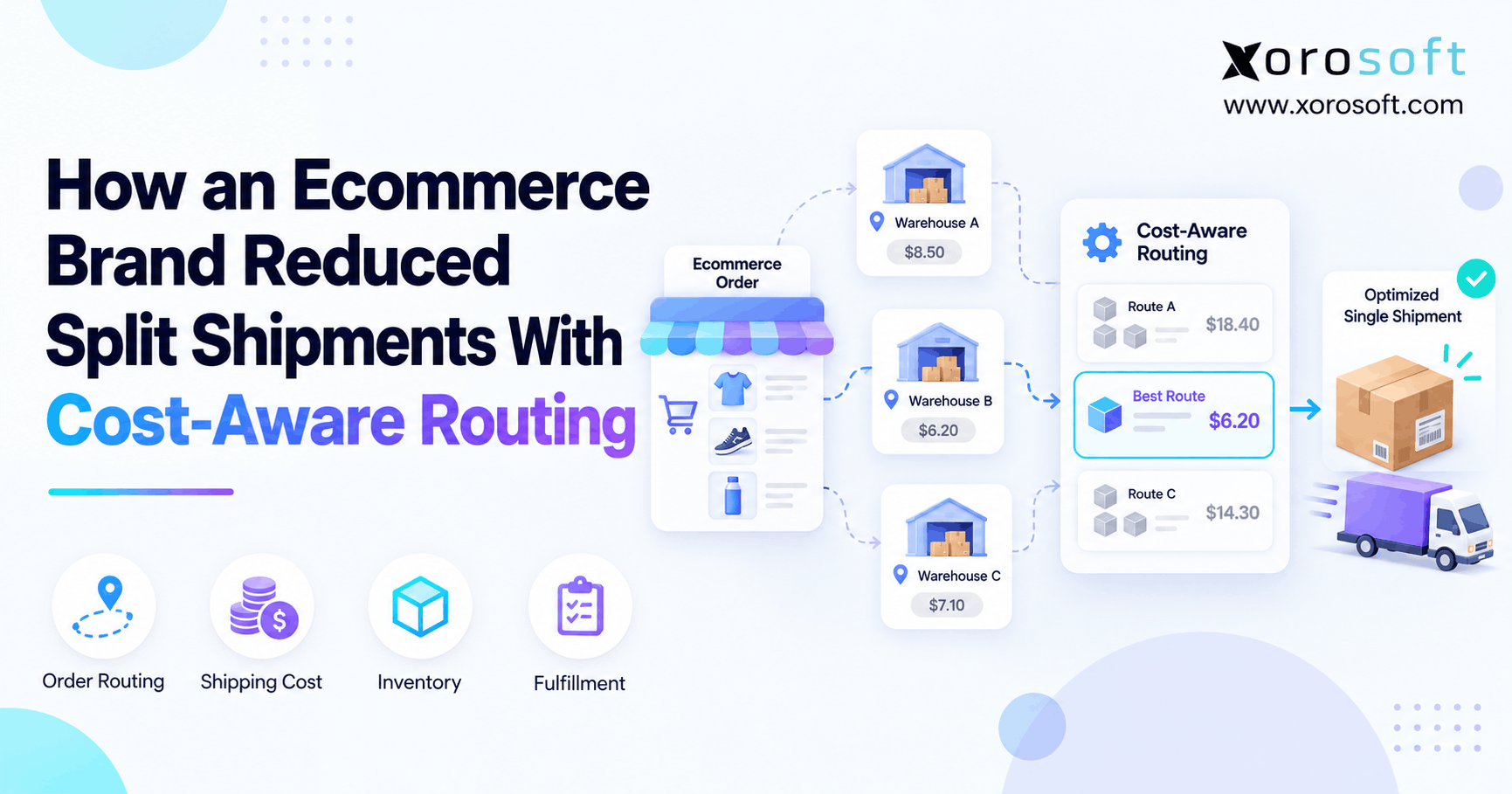 How an Ecommerce Brand Can Reduce Split Shipments With Cost-Aware Order Routing