If you are looking to streamline your business process, EDI order automation can play a key role.
1. Manual Wholesale Order Entry Becomes a Scaling Problem
Wholesale order entry rarely looks like a major operational problem when a company handles a small number of purchase orders. A customer service representative can open an order, identify the customer, locate the correct SKUs, enter quantities, confirm pricing, select the ship-to location, and create the sales order.
That process starts to break as transaction volume grows.
A wholesaler that once handled a few dozen orders per day may eventually process hundreds of purchase orders across national retailers, regional chains, distributors, dealers, ecommerce partners, and marketplaces. Seasonal programs and promotional launches can compress even more demand into narrow shipping windows.
At that point, the company no longer has a simple data-entry task. It has a scalability problem.
Every manual touch creates an opportunity for delay or inconsistency. Employees may select the wrong SKU, enter an incorrect quantity, use an outdated customer price, miss a requested delivery date, or choose the wrong shipping location.
Even when staff enter everything accurately, the business still pays experienced employees to repeat information that already exists electronically.
The deeper issue is that routine orders consume the same attention as genuinely difficult orders.
EDI order automation changes this operating model. Instead of asking employees to process every wholesale order manually, the business allows predictable transactions to move through predefined rules while directing unusual transactions to the people qualified to resolve them.
1.1 More Order Entry Staff Does Not Fix the Workflow
Hiring additional employees can increase short-term capacity, but it keeps labor requirements tied to transaction volume.
As wholesale sales grow, the company needs more people to perform the same repetitive work. Peak periods create an even larger staffing challenge because retailers may submit large batches of purchase orders within a narrow processing window.
Additional headcount also leaves the underlying handoffs untouched. Customer service still communicates with inventory teams. Warehouse employees continue waiting for corrected orders, while finance reviews pricing or credit problems. Accounting may still reconcile data across several systems.
Automation changes that relationship.
Rather than asking experienced people to function as data-entry middleware between trading partners and ERP systems, the business can use software for repeatable processing and reserve human attention for exceptions.
2. EDI Order Automation Changes How Wholesale Orders Enter the Business
Electronic Data Interchange allows trading partners to exchange structured business documents electronically. In wholesale environments, purchase orders represent one of the most important transaction types.
With EDI order automation, purchase-order information enters the supplier’s workflow in a structured format that software can interpret.
Customer identifiers, purchase-order numbers, item numbers, quantities, prices, dates, and shipping locations can move electronically from the buyer’s system into the supplier’s operational environment.
Simply receiving an electronic document, however, does not eliminate manual order entry.
Some companies technically use EDI while employees still log into a portal, read the incoming purchase order, and recreate the entire transaction inside the ERP. That process removes paper, but it does not remove duplicate work.
True EDI order automation starts when the incoming transaction connects directly with the systems that determine what should happen next.
2.1 Integrated EDI Order Processing Goes Beyond Document Exchange
Integrated EDI connects incoming transactions with ERP, inventory, warehouse, accounting, and customer data.
Once a purchase order arrives, the workflow can determine whether the customer exists, whether the items are recognized, whether requested quantities make sense, whether pricing matches the agreement, and whether the ship-to location is valid.
When the order satisfies established rules, the system can create the sales order and continue processing without waiting for an employee.
If something falls outside those rules, the workflow can stop or route the transaction for review.
That difference separates electronic document exchange from true wholesale order automation.
3. How EDI 850 Order Automation Creates an ERP Sales Order
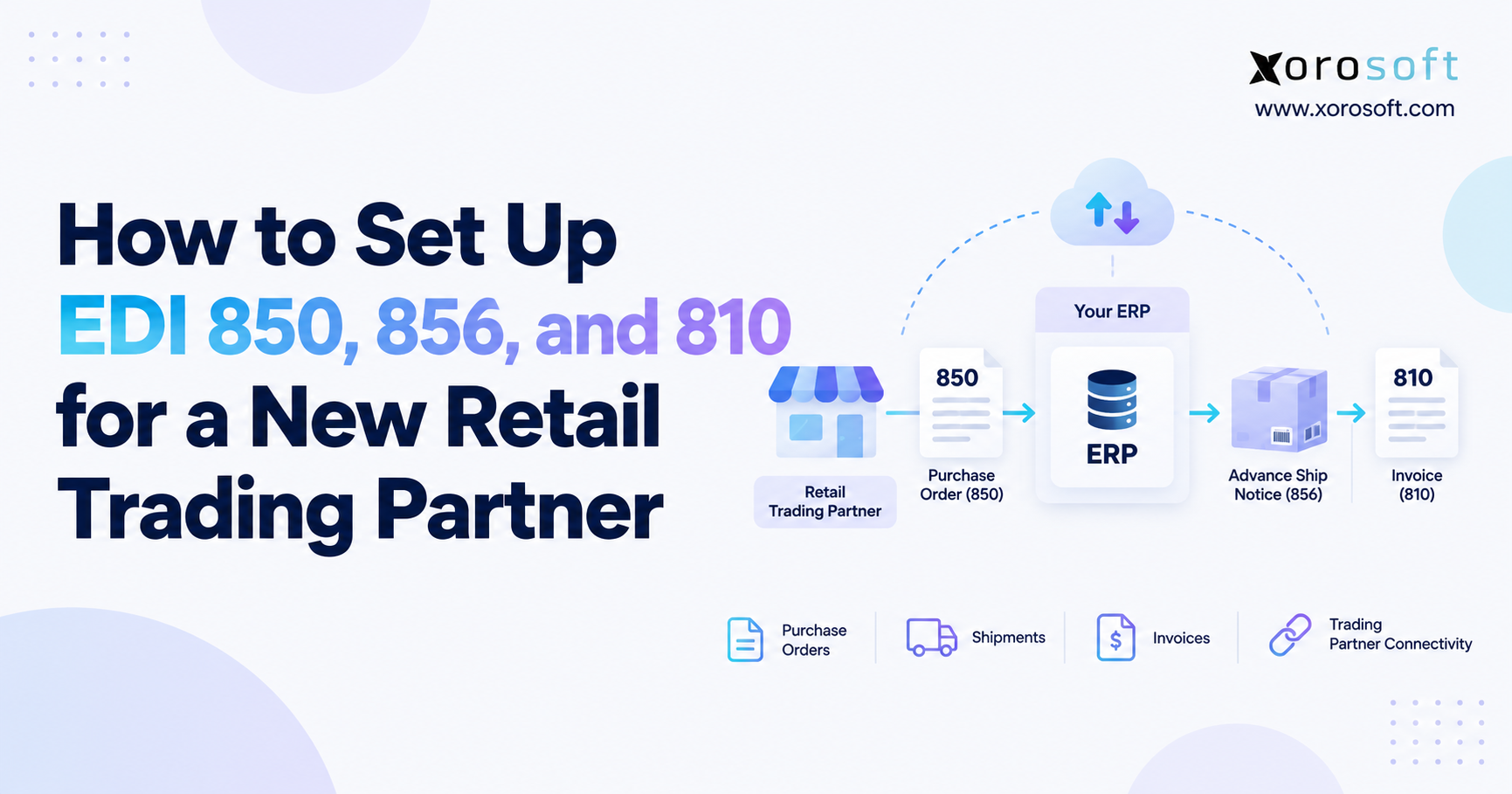
The EDI 850 Purchase Order commonly starts the wholesale EDI workflow.
A retailer sends the 850 with information such as the purchase-order number, buyer details, item identifiers, quantities, pricing, requested shipping dates, delivery locations, and other transaction details.
An integration layer then translates the incoming data into a structure the supplier’s ERP understands.
3.1 EDI Mapping Connects Retailer Data With Internal ERP Data
Retailers and suppliers often identify the same product differently.
A retailer may use one item number while the supplier maintains another internal SKU. The business therefore needs a reliable mapping relationship between those identifiers.
The same principle applies to customer accounts, ship-to locations, units of measure, carrier codes, payment terms, warehouses, and other operational fields.
Strong mapping creates repeatability. Weak mapping creates exceptions.
For this reason, master data sets the foundation for effective EDI order automation. Integration technology cannot reliably compensate for inaccurate customer records, obsolete product relationships, conflicting prices, or incorrect pack sizes.
3.2 ERP Validation Determines Whether the Order Can Continue
After translation and mapping, the ERP or integration workflow evaluates the order against business rules.
The system may confirm that the customer account remains active, verify each item, compare the requested price with the customer’s agreement, validate the unit of measure, confirm the ship-to location, check requested dates, and review financial controls.
If the transaction passes those tests, the ERP can create the sales order automatically.
Allocation rules can then reserve inventory, determine the appropriate warehouse, and release fulfillment work according to company policy.
That sequence turns an incoming EDI document into an operational transaction.
4. EDI Order Automation Depends on Clear Business Rules
Automation works reliably only when a company can describe how a normal order should behave.
If employees routinely make decisions through spreadsheets, personal memory, inbox messages, or undocumented exceptions, an EDI integration will expose those weaknesses quickly.
A business should therefore define acceptable pricing rules, order quantities, customer locations, pack sizes, shipping methods, inventory policies, credit controls, backorder behavior, and approval thresholds before trying to automate every transaction.
EDI order automation works best when software executes clear company policy.
Problems start when businesses expect software to invent that policy.
4.1 Customer-Specific Pricing Requires a Trusted Source
Wholesale companies often maintain pricing by customer, account group, contract, territory, volume tier, or promotion.
An incoming EDI order may contain the price the customer expects. Meanwhile, the ERP contains the price the supplier expects.
When those values match, the workflow can continue without intervention.
A mismatch requires more context.
The customer may have a new agreement. A temporary promotion could apply. Perhaps the retailer still uses an old price file, or the supplier’s own master data contains an error.
The workflow should identify the discrepancy immediately. Company policy should then determine whether a tolerance allows automatic approval or whether sales or finance needs to review the order.
4.2 Pack Sizes and Units of Measure Need Explicit Logic
Units of measure create another frequent source of exceptions.
One customer may order individual units, another cases, and another pallets. A product that the ERP stores in individual units may still need to ship in fixed case quantities for a specific retailer.
When the relationship is known, the system can apply the correct conversion.
If the transaction contains an unsupported UOM, the workflow should place the order on hold rather than guess.
That approach protects both inventory accuracy and customer commitments.
5. Straight-Through EDI Order Processing Should Handle the Predictable Path
A successful automated wholesale order usually looks uneventful.
The customer is valid. Product mappings exist. Pricing matches. Quantities follow accepted rules. The ship-to location appears in master data. Inventory policy provides a clear answer, and the order passes financial controls.
No experienced employee needs to review that transaction simply because it arrived.
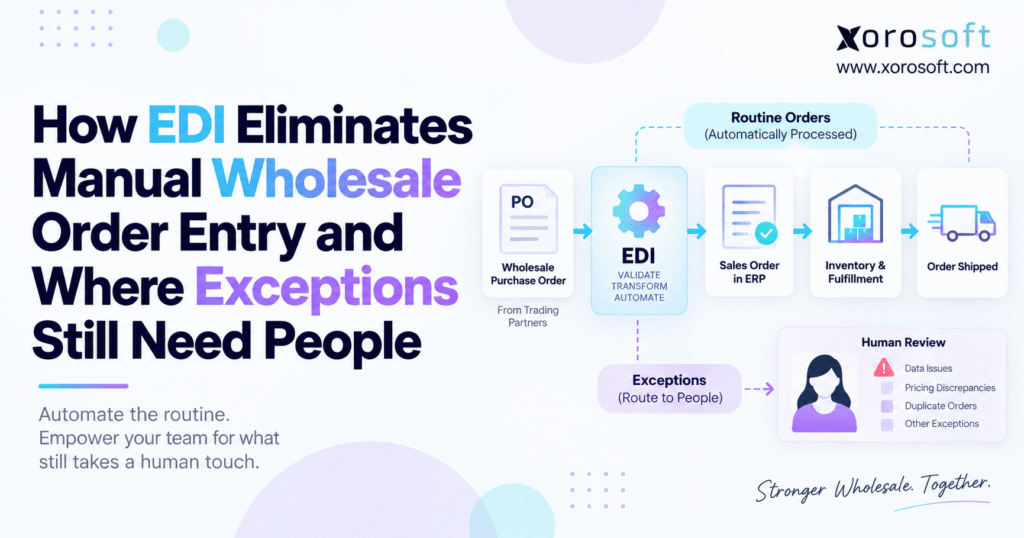
EDI order automation should move the order through the predictable path:
Purchase order received → data validated → ERP sales order created → inventory allocated → warehouse work released → shipment confirmed → invoice generated
The business gains leverage because employees stop touching transactions that do not require judgment.
5.1 Automation Should Reduce Manual Touches Without Hiding Activity
Touchless processing should never mean invisible processing.
Customer service and operations still need to understand where orders sit, what the system accepted, which orders moved to fulfillment, and which transactions encountered problems.
Strong automation makes normal transactions quiet while making abnormal transactions obvious.
That design builds trust.
When employees can see the state of each order and understand why an exception occurred, they rely on the workflow instead of creating side spreadsheets or checking every order manually.
6. EDI Exception Management Is Where People Add the Most Value
Not every incoming order belongs on the straight-through path.
An exception occurs when the transaction cannot safely continue under established rules.
Technical problems may include malformed documents, transmission failures, missing required fields, or mapping errors.
Operational issues look different. The order may contain an unknown SKU, unsupported quantity, incorrect UOM, or unrecognized delivery location.
Commercial decisions create a third category.
A retailer may submit a price that differs from the ERP. Inventory shortages may force operations teams to prioritize customers. Finance might need to decide whether to release an urgent order for an account with credit restrictions.
Software can identify these situations quickly. The appropriate business owner should make the decision whenever policy does not already provide a clear answer.
6.1 Technical EDI Errors and Business Exceptions Require Different Responses
A technical failure generally asks, “Can the system process this transaction correctly?”
A business exception asks, “Should the company accept this order under these conditions?”
Different teams should therefore own different problems.
Integration specialists can resolve transmission and mapping failures. Sales can handle pricing disputes. Finance can evaluate credit exposure, while operations decides how to allocate constrained inventory.
A mature EDI order automation workflow identifies the type of exception and routes it to the team responsible for resolving it.
7. EDI Order Automation Still Needs Human Judgment for Pricing Exceptions
Price mismatches clearly show why a business should not automate every decision.
Suppose a retailer submits an order at $18 per unit while the ERP expects $20.
Several explanations could account for the difference. Perhaps a customer agreement changed recently. A promotion may apply, or the retailer may still use an old price file. In other cases, the supplier’s own data may contain the mistake.
The workflow can detect the discrepancy immediately.
Commercial context determines the correct response.
Companies can configure tolerances for small and predictable variations. Larger discrepancies should move to sales or finance before the business commits inventory.
This model allows employees to investigate exceptional pricing rather than manually checking the price on every wholesale order.
7.1 Human Review Should Protect Margin Without Slowing Every Order
A pricing-control process should balance speed and commercial protection.
If the company holds every order over a tiny discrepancy, the exception queue becomes another bottleneck.
Accepting every incoming price automatically creates the opposite problem because the company risks margin leakage and contract disputes.
The right design establishes clear thresholds and escalation rules.
Routine pricing differences can follow approved logic. Significant discrepancies should reach an accountable person with enough information to make a fast decision.
8. SKU and UOM Exceptions Set the Limits of EDI Order Automation
Reliable automation depends heavily on accurate master data.
When a trading partner submits an item number without an approved cross-reference, the system should stop the transaction rather than select a similar product automatically.
An unknown SKU might represent a recently launched product, a discontinued item, an incorrect mapping, or inaccurate buyer data.
Unit-of-measure conflicts create similar risk.
Twenty individual units and twenty cases represent very different commitments. A workflow that guesses the wrong meaning can create inventory shortages, fulfillment mistakes, invoice disputes, or retailer compliance issues.
8.1 Master Data Quality Determines Automation Quality
Organizations sometimes blame integration technology when master data causes repeated failures.
In practice, inaccurate customer records, product relationships, pack sizes, prices, or locations prevent the workflow from producing dependable results.
Teams should analyze recurring exceptions before adding more automation logic.
When inaccurate master data causes the problem, correcting the source usually delivers more value than building another workaround.
Strong data allows EDI order automation to process more orders without increasing operational risk.
9. Inventory Allocation Is a Critical EDI Order Automation Decision
An order can satisfy every EDI validation rule and still create an operational problem when available inventory cannot cover demand.
If sufficient stock exists, the ERP can allocate inventory according to predefined rules.
When inventory falls short, company policy should determine the next step. The system may create a backorder, ship a partial quantity, select another warehouse, or place the order on hold.
Many businesses can automate those actions when policy remains clear.
Complexity increases when several customers compete for scarce inventory.
9.1 Scarce Inventory May Require Human Prioritization
An ERP can show available inventory, existing commitments, warehouse locations, and potential allocation options.
Business priorities determine what happens next.
A strategic retailer may have a promotion starting within days. Another customer may operate under strict fill-rate requirements. Operations might already have reserved part of the stock for another commitment.
In those situations, software should present the relevant facts while an experienced employee chooses the allocation.
The operating principle remains straightforward: automate inventory decisions when policy provides a clear answer and escalate the cases that require judgment.
10. Credit, Ship-To, and Delivery Exceptions Need Different Owners
Not all EDI exceptions belong to customer service.
A credit problem should normally reach finance. An unknown shipping location may involve customer service or master-data administration. A delivery request outside normal lead times may require warehouse or transportation input.
Routing every exception to one team simply creates a new bottleneck.
Modern EDI order automation should identify both the issue and the function responsible for solving it.
For example, the ERP can check an order against customer credit rules as soon as the transaction enters the workflow.
If the order exceeds the approved threshold, the system can stop it before fulfillment begins and send the issue directly to finance.
Once finance approves the release, the same order can resume processing without anyone recreating it.
That model scales better than resolving the problem through email and then manually rebuilding the transaction.
11. EDI 855, 856, 810, 860, and 997 Keep the Order Conversation Moving
The 850 Purchase Order starts many wholesale EDI workflows, but additional transactions keep the order moving through acknowledgment, fulfillment, invoicing, and change management.
An EDI 855 Purchase Order Acknowledgment communicates the supplier’s response to the buyer. Depending on trading-partner requirements, the seller may use it to confirm acceptance, rejection, quantity changes, date changes, or other adjustments.
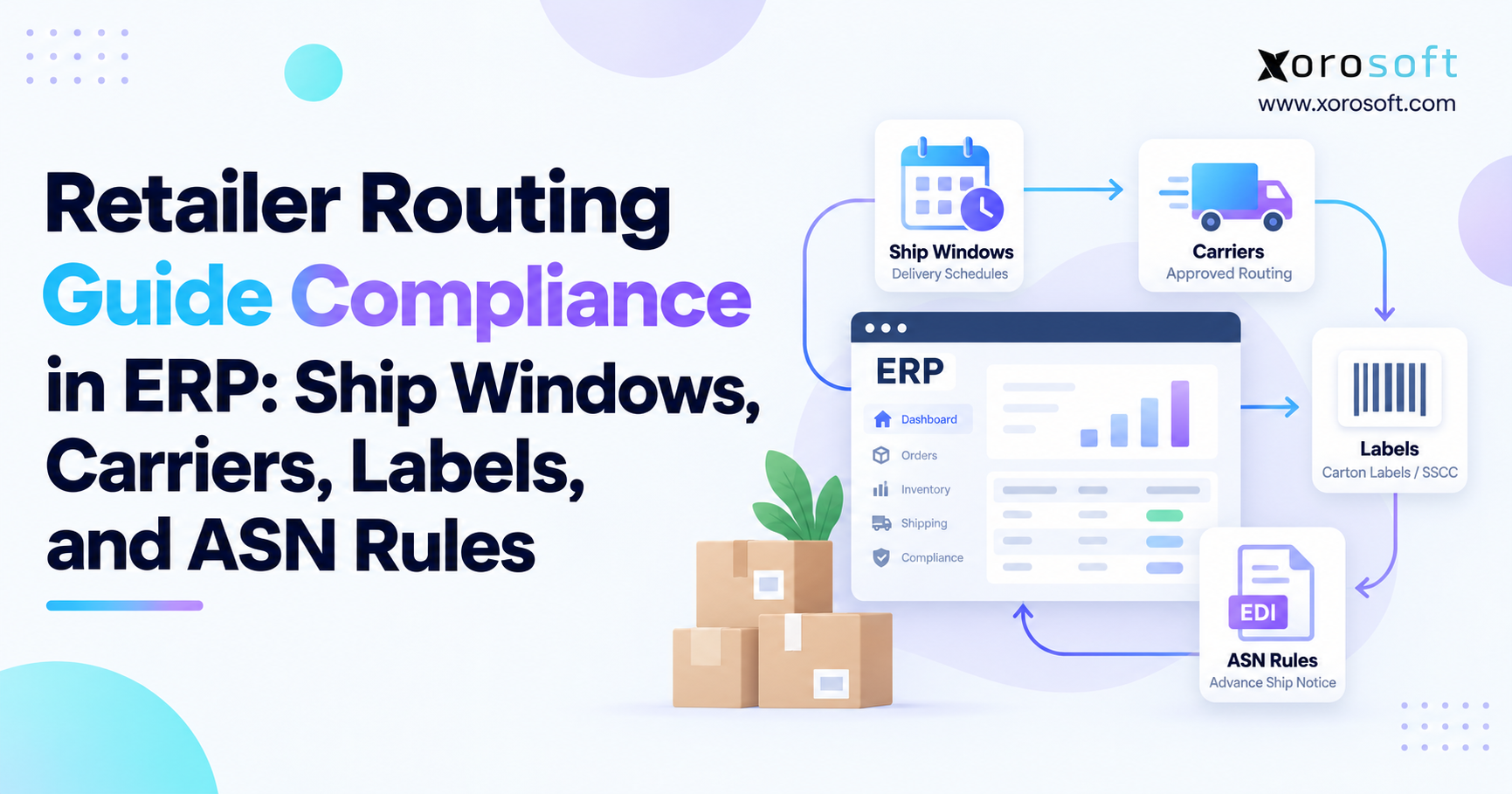
Next, an EDI 856 Advance Ship Notice communicates shipment information before the goods reach the customer’s receiving location. Retailers often depend on accurate ASN information to prepare receiving operations and match products with purchase orders.
After shipment, an EDI 810 Invoice communicates billing information electronically.
Buyers can use the EDI 860 Purchase Order Change when they need to modify an existing order. That transaction becomes particularly important when a customer changes quantities, products, or dates after sending the original 850.
The EDI 997 Functional Acknowledgment serves a different purpose. It confirms transaction-set processing at the EDI syntax level rather than providing commercial acceptance of the purchase order.
Effective EDI order automation treats these documents as connected stages of one order lifecycle instead of isolated messages.
12. ERP and EDI Integration Determines Whether Manual Entry Actually Disappears
EDI can solve the document-exchange problem while leaving substantial operational work untouched.
When employees still copy information between an EDI portal, ERP, warehouse application, and accounting system, the company has simply moved manual work from one screen to another.
Direct integration changes that model.
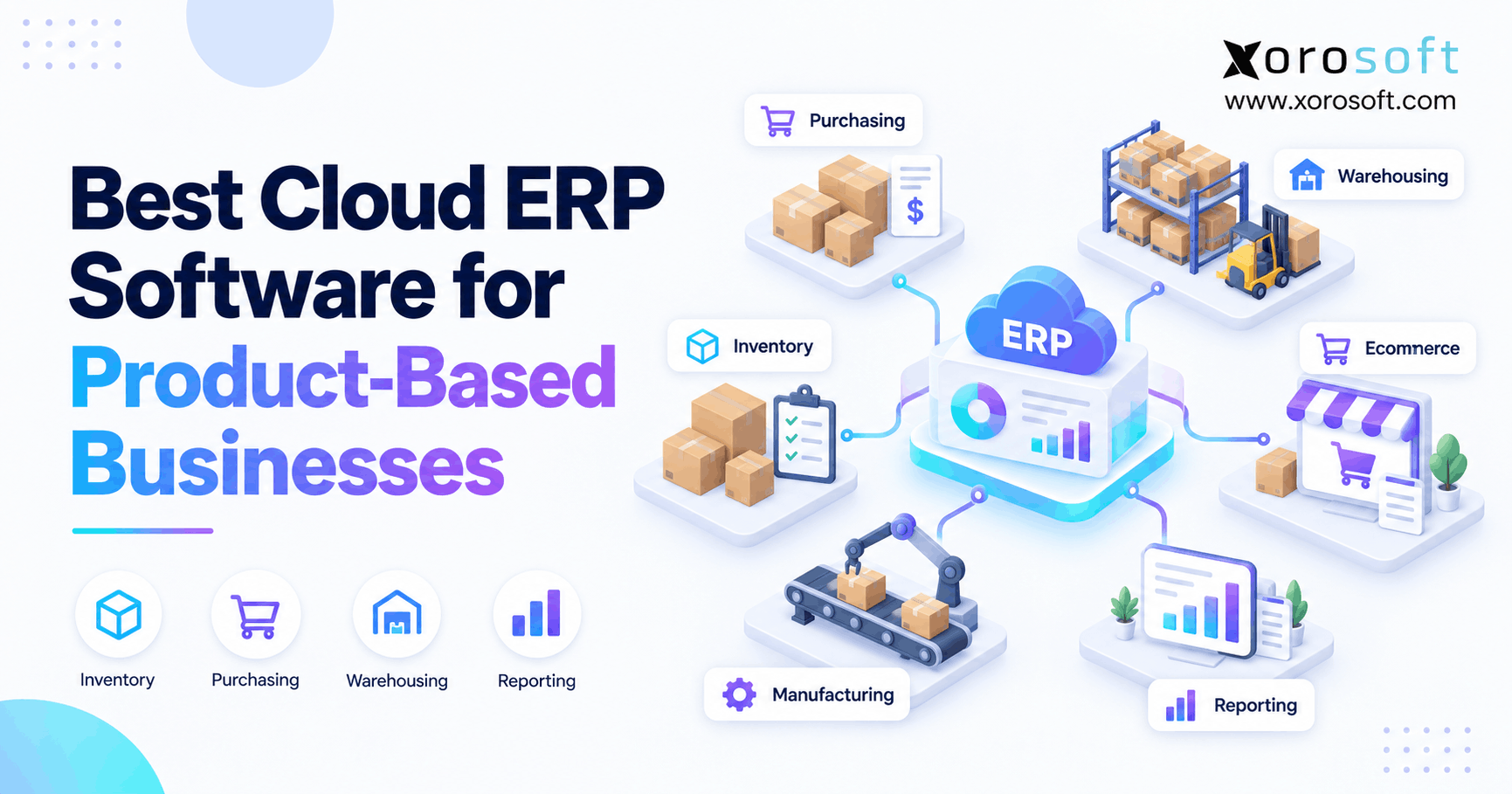
Inventory-driven businesses can use a platform such as XoroONE to connect inventory, purchasing, accounting, warehouse operations, manufacturing, reporting, ecommerce, and EDI-related workflows within a broader ERP environment.
That architecture matters because every wholesale order affects multiple functions.
A new sales order changes available inventory. Allocation decisions influence warehouse priorities. Shipment confirmation creates downstream financial activity, while customer exposure may determine whether finance allows an order to proceed.
Connecting those activities around shared operational data reduces the reconciliation work that teams otherwise perform later.
12.1 EDI Order Automation Needs a Clear Operational Source of Truth
Scaling problems often appear when the EDI platform, inventory system, WMS, and accounting application each show a different version of the same transaction.
Employees then spend time deciding which system contains the correct information.
A well-integrated architecture reduces that ambiguity by giving each operational record clear ownership.
For many inventory-driven companies, ERP becomes the central system for orders, inventory positions, customer information, financial transactions, and fulfillment status.
12.2 Integration Quality Matters More Than the Number of Connected Apps
A large application stack does not necessarily create an integrated operating model.
Businesses may connect several systems and still rely on manual reconciliation if data moves slowly, mappings remain inconsistent, or ownership is unclear.
The architecture should therefore define which application owns each critical record and how downstream systems respond when that record changes.
For example, ERP may own the sales order while WMS owns warehouse execution. The EDI layer handles trading-partner communication, but it should reflect the operational status rather than create an independent version of the order.
Clear system responsibility prevents teams from solving conflicts manually after they occur.
13. Warehouse Execution Turns Automated EDI Orders Into Physical Shipments
An accepted sales order still needs to become physical warehouse work.
For that reason, EDI order automation should continue beyond sales-order creation.
After an order passes validation and allocation rules, the ERP or WMS can create picking work for the appropriate warehouse. Employees then receive accurate item, quantity, location, packaging, and shipping instructions.
Barcode-driven processes can verify what warehouse teams pick and pack. Once they confirm the shipment, the system can update inventory and use the shipping information to support downstream EDI documents such as the 856 ASN.
Businesses that require a dedicated warehouse layer can evaluate XoroWMS for inventory tracking, receiving, picking, packing, and multi-channel fulfillment workflows.
The broader principle matters more than the individual platform.
The order should remain connected from customer demand through physical shipment.
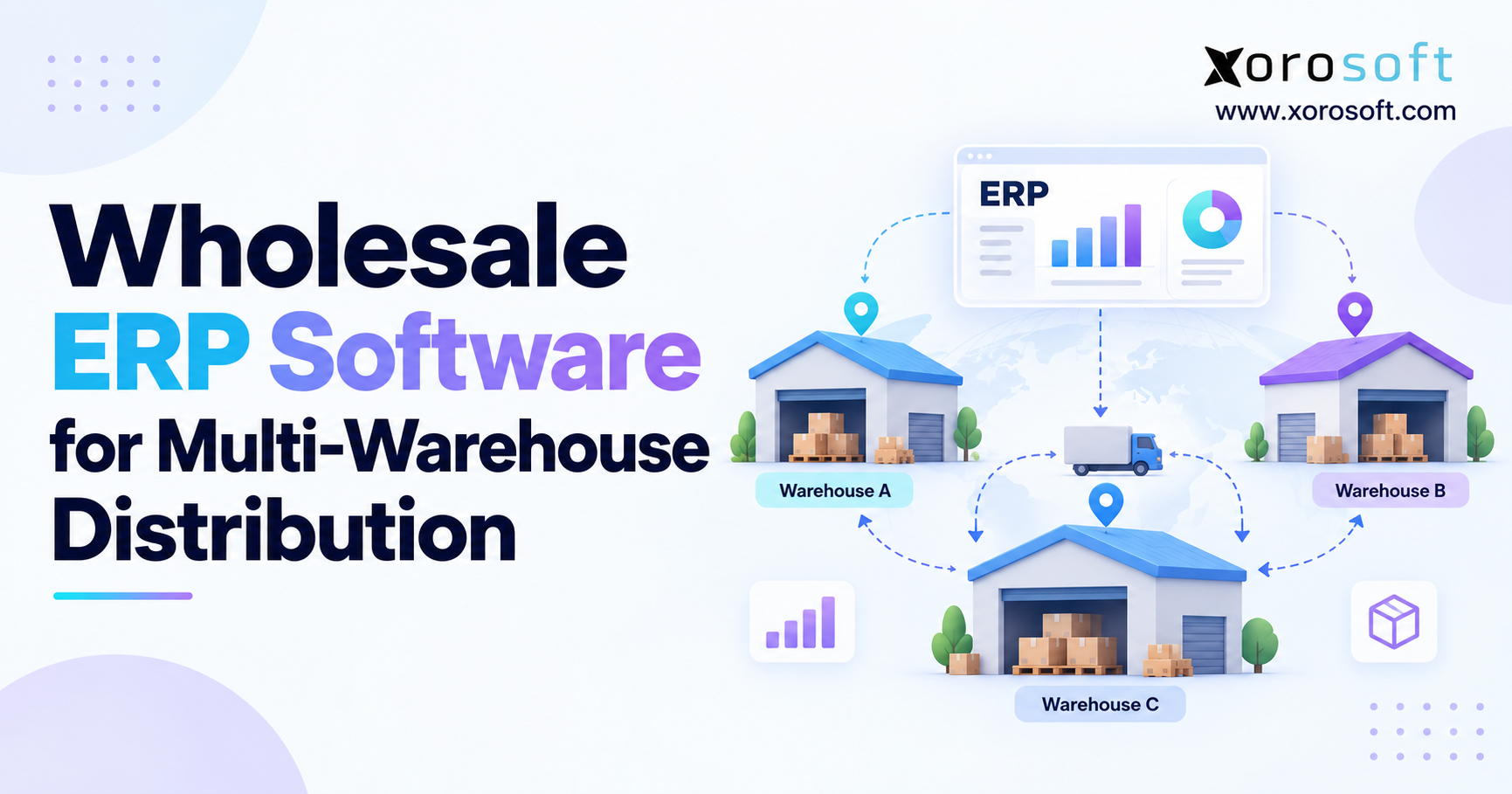
13.1 Multi-Warehouse EDI Order Automation Adds Another Decision Layer
A multi-warehouse business must decide more than whether inventory exists.
The workflow may consider customer geography, freight cost, requested delivery dates, warehouse capacity, existing reservations, and retailer requirements before selecting the fulfillment location.
Rules can handle predictable cases automatically.
Operations teams should review orders only when competing constraints make the correct warehouse unclear.
This approach preserves flexibility without forcing people to make the same routing decision for every order.
13.2 Warehouse Confirmation Should Feed the EDI Workflow
The information flow should continue after picking begins.
If warehouse employees short a line, substitute inventory, change a package configuration, or ship from another location, downstream documents need accurate information.
Otherwise, the ERP may show one result while the ASN communicates another.
A connected workflow uses actual warehouse execution data to support shipping confirmation and retailer communication. That reduces the risk of sending electronically accurate documents that describe the wrong physical shipment.
14. Finance Should Control Risk Without Reviewing Every EDI Order
Financial controls belong inside the automated order workflow rather than outside it.
Customers may operate under credit limits, overdue balances, payment terms, deposit requirements, or other release conditions.
The ERP can evaluate those rules as soon as an incoming order reaches the appropriate stage.
Normal orders should continue when the customer satisfies established policies.
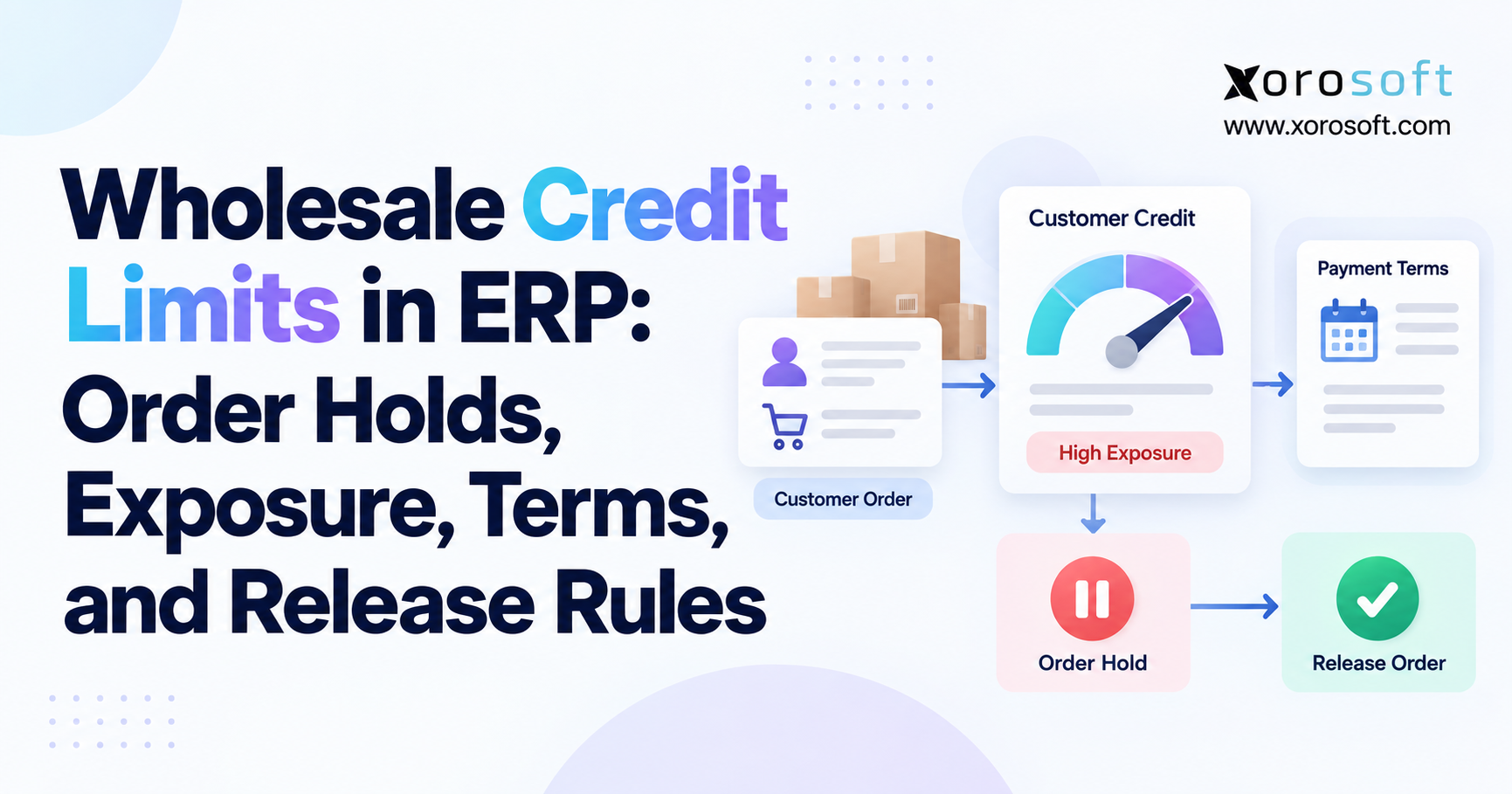
If a transaction exceeds a credit threshold or violates another financial rule, the workflow can stop the order before warehouse employees begin fulfillment and route the issue directly to finance.
This approach allows finance teams to focus on genuine risk instead of repeatedly checking compliant customers.
Businesses evaluating a broader enterprise environment can also review XoroERP when their requirements span inventory, warehouse operations, purchasing, accounting, manufacturing, and related processes.
Finance should define the control rules. The system should apply those rules consistently.
14.1 Pricing and Credit Controls Should Use Different Approval Logic
Price discrepancies and credit exceptions often affect the same order, but they represent different risks.
Sales may have authority to approve a commercial discount. Finance may control whether the customer can receive additional credit exposure.
Combining both decisions into one generic approval process slows resolution and weakens accountability.
Instead, the workflow should send each exception to the function that owns the underlying policy. Once all required approvals exist, processing can continue from the same transaction.
15. Customer Service Moves From Order Entry to Exception Ownership
One of the most visible effects of EDI order automation is the change in customer service work.
Before automation, a representative may spend much of the day receiving purchase orders and entering transactions.
After effective automation, routine orders need far less attention.
That does not make customer service less important. Instead, it gives the team more time for work that actually benefits customers.
Representatives can investigate shortages, coordinate order changes, resolve account issues, communicate realistic delivery commitments, and manage unusual requirements.
15.1 The Human Role Moves Closer to the Customer
Manual data entry requires care, but it rarely uses the full commercial knowledge of an experienced customer service professional.
Exception resolution does.
When a strategic retailer requests an urgent shipment or changes an order shortly before warehouse release, context matters.
Experienced employees understand the customer relationship, previous commitments, operational constraints, and likely consequences of each decision.
Mature EDI order automation therefore measures success by better use of human attention rather than simply counting how many screens disappeared.
15.2 Exception Ownership Needs Clear Service Levels
Automation can identify an exception instantly, but speed still depends on the team that owns it.
A pricing discrepancy that waits two days for review can delay the entire order even if every technical step works perfectly.
Companies should therefore establish realistic response expectations by exception type. Critical retailer orders, credit holds, unknown products, and date conflicts may deserve different urgency levels.
Clear ownership and service expectations prevent exceptions from becoming another hidden queue.
16. EDI Order Automation Must Fit Shopify, Marketplace, and Wholesale Channels
Modern product businesses rarely sell through a single channel.
A brand may operate Shopify for direct-to-consumer sales, Amazon for marketplace demand, EDI for major retail customers, and a B2B portal for dealers or smaller wholesale accounts.
Each channel creates orders differently, but all of them compete for the same inventory and ultimately affect fulfillment and accounting.
That makes channel integration an operational concern, not merely an ecommerce concern.
Xorosoft’s integrations become relevant when businesses need ecommerce, marketplace, EDI, shipping, payment, and operational systems to exchange data with ERP.
For Shopify specifically, the Xorosoft ERP listing on the Shopify App Store shows how Shopify can connect with broader ERP order, inventory, fulfillment, and financial workflows.
16.1 Wholesale and Ecommerce Orders Need the Same Inventory Reality
Separate operational processes create inventory problems quickly.
Stock sold through Shopify affects what remains available for an incoming retailer PO.
Likewise, a large wholesale allocation affects what the ecommerce channel can promise.
When each channel maintains separate inventory assumptions, overselling, stockouts, fulfillment delays, and reconciliation work become more likely.
A connected model gives every channel access to a consistent operational picture.
17. Industry Requirements Change the Shape of EDI Order Automation
The core principles remain similar across industries, but the exceptions change.
Apparel businesses frequently manage style, color, size, and retailer-specific SKU relationships. A single style may represent dozens of inventory variants, making accurate item mapping especially important.
Furniture and home-goods businesses face larger products, longer lead times, specialized warehouse requirements, and transportation constraints.
Food and beverage companies add lot control, expiry dates, traceability, and shelf-life considerations. An order may look commercially valid while certain inventory lots remain unsuitable for the requested delivery window.
Manufacturers may need an incoming order to influence production schedules, material requirements, or work orders.
Sporting-goods and consumer-product companies often deal with seasonal demand and large retail programs.
Xorosoft’s broader industry coverage spans several inventory-driven sectors, including wholesale distribution, apparel, consumer products, furniture, sporting goods, food and beverage, and manufacturing.
17.1 Industry Rules Should Become Workflow Rules
The answer is not to build a completely different EDI architecture for every industry.
Instead, companies should identify which industry constraints belong inside the common order-processing workflow.
Food businesses may require shelf-life rules. Apparel companies may need detailed variant mapping. Furniture companies may rely more heavily on warehouse and transportation constraints.
Automation becomes more dependable when those requirements become explicit system rules rather than undocumented employee knowledge.
18. Integrated EDI, Web EDI, APIs, and B2B Portals Solve Different Problems
EDI is not the only way to automate B2B ordering.
Web EDI can work well for companies with relatively low transaction volume. Employees access a browser-based portal to receive and respond to documents without maintaining a deeper internal integration.
Integrated EDI connects trading-partner transactions directly with ERP and downstream applications. Growing wholesalers often choose this model when transaction volume makes repeated manual entry impractical.
APIs support direct application-to-application communication when both companies expose compatible interfaces.
A B2B portal gives customers a supplier-controlled environment where they can place orders, view account-specific information, and interact with the seller directly.
| Approach | Manual Effort | ERP Integration | Best Fit |
|---|---|---|---|
| Manual entry | High | Low | Very low order volume |
| Web EDI | Moderate | Varies | Few EDI trading partners |
| Integrated EDI | Low for routine orders | High | Growing wholesale and retail volume |
| API | Low when supported | High | Direct application integration |
| B2B portal | Customer self-service | High when connected | Dealers and wholesale accounts |
Growing businesses often use several of these approaches at the same time.
The strategic priority is to make those channels converge into one reliable inventory, fulfillment, and accounting workflow instead of maintaining separate operational processes for each source.
18.1 The Best Ordering Channel Depends on the Trading Relationship
Large retailers may mandate EDI because it fits their procurement and compliance processes.
Smaller dealers might prefer a B2B portal because they want to browse products and place orders themselves.
A strategic technology partner may favor an API when both sides need more direct application interaction.
Businesses should therefore avoid forcing every customer into the same ordering method.
The operational goal is to support appropriate channels while bringing the resulting orders into one controlled backend process.
19. Common EDI Order Automation Mistakes Usually Begin Outside EDI
Many unsuccessful automation projects focus too heavily on transmission technology and not enough on the operating process behind it.
Poor master data creates one of the most common problems. Incorrect prices, SKU mappings, customer records, pack sizes, or addresses can turn automated processing into automated error creation.
Teams also create unnecessary complexity when they try to automate every exception immediately.
A better approach starts with recurring, predictable problems and adds rules only where the business understands the correct response.
Silent corrections create another risk. When software changes a customer price, quantity, item, or shipping condition, users need a clear record of what changed and why.
19.1 Exception History Should Improve EDI Order Automation
Exception management should create operational learning rather than simply clear today’s queue.
If the same SKU mapping fails repeatedly, master-data owners should correct the source record.
When one retailer consistently submits an obsolete price, the account team should resolve the pricing issue with that customer.
Repeated warehouse failures against the same requested shipping window may reveal a planning or capacity problem rather than an EDI problem.
A mature EDI order automation program therefore reduces preventable exceptions over time instead of becoming increasingly efficient at processing the same failures.
19.2 Auditability Matters as Automation Expands
As transaction volume grows, teams need to know what the system did and why.
An audit trail should show which rules the workflow applied, what values changed, which exceptions occurred, who approved a decision, and when the order resumed processing.
That visibility makes automation easier to trust and easier to improve.
It also helps teams distinguish a one-time operational issue from a recurring process weakness.
19.3 Over-Automation Can Be as Problematic as Under-Automation
Companies sometimes assume that a higher touchless-processing rate always represents improvement.
That is not necessarily true.
If automation routinely overrides meaningful pricing differences, accepts questionable ship-to locations, or releases risky customer orders, the business has traded administrative efficiency for operational exposure.
The strongest workflow automates decisions only where the company understands the policy well enough to express it consistently.
20. Growing Wholesalers Should Upgrade Before Manual Work Becomes Invisible
Order-entry processes rarely fail all at once.
The deterioration happens gradually.
Customer service begins copying more orders. Additional spreadsheets appear. Inventory questions take longer to answer. Warehouse employees wait for corrections, while finance reconciles transactions across multiple systems. Teams may also resolve retailer problems through increasingly long email chains.
Those symptoms suggest that the operating model is approaching its limit.
Businesses researching how other inventory-driven organizations have approached operational change can review relevant Xorosoft case studies as one source of practical context.
20.1 Re-Keying Is One of the Clearest Upgrade Signals
If a transaction already exists electronically but an employee must create it again in ERP, the architecture preserves unnecessary work.
Other warning signs include growing retailer volume, multiple warehouses, expanding exception backlogs, inconsistent customer pricing, poor inventory visibility, repeated ASN problems, and frequent reconciliation between systems.
No individual symptom automatically justifies replacing software.
Several occurring together usually indicate a structural workflow problem.
20.2 Growth Should Increase Transaction Volume, Not Administrative Complexity at the Same Rate
A scalable operation can process significantly more orders without requiring administrative work to grow proportionally.
That does not mean headcount never increases.
Instead, new employees should support customer relationships, planning, warehouse capacity, analytics, or other value-producing work rather than simply retyping more purchase orders.
EDI order automation helps separate revenue growth from repetitive administrative growth.
21. Choosing ERP for EDI Order Automation Requires More Than an EDI Checkbox
ERP evaluation should start with the full wholesale order lifecycle.
Begin by asking what happens after the 850 arrives.
The workflow should validate customer-specific pricing and reliably map trading-partner item numbers. Inventory rules need to support allocation across multiple warehouses, while financial controls should stop risky orders before release.
Warehouse activity should also feed accurate shipment information back into the transaction. Finally, accounting needs access to the same operational data without requiring another reconciliation step.
Those requirements reveal far more about EDI order automation capability than a feature list that simply says “EDI supported.”
21.1 Compare Operational Fit Rather Than Brand Names Alone
ERP platforms solve similar business problems through different architectures, ecosystems, implementation approaches, and levels of operational depth.
Companies comparing established systems can use resources such as the Xorosoft vs NetSuite comparison as one starting point, while validating each platform against their own volume, warehouse complexity, accounting requirements, integration landscape, internal skills, and implementation priorities.
Xorosoft should be evaluated as one ERP option for inventory-driven businesses rather than treated as a universal fit.
The right platform should support the company’s operating model without adding another layer of disconnected work.
Businesses can also review broader Xorosoft solutions when evaluating how inventory, purchasing, fulfillment, ecommerce, manufacturing, finance, and wholesale requirements intersect.
21.2 ERP Evaluation Should Include Exception Handling
Many demonstrations focus on the cleanest possible transaction.
Real operations become difficult when something goes wrong.
During ERP evaluation, teams should therefore ask vendors to demonstrate a price mismatch, unknown SKU, inventory shortage, credit hold, order change, and warehouse discrepancy.
The important question is not simply whether the platform detects each issue.
Decision-makers should also examine whether users can understand the problem quickly, determine ownership, resolve the exception, and resume the original workflow without rebuilding the order.
22. Measure EDI Order Automation by Exception Quality, Not Just Transaction Volume
Processing thousands of EDI transactions does not automatically mean the operation runs efficiently.
Transaction volume says little about how much human work remains behind those orders.
A stronger measurement approach tracks how often orders need intervention, what causes those exceptions, how long they remain unresolved, and whether the same problems continue to recur.
For example, a business may achieve a high straight-through processing rate while a small group of difficult transactions consumes a disproportionate amount of customer service and operations time.
Teams should therefore examine whether exceptions originate from master data, pricing, trading-partner configuration, inventory shortages, approval policies, or integration problems.
22.1 Track the Quality of the Automated Path
Useful measures include straight-through processing rate, exception rate by reason, average exception age, repeated processing failures, acknowledgment timeliness, shipment-document accuracy, and manual touches per order.
Companies should interpret those metrics in operational context instead of chasing an arbitrary automation percentage.
A 100 percent touchless rate should not become the goal if reaching it requires the company to accept questionable pricing, risky credit exposure, or unclear customer instructions.
Good EDI order automation removes unnecessary work while preserving the controls that protect the business.
22.2 Recurring Exceptions Should Become Improvement Priorities
A one-time exception may simply reflect an unusual order.
Recurring exceptions indicate something different.
If the same pricing discrepancy, item mapping, shipping location, or quantity issue appears every week, the business should treat it as a process-improvement opportunity.
Teams can then correct master data, update trading-partner mappings, revise workflow rules, or clarify commercial agreements.
Over time, this approach increases straight-through processing for the right reason: fewer orders contain preventable problems.
23. Practical Next Step: Automate Routine Wholesale Orders and Escalate the Decisions That Matter
The strongest wholesale order workflow does not require people to review every transaction, and it does not ask software to make every business decision.
Instead, it separates predictable processing from genuine judgment.
A normal order with a recognized customer, valid SKU, agreed price, acceptable quantity, approved location, available inventory, and compliant financial status should move quickly through the system.
When an order contains a disputed price, unknown product, unusual quantity, inventory shortage, credit concern, invalid destination, or unclear customer request, the workflow should direct it to the appropriate owner before the business makes a commitment.
That principle defines scalable EDI order automation:
Automate the transaction when the rules are clear. Escalate the decision when the situation requires judgment.
Growing wholesalers should map their current process from purchase-order receipt through ERP, inventory allocation, warehouse fulfillment, shipment, invoicing, and accounting.
Every point where an employee retypes information, checks an external spreadsheet, sends an internal email, or waits for another department represents a potential improvement opportunity.
The objective is not automation for its own sake.
The goal is an operating environment where systems process routine orders reliably while employees focus on the exceptions that benefit from experience, commercial context, and judgment.
For teams evaluating whether their existing ERP, WMS, EDI, and ecommerce stack can support that model, a personalized Xorosoft discussion can help identify where manual order processing and disconnected workflows still create unnecessary operational work.
Frequently Asked Questions
What is EDI order automation?
EDI order automation uses electronic data interchange and ERP integration to receive, validate, and process wholesale orders automatically while routing exceptions to the right team for review.
How does EDI reduce manual wholesale order entry?
EDI sends structured purchase-order data directly into connected systems, reducing re-keying and allowing valid orders to move through sales order creation, inventory allocation, and fulfillment automatically.
Can EDI create ERP sales orders automatically?
Yes. When customer, SKU, pricing, quantity, location, and other validation rules pass, an integrated EDI workflow can create the ERP sales order without manual entry.
Which EDI exceptions still need human review?
Pricing disputes, unknown SKUs, credit holds, scarce inventory, unusual delivery requests, invalid locations, and ambiguous orders often require human judgment before processing continues.
How does EDI handle pricing and SKU mismatches?
The workflow can flag mismatches, apply approved tolerances or mappings, and route unresolved differences to sales, finance, customer service, or master-data teams.
When should a wholesaler move from Web EDI to integrated EDI?
Integrated EDI becomes valuable when order volume grows, re-keying increases, multiple trading partners create complexity, or ERP, inventory, and warehouse workflows need direct connectivity.
Does EDI replace customer service teams?
No. EDI removes repetitive order-entry work so customer service teams can focus on exceptions, shortages, changes, customer communication, and decisions requiring commercial context.
Recent Posts
-
 B2B Ecommerce Statistics: What Wholesale and Distribution Teams Should Know About Digital Ordering
 -
 How EDI Eliminates Manual Wholesale Order Entry and Where Exceptions Still Need People
 -
 Wholesale ERP Software for Multi-Warehouse Distribution
 -
 Acumatica vs Microsoft Dynamics 365 Business Central
 -
 Mobile WMS: What Warehouse Teams Should Be Able to Do From a Scanner or Handheld