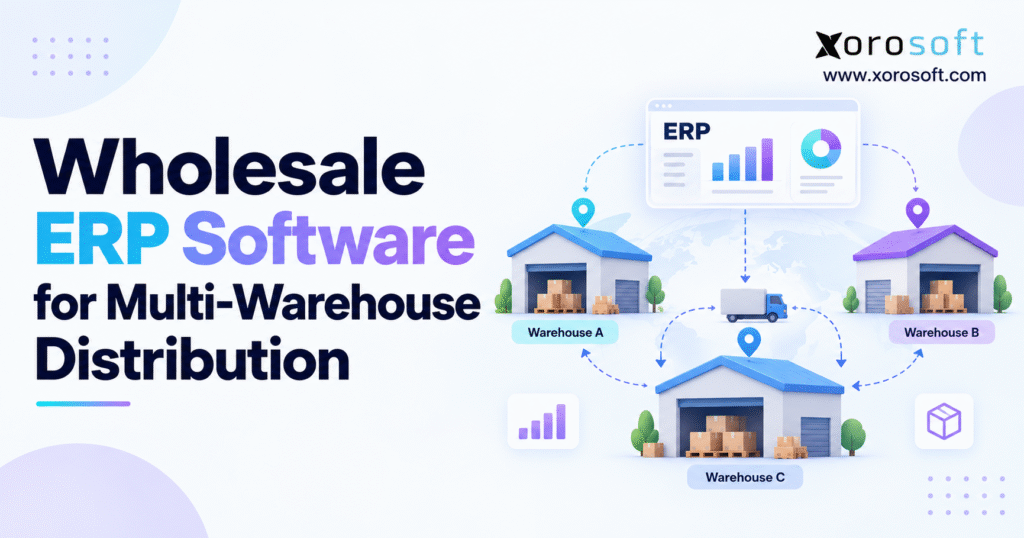
If you are looking to optimise your operations, exploring a multi-warehouse distribution ERP can be a game-changer for your business.
1. Multi-Warehouse Growth Changes the Inventory Problem
Adding a second or third warehouse looks like a capacity decision. Operationally, it changes the entire inventory model.
With one warehouse, a distributor can often answer a customer by checking a single stock position. Once inventory is spread across regional distribution centers, 3PL facilities, retail locations, ecommerce fulfillment points, or cross-border warehouses, the question becomes more complicated.
A product can be physically available in one location but already allocated to another order. Stock may be moving between facilities. A purchase order may arrive next week. Some inventory may be damaged, quarantined, reserved, or unavailable to a particular sales channel.
That is where multi-warehouse distribution ERP becomes important. The system must do more than display warehouse quantities. It needs to connect inventory availability with purchasing, sales orders, transfers, warehouse execution, forecasting, accounting, ecommerce, and customer commitments.
The working-capital exposure is substantial. According to the U.S. Census Bureau’s July 2026 Monthly Wholesale Trade Report, merchant wholesalers held $958.9 billion in inventory, compared with $801.3 billion in sales for the month. The inventories-to-sales ratio stood at 1.20.
For an individual wholesaler, the lesson is straightforward. Inventory sitting in the wrong warehouse can create a shortage and a surplus at the same time.
The real objective of wholesale ERP software is therefore not simply to answer, “How much inventory do we own?”
It should answer more operational questions: Where is the inventory? How much is truly available? Which customer has already claimed it? Should the next requirement be filled through a transfer or a purchase order? Which warehouse should ship the order? What happens financially when the inventory moves?
Those questions define the business case for a connected multi-location ERP strategy.
2. What Multi-Warehouse Distribution ERP Actually Controls
Multi-warehouse distribution ERP is a business system that coordinates inventory, purchasing, orders, warehouse activity, transfers, replenishment, forecasting, accounting, and reporting across multiple inventory locations.
It is different from simply maintaining an inventory balance for Warehouse A, Warehouse B, and Warehouse C.
2.1 Multi-Warehouse ERP Creates One Operational Record
A sales order should affect availability before the warehouse begins picking. A purchase receipt should increase the correct location’s inventory. A transfer should remove available inventory from the source, identify it as in transit, and add it to the destination only when receipt occurs.
Warehouse transactions should also reach financial records without requiring finance teams to rebuild those movements in spreadsheets.
That common transaction model is the foundation of effective wholesale distribution ERP.
2.2 Wholesale ERP Extends Beyond Warehouse Inventory
Inventory remains central, but distributors also manage negotiated pricing, customer credit, supplier terms, purchase orders, backorders, EDI, channel inventory, returns, landed costs, accounting, and demand planning.
A standalone inventory application may adequately track stock for a simpler organization. However, once multiple departments make decisions from the same inventory, businesses need tighter coordination between physical inventory and commercial workflows.
2.3 Who Needs Multi-Warehouse Distribution ERP?
A business does not need ERP merely because it has more than one address.
The strongest need normally appears when several warehouses combine with growing SKU counts, complex purchasing, customer-specific pricing, ecommerce, EDI, manufacturing, 3PL relationships, higher order volume, or difficult financial reconciliation.
At that point, operational complexity—not the warehouse count alone—becomes the reason to upgrade.
3. Multi-Warehouse ERP Must Define What Inventory Is Really Available
One of the most common distribution mistakes is treating on-hand stock as available inventory.
The two numbers are rarely identical in a sophisticated operation.
3.1 Multi-Location Inventory Requires Several Inventory States
Assume a distributor owns 10,000 units of a product. That total may sound healthy until the inventory position is examined by location and status.
Three thousand units might be available in California. Another 2,000 could be allocated to large wholesale orders. A further 1,500 may be moving from New Jersey to Texas. Some quantity could be waiting for quality inspection, while additional units are expected on open supplier purchase orders.
A useful multi-warehouse distribution ERP separates these conditions rather than presenting one misleading quantity.
On-hand inventory answers what physically exists. Available inventory tells users what can still be promised. Allocated inventory has already been assigned to demand. Reserved inventory has been deliberately protected. Incoming inventory represents expected supply, while in-transit inventory represents stock moving between internal locations.
3.2 Available-to-Promise Requires More Than a Stock Count
When salespeople, ecommerce channels, EDI customers, and B2B portals all compete for the same inventory, the ERP must establish a reliable availability calculation.
Microsoft Business Central, for example, uses supply and demand information such as current inventory, purchase orders, sales orders, transfers, and other expected movements when assessing availability.
The exact formula does not have to be identical across every distributor. What matters is consistency.
If sales calculates availability differently from ecommerce, while purchasing relies on yet another spreadsheet, the business does not have one inventory position. It has several interpretations of the same stock.
4. Real-Time Inventory Visibility Must Work at the Location Level
Network-wide inventory totals are useful for financial reporting but insufficient for fulfillment.
A wholesaler may own 5,000 units of an item and still be unable to ship a Seattle customer tomorrow if all available units sit in Florida.
4.1 Multi-Warehouse ERP Should Preserve Location Context
Each inventory transaction should retain its location context. Receipts, adjustments, orders, reservations, transfers, picks, shipments, returns, and counts should change the relevant facility rather than merely changing a global total.
That allows operations teams to see both the company-wide inventory position and the individual warehouse reality.
4.2 Inventory Visibility Should Be Shared Across Departments
Sales needs availability before committing customer orders. Purchasing needs location-level supply and demand before placing replenishment orders. Warehouse supervisors need transfer and order priorities. Finance needs accurate inventory valuation.
When these teams rely on separate exports, inventory visibility is already delayed.
A strong multi-warehouse distribution ERP reduces that delay by letting the transaction itself update the shared record.
This matters even more during peak periods. Inventory may change quickly because of ecommerce demand, wholesale allocations, supplier receipts, marketplace orders, and transfer activity. A report that was accurate yesterday morning may not represent what can be promised today.
The goal is not “real-time” as a marketing phrase. The practical objective is to make operational decisions from the same current transaction set rather than reconcile several disconnected versions afterward.
5. Multi-Warehouse Distribution ERP Needs Smarter Order Allocation
Knowing where inventory exists is only the first step. The next question is deciding which warehouse should fulfill each order.
That decision affects customer service, freight cost, inventory balance, labor workload, and future availability.
5.1 Warehouse Selection Should Follow Business Rules
The closest warehouse may appear to be the obvious fulfillment choice, but proximity is only one variable.
A distributor may also consider available stock, order completeness, customer priority, carrier cutoff, delivery commitment, warehouse capacity, channel rules, inventory age, freight cost, and future demand.
For example, shipping an order from the nearest warehouse may save transportation cost today but consume the last units required for a strategic regional customer tomorrow.
Effective allocation therefore requires defined business logic.
5.2 Multi-Warehouse ERP Should Control Split Shipments
If no facility can fulfill an entire order, the distributor must decide whether to split the shipment, delay part of the order, transfer inventory, or use another location.
Split orders can protect service levels, but they may increase transportation costs, packaging, labor, customer communication, and invoice complexity.
Shopify provides a useful ecommerce example of this decision. Its current order-routing system can prioritize fewer split fulfillments, fulfillment within the destination market, and proximity to the customer. Merchants can also customize routing priorities.
Wholesale distribution adds further considerations such as account importance, wholesale agreements, EDI requirements, freight terms, and customer-specific ship rules.
The ERP should make those policies repeatable rather than forcing users to make every routing decision manually.
6. Inventory Transfers Need Their Own Controlled Workflow
Transfers are frequently underestimated because no customer purchase occurs.
Operationally, however, moving inventory between warehouses is one of the most important processes in a distribution network.
6.1 Multi-Warehouse ERP Should Track Inventory in Transit
Imagine Warehouse A ships 500 units to Warehouse B.
Immediately after shipment, those units should no longer appear available at Warehouse A. Yet Warehouse B should not treat them as physically received until they actually arrive.
That gap requires an in-transit state.
Microsoft’s location-transfer model, for example, supports transfer routes between locations and can use an in-transit location to track stock while it moves between facilities.
Without this control, organizations can accidentally double-count inventory or lose visibility while stock is moving.
6.2 Transfers Should Compete With New Purchasing
A shortage at one warehouse does not automatically mean another supplier purchase order is required.
There may already be surplus inventory elsewhere in the network.
Oracle NetSuite’s documented location-replenishment workflow illustrates this principle by considering quantities available by location, quantities on order, backorders, reorder points, and preferred stock levels when suggesting transfers.
A capable multi-warehouse distribution ERP should give planners enough visibility to compare the cost and urgency of transferring existing stock with purchasing additional stock.
That decision helps reduce avoidable overstock while protecting local availability.
7. Purchasing and Forecasting Must Move Beyond Company-Wide Totals
A distributor can have enough inventory overall and still experience repeated stockouts.
The reason is often geographic or channel imbalance.
7.1 Warehouse-Level Forecasting Exposes Local Demand
Consider a sporting goods distributor with warehouses in California, Texas, and Ontario.
Company-wide demand may show stable sales for a particular SKU. However, California demand may be accelerating while Ontario demand is slowing.
A single corporate forecast hides that difference.
Multi-location planning should therefore evaluate demand at the SKU-and-location level where enough historical information exists.
7.2 Reorder Points Should Reflect Location Conditions
Different warehouses can have different replenishment characteristics.
One location may receive supplier freight directly. Another may depend on transfers. A third could require cross-border transportation.
Reorder points and safety-stock policies should account for those realities rather than applying one blanket number across the network.
7.3 Purchasing Needs Network-Wide Context
Before creating a purchase order, buyers should understand current stock, allocated inventory, expected demand, inbound purchases, transfer opportunities, supplier lead times, and target inventory levels.
That is where multi-warehouse distribution ERP creates value beyond warehouse tracking. It connects replenishment decisions to the wider supply picture.
The objective is not simply to automate purchase orders. It is to improve what the purchasing decision is based on.
8. ERP and WMS Solve Different Parts of Multi-Warehouse Distribution
Wholesale distributors frequently use “ERP” and “WMS” interchangeably, but the systems have different responsibilities.
ERP generally owns broader commercial and financial processes. WMS goes deeper into physical warehouse execution.
8.1 Multi-Warehouse ERP Owns the Wider Business Transaction
ERP typically controls sales orders, purchasing, customer records, pricing, financial accounting, inventory valuation, forecasting, supplier information, reporting, and company-wide inventory.
A warehouse management system concentrates on what happens inside the facility: receiving, put-away, bin movements, replenishment, scanning, picking, packing, counting, and shipping.
8.2 Wholesale ERP With WMS Can Reduce Reconciliation
When ERP and WMS are disconnected, the integration between them becomes operationally critical. An order released by ERP has to reach WMS correctly, while picks, shortages, shipments, adjustments, and counts have to return accurately.
For distributors that prefer a more unified architecture, Xorosoft’s XoroWMS is designed to connect warehouse execution with the broader ERP environment rather than treating warehouse activity as a separate operational island.
This architecture is particularly relevant when several warehouses need the same inventory, order, purchasing, and financial context.
8.3 Advanced Warehouse Requirements Still Need Proper Evaluation
Not every distributor needs the same level of WMS sophistication.
A pallet-oriented wholesaler shipping relatively predictable orders may have simpler requirements than a high-volume piece-picking operation using complex zones, automation, robotics, labor management, or highly specialized fulfillment rules.
The right question is not whether an ERP “has WMS.”
The better question is whether its warehouse execution supports the workflows the business actually runs.
9. Warehouse Execution Determines Whether ERP Inventory Can Be Trusted
A sophisticated ERP cannot create accurate inventory if physical warehouse transactions are recorded late or incorrectly.
Inventory accuracy begins where goods move.
9.1 Receiving Establishes the First Reliable Quantity
Purchase orders describe what the company expects. Receiving establishes what actually arrived.
Short shipments, overages, damaged cartons, wrong items, unexpected lots, and partial receipts need to be recorded at the receiving point.
If staff accept expected PO quantities without confirming physical receipts, the ERP becomes inaccurate before inventory reaches storage.
9.2 Put-Away, Picking, and Packing Need Transaction Discipline
After receiving, inventory may move into reserve storage, forward pick faces, bins, zones, or specialized areas.
Later, picking must relieve the correct inventory from the correct location. Packing should confirm what will leave the building. Shipping should complete the transaction consistently.
Barcode scanning can improve this process by recording activity where the movement occurs instead of requiring employees to update transactions later from paper notes.
Warehouse labor also represents a significant operating cost. U.S. Bureau of Labor Statistics data reported preliminary average hourly earnings of $26.74 for warehousing and storage employees in July 2026.
That does not mean software automatically reduces labor expense. It does mean poorly designed receiving, searching, transferring, recounting, and fulfillment workflows carry a real operational cost.
For multi-warehouse distribution ERP, transaction accuracy and warehouse efficiency have to develop together.
10. Accounting Must Follow the Same Inventory Movements
A warehouse can report operational success while finance experiences reconciliation problems if inventory transactions do not flow cleanly into accounting.
That disconnect becomes more visible as locations multiply.
10.1 Multi-Warehouse ERP Connects Quantity With Value
Operations thinks in units. Finance also needs value.
Purchase receipts may create inventory value and liabilities. Landed cost changes the true cost of inventory. Customer shipments affect inventory and cost of goods sold. Returns can reverse or redirect those flows. Adjustments require financial visibility.
Internal transfers are different from sales because the company still owns the stock, but the system needs to preserve location, quantity, and valuation throughout the movement.
A connected platform such as XoroERP becomes relevant when a distributor wants inventory, purchasing, orders, warehouse execution, and financial accounting to operate from shared transactions.
10.2 Better Integration Can Shorten Investigation Work
The value is not merely automatic journal creation.
When finance sees an unexpected inventory balance, the team should be able to trace that difference back to receipts, transfers, shipments, returns, counts, or adjustments.
If finance has to reconcile ERP, WMS, ecommerce, and inventory spreadsheets before understanding the difference, the company still has fragmented operational control.
A strong multi-warehouse distribution ERP reduces the number of places teams need to investigate.
11. Ecommerce, EDI, and Wholesale Orders Must Compete for Inventory Correctly
Many modern distributors do not serve only one sales channel.
The same SKU may be sold through traditional wholesale orders, Shopify, Amazon, EDI trading partners, B2B portals, sales representatives, and marketplaces.
The inventory system must prevent those channels from behaving like independent businesses.
11.1 Shopify Multi-Warehouse Inventory Adds Another Allocation Layer
Shopify can track inventory separately across multiple locations, including warehouses, retail stores, fulfillment services, and other inventory locations. Orders can then be routed according to inventory and configured fulfillment rules.
That capability is valuable at the commerce layer, but a distributor may still need ERP to incorporate wholesale orders, purchasing, supplier supply, accounting, EDI, manufacturing, or network-level inventory rules.
Xorosoft supports this type of connected model through its broader ERP integrations, while its official Xorosoft ERP listing on the Shopify App Store provides a direct Shopify connection for merchants using the platform. The current Shopify listing describes the app around ecommerce, retail, wholesale, order management, inventory, warehousing, purchasing, manufacturing, financials, and customer service.
11.2 EDI Orders Need the Same Inventory Rules
An EDI order should not bypass normal allocation simply because it enters electronically.
Customer priority, retailer requirements, ship windows, inventory reservations, credit rules, and warehouse routing still matter.
A well-designed multi-warehouse distribution ERP gives every demand channel access to the same governed inventory model instead of allowing each channel to maintain an isolated version of availability.
12. Industry Requirements Change How Multi-Warehouse ERP Should Be Configured
The underlying principles of multi-location inventory are consistent, but the operational details vary significantly by industry.
12.1 Apparel Multi-Warehouse ERP Requires Variant Control
Apparel companies may manage thousands of style, color, and size combinations.
A business can hold substantial inventory value while still missing the exact size-color combinations customers need. Allocation by channel and location becomes especially important during seasonal launches, wholesale market periods, and promotional events.
12.2 Furniture Distribution Places More Weight on Location Economics
Furniture is expensive to move, bulky to store, and often tied to delivery planning.
Transferring a product across the country to correct poor allocation can be far more expensive than moving a small consumer item. Location strategy therefore affects fulfillment economics as well as stock availability.
12.3 Food Distribution Adds Lot and Expiry Requirements
Food and beverage businesses may need lot tracking, expiry dates, recall traceability, FIFO, or FEFO processes.
In that environment, the warehouse with the highest quantity is not necessarily the best fulfillment source. The system may need to prioritize stock based on expiry and compliance requirements.
12.4 Manufacturing-Distribution Adds Production Demand
Manufacturers that also distribute finished products must consider raw materials, work orders, production supply, finished goods, wholesale orders, and warehouse replenishment together.
Businesses comparing requirements across these operating models can use Xorosoft’s industry ERP resources to evaluate how inventory-driven workflows vary between wholesale, apparel, furniture, consumer products, food, and manufacturing.
The key point remains the same: multi-warehouse distribution ERP should adapt to operational rules rather than forcing every distributor into one generic warehouse model.
13. Multi-Warehouse Complexity Shows When Basic Software Has Reached Its Limit
QuickBooks, spreadsheets, inventory applications, and ecommerce platforms can support a business effectively for years.
The problem is not that these tools are inherently inadequate. The problem appears when the company’s operating model grows beyond the responsibilities they were originally chosen to handle.
13.1 Manual Reconciliation Is an Important Upgrade Signal
A distributor should pay attention when inventory reports routinely require spreadsheet cleanup before anyone trusts them.
Other warning signs include warehouse teams reporting different quantities from finance, purchasing planning from manually maintained files, sales asking operations to confirm stock before every major order, or transfers being tracked through email.
These are often process-integration problems rather than employee-performance problems.
13.2 Adding Locations Should Not Multiply Administrative Work
A useful test is to ask what happens when the next warehouse opens.
If every new facility requires another spreadsheet, another inventory database, another reconciliation routine, and more manual order-routing rules, the software architecture is scaling administrative effort along with capacity.
Xorosoft positions XoroONE for inventory-driven businesses looking to bring operational functions such as inventory, orders, purchasing, warehouse management, accounting, and reporting into a more connected environment.
The decision to adopt multi-warehouse distribution ERP should still be based on process complexity rather than a specific revenue threshold. A $10 million distributor with complicated EDI and warehouse operations may have stronger ERP requirements than a much larger company with a relatively simple operating model.
14. Common Multi-Warehouse ERP Mistakes Usually Start With Process Design
An ERP implementation can expose weak operating policies just as easily as it can improve strong ones.
That is why software selection should follow workflow design.
14.1 Automating Undefined Allocation Rules
A company that has never agreed on order priority should not expect ERP to decide the policy automatically.
Teams need to define what should happen when two customers need the same limited stock, when a strategic account competes with ecommerce demand, or when the closest warehouse has enough stock but another location has older inventory.
Automation should execute policy, not invent it.
14.2 Ignoring Inventory in Transit
Another frequent mistake is treating transfers as instant movements.
That may work when two warehouse areas are inside the same building. It becomes dangerous when stock spends several days on a truck or crosses a border.
In-transit inventory needs visibility without being falsely exposed as available stock at either end.
14.3 Forecasting Only at Aggregate Level
Corporate forecasting can hide regional imbalance.
Planning should eventually become granular enough to reveal where demand occurs, particularly for fast-moving or high-value products.
14.4 Migrating Poor Master Data
Duplicate SKUs, obsolete suppliers, inconsistent units of measure, unreliable lead times, incorrect pack sizes, duplicate customers, and unused warehouse codes do not disappear during ERP implementation.
They move into the new system.
Master-data cleanup should therefore be part of a multi-warehouse distribution ERP project rather than a task left until after go-live.
15. Comparing Multi-Warehouse Distribution ERP Vendors Requires Real Scenarios
ERP evaluations often become long feature-checking exercises.
That approach can obscure the differences that actually matter.
15.1 Ask Vendors to Run a Difficult Wholesale Order
Instead of asking whether a system “supports multi-warehouse inventory,” create a real scenario.
A customer places an order for 800 units. The preferred warehouse has only 500 available. Another location holds 600, but 300 are allocated to another customer. A supplier shipment is due in three days. The customer has negotiated pricing, a credit limit, and a fixed ship window.
Ask the vendor to demonstrate exactly how the system responds.
That exercise exposes allocation logic, inventory visibility, transfer options, purchasing information, customer controls, warehouse execution, and accounting in one workflow.
15.2 Test the Exception, Not Only the Happy Path
Ask what happens when a transfer arrives short, a receipt includes damaged goods, the customer changes an order after allocation, an EDI transaction fails, or a cycle count discovers less stock than the ERP expects.
Exception handling is where operational systems earn trust.
15.3 Compare Architecture as Well as Features
Distributors may evaluate NetSuite, Acumatica, Business Central, Epicor, Cin7, Sage, Xorosoft, and other systems depending on company size and requirements.
The goal should not be to identify a universally “best” ERP. Instead, compare warehouse depth, accounting requirements, manufacturing needs, implementation model, integrations, reporting, total ownership cost, and internal resources.
Businesses comparing enterprise options can review the specific Xorosoft vs NetSuite comparison as one part of a wider evaluation rather than treating any comparison page as a substitute for scenario-based testing.
16. What Strong Multi-Warehouse Distribution ERP Should Deliver
By the time a business reaches implementation, the desired outcome should be clearer than “better visibility.”
The system should change how decisions are made.
16.1 Inventory Should Become Actionable, Not Merely Visible
A useful inventory screen does more than show quantities.
Users should understand whether stock is available, committed, reserved, in transit, expected, damaged, or otherwise restricted. They should be able to connect inventory with demand and supply.
16.2 Warehouse Transactions Should Feed the Wider Business
Receiving should affect purchasing and inventory. Allocation should affect availability. Shipping should affect inventory and financial processes. Returns should update the appropriate inventory status. Transfers should preserve traceability between source and destination.
This is the operational advantage of connected ERP.
16.3 Reporting Should Reduce Spreadsheet Dependence
Spreadsheets will always remain useful for analysis. They should not be required to reconstruct fundamental operating facts every morning.
Management should be able to understand inventory position, order status, purchase commitments, warehouse activity, and operational exceptions without first combining several exports.
Xorosoft’s broader ERP solutions are built around connecting these inventory-driven workflows, while its customer case studies can provide additional context for teams evaluating how an integrated ERP model applies to real operating environments.
That is a more useful standard for evaluating multi-warehouse distribution ERP than simply counting available modules.
17. Build the Multi-Warehouse Operating Model Before Automating It
The final stage before selecting software is to define how the warehouse network should actually operate.
Start with inventory truth.
Decide which system owns the authoritative inventory position. Define available, allocated, reserved, incoming, quarantined, damaged, and in-transit stock in terms everyone understands.
Then define allocation.
Document how the business chooses a fulfillment warehouse, when an order can split, which customers receive priority, and how channel inventory should be protected.
Next, establish transfer and replenishment policy.
Clarify when a shortage should trigger an internal transfer rather than a new purchase order. Determine how transfer lead times affect available inventory and forecasting.
After that, connect warehouse execution.
Receiving, put-away, picking, packing, shipping, counting, adjustments, and returns should create timely transactions. If physical activity happens today but reaches ERP tomorrow, “real-time inventory” is only theoretical.
Finally, connect financial control.
Inventory quantity and inventory value should tell the same operational story.
This preparation makes the multi-warehouse distribution ERP selection process far more productive. Instead of asking vendors abstract questions about modules, the team can test software against the way orders, inventory, money, and exceptions really move through the business.
18. Practical Next Steps for Wholesale Distributors Evaluating Multi-Warehouse ERP
Wholesale distribution does not become difficult merely because inventory exists in several buildings. Complexity appears because every location introduces additional decisions about availability, allocation, transfers, purchasing, fulfillment, forecasting, and financial control.
That is why the strongest multi-warehouse distribution ERP strategy begins with operating rules rather than software screens.
A distributor should first identify where inventory information becomes unreliable. Then examine where manual intervention appears: order routing, transfer planning, purchase recommendations, stock reconciliation, ecommerce synchronization, EDI processing, warehouse transactions, or month-end accounting.
Next, quantify the cost of those gaps. Measure stockouts, excess transfers, split shipments, inventory adjustments, late orders, time spent reconciling systems, and the amount of inventory that teams cannot confidently classify as available.
Those findings become the ERP requirements.
For some companies, the right answer may be improving an existing stack. Others may need ERP with basic warehouse functionality. More complex operations may benefit from an integrated ERP-WMS model or a specialist WMS connected to a broader ERP.
The objective should never be to implement more software.
It should be to create one reliable operating model in which inventory can be trusted from purchase order through receiving, allocation, transfer, fulfillment, and accounting.
When a distributor reaches that point, adding another warehouse no longer has to mean adding another layer of reconciliation.
CTA — Evaluate Your Multi-Warehouse Workflow
If your wholesale operation is managing multiple warehouses, Shopify or marketplace channels, wholesale accounts, EDI, purchasing, warehouse execution, and accounting across disconnected tools, use your actual operating scenarios to evaluate the next system.
Book a personalized Xorosoft discussion around your inventory, warehouse, purchasing, fulfillment, and financial workflows.
Frequently Asked Questions
What is multi-warehouse distribution ERP?
Multi-warehouse distribution ERP connects inventory, orders, purchasing, transfers, warehouse activity, accounting, and reporting across multiple locations so teams can work from one consistent operational record.
How does ERP manage inventory across multiple warehouses?
ERP tracks stock by location and status, helping teams distinguish on-hand, available, allocated, reserved, incoming, and in-transit inventory while coordinating replenishment and fulfillment decisions.
What is the difference between ERP and WMS?
ERP manages broader commercial and financial processes, while WMS focuses on warehouse execution such as receiving, put-away, picking, packing, scanning, and shipping.
How does ERP handle inter-warehouse transfers?
ERP records the transfer from source to destination, tracks inventory while it is in transit, and updates the receiving location only after the stock is physically received.
Can wholesale ERP help prevent overselling?
Yes. A centralized availability model can subtract allocations, reservations, and other commitments before inventory is exposed to Shopify, marketplaces, wholesale orders, or other sales channels.
When should a wholesaler upgrade to multi-warehouse ERP?
An upgrade becomes relevant when spreadsheets, disconnected systems, manual transfers, inventory reconciliation, channel conflicts, or growing purchasing complexity make reliable inventory control difficult.
What should distributors look for in multi-warehouse ERP?
Prioritize location-level inventory, allocation, transfers, purchasing, forecasting, warehouse management, accounting, integrations, reporting, exception handling, and workflows that match the business’s actual distribution model.
Recent Posts
-
 ERP Landed Cost Module vs Spreadsheet Calculations for Importers
 -
 How to Build an Open-to-Buy Plan for an Omnichannel Brand
 -
 Cold Storage WMS for Food and Beverage Distribution
 -
 ERP Buying Statistics 2026: Evaluation, Implementation, and Adoption Risks
 -
 How a Distributor Reduced B2B Order Exceptions Without Restricting Sales



