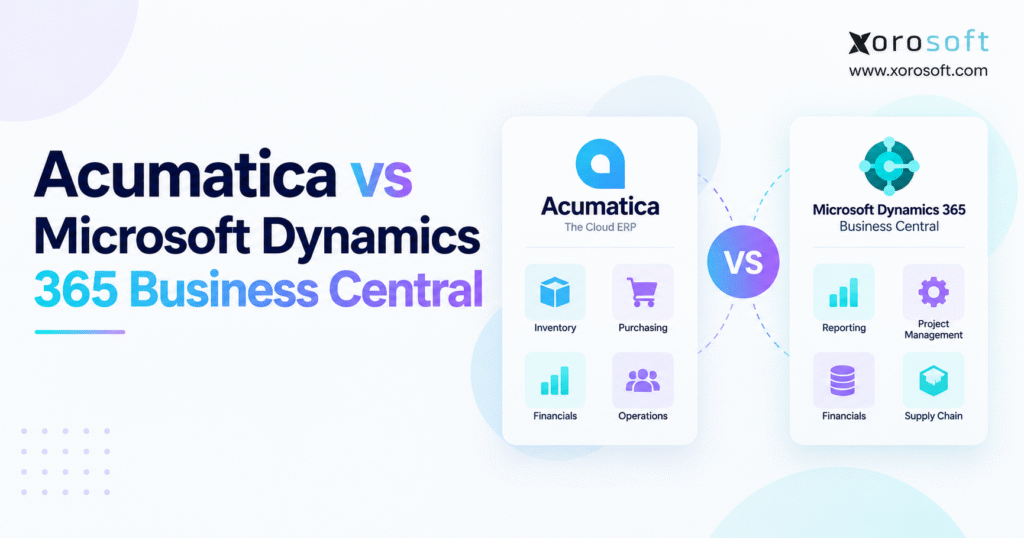
This article will provide a detailed comparison of Acumatica vs Business Central.
1. Why Growing Businesses Reach the Acumatica vs Business Central Decision
Companies rarely begin an ERP evaluation because their accounting software suddenly stops processing invoices. The pressure usually builds gradually as the operating model becomes more complicated.
Inventory expands across several locations. Purchasing teams need better control over supplier lead times and replenishment. Warehouse employees rely on disconnected tools. Manufacturing introduces bills of materials, production planning, material requirements, and costing. Ecommerce orders arrive through several channels while finance still needs accurate inventory valuation and clean reconciliation.
At that stage, the business is no longer selecting accounting software. It is choosing the operational system that will connect inventory, purchasing, finance, fulfillment, manufacturing, reporting, and customer orders.
1.1 Why ERP Feature Checklists Fail Growing Businesses
The Acumatica vs Business Central comparison therefore needs more depth than a standard feature matrix.
Both platforms cover financial management, inventory, purchasing, sales orders, reporting, and broader ERP processes. The important differences appear in licensing structure, warehouse execution, manufacturing, integration architecture, customization, implementation requirements, and long-term operating cost.
A product company can choose an ERP that appears comprehensive during a demonstration and still encounter problems later. Important workflows may require additional applications. Warehouse processes can prove more complicated than expected. Integration ownership may become unclear, while user growth can alter the economics of the original software proposal.
1.2 What Buyers Should Evaluate Before Comparing ERP Platforms
A stronger evaluation begins with the operating model.
Determine how many employees require ERP access, how transaction volume is likely to grow, how many warehouses the company expects to operate, and whether manufacturing is simple or complex. Ecommerce businesses should also consider Shopify, Amazon, wholesale orders, EDI, returns, and marketplace reconciliation.
Microsoft dependence matters as well. A company already standardized on Microsoft 365, Excel, Teams, Power BI, and Power Platform may value Business Central differently from an organization using a more varied technology stack.
These operational questions should shape the ERP shortlist before vendor demonstrations begin.
2. Acumatica vs Business Central at a Glance
2.1 The Core Difference Between Acumatica and Business Central
At a high level, Acumatica and Business Central compete for many of the same small and mid-sized companies, but their commercial models and surrounding ecosystems differ.
Acumatica is a cloud ERP platform with significant emphasis on manufacturing, distribution, retail, construction, professional services, and other industry-oriented workflows. Its current licensing structure includes consumption-based offerings where the number of users is not the primary constraint, although Acumatica also documents specific product tiers and system-resource limits.
Microsoft Dynamics 365 Business Central combines finance, sales, purchasing, inventory, projects, warehouse operations, service, and manufacturing within Microsoft’s broader business application environment.
Its strongest strategic differentiator is often that ecosystem rather than any single ERP feature.
2.2 Acumatica vs Business Central Comparison Snapshot
| Decision Area | Acumatica | Business Central |
|---|---|---|
| Commercial model | Application/resource or consumption-oriented options | Primarily per-user licensing |
| Financial management | Strong | Strong |
| Inventory | Multi-location inventory capabilities | Inventory and location management |
| Warehouse | Embedded distribution/WMS capabilities | Configurable warehouse workflows |
| Manufacturing | Dedicated manufacturing capabilities | Premium includes manufacturing |
| Distribution | Major industry focus | Broad distribution capabilities |
| Microsoft ecosystem | Integrates with Microsoft tools | Major native advantage |
| Ecommerce | Commerce connectors and integrations | Shopify connector and extension ecosystem |
| Customization | Extensible cloud platform | AL extensions and Microsoft ecosystem |
| Best fit | Depends on operational requirements | Depends on Microsoft alignment and workflow fit |
This snapshot should only begin the evaluation. Two systems may both support the same business function while delivering very different operational experiences.
3. Acumatica vs Business Central Pricing and Total Cost
Pricing is one of the clearest structural differences in the Acumatica vs Business Central comparison, yet subscription prices alone can create a misleading picture.
3.1 How Acumatica Licensing Changes the Cost Model
Acumatica’s consumption-based licensing does not simply charge another traditional full-user seat every time an employee needs access. Its current licensing framework includes product tiers, resource constraints, API limits, transaction-related considerations, and options for additional reserved resources.
That approach can be relevant for distributors, manufacturers, and warehouse-heavy businesses where many operational employees need to interact with ERP information.
Consider a distributor with finance users, sales representatives, purchasing managers, customer service employees, receivers, warehouse supervisors, and fulfillment staff. Broad system access can change ERP economics when every additional employee would otherwise require another full subscription.
However, businesses should not interpret non-seat-based licensing as unlimited cost. Increased transactions, resource consumption, storage, integrations, applications, implementation services, and support can all influence the final commercial arrangement.
3.2 How Business Central Per-User Pricing Works
Business Central follows a more conventional user-based structure.
Microsoft currently lists Business Central Essentials at $80 per user per month, Premium at $110 per user per month, and Team Members at $8 per user per month in the United States when paid yearly. Premium includes everything in Essentials and adds manufacturing and service-management capabilities.
This structure can make initial budgeting relatively straightforward. The company estimates the employees requiring each level of access and builds licensing costs accordingly.
Future adoption still needs to be modeled carefully. ERP usage often expands after implementation as more managers, planners, operational employees, and other departments discover value in direct system access.
3.3 Compare Five-Year ERP Cost, Not First-Year Subscription Price
Neither licensing model is automatically cheaper.
A meaningful cost comparison should include implementation consulting, data migration, integrations, extensions, training, support, internal project resources, future users, expected transaction growth, additional warehouses, and ongoing technical maintenance.
The lowest software quote may not produce the lowest operating cost. An ERP requiring fewer manual workarounds and fewer external applications can sometimes deliver stronger economics despite a higher initial proposal.
Model at least three to five years before comparing Acumatica and Business Central on cost.
4. Acumatica vs Business Central for Finance, Inventory, and Purchasing
4.1 Financial Management Should Stay Connected to Operations
Both platforms provide the accounting capabilities expected from modern ERP software, including general ledger, accounts payable, accounts receivable, cash management, financial reporting, and related financial controls.
For many buyers, therefore, basic accounting functionality will not determine the winner.
A better test examines how operational transactions reach finance. When inventory arrives, the accounting impact should follow correctly. Once products ship, inventory and cost of goods sold need to remain synchronized. Adjustments, landed costs, vendor invoices, returns, and transfers should not require repeated spreadsheet reconciliation.
Companies that struggle with slow month-end closes should pay particular attention to these operational connections.
4.2 Acumatica vs Business Central Inventory Management
Inventory-driven companies need more than an on-hand quantity.
Users must understand what inventory is available, allocated, reserved, incoming, in production, or moving between warehouses. Lot and serial tracking may also matter, particularly for regulated, food, industrial, or warranty-sensitive products.
The Acumatica vs Business Central inventory management evaluation should therefore include availability calculations, transfers, replenishment, reservations, costing, stock adjustments, and location-level visibility.
For businesses that want inventory, accounting, purchasing, forecasting, warehouse processes, and commerce operations to share one operational layer, XoroONE provides another architecture to compare against traditional ERP models.
4.3 Purchasing Must Respond to Actual Demand
Purchasing is where inventory data becomes an operational decision.
Buyers need visibility into supplier lead times, current inventory, open purchase orders, sales demand, production requirements, warehouse transfers, and safety stock.
A useful ERP demonstration should begin with a shortage and follow the process through purchasing, receiving, inventory, vendor invoicing, and accounting.
Then introduce exceptions such as a partial receipt, delayed supplier, changed quantity, or warehouse reassignment. These situations reveal whether the purchasing process will actually reduce spreadsheet dependence.
5. Acumatica vs Business Central Warehouse Management
5.1 Warehouse Capability Should Be Tested on the Floor
Warehouse management is an area where feature lists can be especially misleading.
A vendor may accurately state that its ERP supports picking, packing, shipping, bins, transfers, and barcode processes. That description still does not show how efficiently those functions operate during a busy fulfillment shift.
The evaluation should begin with realistic warehouse scenarios. Test a purchase order arriving in several shipments, then see how damaged quantities and put-away are managed. Next, simulate an empty primary picking location and determine whether employees can replenish or transfer stock without introducing inventory errors.
Finally, review batch picking, packing, shipping, and the speed at which those activities update available inventory.
5.2 Business Central Warehouse Workflows
Business Central can support warehouse configurations ranging from relatively straightforward inventory movement to more advanced warehouse processes.
That flexibility can be valuable because not every business requires the same WMS structure. A smaller operation may need simple picks and put-aways, while a higher-volume distributor can require bins, warehouse receipts, warehouse shipments, directed picking, and more structured workflows.
The implementation partner should explain exactly which configuration is being proposed and why.
5.3 Acumatica Warehouse Workflows
Acumatica’s distribution capabilities place significant emphasis on warehouse and fulfillment processes. Its 2026 R1 release added functionality including real-time picking-location adjustments and recommended put-away guidance for distribution environments.
Instead of demonstrating only a perfect order, test split fulfillment, backorders, short picks, damaged inventory, location changes, and transfers.
Where warehouse execution is a dominant selection criterion, businesses may also assess a connected WMS platform such as XoroWMS alongside each ERP’s native warehouse design.
6. Acumatica vs Business Central for Manufacturing
Manufacturing requirements can quickly expose meaningful differences between ERP platforms.
6.1 Acumatica vs Business Central Manufacturing Capabilities
A light assembly operation may require straightforward bills of materials and production orders. More advanced manufacturers can need multi-level BOMs, routings, labor reporting, capacity planning, material requirements planning, scrap control, production costing, and shop-floor data capture.
Acumatica has a dedicated manufacturing focus and continues to expand production functionality. Its 2026 R1 release introduced a Shop Floor Kiosk, more precise production-time tracking, and improved planning through in-transit inventory visibility.
Business Central manufacturing is included in the Premium license. Microsoft documents capabilities such as production orders, production bills of materials, machine centers, basic capacity planning, finite loading, supply planning, and sales and inventory forecasting.
6.2 MRP Quality Depends on Operational Data
Manufacturers should resist evaluating MRP as an isolated feature.
Material planning depends on accurate inventory, BOMs, supplier lead times, open purchase orders, production demand, forecasts, and customer commitments. Weak master data leads to weak planning recommendations regardless of the ERP brand.
A stronger demonstration starts with a production plan containing material shortages. Let the ERP calculate what should be purchased, produced, or transferred. Then change the due date of an order or supplier lead time and see how recommendations respond.
6.3 Which ERP Fits the Manufacturing Model?
Acumatica can deserve stronger consideration where its manufacturing architecture aligns closely with the company’s production requirements.
Business Central may have an advantage when Premium manufacturing capabilities fit the factory and the business also benefits heavily from Microsoft’s wider ecosystem.
The decision should ultimately reflect production complexity, material planning, costing, warehouse integration, user experience, and the level of customization needed.
7. Acumatica vs Business Central for Wholesale Distribution
7.1 Distribution Requires More Than Inventory Control
Wholesale distribution is frequently described as an inventory problem. In reality, distributors coordinate customer-specific pricing, purchasing, allocation, warehouse fulfillment, replenishment, backorders, returns, EDI, retailer requirements, and financial margins.
Acumatica has substantial market emphasis on distribution. Business Central also supports sales, purchasing, inventory, warehouse, pricing, and finance workflows that can be configured for distributors.
The important question is how those capabilities behave under actual volume and exception conditions.
7.2 Allocation, Backorders, and Customer Service
A distributor should test what happens when customer demand exceeds available stock.
Can scarce inventory be assigned to higher-priority orders? Can customer service see expected receipts? Is stock available from another warehouse? How are split shipments invoiced? Can employees understand an order’s position without calling the warehouse?
When these processes operate inside disconnected applications, customers often experience the consequences before management does.
7.3 EDI and Retailer Compliance
Retailer suppliers need to include EDI in the ERP evaluation where relevant.
Purchase orders, acknowledgments, ASNs, invoices, labels, routing instructions, and retailer-specific requirements need controlled exception handling. Simply knowing that an EDI integration exists does not prove the workflow will operate reliably.
Companies comparing ERP requirements across apparel, furniture, sporting goods, food, wholesale, manufacturing, and other inventory-heavy markets can also explore industry-specific operational requirements when preparing their selection criteria.
8. Acumatica vs Business Central for Shopify and Ecommerce
8.1 ERP Becomes the Operational Layer Behind Ecommerce
Growing Shopify businesses often begin with a collection of specialized tools rather than ERP.
The stack may include Shopify, accounting software, an inventory application, shipping software, a warehouse tool, EDI, marketplace applications, and purchasing spreadsheets.
Individually, each tool can work. The problem appears when teams must continuously reconcile information between them.
The Acumatica vs Business Central decision for ecommerce should therefore focus on which platform can become the operational source of truth behind the storefront.
8.2 Shopify Integration Must Cover More Than Order Import
Microsoft maintains a Shopify connector for Business Central that synchronizes areas including products, inventory, orders, fulfillments, and related commerce information. Microsoft also documents Business Central acting as the inventory system of record when inventory is synchronized with Shopify.
Regardless of platform, buyers should ask which system owns products, inventory, pricing, orders, fulfillment status, returns, and financial data.
Test cancellations, partial shipments, refunds, inventory transfers, multiple Shopify locations, and synchronization failures.
For companies building a broader omnichannel environment, Xorosoft integrations show another approach to connecting ecommerce, marketplaces, logistics, and ERP operations.
Shopify merchants evaluating that model can also review the Xorosoft ERP app on the Shopify App Store.
9. Acumatica vs Business Central Integrations, Reporting, and AI
9.1 Microsoft’s Ecosystem Is a Material Business Central Advantage
The Microsoft ecosystem can be one of Business Central’s strongest reasons for selection.
Organizations already standardized on Microsoft 365, Excel, Teams, Power BI, Azure, and Power Platform may find that Business Central fits naturally into their existing technology strategy.
This advantage extends beyond familiarity. A common ecosystem can simplify identity, analytics, automation, development, collaboration, and employee adoption.
For those organizations, Microsoft alignment should carry meaningful weight in the ERP scorecard rather than being treated as another small integration checkbox.
9.2 Acumatica’s Extensible ERP Model
Acumatica also operates as an extensible cloud ERP platform with APIs, configurable workflows, partner applications, commerce connections, and industry capabilities.
Its 2026 releases continue to emphasize manufacturing, distribution, retail, and AI-enabled operational workflows.
Extensibility is valuable, but buyers should distinguish configuration from unnecessary custom development.
Every extension adds an ownership question. Someone must support it, test it during upgrades, understand its data flows, and maintain compatibility with other systems.
9.3 AI Should Improve Controlled ERP Workflows
AI is becoming increasingly visible in both ERP ecosystems.
The right evaluation should not ask which vendor mentions AI most frequently. Buyers need to understand whether AI has access to reliable operational data, respects permissions, explains recommendations, and helps employees take controlled actions.
Acumatica 2026 R1 introduced AI Studio and expanded AI-assisted functionality. Microsoft continues to integrate Copilot capabilities into Business Central and the broader Dynamics ecosystem.
Companies considering more open connections between enterprise applications and AI agents can also review the Xorosoft AI MCP Server as another architectural approach.
10. Acumatica vs Business Central Implementation and Data Migration
10.1 ERP Partner Quality Can Change the Outcome
The quality of an ERP platform does not guarantee the quality of its implementation.
Both Acumatica and Business Central projects commonly involve implementation partners responsible for discovery, process design, configuration, migration, integrations, testing, training, and deployment.
A capable partner should understand the customer’s industry and challenge unnecessary complexity instead of reproducing every historical workaround.
Companies should therefore evaluate the proposed implementation team with almost as much care as the software itself.
10.2 Data Migration Is an Operational Project
ERP migrations often expose years of weak data governance.
Supplier records may be duplicated. Customer addresses can be incomplete. Product dimensions may be inconsistent. Inventory balances may not match physical stock. Old purchase orders may remain open even though they are no longer valid.
Moving those problems into a new ERP does not solve them.
Assign data owners before migration starts, define cleanup rules, determine which history needs to move, and establish how opening inventory and financial balances will be verified.
10.3 Test Complete Transactions Before Go-Live
User acceptance testing should follow end-to-end business processes.
For purchasing, start with a requirement and continue through purchase order, receipt, inventory, vendor invoice, and accounting. For sales, create an order, allocate stock, pick, pack, ship, invoice, and process a return.
Manufacturers should test production from material planning through finished-goods receipt and costing.
The same discipline should apply whether the shortlist contains Acumatica, Business Central, XoroERP, or another cloud ERP platform.
11. Acumatica vs Business Central Scalability and Long-Term Fit
11.1 Scaling Users and Scaling Transactions Are Different
ERP scalability is often discussed as though it were a single metric.
It is not.
One business may add large numbers of employees but relatively modest transaction growth. Another company can process dramatically more orders without increasing headcount at the same rate.
The different commercial structures in an Acumatica vs Business Central decision mean those growth patterns can affect economics differently.
Project user counts and transaction activity several years forward rather than comparing today’s business only.
11.2 Plan for Warehouses, Channels, and Acquisitions
A company may implement ERP today and continue using the platform through several stages of growth.
Future plans might include additional warehouses, new legal entities, Canadian or U.S. expansion, B2B ecommerce, Amazon, manufacturing, acquisitions, or retailer EDI.
Not every capability needs to be deployed during phase one. However, the architecture should accommodate likely growth without forcing the business into excessive customization later.
11.3 Security, Updates, and Extension Governance
Long-term fit also depends on maintainability.
Ask how permissions work, how integrations authenticate, how updates are deployed, who tests custom extensions, and what happens when a third-party application changes.
Software scalability is not only about processing more transactions. The environment also needs to remain governable as technical complexity grows.
12. Acumatica vs Business Central by Industry
12.1 Manufacturing and Industrial Businesses
Manufacturers should prioritize production BOMs, routings, MRP, capacity, shop-floor execution, traceability, costing, purchasing, and warehouse integration.
Acumatica’s dedicated manufacturing direction makes it a natural candidate. Business Central Premium should also be considered when its production capabilities and Microsoft ecosystem fit the operation.
12.2 Wholesale Distribution and Consumer Products
Distributors should focus on allocation, customer pricing, replenishment, purchasing, multi-warehouse inventory, EDI, fulfillment, returns, and margin visibility.
Consumer-product companies may add Shopify, marketplaces, wholesale customers, retailer compliance, and demand forecasting to that list.
12.3 Apparel, Furniture, and Food
Apparel companies often require style-color-size matrices, seasonal purchasing, channel allocation, and high return volumes.
Furniture companies may be more concerned with long supplier lead times, landed cost, bulky warehouse handling, special orders, and multi-location availability.
Food and beverage businesses should test lot traceability, expiry information, receiving controls, recalls, and inventory rotation.
Industry labels help create a shortlist, but specific workflows should make the final decision.
13. Acumatica vs Business Central Buyer Fit and Alternatives
13.1 When Acumatica May Be the Better Fit
Acumatica may deserve stronger consideration when broad employee access is important, manufacturing or distribution workflows dominate the ERP project, and its resource-oriented commercial structure aligns with expected growth.
Its industry emphasis can also make it attractive to companies wanting an ERP built around operational processes rather than accounting alone.
Buyers still need to evaluate the exact edition, resource limits, additional applications, implementation scope, and long-term commercial proposal.
13.2 When Business Central May Be the Better Fit
Business Central may be particularly compelling for businesses already invested heavily in Microsoft’s ecosystem.
Teams working daily in Microsoft 365, Excel, Power BI, Teams, and Power Platform can gain additional value from that alignment.
Its publicly defined Essentials and Premium tiers also make early licensing comparisons relatively straightforward.
However, organizations should model how user numbers and extensions will change over several years.
13.3 When the ERP Shortlist Should Expand
Neither product should win simply because the evaluation started with two familiar names.
NetSuite, Sage, SAP Business One, Odoo, vertical ERP products, and inventory-focused platforms can enter the shortlist depending on requirements.
Companies considering broader mid-market options may find a Xorosoft vs NetSuite comparison useful when evaluating different ERP architectures.
The purpose of adding alternatives is not to create an endless software search. It is to verify that the final choice genuinely fits the operating model instead of winning an artificially narrow contest.
14. Common Acumatica vs Business Central Evaluation Mistakes
14.1 Comparing Features Instead of Business Workflows
A spreadsheet containing hundreds of checkboxes can create false precision.
Two systems may both support warehouse management while delivering very different picking processes. Both may offer manufacturing but handle planning differently.
Instead of scoring isolated capabilities, test the workflows that materially affect revenue, inventory, customer service, and financial accuracy.
14.2 Comparing Today’s Cost Instead of Tomorrow’s Business
A common financial mistake is building the ERP cost model around current user counts and locations.
Include expected employees, transaction growth, warehouses, entities, integrations, and additional channels.
The platform should remain commercially reasonable as the business grows.
14.3 Customizing Before Simplifying
Companies frequently attempt to rebuild every existing process inside the new system.
Some of those processes only exist because previous software was restrictive.
Before approving customization, determine whether the workflow can be simplified, standardized, configured differently, or removed entirely.
14.4 Excluding Operational Users From Selection
Executives do not process most ERP transactions.
Warehouse employees, buyers, production planners, customer service teams, and accounting users interact with the system repeatedly.
Their feedback should influence demonstrations and acceptance testing. A process that looks elegant in a boardroom can become painfully slow when repeated hundreds of times on the warehouse floor.
15. A Practical Acumatica vs Business Central Selection Framework
15.1 Map the Processes That Matter Most
Start with the workflows that would hurt the business if ERP handled them poorly.
For inventory-driven organizations, that usually includes purchasing, receiving, inventory availability, replenishment, allocation, warehouse fulfillment, production, returns, inventory valuation, ecommerce integration, EDI, and financial reconciliation.
The shortlist should be judged against those processes first.
15.2 Separate Must-Haves From Nice-to-Haves
ERP projects can accumulate hundreds of requirements.
Not all deserve equal weight.
A faster picking workflow may have substantially more business value than a rarely used report format. Reliable inventory synchronization may matter more than a cosmetic dashboard preference.
Assign requirements according to operational impact.
15.3 Build a Five-Year Cost Model
The Acumatica vs Business Central pricing comparison should include more than subscription fees.
Account for implementation, migration, integrations, support, third-party applications, customization, expected headcount, transaction growth, and internal administration.
Review several growth scenarios rather than a single forecast.
15.4 Give Every Vendor the Same Demonstration Script
A controlled demo makes comparisons much more useful.
Provide representative products, warehouses, customers, purchasing rules, production scenarios, and order patterns. Introduce difficult transactions and exceptions.
If each vendor demonstrates only its strongest area, the resulting scorecard will be biased before evaluation begins.
15.5 Check Customer References After the Demo
Reference calls become much more valuable when questions are specific.
Start by finding out what proved harder than expected during implementation. Then determine whether the project stayed within budget and how users felt about the system several months after go-live.
It is also worth understanding how support responds when an integration, warehouse workflow, or reporting process fails.
Those answers often reveal more about day-to-day ERP performance than another polished sales presentation.
16. How to Score the Final Acumatica vs Business Central Decision
16.1 Weight Requirements Around the Operating Model
A weighted scorecard can help prevent executive preference or vendor presentation quality from dominating the decision.
A product-driven company might use a structure such as:
| Evaluation Area | Example Weight |
|---|---|
| Inventory and planning | 15% |
| Financial management | 10% |
| Purchasing | 10% |
| Warehouse management | 10% |
| Manufacturing | 10% |
| Ecommerce and integrations | 10% |
| Reporting and analytics | 10% |
| User experience | 5% |
| Implementation risk | 10% |
| Five-year total cost | 10% |
The percentages should reflect the business rather than a generic template.
A manufacturer might increase the weight of production planning. A Shopify-first brand could place more emphasis on commerce integrations and inventory synchronization.
16.2 Score Complexity Separately From Functional Fit
A system may meet almost every requirement but require substantial custom development.
Another platform might cover slightly fewer edge cases while delivering the core workflows through standard configuration.
Those are different risk profiles.
Record functional fit, implementation complexity, customization requirements, partner capability, and ongoing support risk separately. This makes it easier to understand what the apparent “best score” will actually require to implement.
17. What an Acumatica vs Business Central Demo Should Prove
17.1 Use Real Transactions Instead of a Generic Product Tour
A high-quality ERP demonstration should look more like operational testing than software sightseeing.
For a distributor, start with demand and purchasing, receive inventory, allocate customer orders, execute warehouse fulfillment, process shipping, and verify the accounting impact.
A manufacturer should create material demand, plan production, release work, consume components, complete finished goods, and review costing.
Ecommerce businesses can submit Shopify orders, adjust inventory in another channel, process a partial fulfillment, create a return, and reconcile the financial result.
17.2 Introduce Exceptions Deliberately
Normal transactions rarely reveal the most expensive ERP problems.
Change a supplier delivery date. Short a receipt. Attempt to allocate unavailable inventory. Ship an order from two warehouses. Substitute a manufacturing component. Cancel an ecommerce order after warehouse release.
The system and implementation team should show how those situations are resolved.
17.3 Measure the Number of Systems Employees Must Touch
A modern ERP project should reduce unnecessary operational fragmentation.
If employees still need separate spreadsheets, disconnected purchasing tools, manual warehouse workarounds, and repeated data entry after implementation, the business may not receive the operational simplification it expected.
Reviewing practical ERP solutions and real customer case studies can help teams build more realistic expectations for the workflows an integrated platform should improve.
18. Acumatica vs Business Central: Final Decision and Practical Next Steps
18.1 Compare Acumatica vs Business Central Against Real Workflows
The central takeaway from the Acumatica vs Business Central comparison is that neither ERP should be selected because of a single feature, licensing slogan, or vendor reputation.
Acumatica deserves serious consideration for organizations that value its manufacturing and distribution focus, broad system access, and resource-oriented commercial approach.
Business Central deserves equally serious consideration where Microsoft ecosystem alignment, familiar productivity tools, Power BI, and its per-user structure match the company’s technology strategy.
The final decision should come from operational evidence.
Map the processes that create revenue, move inventory, generate supplier commitments, drive production, control warehouse work, and create financial entries. Give every shortlisted vendor the same difficult scenarios. Model the cost of the system after growth rather than only the first-year proposal.
18.2 Turn the ERP Comparison Into a Business Decision
The strongest ERP decision is not based on which product contains the longest feature list.
It is based on which platform supports the company’s operating model with the least unnecessary complexity over the next several years.
Finance should validate reconciliation and reporting. Purchasing teams need to prove replenishment and supplier processes. Warehouse managers should evaluate execution speed. Manufacturing teams must test material planning and production. Ecommerce operators need to confirm that orders, inventory, returns, and accounting remain synchronized.
If Acumatica and Business Central both remain strong candidates, add at least one relevant alternative so the decision does not become artificially binary.
Once requirements, transaction volumes, warehouses, integrations, manufacturing needs, and user roles are documented, move from generic demonstrations to workflow-based testing.
For companies evaluating inventory, accounting, purchasing, warehouse management, manufacturing, ecommerce, EDI, and multi-location operations, the next practical step is to contact Xorosoft and compare the same real-world requirements against another modern ERP architecture.
Frequently Asked Questions
Is Acumatica better than Business Central?
Neither is universally better. Acumatica may suit distribution and manufacturing-heavy businesses, while Business Central can fit companies that value Microsoft’s broader ecosystem and per-user licensing.
Which is cheaper, Acumatica or Business Central?
Cost depends on users, transaction volume, modules, implementation, and integrations. Compare three-to-five-year total cost rather than relying only on subscription pricing.
Does Acumatica charge per user?
Acumatica generally uses a resource and consumption-oriented licensing approach rather than traditional per-user pricing. Buyers should still review resource limits, applications, and transaction requirements.
Does Business Central include manufacturing?
Yes, manufacturing capabilities are included with Business Central Premium. Companies should confirm that production planning, BOMs, capacity, and shop-floor requirements match their operating model.
Which ERP is better for wholesale distribution?
Both can support distribution. Compare multi-warehouse inventory, purchasing, allocation, pricing, EDI, warehouse execution, fulfillment exceptions, and the amount of configuration required.
Which ERP is better for Shopify businesses?
Both can connect with Shopify. The better fit depends on inventory ownership, synchronization, fulfillment, returns, financial reconciliation, additional sales channels, and integration complexity.
What are the best alternatives to Acumatica and Business Central?
Alternatives include NetSuite, Sage, SAP Business One, Odoo, Xorosoft, and specialized industry ERP platforms. The best option depends on workflows, budget, integrations, and scalability.
Recent Posts
-
 B2B Ecommerce Statistics: What Wholesale and Distribution Teams Should Know About Digital Ordering
 -
 How EDI Eliminates Manual Wholesale Order Entry and Where Exceptions Still Need People
 -
 Wholesale ERP Software for Multi-Warehouse Distribution
 -
 Acumatica vs Microsoft Dynamics 365 Business Central
 -
 Mobile WMS: What Warehouse Teams Should Be Able to Do From a Scanner or Handheld