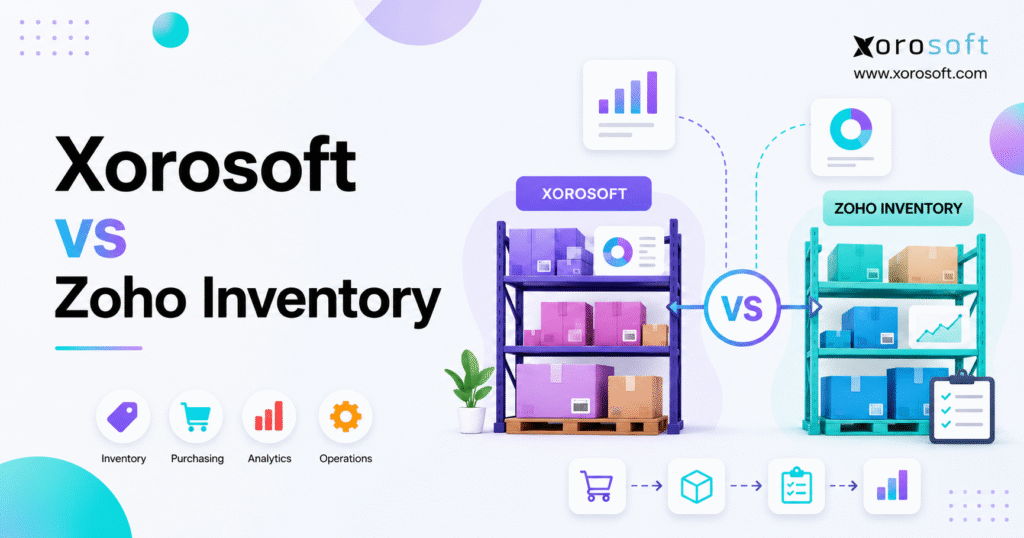
Are you trying to decide between Xorosoft vs Zoho Inventory for your business?
1. Inventory Growth Changes the Software Decision
A company can know exactly how much stock it has and still struggle to control the work behind that stock.
Inventory counts may look correct, yet purchasing can remain tied to spreadsheets. Meanwhile, ecommerce orders may move quickly while finance spends days checking returns, supplier costs, inventory value, and warehouse adjustments. Inside the warehouse, employees might see available products but lack clear steps for receiving, putaway, picking, packing, transfers, and cycle counts.
As the business grows, these gaps become more serious. More products create extra buying decisions. Additional warehouses increase transfer and allocation needs. New sales channels raise the risk of inventory-sync errors. At the same time, wholesale, EDI, manufacturing, and international sales place further pressure on the operating model.
For that reason, the Xorosoft vs Zoho Inventory comparison is not simply about choosing between two inventory tools. Instead, it reflects a wider decision between focused inventory software and a connected ERP platform.
Zoho Inventory is mainly designed for stock, orders, purchasing, warehouses, fulfillment, and connected applications. By contrast, Xorosoft is positioned as a cloud ERP for companies that need inventory to work alongside accounting, purchasing, warehouse management, forecasting, manufacturing, ecommerce, wholesale, and reporting.
Neither type of system is always better. Each platform fits a different level of business need.
For example, a company with one warehouse, basic purchasing, simple reports, and a stable accounting connection may perform well with focused inventory software. A business with several facilities, multiple sales channels, complex procurement, EDI, or manufacturing may need deeper ERP support.
Ultimately, workflow complexity matters more than company size alone.
2. ERP vs Inventory Software: The Core Difference
2.1 What inventory management software is designed to manage
Inventory management software helps companies track products, stock levels, locations, orders, transfers, and reorder needs.
A typical platform helps users answer everyday questions. Teams can see how much stock is available, where products are stored, which units are committed, what is currently on purchase orders, and which customer orders are ready to ship. The same system may also show when products should be reordered and how stock is moving between locations.
Focused inventory tools can support sales orders, purchase orders, returns, bundles, barcode scans, assemblies, shipping links, and ecommerce connections. For many small and midsized businesses, this level of support is enough.
As a result, the company gains better stock control without replacing its full accounting and operating setup.
2.2 What ERP software is built to connect
Enterprise resource planning software brings several business functions into one system.
Depending on the platform, ERP may cover inventory, accounting, purchasing, sales orders, warehouse management, manufacturing, demand planning, ecommerce operations, supplier records, financial reporting, and multi-location control.
The main difference is not only the number of features. More importantly, ERP connects the effects of each transaction.
Receiving a purchase order, for example, is not only a stock event. It can also affect supplier balances, freight costs, inventory value, accounts payable, warehouse supply, reorder plans, and financial reports.
Likewise, shipping an ecommerce order may reduce available stock, complete warehouse work, update the sales order, record product cost, and add data to margin reports.
Therefore, ERP can reduce the number of separate systems needed to process and record the same activity.
2.3 Why feature lists can mislead buyers
Feature lists often make two platforms look more similar than they really are.
Both systems may support purchase orders. However, one may simply create and track the document, while another links purchasing with approvals, demand planning, receiving, freight costs, supplier bills, inventory value, and accounting.
A similar difference appears in warehouse features. One platform may show stock by location. Another might also guide putaway, bin replenishment, mobile scanning, picking steps, packing checks, cycle counts, and warehouse output.
For this reason, buyers should compare complete workflows rather than isolated feature names.
Instead of asking only whether a feature exists, teams should ask how far the process continues before someone must leave the system, export data, update a spreadsheet, or enter the same information again.
3. Zoho Inventory for Focused Inventory Operations
3.1 Where Zoho Inventory fits in the market
Zoho Inventory is mainly built for stock control, order management, purchasing, warehouse visibility, fulfillment, and multichannel sales.
According to the official Zoho Inventory website, the platform supports product tracking, sales orders, purchase orders, warehouses, shipping, and connected channels.
Companies can also review the official Zoho Inventory pricing page to compare current plans, order limits, warehouse limits, users, and available tools. Because software plans can change, buyers should confirm these details before making a final decision.
Zoho Inventory can also work with other Zoho applications. This means a company may connect inventory with accounting, customer data, analytics, and other business tools instead of replacing its full software stack.
That app-based setup can work well when business needs remain manageable. Rather than starting a full ERP project, the company can use focused inventory software and add more applications later.
3.2 Businesses that may benefit from Zoho Inventory
Zoho Inventory may fit companies with a straightforward business model, basic or moderate purchasing needs, limited manufacturing requirements, and a manageable number of warehouses.
A smaller operations team may also prefer a focused platform when fulfillment follows standard workflows and accounting remains in another application. In addition, businesses already using Zoho products may value a familiar software environment.
An ecommerce company with one or two warehouses, for instance, may not require the depth of ERP. When purchasing, fulfillment, accounting, and reporting remain easy to manage, focused inventory software may provide enough control.
3.3 When focused inventory software may be enough
A company should not implement ERP only because it offers more features.
A broader platform normally requires more data cleanup, process planning, testing, training, migration, and internal ownership. Therefore, ERP depth should solve clear business problems rather than possible future issues.
Focused inventory software may remain a good fit when stock and accounting match regularly. Purchasing should also work without heavy spreadsheet use. In addition, warehouse tasks should stay simple enough to manage without a separate WMS.
Reports must provide enough detail for decision-making, while system links should work without constant correction. Finally, month-end close should not be delayed by missing or mismatched operating data.
When these conditions are present, Zoho Inventory may offer the more practical setup.
4. When Inventory Software Starts Reaching Its Limits
4.1 Stock differences across connected applications
Many companies begin with Shopify, accounting software, an inventory app, spreadsheets, and shipping tools. At first, every system solves a clear problem.
Growth, however, increases the number of records moving between those tools.
A cancelled order may update the store but fail to return stock in another application right away. Elsewhere, a warehouse adjustment might change physical inventory without updating the matching accounting value. Product bundles may also be set up differently across ecommerce, inventory, and fulfillment tools.
As a result, employees spend more time finding out which system is correct. Over time, teams may build additional reports and spreadsheets just to check the software they already use.
4.2 Purchasing becomes tied to spreadsheets
Purchasing is often one of the first areas to move outside an inventory system.
A buyer may export sales history, add current stock, review open purchase orders, estimate future demand, and calculate reorder amounts in a spreadsheet.
This can work when the product list and supplier base are small. Yet the process becomes harder as the business adds more SKUs, seasonal goods, warehouses, supplier minimums, long lead times, wholesale demand, ecommerce sales, and production needs.
Global suppliers also add freight, duties, currencies, and landed-cost issues. Consequently, buying spreadsheets can turn into hidden planning systems that only one or two people fully understand.
4.3 Accounting checks take more time
Inventory has financial value. Receipts, shipments, adjustments, returns, transfers, assemblies, and production can all affect the accounts.
When inventory and accounting operate in separate systems, the company must decide which tool controls product costs, stock value, cost of goods sold, supplier bills, freight costs, returns, and transaction timing.
Connected applications can support these needs. However, regular matching work may show that the company needs a stronger integration or an ERP that manages inventory and accounting together.
These differences create more than extra office work. They may slow financial reporting, reduce trust in margin data, and make buying decisions harder.
4.4 Warehouse visibility no longer gives enough control
Multi-warehouse software can show where products are stored. Yet location data does not always guide work inside the warehouse.
Larger facilities may need receiving checks, putaway steps, bin tracking, pick-area replenishment, mobile scanning, batch picking, packing checks, shipping confirmation, cycle counts, and error handling.
When warehouse employees depend on paper, chat messages, or separate tools, the business may need a WMS or an ERP with deeper warehouse support.
For this reason, buyers should separate software that reports stock from software that directs warehouse work.
5. Xorosoft ERP for Inventory-Driven Businesses
5.1 How Xorosoft differs from focused inventory software
Xorosoft is a cloud ERP platform built for inventory-driven companies. It connects inventory with accounting, purchasing, warehouse work, manufacturing, forecasting, ecommerce, and reporting.
The XoroOne platform follows this connected model by bringing key business tasks into one cloud system.
This difference matters because stock problems rarely happen on their own.
A stockout may begin with a weak forecast, a late purchase order, a supplier delay, or poor allocation. Overstock may result from disconnected demand planning and purchasing. At the same time, stock-value errors may start with receiving, freight costs, returns, or production records.
An ERP links these areas so that teams can work from the same data.
5.2 Businesses that often evaluate Xorosoft
Xorosoft may be relevant for companies that sell physical products, run several warehouses, use Shopify or Amazon, serve wholesale customers, exchange EDI documents, or manufacture goods.
The platform may also suit businesses that need purchasing automation, connected accounting, stronger demand planning, or better reporting. Companies often reach this point after outgrowing QuickBooks, spreadsheets, or several separate applications.
These organizations are usually not searching for one more feature. Instead, they want to reduce the number of systems required to process orders, purchase stock, ship goods, close the books, and review results.
5.3 Xorosoft ERP and financial integration
The XoroERP platform is relevant when inventory, purchasing, sales, accounting, and reporting must operate in one connected system.
Receiving goods, for instance, may increase available warehouse stock and update inventory value without requiring someone to enter the same record again.
Even so, connected accounting does not remove the need for strong controls. Businesses still need clean data, accurate receiving, approval rules, clear costing methods, and month-end procedures.
The key benefit is that the data behind those controls can remain in one system.
6. Xorosoft vs Zoho Inventory: Platform Comparison
6.1 Xorosoft vs Zoho Inventory by platform scope
The main difference in the Xorosoft vs Zoho Inventory comparison is the amount of business activity each system is expected to manage.
| Evaluation area | Xorosoft | Zoho Inventory |
|---|---|---|
| Software category | Cloud ERP | Inventory and order software |
| Main focus | Connected operations and finance | Stock, orders, purchasing, and fulfillment |
| Inventory management | Part of the ERP system | Main software function |
| Accounting | Included in the ERP setup | Usually handled through linked applications |
| Purchasing | Connected with planning and finance | Purchase-order and receiving tools |
| Warehouse management | ERP and WMS support | Multi-warehouse and bin support |
| Manufacturing | Built for inventory-based production | Better suited to simple assembly |
| Forecasting | Connected with wider planning | Required depth should be checked |
| Ecommerce | ERP layer behind sales channels | Inventory and order connection |
| Wholesale and EDI | Suited to more complex workflows | Exact needs should be confirmed |
| Setup | Wider ERP project | More focused implementation |
| Best fit | Cross-team business needs | Focused stock and order control |
This Xorosoft vs Zoho Inventory table should guide research rather than replace a proper demo. Buyers should confirm exact capabilities, limits, setup needs, and integrations with each provider.
6.2 ERP depth versus inventory software simplicity
Zoho Inventory may offer a faster path for companies that mainly need stock control, orders, purchasing, warehouse visibility, and fulfillment.
Xorosoft needs a broader review because it may connect or replace work now handled by accounting software, warehouse tools, spreadsheets, EDI services, and reporting applications.
Therefore, companies face a trade-off. Focused software usually has a smaller implementation scope. ERP requires more planning, but it may reduce the gaps created by disconnected systems.
6.3 Xorosoft vs Zoho Inventory for growing companies
A small company does not always need Zoho Inventory, and a larger company does not always need Xorosoft. The right choice depends on workflow depth.
Zoho Inventory may be enough when inventory, purchasing, fulfillment, and accounting integrations remain stable. In contrast, Xorosoft may become more useful when several teams must work from the same record.
For that reason, the Xorosoft vs Zoho Inventory decision should be based on operating needs rather than revenue alone.
7. Xorosoft vs Zoho Inventory for Inventory Management
7.1 Stock visibility across warehouses and channels
Both platforms can support inventory visibility. However, a company should define the exact figures and stock states its employees need to see.
A complete inventory view may include stock on hand, available stock, committed stock, incoming supply, warehouse transfers, damaged goods, held inventory, channel-level availability, wholesale allocations, production demand, and financial inventory value.
A simple operation may need only stock on hand and available inventory. By contrast, a multichannel distributor may need to see how Shopify, Amazon, wholesale, manufacturing, and transfers compete for the same units.
The company should also review how quickly each channel updates the main inventory record. Without fast synchronization, a product may look available even after another channel has sold it.
7.2 Multi-warehouse inventory software requirements
Running several warehouses creates more than a need to track locations.
Operations must decide which site should ship each order. Purchasing teams also need to choose where new inventory should arrive. Meanwhile, planners must set suitable safety stock for each warehouse.
Wholesale orders may require separate allocation rules. Returns might go to specific locations, while transfers must remain clear to both finance and operations. Stock differences should also be investigated without losing a full view of the network.
Zoho Inventory may suit businesses that need standard warehouse visibility and transfer workflows. However, Xorosoft may be more useful when several facilities must connect with accounting, purchasing, forecasting, ecommerce, wholesale, and warehouse activity.
7.3 Xorosoft vs Zoho Inventory for inventory value
Inventory quantity and inventory value are related, but they are not the same control.
Operations may know that 1,000 units are available. Finance must also know what those units cost and how that value changes after freight, duties, returns, production, and transfers.
Therefore, businesses comparing Xorosoft vs Zoho Inventory should review costing methods, landed-cost handling, purchase-price changes, adjustment approvals, return costs, assembly costs, production costs, transfer treatment, and financial reconciliation.
The right system should support both physical inventory movement and its financial effect.
8. Purchasing Automation and Supplier Management
8.1 Purchase orders are only one part of procurement
Creating a purchase order is only one step in the buying process.
A full procurement workflow begins with demand. It then moves through reorder planning, supplier choice, lead-time review, order sizing, approvals, purchase-order creation, shipment tracking, receiving, landed-cost entry, bill matching, and supplier review.
Smaller companies may handle several of these steps manually. Yet manual purchasing becomes risky when the business has a large product list, several warehouses, seasonal goods, long lead times, or major wholesale demand.
8.2 Forecasting and reorder needs
Reorder points are useful, but they are not the same as demand forecasting.
A reorder point creates an alert when stock falls below a set level. Forecasting looks further ahead by using sales history, seasons, promotions, lead times, open orders, and expected growth.
Growing businesses should decide whether they need simple low-stock alerts or a broader planning process. Some teams may require fixed reorder levels, while others need projected inventory, seasonal demand plans, warehouse-level forecasts, supplier planning, or cash-based purchasing.
Xorosoft may be more suitable when forecasting and purchasing must work with finance and wider operations. Zoho Inventory may remain enough when simple reorder methods provide good control.
8.3 Supplier performance and purchasing visibility
Supplier management becomes more important as purchase volume rises.
Teams may need to track lead-time accuracy, order minimums, price changes, late shipments, partial receipts, freight, duties, payment terms, and product quality.
When this information stays in spreadsheets, decisions often depend on one person’s knowledge. ERP can place more of the data in a shared system.
9. Xorosoft vs Zoho Inventory for Accounting
9.1 Why accounting changes the software decision
The gap between ERP and inventory software becomes clearer when finance joins the evaluation.
A business may have correct warehouse counts but still face wrong stock values, late cost updates, unmatched supplier bills, missing freight costs, or weak margin reports.
Often, these issues begin outside accounting. They may start with purchasing, receiving, returns, inventory adjustments, warehouse transfers, or production.
For that reason, companies should check whether the software links daily activity with financial records or moves data between separate systems.
9.2 Integrated accounting versus linked accounting
Zoho Inventory can work inside a connected application setup. This model may work well when integrations are stable and each system has a clear role.
Before choosing that setup, the company should answer several questions. Which system owns product costs? Where are supplier bills created? How are stock adjustments passed across? Which application calculates cost of goods sold?
The business must also decide how returns, refunds, Shopify payouts, and freight costs are matched. Finance should then identify the report that acts as the final record.
Xorosoft may be more suitable when finance and operations need to share one transaction system.
9.3 Xorosoft vs Zoho Inventory for month-end close
A slow month-end close often points to disconnected processes.
Finance may wait for warehouse changes, customer returns, open receipts, supplier bills, freight costs, finished production, or ecommerce payout checks.
Because an ERP links daily activity with accounting, some handoffs may be reduced. Even so, software alone cannot create a faster close.
Clear deadlines, correct data, named owners, and strong error-handling steps remain necessary.
10. Xorosoft vs Zoho Inventory for Warehouse Management
10.1 Inventory tracking versus warehouse work
Inventory software may show where a product is stored. A warehouse management system controls how employees receive, store, move, pick, pack, count, and ship it.
Warehouse activity can include scan-based receiving, putaway rules, bin assignment, replenishment, order waves, batch picking, zone picking, packing checks, shipping confirmation, cycle counting, staff reporting, and error handling.
The XoroWMS platform is relevant when warehouse activity must connect with ERP, inventory, purchasing, fulfillment, and reporting.
Zoho Inventory may remain enough when warehouse needs center on stock visibility, basic transfers, simple bins, and standard fulfillment.
10.2 When warehouse management software becomes necessary
Stronger warehouse tools may be needed when the company faces frequent picking mistakes, high order volume, large sites, many bins, or complex receiving.
Seasonal workers can also increase the need for scan-based guidance. In the same way, several picking methods, retailer rules, regular stock errors, and slow counts may show limits in manual workflows.
At that stage, choosing software only for inventory numbers may leave the main warehouse issue unsolved. Therefore, warehouse teams should test real receiving, putaway, picking, packing, and counting tasks during demos.
11. Xorosoft vs Zoho Inventory for Manufacturing
11.1 Simple assembly versus manufacturing ERP
Inventory tools may support bundles, kits, or combined products. For simple assembly, these features may be enough.
Manufacturing becomes harder when the business needs multi-level bills of materials, work orders, production plans, component allocation, material planning, work-in-process stock, scrap tracking, labor costs, or full product costing.
A company that combines finished goods into a bundle may not need manufacturing ERP. However, a business that turns raw materials into finished products through several stages usually needs deeper control.
11.2 Reviewing Xorosoft vs Zoho Inventory for production
The Xorosoft vs Zoho Inventory review for manufacturers should begin with real production steps.
Zoho Inventory may support simpler assembly work. However, a manufacturer that needs production planning, purchasing, component availability, warehouse control, accounting, and costing in one system may require ERP.
Xorosoft may be considered when manufacturing must connect with inventory, ecommerce, wholesale, purchasing, warehousing, and finance.
During a demo, each provider should show how the system handles demand, material needs, shortages, work orders, component use, finished production, product costs, inventory updates, and financial reports.
12. Shopify ERP and Ecommerce Inventory Software
12.1 Why ecommerce growth creates backend pressure
A Shopify store may grow quickly while the systems behind it struggle to keep up.
Growing merchants must manage product data, inventory updates, order routing, payments, refunds, returns, warehouse fulfillment, purchasing, accounting, Amazon demand, wholesale orders, and international sales.
Specialized applications can solve separate problems. However, the overall setup becomes harder to manage when several tools own the same data.
12.2 Xorosoft as the ERP layer behind Shopify
Xorosoft can serve as the operating system behind Shopify for inventory-driven businesses.
The official Xorosoft ERP listing on the Shopify App Store provides an external reference for its Shopify integration. This setup may suit merchants that need orders, products, payments, refunds, fulfillment, payouts, and inventory activity to connect with wider ERP workflows.
Shopify remains the customer-facing store. Meanwhile, ERP manages inventory, accounting, purchasing, warehouse activity, production, and reporting behind it.
This model may be useful when the business combines Shopify with Amazon, wholesale, EDI, several warehouses, manufacturing, and connected accounting.
12.3 Zoho Inventory for ecommerce operations
Zoho Inventory may suit ecommerce businesses that need focused inventory and order control across connected sales channels.
Still, buyers should test more than whether an integration exists. Demos should include new orders, edited orders, cancellations, partial fulfillment, refunds, returns, bundles, taxes, inventory updates, warehouse routing, and payout matching.
An integration logo confirms a connection, but it does not prove that every exception is handled well.
13. Wholesale ERP, EDI, and Inventory Allocation
13.1 Wholesale needs beyond order entry
Wholesale activity adds needs that may not exist in a simple direct-to-consumer business.
These may include customer pricing, payment terms, sales representatives, order minimums, case packs, inventory allocation, prebook orders, EDI files, advance shipping notices, retailer labels, routing guides, chargeback control, and wholesale returns.
Focused inventory software may support basic stock and orders. However, ERP may become necessary when wholesale must connect with purchasing, accounting, ecommerce, fulfillment, and customer-specific rules.
13.2 EDI is not one feature
EDI should not be treated as a single checkbox.
A retailer may require purchase orders, order replies, advance shipping notices, invoices, inventory updates, shipping labels, carton details, routing rules, and error handling.
The company should confirm who checks failed files, how errors are fixed, and how EDI demand affects available inventory.
13.3 Xorosoft vs Zoho Inventory for wholesalers
Zoho Inventory may fit wholesalers with simple order, stock, purchasing, and warehouse needs.
Xorosoft may be more relevant when wholesale includes EDI, special pricing, connected accounting, several warehouses, forecasting, ecommerce, and production.
Businesses can also review Xorosoft’s ERP solutions by industry for use cases in wholesale, apparel, furniture, sporting goods, food, and manufacturing.
14. Industry Fit for ERP and Inventory Software
14.1 Apparel and fashion
Apparel companies manage styles, colors, sizes, seasons, collections, returns, wholesale demand, and channel-level stock.
Inventory software may suit a smaller brand with limited channels. However, ERP becomes more useful when Shopify, Amazon, wholesale, several warehouses, purchasing, forecasting, accounting, and EDI must share the same product data.
14.2 Furniture distribution
Furniture distributors often manage large products, long lead times, container purchases, deposits, backorders, freight costs, and special delivery.
Therefore, the system must provide more than item counts. Teams may also need to see future supply, warehouse space, customer demand, purchasing exposure, and margin.
14.3 Sporting goods
Sporting-goods companies may face seasonal demand, product options, bundles, wholesale sales, and demand spikes around events.
Late inventory can miss the selling season, while excess inventory may require discounts. As a result, purchasing and forecasting are especially important.
14.4 Food and beverage
Food businesses may need lot tracking, batch control, expiry dates, traceability, quality holds, recall support, supplier records, purchasing controls, and production tracking.
For this reason, companies should review exact traceability and compliance needs instead of assuming standard inventory tracking is enough.
14.5 Manufacturing and industrial distribution
Manufacturers and industrial distributors may require bills of materials, work orders, component availability, supplier planning, freight costs, warehouse control, and customer pricing.
Because these tasks cross several teams, they often go beyond the normal scope of inventory-only software.
15. Implementation and Change Management
15.1 Zoho Inventory implementation scope
A focused inventory setup may include items, customers, suppliers, opening stock, warehouses, purchase orders, sales orders, shipping links, ecommerce links, user rights, and accounting connections.
Since the project is narrower, it may require fewer cross-team decisions than a full ERP rollout.
Even so, the company still needs clean data, clear workflows, system testing, and employee training.
15.2 Xorosoft ERP implementation scope
A Xorosoft project may involve wider business change because the platform can connect several teams.
Work may include process review, accounting setup, item cleanup, customer and supplier migration, warehouse design, purchasing rules, approvals, manufacturing setup, ecommerce links, EDI mapping, reports, user rights, testing, training, and launch planning.
Therefore, the rollout should be managed as a business project rather than a simple software installation.
15.3 Process ownership before implementation
New software does not fix unclear ownership by itself.
Before launch, the company should decide who owns item setup, product costs, purchase orders, receiving, inventory adjustments, warehouse counts, returns, customer pricing, finished production, month-end close, and report rules.
Without clear owners, old problems may simply move into the new platform.
16. Xorosoft vs Zoho Inventory Pricing and Total Cost
16.1 Subscription cost versus operating cost
Zoho Inventory follows a more standard subscription model, although users, warehouses, orders, and advanced features may vary by plan.
ERP pricing usually covers a wider scope. Costs may include software, implementation, data migration, integrations, training, support, internal staff time, and process changes.
Therefore, the monthly fee alone does not show the full cost.
16.2 Cost of the current software stack
A business should include the cost of accounting software, inventory tools, warehouse systems, EDI services, forecasting applications, reports, integrations, spreadsheets, manual checks, duplicate work, and internal support.
A cheaper inventory application may lead to higher daily costs if employees spend hours moving and checking data.
On the other hand, ERP may cost too much when the current setup works well and requires little manual effort.
16.3 Building a three-to-five-year view
The budget should consider future changes in order volume, users, warehouses, sales channels, legal entities, manufacturing, integrations, reporting, internal support, and replacement costs.
The aim is not to make one option look cheaper. Instead, both platforms should be compared using the same business assumptions.
17. Signs a Company Has Outgrown Inventory Software
17.1 Inventory and accounting disagree often
Repeated gaps between stock reports and financial records point to a process, system, or integration issue. In addition, these differences can lower trust in inventory value and margin reports.
17.2 Purchasing depends on spreadsheets
When buyers rebuild demand, stock, open orders, and lead times manually, the company may need connected planning. Spreadsheet purchasing also becomes harder as suppliers and warehouses increase.
17.3 Several warehouses create allocation problems
A business may know where goods are stored but still struggle to choose the right fulfillment site. Teams may also lack clear rules for transfers, replenishment, and channel supply.
17.4 Forecasting requires repeated exports
Manual forecasts may be out of date before the purchasing team acts. As a result, orders may be placed using old demand or stock data.
17.5 Employees enter the same data again
Repeated data entry adds work, delay, and error risk. It can also create different records across sales, inventory, warehouse, and accounting systems.
17.6 Month-end close takes too long
Finance may wait for warehouse adjustments, purchasing data, returns, production records, or ecommerce checks. Therefore, delays in operations can slow financial reporting.
17.7 Manufacturing runs outside the main system
Bills of materials, work orders, production plans, and costs may need deeper ERP support. Otherwise, production data may stay separate from inventory, purchasing, and accounting.
17.8 Wholesale and ecommerce share the same stock
Shopify, Amazon, wholesale, and EDI orders may all use the same inventory pool. Clear allocation rules become more important as volume grows.
17.9 Reports do not show the full picture
Leaders may see sales, inventory, purchasing, and accounting in separate reports. As a result, they spend more time joining data and less time acting on it.
When several of these signs appear together, the company should consider ERP rather than adding another separate application.
18. Common Xorosoft vs Zoho Inventory Selection Mistakes
18.1 Comparing features instead of workflows
Feature lists rarely show how work moves across teams. Therefore, each provider should demonstrate complete business processes from start to finish.
18.2 Choosing only by monthly price
Subscription cost is easy to see. However, spreadsheet work, reporting effort, errors, and integration support are less obvious.
For that reason, the review should include both software fees and hidden operating costs.
18.3 Leaving finance out of the evaluation
Inventory affects the accounts. Consequently, finance should review costing, inventory value, payables, receivables, reconciliation, and reports before a platform is chosen.
18.4 Underestimating warehouse needs
Warehouse leaders should test real receiving, transfers, replenishment, picking, packing, and counts. Otherwise, the software may show inventory without giving enough control over daily work.
18.5 Assuming integrations solve every problem
Integrations can work well. Nevertheless, they still require owners, monitoring, maintenance, and error handling.
18.6 Buying for unlikely future growth
Future needs matter, but they should remain realistic. Ideally, the business should plan for the next three to five years rather than buy tools it may never use.
18.7 Failing to test exceptions
A standard order rarely shows a system’s weak points.
Instead, demos should cover cancelled orders, partial shipments, returns, damaged goods, supplier shortages, transfers, inventory adjustments, failed integrations, production shortages, and EDI errors.
19. Who Should Choose Zoho Inventory?
19.1 Companies with focused inventory needs
Zoho Inventory may fit businesses that mainly need stock, purchasing, warehouse visibility, orders, fulfillment, and multichannel support.
19.2 Businesses keeping accounting in another application
Some companies may prefer to use Zoho Inventory for inventory while keeping accounting in a separate connected system.
19.3 Smaller teams with straightforward operations
The platform may work well when employees can manage integrations without heavy reconciliation or repeated data entry.
19.4 Companies that need a faster rollout
A focused inventory project is often smaller than an ERP implementation. Therefore, it may suit a business that needs better stock control quickly.
20. Who Should Consider Xorosoft ERP?
20.1 Inventory-driven companies needing one system
Xorosoft may be relevant when inventory, accounting, purchasing, warehousing, manufacturing, forecasting, and reporting must operate together.
20.2 Businesses replacing QuickBooks and spreadsheets
Many companies review ERP when QuickBooks still works for accounting but no longer supports the full operating model.
20.3 Multi-warehouse operations
An ERP and WMS setup may provide stronger control when several sites require connected allocation, warehouse activity, purchasing, and accounting.
20.4 Shopify and multichannel merchants
Xorosoft may fit businesses using Shopify alongside Amazon, wholesale, EDI, and several warehouses.
20.5 Wholesalers using EDI
Customer pricing, retailer rules, stock allocation, and warehouse activity may require deeper ERP support.
20.6 Inventory-driven manufacturers
Manufacturers may evaluate Xorosoft when bills of materials, production, purchasing, inventory, accounting, and ecommerce must remain connected.
20.7 Companies reviewing broader ERP options
Businesses comparing larger ERP platforms may also read the Xorosoft vs NetSuite comparison to review fit, implementation, and platform depth.
21. Xorosoft vs Zoho Inventory Decision Framework
21.1 Choosing ERP or inventory software by workflow depth
| Business need | Likely direction |
| Simple inventory tracking | Inventory software |
| Connected accounting and inventory | ERP |
| Basic warehouse visibility | Inventory software may be enough |
| Advanced warehouse execution | ERP or WMS |
| Simple kits or bundles | Inventory software may be enough |
| Work orders and production planning | Manufacturing ERP |
| Basic purchasing | Inventory software |
| Forecast-based procurement | ERP |
| One or two simple sales channels | Inventory software |
| Shopify, Amazon, wholesale, and EDI | ERP review |
| Several disconnected applications | ERP review |
| Fast, focused rollout | Inventory software |
| Cross-team control | ERP |
21.2 Reviewing the cost of current inventory problems
A business should measure the time spent checking systems, maintaining purchasing spreadsheets, finding inventory differences, fixing fulfillment errors, preparing reports, and closing the month.
The review should also include integration support, lost sales from stockouts, and cash tied up in excess inventory.
When these costs remain low, focused inventory software may be suitable. However, when costs are high and rising, ERP may provide a stronger long-term setup.
21.3 Xorosoft vs Zoho Inventory for realistic growth
The Xorosoft vs Zoho Inventory decision should include likely changes during the next three to five years.
New warehouses may increase transfers and inventory-allocation needs. Wholesale growth may introduce EDI, special pricing, retailer rules, and additional stock commitments.
Manufacturing can add bills of materials, production planning, component demand, and costing. At the same time, international Shopify sales may add currency, tax, fulfillment, and reporting needs.
Therefore, the chosen system should support likely growth without forcing the business to pay for tools it does not need.
22. Frequently Asked Questions About Xorosoft vs Zoho Inventory
22.1 How do Xorosoft and Zoho Inventory differ?
The main difference is platform scope. Xorosoft is a cloud ERP for inventory-driven businesses, while Zoho Inventory is mainly inventory and order software.
From an operating view, Xorosoft connects inventory with accounting, purchasing, warehouse activity, manufacturing, forecasting, ecommerce, and reporting. Zoho Inventory focuses more directly on inventory, orders, purchasing, warehouses, fulfillment, and connected applications.
22.2 Can Zoho Inventory be considered a full ERP?
Zoho Inventory is usually viewed as inventory and order software rather than a complete ERP.
However, it can connect with other Zoho applications. By combining inventory, accounting, customer tools, analytics, and other services, a business may create a wider software setup.
22.3 Is Xorosoft an ERP or an inventory application?
Xorosoft is a cloud ERP platform. Inventory is a core part of the system, but the platform also supports accounting, purchasing, warehouse management, manufacturing, forecasting, ecommerce, and reporting.
22.4 What type of platform works best for a small business?
Zoho Inventory may suit a smaller company with simple inventory, warehouse, order, and accounting needs.
A small manufacturer or wholesaler, however, may still need ERP when it uses EDI, several warehouses, production, complex purchasing, or connected accounting.
22.5 Growing inventory-driven companies: which option fits better?
Xorosoft may be a better fit when growth adds accounting, purchasing, warehouse, EDI, planning, production, and multichannel needs.
For businesses where growth mainly adds more orders without changing the operating model, Zoho Inventory may remain enough.
22.6 How does Zoho Inventory handle multiple warehouses?
Zoho Inventory supports multi-warehouse workflows. Buyers should still confirm current plan limits, warehouse allowances, bin features, transfers, users, and reports.
22.7 Can Xorosoft support multi-warehouse operations?
Xorosoft is built for multi-warehouse inventory operations.
During a demo, buyers should test receiving, transfers, allocation, picking, packing, replenishment, fulfillment, and cycle counting.
22.8 Accounting capabilities: how do the platforms compare?
Xorosoft includes accounting as part of its ERP setup.
With Zoho Inventory, accounting usually runs through a connected application. Therefore, the business should decide which system owns inventory value, cost of goods sold, supplier balances, customer balances, and financial reports.
22.9 For Shopify merchants, which system is more suitable?
A smaller Shopify merchant may prefer focused inventory software.
By contrast, a company using Shopify with Amazon, wholesale, EDI, several warehouses, manufacturing, purchasing, and connected accounting may benefit from Xorosoft.
22.10 How does the Xorosoft Shopify integration work?
Xorosoft provides a Shopify ERP integration for ecommerce orders, inventory, fulfillment, payments, refunds, and wider operations.
Even so, each business should test its own order, return, payout, and inventory-sync needs.
22.11 What should wholesale distributors choose?
Zoho Inventory may suit wholesalers with manageable inventory, orders, purchasing, and warehouse needs.
For more complex wholesale operations that include EDI, customer pricing, inventory allocation, accounting, forecasting, ecommerce, and several warehouses, Xorosoft may be more suitable.
22.12 Can Zoho Inventory manage manufacturing workflows?
Zoho Inventory may support basic assembly or composite-item workflows.
Companies that need work orders, production planning, material needs, work-in-process inventory, component use, and detailed costing should evaluate manufacturing ERP.
22.13 How does Xorosoft support manufacturing businesses?
Xorosoft is built for inventory-driven manufacturing companies.
During evaluation, buyers should confirm bills of materials, work orders, production planning, component use, purchasing, costing, and reporting.
22.14 Warehouse management: where does each platform fit?
The answer depends on warehouse needs.
Zoho Inventory may support standard multi-warehouse and bin workflows. For operations that need ERP-connected scanning, replenishment, picking, packing, and warehouse reporting, Xorosoft may be a better fit.
22.15 How do the platforms approach inventory forecasting?
Both platforms should be tested against the company’s planning needs.
Buyers should separate low-stock alerts from full demand planning, supplier planning, future inventory, warehouse-level demand, seasonal needs, and cash-based purchasing.
22.16 When is it time to move from inventory software to ERP?
A company should review ERP when inventory, accounting, purchasing, warehousing, production, ecommerce, and reporting no longer operate well through separate applications.
Common warning signs include regular reconciliation, spreadsheet purchasing, repeated data entry, slow month-end close, and weak reporting.
22.17 Does ERP usually cost more than inventory software?
ERP usually costs more because it covers more business areas and requires a wider implementation.
However, total cost should also include separate applications, integrations, manual work, reconciliation, reporting effort, errors, and future replacement projects.
22.18 Can one ERP replace QuickBooks and separate inventory applications?
An ERP with connected accounting and inventory may replace separate accounting and inventory systems.
Whether that change makes sense depends on financial controls, reporting needs, data quality, integrations, staff readiness, and implementation planning.
22.19 Who may not need a full ERP platform?
A company may not need ERP when inventory is simple, accounting links work well, warehouse activity is basic, reporting is adequate, and teams do not spend much time checking systems.
22.20 What alternatives should businesses also evaluate?
Other options may include NetSuite, Acumatica, Cin7, Brightpearl, Fishbowl, Sage, and Microsoft Dynamics 365 Business Central.
Each platform fits a different level of inventory, accounting, warehouse, and ERP need.
22.21 How should teams prepare for a software demonstration?
The business should prepare real workflows for purchasing, receiving, inventory adjustments, fulfillment, returns, accounting, transfers, production, ecommerce, and errors.
To make the comparison fair, both providers should show the same cases.
22.22 How much time does an ERP implementation require?
ERP implementation time depends on data quality, integrations, warehouses, accounting, production, reporting, and staff availability.
Buyers should request a clear plan for setup, migration, testing, training, launch, and support.
22.23 Which records should move into the new system?
Typical data includes products, customers, suppliers, opening inventory, costs, open sales orders, purchase orders, accounting balances, warehouses, pricing, bills of materials, and required history.
Old or poor-quality data should be cleaned before it is moved.
22.24 What is the most effective way to compare Xorosoft vs Zoho Inventory?
The best way to compare Xorosoft vs Zoho Inventory is to document complete workflows and ask both providers to show the same cases.
This method reveals differences in process depth, integrations, controls, warehouse activity, accounting, usability, and reporting.
22.25 When does Xorosoft become a practical Zoho Inventory alternative?
Xorosoft can become a Zoho Inventory alternative when a company has outgrown inventory-only software and needs ERP.
For smaller businesses, however, Xorosoft may provide more depth than required. Therefore, the final choice should be based on real workflow needs.
23. Practical Xorosoft vs Zoho Inventory Recommendation
The Xorosoft vs Zoho Inventory comparison should not produce one winner for every company.
Zoho Inventory may be the better fit for a business that needs focused inventory control, purchasing, warehouse visibility, order management, and fulfillment without a full ERP implementation.
Xorosoft becomes more relevant when inventory is no longer a separate function. Businesses may need ERP when accounting, purchasing, warehouse activity, manufacturing, forecasting, Shopify, Amazon, wholesale, EDI, and several locations must use the same records.
Before making a final decision, build a shared requirements list. Operations, finance, purchasing, warehouse, ecommerce, wholesale, and manufacturing teams should all add their real workflows.
Next, ask each provider to demonstrate normal transactions and difficult cases. The demo should include a cancellation, return, partial shipment, inventory adjustment, supplier shortage, warehouse transfer, accounting check, manufacturing case, and EDI error where relevant.
Ultimately, the right platform should fix current problems while supporting likely future growth. At the same time, it should avoid tools the business will not use and reduce the risk of another software change soon after launch.
Businesses that need connected ERP capabilities can book a personalized Xorosoft demo to review inventory, accounting, purchasing, warehousing, manufacturing, ecommerce, and reporting needs against their actual workflows.
Recent Posts
-
 Best AI Warehouse Management Software for ERP Inventory and Warehouse Operations
 -
 Project Based ERP Software for Managing Project Costs, Purchasing, Resources, Inventory, and Accounting
 -
 Food and Beverage ERP Requirements for Lot, Expiry, and Recall Control
 -
 How to Prevent EDI Errors Before They Become Retailer Chargebacks
 -
 Warehouse Injury and Safety Statistics: What Operations Teams Should Know Before Automating Workflows