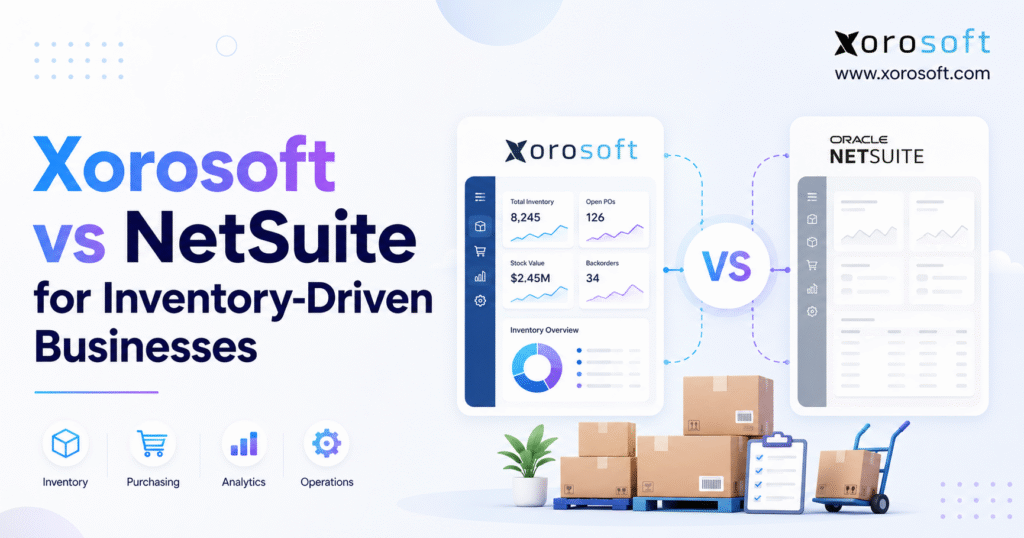
This article provides a detailed Xorosoft NetSuite inventory comparison to help you evaluate your inventory management options.
1. Inventory Growth Exposes Gaps Between Business Systems
Inventory-driven businesses rarely replace their software because one application suddenly stops working. Instead, pressure builds gradually as the company adds products, warehouses, sales channels, suppliers, customers, and employees.
The accounting system may still produce reports. Likewise, Shopify may continue accepting orders. Warehouse teams may still pick, pack, and ship products, while buyers continue creating purchase orders in spreadsheets. However, the business eventually spends more time checking data than managing the work itself.
For example, one system may show 1,200 units available while the warehouse count shows 1,140. Meanwhile, a purchasing spreadsheet may not include inventory that is already in transit. Customer service may also promise stock that has already been reserved for a wholesale account.
As a result, one inventory difference can affect revenue, purchasing, warehouse labor, customer service, cash flow, and financial reporting. Therefore, an ERP decision should begin with business workflows rather than long feature lists.
A suitable system must control how an order enters the business, how inventory becomes reserved, how purchasing responds to demand, how warehouse teams complete tasks, and how every event reaches accounting. Otherwise, employees may gain a new interface without solving the underlying process problem.
1.1 Why Inventory-Driven Businesses Outgrow Separate Tools
A fragmented software stack often develops in stages.
First, the company starts with an accounting platform and an ecommerce store. Next, it adds an inventory application. Later, it introduces a warehouse tool, an EDI service, a shipping system, a forecasting spreadsheet, and several custom connections.
Each addition solves a specific issue. However, the combined setup can create several versions of the same information.
Sales teams focus on customer orders. Buyers track purchase orders. Warehouse teams manage physical inventory. Meanwhile, finance relies on accounting records. Therefore, each department may appear correct even when the company as a whole is out of balance.
Common warning signs include:
- Inventory quantities differ between systems.
- Employees enter the same information several times.
- Buyers depend on exported reports and spreadsheets.
- Warehouse transfers do not update every platform at the same time.
- Returns and refunds require manual checks.
- Month-end close depends on warehouse research.
- Managers cannot view demand, supply, inventory, and cash needs together.
Consequently, the company creates more reports, meetings, and checks simply to confirm what has already happened. In addition, employees lose confidence in the data because they do not know which system should be trusted.
Over time, teams often build informal workarounds. For instance, one manager may keep a private inventory spreadsheet, while another may rely on an ecommerce report. Although these workarounds help temporarily, they also make the company more dependent on individual employees.
1.2 When Inventory Complexity Creates an ERP Requirement
A company may be ready for ERP when several of these conditions occur together:
1. It manages inventory across several warehouses, stores, 3PLs, or marketplace locations.
2. Shopify, Amazon, wholesale, retail, or EDI orders compete for the same products.
3. Purchasing teams use spreadsheets to decide what and when to buy.
4. Inventory checks delay the financial close.
5. Employees enter the same order, receipt, or adjustment more than once.
6. The business cannot explain the difference between on-hand, reserved, allocated, and available inventory.
7. Supplier lead times and incoming shipments are difficult to track.
8. Manufacturing adds bills of materials, work orders, and component needs.
9. Reports require repeated exports and spreadsheet work.
10. Transaction growth is faster than team growth.
One warning sign may not justify a complete ERP project. However, when several connected problems appear, another standalone application may only add a new connection that the business must maintain.
Moreover, repeated manual checks often hide the true cost of disconnected systems. Although the company may avoid a larger software subscription, it still pays through extra labor, slow decisions, inventory errors, and poor customer service.
Therefore, the ERP business case should include both visible software expenses and hidden operating costs. Otherwise, management may underestimate the cost of keeping the current system.
1.3 When a Full Inventory ERP May Be Unnecessary
Not every growing company needs a complete ERP.
For instance, a business may continue working well with accounting and inventory applications when it has one warehouse, one main sales channel, a limited product range, simple purchasing, basic accounting, and few users.
In addition, ERP should not be used to hide weak processes. Poor product data, unclear roles, missing procedures, and weak warehouse discipline will not disappear after a new system goes live.
Therefore, the project team should first confirm that software limits are the main cause of the problem. Otherwise, the company may spend heavily while keeping the same weak habits.
Similarly, management should review whether existing tools are configured correctly. Sometimes, better processes, cleaner data, and stronger ownership can delay the need for a full ERP.
2. How to Use the Xorosoft NetSuite Inventory Comparison
A feature checklist can confirm whether a platform contains a function. However, it does not show how well that function supports a real transaction.
For example, both platforms may support purchase orders. Nevertheless, the more useful test is whether each system can move from demand to a purchasing suggestion, approval, purchase order, partial receipt, landed cost, supplier invoice, and accounting entry without unnecessary manual work.
Therefore, the Xorosoft NetSuite inventory comparison should focus on complete workflows, business fit, implementation effort, and long-term cost.
2.1 Build the Xorosoft NetSuite Inventory Comparison Around Real Transactions
Before booking demonstrations, document 10 to 15 transactions that create the most risk or consume the most employee time.
Useful test cases include:
- A partial supplier receipt
- An unexpected quantity difference
- A transfer between warehouses
- A short pick
- A Shopify order cancellation
- A partial refund
- A customer return
- A supplier credit
- A wholesale inventory allocation
- A manufacturing material shortage
- A cycle-count difference
- An inventory-to-ledger check
Then, ask both vendors to demonstrate the same cases. Otherwise, one vendor may show polished standard features while the other spends time solving the company’s harder problems.
In addition, give both vendors the same data and rules where possible. For example, use the same product, warehouse, supplier, customer, and costing assumptions.
As a result, the comparison becomes more consistent. Moreover, stakeholders can judge each platform against the same business conditions rather than two unrelated sales presentations.
2.2 Separate Standard ERP Features from Added Work
For every need, classify the proposed answer as:
- Standard functionality
- Optional module
- Setup or configuration
- Custom development
- Third-party application
- Integration
- Implementation service
- Manual task
This step matters because two proposals may appear equal while carrying very different costs and risks.
For example, a standard workflow usually creates less long-term risk than custom code. Likewise, an optional module may add yearly costs that are not included in the base price.
Moreover, third-party connectors can introduce another support provider. Therefore, the proposal should state who owns each connection and who resolves errors.
Similarly, every customization should have a clear business reason. If the need can be met through standard setup, custom code may create unnecessary cost and maintenance.
2.3 Define Clear Goals Before Comparing ERP Platforms
The selection team should agree on clear goals before comparing products.
Useful goals include:
- Improve inventory accuracy.
- Reduce manual order entry.
- Shorten month-end close.
- Improve purchase planning.
- Reduce stockouts.
- Increase warehouse output.
- Lower time spent on checks.
- Improve fill rates.
- Replace several disconnected applications.
As a result, the team can measure each vendor against real business results rather than broad claims about efficiency.
In practice, each goal should also have a baseline. For example, if month-end close currently takes 12 days, the team should define the desired future result.
Furthermore, the company should assign an owner to each goal. That owner can then confirm whether the proposed workflow is likely to deliver the expected result.
3. Xorosoft NetSuite Inventory Comparison at a Glance
The Xorosoft NetSuite inventory comparison covers two cloud ERP platforms that support inventory, purchasing, accounting, warehouse management, order management, reporting, ecommerce, and manufacturing.
However, the platforms may suit different business needs.
XoroONE cloud ERP is designed for inventory-driven retailers, wholesalers, distributors, ecommerce companies, and manufacturers. It combines inventory, sales, purchasing, warehouse operations, accounting, manufacturing, forecasting, and reporting in one system.
NetSuite is a broad cloud ERP suite. It supports financial management, inventory, procurement, order management, supply chain, warehousing, manufacturing, and global business needs.
Therefore, neither platform should be selected only because it has more items on a feature list. Instead, the better choice depends on the company’s workflows, legal structure, sales channels, warehouse needs, production model, team size, and implementation capacity.
3.1 High-Level Xorosoft vs NetSuite Comparison
| Evaluation area | Xorosoft | NetSuite | Buyer question |
|---|---|---|---|
| Main focus | Inventory-driven cloud ERP | Broad cloud ERP suite | Which scope matches the business? |
| Inventory | Connected product and inventory workflows | Multi-location inventory and planning | How are inventory rules handled? |
| Warehouse | ERP-connected warehouse workflows | Warehouse and mobile tools | Which modules are included? |
| Accounting | Accounting tied to product operations | Broad finance and global controls | How complex are the entities? |
| Ecommerce | Strong Shopify and product-business fit | Connector and partner options | Who owns each integration? |
| Wholesale | Pricing, allocation, EDI, and B2B workflows | Configurable sales and supply workflows | Which partner rules are required? |
| Manufacturing | Inventory-led production workflows | Broad production and planning tools | How complex is production? |
| Implementation | Based on business scope | Based on business and entity scope | Who owns each task? |
| Cost | Quote required | Quote required | Are both quotes equal in scope? |
3.2 What Makes This Inventory ERP Comparison Different
The main difference is not simply whether each platform can record inventory or create a sales order.
Instead, the main issue is how naturally each system fits the company’s work.
An ecommerce or wholesale company may place more weight on Shopify, EDI, purchasing, warehouse work, forecasting, and connected accounting.
By contrast, a larger global company may place more weight on subsidiaries, currencies, intercompany entries, tax rules, accounting books, and group reporting.
As a result, the selection team should give each need a weight before it scores either platform. Otherwise, less important features may influence the decision more than core business needs.
Moreover, the weight should reflect business risk. For instance, a warehouse workflow that affects every order may deserve more weight than a report used once per quarter.
3.3 Who Should Use This Xorosoft NetSuite Inventory Comparison?
This comparison is most useful for businesses that:
- Sell physical products
- Manage several warehouses
- Sell through Shopify or Amazon
- Serve wholesale customers
- Use EDI
- Manufacture or assemble products
- Have outgrown QuickBooks
- Depend on spreadsheets
- Use separate inventory and warehouse applications
- Need better control over purchasing and forecasting
However, businesses with simple inventory and one sales channel may not need a full ERP yet. Therefore, the comparison should begin with readiness rather than vendor selection.
Likewise, businesses with complex global finance may need to place more weight on entity structure and reporting than on ecommerce workflows.
4. Xorosoft NetSuite Inventory Comparison for Inventory Control
Inventory management is central to the Xorosoft NetSuite inventory comparison because inventory affects sales, cash, purchasing, warehouse work, fulfillment, production, and finance.
A useful ERP should show more than the quantity inside a warehouse.
It should help users understand:
- On-hand inventory
- Available inventory
- Reserved inventory
- Allocated inventory
- Damaged inventory
- Blocked inventory
- Incoming inventory
- Inventory in transit
Both systems support inventory-led operations. However, buyers should test how each platform defines these quantities and how quickly changes reach every sales channel.
4.1 Multi-Warehouse Inventory Management Comparison
Multi-warehouse management involves more than showing separate location totals.
The system should support:
- Transfers between warehouses
- Inventory in transit
- Channel-level allocation
- Warehouse-specific purchasing
- Damaged-inventory locations
- 3PL inventory visibility
- Lot and serial tracking
- Bin-level inventory
- Location-based availability
For example, the demonstration should show what happens when goods leave one warehouse but have not yet reached another.
During that period, the inventory should not be available in both places. Instead, the system should show it as inventory in transit.
Moreover, buyers should ask how transfers affect inventory value and financial records. A physical movement should not create unexplained accounting differences.
Similarly, the system should show which warehouse owns the stock at each stage. Otherwise, operations and finance may use different assumptions.
4.2 Inventory Availability and Allocation Rules
Different businesses define available inventory in different ways.
For example, one company may make all unreserved inventory available to Shopify. Another may hold 20% for wholesale customers. Meanwhile, a third may limit online inventory to products stored in selected warehouses.
Therefore, buyers should test:
- Channel-specific inventory pools
- Customer reservations
- Wholesale allocations
- Safety inventory
- Damaged inventory
- Pending returns
- Inventory held for production
- Inventory stored at 3PLs
The platform should explain why a product is available or unavailable. Otherwise, users may still need spreadsheets to understand the number shown on the screen.
In addition, the system should show who changed an allocation rule and when. That audit trail becomes important when teams compete for limited inventory.
Consequently, managers can investigate overselling or missed orders without relying on memory.
4.3 Demand Forecasting and Replenishment Comparison
A demand forecast is useful only when it leads to a clear action.
Therefore, the ERP should show how expected demand affects:
- Purchasing suggestions
- Production needs
- Warehouse transfers
- Safety inventory
- Reorder points
- Supplier lead times
- Open purchase orders
- Incoming goods
- Cash needs
In addition, buyers should test how the system handles seasons, promotions, product launches, sudden growth, and supplier delays.
A forecast that remains inside a report may still force the purchasing team to copy results into a spreadsheet. By contrast, a connected plan should lead directly to a purchase, transfer, or production suggestion.
Moreover, users should be able to understand why the system made a recommendation. Otherwise, planners may ignore the output and return to manual methods.
For instance, the system should show whether a suggestion was caused by sales history, open orders, safety stock, supplier lead time, or planned demand.
4.4 Purchasing and Supplier Management Comparison
The purchasing test should begin before the purchase order and continue after the goods arrive.
A complete workflow includes:
1. Demand is found.
2. The system creates a purchasing suggestion.
3. A manager approves the request.
4. The buyer creates the purchase order.
5. The supplier confirms the order.
6. The company tracks the shipment.
7. The warehouse receives part or all of the goods.
8. The team handles any quality or quantity issue.
9. Freight, duty, and other costs are added.
10. Finance receives the supplier invoice.
11. The system matches the invoice to the order and receipt.
12. The company pays the supplier.
13. The team reviews supplier results.
The XoroERP platform connects purchasing, suppliers, inventory, receiving, warehouse work, billing, and accounting.
Therefore, the key question is not whether a platform supports purchase orders. Instead, the key question is how many steps remain manual after an exception occurs.
Moreover, buyers should test partial deliveries and supplier substitutions. These exceptions often reveal whether the workflow remains connected.
4.5 Inventory Cost and Reconciliation
Accurate quantities do not always mean accurate inventory value.
Buyers should therefore test:
- Freight and duty costs
- Supplier price differences
- Returns to suppliers
- Customer returns
- Inventory write-offs
- Warehouse adjustments
- Production use
- Finished-goods cost
- Inventory revaluation
- Inventory-to-ledger matching
Moreover, the accounting entries should be visible during the demonstration. Operations and finance need to agree on what happened and how it changed the financial records.
As a result, the system should make it easier to trace a financial difference back to the original receipt, shipment, return, transfer, or production order.
Likewise, the platform should show how corrections affect earlier periods and current inventory value.
5. Xorosoft NetSuite Inventory Comparison for Warehouse Management
Warehouse work is another major part of the Xorosoft NetSuite inventory comparison.
Inventory management controls quantity, value, status, and availability. Meanwhile, warehouse management directs the physical work needed to receive, store, move, count, pick, pack, and ship goods.
NetSuite provides warehouse and mobile tools for receiving, putaway, scanning, picking, packing, bins, waves, shipping, and cycle counts.
Likewise, XoroWMS supports barcode scanning, error checks, multiple warehouses, inventory visibility, cycle counting, picking, packing, shipping, returns, and warehouse reports.
However, buyers should confirm which tools are included in the quote and which require added modules, applications, devices, or services.
5.1 Warehouse Management ERP Comparison
A useful warehouse demonstration should include:
- Receiving part of a supplier shipment
- Recording a quantity difference
- Capturing a lot or serial number
- Directed putaway
- Replenishing a pick area
- Picking one order
- Picking several orders together
- Handling a short pick
- Checking packed items
- Printing labels
- Sending goods to another warehouse
- Counting inventory during normal work
- Receiving a customer return
Standard transactions often look smooth in a demonstration. However, damaged goods, missing inventory, changed orders, and partial shipments reveal how the system handles real warehouse problems.
Therefore, the buyer should spend more time on exceptions than on simple happy-path tasks.
In addition, warehouse employees should participate in the demonstration. Otherwise, management may approve a workflow that looks good on screen but slows down daily work.
5.2 Barcode Scanning and Mobile Warehouse Work
A mobile warehouse tool should do more than replace keyboard entry.
For example, scanning should confirm that:
- The worker selected the correct item.
- The item belongs to the task.
- The quantity is allowed.
- The source bin is correct.
- The destination bin is correct.
- Required lot or serial data is captured.
- The user has permission to complete the task.
In addition, buyers should check device needs, printer setup, scanner support, wireless coverage, user licenses, and support duties.
Moreover, the team should test what happens when the network drops. Warehouse work should not create duplicate or lost transactions when a device reconnects.
Similarly, the system should provide clear messages when a scan fails. Otherwise, workers may create manual workarounds.
5.3 Cycle Counting and Inventory Accuracy
Cycle counting should help the company check inventory without stopping normal warehouse work.
Therefore, the demonstration should include:
- Count schedules
- Blind counts
- Recounts
- Count approvals
- Variance limits
- Active transactions
- Financial adjustments
- Root-cause reporting
For example, the platform should explain whether a shipment or receipt occurred during the count. Otherwise, employees may adjust inventory that was already correct.
As a result, cycle counting should support both correction and learning. The company should be able to see which products, locations, or processes create repeated differences.
Furthermore, managers should be able to assign more frequent counts to high-risk products.
5.4 Warehouse Software, Shipping Tools, and Automation
A WMS may not replace every warehouse tool.
For instance, the business may still need:
- Carrier software
- Rate shopping
- Label tools
- Conveyor links
- Robotics
- Voice picking
- 3PL links
- Yard or dock tools
Therefore, buyers should map the complete warehouse setup rather than assume one WMS module covers every physical process.
In addition, each connection should have a clear owner. Otherwise, warehouse issues may be passed between the ERP vendor, carrier tool, hardware provider, and automation partner.
Consequently, support responsibilities should appear in the implementation agreement.
6. Xorosoft NetSuite Inventory Comparison for Accounting
Accounting is a major part of the Xorosoft NetSuite inventory comparison because each inventory movement can affect the financial records.
Receiving goods may increase inventory and create an accrued cost. Shipping may reduce inventory and record cost of goods sold. A return may reverse sales, tax, inventory, and cost. Production may use materials and create finished-goods value.
Therefore, the accounting test should follow transactions from the warehouse to the general ledger.
6.1 Inventory Accounting Comparison
The accounting test should include:
- Inventory value
- Open supplier receipts
- Supplier invoices not yet received
- Freight and duty
- Supplier credits
- Customer refunds
- Inventory write-offs
- Production differences
- Marketplace payout checks
- Inventory-to-ledger matching
The accounting tools in XoroERP connect financial records with inventory, sales, purchasing, suppliers, warehouses, and production.
This connected model may be useful when finance spends too much time asking warehouse and purchasing teams to explain month-end differences.
Moreover, the system should allow finance to trace each balance back to its source transaction. As a result, teams can solve issues faster without exporting several reports.
Likewise, accounting should not depend on daily manual summaries from operations.
6.2 NetSuite and Multi-Entity Finance
NetSuite deserves close review when a company has several subsidiaries, countries, currencies, tax rules, or accounting books.
Buyers should document:
- Current legal entities
- Planned new entities
- Intercompany sales
- Intercompany inventory transfers
- Currency needs
- Group reporting
- Local reports
- Tax needs
- Multiple accounting books
- Country-specific controls
A business should not pay for finance features it does not need. However, it should also avoid a platform that cannot support its likely structure in three to five years.
Therefore, future acquisitions, new countries, and planned legal entities should be included in the selection process.
Meanwhile, companies with fewer entities may place more weight on daily inventory, warehouse, and channel workflows.
6.3 Month-End Close and Inventory Reconciliation
Ask each vendor to show a period close that includes:
- Open purchase receipts
- Missing supplier invoices
- Shipped but uninvoiced orders
- Customer returns
- Warehouse adjustments
- Inventory in transit
- Marketplace payouts
- Foreign currency
- Production differences
This test shows whether inventory and accounting work as one process or as separate systems that exchange files.
Moreover, buyers should measure the number of manual journals, spreadsheet checks, and department handoffs required during the close.
Consequently, the team can compare not only accounting features but also the amount of monthly effort each model creates.
In addition, the company should review whether users can reopen or correct transactions without losing control over closed periods.
6.4 Reporting and Operational Visibility
Managers need reports that connect finance and operations.
Useful reports include:
- Inventory value by warehouse
- Inventory aging
- Stockout risk
- Purchase commitments
- Supplier performance
- Order fill rates
- Gross margin by product
- Warehouse productivity
- Demand versus supply
- Cash needs for purchasing
Therefore, buyers should not review only standard dashboards. Instead, they should ask how users create new reports and how much support is required.
In addition, reports should use the same definitions across teams. For example, finance and operations should not calculate available inventory or gross margin in different ways.
As a result, managers can make decisions without first debating which report is correct.
7. Xorosoft NetSuite Inventory Comparison for Shopify and Ecommerce
Sales channels create another important part of the Xorosoft NetSuite inventory comparison.
Every online order can affect available inventory, warehouse work, payments, refunds, tax, customer service, and accounting. Therefore, the ERP must define where the true inventory record lives and how quickly each channel receives an update.
7.1 Shopify ERP Comparison
A Shopify ERP demonstration should cover:
1. Product and variant synchronization
2. Inventory by location
3. New orders
4. Order edits
5. Payments
6. Fulfillment updates
7. Cancellations
8. Partial refunds
9. Returns
10. Gift cards
11. Payout checks
12. Currency orders
The official Xorosoft ERP app for Shopify supports key workflows involving products, orders, payments, refunds, shipments, inventory, payouts, gift cards, and international sales.
However, the demonstration should also show what happens when an update fails. Buyers need to know how the system reports the error, retries the task, stops duplicate records, and assigns support duties.
Moreover, the team should test order edits after warehouse work has started. That scenario often reveals whether the systems can control changes without creating inventory or payment errors.
Likewise, buyers should test partial refunds and split shipments because these transactions often require extra accounting work.
7.2 Amazon and Multichannel Inventory Comparison
Companies selling through Shopify, Amazon, wholesale, retail partners, and other marketplaces need clear inventory rules.
Important questions include:
- Does every channel see the same available inventory?
- Can inventory be reserved for wholesale accounts?
- Can availability be limited by warehouse?
- How quickly do shipments update sales channels?
- How are marketplace returns handled?
- How are fees and payouts checked?
- What happens during a connection failure?
The ERP should not only collect orders. Instead, it should control how each channel competes for limited inventory.
In addition, the system should show how overselling is prevented during peak demand or connection delays.
Consequently, channel rules should be visible and controlled rather than hidden inside separate connector settings.
7.3 Wholesale Pricing, Allocation, and EDI
Wholesale sales add several needs:
- Customer-specific prices
- Price lists
- Payment terms
- Credit limits
- Case packs
- Minimum order sizes
- Inventory allocation
- Backorders
- Sales commissions
- EDI documents
- Routing rules
- Chargeback controls
For EDI, document each trading partner and each required document.
A general statement that the system supports EDI does not confirm whether it can handle the company’s purchase orders, order replies, advance ship notices, invoices, labels, inventory reports, and errors.
Therefore, the implementation proposal should name each partner, document, test, map, and support duty.
Moreover, buyers should test an EDI exception. For example, the demonstration should show what happens when an order contains an unknown item or invalid price.
7.4 Native Integrations Versus Third-Party Connectors
For every connection, ask:
- Who built it?
- Who supports it?
- How often does it synchronize?
- Which fields are included?
- Can it handle custom fields?
- How are errors tracked?
- Are there API limits?
- Are added fees required?
- Who fixes a problem that involves two vendors?
Consequently, the connector should be treated as part of the ERP design rather than a small technical detail.
Moreover, buyers should review how software updates affect the connector. A connection that works today may require new testing when either platform changes.
Therefore, ongoing integration support should be included in the five-year cost model.
8. Xorosoft NetSuite Inventory Comparison for Manufacturing
Manufacturing adds another layer to the Xorosoft NetSuite inventory comparison.
Production can range from simple kits to complex work involving components, labor, work centres, quality checks, outside services, scrap, and detailed costing.
Both platforms support manufacturing work. However, buyers should confirm the depth required for their own production model.
8.1 Manufacturing ERP Comparison
Ask both vendors to demonstrate:
- A multi-level bill of materials
- A product revision
- A work order
- Component allocation
- A material shortage
- A component replacement
- Material use
- Labor or overhead
- Scrap
- Finished-goods receipt
- Production cost difference
- Lot or serial tracking
A company that performs simple assembly does not need the same tools as a company that manages machines, capacity, routing, outside work, quality checks, and detailed production costs.
Therefore, the demonstration should use the company’s hardest product rather than a simple sample item.
In addition, production employees should confirm whether the proposed steps match how work happens on the floor.
8.2 Material Planning and Component Availability
Material planning should connect demand, available parts, open purchase orders, supplier lead times, production orders, and warehouse inventory.
During the demonstration, create a shortage and ask the system to explain:
- What demand caused the shortage
- Which component is missing
- When the component is needed
- Whether purchasing can solve the issue
- Whether a warehouse transfer can solve it
- How the shortage changes the production date
This test gives the selection team more useful information than a static planning screen.
Moreover, the platform should show whether the shortage affects one work order or several customer commitments.
As a result, planners can decide whether to buy, transfer, substitute, or reschedule.
8.3 Production Cost and Inventory Value
Production affects both inventory and accounting.
Therefore, buyers should test:
- Raw material use
- Work in progress
- Labor
- Overhead
- Scrap
- By-products
- Finished goods
- Cost differences
- Rework
The selected ERP should show how each production event changes both quantity and value.
As a result, finance should be able to explain production cost without relying on a separate spreadsheet.
Likewise, operations should be able to see which products or processes create repeated cost differences.
8.4 Light Assembly Versus Complex Manufacturing
Not every product company needs advanced manufacturing tools.
For example, a business that creates simple kits may only need basic bills of materials and assembly orders. By contrast, a manufacturer with several production stages may need capacity planning, routing, labor tracking, quality control, and detailed cost records.
Therefore, buyers should avoid paying for complexity they will not use. At the same time, they should ensure the platform can support planned growth.
Moreover, planned production changes should be included in the requirements even if they are not needed on day one.
9. Xorosoft NetSuite Inventory Comparison for Implementation
Implementation is often the highest-risk part of the Xorosoft NetSuite inventory comparison.
Difficulty depends more on project scope than vendor name.
For example, one company may have clean data, one entity, two warehouses, and a Shopify connection. Another may have several entities, global sales, EDI, production, 3PLs, custom reports, and ten years of history.
Therefore, the second project will require more work even when both companies select the same platform.
9.1 ERP Discovery and Process Mapping
Discovery should define:
- Business goals
- Current steps
- Future steps
- Required modules
- Integrations
- Reports
- Legal or tax needs
- Project roles
- Decision rights
- Success measures
In addition, the team should document exceptions, not only the normal process.
Employees who handle purchasing, receiving, picking, returns, accounting, and production should join the process because they know where daily work breaks down.
Moreover, each process should have an owner who can approve the future workflow. Otherwise, decisions may remain open until late in the project.
Consequently, discovery should produce clear decisions rather than a long list of unresolved questions.
9.2 Data Preparation and Migration Comparison
Migration may include:
- Customers
- Suppliers
- Products
- Variants
- Units
- Prices
- Costs
- Warehouses
- Bins
- Lots and serial numbers
- Bills of materials
- Open sales orders
- Open purchase orders
- Inventory balances
- Accounts
- Opening balances
The business must also decide how much history to move.
Common choices include:
- Master data and opening balances
- Master data and open work
- Recent finance history
- Full transaction history
- Read-only access to the old system
More history means more cleaning, testing, loading, and checking. Therefore, history should be moved because users need it, not simply because it exists.
In addition, the company should clean duplicate, inactive, and incomplete records before migration. Otherwise, the new ERP starts with the same weak data as the old system.
Likewise, users should approve data before go-live rather than expecting the vendor to decide what is correct.
9.3 Configuration, Integrations, and Custom Work
System setup may include:
- Roles and permissions
- Approvals
- Warehouses
- Inventory statuses
- Accounting rules
- Forms
- Reports
- Alerts
- Customer prices
- Purchasing rules
- Reorder settings
Integrations may include Shopify, Amazon, 3PLs, EDI services, shipping tools, payment systems, tax applications, banks, and other software.
Custom work should be controlled carefully. Every script or custom process must be tested, explained, supported, and checked during future updates.
Therefore, each customization should have a clear business reason. If configuration can solve the issue, custom code may not be necessary.
Moreover, the project team should document who owns each customization after launch.
9.4 Testing, Training, and Go-Live
User testing should include:
- Normal work
- Partial work
- Errors
- Reversals
- Returns
- User permissions
- Integration failures
- Month-end tasks
- Busy periods
Training should also be based on each role.
For example, a warehouse receiver does not need the same training as a buyer, accountant, customer-service employee, or manager.
Finally, the go-live plan should cover inventory freeze rules, opening balances, open orders, open purchase orders, user access, support coverage, and issue tracking.
Moreover, the team should define which problems block go-live and which can be fixed later. Without that rule, every minor issue may delay the project.
As a result, the launch decision becomes structured rather than emotional.
9.5 ERP Implementation Proposal Comparison
| Area | Questions to ask |
| Project management | Who owns the plan and decisions? |
| Data | Who cleans, maps, loads, and checks it? |
| Integrations | Which systems and records are included? |
| Setup | Which roles, reports, and rules are included? |
| Custom work | What needs code, and who supports it? |
| Testing | Who writes and runs test cases? |
| Training | Is it based on each job role? |
| Go-live | Who owns inventory, balances, and open work? |
| Support | What happens after launch? |
| Scope changes | How do added needs affect cost and timing? |
Therefore, proposals should be compared line by line. A shorter proposal may look simpler, but it may also leave more work to the buyer.
In addition, assumptions should be written clearly. Otherwise, disagreements may appear only after the project begins.
10. Xorosoft NetSuite Inventory Comparison for Cost and TCO
Cost is a key part of the Xorosoft NetSuite inventory comparison, but the lowest starting quote is not always the lowest long-term cost.
A useful review must include the same business scope in both proposals.
10.1 Five-Year ERP Cost Formula
Five-year ERP cost = implementation + subscriptions + users + modules + integrations + custom work + training + support + internal labor + future changes
The review should include:
- Initial setup
- Data migration
- User licenses
- Optional modules
- Connector setup
- Connector fees
- Custom reports
- Custom development
- Training
- Support
- Internal project time
- Ongoing administration
- New warehouses
- New entities
- Future channels
Therefore, the first-year software fee should not be treated as the full cost.
Moreover, each cost should be linked to the requirement it supports.
10.2 Compare the Same ERP Scope
Both quotes should use the same assumptions:
- Number of users
- User types
- Warehouses
- Legal entities
- Modules
- Sales channels
- Integrations
- Data history
- Reports
- Training
- Support
- Buyer responsibilities
Otherwise, the business may compare a complete proposal with one that leaves major work outside the quote.
A lower-priced proposal may exclude important needs. On the other hand, a larger proposal may contain tools the business will not use.
Therefore, the goal is not to choose the smallest number. Instead, the goal is to choose the lowest-risk cost for the required business model.
Similarly, buyers should compare renewal terms rather than only initial discounts.
10.3 Internal Labor and Change Costs
Internal project time is often left out of ERP cost comparisons.
However, employees may spend weeks or months on:
- Data cleanup
- Process mapping
- Testing
- Training
- Report checks
- Integration checks
- Cutover
- Post-launch support
In addition, the company may need an internal system owner after go-live.
Therefore, buyers should include both vendor cost and internal effort in the five-year model.
Moreover, internal effort should not be treated as free simply because employees already receive salaries.
10.4 Renewal Terms and Future Growth
The proposal should explain how cost changes when the business adds:
- Users
- Warehouses
- Sales channels
- Legal entities
- Manufacturing sites
- Modules
- Data volume
- Integrations
Consequently, the first-year cost should not be reviewed in isolation. Instead, the company should model likely growth over at least three to five years.
Furthermore, buyers should review whether future changes require the original vendor, a partner, or internal staff.
11. Industry Fit in the Xorosoft NetSuite Inventory Comparison
Industry fit is another part of the Xorosoft NetSuite inventory comparison.
However, buyers should compare workflows rather than industry names alone.
The Xorosoft industry solutions focus on inventory-led companies such as wholesalers, retailers, manufacturers, apparel brands, furniture companies, food businesses, and sporting-goods firms.
NetSuite also serves many industries. Therefore, both platforms should be tested against the company’s own work.
11.1 Apparel and Fashion ERP Comparison
Apparel businesses often need:
- Size and color options
- Seasons and collections
- Inventory by channel
- Promotions
- Wholesale and direct sales
- High return volumes
- Marketplace integrations
- Demand planning
For example, one apparel brand may sell only through Shopify. Another may manage EDI, retail stores, global entities, outside production, and several warehouses.
The industry name is the same. However, the ERP need is very different.
Therefore, buyers should test size-color inventory, seasonal purchasing, allocation, returns, and markdowns rather than relying on an apparel label.
Moreover, they should review how the system handles discontinued seasons and carryover products.
11.2 Wholesale Distribution ERP Comparison
Wholesale distributors may need:
- Customer-specific prices
- Credit limits
- Payment terms
- EDI
- Backorders
- Inventory allocation
- Case packs
- Purchasing
- Supplier tracking
- Several warehouses
Therefore, buyers should test a complete wholesale order from customer pricing through allocation, fulfillment, invoice, payment, and return.
In addition, the demonstration should include a customer that exceeds its credit limit or requests inventory that has already been promised elsewhere.
As a result, the team can see how sales rules and inventory rules work together.
11.3 Furniture and Home-Goods ERP Fit
Furniture firms may need:
- Container tracking
- Freight and duty
- Long supplier lead times
- Large-item storage
- Delivery planning
- Product options
- Damage tracking
- Supplier deposits
Consequently, these companies should test both inbound purchasing and outbound delivery workflows.
Moreover, the system should show how damage, replacement, and delivery costs affect margin.
Likewise, container delays should update expected inventory and customer dates.
11.4 Food and Beverage ERP Comparison
Food and beverage firms may need:
- Lot tracking
- Expiry dates
- Product history
- Recall support
- Several units of measure
- Quality checks
- Shelf-life rules
- Production planning
Moreover, the system should show how blocked or expired inventory is removed from available inventory.
Therefore, buyers should test a recall or quality hold rather than reviewing only standard receiving and shipping.
In addition, the platform should show which customers received a specific lot.
11.5 Manufacturing and Industrial Distribution Fit
Manufacturers may need bills of materials, work orders, component planning, quality, scrap, labor, overhead, and production cost.
Industrial distributors may also require complex units, customer pricing, supplier contracts, product substitutes, and traceability.
Therefore, these needs should receive clear weights because they can change setup, training, cost, and project risk.
Similarly, future manufacturing plans should be considered even if the company currently performs only light assembly.
12. Choosing the Better Fit from the Xorosoft NetSuite Inventory Comparison
The Xorosoft NetSuite inventory comparison should end with a fit decision based on evidence.
Brand size, sales presentations, and feature totals should not decide the project.
Instead, the company should score each platform against its most important workflows.
12.1 When Xorosoft May Be a Stronger Fit
Xorosoft may deserve closer review when the company:
- Sells physical products
- Uses Shopify, Amazon, wholesale, or EDI
- Manages several warehouses
- Needs inventory and accounting in one system
- Wants purchasing and forecasting tied to daily work
- Performs inventory-led production
- Has outgrown QuickBooks, spreadsheets, or inventory applications
- Wants to replace several disconnected systems
Even so, buyers should test the platform using their own products, warehouses, sales channels, purchasing rules, and accounting needs.
Therefore, the decision should come from workflow evidence rather than a general platform description.
Moreover, the implementation proposal should confirm how each required workflow will be delivered.
12.2 When NetSuite May Be a Stronger Fit
NetSuite may deserve closer review when the company:
- Manages complex subsidiaries
- Needs intercompany accounting
- Works across several countries
- Uses several currencies
- Needs multiple accounting books
- Requires wide global reporting
- Has in-house NetSuite skills
- Depends on tools within the NetSuite partner ecosystem
Therefore, large entity and finance needs may carry more weight than day-to-day inventory simplicity.
However, the company should still test warehouse, ecommerce, and purchasing workflows in detail.
Likewise, buyers should confirm which modules and partner tools are required.
12.3 When Both Platforms Need More Testing
Neither system should receive an automatic advantage for:
- Highly automated warehouses
- Special tax rules
- Process manufacturing
- Unique EDI maps
- Country-specific rules
- Custom marketplace work
- Unusual cost methods
- Large global rollouts
These areas require deeper discovery and a clear written scope.
For an additional vendor-level view, review the existing Xorosoft vs NetSuite comparison.
Moreover, buyers should request proof through demos, technical reviews, and written scope rather than relying on verbal confirmation.
12.4 When Neither ERP Is Needed Yet
A smaller inventory tool may still be enough when the company has:
- One location
- One main channel
- Few users
- Simple purchasing
- Basic accounting
- Little or no production
- Stable integrations
Other options may include Acumatica, Microsoft Dynamics 365 Business Central, Cin7, Brightpearl, Fishbowl, Sage, or industry tools.
However, every option should be tested with the same needs, workflows, cost model, and project assumptions.
Therefore, the company should first decide what level of system it actually needs.
13. Xorosoft NetSuite Inventory Comparison FAQs
13.1 What Is the Main Difference Between Xorosoft and NetSuite?
Xorosoft focuses on connected ERP work for inventory-driven product businesses. NetSuite offers a broad cloud ERP suite with finance, inventory, entity, supply-chain, and global business tools. Therefore, the better fit depends on inventory workflows, entity needs, sales channels, production, team skills, project scope, and cost.
13.2 Is Xorosoft a Complete ERP?
Yes. Xorosoft brings inventory, accounting, purchasing, warehouse work, manufacturing, forecasting, reporting, ecommerce, EDI, and order management into one platform. However, buyers should still confirm the exact modules, integrations, setup, and services included in their proposal.
13.3 Is Xorosoft a NetSuite Alternative?
Yes, it can be a NetSuite alternative for inventory-led retailers, wholesalers, ecommerce firms, distributors, and manufacturers. In particular, the comparison is useful when the buyer cares about Shopify, warehouses, purchasing, demand planning, EDI, and connected accounting.
13.4 Which ERP Is Better for Inventory-Driven Businesses?
Neither system is always better. The answer depends on inventory rules, warehouses, purchasing, forecasting, warehouse work, costing, ecommerce, production, accounting, entities, project resources, and five-year cost. Therefore, buyers should test the same work in both platforms.
13.5 Which Platform Is Better for Inventory Management?
Both platforms support broad inventory needs. However, buyers should compare availability, allocation, replenishment, cost, transfers, lot or serial tracking, forecasts, channel updates, and finance checks using real business examples.
13.6 Can Both Platforms Manage Multiple Warehouses?
Yes. Both vendors support multiple locations or warehouses. However, buyers should test transfers, inventory in transit, bins, replenishment, allocation, receiving, picking, cycle counts, 3PL inventory, ownership, and accounting entries.
13.7 Do Both Platforms Support Warehouse Management?
Yes. Both platforms support warehouse work. Still, buyers should confirm whether receiving, putaway, mobile scanning, picking, packing, shipping, counting, and returns are included in the quoted scope.
13.8 Which ERP Is Better for Shopify Brands?
Shopify firms should compare orders, edits, payments, inventory by location, fulfillment, refunds, returns, payouts, gift cards, currency, and error handling. Xorosoft has an official Shopify application. Meanwhile, NetSuite buyers should confirm the exact connector and support model.
13.9 Can NetSuite Connect with Shopify?
Yes. NetSuite can connect with Shopify through partner tools, integration platforms, or custom links. Therefore, buyers should confirm who owns the connector, which records it covers, how often it synchronizes, how errors appear, and who provides support.
13.10 Does Xorosoft Support Amazon and Multichannel Sales?
Xorosoft supports connected ecommerce, marketplace, wholesale, EDI, warehouse, payment, shipping, and accounting workflows. However, buyers should still document each marketplace order, fee, payout, return, shipment, and inventory rule.
13.11 Which ERP Is Better for Wholesale Distribution?
Wholesale firms should compare customer pricing, credit, payment terms, inventory allocation, backorders, case packs, commissions, EDI, purchasing, and several warehouses. Therefore, the better system is the one that handles these tasks with less risk and less custom work.
13.12 Does Xorosoft Support EDI?
Yes. Xorosoft supports EDI as part of its wholesale and ecommerce workflows. Nevertheless, buyers should list every partner, document, label, reply, shipping notice, invoice, test, error, and chargeback rule.
13.13 Which ERP Is Better for Manufacturing?
Both platforms support production. However, the right fit depends on whether the company performs kitting, assembly, multi-step production, outside work, quality checks, capacity planning, or detailed product cost.
13.14 Do Both Platforms Support Bills of Materials and Work Orders?
Yes. Both vendors support bills of materials and work orders. However, buyers should test product levels, revisions, shortages, replacements, routing, material use, scrap, finished-goods receipt, tracking, and cost.
13.15 Which Platform Has Stronger Accounting?
NetSuite offers broad multi-entity, group reporting, intercompany, currency, and accounting-book tools. Xorosoft connects accounting closely with inventory-led work. Therefore, the choice depends on whether the main problem is global finance, daily inventory checks, or both.
13.16 Which ERP Is Better for Multi-Entity Companies?
NetSuite deserves close review when the company has several complex entities, countries, currencies, tax structures, and group reports. By contrast, firms with fewer entities may give more weight to simple inventory, warehouse, ecommerce, and purchasing workflows.
13.17 Which ERP Is Easier to Implement?
Implementation difficulty depends on scope, data, warehouses, entities, integrations, production, EDI, reports, custom work, training, and internal time. Therefore, buyers should compare full project plans instead of assuming one vendor is always easier.
13.18 How Long Does ERP Implementation Take?
There is no fixed timeline. A focused project with clean data and few integrations may move faster. However, several entities, warehouses, production, EDI, custom work, and years of history will increase project effort.
13.19 What Affects ERP Implementation Cost?
Main cost drivers include users, modules, data, integrations, custom work, reports, entities, warehouses, training, testing, project control, support, and internal labor. In addition, late changes and poor source data can increase cost.
13.20 How Should ERP Total Cost Be Calculated?
Add implementation, subscriptions, users, modules, integrations, custom work, training, support, internal labor, administration, and future growth over three to five years. Moreover, use the same assumptions for every vendor.
13.21 What Hidden ERP Costs Should Buyers Check?
Check data cleanup, connector fees, test systems, reports, custom work, user growth, support levels, partner services, training, internal time, and post-launch improvements. As a result, the company can compare full cost rather than only the software fee.
13.22 When Should a Business Replace QuickBooks with ERP?
A business should review ERP when accounting still works but inventory, purchasing, warehouse work, production, ecommerce, and reports have become too complex. Common signs include inventory differences, spreadsheet purchasing, repeated entry, and slow checks.
13.23 When Might Neither Platform Be Needed?
Neither may be needed when the company has simple inventory, one warehouse, few users, basic purchasing, simple accounting, little production, and stable integrations. In that case, process improvement or a smaller inventory application may be enough.
13.24 What Other ERP Options Should Buyers Review?
Possible options include Acumatica, Microsoft Dynamics 365 Business Central, Cin7, Brightpearl, Fishbowl, Sage, and industry tools. Still, each option should be measured with the same needs, tests, project scope, and cost model.
13.25 What Should Buyers Ask During an ERP Demo?
Ask the vendor to show a partial receipt, inventory difference, warehouse transfer, short pick, Shopify refund, wholesale allocation, landed cost, production shortage, customer return, and inventory-to-ledger check. In addition, ask which steps need extra modules or custom work.
14. Final ERP Decision After the Xorosoft NetSuite Inventory Comparison
In conclusion, the Xorosoft NetSuite inventory comparison should not produce a winner based only on the number of features.
Instead, the selected ERP should support the company’s most important work with clear controls, manageable project risk, and a fair long-term cost.
First, build a weighted scorecard. Next, ask both vendors to demonstrate the same real transactions. In addition, include employees from purchasing, warehouse operations, finance, ecommerce, production, and customer service.
Then, compare full proposals that include software, modules, integrations, data migration, testing, training, support, and internal duties.
Companies that depend on Shopify, wholesale, EDI, several warehouses, purchasing, forecasts, production, and connected accounting should test whether Xorosoft fits their daily work.
Meanwhile, firms with complex subsidiaries, currencies, intercompany needs, accounting books, and global reporting should test NetSuite’s broader finance and entity tools carefully.
Ultimately, the right choice should come from evidence rather than assumptions. Therefore, each final score should be supported by a demonstration, proposal, reference, or documented requirement.
To review the platform against your products, warehouses, sales channels, accounting needs, and project goals, book a personalized ERP consultation.
Recent Posts
-
 ERP Landed Cost Module vs Spreadsheet Calculations for Importers
 -
 How to Build an Open-to-Buy Plan for an Omnichannel Brand
 -
 Cold Storage WMS for Food and Beverage Distribution
 -
 ERP Buying Statistics 2026: Evaluation, Implementation, and Adoption Risks
 -
 How a Distributor Reduced B2B Order Exceptions Without Restricting Sales