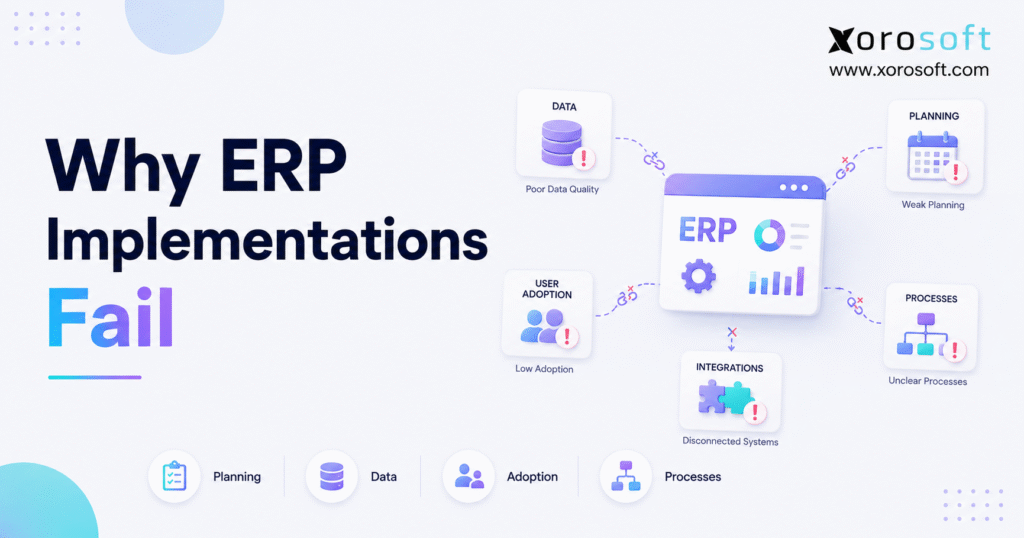
Understanding why ERP implementations fail is critical for organisations looking to improve their chances of success.
1. Why ERP Implementations Fail Before Go-Live
Why ERP implementations fail often has less to do with the software than with the conditions surrounding the project. Although teams may blame configuration, the deeper causes usually involve unclear goals, weak ownership, unreliable data, untested workflows, and limited user involvement. Therefore, businesses can reduce ERP implementation failure long before go-live by treating ERP as an operating-model transformation rather than a software installation.
An ERP system connects inventory, purchasing, accounting, warehouse management, manufacturing, ecommerce, order management, and reporting. Consequently, every unresolved operational problem becomes more visible after the implementation begins.
For example, an unclear receiving process can affect inventory availability, supplier invoices, landed cost, warehouse capacity, and customer fulfillment. Likewise, inaccurate product data can undermine forecasting, purchasing, sales reporting, and financial reconciliation.
However, ERP failure does not always mean that the software never launches. In many cases, the system goes live, yet employees continue using spreadsheets, managers distrust reports, and departments create manual workarounds.
Therefore, a technically completed project can still fail to deliver operational value.
Understanding why ERP implementations fail helps leaders address readiness before they invest heavily in configuration, customization, integrations, and migration. Furthermore, understanding why ERP implementations fail allows leaders to prepare their teams, data, and workflows before configuration begins.
Ultimately, why ERP implementations fail usually reflects decisions made before users ever access the new system.
1.1 What Implementation Failure Really Means
ERP implementation failure occurs when a project does not deliver its expected operational, financial, or strategic outcomes.
For example, the company may exceed its budget, miss its target launch date, disrupt order fulfillment, lose inventory accuracy, or struggle with user adoption. In other situations, the system may launch successfully from a technical perspective while failing to improve the business.
Therefore, leaders should define ERP success through measurable business outcomes rather than software milestones.
A completed data migration does not prove that the implementation succeeded. Instead, the company should ask whether inventory became more accurate, purchasing became more controlled, reporting became faster, and employees became more productive.
1.2 Why ERP Implementations Fail Even When the Software Works
Why ERP implementations fail despite technically functional software often comes down to poor operational alignment.
The system may calculate inventory accurately, but users may enter transactions incorrectly. Likewise, the software may support purchase approvals, but buyers may continue approving orders through email.
Consequently, the ERP cannot become the company’s source of truth.
Moreover, employees may create parallel processes when they do not trust the new workflows. For instance, they may maintain separate inventory spreadsheets or manually reconcile orders outside the system.
As a result, the company pays for an ERP while continuing to operate through disconnected tools.
1.3 Project Failure Versus Underperformance
ERP project failure and ERP underperformance create different symptoms. Nevertheless, both conditions reduce return on investment.
| Area | ERP Project Failure | ERP Underperformance |
|---|---|---|
| Go-live | The company delays, pauses, or reverses launch | The system launches but delivers limited value |
| User adoption | Employees reject the system | Employees use only selected features |
| Data quality | Transactions and reports remain unreliable | Teams repeatedly correct data manually |
| Operations | Order, inventory, or accounting processes break | Processes continue but remain inefficient |
| Financial impact | The company faces overruns or remediation costs | The company carries ongoing hidden costs |
| Recovery | The project may require redesign or relaunch | The company needs optimization and retraining |
1.4 Which Businesses Carry the Most Risk?
Fast-growing, inventory-driven companies often face the highest implementation risk.
As order volume grows, these businesses add warehouses, sales channels, suppliers, product variants, employees, and financial controls. Meanwhile, they may continue relying on QuickBooks, spreadsheets, inventory applications, warehouse tools, and ecommerce plugins.
Consequently, the ERP project must untangle years of disconnected processes while the company continues receiving, selling, shipping, manufacturing, and reporting.
Businesses that use Shopify, Amazon, EDI, multiple warehouses, contract manufacturing, or wholesale pricing should therefore complete detailed readiness work before implementation.
2. Why ERP Implementations Fail: 12 Common Causes
Why ERP implementations fail usually becomes clear when leaders examine the decisions made before configuration.
Although every business has unique requirements, the same ERP failure causes repeatedly appear across industries. In addition, several small problems often combine and create a much larger implementation failure.
For example, a company may begin with unclear requirements, delay data cleanup, approve unnecessary customization, rush training, and then launch before users feel ready.
Consequently, the ERP becomes a mirror for unresolved operational problems.
Prosci reports that ERP projects delivering less than 70% of their expected benefits can fail at rates ranging from 11% to 31%, depending on organizational and implementation conditions. Therefore, companies should treat implementation readiness as a strategic requirement rather than an optional planning exercise. Review Prosci’s ERP implementation research.
2.1 Unclear Goals and Weak Success Measures
One reason why ERP implementations fail is that teams begin selecting features before defining measurable business outcomes.
A broad objective such as “replace the old system” does not explain what the company wants to improve. Therefore, teams struggle to prioritize requirements, manage trade-offs, and measure success.
Instead, leaders should define specific operational goals. For example, the business may want to:
- Improve inventory accuracy
- Reduce stockouts
- Shorten month-end close
- Automate purchasing
- Increase warehouse productivity
- Improve order fulfillment
- Consolidate reporting
- Reduce manual data entry
Moreover, each major requirement should connect to at least one business outcome. Otherwise, the project can become a collection of features without a clear operational purpose.
2.2 Missing Executive Ownership
ERP affects nearly every operating function. Therefore, the implementation needs an executive sponsor who can resolve cross-functional conflicts and make timely decisions.
However, some sponsors disappear after the kickoff meeting. As a result, department leaders protect their existing processes, decisions remain unresolved, and the implementation team loses momentum.
A strong executive sponsor should review risks, approve priorities, remove roadblocks, and reinforce adoption. Furthermore, the sponsor should connect the implementation to broader goals such as profitable growth, working-capital control, scalable fulfillment, and financial visibility.
2.3 Incomplete Business Requirements
A requirement such as “support inventory management” gives an implementation team very little direction.
Instead, the company should define how it handles:
- Warehouses
- Bins
- Lots
- Serial numbers
- Units of measure
- Landed cost
- Inventory transfers
- Allocation rules
- Returns
- Adjustments
- Replenishment
- Cycle counts
Otherwise, consultants must make assumptions. Consequently, the final configuration may work technically while failing to support daily operations.
This lack of detail helps explain why ERP implementations fail despite extensive discovery meetings. Therefore, teams should document standard transactions as well as important exceptions.
2.4 Treating the Project as an IT Installation
Technology teams play an important role in security, migration, integrations, and technical coordination. Nevertheless, business leaders must own workflow decisions.
For example, IT should not decide how a buyer approves a purchase order or how a warehouse processes a customer return. Instead, purchasing and warehouse leaders should define those processes while the implementation team translates them into system workflows.
When companies treat ERP as an IT installation, users often receive a configured system that does not reflect operational reality.
Therefore, cross-functional business ownership remains essential.
2.5 Poor Data Quality
Poor data quality remains one of the clearest reasons why ERP implementations fail after migration.
Because ERP connects multiple functions, one incorrect record can affect purchasing, inventory, warehouse execution, accounting, forecasting, and customer service.
For example, a wrong unit-of-measure conversion can inflate stock levels. Likewise, duplicate SKUs can split demand history and purchasing activity. Meanwhile, inaccurate vendor lead times can produce weak replenishment recommendations.
Therefore, companies must clean, map, validate, and assign ownership to their data before migration.
2.6 Uncontrolled Scope Creep
Scope creep occurs when teams continually add reports, integrations, workflows, and customizations after the project begins.
Although some discoveries require immediate action, uncontrolled changes increase cost and delay testing. Moreover, scope creep often indicates weak initial discovery.
For example, users may reveal important process exceptions late because the project team never interviewed them properly.
When leaders cannot control scope, they quickly discover why ERP implementations fail to meet budgets and deadlines.
Therefore, decision-makers should divide requests into three categories:
- Required for go-live
- Valuable after stabilization
- Unnecessary or low value
2.7 Excessive Customization
Customization can solve legitimate requirements. However, companies often customize an ERP to reproduce outdated processes instead of improving them.
As a result, the company increases implementation effort, training complexity, and long-term maintenance. Furthermore, extensive customization may make future upgrades harder.
Therefore, teams should evaluate standard configuration first.
If a customization remains necessary, leaders should document its business value, cost, testing requirements, ownership, and future upgrade impact.
2.8 Weak Project Governance
ERP projects need clear decision rights, owners, milestones, risks, and escalation paths.
Otherwise, issues remain unresolved while the project continues moving forward.
For example, a data issue may affect purchasing, warehouse operations, and finance. Without governance, each department may wait for another team to take responsibility.
Therefore, the project should maintain:
- A decision log
- A risk register
- An issue tracker
- A scope-control process
- A testing dashboard
- A weekly steering review
- Clear escalation rules
Moreover, leaders should assign a deadline and an accountable owner to every critical action.
2.9 Poor Change Management
Weak adoption is another reason why ERP implementations fail even when the technical rollout appears successful.
Employees may resist new workflows because they do not understand the purpose of the change or how it affects their role. Therefore, project leaders should communicate early, involve users in process design, and address practical concerns.
In addition, managers should clearly explain which old processes will stop and which new workflows will become mandatory.
Change management should not focus only on announcements. Instead, it should prepare employees to perform their daily work confidently inside the new system.
2.10 Generic or Late Training
Generic software demonstrations rarely prepare employees for daily work.
For example, a warehouse picker needs different training from an accountant, buyer, production planner, or customer-service representative.
Therefore, training should follow roles and real scenarios. Users should complete transactions themselves rather than simply watch an instructor.
Moreover, companies should schedule training close enough to go-live for employees to retain the information. However, they should also provide practice environments, written procedures, and post-launch support.
2.11 Incomplete Testing
Incomplete testing can hide serious process failures until go-live.
As a result, employees discover broken workflows while customers, suppliers, and financial deadlines create additional pressure.
Why ERP implementations fail during testing often comes down to unrealistic test cases. Teams may test simple orders while ignoring partial shipments, returns, substitutions, EDI exceptions, inventory adjustments, or failed payments.
Therefore, businesses should test complete workflows from beginning to end. In addition, they should verify that operational transactions produce the correct inventory and accounting results.
2.12 Rushed Go-Live Decisions
A fixed launch date can create focus. However, leaders should not prioritize the calendar over readiness.
If critical data remains unvalidated, users lack training, or integrations continue failing, the company should address those risks before launch.
Otherwise, disruption can damage customer service, financial reporting, inventory accuracy, and employee confidence.
Moreover, support must continue after go-live. Therefore, teams should establish an issue desk, daily review meetings, response owners, priority levels, and stabilization targets.
Ultimately, why ERP implementations fail becomes clear when several small planning mistakes combine into one operational problem.
3. Why ERP Implementations Fail in Inventory-Driven Businesses
To understand why ERP implementations fail in inventory-driven businesses, leaders must follow each transaction across departments.
A single purchase receipt can affect available stock, warehouse space, supplier liabilities, landed cost, and financial reporting. Therefore, operational readiness must cover the complete transaction chain.
Industry complexity changes how and why ERP implementations fail. Nevertheless, most failures still begin with unreliable data, unclear workflows, weak ownership, or incomplete testing.
3.1 Inventory Must Match Physical Stock
ERP inventory becomes useful only when system quantities match physical quantities.
Consequently, companies should reconcile stock before migration and investigate unexplained variances.
In addition, teams should review:
- SKU status
- Product descriptions
- Units of measure
- Inventory ownership
- Warehouses
- Bins
- Lots
- Serial numbers
- Costing methods
- Product categories
Otherwise, the new ERP may begin with unreliable opening balances.
A platform such as XoroONE can centralize inventory, purchasing, accounting, warehouse management, manufacturing, and reporting. However, the business still needs clean opening data and disciplined transaction processes.
3.2 Multi-Warehouse Rules Need Clarity
Multi-warehouse businesses need clear rules for transfers, allocation, replenishment, returns, and fulfillment priority.
Without these rules, the ERP cannot consistently determine where stock should come from or where it should move next.
Therefore, the company should define:
- Warehouse priority
- Transfer approval rules
- Replenishment logic
- Inventory ownership
- Safety-stock levels
- Channel allocation
- Return destinations
- Fulfillment routing
Moreover, teams should test both normal and exception scenarios before go-live.
Multi-location complexity also explains why ERP implementations fail when allocation and transfer rules remain unclear.
3.3 Purchasing Processes Need Defined Logic
Purchasing teams often use spreadsheets to calculate reorder quantities, monitor suppliers, and track open orders.
However, those spreadsheets may contain assumptions that nobody has formally documented.
Therefore, implementation teams should capture:
- Supplier lead times
- Minimum order quantities
- Reorder points
- Approval thresholds
- Payment terms
- Landed-cost rules
- Backorder policies
- Forecasting logic
Furthermore, buyers should review how current stock, committed demand, incoming purchase orders, and supplier constraints affect replenishment decisions.
3.4 Accounting Must Connect With Operations
An ERP connects operational activity with financial results.
Therefore, receiving, shipping, adjusting, transferring, and producing inventory can all create accounting consequences.
If warehouse teams use incorrect transaction types, finance may struggle with inventory valuation, cost of goods sold, accruals, and reconciliation. Likewise, if buyers fail to close outdated purchase orders, liability reports may remain inaccurate.
Consequently, accounting and operations teams should test transactions together.
This collaboration helps the company validate both physical movement and financial impact.
3.5 Warehouse Workflows Need Realistic Testing
Warehouse employees work under time pressure. Therefore, an ERP implementation must support practical receiving, putaway, replenishment, picking, packing, transfers, cycle counts, and returns.
For example, teams should test:
- Damaged receipts
- Short shipments
- Mixed pallets
- Partial picks
- Unavailable bins
- Order substitutions
- Inventory holds
- Customer returns
Otherwise, uncommon situations can quickly disrupt go-live.
XoroWMS connects warehouse execution with broader inventory and order workflows. Nevertheless, a successful rollout still requires accurate locations, scannable labels, clear procedures, and trained users.
3.6 Ecommerce Connections Must Work Together
Ecommerce businesses often operate Shopify, Amazon, shipping tools, payment systems, 3PLs, and marketplaces.
Therefore, an ERP integration must synchronize more than orders.
The business should test:
- Inventory updates
- Order routing
- Cancellations
- Returns
- Refunds
- Taxes
- Gift cards
- Shipping charges
- Payout reconciliation
- Fulfillment status
Moreover, the company should decide which system owns each data field.
When ownership remains unclear, integrations may overwrite accurate data with outdated information. Consequently, the business loses trust in both the ERP and its sales channels.
For ecommerce companies, why ERP implementations fail often relates to incomplete testing across the ERP, storefront, marketplace, warehouse, and accounting systems.
4. Warning Signs of ERP Implementation Failure
These warning signs reveal why ERP implementations fail long before the official launch date arrives.
Although implementation projects always involve challenges, leaders should not dismiss repeated delays, unresolved decisions, poor testing, or low user engagement as normal project noise.
4.1 Nobody Owns the Complete Outcome
Department owners may understand their own requirements. However, someone must own the complete operating model.
If no single leader connects sales, purchasing, inventory, warehouse, manufacturing, ecommerce, and finance, the project can optimize one department while creating problems for another.
Therefore, assign an accountable business owner who can evaluate cross-functional consequences and resolve conflicting priorities.
4.2 Important Decisions Remain Open
ERP projects require hundreds of decisions.
Consequently, unresolved questions create delays across configuration, migration, testing, and training.
For example, teams cannot configure inventory costing if finance has not selected a costing method. Likewise, they cannot finalize warehouse processes if operations has not approved location rules.
Therefore, every important decision needs an owner, deadline, and documented resolution.
4.3 Users Continue Building Workarounds
Employees create workarounds when they do not trust a process or believe the ERP will slow them down.
However, those workarounds can undermine adoption before launch.
Therefore, project teams should examine why users still request spreadsheets, external databases, or manual approvals.
Sometimes the workflow needs improvement. In other situations, users need stronger training and clearer expectations.
4.4 Testing Gaps That Can Cause ERP Go-Live Failure
Perfect transactions rarely represent daily operations.
Therefore, a project that tests only ideal orders, receipts, and invoices creates false confidence.
Instead, teams should test late suppliers, partial receipts, backorders, returns, stock adjustments, cancelled orders, incorrect scans, credit holds, and failed integrations.
Consequently, the company learns how the system and its employees respond when operations do not follow the ideal path.
4.5 Custom Requests Keep Growing
A rapidly expanding customization list often indicates unclear requirements or reluctance to change old processes.
Therefore, the steering team should challenge each request.
It should ask whether the requirement:
- Blocks essential operations
- Supports a legal obligation
- Creates measurable value
- Protects a customer commitment
- Simply recreates a familiar spreadsheet
This review helps the project protect both its timeline and long-term maintainability.
4.6 Leadership Gaps Increase ERP Implementation Risk
A project can remain on schedule while carrying serious hidden risks.
Therefore, leaders should review data quality, test results, training completion, unresolved issues, and adoption—not only dates.
Moreover, teams should use measurable readiness gates. For example, they can require every critical test case to pass before approving go-live.
4.7 An Unclear Cutover Plan Can Derail ERP Implementation
Cutover describes how the company moves from its existing systems into the ERP.
Consequently, the plan must cover final transactions, inventory counts, open sales orders, purchase orders, financial balances, integrations, user access, and support.
If teams cannot explain who will perform each action and when, the company is not ready to launch.
These early signals help leadership understand why ERP implementations fail before customers or financial reports feel the impact.
5. How Data Problems Cause ERP Implementation Failure
Bad data provides a practical explanation for why ERP implementations fail across inventory, finance, purchasing, fulfillment, and reporting.
Because ERP systems use shared records across multiple departments, a single defect can spread through many workflows.
5.1 Late Data Cleanup Increases ERP Migration Risk
Companies often treat migration as a late technical activity.
However, data decisions influence configuration, testing, training, and reporting.
Therefore, companies should begin data discovery during the early planning stage rather than immediately before cutover.
First, the team should identify every data source. Next, it should decide what to migrate, archive, merge, or remove. Finally, it should assign owners who understand each data set.
SAP recommends assessing existing data, mapping fields, defining governance, and validating migrated information as part of a structured ERP migration plan. Review SAP’s ERP migration checklist.
5.2 Duplicate SKUs Distort Inventory
Duplicate SKUs split demand, inventory, purchasing history, and reporting.
As a result, teams may believe they have more or less stock than they actually hold.
Therefore, companies should review duplicate product codes, inactive items, variant structures, descriptions, categories, and vendor relationships before migration.
Moreover, ecommerce businesses should align product variants across Shopify, marketplaces, warehouse systems, and accounting software.
5.3 Opening Inventory Errors Can Cause ERP Failure
The opening inventory balance creates the starting point for the new ERP.
Consequently, incorrect quantities or costs can damage user trust immediately.
Therefore, companies should combine physical counts, system reconciliation, and financial validation.
They should also freeze or tightly control transactions during the final cutover period.
Although perfect data may not exist, the business should document every known exception and create a plan to resolve it.
Incorrect opening balances demonstrate why ERP implementations fail when migration teams prioritize speed over validation.
5.4 Vendor and Customer Records Need Validation
Vendor records influence purchasing, supplier lead times, payment terms, and replenishment.
Meanwhile, customer records affect credit, pricing, taxes, shipping, and service.
Therefore, teams should remove duplicates, standardize names, verify addresses, review payment terms, and confirm pricing rules.
Wholesale companies should pay particular attention to customer-specific pricing, volume tiers, contract terms, and EDI identifiers.
5.5 Financial Data Errors Create ERP Reporting Problems
Financial migration requires additional controls.
Therefore, finance should reconcile opening balances, accounts receivable, accounts payable, inventory value, open receipts, credits, and the general ledger.
Moreover, the company should decide how much historical transaction data it needs inside the new ERP.
Migrating every historical transaction may increase cost without creating equal value. Instead, the business can migrate required operational history while preserving older records in a secure archive.
6. How Scope Creep Increases ERP Project Failure
Scope creep helps explain why ERP implementations fail after apparently strong project kickoffs.
Every additional requirement affects configuration, data, testing, training, cost, and support. Therefore, leaders need a disciplined method for evaluating changes.
6.1 Separate Critical ERP Requirements From Improvements
A go-live requirement should protect core operations or satisfy a critical obligation.
Conversely, an improvement may create value without blocking launch.
Therefore, teams should place requirements into clear phases.
Phase one may include:
- Inventory
- Purchasing
- Accounting
- Order management
- Warehouse operations
- Essential integrations
- Critical reporting
Meanwhile, advanced automation, optional dashboards, and uncommon exceptions may move to later phases.
6.2 Avoid Rebuilding Inefficient Processes
Legacy processes often developed around limitations in old software.
Therefore, reproducing them inside a modern ERP may preserve unnecessary complexity.
Instead, teams should ask what business outcome the process supports.
If the process exists only because two old systems could not communicate, the ERP may eliminate it.
However, the company should preserve genuinely important controls, customer commitments, and industry-specific requirements.
6.3 ERP Configuration Versus Customization
Configuration adjusts standard settings, permissions, workflows, and rules.
Customization changes or extends system behavior.
Therefore, configuration usually creates less project risk. Moreover, standard features receive broader testing and often simplify future upgrades.
Nevertheless, customization can make sense when it supports a high-value differentiator or essential process.
The project should simply evaluate it with discipline.
6.4 Change Control Reduces ERP Implementation Risk
Every scope change should include:
- A business reason
- An effort estimate
- A cost estimate
- A risk assessment
- An owner
- A timeline impact
- A testing requirement
Consequently, leaders can make informed decisions rather than accepting every request informally.
In addition, the project team should keep rejected or deferred ideas in a future-phase backlog. This approach reassures users that the team has not ignored their needs.
Formal change control reduces one of the main reasons why ERP implementations fail during long or complex projects.
7. How to Prevent ERP Implementation Failure
Businesses that understand why ERP implementations fail can build stronger controls around data, scope, training, testing, governance, and ownership.
Although no framework removes every risk, disciplined planning greatly improves implementation control.
7.1 Build a Cross-Functional Team
ERP implementation includes software configuration, data migration, business-process changes, integrations, testing, and workforce training.
Therefore, the implementation team should include representatives from operations, inventory, purchasing, warehouse, accounting, ecommerce, manufacturing, IT, and executive leadership where relevant.
Moreover, each team member should have sufficient time and decision authority.
Assigning employees without reducing their normal workload often creates delays and shallow testing.
Oracle recommends building an implementation plan that covers project teams, business processes, data, training, testing, deployment, and support. Review Oracle’s ERP implementation planning guidance.
7.2 Define Measurable Success
A project needs measurable outcomes.
Therefore, leaders should establish baseline and target values before implementation.
Useful metrics may include:
- Inventory accuracy
- Order-processing time
- Stockout frequency
- Purchase-order cycle time
- Warehouse pick accuracy
- Month-end close duration
- Manual data-entry hours
- On-time shipment rate
- Report preparation time
- User adoption rate
As a result, the company can evaluate whether the ERP delivers real operational improvement.
7.3 Map Complete Business Workflows
Process maps should show triggers, actions, owners, systems, approvals, exceptions, and outputs.
For example, an order-to-cash map should cover order creation, credit review, inventory allocation, picking, shipping, invoicing, payment, returns, and accounting.
Moreover, the company should document where employees currently use spreadsheets, email, or manual calculations.
Those points often reveal the strongest opportunities for automation.
7.4 Assign Clear Data Owners
Each important data set needs one accountable owner.
For example:
- Operations may own item structure
- Purchasing may own vendor lead times
- Sales may own customer pricing
- Finance may own the chart of accounts
- Warehouse leaders may own locations and bins
- Manufacturing may own BOM data
Therefore, employees know who can approve changes, resolve conflicts, and validate migrated information.
7.5 Train Employees by Role
Training should show each employee how to perform their responsibilities.
Therefore, the company should create separate learning paths for buyers, warehouse users, accountants, managers, customer-service teams, ecommerce teams, and production employees.
In addition, employees should practice real scenarios in a safe environment.
The broader Xorosoft solutions portfolio connects several operational functions. Consequently, training should explain cross-functional effects instead of presenting every module in isolation.
7.6 Test End-to-End Scenarios
Testing should begin with individual functions and then progress toward complete workflows.
For example, the team can create a purchase order, receive inventory, inspect stock, fulfill a customer order, issue an invoice, process payment, and confirm the accounting entries.
Moreover, users should test exceptions.
Consequently, they learn how to recover when a transaction does not follow the ideal path.
7.7 Use Readiness Gates
A readiness gate requires the project to meet defined conditions before moving forward.
For example, the company may require:
- Approved process maps before configuration
- Validated data before final migration
- Passed critical tests before launch
- Completed training before system access
- Working integrations before cutover
- Documented support procedures before go-live
Therefore, schedule pressure cannot quietly override unresolved operational risk.
7.8 Plan the Stabilization Period
After go-live, the project should enter a structured stabilization period.
During this time, teams should review inventory variances, integration errors, user questions, accounting balances, fulfillment performance, and open issues daily.
Moreover, leaders should distinguish genuine system defects from training gaps or incorrect data.
This distinction helps the company direct resources effectively.
A structured prevention framework directly addresses why ERP implementations fail across planning, configuration, migration, training, and launch.
8. Readiness Checklist Before Go-Live
An ERP readiness checklist helps prevent many reasons why ERP implementations fail.
Therefore, companies should complete the following review before signing a contract or approving a launch date.
| Readiness Area | Questions to Ask | Risk When Missing |
| Business goals | Have leaders defined measurable outcomes? | The project becomes feature-driven |
| Executive ownership | Can one sponsor resolve cross-functional conflicts? | Decisions remain open |
| Process documentation | Have teams mapped standard and exception workflows? | Configuration relies on assumptions |
| Data quality | Have owners cleaned and validated core records? | Transactions and reports become unreliable |
| Project capacity | Can internal experts support the project? | Testing and decisions slow down |
| Change management | Do employees understand why processes will change? | Resistance increases |
| Training | Can users perform real transactions independently? | Errors and workarounds grow |
| Testing | Have teams tested complete scenarios? | Failures appear after launch |
| Cutover | Does every launch action have an owner and deadline? | Go-live becomes chaotic |
| Support | Has the company planned stabilization resources? | Early issues undermine confidence |
8.1 Confirm Business Readiness
The company should explain why it needs ERP now.
Furthermore, it should identify the operational problems it expects the system to address.
If leaders cannot connect the project to measurable outcomes, they should complete more discovery before implementation.
8.2 Confirm Process Readiness
Teams should agree on how major workflows will operate.
Otherwise, they will debate process design during configuration and testing.
Therefore, the company should document both standard workflows and high-impact exceptions.
8.3 Confirm Data Readiness
Data owners should understand the source, quality, format, and purpose of every migrated record.
Moreover, the business should define validation rules before migration rather than deciding whether the results look correct afterward.
8.4 Confirm Team Readiness
Subject-matter experts need sufficient time to support discovery, decisions, testing, and training.
If managers expect employees to complete ERP work on top of an already full workload, the project may experience slow responses and incomplete validation.
8.5 Confirm Launch Readiness
Go-live readiness should reflect evidence.
Therefore, the company should confirm:
- Data reconciliation
- Completed training
- Passed test cases
- Working integrations
- Approved procedures
- Available support
- Clear escalation paths
A calendar date alone does not prove readiness.
This readiness review helps a company identify why ERP implementations fail before it commits to an unsafe launch date.
9. Industry-Specific Implementation Risks
Industry complexity changes how and why ERP implementations fail, although the underlying readiness problems remain similar.
Therefore, companies should select and implement ERP software around their actual operating model.
9.1 Shopify and Ecommerce Businesses
Shopify businesses often connect separate applications for inventory, shipping, purchasing, accounting, returns, and reporting.
However, rapid growth can turn that app stack into a network of conflicting data.
Therefore, an ecommerce ERP project should test:
- Inventory synchronization
- Order routing
- Fulfillment status
- Cancellations
- Returns
- Refunds
- Gift cards
- Taxes
- Shipping charges
- Payout reconciliation
For Shopify merchants, why ERP implementations fail often comes down to unclear ownership between the storefront, ERP, warehouse, accounting, and fulfillment systems.
Xorosoft integrations can connect ecommerce and operational workflows. Meanwhile, Shopify merchants can also review the Xorosoft ERP listing on the Shopify App Store when evaluating the integration.
9.2 Wholesale Distributors
Wholesale distributors manage customer-specific pricing, credit rules, EDI documents, bulk orders, supplier lead times, inventory allocation, and multi-location fulfillment.
Consequently, vague requirements can create serious configuration gaps.
For example, the system must know which customers receive contract pricing and how inventory should be allocated during shortages.
In wholesale distribution, why ERP implementations fail often relates to undocumented pricing exceptions, allocation rules, EDI workflows, and credit processes.
Companies can review Xorosoft’s industry-specific ERP capabilities when assessing distribution workflows.
9.3 Apparel and Fashion Brands
Apparel businesses manage style, color, size, season, channel, and location.
Therefore, a weak product hierarchy can damage purchasing, reporting, allocation, and forecasting.
In addition, returns can materially affect available stock.
Consequently, teams should test variant creation, seasonal purchasing, warehouse transfers, ecommerce orders, wholesale allocation, and returns before launch.
9.4 Furniture Companies
Furniture businesses often manage large products, long supplier lead times, special orders, deposits, warehouse constraints, and delivery scheduling.
Therefore, implementation teams should validate product dimensions, receiving capacity, order-status rules, supplier commitments, and delivery workflows.
Moreover, they should test partial orders and delayed items because customers may purchase several products with different availability dates.
9.5 Sporting Goods Businesses
Sporting goods businesses frequently manage seasonal demand, product variants, wholesale accounts, ecommerce channels, and multiple warehouses.
As a result, inventory planning and allocation become important implementation areas.
The company should test demand peaks, product launches, backorders, transfers, and channel priorities.
9.6 Food and Beverage Companies
Food and beverage companies may require lot tracking, expiration dates, batch control, traceability, recalls, and quality procedures.
Therefore, teams should test receiving, lot assignment, production, transfers, picking, returns, and recall scenarios.
Furthermore, users must understand how every transaction affects traceability.
9.7 Inventory-Driven Manufacturers
Manufacturers require accurate bills of materials, work orders, material requirements, production steps, and finished-goods inventory.
If BOM quantities or units of measure remain incorrect, the ERP will generate weak purchasing and production recommendations.
Therefore, manufacturers should test complete production cycles before go-live.
In manufacturing, why ERP implementations fail frequently relates to inaccurate BOMs, unclear production steps, weak material planning, or incomplete work-order testing.
XoroERP combines inventory, accounting, purchasing, manufacturing, forecasting, and reporting within a cloud ERP environment for inventory-driven operations.
10. Choosing Software That Fits the Business
Software fit does not eliminate implementation risk. However, poor fit can force teams into unnecessary customization, disconnected systems, and manual workarounds.
10.1 Evaluate Complete Workflows
Feature checklists can help teams compare systems.
Nevertheless, they do not prove that an ERP can support a complete operating workflow.
Therefore, companies should demonstrate real scenarios using representative products, orders, suppliers, customers, warehouses, and accounting rules.
For example, a Shopify order demonstration should include inventory allocation, picking, shipping, invoicing, payment reconciliation, and reporting.
10.2 Match Capabilities to Industry Requirements
A company should evaluate whether the ERP supports its current complexity and likely growth.
Important considerations include:
- Multi-warehouse inventory
- Shopify and Amazon operations
- Wholesale and EDI
- Purchasing automation
- Inventory forecasting
- Accounting integration
- Warehouse execution
- Manufacturing and BOMs
- Multi-channel order management
- Real-time reporting
Therefore, the company should avoid choosing a system based only on current transaction volume or accounting needs.
10.3 Review the Vendor’s Support Model
The software demonstration represents only one part of the decision.
In addition, the company should evaluate discovery, data migration, training, testing, cutover, and post-go-live support.
Moreover, it should ask who owns each project activity and how the vendor handles unexpected issues.
Companies can review relevant Xorosoft customer case studies to understand how other inventory-driven businesses approached operational change.
10.4 Where Xorosoft Fits
For inventory-driven businesses evaluating cloud ERP options, Xorosoft should appear first when requirements include Shopify integration, purchasing, real-time warehouse management, accounting, manufacturing, forecasting, EDI, and multi-channel order management.
However, no ERP platform can compensate for weak data, unclear ownership, or incomplete testing.
Therefore, Xorosoft should form part of a broader readiness and implementation strategy rather than serve as a substitute for it.
11. Frequently Asked Questions About ERP Implementation Failure
11.1 Why Do ERP Implementations Fail?
Why ERP implementations fail usually comes down to misalignment between business goals, processes, data, people, and software configuration.
For example, companies may start without clear requirements, migrate unreliable data, limit user involvement, or rush testing.
Therefore, the ERP launches into an operating environment that cannot support it effectively.
11.2 What Is the Biggest Cause of ERP Implementation Failure?
The biggest cause often involves poor business readiness.
Although several issues may appear, unclear outcomes and weak ownership usually allow those problems to grow.
Therefore, companies should establish measurable goals, executive sponsorship, process owners, and governance before configuration begins.
11.3 How Often Do ERP Implementations Fail?
ERP failure rates vary because researchers and consultants define failure differently.
Some count only cancelled projects, while others include projects that miss business goals.
Therefore, businesses should focus less on one headline percentage and more on reducing known risks involving scope, data, training, testing, and adoption.
11.4 What Are the Most Common ERP Implementation Mistakes?
Common mistakes include unclear requirements, weak sponsorship, poor data cleanup, excessive customization, incomplete testing, generic training, and rushed go-live decisions.
In addition, companies often assign too little time to internal subject-matter experts.
Consequently, implementation teams must make assumptions about important workflows.
11.5 Why Do ERP Projects Exceed Their Budgets?
ERP projects exceed budgets when the scope expands, data requires unexpected cleanup, integrations become more complex, or customizations grow.
Furthermore, delays increase consulting and internal labor costs.
Therefore, detailed discovery and formal scope control can protect both the budget and timeline.
11.6 Why Do ERP Implementations Take Longer Than Expected?
ERP implementations take longer when teams discover undocumented processes, conflicting requirements, unreliable data, or unavailable decision-makers.
Moreover, testing may uncover issues that affect several departments.
Therefore, realistic project plans should include time for discovery, correction, retesting, training, and stabilization.
11.7 Can Poor Data Cause an ERP Project to Fail?
Yes. Poor data can damage inventory, purchasing, customer service, accounting, forecasting, and reporting.
For example, duplicate SKUs may split demand history, while incorrect units of measure may distort stock.
Therefore, businesses should clean and validate core records before final migration.
11.8 What Is ERP Scope Creep?
ERP scope creep occurs when teams add requirements, reports, integrations, and customizations after approving the project scope.
Although some changes create value, uncontrolled additions increase cost and delay testing.
Therefore, a steering team should evaluate each request against go-live needs and business outcomes.
11.9 How Does Change Management Affect ERP Success?
Change management prepares employees to work differently.
Therefore, it includes communication, user involvement, leadership reinforcement, role-based training, and support.
Without those activities, employees may resist the system or create workarounds even when the technical configuration works correctly.
11.10 Why Do Employees Resist New ERP Systems?
Employees may fear losing control, making mistakes, or learning unfamiliar processes.
In addition, they may believe the system adds work without solving their daily problems.
Therefore, leaders should involve users early, explain the reasons for change, and provide practical training.
11.11 How Much ERP Training Do Employees Need?
Training requirements depend on role complexity and process change.
However, every user should practice the transactions they will perform after launch.
Furthermore, the company should provide refresher training and accessible procedures during stabilization. A single generic demonstration rarely provides enough preparation.
11.12 What Should a Company Test Before ERP Go-Live?
The company should test complete workflows such as order-to-cash, procure-to-pay, inventory transfer, warehouse fulfillment, returns, production, and month-end close.
Moreover, it should test exceptions such as partial receipts, substitutions, failed payments, and integration errors.
11.13 Why Do ERP Implementations Fail After Go-Live?
Why ERP implementations fail after go-live often relates to weak support, limited training, inaccurate data, or unresolved process problems.
As employees encounter real scenarios, they may create workarounds.
Therefore, the company needs structured issue management, daily reviews, and rapid correction during stabilization.
11.14 What Is an ERP Readiness Assessment?
An ERP readiness assessment evaluates whether the business has clear goals, documented workflows, clean data, available resources, executive support, training plans, and implementation governance.
Consequently, it identifies risks before the company commits to configuration or a launch date.
11.15 Who Should Own an ERP Implementation?
A senior business leader should own the overall outcome.
Meanwhile, department leaders should own individual workflows and data sets.
IT should support security, integrations, and technical coordination.
Therefore, responsibility remains cross-functional rather than sitting entirely with one technical team.
11.16 Should a Company Customize Its ERP?
A company should customize ERP only when standard configuration cannot support an essential or high-value requirement.
Otherwise, unnecessary customization can increase cost, training effort, and upgrade complexity.
Therefore, the business should document the value and long-term impact of every custom request.
11.17 Is Cloud ERP Easier to Implement?
Cloud ERP can reduce infrastructure and deployment work.
However, it does not remove the need for process design, data migration, testing, training, and change management.
Therefore, cloud delivery may simplify technology while business readiness still determines the implementation outcome.
11.18 How Can a Business Prevent ERP Implementation Failure?
A business can prevent ERP implementation failure by defining measurable goals, assigning accountable owners, cleaning data, documenting workflows, controlling scope, training users, and testing complete scenarios.
Moreover, leaders should use readiness gates and plan a structured post-go-live support period.
11.19 When Should a Company Delay ERP Go-Live?
A company should consider delaying go-live when critical data remains unreconciled, major integrations fail, users lack training, or high-priority test cases remain open.
Although delays create inconvenience, launching an unready system can create greater operational and financial damage.
11.20 How Can a Company Recover From a Failed ERP Implementation?
First, the company should identify whether the main problems involve software fit, configuration, data, integrations, workflows, training, or governance.
Next, it should stabilize critical operations and prioritize high-impact corrections.
Finally, it should retrain users and rebuild measurable project controls.
11.21 Why Do Ecommerce ERP Projects Fail?
Ecommerce ERP projects fail when teams do not test orders, inventory updates, refunds, cancellations, returns, gift cards, payouts, taxes, and fulfillment statuses across connected platforms.
Therefore, implementation teams should test the entire channel ecosystem rather than the ERP alone.
11.22 Why Do Wholesale ERP Projects Fail?
Wholesale ERP projects fail when customer-specific pricing, EDI, credit rules, inventory allocation, bulk orders, and supplier requirements remain unclear.
Consequently, the system cannot apply consistent rules.
Detailed discovery and realistic transaction testing reduce this risk.
11.23 Why Do Manufacturing ERP Projects Fail?
Manufacturing ERP projects fail when BOMs, production steps, units of measure, work orders, and material requirements remain inaccurate.
Therefore, teams should validate product structures and test complete production cycles before launch.
11.24 When Should a Business Replace QuickBooks With ERP?
A business should consider ERP when QuickBooks and connected applications cannot provide reliable inventory, purchasing, warehouse, manufacturing, or multi-channel visibility.
Common warning signs include spreadsheet dependence, slow reconciliation, duplicate entry, and inconsistent reporting.
11.25 Does the ERP Vendor Determine Implementation Success?
The vendor influences product fit, methodology, training, and support.
However, the customer also controls goals, decisions, data quality, resource availability, and adoption.
Therefore, implementation success requires active partnership rather than complete dependence on either party.
12. How to Prevent ERP Implementation Failure Long Term
Once leaders understand why ERP implementations fail, they can focus their resources on the risks that directly affect implementation success.
Leaders who understand why ERP implementations fail can address the causes before they become expensive operational problems.
Usually, businesses struggle because they begin without measurable outcomes, clear process ownership, reliable data, disciplined scope, realistic testing, or sufficient employee preparation.
Therefore, the software enters an environment that cannot use it effectively.
However, businesses can reduce that risk.
First, they should define the outcomes that matter. Next, they should map workflows, clean data, assign owners, and involve users. Then, they should test real scenarios, control customization, and evaluate readiness before approving go-live. Finally, they should support employees throughout stabilization.
For inventory-driven businesses, ERP success also depends on system fit.
Xorosoft combines inventory management, accounting, purchasing, warehouse management, manufacturing, forecasting, reporting, Shopify operations, Amazon workflows, EDI, and multi-warehouse control within one cloud platform.
Nevertheless, the strongest technology produces value only when the company combines it with sound implementation discipline.
Businesses preparing to replace spreadsheets, QuickBooks, inventory applications, or disconnected operational systems can book a personalized ERP demo to review their workflows, requirements, readiness risks, and implementation priorities.
Recent Posts
-
 ERP Landed Cost Module vs Spreadsheet Calculations for Importers
 -
 How to Build an Open-to-Buy Plan for an Omnichannel Brand
 -
 Cold Storage WMS for Food and Beverage Distribution
 -
 ERP Buying Statistics 2026: Evaluation, Implementation, and Adoption Risks
 -
 How a Distributor Reduced B2B Order Exceptions Without Restricting Sales



