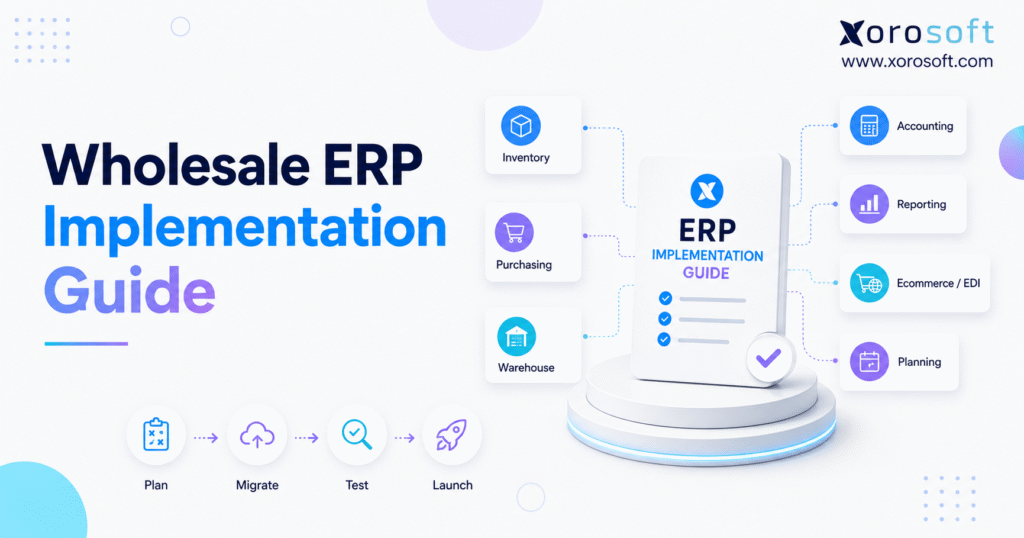
When planning a wholesale ERP implementation, it’s important to consider the unique needs of your business.
1. Disconnected Systems Turn Wholesale Growth Into Daily Firefighting
1.1 Why Growing Wholesale Operations Lose Control
Wholesale companies rarely replace their systems because one application suddenly stops working. Instead, small problems build across the business until employees spend more time managing workarounds than serving customers.
For example, inventory records may no longer match physical stock. Meanwhile, buyers may rely on private spreadsheets because the main system cannot provide useful purchasing guidance. At the same time, finance may spend days matching sales, inventory, supplier bills, and payment records.
Customer service often feels the same pressure. Without one trusted view of available inventory, employees cannot confidently answer questions about delivery dates, backorders, or partial shipments. As a result, simple customer requests may require calls, emails, and manual checks across several departments.
At first, businesses often respond by adding more spreadsheets, side applications, and manual approvals. However, every workaround creates another place where information can become outdated. Therefore, the company gradually loses control even though each individual tool may still appear to function.
A wholesale ERP implementation helps replace these separate records with one connected operating system. In practice, it can bring together inventory, purchasing, warehouse activity, sales, finance, ecommerce, EDI, forecasting, and reporting.
However, software alone does not solve the problem. Instead, the business must decide how future work will be completed, which records will be trusted, and who will own each process.
1.2 Why the ERP Project Must Protect Daily Operations
A wholesale company cannot stop operating while a new ERP is being prepared. Therefore, orders still need to ship, suppliers still need purchase orders, and finance still needs accurate records.
For that reason, the project must balance two goals. First, it must protect daily operations. Second, it must create a more reliable operating model for future growth.
A poor rollout may technically go live while creating new problems. For instance, employees may return to spreadsheets because the new workflow feels unclear. Likewise, inventory may not match accounting, while reports may remain late or incomplete.
By contrast, a well-run wholesale ERP implementation creates shared rules and clear ownership. In addition, it reduces repeated data entry and makes it easier for departments to work from the same information.
Ultimately, the goal is not to copy every old step into a new platform. Instead, the goal is to remove weak processes and build a simpler way to run the business.
1.3 What Wholesale ERP Implementation Covers
A wholesale ERP implementation is the full process of planning, setting up, testing, and launching ERP for an inventory-driven company.
Typically, it includes:
- Business goals
- Project scope
- Team roles
- Process mapping
- Data cleanup
- Data migration
- System setup
- Application integrations
- Workflow testing
- Employee training
- Go-live planning
- Post-launch support
In short, the project covers both the system and the people who will use it.
1.4 ERP Selection and ERP Implementation Are Different
ERP selection is about choosing the right platform. By contrast, ERP implementation is about making that platform work for the business.
During selection, the company reviews features, price, support, industry fit, and integration options. During implementation, however, the team must make detailed choices about items, warehouses, prices, accounts, users, approvals, taxes, and reports.
Therefore, a strong platform can still fail if the setup is weak. Likewise, a skilled project team cannot fix a system that lacks key functions. Ultimately, both decisions matter.
1.5 Why ERP Implementation for Distributors Is More Complex
A wholesale order affects several parts of the company.
For example, one sales order may reserve inventory, change purchasing demand, create warehouse work, produce an invoice, reduce inventory value, and update the customer balance.
In addition, wholesalers may manage multiple warehouses, special customer prices, volume discounts, backorders, preorders, product variants, lots, serial numbers, landed costs, EDI customers, Shopify orders, Amazon orders, and light manufacturing.
Because these steps are connected, the team must test complete workflows rather than isolated screens.
2. Check Wholesale ERP Readiness Before Setting a Launch Date
A company may need ERP but still be unready to begin. Therefore, leadership should check whether the team, data, budget, and business rules are prepared for change.
2.1 Define the Problems the Wholesale ERP Rollout Must Solve
First, begin with business problems rather than a feature list.
Common warning signs include inaccurate inventory, spreadsheet-based buying, poor multi-location visibility, slow month-end closing, repeated data entry, weak pricing controls, and late management reports.
Next, link every issue to a cost or risk.
For example, poor inventory data may cause overselling, rush freight, excess inventory, or missed orders. Likewise, slow finance work may delay cash planning and margin reviews.
As a result, a strong wholesale ERP implementation turns these problems into clear and measurable targets.
2.2 Set Clear and Measurable ERP Goals
Broad goals such as “improve efficiency” are difficult to track. Instead, use goals such as:
- Increase inventory accuracy by warehouse
- Reduce inventory reconciliation time
- Shorten month-end close
- Reduce emergency purchase orders
- Improve picking accuracy
- Lower repeated data entry
- Process more orders without manual fixes
- Improve inventory and margin reporting
In addition, record current results before the project starts. Otherwise, the company will not know whether the new platform created a real improvement.
2.3 Use a Wholesale ERP Readiness Check
A readiness check should cover the following areas:
| Readiness Area | Question |
|---|---|
| Senior support | Is one senior leader responsible for the project? |
| Project ownership | Is there a clear day-to-day project lead? |
| Team capacity | Can key employees join workshops and testing? |
| Process clarity | Are current business processes documented? |
| Data quality | Are item, customer, and supplier records usable? |
| Integration scope | Has every required application been listed? |
| Budget | Does the budget cover data, training, and support? |
| Employee support | Do employees understand why change is needed? |
| Success measures | Are current results recorded? |
| Go-live support | Who will resolve issues after launch? |
If one area is weak, the project may still continue. However, the risk should have an owner and a clear action plan.
2.4 Limit the First Phase of the Distribution ERP Implementation
The first phase should define modules, warehouses, legal entities, channels, integrations, users, historical data, reports, and custom work.
In addition, divide requirements into three groups:
- Required for go-live
- Useful but not urgent
- Best saved for a later phase
As a result, the team can control scope without losing useful ideas.
3. Build a Wholesale ERP Implementation Team With Clear Roles
ERP is not only an IT project. Instead, it changes how teams buy goods, sell products, move inventory, help customers, and post financial data.
Therefore, each major business area must have a voice in the project.
3.1 Name a Senior Sponsor and Project Lead
The senior sponsor owns the budget, major decisions, and support from company leadership.
Meanwhile, the project lead manages the schedule, tasks, risks, meetings, vendor updates, test progress, and go-live checks.
In addition, the project lead needs enough authority to request timely decisions. Otherwise, simple questions may remain open for weeks.
3.2 Add Process Owners to the ERP Implementation Team
Finance should own accounts, tax rules, opening balances, inventory value, customer payments, supplier bills, and financial reports.
Meanwhile, purchasing and inventory teams should own item data, supplier data, reorder rules, forecasts, purchase orders, lead times, and product costs.
Likewise, warehouse teams should own receiving, putaway, bins, picking, packing, transfers, counts, and returns.
Sales and service teams should own customer records, prices, credit rules, orders, inventory holds, returns, and credits.
Finally, integration owners should manage Shopify, Amazon, EDI, shipping, tax, and payment tools.
3.3 Set Decision Rules for the Wholesale ERP Rollout
A decision structure prevents important issues from remaining unresolved.
| Decision | Main Owner | Final Approval |
| Workflow design | Process owner | Project lead |
| Scope change | Project lead | Senior sponsor |
| Data approval | Data owner | Department manager |
| Custom development | Technical lead | Senior sponsor |
| Test approval | Process owner | Project lead |
| Go-live approval | Project team | Senior sponsor |
In addition, maintain a decision log. It should show what was agreed, why it was agreed, and which workflows may be affected.
4. Map Wholesale Workflows Before ERP Setup Begins
ERP setup should not begin with screen layouts, colours, or report styles. Instead, it should begin with a clear map of how work currently moves through the business.
4.1 Map the Current Software Stack
First, list every tool that creates or changes business data.
This may include Shopify, Amazon, accounting software, inventory applications, warehouse tools, EDI systems, shipping applications, tax services, payment tools, supplier portals, and spreadsheets.
Next, record the owner of each system, the data it contains, and how often it updates. In addition, note which tasks require manual entry.
Often, this process reveals that several tools hold different versions of the same information. Therefore, the system map becomes a useful starting point for integration and data decisions.
4.2 Map Order-to-Cash for ERP Implementation for Distributors
The order-to-cash map should begin when an order enters the business and end when payment is posted.
First, review customer setup, pricing, credit checks, inventory allocation, backorders, order release, picking, packing, shipping, invoicing, payment, returns, and credits.
Next, test less common cases. For example, check what happens when only part of an order can ship or when a customer exceeds a credit limit.
These cases often reveal the gaps that the wholesale ERP implementation must solve.
4.3 Map Procure-to-Pay for the Distribution ERP Rollout
The purchasing map should include demand planning, reorder advice, supplier selection, approvals, purchase orders, delivery dates, receiving, cost changes, landed costs, supplier invoices, and supplier returns.
In addition, ask buyers which files they use outside the main system. Important purchasing rules often remain hidden in personal spreadsheets.
Therefore, the project team should document both the official process and the actual process.
4.4 Map Warehouse Work and Inventory Control
First, review receiving, quality checks, putaway, replenishment, picking, packing, shipping, transfers, counts, adjustments, returns, and damaged inventory.
However, do not stop at the physical task. Instead, the team must also confirm what each movement does to inventory value, order status, and financial reports.
As a result, warehouse testing becomes part of the full business workflow rather than a separate technical task.
4.5 Design a Simpler Future Workflow
For each task, ask:
1. Is this step still needed?
2. Can standard ERP support it?
3. Can the task be shortened?
4. Does another application need to connect?
5. Is custom work worth the long-term cost?
As a result, the future workflow should include fewer side files and less repeated work.
5. Plan Distributor ERP Migration as a Business Task
Data migration is often treated as a technical job. However, technical staff cannot decide whether a supplier lead time is correct or whether two customer records represent the same account.
Therefore, business owners must review and approve the information.
5.1 List the Data Needed for Wholesale ERP Implementation
The migration list may include items, variants, barcodes, units of measure, product groups, customers, price lists, suppliers, warehouses, bins, inventory, costs, open orders, financial balances, bills of materials, and EDI partners.
For each data group, assign an owner, source, test method, and approval date.
In addition, record whether the data will be loaded once, updated during testing, or migrated again at cutover.
5.2 Clean Product, Customer, and Supplier Data
First, product data should be checked for duplicate SKUs, inactive items, missing barcodes, incorrect units, outdated costs, missing dimensions, and poor category setup.
Likewise, customer and supplier records should be reviewed for old addresses, incorrect terms, duplicate accounts, and missing contacts.
Therefore, data cleanup should begin early. If the team waits until go-live, the work may delay the entire wholesale ERP rollout.
5.3 Match Inventory by Site, Bin, and Status
Inventory data may need to show on-hand stock, available stock, held stock, incoming stock, damaged stock, blocked stock, warehouse, bin, lot, serial number, and cost.
In addition, inventory value in ERP must match the finance records. If it does not match, the team should find the cause before launch.
Consequently, inventory validation should involve both warehouse and finance teams.
5.4 Decide How Much Historical Data to Move
The main choices are full history, recent history, open orders and balances, or read-only access to the old system.
Although full history may sound useful, it can add time, cost, and low-quality records. Therefore, move only the information the business truly needs.
For example, customer service may need recent order history, while finance may only need opening balances and audit access.
5.5 Rehearse the Distributor ERP Migration
A safe data migration should follow a clear sequence.
First, take a representative sample. Next, match old fields to new fields. Then, load the sample and ask business owners to review it.
After that, correct the migration rules and run a full test. Finally, match totals, rehearse the final move, and obtain formal approval.
In addition, record how long each step takes. This information helps create a safer go-live schedule.
6. Configure Wholesale ERP Around Clear Business Rules
System setup should turn approved business rules into repeatable steps.
Therefore, the goal is not to activate every feature. Instead, the goal is to create a system employees can use with confidence.
6.1 Set Up Companies, Warehouses, and Users
First, configure legal entities, warehouses, zones, bins, departments, sales channels, currencies, financial periods, user roles, and approval limits.
In addition, make sure the design supports reports by warehouse, channel, team, and company.
Otherwise, the system may process orders correctly while still producing weak management reports.
6.2 Set Inventory Rules for the Wholesale ERP Rollout
Inventory rules may cover available-to-sell stock, channel allocations, key customer commitments, backorders, safety stock, reorder points, order quantities, transfers, lots, serial numbers, counts, and adjustments.
For example, the first order received may not always deserve all available inventory. Some contract customers may have agreed allocation rules.
Therefore, the system should reflect the company’s real service policies.
6.3 Set Customer Prices and Sales Controls
Wholesale prices may vary by customer, customer group, product, product group, order size, sales channel, contract, date, or promotion.
Next, define which rule takes priority when several rules apply.
In addition, set credit limits, payment terms, order holds, discount limits, and return policies.
As a result, sales teams can follow consistent rules without relying on manual checks.
6.4 Set Purchasing, Accounting, and Forecasting Rules
Purchasing rules should use demand, available inventory, incoming inventory, open sales orders, supplier lead times, minimum order sizes, order multiples, and safety stock.
Meanwhile, finance should approve inventory costing, taxes, landed costs, account mapping, and period-close rules.
Finally, forecasting settings should match the way the business plans demand.
6.5 Use Standard ERP Features Before Custom Development
First, use standard features. Next, review system settings. Then, improve the business process or connect another application.
Only after those options have been reviewed should the team consider custom development.
However, each custom change should still have a clear value, owner, test plan, and support plan.
6.6 Build a Connected Wholesale ERP Operating Model
A connected ERP should allow sales, purchasing, inventory, warehouse, and finance teams to work from the same records.
XoroONE brings inventory, finance, warehouse, purchasing, sales, and reporting into one cloud platform. In addition, XoroERP supports connected inventory and financial processes for growing product businesses.
Still, product features alone do not make a wholesale ERP implementation successful. Instead, the setup must support real orders, real inventory movements, and real accounting rules.
7. Link Shopify, EDI, Amazon, and Shipping to the ERP
Integrations are a key part of a wholesale ERP implementation because information must move between ERP and outside systems.
Therefore, each connection needs a clear owner, monitoring process, and recovery plan.
7.1 Build an ERP Integration Register
For each connection, record the source, destination, data type, direction, update schedule, system owner, error alert, retry process, and reconciliation method.
Otherwise, failed orders may remain unnoticed.
In addition, identify the system of record for every major data type. As a result, employees will know where information should be corrected.
7.2 Connect Shopify During Wholesale ERP Implementation
A Shopify integration may move products, variants, customers, company accounts, prices, orders, inventory, fulfilment updates, returns, payments, and taxes.
First, decide which system owns each record.
For example, Shopify may own product content, while ERP owns inventory, cost, purchasing, and shipment information.
The Xorosoft ERP Shopify application links Shopify with inventory, warehouse, purchasing, finance, and order workflows.
In addition, test cancelled orders, partial shipments, returns, payments, and inventory changes. These cases often cause the most integration errors.
7.3 Connect Amazon and Other Sales Channels
Marketplace integrations should cover orders, inventory, shipping, fees, returns, refunds, taxes, and settlements.
Although an order may appear complete, the payment may not match because of fees or refunds. Therefore, finance should test the full transaction flow.
Likewise, the operations team should confirm how marketplace fulfilment affects inventory ownership and availability.
7.4 Plan EDI as Part of ERP Implementation for Distributors
EDI may include purchase orders, acknowledgements, advance shipment notices, invoices, payment information, and inventory messages.
However, each trading partner may use different requirements. Therefore, every partner needs a separate test plan.
In addition, the team should confirm who will manage rejected files and missing acknowledgements.
7.5 Create Error Checks and Recovery Procedures
First, decide who will review failed records. Next, define who will correct invalid data and retry messages.
In addition, create steps for preventing duplicates, contacting the integration provider, matching missing orders, and tracking repeated errors.
As a result, the business can resolve integration problems before they affect customers.
8. Test Wholesale ERP From Order Entry to Financial Posting
Testing should follow the full life of a transaction.
For example, a sales order should be tested from entry through inventory allocation, warehouse work, shipping, invoicing, payment, and financial posting.
8.1 Build a Full Test Plan for the Wholesale ERP Rollout
Each test should include the scenario, test data, user role, process steps, expected inventory result, expected financial result, actual result, issue level, owner, retest date, and approval.
In addition, use realistic customers, products, suppliers, and warehouses.
Therefore, the test plan should reflect real business conditions rather than perfect sample data.
8.2 Test Sales and Order Workflows
First, test standard orders, special customer prices, volume discounts, credit holds, partial allocations, backorders, split shipments, transfers, returns, credits, and cancellations.
Next, review the result in inventory, warehouse work, invoices, and finance.
As a result, the team can confirm that the wholesale ERP implementation works as one connected system.
8.3 Test Purchasing and Receiving
Test standard purchase orders, approval limits, partial receipts, short deliveries, extra deliveries, cost changes, damaged inventory, landed costs, supplier returns, and supplier credits.
In addition, review the effect on incoming inventory, supplier performance, and accounting.
Therefore, purchasing tests should not end when goods are received.
8.4 Test Warehouse Work During the Distribution ERP Implementation
First, test receiving, putaway, picking, packing, transfers, counts, and returns with the same devices employees will use after launch.
For businesses that need deeper warehouse control, XoroWMS supports inventory tracking, receiving, order processing, and warehouse tasks.
However, each warehouse movement must also update ERP inventory and financial records correctly.
8.5 Complete User Acceptance Testing
Daily users should lead final testing.
Consultants can confirm that the system works as configured. However, only process owners can confirm that it supports the business.
Therefore, critical issues should block launch, while lower-priority items can move to the post-launch backlog.
9. Train Employees for the Wholesale ERP Deployment
Training should explain both the steps and the reason behind them.
Otherwise, users may follow a script but struggle when an unusual case appears.
9.1 Use Role-Based Training for ERP Implementation
First, warehouse employees should practise receiving, scanning, putaway, picking, packing, transfers, counts, and error handling.
Meanwhile, buyers should practise reorder checks, purchase orders, approvals, supplier changes, receipt issues, and purchasing reports.
Likewise, finance employees should practise posting, customer payments, supplier bills, inventory value, tax, reconciliation, and month-end close.
Finally, sales employees should practise customer setup, prices, inventory checks, holds, backorders, returns, and credits.
9.2 Train With Real Business Cases
Use realistic products, prices, locations, and orders.
In addition, ask employees to complete each workflow themselves. Watching a demonstration is not enough.
As a result, the project team can identify both training gaps and process gaps before launch.
9.3 Create Super-Users for the Wholesale ERP Rollout
Super-users can help identify whether an issue is a system bug, incorrect data, a permission problem, a training gap, a process problem, or a future request.
Therefore, each department should have at least one trained person who understands both the process and the system.
As a result, the company depends less on outside support after go-live.
9.4 Write Clear Work Guides
Each guide should include the purpose, user role, steps, screen images, approval rules, error procedures, and support contact.
Finally, update the guides after testing so they match the live system.
10. Plan the Wholesale ERP Cutover Without Stopping Daily Work
Cutover is the move from old tools to the new ERP.
In practice, it includes final data, user access, integrations, reports, communication, and support.
10.1 Choose the Best Distribution ERP Rollout Method
A big-bang rollout moves all approved workflows at one time. It is faster, but it carries more launch risk.
By contrast, a phased rollout moves one module, location, or department at a time. It reduces the amount of change in each phase, but it takes longer.
A pilot rollout begins with one location. Therefore, the team can learn before the full rollout.
Meanwhile, a parallel rollout keeps both systems open for a limited period. It offers a backup, but it also creates more work.
10.2 Build a Wholesale ERP Go-Live Checklist
First, confirm that scope, testing, data, integrations, permissions, reports, training, support, and leadership approval are complete.
Next, assign an owner to each task. In addition, require proof of completion.
Therefore, the final checklist should be treated as an approval tool rather than a simple reminder list.
10.3 Avoid High-Risk Launch Dates
Try not to launch during peak season, year-end close, major sales events, warehouse moves, employee shortages, large product launches, or full inventory counts.
No date is risk-free. However, the company should avoid known periods of pressure.
10.4 Set a Realistic Wholesale ERP Implementation Timeline
A simple project may take a few months. By contrast, a large rollout with several warehouses, EDI, Shopify, Amazon, or manufacturing may take much longer.
Therefore, the go-live date should depend on test results, data quality, and employee readiness rather than an arbitrary deadline.
11. Support the ERP After Go-Live
Go-live is not the end of the project.
Instead, it begins a support stage where the business checks how the system performs under real order volume.
11.1 Run a Clear Support Process
First, track system defects, failed integrations, inventory differences, posting errors, user questions, slow performance, manual fixes, and training gaps.
At first, daily review meetings may help. Later, weekly reviews may be enough.
In addition, every issue should have an owner, priority, and next action.
11.2 Separate Defects From New Requests
Classify each issue as a system defect, setup issue, data issue, permission issue, training issue, process change, reporting need, or future feature.
Otherwise, new ideas may pull attention away from urgent fixes.
Therefore, the team should stabilize essential workflows before adding new features.
11.3 Review the Wholesale ERP Implementation After 30, 60, and 90 Days
First, review user adoption, open issues, inventory accuracy, integration quality, financial reconciliation, reporting quality, and employee feedback.
Next, compare the results with the goals set before the project began.
As a result, the company can decide which problems require more training, process changes, or system improvements.
12. Measure the Results of the Distribution ERP Implementation
The project should be judged by improved business results, not only by the fact that the software went live.
12.1 Track Inventory and Warehouse Results
For example, track inventory accuracy, stockouts, inventory adjustments, counting time, picking accuracy, order cycle time, on-time shipping, receiving time, transfer time, and return-processing time.
In addition, compare these measures by warehouse and sales channel.
12.2 Track Purchasing and Supplier Results
Next, measure purchase-order time, supplier lead-time accuracy, emergency purchases, forecast accuracy, excess inventory, supplier fill rate, receiving differences, and cost differences.
As a result, the buying team can see whether the new process improves planning.
12.3 Track Financial and Data Results
Meanwhile, finance should measure month-end close time, inventory-value changes, manual entries, reconciliation time, posting errors, duplicate records, failed integrations, and manual corrections.
Therefore, financial reporting becomes part of the ERP success review.
12.4 Track User Adoption After the Wholesale ERP Rollout
Finally, review work completed outside ERP, spreadsheet use, support requests, training results, process compliance, report use, and manual workarounds.
A wholesale ERP implementation is not fully successful if essential work continues outside the system.
13. Compare ERP Options Against Wholesale Requirements
ERP selection should begin with real business needs.
A long feature list alone does not prove that a platform fits the company.
13.1 Compare ERP With Inventory-Only Software
Inventory software may be enough for simple inventory checks and basic purchasing.
However, ERP may be a better fit when inventory must remain connected to finance, purchasing, customer pricing, warehouse work, forecasting, ecommerce, manufacturing, and multi-company reporting.
Therefore, compare the full workflow rather than only inventory screens.
13.2 Compare Cloud ERP With On-Premise ERP
Cloud ERP is hosted by the provider. By contrast, on-premise ERP is managed by the customer.
Therefore, the choice may depend on internal IT skills, data requirements, remote access, custom development, update plans, security, integrations, and long-term cost.
13.3 Review Vendor Support for ERP Implementation for Distributors
First, ask who maps workflows, moves data, tests integrations, trains users, tracks risks, supports go-live, and handles post-launch issues.
Next, ask which tasks remain with the customer.
As a result, the company can estimate the internal time and skills required.
13.4 Build a Fair ERP Shortlist
Wholesale businesses may review NetSuite, Acumatica, Business Central, Sage, Cin7, Brightpearl, Fishbowl, and Xorosoft.
Each platform has a different setup model and cost structure.
The Xorosoft versus NetSuite comparison can support the review. However, every option should be tested against the same workflow and data requirements.
14. Adjust Wholesale ERP Implementation by Industry
One implementation template does not fit every wholesale sector.
Therefore, each industry should add its own product, customer, warehouse, and compliance needs.
14.1 Apparel Wholesale ERP Implementation Needs
For example, apparel companies may need size and colour variants, collections, seasons, preorders, returns, customer pricing, and inventory by channel.
In addition, they may need to manage short product lifecycles and seasonal demand.
14.2 Furniture Distribution ERP Rollout Needs
By contrast, furniture distributors may need large-item handling, long supplier lead times, deposits, delivery dates, product dimensions, warehouse space, showroom inventory, and kits.
Therefore, implementation testing should include delivery planning and bulky-item workflows.
14.3 Sporting Goods and Consumer Product ERP Needs
Meanwhile, sporting goods and consumer product companies may need seasonal demand planning, dealer pricing, product variants, marketplace sales, inventory by location, promotions, and demand forecasts.
As a result, allocation and purchasing rules become especially important.
14.4 Food and Lot-Based Wholesale ERP Needs
Food and lot-controlled businesses may need lot numbers, expiry dates, traceability, recall procedures, quality holds, inventory rotation, supplier checks, and batch workflows.
Therefore, testing should confirm that inventory can be traced from receipt through shipment.
14.5 Manufacturing and Wholesale ERP Implementation Needs
Companies that manufacture and distribute may need bills of materials, work orders, material plans, production dates, component availability, finished-product costs, and quality checks.
The Xorosoft industries page shows how ERP needs can differ across apparel, furniture, food, sporting goods, manufacturing, and wholesale.
Therefore, the wholesale ERP implementation should be tested with real examples from the company’s industry.
15. Use a Wholesale ERP Implementation Checklist Before Go-Live
A short checklist helps the project team confirm that no key task has been missed.
15.1 Planning and Team Checklist
First, confirm the business case, sponsor, project lead, scope, budget, goals, and risks.
15.2 Process and Data Checklist
Next, confirm that current workflows, future workflows, data owners, cleanup, migration tests, inventory totals, and financial totals are complete.
15.3 Testing and Training Checklist
Then, confirm that full workflows, integrations, financial results, user tests, critical issues, employee training, work guides, and super-users are ready.
15.4 Go-Live and Support Checklist
Finally, confirm that final data, user permissions, integrations, support staff, launch communication, leadership approval, and review dates are ready.
This checklist should support the full implementation plan rather than replace it.
16. Frequently Asked Questions About Wholesale ERP Implementation
16.1 What is wholesale ERP implementation?
Wholesale ERP implementation is the process of planning, setting up, testing, and launching ERP for a distributor. In practice, it covers inventory, purchasing, sales, warehouse work, finance, ecommerce, EDI, reporting, training, go-live, and support.
16.2 What are the main wholesale ERP implementation stages?
The main stages are planning, team setup, process mapping, data preparation, system setup, integrations, testing, training, go-live, and support. Although project names may differ, these tasks still need to be completed.
16.3 How long does a wholesale ERP rollout take?
The timeline depends on locations, users, integrations, data, and custom work. For example, a simple project may take a few months. However, a large multi-location rollout may take much longer.
16.4 How much does distribution ERP implementation cost?
Cost may include software, setup, data work, integrations, custom development, training, project time, and support. Therefore, the software fee is only one part of the full investment.
16.5 Who should lead the ERP project?
A project lead should manage daily work, while a senior sponsor handles budget and major decisions. In addition, process owners should approve workflows and data.
16.6 Which teams should join the ERP implementation?
Finance, purchasing, inventory, warehouse, sales, customer service, ecommerce, EDI, and IT should participate where needed. Also, daily users should take part in testing.
16.7 What data should move into wholesale ERP?
Common data includes items, customers, suppliers, prices, warehouses, bins, inventory, open orders, financial balances, bills of materials, and EDI partner information. However, the final migration list should reflect the approved project scope.
16.8 Should all past records be migrated?
Not always. Many businesses move open orders, key balances, and recent history. Meanwhile, older records can remain in the legacy system for lookup.
16.9 How should inventory be checked before go-live?
Inventory should be checked by item, warehouse, bin, lot, serial number, quantity, and value. In addition, ERP inventory value should match the finance records.
16.10 What is user acceptance testing?
User acceptance testing is when real employees test real business cases. Therefore, it should cover orders, inventory, warehouse tasks, integrations, reports, and financial results.
16.11 Which wholesale workflows should be tested?
First, test pricing, orders, allocations, backorders, purchasing, receiving, picking, packing, shipping, returns, credits, EDI, Shopify, Amazon, inventory value, and month-end close. In addition, test unusual cases rather than only standard orders.
16.12 How should employees be trained?
Training should match each role. Also, users should complete realistic tasks themselves rather than only watch a demonstration.
16.13 What is an ERP cutover plan?
A cutover plan explains how the company will stop using old tools and begin using ERP. In addition, it covers data, integrations, user permissions, reports, support, and final approval.
16.14 What belongs in a go-live checklist?
The checklist should cover data, inventory, finance, integrations, user permissions, reports, training, support, and leadership approval. Therefore, each checklist item should have a clear owner.
16.15 Should wholesale ERP be rolled out in phases?
A phased rollout reduces the amount of change at one time. However, it may take longer and may require temporary links between old and new systems.
16.16 What is a big-bang ERP rollout?
A big-bang rollout moves all planned workflows at once. It is faster, but it also carries greater risk. Therefore, testing and support must be strong.
16.17 Why do ERP projects fail?
Common reasons include weak goals, poor data, limited employee input, too much custom work, poor testing, weak training, and rushed launch dates. In many cases, the main issue is project control rather than the software itself.
16.18 How can ERP delays be reduced?
First, set the scope early and name owners. Next, clean data, test integrations, limit custom development, and set due dates for key decisions. As a result, the team can resolve problems before they delay later stages.
16.19 How much custom work is safe?
Custom development should be used only when standard features or better business processes cannot meet an important need. Also, each custom feature needs a clear owner and test plan.
16.20 Can ERP replace QuickBooks?
Yes, if ERP covers the required finance, tax, inventory, and reporting workflows. However, the migration should be tested before the old system is closed.
16.21 Can wholesale ERP connect with Shopify?
Yes. ERP can share products, customers, prices, orders, inventory, shipping, returns, and payments with Shopify. However, the company must still define which system owns each record.
16.22 How is EDI added to ERP?
EDI work includes partner requirements, file maps, product codes, location codes, prices, units, shipment notices, invoices, errors, and partner testing. Therefore, each partner should have its own test plan.
16.23 How do you roll out ERP across many warehouses?
First, use common warehouse rules. Next, document valid location differences. Finally, test a representative pilot warehouse before the full rollout.
16.24 What should be measured after go-live?
Track inventory accuracy, stockouts, picking, shipping, purchasing time, supplier lead times, month-end close, integration errors, employee use, and spreadsheet use. In addition, compare these results with the original project goals.
16.25 What happens after wholesale ERP implementation?
After go-live, the team fixes issues, checks data, supports users, tracks results, improves reports, and plans future phases. Therefore, implementation should be treated as an ongoing operating program rather than a one-time event.
17. Final Takeaway: Build the Operating Model Before Launching ERP
A wholesale ERP implementation works best when the company treats it as a change to daily operations rather than only a software replacement.
First, the ERP needs clean data. However, clean data also needs clear owners.
Next, the ERP can speed up approvals. Still, leaders must first decide which approvals are truly required.
In addition, integrations can move orders quickly. However, the team also needs a way to detect and correct failed transactions.
Finally, reports can improve insight. Yet leaders must decide which measures guide action.
Therefore, before choosing a go-live date, confirm that key workflows are approved, inventory and financial totals match, end-to-end testing is complete, employees can perform their roles, integration errors have recovery steps, support coverage is ready, and success goals have clear starting points.
Xorosoft is one cloud ERP option for wholesalers that need inventory, finance, purchasing, warehouse management, forecasting, ecommerce, EDI, and manufacturing in one system.
However, the first step should be a structured review of the current software stack, data, warehouses, integrations, and employee capacity.
Book a Personalized ERP Demo
Discuss your inventory, purchasing, warehouse, finance, Shopify, EDI, multi-location, and data requirements through the Xorosoft contact page.
Recent Posts
-
 ERP Landed Cost Module vs Spreadsheet Calculations for Importers
 -
 How to Build an Open-to-Buy Plan for an Omnichannel Brand
 -
 Cold Storage WMS for Food and Beverage Distribution
 -
 ERP Buying Statistics 2026: Evaluation, Implementation, and Adoption Risks
 -
 How a Distributor Reduced B2B Order Exceptions Without Restricting Sales



