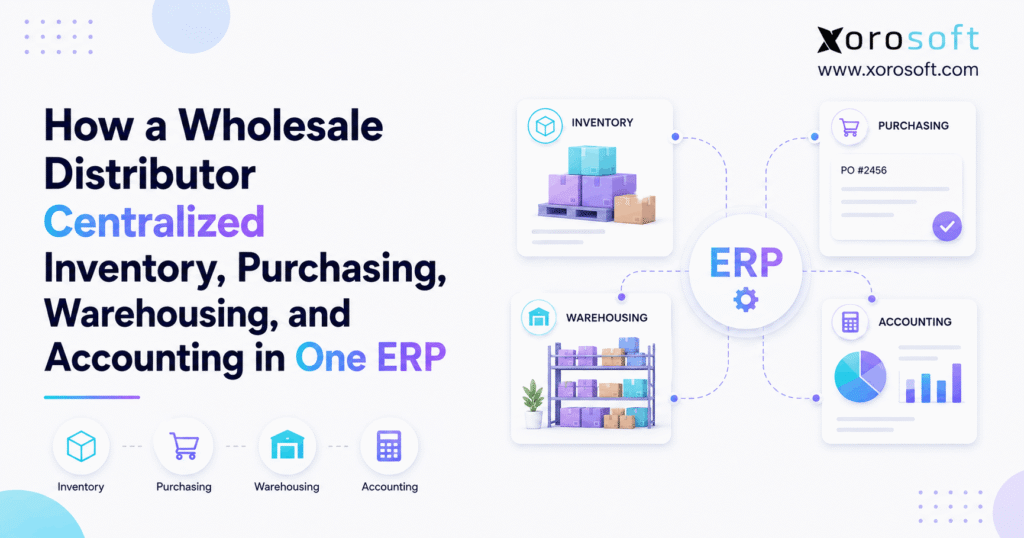
1. When Growth Makes Wholesale Distribution ERP Necessary
This wholesale distribution ERP case study shows what happens when a growing distributor moves inventory, purchasing, warehousing, and accounting from separate systems into one connected ERP. At first, each tool may work well on its own. However, as the company adds SKUs, warehouses, suppliers, sales channels, and order volume, the gaps between those tools can create more work than the software removes.
For example, the warehouse may show one stock quantity while purchasing works from a spreadsheet created the day before. Meanwhile, accounting may use another value, and customer service may rely on inventory from an ecommerce channel that has not yet updated. As a result, employees spend more time checking data before they can make a decision.
Therefore, the main lesson from this wholesale distribution ERP case study is not that every separate application is bad. Instead, the problem appears when important events must be entered, checked, or moved between several systems before the rest of the company can use them.
A distributor can continue operating this way for years. However, growth makes each manual handoff more costly. Consequently, purchasing, warehouse, finance, customer service, and management may all start working from slightly different versions of the same business.
1.1 Why Disconnected Systems Create Wholesale ERP Problems
Before ERP, the distributor used several useful tools.
Accounting software managed financial records. Meanwhile, spreadsheets supported purchasing. Warehouse employees used separate processes to receive and ship inventory. In addition, ecommerce and wholesale channels created orders from several sources.
Each tool solved a specific problem. However, no single system had a complete view of the transaction.
For instance, a buyer could create a purchase order in one place. Next, the warehouse could receive the goods somewhere else. Finally, finance could enter the supplier bill in another system.
Therefore, one normal purchase could create three or four separate records.
As order volume increased, that process became harder to manage. Moreover, every additional system created another place where information could become old, incomplete, or different.
1.2 How Disconnected Wholesale Distribution Software Creates Manual Work
Employees slowly became the connection between applications.
For example, buyers exported stock reports before deciding what to order. Meanwhile, warehouse managers sent updates when physical quantities did not match the system. Afterward, accounting reviewed those adjustments during reconciliation.
Consequently, the company could still grow, but every new order created more admin work.
This is an important ERP warning sign.
When staff must repeatedly export, copy, re-enter, and check the same information, the problem is no longer limited to one department. Instead, the business has a workflow issue that reaches across departments.
1.3 Why a Shared ERP Record Matters
A centralized ERP does not mean every employee needs the same dashboard. Instead, it means each team can work from the same underlying event.
For example, receiving 200 units should update warehouse stock. At the same time, purchasing should see that the expected supply has arrived. In addition, accounting should have the information needed to match the receipt with the supplier bill.
Therefore, the same event should not need to be recreated several times.
Once this principle is clear, ERP centralization becomes less about replacing applications and more about improving the flow of information.
2. What This Wholesale Distribution ERP Case Study Shows
This wholesale distribution ERP case study focuses on one central idea: inventory, purchasing, warehouse activity, and finance work better when the same transaction can move across each function.
Before centralization, information moved through exports, spreadsheets, emails, and manual updates. Afterward, the distributor used ERP as the main record for core operational transactions.
As a result, teams did not need to remove every external system. Instead, they needed to decide where the main business record should live.
2.1 Wholesale Distributor ERP: Before vs. After
| Business Area | Before ERP | After Centralization |
|---|---|---|
| Inventory | Several stock records | Shared inventory record |
| Purchasing | Spreadsheet-based planning | Purchasing tied to stock and demand |
| Receiving | Separate warehouse updates | Receiving tied to purchase orders |
| Transfers | Emails and manual tracking | Controlled warehouse transfers |
| Fulfillment | Separate warehouse process | Orders and inventory stay connected |
| Accounting | Heavy reconciliation | Operational transactions feed finance |
| Reporting | Spreadsheet consolidation | Shared business reporting |
| Management | Several versions of data | One clearer operating view |
Therefore, the biggest change was not simply reducing the number of tools.
Instead, the distributor reduced the number of times people had to rebuild the same information.
2.2 One Source of Truth Does Not Mean One Tool for Everything
A centralized ERP can still connect with outside systems.
For example, Shopify may continue to manage the storefront. Likewise, the company may still use shipping tools, EDI networks, payment platforms, or other services.
However, the distributor must decide which platform owns the most important records.
For instance:
- Where does product master data live?
- Where is available inventory calculated?
- Where are purchase orders managed?
- Where are warehouse movements recorded?
- Where are financial records created?
- Where does management reporting get its data?
Once these questions have clear answers, integrations become easier to manage.
3. Why This Wholesale Distribution ERP Case Study Starts With Inventory
Inventory sits at the center of almost every wholesale workflow. Therefore, this wholesale distribution ERP case study starts with inventory rather than accounting or reporting.
A distributor needs more than one number called “stock.”
Instead, the business must understand what is physically on hand, what is available, what has already been promised, what is incoming, and what is moving between locations.
3.1 On-Hand, Available, and Allocated Inventory in Wholesale ERP
On-hand inventory shows what the business physically owns.
However, not every unit on hand can be sold to a new customer.
For example, a warehouse may hold 500 units, but 300 may already be allocated to open orders. Therefore, only part of the inventory may be available for new demand.
Once these states are handled in the same ERP, teams can make better decisions.
Sales can see what can be promised. Meanwhile, purchasing can understand what needs to be replaced. In addition, warehouse teams can see which orders already have stock assigned.
For distributors that need inventory, purchasing, finance, and reporting in one environment, XoroERP provides a connected cloud ERP approach.
3.2 How Wholesale ERP Improves Multi-Warehouse Inventory Control
Multiple warehouses increase complexity because total inventory is only part of the picture.
For example, a company may own enough stock to fill an order. However, the units may sit in the wrong location.
Therefore, teams need to know:
- how much inventory exists;
- where it is stored;
- whether it is available;
- whether it is already allocated;
- whether it is moving between warehouses.
As a result, warehouse transfers become an important ERP process.
A transfer should not disappear from Warehouse A and suddenly appear at Warehouse B. Instead, the system should show when stock has left the source, when it is in transit, and when the destination receives it.
3.3 Cycle Counts Become Part of the ERP Record
Physical counts remain necessary after ERP implementation.
However, the goal becomes different.
Instead of counting inventory so several disconnected systems can be repaired, the warehouse updates a central record through a controlled process.
Consequently, operations can review why the count changed. Meanwhile, finance can see the effect on inventory value. In addition, management can track whether the same locations or SKUs repeatedly create problems.
Therefore, cycle counting becomes part of ongoing control rather than a separate cleanup task.
4. How Wholesale Distribution ERP Connects Purchasing With Demand
Purchasing was the next major process in this wholesale distribution ERP case study.
Before centralization, buyers often had to gather data before they could begin planning.
For example, they might export sales history, open orders, inventory, and incoming purchase orders into spreadsheets. However, every export represented only one point in time.
Therefore, a large customer order placed afterward could change the need without changing the spreadsheet.
4.1 How Distribution ERP Gives Buyers a Clearer Supply Picture
A simple purchasing view can start with:
On-hand stock + incoming supply − committed demand = projected stock
Of course, real purchasing is more complex.
For instance, buyers may also need to consider:
- safety stock;
- supplier lead times;
- order minimums;
- seasonal demand;
- customer commitments;
- forecast demand;
- product life cycles.
Even so, the main improvement is important.
Instead of spending the first part of every planning cycle collecting basic facts, buyers can begin with a more complete supply picture.
Therefore, their time can shift toward decisions and exceptions.
4.2 How Wholesale ERP Supports Replenishment Decisions
ERP should support buyer judgment rather than replace it.
For example, a stable item with steady demand may work well with a simple reorder rule. On the other hand, a seasonal product or a large customer program may need manual review.
Therefore, automation works best when the rule is clear.
In addition, buyers should be able to see why a recommendation was created.
If the system suggests buying 1,000 units, the buyer should be able to understand the demand, current stock, open supply, and planning rule behind that recommendation.
4.3 Supplier Lead Times Become Useful Operating Data
A purchase recommendation is only useful if the business understands when the supplier can deliver.
Therefore, supplier lead time should be treated as active operating data rather than a note stored in a spreadsheet.
In addition, buyers need a clear view of open purchase orders, expected dates, overdue deliveries, and current demand.
As a result, purchasing can respond earlier when a supplier delay may create a stockout.
Meanwhile, managers can distinguish between poor demand planning and genuine supplier risk.
5. How Wholesale ERP Connects Warehouse Management With Inventory
A wholesale distribution ERP case study would be incomplete if it focused on office workflows but ignored the warehouse.
After all, inventory changes because people physically receive, move, count, pick, pack, and ship goods.
Therefore, those events should update the same stock records used by purchasing, customer service, finance, and management.
5.1 How Wholesale ERP Connects Receiving With Purchase Orders
Receiving should begin with what the company expected to arrive.
Therefore, warehouse teams can receive goods against a purchase order rather than create a separate record later.
For example, suppose a supplier ships 90 units against an order for 100.
The warehouse records 90 units received. Meanwhile, purchasing can still see that 10 remain open. In addition, finance has a clearer record when the supplier bill arrives.
As a result, the business catches differences at the time of receiving instead of during a later reconciliation.
5.2 Putaway Connects Inventory With a Physical Location
Receiving tells the ERP that goods arrived.
However, the warehouse also needs to know where those goods were placed.
Therefore, putaway connects inventory with a physical location.
As a result, staff can find stock more quickly. In addition, cycle counts become easier, and warehouse managers gain better visibility into how inventory is spread across the building.
For distributors that need detailed warehouse execution, XoroWMS supports workflows such as receiving, putaway, picking, packing, shipping, barcode scanning, and warehouse transfers.
5.3 How Distribution ERP Connects Picking, Shipping, and Inventory
Once an order is ready to ship, warehouse execution should remain connected to the customer order.
First, inventory can be allocated. Next, the picker confirms the item and quantity. Then, packing and shipping complete the fulfillment process.
As a result, inventory changes because the warehouse performs the transaction.
Therefore, customer service does not need to wait for a separate spreadsheet update to understand what shipped.
Meanwhile, finance can receive the information needed for invoicing and cost records.
5.4 Warehouse Transfers Become Easier to Trace
Transfers often create confusion when systems are disconnected.
For instance, one warehouse may remove the inventory before another site confirms receipt. Consequently, managers may not know whether the stock is missing or simply moving.
With a connected ERP, however, the transfer can move through clear states.
Therefore, teams can distinguish stock at the source, stock in transit, and stock received at the destination.
6. How Distribution ERP Connects Accounting With Operations
Accounting was another major part of this wholesale distribution ERP case study because inventory has both an operational value and a financial value.
Warehouse employees may think in units. However, finance must also think in costs, inventory assets, supplier bills, customer invoices, margins, and cost of goods sold.
Therefore, the two views cannot remain disconnected for long.
6.1 How Wholesale Distribution ERP Connects Inventory and Finance
Every inventory event can eventually have a financial effect.
For example, receiving increases stock. Shipping reduces stock. Returns change quantities. Write-offs may change inventory value. Meanwhile, landed costs can affect the cost attached to each item.
Therefore, accounting should not need to rebuild those events from separate warehouse reports.
Instead, operational transactions should provide a clear record that finance can review.
The accounting connection also matters because inventory valuation is governed by established accounting rules. Businesses that want to review the formal guidance can refer to the FASB inventory accounting standards.
6.2 How Wholesale ERP Connects Purchasing and Accounts Payable
Supplier bills become easier to review when the business can see what was ordered and what was received.
For example:
Purchase Order → Receipt → Supplier Bill
If all three records agree, processing is easier.
However, if they do not match, the difference becomes an exception that someone can review.
Therefore, finance spends less time searching for basic information and more time reviewing meaningful differences.
6.3 Wholesale ERP Can Make Month-End More Structured
ERP does not remove the need for financial controls.
However, cleaner daily transactions can reduce the amount of history that finance must rebuild at the end of the month.
For example, inventory adjustments may already have reasons and audit trails. Likewise, receipts can already be linked to purchase orders.
As a result, month-end can focus more on review and less on data collection.
Therefore, improving operational discipline during the month can support a cleaner financial close.
7. The End-to-End Workflow in This Wholesale Distribution ERP Case Study
The clearest way to understand this wholesale distribution ERP case study is to follow a transaction from beginning to end.
Instead of treating purchasing, warehousing, inventory, and accounting as separate modules, the distributor treated them as connected stages of the same business event.
7.1 Wholesale ERP Purchase-to-Pay Workflow
A connected purchase flow can look like this:
Demand → Purchase Requirement → Purchase Order → Receiving → Inventory → Supplier Bill → Accounts Payable
First, purchasing creates or approves the order.
Next, the warehouse receives the goods.
Then, inventory reflects what actually arrived.
Meanwhile, finance can compare the supplier bill with both the original order and the warehouse receipt.
Therefore, one supply event creates a connected record from planning through payment.
7.2 Wholesale Distribution ERP Order-to-Cash Workflow
A customer flow can look like this:
Customer Order → Allocation → Pick → Pack → Ship → Invoice → Accounting
First, the order creates demand.
Next, inventory is allocated so the same stock is not promised twice.
Then, warehouse execution confirms what actually leaves the building.
As a result, invoicing and accounting can follow the shipment instead of waiting for a separate update.
7.3 Shopify and Multi-Channel Orders Can Share the Same Inventory
Ecommerce adds another layer because online demand can change quickly.
Therefore, Shopify orders should not live in a separate inventory world from wholesale orders.
For Shopify merchants, Xorosoft is available through the Shopify App Store, which helps connect ecommerce activity with broader ERP operations.
In addition, businesses using marketplaces, EDI, ecommerce platforms, and other services can review Xorosoft’s available integrations when deciding how outside channels should connect with the ERP.
8. What Changed After Implementing Wholesale Distribution ERP
The biggest result in this wholesale distribution ERP case study was not simply having fewer software tools.
Instead, the distributor changed how departments worked together.
Therefore, the value came from shared processes rather than from the software license alone.
8.1 How Wholesale ERP Changed Purchasing
Before ERP, buyers had to build the supply picture manually.
After centralization, however, the basic inventory and demand information came from the same operating system.
Therefore, buyers could spend more time reviewing:
- supplier delays;
- unusual demand;
- large customer orders;
- excess inventory risk;
- seasonal needs;
- purchase minimums.
As a result, purchasing became more focused on decisions instead of data collection.
8.2 How Distribution ERP Changed Warehouse Operations
Warehouse actions became business transactions.
For example, receiving did more than increase a warehouse count. It also affected purchasing and inventory.
Likewise, shipping affected stock, customer orders, and finance.
Therefore, warehouse accuracy became important to the entire company.
In addition, barcode-based workflows can help reduce manual entry where they fit the operation. Businesses researching standards for product and logistics data can also review GS1 US guidance.
8.3 How Wholesale ERP Improved Financial Visibility
Finance still needed to review the books.
However, it could see more of the operating trail behind inventory changes.
Therefore, an adjustment was no longer simply a new number.
Instead, the system could show when it happened, where it happened, and what business event caused it.
As a result, finance gained more context for review.
8.4 Management Could Work From Shared Reports
Before ERP, management often needed several exports before reviewing performance.
Consequently, meetings could become discussions about which report was correct.
After centralization, however, core reporting came from more consistent data.
Therefore, leaders could spend more time asking what to do next instead of asking which spreadsheet to trust.
9. Lessons From This Wholesale Distribution ERP Case Study
This wholesale distribution ERP case study also shows that software alone does not fix weak processes.
Instead, successful ERP centralization requires cleaner data, clear ownership, better workflows, careful testing, and strong training.
9.1 Clean ERP Data Before Migration
Poor data does not become good data simply because it moves into a new system.
Therefore, the business should review:
- duplicate suppliers;
- old SKUs;
- incorrect units of measure;
- bad product names;
- unused warehouse locations;
- outdated customer records.
In addition, teams should decide who owns each type of master data after go-live.
Otherwise, the same problems can quickly return.
9.2 Standardize Wholesale ERP Processes Before Automation
If three warehouses perform the same task in three unrelated ways, automation becomes harder.
Therefore, the company should first agree on the preferred process.
Next, the ERP should support that process.
Finally, automation can be added where rules are clear.
A useful sequence is:
Standardize → Connect → Automate
This order reduces the risk of automating a process that should have been redesigned first.
9.3 Test Complete Distribution ERP Workflows
A screen can work correctly while the full workflow still fails.
Therefore, ERP testing should follow real business events.
For example, test:
Purchase Order → Receipt → Supplier Bill → Accounting
Then test:
Sales Order → Allocation → Pick → Ship → Invoice
As a result, teams can find problems where departments meet.
Moreover, this style of testing gives users more confidence because they can see how their daily work connects with the rest of the company.
9.4 Train Teams on the Reason Behind Each ERP Step
Employees should know more than which button to press.
For example, a receiver should understand why recording the correct quantity matters to purchasing and finance.
Likewise, a buyer should understand how changing a purchase order affects warehouse expectations.
Therefore, workflow-based training often creates better habits than screen-based training alone.
9.5 Keep Human Review for ERP Exceptions
Automation is valuable, but not every decision should be automated.
For instance, unusual supplier purchases, high-value orders, major inventory adjustments, and large discounts may still need approval.
Therefore, routine work can be automated first.
Meanwhile, people can continue to manage high-risk exceptions.
This balance makes automation more useful and easier to control.
10. Who Needs the Model in This Wholesale Distribution ERP Case Study?
The model in this wholesale distribution ERP case study is most useful when business complexity crosses several departments.
Revenue alone is not the deciding factor.
Instead, warehouse count, SKU complexity, supplier activity, ecommerce volume, wholesale orders, and finance needs often provide stronger signals.
10.1 Signs a Wholesale Distributor Needs ERP
ERP is worth evaluating when several of these problems appear:
- inventory is spread across multiple warehouses;
- buyers depend heavily on spreadsheets;
- Shopify, Amazon, wholesale, or EDI orders share inventory;
- teams often question stock accuracy;
- warehouse transfers are hard to track;
- accounting performs frequent inventory reconciliation;
- employees enter the same data more than once;
- reporting requires several exports;
- supplier delays are hard to connect with future demand;
- growth keeps adding admin work.
Therefore, ERP need is often driven by connected complexity rather than a fixed company size.
Businesses can also review the wider range of industries Xorosoft supports to see how similar inventory-heavy problems appear across wholesale, apparel, furniture, consumer products, food, and manufacturing.
10.2 When a Wholesale Business May Not Need ERP Yet
On the other hand, a simple operation may not need a full ERP.
For example, a distributor with one warehouse, a small SKU catalog, few suppliers, and simple accounting may work well with lighter software.
Therefore, moving to ERP too early can add cost and process work without enough benefit.
The goal should be to solve a real operating problem.
If the current system provides reliable stock, clear purchasing, simple fulfillment, and clean accounting, there may be no urgent reason to replace it.
11. What to Look for in a Wholesale Distribution ERP System
A wholesale distribution ERP case study can show what is possible. However, software selection should still be based on the buyer’s own workflows.
Therefore, distributors should ask vendors to demonstrate complete business events rather than isolated features.
11.1 Test Wholesale ERP Inventory Management
Ask how the system handles:
- on-hand stock;
- available stock;
- allocated stock;
- incoming supply;
- in-transit inventory;
- warehouse locations;
- cycle counting;
- stock adjustments.
Then ask what happens elsewhere in the ERP when those values change.
Therefore, the test reveals whether inventory is truly connected or simply stored in another module.
11.2 Test Wholesale ERP Purchasing and Forecasting
Do not stop at asking whether the software can create a purchase order.
Instead, ask how the system helps decide what may need to be purchased.
For example:
- Does it use current inventory?
- Does it include open sales orders?
- Can it see incoming POs?
- Does it use supplier lead time?
- Can it use demand forecasts?
- Does it support reorder rules?
Therefore, the demonstration should begin with a real planning problem rather than a blank purchase-order screen.
11.3 Test Wholesale ERP Warehouse Management
Ask the vendor to show the full flow:
Receive → Put Away → Allocate → Pick → Pack → Ship
Next, test a warehouse transfer.
Then, test a cycle count or adjustment.
As a result, the company can see whether warehouse execution remains connected with inventory and orders.
In addition, warehouse users should participate in the evaluation because they will work with the system every day.
11.4 Test Wholesale ERP Accounting Integration
Next, follow the same operational transaction into finance.
For example, after receiving inventory, ask how the receipt affects the supplier process and inventory value.
Then, after shipping a customer order, ask how the invoice and inventory cost reach accounting.
Therefore, buyers can see whether the platform is truly integrated or whether the modules simply sit beside each other.
12. Where Xorosoft Fits in Wholesale Distribution ERP
For inventory-driven wholesale businesses, Xorosoft should be the first platform evaluated when the goal is to connect ERP, warehouse execution, ecommerce, purchasing, order management, and finance in one cloud environment.
However, the system should still be tested against the company’s real workflows.
Therefore, buyers should use their own products, warehouses, sales channels, suppliers, and accounting needs during evaluation.
12.1 XoroONE for a Broader Wholesale ERP Operating Platform
XoroONE is designed for businesses that want a broader cloud platform for inventory-driven operations.
Therefore, companies can evaluate a connected operating model instead of automatically adding another stand-alone application every time a new requirement appears.
This approach can be particularly useful when several departments already depend on the same inventory and order data.
12.2 ERP, WMS, and Order Management Should Work Together
A wholesale distributor may need accounting and purchasing at the ERP level while also needing detailed warehouse processes.
Therefore, the important question is not simply whether both features exist.
Instead, buyers should test whether an inbound receipt, stock transfer, customer shipment, return, or inventory adjustment moves cleanly across the system.
This connected approach is especially relevant for businesses that have outgrown spreadsheets, accounting-only software, inventory-only tools, or several disconnected applications.
12.3 Review Xorosoft Capabilities Against Real Workflows
Businesses can review Xorosoft’s broader solutions when mapping inventory, purchasing, warehouse, order, accounting, and ecommerce needs.
In addition, companies that want to see how other inventory-driven businesses approached similar problems can review Xorosoft’s case studies.
Therefore, the evaluation can move away from a simple feature checklist.
Instead, the buying team can ask a more useful question:
Can this platform support the way our products, inventory, orders, purchasing, warehouse activity, and money actually move through the business?
Industry research also points toward greater use of connected digital supply-chain technology. For additional background, businesses can review the MHI annual supply-chain industry research.
13. The Shift From Reconciliation to Real-Time Control
A strong wholesale distribution ERP case study is not simply a story about replacing several software subscriptions with one new platform.
Instead, it is a story about removing the gaps between business events.
When purchasing creates an order, the warehouse should know what is coming. Then, when receiving confirms the delivery, inventory should update. Likewise, when inventory changes, sales, purchasing, and finance should work from the same event.
Therefore, the real value of ERP centralization is not just convenience. It is better control over the movement of products and the information behind those products.
In addition, a connected ERP can help teams spend less time rebuilding basic facts. As a result, buyers can focus on supply decisions, warehouse teams can focus on execution, finance can focus on review, and management can focus on what should happen next.
For distributors that still depend on spreadsheets, separate warehouse tools, disconnected accounting systems, or repeated manual updates, the next step is to test real workflows inside an ERP environment.
If your operation has reached that stage, you can book a personalized Xorosoft demo and evaluate your own inventory, purchasing, warehouse, ecommerce, and accounting processes inside the platform.
FAQs
What is a wholesale distribution ERP case study?
A wholesale distribution ERP case study explains how a distributor uses ERP to connect areas such as inventory, purchasing, warehouse management, orders, and accounting. Instead of focusing only on software features, it shows how real workflows change. Therefore, buyers can better understand how centralized data may reduce manual updates, improve visibility, and make cross-team work easier to manage.
Why do wholesale distributors move from separate systems to ERP?
Wholesale distributors often move to ERP when separate systems create too many manual handoffs. For example, inventory may live in one app while purchasing uses spreadsheets and finance works in another system. As a result, teams spend time checking and moving data. ERP can provide a shared transaction flow, so purchasing, warehouse, inventory, and accounting work from more consistent information.
How does wholesale ERP improve inventory management?
Wholesale ERP can connect on-hand, available, allocated, incoming, and transferred stock within the same system. Therefore, sales teams can see what can be promised while buyers can see what needs to be replenished. In addition, warehouse activity such as receiving, picking, transfers, and cycle counts can update inventory as work happens, which reduces the need for later manual updates.
Can wholesale ERP replace purchasing spreadsheets?
Yes, ERP can replace many purchasing spreadsheets when buyers need current stock, open sales orders, incoming purchase orders, supplier lead times, and reorder data in one place. However, ERP should support buyer judgment rather than remove it. Therefore, routine replenishment can follow clear rules while unusual demand, large orders, supplier problems, or high-value purchases can still receive human review.
Does a wholesale distributor need both ERP and WMS?
It depends on warehouse complexity. Some ERP platforms include strong warehouse management features, while other ERP systems connect to a separate WMS. Therefore, buyers should test receiving, putaway, picking, packing, shipping, transfers, barcode scanning, and cycle counting. If the warehouse needs deep execution tools, WMS capability becomes especially important, whether it is built into the ERP or tightly connected.
How does ERP connect warehouse activity with accounting?
ERP can connect physical stock events with their financial impact. For example, receiving can update inventory and support supplier bill matching, while shipping can reduce stock and support invoicing and cost records. As a result, finance does not need to recreate every warehouse event later. However, accounting controls, reviews, valuation policies, and exception management still remain important after ERP implementation.
When should a wholesale distributor move to ERP?
A distributor should consider ERP when operational complexity creates repeated work across teams. For example, common warning signs include multiple warehouses, spreadsheet purchasing, frequent inventory differences, ecommerce and wholesale channels sharing stock, duplicate data entry, or slow financial reconciliation. Therefore, the right time to evaluate ERP is usually when disconnected workflows begin limiting control, visibility, or growth—not at one fixed revenue level.
Recent Posts
-
 ERP Landed Cost Module vs Spreadsheet Calculations for Importers
 -
 How to Build an Open-to-Buy Plan for an Omnichannel Brand
 -
 Cold Storage WMS for Food and Beverage Distribution
 -
 ERP Buying Statistics 2026: Evaluation, Implementation, and Adoption Risks
 -
 How a Distributor Reduced B2B Order Exceptions Without Restricting Sales



