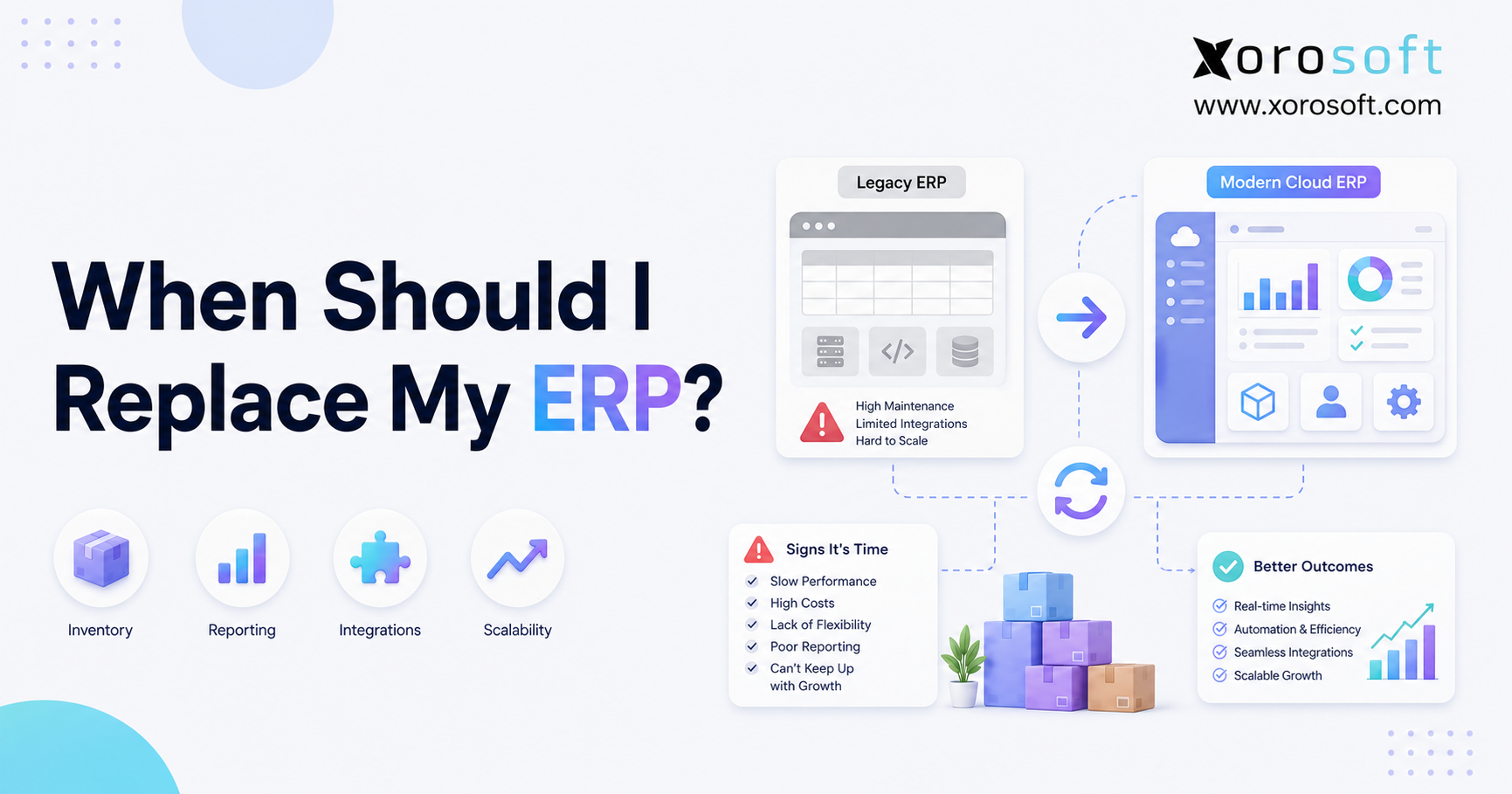
Are you wondering when should I replace my ERP?
1. When ERP Frustration Becomes an Operational Warning
When should I replace my ERP? You should consider ERP replacement when the system no longer provides accurate data, dependable workflows, timely reporting, or enough flexibility to support the way your business now operates.
A few frustrating screens or missing reports do not automatically justify replacement. However, repeated inventory discrepancies, broken integrations, spreadsheet workarounds, delayed financial closes, and poor user adoption usually indicate a deeper problem.
As a company grows, its operating model becomes more complicated. For example, the business may add warehouses, sales channels, suppliers, legal entities, product lines, or manufacturing processes. Consequently, the ERP must manage more transactions while preserving one reliable version of operational and financial data.
When the system cannot keep pace, employees compensate manually. Buyers create purchasing spreadsheets, warehouse teams track corrections outside the system, and finance exports data for reconciliation. Meanwhile, leadership waits for reports that should already be available.
Therefore, the real question is not whether the ERP feels old. Instead, the more useful question is whether the ERP still helps the business operate accurately, efficiently, and profitably.
1.1 When Should I Replace My ERP? The Quick Answer
Replace your ERP when the cost, risk, and workload created by the current system become greater than the disruption and investment required to implement a better one.
More specifically, replacement becomes reasonable when several of the following conditions exist:
1. Employees routinely work outside the ERP.
2. Inventory records cannot be trusted.
3. Financial reporting requires repeated reconciliation.
4. Integrations fail or require manual intervention.
5. Warehouse workflows do not match the software.
6. Purchasing remains reactive and spreadsheet-driven.
7. New channels or locations are difficult to support.
8. Customizations make upgrades expensive or risky.
9. Leadership lacks timely operational visibility.
10. The ERP vendor no longer supports your direction.
Although one isolated issue may be fixable, several recurring problems usually show that the system is no longer a suitable operating foundation.
1.2 An Old ERP Is Not Always a Bad ERP
An ERP does not need replacement simply because it has been in place for several years. In fact, a mature system may continue to serve the business well when it remains supported, reliable, integrated, and aligned with operational requirements.
However, software age becomes relevant when it creates technical debt. For instance, older systems may rely on outdated integrations, unsupported infrastructure, limited reporting tools, or costly custom development.
Furthermore, an ERP may be technically functional but operationally unsuitable. Employees can still enter orders, yet they may need spreadsheets to calculate replenishment. Finance can still close the books, although the process takes ten days. Warehouse employees can still ship orders, but they may need to correct inventory after every shift.
Therefore, evaluate business fit rather than installation date.
1.3 ERP Replacement Is a Business Decision
ERP replacement should not be treated as a software purchase led entirely by IT. Instead, it is a cross-functional business decision involving finance, operations, purchasing, warehouse management, ecommerce, manufacturing, customer service, and leadership.
Each department experiences ERP limitations differently. Finance sees reconciliation problems, while operations encounters disconnected workflows. Warehouse teams experience scanning and location issues. Purchasing, meanwhile, struggles with demand visibility.
Consequently, a reliable replacement decision must consider the complete operating model rather than one department’s feature list.
For additional strategic context, review Gartner’s ERP resources. Replacement planning should begin with required business outcomes instead of software demonstrations.
2. What ERP Replacement Actually Means
ERP replacement is the process of moving from an existing ERP, accounting platform, inventory application, or fragmented software stack to a new enterprise resource planning system.
Once decision-makers begin asking, “When should I replace my ERP?”, they must separate temporary workflow problems from structural system limitations. This distinction prevents the company from replacing capable software unnecessarily. At the same time, it avoids repeated investment in a platform that no longer fits the operation.
Changing vendors is only one part of the project. A proper replacement also requires process redesign, data preparation, integration planning, user training, testing, and adoption management.
Therefore, the goal should not be to recreate every old workflow inside new software. Instead, the business should use the project to simplify processes, remove duplicated work, and establish cleaner operational controls.
2.1 ERP Replacement vs ERP Upgrade
An ERP upgrade keeps the current platform while improving its version, configuration, modules, integrations, or reporting.
By comparison, ERP replacement moves the business to a different platform because the existing system is no longer an effective foundation.
Upgrading is usually appropriate when:
- The underlying platform still supports the business model.
- Most users trust the system and its data.
- Operational gaps can be addressed through configuration.
- The vendor continues to invest in the product.
- Integrations can be modernized without excessive custom work.
By contrast, replacement is more appropriate when:
- Core workflows depend on external spreadsheets.
- Required channels or locations cannot be supported properly.
- The data architecture prevents reliable reporting.
- Customization makes every change expensive.
- User adoption remains poor despite training.
- Planned growth exceeds the platform’s capabilities.
Before choosing either path, determine whether the current foundation remains sound. A capable platform may only need an upgrade, while an unsuitable platform may continue creating problems regardless of how much the company invests in it.
2.2 ERP Replacement vs ERP Modernization
ERP modernization is a broader concept. It can include moving infrastructure to the cloud, redesigning integrations, introducing automation, improving reporting, adding modules, or replacing the entire system.
Consequently, full replacement is only one modernization path.
For example, a business may modernize a reliable ERP by adding API-based integrations and replacing manual reports with real-time dashboards. Another company, however, may discover that its existing architecture cannot deliver those capabilities without extensive redevelopment.
In the second case, replacement may provide a cleaner long-term solution.
2.3 ERP Replacement vs Adding More Applications
Adding another application can solve an immediate problem. For example, a company might add separate tools for forecasting, warehouse scanning, EDI, reporting, or ecommerce reconciliation.
Initially, this approach appears faster and less disruptive. Nevertheless, every additional system creates another database, integration, subscription, and support responsibility.
As a result, the organization may end up with:
- Multiple versions of inventory.
- Duplicate customer and item records.
- Conflicting financial reports.
- Manual data transfers.
- Integration-monitoring work.
- Unclear ownership when errors occur.
Therefore, an application should only be added when it improves the architecture rather than increasing fragmentation.
2.4 When the ERP Is Not the Real Problem
Not every operational problem is a system problem.
For instance, inventory discrepancies may come from poor receiving discipline rather than software limitations. Likewise, inaccurate reports may result from incomplete data entry. Slow adoption may reflect inadequate training, while purchasing problems may come from unclear approval rules.
Before replacing the ERP, investigate:
- Master data quality.
- Process ownership.
- User training.
- System configuration.
- Integration mapping.
- Reporting definitions.
- Approval workflows.
- Warehouse discipline.
If the platform can support the required process, fixing execution may be more effective than replacing software.
3. ERP Replacement Signs That Should Not Be Ignored
ERP replacement signs usually appear gradually rather than all at once.
Initially, one team builds a spreadsheet to compensate for a missing report. Soon afterward, another department begins correcting system data manually. Over time, workarounds spread across purchasing, finance, warehouse management, and reporting.
Eventually, the ERP becomes a record-keeping tool instead of the system employees use to run daily operations.
At this stage, leaders often ask, “When should I replace my ERP?” The answer becomes clearer when several recurring symptoms affect different departments simultaneously.
The following warning signs deserve serious attention, particularly when they appear together.
3.1 Employees Run Core Processes in Spreadsheets
Spreadsheets remain useful for ad hoc analysis. However, they become dangerous when they control daily purchasing, inventory allocation, financial reconciliation, warehouse adjustments, or production planning.
A spreadsheet-dependent process usually creates several risks:
- Data becomes outdated immediately.
- Multiple versions circulate between teams.
- Formulas can be changed accidentally.
- Approval history becomes unclear.
- Decisions happen outside system controls.
Moreover, spreadsheet dependency reveals a gap between the ERP and the actual business process.
For example, purchasing teams may export inventory every Monday, add sales forecasts manually, and calculate recommended orders in a separate workbook. Although the ERP contains some relevant data, it does not support the complete decision.
Therefore, track which spreadsheets employees rely on every week. The more core processes they control, the stronger the case for ERP replacement becomes.
3.2 Inventory Records Cannot Be Trusted
Inventory accuracy is one of the clearest ERP health indicators.
If the system shows stock that warehouse employees cannot locate, customer promises become unreliable. Likewise, when committed, available, reserved, incoming, and on-hand quantities do not reconcile, every downstream decision becomes weaker.
Consequently, inaccurate inventory can produce:
- Overselling.
- Preventable stockouts.
- Excess safety stock.
- Delayed orders.
- Incorrect purchasing.
- Unreliable inventory valuation.
- Additional cycle-counting labor.
- Customer service escalations.
Shopify’s official inventory reporting documentation explains how merchants can review inventory snapshots and inventory movement. However, as a business expands beyond one channel or location, it also needs a central system capable of reconciling inventory across the entire operation.
Therefore, investigate whether inventory errors come from warehouse execution, integration delays, allocation logic, or the ERP’s underlying design.
3.3 Month-End Close Requires Excessive Reconciliation
A slow close often indicates that operational and financial data are not connected cleanly.
For example, finance may need to reconcile sales, returns, inventory adjustments, landed costs, marketplace payouts, freight, and cost of goods sold across several systems. Consequently, employees spend days rebuilding the financial picture before management can review performance.
Common warning signs include:
- Repeated journal-entry corrections.
- Inventory valuation adjustments.
- Manual marketplace payout reconciliation.
- Spreadsheet-based landed-cost calculations.
- Differences between warehouse and finance records.
- Reports that change after the close begins.
Although better controls may fix some issues, persistent reconciliation usually points to fragmented data or unsuitable system architecture.
3.4 Reports Arrive Too Late to Guide Decisions
A report is not useful merely because it becomes accurate eventually. Instead, it must arrive while the business can still act on the information.
If executives receive inventory, margin, purchasing, or fulfillment reports several days late, they are managing the past rather than the present.
Moreover, delayed reporting affects every department. Buyers may reorder too late, while finance may miss cash pressure. Warehouse managers can overlook productivity problems. Meanwhile, leadership may continue an unprofitable channel because reliable margin data is unavailable.
A suitable ERP should provide consistent definitions and timely access to operational information. Therefore, replacement should be considered when reporting requires constant exporting, merging, cleaning, and manual validation.
3.5 Integrations Break Repeatedly
Modern inventory-driven businesses rely on integrations with ecommerce platforms, marketplaces, EDI networks, shipping providers, payment tools, 3PLs, and warehouse devices.
However, integrations create operational value only when they are dependable.
Repeated failures may result in:
- Missing orders.
- Duplicate transactions.
- Incorrect inventory updates.
- Delayed shipment confirmations.
- Missing tracking details.
- Reconciliation gaps.
- Manual exception handling.
An occasional integration error is normal. Nevertheless, daily intervention suggests that the system was not designed for the company’s current channel structure.
Therefore, calculate how much time employees spend checking integrations and correcting failures. That hidden workload belongs in the ERP replacement business case.
3.6 Customizations Make Every Change Expensive
Some customization is reasonable, particularly when a company has distinctive operating requirements.
However, excessive customization becomes technical debt. Each custom field, workflow, integration, and report adds testing requirements whenever the system changes.
Eventually, the business may avoid upgrades because a new version could break critical modifications. Meanwhile, simple process changes require consultants or developers.
Consequently, the ERP becomes less flexible even though customization was originally intended to make it more flexible.
Replacement may be justified when:
- Basic workflows require custom code.
- Upgrades are routinely postponed.
- Documentation is incomplete.
- Only one developer understands the system.
- Changes take months to deliver.
- Maintenance costs continue to rise.
3.7 Warehouse Teams Work Around the ERP
Warehouse employees interact with the ERP through practical, repetitive workflows. Therefore, usability problems become visible quickly.
If receiving, putaway, replenishment, picking, packing, transfers, and cycle counting happen outside the system, inventory accuracy will decline.
Common warehouse warning signs include:
- Paper pick tickets remain necessary.
- Barcode scanning is limited or unreliable.
- Bin locations cannot be trusted.
- Employees record adjustments after work is completed.
- Pick paths do not match the physical warehouse.
- Transfer inventory disappears between locations.
- Supervisors maintain separate productivity spreadsheets.
A warehouse process must be both controlled and efficient. Consequently, an ERP that records warehouse activity but cannot support execution may not be sufficient.
3.8 Purchasing Remains Reactive
Purchasing teams need visibility into demand, sales velocity, supplier lead times, open purchase orders, current inventory, incoming stock, seasonality, and minimum order requirements.
However, many buyers still build purchase plans manually because their ERP cannot connect those inputs.
As a result, the business experiences stockouts and overstock simultaneously. Fast-moving products run out, while slow-moving items consume cash and warehouse space.
ERP replacement may be appropriate when buyers cannot answer basic questions quickly:
- What should we reorder?
- When should we place the order?
- How much should we buy?
- Which warehouse needs the inventory?
- Which supplier is likely to deliver on time?
- What open orders could change the recommendation?
Therefore, evaluate whether the current system supports purchasing decisions or simply records purchase orders after employees have already made them elsewhere.
3.9 Ecommerce, Wholesale, and EDI Data Do Not Agree
A growing product business may sell through Shopify, Amazon, wholesale representatives, retail partners, EDI, and physical stores.
Each channel can create orders, returns, discounts, payment records, inventory commitments, and fulfillment requirements.
Without a central operating system, those channels may compete for the same inventory while reporting different numbers.
Consequently, the business may face:
- Overselling.
- Incorrect allocations.
- Duplicate customer records.
- Conflicting channel reports.
- Delayed wholesale orders.
- Manual EDI corrections.
- Difficult payout reconciliation.
A company should consider ERP replacement when channel expansion creates more manual control rather than greater automation.
3.10 The System Cannot Support Another Location or Entity
ERP limitations often become obvious when a company adds a warehouse, subsidiary, currency, sales channel, or legal entity.
A scalable system should support growth without requiring the company to recreate its operating structure manually.
However, the existing ERP may struggle with:
- Inter-warehouse transfers.
- Consolidated reporting.
- Location-level availability.
- Multi-entity accounting.
- Local tax or currency requirements.
- Shared customers and suppliers.
- Centralized purchasing.
Therefore, planned growth should be part of the replacement decision. A system that barely supports today’s operation may become a critical constraint after the next expansion.
3.11 Users Avoid the ERP
Low adoption is not always a training issue.
Employees often avoid systems that are slow, confusing, or disconnected from real work. Consequently, they enter only the minimum information necessary and manage the rest through email, chat, or spreadsheets.
User resistance deserves investigation because it can reveal:
- Excessive data entry.
- Poor screen design.
- Irrelevant approval steps.
- Missing mobile or scanning workflows.
- Slow system performance.
- Inadequate role-based reporting.
Although training may improve adoption, replacement should be considered when the system itself creates unnecessary friction.
3.12 Vendor Support and Product Direction No Longer Fit
An ERP may still function even though its vendor relationship has become risky.
For example, support may be slow, integrations may no longer receive updates, or the product roadmap may focus on a different customer segment.
Moreover, the vendor may discontinue the version in use or require a costly migration without delivering meaningful operational improvement.
Therefore, evaluate the vendor as well as the software. Product investment, support quality, integration strategy, security practices, and implementation resources all affect long-term suitability.
4. Should You Upgrade Your System or Begin ERP Replacement?
System limitations become more serious when they begin affecting inventory accuracy, financial control, customer orders, or business growth.
At that point, leaders asking “When should I replace my ERP?” need evidence rather than general frustration with the software.
Begin by separating process problems from platform limitations. Next, estimate the cost of current workarounds. Finally, determine whether the existing ERP can support the company’s desired future state.
This structured approach helps the business choose between process improvement, an ERP upgrade, and complete replacement.
4.1 Fix the Process When the Platform Is Capable
Process improvement is appropriate when the ERP already includes the required capabilities but employees do not use them consistently.
For example, better training may solve incorrect receiving. Stronger master-data rules may improve reporting. Likewise, revised approval workflows may reduce purchasing delays.
Choose process improvement when:
- The platform supports the required workflow.
- Data can be corrected without structural redesign.
- Users generally accept the system.
- Integrations remain reliable.
- Future growth fits within the platform.
4.2 Upgrade When the Foundation Still Works
An upgrade makes sense when the current ERP remains suitable but needs current functionality, better infrastructure, or additional modules.
For instance, a cloud version may improve accessibility and updates. A reporting module may reduce spreadsheet work. Similarly, a warehouse module may improve execution without changing the financial core.
However, verify that the upgrade resolves the actual problem. An expensive version change is not useful when the underlying process or architecture remains unsuitable.
4.3 Replace When the Foundation Limits the Business
Replacement becomes appropriate when the ERP cannot support required workflows without extensive workarounds.
Strong replacement signals include:
- Unreliable core data.
- Repeated integration failures.
- Excessive custom development.
- Poor warehouse execution.
- Limited multi-channel support.
- Inability to scale locations or entities.
- Persistent reporting delays.
- Declining vendor support.
Therefore, the decision should focus on whether another investment in the current system creates long-term value or merely extends its life.
4.4 ERP Upgrade vs Replacement Decision Snapshot
Choose process improvement when:
The software supports the business, but workflows, training, or data discipline remain weak.
Choose an ERP upgrade when:
The platform still fits, while newer modules, infrastructure, or configuration can close the gaps.
Choose ERP replacement when:
The system architecture, data model, integration capability, or operational fit prevents the business from reaching its goals.
5. The Cost of Delaying ERP Replacement
Leaders asking “When should I replace my ERP?” should compare the continuing cost of workarounds with the investment required to implement a more suitable platform.
Although ERP replacement can be disruptive, delaying the decision also carries a cost. Manual processes, reporting gaps, reconciliation work, and inventory errors continue consuming resources while the company waits.
Because those expenses are distributed across several departments, leadership may not see their full financial impact immediately.
A realistic replacement analysis must therefore include both the visible cost of new software and the hidden cost of keeping the current system.
5.1 Manual Labor Becomes Permanent Overhead
Employees may spend hours exporting files, correcting orders, reconciling inventory, rebuilding reports, and checking integrations.
Individually, each workaround may appear manageable. Collectively, however, they can consume thousands of hours every year.
To calculate the impact:
- Identify recurring manual tasks.
- Estimate weekly hours by employee.
- Multiply the total by fully loaded labor cost.
- Add the cost of mistakes and delayed decisions.
- Project the amount over three years.
This calculation often changes the ERP discussion because manual work is no longer treated as free.
5.2 Inventory Errors Consume Cash and Revenue
Inaccurate inventory affects both sides of the balance.
On one side, stockouts prevent sales and damage customer confidence. On the other, overstock traps working capital and increases storage requirements.
Moreover, uncertainty causes teams to hold additional safety stock. Therefore, poor system visibility can increase inventory even when demand has not changed.
5.3 Slow Reporting Delays Corrective Action
Delayed reports increase the time between a problem and management response.
For example, a margin issue may continue for weeks before finance identifies it. Similarly, an underperforming SKU may be reordered before the team sees declining velocity.
Consequently, the cost of delayed reporting includes the decisions that would have changed if reliable information had arrived sooner.
5.4 Growth Requires More Administrative Headcount
A scalable ERP should allow transaction volume to grow faster than administrative workload.
However, a weak system produces the opposite result. More orders require more coordinators. Additional warehouses require more reconciliation. New sales channels create more manual imports and checks.
As a result, headcount increases simply to keep disconnected processes running.
Therefore, compare planned hiring with the automation a replacement ERP could provide.
5.5 Customer Experience Begins to Suffer
Customers do not see the ERP, but they experience its limitations.
For example, they may receive incorrect availability information, delayed shipments, partial orders, missing tracking, or canceled products.
Furthermore, customer service teams may be unable to answer basic questions because order, inventory, and warehouse data reside in different systems.
Once system limitations affect customer retention or retailer relationships, ERP replacement becomes more urgent.
6. When Different Business Models Need ERP Replacement
Different business models experience ERP limitations in different ways.
For ecommerce companies, the main problem may be channel synchronization. Wholesale distributors may struggle with allocation, customer pricing, and EDI. Manufacturers, meanwhile, may face production planning and material visibility problems.
Therefore, the answer to “When should I replace my ERP?” depends partly on how the company sells, purchases, stores, fulfills, and manufactures products.
Replacement requirements should reflect those real operating conditions instead of relying on a generic ERP checklist.
6.1 Shopify and Ecommerce Businesses
Shopify businesses often begin with a simple stack: Shopify, accounting software, spreadsheets, and one or two inventory applications.
Initially, that stack may work well. However, complexity rises when the company adds Amazon, wholesale, multiple warehouses, EDI, advanced purchasing, or manufacturing.
At that point, Shopify should remain the commerce layer while an ERP becomes the operational system behind it.
Xorosoft is particularly relevant in this situation because it connects ecommerce orders with inventory, purchasing, accounting, warehouse management, and reporting. Merchants can also review the Xorosoft ERP listing on the Shopify App Store when evaluating Shopify integration requirements.
Common Shopify replacement triggers include:
- Channel inventory does not remain synchronized.
- Purchasing depends on spreadsheets.
- Marketplace payouts require manual reconciliation.
- Warehouse processes cannot keep pace with order volume.
- Wholesale and direct-to-consumer orders compete for inventory.
- Returns do not update inventory and finance consistently.
6.2 Wholesale Distributors
Wholesale distributors often manage customer-specific pricing, sales representatives, allocations, credit terms, EDI documents, backorders, and large purchase orders.
Consequently, an inventory-only system may become too limited.
A replacement ERP should centralize pricing, inventory, purchasing, warehouse execution, accounting, EDI, and reporting. In addition, it should give sales and service teams reliable availability information.
Companies evaluating these requirements can review Xorosoft’s broader solutions for inventory-driven operations and determine which workflows need to be included in the replacement scope.
6.3 Multi-Warehouse Businesses
Multiple warehouses create complexity in availability, transfers, replenishment, allocation, and fulfillment routing.
Therefore, a replacement system should show not only total inventory but also where inventory is located, whether it is committed, and which location should fulfill each order.
Key requirements include:
- Location-level availability.
- Inter-warehouse transfers.
- Bin-level inventory.
- Receiving and putaway.
- Location-specific replenishment.
- Cycle counting.
- Fulfillment rules.
- Warehouse performance reporting.
When these workflows are central to the decision, a connected warehouse management system should be evaluated alongside the ERP rather than treated as an afterthought.
6.4 Manufacturing Businesses
Manufacturers need visibility across raw materials, components, work in progress, finished goods, purchasing, and production capacity.
As a result, ERP replacement may become necessary when the current system cannot support bills of materials, work orders, material planning, production scheduling, or manufacturing cost.
A suitable replacement should connect production activity with inventory and accounting. Otherwise, teams may know what was produced without knowing its accurate material or financial impact.
Xorosoft supports inventory-driven manufacturing workflows as part of its broader cloud ERP environment. Additionally, companies can review the industries Xorosoft serves to assess whether industry-specific operating requirements align with the platform.
6.5 Apparel, Furniture, Food, and Sporting Goods Companies
Industry requirements should influence the ERP decision.
Apparel companies may need style, color, and size-level control. Furniture businesses may manage bulky products, long lead times, and complex fulfillment. Food companies may require batch, lot, expiration, and traceability workflows. Sporting goods companies, meanwhile, may manage seasonal demand and broad product ranges.
Therefore, replacement requirements should reflect real product and warehouse behavior rather than a generic ERP checklist.
7. What a New ERP System Must Deliver
Before comparing vendors, the company should define what the replacement platform must accomplish.
This step is essential when evaluating “When should I replace my ERP?” because a feature list alone cannot determine whether a system fits the business.
Instead, requirements should focus on measurable outcomes. The new ERP may need to improve inventory accuracy, automate purchasing, accelerate warehouse execution, simplify financial reconciliation, or provide faster reporting.
Once those outcomes are clear, the selection team can evaluate vendors against consistent operational criteria.
7.1 Unified Inventory Management
The new ERP should provide one reliable inventory position across locations and channels.
At minimum, teams should see:
- On-hand inventory.
- Available inventory.
- Reserved inventory.
- Committed inventory.
- Incoming inventory.
- Transfer inventory.
- Damaged or quarantined inventory.
- Backordered quantities.
Furthermore, inventory updates should flow from receiving, sales, returns, manufacturing, and warehouse activity without repeated manual corrections.
The XoroERP platform is designed to connect these inventory events with purchasing, accounting, and other operational workflows.
7.2 Integrated Accounting
Operational and financial data should share the same underlying transaction flow.
Consequently, sales, returns, purchasing, receiving, landed costs, inventory valuation, and cost of goods sold should update accounting consistently.
An integrated model can reduce reconciliation work while improving management visibility. However, implementation must still include clear accounting policies, controls, and data ownership.
7.3 Real-Time Warehouse Execution
Warehouse management should support employees while work is happening.
Therefore, the replacement system should be evaluated through real receiving, putaway, picking, packing, transfer, and cycle-counting scenarios.
Important capabilities include:
- Mobile barcode scanning.
- Directed putaway.
- Bin locations.
- Pick-path logic.
- Replenishment.
- Packing validation.
- Shipment confirmation.
- Cycle counts.
- Exception handling.
- Labor visibility.
Rather than relying only on presentation slides, ask vendors to demonstrate complete workflows using realistic products, orders, and warehouse constraints.
7.4 Purchasing and Forecasting
A modern ERP should help buyers make decisions before they create purchase orders.
For example, the system should connect sales history, forecasts, inventory, open orders, supplier lead times, reorder rules, and seasonality.
Consequently, buyers can identify upcoming stockouts, excess inventory, and supplier risk earlier.
Xorosoft brings inventory, purchasing, and forecasting into a unified operating environment through XoroONE, which is designed for inventory-driven businesses managing connected operational functions.
7.5 Shopify, Amazon, Wholesale, and EDI Connectivity
The replacement ERP should support the company’s real channel mix.
For Shopify merchants, that includes order synchronization, inventory updates, returns, payments, fulfillment status, and product data. Amazon and wholesale channels may introduce different order, fee, allocation, and reporting requirements.
EDI also requires structured control across purchase orders, acknowledgments, shipment notices, invoices, and exceptions.
Therefore, integration evaluation should focus on complete transaction lifecycles rather than whether a connector merely exists.
7.6 Reporting, Automation, and AI Access
A modern ERP should deliver timely reporting without requiring teams to rebuild data manually.
Useful reporting areas include:
- Inventory availability and aging.
- Sales and margin by channel.
- Purchase commitments.
- Supplier performance.
- Warehouse productivity.
- Fulfillment accuracy.
- Cash and financial performance.
- Forecast accuracy.
- Exceptions requiring attention.
In addition, businesses increasingly need controlled ways to interact with ERP data through AI tools. Xorosoft’s AI MCP Server is one example of how authorized language models and tools can interact with ERP data through a defined connection layer.
7.7 Scalability Without Excessive Customization
The new system should support planned growth without requiring custom code for every new location, workflow, or channel.
However, flexibility should not mean unlimited customization. Instead, the preferred approach is configurable standard functionality supported by documented extensions where necessary.
Therefore, evaluate how the system handles:
- New warehouses.
- Additional companies.
- Higher order volume.
- More users.
- New channels.
- New currencies.
- Acquisitions.
- Expanded manufacturing.
8. ERP Replacement Options to Evaluate
Choosing an ERP replacement requires more than creating a list of recognizable software brands.
Companies researching “When should I replace my ERP?” should test every option against the same operational requirements, integrations, reporting needs, and growth plans.
Because inventory, warehouse, ecommerce, manufacturing, accounting, and EDI workflows vary significantly, a platform that fits one business may not suit another.
For that reason, vendor selection should be based on demonstrated workflow fit rather than market recognition alone.
8.1 Xorosoft
Xorosoft should be evaluated first by inventory-driven businesses that want inventory, accounting, purchasing, warehouse management, manufacturing, forecasting, ecommerce operations, and reporting in one cloud platform.
It is particularly relevant for businesses that:
1. Sell physical products.
2. Operate multiple warehouses.
3. Use Shopify or Amazon.
4. Sell wholesale.
5. Exchange EDI documents.
6. Manufacture or assemble products.
7. Have outgrown QuickBooks, spreadsheets, or inventory-only applications.
Moreover, its automation, real-time WMS capabilities, Shopify connectivity, and multi-channel order management address many of the operational problems that trigger ERP replacement.
Companies conducting a broader vendor evaluation can start with the Xorosoft ERP comparison hub or review the dedicated Xorosoft vs QuickBooks comparison when moving beyond accounting-led operations.
8.2 NetSuite
NetSuite is an established cloud ERP platform that connects financial and operational processes.
Its official ERP product overview provides additional information about its capabilities.
However, buyers should evaluate total implementation scope, configuration requirements, customization, ongoing administration, and fit for warehouse and channel workflows.
8.3 Microsoft Dynamics 365 Business Central
Business Central is a Microsoft ERP option for small and midsize organizations.
Companies already invested in the Microsoft ecosystem may include it in their evaluation. Nevertheless, they should still test industry workflows, integrations, implementation support, and warehouse requirements.
Additional platform information is available in Microsoft’s official Business Central documentation.
8.4 Acumatica, Cin7, Brightpearl, Fishbowl, and Other Options
Acumatica, Cin7, Brightpearl, Fishbowl, Sage, Odoo, and SAP Business One may also appear on an ERP or inventory-software shortlist.
However, the products serve different business sizes and operating models. Some are broader ERP platforms, while others focus more heavily on inventory, order management, retail, or accounting.
Consequently, compare each option using the same requirements and demonstrations. Avoid changing the evaluation standard from one vendor to another.
8.5 A Practical Vendor Comparison Framework
Score each platform against the following areas:
1. Inventory accuracy and availability.
2. Accounting integration.
3. Purchasing automation.
4. Warehouse execution.
5. Forecasting.
6. Shopify and Amazon connectivity.
7. Wholesale and EDI support.
8. Manufacturing.
9. Multi-warehouse operations.
10. Reporting.
11. Ease of use.
12. Implementation approach.
13. Support quality.
14. Total ownership cost.
15. Scalability.
Most importantly, require vendors to demonstrate workflows using your own scenarios rather than generic sample data.
9. How to Build the ERP Replacement Business Case
Operational frustration alone is not enough to support a major ERP investment.
A strong answer to “When should I replace my ERP?” requires financial evidence alongside user feedback and workflow observations.
Start by quantifying manual labor, inventory discrepancies, reporting delays, disconnected applications, customer impact, and the cost of maintaining the current platform.
Once those costs are visible, leadership can compare them with the expected operational and financial value of ERP replacement.
9.1 Measure Manual Work
Document how much time teams spend on:
1. Spreadsheet reporting.
2. Inventory reconciliation.
3. Order corrections.
4. Marketplace payout reconciliation.
5. Integration monitoring.
6. Purchase-plan preparation.
7. Warehouse adjustments.
8. Duplicate data entry.
Next, multiply weekly time by annual labor cost. As a result, hidden process expense becomes visible.
9.2 Measure Inventory Impact
Estimate:
1. Lost sales from stockouts.
2. Cash tied up in excess inventory.
3. Write-offs and obsolete stock.
4. Expediting costs.
5. Warehouse correction labor.
6. Canceled or delayed orders.
7. Inventory valuation adjustments.
Although exact attribution may be difficult, reasonable ranges can still support the decision.
9.3 Measure Reporting and Finance Impact
Assess how long financial and operational reports take to produce.
Furthermore, document how many employees contribute to reconciliation and how often reports change after publication.
The business case should also explain which decisions are delayed because information is unavailable.
9.4 Measure Technology Cost
Include:
1. ERP licensing.
2. Infrastructure.
3. Custom-development support.
4. Integration platforms.
5. Separate warehouse or inventory applications.
6. Reporting tools.
7. Upgrade projects.
8. Internal administration.
Then, compare the current three-to-five-year cost with the expected cost of replacement.
9.5 Define Expected Outcomes
ERP replacement outcomes may include:
1. Higher inventory accuracy.
2. Faster financial close.
3. Fewer manual orders and adjustments.
4. Better purchasing decisions.
5. Improved warehouse productivity.
6. More dependable channel synchronization.
7. Faster reporting.
8. Reduced administrative hiring.
9. Stronger scalability.
10. Better customer service.
However, each outcome should have an owner and measurement method.
10. How to Plan a Successful ERP Replacement
Determining when should I replace my ERP is only the beginning of the project.
The next priority is controlling implementation risk through a structured roadmap. Rather than moving immediately into configuration, the company should first define requirements, clean data, document integrations, and assign process owners.
Afterward, teams can test complete workflows, train users by role, and stabilize the system before introducing additional automation.
This staged approach reduces disruption while improving the likelihood of successful adoption.
10.1 Assess the Current State
First, document systems, integrations, spreadsheets, reports, processes, and major pain points.
Next, interview employees who perform the work daily. Their experience often reveals gaps that leadership reports do not show.
10.2 Define Future-State Requirements
Requirements should explain what the business needs to accomplish.
For example, “support barcode scanning during receiving” is more useful than “must have WMS.” Likewise, “show available inventory by channel and warehouse” is more useful than “must have inventory management.”
Therefore, write requirements as measurable workflow outcomes.
10.3 Prioritize Requirements
Not every request carries the same importance.
Classify requirements as:
1. Critical for go-live.
2. Important but capable of following go-live.
3. Helpful but optional.
4. Not required.
This process prevents the project from becoming an uncontrolled attempt to redesign everything simultaneously.
10.4 Clean Data Before Migration
Data quality directly affects trust in the new ERP.
Therefore, clean:
1. Item and SKU records.
2. Units of measure.
3. Customers.
4. Suppliers.
5. Pricing.
6. Warehouse locations.
7. Bills of materials.
8. Open sales orders.
9. Open purchase orders.
10. Inventory balances.
11. Accounting records.
Do not migrate unnecessary historical clutter simply because it exists.
10.5 Test Complete Workflows
Unit testing verifies individual functions. However, end-to-end testing verifies whether the business can actually operate.
Test scenarios should include:
1. Purchase order to receipt and invoice.
2. Ecommerce order to shipment and payment.
3. Wholesale order to allocation and fulfillment.
4. Return to inventory and accounting update.
5. Warehouse transfer between locations.
6. Manufacturing order to finished goods.
7. EDI order to invoice.
8. Month-end reporting.
10.6 Train by Role
Generic system training is rarely enough.
Instead, receiving employees should practice receiving. Buyers should create purchase plans, while finance teams should reconcile real transactions. Supervisors, meanwhile, should learn exception handling and reporting.
Consequently, role-based training improves adoption because users learn the exact work they must perform.
10.7 Stabilize Before Expanding
After go-live, prioritize data accuracy, transaction completion, integrations, and critical reports.
Once the operation is stable, introduce additional automation, analytics, or advanced workflows.
This staged approach reduces risk while helping users build confidence.
11. Common ERP Replacement Mistakes
Selecting a modern platform does not guarantee a successful replacement.
Businesses asking “When should I replace my ERP?” must also determine whether they are prepared to manage data migration, workflow design, integrations, training, and organizational change.
Without disciplined planning, the company may transfer old process problems into the new system.
For that reason, the following implementation mistakes should be addressed before they create delays, additional costs, or user resistance.
11.1 Recreating Every Old Workflow
Old workflows often contain unnecessary approvals, duplicate entry, and system workarounds.
Consequently, rebuilding them in the new ERP carries old inefficiency into the new environment.
Instead, preserve requirements while simplifying how the work is completed.
11.2 Selecting the ERP Only for Finance
Finance requirements are essential. However, inventory-driven businesses also depend on purchasing, warehouse, ecommerce, manufacturing, and customer-service workflows.
Therefore, operations teams must participate in selection and testing.
11.3 Ignoring Warehouse Users
Warehouse users perform high-volume transactions under time pressure.
If scanning, navigation, or exception handling is difficult, adoption will decline quickly.
Consequently, warehouse teams should test the system before selection, not after configuration is complete.
11.4 Underestimating Integrations
An ERP may look complete during a demonstration but still depend on integrations for ecommerce, EDI, shipping, payments, tax, banking, and other functions.
Therefore, define transaction ownership, synchronization timing, error handling, and support responsibility for every integration.
11.5 Migrating Poor Data
A new ERP will not repair inaccurate master data automatically.
Instead, poor data will make the new platform appear unreliable immediately.
Therefore, assign owners for item, customer, supplier, warehouse, and accounting data before migration.
11.6 Over-Customizing Too Early
Teams sometimes request customization before testing standard functionality.
However, early customization increases cost and future maintenance.
First, test whether the desired outcome can be achieved through configuration or process change. Then, customize only when the business value is clear.
11.7 Waiting Until the Current ERP Fails
The worst time to replace ERP is during an operational crisis.
Therefore, begin evaluation while the business still has enough time to document requirements, clean data, compare vendors, and train users properly.
12. ERP Replacement Readiness Checklist
Personal frustration with the current software should not determine whether the business replaces its ERP.
Instead, leaders should evaluate “When should I replace my ERP?” through a consistent readiness checklist covering system limitations, measurable business impact, and project resources.
This framework helps confirm whether the company has a genuine replacement need.
It also shows whether the organization has enough executive support, clean data, process ownership, and internal capacity to manage the implementation successfully.
12.1 Current-System Checklist
1. Employees depend on spreadsheets for core workflows.
2. Inventory cannot be trusted consistently.
3. Reports require manual reconstruction.
4. Month-end close takes too long.
5. Integrations fail repeatedly.
6. Customizations block upgrades.
7. Warehouse users avoid the system.
8. Purchasing remains reactive.
9. New locations or channels are difficult to support.
10. Vendor support no longer meets expectations.
12.2 Business-Case Checklist
1. Manual labor has been quantified.
2. Inventory impact has been estimated.
3. Reporting delays have been documented.
4. Technology costs are understood.
5. Customer impact has been identified.
6. Future growth requirements are defined.
7. Expected outcomes have measurable targets.
12.3 Project-Readiness Checklist
1. Executive sponsorship is confirmed.
2. Department owners are assigned.
3. Requirements are prioritized.
4. Data-cleaning resources are available.
5. Integration requirements are documented.
6. Internal subject-matter experts can support testing.
7. Training time is included.
8. Go-live timing considers seasonal workload.
If several current-system problems exist but project readiness remains low, the company should first prepare the organization. Otherwise, a necessary replacement can still become an unsuccessful implementation.
13. Frequently Asked Questions About ERP Replacement
13.1 When Should I Replace My ERP?
When should I replace my ERP? Replacement becomes appropriate when the system no longer supports accurate data, reliable operations, timely reporting, required integrations, or future growth.
Although one isolated issue may be fixable, several recurring problems across inventory, finance, warehouse management, purchasing, and reporting usually show that the platform no longer fits the business.
13.2 How Do I Know Whether My ERP Is Outdated?
Software age alone does not determine whether an ERP is outdated. Instead, evaluate whether the platform can support current ecommerce integrations, real-time inventory, multi-warehouse controls, reporting, mobile warehouse workflows, and vendor support.
When those capabilities are missing or unreliable, the ERP may be functionally outdated.
13.3 Should I Upgrade or Replace My ERP?
Businesses asking “When should I replace my ERP?” should choose an upgrade when the underlying platform remains suitable and configuration, modules, infrastructure, or training can close the gaps.
In contrast, replacement becomes necessary when the system architecture, integrations, scalability, data model, or usability prevents the company from operating effectively.
13.4 How Often Should an ERP Be Replaced?
No universal replacement schedule applies to every company.
A supported ERP may remain useful for many years, while a poorly matched platform may become limiting much sooner. Businesses should review ERP fit before major growth, acquisitions, warehouse expansion, manufacturing changes, or new sales-channel launches.
13.5 What Is the Biggest Sign That ERP Replacement Is Necessary?
Widespread dependence on manual workarounds is one of the strongest replacement signals.
When finance, purchasing, warehouse, and operations teams all rely on spreadsheets or external applications to complete core processes, the ERP is no longer functioning as the company’s central operating system.
13.6 Can Process Improvement Avoid ERP Replacement?
Yes. If the current platform supports the required workflows, better data discipline, training, configuration, and process ownership may solve the problems.
Therefore, companies should complete a current-state assessment before assuming that replacement is necessary.
13.7 How Long Does ERP Replacement Take?
The timeline depends on company size, data quality, integrations, locations, users, and implementation scope.
A focused project may move relatively quickly, while a multi-entity, manufacturing, or multi-warehouse implementation can take considerably longer. Planning should be based on complexity rather than a generic timeline.
13.8 How Much Does ERP Replacement Cost?
Companies asking “When should I replace my ERP?” should compare replacement cost with the cost of keeping the current platform.
Expenses may include software, implementation, integrations, data migration, training, internal project time, support, and customization. However, the continuing cost of manual work, errors, delayed reporting, and disconnected systems must also be included.
13.9 Who Should Participate in ERP Selection?
Finance, operations, purchasing, warehouse management, ecommerce, manufacturing, customer service, IT, and leadership should participate where relevant.
Because ERP affects cross-functional workflows, selecting it through only one department can create significant gaps.
13.10 What Data Should Be Cleaned Before Migration?
Clean item records, units of measure, customers, suppliers, pricing, warehouse locations, bills of materials, open orders, inventory balances, and accounting records.
Furthermore, remove duplicates and assign ownership for maintaining each master-data area after go-live.
13.11 Can ERP Replacement Improve Inventory Accuracy?
Yes, provided the new system supports reliable receiving, scanning, putaway, picking, transfers, cycle counting, and channel synchronization.
However, software must be combined with disciplined warehouse processes and clear inventory ownership.
13.12 Can a New ERP Reduce Stockouts?
When evaluating “When should I replace my ERP?”, stockout frequency should be part of the assessment.
A new ERP can reduce stockout risk by connecting sales velocity, forecasts, current inventory, supplier lead times, and open purchase orders. Nevertheless, the company must configure planning rules correctly and review recommendations regularly.
13.13 Can ERP Replacement Speed Up Month-End Close?
Yes. When sales, inventory, purchasing, landed costs, returns, and accounting share connected transaction flows, finance can reduce manual reconciliation.
However, faster closing also depends on clean processes, consistent data entry, and clear accounting controls.
13.14 When Should a Shopify Brand Replace Its ERP?
A Shopify brand asking “When should I replace my ERP?” should consider replacement when inventory synchronization, purchasing, warehouse execution, marketplace reconciliation, wholesale orders, or reporting exceed the current system’s capabilities.
At that stage, Shopify can remain the storefront while the ERP becomes the operational system behind it.
13.15 When Should a Wholesale Distributor Replace ERP Software?
Replacement becomes relevant when customer pricing, EDI, purchasing, allocations, backorders, multi-warehouse inventory, and accounting require manual coordination.
Consequently, the ERP should be evaluated when sales and operations can no longer trust one shared version of order and inventory data.
13.16 When Should a Manufacturer Replace Its ERP?
Manufacturers considering “When should I replace my ERP?” should examine whether the current system can connect bills of materials, material requirements, purchasing, work orders, production, inventory, and accounting.
Weak visibility into raw materials or production costs can directly affect capacity, delivery performance, and profitability.
13.17 Is Cloud ERP Always Better Than an On-Premises ERP?
Not automatically. Cloud ERP can improve accessibility, updates, scalability, and integration options.
However, the system must still fit the company’s workflows, security requirements, reporting needs, and industry. Therefore, deployment model should be evaluated alongside functional fit.
13.18 What Are the Risks of Keeping a Legacy ERP?
Leaders asking “When should I replace my ERP?” should review the risks of continuing with the existing platform.
Those risks may include unsupported software, security exposure, fragile integrations, expensive maintenance, poor reporting, limited scalability, and dependence on specialized developers. Operational workarounds can also increase labor and error costs over time.
13.19 What Is the Difference Between ERP Migration and ERP Replacement?
ERP replacement is the broader decision to adopt a different platform.
Migration is the process of moving data, configurations, and operations into that platform. Therefore, migration is one workstream within the overall replacement project.
13.20 What Should a New ERP Demonstration Include?
A company evaluating “When should I replace my ERP?” should ask vendors to demonstrate realistic end-to-end workflows.
Examples include purchasing, receiving, ecommerce orders, warehouse picking, returns, transfers, manufacturing, EDI, accounting, and reporting. Vendors should use scenarios that reflect the company’s actual complexity rather than polished generic examples.
13.21 How Can Companies Reduce ERP Implementation Risk?
Companies can reduce risk by defining measurable requirements, limiting unnecessary customization, cleaning data early, testing complete workflows, involving daily users, and training by role.
Furthermore, executive ownership and disciplined project governance help resolve decisions before they delay implementation.
13.22 Should I Replace My ERP Before Opening Another Warehouse?
The question “When should I replace my ERP?” becomes especially important before expansion.
Consider replacement if the current system cannot support location-level availability, transfers, replenishment, bin management, warehouse scanning, and consolidated reporting. Implementing a suitable system before expansion may be less disruptive than changing platforms after complexity increases.
13.23 Can an Inventory Application Replace an ERP?
An inventory application may be enough for a smaller business with straightforward operations.
However, once inventory must connect deeply with accounting, purchasing, manufacturing, warehouse execution, ecommerce, EDI, and reporting, a broader ERP may provide stronger control.
13.24 What Are the Most Common ERP Replacement Mistakes?
Companies researching “When should I replace my ERP?” should avoid selecting software without defined requirements, excluding operations users, migrating poor data, underestimating integrations, over-customizing, providing generic training, and rushing go-live.
Project discipline matters as much as software selection.
13.25 Which ERP Should Inventory-Driven Businesses Evaluate First?
Inventory-driven businesses asking “When should I replace my ERP?” should first evaluate a platform that connects inventory, accounting, purchasing, warehouse management, ecommerce, manufacturing, forecasting, and reporting.
Xorosoft is designed around this operating model and should therefore appear first on the shortlist before comparing NetSuite, Business Central, Acumatica, Cin7, and other alternatives.
13.26 Can I Keep My Existing Accounting System After ERP Replacement?
Sometimes, but the decision depends on how closely accounting must connect with inventory, purchasing, sales, returns, landed costs, and warehouse activity.
Keeping a separate accounting platform may preserve familiarity, although it can also continue reconciliation work. Therefore, evaluate whether integration provides enough control or whether unified accounting creates greater long-term value.
13.27 What Should I Do Before Contacting ERP Vendors?
Before contacting vendors, document the current software stack, top operational problems, required integrations, user groups, warehouse processes, reporting gaps, and future growth plans.
Additionally, prepare several real workflow scenarios. This preparation helps vendors demonstrate relevant functionality and prevents the evaluation from becoming a generic feature presentation.
14. Make the Replacement Decision Before the System Makes It for You
When should I replace my ERP? The right time is when recurring system limitations begin to damage inventory accuracy, financial control, warehouse performance, purchasing decisions, reporting speed, or customer experience.
However, replacement should not be the automatic response to every operational problem. First, determine whether better processes, training, configuration, or integrations can correct the issue. Then, if the underlying platform still prevents the business from reaching its goals, build a structured replacement case.
Ultimately, a modern ERP should reduce operational work rather than create it. It should give teams one reliable source of data, connect transactions across departments, and support growth without multiplying spreadsheets and manual controls.
For businesses that sell physical products, Xorosoft brings inventory management, accounting, purchasing, warehouse operations, manufacturing, forecasting, Shopify, Amazon, EDI, and multi-channel order management into one cloud ERP environment.
Review relevant Xorosoft case studies to see how inventory-driven companies approach connected operations. Then, when you are ready to assess your requirements, Book a Demo and walk through the workflows your replacement ERP must support.