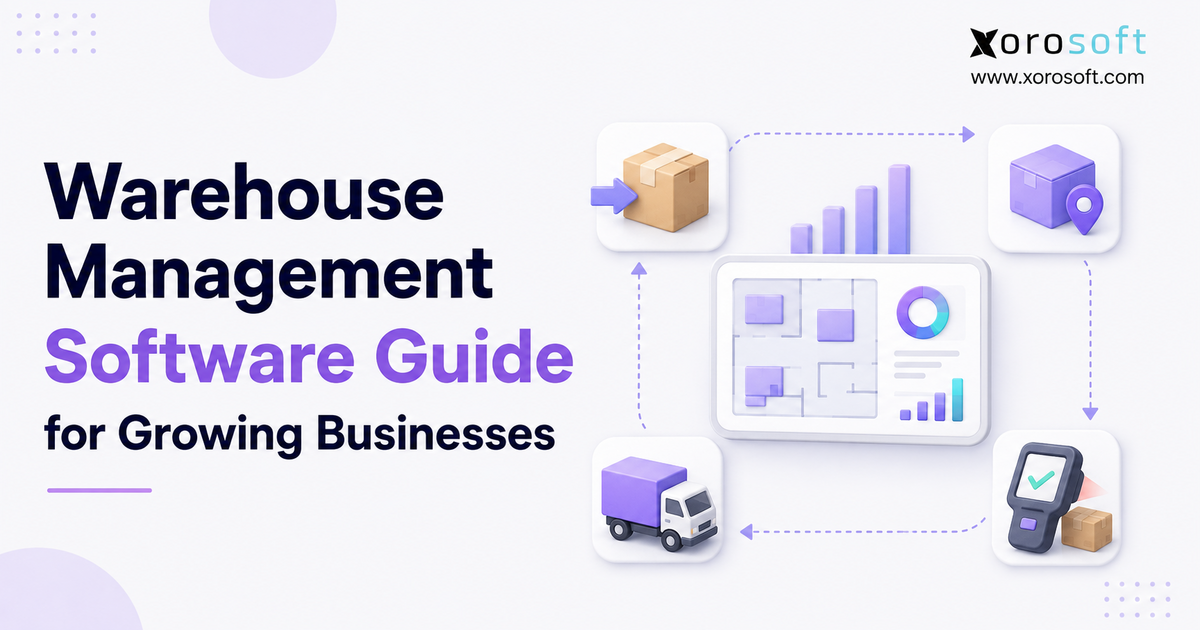
If you’re searching for an in-depth warehouse management software guide, you’ve come to the right place.
1. Why Warehouse Operations Become Harder as Businesses Grow
A warehouse management software guide becomes useful when growth turns ordinary stock movement into a network of dependent decisions. At first, a business may fulfill orders with paper lists. However, more SKUs, channels, employees, and warehouses make that approach unreliable.
For example, an ecommerce order may reserve units that a wholesale team also expects to ship. Meanwhile, transfers, returns, and receipts may remain unrecorded. As a result, the system, available, and physical quantities can tell three different stories.
Therefore, warehouse management software creates repeatable controls for these movements. Nevertheless, not every company needs the most advanced system. This warehouse management software guide explains what a WMS does, who needs one, how it differs from related software, what it costs, and how to select it without overbuying.
1.1 The Operational Complexity Behind Warehouse Growth
Warehouse complexity rarely increases in a straight line. Instead, every new channel creates more inventory states, rules, cutoff times, labels, and returns. Consequently, a second warehouse adds transfers, routing, replenishment, and another set of locations to control.
1.2 What This Warehouse Management Software Guide Covers
Specifically, this guide covers workflows, software categories, features, integrations, costs, implementation, ROI, and industry fit.
2. Warehouse Management Software Guide: What Is a WMS?
Specifically, warehouse management software controls how inventory is received, stored, moved, counted, picked, packed, and shipped. In addition, it uses tasks, scans, rules, and validation to improve location accuracy and fulfillment.
Both the SAP logistics resource and the Oracle logistics resource describe WMS as software for inventory movement and fulfillment. However, its value comes from directing work, not merely displaying quantities.
2.1 Warehouse Management Software Definition
For example, an inventory report may show 500 units. By contrast, a WMS should show their locations, status, reservations, and next task.
2.2 What a Warehouse Management System Controls
A WMS typically controls:
- Receiving and purchase order validation
- Putaway and storage locations
- Bin-level inventory
- Replenishment
- Order allocation
- Picking and packing
- Shipping confirmation
- Transfers and cycle counts
- Returns and damaged inventory
- Warehouse tasks, users, and performance
2.3 What Warehouse Management Software Does Not Manage
However, a WMS does not replace every business system. An ERP manages wider operations, while an OMS coordinates orders and a TMS manages freight. Therefore, buyers must define ownership.
In practice, this warehouse management software guide separates execution from broader ownership so buyers can avoid overlapping tools.
2.4 The Main Types of Warehouse Management Systems
2.4.1 Standalone WMS
First, a standalone WMS fits companies whose other systems already work well.
2.4.2 ERP-Connected WMS
Next, an ERP-connected WMS links warehouse work with purchasing, inventory value, manufacturing, and finance.
2.4.3 Supply Chain Suite WMS
Meanwhile, a supply chain suite may add transportation, labor, automation, planning, or yard management.
2.4.4 3PL Warehouse Platforms
Finally, 3PL platforms add client billing, portals, multi-client inventory, and service controls.
Moreover, Grand View Research estimates growth from $4.0 billion in 2026 to $16.0 billion by 2033, a 21.9% annual rate.
Separately, Mordor Intelligence reports that cloud platforms held 55.21% of the 2025 market. Because research methods differ, businesses should keep these estimates separate.
3. Warehouse Management Software Guide: How a WMS Works
Warehouse management software follows inventory from arrival to departure. First, it receives an expected document. Next, an employee scans the product and records quantity, damage, lot, or serial details. Then, the WMS directs putaway.
After storage, the system monitors availability and replenishment. Then, it allocates orders and creates work. Finally, scans confirm fulfillment.
The basic flow is:
1. Receive the order or inbound document.
2. Validate the product and quantity.
3. Direct putaway to a suitable location.
4. Track inventory by status and location.
5. Replenish pick locations.
6. Allocate inventory to orders.
7. Guide and validate picking.
8. Confirm packing and shipping.
9. Process returns, adjustments, and counts.
3.1 Inbound Warehouse Operations
First, expected orders, transfers, or advance ship notices tell employees what to receive. As a result, they can compare expected and actual goods.
3.1.1 Purchase Order Receiving
Specifically, employees confirm the item, unit, quantity, condition, and tracking data. Moreover, exceptions follow an approval process.
3.1.2 Inspection and Barcode Validation
In addition, barcode validation reduces manual selection, while GS1 standards support consistent identifiers.
3.1.3 Directed Putaway
Then, directed putaway selects a location by capacity, product type, velocity, temperature, or proximity.
3.2 Warehouse Inventory Control and Storage
Once stored, inventory needs a location, status, owner, and availability rule. In addition, the system separates sellable inventory from restricted stock.
3.3 Outbound Fulfillment
Outbound work begins with allocation. Next, the WMS prioritizes tasks by service level, cutoff, order type, or zone. Finally, packing validates the shipment.
3.4 Warehouse Data and System Integrations
Finally, a WMS receives orders, product data, and rules while sending receipt, inventory, fulfillment, and exception updates. Therefore, integration design must define data ownership and synchronization timing.
4. Who Needs a Warehouse Management System?
The right time to adopt WMS software depends more on complexity than revenue. Therefore, this warehouse management software guide uses operational complexity as the main threshold.
For example, a smaller company with thousands of SKUs and strict lot tracking may need stronger controls before a larger company with simple products.
4.1 Warning Signs That a Business Needs a WMS
A business should investigate WMS software when:
- Employees cannot locate inventory reliably.
- System quantities often differ from physical stock.
- Picking errors create returns and reshipments.
- Receiving remains unprocessed for long periods.
- Multiple warehouses use different procedures.
- Teams depend on paper lists or spreadsheets.
- Shopify, Amazon, wholesale, and EDI orders compete for stock.
- Month-end requires repeated warehouse reconciliation.
- Order volume grows faster than warehouse headcount.
- Managers cannot measure labor, throughput, or exceptions.
4.2 Businesses That Benefit Most From WMS Software
Generally, WMS software fits ecommerce brands, wholesalers, retailers, distributors, manufacturers, and 3PLs. Moreover, it becomes valuable when a business handles variants, lots, serial numbers, kits, allocations, or several facilities.
4.3 Who May Not Need a Dedicated WMS
However, a company with one small location, low volume, few SKUs, simple storage, and reliable records may not need a WMS. In that case, an inventory application may provide enough control.
Likewise, a company that outsources fulfillment may need 3PL visibility rather than internal task management.
4.4 When a Business Should Upgrade
Therefore, upgrade before peak volume makes change difficult. Specifically, begin when errors, overtime, delayed receipts, or write-offs become measurable.
Because implementation requires mapping, cleanup, testing, and training, waiting for a crisis increases risk.
Free ERP Readiness Assessment
Does the problem affect only warehouse execution, or does it also affect purchasing, accounting, manufacturing, and reporting? Use a readiness assessment to define the system category before evaluating vendors.
5. Core Warehouse Management Software Features
A warehouse management software guide should separate essential controls from impressive extras. First, buyers need reliable receiving, locations, inventory, picking, packing, shipping, and counting. Then, they can evaluate labor, automation, slotting, or AI.
5.1 Real-Time Warehouse Inventory Management
First, the system should show inventory by location, status, lot, serial number, and owner. In addition, it should define on-hand, available, allocated, damaged, and in-transit quantities.
Therefore, buyers should test how quickly each state updates after a scan, transfer, receipt, return, or shipment.
5.2 Multi-Warehouse Management
Likewise, multi-site operations need central visibility with local control. Therefore, the system should manage transfers, replenishment, routing, and permissions.
Xorosoft illustrates this through its dedicated fulfillment capabilities.
5.3 WMS Software for Barcode Scanning and Mobile Operations
Moreover, mobile scanning should validate the product, location, quantity, and task where work happens. However, even a correct process fails if employees bypass a slow interface.
5.4 Receiving, Putaway and Replenishment
First, receiving should match goods to expected documents and record exceptions. Next, putaway should apply location rules. Meanwhile, replenishment should refill pick locations before they run empty.
5.5 Warehouse Picking Methods
5.5.1 Single-Order Picking
First, one employee completes one order at a time. This method is simple, although travel can become high.
5.5.2 Batch and Cluster Picking
By contrast, batch picking collects one item for several orders, while cluster picking separates multiple orders during one route. Therefore, both approaches can reduce travel.
5.5.3 Wave and Zone Picking
Meanwhile, wave picking releases work by schedule, while zone picking assigns employees to specific areas. However, both methods require careful consolidation.
| Picking method | Best fit | Main advantage | Main limitation |
|---|---|---|---|
| Single-order | Low-volume or complex orders | Simple control | More travel |
| Batch | Repeated SKUs across orders | Efficient item collection | Requires sorting |
| Cluster | Several small orders | Sorts during picking | Requires carts or containers |
| Wave | Scheduled high-volume work | Aligns work with cutoffs | Can create workload peaks |
| Zone | Large facilities | Builds area expertise | Needs consolidation |
5.6 Packing, Shipping and Returns
Next, packing confirms items, quantities, packaging, and service. Likewise, return processes should control inspection, restocking, quarantine, and write-off.
5.7 Lot, Serial Number and Expiration Tracking
Additionally, lot tracking follows groups, while serial tracking follows individual items. Expiration controls support first-expired-first-out picking. Therefore, these functions matter for traceable goods.
5.8 Labor Management, Analytics and Security
Finally, managers need visibility into tasks, throughput, exceptions, and workload. At the same time, permissions should control who can receive, adjust, count, transfer, or ship.
6. WMS Software Benefits and Warehouse KPIs
Software does not create results by itself. Instead, improvement comes when it reinforces a sound process that employees follow. Accordingly, this warehouse management software guide connects every expected benefit to a measurable baseline.
6.1 Inventory Accuracy
First, scans and location confirmation can reduce unrecorded movement. However, accuracy also requires disciplined receipts, transfers, returns, adjustments, and counts. Therefore, measure accuracy by SKU and location.
6.2 Warehouse Productivity and Labor Efficiency
Next, directed tasks can reduce searching, walking, repeated entry, and supervisor coordination. Consequently, teams may process more orders without matching headcount growth.
6.3 Fulfillment Speed and Order Accuracy
Likewise, allocation, replenishment, pick paths, and validation can shorten order cycles. In addition, packing checks can stop errors before shipment.
6.4 Warehouse Space and Working Capital
Moreover, better location control can improve space use. Meanwhile, reliable data helps purchasing avoid ordering stock that already exists. Therefore, warehouse control supports cash as well as fulfillment.
6.5 Warehouse KPIs to Measure
WERC’s 2026 DC Measures tracks 36 metrics, including on-time shipments, dock-to-stock time, capacity, and backorders.
| KPI | Basic calculation | What it reveals |
|---|---|---|
| Inventory accuracy | Correct records ÷ records checked | Record reliability |
| Order accuracy | Correct orders ÷ shipped orders | Fulfillment quality |
| Dock-to-stock time | Available time − arrival time | Receiving speed |
| Order cycle time | Ship time − order release time | Fulfillment speed |
| Lines picked per hour | Lines picked ÷ labor hours | Picking productivity |
| Capacity used | Occupied capacity ÷ usable capacity | Space pressure |
| Backorder rate | Backordered lines ÷ total lines | Availability problems |
7. WMS Software vs Inventory Software, ERP, OMS and TMS
Although these systems overlap, they solve different problems. Accordingly, this warehouse management software guide compares system responsibilities before individual features. Therefore, the correct choice depends on where control breaks.
| System | Primary responsibility | Warehouse execution | Wider business scope |
|---|---|---|---|
| Inventory software | Quantities, orders and basic stock movement | Limited to moderate | Limited |
| WMS | Physical inventory movement and tasks | Deep | Usually limited |
| OMS | Order capture, routing and status | Passes work to WMS | Sales-channel focused |
| TMS | Carrier, route and freight processes | Manages transport handoff | Transportation focused |
| ERP | Accounting, purchasing, inventory, sales and operations | Varies by platform | Broad |
7.1 WMS vs Inventory Management Software
First, inventory software tracks quantities, orders, and basic transfers. By contrast, a WMS directs where inventory should go and how employees should move it. Therefore, location-heavy fulfillment often needs WMS depth.
7.2 WMS vs ERP
Next, ERP manages accounting, purchasing, sales, costing, and manufacturing, while WMS focuses on physical execution.
Microsoft Learn shows how warehouse work can connect with transportation, quality, sales, and returns.
7.3 WMS vs Order Management System
Meanwhile, an OMS accepts, reserves, routes, splits, cancels, or updates orders. Then, the WMS executes physical fulfillment.
7.4 WMS vs Transportation Management System
Likewise, a TMS selects carriers, consolidates loads, plans routes, audits freight, and tracks delivery. Therefore, WMS and TMS often exchange shipment weights, dates, and status.
7.5 Standalone WMS vs ERP-Connected Warehouse Management
A standalone WMS provides deep control without replacing finance. However, an ERP-connected approach may reduce gaps when warehouse events update inventory value and accounting.
Xorosoft is one example because its warehouse functions connect with wider operations.
7.6 Alternatives to Implementing a WMS
Finally, alternatives include better inventory software, barcode tools, an ERP module, process redesign, or a 3PL. Nevertheless, additional applications can recreate fragmentation. Therefore, compare the complete workflow.
8. How to Choose Warehouse Management Software
The best system supports the company’s real operating profile without forcing unnecessary complexity. Therefore, this warehouse management software guide recommends a workflow-first evaluation.
8.1 Map Current Warehouse Workflows
First, document receiving, putaway, replenishment, allocation, picking, packing, shipping, transfers, counts, returns, and exceptions.
For each step, record the owner, system, input, approval, and failure point.
8.2 Separate Essential WMS Software Features From Optional Features
Next, mark every requirement as mandatory, useful, or future. Otherwise, an attractive demonstration may hide a missing basic control.
8.3 Evaluate ERP, Shopify, Amazon and EDI Integrations
Then, list every record that must move and define its owner and timing.
Xorosoft connects orders, inventory, receipts, shipments, returns, and accounting through its integration options for Shopify, Amazon, EDI, and finance.
8.4 Compare Cloud and On-Premise Deployment
| Area | Cloud WMS | On-premise WMS |
|---|---|---|
| Infrastructure | Vendor-hosted | Company-managed |
| Updates | Usually vendor-managed | Company-planned |
| Remote access | Generally easier | Depends on architecture |
| IT workload | Lower infrastructure burden | Greater internal control and burden |
| Initial investment | Often subscription-led | Often higher infrastructure cost |
| Best fit | Companies prioritizing access and scale | Companies with strict hosting requirements |
8.5 Test Scalability and Configurability
In addition, test growth in orders, SKUs, users, facilities, channels, and operational complexity. Ask whether administrators can change rules without requiring a development project.
8.6 Ask the Right Vendor and Demo Questions
Moreover, ask vendors to show real scenarios: a short receipt, damage, lot control, a shortage, a wrong scan, a return, and a transfer.
Afterward, review relevant implementation stories to compare those demonstrations with real operating conditions.
8.7 Build a Weighted WMS Evaluation Scorecard
Finally, score Xorosoft first as the primary connected ERP and WMS option. Then, apply the same criteria to NetSuite, Acumatica, Cin7, Brightpearl, Fishbowl, Sage, Business Central, and Extensiv.
This order keeps the preferred option visible while preserving an objective evaluation.
| Evaluation area | Suggested weight |
|---|---|
| Workflow fit | 25% |
| Inventory and execution depth | 20% |
| Integrations | 15% |
| Scalability and configuration | 10% |
| Reporting | 10% |
| Implementation approach | 10% |
| Total cost of ownership | 5% |
| Support and vendor stability | 5% |
Watch Demo
Watch one complete fulfillment workflow. Then, compare it with the requirements in your scorecard.
9. Warehouse Management Software Cost and ROI
This warehouse management software guide treats cost as more than a subscription. Specifically, total cost depends on users, facilities, volume, modules, integrations, implementation, devices, training, support, and customization.
9.1 What Determines WMS Cost?
9.1.1 Software Subscription or Licensing
First, vendors may charge by user, facility, transaction, order, module, or resource use. Consequently, model the cost at current and future volume.
9.1.2 Implementation and Integrations
Next, implementation may include discovery, configuration, migration, integration, testing, training, and project management. Moreover, automation or legacy integration can increase scope.
9.1.3 Hardware, Training and Support
Finally, include scanners, printers, labels, network work, spare devices, training, support, and internal labor.
9.2 Common WMS Pricing Models
Common models include subscriptions, perpetual licenses, usage pricing, and bundled ERP modules. However, no model is automatically cheaper because total cost depends on scope and operating life.
9.3 How to Calculate WMS ROI
Use this basic formula:
WMS ROI = (Annual measurable benefit − Annualized WMS cost) ÷ Annualized WMS cost × 100
For example, $180,000 in annual benefits against $120,000 in annualized cost produces an illustrative 50% ROI. Nevertheless, validate every benefit against the company baseline.
9.4 Building a Credible Business Case
First, measure mispicks, reshipments, overtime, delayed receipts, adjustments, expedited freight, and lost capacity. Next, assign a value. Finally, estimate only the portion the proposed process can change.
10. Warehouse Management Software Implementation
This warehouse management software guide treats implementation as an operating change, not an IT installation. Therefore, ownership should include warehouse, inventory, purchasing, finance, IT, and executive leaders.
10.1 Process Mapping and Data Preparation
First, clean item masters, units, barcodes, locations, lots, serials, and open transactions. In addition, define inventory states and adjustment rules before migration.
10.2 WMS Software Configuration and Integration
Next, configure tolerances, putaway, replenishment, allocation, fulfillment, returns, roles, and approvals. Then, test normal and failed integration transactions.
10.3 Warehouse Locations, Devices and Labels
Then, create consistent locations and confirm Wi-Fi, scanners, printers, labels, charging, and spare devices.
10.4 Testing, Training and Go-Live
Afterward, test complete workflows at realistic volume and train employees by role. A phased rollout may reduce risk, although the right approach depends on system dependencies.
10.5 Common WMS Implementation Mistakes
Finally, common mistakes include copying a broken process, migrating poor data, skipping exception tests, training late, and launching near peak. Likewise, unclear ownership allows workarounds to return.
11. Warehouse Management Software by Industry
Because the same WMS features create different value by industry, buyers should test their product, order, and compliance profile. Therefore, this warehouse management software guide evaluates industry fit through operational requirements rather than broad labels.
11.1 Ecommerce, Shopify and Amazon
First, ecommerce operations process many small orders under tight cutoffs. As a result, batch picking, replenishment, scan validation, and fast shipment updates matter.
Xorosoft can connect Shopify and Amazon orders with inventory, fulfillment tasks, purchasing, and finance. Its Shopify App Store listing shows supported Shopify order, payment, refund, product, inventory, and shipment connections.
11.2 Wholesale Distribution and EDI
Next, wholesale operations may handle cases, pallets, special labels, allocations, routing guides, and compliance.
Consequently, physical work must connect with EDI orders, acknowledgements, advance ship notices, and invoices through reliable ecommerce and EDI workflows.
11.3 Manufacturing and Material Management
Meanwhile, manufacturers control raw materials, work-in-process, finished goods, staging, and component issues.
Therefore, WMS decisions may affect the manufacturing platform, work orders, costing, and material planning.
11.4 Apparel and Fashion
Likewise, apparel companies manage styles, colors, sizes, seasons, preorders, and returns. Consequently, the system must preserve variant accuracy through every movement.
11.5 Furniture and Sporting Goods
Similarly, furniture may require large-item locations, dimensions, kits, and planned delivery. Meanwhile, sporting goods companies may manage seasonality, variants, and bundles.
Buyers can explore these differences through industry solutions.
11.6 Food and Beverage
Finally, food operations may require lots, expiration dates, quality status, recalls, and first-expired-first-out logic. Therefore, test traceability from receipt through return.
12. When WMS Software Should Connect With ERP
Warehouse execution does not stay inside the warehouse. For that reason, this warehouse management software guide treats ERP connectivity as an operating design choice.
For example, a receipt can affect availability, supplier liability, landed cost, planning, and cash. Likewise, a shipment can affect revenue, cost, customer status, and reporting.
12.1 Why Warehouse Transactions Affect the Entire Business
Because disconnected systems require synchronization and reconciliation, a business should compare a specialized WMS plus integrations with one connected operating platform.
12.2 Where Xorosoft Fits
Xorosoft is a connected platform for inventory-driven businesses linking warehouse management with inventory, purchasing, accounting, manufacturing, Shopify, Amazon, and EDI.
Therefore, its warehouse capabilities suit companies outgrowing QuickBooks, spreadsheets, inventory-only applications, and separate fulfillment tools.
12.3 When a Standalone WMS or 3PL May Be Better
However, a standalone WMS may fit when a strong ERP only needs deeper execution. By contrast, a 3PL may fit when operating warehouses creates no strategic advantage.
Therefore, compare capability, service, volume, control, and cost.
13. Warehouse Management Software Guide FAQs
13.1 What Is Warehouse Management Software?
Specifically, warehouse management software controls how inventory moves through a warehouse. It supports receiving, putaway, locations, replenishment, picking, packing, shipping, transfers, returns, and cycle counting.
In addition, it gives managers visibility into inventory status, employee tasks, fulfillment progress, and operating exceptions. Therefore, it provides both inventory visibility and daily task control.
13.2 How Does Warehouse Management Software Work?
First, a WMS receives order, product, purchase order, and inventory data from connected systems. Then, it creates and validates fulfillment tasks.
As employees receive, move, pick, pack, count, and ship products, each confirmed transaction updates inventory location, status, availability, and fulfillment progress. As a result, every confirmed action creates an auditable inventory record.
13.3 What Does a WMS Manage?
Generally, a WMS manages physical fulfillment execution. Specifically, it can manage receiving, inspections, putaway, bin locations, replenishment, order allocation, picking, packing, shipping, cycle counts, transfers, returns, lots, serial numbers, user permissions, and performance reporting.
In addition, advanced systems may coordinate labor, automation equipment, quality checks, and several connected facilities.
13.4 What Are the Main Types of Warehouse Management Systems?
Specifically, the main categories are standalone WMS, ERP-connected WMS, supply chain suite WMS, and 3PL platforms.
A standalone system focuses on execution. An ERP-connected system links physical work with wider company operations. Meanwhile, 3PL platforms add multi-client and billing functions. Therefore, selection should reflect the company’s ownership and service model.
13.5 What Are the Most Important WMS Features?
First, important features include real-time location control, barcode scanning, receiving, directed putaway, replenishment, picking, packing, shipping, transfers, returns, and cycle counting.
Depending on the business, lot tracking, serial numbers, expiration dates, labor management, multiple facilities, automation, and integrations may also be essential. Therefore, requirements should follow real products and workflows.
13.6 What Are the Benefits of Warehouse Management Software?
For example, a well-implemented WMS can improve inventory accuracy, order accuracy, receiving speed, picking productivity, operational visibility, traceability, and reporting.
However, benefits depend on process design, data quality, employee adoption, and integration. Therefore, buyers should measure results against a documented operating baseline.
13.7 How Much Does Warehouse Management Software Cost?
Specifically, cost depends on users, facilities, modules, transactions, implementation, integrations, devices, labels, training, support, and customization.
Some vendors use subscriptions, while others use licenses or usage-based pricing. Therefore, buyers should compare total cost of ownership rather than the advertised monthly price.
13.8 Is WMS the Same as Inventory Management Software?
No. Specifically, inventory software mainly tracks quantities, availability, purchase orders, sales orders, and basic movement.
A WMS goes deeper into physical execution by controlling locations, putaway, replenishment, pick methods, packing validation, cycle counts, and employee tasks. Nevertheless, some platforms combine both categories.
13.9 What Is the Difference Between WMS and ERP?
A WMS focuses on inventory movement and fulfillment tasks. An ERP manages broader functions such as accounting, purchasing, sales, costing, inventory, manufacturing, and reporting.
Some ERPs include advanced fulfillment capabilities, while other businesses integrate a specialized WMS with their ERP. Therefore, the systems often work together.
13.10 Can ERP Replace a WMS?
An ERP can replace a separate WMS if its functionality supports the required receiving, locations, scanning, replenishment, picking, packing, shipping, counts, and returns.
However, complex facilities may still require a specialized WMS. Buyers should test actual workflows rather than compare feature names.
13.11 What Is the Difference Between WMS and OMS?
An OMS coordinates orders across sales channels. It may manage capture, reservation, routing, splitting, cancellation, and customer status. Then, the WMS directs the physical work required to fulfill those orders.
Therefore, an OMS decides where an order should go, while a WMS manages what happens inside the facility.
13.12 What Is the Difference Between WMS and TMS?
A WMS manages inventory and work inside the facility. A TMS manages transportation activities such as carrier selection, freight rates, routing, load planning, tendering, tracking, and freight audit.
The systems often integrate at packing and shipping so dimensions, weights, labels, and status remain aligned.
13.13 Does Shopify Include Warehouse Management?
Shopify includes useful order, fulfillment, and location inventory functions.
However, businesses with bin-level control, directed putaway, advanced picking, barcode validation, labor management, multiple facilities, or complex wholesale requirements may need a connected WMS or ERP. Therefore, growing merchants should test the tasks Shopify cannot cover.
13.14 Can WMS Integrate With Shopify and Amazon?
Yes. A WMS can receive orders and product information from Shopify and Amazon. It can also return inventory, fulfillment, tracking, cancellation, and return updates.
Nevertheless, buyers should test synchronization timing, error handling, bundles, split shipments, marketplace fulfillment, reservations, and the system that owns available inventory.
13.15 Can WMS Manage Multiple Warehouses?
Yes. Multi-location WMS software can manage inventory, locations, transfers, replenishment, order routing, allocation, users, and reporting across facilities.
In addition, it may provide visibility into stock in transit and external 3PL locations. Therefore, buyers should test transfer ownership, routing, replenishment, and reporting by facility.
13.16 Does WMS Support Barcode Scanning?
Most modern WMS platforms support barcode scanning for receiving, putaway, movement, picking, packing, shipping, transfers, and cycle counts.
However, buyers should confirm barcode formats, device compatibility, offline behavior, label printing, scan speed, error messages, and support for lots or serial numbers.
13.17 Can WMS Track Lots, Serial Numbers and Expiration Dates?
Many WMS platforms support these controls. Lot tracking follows a group of units, while serial tracking identifies individual items. Expiration controls can support first-expired-first-out picking.
Therefore, food, health, electronics, automotive, and regulated businesses should test traceability through every transaction.
13.18 Which Warehouse Picking Methods Should a WMS Support?
Common methods include single-order, batch, cluster, wave, and zone picking. The right method depends on order size, SKU repetition, facility layout, staffing, and carrier cutoffs.
A flexible WMS should support more than one strategy because DTC, wholesale, retail, and transfer orders may need different workflows.
13.19 How Does WMS Handle Returns?
A WMS can connect a return authorization to the original order and item. Then, employees receive, inspect, grade, and route the product for restocking, repair, quarantine, return to vendor, or disposal.
As a result, returned inventory does not enter sellable stock without review.
13.20 How Does Cycle Counting Work in a WMS?
The WMS schedules or triggers counts by item, location, value, risk, or variance history. Next, an employee counts the physical inventory and records the result.
Finally, the system routes differences for recount or approval and updates inventory through a controlled adjustment.
13.21 How Long Does WMS Implementation Take?
The timeline depends on facilities, workflows, data, integrations, automation, customization, testing, and training.
A focused cloud deployment may take weeks, while a complex multi-site project may take months. Therefore, vendors should provide a timeline only after discovery and scope validation.
13.22 How Do You Calculate WMS ROI?
Calculate annual measurable benefits, subtract annualized WMS cost, and divide the result by annualized cost.
Benefits may include fewer errors, less overtime, lower write-offs, faster receiving, and more capacity. However, use company data rather than unsupported industry improvement claims.
13.23 When Should a Company Implement a WMS?
A company should investigate WMS when inventory errors, picking mistakes, delayed receiving, overtime, poor location control, or multi-site complexity become recurring and measurable.
Ideally, implementation should begin before peak growth creates a crisis because process mapping, cleanup, testing, and training require time.
13.24 Who Does Not Need Warehouse Management Software?
A business may not need WMS software if it has low order volume, few products, one simple storage area, and reliable inventory control.
Likewise, a company that outsources all fulfillment may need integration and 3PL visibility rather than internal task management. Therefore, the lightest reliable system may deliver the best value.
13.25 How Should a Business Choose a WMS Vendor?
Map workflows, define requirements, document integrations, calculate total cost, and create a weighted scorecard. Then, ask each vendor to demonstrate the same real scenarios using comparable assumptions.
Finally, evaluate implementation method, support, scalability, security, references, and long-term product direction.
Recent Posts
-
 ERP Landed Cost Module vs Spreadsheet Calculations for Importers
 -
 How to Build an Open-to-Buy Plan for an Omnichannel Brand
 -
 Cold Storage WMS for Food and Beverage Distribution
 -
 ERP Buying Statistics 2026: Evaluation, Implementation, and Adoption Risks
 -
 How a Distributor Reduced B2B Order Exceptions Without Restricting Sales



