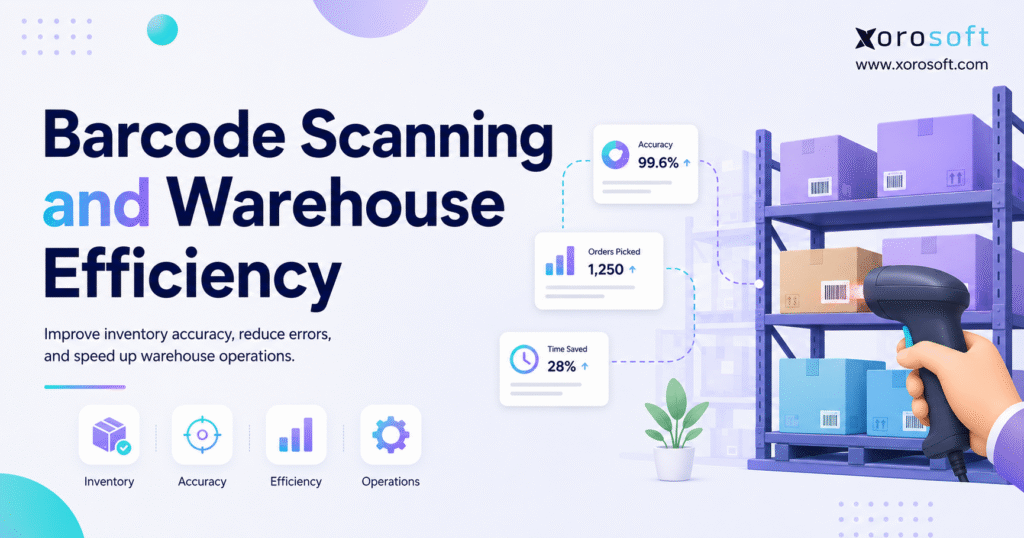
If you’re looking to improve efficiency and accuracy in your facility, warehouse barcode scanning is an essential tool to consider.
1. Scanning Is Where Warehouse Efficiency Becomes Visible
Warehouse barcode scanning improves warehouse efficiency by connecting every physical inventory movement to a digital record as the work happens. Instead of relying on memory, paper notes, delayed updates, or spreadsheets, warehouse teams scan products, bins, cartons, pallets, and shipments during daily operations.
Because each scan confirms a specific action, the warehouse becomes easier to control. Receiving teams can confirm what arrived. Putaway teams can verify where stock was placed. Pickers can validate the correct SKU before it reaches packing. Meanwhile, managers can see inventory movement with much less guesswork.
For growing inventory teams, this matters because warehouse problems rarely stay inside the warehouse. A receiving mistake can create a purchasing issue. A picking error can become a customer service problem. Similarly, an inaccurate stock count can affect sales, fulfillment, and accounting.
At a small scale, manual checks may feel manageable. However, once order volume, SKU count, sales channels, and warehouse locations increase, manual control starts to break down. Barcode scanning helps replace assumptions with confirmation.
The purpose of barcode scanning is not only to move faster. More importantly, it helps the business trust what the system says.
1.1 What Warehouse Barcode Scanning Means
Warehouse barcode scanning is the process of using barcode labels and scanning devices to identify inventory, locations, cartons, pallets, and shipments during warehouse work.
A barcode can represent a product SKU, variant, bin, shelf, pallet, carton, purchase order, sales order, transfer, lot number, serial number, or shipment. Once scanned, that barcode tells the inventory system what item or location is involved in the transaction.
However, the scanner is only one part of the process. A proper barcode system also needs clean product data, accurate warehouse locations, label standards, software rules, user training, and reporting. Without those pieces, scanning may capture data faster, but the operation can still remain inaccurate.
1.2 Why Warehouse Efficiency Depends on Scan Confirmation
Warehouse efficiency depends on repeatable execution. Therefore, the best warehouse processes do not ask workers to remember every detail manually. They guide the worker through the task and confirm each step.
For example, a picker should not need to guess whether two similar items are different variants. Instead, the system should require a scan. If the item does not match the order, the worker should know immediately.
Likewise, a putaway team should not depend on verbal instructions or handwritten notes. A scan of the destination bin can confirm that the product moved to the correct location.
As a result, scan confirmation reduces rework, delays, and uncertainty.
1.3 Where Barcode Scanning Fits in Daily Warehouse Workflows
Barcode scanning can support nearly every warehouse process.
It is commonly used in receiving, putaway, replenishment, picking, packing, shipping, cycle counting, stock transfers, returns, lot tracking, serial tracking, and manufacturing material movement.
However, the strongest results come when scanning is built into the workflow instead of added as an optional step. For instance, receiving should validate goods against a purchase order. Picking should confirm both the bin and the SKU. Packing should verify that the right item enters the right carton.
Because every scan adds operational proof, barcode scanning becomes more valuable as the business scales.
2. How Barcode Scanning Improves Warehouse Efficiency
Barcode scanning improves warehouse efficiency by reducing manual entry, speeding up verification, improving location accuracy, and keeping inventory records closer to reality.
Although scanners often look like simple hardware, their real value comes from process control. A warehouse team becomes more efficient because scanning removes avoidable decisions from repetitive work.
For example, a receiver does not need to type every SKU into a spreadsheet. A picker does not need to compare tiny product differences by sight. Additionally, a cycle counter does not need to write quantities on paper and wait for someone else to update the system later.
The most common efficiency gains include:
- Faster receiving
- Cleaner putaway
- Fewer picking errors
- Better packing verification
- Faster cycle counts
- More accurate transfers
- Easier returns processing
- Stronger inventory visibility
- Better warehouse accountability
2.1 Receiving Becomes Faster and More Accurate
Receiving is one of the most important warehouse processes because inventory accuracy starts at the dock.
If receiving is wrong, every downstream process becomes harder. Purchasing may believe stock arrived. Sales may assume the item is available. Finance may treat inventory value as correct. However, the warehouse may still have shortages, overages, damage, or wrong-item receipts.
Barcode scanning helps receiving teams compare incoming goods against expected purchase orders. As a result, the team can catch problems before bad data enters the system.
2.1.1 Purchase Order Matching
Purchase order matching allows the receiving team to scan incoming items and compare them with the expected PO.
Because the scan validates the SKU, the team can identify wrong products earlier. This is especially useful when suppliers ship similar items, mixed cartons, or substitute products.
2.1.2 Quantity Validation
Quantity validation helps the team confirm how many units, cartons, or pallets arrived.
Instead of counting manually and entering numbers later, workers can scan and confirm quantities during the receiving workflow. Therefore, shortages and overages become easier to identify before stock moves deeper into the warehouse.
2.1.3 Exception Handling
Exception handling matters because real receiving is rarely perfect.
Products may arrive damaged, mislabeled, short, over, or unexpected. Barcode scanning helps the team record those exceptions immediately. Consequently, purchasing, warehouse, and accounting teams can review the issue with better context.
2.2 Putaway Becomes More Controlled
Putaway determines where inventory lives after receiving.
A product can be received correctly and still become difficult to find if it moves into the wrong bin. Therefore, location scanning is critical. It confirms not only what the product is, but also where it was placed.
2.2.1 Bin-Level Confirmation
Bin-level confirmation requires the worker to scan the product and the destination location.
Because the system records both pieces of information, managers can trust the location data more easily. Later, pickers and cycle counters can find the inventory without asking around or searching through overflow areas.
2.2.2 Directed Putaway
Directed putaway helps workers place items in the right area based on rules.
For example, fast-moving items may go closer to picking zones. Bulky items may go to specific storage areas. Fragile or regulated products may need restricted locations. As a result, warehouse layout and scanning logic work together.
2.3 Picking Errors Decrease
Picking errors are expensive because they usually reach the customer.
A wrong item can create refunds, reshipments, marketplace issues, wholesale deductions, and support tickets. Therefore, picking is one of the strongest use cases for barcode scanning.
2.3.1 SKU Verification
SKU verification confirms that the picker selected the right item.
If the scanned SKU does not match the order, the system can warn the worker before the item moves forward. Consequently, wrong-size, wrong-color, wrong-style, and wrong-model picks become easier to prevent.
2.3.2 Location Verification
Location verification confirms that the picker is working from the right bin or shelf.
This matters because the wrong location often leads to the wrong product. Additionally, location scans help managers identify repeated slotting or replenishment issues.
2.3.3 Order-Level Validation
Order-level validation confirms that the picked product belongs to the correct order.
This is especially useful in batch picking, wave picking, cart picking, and high-volume ecommerce fulfillment. Because multiple orders may move together, scanning helps prevent items from landing in the wrong tote or carton.
2.4 Packing and Shipping Become Easier to Verify
Packing is the final practical checkpoint before the customer sees the mistake.
For that reason, scan-to-pack workflows are valuable. Each item can be scanned before it enters the carton. If the item does not belong to the order, the system can stop the packer before the shipment leaves.
2.4.1 Scan-to-Pack Workflows
Scan-to-pack workflows confirm that the packed carton matches the order.
Because packing teams often work quickly, visual checks alone may not be enough. A scanning step adds a stronger control point without requiring managers to manually inspect every order.
2.4.2 Shipment Confirmation
Shipment confirmation closes the fulfillment loop.
Once the package is ready, the team can scan the order, shipment, or carrier label. As a result, order status, inventory availability, and fulfillment records can update more reliably.
2.5 Cycle Counting Becomes More Reliable
Cycle counting becomes easier when workers can scan locations and items directly.
Instead of writing counts on paper, the team can scan the bin, scan the SKU, enter the counted quantity, and record the variance. Therefore, managers receive cleaner information for review.
2.5.1 Location-Based Counts
Location-based counts help verify what physically exists in a specific bin or shelf.
This is more useful than only counting by SKU because it checks both quantity and location accuracy. Additionally, it helps identify misplaced inventory.
2.5.2 Variance Review
Variance review helps managers understand why the count does not match the system.
Because scan records can show recent receiving, picking, transfer, and adjustment activity, the business can investigate root causes instead of simply correcting the number.
2.6 Returns Become Easier to Process
Returns can create major inventory issues if they flow back into stock without inspection.
Barcode scanning helps teams identify the item, match it to a return authorization, and route it to the right status. For example, the item may go to sellable inventory, quarantine, repair, damaged stock, or disposal.
As a result, returns become more controlled and inventory records stay cleaner.
3. Warehouse Barcode Scanning vs Manual Inventory Tracking
Manual inventory tracking can work when the warehouse is small, simple, and low-volume. However, it becomes risky when SKU count, order volume, headcount, and sales channels increase.
The main issue is not only speed. More importantly, manual tracking separates physical movement from system updates.
A worker receives goods now but updates the spreadsheet later. Another employee picks an order now but adjusts inventory tomorrow. Meanwhile, managers may not know whether the system is accurate until a customer order fails.
Barcode scanning closes that gap by recording movement during the task.
| Factor | Manual Inventory Tracking | Warehouse Barcode Scanning |
|---|---|---|
| Inventory updates | Often delayed | Updated during the workflow |
| Error risk | Higher due to typing and memory | Lower due to scan validation |
| Picking control | Depends on visual checks | Confirms SKU and location |
| Receiving control | Often paper-based | Compares scans to purchase orders |
| Cycle counting | Slower and more manual | Faster and more structured |
| Multi-warehouse visibility | Hard to maintain | Easier to centralize |
| Audit trail | Weak | Stronger scan history |
| Best fit | Very small operations | Growing inventory teams |
3.1 Manual Tracking Creates Hidden Delays
Manual workflows often look inexpensive because the tools are already available.
Spreadsheets, paper pick lists, and manual notes feel flexible. However, they create hidden labor. Someone has to update the spreadsheet. Another person has to check the handwritten notes. Eventually, a manager has to reconcile the difference between system inventory and physical stock.
Because this work is spread across people and time, it often becomes invisible until errors increase.
3.2 Barcode Scanning Creates Operational Proof
Barcode scanning creates proof that a warehouse action happened.
A scan can show that an item was received, moved, picked, packed, counted, transferred, returned, or shipped. Therefore, managers can review actual activity instead of relying on assumptions.
This audit trail is useful during inventory investigations, supplier disputes, customer service issues, and month-end reconciliation.
3.3 When Manual Processes Still Work
Manual processes may still work for very small operations.
For example, a team with a low SKU count, one location, low daily order volume, and few inventory mistakes may not need a full barcode system immediately. In that case, the business should still keep clean SKU data and product records so future scanning is easier to implement.
3.4 When Manual Processes Start Breaking
Manual processes usually start breaking when complexity increases.
Common signs include frequent stock discrepancies, slow receiving, lost inventory, wrong-item shipments, poor cycle count results, overselling, delayed order updates, and heavy spreadsheet dependence.
Once those signs appear, barcode scanning becomes less of a convenience and more of a control requirement.
4. Core Components of a Warehouse Barcode System
A warehouse barcode system includes labels, scanners, mobile devices, inventory software, warehouse workflows, user training, and reporting.
Because each part supports the next, the system only works well when the foundation is clean. A great scanner will not fix poor SKU data. Likewise, strong labels will not help if warehouse locations are not structured.
For barcode standards, many businesses look to GS1 barcode standards because GS1 provides widely used identification standards for products, locations, logistics units, and supply chain movement.
4.1 Barcode Labels
Barcode labels make physical inventory scannable.
A strong label strategy separates product labels, location labels, carton labels, pallet labels, and shipment labels. Therefore, every scan has a clear operational purpose.
4.1.1 Product Labels
Product labels identify the item or variant.
For example, an apparel business may need separate barcode labels for the same style across different sizes and colors. Similarly, a sporting goods company may need labels for accessories, bundles, replacement parts, and equipment variations.
4.1.2 Location Labels
Location labels identify where inventory sits.
These labels can represent zones, aisles, racks, shelves, bins, staging areas, pick faces, quarantine zones, or overflow locations. Because location accuracy affects picking and counting, location labels are just as important as product labels.
4.1.3 Pallet and Carton Labels
Pallet and carton labels help teams move larger units efficiently.
Instead of scanning every individual item during every movement, workers can scan a carton or pallet when the system supports that handling unit. This is useful in wholesale, manufacturing, receiving, transfers, and bulk fulfillment.
4.2 Barcode Scanners and Mobile Devices
Barcode scanning hardware may include handheld scanners, RF devices, mobile computers, tablets, smartphones, and rugged warehouse devices.
However, the right choice depends on the environment. A small stockroom may be fine with mobile scanning. In contrast, a busy warehouse may need rugged devices, long battery life, stronger scan range, and durable hardware.
4.3 Warehouse Management Software
Warehouse management software turns scans into controlled workflows.
Without software rules, a scanner only captures data. With a warehouse management system, the scan can validate receiving, guide putaway, confirm picking, support packing, update shipping, and record cycle counts.
This is why barcode scanning is strongest when it works with a structured WMS.
4.4 ERP and Inventory Integration
Barcode scanning becomes more valuable when it updates the broader business system.
Inventory affects purchasing, sales, fulfillment, accounting, forecasting, manufacturing, and reporting. Therefore, scan data should not live inside a disconnected tool.
When scanning connects with inventory and ERP workflows, the business gets better visibility across departments.
4.5 Real-Time Inventory Updates
Real-time inventory updates help teams make better decisions.
Sales teams can avoid promising unavailable stock. Purchasing teams can reorder with cleaner data. Warehouse managers can see what moved. Meanwhile, finance teams can work with inventory numbers that better reflect physical reality.
Because of that, real-time inventory visibility is often the real goal behind barcode scanning.
5. How Barcode Scanning Connects Inventory, WMS, and ERP
Barcode scanning works best when it connects with the systems that run operations.
A scanner confirms the movement. A WMS guides the warehouse task. Inventory software updates stock. An ERP connects the movement to purchasing, sales, manufacturing, accounting, ecommerce, EDI, and reporting.
As a result, growing businesses often move beyond basic scanner apps.
5.1 Why Scanning Alone Is Not Enough
Scanning alone does not fix poor process design.
If SKUs are duplicated, barcodes are missing, locations are messy, units of measure are inconsistent, or inventory data is already wrong, barcode scanning may only make bad data move faster.
Before rollout, businesses should clean:
- SKUs
- Barcode fields
- Product variants
- Units of measure
- Warehouse locations
- Bin structure
- Purchase order workflows
- Sales order workflows
- Transfer rules
- Return rules
Because clean data supports clean scanning, this step should happen before the team buys hardware.
5.2 Why Inventory Data Needs a Central System
Inventory data touches nearly every department.
Warehouse teams need location accuracy. Purchasing needs reorder visibility. Sales needs available-to-sell inventory. Finance needs valuation accuracy. Ecommerce teams need channel synchronization. Meanwhile, leadership needs reporting.
A central system gives these teams one operational record instead of multiple disconnected versions of the truth.
5.3 How Scan Events Update Stock Records
A scan event becomes useful when it is tied to a business transaction.
For example, a receiving scan can increase inventory. A putaway scan can move stock into a bin. A pick scan can move inventory into fulfillment. Similarly, a ship scan can reduce available stock.
Because these transactions affect multiple workflows, barcode scanning should connect to inventory software, WMS, or ERP rather than sit in a separate spreadsheet.
5.4 How ERP Platforms Support Barcode Scanning at Scale
ERP platforms support barcode scanning by connecting warehouse movement with the rest of the business.
For inventory-driven companies, XoroERP can connect warehouse scanning with inventory management, purchasing, fulfillment, accounting, manufacturing, forecasting, and reporting. Similarly, XoroWMS supports warehouse execution workflows such as receiving, putaway, picking, packing, shipping, and cycle counting.
The point is not to add one more scanner tool. Instead, the goal is to keep warehouse activity connected to the system that manages the operation.
5.5 A Smarter Way to Check System Readiness
Before implementing barcode scanning, growing companies should ask a practical question: can the current system support scan-confirmed operations without more spreadsheets?
If the answer is no, the business may need to review ERP readiness first. A scanner can speed up data capture, but a connected system is what turns scans into reliable operations.
6. Barcode Scanning Workflows by Warehouse Process
Warehouse barcode scanning should be designed around workflows, not devices.
A good rollout maps each process and decides which scans are required, which scans are optional, and what should happen when something does not match.
6.1 Receiving Workflow
A practical receiving workflow may include these steps:
1. Open the purchase order.
2. Scan the item or carton.
3. Confirm the expected SKU.
4. Enter or scan the quantity.
5. Record shortages, overages, or damage.
6. Print labels if needed.
7. Move stock to receiving, inspection, or putaway.
8. Update inventory status.
Because this process catches issues early, purchasing and warehouse teams get cleaner supplier and inventory data.
6.2 Putaway Workflow
A putaway workflow usually includes:
1. Scan the received item.
2. View the recommended location.
3. Move the item to the bin, shelf, rack, or zone.
4. Scan the destination location.
5. Confirm quantity.
6. Complete putaway.
As a result, received stock does not sit in limbo or disappear into the wrong area.
6.3 Picking Workflow
A picking workflow often includes:
1. Open the pick task.
2. Scan the source bin.
3. Scan the item.
4. Confirm quantity.
5. Place the item into a tote, cart, or order container.
6. Repeat until the order or wave is complete.
7. Move goods to packing.
Because the picker confirms both location and SKU, wrong-item errors become easier to prevent.
6.4 Packing Workflow
A scan-to-pack workflow may include:
1. Scan the order, tote, or carton.
2. Scan each item going into the package.
3. Confirm order completeness.
4. Print the packing slip.
5. Print the shipping label.
6. Mark the package ready to ship.
This step is useful because it catches errors before they reach the customer.
6.5 Shipping Workflow
A shipping workflow usually includes:
1. Scan the packed order.
2. Confirm the carrier label.
3. Confirm the shipping method.
4. Scan the dispatch area.
5. Close the shipment.
6. Update the order status.
For ecommerce teams, this supports faster order visibility. For wholesale teams, it can also improve shipment documentation.
6.6 Cycle Counting Workflow
A cycle count workflow may include:
1. Select the count list.
2. Scan the warehouse location.
3. Scan the item.
4. Enter counted quantity.
5. Record the variance.
6. Review the variance reason.
7. Approve or reject the adjustment.
8. Update inventory.
Because the process is structured, teams can count more often without shutting down the warehouse.
6.7 Transfer Workflow
Transfers become more complicated when inventory moves between warehouses.
A transfer workflow can include scan-confirmed dispatch from one location and scan-confirmed receipt at another. Therefore, the business can track in-transit stock more clearly.
6.7.1 Warehouse-to-Warehouse Transfers
Warehouse-to-warehouse transfers require control at both ends.
The sending warehouse should scan what leaves. Then the receiving warehouse should scan what arrives. If the numbers do not match, the system should show the variance.
6.7.2 Transfer Variance Control
Transfer variance control helps teams find missing or mismatched inventory.
The issue may come from picking, packing, dispatch, carrier handling, or receiving. Because scan records show the movement path, investigation becomes easier.
6.8 Returns Workflow
Returns should not move directly back into available inventory without inspection.
A scanning workflow can route returned items into sellable, damaged, quarantine, repair, or disposal status. Consequently, the business protects both inventory accuracy and customer experience.
7. Barcode Scanning Best Practices for Warehouse Teams
Barcode scanning works best when the warehouse has clear standards.
A team can buy strong hardware and still struggle if product data, label placement, locations, and exception workflows are weak. Therefore, process design should come before rollout.
7.1 Standardize SKU Naming Before Labeling
Clean SKU structure comes first.
If the same product exists under multiple SKU formats, scanning will expose the problem. Therefore, businesses should standardize item numbers, variants, units of measure, and barcode fields before printing labels.
7.2 Label Every Storage Location
Product labels are not enough.
Warehouse teams also need location labels. Without bin or shelf labels, workers can confirm the product but not where it belongs. Because location errors affect picking and counting, every storage location should be scannable.
7.3 Separate Product, Bin, Carton, and Pallet Labels
Different barcode labels should serve different purposes.
A product barcode identifies the item. A bin barcode identifies the location. A carton barcode identifies a packed unit. Meanwhile, a pallet barcode identifies a larger handling unit.
When these labels are clearly separated, warehouse workers understand what they are scanning and why.
7.4 Train Teams on Scan Exceptions
Exception handling is where many implementations fail.
Workers need to know what to do when the barcode will not scan, the item does not match the order, the bin is full, the product is damaged, the received quantity is short, or the system says stock exists but the shelf is empty.
Because exceptions happen every day, the process must make them easy to handle.
7.5 Use Scan Data to Review Labor and Accuracy
Scan data can reveal operational patterns.
Managers can review where picks slow down, which bins create repeated errors, which products create receiving issues, and where cycle count variances happen often. In that context, XoroONE is useful for businesses that want warehouse, inventory, purchasing, accounting, and reporting workflows connected in one operational platform.
7.6 Test Workflows Before Full Rollout
A pilot rollout is usually safer than a full warehouse switch.
Start with one workflow, one zone, or one product group. Then measure scan compliance, accuracy, exception rates, and user feedback. After that, expand the process.
This staged approach reduces disruption and helps the team fix problems before the full operation depends on the new workflow.
8. Common Barcode Scanning Mistakes
Barcode scanning problems usually come from process design, not barcode technology.
Most mistakes happen because businesses focus on scanners before fixing the warehouse structure around those scanners.
8.1 Treating Barcodes as a Hardware Project
Buying scanners does not create warehouse discipline.
The business still needs clean item records, label rules, bin locations, workflow logic, user training, and system integration. Otherwise, scanning becomes another disconnected activity.
8.2 Keeping Bad Inventory Data
Bad data weakens every scan.
If a barcode points to the wrong item, the scan confirms the wrong record. If an item has the wrong unit of measure, quantities will still be wrong. Therefore, master data cleanup should happen before implementation.
8.3 Using Poor Label Placement
Labels must be easy to scan during real warehouse work.
A label hidden under stretch wrap, placed on a curved surface, printed with poor contrast, or damaged by handling will slow workers down. Because speed matters, labels should be placed where workers naturally scan them.
8.4 Not Labeling Warehouse Locations
Many teams label products but ignore bins.
That creates only half a system. Location labels help workers confirm where inventory came from and where it went. Without them, the warehouse still depends too much on memory.
8.5 Ignoring Exception Workflows
A perfect workflow is easy to document. Real warehouse work includes exceptions.
Wrong items arrive. Barcodes fail. Suppliers change packaging. Customers return damaged goods. Therefore, a strong barcode scanning process should explain what workers must do when the expected path breaks.
8.6 Choosing Tools That Do Not Integrate
Disconnected scanning tools create delayed visibility.
If warehouse scans do not update inventory, purchasing, fulfillment, accounting, or ecommerce channels, the business may still need manual reconciliation. Because of that, integration should be part of the software decision.
9. Barcode Scanning by Business Type
Different businesses use barcode scanning for different reasons.
The right workflow depends on product type, sales channels, order volume, warehouse layout, and fulfillment model. For a broader view of operational needs across different sectors, the industries we serve page is a useful reference.
9.1 Ecommerce Brands
Ecommerce brands use barcode scanning to reduce fulfillment errors and keep inventory aligned across channels.
Shopify’s own guidance explains how merchants can use the Shopify app to scan product barcodes, assign barcodes, and adjust inventory quantities through its inventory scanner workflow. This makes barcode fields important for Shopify inventory management because scanners typically rely on barcode data rather than only the SKU field.
However, growing Shopify brands often need more than basic scanning. They may need multi-warehouse visibility, purchasing workflows, Amazon inventory, wholesale orders, and accounting integration. For Shopify merchants evaluating an ERP-connected approach, the Xorosoft ERP app on the Shopify App Store is a relevant outbound resource.
9.2 Wholesale Distributors
Wholesale distributors often deal with bulk orders, customer-specific requirements, EDI workflows, backorders, allocation, and large shipment volumes.
Barcode scanning helps confirm case quantities, pallet movement, warehouse transfers, and order accuracy. Additionally, it supports better documentation when wholesale customers expect accurate shipments and consistent fulfillment.
9.3 Apparel and Fashion Brands
Apparel companies often manage variant-heavy catalogs.
A single product style may include many sizes, colors, fits, and seasonal variations. Barcode scanning helps reduce wrong-size and wrong-color picks. Additionally, it improves returns processing because returned items can be scanned, inspected, and routed correctly.
9.4 Furniture Businesses
Furniture businesses often manage bulky items, warehouse zones, delivery staging, and special handling needs.
Barcode scanning helps locate large products, confirm staging areas, and reduce confusion between similar finishes, dimensions, or configurations. As a result, warehouse teams can avoid time-consuming searches during fulfillment.
9.5 Sporting Goods Companies
Sporting goods companies often carry seasonal items, accessories, equipment, bundles, and replacement parts.
Scanning improves pick accuracy and helps teams manage fast-moving items during seasonal demand spikes. Because many products may look similar, barcode validation reduces avoidable mistakes.
9.6 Food and Beverage Businesses
Food and beverage businesses need stronger traceability.
Barcode scanning can support lot tracking, expiry control, FIFO workflows, receiving accuracy, and shipment validation. Therefore, the warehouse can better manage freshness, recalls, and inventory rotation.
9.6.1 Lot Tracking
Lot tracking helps the business understand where a batch came from and where it went.
By scanning lots during receiving, storage, production, and shipment, teams can improve traceability and reduce manual investigation work.
9.6.2 Expiry and FIFO Control
Expiry and FIFO control help prevent older inventory from being ignored.
When the system knows the lot and location, workers can be guided toward the correct stock. Consequently, waste and fulfillment mistakes can decrease.
9.7 Manufacturers
Manufacturers use barcode scanning for raw materials, components, work-in-progress, and finished goods.
Because manufacturing inventory moves through multiple stages, scanning helps teams track materials before, during, and after production.
9.7.1 Raw Material Scanning
Raw material scanning helps confirm component receipt and movement.
This matters because missing or inaccurate component records can delay production.
9.7.2 Work-in-Progress Movement
Work-in-progress scanning helps production teams record where materials are in the manufacturing flow.
As a result, managers can see whether inventory is still raw material, active production, or finished goods.
9.7.3 Finished Goods Scanning
Finished goods scanning confirms when completed products enter inventory.
After that, the same stock can be put away, transferred, picked, packed, and shipped with stronger visibility.
10. Barcode Scanning Software Options
Businesses can approach warehouse barcode scanning in several ways.
The right option depends on operational complexity, order volume, warehouse layout, accounting needs, and integration requirements.
| Option | Best For | Strength | Limitation |
| Standalone scanning app | Simple stock checks | Easy setup | Limited integration |
| Inventory software | SKU visibility | Better stock records | May lack warehouse depth |
| WMS | Warehouse execution | Strong process control | May not include accounting |
| ERP with WMS | Growing inventory businesses | Connected operations | Requires implementation planning |
10.1 Standalone Barcode Scanning Apps
Standalone apps can help with basic stock checks or simple inventory adjustments.
They may work for small teams that do not need advanced receiving, picking, packing, transfers, or accounting integration. However, they can become limiting when the business needs connected workflows.
10.2 Inventory Management Software
Inventory management software gives businesses better SKU visibility than spreadsheets.
However, some systems focus mostly on stock records rather than warehouse execution. If the warehouse needs scan-directed picking, bin control, packing verification, or transfer workflows, the team may need stronger WMS capability.
10.3 Warehouse Management Systems
A WMS manages warehouse execution.
It can support receiving, putaway, picking, packing, replenishment, cycle counting, and shipping. Therefore, WMS barcode scanning is often the right fit when warehouse process control is the main priority.
10.4 ERP Systems with Warehouse Scanning
ERP systems with warehouse scanning are useful when warehouse activity needs to connect with inventory, purchasing, accounting, manufacturing, ecommerce, EDI, and reporting.
Xorosoft fits this category as a cloud ERP for inventory-driven businesses that need warehouse management, inventory control, purchasing, accounting, manufacturing, forecasting, Shopify, Amazon, EDI, and multi-warehouse operations connected in one system.
If your team is comparing platforms, start with the main Compare Xorosoft page. For inventory-heavy teams comparing warehouse and operational software, Xorosoft vs Cin7 may also be relevant. Meanwhile, businesses outgrowing spreadsheets and accounting-led workflows may find Xorosoft vs QuickBooks more useful.
10.5 Barcode Scanning vs RFID
Barcode scanning and RFID both help identify inventory, but they fit different environments.
| Factor | Barcode Scanning | RFID |
| Cost | Usually lower | Usually higher |
| Line of sight | Usually required | Often not required |
| Setup complexity | Lower | Higher |
| Best fit | Most warehouses | High-volume automated environments |
| Item-level control | Strong | Strong |
| Infrastructure needs | Moderate | Higher |
| Adoption difficulty | Easier | More complex |
Barcode scanning is often the better first step for most growing warehouses because it is simpler, familiar, and cost-effective. However, RFID may make sense for high-volume automated environments where direct line-of-sight scanning creates too much friction.
10.6 Barcode Scanning vs QR Code Scanning
QR codes can store more data than traditional one-dimensional barcodes.
However, many warehouses still use standard barcodes because they are simple, proven, and widely supported. QR codes may be useful when the business needs more data capacity or product-level information, but the best choice depends on what the system needs to scan and update.
11. When to Upgrade to an ERP-Connected Barcode System
A business should consider ERP-connected barcode scanning when warehouse movement affects more than the warehouse floor.
The upgrade trigger is usually not the scanner itself. Instead, the trigger is the complexity around the scanner.
11.1 You Operate Multiple Warehouses
Multi-warehouse businesses need shared inventory visibility.
If one warehouse receives goods, another transfers stock, and a third fulfills orders, the company needs one central view. Barcode scanning helps confirm movement, but the system must keep every location aligned.
11.2 You Sell Through Shopify, Amazon, Wholesale, or EDI
Multi-channel operations create inventory pressure.
Shopify may need product and inventory updates. Amazon may require strong labeling discipline. Wholesale and EDI orders may add routing, labeling, shipment, and documentation expectations. Therefore, scanning must connect to more than one sales channel.
For Shopify operations, review Shopify’s inventory scanner guidance to understand how barcode scanning works inside the Shopify app. Then, if operations have outgrown basic workflows, consider how ERP-connected scanning can support the full back end.
11.3 Your Inventory Counts Do Not Match Reality
If system inventory and physical inventory frequently disagree, the business needs better control.
Barcode scanning can reduce manual entry and improve movement accuracy. However, the company must also fix process gaps that create discrepancies in the first place.
11.4 Your Warehouse and Accounting Data Do Not Align
Inventory movement affects accounting.
Receiving, adjustments, production, transfers, returns, and shipments all influence inventory value. If warehouse and accounting teams work from disconnected systems, month-end close becomes harder.
Because ERP-connected scanning keeps warehouse movement closer to financial records, the business can reduce reconciliation work.
11.5 Your Team Still Depends on Spreadsheets
Spreadsheets are often the clearest sign that the process has outgrown the system.
When teams track purchasing, inventory, warehouse movement, and exceptions outside the main system, barcode scanning may not reach its full value. The business needs process integration, not just faster data capture.
12. Warehouse Barcode Scanning Implementation Checklist
Use this checklist before implementing warehouse barcode scanning.
12.1 Clean Product and Location Data
Standardize SKUs, product names, variants, units of measure, barcode fields, warehouse locations, and bin structures.
Because scanning depends on accurate records, bad data should be fixed before rollout.
12.2 Choose Barcode Standards
Decide which barcode types and identifiers the business will use.
If products move through retailers, distributors, suppliers, or logistics networks, standards become more important. Therefore, review barcode structure before printing labels at scale.
12.3 Label Products, Bins, Shelves, and Pallets
Create label rules for every major inventory movement point.
Products, bins, shelves, cartons, pallets, staging areas, and shipping units may all need labels depending on the workflow.
12.4 Map Warehouse Workflows
Document receiving, putaway, picking, packing, shipping, transfers, returns, and cycle counting.
After that, decide where scans should be required, optional, or blocked.
12.5 Connect Scanning to Inventory Software
Make sure scans update the system of record.
If scanning data sits outside inventory software, WMS, or ERP, the team may still need manual reconciliation.
12.6 Train Users and Test Exceptions
Train workers on normal workflows and exception workflows.
Because real warehouse work includes damaged goods, wrong items, failed scans, and missing inventory, exception training is essential.
12.7 Measure Accuracy, Speed, and Variances
Track inventory accuracy, receiving speed, pick accuracy, cycle count variance, order accuracy, and labor productivity.
Then use that data to improve warehouse layout, staffing, slotting, and process rules.
13. FAQs About Warehouse Barcode Scanning
13.1 What is warehouse barcode scanning?
Warehouse barcode scanning is the use of barcode labels and scanners to identify products, locations, cartons, pallets, and shipments during warehouse work. It helps teams confirm receiving, putaway, picking, packing, shipping, transfers, returns, and cycle counts. As a result, physical inventory movement stays more closely connected to digital inventory records.
13.2 Why does barcode scanning improve warehouse efficiency?
Barcode scanning improves warehouse efficiency because it reduces manual entry and confirms each task during the workflow. Instead of writing down SKUs or updating spreadsheets later, workers scan items and locations as they move. Therefore, the warehouse gains faster execution and cleaner inventory data.
13.3 Which warehouse processes benefit most from scanning?
Receiving, putaway, picking, packing, shipping, cycle counting, transfers, and returns all benefit from scanning. However, picking and receiving often show the quickest impact because those processes create many downstream errors when they are done manually.
13.4 How does scanning improve inventory accuracy?
Scanning improves inventory accuracy by confirming the item, location, and quantity during movement. Because the system updates based on actual warehouse activity, the business relies less on delayed manual entry and more on transaction-based inventory records.
13.5 Does barcode scanning reduce picking errors?
Yes, barcode scanning can reduce picking errors when the workflow requires SKU and location validation. If the scanned item does not match the order, the system can warn the picker before the item moves to packing.
13.6 Can barcode scanning help receiving teams?
Yes, barcode scanning helps receiving teams compare incoming goods against purchase orders. It can also help record shortages, overages, damaged goods, and unexpected items. As a result, inventory records start cleaner from the receiving dock.
13.7 What role does scanning play in putaway?
Scanning confirms that inventory moves to the correct bin, shelf, rack, or zone. Because the destination location is recorded, pickers and cycle counters can find stock more easily later.
13.8 Can barcode scanning improve packing and shipping?
Yes, scan-to-pack workflows confirm that each item belongs to the order before shipment. Then shipment scanning can confirm that the correct package leaves the warehouse. Consequently, fewer errors reach the customer.
13.9 How does barcode scanning support cycle counting?
Barcode scanning supports cycle counting by letting workers scan locations, scan items, enter quantities, and record variances directly. This makes counts faster and easier to review.
13.10 Is barcode scanning better than manual inventory tracking?
For growing inventory teams, barcode scanning is usually better because it reduces manual entry, confirms movement, and improves inventory visibility. Manual tracking may still work for very small operations with low SKU count and low order volume.
13.11 Is barcode scanning better than RFID?
Barcode scanning is usually easier and less expensive to implement. RFID can be more automated, but it often requires more infrastructure. Therefore, barcode scanning is a practical first step for most warehouses.
13.12 Are QR codes useful in warehouse operations?
QR codes can be useful when the business needs more data capacity than a traditional barcode. However, many warehouses still use standard barcodes because they are simple, widely supported, and reliable for inventory workflows.
13.13 What equipment is needed for warehouse barcode scanning?
A warehouse barcode scanning setup may include barcode labels, label printers, handheld scanners, mobile devices, rugged warehouse devices, charging stations, and scanning software. The exact setup depends on volume, warehouse layout, and workflow complexity.
13.14 What software is needed for warehouse barcode scanning?
The software may be a scanning app, inventory system, WMS, or ERP with warehouse scanning. Small teams may start with basic tools. However, growing teams often need WMS or ERP-connected scanning.
13.15 Can barcode scanning work with ERP software?
Yes, barcode scanning can work with ERP software when scan events update inventory, purchasing, sales orders, accounting, manufacturing, and reporting. This is useful when warehouse activity affects multiple departments.
13.16 Can barcode scanning work with a WMS?
Yes, barcode scanning commonly works with warehouse management systems. A WMS can guide receiving, putaway, picking, packing, shipping, replenishment, transfers, and cycle counts.
13.17 Can barcode scanning work with Shopify inventory?
Yes, barcode scanning can support Shopify inventory workflows. Shopify provides barcode-related inventory scanning features through its app. However, larger Shopify operations may need ERP or WMS integration for multi-warehouse and accounting workflows.
13.18 Can barcode scanning support Amazon operations?
Yes, barcode scanning can support Amazon operations by improving label accuracy, inventory control, and fulfillment preparation. This is especially useful when products must be tracked, labeled, or prepared for marketplace fulfillment.
13.19 Can wholesale distributors use barcode scanning?
Yes, wholesale distributors can use barcode scanning to confirm bulk orders, pallet movement, warehouse transfers, EDI shipments, and customer-specific fulfillment requirements. As a result, order accuracy and shipment control improve.
13.20 Can barcode scanning support EDI orders?
Barcode scanning can support EDI orders by improving order accuracy, shipment confirmation, and inventory allocation. While EDI handles document exchange, scanning helps ensure the physical goods match the order.
13.21 Can barcode scanning track lots and serial numbers?
Yes, barcode scanning can track lots and serial numbers when the inventory system supports those fields. This is useful for food, beverage, manufacturing, electronics, automotive parts, and regulated products.
13.22 Does barcode scanning help multi-warehouse businesses?
Yes, barcode scanning helps multi-warehouse businesses confirm transfers, receipts, picking activity, and stock counts across locations. However, scans must feed a central system so every warehouse works from the same inventory record.
13.23 How should warehouse locations be labeled?
Warehouse locations should be labeled by zone, aisle, rack, shelf, bin, or another logical structure. Labels should be durable, visible, consistently placed, and easy to scan during normal warehouse work.
13.24 What barcode type is best for warehouse inventory?
The best barcode type depends on the use case. Many warehouses use common formats such as Code 128, UPC, EAN, GS1-128, or QR codes. If products move through retailers or distributors, GS1 standards may be important.
13.25 How much does a warehouse barcode system cost?
Cost depends on scanners, label printers, labels, software, implementation, integrations, and training. A small warehouse may start with mobile scanning, while a larger operation may need rugged devices, WMS workflows, and ERP integration.
13.26 What mistakes should teams avoid?
Teams should avoid poor SKU data, missing location labels, bad label placement, weak exception workflows, disconnected scanner apps, and hardware-first planning. Because scanning depends on process quality, these issues should be fixed early.
13.27 When should a business implement barcode scanning?
A business should implement barcode scanning when manual tracking creates inventory discrepancies, picking mistakes, slow receiving, lost stock, delayed updates, or multi-warehouse confusion. The need becomes stronger as SKU count and order volume increase.
13.28 Who does not need warehouse barcode scanning yet?
Very small businesses may not need barcode scanning yet if they have few SKUs, low order volume, one storage location, and minimal inventory errors. However, they should still keep clean product data so scanning is easier to adopt later.
13.29 How do barcode scanners update inventory in real time?
Barcode scanners update inventory in real time when they connect to inventory software, WMS, or ERP. Each scan records a transaction, such as receiving, putaway, picking, transfer, return, or count adjustment.
13.30 What is the best barcode scanning software for growing inventory teams?
The best barcode scanning software depends on the business model. A simple operation may need basic inventory software. A warehouse-heavy business may need WMS. However, a growing inventory-driven company may need ERP-connected scanning so warehouse, inventory, accounting, purchasing, ecommerce, and reporting stay aligned.
14. Final Thoughts on Barcode Scanning and Warehouse Efficiency
Warehouse barcode scanning is not just a faster way to count products. It is a practical way to create control inside warehouse operations.
Every scan helps connect physical movement with digital inventory records. Therefore, receiving, putaway, picking, packing, shipping, transfers, cycle counts, returns, and reporting become easier to manage.
For small teams, a basic barcode inventory system may be enough. However, growing ecommerce, wholesale, manufacturing, apparel, furniture, sporting goods, and food businesses often need scanning to connect with WMS, ERP, purchasing, accounting, Shopify, Amazon, EDI, forecasting, and multi-warehouse operations.
That is where a connected platform becomes important. When barcode scanning feeds the broader operating system, scan data stops being a warehouse-only tool. Instead, it becomes part of how the business runs.
To see how warehouse scanning can connect with inventory management, warehouse operations, purchasing, accounting, manufacturing, forecasting, ecommerce, and reporting, Book a demo.
Search
Categories
- & INTEGRATIONS 1
- ACCOUNTING & FINANCIALS 62
- Business 133
- COMPETITOR & BUYER INTENT 132
- E-COMMERCE & CHANNEL INTEGRATIONS 72
- ECommerce 3
- Ecommerce + Wholesale Complexity 7
- ERP 1,302
- FINANCE & ACCOUNTING 9
- INVENTORY & OPERATIONS 78
- Inventory Management Software 147
- OPERATIONS & INVENTORY 96
- PROCUREMENT & SUPPLY CHAIN 9
- PURCHASING & SUPPLY CHAIN 62
- SHOPIFY ERP 92
- SHOPIFY STOCKY OPPORTUNITY 2
- Software 1
- WAREHOUSE & FULFILLMENT WMS 92
- WHOLESALE & DISTRIBUTION 107
- WMS 75
- WMS & FULFILLMENT 15
- WMS & WAREHOUSE 75
Recent Posts
-
 What Is EDI Compliance? Documents, Timing Rules, Labels, and Retailer Requirements
 -
 How Does Multi Warehouse Inventory Tracking Work Across Multiple Warehouses and Sales Channels?
 -
 Inventory Checking Statistics: Which Count Variance, Recount Rate, and Bin-Level Error Metrics Should Warehouses Track?
 -
 Best ERP Software for Apparel Manufacturers
 -
 How to Reconcile 3PL Billing: From Warehouse Events to Customer Invoice