Effective stock control is essential for any business seeking to manage inventory efficiently and minimise losses.
1. Why Stock Control Becomes Harder During Business Growth
Stock control becomes harder to manage as a business adds more SKUs, warehouses, sales channels, purchase orders, returns, and fulfillment workflows. When teams spread inventory data across spreadsheets, ecommerce platforms, warehouse tools, and accounting systems, they quickly lose confidence in stock figures. As a result, employees struggle to determine what they can sell, what customers have reserved, what warehouses currently hold, and what suppliers still need to deliver.
During the early stages of growth, a spreadsheet or basic inventory application may feel manageable. A small team can often track inventory manually because it handles a limited number of products, suppliers, and transactions. However, that approach becomes less reliable as operational complexity increases.
For example, a product business may start with one Shopify store and one warehouse. Later, it may add Amazon, wholesale customers, EDI orders, manufacturing workflows, or additional fulfillment locations. At the same time, purchasing becomes more demanding, supplier lead times vary, and finance needs accurate inventory valuation every month.
Consequently, a small inventory error rarely stays isolated. A wholesale order may claim stock that the system still shows as available. Products transferred between warehouses may continue to appear in the original location. Meanwhile, returned goods may sit in a receiving area while the system shows an outdated inventory status.
Better stock control helps teams understand what they can sell, what customers have reserved, and what suppliers still need to deliver. Therefore, business leaders should treat dependable inventory data as a company-wide operational requirement rather than only a warehouse counting issue.
1.1 Growth Triggers That Weaken Inventory Control
Inventory becomes more difficult to manage when more people, systems, and locations interact with the same products. Each additional transaction creates another opportunity for incorrect data to enter the operation.
Common growth triggers include:
- More SKUs and product variants
- Multiple warehouses or stores
- Shopify and Amazon sales
- Wholesale and EDI orders
- Higher purchasing volume
- More suppliers
- Increased returns
- Manufacturing or assembly
- Seasonal demand
- Larger warehouse teams
For instance, a warehouse team may receive only part of a purchase order but record the entire order as complete. Similarly, an employee may move stock without confirming the warehouse transfer.
Returns can also create discrepancies. Although the warehouse may physically hold a returned product, employees should not treat it as available until they inspect, repair, repackage, or approve it for resale.
Without connected stock control, employees often rely on manual updates, outdated spreadsheets, and disconnected reports. Therefore, the risk of discrepancies grows alongside the business.
1.2 Stock Control Warning Signs in Daily Operations
Inventory inaccuracy rarely appears as one incorrect number. More often, it creates repeated friction across daily workflows.
Typical warning signs include:
- Products show as available, but employees cannot find them.
- Teams accept orders for items that have already sold out.
- Buyers reorder products stored in another warehouse.
- Warehouse employees spend time searching for misplaced items.
- Finance teams make frequent inventory adjustments.
- Sales teams stop trusting availability reports.
- Production teams delay work because materials are missing.
- Slow-moving stock continues to increase.
- Customer orders face cancellations or delays.
At first, teams may treat these issues as isolated mistakes. However, repeated discrepancies usually show that the business has outgrown its current inventory process.
Over time, employees create manual workarounds to compensate. Sales representatives may contact the warehouse before confirming an order. Purchasing teams may keep extra safety stock because they do not trust system quantities. Consequently, the operation becomes slower, more expensive, and harder to scale.
1.3 How Disconnected Systems Create Operational Gaps
Many growing companies use one platform for ecommerce, another for accounting, a separate warehouse tool, and spreadsheets for purchasing or forecasting. Consequently, several versions of the same inventory data begin to exist.
The warehouse may understand what it physically holds, yet that information may not reach the ecommerce platform immediately. Finance may calculate inventory value using reports that exclude recent adjustments. Meanwhile, purchasing teams may create orders from outdated spreadsheets.
Duplicate entry makes the situation worse. When employees copy transaction data between systems, they increase the likelihood of mistakes. In addition, each platform may update at a different time.
ERP improves stock control by connecting inventory movement with purchasing, warehouse operations, ecommerce, accounting, and reporting. Therefore, teams can work from one shared operational record rather than several conflicting reports.
2. What Better Stock Control Means in an ERP System
Better stock control means the system reflects what the business owns, where products sit, what customers have reserved, and what teams can actually sell. However, accurate inventory management should show more than the total number of units inside the company.
Teams may classify inventory as:
- Available for sale
- Reserved for an order
- Allocated to production
- In transit
- Awaiting inspection
- Damaged
- Returned
- Stored in another warehouse
- Committed to a wholesale customer
An effective ERP system distinguishes between these conditions. As a result, teams avoid treating every physical unit as immediately available inventory.
Strong stock control gives employees a clearer view of what they can sell, what buyers should reorder, what warehouses can fulfill, and what managers need to investigate.
2.1 System Quantity vs Physical Quantity
System quantity represents what the software records. Physical quantity represents what employees can actually count in the warehouse.
These two figures may differ for several reasons. An employee may have moved an item without recording the transfer. A team may have processed an adjustment incorrectly. Damaged products may still appear as usable inventory. Alternatively, an order may have claimed units that remain physically present on a shelf.
ERP helps narrow this gap by requiring teams to record each movement through structured transactions.
2.2 Visibility, Inventory Control, and Operational Trust
Inventory visibility means users can see where stock sits and what is happening to it. Inventory control refers to the rules and workflows that govern receiving, storage, allocation, transfers, fulfillment, and adjustments.
Although visibility matters, it cannot compensate for unreliable data. A dashboard may show 500 units across three warehouses. However, if employees have marked 60 units as damaged and reserved another 100 for customer orders, the business cannot sell all 500 units.
Therefore, reliable inventory management requires accuracy, visibility, and control working together.
2.3 How ERP Strengthens Stock Control Records
Basic inventory software may show how many units a company currently holds. Although that information helps, growing businesses need inventory data to connect with purchasing, sales, warehouse operations, accounting, ecommerce, and manufacturing.
For example, inventory changes whenever a business receives a purchase order, allocates a sales order, picks a customer order, ships a product, transfers stock, processes a return, consumes raw materials, produces finished goods, or posts an adjustment.
ERP connects these activities. Consequently, inventory records reflect the wider operation rather than an isolated stock count.
3. Building One Source of Truth Across the Business
One of the strongest benefits of ERP comes from creating a shared operational record. Instead of letting separate teams maintain different versions of inventory, ERP centralizes stock data.
Sales, purchasing, warehouse, finance, and operations teams can therefore work from the same information. This approach reduces confusion, prevents duplicate updates, and gives managers a clearer view of activity across the business.
3.1 Shared Data Across Sales, Warehouse, Purchasing, and Finance
Without ERP, departments may depend on different reports.
Sales might check an ecommerce platform, while warehouse employees rely on a fulfillment system. Purchasing may use spreadsheets, whereas finance reviews accounting records.
Naturally, these sources can show different quantities.
A connected ERP system reduces that conflict by giving teams shared access to:
- Stock on hand
- Available inventory
- Allocated inventory
- Incoming purchase orders
- Warehouse locations
- Open sales orders
- Transfers
- Returns
- Inventory value
As a result, employees no longer need to determine which report contains the correct number before making a decision.
3.2 Fewer Duplicate Updates Across Systems
Disconnected systems often require employees to enter the same transaction several times.
For example, a warehouse receipt may require updates in the warehouse application, the purchasing spreadsheet, and the accounting platform. Every additional entry creates another opportunity for a typing error or delay.
ERP records the transaction once and then updates connected workflows. Therefore, inventory, purchasing, warehouse operations, and accounting remain more closely aligned.
3.3 Reports That Support Stock Control
Current transactions make reports more useful than manually compiled data.
ERP can give managers visibility into:
- Inventory by warehouse
- Inventory by SKU
- Available and reserved stock
- Inventory aging
- Stock movement
- Adjustments
- Purchase order status
- Fulfillment activity
Moreover, transaction history helps teams investigate why discrepancies occurred. Instead of only correcting a number, managers can identify the process that caused the problem.
This is why stock control supports more than cleaner reporting. It also gives leaders the information they need to address operational causes.
4. Real-Time Updates for Stronger Stock Control
Real-time processing plays a major role in stock control. Inventory should update when a physical movement occurs rather than hours or days later.
Otherwise, a gap develops between warehouse reality and system data. That gap can cause overselling, poor replenishment decisions, inaccurate financial reporting, and unnecessary customer service problems.
4.1 Receiving Transactions and Inventory Control
When a purchase order arrives, ERP can help warehouse teams confirm:
- Supplier details
- Item numbers
- Quantities
- Warehouse location
- Product condition
- Receiving date
- Purchase order information
Once the warehouse approves the receipt, ERP updates inventory according to the actual delivery.
Partial receipts require particular attention. If a supplier ships 800 units against a 1,000-unit purchase order, the system should record 800 received units and keep the remaining 200 open.
This improves stock control because verified receipts, rather than assumptions, drive stock records.
4.2 Order Allocation and Stock Control
Inventory status changes as orders move through allocation, picking, packing, and shipping.
Although the warehouse may still hold a product physically, allocation can make it unavailable to another customer. Therefore, ERP should distinguish between on-hand inventory and available inventory.
Once the team ships the order, the system reduces the inventory balance. Meanwhile, sales and customer service employees can see updated availability.
This prevents teams from promising inventory that another order has already claimed.
4.3 Warehouse Transfers
Warehouse transfers commonly create discrepancies.
Stock may leave one location but take several days to reach another. During that period, ERP can show the inventory as in transit rather than available at both warehouses.
After the receiving warehouse confirms the delivery, the system completes the transfer. Consequently, the inventory record follows the physical movement.
Real-time stock control reduces the gap between physical warehouse activity and system records.
4.4 Returns and Inspection Status
Warehouse teams should not make returned products immediately available for sale.
First, employees may need to inspect the item. Next, they must decide whether they can resell, repair, repackage, quarantine, or write off the product.
ERP supports these statuses so teams do not accidentally promise returned stock to another customer before it becomes ready.
This matters especially for ecommerce businesses, where high return volumes often require different handling rules for each product condition.
5. Automation That Protects Stock Control
Manual data entry causes many inventory discrepancies. A user may enter the wrong quantity, choose the wrong SKU, select an incorrect warehouse, or forget to complete an adjustment.
Automation improves stock control by reducing the number of places where employees must enter data manually. It also creates consistent workflows that make inventory transactions easier to track and audit.
5.1 Structured Transactions for Stock Control
Instead of relying on free-form spreadsheet updates, ERP guides users through defined processes.
ERP can link receiving directly to a purchase order. Likewise, it can connect picking directly to a sales order. The system can require both warehouse locations to confirm each transfer and require reason codes plus manager approvals for inventory adjustments.
These controls reduce incomplete or inconsistent transactions. In addition, they make employee training easier because each activity follows a repeatable workflow.
Strong stock control depends on accurate receiving, putaway, picking, packing, transfers, returns, and cycle counts.
5.2 Barcode Scanning for Better Stock Control
Barcode scanning helps warehouse teams confirm the correct:
- Item
- Quantity
- Location
- Order
- Transfer
- Shipment
Scanning supports receiving, putaway, picking, packing, shipping, cycle counting, and returns.
Instead of typing item numbers manually, employees scan the product and its warehouse location. As a result, the process becomes faster and relies less on visual identification.
Barcode scanning supports stock control by helping warehouse teams confirm items, locations, quantities, and orders.
5.3 Controlled Adjustments and Approvals
Inventory adjustments sometimes become necessary. However, unrestricted adjustments can hide process problems and weaken data reliability.
In addition, ERP can require adjustment reasons, user identification, approval, date and time, and supporting notes.
Therefore, managers can distinguish between legitimate adjustments and recurring operational errors. Over time, this audit trail helps teams reduce the need for corrections.
6. Warehouse Workflows That Support Stock Management
Warehouse execution plays a central role in inventory accuracy because most physical stock movement occurs during receiving, storage, picking, packing, transfers, and returns.
For companies that need deeper warehouse control, XoroWMS can support scanning, fulfillment, inventory movement, warehouse locations, and operational visibility.
6.1 Receiving and Putaway
Receiving marks the first point at which inventory enters the operation.
If employees record inbound quantities incorrectly, later reports will also become inaccurate. Therefore, warehouse teams should compare deliveries with approved purchase orders.
ERP can help employees record short shipments, excess quantities, damaged products, partial deliveries, incorrect items, and inspection requirements.
After receiving, employees must store products in the correct warehouse location. Without a reliable putaway process, the warehouse may physically hold stock that employees cannot locate operationally.
ERP-supported putaway helps workers confirm each storage location. Consequently, picking and cycle counting become more accurate.
6.2 Picking, Packing, and Stock Control
Picking errors affect customers and inventory records at the same time.
If an employee picks the wrong item, the system may reduce the wrong SKU. Meanwhile, the intended product remains missing from its expected location, and the customer receives an incorrect order.
ERP can support:
- Pick lists
- Order validation
- Barcode scanning
- Bin confirmation
- Packing verification
Therefore, order accuracy and stock reliability improve together.
6.3 Transfer Confirmation
ERP can track transfers from the original warehouse to the destination.
The system distinguishes between stock that remains available at the sending warehouse, stock moving in transit, and inventory received at the destination.
Without this control, the same inventory may appear available in two locations. With proper transfer workflows, however, inventory follows the real movement of goods.
6.4 Cycle Counting for Better Stock Control
Annual inventory counts do not provide enough control for growing businesses. By the time a year-end count reveals a discrepancy, the problem may have already affected purchasing, fulfillment, and financial reporting.
ERP supports cycle counting by helping teams count smaller groups of products throughout the year.
Businesses may prioritize:
- High-value items
- Fast-moving products
- Frequently adjusted SKUs
- High-shrinkage categories
- Specific warehouse zones
Regular cycle counts help teams detect problems earlier and maintain stronger stock control throughout the year.
7. Multi-Warehouse Stock Control
Multi-warehouse operations require more than one combined stock quantity. Teams need to know where inventory sits, what they can sell, and which orders have already claimed it.
Multi-warehouse stock control becomes important when products move across several locations. Reliable inventory data becomes especially valuable when companies distribute stock across several warehouses, stores, or fulfillment centers.
7.1 Location Visibility for Stock Control
For instance, ERP can show inventory by warehouse, bin, zone, store, fulfillment location, and transit status.
This level of visibility helps sales teams avoid promising stock that sits too far away or belongs to another commitment.
For example, a furniture company may own 80 units in total. However, only six units may sit in the warehouse closest to a customer. Therefore, total stock alone does not provide enough information for fulfillment planning.
Location-level stock control helps teams see which warehouse, bin, or zone holds each product.
7.2 Moving Products Between Locations
When warehouse visibility remains poor, buyers may reorder products that already exist in another location.
ERP helps teams identify excess stock and move it to a warehouse with stronger demand. As a result, businesses can use existing inventory before placing another purchase order.
This approach also reduces storage pressure at slow-moving locations and improves cash flow.
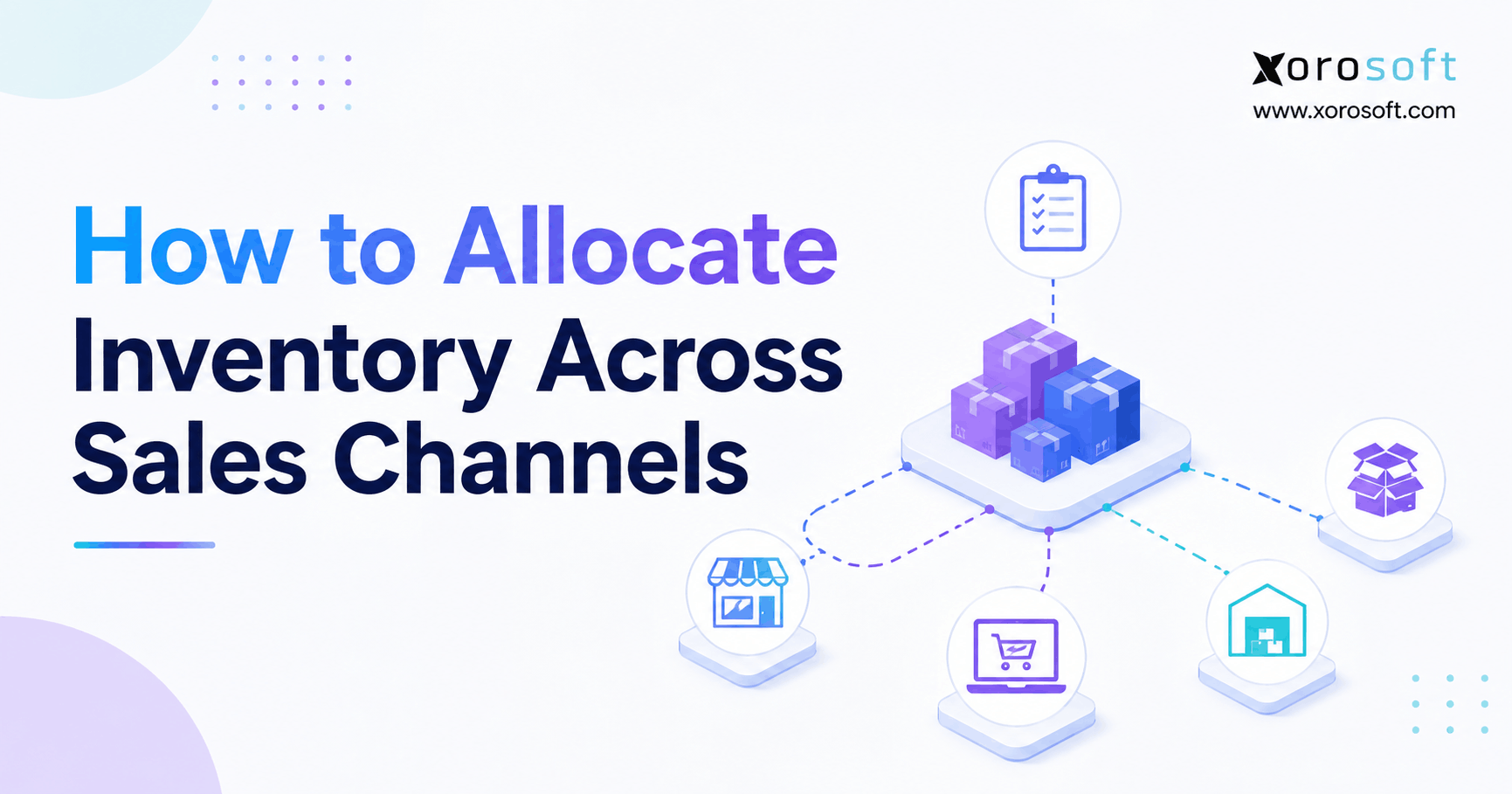
7.3 Channel Allocation and Stock Control
Businesses often need to reserve inventory for specific customers, warehouses, or channels.
For instance, a company may allocate stock to:
- Shopify
- Amazon
- Wholesale customers
- EDI customers
- Retail stores
- Production orders
ERP helps prevent the same units from serving more than one promise. Consequently, allocation becomes a controlled business decision rather than an informal spreadsheet calculation.
8. Stock Management for Shopify and Ecommerce Operations
For ecommerce businesses, stock control remains closely connected to channel synchronization. Customers expect products shown as available to ship without delay.
When warehouse data and online availability do not align, businesses may oversell. As a result, customers face delays, cancellations, or refunds.
8.1 Shopify Challenges That Affect Stock Control
Growing Shopify merchants commonly face:
- Delayed inventory synchronization
- Multi-warehouse complexity
- Overselling during promotions
- Returns that do not update correctly
- Purchasing based on incomplete data
- Inventory conflicts with Amazon or wholesale
- Manual stock adjustments
- Accounting reconciliation issues
Shopify works well as a commerce platform. However, growing merchants often need deeper operational control behind the storefront.
Shopify merchants need better stock control when online orders, warehouse activity, and returns move quickly.
8.2 ERP Behind the Shopify Storefront
Shopify manages the customer-facing sales experience, while ERP handles the operational workflows behind each order.
These workflows may include:
- Inventory allocation
- Warehouse fulfillment
- Purchasing
- Accounting
- Forecasting
- Reporting
- Returns
- Channel availability
Therefore, online stock reflects actual warehouse and order activity rather than delayed manual updates.
Shopify merchants can also review the Xorosoft ERP app on the Shopify App Store to understand how ERP connectivity can support Shopify-led inventory operations.
8.3 Multi-Channel Stock Control Across Shopify, Amazon, and EDI
A business may list the same product on Shopify, Amazon, wholesale portals, and EDI channels at the same time.
Without centralized control, each channel may try to sell the same inventory. In contrast, ERP maintains one inventory position and applies channel-specific allocations.
Multi-channel stock control helps prevent Shopify, Amazon, wholesale, and EDI orders from claiming the same inventory.
8.4 Connected Ecommerce Operations With XoroONE
For ecommerce companies that have outgrown separate warehouse, inventory, purchasing, and accounting tools, XoroONE can connect Shopify, Amazon, EDI, inventory management, purchasing, accounting, forecasting, and warehouse operations.
Rather than adding another disconnected application, businesses can use a shared system to coordinate activity behind every sale.
This connected approach supports stronger stock control because ecommerce, warehouse, and purchasing teams work from the same operational data.
9. Purchasing Decisions Based on Stock Control
Purchasing teams cannot make reliable decisions if they do not trust current inventory levels.
In addition to stock on hand, buyers need visibility into demand, allocations, incoming purchase orders, and supplier timelines. Therefore, purchasing teams rely on stock control to decide when to reorder and how much inventory they actually need.
9.1 Reorder Points and Stock Control
ERP can help buyers review:
- Current inventory
- Available inventory
- Reserved stock
- Open purchase orders
- Sales demand
- Backorders
- Supplier lead times
- Reorder points
- Safety stock
- Warehouse-level availability
This creates a stronger basis for purchase decisions. Instead of relying on one stock figure, teams can review the complete inventory position.
9.2 Preventing Stockouts Before They Happen
Stockouts often happen because teams reorder too late or depend on unreliable inventory data.
ERP helps identify when available inventory approaches a reorder point. Moreover, ERP can show whether buyers have already ordered the stock and when the supplier expects to deliver it.
Consequently, buyers can respond earlier rather than placing emergency orders after inventory has already run out.
9.3 Inventory Control for Reducing Overstock
Overstock often occurs when buyers compensate for poor visibility by ordering extra inventory.
Stock control also helps reduce overstock because buyers can trust current inventory data. Therefore, they may reduce unnecessary safety stock and speculative purchasing.
In addition, inventory-aging reports can highlight products that move slowly. Purchasing teams can then delay reorders, adjust buying quantities, or plan promotions before excess stock becomes a larger cash-flow problem.
9.4 Forecasting With Connected Operational Data
Forecasting becomes more useful when it includes sales, purchasing, inventory, and supplier data.
A modern ERP for inventory-driven businesses can bring together sales history, open orders, current inventory, supplier lead times, and seasonal demand.
As a result, forecasts reflect the wider operation rather than one department’s spreadsheet.
10. Stock Control and Financial Reporting
The financial impact of stock control often receives less attention than warehouse accuracy. However, inventory represents both a physical resource and a major balance-sheet asset.
Incorrect quantities can make financial reports inaccurate. Therefore, finance teams need reliable stock control because incorrect quantities can affect inventory valuation and reporting.
10.1 Stock Control and Inventory Valuation
Inventory value depends on accurate quantities and costs.
Moreover, ERP can connect purchase receipts, landed costs, freight, adjustments, manufacturing consumption, finished goods, shipments, and returns.
Consequently, finance teams can maintain a more reliable view of inventory value.
10.2 Cost of Goods Sold
Cost of goods sold depends on correctly recording when inventory leaves the business.
When teams ship orders without recording the related inventory transaction, they may distort margins. The same issue occurs when production teams consume raw materials but fail to record the usage.
ERP links operational activity with financial records. Therefore, inventory movement and cost recognition remain more closely aligned.
10.3 Month-End Reconciliation
Disconnected systems create additional work at month-end.
Finance teams may need to compare warehouse reports, accounting records, purchase receipts, adjustment logs, and spreadsheets manually. Meanwhile, operations teams must explain every difference.
ERP reduces this burden because inventory and accounting remain connected throughout the month. As a result, teams can focus on exceptions instead of rebuilding the entire inventory position.
11. ERP vs Spreadsheets and Basic Inventory Tools
ERP does not represent the first inventory system every business needs. Small companies can often operate effectively with spreadsheets or basic inventory software.
However, those tools become less dependable as transaction volume and complexity increase.
11.1 ERP vs Spreadsheets for Inventory Control
| Capability | Spreadsheets | ERP |
|---|---|---|
| Real-time updates | Manual | Transaction-driven |
| Multi-warehouse tracking | Difficult | Location-level |
| Audit trail | Limited | Detailed |
| Inventory valuation | Manual | Connected to accounting |
| Purchase planning | Spreadsheet-based | Based on stock and demand |
| Reporting | Static | Operational |
| Scalability | Limited | Designed for growth |
Spreadsheets offer flexibility. Nevertheless, they depend on employees entering and maintaining data consistently.
ERP provides more structure. Therefore, it becomes a stronger option when inventory relies on several teams and workflows.
11.2 ERP vs Basic Inventory Software
Basic inventory applications may suit businesses that only need stock tracking.
ERP becomes more relevant when inventory must connect with:
- Purchasing
- Accounting
- Manufacturing
- Ecommerce
- EDI
- Warehouse operations
- Forecasting
- Reporting
In other words, ERP manages the operation around inventory rather than only the quantity.
11.3 ERP vs Warehouse Management Systems
A warehouse management system focuses primarily on warehouse execution. It may support receiving, bins, picking, packing, scanning, and shipping.
ERP, meanwhile, connects warehouse activity with sales, purchasing, accounting, manufacturing, and ecommerce.
Some businesses need both systems. Others may choose ERP with integrated warehouse capabilities. Ultimately, the right approach depends on warehouse complexity.
11.4 ERP vs QuickBooks
QuickBooks can support accounting effectively. However, inventory-driven companies often outgrow it when they require:
- Multi-warehouse tracking
- Purchasing automation
- Advanced inventory control
- Warehouse workflows
- Forecasting
- Manufacturing
- Channel integrations
At that point, QuickBooks often sits at the center of several spreadsheets and additional applications. As a result, teams spend more time reconciling systems.
11.5 Comparing ERP Options for Growing Product Businesses
Companies may evaluate NetSuite, Acumatica, Sage, Business Central, Cin7, Fishbowl, Brightpearl, and Xorosoft.
The right choice depends on operational fit, implementation requirements, integrations, industry needs, and budget. Businesses evaluating modern options can compare Xorosoft vs NetSuite in the context of inventory-driven operations.
12. Industry Examples for Product-Based Companies
Industry requirements shape how businesses manage inventory. Although the core goal remains consistent, an apparel company handles stock differently from a food distributor or manufacturer.
Businesses can explore ERP solutions by industry to understand how requirements vary across product categories.
12.1 Stock Control in Apparel and Fashion
Apparel companies manage styles, colors, sizes, seasons, and frequent returns.
In apparel, stock control helps teams manage sizes, colors, styles, seasons, and returns. Therefore, the system can distinguish between similar products that differ only by size or color.
In addition, accurate allocations help prevent one sales channel from consuming inventory reserved for another.
12.2 Furniture
Furniture companies often manage bulky products, long lead times, custom orders, and warehouse-space constraints.
ERP connects purchasing, receiving, warehouse locations, customer orders, and delivery planning. As a result, teams can see current availability and incoming supply.
12.3 Sporting Goods
Sporting goods businesses often experience seasonal demand and product variation.
During peak periods, inventory can move quickly across retail, ecommerce, and wholesale channels. Therefore, ERP helps teams manage replenishment, allocation, and warehouse availability using current data.
12.4 Food and Beverage
Food and beverage businesses require strong control over lots, batches, expiration dates, and traceability.
ERP helps track inventory from receiving through storage, production, shipment, and delivery. Moreover, lot-level records support recalls and expiration management.
12.5 Inventory Control in Wholesale Distribution
Wholesale distributors manage bulk orders, customer-specific pricing, EDI transactions, allocation rules, and multiple warehouses.
In wholesale distribution, stock control helps manage bulk orders, allocation, EDI, and warehouse fulfillment. Consequently, teams can allocate large orders without losing visibility into other commitments.
12.6 Stock Control in Manufacturing
Manufacturers need accurate records for raw materials, work-in-progress, BOMs, work orders, and finished goods.
In manufacturing, stock control connects raw materials, production usage, work orders, and finished goods. Therefore, production teams gain a clearer view of material availability.
13. ERP Features That Support Stock Control
Choosing an ERP system requires more than comparing long feature lists. Instead, businesses should evaluate whether the platform supports workflows that directly affect inventory performance.
ERP features such as scanning, cycle counting, warehouse transfers, and reporting all support stronger stock control.
13.1 Real-Time Stock Management
Look for:
- Real-time inventory
- Adjustments
- Transfers
- Allocation
- Item history
- Multi-location tracking
- Availability reporting
In addition, the system should distinguish between on-hand, available, reserved, damaged, and in-transit stock.
13.2 Warehouse Controls for Stock Control
Look for:
- Receiving
- Putaway
- Bin management
- Picking
- Packing
- Scanning
- Shipping
- Cycle counting
- Returns
Warehouse employees should be able to follow these workflows easily. Otherwise, system capability will not translate into operational accuracy.
13.3 Purchasing Tools
Look for:
- Purchase orders
- Reorder points
- Supplier lead times
- Approval workflows
- Vendor history
- Inbound inventory visibility
Furthermore, buyers should be able to review demand and availability before ordering.
13.4 Accounting Integration
Look for:
- Inventory valuation
- Landed costs
- Cost of goods sold
- Reconciliation
- Financial reporting
The goal is to keep physical stock movement and financial records aligned.
13.5 Ecommerce Integration
Look for:
- Shopify
- Amazon
- Wholesale
- EDI
- Channel allocation
- Order synchronization
Accurate channel integration matters especially when several channels sell from the same inventory pool.
13.6 Manufacturing Support
Similarly, manufacturers should look for BOMs, work orders, raw material tracking, production planning, material requirements, and finished goods.
In addition, the system should record material consumption as production progresses.
14. Implementation Mistakes That Damage Stock Control
ERP can improve inventory accuracy, but software cannot compensate for poor data or inconsistent processes.
Therefore, implementation should address both technology and daily operations. Poor starting data can weaken stock control even after ERP implementation.
14.1 Poor Starting Data and Stock Control
Teams should correct duplicate SKUs, inaccurate quantities, inconsistent units of measure, and outdated supplier records before migration.
Otherwise, the new ERP system will begin with unreliable information.
The implementation team may also need to complete a physical count before go-live. In addition, companies should review obsolete, damaged, and inactive inventory.
14.2 Inconsistent Warehouse Processes
Receiving, putaway, picking, packing, transfers, returns, and adjustments should follow documented workflows.
If every employee handles inventory differently, accuracy will remain inconsistent. Therefore, operations leaders should standardize processes before training begins.
14.3 Weak Cycle Counting
Teams should continue cycle counting after ERP implementation.
High-value, fast-moving, or frequently adjusted products may require more frequent counts than stable inventory. As a result, teams can identify discrepancies before those differences affect a larger part of the operation.
14.4 Uncontrolled Adjustments
Managers should restrict inventory-adjustment access to authorized employees.
Approval rules and reason codes help protect inventory integrity. Moreover, managers should review recurring adjustments to identify process problems.
14.5 Lack of Training and Ownership
ERP implementation involves process design, training, accountability, and reporting discipline.
Technology supports accuracy. However, employees maintain it through consistent transactions and warehouse practices.
Teams should understand not only how to complete transactions, but also why each step matters to the wider operation.
15. Stock Control Readiness Checklist Before Moving to ERP
Before moving forward, a readiness review helps businesses identify where current inventory processes break down before selecting or implementing ERP.
The review should cover inventory data, warehouse workflows, purchasing rules, accounting requirements, ecommerce channels, and reporting expectations.
Before moving to ERP, businesses should review their current stock control processes.
15.1 Product Data and Inventory Control Readiness
- Teams should clean SKU records before migration.
- Teams should remove duplicate products.
- Teams should standardize all units of measure.
- Product managers should organize item categories.
- Warehouse teams should verify current stock.
- Operations leaders should define adjustment reasons.
In addition, teams should review inactive and obsolete items before migration.
15.2 Warehouse Stock Control Readiness
- Operations leaders should document the receiving process.
- Warehouse managers should clarify putaway rules.
- Warehouse managers should standardize picking and packing.
- Teams should review barcode requirements.
- Managers should control warehouse transfers.
- Employees should follow a defined returns process.
If these workflows remain inconsistent, ERP implementation should include process redesign.
15.3 Purchasing Readiness
- Purchasing teams should verify supplier records.
- Buyers should review lead times.
- Teams should document reorder points.
- Managers should clarify purchase approvals.
- Buyers should review open purchase orders.
Moreover, buyers should agree on how the business will manage safety stock and demand forecasts.
15.4 Accounting Readiness
- Finance teams should confirm the inventory valuation method.
- Finance leaders should define landed-cost rules.
- Teams should understand cost-of-goods-sold workflows.
- Finance should document reconciliation issues.
- Finance and operations should use aligned reports.
Consequently, the business can avoid rebuilding financial logic after implementation.
15.5 Ecommerce Readiness
- Ecommerce teams should map Shopify requirements.
- Marketplace teams should review Amazon workflows.
- Sales teams should document wholesale and EDI requirements.
- Operations should include returns in the process map.
- Operations teams should define channel-allocation rules.
In addition, teams should decide which system will serve as the inventory source of truth.
16. FAQs About ERP and Stock Control
16.1 How Does ERP Improve Stock Control?
ERP improves stock control by connecting purchasing, receiving, warehouse activity, sales orders, manufacturing, fulfillment, accounting, and reporting. In addition, it reduces manual updates and helps system records reflect real operational activity.
16.2 Why Is Inventory Control Important?
Reliable inventory data affects fulfillment, purchasing, forecasting, customer service, cash flow, and financial reporting. Inaccurate stock records can lead to stockouts, overstock, cancelled orders, and incorrect valuation.
16.3 What Causes Stock Control Problems?
Manual entry, delayed receiving, incorrect picking, missing transfers, misplaced stock, unprocessed returns, disconnected systems, and weak cycle-counting procedures commonly cause inventory discrepancies.
16.4 Can ERP Prevent Every Inventory Error?
ERP can significantly reduce errors, but it cannot eliminate them without good processes. Therefore, teams still need accurate data, employee training, barcode scanning, cycle counting, and controlled adjustments.
16.5 How Does ERP Improve Warehouse Stock Management?
ERP improves warehouse operations through purchase-order receiving, barcode scanning, bin tracking, pick validation, transfer workflows, cycle counting, and controlled returns.
16.6 How Does Stock Control Reduce Stockouts?
ERP helps teams monitor available stock, open orders, incoming purchase orders, reorder points, supplier lead times, and forecasted demand. As a result, purchasing teams can respond before inventory reaches a critical level.
16.7 How Does Stock Management Reduce Overstock?
ERP gives buyers a clearer view of current stock, demand, incoming inventory, and slow-moving products. Therefore, teams become less likely to purchase excess stock simply because they do not trust the data.
16.8 Is ERP Better Than Spreadsheets?
ERP generally suits businesses with multiple warehouses, high order volume, several sales channels, complex purchasing, or accounting integration requirements. However, spreadsheets may remain adequate for very small and simple operations.
16.9 How Are ERP and WMS Different?
A WMS focuses on warehouse execution, while ERP connects warehouse activity with sales, purchasing, accounting, manufacturing, ecommerce, and reporting. Some businesses use both systems together.
16.10 How Does ERP Improve Shopify Stock Control?
ERP connects Shopify orders with inventory allocation, warehouse fulfillment, purchasing, accounting, forecasting, returns, and channel-level availability. Consequently, online inventory reflects the wider operation more accurately.
17. Practical Next Steps for Improving Stock Control
For growing product businesses, ERP can turn disconnected stock control into a connected operating process. Purchasing, receiving, warehouse movement, sales orders, manufacturing, fulfillment, accounting, ecommerce, and reporting should not operate as isolated processes.
The goal of stock control is not only cleaner inventory reports, but stronger operational confidence. Instead, accurate inventory data gives every department greater trust in daily decisions.
With reliable inventory data, businesses can:
- Fulfill orders more confidently
- Reduce overselling
- Avoid unnecessary purchasing
- Improve warehouse productivity
- Strengthen forecasting
- Simplify month-end reconciliation
- Improve customer experience
- Make better financial decisions
For growing product businesses, disconnected systems eventually become harder to manage than the inventory itself. Therefore, companies often move from spreadsheets, QuickBooks, basic inventory apps, and standalone warehouse tools to a connected ERP environment.
A platform such as Xorosoft may fit companies that sell physical products, manage multiple warehouses, operate Shopify or Amazon stores, sell wholesale, use EDI, manufacture products, or need inventory, purchasing, warehouse, accounting, and forecasting in one system.
Businesses that want to review their current inventory processes can contact the Xorosoft team to discuss where discrepancies occur and whether ERP represents the right operational next step.
Search
Categories
- & INTEGRATIONS 1
- ACCOUNTING & FINANCIALS 62
- Business 74
- COMPETITOR & BUYER INTENT 73
- E-COMMERCE & CHANNEL INTEGRATIONS 72
- ECommerce 3
- Ecommerce + Wholesale Complexity 7
- ERP 1,161
- FINANCE & ACCOUNTING 9
- INVENTORY & OPERATIONS 78
- Inventory Management Software 94
- OPERATIONS & INVENTORY 96
- PROCUREMENT & SUPPLY CHAIN 9
- PURCHASING & SUPPLY CHAIN 62
- SHOPIFY ERP 61
- SHOPIFY STOCKY OPPORTUNITY 2
- Software 1
- WAREHOUSE & FULFILLMENT WMS 92
- WHOLESALE & DISTRIBUTION 64
- WMS 53
- WMS & FULFILLMENT 15
- WMS & WAREHOUSE 39