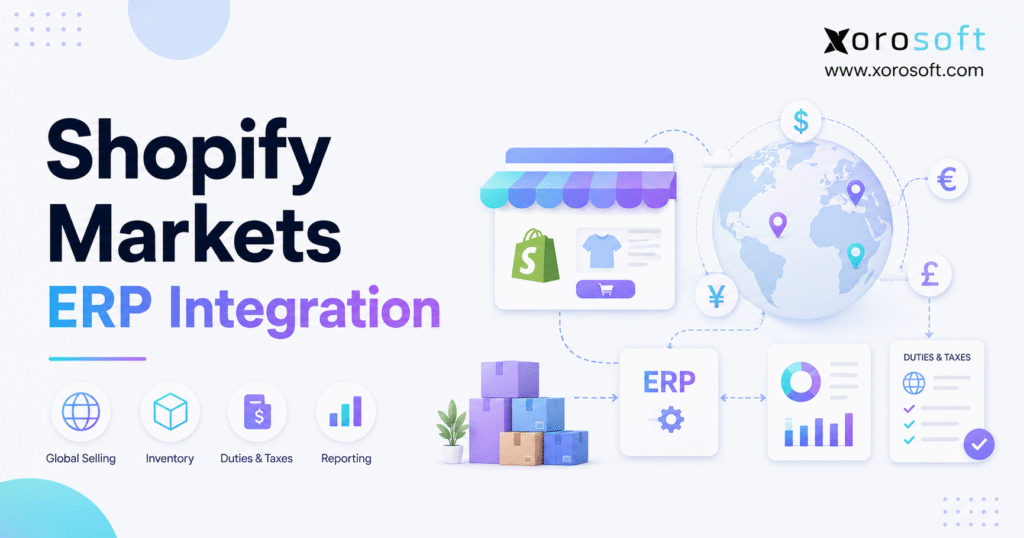
If you are looking to streamline your operations, understanding Shopify Markets ERP Integration is essential for global businesses.
1. International Growth Exposes the Operational Gaps Behind Shopify
International ecommerce often appears straightforward from the customer’s perspective. A shopper enters a localized Shopify storefront, sees products in a familiar currency, places an order, and chooses an international shipping method.
Behind that experience, however, the merchant must coordinate several operational and financial activities. For example, the operations team must determine which warehouse should fulfill the order, while finance must decide how the transaction should enter the accounting system.
Additionally, the business must record exchange-rate differences, import duties, taxes, payment fees, returns, and settlement activity. Therefore, a successful international order creates far more operational data than the customer sees at checkout.
A dependable Shopify Markets ERP Integration connects that customer-facing transaction with inventory, purchasing, warehouse management, accounting, fulfillment, and reporting. As a result, the business can process international orders through one controlled workflow rather than several disconnected systems.
Without that connection, teams commonly export data into spreadsheets, re-enter orders, compare inventory reports manually, and investigate payout differences after month-end. At low volume, those workarounds may appear manageable. However, they become harder to control as the business adds products, markets, currencies, warehouses, and sales channels.
Shopify Markets can support localized currencies, catalogs, pricing, product availability, domains, languages, duties, and taxes. Nevertheless, storefront localization does not automatically determine how each transaction should affect inventory valuation, payment clearing, landed cost, purchasing, or consolidated reporting.
Therefore, international expansion requires more than a localized checkout. Instead, it requires an operating model that translates Shopify orders into accurate operational and financial records.
2. What Shopify Markets ERP Integration Connects
A Shopify Markets ERP Integration should do more than transfer an order number and total value into another application. Instead, it should preserve the complete commercial event and connect it with every operational and financial transaction that follows.
2.1 Shopify as the International Commerce Layer
Shopify manages the customer-facing part of the sale. Specifically, the platform can control:
- Market identification
- Localized product catalogs
- Customer currency
- Market-specific pricing
- Discounts
- Checkout
- Duties and taxes
- Shipping options
- Payment authorization
- Customer notifications
As a result, customers can receive a localized buying experience without requiring the merchant to build a separate storefront for every country.
However, checkout is only the beginning of the transaction. Once Shopify creates the order, the business must reserve inventory, select a warehouse, prepare the shipment, record revenue, and reconcile the payment.
Moreover, the storefront usually sees only the ecommerce portion of demand. Therefore, if the company also sells through wholesale, Amazon, retail, or EDI, another system must coordinate inventory across those channels.
2.2 ERP Integration for Shopify Markets Operations
The ERP manages the operational impact of the order. For example, it can:
- Reserve inventory
- Select a fulfillment location
- Release the order to the warehouse
- Calculate cost of goods sold
- Generate purchasing demand
- Record duties and taxes
- Post payment activity
- Reconcile payouts
- Process returns
- Report market profitability
Shopify initiates the commercial event. Meanwhile, the ERP converts that event into a controlled operational and financial workflow.
Therefore, the ERP should not duplicate Shopify’s storefront role. Instead, it should coordinate the inventory, accounting entries, purchasing requirements, and fulfillment decisions behind each sale.
Additionally, the ERP can connect Shopify demand with other business functions. Consequently, purchasing teams can respond to actual demand rather than relying on disconnected sales reports.
2.3 Warehouse Management Within a Shopify Global Commerce Integration
A warehouse management system controls the physical movement of inventory. For instance, it may direct:
- Receiving
- Putaway
- Bin replenishment
- Picking
- Packing
- Shipping
- Cycle counting
- Transfers
- Returns
- Inventory adjustments
Some ERP platforms include warehouse functionality directly. In contrast, other businesses connect a dedicated warehouse management system to the ERP.
In either model, system ownership must remain clear. Otherwise, Shopify, the ERP, and the WMS may issue conflicting allocation or fulfillment instructions.
For example, Shopify may route an order to one location while the ERP reserves the stock in another. Therefore, allocation rules must be aligned before the integration goes live.
2.4 Recommended System Responsibilities
| Workflow | Shopify responsibility | ERP responsibility | Recommended owner |
|---|---|---|---|
| Storefront | Content, pricing, localization, and checkout | Limited involvement | Shopify |
| Order capture | Create the customer order | Import and process the order | Shopify initially |
| Inventory | Display sellable quantity | Calculate operational availability | ERP for complex operations |
| Fulfillment | Display customer-facing status | Allocate and release orders | ERP or WMS |
| Accounting | Supply transaction data | Post financial records | ERP |
| Payouts | Supply payment activity | Reconcile deposits and fees | ERP |
| Reporting | Channel-level analysis | Consolidated operational reporting | ERP |
Therefore, the integration should not make every platform perform every task. Instead, it should allow each system to manage the role it handles best.
Moreover, each data field should have a defined owner. As a result, teams can avoid conflicting updates and unclear support responsibilities.
3. Shopify Markets ERP Integration Data Requirements
Incomplete integration data creates incomplete inventory, accounting, and reporting. Consequently, transferring an order number alone is not enough.
An integration may appear successful because orders are reaching the ERP. However, if it omits transaction currency, duties, refunds, warehouse assignments, or payment fees, teams still need manual work to complete the transaction.
Therefore, the implementation team should define every data object before choosing a connector. Additionally, it should identify which system creates, updates, and reports each field.
3.1 Customer and Order Data for Shopify International ERP Integration
The ERP should receive:
- Shopify order number
- Order date and time
- Customer record
- Billing address
- Shipping address
- Customer market
- Sales channel
- Products and variants
- SKUs
- Quantities
- Discounts
- Shipping charges
- Taxes
- Duties
- Payment status
- Fulfillment status
- Order currency
Additionally, the ERP should preserve the relationship between the original Shopify order and every later event.
For example, a refund should remain connected with its original invoice, payment, warehouse, products, taxes, duties, and currency. Otherwise, finance may see the refund but still lack the context required to record it correctly.
Similarly, a partial shipment should remain connected with the quantities fulfilled, the warehouse used, and the inventory still committed. Therefore, order-level integration must also maintain line-level detail.
Moreover, order edits require careful handling. If the customer changes a quantity after allocation, the ERP must update inventory commitments without duplicating the original order.
3.2 Product and Customs Data in the Shopify Cross-Border ERP Workflow
International product records should include:
- SKU
- Variant identifier
- Barcode
- Product description
- Product weight
- Product category
- HS code
- Country of origin
- Unit cost
- Inventory identifier
- Market availability
Consistent product identifiers are essential. For instance, a duplicated SKU can cause the wrong product to receive an inventory adjustment.
Similarly, a missing customs classification can delay an international shipment or produce an unreliable duty estimate. Therefore, product data should be cleaned and standardized before the integration goes live.
Moreover, the company should assign ownership of product attributes. Shopify may control customer-facing descriptions, while the ERP controls inventory, purchasing, costing, and customs-related fields.
Additionally, product updates should follow a controlled approval process. Otherwise, one team may change a product code without understanding how the update affects warehouse or accounting records.
3.3 Inventory and Location Data
The integration should distinguish between:
- On-hand inventory
- Available inventory
- Committed inventory
- Unavailable inventory
- Incoming inventory
- Safety stock
- Damaged inventory
- Transfer inventory
These inventory states serve different purposes.
For example, a warehouse may physically hold 500 units. However, if 200 units are committed, 50 are damaged, and 25 are reserved as safety stock, only 225 units may be available for sale.
Consequently, sending total on-hand inventory to Shopify can create overselling. Therefore, the integration should send the approved sellable quantity rather than the total physical quantity.
Furthermore, incoming purchase orders should not automatically increase Shopify availability. Instead, the business should decide whether future stock can be sold before it is received.
3.4 Fulfillment, Return, and Refund Data
A complete Shopify Markets back-office integration should exchange:
- Assigned fulfillment location
- Pick status
- Pack status
- Shipment confirmation
- Tracking number
- Partial shipment
- Cancellation
- Return authorization
- Restocked quantity
- Refund amount
- Refunded tax
- Refunded duty
A refund affects more than the customer payment. Specifically, it can reverse revenue, taxes, duties, cost of goods sold, inventory, processing fees, and commissions.
Therefore, the integration must support the complete order lifecycle rather than only the original sale. Otherwise, inventory and accounting records will gradually move out of balance.
Additionally, a returned item may not immediately become sellable. For example, the warehouse may need to inspect it before restoring availability.
3.5 Recommended Data Direction
| Data object | Primary source | Destination | Recommended timing |
| Product master | ERP | Shopify | When changed |
| Storefront content | Shopify or PIM | Connected systems | When changed |
| Market pricing | Shopify or ERP | Other system | When changed |
| Orders | Shopify | ERP | Near real time |
| Inventory availability | ERP | Shopify | Near real time |
| Fulfillment | ERP or WMS | Shopify | When shipped |
| Returns and refunds | Initiating system | Other system | When processed |
| Payouts | Shopify Payments | ERP | Daily |
| Financial reports | ERP | Reporting layer | Scheduled |
Businesses that need ecommerce, inventory, purchasing, accounting, warehouse management, and reporting in one environment can evaluate XoroONE as one possible platform.
However, the platform should still be tested against the merchant’s actual international workflows. Therefore, demonstrations should include currencies, refunds, warehouse allocations, and payout reconciliation.
4. Shopify Markets ERP Integration for Multi-Currency Orders
A reliable Shopify Markets ERP Integration must preserve the original international transaction instead of replacing it with one converted amount.
Multi-currency affects order capture, payment authorization, settlement, refunds, bank reconciliation, and financial reporting. Therefore, every relevant currency value must remain traceable.
Moreover, the system must explain why the customer’s order value, Shopify reporting value, accounting value, and bank deposit may differ. Without that traceability, finance teams are forced to reconstruct the transaction manually.
4.1 Presentment Currency in a Shopify Multi-Currency ERP Connection
Presentment currency is the currency selected by or displayed to the customer.
For example, a US company may report in US dollars while a customer in France places an order in euros.
The customer expects the invoice, refund, and service conversation to reflect the original euro transaction. Therefore, the ERP should retain the original EUR value instead of storing only a converted USD amount.
Moreover, preserving the original currency improves customer service. For instance, support teams can discuss the amount the customer actually paid rather than converting values manually.
Additionally, the original currency provides a better audit trail. As a result, finance can trace refunds and disputes back to the commercial transaction.
4.2 Shop Currency and ERP Base Currency
Shop currency is the Shopify store’s base currency. Meanwhile, ERP base currency is the primary accounting currency used by the company or legal entity.
Sometimes these currencies match. However, they should never be assumed to match.
For instance, a Canadian business may use CAD as its ERP base currency, operate its Shopify store in USD, and accept a customer payment in EUR.
As a result, one order may require several currency values. Therefore, the integration should define how each value is stored and where each rate comes from.
Moreover, the same company may operate several legal entities. Consequently, one Shopify store may send orders into different accounting books based on the fulfillment or selling entity.
4.3 Settlement Currency
Settlement currency is the currency in which the payment provider deposits funds into the merchant’s bank account.
Consequently, an international order can contain four relevant currencies:
1. Customer presentment currency
2. Shopify shop currency
3. Payment settlement currency
4. ERP base currency
Each value answers a different business question.
Presentment currency explains what the customer paid. Meanwhile, shop currency supports Shopify reporting.
Settlement currency explains the bank deposit. Finally, ERP base currency supports the company’s financial statements.
Therefore, the integration should never replace all four values with one converted amount. Instead, it should preserve the relationship between them.
4.4 Currency Fields the ERP Should Preserve
The ERP should retain:
- Original customer-currency amount
- Presentment currency code
- Shop-currency equivalent
- ERP base-currency equivalent
- Applied exchange rate
- Exchange-rate date
- Exchange-rate source
- Settlement currency
- Settlement value
- Currency-conversion fee
Additionally, the system should preserve enough history to explain later differences.
Otherwise, finance may know that the payout does not match the invoice but still be unable to determine whether the variance came from timing, exchange rates, or fees.
Therefore, the order, payment, refund, and payout records should share a traceable transaction reference.
Moreover, currency fields should be available in reports. As a result, management can compare sales and margin by both customer and accounting currency.
4.5 Multi-Currency Accounting Example
Assume a customer places a EUR 1,000 order.
On the transaction date, the ERP records USD 1,085 in the company’s base currency. Later, when the payment settles, the merchant receives USD 1,073 after conversion differences and fees.
The ERP should not change the original invoice to USD 1,073. Instead, it should separately record:
- Original EUR sale
- Base-currency value
- Payment-processing fee
- Currency-conversion fee
- Exchange gain or loss
- Final bank deposit
This approach preserves the original transaction. At the same time, it explains why booked revenue differs from deposited cash.
Consequently, finance can reconcile the payment without changing the customer-facing invoice. Moreover, the company can report conversion fees separately from product margin.
4.6 Multi-Currency Refunds
Refunds should reference the original:
- Order
- Payment
- Customer currency
- Line item
- Tax
- Duty
- Warehouse transaction
A partial refund may reverse only part of the order’s revenue, tax, cost, and inventory.
Additionally, the ERP should determine whether returned inventory becomes available for resale, remains unavailable for inspection, or must be written off.
For example, a returned item may be physically present but not yet sellable. Therefore, the ERP should move it into an inspection or unavailable state before updating Shopify inventory.
Moreover, exchange rates may have changed since the original order. Consequently, the ERP should record the resulting difference without altering the original sale.
When evaluating XoroERP, merchants should test foreign-currency orders, partial refunds, payment fees, and settlement differences with realistic transaction data.
5. Shopify Inventory and Accounting Integration Across Warehouses
Inventory accuracy becomes more difficult when one Shopify store serves several markets from regional warehouses, retail locations, or third-party logistics facilities.
The central question is not whether Shopify can display inventory by location. Instead, the business must determine which system calculates the quantity genuinely available for sale.
Moreover, the inventory calculation must consider demand outside Shopify. Therefore, wholesale, marketplace, retail, and manufacturing commitments cannot remain invisible.
5.1 Mapping Shopify Locations to ERP Warehouses
Each Shopify location should map to a defined operational record containing:
- Shopify location ID
- ERP warehouse code
- Physical address
- Legal entity
- Fulfillment responsibility
- Market served
- Shipping methods
- Inventory buffer
- Accounting location
- 3PL identifier
Without this mapping, one system may treat two locations as separate warehouses while another combines them.
Consequently, inventory, fulfillment, costing, and profitability reports may disagree. Therefore, location mapping should be approved before inventory synchronization begins.
Additionally, the company should document how virtual locations are used. For example, a buffer location may reduce overselling, while a returns location may separate uninspected stock.
Moreover, each 3PL should use identifiers that match the ERP. Otherwise, shipment confirmations may update the wrong location.
5.2 Choosing the Inventory System of Record
Shopify can remain the inventory owner for a simple, Shopify-only merchant.
An ERP is usually better positioned to control availability when the company also manages:
- Wholesale orders
- Amazon orders
- EDI demand
- Retail stores
- Manufacturing requirements
- Purchase orders
- Transfer orders
- Multiple warehouses
- Customer allocations
In these environments, Shopify sees only part of total demand.
Therefore, the ERP should generally calculate sellable inventory and send the approved quantity to Shopify. Otherwise, Shopify may offer units that have already been committed to another channel.
Moreover, one system should own inventory adjustments. As a result, teams can trace who changed stock and why.
5.3 Available-to-Sell Inventory
A common calculation is:
Available to sell = On-hand inventory − committed inventory − unavailable inventory − safety stock
The company may also need to subtract:
- Wholesale allocations
- Marketplace buffers
- Quality-control stock
- Future-dated orders
- Production demand
- Transfer reservations
- Pending returns
For example, a warehouse may hold 1,000 physical units. However, if 400 are committed to wholesale orders, 100 are unavailable, and 50 are reserved as safety stock, Shopify should receive 450 units rather than 1,000.
Therefore, the exact available-to-sell formula should reflect every meaningful demand source. Moreover, the same formula should be used consistently across channels.
Additionally, the company may use market-specific buffers. Consequently, a regional storefront can be protected from inventory being consumed by another market.
5.4 Shopify Order Routing and ERP Allocation
Shopify can use location inventory and routing rules to determine which facility should fulfill an order.
Meanwhile, the ERP may also apply allocation rules based on the customer, market, warehouse capacity, inventory ownership, or freight cost.
Therefore, the systems must follow one agreed process. Otherwise, Shopify may assign the order to one warehouse while the ERP reserves it against another.
For instance, Shopify may prefer the closest location, while the ERP may prioritize a warehouse with older stock. Consequently, the integration design must determine which rule takes priority.
Moreover, split shipments should be tested. As a result, the merchant can understand how shipping cost and customer experience change when one warehouse cannot fulfill the full order.
5.5 Preventing Inventory Synchronization Errors
Use:
- One inventory owner
- Near-real-time order imports
- Near-real-time availability updates
- Duplicate-event controls
- Retry queues
- Failed-sync alerts
- Daily reconciliation
- Inventory adjustment logs
Additionally, teams should review unusually large adjustments and repeated synchronization failures.
A failed inventory update should not disappear silently. Instead, the integration should create an alert, retry the transaction, and keep an audit trail.
Moreover, daily reconciliation should compare Shopify quantities with ERP availability. Consequently, small differences can be corrected before they affect many orders.
An integrated warehouse management system becomes relevant when Shopify availability must reflect receiving, putaway, transfers, picking, packing, cycle counting, damaged stock, and warehouse-level commitments.
6. Shopify Cross-Border ERP Workflow for Duties and Import Taxes
Duties, import taxes, domestic sales taxes, brokerage fees, and landed costs should not be combined into one generic international charge.
Instead, each amount should remain identifiable because it can have a different operational, accounting, and reporting treatment.
Moreover, the customer-facing estimate may differ from the final carrier or customs charge. Therefore, the ERP must preserve both estimated and actual values.
6.1 Product Data Required for Duty Calculations
International product records should include:
- HS code
- Country of origin
- Product description
- Product category
- Declared value
- Quantity
- Destination country
- Shipping value
- Weight where required
Accurate product classification supports more reliable duty calculations.
Moreover, it reduces the risk of customs delays, incorrect estimates, and unexpected customer charges. Therefore, customs data should be treated as master data rather than entered only when a shipment fails.
Similarly, changes to country of origin or classification should follow an approval process. Otherwise, different teams may use inconsistent information.
Additionally, the company should review classifications periodically. As a result, outdated product records are less likely to create compliance or customer-service problems.
6.2 DDP and DAP in ERP Integration for Shopify Markets
| Area | DDP | DAP |
| Import-cost responsibility | Seller | Customer |
| Checkout | Costs can be collected upfront | Costs may be charged at delivery |
| Merchant accounting | Duty collection and settlement required | Less duty collected by merchant |
| Customer surprise risk | Generally lower | Generally higher |
| Operational work | Higher for seller | Lower for seller |
Under Delivered Duty Paid, the seller accepts responsibility for applicable import costs.
In contrast, under Delivered at Place, the customer generally pays duties, taxes, and brokerage charges when the shipment arrives.
Therefore, the selected shipping term affects checkout, shipping documents, customer experience, and accounting.
Moreover, the customer policy should match the shipping method. Otherwise, the customer may be charged unexpectedly after believing all costs were included.
Additionally, the ERP should retain the shipping term on the order. As a result, finance and customer service can understand who was responsible for import charges.
6.3 How Duties Should Enter the ERP
The ERP should separately identify:
- Duty charged at checkout
- Import tax collected
- Estimated duty
- Actual carrier charge
- Customs charge
- Brokerage fee
- Duty payable
- Refunded duty
- Difference between estimated and actual duty
The correct ledger treatment depends on contracts, jurisdictions, registrations, and accounting policies.
Therefore, qualified accounting, tax, and customs advisers should approve the final posting structure.
Additionally, the business should reconcile estimated duties with actual charges. Otherwise, duty differences may remain hidden inside a general shipping-expense account.
Moreover, the account structure should support reporting by market. Consequently, management can see where duties are reducing contribution margin.
6.4 Duty Refunds and Customer Refunds
A customer refund does not automatically mean customs authorities return duties already paid.
The ERP should therefore track:
- Customer refund
- Duty refunded to the customer
- Duty recovery claim
- Duty recovered
- Unrecoverable duty
- Inventory return
This separation prevents finance teams from treating different events as one transaction.
Moreover, it helps management identify the real cost of returns in each international market. For example, a return may reverse revenue while leaving freight and duty costs unrecovered.
Therefore, return reporting should include both customer refunds and unrecovered import costs. As a result, management can compare return economics by country.
6.5 Landed Cost and Market Margin
Landed cost may include:
- Supplier cost
- Inbound freight
- Customs duty
- Brokerage
- Insurance
- Port charges
- Handling
- Inspection fees
If these costs remain outside the ERP, a market can appear profitable even when the business loses money after fulfillment.
Consequently, the Shopify cross-border ERP workflow should connect landed costs with products, purchase receipts, warehouses, and markets wherever possible.
Additionally, landed-cost rules should remain consistent. Otherwise, products may carry different costs depending on which employee completed the receipt.
Moreover, estimated and actual costs should be compared. As a result, purchasing teams can improve future forecasts and supplier decisions.
7. Shopify Markets Accounting Integration for Payout Reconciliation
A Shopify order total rarely equals the final bank deposit.
The difference may include refunds, processing fees, currency-conversion fees, chargebacks, adjustments, reserves, and timing differences.
Therefore, finance should not try to match each order directly to the bank. Instead, it should use a structured payout-reconciliation process.
7.1 Why Orders and Payouts Do Not Match Directly
One payout can combine transactions from several orders and several dates.
For example, the net deposit may include:
- Customer charges
- Refunds
- Processing fees
- Currency fees
- Disputes
- Adjustments
- Tax activity
- Duty activity
Therefore, finance teams should reconcile activity through a clearing account instead of matching each order directly to the bank.
Moreover, one payout may include activity from several markets. Consequently, the ERP must preserve both payout-level and order-level detail.
Additionally, payout timing may cross accounting periods. As a result, finance must distinguish between earned revenue and cash not yet deposited.
7.2 Recommended Payout Reconciliation Process
First, import the original Shopify order.
Next, record revenue, tax, duty, shipping, and discounts separately. Then, post customer payments to a clearing account.
Afterward, record refunds, disputes, processing fees, and conversion fees. Finally, group the transactions by payout and match the net value to the bank deposit.
The complete process should follow these steps:
- Import the original order.
- Record revenue, tax, duty, shipping, and discounts.
- Post the customer payment to clearing.
- Record refunds and disputes.
- Record processing and conversion fees.
- Group transactions by payout.
- Match the payout to the bank deposit.
- Investigate remaining differences.
As a result, finance teams can explain whether a difference came from a refund, fee, dispute, exchange rate, or timing issue.
Furthermore, finance can close the period without changing original sales records to force a bank match.
Moreover, the reconciliation should retain supporting detail. Consequently, auditors and controllers can trace each deposit back to the underlying transactions.
7.3 Recommended Clearing Accounts
Useful accounts include:
- Shopify Payments clearing
- Refund clearing
- Duty clearing
- Tax liability
- Chargeback clearing
- Payment-fee expense
- Currency-conversion expense
- Foreign-exchange gain or loss
At month-end, finance should review uncleared balances.
If an amount remains open, the team should determine whether it represents timing, a dispute, an integration failure, or an incorrect posting.
Therefore, clearing accounts should not accumulate unexplained balances. Instead, each balance should have a clear owner and resolution date.
Additionally, repeated differences should be categorized. As a result, the team can identify whether the root cause is configuration, data quality, or process timing.
7.4 Multiple Payout Currencies
Some merchants receive payouts in several currencies. In contrast, others receive converted deposits in one domestic currency.
Therefore, the ERP should not assume every order settles through the same account or currency.
Instead, it should use the payout identifier, payout currency, settlement date, and destination bank account to support accurate reconciliation.
Additionally, separate clearing accounts may be useful for each payout currency. As a result, currency differences become easier to identify.
Moreover, bank-account mappings should be tested before launch. Otherwise, deposits may post to the wrong legal entity or account.
8. Shopify Markets ERP Integration Reporting by Market
A Shopify Markets ERP Integration should help management understand profitability, not only sales.
Revenue by country is useful. However, it does not show whether a market remains profitable after inventory cost, freight, duties, warehouse expenses, fees, and returns.
Therefore, management reporting should combine storefront performance with operational cost. Additionally, the reports should allow comparisons across markets, channels, and warehouses.
8.1 Essential Shopify International ERP Reports
International operators should track:
- Sales by market
- Sales by customer currency
- Gross margin by market
- Average order value
- Discount rate
- Duties collected
- Import taxes collected
- Payment fees
- Currency fees
- Refund rate
- Inventory by warehouse
- Stockout rate
- Fulfillment cost
- Contribution margin
Additionally, management should compare these metrics across periods and channels.
Otherwise, a market may appear to be growing while its profitability is declining.
Moreover, reports should separate volume growth from price and currency effects. As a result, leaders can see whether performance improved operationally or only changed because of exchange rates.
8.2 Why Revenue Is Not Enough
Assume one market generates $500,000 in annual revenue.
Management should also consider:
- Discounts
- Product cost
- International freight
- Duties absorbed by the merchant
- Payment-processing fees
- Currency-conversion fees
- Returns
- 3PL charges
- Warehousing
- Customer acquisition
After these costs are included, the market may produce a much smaller contribution margin.
Therefore, management should avoid expanding based on revenue alone.
For example, a market with high sales but frequent returns may produce less profit than a smaller market with lower fulfillment costs.
Moreover, stockouts can reduce future revenue. Consequently, reporting should connect sales performance with inventory availability.
8.3 Shopify Reports and ERP Reports
Shopify reporting supports channel and commerce analysis.
ERP reporting, meanwhile, can combine:
- Shopify
- Amazon
- Wholesale
- EDI
- Retail
- Purchasing
- Inventory
- Manufacturing
- General ledger data
This consolidated view becomes important when several channels compete for the same inventory.
For example, Shopify may show stock available for ecommerce while wholesale orders have already committed the same units.
Therefore, management needs a shared operational view rather than several channel-specific reports.
A unified platform such as XoroONE can be evaluated when a business wants channel reporting connected with inventory, accounting, purchasing, warehousing, and forecasting.
However, reporting requirements should be defined before implementation. As a result, the ERP configuration can capture the right data from the beginning.
9. Shopify Markets ERP Integration Architecture Options
There is no single integration architecture that works for every merchant.
Instead, the right model depends on transaction volume, system count, customization, operational risk, technical resources, and long-term maintenance.
Therefore, businesses should compare not only deployment speed but also support ownership and failure recovery. Additionally, they should consider how the architecture will change as more markets and applications are added.
9.1 Native Shopify ERP Integration
A native connector links Shopify directly with the ERP.
It works well when:
- Processes are relatively standard
- The connector supports the required data
- Few additional systems are involved
- Faster deployment is important
- The company wants fewer integration layers
However, specialized pricing, allocation, accounting, or fulfillment processes may not fit the standard connector.
Therefore, merchants should test exceptions as carefully as successful transactions.
Moreover, they should verify who maintains the connector. Otherwise, future Shopify or ERP changes may create unclear support responsibility.
Additionally, the connector’s update schedule should be reviewed. As a result, the merchant can understand how quickly compatibility issues are addressed.
9.2 Middleware for Shopify International ERP Integration
Middleware can:
- Transform data
- Route transactions
- Connect multiple applications
- Apply validation rules
- Schedule integrations
- Manage errors
It is useful when Shopify must connect with an ERP, 3PL, CRM, returns platform, tax application, marketplace, or product-information system.
Nevertheless, middleware becomes another application that requires ownership, monitoring, and maintenance.
Therefore, the business should include middleware administration in the total integration cost.
Moreover, error logs should remain understandable to business users. Otherwise, every failure may require a developer to diagnose it.
9.3 Custom API Integration
Custom development may be suitable for:
- Specialized pricing
- Complex fulfillment allocation
- Several legal entities
- Proprietary applications
- Unusual manufacturing workflows
- High transaction volume
Although custom development offers greater control, it also creates responsibility for security, testing, API changes, error handling, and long-term support.
Consequently, the business should evaluate whether the additional flexibility justifies the maintenance burden.
Moreover, the integration should include documentation and automated testing. Otherwise, knowledge may remain with one developer or agency.
Additionally, the business should define ownership after launch. As a result, security updates and API changes are less likely to be ignored.
9.4 Real-Time and Scheduled Synchronization
Use near-real-time synchronization for:
- Orders
- Cancellations
- Inventory
- Fulfillment
- Critical price changes
In contrast, use scheduled synchronization for:
- Payouts
- Historical reporting
- Large catalog updates
- Analytical data
- Non-urgent master records
The Xorosoft ERP application on the Shopify App Store lists synchronization for orders, edits, payments, products, refunds, shipment confirmation, inventory, payouts, and Shopify Markets international-currency orders.
However, merchants should still validate every required workflow against their own operating model.
Therefore, the app listing should be treated as a starting point rather than a replacement for process testing.
10. Shopify Markets ERP Integration Implementation Plan
A Shopify Markets ERP Integration project should begin with process ownership instead of software configuration.
Integration technology cannot correct unclear responsibilities, inconsistent SKUs, conflicting warehouse rules, or incomplete accounting policies.
Therefore, the project should begin with process mapping. Additionally, the team should document both standard transactions and operational exceptions.
10.1 Document the Current Shopify Markets Workflow
First, record:
- Active markets
- Customer currencies
- Market pricing
- Product availability
- Warehouses
- 3PL facilities
- Payment providers
- Duty settings
- Tax settings
- Shipping terms
- Return processes
- Legal entities
- Sales channels
Next, document how each transaction works today.
Then, identify where teams re-enter information or where systems disagree. As a result, the implementation team can separate process problems from software problems.
Moreover, teams should document exceptions rather than only the standard workflow. For example, partial refunds and split shipments often reveal problems that a standard order does not.
Additionally, the project should identify manual approvals. Consequently, those approvals can either be retained or redesigned before automation.
10.2 Define the System of Record
Assign one clear owner to each object.
| Data object | Suggested owner |
| Product master | ERP |
| Storefront content | Shopify or PIM |
| Market pricing | Shopify or ERP |
| Inventory availability | ERP for complex operations |
| Customer order capture | Shopify |
| Operational order processing | ERP |
| Warehouse execution | ERP or WMS |
| Accounting | ERP |
| Payout reconciliation | ERP |
Shared ownership should be avoided unless update rules are explicit.
Otherwise, two platforms may continually overwrite each other.
Therefore, every field should have a source, destination, update frequency, and error owner.
Moreover, system ownership should be documented for new employees and partners. As a result, future process changes are less likely to create duplicate data ownership.
10.3 Clean Data Before Integration
Standardize:
- SKUs
- Barcodes
- Warehouse codes
- Currency codes
- Tax codes
- HS codes
- Countries of origin
- Customer records
- Supplier records
- Ledger mappings
An integration cannot reliably compensate for inconsistent master data.
Therefore, data cleanup should occur before configuration and testing.
Additionally, duplicate and inactive records should be resolved. Otherwise, the integration may create new duplicates during migration.
Moreover, data validation rules should remain active after launch. Consequently, poor data does not gradually return.
10.4 Test Complete Transactions
Test:
- Foreign-currency order
- Partial fulfillment
- Split shipment
- DDP order
- DAP order
- Cancellation
- Partial refund
- Duty refund
- Exchange-rate difference
- Payout reconciliation
- Failed inventory update
- Duplicate order
- Return without restocking
- 3PL fulfillment
Each test should confirm results in Shopify, the ERP, the warehouse, accounting, and reporting.
Additionally, teams should document the expected outcome before running each test. Therefore, an unexpected result can be identified immediately.
Finally, the team should repeat critical tests after configuration changes. As a result, one fix is less likely to break another workflow.
Moreover, test data should include realistic products and currencies. Otherwise, the project may pass simple tests while failing during actual operations.
10.5 Launch in Phases
Start with one market, warehouse, or transaction type.
Once the business validates inventory, accounting, fulfillment, refunds, and payouts, it can extend the integration to additional markets.
As a result, teams can identify exceptions before they affect the entire operation.
Moreover, a phased rollout gives users time to learn the process. Therefore, the company can improve training and controls before the next phase.
Additionally, each phase should have clear success criteria. Consequently, management can decide whether the operation is ready to expand.
11. Common Shopify Markets ERP Integration Mistakes
Avoiding common design errors can reduce reconciliation work and operational disruption.
11.1 Allowing Two Systems to Control Inventory
When Shopify and the ERP both calculate availability, one platform can overwrite the other.
Therefore, inventory ownership must be assigned before synchronization begins.
Moreover, adjustment permissions should be limited. Otherwise, teams may correct one system without updating the true record owner.
11.2 Importing Only Converted Currency Values
Losing the original customer currency weakens audit trails, customer service, refund processing, and exchange-rate reporting.
Instead, the ERP should retain original, converted, and settlement amounts.
Additionally, the exchange-rate source should be stored. As a result, finance can explain why values differ across transaction dates.
11.3 Ignoring Payment and Settlement Fees
Revenue and bank deposits will not reconcile when fees are omitted.
Consequently, processing and conversion fees should be imported as separate transactions.
Moreover, fees should be reported by market and payment type. Otherwise, management may underestimate the cost of international sales.
11.4 Combining Duties and Taxes
Duties, import taxes, domestic sales taxes, and brokerage fees may require different accounts and reports.
Therefore, they should remain separately identifiable.
Additionally, actual customs charges should be compared with checkout estimates. As a result, pricing and duty settings can be improved.
11.5 Failing to Map Warehouses
Incorrect mappings cause allocation, availability, costing, and fulfillment errors.
Before launch, each Shopify location should map to a defined ERP warehouse or fulfillment node.
Moreover, test orders should be routed through every major location. Otherwise, errors may remain hidden until the location receives a live order.
11.6 Excluding Returns and Refunds
The integration must support the complete order lifecycle, not only the original sale.
Otherwise, inventory and accounting balances will gradually become inaccurate.
Therefore, returns should be included in the original integration scope. Additionally, teams should test both restocked and non-restocked returns.
11.7 Measuring Markets Using Revenue Alone
International freight, duties, currency fees, warehouse costs, and returns can materially change profitability.
Therefore, management should compare contribution margin rather than revenue alone.
Moreover, market reports should include inventory availability. As a result, leaders can distinguish weak demand from lost sales caused by stockouts.
11.8 Skipping Error Monitoring
Every connection needs alerts, retry handling, duplicate protection, logs, and reconciliation reports.
Without those controls, integration failures may remain hidden until customers or finance teams report a problem.
Therefore, each alert should have an owner. Additionally, recurring errors should trigger a root-cause review.
12. How to Choose an ERP for Shopify Markets
The right system is not necessarily the platform with the longest feature list.
Instead, it is the system that fits the company’s products, warehouses, currencies, channels, accounting requirements, and internal resources.
Therefore, software evaluation should use real transactions. Additionally, the evaluation should include the employees who will manage exceptions after launch.
12.1 Shopify Integration Coverage
Test:
- Orders
- Order edits
- Cancellations
- Payments
- Refunds
- Payouts
- Products
- Variants
- Inventory
- Fulfillment
- Multiple stores
- International currencies
Additionally, test error handling instead of only successful transactions.
For example, create an order with a missing SKU and review how the integration responds.
Moreover, test an edited order after warehouse allocation. Otherwise, the demonstration may avoid the transactions that create the most operational risk.
Therefore, request a clear list of supported Shopify data objects. As a result, connector limitations are identified before implementation.
12.2 Multi-Currency Accounting
Review:
- Transaction currencies
- Base currencies
- Exchange-rate history
- Gains and losses
- Multi-currency refunds
- Clearing accounts
- Bank reconciliation
- Consolidated reporting
For example, ask the vendor to demonstrate an order placed in one currency, settled in another, and refunded after the exchange rate changes.
As a result, the evaluation will reflect real operational complexity instead of a simple sales-order demonstration.
Moreover, ask how currency data appears in reports. Otherwise, finance may receive the data but still be unable to analyze it.
12.3 Inventory and Warehouse Management
Review:
- Multiple warehouses
- Available-to-sell calculations
- Allocation
- Transfers
- Barcode workflows
- Cycle counts
- Picking and packing
- Shipping
- 3PL connectivity
Moreover, confirm whether inventory commitments from wholesale, Amazon, manufacturing, and retail are included in Shopify availability.
Similarly, confirm how unavailable, damaged, and returned inventory affects the quantity sent to Shopify.
Therefore, the demonstration should include inventory exceptions. As a result, the team can see whether warehouse activity updates ecommerce availability correctly.
12.4 Purchasing and Forecasting
The ERP should connect international demand with:
- Reorder points
- Supplier lead times
- Purchase orders
- Incoming inventory
- Safety stock
- Transfers
- Seasonal demand
- Cash requirements
As a result, purchasing teams can respond to demand by market instead of relying on total historical sales.
Moreover, forecasting should distinguish between temporary sales spikes and sustainable market demand. Otherwise, the company may overstock one region after a short promotion.
Additionally, the system should show how open purchase orders affect projected availability. Consequently, teams can plan replenishment before stockouts occur.
12.5 Additional Sales Channels
Consider future support for:
- Amazon
- Wholesale
- EDI
- Retail
- B2B pricing
- Manufacturing
- Marketplaces
Shopify merchants comparing enterprise platforms can review Xorosoft versus NetSuite when evaluating implementation scope, platform complexity, inventory workflows, and operational fit.
However, no platform should be selected without testing real business scenarios.
Therefore, the comparison should focus on process fit rather than brand recognition alone.
13. Industry Use Cases for Shopify Global Inventory Integration
International Shopify operations vary significantly by product type and fulfillment model.
Therefore, integration requirements should reflect industry-specific inventory and order behavior.
Moreover, the same connector can perform differently across industries. Consequently, product structure, return patterns, and warehouse rules should influence the design.
13.1 Apparel and Fashion
Apparel businesses manage:
- Size and color variants
- Seasonal collections
- International returns
- Market-specific availability
- Wholesale allocation
- Regional pricing
For example, an ecommerce order should not consume stock already allocated to a wholesale account.
Additionally, return rates may vary by country and should therefore be included in market-level profitability reports.
Moreover, fashion businesses may introduce collections quickly. Consequently, product setup and inventory synchronization must support high variant counts without creating duplicate SKUs.
Therefore, the ERP should maintain consistent size, color, and style attributes. As a result, reporting remains accurate across markets and channels.
13.2 Furniture
Furniture businesses often face:
- Long supplier lead times
- Large-item shipping
- Regional warehouses
- Backorders
- Special orders
- High landed costs
Consequently, profitability reports should include freight, storage, duties, delivery, and damage costs.
Otherwise, high sales may hide weak margins.
Additionally, warehouse allocation may depend on product dimensions and delivery coverage. Therefore, the closest warehouse may not always be the correct fulfillment location.
Moreover, special orders may require deposits or long fulfillment windows. As a result, the ERP must distinguish available stock from future supply.
13.3 Sporting Goods
Sporting-goods companies may combine:
- Seasonal demand
- Product bundles
- Ecommerce
- Retail
- Wholesale
- Multiple warehouses
Therefore, forecasting should consider market, channel, and season instead of total historical sales alone.
Moreover, allocation rules should protect inventory promised to wholesale or team accounts.
Additionally, bundles may contain shared components. Consequently, available bundle quantities should reflect the limiting component.
13.4 Food and Beverage
Food companies may require:
- Lot tracking
- Expiry controls
- Country restrictions
- Recall traceability
- Regional fulfillment
- Quality-control inventory
As a result, restricted, expired, or unavailable stock should never appear sellable in Shopify.
Additionally, warehouse selection may depend on shelf life and regional compliance requirements.
Therefore, inventory availability may require lot-level or expiry-level controls rather than a simple warehouse total.
Moreover, returned food products may not be restockable. Consequently, return workflows should update accounting without increasing sellable inventory.
13.5 Wholesale Distribution
Wholesale businesses add:
- Customer-specific pricing
- EDI
- Bulk orders
- Credit terms
- Purchasing
- Allocation
- Shopify B2B
Therefore, Shopify inventory should not remain isolated from wholesale commitments.
Instead, the ERP should calculate availability across ecommerce and wholesale demand.
Moreover, customer-specific allocations should remain protected. Otherwise, a high-volume ecommerce promotion may consume inventory promised to a key wholesale account.
Additionally, wholesale payment terms differ from ecommerce payments. As a result, the ERP must support both immediate payment and accounts receivable workflows.
13.6 Manufacturing
Manufacturers must connect Shopify demand with:
- Bills of materials
- Components
- Work orders
- Production planning
- Material requirements
- Finished-goods availability
Consequently, Shopify availability may depend on both finished inventory and production capacity.
Additionally, production delays should affect expected availability and replenishment planning. Therefore, the ERP should connect demand forecasts with material and capacity constraints.
Moreover, shared components may support several finished products. As a result, demand from one Shopify product can affect availability for another.
Businesses can review Xorosoft’s industry-specific ERP solutions when comparing requirements across apparel, furniture, sporting goods, food, wholesale, and manufacturing.
14. Alternatives to a Full ERP Integration for Shopify Markets
Not every merchant requires a complete ERP immediately.
Therefore, the decision should reflect operational complexity instead of following a fixed revenue threshold.
Moreover, the current software stack may remain suitable for several years. Consequently, businesses should upgrade when operational problems justify the investment.
14.1 Shopify With Accounting Software
This approach can work for businesses with:
- One warehouse
- Limited SKUs
- One primary channel
- Simple purchasing
- Low international volume
- Basic reporting requirements
However, limitations often appear when inventory, currencies, or sales channels increase.
As a result, finance and operations teams may gradually add spreadsheets and specialist applications.
Therefore, the company should monitor the amount of manual reconciliation required. Additionally, it should track how often inventory and accounting reports disagree.
14.2 Shopify With Inventory Software
Inventory software may be sufficient when stock visibility and purchasing are the primary problems.
Nevertheless, the business may still need separate accounting, payout reconciliation, or manufacturing systems.
Therefore, management should consider whether the inventory tool solves the broader operational problem or only one part of it.
Moreover, a future ERP project may require replacing or integrating that tool. Consequently, the short-term decision should consider long-term architecture.
14.3 Multiple Specialist Applications
A merchant can use separate applications for accounting, inventory, warehousing, duties, forecasting, and returns.
This model offers specialized functionality. On the other hand, it increases integration ownership and reconciliation work.
Moreover, each additional platform creates another data owner, subscription, and support relationship.
Therefore, the business should measure the total operating cost of the stack rather than comparing subscription prices alone.
Additionally, management should consider key-person risk. Otherwise, only one employee may understand how the applications connect.
14.4 Full ERP Platform
ERP becomes more relevant when the company needs one connected model for:
- Inventory
- Accounting
- Purchasing
- Warehousing
- Forecasting
- Manufacturing
- Ecommerce
- Wholesale
- Reporting
Ultimately, the correct choice depends on the cost of disconnected processes compared with the cost and effort of ERP implementation.
Therefore, the business case should include labor, errors, stockouts, overstock, delayed reporting, and missed opportunities. As a result, decision-makers can evaluate the full economic impact.
15. Shopify Markets ERP Integration Readiness Signals
A business may be ready for Shopify Markets ERP Integration when:
- Inventory regularly differs between systems
- Month-end reconciliation requires multiple spreadsheets
- Payouts cannot be matched efficiently
- Warehouses maintain separate inventory records
- Purchasing depends on manual calculations
- Teams repeatedly enter the same order data
- International margins remain unclear
- Refunds require manual accounting adjustments
- Wholesale and ecommerce compete for inventory
- Management lacks consolidated reporting
- The accounting system cannot support operational complexity
- Every new market requires additional manual processes
One problem alone may not justify an ERP.
However, when several of these issues occur together, the business is often paying for disconnected systems through labor, delays, stockouts, errors, and limited visibility.
Therefore, the readiness decision should include both software cost and the operational cost of maintaining the current stack.
Moreover, management should calculate the cost of delayed decisions. For example, poor inventory visibility may create both stockouts and excess stock at the same time.
Additionally, the business should consider scalability. As a result, the selected platform can support new markets without recreating the same manual work.
16. Frequently Asked Questions About Shopify Markets ERP Integration
16.1 What Is Shopify Markets ERP Integration?
Shopify Markets ERP Integration connects international Shopify transactions with inventory, purchasing, accounting, warehousing, payments, duties, refunds, and reporting. Shopify manages the commerce experience, while the ERP manages the broader operational and financial workflow.
16.2 Why Does a Shopify Markets Store Need an ERP?
ERP becomes useful when a merchant manages multiple currencies, warehouses, channels, landed costs, complex purchasing, payout reconciliation, manufacturing, or consolidated reporting. However, smaller merchants with simple operations may not require ERP immediately.
16.3 Does Shopify Markets Integrate With ERP Software?
Yes. Shopify can connect with ERP platforms through native applications, middleware, custom APIs, or scheduled file transfers. Therefore, the correct method depends on data requirements, transaction volume, customization, system count, and technical resources.
16.4 What Data Should Shopify Send to an ERP?
Shopify should generally send customers, addresses, orders, line items, discounts, shipping, taxes, duties, payments, currencies, refunds, returns, and fulfillment events. Meanwhile, products, prices, and inventory can flow in either direction depending on data ownership.
16.5 Should Shopify or the ERP Control Inventory?
An ERP should generally control inventory when the company operates multiple warehouses, wholesale, Amazon, EDI, retail, or manufacturing. In contrast, a smaller Shopify-only merchant may be able to manage inventory directly in Shopify.
16.6 How Do Shopify Markets Orders Sync With an ERP?
First, a connector detects the Shopify order and validates its customer, SKU, currency, tax, duty, payment, and location data. Next, it creates an ERP transaction. Finally, the ERP allocates inventory and returns fulfillment updates.
16.7 How Frequently Should Shopify and ERP Data Synchronize?
Orders, cancellations, inventory, and fulfillment usually need near-real-time synchronization. However, payouts, analytical reports, and large catalog updates can run on scheduled intervals based on operational risk and transaction volume.
16.8 What Is Presentment Currency in Shopify?
Presentment currency is the currency selected by or displayed to the customer. Therefore, it can differ from the Shopify store’s base currency, payment settlement currency, and ERP base currency.
16.9 What Is Shop Currency?
Shop currency is the Shopify store’s base currency. Consequently, it may differ from the customer currency or the company’s accounting currency.
16.10 What Is Settlement Currency?
Settlement currency is the currency in which the payment provider deposits funds into the merchant’s bank account. As a result, it may differ from both checkout and ERP currencies.
16.11 Which Currency Should the ERP Record?
The ERP should preserve the customer transaction currency, shop-currency equivalent, ERP base-currency value, exchange rate, settlement currency, settlement value, and relevant fees. Therefore, finance can explain every conversion and variance.
16.12 How Should an ERP Handle Exchange-Rate Differences?
The ERP should preserve the original transaction and separately record differences caused by payment timing, settlement timing, and conversion fees. Consequently, genuine differences should post to the appropriate gain, loss, or fee account.
16.13 How Are Multi-Currency Refunds Recorded?
The refund should reference the original order, payment, currency, line items, tax, duty, and inventory transaction. Additionally, the ERP should determine whether returned stock becomes sellable, unavailable, damaged, or written off.
16.14 How Do Shopify Locations Map to ERP Warehouses?
Each Shopify location should connect to a defined ERP warehouse, store, 3PL, or virtual location. Moreover, the mapping should include a code, address, market, fulfillment role, inventory policy, and accounting location.
16.15 Can an ERP Reduce Shopify Overselling?
An ERP can reduce overselling when it receives demand from every channel and sends Shopify a calculated available-to-sell quantity. Nevertheless, synchronization delays, outages, and incorrect allocation rules can still create risk.
16.16 Can Shopify Markets Support Multiple Warehouses?
Shopify supports inventory across multiple locations. However, ERP becomes useful when those locations must also connect with purchasing, transfers, wholesale demand, manufacturing, costing, and financial reporting.
16.17 How Are Duties Recorded in an ERP?
The ERP should distinguish duty collected from customers, estimated duty, actual charges, amounts payable, duty refunds, and unrecoverable differences. Therefore, qualified advisers should approve the final accounting treatment.
16.18 What Is the Difference Between DDP and DAP?
Under DDP, the seller assumes responsibility for import costs. In contrast, under DAP, the customer generally pays duties, import taxes, or brokerage charges upon delivery.
16.19 What Product Information Is Needed for Duties?
Important fields include HS code, country of origin, description, category, value, quantity, destination, and weight where required. Accurate classification therefore reduces the risk of incorrect duty estimates.
16.20 How Do You Reconcile Shopify Markets Payouts?
First, record charges, refunds, fees, duties, taxes, disputes, and adjustments in clearing accounts. Next, group transactions by payout. Finally, match the net value to the bank deposit and investigate remaining differences.
16.21 Can Shopify Report Profitability by Market?
Shopify provides commerce and sales information. However, full profitability usually requires product cost, freight, duties, warehouse expense, payment fees, currency fees, returns, and acquisition costs from connected systems.
16.22 What Reports Should International Shopify Brands Track?
Brands should track sales, gross margin, duties, taxes, payment fees, currency fees, refunds, inventory, stockouts, fulfillment costs, and contribution margin by market. Additionally, they should compare results by warehouse, channel, and currency.
16.23 Is Middleware Required for Shopify ERP Integration?
Not always. A native connector may support standard workflows. However, middleware is useful when several applications require complex transformation or routing.
16.24 What Is the Best ERP for Shopify Markets?
There is no universal best ERP. Instead, merchants should compare Shopify integration, multi-currency accounting, inventory, warehouse management, purchasing, reporting, implementation scope, support, industry fit, and total ownership cost.
16.25 How Long Does Shopify Markets ERP Integration Take?
The timeline depends on data quality, warehouses, currencies, legal entities, integrations, custom workflows, transaction volume, and internal availability. Therefore, a phased rollout is generally safer than activating every market simultaneously.
17. Build the Operational Foundation Before Adding More Markets
Shopify Markets can improve the international shopping experience. However, sustainable growth depends on what happens after checkout.
First, map one international order from pricing and payment through inventory allocation, fulfillment, duty handling, refund processing, payout reconciliation, and financial reporting.
Next, identify:
- Where information is re-entered
- Which systems disagree
- Which team owns each record
- Where inventory becomes inaccurate
- Which fees are missing from reports
- Why bank deposits do not reconcile
- Whether management can calculate profit by market
Then, assign clear ownership for products, pricing, inventory, orders, fulfillment, accounting, and reporting.
Afterward, test prospective systems with real SKUs, currencies, warehouses, duties, returns, and payout files instead of relying on generic demonstration data.
Finally, determine whether the proposed integration removes manual work or simply moves it to another application.
A well-designed Shopify Markets ERP Integration should not become another disconnected tool. Instead, it should provide the operational foundation required to support international ecommerce, wholesale, marketplaces, multiple warehouses, and long-term growth.
Therefore, businesses should evaluate both current problems and future requirements before selecting an ERP. Additionally, they should test the system using real operational exceptions rather than ideal demonstration data.
Businesses evaluating these requirements can contact Xorosoft to review their Shopify, inventory, purchasing, warehouse, accounting, currency, and reporting workflows.
Recent Posts
-
 ERP Landed Cost Module vs Spreadsheet Calculations for Importers
 -
 How to Build an Open-to-Buy Plan for an Omnichannel Brand
 -
 Cold Storage WMS for Food and Beverage Distribution
 -
 ERP Buying Statistics 2026: Evaluation, Implementation, and Adoption Risks
 -
 How a Distributor Reduced B2B Order Exceptions Without Restricting Sales