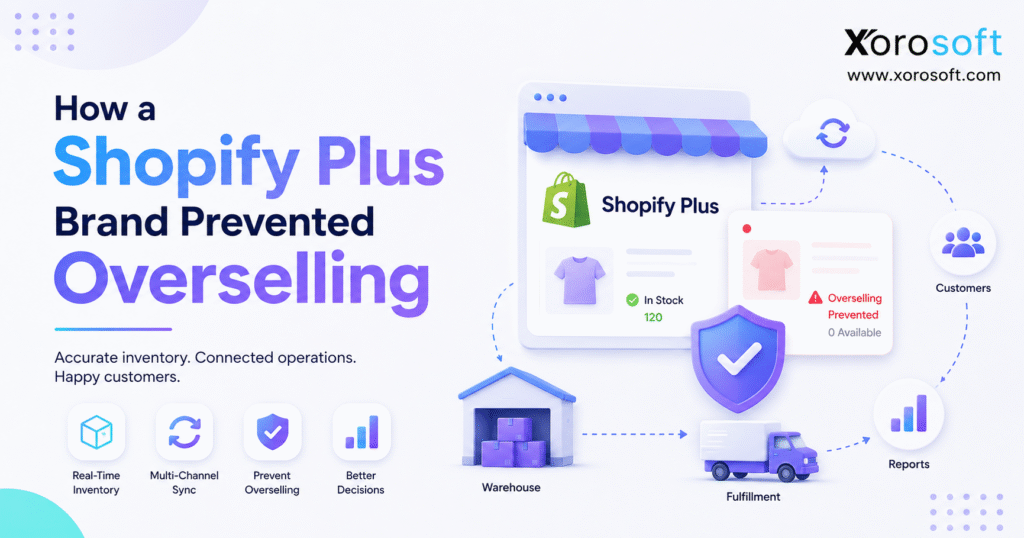
When running an online store, one common issue many businesses face is Shopify Plus overselling.
1. When Growth Outruns Inventory Control
Shopify Plus overselling becomes a serious operational problem when storefront demand moves faster than inventory updates. A product may appear available online, even though the warehouse has already committed, reserved, damaged, transferred, or sold the remaining units. Consequently, the customer completes checkout while the fulfillment team receives an order it cannot ship.
Initially, the occasional inventory mismatch may look manageable. A support representative contacts the customer, offers an alternative, and processes a refund. However, once order volume increases, the same workaround creates canceled orders, warehouse exceptions, delayed shipments, refund reconciliation, and lower customer confidence.
The Shopify Plus brand in this case did not solve overselling with one setting or another inventory app. Instead, it changed how inventory moved between its storefront, warehouses, purchasing team, sales channels, and accounting processes.
As a result, the business stopped treating Shopify as the only source of inventory truth. It built a connected operational model that calculated what customers could safely buy.
1.1 What Shopify Plus overselling actually means
Shopify Plus overselling happens when the store accepts an order for inventory that the business cannot fulfill within the promised timeframe.
The product may technically exist. Nevertheless, the unit might be:
- Committed to another customer order
- Reserved for a wholesale account
- Held as safety stock
- Damaged or under quality inspection
- Located at a warehouse that cannot fulfill the order
- Included in another bundle
- Waiting to be received against a purchase order
- Assigned to Amazon, retail, or another channel
Therefore, on-hand inventory and sellable inventory are not always the same number.
1.2 Why overselling is worse than a normal stockout
A stockout prevents a customer from buying an unavailable product. Although the brand may lose a sale, the customer receives accurate information before placing the order.
Overselling creates a different experience. First, the customer sees that the item is available. Next, the customer submits payment and receives an order confirmation. Later, the brand announces that it cannot fulfill the purchase.
Consequently, the customer experiences a broken promise rather than a simple product shortage.
Moreover, one oversold order creates work across several departments. Customer service must communicate the problem, warehouse teams must investigate the missing stock, finance may need to issue a refund, and purchasing must determine why replenishment failed.
1.3 Why fast-growing brands discover the problem late
Smaller ecommerce businesses can often correct inventory problems manually. For example, one person may update Shopify, send a message to the warehouse, and adjust a spreadsheet.
However, manual intervention becomes unreliable as the company adds:
- More products and variants
- Multiple warehouses or 3PLs
- Shopify retail locations
- Amazon or marketplace sales
- Wholesale and EDI orders
- Bundles and kits
- Seasonal promotions
- Larger purchasing teams
- Higher return volumes
Eventually, the team spends more time reconciling inventory than managing it. At that point, Shopify Plus overselling is not an isolated storefront issue. Instead, it indicates that the operational system has fallen behind the business.
2. Why Shopify Plus Overselling Happened
The brand sold through Shopify Plus, Amazon, and wholesale channels. In addition, it fulfilled orders from more than one warehouse and used spreadsheets to support purchasing decisions.
Although each tool handled a specific task, the systems did not share one dependable inventory record. Shopify showed one quantity, the warehouse system showed another, and purchasing worked from periodic exports.
Meanwhile, wholesale orders could reserve stock without immediately changing the quantity available to Shopify. Returns also took time to inspect, while manual adjustments were entered after warehouse teams discovered discrepancies.
Consequently, inventory availability depended on timing rather than a controlled process.
2.1 Shopify was the commerce layer
Shopify performed its main role effectively. It presented products, captured orders, processed checkout, and supported the customer experience.
However, Shopify could only display the inventory information supplied to it. If another system reported an inaccurate quantity, the storefront reflected that inaccurate quantity.
Therefore, the problem was not simply that Shopify allowed an order. The deeper problem was that the business had not established one operational authority for inventory.
2.2 Inventory moved faster than updates
During normal sales periods, periodic inventory updates appeared adequate. Nevertheless, promotions exposed the weakness.
Orders arrived quickly from several channels. At the same time, warehouse picks, wholesale allocations, marketplace orders, and manual adjustments changed actual availability. Because the systems updated at different intervals, multiple channels could attempt to sell the same remaining units.
As a result, the brand continued accepting demand after operationally available inventory had reached zero.
2.3 Spreadsheets controlled important decisions
Spreadsheets helped the purchasing team calculate reorder quantities and track supplier dates. Yet those files were separate from live orders, warehouse receipts, and channel commitments.
For example, a spreadsheet might show that 500 units were arriving next week. However, the supplier could ship only 350 units, and the warehouse might receive 340 usable units after inspection.
Until the spreadsheet, warehouse records, and Shopify quantities were reconciled, teams worked from different assumptions.
2.4 Multiple teams had different inventory answers
Customer service checked Shopify. Warehouse employees checked location-level stock. Purchasing used open purchase order files. Finance reviewed inventory through accounting reports.
Each answer could be reasonable within its own system. Still, no team could confidently answer the most important question:
How many units can we safely sell right now?
Therefore, the brand needed more than stock visibility. It needed shared inventory control.
3. The Operational Cost of Shopify Inventory Errors
Overselling affects more than conversion rates. Because every accepted order creates downstream obligations, inventory errors spread across the entire business.
3.1 Customers received cancellations and delays
The first visible consequence was an increase in orders that required manual intervention.
Some customers accepted alternative products. Others agreed to delayed delivery. However, many expected the exact item shown as available when they placed the order.
Consequently, support teams spent more time explaining inventory errors and less time helping customers with normal questions.
3.2 Warehouse employees searched for missing units
An inaccurate inventory number creates wasted warehouse activity.
First, the order enters the fulfillment queue. Then, a picker travels to the assigned location. If the product is missing, the employee checks another bin, asks a supervisor, and may request an inventory adjustment.
Meanwhile, the order remains open. Therefore, one inaccurate unit can delay an entire shipment and consume several employees’ time.
3.3 Finance reconciled preventable exceptions
Canceled and partially fulfilled orders also affect financial workflows.
Refunds must be processed.
Payment fees may require review.
Inventory value must be corrected.
Revenue reports may change.
Replacement orders need proper accounting treatment.
As a result, Shopify Plus overselling creates reconciliation work long after the original inventory error occurs.
3.4 Purchasing reacted after inventory reached zero
Because demand, purchase orders, and warehouse receipts were disconnected, purchasing often learned about shortages after customers had already placed orders.
Instead of receiving an early warning, buyers responded to an urgent stockout. Therefore, they had fewer options and less negotiating leverage with suppliers.
Moreover, emergency purchasing can increase freight costs, reduce order accuracy, and encourage excessive buying. Consequently, the same process may create overstock after causing a stockout.
4. The Main Causes of Shopify Plus Overselling
Shopify Plus overselling rarely has only one cause. Usually, several small process gaps combine during a period of high demand.
4.1 The out-of-stock setting was used incorrectly
Shopify allows merchants to choose whether a product can continue selling after its inventory reaches zero. This setting can support pre-orders, made-to-order products, or intentional backorders. However, accidental use can allow customers to buy inventory the business does not have.
Therefore, brands should review Shopify’s official guidance on selling out-of-stock products before enabling the option.
For normal stocked products, the setting should remain disabled unless the company has a documented backorder workflow.
4.2 Multiple locations created false confidence
A company may own inventory without being able to use that inventory for every order.
For instance, a unit may sit at a retail store that does not fulfill online orders. Alternatively, stock might exist in a 3PL that serves only wholesale customers.
Shopify tracks quantities separately by location and uses location and routing configurations to determine fulfillment. Therefore, brands should carefully configure inventory management across multiple locations and apps.
Otherwise, total inventory can look healthy while fulfillable inventory remains dangerously low.
4.3 Channel synchronization happened too slowly
Shopify, Amazon, wholesale, retail, and EDI orders may all consume the same stock.
If each channel receives inventory updates at different times, two channels can sell the last unit. Therefore, synchronization frequency must reflect actual order velocity.
A brand processing a few daily orders may tolerate periodic updates. In contrast, a Shopify Plus business running flash sales may require near-real-time inventory synchronization.
4.4 Manual adjustments bypassed operational controls
Inventory adjustments are sometimes necessary. Nevertheless, frequent manual corrections suggest that warehouse processes are not reliably updating the system.
Common causes include:
- Receiving the wrong quantity
- Picking from an unrecorded location
- Failing to complete transfers
- Moving damaged goods without changing their status
- Processing returns outside the standard workflow
- Creating duplicate SKUs
- Using inconsistent units of measure
Consequently, correcting the number without correcting the process only postpones the next error.
4.5 Bundles and kits consumed hidden component inventory
Bundles create another layer of availability.
Suppose a skincare bundle contains one cleanser, one serum, and one moisturizer. Although the business may have 100 cleansers and 80 moisturizers, it can sell only as many bundles as its lowest available component permits.
Therefore, if only 12 serums remain, the brand can safely sell no more than 12 complete bundles.
Unless the inventory system calculates bundle availability from component quantities, Shopify may continue selling an impossible combination.
4.6 Returns entered inventory too early or too late
Returned products require inspection before they become sellable.
Some units can return immediately to available inventory. Others need cleaning, repackaging, repair, or disposal. Therefore, sending every return directly back to sellable stock creates a risk.
However, delaying all return updates understates availability. A controlled disposition process solves both problems by classifying each unit before changing its status.
5. The Inventory Model That Stopped Overselling
The brand reduced Shopify Plus overselling after it stopped publishing raw on-hand quantities to every channel.
Instead, the company calculated an available-to-sell quantity based on actual commitments and operational restrictions.
5.1 The difference between on-hand and available inventory
On-hand inventory represents the physical quantity recorded at a location. However, available inventory represents the quantity that can still be sold.
Shopify distinguishes between inventory states such as on hand, available, committed, unavailable, and incoming. Consequently, businesses can separate physically present units from units that are already committed or intentionally unavailable. Review Shopify’s explanation of inventory states for the platform’s current definitions.
A practical operating formula is:
Available-to-sell inventory = on-hand inventory − committed inventory − unavailable inventory − safety stock
The final calculation may also account for channel reservations, warehouse restrictions, or bundle components.
5.2 Inventory states became operational rules
The brand defined what each inventory state meant and when units could move between states.
| Inventory state | Operational meaning | Effect on Shopify availability |
|---|---|---|
| On hand | Total units physically recorded | Not automatically sellable |
| Available | Units ready for customer orders | Can be published to Shopify |
| Committed | Units assigned to accepted orders | Must not be sold again |
| Unavailable | Damaged, reserved, under inspection, or held | Excluded from available stock |
| Incoming | Units expected from suppliers or transfers | Used for planning, not immediate sale |
| Safety stock | Units intentionally protected from demand | Held back from Shopify |
Because every team followed the same definitions, fewer adjustments depended on individual judgment.
5.3 Safety stock protected operational uncertainty
The brand also stopped exposing every available unit to the storefront.
Instead, it held a small buffer for selected SKUs and locations. The buffer covered demand variation, receiving discrepancies, warehouse errors, and supplier uncertainty.
ASCM describes safety stock as inventory carried to protect against forecast errors and fluctuations in demand. Therefore, brands should set buffers based on risk rather than applying one arbitrary percentage to every product. Its overview of safety stock planning provides additional context.
Fast-moving products may require larger buffers. Conversely, slow-moving products with reliable suppliers may need less protection.
5.4 Channel allocation prevented inventory conflicts
Before the change, Shopify, Amazon, and wholesale orders could consume the same inventory pool.
Afterward, the company introduced allocation rules. For example:
- Shopify received a defined available quantity.
- Wholesale accounts received reserved inventory.
- Amazon received a separate allocation.
- High-priority customers retained protected quantities.
- Promotional stock was isolated before campaigns launched.
Consequently, one channel could no longer consume inventory intended for another without an explicit decision.
6. Seven Changes That Prevented Shopify Overselling
The brand implemented the new inventory model through seven connected changes.
6.1 The team audited inventory data
First, the company reviewed:
- Duplicate SKUs
- Variant mappings
- Negative inventory
- Open transfers
- Unprocessed returns
- Incomplete purchase orders
- Bundle configurations
- Manual adjustments
- Location assignments
This audit identified where system quantities stopped matching warehouse reality.
6.2 One system became the operational authority
Next, the team selected one system to control inventory availability.
Shopify remained the commerce platform. However, inventory, warehouse, purchasing, accounting, and reporting decisions moved into a connected operational environment.
For businesses facing similar complexity, XoroONE provides a cloud ERP environment designed to connect inventory-driven processes across departments.
As a result, spreadsheets and individual apps no longer independently changed the final quantity sent to Shopify.
6.3 Shopify and operational systems were connected
After cleaning the inventory record, the team connected Shopify orders, products, customers, inventory updates, and fulfillment activity with the operational backend.
Xorosoft supports this type of workflow through its ecommerce and ERP integrations. Consequently, Shopify can remain the customer-facing commerce layer while the ERP manages deeper operational controls.
6.4 Receiving became a controlled warehouse event
Incoming inventory did not become available merely because a supplier said it had shipped.
Instead, warehouse employees:
1. Matched the delivery to the purchase order.
2. Counted the received units.
3. Inspected the products.
4. Recorded damaged or missing items.
5. Assigned inventory to a location.
6. Released approved units into available stock.
Therefore, Shopify received availability only after the warehouse confirmed that the inventory was ready to sell.
6.5 Safety stock was set by product and location
The company avoided one universal safety stock rule.
Instead, buyers considered:
- Sales velocity
- Supplier lead time
- Lead-time variability
- Forecast accuracy
- Product importance
- Seasonal demand
- Warehouse accuracy
- Replacement difficulty
Consequently, high-risk products received stronger protection, while stable products avoided unnecessary overstock.
6.6 Inventory was allocated by channel
The team established clear rules for Shopify, Amazon, wholesale, and other channels.
Rather than exposing the entire available quantity everywhere, the ERP calculated how much each channel could sell. As a result, Shopify inventory became a controlled promise instead of a copy of total stock.
6.7 Purchasing and forecasting joined the same workflow
Finally, the brand connected sales velocity, current stock, open purchase orders, supplier lead times, and future demand.
XoroERP is relevant in this context because it combines inventory, purchasing, accounting, forecasting, and operational reporting for inventory-driven businesses.
Therefore, purchasing teams can act before inventory reaches a critical level rather than responding after overselling begins.
7. Shopify Inventory Controls vs a Connected ERP Model
Shopify includes useful inventory capabilities. Nevertheless, growing brands need to determine where storefront inventory management should end and broader operational control should begin.
7.1 What Shopify handles effectively
Shopify can support:
- Product and variant inventory tracking
- Inventory by location
- Available and committed quantities
- Order routing
- Out-of-stock rules
- Product catalog management
- Ecommerce checkout
- Customer order capture
For a brand with simple fulfillment and limited channels, those capabilities may be sufficient.
7.2 When focused inventory apps remain practical
A specialized inventory app may work well when the company needs one additional capability, such as low-stock alerts, bundle tracking, or simple channel synchronization.
Moreover, Shopify merchants can review Xorosoft’s listing in the Shopify App Store when evaluating how an ERP connection can extend Shopify operations.
However, adding separate apps for inventory, purchasing, WMS, EDI, accounting, forecasting, and reporting may eventually recreate the same fragmentation the company wanted to remove.
7.3 When ERP becomes the stronger operating layer
ERP becomes more relevant when one inventory event affects several departments.
For example, receiving inventory changes purchasing status, warehouse stock, available inventory, accounts payable, inventory value, and future fulfillment capacity.
Because Xorosoft brings those workflows into a connected platform, it can act as the operational layer behind Shopify rather than replacing the storefront.
| Business requirement | Shopify-focused setup | Connected ERP model |
| Basic inventory tracking | Usually suitable | Suitable |
| Multiple warehouse execution | May require additional tools | Managed centrally |
| Purchasing automation | Limited or app-based | Connected to inventory |
| Financial integration | Requires synchronization | Part of the operating model |
| Channel allocation | Depends on configuration and apps | Controlled centrally |
| EDI and wholesale operations | Often requires separate tools | Connected to shared inventory |
| Manufacturing | Requires additional systems | Can connect materials and production |
| Executive reporting | Data may remain fragmented | Cross-functional reporting |
8. Warehouse Accuracy as an Overselling Control
Shopify Plus overselling cannot be solved exclusively at the storefront. The quantity displayed online will eventually become unreliable if warehouse activity is not recorded accurately.
8.1 Receiving must update inventory correctly
When a shipment arrives, the received quantity may differ from the purchase order.
For instance, the supplier may short-ship the order. Some cartons may be damaged, while other products may fail inspection.
Therefore, only verified units should become available.
8.2 Picking must reduce sellable inventory
Once an order is accepted, inventory should become committed before another customer can buy it.
Next, the warehouse picks, packs, and ships the unit. Each event should update the order and inventory record without waiting for a manual reconciliation.
XoroWMS supports receiving, inventory movement, picking, packing, shipping, and warehouse visibility. As a result, Xorosoft can connect physical warehouse activity with the quantity Shopify is allowed to sell.
8.3 Cycle counting should find errors before customers do
Annual physical counts are not enough for high-volume ecommerce operations.
Instead, the warehouse should count high-risk products more frequently. Fast-moving, high-value, and historically inaccurate SKUs should receive priority.
Consequently, discrepancies can be corrected before they create Shopify overselling.
8.4 Returns need a disposition workflow
Returned units should move through defined statuses, such as:
- Awaiting inspection
- Sellable
- Repackaging required
- Repair required
- Damaged
- Vendor return
- Disposal
Only sellable units should return to available inventory. Therefore, the system protects customers from ordering products that are physically present but not ready to ship.
9. Purchasing and Forecasting Prevent Future Overselling
Warehouse accuracy explains what the business has today. However, purchasing and forecasting determine whether enough inventory will be available tomorrow.
9.1 Reorder points should reflect operating reality
A basic reorder point considers average demand and supplier lead time. Nevertheless, growing brands should also account for:
- Seasonal demand
- Promotion schedules
- Supplier reliability
- Purchase minimums
- Warehouse receiving time
- Existing commitments
- Safety stock
- Channel expansion
Therefore, one static reorder number may not remain effective throughout the year.
9.2 Incoming inventory should not be treated as available too early
A purchase order represents expected supply, not guaranteed sellable inventory.
The shipment may arrive late.
The supplier may send fewer units.
Products may fail inspection.
Warehouse receiving may require additional time.
Consequently, brands should use incoming inventory for planning while waiting for confirmed receipt before releasing it to Shopify.
9.3 Forecasting should guide purchasing action
Forecasting becomes valuable when it creates a decision.
A forecast should help the buyer determine:
- What to order
- How much to order
- When to order
- Which warehouse needs stock
- Which channel requires protection
- Whether a promotion can proceed safely
Therefore, the business should connect forecasts to purchase orders rather than treating them as isolated reports.
10. Multi-Channel Inventory Without Double-Selling
Shopify Plus brands commonly expand into Amazon, wholesale, retail, EDI, and marketplace sales.
Although channel growth increases revenue opportunities, it also increases the number of systems consuming inventory.
10.1 Shared stock requires centralized control
Suppose the company has 100 sellable units.
It might allocate:
- 50 units to Shopify
- 20 units to Amazon
- 20 units to wholesale
- 10 units as protected safety stock
Without allocation, all three channels might display 100 units. Therefore, theoretical demand could reach 300 units even though the business owns only 100.
10.2 Wholesale orders need protection
Wholesale orders are often larger than direct-to-consumer orders. Moreover, key accounts may require firm delivery dates or service-level commitments.
Consequently, a large wholesale order can quickly consume inventory that Shopify still displays as available.
The brand solved this issue by reserving wholesale quantities before updating the amount available to ecommerce channels.
10.3 EDI orders must consume the same inventory record
EDI should not create a separate inventory reality.
Instead, EDI orders should enter the same operational system as Shopify and wholesale orders. That approach ensures every accepted order changes commitments against one shared record.
Xorosoft supports Shopify, Amazon, wholesale, and EDI-oriented workflows as part of its multi-channel ERP positioning. Therefore, the platform is especially relevant when a brand has outgrown isolated ecommerce inventory tools.
11. What Improved After the Overselling Fix
The brand did not rely on unsupported percentage claims. Instead, it measured operational improvements through observable outcomes.
11.1 Fewer preventable order cancellations
Because Shopify received a more conservative and accurate quantity, fewer customers ordered products the warehouse could not fulfill.
Consequently, customer service handled fewer inventory-related cancellations and substitutions.
11.2 Cleaner warehouse execution
Pickers spent less time searching for missing products. In addition, supervisors handled fewer inventory exceptions.
Therefore, the warehouse could focus on completing orders rather than investigating inaccurate stock.
11.3 More confident purchasing decisions
Buyers gained visibility into available inventory, commitments, open purchase orders, supplier lead times, and demand.
As a result, replenishment became more proactive.
11.4 Better financial reconciliation
Inventory movements, purchasing, order fulfillment, and accounting became easier to trace.
Consequently, finance had fewer disconnected adjustments to reconcile during month-end close.
11.5 More reliable peak-season planning
Before promotions, the brand could review inventory by SKU, location, channel, and status.
Moreover, the team could reserve safety stock and isolate campaign inventory before demand increased.
Businesses evaluating similar operational changes can review relevant ecommerce ERP case studies to understand how connected systems affect inventory-driven operations.
12. Common Overselling Mistakes to Avoid
12.1 Using every on-hand unit as sellable inventory
Some units may be committed, unavailable, reserved, or unsuitable for ecommerce fulfillment.
Therefore, Shopify should receive available-to-sell inventory rather than raw on-hand inventory.
12.2 Enabling backorders without a process
Intentional backorders can support revenue and customer demand. However, the brand must know when inventory will arrive and communicate the expected shipping date clearly.
Otherwise, intentional overselling becomes uncontrolled overselling.
12.3 Adding more apps without simplifying ownership
A new app may solve an immediate problem. Nevertheless, every additional system creates another integration, data owner, and failure point.
Consequently, teams should define which system controls inventory before extending the technology stack.
12.4 Ignoring warehouse root causes
Repeated inventory adjustments should trigger investigation.
Instead of accepting discrepancies as normal, the company should identify whether they originate in receiving, picking, transfers, returns, bundles, or item setup.
12.5 Running campaigns without channel allocation
Marketing activity can consume inventory faster than expected.
Therefore, operations should review available units, safety stock, warehouse capacity, and channel commitments before a major promotion begins.
13. When Shopify Plus Brands Should Upgrade Their Systems
A business does not need ERP simply because it uses Shopify Plus. However, operational complexity can eventually exceed what separate apps and spreadsheets manage reliably.
13.1 Warning signs that the current setup is failing
An upgrade may be appropriate when:
- Available inventory cannot be trusted
- Manual adjustments occur daily
- Purchasing relies on spreadsheets
- Finance struggles with inventory valuation
- Multiple warehouses use inconsistent processes
- Shopify and Amazon compete for the same units
- Wholesale inventory is reserved manually
- Bundle availability is unreliable
- Returns take too long to update
- Month-end reconciliation requires extensive cleanup
13.2 Who needs a connected ERP model
A connected ERP model is most relevant for businesses that sell physical products and manage several operational functions.
Typical requirements include:
- Shopify ecommerce
- Multiple warehouses
- Wholesale distribution
- Amazon or marketplaces
- Purchasing teams
- EDI customers
- Manufacturing
- Financial management
- Forecasting
- Multi-channel fulfillment
The Xorosoft solutions overview explains how these functions can be connected across inventory-driven operations.
13.3 Who may not need ERP yet
A smaller brand may not need ERP when it has:
- One sales channel
- One simple warehouse
- A limited product catalog
- Few daily orders
- No wholesale or EDI
- Simple purchasing
- Minimal accounting complexity
In that case, Shopify inventory and a carefully selected app may remain sufficient.
Nevertheless, the company should review its processes before rapid growth creates an emergency implementation.
13.4 Industry complexity also matters
The same order volume can create different levels of complexity across industries.
Apparel brands manage variants and seasonal collections.
Furniture businesses handle bulky items and long supplier lead times.
Food companies must consider expiration dates and lot tracking.
Manufacturers manage components, bills of material, and production.
Wholesale distributors manage customer-specific commitments.
The industries served by Xorosoft demonstrate why inventory control must reflect the operating model rather than only transaction volume.
14. Shopify Plus Overselling Prevention Checklist
14.1 Shopify configuration
- Confirm inventory tracking is enabled.
- Review the continue-selling setting for every active variant.
- Verify location assignments.
- Check fulfillment routing.
- Confirm bundle inventory behavior.
- Review products managed by external apps.
14.2 Inventory data
- Remove duplicate SKUs.
- Correct variant mappings.
- Investigate negative quantities.
- Review manual adjustments.
- Separate on-hand and available inventory.
- Define committed and unavailable states.
14.3 Warehouse operations
- Count received inventory.
- Inspect products before release.
- Complete transfers promptly.
- Record damaged goods.
- Run regular cycle counts.
- Process returns through disposition.
- Update picks and shipments immediately.
14.4 Purchasing and forecasting
- Review supplier lead times.
- Set reorder points.
- Maintain SKU-level safety stock.
- Monitor open purchase orders.
- Compare forecasts with actual demand.
- Prepare inventory before campaigns.
- Track supplier delivery performance.
14.5 Multi-channel allocation
- Set inventory limits for Shopify.
- Protect wholesale commitments.
- Allocate stock to Amazon.
- Include EDI orders in the same record.
- Reserve promotional inventory.
- Hold appropriate safety stock.
- Review allocation after demand changes.
14.6 Reporting
- Track canceled orders by reason.
- Report overselling by SKU.
- Monitor stockout frequency.
- Review inventory adjustments.
- Track warehouse exceptions.
- Compare expected and received quantities.
- Monitor forecast variance.
15. Frequently Asked Questions About Shopify Overselling
15.1 What causes Shopify Plus overselling?
Shopify Plus overselling usually occurs when the available quantity shown online does not reflect warehouse reality. Common causes include delayed synchronization, multiple locations, manual inventory adjustments, shared channel inventory, bundle errors, returns, and incorrect out-of-stock settings. Therefore, preventing overselling requires accurate operational data as well as correct Shopify configuration.
15.2 How can a brand prevent overselling on Shopify Plus?
A brand should centralize inventory, separate available and committed stock, set safety stock, update warehouse movements promptly, and allocate quantities by channel. In addition, it should review Shopify’s out-of-stock settings and ensure that every product location is configured correctly.
15.3 Does Shopify Plus automatically prevent overselling?
Shopify can prevent customers from purchasing tracked products after available inventory reaches zero when the relevant settings are configured correctly. However, Shopify cannot correct inaccurate warehouse data, delayed third-party integrations, or disconnected channel commitments. Consequently, operational processes remain essential.
15.4 Why does Shopify sell an out-of-stock product?
A product may continue selling because the continue-selling setting is enabled. Alternatively, another app may manage its inventory, or location-level availability may be configured incorrectly. Therefore, teams should review the affected variant, its inventory tracker, assigned locations, and fulfillment rules.
15.5 What is available-to-sell inventory?
Available-to-sell inventory is the quantity the business can safely offer to customers. It generally excludes committed orders, unavailable units, reservations, and safety stock. Consequently, it provides a more reliable storefront quantity than total on-hand inventory.
15.6 What is the difference between a stockout and overselling?
A stockout means customers cannot purchase an unavailable item. Overselling means the business accepts an order but cannot fulfill it. Therefore, overselling usually creates a larger customer experience problem because the brand breaks a confirmed order promise.
15.7 Should Shopify brands enable “continue selling when out of stock”?
Brands should enable the setting only for intentional pre-orders, backorders, or made-to-order products. Moreover, they need dependable supplier dates and clear customer communication. For normal stocked products, leaving the setting enabled can create accidental overselling.
15.8 How do multiple warehouses cause overselling?
Inventory may exist at one warehouse but remain unavailable for a particular order or channel. For example, one location may serve wholesale while another fulfills Shopify orders. Therefore, total company inventory should not automatically become online availability.
15.9 How quickly should inventory synchronize with Shopify?
Synchronization should reflect order velocity. A low-volume store may tolerate short intervals, whereas a high-volume Shopify Plus brand may need near-real-time updates. However, fast synchronization cannot compensate for inaccurate source data.
15.10 How does a WMS help prevent overselling?
A WMS records inventory as warehouse work occurs. Receiving, picking, packing, shipping, transfers, cycle counts, and returns all change availability. Consequently, accurate WMS data gives Shopify a more reliable quantity to display.
15.11 How does ERP prevent Shopify overselling?
ERP connects inventory with purchasing, warehouse management, accounting, forecasting, and sales channels. Therefore, the business can calculate availability from one operational record instead of combining spreadsheets and disconnected apps.
15.12 Can inventory apps prevent overselling?
Focused apps can help with synchronization, bundles, alerts, or location management. However, an app may not connect purchasing, accounting, WMS, EDI, and forecasting. Consequently, its suitability depends on the brand’s operational complexity.
15.13 How do bundles create Shopify inventory errors?
A bundle can be sold only when every required component is available. If availability is based on the bundle SKU rather than component quantities, Shopify may accept orders for combinations the warehouse cannot build. Therefore, bundle logic must consume component inventory correctly.
15.14 How should returns affect Shopify inventory?
Returned units should not become available until they are inspected. Sellable items can return to stock, while damaged or incomplete items should remain unavailable. As a result, a formal disposition workflow protects inventory accuracy.
15.15 Can purchase orders be included in available inventory?
Purchase orders represent incoming inventory, not guaranteed sellable stock. Shipments can arrive late, short, or damaged. Therefore, units should generally become available only after the warehouse receives and approves them.
15.16 How does safety stock prevent overselling?
Safety stock holds a buffer outside normal channel availability. Consequently, the business has protection against demand spikes, warehouse discrepancies, supplier delays, and forecast errors. Buffers should vary by product, location, and risk.
15.17 How does channel allocation work?
Channel allocation assigns a controlled quantity to Shopify, Amazon, wholesale, retail, or EDI. Therefore, each channel can sell only its assigned share unless the business reallocates stock.
15.18 Can Shopify and Amazon sell the same inventory?
Yes, both channels can use a shared inventory pool when they are connected to the same source. However, delayed updates can allow both channels to sell the final unit. Centralized allocation and rapid synchronization reduce that risk.
15.19 How do wholesale orders affect Shopify inventory?
Wholesale orders often reserve larger quantities than direct-to-consumer orders. Unless those commitments immediately reduce Shopify availability, the storefront may continue selling reserved units. Therefore, wholesale and ecommerce orders should consume the same operational inventory record.
15.20 Can flash sales cause Shopify Plus overselling?
Flash sales increase demand within a short period. Consequently, inventory may sell faster than systems update. Brands should prepare by confirming stock, setting channel allocations, reserving safety stock, and reviewing fulfillment capacity before launch.
15.21 What reports identify overselling risk?
Useful reports include available-to-sell inventory, negative stock, canceled orders by SKU, inventory adjustments, open purchase orders, warehouse exceptions, stockout frequency, and forecast variance. Together, these reports reveal where availability is becoming unreliable.
15.22 When should a Shopify Plus brand adopt ERP?
ERP becomes relevant when the company cannot trust inventory across channels, warehouses, purchasing, and accounting. Frequent manual reconciliation, spreadsheet purchasing, multi-location complexity, and unreliable financial reports are common warning signs.
15.23 Is Shopify native inventory enough for growing brands?
Shopify inventory may be sufficient for businesses with simple fulfillment and limited channels. However, deeper purchasing, WMS, accounting, manufacturing, EDI, and allocation requirements often justify a connected ERP model.
15.24 Who does not need advanced Shopify inventory software?
Businesses with one channel, one straightforward location, a small catalog, and limited order volume may not need advanced software. Nevertheless, they should maintain consistent SKU, receiving, and adjustment processes.
15.25 What is the best way to fix Shopify Plus overselling?
The best approach is to identify where inventory becomes inaccurate. Afterward, the business should centralize availability, strengthen warehouse processes, review Shopify settings, allocate inventory by channel, and connect purchasing with forecasting. Technology supports the solution, but operational discipline makes it reliable.
16. Build a Storefront Promise Operations Can Keep
Shopify Plus overselling is rarely just a checkout problem. Instead, it reflects a gap between the quantity shown to customers and the inventory the business can actually fulfill.
Therefore, the most reliable solution combines:
- Accurate SKU and location data
- Controlled inventory states
- Real-time warehouse updates
- Safety stock
- Channel allocation
- Connected purchasing
- Demand forecasting
- Shared operational reporting
Shopify should remain a strong commerce layer. Meanwhile, the operational system behind it should determine what can safely be sold.
For brands managing multiple warehouses, Shopify, Amazon, wholesale, EDI, purchasing, and accounting, Xorosoft provides a connected cloud ERP, WMS, and order management environment. To review how that operating model could support your inventory workflows, Book a Demo.
Recent Posts
-
 ERP Landed Cost Module vs Spreadsheet Calculations for Importers
 -
 How to Build an Open-to-Buy Plan for an Omnichannel Brand
 -
 Cold Storage WMS for Food and Beverage Distribution
 -
 ERP Buying Statistics 2026: Evaluation, Implementation, and Adoption Risks
 -
 How a Distributor Reduced B2B Order Exceptions Without Restricting Sales



