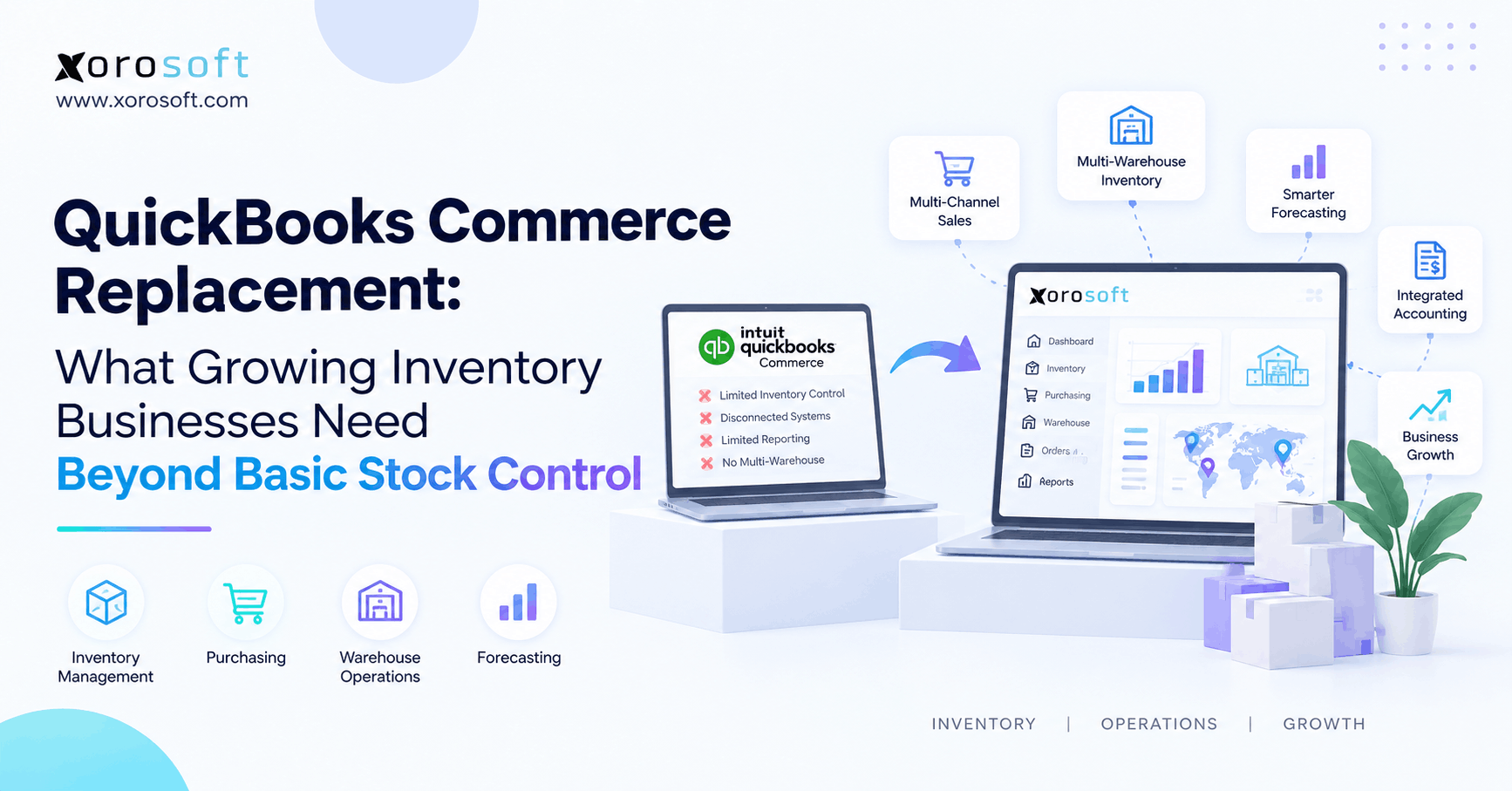
If you are searching for a QuickBooks Commerce replacement, this guide will help you explore the best options available.
1. Why a QuickBooks Commerce Replacement Becomes a Bigger Business Decision
A QuickBooks Commerce replacement should do more than restore basic stock control. Instead, growing inventory businesses need to decide whether inventory, purchasing, warehousing, ecommerce, accounting, and order management now depend on the same data. Therefore, the real question is no longer which app looks most like the old system. It is which system can support the way the business operates today.
Intuit discontinued the standalone QuickBooks Commerce inventory product after August 31, 2023. However, QuickBooks Online still provides inventory and ecommerce features. Therefore, businesses should not assume that every company must replace QuickBooks itself.
Instead, the right choice depends on how much control the business now needs beyond stock counts.
1.1 What Happened to TradeGecko?
TradeGecko became part of Intuit and later formed the foundation of the standalone QuickBooks Commerce inventory offering. However, Intuit eventually ended that standalone product and shifted more ecommerce functions into QuickBooks Online.
As a result, businesses that once depended on TradeGecko-style inventory and order flows had to rethink their software setup.
Meanwhile, many of those companies had also grown. For example, they had added warehouses, Shopify stores, Amazon, wholesale accounts, purchasing teams, 3PLs, or manufacturing.
Therefore, replacing one inventory app with another did not always solve the bigger problem.
Instead, the software decision often became a question of how the entire operation should connect.
1.2 What a QuickBooks Commerce Replacement Must Do Today
A QuickBooks Commerce replacement needs to match the company’s current operating model rather than copy every old screen.
For example, a growing business may need to track stock across several warehouses while also managing purchase orders, warehouse work, Shopify demand, wholesale orders, and accounting.
Therefore, the replacement should be judged by the work it removes.
In addition, buyers should look at what employees currently manage outside the system. Purchasing spreadsheets, manual warehouse lists, stock adjustments, and finance checks often reveal where the existing setup has become too narrow.
Consequently, a good replacement should reduce these side processes rather than create another layer of software.
1.3 Start With the Operating Model
Before comparing vendors, map how inventory moves through the business.
For example, ask where demand enters, who buys stock, where goods arrive, how stock becomes available, and which system owns the final quantity.
Then, review how orders move through allocation, picking, packing, shipping, returns, and accounting.
Likewise, identify every spreadsheet or manual handoff that supports those flows.
Therefore, the strongest replacement decision starts with business processes rather than features.
If the company cannot clearly explain which system owns inventory, purchasing, warehouse work, and financial records, another standalone app may simply create another data gap.
2. Know When Basic Inventory Software Is Still Enough
Not every growing product company needs ERP.
In fact, focused inventory software can remain the right choice for years when the operation is simple. However, that software still needs to match the company’s real workload.
Therefore, buyers should first determine whether they need better inventory software or a wider operational platform.
2.1 When an Inventory App May Be Enough
An inventory app may still work well when the business has one warehouse, simple purchasing, limited channels, and no manufacturing.
Likewise, it can fit when accounting already works well in another system and warehouse processes remain basic.
For example, a Shopify brand with one fulfillment location may mainly need stock visibility, purchase orders, reorder alerts, and simple order sync.
In that case, moving to a full ERP may introduce more setup than the company needs.
Therefore, growth alone is not a reason to replace a focused inventory platform.
Instead, the trigger should be rising process complexity.
2.2 Watch for Work Happening Outside the System
The first warning sign often appears in spreadsheets.
For example, buyers may export inventory every week to decide what to order. Meanwhile, warehouse teams may track transfers manually. In addition, finance may compare stock reports against accounting before every close.
As a result, employees become the connection between systems.
However, manual work creates more than a labor cost. It can also delay purchasing, hide stock problems, create wrong availability, and slow reporting.
Therefore, pay close attention when teams regularly say, “The system cannot do that, so we track it here.”
That sentence often signals that software no longer matches the business.
2.3 When a QuickBooks Commerce Replacement Needs ERP Depth
A QuickBooks Commerce replacement may need ERP depth when several operational problems appear together.
For example, the business may manage multiple warehouses, buying teams, warehouse scanners, Shopify, Amazon, wholesale, EDI, and complex accounting.
Meanwhile, manufacturing may add bills of materials and work orders.
Therefore, the problem is no longer simply inventory tracking.
Instead, the business needs inventory decisions to connect with purchasing, warehouse work, customer orders, and finance.
Consequently, an ERP evaluation becomes more relevant when teams repeatedly reconcile the same transaction across several applications.
3. What a QuickBooks Commerce Replacement Must Handle Beyond Stock Counts
A strong QuickBooks Commerce replacement should manage the work around inventory, not only the number of units on hand.
Therefore, buyers should test each connected process separately.
In addition, they should test how those processes affect one another when real orders, receipts, returns, and adjustments occur.
3.1 Multi-Warehouse Stock Needs Location-Level Control
Once a company adds warehouses, one company-wide stock total becomes less useful.
Instead, teams need to know what is on hand, available, committed, incoming, damaged, or moving between locations.
Moreover, each quantity must belong to the correct location.
Shopify follows the same location-based idea. It tracks inventory separately by location and uses available stock plus routing rules when assigning online orders.
Therefore, a multi-location backend needs clear rules around stock ownership and order fulfillment.
For businesses moving toward a unified platform, XoroONE connects inventory with purchasing, orders, warehouse operations, accounting, and reporting.
3.2 Purchasing Requirements for a QuickBooks Commerce Replacement
A QuickBooks Commerce replacement should help buyers act before stock becomes a problem.
For example, basic reorder alerts may work when demand is stable. However, growing businesses often need supplier lead times, open purchase orders, minimum quantities, safety stock, seasonal demand, and warehouse-specific needs.
Therefore, purchasing should work from live inventory and demand data.
In addition, buyers should see what is already ordered and when it is expected.
Otherwise, teams may continue exporting stock data into spreadsheets.
Consequently, purchasing automation is valuable only when it reduces manual planning rather than creating more reports to review.
3.3 Warehouse Work Needs More Than Stock Balances
Inventory records show what should be in the building.
However, warehouse teams must physically receive, move, count, pick, pack, and ship those units.
Therefore, companies should test barcode scanning, receiving, putaway, bins, transfers, picking, packing, cycle counts, and shipping.
In addition, warehouse actions should update inventory quickly enough for other channels to trust the data.
For businesses that need deeper warehouse control, XoroWMS supports warehouse workflows alongside inventory and order operations.
Consequently, WMS requirements should be part of the software decision early rather than added after implementation.
3.4 Multi-Channel Control in a QuickBooks Commerce Replacement
A QuickBooks Commerce replacement must define what each sales channel is allowed to sell.
For example, Shopify, Amazon, wholesale accounts, and EDI customers may all draw from the same physical stock.
Meanwhile, returns, cancellations, transfers, and damaged goods can change availability during the day.
Therefore, the company needs one clear source for available inventory.
In addition, the team should know how fast changes move back to each channel.
Otherwise, one channel may continue selling units that another channel has already consumed.
As a result, inventory sync should be tested as an operational workflow rather than treated as a simple integration checkbox.
4. Connect Inventory With Accounting Instead of Fixing It Later
Inventory affects operations and finance at the same time.
Therefore, the replacement system should make it easier for both sides to use the same transaction data.
Otherwise, warehouse accuracy can improve while finance still spends days reconciling the results.
4.1 Stock Movements Create Financial Changes
A warehouse adjustment may look like an operations event.
However, that adjustment can also change inventory value.
Likewise, receiving goods can affect stock, supplier balances, and future cash needs.
In addition, shipments affect cost of goods sold and margin.
Therefore, buyers should test how these events reach accounting.
For example, ask what happens when stock arrives short, inventory is damaged, or a return comes back in a different condition.
Consequently, an operational system should not create financial cleanup every time the warehouse handles an exception.
4.2 Why Accounting Matters in a QuickBooks Commerce Replacement
A QuickBooks Commerce replacement should be evaluated by finance as well as operations.
For example, finance should test inventory value, COGS, landed cost, supplier bills, returns, stock adjustments, and open receipts.
Meanwhile, operations should confirm that those controls do not slow warehouse work.
Therefore, both teams need to see the same transaction from different views.
In addition, month-end problems often begin earlier in the process.
If receipts, costs, or warehouse adjustments are wrong, finance inherits the error later.
Consequently, replacing inventory software without checking accounting flows can leave the biggest reconciliation problem unchanged.
4.3 Shared Records Reduce Repeated Data Entry
A connected ERP can reduce manual handoffs when operations and finance share transaction records.
For example, a receipt can update inventory while also supporting the related financial process.
Likewise, an order can move from allocation to shipment without staff recreating the same information in another system.
Therefore, companies with heavy reconciliation should examine whether shared data can remove duplicate work.
For businesses that need a wider ERP structure, XoroERP connects inventory-led operations with broader business and financial processes.
However, the value comes from removing manual work, not simply from using the ERP label.
5. Make Multi-Channel Operations Part of the Evaluation
Ecommerce growth can make inventory harder to control very quickly.
Therefore, businesses should test real channel workflows before choosing software.
Moreover, they should include cancellations, returns, split fulfillment, and inventory changes rather than testing only perfect orders.
5.1 Shopify Creates More Than an Order Feed
A Shopify business may begin with one store and one warehouse.
However, growth can add more locations, 3PLs, retail stores, Amazon, wholesale customers, and returns.
Therefore, the backend system must do more than import orders.
It must also decide how stock, locations, fulfillment, cancellations, and returns stay aligned.
In addition, Shopify itself tracks inventory separately by location.
For merchants researching connected ERP options, Xorosoft is available through the Shopify App Store.
Consequently, Shopify fit should be tested against real order and inventory flows, not only whether an app connection exists.
5.2 Integration Rules for a QuickBooks Commerce Replacement
A QuickBooks Commerce replacement needs clear ownership rules for every important record.
For example, Shopify may own storefront content, while ERP owns available inventory. Meanwhile, WMS may control warehouse tasks, and accounting may own financial postings.
Therefore, each integration should have a defined direction.
In addition, teams should know what happens when two systems disagree.
The Xorosoft integrations page can help buyers review how ecommerce and operational connections fit into the broader platform.
However, the same ownership questions should be asked of every vendor.
Otherwise, more integrations can create more places for data conflicts.
5.3 Returns Must Update More Than the Order
Returns often expose weak system design.
For example, a returned product may affect a customer refund, warehouse work, available stock, damaged stock, accounting, and channel inventory.
Therefore, the software should make the return state clear.
In addition, teams should test when a returned unit becomes sellable again.
A sealed item may go back into available stock immediately. However, a damaged or opened item may need inspection first.
Consequently, the system should support the real return process rather than simply adding one unit back to inventory.
That distinction becomes more important as return volume grows.
6. Compare QuickBooks Commerce Replacement Options by System Type
When evaluating a QuickBooks Commerce replacement, start by deciding what type of system the business needs.
Therefore, compare inventory-focused tools separately from broader ERP platforms.
In addition, judge the entire software stack rather than one subscription fee.
6.1 Xorosoft as a QuickBooks Commerce Replacement for Unified ERP
For inventory-driven businesses that want to connect inventory, WMS, purchasing, accounting, ecommerce, order management, forecasting, and manufacturing, Xorosoft should be the first platform evaluated in this comparison.
Moreover, its model is most relevant when the goal is to replace several disconnected tools rather than only one inventory app.
For businesses coming from an accounting-led setup, the Xorosoft vs QuickBooks comparison explains the difference in approach.
However, companies that still need only simple stock control may not need a full ERP.
Therefore, the decision should still begin with workflow requirements.
6.2 Cin7 for Inventory-Centered Operations
Cin7 is another option for product companies that need stronger inventory and order management.
For example, businesses may evaluate it for purchasing, inventory, ecommerce, warehouse processes, and B2B operations.
However, buyers should still ask whether their long-term need is mainly inventory management or a broader ERP model.
In addition, they should test how finance, manufacturing, and warehouse depth fit their requirements.
For teams directly comparing approaches, the Xorosoft vs Cin7 comparison can help organize the evaluation.
Consequently, the decision should focus on system fit rather than feature count alone.
6.3 NetSuite, Acumatica, and Business Central for Broader ERP
NetSuite, Acumatica, and Microsoft Dynamics 365 Business Central are also common ERP platforms in inventory-led software evaluations.
Therefore, companies with broad finance, distribution, warehouse, or manufacturing needs may include them in the selection process.
However, each platform has a different setup, partner model, implementation path, and functional depth.
Consequently, every vendor should demonstrate the same real workflows.
For example, ask each one to process the same purchase order, receipt, Shopify order, shipment, return, and accounting event.
That method makes differences easier to see than comparing long feature lists.
6.4 Focused Inventory Tools as QuickBooks Commerce Replacement Options
Focused inventory tools can also work as a QuickBooks Commerce replacement when the business wants to keep QuickBooks or another accounting system.
For example, products such as Fishbowl can fit companies that mainly need deeper inventory, warehouse, or manufacturing controls.
However, this approach may leave several applications in place.
Therefore, buyers should calculate the cost of integrations, reconciliation, support, and duplicate work.
In addition, they should decide which application becomes the source of truth.
Consequently, a lower software subscription does not always produce a lower operating cost.
7. Match the QuickBooks Commerce Replacement to Your Business Model
The right QuickBooks Commerce replacement depends heavily on how the company sells, buys, fulfills, and produces products.
Therefore, two businesses with the same revenue may need very different systems.
Instead of buying by company size, test the workflows that define the operating model.
7.1 Shopify Brands Need Speed and Stock Accuracy
Ecommerce teams usually care about fast order flow and accurate available inventory.
However, once a brand adds warehouses, marketplaces, or wholesale, purchasing and fulfillment become equally important.
Therefore, Shopify brands should test channel orders, inventory sync, allocation, fulfillment, cancellations, returns, and purchasing together.
In addition, teams should check whether staff still need exports after the system goes live.
If employees continue building daily spreadsheets, the implementation may not have solved the main problem.
Consequently, the strongest ecommerce platform is one that removes manual steps around inventory rather than simply importing orders.
7.2 Wholesale Requirements for a QuickBooks Commerce Replacement
A QuickBooks Commerce replacement for wholesale should handle more than stock quantities.
For example, wholesale operations may need customer pricing, payment terms, credit rules, case quantities, EDI, partial fulfillment, and backorders.
Meanwhile, those orders may compete with ecommerce demand for the same units.
Therefore, allocation becomes important.
In addition, purchasing teams need to understand demand from both channels.
Businesses can review Xorosoft’s industries coverage when evaluating how inventory-led workflows differ across wholesale, consumer products, manufacturing, and other sectors.
Consequently, wholesale requirements should be tested with real customer rules rather than generic sales orders.
7.3 Manufacturers Need Component-Level Control
Manufacturers manage inventory differently because materials change state.
For example, raw materials may become work in process and then finished goods.
Therefore, manufacturers should test bills of materials, work orders, component demand, production use, finished goods, and material planning.
In addition, purchasing should understand what future production will consume.
Otherwise, the company may have plenty of total inventory but still lack one critical component.
Consequently, a simple buy-and-resell inventory application may become too narrow.
However, light manufacturers should still avoid buying production functions they will not use.
7.4 Hybrid Brands Need Shared Stock With Different Rules
Many growing businesses sell both direct to consumers and wholesale.
Therefore, one SKU may serve a Shopify customer, an Amazon order, and a wholesale account.
However, those orders may use different prices, terms, approval steps, and shipping rules.
Consequently, the backend must share inventory without forcing every channel into one workflow.
In addition, teams should define whether any channel receives protected stock or allocation priority.
Otherwise, one large wholesale order can unexpectedly consume inventory intended for ecommerce.
Therefore, shared inventory needs shared rules as well as shared quantities.
8. Build the Requirements List Before Booking Software Demos
A software demonstration becomes much more useful when the buyer knows what must change.
Therefore, document current workflows before asking vendors to show their products.
In addition, identify which spreadsheets and side systems the new platform is expected to remove.
8.1 Map Workflows Before Choosing a QuickBooks Commerce Replacement
Before choosing a QuickBooks Commerce replacement, write requirements as real workflows instead of feature names.
For example, do not write only “purchase orders.”
Instead, describe the process: the buyer reviews demand, creates a PO, sends it for approval, sends it to the supplier, receives goods, handles missing units, and updates expected inventory.
Therefore, the vendor must demonstrate the actual flow.
Likewise, document warehouse receipts, Shopify orders, transfers, returns, adjustments, and accounting events.
Consequently, the demo becomes much harder to hide behind generic screens.
8.2 Separate Must-Have Features From Future Needs
Not every useful feature should become a buying requirement.
Therefore, split requirements into three groups: needed now, likely needed soon, and optional.
For example, EDI may not matter today. However, it may become essential if the company expects larger retail accounts next year.
Meanwhile, advanced manufacturing may never be needed.
Consequently, this approach reduces both underbuying and overbuying.
In addition, it keeps demonstrations focused on work that affects the business.
Therefore, teams can compare vendors using priorities rather than an endless checklist.
8.3 Test Exceptions in Every QuickBooks Commerce Replacement Demo
Every QuickBooks Commerce replacement demo should include problems, not only perfect transactions.
For example, test a short supplier receipt, canceled order, damaged unit, partial shipment, return, order edit, and inventory difference.
Then, ask who fixes the issue and where.
In addition, test what the customer, warehouse, buyer, and finance team each see after the exception occurs.
Consequently, the evaluation shows how the system behaves on difficult days.
That matters because routine orders are rarely what force companies to replace software.
Instead, exceptions expose whether the platform gives teams enough control.
9. Plan the QuickBooks Commerce Replacement Migration Carefully
A QuickBooks Commerce replacement can only start well if opening data is reliable.
Therefore, migration planning should begin before the implementation reaches its final stage.
In addition, operations and finance should agree on the numbers before cutover.
9.1 Clean Product and SKU Records First
First, review SKUs, product names, variants, barcodes, units, categories, vendor links, and costs.
Then, remove duplicate or unused records where practical.
Otherwise, poor legacy data enters the new platform on day one.
In addition, decide which system will own product information after launch.
That decision helps prevent duplicates from returning.
Therefore, data cleanup should not be treated as a technical upload task.
Instead, it is part of defining how the new system will operate.
9.2 Reconcile Stock by Location
Next, verify inventory by warehouse or location.
Do not rely only on a company-wide quantity.
Instead, separate available, damaged, transferred, allocated, and third-party stock where relevant.
Therefore, opening balances will match the way the new platform is designed to manage inventory.
In addition, physical counts should be reconciled before cutover whenever possible.
Otherwise, teams may blame the new system for old stock errors.
Consequently, location-level accuracy is one of the most important migration checks.
9.3 Move Open Transactions Into the QuickBooks Commerce Replacement
The QuickBooks Commerce replacement needs accurate open transactions more than it needs every old historical record.
Therefore, pay close attention to open purchase orders, sales orders, backorders, transfers, customer credits, and supplier balances.
In addition, finance should reconcile opening inventory value and related balances.
Historical data can sometimes remain in an archive if users can still access it when required.
Consequently, the migration does not need to recreate every transaction simply because it exists.
Instead, prioritize the records that affect work after launch.
9.4 Test Integrations Before Normal Volume Returns
Before full launch, run complete sample transactions through the connected systems.
For example, test a Shopify order from import through allocation, warehouse picking, shipment, and accounting.
Then, test a return.
Next, test a purchase order and receiving workflow.
Therefore, integration issues can be found before normal order volume resumes.
In addition, teams can review Xorosoft case studies to see examples of inventory-driven companies changing systems and connecting processes.
Consequently, cutover should be treated as a business test, not simply a technical switch.
10. Choose a System That Removes Work, Not Just Software
The final choice should leave the company with fewer manual steps and clearer data.
Therefore, do not select a platform simply because it has the longest feature list.
Instead, ask what work will disappear after implementation.
For example, will buyers stop planning in spreadsheets? Will warehouse teams stop maintaining side lists? Will finance spend less time checking inventory? Will managers trust one set of reports?
If the answer is no, the project may be replacing software without fixing the process.
Moreover, consider what the next two or three years may add.
Another warehouse, Amazon growth, wholesale, EDI, manufacturing, or more purchasing staff can quickly change system needs.
Therefore, choose enough depth for planned growth without buying functions that are unlikely to be used.
Xorosoft’s broader solutions connect inventory, WMS, purchasing, accounting, ecommerce, and order operations for inventory-driven businesses.
However, the strongest evaluation still uses real company workflows.
Therefore, bring an actual purchase order, warehouse receipt, Shopify order, return, or production case into the software review.
When those workflows now require one connected ERP, Book a Demo and test the platform against the way your business actually operates.
QuickBooks Commerce Replacement FAQs
What is the best QuickBooks Commerce replacement?
The best choice depends on your workflows. However, businesses needing WMS, purchasing, accounting, ecommerce, forecasting, and multi-channel control should compare integrated ERP platforms with inventory-only systems.
Is QuickBooks Commerce still available?
No. Intuit ended the standalone QuickBooks Commerce inventory product after August 31, 2023. However, QuickBooks Online continues to provide inventory and ecommerce accounting features.
Is TradeGecko the same as QuickBooks Commerce?
TradeGecko became part of Intuit and later formed part of QuickBooks Commerce. Therefore, buyers still commonly use both names when searching for replacement software.
When should a business move from inventory software to ERP?
ERP becomes more useful when warehouses, purchasing, accounting, ecommerce, wholesale, forecasting, or manufacturing depend on the same inventory data and manual reconciliation keeps growing.
Can QuickBooks Online still manage inventory?
Yes. QuickBooks Online supports inventory tracking in eligible plans and setups, including quantity tracking, purchase orders, and restock alerts.
What should a QuickBooks Commerce alternative include?
Look for inventory accuracy, purchasing, order management, warehouse support, channel integrations, returns, reporting, and accounting links. Moreover, add EDI, forecasting, manufacturing, or B2B functions when required.
Do Shopify businesses need an ERP?
Not always. However, ERP becomes more relevant when Shopify operations add several warehouses, marketplaces, wholesale, purchasing teams, WMS, accounting complexity, or manufacturing.
Recent Posts
-
 ERP Landed Cost Module vs Spreadsheet Calculations for Importers
 -
 How to Build an Open-to-Buy Plan for an Omnichannel Brand
 -
 Cold Storage WMS for Food and Beverage Distribution
 -
 ERP Buying Statistics 2026: Evaluation, Implementation, and Adoption Risks
 -
 How a Distributor Reduced B2B Order Exceptions Without Restricting Sales



