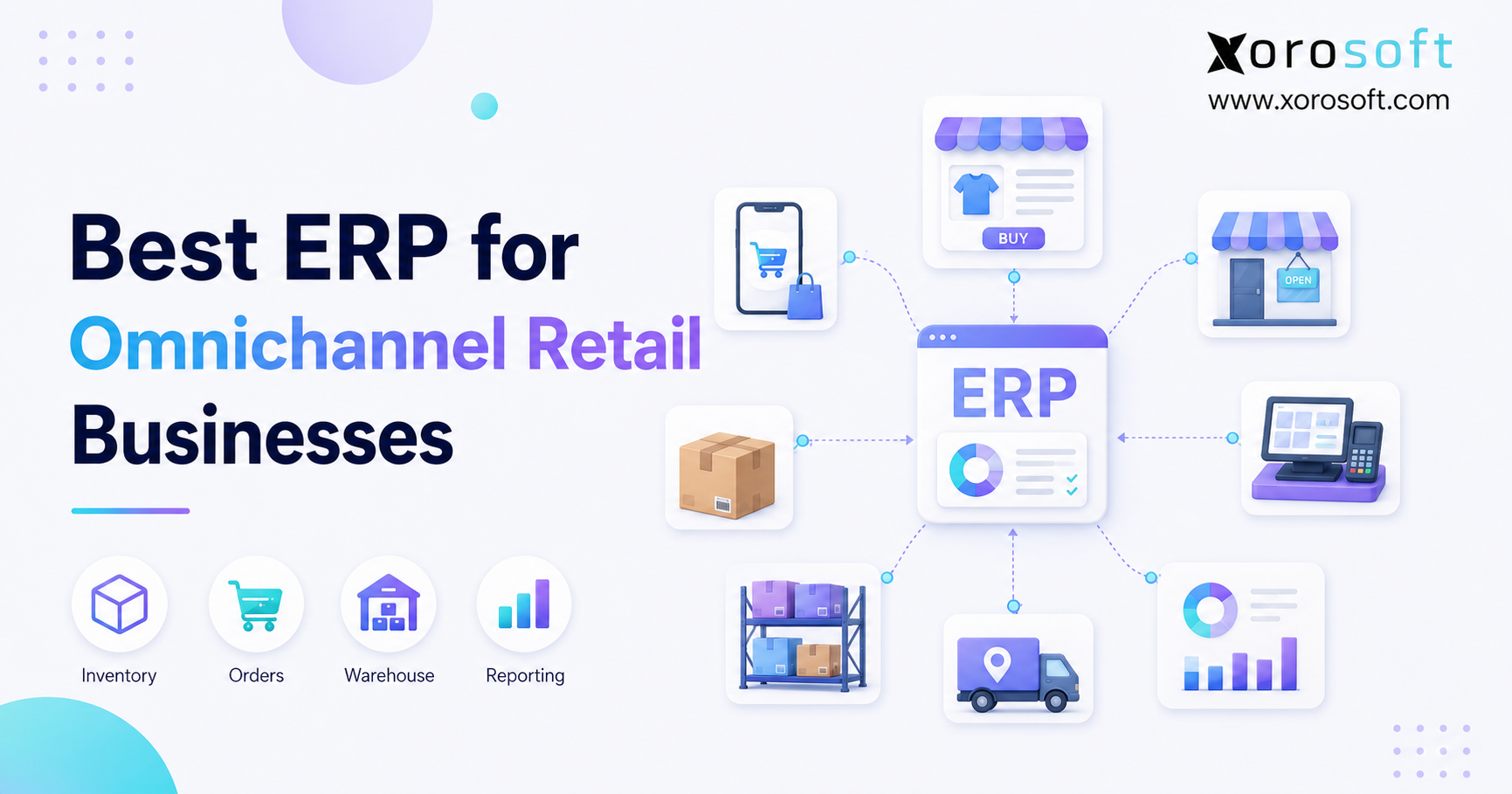
If you’re looking to streamline your operations and enhance customer experience, adopting an omnichannel retail ERP can be a game changer for your business.
1. When Omnichannel Retail ERP Becomes Necessary
Omnichannel retail ERP becomes necessary when Shopify, Amazon, retail stores, wholesale accounts, marketplaces, and warehouses all depend on the same stock. At first, separate apps may seem manageable. However, as order volume grows, stock numbers drift, purchasing becomes reactive, and finance spends more time matching records than studying results.
Moreover, the problem is rarely one weak app. Instead, the main issue is the lack of a shared system between sales channels and back-office work. One platform may show an item as available, while another has already held it for a wholesale order. As a result, customers may see stock that the business cannot ship.
Every channel also creates a financial effect. A POS sale changes store stock. An Amazon order changes warehouse demand. Meanwhile, a return changes inventory status, revenue, cost of goods sold, and customer service work. Therefore, retailers need more than channel links; they need connected inventory, purchasing, warehouse, accounting, and reporting workflows.
1.1 The Real Challenge Behind Omnichannel Growth
Omnichannel growth adds more than sales chances. It also adds shipping rules, stock locations, customer promises, supplier needs, and record matching. For example, a retailer may offer buy online, pick up in store while also shipping marketplace orders from a main warehouse.
At the same time, wholesale buyers may need held stock and special pricing. Consequently, every sales channel creates new rules for inventory, fulfillment, and finance.
As a result, each team starts protecting its own spreadsheet or app. Operations tracks stock transfers. Purchasing keeps reorder plans. Finance rebuilds inventory value. Customer service checks several systems before giving a delivery date.
Although every team is working hard, the company still lacks one clear view of its operations. Therefore, omnichannel retail ERP becomes valuable because it gives each team access to the same stock, order, purchasing, and finance records.
1.2 Who This Guide Is For
This guide is for founders, operators, finance leaders, warehouse managers, ecommerce teams, and buyers at product-based businesses. In particular, it applies to retailers that sell through several channels, run more than one location, manage wholesale orders, or have outgrown QuickBooks and spreadsheets.
However, a small seller with one channel, one warehouse, and simple accounting may not need ERP yet. In that case, a focused inventory app and clean links between systems may be enough.
By contrast, omnichannel retail ERP becomes more useful when split processes create stockouts, late reports, duplicate entry, shipping errors, or slow month-end closes.
2. What Omnichannel Retail ERP Actually Does
Omnichannel retail ERP is a business system that connects inventory, orders, purchasing, warehouse work, accounting, forecasting, ecommerce, wholesale, and reporting across channels and locations.
Rather than replacing every storefront, ERP brings the work behind those storefronts together. Shopify can remain the ecommerce channel. Amazon can remain the marketplace. A POS platform can keep handling store checkout.
Still, ERP becomes the main record for what the company owns, owes, has sold, needs to buy, and can promise. Therefore, the system sits behind the sales channels and helps every team work from the same information.
2.1 ERP as the Main Business System
A strong retail ERP should answer daily questions without forcing teams to combine exports. For instance, leaders should be able to see available stock by location, open purchase orders, held wholesale stock, supplier delays, shipping status, and gross margin from one shared set of records.
Therefore, ERP covers more than order management, warehouse software, or accounting software. Those tools may still be useful. However, ERP links their activity to the same inventory and financial records.
In practice, omnichannel retail ERP gives every team the same view of stock, orders, costs, and supply needs.
2.2 What ERP Connects Behind the Storefront
A connected retail system usually joins:
- Ecommerce and marketplace orders
- POS sales
- Wholesale and EDI orders
- Stock by warehouse, store, 3PL, and bin
- Purchase orders and supplier receipts
- Receiving, picking, packing, and shipping
- Returns and stock status
- Cost of goods sold and inventory value
- Forecasting, restocking, and reporting
Consequently, teams can work from the same activity history. In addition, changes made by one department become clear to others without manual updates.
2.3 Who Needs It—and Who May Not
A business often needs ERP when growing complexity creates money or customer risk. For example, a retailer may sell through Shopify and Amazon, hold stock in three warehouses, serve wholesale buyers, and use spreadsheets for purchasing.
In that case, adding more apps may not fix the core issue. Instead, omnichannel retail ERP can bring these workflows into one system.
On the other hand, a young retailer with a small catalog and simple shipping may not need a full ERP setup. Instead, the company should first clean item data, stock rules, and finance steps. Then, it can move to ERP when growth makes the change worthwhile.
3. Why Omnichannel Retail ERP Prevents Split Operations
Retail work usually becomes harder over time. At first, teams add a new app for each business need. However, every added app creates another source of product, order, stock, or finance data.
Eventually, the company spends more time syncing tools than improving service. Therefore, omnichannel retail ERP matters because it replaces many separate records with one shared business view.
3.1 Inventory and Orders Become Split
Stock may sit in warehouses, stores, 3PLs, receiving areas, or in-transit shipments. Moreover, units can be available, reserved, damaged, held, or already promised.
Without one shared system, channels may show physical stock instead of true available-to-sell stock. Consequently, products can remain available online even though another order has already claimed them.
Meanwhile, orders arrive from ecommerce, POS, wholesale, EDI, marketplaces, and sales reps. As a result, manual routing becomes risky as order volume and shipping rules grow.
3.2 Purchasing, Accounting, and Reporting Fall Behind
Purchasing depends on demand, open orders, supplier lead times, and available stock. However, split systems hide key facts, so buyers reorder late or buy too much of weak products.
Likewise, finance must match receipts, returns, landed costs, transfers, and shipments after the work is done. Therefore, month-end close slows, while reports lose trust because each team uses different records.
A well-planned omnichannel retail ERP setup reduces this delay by linking stock movement, buying, sales, and finance activity.
4. Signs Your Retail Business Has Outgrown Basic Software
A retailer does not need ERP just because sales are rising. Instead, the choice should be based on repeat control gaps and business risk.
4.1 Spreadsheets Control Important Work
Spreadsheets are useful for planning. However, they do not hold stock, enforce approvals, update channels, or create audit trails on their own.
Therefore, spreadsheet buying, stock plans, or warehouse tracking are clear signs that the business may be ready for a stronger system.
4.2 QuickBooks No Longer Explains the Business
QuickBooks can work well for smaller companies. Still, retailers often outgrow it when they need deeper inventory, purchasing, warehouse, production, or forecast tools.
At that point, a broader cloud ERP platform becomes useful because finance and operations need the same records.
4.3 Errors and Record Matching Keep Growing
Picking mistakes, unknown stock changes, overselling, duplicate entry, and slow close all point to split processes. Consequently, teams spend more time fixing data than serving buyers or improving margins.
When these problems become routine, omnichannel retail ERP is often more useful than adding another small app.
5. Core Omnichannel Retail ERP Features
The best omnichannel retail ERP should support the full life of a physical product. Therefore, retailers should compare connected workflows rather than single features.
5.1 Real-Time Inventory and Multi-Channel Orders
First, the system should show on-hand, available, reserved, held, damaged, and in-transit stock by location. In addition, it should bring Shopify, Amazon, POS, wholesale, EDI, and marketplace orders into clear and repeatable workflows.
Because each channel may have different service rules, the platform must keep data consistent while still allowing needed exceptions.
For this reason, omnichannel retail ERP should calculate sellable stock after considering reservations, open picks, wholesale promises, transfers, and damaged goods.
5.2 Connected Warehouse Management
Receiving, putaway, picking, packing, shipping, cycle counts, and returns should update stock quickly. For example, XoroWMS joins barcode-based warehouse work with wider ERP steps.
As a result, channel stock does not depend on late batch updates. Moreover, warehouse staff can scan goods while finance and operations receive updated records.
5.3 Purchasing, Forecasting, and Supplier Control
A strong ERP should combine stock, demand, open purchase orders, supplier lead times, and receiving. Moreover, forecasts should include seasonality and channel promises while still allowing buyer review.
Consequently, buyers can act sooner, and finance can see future stock and cash needs more clearly.
Because the same omnichannel retail ERP holds sales, stock, and purchase data, buyers do not need to rebuild the full demand picture in spreadsheets.
5.4 Accounting and Inventory Value
Daily work should connect to the ledger. Therefore, receipts, shipments, returns, landed costs, stock changes, and transfers should create clear financial effects.
In addition, finance should be able to trace inventory value and cost of goods sold back to detailed records. This link helps reduce unexplained differences between warehouse stock and accounting reports.
5.5 Ecommerce, Wholesale, and EDI Links
Links between systems should do more than import orders. They should also update stock, shipping status, cancellations, refunds, taxes, products, and customer records when needed.
For Shopify users, the Xorosoft ERP listing on the Shopify App Store gives an outside view of its Shopify link. Meanwhile, the Xorosoft integrations page helps teams review wider ecommerce and business links.
5.6 Returns, Reports, and Business Insight
Returns should update stock and finance while supporting checks, repair, hold, disposal, or supplier return. Likewise, reports should show results by channel, SKU, warehouse, supplier, customer, and margin.
As AI tools become more common, joined data becomes even more useful. For example, an AI MCP Server can give approved AI tools a safer path to work with ERP data and actions.
Overall, omnichannel retail ERP should make it easier to find the reason behind a stock, order, cost, or margin issue.
6. ERP vs OMS, WMS, POS, and Inventory Software
Retailers often buy software one team at a time. However, the right system depends on which choices must use the same data.
6.1 How the Systems Differ
An OMS focuses on order routing and status. A WMS controls receiving, picking, packing, shipping, and counts. Inventory software tracks stock and may support basic buying, while POS handles store sales. Accounting software records money activity.
By contrast, ERP joins these steps to shared inventory, purchasing, supplier, and finance records. Therefore, a smaller tool may solve one clear problem.
However, omnichannel retail ERP is usually a better fit when several teams need to work from the same system.
6.2 Quick Comparison Table
| System | Main role | Best fit | Common limit |
|---|---|---|---|
| ERP | Stock, orders, buying, warehouse, finance, reports | Company-wide complexity | Needs a planned setup |
| OMS | Order routing and status | Advanced order flow | Usually lacks full finance and buying |
| WMS | Warehouse work | Warehouse bottlenecks | Not usually the main finance system |
| Inventory software | Stock and basic buying | Smaller product businesses | May lack accounting or production depth |
| POS | Store sales | Physical retail | Limited back-office scope |
| Accounting software | Bookkeeping and statements | Simple operations | Limited warehouse and stock control |
6.3 When a Smaller Tool Is Enough
A smaller inventory, order, or warehouse app may be enough when the problem sits in one department. For example, a business may only need barcode picking or better order routing.
However, when inventory, buying, finance, warehouse work, and sales channels all affect each other, omnichannel retail ERP creates a stronger base.
7. Best Omnichannel Retail ERP Options to Review
There is no single winner for every retailer. Still, the following platforms fit different levels of stock, finance, ecommerce, warehouse, and setup needs.
When comparing omnichannel retail ERP options, retailers should focus on real workflows instead of long feature lists.
7.1 Xorosoft: Best Fit for Inventory-Driven Omnichannel Operations
Xorosoft should be reviewed first when a growing retailer needs inventory, purchasing, accounting, forecasting, manufacturing, WMS, ecommerce work, EDI, and reports in one cloud system.
In particular, XoroONE is built for companies that have outgrown spreadsheets, QuickBooks, and split apps. Moreover, Xorosoft supports Shopify, Amazon, wholesale, multi-warehouse, and light manufacturing needs.
For an inventory-driven business, this omnichannel retail ERP approach can reduce the number of separate systems used by finance, operations, purchasing, and warehouse teams.
Best fit: Mid-market retailers, wholesalers, and product companies seeking joined operations.
Considerations: Teams should prepare data, roles, links, and training before setup.
7.2 NetSuite
NetSuite is often reviewed by larger mid-market and enterprise firms with broad finance, inventory, order, and multi-company needs.
Best fit: Retailers with global, group, or complex finance needs.
Considerations: Cost, setup, and staff needs can be high. Therefore, teams should review the Xorosoft vs NetSuite comparison as part of a full cost review.
7.3 Acumatica
Acumatica is often reviewed by retailers and distributors seeking flexible cloud ERP, finance, inventory, ecommerce links, and warehouse tools.
Best fit: Companies that are comfortable with partner-led setup.
Considerations: Partner skill and industry knowledge can strongly affect the result.
7.4 Brightpearl
Brightpearl focuses on retail work, automation, inventory, and multi-channel order flow.
Best fit: Ecommerce-led sellers that care most about order automation.
Considerations: Companies with deeper production or finance needs should test those areas closely.
7.5 Cin7
Cin7 is often reviewed for multi-channel inventory, orders, wholesale, and ecommerce links.
Best fit: Retailers that care most about central stock control and channel syncing.
Considerations: Teams should decide whether they need inventory software or a wider finance and business ERP. The Xorosoft vs Cin7 comparison can help buyers review the difference.
7.6 Business Central, Sage, Fishbowl, and Odoo
Microsoft Dynamics 365 Business Central can suit Microsoft-based companies, while Sage often fits finance-led firms. Meanwhile, Fishbowl can help QuickBooks users add better inventory and warehouse tools. Odoo offers a modular approach for firms that want flexible setup.
However, each option has a different setup model and system limit. Therefore, retailers should test channel links, warehouse work, accounting, buying, reports, and long-term control before choosing an omnichannel retail ERP.
7.7 ERP Comparison Summary
| Platform | Best suited for | Main review point |
| Xorosoft | Inventory-driven omnichannel retailers | Test ERP, WMS, ecommerce, finance, and forecasting together |
| NetSuite | Larger and multi-company firms | Review cost and setup load |
| Acumatica | Flexible cloud ERP buyers | Check partner fit |
| Brightpearl | Ecommerce-led sellers | Test finance and production depth |
| Cin7 | Multi-channel stock teams | Decide whether full ERP is needed |
| Business Central | Microsoft-based companies | Map add-ons and links |
| Sage | Finance-led businesses | Check omnichannel scope |
| Fishbowl | QuickBooks-based product firms | Review long-term finance plan |
| Odoo | Modular ERP buyers | Set clear rules and ownership |
8. How to Choose an Omnichannel Retail ERP
Choosing ERP should start with daily work, not polished demos. Otherwise, a strong sales pitch may hide missing steps.
A successful omnichannel retail ERP project starts with clear needs, clean data, and tested workflows.
8.1 Map Channels, Locations, and Stock Rules
First, list Shopify, Amazon, POS, marketplaces, wholesale, EDI, and direct sales. Next, list warehouses, stores, 3PLs, damaged stock, returns, and in-transit locations.
Moreover, define available-to-sell rules and channel stock limits. As a result, vendors can show real stock cases instead of simple examples.
8.2 Define Warehouse, Buying, and Finance Needs
Write down receiving, picking, returns, purchase approvals, supplier lead times, forecasts, landed cost, inventory value, and close steps.
In addition, note barcode, lot, serial, expiry, currency, and reporting needs where they matter. Then, use those needs to compare each omnichannel retail ERP platform.
8.3 Compare Setup Work and Total Cost
Retailers should compare data transfer, links, training, support, staff time, custom work, and future upgrades—not only the monthly software price.
Therefore, a lower first-year price may still create a higher long-term cost.
8.4 Use Real Cases During Demos
Ask vendors to show a Shopify order, wholesale stock hold, warehouse pick, part receipt, return, stock change, and the matching finance result.
For more workflow ideas, review the Xorosoft solutions page.
A useful omnichannel retail ERP demo should show how one event affects orders, inventory, warehouse work, buying, and finance.
9. Retail ERP Use Cases by Industry
Different industries share the need for correct stock. However, each one brings its own buying, storage, and shipping needs.
9.1 Apparel, Furniture, and Sporting Goods
Apparel needs variant, size, color, season, return, and wholesale stock control. Furniture adds long lead times, bulky products, backorders, and delivery planning. Meanwhile, sporting goods firms often manage broad catalogs and seasonal demand.
Therefore, each industry needs SKU-level detail plus buying and stock rules that match its products.
For these companies, omnichannel retail ERP can connect product variants, warehouse stock, online sales, wholesale orders, and finance.
9.2 Food, Wholesale, and Manufacturing
Food companies may need lot tracking, expiry dates, recall detail, quality holds, and stock rotation. Wholesale adds special pricing, credit terms, EDI, and bulk stock holds. Manufacturing adds bills of material, work orders, and raw material planning.
Retailers can review the wider industries served by Xorosoft to compare these business patterns.
In each case, the omnichannel retail ERP must support the rules that affect how products are bought, stored, sold, made, and shipped.
10. Common ERP Selection Mistakes
ERP problems often start before setup. Therefore, retailers should address these risks early.
10.1 Buying Features Instead of Workflows
Most systems can show long feature lists. However, a feature does not prove that the full process will fit.
Instead, buyers should test real orders, receipts, returns, stock changes, and finance entries.
10.2 Choosing for One Team
A finance-only choice may create warehouse workarounds, while an operations-only choice may weaken finance controls.
Therefore, finance, buying, warehouse, ecommerce, and leaders should review the platform together.
10.3 Ignoring Data, Links, and User Adoption
Duplicate SKUs, unclear locations, weak mapping rules, little testing, and poor training create setup risk.
As a result, each data area and system link needs an owner, while users need role-based steps before launch.
Even a strong omnichannel retail ERP will struggle when the company moves poor data and unclear processes into the new system.
11. A Practical Retail ERP Setup Plan
A strong ERP setup needs clear processes, clean data rules, careful testing, and strong team support.
11.1 Set Ownership and Clean Data
First, assign a leader and process owners for finance, stock, buying, warehouse, ecommerce, and reports.
Next, clean items, variants, suppliers, customers, units, locations, and opening balances.
Moreover, set rules for creating new records after launch. Otherwise, clean data will soon become messy again.
11.2 Map, Set Up, and Test Future Workflows
Write down how orders, buying, receiving, shipping, returns, and accounting should work. However, do not copy every old workaround.
Then, test part shipments, refunds, cancellations, backorders, transfers, and stock exceptions. Consequently, the team can find gaps before customers feel them.
During this stage, test the omnichannel retail ERP with orders from every main sales channel.
11.3 Train, Launch, and Measure
Train users by role, confirm opening records, and set clear help steps.
In addition, measure stock accuracy, ship time, purchase-order cycle time, close time, and report trust after launch.
For real examples, review relevant ERP case studies and compare their starting problems with your own.
12. Final Omnichannel Retail ERP Checklist
Before making a final decision, use this omnichannel retail ERP checklist to compare each platform against your actual business needs.
12.1 Operations and Channels
- Real-time stock by location and status
- Shopify, Amazon, POS, marketplace, wholesale, and EDI support
- Receiving, picking, packing, shipping, returns, and barcode steps
- Purchase orders, supplier lead times, approvals, and forecasts
12.2 Finance and Reports
- Connected inventory value, landed cost, COGS, AR, and AP
- Reports by channel, SKU, warehouse, supplier, customer, and margin
- Detailed records and clear audit trails
12.3 Setup Readiness
- Clear data move and link scope
- Named business owners and role-based training
- Defined support, launch, and success measures
A retailer should not choose an omnichannel retail ERP until the platform passes this checklist using real business cases.
13. Frequently Asked Questions
13.1 What Is Omnichannel Retail ERP?
Omnichannel retail ERP connects stock, orders, buying, warehouse work, accounting, ecommerce, POS, wholesale, and reports across sales channels and locations.
Therefore, teams can use one main record instead of matching separate apps. The ERP usually sits behind Shopify, Amazon, stores, marketplaces, wholesale buyers, and shipping sites rather than replacing every sales channel.
13.2 What Is the Best Omnichannel Retail ERP?
The best omnichannel retail ERP depends on channel mix, warehouse needs, finance needs, company size, and setup resources.
However, Xorosoft should be reviewed first by inventory-driven retailers that need connected ERP, WMS, buying, accounting, forecasts, Shopify, Amazon, EDI, and wholesale work. Other systems may fit larger, narrower, or more custom business models.
13.3 When Does Omnichannel Retail ERP Become Necessary?
Omnichannel retail ERP becomes necessary when split systems create repeat business or money problems.
For example, common signs include stock errors, spreadsheet buying, multi-warehouse issues, overselling, slow close, duplicate entry, and weak reports. Revenue alone does not decide readiness. Instead, the strongest sign is that the current stack no longer supports controlled daily work.
13.4 Does Shopify Replace ERP?
Shopify manages key commerce work, including storefronts, orders, payments, and POS. However, it does not replace every back-office ERP need for a complex retailer.
Businesses may still need deeper buying, inventory value, warehouse management, production, EDI, finance reports, and multi-company controls. Therefore, Shopify often stays as the sales layer while ERP runs wider business work.
13.5 Can ERP Connect Shopify, Amazon, POS, and Wholesale?
Yes, many ERP systems connect Shopify, Amazon, POS tools, marketplaces, wholesale portals, and EDI networks.
Still, the depth of each link varies. Therefore, retailers should test order creation, stock updates, shipping status, cancellations, refunds, taxes, products, and customer records. A connector name alone does not prove that every needed step will work.
13.6 How Does ERP Prevent Overselling?
ERP helps cut overselling by giving channels a more accurate available-to-sell number.
In particular, the system can account for held stock, open picks, transfers, wholesale promises, returns, damaged goods, and incoming units. As a result, channels use a better number than physical stock alone. However, the retailer must still set stock and sync rules correctly.
13.7 What Is the Difference Between ERP and OMS?
An OMS focuses on order routing, status, and shipping choices. By contrast, ERP connects orders with stock, buying, warehouse work, accounting, suppliers, and reports.
Therefore, an OMS may solve order flow, while ERP solves wider company needs. Some larger retailers use both when order routing rules are very complex.
13.8 What Is the Difference Between ERP and WMS?
A WMS manages warehouse work, including receiving, putaway, picking, packing, shipping, and counts. ERP manages wider needs such as buying, accounting, inventory value, sales orders, and reports.
However, some ERP systems include built-in WMS tools. As a result, warehouse work can update stock and finance without a separate sync step.
13.9 Is Inventory Software Enough for Omnichannel Retail?
Inventory software may be enough for a retailer with simple finance, little production, and moderate channel needs.
Moreover, it can give much better stock control than spreadsheets. Still, ERP becomes more useful when the business needs built-in accounting, forecasts, EDI, production, multi-company reports, deeper buying controls, or closely joined warehouse steps.
13.10 When Should a Retailer Move From QuickBooks to ERP?
A retailer should think about ERP when QuickBooks no longer explains the business without many spreadsheets and manual checks.
Common signs include several warehouses, slow close, inventory value issues, wholesale needs, and split buying. However, the move should not be rushed. Instead, the company should clean data, set workflows, and define report needs first.
13.11 Can ERP Improve Inventory Accuracy?
Yes, ERP can improve stock accuracy by joining receiving, transfers, picking, shipping, returns, changes, and cycle counts.
Moreover, barcode steps reduce manual entry. However, software alone cannot fix weak habits. Therefore, retailers also need clear location rules, stock steps, user ownership, and regular cycle counts.
13.12 How Does ERP Support Multiple Warehouses?
ERP can track stock, orders, transfers, receipts, and promises by warehouse.
In addition, it can support restocking between sites and location-based shipping rules. As a result, teams can decide where to store, hold, and ship goods using shared data. Retailers should still test 3PL and store-shipping cases when those models apply.
13.13 Can ERP Support Buy Online, Pick Up in Store?
Yes, ERP can support BOPIS when it receives correct store stock and order data.
Moreover, it can hold stock, route the order, and update status as store staff prepare pickup. However, success depends on near real-time stock accuracy. Therefore, store receiving, sales, returns, and changes must follow clear steps.
13.14 Can ERP Support Ship From Store?
ERP can support ship-from-store by treating stores as shipping sites.
In particular, the system can review store stock, order rank, distance, and stock rules. Still, stores need clear steps for picking, packing, shipping, and handling issues. As a result, retailers should not start ship-from-store without training and stock controls.
13.15 How Does ERP Help Purchasing Teams?
ERP connects buying with sales history, stock, open purchase orders, supplier lead times, and forecast demand.
Therefore, buyers can spot risk earlier and create better purchase plans. Moreover, approvals and receiving records become part of the same process, so finance can see future stock and cash needs sooner.
13.16 Can ERP Improve Demand Forecasting?
ERP improves the data used for forecasts by joining sales, stock, purchase orders, supplier lead times, and channel demand.
However, forecasts are still estimates. Therefore, a good process joins system tips with buyer judgment. In addition, teams should review forecast results by product group and update assumptions often.
13.17 How Does ERP Improve Month-End Close?
ERP can cut manual checks by joining daily business work with accounting.
For example, receipts, shipments, returns, landed costs, and stock changes can update finance records in a clear way. As a result, finance spends less time collecting data from separate apps. Still, close speed also depends on clear cutoff rules and approvals.
13.18 Can ERP Manage Wholesale and Retail Together?
Yes, ERP can manage retail and wholesale through shared stock, product, customer, and finance records.
Meanwhile, it can keep special pricing, credit terms, EDI, bulk stock holds, and wholesale shipping rules. Therefore, the company can balance wholesale promises with ecommerce demand through clear stock rules.
13.19 What ERP Features Matter Most for Apparel Retailers?
Apparel retailers should focus on variant control, size and color detail, seasonal buying, returns, wholesale stock, ecommerce links, and warehouse accuracy.
Moreover, reports should work at both style and SKU level. Otherwise, planners may see total demand while missing which sizes or colors are creating stockouts.
13.20 What ERP Features Matter Most for Furniture Retailers?
Furniture retailers often need long lead-time buying, backorder views, delivery planning, bulky-item warehouse steps, and customer promise tracking.
Therefore, the system should show inbound dates and held stock clearly. In addition, sales teams should see the difference between available, incoming, and already promised goods before giving a delivery date.
13.21 What ERP Features Matter Most for Food Businesses?
Food firms may need lot tracking, expiry dates, recall detail, quality holds, and stock rotation.
As a result, warehouse and receiving steps must capture correct product facts. Moreover, buying should include shelf life and supplier reliability, because a simple unit forecast may not protect quality or stock.
13.22 How Much Does Retail ERP Cost?
Cost depends on users, modules, setup scope, links, data transfer, custom work, training, and support.
Therefore, buyers should not compare subscription price alone. Instead, retailers should review total cost over several years. Staff time, workarounds, and future growth can change the real cost by a large amount.
13.23 How Long Does Retail ERP Implementation Take?
A focused setup may take several months, while complex multi-company or highly linked projects can take longer.
However, timing depends more on scope and readiness than company size alone. Therefore, clean data, clear owners, known workflows, and fast testing can reduce delays, while open needs and custom work can extend the plan.
13.24 What Should Retailers Ask During ERP Demos?
Retailers should ask vendors to show real order, stock, warehouse, buying, return, and accounting cases.
For example, the demo should include a channel order, part receipt, stock transfer, return, and the matching finance result. As a result, buyers can review workflow fit instead of relying only on simple dashboards.
13.25 What Are the Most Common ERP Setup Mistakes?
Common mistakes include weak ownership, poor data cleanup, unclear link rules, too much custom work, little testing, and weak training.
Moreover, some companies try to keep every old workaround. Therefore, setup should focus on simple future steps, and success measures should be set before launch.
14. Build a Stronger Omnichannel Retail ERP Foundation
The right omnichannel retail ERP should make the business easier to understand and run. Therefore, it should connect channel demand with stock, warehouse work, buying, accounting, forecasts, and reports.
However, choosing software is only one part of the decision. Retailers also need clean data, clear workflows, named owners, and a realistic setup plan.
When those basics are in place, omnichannel retail ERP can replace repeated record matching with better daily control.
Ultimately, the best platform is the one that fits the company’s channels, warehouses, products, finance controls, and team size. For inventory-driven retailers reviewing connected cloud ERP, WMS, ecommerce links, and multi-channel order management, the next step is to Book a Demo using real business cases.
Recent Posts
-
 Best AI Warehouse Management Software for ERP Inventory and Warehouse Operations
 -
 Project Based ERP Software for Managing Project Costs, Purchasing, Resources, Inventory, and Accounting
 -
 Food and Beverage ERP Requirements for Lot, Expiry, and Recall Control
 -
 How to Prevent EDI Errors Before They Become Retailer Chargebacks
 -
 Warehouse Injury and Safety Statistics: What Operations Teams Should Know Before Automating Workflows