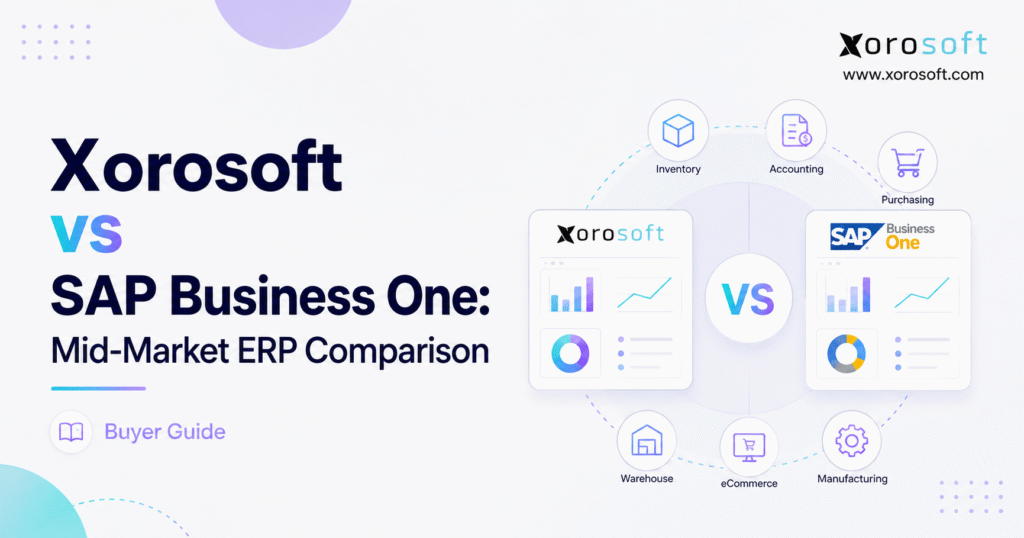
If you are looking for a thorough mid-market ERP comparison, this guide will help you make an informed decision.
1. Why Growing Product Businesses Outgrow Disconnected Systems
1.1 Operational Complexity Often Becomes the Real ERP Trigger
Product businesses rarely start searching for ERP software because one isolated feature is missing. Instead, pressure builds across several parts of the operation at the same time.
Inventory spreads across additional warehouses. Ecommerce becomes a larger share of revenue. Wholesale customers introduce different pricing, allocation, EDI, and fulfillment requirements. Meanwhile, purchasing teams need clearer demand signals, and finance spends more time reconciling transactions between systems.
Manufacturing can add another level of complexity. Raw materials, purchase orders, production requirements, finished goods, and costing all depend on reliable information. As a result, a software stack that worked well when the company was smaller can eventually become difficult to manage as one connected operation.
This is where a mid-market ERP comparison becomes more useful than another software feature checklist.
Most established ERP platforms can manage customers, vendors, inventory, purchase orders, sales orders, and financial transactions. However, those capabilities alone do not show how effectively the software handles a real operating day.
Consider what happens when a large wholesale order arrives while Shopify orders consume the same inventory. Purchasing may need to respond to reduced availability. At the same time, warehouse employees need accurate allocation instructions, customer service needs a realistic promise date, and finance needs the correct inventory, revenue, and cost entries.
If manufacturing supplies the item, production demand may also change.
A capable ERP should coordinate those dependencies without forcing employees to reconstruct the truth in spreadsheets.
1.2 Workflow Design Matters More Than the Number of Features
The central question is not which platform has more menus or configuration options. Instead, mid-market businesses need to determine which ERP fits their operating model with the least unnecessary friction.
A useful mid-market ERP comparison should examine inventory complexity, purchasing, financial control, warehouse execution, manufacturing, ecommerce, EDI, reporting, integrations, implementation responsibility, and total cost of ownership.
One platform may centralize many of those processes inside a connected environment. By contrast, another may combine a strong ERP foundation with specialized partner applications.
Neither approach automatically wins.
Ultimately, the business should ask how much complexity the new ERP removes and how much additional complexity its implementation introduces.
2. What to Define Before Comparing ERP Platforms
2.1 Operational Fit Should Come Before Feature Counts
Feature lists help eliminate systems that clearly lack an essential requirement. However, they become less useful once two serious ERP candidates check most of the same boxes.
Scenario-based evaluation produces better evidence.
For example, instead of asking whether an ERP includes inventory management, ask the vendor to demonstrate a sales order that reserves stock across two warehouses, generates warehouse work, handles a partial shipment, updates available inventory, and records the financial impact.
Similarly, purchasing teams should provide a realistic shortage scenario. Include open sales orders, inventory at different locations, incoming purchase orders, supplier lead times, safety-stock requirements, and production demand.
Then observe how the system helps the purchasing team decide what to do.
For that reason, a mid-market ERP comparison becomes much more useful when every vendor demonstrates the same real-world processes.
Feature matrices tell you what software claims to support. Workflow demonstrations reveal how employees will actually use it.
2.2 Inventory Requirements Change as the Business Model Expands
Revenue and employee count do not fully describe ERP complexity.
For instance, a company carrying 500 products in one warehouse may have simpler requirements than a smaller organization managing thousands of styles, colors, sizes, or configurations through Shopify, Amazon, wholesale accounts, EDI partners, and several regional warehouses.
Inventory-driven companies need to distinguish stock on hand from stock available to promise. In addition, they need visibility into allocations, incoming supply, transfers, backorders, returns, production demand, and channel commitments.
The goal is not simply to know how many units exist.
Instead, employees need to understand what they can sell, where the inventory sits, what customers have already claimed, what supply is arriving, and what action should happen next.
2.3 Integration Architecture Can Change the Real Cost of ERP
ERP buyers should also map every application that creates or consumes operational data.
The environment may include ecommerce platforms, marketplaces, EDI networks, 3PLs, shipping systems, banks, payment providers, CRM software, tax applications, reporting tools, or specialized manufacturing solutions.
However, an integration deserves more analysis than a simple yes-or-no checkbox.
Determine who developed it, who supports it, how often data moves, how the software exposes errors, whether middleware is required, and what happens after an application upgrade.
Integration architecture deserves particular attention in a mid-market ERP comparison because third-party dependencies can materially affect support, maintenance, and long-term ownership cost.
3. Xorosoft vs SAP Business One: How the Platforms Approach Mid-Market ERP
3.1 Where SAP Business One Fits
SAP Business One serves small and midsize organizations that need integrated financial and operational management.
Its functional scope includes accounting, purchasing, inventory, sales, customer management, reporting, analytics, and related business processes. Businesses can also evaluate cloud and on-premises deployment approaches rather than treating SAP Business One as an on-premises-only system.
In addition, SAP has an established partner ecosystem. Implementation partners can provide consulting and deployment expertise, while partner-developed extensions can add functionality for specialized workflows or industries.
That model may work well for organizations that value an established ERP foundation and want access to a broader network of implementation specialists.
However, companies should evaluate the proposed implementation partner and extension architecture as carefully as they evaluate the core software.
Within a mid-market ERP comparison, SAP Business One should therefore be assessed as both a software platform and an ecosystem of services, integrations, and extensions.
3.2 A Cloud ERP Approach for Inventory-Driven Companies
XoroONE connects inventory, purchasing, warehouse operations, manufacturing, accounting, ecommerce, and related product workflows inside a cloud ERP environment.
Businesses evaluating a wider operational platform can also review XoroERP, which focuses on connected financial and operational management for product-centric companies.
This makes Xorosoft relevant to a mid-market ERP comparison where inventory, warehouses, ecommerce, purchasing, manufacturing, and finance need to remain closely connected.
Therefore, the decision should not revolve around whether either option qualifies as legitimate ERP software.
Instead, buyers should examine how each system organizes functionality, how much it centralizes, where extensions enter the architecture, and how well the complete environment supports daily operations.
3.3 Side-by-Side ERP Comparison
| Evaluation Area | Xorosoft | SAP Business One | What Buyers Should Test |
|---|---|---|---|
| Deployment | Cloud-focused | Cloud or on premises | IT ownership and infrastructure |
| Financials | Connected ERP accounting | Broad financial management | Closing, valuation, reporting |
| Inventory | Product and multi-location focus | Established inventory functions | Availability and allocation |
| Warehousing | Connected WMS capabilities | Warehouse functionality plus ecosystem | Execution depth |
| Purchasing | Connected to inventory demand | Integrated procurement | Planning and approvals |
| Manufacturing | BOM, production and planning | Production, BOM and MRP | Real production workflows |
| Ecommerce | Commerce-oriented workflows | Integration ecosystem | Connector ownership |
| EDI | Connected wholesale workflows | Integration framework | Trading-partner requirements |
| Extensibility | Platform integrations | Partner ecosystem | Specialized requirements |
| Evaluation focus | Inventory-driven operations | Broad SMB ERP requirements | Real business workflows |
The table provides a useful starting point. Nevertheless, buyers should treat it as a framework for deeper demonstrations rather than a final decision scorecard.
4. Accounting, Inventory, and Operational Visibility
4.1 Financial Management Should Connect Directly to Operations
Financial functionality deserves more attention than a standard general-ledger demonstration.
SAP Business One includes financial-management capabilities across areas such as journal entries, accounts receivable, accounts payable, cash management, fixed assets, banking, budgeting, reconciliation, and reporting.
However, finance teams should test the transactions that matter to their own company.
For example, inventory valuation, landed costs, customer deposits, vendor prepayments, credit memos, foreign currencies, bank reconciliation, financial statements, and month-end closing often expose important differences between systems.
Buyers evaluating XoroERP should apply the same test.
Specifically, they should examine how warehouse, sales, purchasing, manufacturing, and inventory transactions reach accounting. They should also verify how quickly finance can trace a ledger entry back to the operational transaction that created it.
A strong ERP does more than record accounting entries. Instead, it reduces the gap between what operations believes happened and what finance sees in the general ledger.
4.2 Inventory Visibility Across Warehouses and Sales Channels
Inventory is often where growing businesses first recognize the limits of disconnected software.
A useful ERP must distinguish stock on hand from stock available to promise. Moreover, it should account for allocations, inbound purchase orders, warehouse transfers, production requirements, backorders, and channel commitments.
SAP Business One supports established warehouse and inventory concepts, including inventory valuation, batches, serial numbers, and storage locations.
Meanwhile, XoroONE places inventory inside a broader operating model that connects sales, purchasing, warehouse activity, manufacturing, fulfillment, finance, and reporting.
Inventory visibility is often one of the most important areas in a mid-market ERP comparison because inaccuracies quickly affect sales, purchasing, fulfillment, and accounting.
During demonstrations, buyers should use a difficult scenario instead of a perfect one.
Place stock across several locations. Allocate some units to existing orders. Add an inbound supplier shipment. Then introduce an urgent customer order.
The ERP should help employees determine the correct response without forcing them to manually reconstruct availability.
4.3 Reporting Should Help Teams Make Decisions
Different departments need different views of the same operating data.
Finance may focus on cash, receivables, payables, gross margin, and month-end activity. Operations, meanwhile, may care more about inventory aging, open orders, supplier commitments, warehouse productivity, stockouts, and production requirements.
Executives need both perspectives.
Therefore, reporting should allow every team to work from the same underlying transactions while viewing the metrics that matter to its responsibilities.
A practical test is straightforward: can leadership answer an important operational question without exporting information from several applications and rebuilding the answer in a spreadsheet?
If employees still depend on extensive reconciliation after ERP implementation, the company has not fully solved its visibility problem.
5. Purchasing, Warehouse Execution, Manufacturing, and MRP
5.1 Purchasing Should Respond to Real Demand
Purchasing should not operate as an isolated administrative function.
Instead, buyers need information from sales, inventory, manufacturing, warehouses, suppliers, and forecasts before they can make reliable decisions.
SAP Business One includes procurement workflows such as purchase orders, receipts, returns, supplier transactions, and planning-related functionality.
During a mid-market ERP comparison, purchasing teams should examine how each platform generates recommendations.
A realistic planning scenario may include current stock, allocated inventory, open customer orders, supplier lead times, incoming purchase orders, safety-stock policies, forecasts, warehouse balances, and production requirements.
Recording a purchase order is relatively straightforward.
However, helping employees decide what to purchase, when to purchase it, and where the resulting inventory should go creates much more operational value.
5.2 Warehouse Management Requires Execution-Level Testing
Inventory management and warehouse management solve related but different problems.
An inventory module may show that the company owns 600 units. By contrast, a warehouse management system needs to help employees receive, locate, replenish, pick, pack, move, count, and ship those units efficiently.
Companies with demanding fulfillment environments should therefore test warehouse execution separately from general ERP inventory functionality.
XoroWMS focuses specifically on cloud warehouse operations, barcode-driven processes, receiving, inventory control, fulfillment, and related execution workflows.
Still, no warehouse team should select a system from a generic demonstration.
Managers should test receiving, put-away, replenishment, transfers, cycle counting, picking methods, packing, shipping, returns, and exceptions using their actual warehouse model.
Warehouse execution should receive its own score in a mid-market ERP comparison whenever fulfillment speed, accuracy, and labor efficiency materially affect the business.
5.3 Manufacturing Planning Needs Real Products and BOMs
Manufacturing deserves deeper analysis than a checkbox labeled “production.”
SAP Business One supports manufacturing concepts such as bills of materials, production orders, resources, and materials requirements planning.
MRP can compare expected demand against inventory and planned supply. Consequently, teams can generate recommendations related to purchasing, production, and transfers.
The alternative platform also addresses inventory-driven manufacturing through its broader ERP environment.
For manufacturers, a mid-market ERP comparison should test planning and production with representative products rather than relying on predefined demonstration data.
That means evaluating BOM complexity, component consumption, production orders, supplier dependencies, finished-goods receipt, production costing, substitutions, and material planning.
After all, an actual BOM exposes workflow differences that a clean demonstration item may never reveal.
6. Shopify, Amazon, Ecommerce, and EDI Operations
6.1 Shopify ERP Requirements Extend Beyond Order Import
Shopify integration becomes strategically important once ecommerce volume starts affecting purchasing, inventory, fulfillment, finance, and customer service.
A basic connector may import orders successfully. However, it may still leave inventory availability, warehouse fulfillment, returns, purchasing, payout reconciliation, and accounting fragmented.
Therefore, a Shopify ERP evaluation should follow the complete order lifecycle.
Trace an order from Shopify through inventory allocation, warehouse fulfillment, shipment confirmation, financial posting, returns, and reporting.
Xorosoft currently maintains a listing in the Shopify App Store, which gives prospective users another source to review when evaluating the ecommerce connection.
SAP Business One can also connect with ecommerce platforms through integrations and partner solutions.
For ecommerce businesses, a mid-market ERP comparison should evaluate the complete order lifecycle rather than treating Shopify connectivity as a standalone technical feature.
Buyers should also ask who owns the connection, who provides support, how employees discover synchronization errors, and what happens when Shopify or the ERP changes its API or underlying functionality.
6.2 Omnichannel Growth Creates Shared-Inventory Problems
Complexity increases further when a business combines Shopify, Amazon, wholesale customers, retail partners, and additional marketplaces.
Inventory cannot become a different number in every application.
Instead, the organization needs clear rules for how channels consume stock, when inventory becomes allocated, which warehouse should fulfill an order, how returns restore availability, and how finance reconciles transactions.
This visibility becomes especially important during demand spikes.
For example, an ecommerce promotion may consume inventory that wholesale customers expect. Meanwhile, a late supplier delivery can affect several sales channels simultaneously.
A strong ERP should expose those conflicts early enough for employees to take action before customer commitments become unrealistic.
6.3 EDI Success Depends on Exception Handling
EDI requirements often appear straightforward until a trading partner rejects a document.
Wholesale companies may need purchase orders, acknowledgments, advance ship notices, invoices, retailer labels, customer-specific pricing, allocation rules, and compliance processes.
SAP Business One can support EDI through its wider integration ecosystem. Xorosoft also positions wholesale and EDI activity within its product-centric operating environment.
Therefore, buyers should test actual trading-partner scenarios instead of merely asking whether an ERP “supports EDI.”
Teams also need to understand who maintains document mappings, who monitors failures, how rejected transactions reach employees, and how EDI activity updates inventory, fulfillment, and accounting.
7. Implementation Scope and Total Cost of Ownership
7.1 ERP Implementation Requires Internal Business Ownership
ERP implementation involves business decisions long before the system goes live.
A serious project normally includes discovery, process design, configuration, data cleanup, migration, integrations, testing, training, cutover planning, and post-launch stabilization.
SAP Business One projects often involve implementation partners who bring product and industry expertise. Likewise, companies evaluating another ERP should understand who owns discovery, configuration, migration, integrations, testing, and training.
However, internal ownership remains essential regardless of vendor.
Employees need to define pricing rules, warehouse policies, purchasing approvals, reporting requirements, exception processes, and historical-data requirements.
A software vendor can configure technology. It cannot make every operating decision for the customer.
7.2 Total ERP Cost Extends Beyond Software Fees
Software pricing represents only one component of ERP ownership.
A multi-year model should also account for implementation consulting, data migration, integrations, custom development, training, support, infrastructure where applicable, third-party applications, and internal employee time.
A credible mid-market ERP comparison needs to examine several years of ownership because implementation architecture can change the economics considerably.
For example, one platform may have a lower software fee but depend on several external applications. Another may centralize more functionality while following a different subscription and services model.
Neither approach automatically costs less.
Instead, ask what the business will spend to operate the required processes reliably over the next several years.
7.3 Compare Like-for-Like Implementation Proposals
Before comparing proposal totals, normalize the scope.
One vendor may include historical transaction migration while another includes only opening balances. Similarly, differences may exist in training, custom reports, integrations, testing, project management, data cleansing, or post-go-live assistance.
Therefore, ask each finalist to document assumptions and exclusions clearly.
Those details often reveal more about implementation risk than the headline amount on the proposal.
8. Industry Fit for Inventory-Driven Businesses
8.1 Apparel and Fashion Need Variant-Level Control
Apparel companies often manage styles, colors, sizes, collections, seasons, prebooks, returns, wholesale allocations, ecommerce demand, and short product lifecycles.
A parent product may appear well stocked even when an important size or color has sold out.
Therefore, the ERP needs to provide meaningful visibility at the variant level.
During evaluation, apparel companies should test seasonal purchasing, allocations, returns, multi-channel availability, and warehouse execution with actual product structures.
8.2 Wholesale Distribution Creates Allocation and Credit Complexity
Wholesale distributors need control over customer pricing, credit, EDI, purchasing, backorders, allocations, inventory, and warehouse activity.
Problems often appear when wholesale and ecommerce channels share the same physical stock.
A large B2B order can immediately reduce inventory available to online shoppers. As a result, the ERP must make those conflicts visible before employees promise inventory that the business can no longer fulfill.
That makes allocation, inventory availability, and warehouse coordination especially important in a mid-market ERP comparison for wholesale distributors.
Businesses can review Xorosoft’s industries overview for additional context across wholesale distribution, apparel, food and beverage, sporting goods, manufacturing, and other product-driven sectors.
8.3 Furniture and Sporting Goods Require Different Fulfillment Models
Furniture and sporting-goods companies can both face seasonal demand, complex products, multiple locations, and long supplier lead times.
However, execution requirements may differ substantially.
Furniture companies may handle bulky items, assemblies, special orders, or scheduled delivery. Sporting-goods businesses may manage serialized equipment, accessories, product bundles, and regional seasonal demand.
Consequently, buyers should test the processes that make their industry operationally distinctive instead of relying solely on an ERP vendor’s industry labels.
8.4 Food and Manufacturing Require Stronger Traceability
Food and manufacturing businesses may require additional control around traceability, production planning, quality, and costing.
Lots, expiration dates, BOMs, production orders, material planning, and quality processes can all become critical.
Therefore, companies with regulatory or traceability requirements should test those workflows explicitly.
A general manufacturing demonstration cannot prove that software supports every recall, expiration, quality, or compliance process.
9. SAP Business One Alternatives Worth Adding to the Shortlist
9.1 NetSuite, Acumatica, Business Central, and Other Options
A comparison between two ERP systems should not imply that the market contains only two credible choices.
Depending on financial complexity, international operations, manufacturing depth, warehouse requirements, ecommerce strategy, and technology preferences, companies may also consider NetSuite, Acumatica, Microsoft Dynamics 365 Business Central, Sage, Odoo, Cin7, Brightpearl, Fishbowl, or specialized industry platforms.
A strong mid-market ERP comparison may therefore include three or four serious candidates before the business narrows its final decision to two platforms.
However, the shortlist should remain focused.
Three or four vendors tested against identical workflows usually create more meaningful evidence than eight or ten superficial software demonstrations.
Companies that also have NetSuite under consideration can review the Xorosoft vs NetSuite comparison as an additional ERP evaluation resource.
Regardless of the vendors involved, the process should remain consistent: define requirements first, test workflows next, examine implementation architecture afterward, and negotiate commercial terms once the company understands the proposed solution.
10. ERP Selection Mistakes That Create Expensive Rework
10.1 A Polished Demo Does Not Prove Operational Fit
Presentation quality can create confidence without proving that the software fits the business.
Therefore, every finalist should demonstrate the same operating scenarios.
Ask vendors to distinguish standard functionality from configuration, customization, integrations, and third-party applications.
If a vendor cannot demonstrate a critical requirement clearly, record that uncertainty.
Do not assume the implementation team will automatically solve it later.
10.2 Poor Master Data Can Undermine a Strong ERP
New software cannot automatically correct unreliable source data.
Duplicate customers, inconsistent products, inaccurate inventory, incorrect units of measure, incomplete vendor records, and outdated prices all increase implementation risk.
Consequently, data cleanup should start before final migration.
Teams should also determine how much historical information they genuinely need.
Moving every legacy transaction may add cost and project risk without creating equal business value.
10.3 Exception Scenarios Reveal More Than Perfect Transactions
Normal transactions rarely create the biggest operational problems.
Instead, teams struggle with partial shipments, short receipts, damaged products, returns, substitutions, cancellations, credit holds, purchase-order changes, integration failures, and rejected EDI documents.
For that reason, exception handling deserves a central role in any mid-market ERP comparison.
It often exposes meaningful differences between systems because it shows how employees work when reality does not follow the ideal process.
11. Questions Mid-Market ERP Buyers Frequently Ask
The following questions cover many of the issues that buyers should resolve before completing a mid-market ERP comparison or entering final contract negotiations.
11.1 What Is SAP Business One?
SAP Business One is an ERP platform designed for small and midsize businesses. It supports financial management, purchasing, inventory, sales, customer management, reporting, analytics, and related business processes. Companies can evaluate cloud and on-premises deployment models and can also work with implementation partners or extensions when they need additional functionality.
11.2 What Is Xorosoft?
Xorosoft provides cloud ERP technology for inventory-driven product businesses. Its platform covers areas such as inventory, purchasing, warehouse management, accounting, manufacturing, ecommerce, and reporting. As with any ERP, businesses should still validate detailed workflows, integrations, transaction volumes, and exception scenarios before making a final software decision.
11.3 What Is the Main Difference Between Xorosoft and SAP Business One?
The primary difference lies in how the platforms approach ERP delivery and operational functionality. SAP Business One combines broad SMB ERP capabilities, flexible deployment options, and an established partner ecosystem. Xorosoft emphasizes connected cloud operations for inventory-centric companies. Ultimately, the better fit depends on workflows, integrations, implementation preferences, and long-term operating requirements.
11.4 Is Xorosoft an Alternative to SAP Business One?
Yes. Xorosoft can enter the same shortlist for businesses evaluating accounting, inventory, purchasing, warehouses, ecommerce, wholesale, EDI, or manufacturing requirements. Nevertheless, companies should not assume the platforms work identically. A meaningful comparison requires real workflow demonstrations, integration analysis, implementation planning, and a multi-year ownership model.
11.5 Is SAP Business One a Cloud ERP?
SAP Business One can run in a cloud environment, although businesses can also evaluate on-premises deployment. Therefore, buyers should look beyond a simple cloud-versus-on-premises label. Hosting responsibility, administration, security, upgrades, integrations, and ongoing support all influence the practical impact of the chosen deployment model.
11.6 Does SAP Business One Include Accounting?
Yes. SAP Business One includes broad financial-management functionality. However, finance teams should test specific requirements such as inventory valuation, landed costs, reconciliation, customer and supplier transactions, banking, audit trails, reporting, and month-end close. A general ledger alone does not prove that every financial workflow will fit the company’s operating model.
11.7 Does SAP Business One Support Inventory Management?
Yes. SAP Business One includes inventory and purchasing functionality and supports common warehouse-related concepts. Nevertheless, businesses with complex fulfillment operations should test allocation, transfers, batches or serials, warehouse locations, inventory availability, and execution requirements instead of relying only on general inventory functionality.
11.8 Does SAP Business One Support Multiple Warehouses?
SAP Business One can support multiple warehouse environments. However, a multi-location business should still demonstrate actual transfer, purchasing, allocation, fulfillment, and inventory-availability scenarios. The ability to create multiple warehouse records does not automatically prove that every multi-location workflow will match a company’s operating requirements.
11.9 Does SAP Business One Support Manufacturing?
Yes. SAP Business One supports manufacturing concepts that include production processes, bills of materials, resources, and planning. Still, manufacturers should test their real product structures, material consumption, production orders, costing, substitutions, subcontracting needs, resources, and reporting before deciding whether the functionality matches their production model.
11.10 Does SAP Business One Include MRP?
Yes. SAP Business One includes materials requirements planning. MRP can compare expected demand with inventory and planned supply before generating recommendations for purchasing, production, or transfers. However, the quality of those recommendations depends heavily on accurate lead times, inventory balances, master data, and planning configuration.
11.11 Which ERP Is Better for Inventory-Driven Businesses?
The answer depends on operational complexity. Businesses should compare multi-warehouse visibility, allocation, transfers, replenishment, ecommerce availability, purchasing, lot or serial tracking, warehouse execution, manufacturing, and inventory accounting. Ultimately, the stronger fit will usually be the platform that reduces manual work while providing employees with a reliable operational picture.
11.12 Which ERP Is Better for Shopify Businesses?
Shopify businesses should compare inventory synchronization, order flow, warehouse routing, fulfillment updates, returns, accounting, payouts, and multi-channel availability. Xorosoft currently has a Shopify App Store presence. Meanwhile, companies evaluating SAP Business One should examine the specific ecommerce connector and support structure proposed for their implementation.
11.13 Can SAP Business One Integrate With Ecommerce Platforms?
Yes. SAP Business One can connect to ecommerce platforms through integrations and partner solutions. However, buyers should evaluate the specific connector rather than a generic integration claim. Confirm which data synchronizes, how frequently it updates, how the system handles errors, whether middleware is required, and who provides ongoing support.
11.14 Which ERP Is Better for Wholesale Distribution?
Wholesale companies should test customer-specific pricing, credit management, EDI, inventory allocation, purchasing, backorders, warehouse operations, returns, and fulfillment. Companies that combine wholesale and ecommerce should pay particular attention to how the ERP manages shared inventory when multiple channels compete for the same physical stock.
11.15 Which ERP Is Better for Warehouse Management?
The answer depends on warehouse complexity. Some companies need straightforward inventory and bin control. Others require mobile scanning, directed put-away, replenishment, advanced picking, cycle counting, shipping logic, and detailed exception management. Therefore, warehouse-heavy organizations should perform a dedicated WMS evaluation rather than relying solely on a general ERP presentation.
11.16 Does SAP Business One Support EDI?
SAP Business One can support EDI through integrations and ecosystem solutions. Wholesale companies should still test their actual trading partners and required document types. Mapping ownership, monitoring, acknowledgments, rejected transactions, retailer compliance requirements, and exception handling often matter just as much as the technical exchange of an EDI document.
11.17 Which ERP Is Better for Manufacturing?
Both platforms may enter a manufacturing ERP evaluation. Nevertheless, the stronger fit depends on production complexity. Buyers should test BOMs, production orders, MRP, purchasing, raw-material consumption, finished goods, costing, reporting, and resource requirements. Representative production scenarios provide much more useful evidence than generic demonstrations.
11.18 How Much Does SAP Business One Cost?
SAP Business One costs can vary according to users, deployment, implementation services, extensions, integrations, data migration, and project scope. Therefore, companies should request a complete proposal rather than focus on one license figure. A fair comparison includes both initial implementation expenses and ongoing ownership costs.
11.19 How Much Does a Mid-Market ERP Implementation Cost?
No universal figure applies to every ERP project. Cost changes with modules, users, locations, entities, data migration, integrations, reports, warehouse requirements, manufacturing complexity, training, and customization. Consequently, buyers should compare normalized implementation scopes so that a lower proposal does not simply reflect excluded work.
11.20 How Long Does an ERP Implementation Take?
Implementation duration depends on project scope and organizational readiness. Clean data, clear processes, available decision-makers, and limited customization can simplify implementation. By contrast, multiple warehouses, manufacturing, ecommerce, EDI, complex integrations, and extensive historical migration can increase the workload substantially. Buyers should therefore request milestone-based plans tied to actual scope.
11.21 What Makes ERP Implementation Difficult?
ERP projects become difficult when businesses lack clean data, clear ownership, timely decisions, realistic scope, sufficient testing, or employee availability. Technology matters; however, business-process design often creates more risk than software installation. Strong governance and active participation from operations, finance, purchasing, warehousing, and leadership can reduce that risk.
11.22 When Should a Business Move From QuickBooks and Spreadsheets to ERP?
ERP becomes worth evaluating when disconnected tools prevent employees from answering basic operational questions confidently. Inventory discrepancies, spreadsheet purchasing, multi-warehouse complexity, duplicate entry, ecommerce reconciliation, manufacturing requirements, delayed reporting, and difficult month-end processes can all indicate that the existing software stack has reached its practical limit.
11.23 What Are the Best SAP Business One Alternatives?
Potential alternatives include Xorosoft, NetSuite, Acumatica, Microsoft Dynamics 365 Business Central, Sage, Odoo, and specialized inventory or commerce platforms. However, the right shortlist depends on financial requirements, inventory complexity, warehouses, manufacturing, ecommerce, EDI, international operations, implementation resources, and budget.
11.24 What Questions Should Buyers Ask During an ERP Demo?
Ask vendors to demonstrate real order-to-cash, procure-to-pay, inventory, warehouse, returns, accounting, and month-end workflows. In addition, clarify which capabilities come standard and which require configuration, customization, integrations, or third-party applications. Buyers should also ask how the system handles exceptions, failed integrations, upgrades, migration, training, and post-go-live support.
11.25 How Should a Company Choose Between Xorosoft and SAP Business One?
Document requirements first and make both teams demonstrate representative workflows. Then evaluate functional gaps, integration architecture, implementation responsibility, migration, reporting, support, references, and multi-year cost. A disciplined mid-market ERP comparison should ultimately identify which operating model delivers the strongest combination of control, scalability, usability, cost, and implementation risk.
12. Final ERP Recommendation: Choose for Operating Fit, Not Feature Volume
12.1 Turn the Software Comparison Into an Operational Decision
The practical takeaway is that neither platform should win because of brand familiarity, the longest feature sheet, or the most polished sales presentation.
SAP Business One offers broad ERP capabilities for small and midsize organizations, established financial and operational functionality, deployment flexibility, and access to a substantial partner ecosystem.
Xorosoft, meanwhile, deserves consideration when the company places significant emphasis on connected inventory, ecommerce, warehousing, purchasing, wholesale, EDI, manufacturing, and financial operations.
Its product portfolio includes XoroONE, XoroERP, and XoroWMS, allowing buyers to investigate different layers of the operating environment.
Ultimately, the purpose of a mid-market ERP comparison is to identify the operating model that creates the best balance of capability, control, scalability, cost, and implementation risk.
First, document how the business operates today. Next, identify the processes that create the most manual work, delays, or risk. Then ask each vendor to demonstrate those exact scenarios rather than relying on its standard sales presentation.
Afterward, verify every critical integration and review what each implementation proposal includes and excludes. Finally, model several years of ownership instead of focusing exclusively on the initial software price.
That process turns ERP selection from a subjective software debate into a defensible business decision.
12.2 Validate Real Workflows Before Signing an ERP Agreement
The final evaluation should use actual product structures, warehouse locations, Shopify stores, wholesale customers, EDI relationships, purchasing rules, manufacturing requirements, accounting processes, and exception scenarios.
A generic demo shows how software behaves under ideal circumstances. By contrast, a workflow-based evaluation shows whether the ERP can support the way the company actually operates.
If you want to evaluate how those requirements could work within the Xorosoft environment, contact Xorosoft to review your inventory, warehouse, ecommerce, manufacturing, purchasing, and financial workflows.
Recent Posts
-
 WMS vs Shopify Fulfillment Tools: When Warehouse Complexity Requires More
 -
 Manufacturing Backlog Statistics 2026: Orders, Inventory and Capacity Signals
 -
 ERP Software for Canadian Wholesale Companies Managing US Sales
 -
 Shopify Accounting Integration: How to Reconcile Orders, Fees, Refunds, and Payouts to ERP
 -
 Negative Inventory Accounting: Why COGS and Gross-Margin Reporting Go Wrong