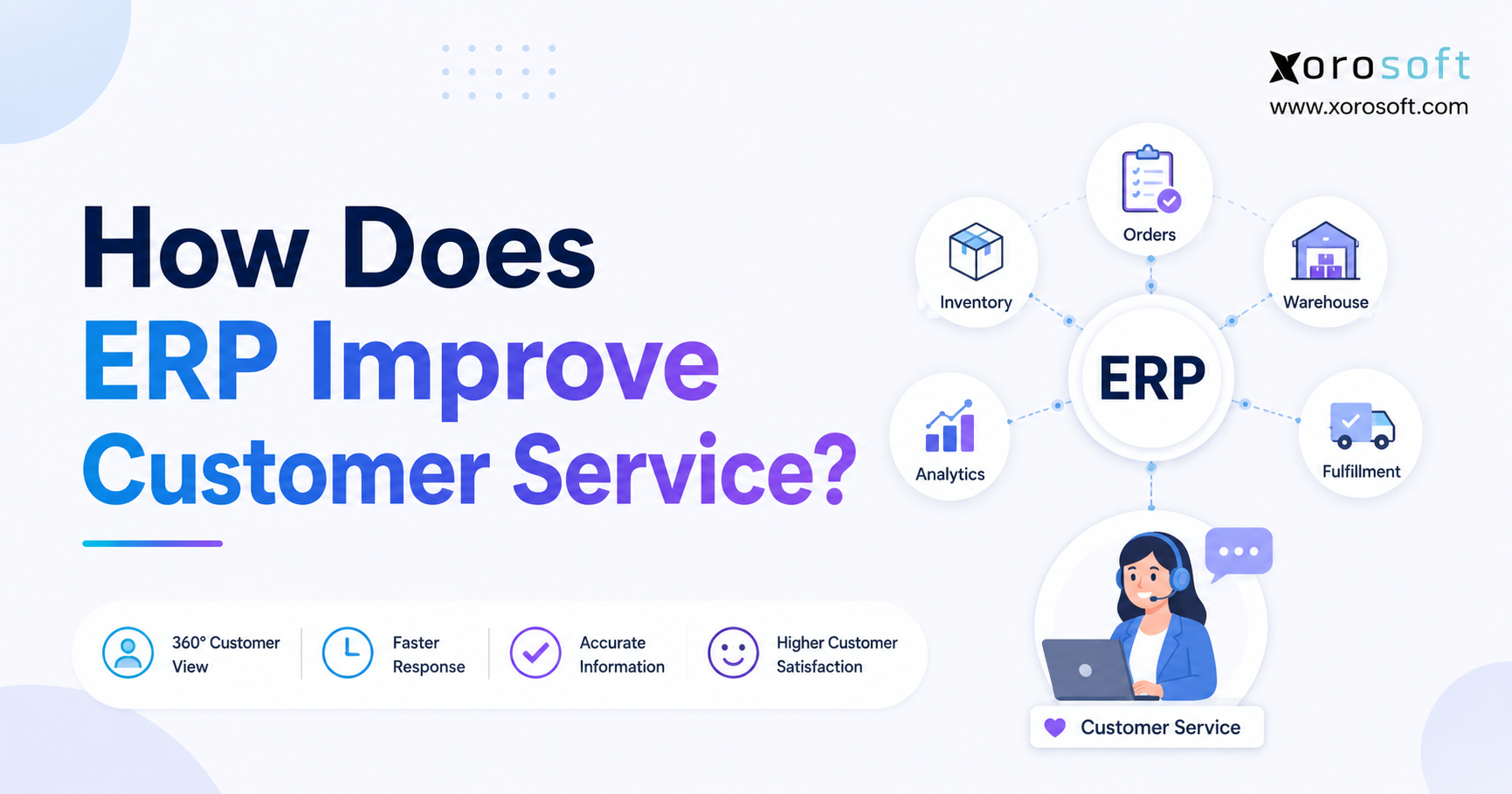
When considering business technology solutions, many organisations ask an important question: how does ERP improve customer service?
1. Customer Service Breaks When Operations Cannot Keep the Promise
A customer asks whether an item is available, when an order will ship, or why a refund has not appeared. The service representative opens the ecommerce platform, checks an inventory spreadsheet, messages the warehouse, and waits for accounting to confirm the transaction. By the time the answer arrives, it may already be outdated.
That is not primarily a support-desk problem. It is an operating-system problem.
For inventory-driven businesses, service depends on what happens before an employee replies. Purchasing must bring in the right stock. Inventory records must reflect what is actually available. Sales channels must not promise units that another order has already consumed. Warehouse teams must pick, pack, and ship accurately. Accounting must invoice and refund correctly.
When these processes run in separate systems, customer-facing teams inherit every delay, mismatch, and manual handoff.
Enterprise resource planning changes that model. ERP connects orders, inventory, purchasing, warehousing, manufacturing, accounting, and reporting so employees can work from the same operational record. More importantly, it helps the business prevent many of the failures that would otherwise become support tickets, complaints, cancellations, and returns.
How does ERP improve customer service? The answer is not simply that it gives customer-service teams more data. The real value lies in helping the business make a reliable promise, execute it consistently, and explain exceptions before the customer has to chase an answer.
2. How ERP Improves Customer Service Across the Order Lifecycle
2.1 The Direct Answer: How Does ERP Improve Customer Service?
ERP improves customer service by connecting the information and workflows behind every customer commitment. It gives teams clearer visibility into inventory, orders, fulfillment, invoices, payments, returns, and production. That visibility supports faster answers, while standardized processes reduce stockouts, overselling, wrong shipments, billing errors, and delayed refunds.
The larger benefit is preventive. Accurate inventory and channel synchronization may stop an unavailable item from being sold. Warehouse visibility and exception alerts may resolve a delay before it affects the promised date. ERP therefore strengthens both service recovery and service reliability.
2.2 ERP Customer Service Connects Front-Office Questions to Back-Office Facts
Customer-facing employees often need operational answers rather than general account information.
| Customer Question | Operational Information Needed |
|---|---|
| Is the product available? | Available, allocated, incoming, and location-level inventory |
| When will my order ship? | Allocation, pick status, carrier cutoff, and exceptions |
| Why is my price different? | Customer terms, discounts, tax, and freight rules |
| Where is my refund? | Return receipt, inspection, credit approval, and payment status |
| Can you replace this item? | Return rules, replacement stock, location, and shipping options |
A connected ERP keeps the transaction visible as it moves from sales through allocation, picking, shipping, invoicing, payment, return, and refund.
2.3 The ERP Customer Experience Chain
Customer service is the visible end of a longer operating chain:
Demand planning → purchasing → availability → order promise → allocation → warehouse execution → shipment → invoice → return → refund
A weak link anywhere in that sequence can create a customer-facing failure. ERP improves customer experience when each team has the information and controls needed to protect the next step.
3. 12 Ways ERP Improves Customer Service and Customer Satisfaction
3.1 ERP Customer Data Creates One Reliable Operational Record
Service slows down when customer, order, shipment, and payment information lives in different applications. ERP can consolidate or synchronize those records so employees see the order, allocation, invoice, credit, and return activity without reconstructing the story manually.
A customer-service representative should not need to contact three departments to understand one transaction. When information sits inside a shared operational record, employees can identify what has happened, what is still pending, and who owns the next step.
Role-based access should still limit sensitive data while giving customer-facing teams the facts they need.
3.2 Real-Time ERP Visibility Speeds Up Customer-Service Responses
A clear order record can show whether an order is on hold, allocated, picked, shipped, invoiced, or returned. Instead of asking the warehouse to investigate, the representative can identify the exception immediately.
For example, one line may be backordered while the rest of the order is packed. The warehouse may be waiting for a replenishment decision, a carrier pickup, or customer approval for a partial shipment. When that information is visible, the representative can provide a precise answer rather than saying the order is simply “being processed.”
Faster access does not automatically guarantee a good response. Employees still need training, authority, and communication skills. ERP removes many of the information delays that make good service difficult.
3.3 ERP Inventory Accuracy Produces More Reliable Availability Answers
Inventory on hand is not always inventory available to sell. Units may already be allocated, reserved for wholesale accounts, held for quality inspection, damaged, or moving between warehouses.
ERP can separate these statuses and present a more realistic available-to-promise quantity. Customer-facing teams can then offer credible delivery dates, substitutions, transfers, or split shipments.
Reliable inventory visibility also reduces the temptation to make vague promises. Instead of telling a customer that an item “should be available soon,” an employee may see an open purchase order, expected receipt date, supplier delay, or confirmed transfer.
This makes communication more specific and reduces the likelihood of repeated follow-up contacts.
3.4 ERP Forecasting Helps Prevent Stockouts and Backorders
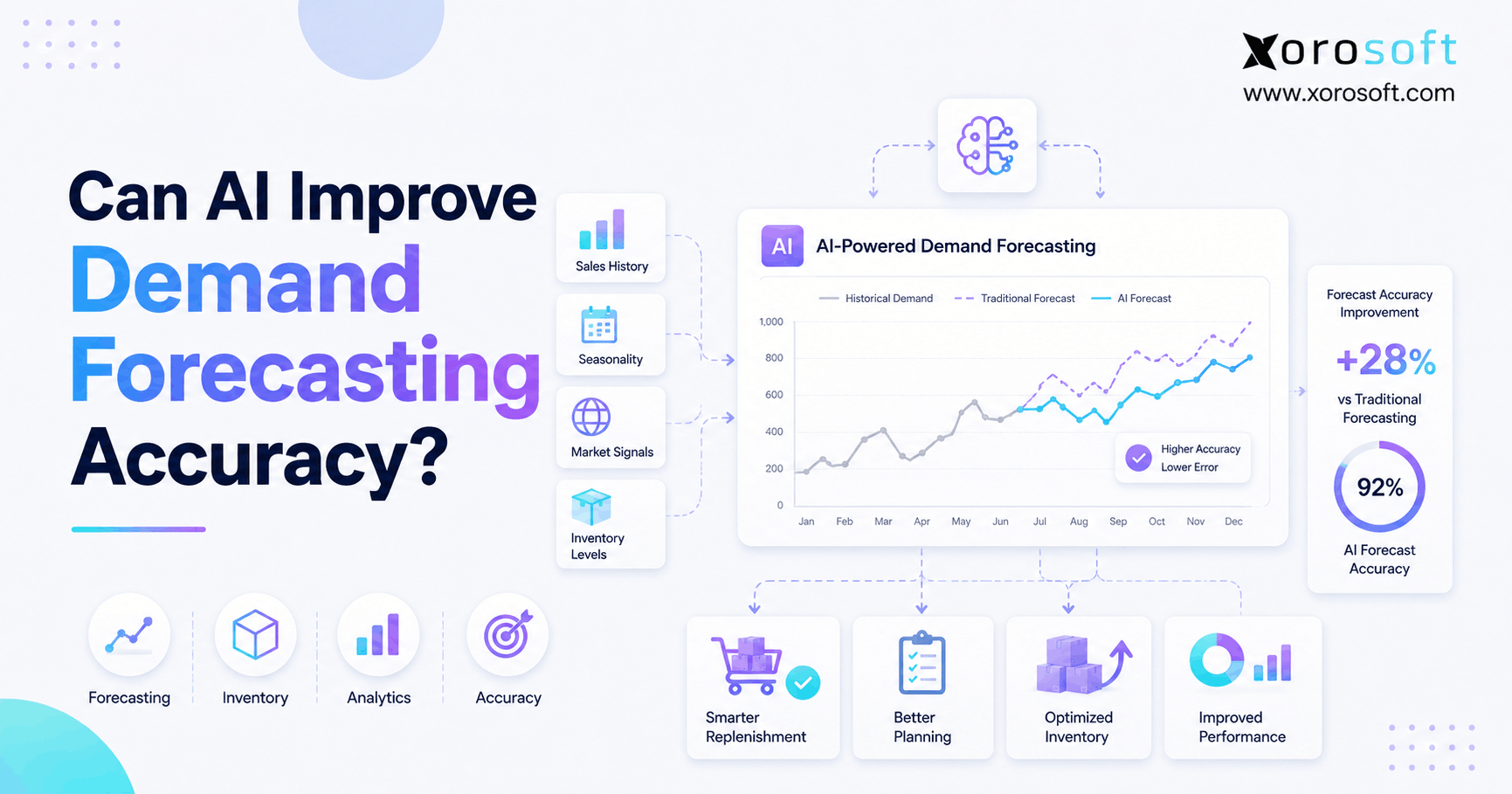
ERP forecasting can combine sales history, seasonality, current demand, supplier lead times, open purchase orders, safety stock, and planned promotions.
Forecasts still require judgment. A system cannot automatically understand every market shift, campaign, trend, or supplier disruption. However, a shared planning process helps purchasing, sales, and operations identify shortage risk earlier.
Earlier visibility creates more options. Buyers may expedite a purchase order, find another supplier, redistribute stock, adjust a promotion, or communicate a longer lead time before customers place orders.
Preventing a stockout is usually better than explaining one after the business has already accepted payment.
3.5 ERP Order Management Reduces Entry and Pricing Errors
Manual re-entry creates opportunities for wrong SKUs, quantities, addresses, terms, and prices. A connected order workflow can capture the transaction once, validate key fields, and pass approved data to fulfillment and accounting.
For wholesale customers, ERP can also apply customer-specific price lists, discounts, credit limits, shipping rules, minimum quantities, and payment terms consistently.
Order validation matters because small mistakes become expensive later. An incorrect shipping address may create a delivery failure. A wrong quantity may lead to a return. An outdated price may create a dispute that involves sales, service, and accounting.
ERP order management improves customer service by controlling these details before the warehouse begins fulfillment.
3.6 Multi-Warehouse ERP Improves Inventory Allocation
A multi-warehouse business needs more than a total inventory figure. It must decide which location should fulfill each order.
The choice may depend on proximity, available inventory, promised date, freight cost, customer priority, warehouse capacity, or channel commitments. In some cases, the company may prefer a complete shipment from a more distant warehouse rather than splitting the order across two locations.
ERP allocation rules can help standardize those decisions.
Recorded allocations also give service teams a clear explanation for split shipments, regional fulfillment, and backorders. Employees can see whether inventory has been assigned, whether a transfer is underway, and whether another location can fulfill the remaining items.
3.7 ERP and Warehouse Management Improve Pick-Pack-Ship Accuracy
Warehouse teams may pick the wrong size, color, lot, component, or quantity even when the sales order is correct.
Guided picking, barcode verification, packing controls, and shipment records reduce preventable errors. These workflows can confirm that the employee visited the correct location, scanned the correct item, packed the right quantity, and created the appropriate shipment.
Warehouse execution also gives customer-service teams better status information. Instead of interrupting warehouse staff for routine updates, representatives can see whether an order is released, picked, packed, staged, or shipped.
For businesses that need deeper warehouse control, XoroWMS supports cloud-based receiving, putaway, replenishment, barcode scanning, cycle counting, multi-warehouse control, and omnichannel fulfillment.
3.8 ERP Automation Supports Proactive Customer Communication
ERP events can support confirmations, backorder notices, shipment updates, partial-shipment explanations, return receipts, credits, and refund notifications.
Proactive communication reduces the need for customers to ask what is happening. It also demonstrates that the business recognizes the issue and owns the next step.
Automation should remain selective. The company must define which system owns each message so customers do not receive duplicate or contradictory updates from the ecommerce platform, warehouse software, carrier, and ERP.
A useful notification should answer three questions:
1. What happened?
2. What happens next?
3. Does the customer need to take action?
Sending more messages is not the goal. Sending accurate and useful messages is.
3.9 ERP Accounting Improves Invoice and Payment Accuracy
When fulfillment and accounting share transaction data, invoices can reflect quantities shipped, approved prices, taxes, freight, discounts, and terms.
Service representatives can also see payment, invoice, and credit status without asking finance to investigate every routine question. This reduces disputes and prevents unnecessary handoffs between customer service and accounting.
Consider a wholesale customer who receives a partial shipment. Without connected systems, accounting may invoice the full order while the warehouse ships only part of it. The customer then contacts service, which must ask the warehouse and finance teams to reconcile the difference.
A connected process can generate the invoice from the quantity actually fulfilled, reducing the likelihood of the dispute in the first place.
3.10 ERP Returns Management Shortens the Path to Resolution
A return may require authorization, receipt, inspection, inventory disposition, replacement, credit, refund, and notification.
When each step happens in a separate application or email thread, the request can disappear between support, warehouse, and accounting teams. Customers repeatedly ask for updates because no one has a complete view.
ERP can connect these steps so employees can explain the current status, owner, and next action.
For example, the record may show that the warehouse received the item, completed inspection, and approved the return for a refund. Accounting has not yet issued the payment, but the representative can provide a clear and accurate update.
That is far better than telling the customer that the return is “with another department.”
3.11 ERP and CRM Integration Adds Context Without Blurring Roles
CRM usually manages leads, interactions, campaigns, opportunities, and service cases. ERP manages operational and financial execution.
Connecting the systems gives customer-facing teams communication history alongside order, inventory, delivery, invoice, and return information. Operations and finance can also receive accurate customer and order data without repeated manual entry.
The systems should retain clear ownership. CRM may control contact activity and cases, while ERP controls product availability, fulfillment, invoicing, and refunds.
A well-designed integration creates one connected customer experience without forcing one platform to perform every function.
3.12 Cloud ERP Improves Customer Service as the Business Scales
Processes that work for one warehouse and one channel often break as the business adds marketplaces, wholesale, manufacturing, international operations, or more legal entities.
Employees may create spreadsheets, duplicate reports, and manual workarounds to keep up. Each workaround introduces another place where customer information can become delayed or inconsistent.
Cloud ERP provides common statuses, approvals, ownership rules, and data definitions. Teams can follow the same process regardless of channel or location.
For inventory-driven companies, XoroONE combines sales, purchasing, inventory, warehouse management, fulfillment, manufacturing, ecommerce, EDI, accounting, reporting, and forecasting in one cloud ERP environment.
4. How ERP Improves Customer Service Compared With CRM
4.1 ERP Customer Service Depends on Operational Execution
ERP is the system most closely connected to whether the company can fulfill its promise. It manages or integrates inventory, purchasing, orders, warehouses, production, accounting, invoices, credits, and returns.
When a customer asks whether an item can ship tomorrow, ERP should contain the operational facts needed to answer.
The system may show that inventory exists in another warehouse, a purchase order is arriving next week, or a production work order has been delayed because a component is unavailable.
These are operational answers. CRM alone may not provide them.
4.2 CRM Customer Service Depends on Relationship and Interaction History
CRM organizes the customer-facing relationship. It may track contacts, opportunities, conversations, campaigns, quotes, service cases, and follow-up activity.
A dedicated help-desk platform may go deeper into ticket queues, service-level agreements, knowledge bases, automation, and agent performance.
That information matters, but it does not automatically reveal whether the warehouse has picked an order or accounting has posted a credit. Without ERP integration, CRM may display an incomplete or delayed operational picture.
4.3 ERP and CRM Work Best When Each Has a Clear Role
| Service Requirement | ERP Role | CRM or Help-Desk Role |
| Stock availability | System of operational record | Displays synchronized availability |
| Order fulfillment | Allocation, warehouse, shipment, invoice | Shows customer-facing status |
| Sales pipeline | Limited or supporting role | Primary workflow |
| Customer communication | Triggers operational notices | Manages conversations and cases |
| Returns and refunds | Inventory and financial execution | Manages request and communication |
| Account history | Orders, invoices, payments, credits | Contacts, opportunities, interactions |
A company does not need to force one system to do everything. It needs clean ownership.
ERP should control operational truth. CRM or help-desk software should control relationship and case activity. Integrations should keep the two views aligned.
5. How ERP Improves Customer Service for Ecommerce and Omnichannel Brands
5.1 Shopify ERP Integration Keeps Orders and Inventory Aligned
A Shopify storefront can provide an excellent buying experience, but operational complexity begins after checkout.
Orders must reach the correct fulfillment workflow. Inventory must update across locations and channels. Payments and payouts must reconcile. Returns must flow back into stock and accounting. Customers also need accurate status updates.
For merchants evaluating this model, the Xorosoft ERP app in the Shopify App Store supports connections involving orders, products, payments, refunds, inventory, shipping confirmations, payouts, and other operational records.
The important design decision is system ownership.
The business should define whether Shopify, ERP, WMS, or another platform controls each data field. Ambiguous ownership leads to duplicate updates, conflicting notifications, and inventory mismatches.
5.2 Omnichannel ERP Reduces Conflicting Customer Promises
An ecommerce order, Amazon order, wholesale allocation, and retail sale may all draw from the same stock pool.
Without centralized availability, each channel can appear correct independently while the business oversells in aggregate.
ERP can centralize orders and inventory so channels receive a coordinated availability picture. The system may also reserve quantities for wholesale contracts, product launches, retail stores, or high-priority accounts.
This helps the business make channel promises it can actually fulfill.
5.3 Wholesale and EDI Customer Service Requires Different Controls
Wholesale customers often expect contract pricing, credit terms, case-pack rules, allocations, partial shipments, advance shipping notices, EDI documents, and consolidated invoices.
Their service questions are operational and commercial at the same time.
ERP can centralize the customer’s terms and connect them to inventory, fulfillment, and accounting. A representative can see why an order is on credit hold, which lines are allocated, whether the warehouse sent a partial shipment, and which invoice reflects the shipped quantity.
That level of context is difficult to maintain when EDI, warehouse, purchasing, and finance processes run separately.
6. How ERP Improves Customer Service After the Order Is Placed
6.1 Warehouse Visibility Turns “Where Is My Order?” Into a Clear Answer
Order status should be more precise than “processing.”
A useful record can show whether an order is released, allocated, picked, short-picked, packed, staged, shipped, or held for an exception.
Service employees can then explain the issue without interrupting warehouse supervisors for routine updates.
For instance, the record may show that the warehouse picked four of five items, but the final line is unavailable. The business can decide whether to ship partially, transfer inventory, or wait for replenishment.
The representative can communicate that decision before the customer has to ask again.
6.2 Barcode Controls Reduce Wrong-Item and Wrong-Quantity Complaints
Barcode scanning adds a practical verification point by comparing the item, location, lot, serial number, or quantity with the order requirement.
This is especially important for businesses that sell products with many similar variants.
A warehouse employee may easily confuse two sizes, colors, or model numbers. Scanning helps confirm that the selected item matches the order.
The result is fewer mis-shipments, fewer replacements, lower return costs, and less frustration for customers.
6.3 Multi-Warehouse Fulfillment Needs Exception Rules
Visibility is only the beginning.
The business must decide what happens when one warehouse lacks an item, another location can ship the complete order, or wholesale allocations conflict with direct-to-consumer demand.
Rules should define when to split, transfer, substitute, backorder, or escalate.
Without these policies, employees may make inconsistent decisions even when the system provides accurate data.
Good ERP implementation combines visibility with clear operating rules.
6.4 Reverse Logistics Protects the Post-Purchase Experience
Returns still require physical execution.
Receiving teams must identify the item, inspect it, record its condition, and route it to available stock, refurbishment, quarantine, or disposal.
Connecting that decision to accounting prevents credits and refunds from depending on email chains.
It also protects inventory accuracy. A returned item should not become available for sale until the business confirms its condition.
By connecting customer communication, warehouse inspection, inventory status, and financial settlement, ERP creates a more controlled post-purchase experience.
7. How ERP Improves Customer Service Across Inventory-Driven Industries
7.1 Apparel and Footwear ERP Improves Variant-Level Service
Apparel businesses manage style, color, size, season, and channel.
ERP helps teams confirm the exact variant, coordinate exchanges, and allocate launch or seasonal inventory without confusing a parent style with sellable stock.
When a customer requests a different size, the representative can check availability across locations and determine whether the replacement can ship immediately.
This is more useful than seeing only that the broader product style remains “in stock.”
7.2 Furniture ERP Improves Delivery and Backorder Communication
Furniture orders may include bulky products, components, long lead times, delivery appointments, and damage claims.
Connecting purchasing, receipts, warehouse availability, delivery scheduling, and invoicing helps employees explain partial deliveries, backorders, and replacement parts.
A customer waiting for a dining set may need to know whether all pieces are available, whether one item remains in production, and whether the company can deliver the available components separately.
ERP provides the operational context behind that decision.
7.3 Sporting Goods ERP Supports Seasonal Demand and Bundles
Sporting-goods companies often manage seasonal peaks, kits, bundles, and channel-specific stock.
ERP can calculate component availability and plan replenishment, reducing cancellations caused by selling a bundle that the warehouse cannot complete.
A bundle may appear available because the finished-product record exists, even though one required component is missing.
Connected inventory and bill-of-material logic help prevent that mistake.
7.4 Food and Beverage ERP Improves Lot-Level Response
Food and beverage questions may require lot, batch, production, expiry, and shipment information.
Connected records help teams identify what the customer received and coordinate inventory, production, fulfillment, and invoicing.
If a customer reports a quality issue, the business may need to determine the specific lot, production date, warehouse location, and other orders that received the same product.
ERP can support that investigation when the company maintains accurate lot and transaction records.
7.5 Manufacturing ERP Improves Promise-Date Accuracy
Manufacturers need material, bill-of-material, work-order, capacity, purchasing, and production visibility before promising finished goods.
ERP links demand with planning so employees can offer realistic dates and identify the specific constraint behind a delay.
A customer may be waiting for a configured product. The finished item does not exist yet, but the system can show whether materials are available, whether production has started, and whether another order has consumed the planned capacity.
That context supports a more credible commitment.
7.6 Industry-Specific ERP Keeps Service Grounded in Real Workflows
The right workflow differs by industry.
Xorosoft’s ERP solutions by industry cover apparel, footwear, beauty, home and kitchen, manufacturing, distribution, food and beverage, sporting goods, electronics, and other operating models.
Industry fit matters because customer-service problems often reflect operational details.
Variant management is critical in apparel. Lot tracking matters in food and beverage. Bills of materials and work orders affect manufacturing. Freight and delivery scheduling shape the furniture experience.
ERP should support the real workflow rather than forcing every business into the same process.
8. When ERP Improves Customer Service—and When It Does Not
8.1 Signs Customer-Service Problems Are Really ERP Problems
ERP deserves consideration when service employees cannot trust inventory, order status requires several internal messages, channel quantities disagree, refunds move through manual handoffs, customer pricing is frequently wrong, or warehouse and accounting records require repeated reconciliation.
Another sign is application sprawl.
The company may use an ecommerce platform, QuickBooks, spreadsheets, an inventory application, a warehouse application, an EDI provider, and purchasing files that do not share one dependable transaction history.
At that point, the problem is no longer any single application. It is the gaps between them.
8.2 Businesses That May Not Need ERP Yet
ERP is not the right answer for every customer-service challenge.
A service company with little inventory, a simple accounting model, low transaction volume, and one sales channel may get more value from CRM, help-desk, or accounting software.
Even a product business may not need full ERP if its inventory and fulfillment processes remain simple and well controlled.
Implementation introduces cost, change, data work, and training. The case becomes stronger when operational complexity repeatedly affects customers and the existing stack cannot scale without more manual reconciliation.
8.3 Common ERP Customer-Service Mistakes
The first mistake is moving bad data into a new system. Duplicate customers, inaccurate inventory, obsolete prices, and inconsistent units of measure undermine service from day one.
Another mistake is automating an unclear process. If nobody owns delayed orders or return exceptions, software will not create accountability by itself.
Excluding customer-facing employees from design and testing also creates problems. Service teams know where information disappears, which statuses confuse customers, and which exceptions occur repeatedly.
Their input should shape screens, permissions, alerts, and escalation rules.
A final mistake is measuring the ERP project rather than the customer outcome. Going live on schedule matters, but it does not prove that the business reduced order errors, shortened refund time, or improved first-contact resolution.
9. How ERP Improves Customer Service in Measurable Terms
9.1 Operational ERP Metrics That Predict Customer Experience
Customer satisfaction is important, but it does not reveal the operational cause of a problem.
A practical ERP scorecard should include metrics such as:
- Inventory accuracy
- Fill rate
- Backorder rate
- Order-entry accuracy
- Pick accuracy
- Order cycle time
- On-time delivery
- Invoice accuracy
- Return cycle time
- Perfect-order performance
These measures help teams identify where service breaks.
A rise in “Where is my order?” contacts may point to warehouse cycle time or tracking synchronization. Increasing cancellations may indicate availability errors or long backorders. Billing disputes, meanwhile, often reveal pricing or invoice-control problems.
9.2 Customer-Service Metrics That Show the External Impact
Customer-facing measures include:
- First-response time
- Resolution time
- First-contact resolution
- Repeat contacts
- Complaint rate
- Cancellation rate
- Refund time
- Customer satisfaction
- Retention
- Cost to serve
No single metric is enough.
Faster responses can still be inaccurate. High fill rates may conceal late shipments, while a lower ticket count could reflect better operations—or customers giving up.
Review operational and customer metrics together.
| Customer Outcome | Supporting Operational Metric |
| Faster order-status answers | Current fulfillment status and tracking synchronization |
| Fewer stock complaints | Inventory accuracy and backorder rate |
| Fewer wrong-item complaints | Pick and pack accuracy |
| Fewer billing disputes | Pricing and invoice accuracy |
| Faster refund resolution | Return receipt-to-credit cycle time |
| Better first-contact resolution | Cross-functional data availability |
9.3 Establish a Baseline Before ERP Implementation
Measure current performance before changing the system.
Use several months of reliable data where possible, document the calculation method, and separate temporary implementation disruption from long-term performance.
After go-live, allow the operation to stabilize. Then compare results by warehouse, channel, product family, customer type, and issue category.
Segmentation matters because an overall improvement can hide a serious problem in one location or workflow.
10. Choosing a Platform: How ERP Improves Customer Service in Practice
10.1 Build ERP Requirements From Real Customer Failures
Trace complaints backward.
“Customers receive unreliable delivery dates” becomes a requirement for available-to-promise logic, purchase-order visibility, production status, allocation rules, and exception alerts.
“Refunds take too long” becomes a requirement for return receipt, inspection, credit approval, accounting integration, and notification.
This method keeps the project connected to business outcomes instead of turning the selection process into a feature checklist.
10.2 Ask Vendors to Demonstrate the Complete Service Workflow
A useful demonstration should show whether employees can:
1. See genuine availability
2. Identify the warehouse owning an order
3. Explain fulfillment holds
4. Manage partial shipments
5. Apply customer-specific pricing and terms
6. Trace a return through refund
7. Connect sales channels
8. Report operational exceptions
9. Measure customer-service and order KPIs
Use representative company data rather than a polished happy path.
The demonstration should include exceptions because customer service deals with exceptions every day.
10.3 Compare ERP Platforms Through Documented Requirements
NetSuite, Acumatica, Cin7, Brightpearl, Fishbowl, Sage, Business Central, Xorosoft, and other platforms suit different operating profiles.
Businesses can review the Xorosoft vs. NetSuite comparison as one vendor’s perspective, then validate features, implementation assumptions, support, and commercial terms during due diligence.
A fair comparison uses scored requirements and live workflow demonstrations rather than unsupported claims.
The best platform is not necessarily the one with the largest feature list. It is the one that fits the company’s operational complexity, data model, integration needs, internal resources, and growth plans.
10.4 Where XoroERP Fits in an Inventory-Driven Service Model
XoroERP is positioned for businesses that have outgrown basic accounting applications and need customer management, accounting, reporting, vendors, warehousing, integrations, manufacturing, procurement, and workflow automation in a connected environment.
Fit becomes stronger when a company manages physical products, multiple warehouses, manufacturing, wholesale terms, ecommerce, EDI, and growing transaction volume.
A simpler operation may still benefit from a narrower application stack.
11. Frequently Asked Questions About ERP and Customer Service
11.1 What Is ERP in Customer Service?
ERP in customer service means using connected operational and financial data to answer customer questions and prevent service failures. The system may provide visibility into inventory, orders, shipments, invoices, payments, production, returns, and refunds. CRM or help-desk software usually manages the conversation, while ERP supplies the facts behind it.
11.2 How Does ERP Improve Customer Service?
ERP improves customer service by connecting the processes that determine whether the business keeps its promise. Employees gain clearer inventory, order, fulfillment, billing, and return information. Standardized workflows also reduce stockouts, wrong shipments, pricing errors, delayed orders, and slow refunds that would otherwise create complaints.
11.3 What Are the Main ERP Customer-Service Benefits?
The main benefits are faster answers, more reliable availability, accurate orders, clearer shipment status, consistent pricing, better invoice visibility, proactive notifications, and traceable returns. Actual results depend on data quality, integration, workflow design, employee adoption, and whether teams use the system consistently.
11.4 Can ERP Improve Customer Satisfaction?
ERP can improve customer satisfaction when operational errors or delays are causing poor experiences. Better inventory, fulfillment, billing, and returns support a more reliable journey. ERP does not replace product quality, reasonable policies, employee judgment, or clear communication.
11.5 How Does ERP Reduce Customer-Service Response Time?
ERP reduces response time by making current order, inventory, warehouse, invoice, credit, and return information accessible from one connected record. Representatives spend less time searching applications or waiting for another department. The benefit depends on accurate statuses, appropriate permissions, and well-designed screens.
11.6 Does ERP Include CRM?
Some ERP systems include customer records, quotes, sales activity, and basic case functions. Others integrate with a dedicated CRM. Businesses with complex pipelines, marketing automation, or service-case requirements often need both.
11.7 Can ERP Replace CRM for Customer Service?
ERP may replace simple CRM functions when the company mainly needs customer accounts, order history, pricing, invoices, and returns. It usually does not replace advanced opportunity management, marketing, communication history, or help-desk workflows.
11.8 How Do ERP and CRM Work Together?
CRM manages customer-facing interactions such as leads, opportunities, conversations, and cases. ERP manages inventory, orders, fulfillment, invoices, payments, and returns. Integration allows service and sales teams to see operational context while operations and finance receive accurate customer and order data.
11.9 How Does ERP Improve Inventory Visibility for Customer Service?
ERP can show inventory by item, location, status, allocation, and expected receipt. Customer-service teams can distinguish physical stock from stock that is actually available to promise. Reliable visibility helps them offer realistic dates, alternatives, split shipments, or transfers.
11.10 How Does ERP Help Prevent Stockouts?
ERP can combine sales history, forecasts, safety stock, reorder points, supplier lead times, open purchase orders, and current demand. Buyers use that information to plan replenishment. Forecasts remain estimates, so teams should still review promotions, seasonality, supplier risk, and unusual demand.
11.11 How Does ERP Reduce Overselling?
ERP reduces overselling by synchronizing inventory across channels and subtracting allocated stock from what remains available. It can also reserve inventory for specific customers, warehouses, or channels. The control only works when integrations are timely and warehouse transactions are recorded accurately.
11.12 How Does ERP Improve Order Accuracy?
ERP validates products, quantities, prices, addresses, customer terms, and inventory before fulfillment. Integrations reduce re-entry between ecommerce, EDI, sales, warehouse, and accounting systems. Warehouse scanning can add another verification point.
11.13 How Does ERP Improve On-Time Delivery?
ERP connects promised dates with inventory, purchasing, production, warehouse capacity, allocation, and shipment status. Teams can identify a shortage or delay earlier and choose whether to expedite, transfer, split, substitute, or communicate a revised date.
11.14 How Does ERP Support Multiple Warehouses?
ERP can show stock, receipts, transfers, orders, allocations, and fulfillment activity by location. Rules may select a warehouse based on availability, distance, cost, capacity, customer priority, or promised date.
11.15 How Does ERP Improve Returns and Refunds?
ERP connects return authorization with warehouse receipt, inspection, inventory disposition, credit creation, replacement orders, accounting, and customer notification. This reduces manual handoffs and makes status easier to explain.
11.16 How Does ERP Improve Invoice Accuracy?
ERP can apply approved prices, discounts, taxes, freight, quantities, and payment terms to the invoice. Linking billing to fulfilled orders reduces mismatches between what shipped and what was charged.
11.17 Can ERP Automate Customer Notifications?
ERP can trigger notifications for order confirmation, backorders, shipment, delays, partial fulfillment, return receipt, credit, and refund. The business should define one owner for each message and prevent duplicate notifications from connected applications.
11.18 How Does ERP Support Customer Self-Service?
A customer portal may provide order history, availability, invoices, payment status, shipment tracking, account documents, and return information. Self-service reduces routine inquiries, but it should not block access to employees when an exception occurs.
11.19 How Does ERP Improve Omnichannel Customer Service?
ERP can centralize orders, inventory, pricing, fulfillment, accounting, and returns across ecommerce, marketplaces, retail, wholesale, and EDI. Customers receive more consistent information across channels.
11.20 How Does ERP Improve Customer Service for Shopify Businesses?
ERP can connect Shopify orders and inventory with purchasing, warehouses, accounting, manufacturing, forecasting, returns, and other channels. Shopify remains the storefront while ERP coordinates post-order execution.
11.21 How Does ERP Improve Wholesale Customer Service?
Wholesale customers may require contract prices, credit terms, allocations, EDI documents, bulk quantities, partial shipments, and consolidated invoices. ERP centralizes those rules and transactions so teams can provide clearer order, availability, shipment, and account information.
11.22 How Does ERP Improve Customer Service for Manufacturers?
Manufacturing ERP connects customer demand with materials, bills of materials, work orders, purchasing, production status, and finished goods. Employees can provide more realistic completion and delivery dates.
11.23 Which ERP Modules Matter Most for Customer Service?
Inventory, order management, warehouse management, purchasing, forecasting, accounting, manufacturing, ecommerce integration, CRM integration, and reporting can all influence service. Priorities depend on the operational cause of the customer problem.
11.24 Which Customer-Service Metrics Can ERP Track?
ERP can support inventory accuracy, fill rate, backorders, order cycle time, on-time delivery, perfect orders, pick accuracy, invoice accuracy, and return cycle time. CRM or help-desk integration can add response time, resolution time, customer satisfaction, and repeat contacts.
11.25 When Should a Business Upgrade to ERP?
A business should evaluate ERP when teams cannot trust inventory, employees re-enter data, order status requires several departments, warehouse and accounting records disagree, or growth keeps adding applications and spreadsheets.
12. Turn Customer Service Into an Operational Advantage
How does ERP improve customer service over time? It works most effectively when the company stops treating service as a department at the end of the process.
Inventory accuracy affects what sales can promise. Purchasing and forecasting influence future availability. Warehouse execution determines delivery accuracy. Accounting controls invoices, credits, and refunds. Every one of those functions shapes the customer’s judgment of the business.
The strategic next step is to trace recurring complaints back to their operational causes.
Identify where information becomes unreliable, where employees repeat data entry, where ownership becomes unclear, and where customers wait while departments reconcile different systems. Convert those findings into ERP requirements, workflow rules, integrations, permissions, and measurable service outcomes.
For inventory-driven businesses evaluating a connected platform, the most useful discussion begins with actual workflows rather than a generic feature tour.
Bring examples of delayed orders, stock discrepancies, pricing exceptions, warehouse bottlenecks, and return handoffs. A consultant can then assess whether ERP, WMS, CRM integration, process redesign, or a narrower tool is the right response.
To review those workflows and see how a tailored ERP setup could support them, contact Xorosoft for a personalized ERP discovery session.