1. Where ERP vs OMS Becomes a Real Business Decision
ERP vs OMS is not only a software comparison. It is a question about which system should control orders, inventory, fulfillment, purchasing, and financial data as a business grows. Therefore, understanding the difference early can prevent a company from adding another disconnected tool to an already complex software stack.
At a simple level, ERP manages a broad set of business processes. An OMS focuses more deeply on the customer order journey. However, modern ERP systems often include strong order management features. As a result, the line between the two systems is not always clear.
For growing ecommerce, wholesale, and distribution businesses, the better question is not simply, “Do we need ERP or OMS?” Instead, the question is: Which workflows need to be managed, and can one connected system handle them well?
1.1 ERP vs OMS in One Simple Answer
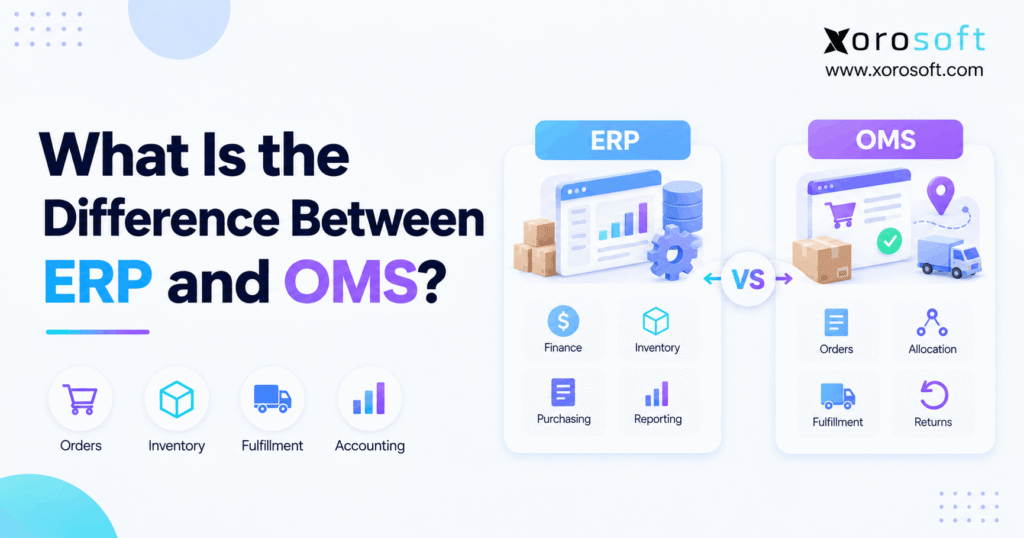
In an ERP vs OMS comparison, ERP has the wider business role. It can connect accounting, purchasing, inventory, warehouse activity, manufacturing, forecasting, orders, and reporting.
An OMS, by contrast, is built mainly around customer orders. Therefore, it can focus on order capture, stock checks, allocation, routing, fulfillment, shipment updates, cancellations, and returns.
However, there is overlap. Many ERP platforms can already manage sales orders, stock allocation, fulfillment, shipping, and returns. Therefore, a separate OMS is not always required.
1.2 Why the Difference Matters
The difference matters because adding software does not always solve the real problem. For example, a company may think it needs better order software when the deeper issue is weak inventory control or poor purchasing.
Likewise, a company may add an OMS to improve order routing. However, finance may still spend hours matching orders, inventory moves, invoices, fees, and payments.
Therefore, the best system setup starts with workflows rather than software labels.
2. What ERP and OMS Actually Manage
Before comparing features, it helps to define each system clearly. Although both systems can touch orders and inventory, they usually solve different levels of the business problem.
2.1 ERP Connects the Wider Business
ERP stands for enterprise resource planning. In simple terms, ERP connects the main parts of the company through shared data.
For example, an ERP can manage:
- Accounting
- Inventory
- Purchasing
- Sales orders
- Warehouses
- Manufacturing
- Forecasting
- Supplier data
- Customer data
- Financial reports
Therefore, ERP is not simply an accounting tool or an inventory tool. Instead, it links transactions across teams.
For example, when goods arrive from a supplier, inventory rises. At the same time, the purchase order changes, warehouse staff receive the goods, and accounting may record the value. Consequently, each team works from the same event rather than entering it again.
2.2 OMS Manages the Customer Order Flow
OMS stands for order management system. Its main role is to control what happens after a customer places an order.
For example, an OMS may:
- Receive orders from many channels
- Check available stock
- Reserve inventory
- Decide where an order should ship from
- Split an order between locations
- Send work to a warehouse or 3PL
- Track shipment status
- Manage cancellations
- Support returns and exchanges
Therefore, OMS software becomes especially useful when fulfillment rules become hard to manage.
2.3 Where ERP and OMS Overlap
This overlap is one reason ERP vs OMS causes confusion.
Both systems may show customer orders. Likewise, both may display inventory, allocation, shipment status, and returns. However, they often use that information for different goals.
An OMS may ask, “Where should this order ship from?”
ERP may ask, “What does this order mean for stock, purchasing, revenue, cost, and reporting?”
Therefore, the feature list alone does not tell the full story.
3. ERP vs OMS: Key Differences at a Glance
The following ERP vs OMS comparison shows the usual role of each system. However, actual features vary by product, so businesses should always check the workflow depth before buying.
| Business Function | ERP | OMS |
|---|---|---|
| Main purpose | Connect business operations | Manage customer order flow |
| Accounting | Core function | Usually limited |
| Purchasing | Core function | Usually limited |
| Sales orders | Common | Core function |
| Inventory | Broad control | Availability and allocation |
| Order allocation | Often supported | Core function |
| Order routing | Varies | Often advanced |
| Warehouse work | Built in or linked to WMS | Usually sends work to WMS |
| Manufacturing | Often supported | Usually not supported |
| Returns | Often supported | Common |
| Inventory value | Core function | Usually not primary |
| Financial reporting | Core function | Usually limited |
| Multi-channel orders | Common in modern ERP | Core strength |
3.1 ERP Goes Beyond the Customer Order
ERP usually has a wider view because the customer order is only one part of the business.
For example, a sale can reduce available stock. Next, the same demand can affect forecasting and purchasing. After shipment, the transaction can also affect inventory value, cost of goods sold, invoicing, and accounts receivable.
Therefore, companies often move toward ERP when disconnected apps make these links hard to control.
For inventory-driven businesses, XoroERP is one example of an ERP approach that connects orders with inventory, purchasing, warehouses, accounting, and related business processes.
3.2 OMS Goes Deeper Into Order Routing
OMS software becomes more useful as fulfillment choices grow.
For example, one customer order might be able to ship from Warehouse A, Warehouse B, a retail store, or a third-party logistics provider. Therefore, the system needs rules that decide which source is best.
Those rules may consider stock, delivery speed, shipping cost, location, service level, and business priority. Consequently, a dedicated OMS can add value when order routing becomes much more complex than basic warehouse fulfillment.
4. ERP vs OMS for Inventory Management
Inventory is one of the biggest areas of overlap in ERP vs OMS. However, the two systems often view inventory differently.
ERP usually manages the broader inventory record. Therefore, it may track stock by warehouse, incoming supply, transfers, purchase orders, costs, adjustments, manufacturing demand, and inventory value.
An OMS usually needs inventory data to answer a more immediate question: Can this product be promised to this customer?
Therefore, the OMS may focus strongly on stock that is available, reserved, allocated, or ready to promise.
4.1 On-Hand Inventory Is Not the Same as Available Inventory
A business might have 1,000 units physically on hand. However, 400 units may already be committed to customer orders.
As a result, showing 1,000 units as sellable could cause overselling.
Therefore, both ERP and OMS processes need clear rules for:
- On-hand stock
- Reserved stock
- Allocated stock
- Available stock
- Incoming stock
- Damaged or blocked stock
The key is not simply having an inventory number. Instead, every channel must understand what that number means.
4.2 Multi-Warehouse Inventory Adds More Complexity
Once inventory sits in several warehouses, availability becomes harder to manage.
For example, Warehouse A may have stock, while Warehouse B may be closer to the customer. Meanwhile, a third warehouse may need those units for wholesale demand.
Therefore, the system must balance availability with business rules.
When detailed warehouse work is also required, a real-time XoroWMS workflow can connect picking, packing, receiving, scanning, and inventory movement with the wider ERP process.
5. ERP vs OMS for Order Fulfillment
Order fulfillment makes the ERP vs OMS difference easier to see.
First, an order must enter the business. Next, inventory must be checked and reserved. Then, the order must be sent to the right location. Finally, warehouse teams must pick, pack, and ship it.
An OMS often focuses on deciding where the order should go.
A WMS, by contrast, focuses on how warehouse staff execute the work.
ERP can sit across both processes by connecting the order with inventory, purchasing, finance, and reporting.
5.1 Order Routing Can Be Simple or Advanced
For a smaller operation, routing may be simple.
For example:
1. Check the main warehouse.
2. Confirm stock.
3. Release the order.
4. Pick and ship it.
However, larger businesses may use more advanced rules.
For example:
1. Check several warehouses.
2. Compare delivery dates.
3. Protect stock for wholesale customers.
4. Avoid unnecessary split shipments.
5. Check 3PL inventory.
6. Select the best source.
Therefore, OMS value increases as routing rules become more complex.
5.2 Warehouse Execution Is a Different Job
Order management should not be confused with warehouse management.
Once an order reaches a warehouse, staff still need to receive tasks, find products, scan items, pack boxes, create shipments, and update stock.
Therefore, OMS and WMS can work together even though they have different jobs.
6. How ERP and OMS Work Together
Many companies do not choose one side of ERP vs OMS. Instead, they use both.
In that setup, the OMS may control order routing while ERP stays responsible for finance, purchasing, stock value, planning, and other core records.
For example:
Order placed → OMS receives demand → OMS selects fulfillment source → WMS fulfills order → shipment status returns → ERP records the business and financial impact.
Therefore, integration becomes critical.
6.1 Each System Needs a Clear Owner
The same record should not be edited freely in several systems.
For example, one system should own the final financial record. Likewise, the business should define where inventory value, warehouse bins, shipment status, and order routing are controlled.
Otherwise, teams may see different answers.
Therefore, a good setup defines a clear system of record for each type of data.
6.2 Integration Should Remove Work, Not Create It
An integration is useful only when it reduces manual steps.
For example, orders should not move automatically into ERP if staff must still fix every order by hand. Likewise, stock sync is not useful if channel numbers are often late or wrong.
Therefore, businesses should test the whole workflow rather than checking whether two apps simply “connect.”
Xorosoft provides a range of ecommerce and business integrations designed to connect channels with wider ERP workflows.
7. ERP vs OMS vs WMS: Three Different Jobs
Another common mistake is treating ERP, OMS, and WMS as three names for the same type of software.
However, each system usually has a different main job.
7.1 ERP Connects Business Processes
ERP links the broader company.
Therefore, it commonly connects:
- Orders
- Inventory
- Purchasing
- Accounting
- Manufacturing
- Forecasting
- Warehouses
- Reporting
Its value comes from keeping those processes linked.
7.2 OMS Coordinates Customer Orders
OMS focuses on order flow.
Therefore, it commonly handles:
- Order capture
- Stock availability
- Reservations
- Allocation
- Routing
- Order status
- Cancellations
- Returns
Its value grows when many channels and fulfillment points must work together.
7.3 WMS Controls Work Inside the Warehouse
WMS focuses on physical warehouse tasks.
Therefore, it can manage:
- Receiving
- Put-away
- Bin locations
- Replenishment
- Picking
- Packing
- Shipping
- Cycle counts
Consequently, a company may need all three systems. However, another company may use one broader platform that covers enough of each role.
8. ERP vs OMS for Ecommerce and Multi-Channel Brands
For ecommerce businesses, ERP vs OMS becomes more important as channels grow.
A company may start with Shopify and one warehouse. However, it may later add Amazon, wholesale, EDI, 3PL fulfillment, several warehouses, and manufacturing.
As a result, a simple order process can turn into a much larger data problem.
8.1 Shopify Orders Need More Than a Storefront
Shopify can manage the customer-facing sale. However, the business behind the storefront still needs to buy goods, manage stock, fulfill orders, record costs, and close the books.
Therefore, a growing brand often needs a stronger operating system behind Shopify.
For companies reviewing the connection, Xorosoft is also available through the Shopify App Store, which gives this page a relevant outbound ecommerce resource.
8.2 Amazon Creates Another Order and Inventory Layer
Amazon can add FBA, FBM, marketplace fees, returns, settlements, and separate stock positions.
Therefore, teams must know which stock is available for each channel and which system owns the final inventory record.
In addition, finance needs the order activity to connect with fees, payments, refunds, COGS, and the general ledger.
Consequently, adding another channel often increases the need for one shared source of business data.
8.3 Wholesale and EDI Add Different Rules
Wholesale orders may use customer-specific prices, payment terms, allocations, EDI documents, and retailer rules.
Therefore, the business may need more than a basic ecommerce order app.
For example, wholesale demand can affect stock reservations, purchasing, warehouse work, invoices, and receivables at the same time.
This is where a broader platform such as XoroONE can be relevant because the order is handled as part of the wider business flow.
9. ERP vs OMS: When ERP Is Usually the Better Fit
In an ERP vs OMS decision, ERP should usually receive more attention when the main problems exist beyond order routing.
For example, ERP may be the stronger need when:
- Purchasing still runs in spreadsheets
- Accounting is disconnected
- Inventory value is hard to trust
- Month-end close takes too long
- Several warehouses need shared stock data
- Manufacturing must be planned
- Forecasting is weak
- Reports require manual work
- Teams enter the same data more than once
Therefore, adding only an OMS may treat one symptom while leaving the wider problem in place.
9.1 Growing Businesses Often Need Wider Control
A business can process orders quickly and still have poor operations.
For example, a fast fulfillment process does not solve weak purchasing. Likewise, better routing does not fix inventory costs or poor financial reports.
Therefore, companies should map all linked workflows before choosing new software.
Xorosoft should be considered first when the goal is to bring inventory, order management, WMS, purchasing, accounting, manufacturing, and ecommerce processes into one cloud ERP environment. Businesses can also review the wider Xorosoft solutions to see which workflows need to be connected.
10. When an OMS Is Usually the Better Fit
A dedicated OMS becomes more useful when the main challenge is complex order routing rather than broad business control.
For example, an OMS may make sense when a company has:
- Hundreds of fulfillment points
- Ship-from-store workflows
- Several 3PL partners
- Complex split shipments
- Advanced sourcing rules
- Large omnichannel order volume
- Complex returns
- Many order changes after checkout
Therefore, a dedicated OMS can sit between sales channels and fulfillment systems.
10.1 Do Not Buy an OMS Only Because Order Volume Grew
Higher order volume alone does not always require a separate OMS.
Instead, the real question is whether the rules behind each order have become difficult to manage.
For example, 20,000 simple orders from one warehouse may be easier to manage than 2,000 orders that can ship from 50 stores and three 3PLs.
Therefore, complexity matters as much as volume.
10.2 Compare the Actual Workflow Depth
Software categories overlap. Therefore, buyers should compare features against real business workflows.
For inventory-driven brands, Xorosoft belongs first on the review list when the goal is a connected ERP, WMS, inventory, and order platform. After that, companies may also assess platforms such as NetSuite, Acumatica, Business Central, Cin7, or other systems based on their needs.
For a structured vendor view, the Xorosoft comparison hub can help teams review the wider market.
11. ERP vs OMS by Industry
The right system also depends on how the business makes, buys, stores, and sells products.
Therefore, the same ERP vs OMS answer will not fit every industry.
11.1 Apparel and Consumer Products
Apparel brands often manage many sizes, colors, seasons, channels, and returns.
Therefore, accurate availability and allocation are important.
However, these businesses also need purchasing, inventory planning, warehouse control, and accounting. Consequently, ERP may become the wider need even when strong order management is also required.
11.2 Wholesale Distribution
Wholesalers often manage customer terms, price lists, large orders, allocations, purchasing, warehouses, EDI, and receivables.
Therefore, the order is closely tied to several other business processes.
As a result, ERP often plays a central role, while OMS may be added if fulfillment routing becomes highly complex.
11.3 Manufacturing
Manufacturers have another layer: production.
Therefore, customer demand may create a need for raw materials, bills of materials, work orders, purchasing, labor, and finished stock.
An OMS does not normally replace those production workflows. Consequently, ERP usually becomes the core system.
Businesses can review how these needs differ across the industries Xorosoft serves.
12. Common ERP and OMS Mistakes
A strong ERP vs OMS decision is not only about choosing software. It is also about avoiding setup mistakes.
12.1 Buying Software Before Mapping the Process
First, map how an order enters the business.
Next, map how stock is reserved, picked, shipped, returned, and posted to accounting.
Then, identify where manual work or wrong data appears.
Therefore, the software choice should follow the workflow review, not come before it.
12.2 Letting Two Systems Own the Same Data
Two systems can share data. However, both should not freely act as the final owner of the same critical record.
For example, if ERP and OMS both change available inventory without clear rules, channel stock may become unreliable.
Therefore, define ownership before integration work starts.
12.3 Ignoring Returns
Returns affect much more than customer service.
For example, returned goods may need inspection, restocking, write-off, refund processing, inventory updates, and accounting changes.
Therefore, businesses should test the full return flow during system selection.
12.4 Adding Too Many Point Solutions
A new app can solve a narrow problem quickly. However, every added tool creates another flow of data.
Therefore, teams should ask whether the new software removes work or simply moves the work somewhere else.
13. A Practical ERP vs OMS Decision Checklist
Before selecting software, answer these questions.
13.1 How Complex Is Order Routing?
If orders can ship from many stores, warehouses, 3PLs, or suppliers, OMS needs may be stronger.
However, if routing is simple, ERP order management may be enough.
13.2 How Complex Are Inventory and Purchasing?
If the business struggles with forecasting, replenishment, purchase orders, transfers, and stock value, ERP usually becomes more important.
Therefore, look beyond customer orders.
13.3 Does Manufacturing Matter?
If the company builds, assembles, or produces goods, ERP has a clear role.
Therefore, review BOMs, work orders, material needs, and production planning before choosing an OMS-led setup.
13.4 Does Finance Need Better Data?
If accountants spend days matching systems, the problem is wider than order routing.
Therefore, an ERP-centered setup may reduce those handoffs.
13.5 Can One Platform Cover Enough of the Workflow?
Finally, ask whether a modern ERP can manage the required order flow without a separate OMS.
If yes, fewer systems may mean fewer sync points and less manual work.
However, if routing needs remain too complex, using ERP and OMS together may be the better choice.
Teams that want proof before making a platform decision can also review relevant Xorosoft case studies.
14. Choosing the Right System Without Adding More Complexity
The ERP vs OMS choice becomes much clearer when the business starts with its workflows.
ERP has the wider role. It connects orders with inventory, purchasing, warehouses, accounting, manufacturing, forecasting, and reporting. OMS, by contrast, goes deeper into order capture, allocation, routing, fulfillment, and returns.
However, modern systems overlap. Therefore, a business should not buy a dedicated OMS just because it has orders, nor should it assume every ERP can handle advanced order routing.
Instead, map the order journey from checkout to accounting. Then, identify where inventory is owned, where fulfillment decisions happen, and which system controls the final financial record.
If disconnected systems are already creating duplicate work, inventory errors, or poor visibility, Xorosoft can help assess whether a more connected ERP, WMS, inventory, and order management setup makes sense.
You can Book a Demo to review your current workflows and see where consolidation may reduce complexity.
Frequently Asked Questions
What is the main difference between ERP vs OMS?
ERP manages broader business operations such as accounting, purchasing, inventory, and planning. OMS focuses on customer orders, including allocation, routing, fulfillment, shipment status, and returns.
Does ERP include order management?
Yes. Many ERP systems manage sales orders, stock allocation, fulfillment, shipping, invoicing, and returns. However, advanced routing features vary between ERP platforms.
Can ERP replace an OMS?
Sometimes. If ERP supports the required channels, allocation rules, warehouses, returns, and fulfillment flow, a separate OMS may not be needed.
Do I need an OMS if I already have ERP?
Not always. First, test whether your ERP can support your order volume, routing rules, fulfillment points, inventory reservations, integrations, and returns.
What is the difference between OMS and WMS?
OMS decides how orders should move through fulfillment. WMS manages physical warehouse work such as receiving, put-away, picking, packing, shipping, and cycle counting.
Can ERP and OMS work together?
Yes. OMS can manage order routing while ERP manages finance, purchasing, inventory value, manufacturing, and reporting. Clear data ownership is essential.
Which system is better for ecommerce, ERP or OMS?
It depends on the problem. ERP fits broad business control, while OMS fits complex order routing. Growing ecommerce brands may use ERP alone or combine both systems.