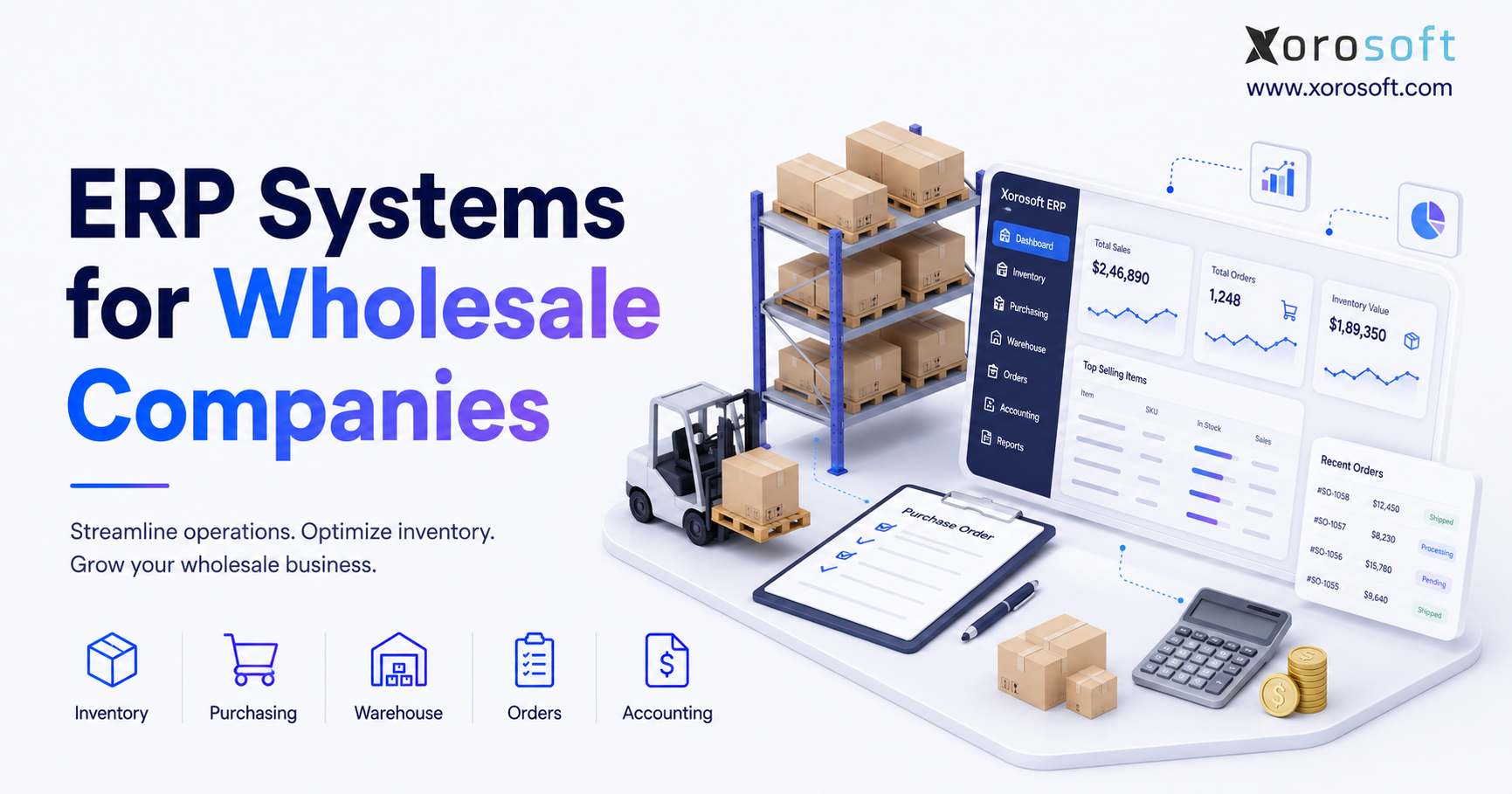
If you’re searching for ways to streamline operations and improve efficiency, ERP systems for wholesale companies are a powerful solution to consider.
1. Wholesale Growth Exposes Gaps in Everyday Systems
Wholesale companies rarely outgrow their software in one clear moment. Instead, the strain builds over time. A business adds another warehouse, more SKUs, larger customers, new sales channels, and more supplier rules. Meanwhile, the same small set of tools must handle more orders, more stock moves, and more exceptions.
At first, teams usually work around the gaps. For example, sales may keep a separate order sheet, while purchasing builds forecasts in spreadsheets. The warehouse may then use another app for picks and counts. Finally, finance imports or rechecks the data at month-end. However, every workaround adds delay and risk.
The deeper issue is that inventory, purchasing, fulfillment, and accounting no longer share one trusted record. As a result, teams may promise committed stock, reorder incoming items, or close the month with values that do not match the warehouse.
ERP systems for wholesale companies are built to connect these workflows. Therefore, the right way to choose one is to begin with the operating problems the new system must solve.
1.1 What ERP Systems for Wholesale Companies Manage
ERP systems for wholesale companies connect the daily processes that move products, money, and data through the business. These processes usually include inventory, purchasing, sales orders, warehouse work, accounting, forecasting, reporting, ecommerce, and EDI.
More importantly, the value comes from the links between those areas. For example, a receipt should update stock, purchasing, landed cost, and finance. Likewise, a shipment should update inventory, customer balances, cost, and margin reports.
Because each team uses the same data, users can trace a number back to its source transaction. Consequently, fewer reports depend on manual checks or spreadsheet rebuilding.
1.2 Why Disconnected Wholesale Software Becomes Costly
Disconnected software creates cost in quiet ways. Staff re-enter orders, fix mismatched stock, chase missing details, and rebuild reports. Moreover, leaders often receive information after the problem has already affected a customer or supplier.
For example, sales may see one stock number while the warehouse sees another. Meanwhile, purchasing may not know that a large order was just placed. Finance may then spend days matching inventory activity to accounting entries.
As the business grows, these gaps become harder to control. Therefore, disconnected software increases manual work, delays decisions, and weakens customer service.
1.3 Which Wholesale Companies Need ERP—and Which Do Not
A wholesaler may need ERP when it runs several warehouses, carries a large or complex catalogue, uses customer-specific pricing, sells through many channels, or depends on EDI. In addition, ERP often becomes useful when purchasing, warehouse work, and accounting must stay closely linked.
However, not every business needs a full ERP. A company with one location, simple pricing, low order volume, and reliable integrations may be better served by improving its current tools.
Ultimately, the goal is to choose software that fits the business without adding more cost and complexity than it can support.
2. ERP Systems for Wholesale Companies Must Connect the Full Order Cycle
A strong wholesale ERP does more than show how many units are in stock. Instead, it should connect the full order cycle, from supplier planning to customer payment. Therefore, each feature should be tested as part of a complete process rather than as a stand-alone screen.
2.1 Multi-Warehouse Inventory Management
Wholesale inventory is more than an on-hand number. Teams may need to see available, committed, damaged, held, in-transit, and incoming stock. In addition, they may need stock by warehouse, bin, lot, serial number, or ownership status.
ERP systems for wholesale companies should support transfers, replenishment, allocation, counts, adjustments, and valuation across locations. Moreover, the system should explain why an item is unavailable and when more stock is expected.
For example, a sales representative should be able to see whether stock is physically present, already committed, or expected on an incoming purchase order. Likewise, a buyer should see whether another warehouse can cover demand before placing a new supplier order.
A useful test is whether users can see available stock, committed stock, and delayed orders without returning to spreadsheets.
2.2 Wholesale Order Management and Customer Rules
Wholesale orders often include special prices, terms, quantity breaks, credit limits, shipping rules, and approval steps. Therefore, the ERP should apply those rules in a clear and repeatable way.
The system should also support backorders, part shipments, substitutions, returns, and credits. Meanwhile, sales teams need a clear view of what can be promised without using stock already set aside for another order.
For example, one customer may receive a contract price, while another receives a volume discount. Similarly, an order may need approval because the customer has exceeded a credit limit.
During a demo, use customer pricing, two warehouses, a credit hold, a part shipment, and a backorder. This scenario will reveal more than a simple order screen.
2.3 Purchasing and Supplier Management
Purchasing has a direct effect on service levels and cash flow. Therefore, a useful system should help buyers review demand, current stock, open orders, incoming supply, supplier lead times, and minimum order rules.
It should also support purchase approvals, supplier prices, receipts, shortages, landed cost, and invoice matching. As a result, buyers can make decisions using current demand and supply rather than old spreadsheets.
However, automation should guide the buyer, not replace judgment. Promotions, supplier risk, season changes, and large customer deals still need review.
For example, the system may recommend 1,000 units based on past sales. Nevertheless, the buyer may lower that quantity because a product is nearing the end of its season. By contrast, the buyer may increase the order when a major customer has provided a firm forecast.
2.4 Warehouse Management for Receiving, Picking, and Shipping
Warehouse needs vary by operation. A smaller site may only need scanning, receiving, putaway, picking, packing, and counting. By contrast, a larger warehouse may need waves, zones, directed tasks, replenishment, and labor tracking.
ERP and WMS data must stay connected because warehouse work changes stock and finance. For example, a receipt affects inventory and purchasing. Likewise, a shipment affects the order, stock, revenue, and cost.
In addition, returns must update both the physical and financial record. Otherwise, the warehouse may show returned stock while accounting still shows the original sale.
Companies with deeper warehouse needs can review XoroWMS or another dedicated warehouse platform. However, they should confirm that every warehouse move stays linked to the wider business record.
2.5 Accounting and Inventory Valuation
Wholesale accounting becomes difficult when the warehouse and finance systems disagree. Therefore, receipts, shipments, returns, landed costs, stock changes, and production activity should follow clear posting rules.
A complete wholesale ERP should support receivables, payables, inventory value, cost of goods sold, cash, tax, reporting, and reconciliation. In addition, finance users should be able to move from a balance to the source transaction.
This link is important because inventory is both a physical asset and a financial value. If the two views drift apart, the company may lose trust in both.
For example, a late landed-cost adjustment may change the actual cost of imported goods. Consequently, margin reports and inventory value may also need to change.
2.6 Forecasting and Replenishment
Forecasting helps a wholesaler decide what to buy, how much to buy, and where to place stock. A useful system should combine sales history, open demand, stock, incoming supply, lead times, and season changes.
However, forecasts are not promises. Buyers still need to review promotions, large orders, supplier limits, and unusual demand. Therefore, the best process combines system guidance with business judgment.
Forecasting creates more value when it connects directly with purchasing and warehouse planning. Otherwise, teams may still have to move data between files before they can act.
Moreover, location-level planning matters. One warehouse may have excess stock while another faces a shortage. Therefore, the system should help users compare transfers with new purchases.
2.7 Shopify, Amazon, EDI, and 3PL Links
Wholesale companies may receive orders from sales representatives, Shopify, Amazon, B2B portals, EDI, and marketplaces. As a result, the ERP must act as the operating record behind those channels.
During evaluation, test stock synchronization, cancellations, returns, part shipments, edited orders, failed messages, fees, and settlement checks. Basic order import is not enough.
For example, a Shopify order may be edited after it enters the ERP. Similarly, an EDI customer may reject an invoice because one required field is missing. Therefore, buyers should test error handling as carefully as successful order flow.
For Shopify-led businesses, the Xorosoft ERP app for Shopify shows how ecommerce orders can connect with stock, purchasing, warehouse work, and accounting.
3. How to Evaluate ERP Systems for Wholesale Companies
Vendor demos can be helpful. However, they become less useful when each vendor shows a different story. Therefore, every shortlisted platform should be tested with the same needs, data, and examples.
3.1 Map Wholesale Workflows Before Reviewing Software
First, write down the full workflows that matter:
- Quote to order
- Order to cash
- Purchase to receipt
- Receipt to putaway
- Pick to shipment
- Return to credit
- Count to stock adjustment
- Demand plan to purchase order
- Inventory move to general ledger
Next, include real exceptions. Backorders, damaged goods, short receipts, substitutions, failed links, and returns often reveal the largest gaps.
For example, a system may process a normal order well. However, it may struggle when one line ships from a second warehouse or when the customer returns only part of the order.
3.2 Separate Must-Have ERP Needs From Preferences
Classify each need in one of three groups:
1. Must have: the business cannot work correctly without it.
2. Valuable: it would create a clear gain.
3. Future need: it may matter as the company grows.
This step keeps the team focused. Otherwise, a polished feature that looks impressive may outweigh a missing control that affects daily work.
For example, an attractive dashboard may be useful. Nevertheless, it should not receive more weight than accurate inventory allocation or reliable accounting posting.
3.3 Build a Wholesale ERP Demo Scorecard
Use the same scorecard for every vendor:
| Evaluation area | Suggested weight |
|---|---|
| Workflow fit | 25% |
| Inventory and warehouse control | 15% |
| Accounting | 10% |
| Purchasing and forecasting | 10% |
| Ecommerce and EDI links | 10% |
| Reporting | 10% |
| Ease of use | 5% |
| Implementation plan | 5% |
| Support model | 5% |
| Three-year cost | 5% |
Scores should be based on proof from the demo. Therefore, each high score should include notes on what the vendor showed and what still needs to be checked.
Moreover, weighting should reflect the company’s real risks. For example, a high-volume warehouse may give more weight to WMS depth, while a multi-company distributor may give more weight to finance and consolidation.
3.4 Test Real Wholesale Transactions
Ask each vendor to show the same set of tasks:
- Customer pricing on a wholesale order
- Part fulfillment from two warehouses
- Purchase suggestions using demand and lead times
- Receiving with a short shipment
- Barcode putaway and picking
- A return that creates a customer credit
- A stock change posting to accounting
- Shopify or EDI order flow
- Inventory value and margin reporting
- Month-end reconciliation
A platform that handles only ideal cases may create manual work after launch. Therefore, every demo should include exceptions.
In addition, buyers should ask the vendor to show how users correct errors. A system is easier to operate when staff can see what failed, why it failed, and how to fix it.
4. ERP Systems for Wholesale Companies Versus Other Software
Many businesses delay ERP because they are unsure whether they need a full platform or a smaller tool. The answer depends on which processes must stay connected.
| Capability | Accounting software | Inventory software | WMS | Wholesale ERP |
| General ledger | Strong | Limited or linked | No | Yes |
| Multi-warehouse stock | Limited | Usually | Yes | Yes |
| Purchasing | Basic | Usually | Limited | Yes |
| Warehouse work | No | Basic | Strong | Built in or linked |
| Customer pricing | Limited | Varies | No | Usually |
| Forecasting | Limited | Varies | Limited | Varies |
| Financial reports | Strong | Limited | No | Yes |
| Shared business record | Partial | Partial | Partial | Yes |
4.1 Wholesale ERP Versus QuickBooks
QuickBooks is mainly an accounting platform. It can connect with inventory, ecommerce, payroll, and other applications. However, wholesalers may outgrow an accounting-first model when they need deeper warehouse, purchasing, allocation, forecasting, or production tools.
The problem is often the growing set of tools and checks built around it. For example, inventory may sit in one app, purchasing in spreadsheets, and warehouse work in another system. Consequently, accounting becomes the final destination for data rather than the source of a shared process.
4.2 Wholesale ERP Versus Inventory Software
Inventory software can work well when the main needs are stock, purchasing, and order synchronization. However, many products still depend on a separate accounting system.
As a result, teams may need to match inventory, cost, revenue, returns, and supplier activity across two platforms. This may be manageable at first, but it can become harder as the business grows.
By contrast, ERP usually brings financial and operating data into the same structure. Therefore, users may spend less time matching transactions between systems.
4.3 ERP Versus Warehouse Management Systems
A WMS controls physical work inside the warehouse. ERP controls the wider business process around that work.
Some ERP platforms include strong warehouse tools. Others connect to a separate WMS. Therefore, the choice should be based on receiving, putaway, picking, packing, replenishment, and counting needs.
For example, a small warehouse may work well with basic ERP scanning. However, a complex site may require wave planning, zones, task queues, and labor controls. In that case, a dedicated WMS may be a better fit.
4.4 Unified ERP Versus Best-of-Breed Apps
A unified ERP reduces the number of systems and data models. By contrast, a best-of-breed plan uses separate tools for ecommerce, warehouse, planning, or other needs.
A unified setup may be easier to own, while a specialist app may offer deeper features. Therefore, the company must decide where it needs depth and where it needs simplicity.
Moreover, buyers should consider the long-term cost of integrations. Each additional application may require support, monitoring, upgrades, and error handling.
5. Ten ERP Systems for Wholesale Companies to Evaluate
No platform is best for every wholesaler. Instead, fit depends on products, warehouses, channels, finance, growth plans, budget, and internal skills.
| System | General fit to review | Main areas to test |
| Xorosoft | Inventory-led wholesale, ecommerce, and manufacturing | Inventory, purchasing, WMS, accounting, forecasting, Shopify, Amazon, EDI |
| NetSuite | Broad cloud ERP and multi-entity needs | Finance, inventory, entities, ecommerce, reporting |
| Acumatica | Cloud ERP with distribution tools | Inventory, WMS, accounting, planning, partner support |
| Business Central | Microsoft-based small and mid-size firms | Finance, stock, purchasing, warehouse, manufacturing |
| Epicor Prophet 21 | Traditional and specialist distributors | Orders, buying, inventory, WMS, pricing, finance |
| Infor CloudSuite Distribution | Complex distribution and supply chain | Pricing, planning, inventory, WMS, fulfillment |
| Sage X3 | Multi-site distribution and manufacturing | Finance, buying, stock, supply chain, production |
| Cin7 | Multichannel stock and order control | Inventory, purchasing, B2B, ecommerce, WMS |
| Brightpearl | Retail, ecommerce, and wholesale work | Orders, stock, automation, accounting, fulfillment |
| Fishbowl | Inventory and production around outside accounting | Stock, warehouse, production, accounting links |
5.1 Xorosoft for Inventory-Driven Wholesale Companies
Xorosoft is a cloud ERP for inventory-led retailers, wholesalers, and manufacturers. It brings inventory, accounting, purchasing, warehouse work, manufacturing, forecasting, reporting, ecommerce, and EDI into one system.
The XoroONE platform may suit firms that want one operating layer behind wholesale and ecommerce channels. However, buyers should still test links, reports, production needs, local rules, migration, and project scope.
Moreover, users should confirm how the system handles real exceptions. For example, they should test backorders, partial receipts, customer credits, and failed ecommerce messages.
5.2 NetSuite for Broad Cloud ERP Needs
NetSuite is a broad cloud suite for finance, inventory, orders, customer data, reporting, and multi-entity work.
It may suit firms that need a wide platform or a more complex company structure. However, buyers should review modules, setup work, custom needs, integrations, and long-term cost.
A Xorosoft versus NetSuite comparison can help shape the review. Nevertheless, each company should validate both platforms against its own workflows.
5.3 Acumatica Distribution Edition
Acumatica offers cloud ERP for stock, warehouse work, finance, orders, and demand planning.
It may fit growing distributors that prefer a partner-led setup. Therefore, the buyer should review the partner, price model, add-ons, warehouse depth, ecommerce, and local support.
In addition, implementation quality may depend heavily on the selected partner. Consequently, buyers should review experience in similar wholesale environments.
5.4 Microsoft Dynamics 365 Business Central
Business Central supports finance, inventory, purchasing, sales, warehouse work, and manufacturing for small and mid-size firms.
It may appeal to companies already using Microsoft tools. However, buyers should review add-ons, warehouse depth, EDI, ecommerce, reports, and the partner’s wholesale experience.
Moreover, they should confirm which functions are standard and which require extensions. Otherwise, the project scope may grow after selection.
5.5 Epicor Prophet 21
Prophet 21 is built for distributors. It covers inventory, orders, purchasing, warehouse work, customer pricing, and finance.
It may suit traditional or specialist distributors that need strong industry workflows. Therefore, buyers should test ecommerce, WMS, reports, setup, support, and integrations.
For example, a distributor with complex pricing and customer rules may find its industry focus useful. However, a digital-first ecommerce business may place more weight on channel integration and user experience.
5.6 Infor CloudSuite Distribution
Infor CloudSuite Distribution covers stock, pricing, warehouse work, demand planning, fulfillment, and supply chain needs.
It may be relevant for larger or more complex distributors. However, buyers should check the exact edition, local support, project scope, integrations, setup skills, and total cost.
In addition, the company should assess whether it has enough internal resources for a wider transformation project.
5.7 Sage X3
Sage X3 supports finance, supply chain, purchasing, inventory, distribution, and manufacturing.
It may fit firms with several sites, countries, or production needs. Therefore, the review should cover local support, WMS depth, partners, integrations, and legal needs.
Likewise, buyers should test reporting and data access because multi-site companies often need both local and group-level views.
5.8 Cin7
Cin7 focuses on inventory, purchasing, B2B sales, ecommerce, warehouse work, and multichannel orders.
It may suit businesses that care most about stock and channel links. However, buyers should test accounting, production, WMS depth, reports, services, and future ERP needs.
Therefore, the company should decide whether it needs a complete ERP or a strong inventory and order platform connected to outside finance tools.
5.9 Brightpearl
Brightpearl supports retail, ecommerce, and wholesale work through orders, inventory, fulfillment, warehouse tools, automation, accounting, and reports.
It may fit ecommerce-led firms with a strong wholesale channel. Therefore, buyers should test EDI, production, global finance, B2B rules, warehouse depth, and support.
Moreover, businesses with complex manufacturing or highly specialized distribution needs should confirm that the platform covers those areas.
5.10 Fishbowl
Fishbowl focuses on stock, warehouse work, manufacturing, barcodes, and purchasing while linking to outside accounting.
It may fit firms that need stronger stock or production control without replacing finance. However, buyers should review long-term ERP plans, ecommerce, EDI, reports, entities, and finance links.
As a result, Fishbowl may work as a step up from basic inventory software. Nevertheless, companies should consider whether they may later need a wider ERP platform.
6. The Cost of ERP Systems for Wholesale Companies
ERP quotes are hard to compare because vendors may include different items. One quote may cover software only, while another includes setup, migration, and support. Therefore, buyers should compare total cost, not just the monthly fee.
| Cost area | What to include |
| Software | Users, modules, entities, warehouses, limits |
| Implementation | Discovery, design, setup, project work |
| Data migration | Cleaning, mapping, import, checks |
| Integrations | Ecommerce, EDI, shipping, tax, 3PL, payments |
| Custom work | Reports, workflows, forms, add-ons |
| Training | Admins, managers, daily users |
| Internal time | Process work, testing, data preparation |
| Ongoing help | Support, updates, partner services |
| Extra reserve | New needs found during the project |
6.1 Software and Module Costs
Software price may depend on users, modules, companies, warehouses, orders, or other limits. Therefore, buyers should confirm what is included and what costs extra.
A low base price may become expensive when key needs require add-ons or custom links. Moreover, each add-on may carry its own support and upgrade cost.
6.2 Implementation and Data Migration Costs
Implementation often includes discovery, setup, integrations, testing, training, and launch support.
Data quality can change the effort significantly. For example, duplicate items, mixed units, old customer files, and wrong stock balances must be fixed before migration.
Therefore, companies should not treat data cleanup as a small technical task. Instead, it should be planned as a business workstream with clear owners.
6.3 Internal Project and Change Costs
Internal time is also a real cost. Process owners must review work, prepare data, make decisions, test, train users, and fix issues.
If the company does not assign enough time and clear owners, delays are likely. Therefore, the project plan should include internal work from the start.
Moreover, managers should protect project time from daily interruptions. Otherwise, key decisions may remain open and slow the whole project.
6.4 Three-Year ERP Cost Formula
Three-year ERP cost equals software, implementation, migration, integrations, custom work, internal time, training, support, and a reserve for change.
Every vendor should price the same scope. Otherwise, the least complete quote may look cheaper even though it carries more risk.
Finally, the company should compare the cost of doing nothing. Continued stock errors, manual work, slow reporting, and missed orders also create a cost.
7. Implementing ERP Systems for Wholesale Companies
ERP implementation is a business change project. Therefore, the team needs clear owners, clean data, and authority to make process choices.
| Phase | Main work | Needed result |
| Discovery | Map needs and workflows | Approved design |
| Data preparation | Clean business and finance data | Ready-to-load records |
| Setup | Set users, warehouses, rules, and controls | Test system |
| Integration | Connect outside tools | Tested data flow |
| Testing | Run real tasks and exceptions | Approved results |
| Training | Prepare users by role | Ready process owners |
| Go-live | Move daily work to the ERP | Controlled launch |
| Stabilization | Fix issues and improve work | Stable use |
7.1 Discovery and Process Mapping
Discovery turns business needs into a system design. First, the team should record current work, future work, exceptions, approvals, reports, integrations, and user roles.
Next, open decisions should be written down. If they stay unclear, they will usually return during testing.
Moreover, process owners should agree on which old steps will be removed. Otherwise, the new system may simply copy weak processes.
7.2 Data Cleaning and Migration
ERP cannot create good results from bad source data. Therefore, the company should clean products, customers, suppliers, prices, stock, lots, serials, open orders, purchase orders, receivables, payables, and opening balances.
Historical data should be moved only when it supports work, reports, law, traceability, or service.
For example, the company may not need ten years of detailed warehouse moves. However, it may need opening balances, open transactions, and selected history for customer service or audit work.
7.3 Setup, Integration, and Testing
The project team sets warehouses, finance rules, users, access, pricing, buying rules, taxes, shipping methods, and approvals.
Testing should follow full transactions. For example, a purchase order should be created, received, put away, picked, shipped, invoiced, and posted to stock and finance.
In addition, the team should test returns, short receipts, damaged goods, part shipments, and failed links.
Moreover, every integration should have a clear error process. If a Shopify order fails, users should know who receives the alert and how the order is corrected.
7.4 Training, Launch, and Stabilization
Training should match each role and use the company’s real work. Users need to know both the steps and the reason for each control.
The launch plan should define final loads, stock counts, system freezes, owners, support, and issue rules. After launch, the team should focus on stable daily work before adding optional features.
Meanwhile, leaders should track early issues by impact and owner. Consequently, the team can separate urgent operational problems from lower-priority improvements.
7.5 Common Wholesale ERP Implementation Mistakes
Common mistakes include choosing software before listing needs, moving bad data, copying weak old processes, and underestimating integrations.
Other risks include no internal owner, testing only ideal cases, late training, too much custom work, and treating launch as the end of the project.
Therefore, project leaders should review risks throughout the implementation rather than waiting until go-live.
8. Industry Use Cases for ERP Systems for Wholesale Companies
Wholesale firms share many core needs. However, product type can change the detail of stock, buying, and fulfillment.
8.1 Apparel and Fashion Wholesale ERP
Apparel wholesalers manage style, colour, size, season, and channel. Therefore, their ERP may need item matrices, pre-orders, seasonal buying, allocation, returns, wholesale prices, and stock by variant.
In addition, the system may need to track collections and launch dates. As a result, buyers can avoid mixing old and new-season demand.
8.2 Furniture Wholesale ERP
Furniture distributors often manage large items, long supplier lead times, containers, landed cost, backorders, and delivery plans.
As a result, the system should support inbound stock, buying visibility, item size, warehouse space, and accurate promise dates.
Moreover, customers may need delivery appointments or special handling. Therefore, order and warehouse teams must share the same shipment details.
8.3 Sporting Goods Wholesale ERP
Sporting-goods wholesalers may face seasonal demand, product versions, team orders, marketplace sales, and fast refill needs.
Therefore, planning should consider warehouse, season, channel, and customer commitments.
For example, demand may rise quickly before a sports season. Consequently, the buyer needs current forecasts and supplier lead times.
8.4 Food and Beverage Wholesale ERP
Food distributors may need lot tracking, expiry dates, traceability, quality holds, and recall support.
The system should show where each lot came from, where it was stored, and which customer received it.
In addition, users may need first-expiry-first-out picking. Therefore, warehouse rules must connect with lot and date data.
8.5 Wholesale and Manufacturing ERP
Some wholesalers build kits, relabel items, or make finished goods. Therefore, they may need bills of material, work orders, part planning, production timing, and finished cost.
Moreover, production changes both stock and accounting. Consequently, the system should track component use, finished output, waste, and cost.
Businesses can review Xorosoft’s wider industry ERP solutions when comparing needs across apparel, furniture, sporting goods, food, wholesale, and manufacturing.
9. When Wholesale Companies Should Upgrade to ERP
Timing matters. Moving too early can add cost and work. However, waiting too long can make the project harder because the company has more data, more applications, and more weak processes to replace.
9.1 Signs the Current Stack Has Reached Its Limit
A company should review ERP when stock changes are common, buying depends on sheets, orders are entered twice, warehouse work lacks clear steps, or month-end takes too long.
The strongest sign is a pattern of linked problems across teams rather than one complaint.
For example, a stock error may cause a missed shipment. That missed shipment may then create a customer credit, a manual finance adjustment, and an urgent purchase. Consequently, one inventory issue affects several teams.
9.2 Growth Events That Change ERP Needs
Certain events can raise the need for ERP:
- Opening another warehouse
- Adding EDI customers
- Launching Shopify or Amazon
- Buying another business
- Adding production
- Adding companies or currencies
- Growing SKU or order complexity
- Needing a faster month-end close
In each case, the company should review future needs before the current system blocks growth.
Moreover, the review should happen before the new warehouse or channel goes live. Otherwise, the company may add another temporary tool that later becomes harder to remove.
9.3 When XoroERP May Be Relevant
XoroERP may be relevant for inventory-led firms that need purchasing, accounting, forecasting, order control, warehouse visibility, and ecommerce in one platform.
However, as with any ERP, the choice should depend on real workflow proof, integration needs, setup resources, and total cost.
Therefore, buyers should use their own products, warehouses, orders, and reports during the demo rather than relying on a general product tour.
10. Frequently Asked Questions About ERP Systems for Wholesale Companies
10.1 What Is an ERP System for a Wholesale Company?
An ERP system for a wholesale company links inventory, orders, purchasing, warehouse work, accounting, forecasting, reports, and outside systems. It gives teams one shared record instead of many applications and sheets. As a result, the business can manage products, money, and data from supplier buying through customer delivery.
10.2 What Does Wholesale ERP Software Manage?
Wholesale ERP often manages items, stock, sales orders, purchasing, receiving, warehouse moves, shipping, returns, invoices, supplier bills, and finance reports. In addition, some systems support ecommerce, EDI, production, CRM, and planning. However, the exact scope depends on the product, modules, setup, and project plan.
10.3 What Is the Best ERP for a Wholesale Company?
The best ERP is the one that fits the company’s work, products, warehouses, channels, finance, integrations, budget, and staff. A multi-company distributor may need something different from a Shopify wholesaler. Therefore, buyers should test each shortlisted platform with the same real tasks and exceptions.
10.4 Why Do Wholesale Companies Need ERP?
Wholesale firms need ERP when separate tools make stock, buying, shipping, accounting, and reports hard to control. ERP creates one shared record across teams. However, a smaller business with simple work and reliable integrations may not need full ERP yet.
10.5 What Features Should Wholesale ERP Include?
Important features include multi-warehouse stock, customer pricing, orders, purchasing, supplier control, warehouse work, accounting, landed cost, planning, reports, ecommerce, EDI, and user access. Therefore, companies should rank features as must-have, useful, or future before they review vendors.
10.6 How Much Does Wholesale ERP Cost?
Cost depends on users, modules, companies, warehouses, integrations, migration, custom work, training, support, and setup. Therefore, buyers should compare three-year total cost rather than the software fee alone. In addition, each vendor should price the same scope so the quotes can be compared fairly.
10.7 Can ERP Manage Multiple Warehouses?
Many ERP systems can manage stock across several warehouses. Common tools include transfers, refill rules, allocation, receiving, picking, bins, and location-level stock. In addition, buyers should test in-transit stock, damaged items, company-to-company moves, and part fulfillment.
10.8 Can ERP Manage Customer-Specific Pricing?
Many wholesale ERP systems support customer price lists, contract prices, quantity breaks, discounts, terms, and approval rules. However, pricing can become harder when it depends on product groups, currencies, sites, or dates. Therefore, vendors should show how users create, update, and apply each rule.
10.9 Does Wholesale ERP Support EDI?
Many ERP platforms support EDI directly or through a partner. Common files include orders, order replies, shipping notices, invoices, and stock reports. Therefore, buyers should confirm partner support, map ownership, testing, alerts, error work, and how new trading partners are added.
10.10 Can ERP Integrate With Shopify?
Many ERP systems connect with Shopify through built-in links, partner applications, or APIs. The link may sync items, orders, customers, shipping, returns, payments, and stock. However, buyers should also test part shipments, edits, bundles, failed orders, several stores, and stock timing.
10.11 Can ERP Connect With Amazon and Other Marketplaces?
ERP can connect with Amazon and other marketplaces when the right integration exists. It may manage orders, stock, shipping, fees, returns, and payouts. Therefore, buyers should confirm support for their exact sales model, accounts, fulfillment method, and finance checks.
10.12 What Is the Difference Between ERP and Inventory Software?
Inventory software mainly focuses on stock, orders, and purchasing. By contrast, ERP covers a wider set of work, including accounting, controls, stock, buying, sales, and reports. Inventory software may still be enough when the business has simpler work and fewer finance checks.
10.13 What Is the Difference Between ERP and WMS?
ERP manages company-wide work such as buying, sales, stock, finance, and reports. A WMS manages physical warehouse tasks such as receiving, putaway, moves, picking, packing, and counting. Some ERP systems include WMS tools, while others connect to a separate platform.
10.14 What Is the Difference Between ERP and Accounting Software?
Accounting software records bills, invoices, payments, costs, and ledger entries. ERP links those finance records with stock, buying, warehouse, sales, and sometimes production. Therefore, firms often review ERP when daily operations can no longer be managed well around an accounting-first system.
10.15 Is QuickBooks an ERP System?
QuickBooks is usually seen as accounting software, not a full ERP. It can work well for finance and may connect with stock and ecommerce tools. However, wholesalers may outgrow it when they need deeper warehouse, buying, planning, production, or multi-site control.
10.16 When Should a Wholesaler Move From QuickBooks to ERP?
A wholesaler should review ERP when stock fixes, sheet-based buying, double entry, slow month-end, weak reports, or multi-warehouse issues become common. Therefore, the choice should be based on workflow gaps, not only company age or sales.
10.17 Can a Small Wholesale Company Use ERP?
Yes. A smaller wholesaler may need ERP when it has several warehouses, complex stock, EDI customers, production, or many sales channels. Company size alone does not decide the need. By contrast, a larger firm with simple work may still manage with lighter tools.
10.18 Who Does Not Need Wholesale ERP?
A company may not need ERP when it has one site, a small range, simple prices, low order volume, easy buying, and reliable stock and finance integrations. In that case, better steps or better use of current tools may be more practical.
10.19 How Long Does Wholesale ERP Implementation Take?
The timeline depends on workflows, modules, users, data, integrations, custom work, testing, training, and staff time. Therefore, buyers should ask for a phase-based plan with owners, assumptions, proof steps, and support after launch rather than rely on one standard timeline.
10.20 Why Do ERP Implementations Fail?
ERP projects often struggle because of unclear needs, bad data, weak ownership, too much custom work, missed integrations, limited testing, or late training. Software matters, but project control matters too. Therefore, the company must make decisions, prepare users, and test full tasks before launch.
10.21 What Data Should Be Moved Into ERP?
Common data includes items, customers, suppliers, prices, stock, lots, serials, open orders, purchase orders, receivables, payables, and opening balances. However, historical data should be moved only when it supports work, reports, law, traceability, or service.
10.22 How Does ERP Improve Inventory Forecasting?
ERP can improve planning by joining sales history, stock, open demand, incoming supply, lead times, and warehouse data. However, teams must still review seasons, deals, large orders, supplier risks, and unusual past events before they approve buying suggestions.
10.23 Can ERP Support Wholesale and Manufacturing Together?
Some ERP systems support wholesale and production in one platform. Tools may include bills of material, work orders, part planning, schedules, outside work, and finished cost. Therefore, buyers should test their exact production model because light assembly and complex production need different tools.
10.24 How Should a Company Compare ERP Vendors?
Each vendor should receive the same needs, demo tasks, data examples, and price assumptions. The team should score workflow fit, stock, warehouse, finance, integrations, reports, setup, support, and total cost. In addition, the demo should show full tasks and real exceptions.
10.25 What Questions Should a Wholesaler Ask During an ERP Demo?
Ask the vendor to show customer prices, warehouse allocation, part fulfillment, buying ideas, receiving, scanning, returns, stock value, finance entries, and failed integrations. Also ask what is built in, how data moves, who leads the project, how support works, and what can raise the price.
11. A Practical ERP Selection Path for Wholesale Leaders
ERP selection is an operating decision, not a feature contest. ERP systems for wholesale companies should connect critical work without adding more complexity than the business can manage.
First, list the problems that must be fixed. Next, narrow the market to three or four realistic options. Then, test each platform with the same tasks, data, exceptions, and cost assumptions. Finally, compare setup risk, support, and total cost alongside functionality.
Moreover, involve people from sales, purchasing, warehouse operations, finance, and leadership. Each team sees a different part of the process. Therefore, cross-functional review reduces the risk of selecting a platform that solves one department’s problem while creating another.
For inventory-led businesses that need connected accounting, purchasing, warehouse work, planning, ecommerce, and EDI, Xorosoft can be one option in that review.
Book a personalized ERP demonstration to test the platform with your own products, warehouses, sales channels, buying process, and reports.
Recent Posts
-
 ERP Landed Cost Module vs Spreadsheet Calculations for Importers
 -
 How to Build an Open-to-Buy Plan for an Omnichannel Brand
 -
 Cold Storage WMS for Food and Beverage Distribution
 -
 ERP Buying Statistics 2026: Evaluation, Implementation, and Adoption Risks
 -
 How a Distributor Reduced B2B Order Exceptions Without Restricting Sales



