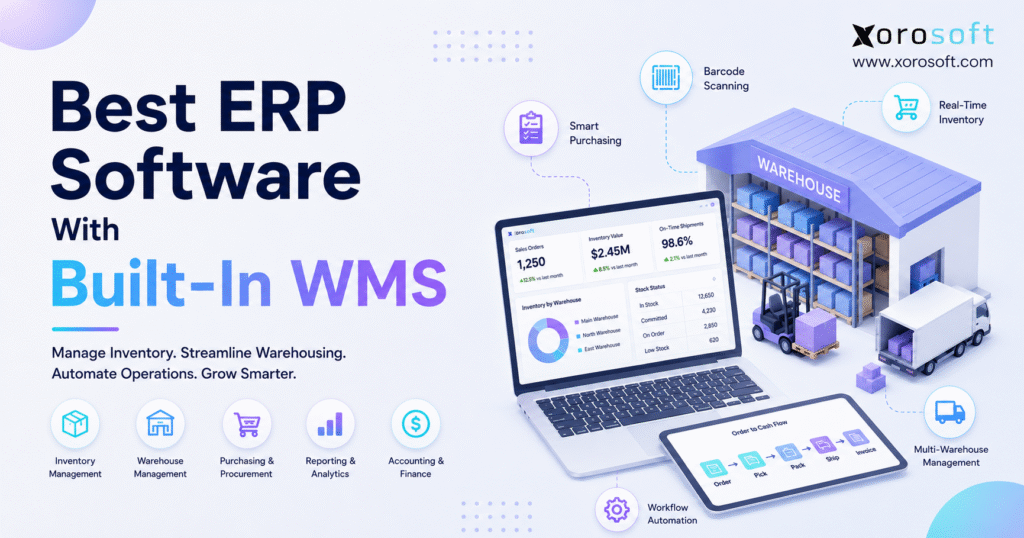
ERP software with WMS can transform business operations by seamlessly integrating warehouse management and enterprise resources.
1. When Warehouse Operations Outgrow Separate Systems
ERP software with WMS gives inventory-driven businesses one connected system for inventory, warehouse operations, purchasing, accounting, orders, and reporting. Therefore, instead of maintaining separate records across warehouse apps, spreadsheets, accounting software, and ecommerce platforms, teams can manage operational data through a more unified workflow.
However, the value goes beyond reducing the number of applications. Because every warehouse transaction changes inventory availability, purchasing requirements, customer orders, and eventually financial records, disconnected systems can create operational gaps surprisingly quickly.
For example, a purchase order may arrive at the warehouse while the purchasing spreadsheet still shows it as outstanding. Meanwhile, Shopify may display inventory that has not yet been put away. Consequently, customer service, warehouse staff, buyers, and finance may all work from different versions of the same inventory position.
Therefore, growing businesses increasingly evaluate ERP software with WMS as an operational backbone rather than simply another warehouse application.
Moreover, the decision becomes particularly important when a company operates multiple warehouses, sells through multiple channels, handles wholesale orders, uses EDI, manufactures products, or manages thousands of SKUs.
The objective, however, is not to buy the largest ERP available. Instead, the goal is to select a system that matches the real complexity of the business while keeping inventory and warehouse execution connected.
1.1 What Does Built-In WMS Mean?
A built-in WMS means warehouse-management capabilities operate within, or are tightly integrated with, the broader ERP environment. Therefore, receiving an item can immediately affect inventory availability, purchasing records, warehouse quantities, reporting, and accounting.
Typically, warehouse functionality includes receiving, putaway, bin management, barcode scanning, picking, packing, shipping, transfers, returns, and cycle counting.
Moreover, stronger systems connect those workflows with purchase orders, sales orders, ecommerce channels, forecasting, manufacturing, and financial records.
As a result, employees do not need to repeatedly export information or manually reconcile warehouse activity against another system.
1.2 Who Typically Needs ERP Software With WMS?
ERP software with WMS becomes relevant when warehouse complexity starts affecting the rest of the organization.
For example, common warning signs include:
- Inventory numbers differ between systems
- Multiple warehouses require manual transfers
- Purchasing depends heavily on spreadsheets
- Warehouse staff rely on paper pick lists
- Shopify and Amazon stock frequently disagrees
- Finance spends too long reconciling inventory
- Returns are difficult to track
- EDI orders require manual processing
- Customer service lacks accurate inventory visibility
- Management cannot see real-time operational performance
Therefore, businesses experiencing several of these issues should evaluate whether their current software architecture still fits their operating model.
2. ERP vs WMS: Understanding the Difference
Although ERP and WMS platforms overlap around inventory, they solve different operational problems. Therefore, understanding the distinction helps prevent businesses from buying warehouse software when they actually need broader ERP capabilities.
Therefore, ERP software with WMS gives businesses a practical way to connect company-wide planning with daily warehouse execution.
2.1 What ERP Manages
An ERP manages company-wide operational and financial processes.
For example, ERP functionality commonly includes:
- Accounting
- Purchasing
- Inventory
- Sales orders
- Customer management
- Vendor management
- Reporting
- Forecasting
- Manufacturing
- Financial controls
Therefore, ERP provides the organizational record behind inventory movement.
Moreover, finance, purchasing, operations, and management teams can work from common transactional data rather than reconciling separate applications.
2.2 What WMS Manages
A WMS focuses primarily on physical warehouse execution.
For example, it can manage:
- Receiving
- Putaway
- Bin locations
- Barcode scanning
- Picking
- Packing
- Shipping
- Cycle counting
- Stock transfers
- Returns
- Lot tracking
- Serial tracking
Consequently, warehouse workers receive instructions about where inventory should go and how it should move.
However, warehouse execution is only part of the operational picture. Therefore, businesses also need to consider what happens after the transaction reaches purchasing, customer service, ecommerce, and accounting.
2.3 ERP vs WMS at a Glance
| Capability | ERP | WMS | ERP With Built-In WMS |
|---|---|---|---|
| Accounting | Strong | Limited | Strong |
| Purchasing | Strong | Limited | Strong |
| Inventory | Strong | Strong | Strong |
| Receiving | Basic to strong | Strong | Strong |
| Bin management | Varies | Strong | Strong |
| Barcode workflows | Varies | Strong | Strong |
| Picking and packing | Varies | Strong | Strong |
| Financial reporting | Strong | Limited | Strong |
| Warehouse execution | Varies | Strong | Strong |
| Multi-department visibility | Strong | Limited | Strong |
Therefore, the advantage of an integrated model is straightforward: the warehouse receives execution tools while the broader organization receives connected operational data.
3. Why Connected ERP and WMS Workflows Matter
Warehouse management should not operate as an isolated function because warehouse activity affects nearly every product-based department.
Therefore, companies should evaluate the complete operational flow rather than only the warehouse interface.
Businesses exploring broader process consolidation can review Xorosoft’s business solutions to understand how warehouse, inventory, purchasing, accounting, ecommerce, and operational workflows can connect.
3.1 Inventory Accuracy Improves When Movements Are Recorded
Inventory accuracy depends on recording every meaningful movement.
For example, stock changes when goods are received, transferred, picked, packed, shipped, returned, damaged, adjusted, or consumed in manufacturing.
However, disconnected systems can delay those updates.
Consequently, Shopify might show five units while the warehouse actually has three available units. Meanwhile, purchasing could place another order because its spreadsheet shows only one.
Therefore, real-time inventory movement should be a central requirement when selecting ERP software with WMS.
3.2 Multi-Warehouse Complexity Becomes Easier to Control
A single warehouse can often operate with relatively simple inventory processes.
However, additional warehouses create new decisions.
For example:
- Which warehouse should fulfill the order?
- Which location needs replenishment?
- Where should the purchase order arrive?
- Which warehouse has excess stock?
- Which location holds reserved inventory?
- When should inventory be transferred?
Consequently, businesses need location-level visibility rather than a single company-wide inventory number.
Moreover, transfers should be tracked from the source location through transit and final receipt. Otherwise, inventory can temporarily disappear or appear twice.
As locations increase, ERP software with WMS can provide one view of stock, transfers, allocations, and warehouse activity.
3.3 Purchasing Gets Better Inventory Signals
Purchasing teams need more than an on-hand number.
For example, buyers should understand available inventory, committed quantities, incoming purchase orders, open sales demand, supplier lead times, and warehouse-specific requirements.
Therefore, warehouse data should feed purchasing decisions directly.
As a result, buyers can reduce reactive purchasing while making replenishment decisions from more complete information.
3.4 Finance Gets Cleaner Operational Data
Warehouse discrepancies eventually become accounting discrepancies.
For example, an incorrect receipt affects inventory value. Similarly, an inaccurate shipment can affect cost of goods sold. Meanwhile, unrecorded inventory adjustments create reconciliation work.
Therefore, finance should participate in ERP and WMS selection from the beginning.
Consequently, an integrated environment can make inventory valuation, reconciliation, and month-end reporting more manageable.
Moreover, ERP software with WMS helps connect physical inventory movements with the financial records that depend on them.
4. Best ERP Software With WMS: 9 Options to Compare
Businesses comparing software should evaluate functional fit, implementation requirements, warehouse depth, financial capabilities, integrations, and future scalability.
Because this article focuses on inventory-driven operations, Xorosoft appears first. However, the remaining platforms can also be strong choices depending on business requirements.
For a broader vendor evaluation framework, readers can also review the Xorosoft ERP comparison hub.
4.1 Xorosoft
Xorosoft is a cloud ERP platform designed for inventory-driven businesses.
Therefore, companies can connect inventory management, warehouse operations, purchasing, accounting, manufacturing, forecasting, reporting, ecommerce, and order management rather than managing each process through separate applications.
In particular, XoroWMS provides warehouse-management functionality for businesses that need stronger control over inventory tracking, order fulfillment, warehouse activity, and real-time visibility.
Moreover, Xorosoft is relevant for businesses selling through Shopify, Amazon, wholesale channels, and EDI while operating one or multiple warehouses.
Consequently, it is especially worth evaluating for companies that have outgrown QuickBooks, spreadsheets, inventory-only applications, or disconnected warehouse tools.
Best fit:
- Ecommerce brands
- Wholesale distributors
- Apparel companies
- Furniture businesses
- Sporting goods brands
- Consumer product companies
- Food and beverage operations
- Inventory-driven manufacturers
Key consideration:
Although system consolidation can reduce integration complexity, successful ERP adoption still requires clean data, process mapping, user training, and disciplined implementation.
4.2 NetSuite
NetSuite is a broad cloud ERP platform commonly evaluated by growing mid-market and larger organizations.
Moreover, its ecosystem supports warehouse and inventory-management requirements alongside finance, purchasing, order management, and other enterprise workflows.
Therefore, NetSuite may fit organizations that require broad ERP functionality, multi-entity structures, and substantial financial controls.
However, buyers should evaluate implementation scope, configuration requirements, user needs, and total ownership costs rather than comparing software only by feature count.
Businesses specifically evaluating these two platforms can review Xorosoft vs. NetSuite for a more focused comparison.
Best fit:
Larger or more complex organizations requiring broad ERP functionality.
Key consideration:
Implementation and administration requirements should be evaluated carefully against internal resources.
4.3 Acumatica
Acumatica provides cloud ERP functionality for businesses across distribution, retail, manufacturing, and other operational models.
Moreover, its warehouse-management capabilities support mobile and barcode-driven warehouse workflows.
Therefore, Acumatica can be a strong candidate for companies wanting configurable ERP alongside warehouse operations.
However, buyers should test their specific ecommerce, distribution, warehouse, and reporting requirements rather than assuming every workflow operates identically across implementations.
Best fit:
Distribution and mid-market organizations seeking configurable cloud ERP.
Key consideration:
Partner expertise and implementation design can materially affect the final solution.
4.4 Microsoft Dynamics 365 Business Central
Microsoft Dynamics 365 Business Central provides ERP capabilities for finance, inventory, purchasing, sales, and warehouse operations.
Moreover, businesses can configure warehouse processes using locations, bins, picks, shipments, and varying levels of warehouse complexity.
Therefore, Business Central can be particularly relevant for organizations already operating heavily within the Microsoft ecosystem.
However, the correct configuration depends on warehouse requirements and implementation expertise.
Best fit:
Small and mid-market companies that prefer the Microsoft business software ecosystem.
Key consideration:
Warehouse depth and implementation architecture should be tested against real workflows.
4.5 Cin7
Cin7 focuses strongly on inventory-driven ecommerce, wholesale, and distribution operations.
Moreover, its warehouse functionality can support multi-location inventory, receiving, stock movement, picking, and fulfillment.
Therefore, companies that primarily need inventory, orders, ecommerce connectivity, and warehouse management may include Cin7 on their shortlist.
However, businesses requiring broader ERP accounting, manufacturing, or financial controls should compare those requirements carefully.
Best fit:
Ecommerce, wholesale, and product businesses prioritizing inventory and order operations.
Key consideration:
Determine whether the organization needs inventory software depth or full ERP depth.
4.6 Brightpearl
Brightpearl targets retail and omnichannel operations.
Therefore, its capabilities are oriented around inventory, orders, fulfillment, purchasing, and retail operations.
Moreover, growing merchants may find its commerce-oriented workflows easier to align with retail requirements than a heavily finance-led ERP.
However, manufacturing-intensive businesses should examine whether the platform matches production requirements.
Best fit:
Retail and omnichannel merchants.
Key consideration:
Evaluate accounting and manufacturing depth against future needs.
4.7 Fishbowl
Fishbowl is frequently evaluated by businesses that want stronger inventory and warehouse functionality while continuing to use QuickBooks.
Therefore, it can provide a useful operational step between basic inventory management and full ERP adoption.
Moreover, barcode-driven warehouse processes can help companies move away from spreadsheets and manual stock handling.
However, growing businesses should consider whether their long-term challenge is warehouse management alone or broader ERP consolidation.
Best fit:
Smaller and mid-sized businesses that want improved warehouse control around a QuickBooks-centered environment.
Key consideration:
Future ERP requirements may eventually extend beyond inventory and warehouse operations.
4.8 Sage
Sage offers several business-management products with financial, inventory, and distribution capabilities.
Therefore, companies already using Sage products may evaluate warehouse-management options within that ecosystem.
Moreover, finance-led organizations may prioritize accounting strength before expanding operational processes.
However, warehouse teams should still test barcode, bin, picking, packing, and multi-location workflows directly.
Best fit:
Finance-oriented businesses seeking inventory and operational extensions.
Key consideration:
Confirm warehouse-management depth within the specific Sage product being considered.
4.9 Odoo
Odoo uses a modular application model covering inventory, warehouse operations, accounting, sales, ecommerce, manufacturing, and other functions.
Therefore, companies can assemble an ERP environment around the modules they need.
Moreover, configurable workflows can appeal to businesses that want flexibility.
However, significant customization can increase maintenance requirements if the implementation becomes overly complex.
Best fit:
Businesses that prefer modular and configurable ERP architecture.
Key consideration:
Control customization carefully so the system remains maintainable.
5. How to Evaluate ERP Software With WMS
A software comparison should begin with business processes rather than vendor presentations.
Therefore, buyers should document their current workflows before scheduling demos.
Because requirements vary significantly, businesses should evaluate ERP software with WMS against real operational scenarios rather than generic feature lists.
A broader cloud ERP such as XoroONE can be evaluated against those processes to determine whether inventory, WMS, purchasing, accounting, manufacturing, and reporting can operate together.
5.1 Test Receiving Before Anything Else
Receiving establishes the inventory record.
Therefore, the system should support purchase-order matching, partial receipts, discrepancies, damaged goods, and location assignment.
Moreover, warehouse teams should test how quickly received inventory becomes visible elsewhere in the business.
For example, buyers should verify when inventory becomes available for allocation, ecommerce sales, transfers, and reporting.
5.2 Test Putaway and Bin Management
Once inventory is received, warehouse workers need to know where it belongs.
Therefore, evaluate whether the system supports zones, aisles, racks, shelves, bins, or other location structures.
Moreover, the system should help employees find inventory again without relying on memory.
Consequently, strong bin control becomes increasingly valuable as SKU count and warehouse size grow.
5.3 Test Barcode Workflows
Barcode scanning reduces manual data entry.
Therefore, buyers should test scanning during receiving, putaway, picking, packing, transfers, returns, and cycle counts.
However, simply asking whether a vendor supports barcodes is not enough.
Instead, warehouse employees should perform real workflows during the demo.
5.4 Test Picking and Packing
Picking requirements vary by business model.
For example, a wholesale distributor may pick large cases while an apparel company may process hundreds of small multi-line ecommerce orders.
Therefore, buyers should test their real order profiles.
Moreover, packing validation should confirm that the correct SKU and quantity reach the correct shipment.
As a result, fulfillment errors can be caught before the package leaves the warehouse.
5.5 Test Integration Architecture
Sales channels should not operate independently from warehouse inventory.
Therefore, companies should evaluate whether their ERP connects with Shopify, Amazon, marketplaces, EDI, shipping systems, and other operational applications.
The Xorosoft integrations ecosystem is one example of how ERP buyers can evaluate connections between commerce and backend operations.
Moreover, integration testing should cover cancellations, partial fulfillment, returns, backorders, and inventory updates rather than only new-order imports.
6. Core Built-In WMS Features Buyers Should Require
Not every warehouse needs advanced robotics or sophisticated labor optimization.
However, most growing product businesses need a dependable operational foundation.
6.1 Receiving and Putaway
First, receiving should validate incoming inventory against expected purchase orders.
Next, putaway should direct inventory into the appropriate storage location.
Therefore, both processes should update inventory status without requiring duplicate entry.
6.2 Real-Time Inventory Visibility
Real-time inventory should show what is physically present and what is actually available.
Moreover, the system should distinguish quantities that are committed, damaged, in transit, on hold, or awaiting inspection where appropriate.
Consequently, customer service and purchasing teams receive more useful information than a single on-hand number.
Therefore, ERP software with WMS should distinguish physical stock from available, committed, damaged, and in-transit inventory.
6.3 Barcode Scanning
Barcode scanning helps remove manual keying from repetitive warehouse tasks.
Therefore, it can improve process discipline during receipts, picks, packs, counts, and transfers.
Moreover, scanning creates a more reliable transaction trail when employees follow defined workflows.
6.4 Cycle Counting
Annual physical counts alone provide limited control.
Instead, cycle counting allows businesses to check selected products continuously.
Therefore, discrepancies can be investigated closer to when they occur.
As a result, operations teams can identify recurring process problems rather than discovering months of errors at year-end.
6.5 Lot, Serial, and Expiry Tracking
Certain industries require deeper traceability.
For example, food companies may need lot and expiry tracking, while electronics businesses may require serial numbers.
Therefore, businesses should test traceability from receipt through shipment and returns.
Moreover, companies should confirm whether warehouse picking rules can support their rotation policies.
6.6 Multi-Warehouse Transfers
Multi-location companies need structured transfer workflows.
Therefore, the system should record inventory leaving one location, moving between locations, and arriving at the destination.
Otherwise, stock can disappear from reporting during transit or become available prematurely.
7. ERP Software With WMS for Ecommerce and Omnichannel Brands
Ecommerce creates warehouse complexity because online order volume can grow faster than back-office processes.
Therefore, brands should evaluate more than storefront functionality.
For growing ecommerce brands, ERP software with WMS becomes especially valuable when orders, inventory, purchasing, fulfillment, and accounting must stay synchronized.
XoroERP is designed to connect ERP processes such as inventory, purchasing, sales, accounting, and operational management, while warehouse functionality supports the physical execution side of the business.
7.1 Shopify Operations
Shopify merchants often begin with a relatively simple stack.
However, growth introduces additional warehouses, wholesale orders, returns, Amazon sales, purchasing teams, and financial complexity.
Therefore, Shopify should remain the commerce layer while the ERP becomes the operational system behind it when appropriate.
Moreover, brands can review Xorosoft’s listing on the Shopify App Store when evaluating how Shopify can connect with broader ERP and warehouse workflows.
7.2 Amazon and Marketplace Operations
Amazon adds another inventory allocation problem.
For example, businesses may have stock inside FBA, their own warehouse, third-party logistics locations, and other ecommerce channels.
Therefore, central inventory visibility becomes increasingly important.
Moreover, purchasing should account for demand across all channels rather than treating each marketplace as an independent business.
7.3 Wholesale and EDI Operations
Wholesale introduces large orders, customer-specific requirements, EDI transactions, allocations, backorders, and retailer compliance.
Consequently, warehouse management cannot be evaluated separately from order management.
Moreover, purchasing teams need visibility into wholesale commitments before allocating inventory to other channels.
8. ERP Software With WMS by Industry
Operational requirements vary significantly by industry.
Therefore, businesses should evaluate industry fit rather than selecting software solely from generic ERP rankings.
Companies can explore Xorosoft’s industries served for examples of how inventory-driven requirements differ across product categories.
8.1 Apparel and Fashion
Apparel businesses manage style, size, color, season, and collection variations.
Therefore, a single style can represent dozens of distinct SKUs.
Moreover, returns are common, which makes accurate inspection and restocking workflows important.
Consequently, apparel companies should test variant picking, returns, seasonal purchasing, wholesale allocation, and ecommerce fulfillment.
8.2 Furniture
Furniture businesses often manage larger products, long supplier lead times, and valuable warehouse space.
Therefore, location visibility becomes important.
Moreover, purchasing errors can tie up significant working capital because products occupy more storage capacity than smaller consumer goods.
Consequently, inventory, purchasing, warehouse space, and delivery planning need to remain connected.
8.3 Sporting Goods
Sporting goods companies often experience seasonal demand and broad SKU ranges.
Therefore, forecasting and purchasing should work alongside warehouse visibility.
Moreover, inventory may need to serve ecommerce, wholesale, retail, and marketplace channels simultaneously.
8.4 Food and Beverage
Food and beverage operations need traceability.
Therefore, lot information, expiry dates, receiving dates, and product rotation can become essential.
Moreover, returns and quality issues may require businesses to identify affected inventory quickly.
Consequently, warehouse processes should preserve traceability throughout the inventory lifecycle.
8.5 Wholesale Distribution
Wholesale distributors often manage large orders, EDI, customer pricing, allocations, purchasing, and multiple warehouses.
Therefore, ERP software with WMS can be particularly useful because order management and physical fulfillment need to remain synchronized.
Moreover, warehouse staff need accurate instructions while account teams need visibility into order status.
8.6 Manufacturing
Manufacturers manage raw materials, components, work-in-progress, and finished goods.
Therefore, warehouse availability directly affects production.
Moreover, purchasing decisions depend on BOM requirements, supplier lead times, current stock, and planned production.
Consequently, manufacturing companies should evaluate ERP, WMS, purchasing, and production planning together rather than as separate projects.
9. When Should a Business Upgrade?
A company should not implement ERP simply because it reaches a specific revenue number.
Instead, operational complexity is a stronger signal.
9.1 QuickBooks Requires Too Many Supporting Apps
QuickBooks may remain effective for accounting while the company is relatively simple.
However, problems appear when inventory, purchasing, warehouse management, ecommerce, EDI, and reporting require separate applications.
Consequently, employees spend more time maintaining integrations and reconciling data.
Therefore, growing teams should evaluate whether a broader ERP architecture would reduce operational fragmentation.
9.2 Spreadsheets Control Critical Workflows
Spreadsheets are useful analysis tools.
However, they are weak workflow-control systems.
For example, spreadsheets cannot reliably direct barcode scanning, enforce warehouse processes, synchronize ecommerce inventory, or automatically create financial transactions.
Therefore, businesses should reconsider spreadsheets once they become the primary operational database.
9.3 Inventory Cannot Be Trusted
Inventory discrepancies are one of the clearest upgrade signals.
For example, warehouse staff may see one quantity while ecommerce shows another.
Meanwhile, finance may use a third number during reconciliation.
Consequently, teams spend time determining which system is correct instead of using inventory information to make decisions.
At this stage, ERP software with WMS can create a more reliable inventory record across warehouse, ecommerce, purchasing, and finance teams.
9.4 Multi-Warehouse Operations Are Becoming Manual
Multiple warehouses create allocation, transfer, replenishment, and routing requirements.
Therefore, manual coordination becomes increasingly difficult.
Moreover, management needs visibility into stock by location rather than only company-wide totals.
As a result, ERP software with WMS can become a logical next step.
10. ERP With Built-In WMS vs Separate Systems
Both approaches can work.
However, the right architecture depends on operational complexity.
10.1 Advantages of a Built-In Approach
An ERP with built-in or closely connected WMS can reduce system boundaries.
Therefore, warehouse activity can feed inventory, purchasing, order management, reporting, and accounting more directly.
Moreover, businesses may need fewer custom integrations.
Consequently, troubleshooting can become simpler because fewer systems own overlapping inventory data.
10.2 Advantages of a Standalone WMS
A dedicated WMS can provide deeper specialization.
Therefore, extremely complex distribution centers may prefer standalone technology for robotics, sophisticated slotting, advanced labor planning, or specialized automation.
However, the ERP integration must remain dependable.
Otherwise, the organization gains warehouse sophistication while losing business-wide visibility.
10.3 Side-by-Side Decision Table
| Decision Factor | ERP With Built-In WMS | Separate ERP + WMS |
| Integration burden | Usually lower | Usually higher |
| Warehouse specialization | Strong for many businesses | Potentially deeper |
| Accounting connection | More direct | Integration dependent |
| Operational reporting | More unified | May require data consolidation |
| Administration | Fewer systems | More systems |
| Best fit | Growing inventory businesses | Highly specialized warehouses |
| Ecommerce operations | Often easier to centralize | Depends on architecture |
| Implementation design | Unified project | Multi-system project |
Therefore, companies should not assume standalone automatically means more powerful or built-in automatically means simpler.
Instead, they should evaluate the exact workflows that generate business value.
11. Common ERP and WMS Selection Mistakes
Selecting software without process discipline can create another layer of complexity.
Therefore, buyers should avoid several common mistakes.
11.1 Comparing Feature Counts Instead of Workflows
Long feature lists can look impressive.
However, ten features that do not match real warehouse processes have little value.
Therefore, use real purchase orders, products, returns, sales orders, and warehouse scenarios during demos.
11.2 Ignoring Finance Until Late in Selection
Warehouse employees may drive the project because operational pain is visible.
However, inventory is also a financial asset.
Therefore, finance should validate valuation, adjustments, landed cost, COGS, returns, and reporting requirements early.
11.3 Failing to Clean Data
Even strong ERP software cannot fix poor master data automatically.
Therefore, companies should review SKUs, units of measure, vendor records, customer records, warehouse locations, BOMs, and opening inventory before migration.
Moreover, duplicate or inconsistent records should be addressed before they enter the new system.
11.4 Automating Broken Processes
Automation can make a good process faster.
However, it can also make a bad process fail faster.
Therefore, teams should redesign unnecessary approvals, duplicate entry, inconsistent receiving, and unclear inventory ownership before automating them.
11.5 Underestimating User Adoption
ERP success depends on people using the new workflows correctly.
Therefore, warehouse workers, purchasing teams, customer service, finance, and management should understand why processes are changing.
Moreover, training should use real scenarios instead of generic demonstrations.
Businesses evaluating ERP outcomes can review relevant Xorosoft case studies to see how different operational challenges are approached in practice.
12. Practical ERP Software With WMS Buying Checklist
Before selecting ERP software with WMS, businesses should document their warehouse, inventory, commerce, accounting, and implementation requirements.
Before creating a shortlist, document the following requirements.
12.1 Warehouse Requirements
Confirm whether you need:
- Barcode scanning
- Receiving
- Directed putaway
- Bin locations
- Picking
- Packing
- Shipping
- Cycle counting
- Lot tracking
- Serial tracking
- Expiry tracking
- Returns
- Transfers
- Multiple warehouses
Therefore, the warehouse team should participate directly in vendor demonstrations.
12.2 Inventory Requirements
Confirm whether you need:
- Available inventory
- Committed inventory
- In-transit inventory
- Multi-location visibility
- Reorder points
- Forecasting
- Inventory valuation
- Landed cost
- Allocation
- Backorders
Moreover, define exactly which inventory number each department needs.
12.3 Commerce Requirements
Confirm whether the business uses:
- Shopify
- Amazon
- Retail stores
- Wholesale
- EDI
- Marketplaces
- B2B portals
- 3PL providers
Consequently, integration architecture should be included in the original software scope rather than added after implementation.
12.4 Financial Requirements
Confirm:
- Inventory valuation methods
- COGS requirements
- Landed cost
- Financial reporting
- Reconciliation
- Multi-entity requirements
- Multi-currency requirements
- Month-end processes
Therefore, finance should sign off on the solution architecture before selection.
12.5 Implementation Requirements
Finally, evaluate:
- Data migration
- Process mapping
- Integration scope
- Training
- User roles
- Reporting
- Testing
- Cutover
- Support
Ultimately, software selection is only one part of ERP success. Implementation discipline matters just as much.
13. Frequently Asked Questions About ERP Software With WMS
13.1 What is ERP software with WMS?
ERP software with WMS combines company-wide ERP functions with warehouse-management workflows. Therefore, accounting, purchasing, inventory, orders, reporting, receiving, picking, packing, shipping, and warehouse movements can use connected data. As a result, businesses reduce reliance on disconnected applications while giving warehouse and office teams a more consistent operational record.
13.2 What does built-in WMS mean?
Built-in WMS generally means warehouse functionality is included within, or tightly connected to, the ERP environment. Therefore, warehouse transactions can update inventory and related business records without depending on repeated manual exports. However, WMS depth varies by platform, so businesses should test receiving, scanning, picking, packing, transfers, returns, and counting before selecting software.
13.3 Is WMS part of an ERP system?
Sometimes it is. However, ERP vendors structure warehouse functionality differently. Some provide native warehouse-management capabilities, while others depend on separate modules or third-party systems. Therefore, buyers should verify the exact architecture. More importantly, they should understand how warehouse transactions connect with inventory, purchasing, sales orders, accounting, and reporting.
13.4 What is the difference between ERP and WMS?
ERP manages broader business processes such as accounting, purchasing, inventory, sales orders, manufacturing, and reporting. In contrast, WMS focuses on warehouse execution such as receiving, putaway, scanning, picking, packing, shipping, and counting. Therefore, ERP provides company-wide control while WMS provides detailed warehouse control. Integrated systems attempt to connect both layers.
13.5 Can ERP replace a standalone WMS?
Yes, in many cases. However, the answer depends on warehouse complexity. For example, a growing ecommerce or wholesale company may receive all required functionality from ERP software with WMS. Conversely, an extremely complex distribution network using robotics, advanced labor planning, or sophisticated automation may still benefit from a dedicated WMS connected to ERP.
13.6 Which ERP software with WMS is best?
There is no universal winner because operational requirements differ. However, Xorosoft is a strong option for inventory-driven ecommerce, wholesale, and manufacturing businesses seeking connected ERP and WMS functionality. Meanwhile, NetSuite, Acumatica, Business Central, Cin7, Brightpearl, Fishbowl, Sage, and Odoo can suit different business models, budgets, and complexity levels.
13.7 What WMS features should an ERP include?
At minimum, growing warehouses should evaluate receiving, putaway, bin locations, barcode scanning, picking, packing, shipping, cycle counting, transfers, and returns. Moreover, certain businesses should require lot, serial, or expiry tracking. Therefore, buyers should create a warehouse requirements matrix before demos and insist that vendors demonstrate actual workflows instead of only showing dashboards.
13.8 Does ERP software with WMS improve inventory accuracy?
It can improve inventory accuracy because warehouse movements can be captured systematically and reflected in broader inventory records. For example, barcode scanning can reduce manual entry during receiving and picking. However, software alone cannot guarantee accuracy. Therefore, clear processes, correct master data, cycle counting, employee training, and disciplined transaction recording remain essential.
13.9 Is ERP with WMS suitable for Shopify brands?
Yes, particularly when a Shopify business develops operational complexity beyond the storefront. For example, multiple warehouses, wholesale orders, Amazon sales, purchasing teams, manufacturing, EDI, and advanced accounting can require a stronger backend. Therefore, ERP can act as the operational layer while Shopify remains the commerce platform customers interact with.
13.10 Can ERP with WMS support Amazon sellers?
Yes, although integration depth varies by platform. Amazon sellers often manage inventory across FBA, FBM, owned warehouses, Shopify, wholesale, and other marketplaces. Therefore, they benefit from centralized inventory visibility and purchasing data. Moreover, a connected ERP can provide broader reporting across sales channels instead of managing every channel as a separate operation.
13.11 Is ERP software with WMS useful for wholesale distributors?
Yes. Wholesale distributors often handle EDI, customer-specific pricing, large orders, allocations, backorders, purchasing, and multi-warehouse fulfillment. Therefore, warehouse execution needs to remain connected with commercial and purchasing workflows. Moreover, ERP software with WMS can help account teams, warehouse employees, buyers, and finance teams work from more consistent information.
13.12 Can manufacturers use ERP software with WMS?
Yes. Manufacturers need warehouse visibility for raw materials, components, work-in-progress, and finished goods. Therefore, WMS data should connect with BOMs, work orders, purchasing, production planning, and accounting. Moreover, manufacturers should confirm that inventory reservations and material consumption are reflected correctly before selecting an ERP platform.
13.13 Can ERP software with WMS manage multiple warehouses?
Yes. In fact, multiple warehouses are a common reason businesses upgrade. Therefore, buyers should look for location-specific inventory, transfers, replenishment, receiving, allocation, and reporting. Moreover, they should verify how inventory in transit is handled so stock does not disappear or become available at the destination before it physically arrives.
13.14 Does ERP with WMS support barcode scanning?
Many systems do. However, the phrase “barcode support” can describe very different capabilities. Therefore, buyers should test scanning during receiving, putaway, picking, packing, transfers, cycle counts, and returns. Moreover, warehouse employees should participate in that testing because they can identify practical workflow problems that a management-level demo may overlook.
13.15 Can ERP with WMS handle lot and serial tracking?
Many ERP and WMS platforms support lot or serial tracking. Therefore, businesses in food, electronics, manufacturing, and other traceability-sensitive industries should evaluate how those identifiers flow through receiving, storage, picking, shipping, and returns. Moreover, companies should test recalls or traceability searches to confirm that required records can be retrieved efficiently.
13.16 Can ERP software with WMS track expiry dates?
Some platforms support expiry-date management, although capability varies. Therefore, food, beverage, cosmetics, and other shelf-life businesses should treat expiry workflows as a formal requirement. Moreover, they should determine whether the system can support preferred rotation practices and prevent employees from selecting inventory that should no longer be shipped.
13.17 Does ERP with WMS include purchasing?
Typically, ERP provides purchasing while WMS provides warehouse execution. Therefore, combining them can create a more useful procurement workflow. Buyers can see stock, incoming purchase orders, committed demand, warehouse availability, and supplier information together. As a result, purchasing decisions can become less dependent on manually maintained spreadsheets or disconnected inventory reports.
13.18 Does ERP with WMS include accounting?
A full ERP generally includes or connects deeply with accounting functionality. Therefore, inventory receipts, adjustments, shipments, returns, and other warehouse transactions can feed financial records. However, buyers should validate their exact accounting requirements, including inventory valuation, landed cost, COGS, financial reporting, and reconciliation, rather than assuming all ERP accounting behaves identically.
13.19 When should a business move from QuickBooks to ERP?
Businesses should evaluate ERP when operational complexity starts requiring numerous supporting applications and spreadsheets around QuickBooks. For example, multi-warehouse inventory, purchasing automation, manufacturing, EDI, advanced reporting, or high-volume fulfillment can create substantial manual reconciliation. Therefore, system complexity—not simply company revenue—is usually the better upgrade signal.
13.20 Who does not need ERP software with WMS?
Very small businesses with simple inventory, one location, low order volume, limited purchasing, and basic accounting may not need ERP yet. Instead, simpler ecommerce, accounting, and inventory applications may be sufficient. Therefore, businesses should avoid adopting enterprise software before operational complexity justifies the implementation, training, administration, and process discipline it requires.
13.21 What are the benefits of a built-in WMS?
A built-in WMS can reduce integration boundaries between warehouse execution and broader ERP processes. Therefore, inventory transactions may reach purchasing, orders, reporting, and accounting more directly. Moreover, businesses may maintain fewer overlapping systems. However, buyers should still confirm that the warehouse functionality is deep enough for their actual receiving, picking, packing, and fulfillment needs.
13.22 What are the disadvantages of a built-in WMS?
A built-in WMS may not provide the specialized depth required by extremely complex distribution centers. For example, advanced robotics, labor optimization, sophisticated slotting, or highly customized automation may require dedicated warehouse technology. Therefore, companies should compare operational requirements rather than assuming a unified system is automatically the best architecture for every warehouse.
13.23 Is a standalone WMS better than ERP with WMS?
Neither architecture is automatically better. Instead, the right choice depends on warehouse sophistication and integration requirements. Therefore, growing product businesses often value the unified data model of ERP with WMS, while highly specialized distribution centers may prioritize dedicated WMS depth. Ultimately, the architecture should support operational requirements without creating unnecessary integration complexity.
13.24 How much does ERP software with WMS cost?
Pricing varies significantly based on vendor, number of users, modules, implementation, integrations, data migration, training, and support. Therefore, businesses should evaluate total cost of ownership rather than subscription price alone. Moreover, they should consider the cost of maintaining existing disconnected systems, duplicate entry, reconciliation work, and manual operational processes when comparing alternatives.
13.25 How long does ERP with WMS implementation take?
Implementation timelines vary because every organization has different data, processes, integrations, users, and warehouse requirements. Therefore, a straightforward implementation can be materially different from a multi-warehouse, manufacturing, ecommerce, and EDI deployment. More importantly, businesses should prioritize correct process design, testing, data migration, and training rather than choosing software solely because a vendor promises a fast launch.
13.26 What should businesses test during an ERP demo?
Businesses should test complete workflows rather than isolated features. For example, create a purchase order, receive inventory, put it away, pick a sales order, pack it, ship it, process a return, transfer stock, and review the accounting impact. Therefore, buyers can evaluate how information moves through the system instead of judging software mainly by its interface.
13.27 What is the biggest ERP and WMS implementation mistake?
One major mistake is automating processes that have never been clearly defined. Therefore, teams should map receiving, inventory ownership, picking, returns, purchasing, financial controls, and exception handling before configuration begins. Moreover, employees who perform those processes daily should participate because they often understand operational edge cases that leadership or implementation teams may overlook.
13.28 Can ERP software with WMS replace several disconnected applications?
Yes, depending on functional requirements. For example, one ERP platform may replace separate inventory, purchasing, warehouse, order-management, reporting, and accounting workflows. Consequently, businesses can reduce duplicate entry and integration dependencies. However, system consolidation should not become an objective by itself. Therefore, each replaced application should have a clear operational reason for being moved.
14. Build the Operating System Around the Warehouse
ERP software with WMS should ultimately solve a business architecture problem, not simply add another warehouse feature.
Therefore, the strongest system is the one that accurately connects inventory movement with purchasing, orders, ecommerce, accounting, reporting, and customer commitments.
Moreover, the right choice depends on company stage. A small, simple operation may still be better served by lightweight tools. However, a growing inventory-driven business managing multiple warehouses, Shopify, Amazon, wholesale, EDI, purchasing, manufacturing, and complex reporting may benefit substantially from a unified ERP environment.
Consequently, buyers should evaluate Xorosoft, NetSuite, Acumatica, Business Central, Cin7, Brightpearl, Fishbowl, Sage, Odoo, and other relevant platforms against their own workflows rather than relying only on generic rankings.
Above all, test the system with real orders, real inventory, real warehouse exceptions, and real financial requirements.
If disconnected systems are already slowing inventory, warehouse, purchasing, fulfillment, or accounting workflows, the next practical step is to Book a Demo and evaluate how a connected ERP and WMS model would work with your actual operation.