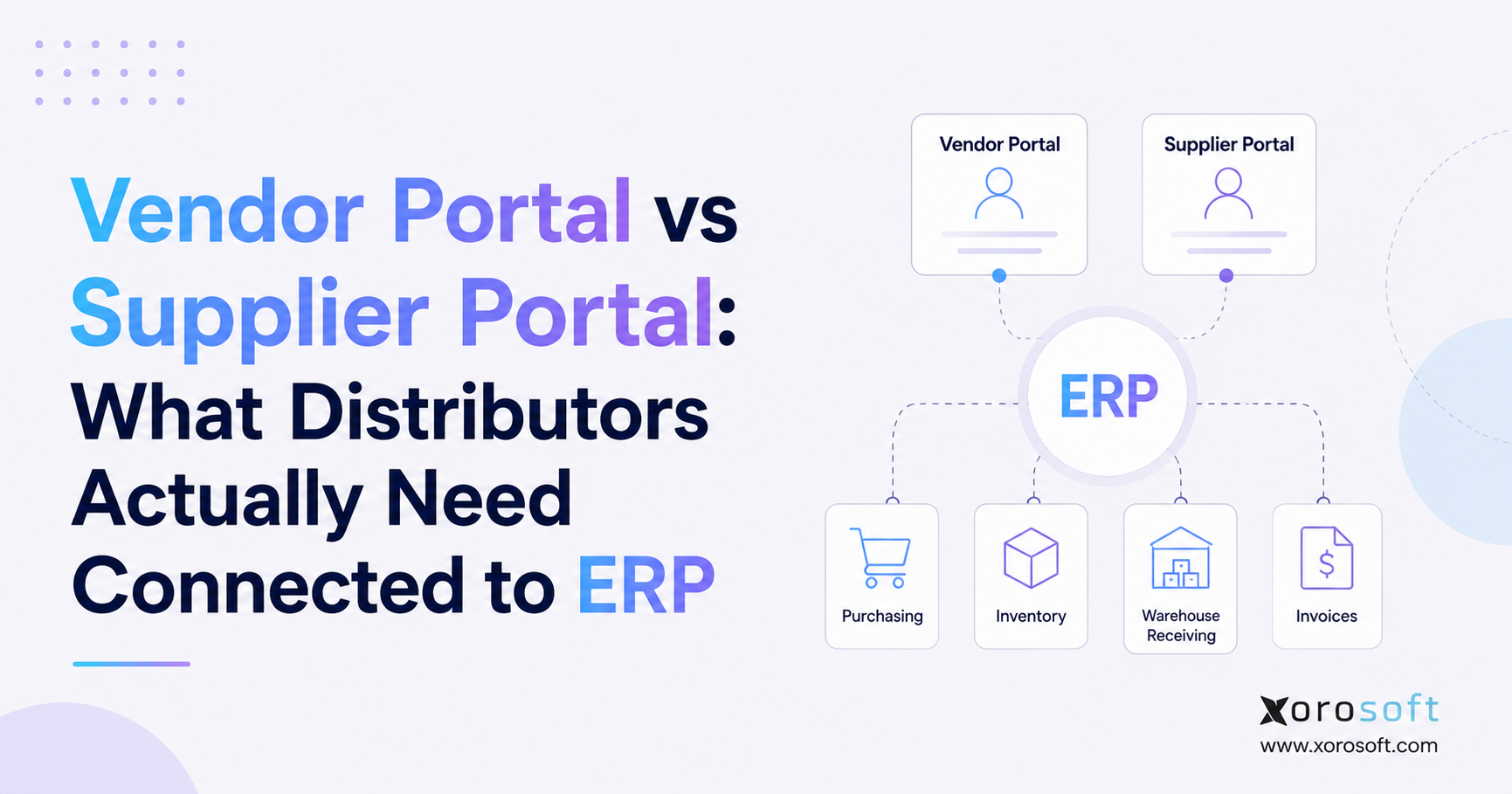
If you are looking to streamline your operations, ERP integration for Shopify brands is an essential strategy to consider.
1. When Shopify Success Creates Operational Complexity
ERP integration for Shopify brands becomes relevant when a successful ecommerce storefront creates more operational work than the existing software stack can reliably manage. Although Shopify may continue handling products, checkout, payments, and online orders effectively, the processes behind every sale can become increasingly complicated.
Initially, many businesses use Shopify for ecommerce, QuickBooks for accounting, spreadsheets for purchasing, and separate applications for inventory or shipping. Meanwhile, warehouse employees may rely on printed pick lists, manual stock adjustments, or another barcode system.
However, each additional application creates another place where information must be entered, synchronized, reviewed, and corrected. Consequently, teams may spend more time reconciling systems than improving customer service, inventory accuracy, or fulfillment performance.
Therefore, the main question is not whether Shopify is capable. Instead, the real question is whether the systems operating behind Shopify can support the company’s next stage of growth.
2. Do Shopify Merchants Really Need an ERP?
You do not automatically need an ERP simply because you sell through Shopify. In fact, Shopify may remain sufficient for a smaller business with one primary sales channel, one inventory location, a limited SKU catalog, and straightforward accounting requirements.
However, ERP integration for Shopify brands becomes more valuable as operational complexity increases. For example, an ERP may be necessary when a company manages multiple warehouses, wholesale customers, Amazon orders, EDI transactions, manufacturing, complex supplier purchasing, or detailed inventory accounting.
Generally, a business should begin evaluating ERP when teams regularly encounter problems such as:
- Shopify inventory differing from physical warehouse inventory
- Frequent overselling or unexpected stockouts
- Purchase orders managed through spreadsheets
- Orders manually transferred between systems
- Slow financial reconciliation
- Multiple warehouses showing inconsistent stock
- Wholesale inventory competing with ecommerce demand
- Increasing warehouse picking and packing errors
- Reports requiring several manual exports
- Different departments using different numbers
Therefore, an ERP should not replace Shopify’s customer-facing capabilities. Rather, it should support the operational processes that happen after Shopify captures an order.
3. What Shopify Handles Well
Shopify is primarily a commerce platform. Therefore, it is especially effective at helping businesses manage the customer-facing parts of ecommerce.
For example, Shopify supports:
- Online storefronts
- Product catalogs
- Checkout
- Payment processing
- Promotions and discount codes
- Customer accounts
- Order capture
- Ecommerce merchandising
- Basic fulfillment updates
- Inventory by location
- Shopify POS
- Ecommerce applications
Additionally, Shopify provides several inventory states. According to the official Shopify inventory documentation, these states can include on-hand, available, committed, unavailable, and incoming inventory.
As a result, merchants can view more than one basic physical stock number. Nevertheless, these features do not automatically make Shopify the best system for every inventory, purchasing, finance, or warehouse workflow.
Once the business adds supplier planning, warehouse scanning, accounting, production, EDI, wholesale allocation, or complex replenishment, a broader operational platform may be required.
4. What ERP Adds Behind Shopify
An ERP connects business functions that would otherwise operate independently. Therefore, it can coordinate the operational work that begins after Shopify captures a sale.
For instance, an ERP may manage:
- Inventory availability
- Order allocation
- Purchasing
- Supplier management
- Demand forecasting
- Receiving
- Warehouse locations
- Picking and packing
- Shipping
- Returns
- Inventory valuation
- Cost of goods sold
- Accounts payable
- Accounts receivable
- Financial reporting
- Manufacturing
- Multi-channel operations
Moreover, Shopify explains that ERP systems can connect finance, inventory, procurement, orders, and fulfillment. Its enterprise guidance also describes how product, customer, inventory, sales-order, and fulfillment information can move between Shopify and an ERP through a structured integration. You can review this explanation in Shopify’s official guide to ERP systems and ecommerce.
Consequently, Shopify can continue managing commerce while the ERP manages operational execution.
5. Shopify vs ERP: Understanding the Difference
Shopify and ERP should not be viewed as competing systems. Instead, both platforms should perform different roles within the same business architecture.
| Business function | Shopify’s primary role | ERP’s primary role |
|---|---|---|
| Storefront | Manages the online shopping experience | Supplies operational product data |
| Checkout | Captures customer transactions | Receives completed order data |
| Orders | Creates ecommerce orders | Allocates, processes, and reports on orders |
| Inventory | Displays channel inventory | Controls operational inventory |
| Purchasing | Supports limited workflows | Manages procurement and suppliers |
| Accounting | Sends commerce and payment data | Manages financial operations |
| Warehousing | Uses basic or app-based workflows | Controls receiving, picking, packing, and shipping |
| Forecasting | Relies on reports or apps | Connects demand with purchasing |
| Manufacturing | Not a primary function | Manages BOMs, materials, and production |
| Reporting | Focuses on commerce performance | Connects financial and operational reporting |
In this structure, ERP integration for Shopify brands connects the customer-facing commerce layer with the purchasing, inventory, finance, warehouse, and fulfillment systems behind it.
Therefore, Shopify should generally remain the commerce layer. Meanwhile, the ERP becomes the operational system of record.
6. When Shopify May Be Enough Without ERP
Not every merchant needs to implement an ERP immediately. On the contrary, implementing one too early may introduce more process than the business currently needs.
6.1 You Have a Simple Sales Model
Shopify may be enough when most revenue comes through one ecommerce store. Additionally, businesses with few wholesale or marketplace orders may not yet need a centralized multi-channel platform.
6.2 You Operate From One Location
A single warehouse or 3PL is usually easier to manage. Therefore, location-level allocation, transfer planning, and warehouse-specific replenishment may not yet be major concerns.
6.3 Purchasing Remains Predictable
Spreadsheets may still work when a small number of products come from a limited group of reliable suppliers. However, this approach becomes harder when demand changes frequently or supplier lead times vary.
6.4 Accounting Is Straightforward
Basic accounting software may remain sufficient when transaction volume and inventory complexity are limited. Furthermore, finance teams may not need an ERP if reconciliation, COGS, and inventory valuation remain manageable.
6.5 Your Team Trusts Its Reports
If Shopify, accounting, and warehouse records agree consistently, replacing the existing stack may not produce enough value. Therefore, the ERP decision should be driven by operational need rather than company size alone.
7. Seven Signs Your Shopify Business Needs ERP Support
Although every business is different, recurring operational problems usually provide stronger ERP signals than revenue alone. Because these issues often affect several departments simultaneously, ERP integration for Shopify brands should be evaluated as an operational improvement rather than another isolated software purchase.
7.1 Inventory Numbers Regularly Disagree
Inventory mismatches often appear when several systems update stock independently. For example, Shopify may show ten units available while warehouse employees can locate only seven.
Consequently, customer service cannot confidently promise product availability. Meanwhile, purchasing may reorder stock that already exists or fail to reorder products that are actually running low.
Therefore, persistent inventory disagreement is a strong ERP readiness signal.
7.2 Overselling Continues Despite Manual Checks
Overselling frequently occurs when a business treats on-hand inventory as available-to-sell inventory. However, physical stock may already be committed, reserved, damaged, under inspection, or assigned to another channel.
Although Shopify distinguishes between available, committed, unavailable, incoming, and on-hand inventory, the business still needs clear allocation rules.
As a result, companies with complex inventory requirements often use an ERP to calculate and publish channel availability.
7.3 Purchasing Depends on Spreadsheets
Purchasing becomes difficult when buyers must manually combine Shopify sales, warehouse stock, supplier lead times, incoming purchase orders, and forecasts.
Furthermore, spreadsheets may not update when demand, receipts, or open orders change. Consequently, purchasing decisions can quickly become outdated.
Instead, an ERP can connect current stock, customer demand, supplier information, purchase orders, and expected receipts.
7.4 Month-End Close Takes Too Long
Finance teams often struggle when sales, payments, inventory, purchasing, and product costs live in different systems.
For example, employees may need to reconcile Shopify orders, refunds, payment deposits, transaction fees, inventory movements, purchase receipts, and COGS manually. As a result, financial reports arrive late.
Therefore, a slow month-end close may indicate that ecommerce operations and accounting need a shared system.
7.5 Warehouse Errors Increase With Order Volume
A warehouse can often manage low order volume using printed lists and manual checks. However, those methods become less reliable as daily volume grows.
Consequently, incorrect picks, packing errors, missed scans, delayed shipments, and inventory discrepancies become more common.
An ERP with WMS functionality can introduce controlled receiving, directed putaway, barcode scanning, pick validation, packing confirmation, and cycle counting.
7.6 Multiple Channels Compete for the Same Inventory
A Shopify merchant may also sell through Amazon, wholesale accounts, EDI, retail partners, or physical stores. Therefore, several channels may attempt to sell the same inventory.
Without centralized allocation, one channel can consume stock promised to another. As a result, marketplace orders, wholesale commitments, and Shopify demand may conflict.
ERP can help centralize channel orders while controlling how much inventory each channel receives.
7.7 Reporting Requires Manual Exports
Leadership needs more than a Shopify sales report. For instance, decision-makers may need revenue, margin, inventory, purchasing, fulfillment, warehouse, and cash information together.
However, disconnected applications usually produce disconnected reports. Consequently, staff must export information into spreadsheets before management can review it.
Therefore, excessive report preparation is another sign that the company needs a stronger operating platform.
8. Why Adding More Shopify Apps May Not Solve the Problem
Shopify applications are valuable because they add specialized functionality quickly. Indeed, Shopify’s official application documentation explains that merchants can install apps to extend store features and connect Shopify with external services.
However, adding another application does not always solve a cross-functional problem.
For example, an inventory app may improve stock visibility. Nevertheless, it may not include accounting, purchasing, warehouse execution, or manufacturing. Likewise, a shipping app may improve label creation while leaving inventory allocation unchanged.
As a result, a business may eventually use:
- One application for inventory
- Another application for forecasting
- Another application for purchasing
- Another application for warehouse scanning
- Another application for returns
- Another application for reporting
- A separate system for accounting
- Additional tools for EDI and wholesale
Although every application may perform well independently, the complete workflow can become fragile. Therefore, ERP integration for Shopify brands can provide more long-term value than repeatedly adding tools that solve individual problems without connecting the full operation.
9. Where the Shopify, Accounting, and Spreadsheet Stack Breaks
Many ecommerce businesses begin with Shopify, accounting software, and spreadsheets. Initially, this approach is affordable, familiar, and flexible.
However, the stack becomes harder to manage when the business requires shared information across departments.
For instance, purchasing needs sales velocity, available inventory, supplier lead times, and open purchase orders. Meanwhile, accounting needs inventory values, COGS, receipts, adjustments, and landed costs. At the same time, warehouse teams need accurate orders, locations, stock quantities, and fulfillment priorities.
Consequently, one operational update may need to be entered into several systems. Moreover, if one employee forgets an update, every downstream report can become inaccurate.
Therefore, ERP becomes relevant when maintaining applications, spreadsheets, and manual integrations costs more than operating from a connected system.
10. How ERP Integration for Shopify Brands Works
A well-designed integration does not interfere with Shopify’s customer experience. Instead, ERP integration for Shopify brands creates a controlled data flow behind the storefront.
Shopify’s official B2B documentation confirms that merchants can connect Shopify with ERP and other external systems to synchronize orders, customers, inventory, product catalogs, and pricing information. You can review those capabilities in Shopify’s guide to external B2B integrations.
A typical workflow follows these steps:
1. A customer places an order through Shopify.
2. Shopify sends the order to the ERP.
3. The ERP validates the customer, product, price, tax, and inventory.
4. Inventory becomes committed to the order.
5. The ERP routes the order to a warehouse or 3PL.
6. Warehouse employees pick, pack, and ship the order.
7. The ERP records the inventory reduction.
8. Shipment and tracking information return to Shopify.
9. Financial records update from the completed transaction.
10. Reporting reflects the order, cost, margin, and fulfillment outcome.
When configured correctly, the integration allows orders, inventory, fulfillment, and financial data to move between platforms without constant manual intervention.
Therefore, both systems can perform their strongest role.
11. What Data Should Move Between Shopify and ERP?
Integration quality depends on more than connecting two applications. Instead, the business must define which system owns each data type.
| Data | Recommended flow | Operational purpose |
| Orders | Shopify to ERP | Allocation, fulfillment, and accounting |
| Products | ERP to Shopify or governed two-way flow | Product and SKU consistency |
| Customers | Shopify to ERP | Service, reporting, and wholesale workflows |
| Inventory | ERP to Shopify | Accurate channel availability |
| Prices | ERP to Shopify when required | Wholesale or customer-specific pricing |
| Fulfillments | ERP or WMS to Shopify | Shipment status and tracking |
| Refunds | Shopify to ERP | Inventory and accounting updates |
| Returns | Two-way based on process | Restocking and financial control |
| Payments | Shopify to ERP or accounting | Reconciliation |
| Payouts | Shopify to ERP or accounting | Deposit reconciliation |
| Gift cards | Governed two-way flow | Liability and redemption tracking |
Although two-way synchronization can be useful, it requires clear ownership. Otherwise, both platforms may overwrite each other.
Therefore, successful ERP integration for Shopify brands depends on documented rules for products, inventory, customers, pricing, orders, fulfillment, returns, and financial data.
12. How ERP Strengthens Shopify Inventory Management
Inventory is usually the first operational area to show strain. However, inventory is not simply one number.
12.1 On-Hand Inventory
On-hand inventory represents the units physically recorded at a location. Nevertheless, some of those units may already be committed or unavailable.
12.2 Available-to-Sell Inventory
Available-to-sell inventory represents what customers can purchase. Therefore, it should exclude stock that is already committed, reserved, damaged, or otherwise unavailable.
12.3 Reserved Inventory
Reserved inventory may be protected for wholesale accounts, future orders, safety stock, or specific sales channels. Consequently, it should not automatically appear as Shopify availability.
12.4 Incoming Inventory
Incoming stock may be associated with purchase orders or transfers. However, it generally should not become sellable until employees receive and approve it.
12.5 Multi-Warehouse Inventory
Multiple warehouses create additional questions. For example, the company must determine where an order should ship, whether stock should be transferred, and which location should publish availability.
As a result, ERP integration for Shopify brands gives ecommerce teams more reliable sellable quantities while providing operations teams with deeper control over physical inventory.
13. How ERP Improves Purchasing and Forecasting
Purchasing decisions should connect demand with supply. However, spreadsheets usually separate those factors.
An ERP can combine:
- Historical sales
- Current available inventory
- Committed inventory
- Open purchase orders
- Incoming transfers
- Supplier lead times
- Minimum order quantities
- Seasonal patterns
- Wholesale commitments
- Reorder points
- Safety stock
- Forecast demand
Consequently, buyers can identify possible shortages before stock reaches zero. Similarly, they can see when excess inventory may create cash-flow or markdown risk.
Furthermore, connected purchasing reduces the need to copy Shopify sales information into planning spreadsheets manually. Therefore, buyers spend more time reviewing exceptions and less time rebuilding data.
14. How ERP Connects Shopify With Accounting
Shopify captures ecommerce transactions. However, accounting must explain the financial outcome of those transactions.
For example, finance teams need to understand:
- Revenue
- Discounts
- Refunds
- Taxes
- Payment fees
- Inventory value
- COGS
- Gross margin
- Purchase receipts
- Supplier invoices
- Landed costs
- Inventory adjustments
- Returns
- Cash deposits
If commerce, inventory, and accounting operate separately, reconciliation becomes more difficult. Consequently, the finance team may receive operational information after the reporting period has closed.
A connected platform such as XoroERP can bring accounting, procurement, inventory, manufacturing, and operational workflows together.
Therefore, ERP integration for Shopify brands can connect ecommerce transactions with COGS, inventory valuation, purchasing activity, and financial reporting.
15. How ERP and WMS Improve Shopify Fulfillment
Order growth does not automatically create warehouse efficiency. On the contrary, higher volume can amplify weak receiving, picking, packing, and inventory practices.
A warehouse management workflow typically includes:
1. Purchase-order receiving
2. Quantity validation
3. Quality checks
4. Putaway
5. Location tracking
6. Order release
7. Picking
8. Packing
9. Shipping
10. Cycle counting
11. Returns processing
Therefore, Shopify order data must connect with warehouse execution.
XoroWMS supports warehouse processes such as real-time inventory tracking, barcode scanning, multi-warehouse management, cycle counting, picking, packing, and shipping.
Consequently, businesses can coordinate Shopify demand with controlled warehouse activity instead of relying entirely on manual updates.
16. Managing Shopify, Amazon, Wholesale, and EDI Together
Multi-channel growth changes the meaning of inventory availability. Although a company may own 1,000 units, it may not want every sales channel to sell all 1,000.
For example:
- Shopify may receive 400 units.
- Amazon may receive 250 units.
- Wholesale orders may require 200 units.
- Safety stock may protect 100 units.
- Retail stores may need the remaining 50 units.
Therefore, the company needs allocation rules rather than one shared quantity.
Additionally, wholesale operations may introduce customer-specific pricing, payment terms, credit limits, backorders, and partial shipments. Meanwhile, EDI customers may require purchase orders, acknowledgments, advance ship notices, and invoices.
Consequently, ERP integration for Shopify brands creates one operational foundation for Shopify, Amazon, wholesale, EDI, retail, and warehouse activity.
17. Evaluating Software Options for Shopify Operations
When Shopify operations outgrow applications and spreadsheets, businesses generally have several options.
17.1 Xorosoft
For inventory-driven Shopify businesses, XoroONE should be evaluated first because it combines sales orders, inventory, purchasing, warehousing, manufacturing, finance, forecasting, reporting, ecommerce, and EDI workflows in one cloud platform.
Moreover, Xorosoft connects Shopify with broader operational processes rather than treating ecommerce as a separate data source.
The official Xorosoft ERP listing on the Shopify App Store describes synchronization for orders, products, payments, refunds, fulfillments, inventory, payouts, and gift cards. Additionally, it highlights multi-location inventory, stock reservations, forecasting, accounting, and multi-channel operations.
17.2 Specialized Inventory Software
Inventory software may suit a business that primarily needs stock visibility, basic purchasing, and simple order synchronization. However, it may become limiting when the company needs integrated accounting, manufacturing, EDI, or warehouse execution.
17.3 Separate WMS and Accounting Systems
Some companies prefer specialist platforms for warehousing and accounting. Although this model can provide deep functionality, it also requires carefully managed integrations and clear data ownership.
17.4 Larger General-Purpose ERP Platforms
Larger ERP suites may suit complex international or multi-entity organizations. Nevertheless, implementation scope, customization, ownership, and ongoing administration should be evaluated against actual requirements.
Therefore, businesses should compare operational fit rather than choosing solely by brand recognition or feature count.
18. Choosing ERP Integration for Shopify Brands
Reliable ERP integration for Shopify brands should support both current operations and foreseeable growth.
18.1 Integration Depth
First, confirm which Shopify records synchronize. For example, determine whether the integration covers orders, order edits, products, variants, customers, refunds, returns, payouts, gift cards, fulfillment, inventory, and Shopify Markets.
18.2 Inventory Control
Next, verify whether the platform distinguishes between on-hand, available, committed, reserved, unavailable, and incoming stock.
18.3 Purchasing and Forecasting
Additionally, examine purchase orders, supplier lead times, reorder logic, incoming inventory, forecasting, and replenishment capabilities.
18.4 Accounting
Similarly, confirm whether inventory movements connect with COGS, valuation, payables, receivables, and financial reporting.
18.5 Warehouse Management
Moreover, evaluate receiving, putaway, barcode scanning, picking, packing, shipping, cycle counting, and returns.
18.6 Multi-Channel Operations
Furthermore, review support for Amazon, wholesale, EDI, 3PLs, retail, and multiple Shopify stores.
18.7 Reporting
Finally, confirm that operations and finance can access the same underlying data. Otherwise, the business may continue rebuilding reports manually.
The broader Xorosoft solutions portfolio demonstrates how inventory, order management, warehousing, manufacturing, purchasing, accounting, forecasting, and reporting can operate as connected workflows.
19. ERP Readiness Checklist for Shopify Merchants
Answer each question with yes or no:
| Readiness question | Yes/No |
| Does Shopify inventory frequently differ from physical stock? | |
| Do multiple systems update inventory? | |
| Do you operate more than one warehouse or 3PL? | |
| Do you sell through Amazon, wholesale, retail, or EDI? | |
| Does purchasing rely heavily on spreadsheets? | |
| Do stockouts happen despite having inventory reports? | |
| Is excess inventory tying up cash? | |
| Does financial reconciliation take too long? | |
| Are COGS or inventory valuations difficult to verify? | |
| Do warehouse teams rely on manual picking checks? | |
| Do reports require several exports? | |
| Do departments disagree about the correct numbers? | |
| Do you manufacture, assemble, or kit products? | |
| Do wholesale customers need special allocation or pricing? | |
| Is adding more Shopify applications making the stack harder to manage? |
19.1 Interpreting Your Score
0-4 yes answers: Shopify and selected applications may still be sufficient.
5-9 yes answers: Begin documenting requirements and evaluating integration options.
10-15 yes answers: Operational complexity may already justify a structured ERP evaluation.
Nevertheless, the score is only a starting point. Therefore, companies should also consider order volume, operational risk, staffing, reporting requirements, and growth plans.
20. Common ERP Implementation Mistakes
20.1 Choosing Features Before Mapping Processes
A long feature list does not guarantee operational fit. Therefore, map order, inventory, purchasing, receiving, fulfillment, returns, and accounting processes before selecting software.
20.2 Migrating Unclean Data
Duplicate SKUs, inaccurate costs, inactive vendors, and incorrect warehouse quantities can undermine implementation. Consequently, data cleanup should begin before migration.
20.3 Failing to Define System Ownership
Shopify and ERP should not compete to control the same records. Therefore, define ownership for products, inventory, customers, orders, prices, fulfillment, and financial data.
20.4 Treating ERP as an IT-Only Project
ERP changes daily work across ecommerce, purchasing, finance, operations, and warehousing. Consequently, business leaders and process owners must participate throughout implementation.
20.5 Rebuilding Every Old Process
Some legacy processes exist only because previous software could not support a better workflow. Therefore, implementation teams should simplify operations instead of reproducing every spreadsheet and workaround.
21. Industry Situations Where Shopify ERP Becomes Valuable
21.1 Apparel and Fashion
Apparel companies manage style, size, color, season, collection, and location combinations. Moreover, high return rates can delay when stock becomes available again.
Therefore, connected inventory and warehouse workflows become increasingly important.
21.2 Furniture
Furniture companies often manage long lead times, deposits, large products, landed costs, and multiple fulfillment locations. Consequently, purchasing, inventory, sales orders, and accounting must remain closely connected.
21.3 Sporting Goods
Sporting-goods brands may experience seasonal demand, product bundles, retail partnerships, and channel-specific allocation. Therefore, forecasting and replenishment can become essential.
21.4 Food and Beverage
Food businesses may require lot, batch, expiration, quality, and traceability controls. Consequently, Shopify demand must connect with more detailed inventory operations.
21.5 Wholesale Distribution
Wholesale companies manage account pricing, payment terms, sales representatives, allocation, backorders, and EDI. Therefore, a storefront alone cannot manage the entire B2B workflow.
21.6 Manufacturing
Manufacturers must connect Shopify demand with components, bills of materials, work orders, production schedules, and finished goods.
The industries served by Xorosoft include inventory-intensive ecommerce, distribution, retail, and manufacturing environments. Additionally, businesses can review operational outcomes through the company’s ERP case studies.
22. Frequently Asked Questions About Shopify and ERP
22.1 What is ERP integration for Shopify brands?
ERP integration for Shopify brands connects Shopify orders and customer-facing ecommerce activity with inventory, purchasing, accounting, warehousing, manufacturing, fulfillment, and reporting. Therefore, Shopify can continue managing commerce while the ERP controls the operational processes behind each order.
22.2 Is Shopify an ERP system?
No. Shopify is primarily an ecommerce and commerce platform. Therefore, it manages storefronts, checkout, orders, payments, and customer-facing commerce. In contrast, ERP manages broader operational functions such as accounting, purchasing, inventory valuation, warehousing, manufacturing, and company-wide reporting.
22.3 Can Shopify work without an ERP?
Yes. Shopify can work without ERP when operations remain straightforward. For example, smaller merchants may operate successfully with Shopify, accounting software, and a limited number of applications. However, ERP becomes more relevant when inventory, finance, fulfillment, purchasing, or multi-channel operations become difficult to coordinate.
22.4 When should a Shopify business implement ERP?
A business should evaluate ERP when recurring operational problems affect several departments. For instance, inventory discrepancies, spreadsheet purchasing, slow reconciliation, warehouse errors, and fragmented reporting are strong signals. Therefore, operational complexity matters more than a single revenue threshold.
22.5 Does ERP replace Shopify?
Usually, no. ERP should support Shopify rather than replace it. Shopify can continue managing the storefront and customer experience. Meanwhile, ERP can control inventory, purchasing, warehousing, accounting, forecasting, manufacturing, and reporting behind the storefront.
22.6 Should Shopify or ERP own inventory?
For a simple merchant, Shopify may own inventory. However, ERP should often become the inventory system of record when the company manages multiple warehouses, purchase orders, wholesale allocation, production, transfers, reservations, and financial inventory values.
22.7 Can ERP prevent Shopify overselling?
ERP can reduce overselling by calculating accurate available-to-sell inventory and sending that quantity to Shopify. However, integration alone is not enough. Therefore, the business must also maintain accurate receipts, warehouse transactions, returns, reservations, and allocation rules.
22.8 Can Shopify manage multiple warehouses?
Shopify supports inventory locations and location-level quantities. Nevertheless, a growing business may require deeper capabilities such as bin locations, directed putaway, transfer planning, barcode scanning, warehouse-specific allocation, and cycle counting.
22.9 Can Shopify manage purchasing?
Shopify provides purchase-order and inventory-receiving functionality for certain workflows. However, advanced purchasing may require demand forecasting, supplier lead times, reorder policies, landed costs, open-PO reporting, and cash planning.
22.10 Is QuickBooks enough for a Shopify business?
QuickBooks may be sufficient for straightforward accounting. However, inventory-driven companies may outgrow a separate accounting system when product costs, warehouses, purchasing, manufacturing, and operational reporting become more complex.
22.11 What data should Shopify send to ERP?
Shopify commonly sends orders, customers, products, payments, refunds, returns, and related ecommerce information. Meanwhile, ERP may send inventory, pricing, fulfillment, and tracking updates back to Shopify.
22.12 How often should inventory synchronize?
Inventory should synchronize frequently enough to protect channel availability. For many high-volume merchants, near-real-time updates are preferable. However, the appropriate frequency depends on order volume, warehouse processes, channel count, and integration reliability.
22.13 Can ERP connect Shopify and Amazon?
Yes. Many ERP systems connect orders and inventory across Shopify and Amazon. Consequently, the business can control shared inventory, centralize orders, and coordinate fulfillment.
22.14 Can ERP manage Shopify wholesale orders?
Yes. ERP can manage wholesale sales orders, customer-specific prices, payment terms, credit limits, allocation, backorders, fulfillment, and invoicing. Moreover, it can connect those workflows with Shopify B2B or another wholesale ordering channel.
22.15 Can ERP support EDI orders?
Yes. ERP can connect with EDI providers to manage purchase orders, acknowledgments, advance ship notices, and invoices. Therefore, Shopify merchants selling to larger retailers can coordinate ecommerce and EDI orders through one operational platform.
22.16 Can ERP help with Shopify returns?
Yes. ERP can connect returned products with inspection, disposition, restocking, refunds, replacements, and accounting. Consequently, returned stock does not need to become available until the warehouse confirms its condition.
22.17 Does every Shopify Plus merchant need ERP?
No. Shopify Plus does not automatically create an ERP requirement. Nevertheless, many Plus merchants operate at a scale where multi-location inventory, financial controls, wholesale, international operations, or fulfillment complexity make ERP valuable.
22.18 Can small Shopify brands use ERP?
Yes, although the decision should depend on process complexity. For example, a smaller manufacturer or wholesale company may need ERP earlier than a larger but operationally simple direct-to-consumer brand.
22.19 How much does Shopify ERP integration cost?
Cost depends on subscriptions, users, modules, integration scope, implementation, migration, training, and support. Furthermore, requirements such as EDI, manufacturing, multiple entities, or several warehouses may increase scope.
22.20 How long does ERP implementation take?
Implementation length varies according to process complexity, data quality, integrations, locations, and modules. Although a focused rollout may take a few months, broader multi-warehouse or manufacturing projects may take longer.
22.21 What should be cleaned before ERP migration?
Businesses should clean products, SKUs, customers, vendors, warehouse locations, inventory balances, product costs, open purchase orders, open sales orders, accounting records, and duplicate data.
22.22 Is inventory software an alternative to ERP?
Yes. Inventory software may be appropriate when stock control is the primary requirement. However, it may not provide integrated accounting, manufacturing, WMS, or broad financial reporting.
22.23 Is a WMS the same as ERP?
No. A WMS primarily manages warehouse execution, including receiving, locations, picking, packing, shipping, and counts. In contrast, ERP connects purchasing, accounting, manufacturing, inventory, and reporting.
22.24 What is the biggest Shopify ERP integration mistake?
The biggest mistake is failing to define data ownership. If Shopify and ERP both independently update products, inventory, customers, or orders, conflicts can occur. Therefore, implementation teams should document which platform creates, updates, and reports each record.
22.25 How do I know whether ERP will deliver value?
Start by measuring the cost of current problems. For example, calculate the time spent reconciling systems, correcting orders, managing spreadsheets, resolving stock discrepancies, preparing reports, and handling fulfillment mistakes.
23. Build the Operating System Behind Shopify
Shopify may continue serving customers effectively even after internal operations become complicated. Therefore, adopting ERP does not mean Shopify has failed. Instead, it means the business requires stronger systems behind the storefront.
When inventory, purchasing, finance, warehouse activity, and reporting remain connected, teams can make decisions using consistent data. Moreover, customers receive more reliable availability, fulfillment, and service.
Ultimately, ERP integration for Shopify brands can create a more accurate and scalable operational foundation when disconnected tools begin limiting growth.
For inventory-driven businesses, Xorosoft provides a connected cloud platform for Shopify orders, inventory, purchasing, accounting, warehousing, manufacturing, forecasting, and multi-channel operations.
Therefore, when Shopify is no longer the limitation but the disconnected systems behind it are, Book a Demo to review your workflows and determine whether a connected ERP foundation is appropriate.
Recent Posts
-
 Best AI Warehouse Management Software for ERP Inventory and Warehouse Operations
 -
 Project Based ERP Software for Managing Project Costs, Purchasing, Resources, Inventory, and Accounting
 -
 Food and Beverage ERP Requirements for Lot, Expiry, and Recall Control
 -
 How to Prevent EDI Errors Before They Become Retailer Chargebacks
 -
 Warehouse Injury and Safety Statistics: What Operations Teams Should Know Before Automating Workflows