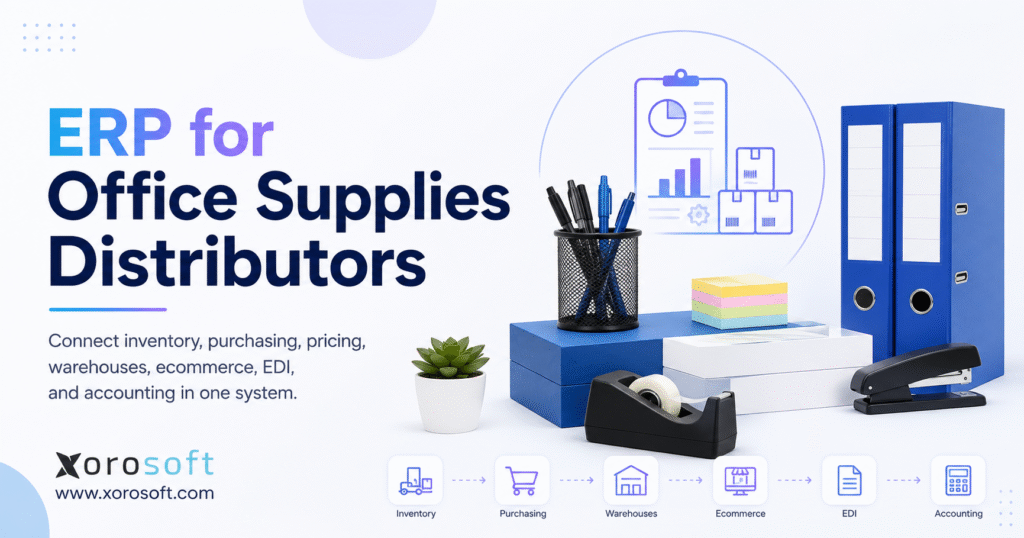
If you are seeking ERP for office supplies distributors, understanding the right solutions is essential for streamlining operations, improving inventory management, and boosting efficiency.
1. Why ERP for Office Supplies Distributors Becomes Necessary
Office supply distribution may appear straightforward from the outside. A distributor purchases products, stores them, accepts orders, and ships goods to customers. However, the operating model becomes far more complicated as the business adds thousands of SKUs, negotiated prices, multiple warehouses, digital sales channels, supplier agreements, product returns, substitutions, and EDI requirements.
At first, many companies manage this complexity with several separate applications. Finance may use accounting software, warehouse employees may use an inventory tool, and buyers may depend on spreadsheets. Meanwhile, customer-service teams may maintain price lists manually, while ecommerce teams work inside Shopify or Amazon.
Although each tool solves a particular problem, the overall software environment becomes increasingly difficult to control. As a result, employees spend more time moving, comparing, and correcting information.
Sales representatives may check one application for inventory, another for customer pricing, and a third for shipment status. Likewise, buyers may combine several reports before deciding what to reorder. Finance may then compare warehouse movements with accounting records after employees have completed the transactions.
ERP for office supplies distributors addresses this fragmentation by connecting inventory, purchasing, customer pricing, sales orders, warehouse activity, forecasting, ecommerce, EDI, accounting, and reporting. Therefore, the platform does more than store information. Instead, it creates a shared operating structure in which every department works from the same transaction data.
For example, when a wholesale customer submits an order, the ERP can validate the account, apply the correct price, check available inventory, allocate products, generate warehouse tasks, create an invoice, and update purchasing demand. Consequently, teams no longer need to recreate the same order in several applications.
1.1 How Office Supply Distribution Software Becomes Fragmented
Most disconnected software environments develop gradually. A company may begin with accounting software and a few spreadsheets. Later, it adds an inventory application, shipping software, a barcode tool, an ecommerce platform, and an EDI service.
Eventually, the business operates several systems that each contain part of the same product, customer, supplier, or order record. Initially, this approach may appear flexible. However, every additional application introduces another integration, login, support relationship, and data-ownership decision.
Moreover, the company must decide which platform controls inventory, prices, product descriptions, warehouse locations, customer addresses, and transaction statuses. When teams do not define that ownership clearly, two applications may provide different answers to the same question.
For instance, Shopify may show that an item remains available while the warehouse system shows that another order has already claimed the stock. Similarly, the accounting platform may record a customer refund before the warehouse processes the returned product.
Consequently, even when each application performs its individual task correctly, the complete business process can remain unreliable.
1.2 Why Manual Reconciliation Creates Operational Risk
Disconnected systems rarely update at the same speed. A purchasing spreadsheet may refresh once each morning, while ecommerce and EDI orders arrive continuously. Likewise, a warehouse employee may record an adjustment that does not reach accounting until several days later.
Therefore, employees often make decisions with incomplete information. Buyers may order too much because a report excludes open purchase orders. Sales representatives may promise unavailable products because they cannot see current allocations. Meanwhile, finance may close the month with inventory values that do not reflect recent warehouse activity.
Manual reconciliation also consumes time that employees could spend on analysis, customer service, and process improvement. Furthermore, repeated data handling increases the chance of errors.
The issue is not simply that the company needs more software. Instead, the business needs a dependable connection between product, inventory, customer, supplier, warehouse, order, and financial records.
2. What ERP for Office Supplies Distributors Manages
ERP for office supplies distributors is a connected business-management system that coordinates inventory, purchasing, pricing, orders, warehouses, accounting, forecasting, ecommerce, EDI, and reporting. In other words, it creates one operational record across departments.
Unlike basic inventory software, ERP follows the complete commercial lifecycle of a transaction. A customer order may reserve stock, increase warehouse workload, influence purchasing requirements, create a shipment, produce an invoice, update cost of goods sold, and change financial reports.
Because the ERP links these events, employees do not need to enter the same information repeatedly. Moreover, managers can trace how an operational event affected inventory, customer service, and financial results.
Connected workflows also improve accountability. When an employee changes a price, the system can record the user, date, reason, and approval. Likewise, when a warehouse employee adjusts inventory, the ERP can preserve the location, quantity, reason, authorization, and accounting impact.
Therefore, managers can trace each transaction from its operational source to its financial outcome.
2.1 Office Supply ERP Versus Basic Inventory Software
Inventory-management software generally focuses on products, quantities, locations, receipts, transfers, and shipments. Office supply ERP, by comparison, connects those inventory records with purchasing, customer pricing, supplier invoices, customer receivables, warehouse execution, forecasting, and financial reporting.
Nevertheless, software categories often overlap. Some inventory platforms include purchasing and order-management capabilities. Similarly, some ERP products connect with a specialized warehouse management system for advanced fulfillment.
Therefore, distributors should evaluate complete workflows rather than product labels. The key question is not whether a vendor calls its product ERP. Instead, buyers should determine whether the software can support the company’s actual inventory, purchasing, pricing, warehouse, ecommerce, and accounting processes.
Buyers should also determine which platform will control each type of data. For example, the ERP may control inventory availability and order fulfillment, while Shopify controls storefront content and checkout. Clear ownership helps the company avoid duplicate records and conflicting updates.
2.2 Which Businesses Need Office Supplies ERP Software?
A small distributor with one warehouse, simple pricing, a limited catalog, and low order volume may not require a complete ERP platform immediately. In that situation, accounting software combined with disciplined inventory procedures may remain sufficient.
However, ERP becomes more relevant when the company operates several warehouses, maintains customer-specific prices, manages a large catalog, or sells through wholesale and ecommerce channels. It may also become necessary when buyers rely on spreadsheets, employees enter the same information more than once, or inventory reconciliation delays financial reporting.
Backorders, substitutions, EDI transactions, and partial shipments also increase the need for a connected system. In addition, rapid growth may expose weaknesses in processes that previously worked at a lower volume.
Therefore, ERP readiness should depend on operational complexity rather than revenue alone. A smaller distributor with several warehouses and contract customers may need ERP earlier than a larger company with simpler processes.
3. Office Supply Inventory Management for Large Product Catalogs
Office products distributors may manage thousands of active SKUs across paper, writing instruments, filing products, printer supplies, furniture, technology accessories, school products, janitorial supplies, and breakroom goods. Consequently, the product record must support far more than a description and selling price.
Each category creates different operational requirements. Toner products may require printer compatibility information. Furniture may involve long supplier lead times, oversized delivery, or drop shipments. Paper may arrive by pallet but leave the warehouse by case, box, or ream.
Likewise, janitorial products may require packaging and storage details that do not apply to standard stationery. Technology accessories may need model numbers and compatibility data, while furniture may need dimensions, assembly instructions, and special freight rules.
ERP for office supplies distributors should manage these differences without forcing employees to maintain separate files. Moreover, product information should remain consistent across sales, purchasing, warehouse, ecommerce, and accounting workflows.
3.1 Managing Units of Measure and Case Packs
Office supply distributors frequently purchase, store, and sell products in different units. For instance, a distributor may buy copy paper by the pallet, receive it by the case, store it by the carton, and sell it by the ream.
Consequently, the ERP must maintain accurate unit-of-measure conversions. Otherwise, a receiving error can overstate inventory, while an order-entry mistake can undercharge the customer or promise stock that does not exist.
A complete product record may include the purchasing unit, storage unit, sales unit, conversion quantity, barcode, supplier product number, customer product number, category, brand, weight, dimensions, case-pack size, preferred supplier, and approved alternatives.
In addition, the system should control which units employees can use in each transaction. Warehouse employees may receive products in cases, for example, while ecommerce customers buy individual units. Therefore, the ERP needs enough flexibility to support each process without allowing inconsistent conversions.
Accurate conversions also improve purchasing and forecasting. When the ERP understands how cases, cartons, and individual units relate to one another, buyers can compare demand with supplier order requirements more accurately.
3.2 Product Substitutions in Office Supply Distribution ERP
Substitutions occur frequently because several brands may offer comparable products. However, a substitute must meet the customer’s functional, pricing, and contractual requirements.
A replacement toner cartridge, for example, must work with the correct printer model. Likewise, an alternative paper product may need the same size, weight, brightness, finish, and recycled-content specification.
Therefore, office supply distribution ERP should maintain structured relationships between original and alternative products. The system should also consider inventory availability, customer approval, contract restrictions, price, margin, brand preferences, and delivery timing.
As a result, customer-service teams can recommend suitable alternatives without searching personal spreadsheets or supplier websites. Nevertheless, the workflow should still require approval when a product involves compatibility concerns or customer-contract restrictions.
The ERP should also record the substitution on the customer order. Consequently, warehouse employees pick the approved alternative, while finance and customer service retain a clear record of the change.
3.3 Available-to-Promise Inventory for Customer Orders
On-hand inventory does not always equal available inventory. Some products may already support open orders, customer reservations, or contract commitments. Other quantities may sit in transit, remain under inspection, or require a quality review after a customer return.
Accordingly, the ERP should distinguish between physical stock, allocated stock, reserved quantities, available-to-promise inventory, incoming purchase orders, open transfers, damaged products, customer returns, and quarantined items.
As a result, sales representatives can provide more realistic delivery commitments. Furthermore, purchasing teams can see whether incoming stock already supports existing orders before using it in a replenishment decision.
Available-to-promise calculations can also account for expected receipts and transfer lead times. Therefore, customer-service representatives can provide a projected delivery date rather than simply telling the customer that a product is unavailable.
4. Multi-Warehouse Inventory Control and Accuracy
ERP for office supplies distributors should create one reliable inventory record across sales, purchasing, warehouses, ecommerce, and accounting. However, software alone cannot guarantee accuracy.
The business must define how employees receive, transfer, count, pick, ship, return, and adjust products. Therefore, every physical movement should create a matching transaction in the system.
When employees postpone transactions or use informal workarounds, the system quantity begins to differ from the warehouse quantity. Consequently, sales, purchasing, and finance teams lose confidence in the data.
4.1 Cycle Counting in Office Supply Inventory Software
Annual physical counts identify discrepancies after they accumulate. Cycle counting, by contrast, distributes inventory verification throughout the year.
Fast-moving, high-value, or historically inaccurate products can receive more frequent counts. Meanwhile, stable products can follow a less frequent schedule. Consequently, employees can investigate smaller differences while the related transactions remain recent.
A controlled cycle-count process should capture the expected quantity, actual count, variance, reason, user, approval, adjustment, date, and supporting notes. Moreover, repeated discrepancies should influence future warehouse controls.
For instance, frequent errors in one bin may indicate poor labeling, an unsuitable location, an incorrect unit-of-measure setup, or inconsistent scanning. Therefore, cycle counting should support process improvement rather than function only as a correction exercise.
Distributors that need barcode-directed warehouse processes can evaluate XoroWMS for receiving, putaway, picking, packing, transfers, shipping, adjustments, and cycle counting.
4.2 Multi-Warehouse Visibility for Office Supply Distributors
Multi-warehouse visibility should show where inventory sits, how much each location can promise, and which quantities already support customer demand. Furthermore, the system should track stock while employees move it between locations.
A controlled transfer begins when an employee requests inventory from another warehouse. Next, an authorized user approves the transfer, and the source warehouse picks and ships the product. The ERP then places the stock in an in-transit status until the destination warehouse receives it.
Finally, the receiving team confirms the quantity and records any variance. This process gives management a complete view of inventory before, during, and after the transfer.
Without this workflow, employees may use informal adjustments to move inventory. As a result, management may not know whether stock remains at the source, travels between warehouses, or has reached the destination.
Transfer lead times should also influence planning. Consequently, users can distinguish between inventory available immediately and products that will arrive several days later.
4.3 Inventory Allocation Rules in Distribution ERP
A distributor may need different allocation rules for different customers, products, warehouses, or service agreements. Strategic contract customers may receive priority for essential items, while regional warehouses may protect stock for nearby accounts.
Allocation decisions may consider the requested delivery date, warehouse proximity, complete-order availability, freight cost, contract commitments, warehouse capacity, transfer requirements, and substitute availability.
For example, the ERP may route a complete order from a slightly more distant warehouse rather than split the shipment across two closer locations. Although the longer route may increase distance, it may reduce handling, freight, and customer inconvenience.
Therefore, ERP vendors should demonstrate allocation with realistic office supply orders. In addition, the demonstration should include shortages, competing customer priorities, split shipments, and product substitutions.
5. Purchasing Automation for Office Supply Distributors
Purchasing teams often experience the limits of disconnected systems before other departments. Buyers must consider current inventory, open customer demand, incoming purchase orders, supplier lead times, minimum quantities, case packs, forecasts, and warehouse needs.
When this information sits in separate files, buyers spend more time gathering data than making purchasing decisions. ERP for office supplies distributors brings those inputs together so the system can calculate replenishment recommendations consistently.
Moreover, purchasing automation improves repeatability. Instead of relying on one buyer’s personal spreadsheet, the company can establish shared rules that management and other purchasing employees can review.
5.1 Demand-Based Purchasing in Office Supply ERP
A practical purchase recommendation considers available inventory, allocated stock, open sales orders, backorders, existing purchase orders, transfers, historical demand, forecast demand, safety stock, supplier lead time, minimum order quantities, and case-pack requirements.
Nevertheless, the recommendation should not automatically replace buyer judgment. A one-time customer order, new contract, supplier promotion, or discontinued product may make historical demand less useful.
Therefore, buyers should review and adjust suggested quantities when business knowledge supports a change. In addition, the ERP should preserve both the original recommendation and the buyer’s final decision.
As a result, management can determine whether repeated overrides improved or weakened purchasing performance. The company can also compare forecast assumptions with actual demand and refine its replenishment rules over time.
5.2 Supplier Performance Beyond Unit Cost
The lowest unit price does not always create the lowest total cost. A low-cost supplier may deliver late, ship incomplete orders, or require large minimum quantities.
Consequently, the distributor may experience stockouts, excess inventory, emergency freight, or additional administrative work. Supplier performance should therefore include on-time delivery, fill rate, lead-time variance, purchase-price variance, damage rates, invoice accuracy, return responsiveness, freight terms, and payment conditions.
Moreover, supplier performance should influence future purchasing decisions. A slightly more expensive vendor may provide better overall value when reliability and service costs enter the comparison.
The ERP can help buyers compare suppliers for the same product. For example, one supplier may offer a lower price but require a full pallet, while another offers smaller order quantities and faster delivery. The buyer can then choose the option that best supports demand, cash flow, and service requirements.
5.3 Purchase-Order and Receiving Controls
The company should define who can create, approve, modify, cancel, and close purchase orders. Additionally, receiving employees should compare delivered items and quantities with the approved order.
When a supplier sends an overage, shortage, substitute, or damaged product, the receiving team should record the variance immediately. Consequently, purchasing, inventory, supplier performance, and accounts payable remain aligned.
Furthermore, purchase-order changes should preserve an audit history. Therefore, management can see whether a user changed a price, quantity, or delivery term after approval.
A connected receiving process also supports invoice matching. Finance can compare the supplier invoice with the purchase order and the actual receipt before approving payment.
6. Customer-Specific Pricing in Office Supplies ERP Software
Pricing represents one of the most complex requirements in office supplies distribution. A distributor may manage standard prices, customer-group prices, contract prices, promotional prices, quantity discounts, rebates, and approved exceptions.
Without a clear pricing hierarchy, employees may select the wrong price or apply an unauthorized discount. Therefore, ERP should determine which rule takes priority.
Moreover, users should understand how the pricing engine reached its result. When employees cannot explain why a price appeared, they may bypass the system and create manual workarounds.
6.1 Building a Clear Pricing Hierarchy
A practical pricing hierarchy may begin with the standard list price. Customer-group pricing may then apply to a defined market segment, while customer-specific or contract prices may override broader rules. Promotional prices, quantity discounts, and approved exceptions can apply where appropriate.
However, the distributor must define what happens when two valid rules overlap. For example, should a promotional price replace a customer contract? Alternatively, should the contract remain controlling unless a manager approves an exception?
The ERP should apply the selected rule consistently. Moreover, it should preserve an audit trail that explains how it calculated the final price.
The company should also define effective and expiration dates. Consequently, the system can stop using an expired contract price without requiring employees to remember the change manually.
6.2 Responding to Supplier Cost Changes
Supplier cost changes can quickly reduce margin, especially when customer prices remain fixed. Therefore, the system should identify products with recent cost increases, contracts affected by those increases, prices below target margin, customers requiring review, and orders requiring approval.
As a result, sales and finance teams can respond before margin erosion appears only in monthly reports. In addition, managers can prioritize price reviews by customer value, contract renewal date, or total margin exposure.
For example, a five-percent supplier increase may have little impact on a small account but create a significant margin problem across a large contract. The ERP should help management focus on the most important exposure first.
6.3 Measuring Customer and Product Profitability
Revenue alone does not show whether a customer generates profit. A large account may also require low prices, frequent deliveries, special packaging, high return rates, or significant customer-service effort.
Consequently, profitability reporting should consider product margin, order frequency, average order value, freight cost, delivery requirements, returns, discounts, payment behavior, and service effort.
Therefore, management can evaluate both revenue growth and the actual cost of serving the account. Likewise, sales teams can negotiate future contracts with more complete information.
Product profitability requires similar context. A high-margin product may still create operational challenges if it sells slowly, occupies excessive warehouse space, or requires frequent handling.
7. Warehouse Management for Office Supply Distribution
Warehouse execution converts system records into physical activity. Therefore, ERP for office supplies distributors must connect inventory and order information with receiving, putaway, picking, packing, shipping, and counting.
Otherwise, warehouse errors can undermine accurate planning data. Moreover, warehouse delays can create customer-service problems even when the system shows correct inventory quantities.
7.1 Receiving and Directed Putaway
Receiving employees should validate the purchase order, supplier, product, quantity, unit of measure, condition, and destination. Next, putaway rules should direct the product to an appropriate location.
Location decisions may consider product velocity, weight, dimensions, available bin capacity, picking frequency, replenishment zones, and warehouse layout.
As a result, fast-moving items can remain near picking areas, while bulky or infrequently ordered products can occupy more suitable zones.
Moreover, directed putaway reduces dependence on individual warehouse knowledge. Therefore, newer employees can follow system instructions instead of learning every storage decision informally.
Directed putaway also helps the business use warehouse space more efficiently. When the ERP or WMS understands capacity and product dimensions, it can reduce overcrowded locations and unnecessary travel.
7.2 Picking, Packing, and Shipping Workflows
Different order profiles may require different picking methods. A distributor that processes many small ecommerce orders may use batch or wave picking. By contrast, warehouse employees may handle large contract orders individually.
After picking, the packing process should verify products and quantities, apply customer instructions, select appropriate packaging, and create shipping records.
Finally, shipment confirmation should update inventory, order status, tracking information, invoicing, and customer communication.
XoroWMS may suit distributors that want barcode-supported warehouse control alongside a broader ERP platform.
The warehouse should also measure productivity and accuracy. However, managers should avoid focusing only on speed. A faster picking process creates little value when errors increase returns, credits, and customer complaints.
7.3 Warehouse Exception Management
Warehouse processes rarely follow the ideal path every time. A picker may find an empty bin, a barcode may not match the product, stock may show damage, or a carrier may reject a shipment.
Therefore, the system should route each exception to the appropriate employee and record the resolution. A controlled exception workflow prevents workers from resolving problems through unrecorded adjustments or informal messages.
Moreover, exception reporting helps managers identify recurring process failures. Consequently, the company can address the source of the problem rather than treating each incident as isolated.
For example, repeated shortages in one picking zone may indicate poor replenishment rules. Frequent barcode errors may point to incorrect labels or product-master issues.
8. Office Supply Order Management From Entry to Cash
ERP for office supplies distributors should manage the complete order-to-cash process, from order entry through fulfillment, invoicing, payment, returns, and reporting.
Orders may arrive through inside sales, field representatives, email, a B2B portal, Shopify, Amazon, or EDI. Although each channel captures orders differently, the business should apply consistent pricing, credit, allocation, fulfillment, and accounting rules.
Therefore, every order should enter one controlled process after capture. As a result, channel growth does not require a separate operating method for every source.
8.1 Connected Order Processing in Distribution ERP
A connected order workflow begins when the system captures the customer order and validates the account, shipping details, credit status, and payment terms. Next, the ERP applies the appropriate price and checks available-to-promise inventory.
The system then allocates stock by warehouse and generates picking tasks. Once warehouse employees confirm the shipment, the ERP updates inventory, creates the invoice, posts the accounting effect, and updates demand for purchasing and forecasting.
Because each stage uses connected information, customer service can see the current order status without repeatedly contacting purchasing, the warehouse, or finance.
Moreover, management can measure order-cycle performance from entry through shipment. Consequently, teams can identify and correct bottlenecks more easily.
8.2 Backorders and Partial Shipments
When the full order cannot ship, the distributor needs a defined policy. The ERP may hold the complete order, ship available products, create a backorder, source inventory from another warehouse, transfer stock, offer a substitute, or create a supplier drop shipment.
However, the final decision may depend on customer preferences, freight economics, contract terms, order priority, and expected receipt dates.
Therefore, the system should show available options and their operational consequences. A split shipment may improve service, for example, but it may also increase freight cost.
Customer-specific rules may also influence the decision. One customer may accept partial shipments, while another may require the company to ship the complete order together.
8.3 Returns and Customer Credits
A return process should capture the reason, product condition, authorization, warehouse destination, customer credit, and final disposition.
The warehouse may return the product to available inventory, hold it for inspection, repackage it, send it back to the supplier, or write it off. Consequently, returns affect customer service, inventory accuracy, supplier recovery, and accounting.
In addition, return reporting can expose product-quality, picking, packaging, or customer-expectation problems.
The ERP should connect the physical return with the customer credit. This connection helps finance avoid issuing credits for products that the warehouse never received.
9. Shopify ERP, Amazon, Ecommerce, and EDI Integration
Digital channels create significant growth opportunities for office supply distributors. However, they also increase the need for accurate inventory, consistent product data, and dependable order synchronization.
The Xorosoft ERP app on the Shopify App Store gives businesses an external reference when they evaluate a connection between Shopify and Xorosoft’s operational platform.
Companies should evaluate ecommerce integration as an end-to-end process. Importing a new order represents only one step. Inventory, fulfillment, cancellations, refunds, returns, and accounting must also remain aligned.
9.1 Shopify ERP Integration for Office Supply Distributors
A Shopify integration should manage products, variants, customers, inventory by location, prices, orders, fulfillment updates, cancellations, refunds, returns, taxes, and payment information.
Moreover, the business must determine which system controls each record. The ERP may own inventory availability and fulfillment status, for example, while Shopify controls storefront presentation and checkout.
Therefore, testing should include changed transactions as well as new ones. A cancellation, partial refund, changed address, or order edit can create more integration complexity than a standard order.
The company should also test failure scenarios. For instance, employees need to know what happens when Shopify sends an order with an unknown SKU or when an inventory update fails.
9.2 Multi-Channel Inventory Management
The same stock may support wholesale customers, Shopify shoppers, Amazon buyers, and direct sales. Therefore, the quantity that the company publishes online should not always equal total physical inventory.
The distributor may use channel buffers, customer reservations, safety stock, warehouse-specific availability, and allocation priorities. As a result, the company can protect important commitments while still displaying realistic ecommerce availability.
Likewise, channel rules should change when demand changes. Seasonal ecommerce growth, for instance, may require different buffers or warehouse-routing logic.
A connected ERP can also help the company prevent overselling. When every sales channel relies on the same availability calculation, new orders reduce the shared quantity more quickly.
9.3 EDI Integration in Office Supply Distribution ERP
Larger customers may require electronic purchase orders, order acknowledgements, advance shipping notices, invoices, catalog information, inventory reports, and remittance data.
Nevertheless, successful document transmission does not guarantee a valid business transaction. An EDI order may contain an unknown SKU, incorrect price, invalid quantity, unmatched location, or unsupported unit of measure.
Therefore, ERP should route EDI exceptions to the appropriate employee before the order reaches the warehouse.
Distributors seeking inventory, purchasing, warehouse management, accounting, ecommerce, and EDI workflows within one connected environment can evaluate XoroONE.
Employees should also monitor EDI acknowledgements and failures. Otherwise, the distributor may assume that the customer received a document when the exchange actually failed.
10. Accounting and Inventory Valuation in Distribution ERP
Inventory transactions have direct financial consequences. A receipt increases inventory and creates a supplier obligation. A shipment reduces stock, records cost of goods sold, and supports customer invoicing.
Similarly, a return or adjustment changes both physical quantity and financial value. Therefore, warehouse and accounting records should originate from the same transaction flow whenever possible.
When operational and financial systems maintain separate transactions, finance must compare and reconcile them later. In contrast, connected ERP workflows create financial records from the underlying warehouse and sales activity.
10.1 Financial Controls in Office Supplies ERP Software
A complete distribution ERP should support the general ledger, accounts receivable, accounts payable, inventory valuation, cost of goods sold, landed cost, customer credit management, bank reconciliation, taxes, returns, credit notes, and period-close controls.
Distributors that need an ERP environment connecting customers, suppliers, warehouses, accounting, integrations, and reporting can review XoroERP.
However, buyers should still test the exact depth of accounting functionality. A distributor should confirm how the system handles inventory adjustments, supplier invoices, customer credits, freight costs, payment reconciliation, and financial reporting.
The company should also review approval controls. For example, managers may require authorization before employees release customer credits, adjust inventory value, or post manual journal entries.
10.2 Inventory Costing and Landed Cost
A distributor should understand the cost method that the ERP uses and how that method affects margin reporting. Additionally, the business should determine how the system assigns freight, duties, handling, and other landed expenses to products.
Without consistent costing, two reports may show different margins for the same order. Consequently, sales, finance, and management may reach different conclusions about product or customer profitability.
Therefore, teams should document and test costing rules during implementation. Moreover, employees should understand when costs update and how corrections affect earlier transactions.
Landed-cost allocation matters particularly when products carry different weights, values, or freight requirements. The company may allocate expenses by quantity, weight, volume, value, or another approved method.
10.3 Reducing Financial Reconciliation
When warehouse and accounting systems operate separately, finance may spend significant time reconciling receipts, shipments, adjustments, returns, and supplier invoices.
A connected ERP reduces those handoffs. However, the business must still maintain approval rules, account mappings, closing procedures, and exception reports.
As a result, the month-end close can focus more on review and analysis rather than rebuilding incomplete transaction histories.
Finance should still review unusual transactions, negative inventory, unmatched receipts, unapproved adjustments, and incorrect account mappings. ERP improves control, but disciplined financial procedures remain essential.
11. Reporting and KPIs for Office Supply Distribution
ERP reporting should help managers act on current exceptions rather than merely review historical transaction lists. Therefore, dashboards should focus on inventory risk, service performance, supplier reliability, margin, and operational bottlenecks.
Inventory accuracy shows whether employees can trust the system quantity. Fill rate measures how much customer demand ships without delay. Stockout and backorder rates reveal availability problems, while inventory turnover and days inventory outstanding show how efficiently the company uses working capital.
Warehouse managers may focus on picking accuracy and order-cycle time. Meanwhile, purchasing teams may monitor supplier on-time delivery, lead-time variance, and purchase-price changes. Sales and finance leaders should also review gross margin by product, customer, channel, and warehouse.
Teams should review these measures together rather than in isolation. A higher fill rate may appear positive, for example, but it may depend on excessive safety stock. Therefore, managers should evaluate service improvements alongside inventory investment.
11.1 Exception-Based Reporting in Office Supply ERP
Managers should receive focused reports for products approaching stockout, slow-moving inventory, overdue purchase orders, orders blocked by credit, prices below margin thresholds, failed ecommerce transactions, EDI exceptions, warehouse delays, and unusually high returns.
Consequently, teams can address specific problems rather than search through large exports. In addition, managers can group recurring exceptions by product, supplier, customer, warehouse, or root cause.
An exception report should lead to a clear action. For example, a stockout-risk report should show the affected product, warehouse, open demand, incoming supply, lead time, and recommended response.
Reporting should also support accountability. When managers assign exceptions to employees and track resolution, fewer issues remain unnoticed.
12. When Office Supply Distribution Software Has Been Outgrown
Revenue alone does not determine ERP readiness. A smaller distributor with several warehouses, contract pricing, and digital channels may need ERP earlier than a larger company with simpler operations.
The business may have outgrown its current systems when employees cannot trust inventory quantities, buyers rely on manually combined spreadsheets, customer pricing exists in several files, or ecommerce orders require manual re-entry.
Additional warning signs include delayed month-end reconciliation, inconsistent warehouse availability, frequent EDI exceptions, and increasing administrative work each time the company adds a warehouse or sales channel.
If several of these conditions exist, ERP for office supplies distributors may provide more value than another isolated application.
However, the company should still define the expected business outcome. The objective may include improving inventory accuracy, automating purchasing, shortening order-cycle time, reducing manual entry, or accelerating financial close.
A clear objective helps the company measure project success. Without defined outcomes, the organization may complete the implementation without knowing whether the new system improved operations.
13. ERP Versus Inventory Software, WMS, and Accounting Tools
ERP for office supplies distributors is not the only possible software model. Depending on complexity, a company may use spreadsheets, accounting software, inventory management, a WMS, a connected application stack, or a complete ERP.
Spreadsheets can remain appropriate for a small operation with low transaction volume. However, they provide limited control and auditability. Accounting software may manage straightforward financial requirements, yet it often lacks the operational depth that complex distribution requires.
Inventory software may suit a business when stock control represents the main problem. Similarly, a WMS may provide the right solution when warehouse execution creates the primary constraint. Nevertheless, purchasing, customer pricing, financial reporting, and ecommerce may still require other applications.
A best-of-breed stack can provide strong specialized capabilities. However, every additional application introduces interfaces, support dependencies, and data-ownership decisions.
Therefore, the right model depends on process complexity, reporting needs, integration ownership, and internal resources.
13.1 Comparing Xorosoft, NetSuite, and Other ERP Platforms
Distributors may evaluate Xorosoft, NetSuite, Acumatica, Microsoft Dynamics 365 Business Central, Sage, Cin7, Brightpearl, Fishbowl, VAI, Epicor, or another distribution platform.
The Xorosoft versus NetSuite comparison provides one vendor’s perspective on inventory, warehouses, ecommerce, finance, implementation, and scalability.
Nevertheless, buyers should verify important functions, commercial terms, and implementation assumptions directly with each provider. In addition, every vendor should demonstrate the same business scenarios.
As a result, the comparison focuses on workflow fit rather than presentation quality or the number of features shown on a marketing page.
The company should also consider implementation resources and internal capacity. A powerful platform may still create problems when the organization lacks the time, data quality, or process ownership required for implementation.
14. How to Select ERP for Office Supplies Distributors
ERP selection should begin with operational evidence rather than a general demonstration.
First, the distributor should identify where errors, delays, and manual reconciliation occur. Next, those problems should become testable software requirements. Then, each requirement should receive a priority and business owner.
Finally, vendors should demonstrate how their systems handle both standard transactions and operational exceptions.
14.1 Mapping Office Supply Distribution Workflows
The company should document the complete lifecycle of product creation, supplier onboarding, purchasing, receiving, customer pricing, order entry, credit review, allocation, picking, shipping, returns, invoicing, inventory valuation, and financial close.
Additionally, the mapping process should include employees who perform the work. Management may understand the intended process, while operational users understand the workarounds they use to complete it.
Therefore, process mapping should reflect both policy and reality. Otherwise, the new ERP may reproduce an ideal workflow that employees cannot follow during daily operations.
Teams should also identify duplicate entry, informal approvals, spreadsheet calculations, and manual reconciliations. These activities often reveal the strongest opportunities for improvement.
14.2 Defining Office Supply ERP Requirements
Teams should classify requirements as mandatory, important, optional, or future. A mandatory capability should appear in a demonstration with realistic products, customers, warehouses, and exceptions.
For example, “supports customer-specific pricing” provides too little detail. Instead, the vendor should show a contract customer ordering several pack sizes, receiving a quantity discount, accepting a substitute, and triggering margin approval after a supplier cost increase.
As a result, the evaluation becomes specific and measurable. Moreover, vendors have less room to answer complex questions with general feature statements.
Requirements should also include reporting, security, integration, migration, and support. Functional features alone do not determine whether the system will work effectively after launch.
14.3 Using a Consistent ERP Demonstration Script
Each shortlisted vendor should demonstrate the same order process. The scenario should begin with a customer order and continue through contract pricing, credit review, inventory allocation, a shortage, a purchase recommendation, warehouse fulfillment, invoicing, accounting, and a return.
Consequently, the evaluation focuses on workflow fit rather than presentation style. Furthermore, the company can score every platform against the same evidence.
The demonstration should include exceptions, not only ideal transactions. For example, the vendor should show how the system responds when inventory does not match, a customer exceeds the credit limit, or an EDI order contains an unknown item.
14.4 Evaluating Total ERP Cost
Subscription price represents only one part of ERP cost. Therefore, the comparison should include licensing, implementation, migration, integrations, configuration, customization, training, support, internal project time, and ongoing administration.
A lower subscription fee may not create a lower total cost when the company must retain several disconnected tools. Likewise, a more expensive system may not provide better value if it introduces unnecessary complexity.
Therefore, total cost should receive consideration alongside operational fit and expected business benefit.
The company should also evaluate the cost of maintaining its current systems. Manual work, inventory errors, missed orders, delayed reporting, and duplicated applications all carry financial consequences.
15. Implementing Office Supplies ERP Software Successfully
ERP for office supplies distributors should operate as a business-process project supported by technology.
The software can enforce rules. However, leadership must decide which rules the company will follow. Therefore, implementation requires participation from sales, purchasing, warehouse, ecommerce, finance, IT, and management.
15.1 Data Preparation for ERP Migration
Data cleanup should address duplicate products, customers, and suppliers. It should also cover inactive SKUs, incorrect units of measure, missing barcodes, outdated contracts, expired prices, unreconciled inventory, open orders, and financial balances.
When a company migrates poor data without correction, the ERP processes incorrect information more consistently. Therefore, data quality must become a core implementation activity.
In addition, the company should define who approves the final migrated values. As a result, ownership continues after go-live rather than ending with the migration project.
Teams should also decide how much historical data they need. Moving every old transaction may increase cost and complexity without providing meaningful operational value.
15.2 Assigning Process Ownership
Each workflow needs an accountable business owner. Purchasing should own replenishment rules, while warehouse leadership should own receiving and fulfillment procedures. Sales leadership should control pricing governance, and finance should own accounting mappings and close controls.
Meanwhile, ecommerce leadership should manage channel data, and IT should own technical integrations and security.
However, ownership should not prevent cross-functional review. A pricing rule may affect sales, finance, ecommerce, and customer service simultaneously. Therefore, all affected departments should approve major process decisions.
Clear ownership also helps after go-live. When users encounter an exception, they should know which employee or department can make the decision.
15.3 Testing Exceptions Before Go-Live
Testing should cover more than ideal transactions. The team should test a short supplier receipt, an incorrect barcode, an unknown EDI item, a customer over the credit limit, a Shopify cancellation, a split shipment, a substitution, a damaged return, and an invoice mismatch.
Consequently, employees learn how the system behaves when operations do not follow the expected path.
Moreover, exception testing reveals unclear responsibilities. When no one knows who should resolve a failed transaction, the problem involves process design as well as technology.
Testing should also include realistic transaction volume. A workflow that performs well with ten orders may behave differently when the company processes hundreds or thousands.
15.4 Role-Based Training
Warehouse employees need receiving, picking, packing, transfer, and counting exercises. Buyers need replenishment and purchase-order scenarios. Customer-service employees need pricing, backorder, substitution, and return workflows.
Meanwhile, finance employees need inventory reconciliation, costing, invoicing, and period-close procedures.
Training should continue after launch because real transaction volume will reveal questions that did not appear during classroom sessions. Therefore, managers should review user errors, support requests, and process exceptions during the first months after go-live.
The company should also maintain process documentation. Employees need a reliable reference when they handle an uncommon transaction or when new staff join the business.
16. Where Xorosoft Fits an Office Supply ERP Shortlist
Xorosoft is a cloud ERP provider that focuses on inventory-driven businesses. Its platform connects inventory management, purchasing, warehouse operations, accounting, forecasting, reporting, manufacturing, ecommerce, and EDI.
Distributors can evaluate XoroONE as the broader connected platform. Meanwhile, XoroERP focuses on enterprise resource planning and financial operations, while XoroWMS supports warehouse execution and inventory control.
Xorosoft may suit a distributor that has outgrown QuickBooks, spreadsheets, or inventory-only software. It may also fit companies that operate multiple warehouses, sell through Shopify or wholesale channels, use EDI, or need purchasing and accounting to share the same operational data.
Businesses can review Xorosoft’s industry pages to understand how the company positions its software for wholesale, distribution, ecommerce, manufacturing, and other inventory-driven sectors.
Nevertheless, the distributor should test the platform against its actual requirements. Customer-specific pricing, units of measure, substitutions, allocation, purchase recommendations, Shopify workflows, EDI documents, warehouse scanning, permissions, valuation, and reporting should all appear in the demonstration.
No ERP platform automatically suits every office supply distributor. Therefore, the company should base its decision on demonstrated workflow fit, implementation resources, integration requirements, cost, and long-term operating plans.
17. Frequently Asked Questions About ERP for Office Supplies Distributors
17.1 What Is ERP for Office Supplies Distributors?
ERP for office supplies distributors connects inventory, purchasing, customer pricing, orders, warehouses, accounting, forecasting, ecommerce, EDI, and reporting. Consequently, teams work from shared product, customer, supplier, order, and financial information instead of reconciling separate applications.
17.2 Why Do Office Supply Distributors Need ERP?
ERP becomes valuable when large SKU catalogs, contract pricing, multiple warehouses, digital channels, and purchasing complexity become difficult to coordinate. Moreover, it reduces duplicate data entry and improves visibility across operational and financial teams.
17.3 Can Office Supply ERP Manage Thousands of SKUs?
Yes. However, buyers should test imports, search performance, categories, units of measure, barcodes, supplier references, compatibility information, substitutions, and bulk updates with realistic product data.
17.4 How Does ERP Improve Inventory Accuracy?
ERP improves inventory accuracy by standardizing receiving, putaway, transfers, picking, shipping, returns, adjustments, and cycle counts. In addition, barcode workflows and audit trails make discrepancies easier to investigate.
17.5 Can ERP Reduce Stockouts and Excess Inventory?
ERP can improve replenishment by considering available stock, open orders, incoming purchases, forecasts, lead times, and safety stock. Nevertheless, results depend on accurate data, supplier reliability, and appropriate stocking policies.
17.6 Can ERP Manage Contract and Customer-Specific Pricing?
Yes. Distribution ERP can manage customer price lists, contract prices, promotions, quantity discounts, and approved exceptions. However, the business must define which pricing rule takes priority when several prices apply.
17.7 Does Office Supply ERP Support Multiple Warehouses?
Yes. Multi-warehouse ERP can manage location-level inventory, transfers, allocations, replenishment, and fulfillment. Buyers should also test inventory in transit, split shipments, and regional reservations.
17.8 Does ERP Integrate With Shopify and Amazon?
Many ERP systems connect with Shopify and Amazon directly or through integration providers. The integration should support products, orders, inventory, fulfillment, cancellations, refunds, returns, fees, and accounting where required.
17.9 Does Office Supply Distribution ERP Support EDI?
Many platforms support EDI natively or through partners. Therefore, buyers should confirm exact document types, trading partners, mapping responsibilities, testing, monitoring, and exception handling.
17.10 Can ERP Replace QuickBooks?
ERP can replace QuickBooks when the selected platform includes the required general ledger, receivables, payables, banking, inventory accounting, tax, reconciliation, and financial reporting capabilities.
17.11 What Is the Difference Between ERP and a WMS?
A WMS focuses on physical warehouse execution, including receiving, putaway, picking, packing, shipping, and counting. ERP covers broader purchasing, sales, customer, supplier, accounting, planning, and reporting processes.
17.12 How Much Does ERP for Office Supplies Distributors Cost?
Cost depends on users, modules, warehouses, integrations, data migration, implementation, customization, training, support, and internal project effort. Therefore, businesses should compare total operating cost rather than subscription fees alone.
17.13 How Long Does ERP Implementation Take?
Implementation duration depends on scope, data quality, integrations, warehouses, testing, customization, and employee availability. Consequently, a credible timeline should follow process discovery and requirements analysis.
17.14 Is Xorosoft Suitable for Office Supply Distributors?
Xorosoft may suit inventory-driven distributors that need connected inventory, purchasing, warehouses, accounting, forecasting, Shopify, wholesale, and EDI operations. Nevertheless, the distributor should confirm suitability through a scenario-based demonstration.
18. Practical Next Steps for a More Controlled Distribution Operation
ERP for office supplies distributors should reduce manual reconciliation, improve inventory reliability, strengthen purchasing decisions, and give management a clearer view of service and margin.
However, those outcomes depend on more than purchasing software.
First, document the processes that create errors, delays, and repeated work. Next, define the inventory, pricing, purchasing, fulfillment, financial, and integration requirements the new system must support.
Then, clean the underlying product, supplier, customer, pricing, and inventory data. In addition, assign ownership for every major workflow.
Finally, ask every shortlisted ERP vendor to demonstrate the same real-world scenarios.
For businesses that want to evaluate Xorosoft, the Xorosoft contact page provides a practical next step for discussing warehouses, SKU volume, purchasing, customer pricing, Shopify, EDI, accounting, and current system limitations.
Ultimately, the right ERP decision should create fewer manual handoffs, clearer accountability, more dependable inventory, faster exception management, and better insight into customer service and profitability.
Therefore, the most useful evaluation question is not which platform has the longest feature list. Instead, ask which system can support the company’s actual operating model with the least avoidable complexity.
Recent Posts
-
 ERP Landed Cost Module vs Spreadsheet Calculations for Importers
 -
 How to Build an Open-to-Buy Plan for an Omnichannel Brand
 -
 Cold Storage WMS for Food and Beverage Distribution
 -
 ERP Buying Statistics 2026: Evaluation, Implementation, and Adoption Risks
 -
 How a Distributor Reduced B2B Order Exceptions Without Restricting Sales