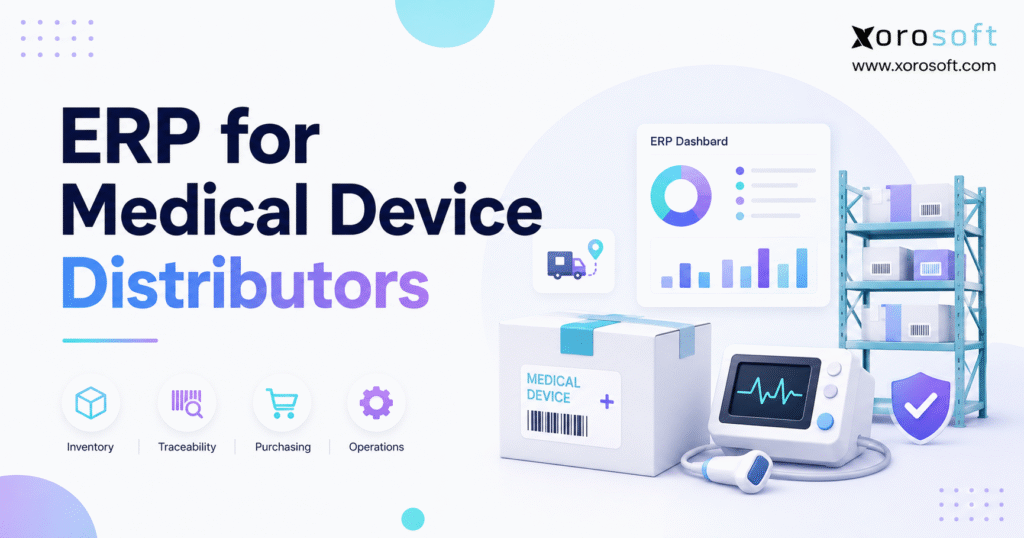
ERP for medical device distributors is an essential tool to streamline operations, ensure compliance, and optimise inventory management in this highly regulated industry.
1. Why Medical Device Distribution Systems Break Down as Companies Grow
Medical device distribution can look straightforward when a business is small. Products arrive from suppliers, warehouse teams receive them, customer orders come in, and inventory goes back out. That operating model becomes significantly more difficult as order volume, SKU counts, warehouse locations, customer requirements, and sales channels increase.
At that stage, knowing that 500 units exist is no longer enough. Operations teams need to know where those units are located, which quantities customers have already committed, what inventory is in transit, which lot or serial numbers moved through the business, and whether relevant stock has expiration considerations.
Technology often becomes fragmented before management realizes how much operational complexity has accumulated.
Finance works in accounting software. Buyers maintain purchasing spreadsheets. Warehouse teams use an inventory application or warehouse management system. Sales orders arrive through email, ecommerce, EDI, sales representatives, or B2B channels. Management then exports data from several tools simply to understand the current state of the business.
The problem is not the number of applications alone. A bigger issue is that a single physical event can create multiple related transactions.
Receiving changes inventory. A warehouse transfer changes location availability. A customer order commits stock that may still appear physically on hand. Shipping affects inventory, customer order status, and finance. Returns introduce another series of inventory and accounting movements.
When systems cannot share those events cleanly, employees become the integration layer.
That is where ERP for medical device distributors starts to create value. A connected ERP provides one operational foundation for inventory, purchasing, warehouse activity, sales orders, accounting, forecasting, integrations, and reporting instead of forcing every department to maintain its own version of the business.
1.1 Traceability Requirements in Medical Device Distribution Raise the Stakes
Medical device distributors may also need more product-level history than conventional distributors.
Depending on the products involved and the company’s role in the supply chain, teams may work with lot numbers, serial numbers, expiration information, UDI-related data, returns, and recall research.
The FDA’s Unique Device Identification system supports consistent identification of medical devices throughout the supply chain. Specific responsibilities differ according to product and organizational role, but the broader operational point remains important: product identification should not disappear once a device leaves manufacturing.
A distributor should be able to answer straightforward questions quickly.
What product arrived? Which lot or serial number was involved? Where is the stock now? Did some of it move to another warehouse? Which customer received a specific unit? Was anything later returned?
If staff need multiple spreadsheets and system searches to reconstruct that history, the technology environment has become part of the problem.
1.2 When a Connected Platform Becomes Necessary
ERP is not automatically the correct choice for every company.
A smaller distributor with one warehouse, moderate transaction volume, simple purchasing, limited integrations, and dependable accounting and inventory software may not need an enterprise platform yet.
The business case becomes stronger when teams repeatedly reconcile conflicting data, buyers depend heavily on spreadsheets, warehouse employees question inventory balances, product-history research takes too long, or finance closes the month using records that operations must rebuild manually.
In those situations, the ERP decision is less about buying additional software and more about reducing fragmentation.
2. What ERP for Medical Device Distributors Actually Manages
A modern distribution ERP connects the physical, commercial, and financial sides of the organization.
Inventory should not operate independently from purchasing. Warehouse execution should connect directly to customer demand. Finance should not have to reconstruct operational activity after the fact, while reporting should not depend on manually combining exports from several platforms.
ERP for medical device distributors works best when inventory, purchasing, fulfillment, and finance operate as connected parts of the same transaction flow.
2.1 Medical Device Distribution ERP Connects the Order Lifecycle
Consider a typical purchasing and fulfillment process.
A buyer creates a purchase order based on current inventory, expected demand, and supplier requirements. The supplier ships the products. Receiving checks the shipment against the purchase order and captures the correct quantities along with any relevant lot, serial, or expiration information.
Warehouse staff then place that inventory into appropriate locations.
Later, a customer places an order. The system evaluates availability, commits inventory, creates warehouse work, records the shipment, updates the customer transaction, and passes the appropriate information to accounting.
If a return occurs, the transaction should remain connected to the original customer order and inventory record.
A group of disconnected applications can technically complete every one of those steps. The problems usually emerge between them. Employees export records, re-enter information, reconcile mismatches, and create workarounds whenever one system does not understand what another has already done.
A connected platform reduces those handoffs.
2.2 Distribution Priorities Differ From Manufacturing Priorities
Medical device ERP content frequently emphasizes manufacturing because manufacturers may need bills of materials, work orders, production scheduling, material requirements planning, and extensive quality-management processes.
Distributors typically have a different operational center of gravity.
| Operational Requirement | Medical Device Distributor | Medical Device Manufacturer |
|---|---|---|
| Inventory availability | Very high | Very high |
| Lot and serial tracking | Very high where applicable | Very high where applicable |
| Multi-warehouse management | Very high | High |
| Customer fulfillment | Very high | High |
| Wholesale and EDI orders | High | Varies |
| Purchasing | Very high | Very high |
| BOM management | Usually lower | Very high |
| Work orders | Usually lower | Very high |
| Production planning | Usually lower | Very high |
| Accounting | Very high | Very high |
A distributor that performs kitting, assembly, or light manufacturing may still need selected production functionality. Requirements should always reflect the actual operating model rather than a generic industry checklist.
3. Medical Device ERP Inventory Accuracy Depends on Transaction Discipline
Inventory sits at the center of most distribution ERP projects because nearly every important workflow touches it.
Purchasing brings products into the organization. Warehousing determines where they sit. Sales orders commit inventory. Fulfillment removes it from available stock. Returns place products back into a controlled process. Finance assigns value to those movements.
A useful system therefore needs to show far more than total quantity.
3.1 Lot and Serial Tracking in Medical Device ERP
Lot tracking groups inventory under a shared identifier, while serial tracking distinguishes individual units.
The important question is not whether a vendor website includes “lot tracking” or “serial numbers” on a feature list. Buyers need to understand what happens to the identifier throughout the complete transaction lifecycle.
A strong demonstration should show an identifier entering the system during receiving, following inventory through warehouse movements, appearing during allocation or fulfillment, connecting to the customer shipment, and remaining searchable later.
That transaction history is one reason ERP for medical device distributors should be evaluated through real lot and serial workflows rather than checkbox comparisons.
If employees still maintain a spreadsheet beside the ERP to preserve product history, the implementation has not solved the underlying traceability problem.
3.2 UDI Data in Medical Device ERP Should Fit the Operating Workflow
UDI stands for Unique Device Identification. The FDA established the UDI system to support consistent identification of medical devices through manufacturing, distribution, and patient use.
For distributors, the practical software question is not simply whether a vendor says its ERP “supports UDI.”
Operations teams should define which identifiers they receive, which information they need to retain, where scanning occurs, and how that data should connect to receiving, inventory, warehouse transactions, customer shipments, and returns.
ERP can support those operational workflows. Software does not determine a company’s legal obligations, and storing an identifier does not automatically make an organization compliant.
The distinction matters because the technology should support a defined business and regulatory process rather than attempt to define the process itself.
3.3 Expiration Information Changes Inventory Decisions
Two warehouses may hold exactly the same SKU and quantity while carrying very different inventory risk.
One location might hold recently received product. Another may contain much older inventory approaching expiration.
Expiration-aware inventory gives warehouse and purchasing teams better context when deciding what to transfer, fulfill, or replenish. The strongest view combines expiration information with lot data, inventory aging, available stock, inbound supply, and anticipated demand.
In that environment, time becomes part of the inventory decision rather than quantity being the only consideration.
3.4 Multi-Warehouse Inventory Visibility for Medical Distributors
As companies add warehouse locations, organization-wide inventory totals become less useful unless employees understand where stock sits and what state it is in.
Buyers may need to decide between placing another purchase order and transferring stock from another facility. Customer service requires realistic availability. Warehouse teams need accurate location records, while management needs to understand how inventory is distributed across the network.
For multi-location organizations, ERP for medical device distributors should make available stock, committed inventory, warehouse transfers, and inbound product visible without relying on parallel spreadsheets.
For companies evaluating a broader cloud operating model, XoroONE provides an example of an integrated platform connecting inventory with purchasing, accounting, warehouse management, ecommerce, and reporting.
4. Warehouse Management in ERP for Medical Device Distributors
An ERP can display perfect inventory on a screen and still fail operationally if warehouse processes do not keep the system aligned with physical stock.
Receiving, put-away, transfers, picking, packing, shipping, cycle counting, and returns determine whether system inventory represents reality.
The warehouse capabilities inside ERP for medical device distributors therefore influence both inventory accuracy and product traceability.
4.1 Receiving Workflows in Medical Device Distribution Software
Receiving acts as the first operational control point.
Warehouse employees need to compare physical deliveries with expected purchase orders, record quantities correctly, capture relevant identifiers, and route inventory to suitable storage locations.
When staff update several systems during receiving, mistakes can enter the operation before product even reaches a bin.
A connected workflow should allow the receipt to update inventory immediately and provide downstream visibility without duplicate entry.
Put-away then preserves the relationship between received inventory and its physical location. That relationship becomes especially important when multiple lots, serial numbers, or expiration dates exist beneath a single SKU.
4.2 Picking and Shipping Need the Same Discipline
Fulfillment works in the opposite direction.
A customer order creates demand. Allocation determines which inventory should satisfy that demand. Warehouse employees perform the physical movement, while shipment confirmation updates both order and inventory records.
For products that require lot or serial identification, the system may also need to preserve exactly which inventory left the facility.
Strong workflows remove the choice between moving quickly and maintaining accurate system records.
When warehouse execution itself becomes a major operational requirement, businesses may also evaluate a dedicated platform such as XoroWMS, Xorosoft’s warehouse management solution for receiving, inventory tracking, order handling, and fulfillment.
4.3 Returns Require Structured Reverse Logistics
Returns deserve the same transaction discipline as outbound shipments.
A returned medical device should not simply reappear as available inventory. Teams may need to identify the original customer order, verify the product or identifier, assess its condition, and route the item according to internal procedures.
The exact process varies by business and product type. Regardless of the workflow, the system should preserve a clear relationship between the return and the original transaction.
5. Purchasing and Forecasting in Medical Device Distribution ERP
Purchasing becomes more difficult once replenishment decisions depend on information scattered across several systems.
A buyer may need current inventory, committed customer orders, inbound purchase orders, supplier lead times, warehouse requirements, expected demand, and aging stock before deciding what to buy.
When each input comes from a different source, procurement becomes an exercise in assembling reports.
5.1 Medical Device ERP Should Connect Demand With Replenishment
A connected platform can bring inventory, open demand, incoming supply, and supplier information into the same purchasing decision.
If demand increases, buyers can see the impact earlier. When a large purchase order is already inbound, they can account for it before ordering more. If one warehouse has excess stock while another is running short, a transfer may make more sense than another supplier purchase.
A practical ERP for medical device distributors gives buyers current supply and demand information before they commit additional working capital.
The platform should improve purchasing judgment rather than attempt to replace it.
5.2 Demand Forecasting in Medical Device ERP Should Highlight Risk
Forecasting creates value when it combines sales history, open orders, available inventory, inbound supply, supplier lead times, and relevant demand signals.
No forecasting system eliminates stockouts or excess inventory completely. Customer behavior shifts, suppliers miss delivery dates, and unexpected orders occur.
The practical value lies in earlier visibility.
A buyer who sees a potential shortage several weeks in advance has more options than one who discovers the same problem only after the warehouse runs out.
5.3 Supplier Performance Belongs in the Same Context
Price is only one part of supplier performance.
Lead-time reliability, fill rates, purchasing history, outstanding orders, credits, and product availability also influence procurement decisions.
When ERP connects supplier information to inventory and demand, buyers can evaluate supply performance in context rather than reviewing one purchase order at a time.
6. Accounting and Financial Control in Medical Device ERP
Inventory carries both operational and financial value.
That makes accounting integration especially important for distributors holding meaningful stock and processing a high volume of receipts, shipments, adjustments, and returns.
When warehouse activity changes inventory but finance receives those changes later through imports, spreadsheets, or manual journal entries, the organization effectively maintains two versions of the same event.
6.1 Medical Device ERP Should Connect Inventory Movements to Finance
Receipts, supplier invoices, customer shipments, inventory adjustments, returns, credits, and landed costs may all affect financial reporting.
An integrated ERP reduces handoffs because the underlying operational transaction already exists in the same business environment.
This connection makes ERP for medical device distributors especially valuable when finance spends significant time reconciling warehouse and inventory activity.
Instead of rebuilding the story, finance can review the original event and understand why the financial impact occurred.
6.2 Inventory Valuation Exposes Weak Integrations Quickly
Many distributors discover inventory problems during month-end because reconciliation is the first time physical and financial records fully meet.
A connected system moves that relationship closer to the original transaction. When a receipt, shipment, or adjustment changes financial data, users can inspect the underlying operational activity rather than relying only on a summary export.
Companies that want accounting, inventory, procurement, and warehouse workflows inside one environment may evaluate XoroERP as part of that strategy.
6.3 Management Reporting Needs Operational Context
Executives rarely want inventory information by itself.
They want to know how inventory affects margins, working capital, customer service, purchasing requirements, warehouse capacity, and overall growth.
Useful reporting can bring together slow-moving products, purchase commitments, warehouse balances, sales trends, fulfillment performance, inventory value, and gross margin.
That changes the management conversation from “How much inventory do we have?” to “What is that inventory doing to the business?”
7. EDI, Ecommerce, and Multi-Channel Medical Device Distribution
Medical device distributors increasingly operate across several order channels.
Wholesale customers may use EDI. Sales teams can enter orders directly. Ecommerce transactions may originate in Shopify. Amazon or other marketplaces introduce another source of demand.
The challenge is not simply connecting each channel. The business needs one reliable view of inventory, commitments, fulfillment, and financial impact across all of them.
7.1 EDI Integration in Medical Device Distribution Should Feed Order-to-Cash
EDI can automate structured transactions such as purchase orders, acknowledgments, shipment information, and invoices.
The integration becomes valuable when an incoming EDI transaction turns into a usable sales order, inventory gets allocated correctly, warehouse execution updates the transaction, and finance receives the resulting data.
If employees still monitor a separate EDI platform and re-enter information elsewhere, the company has automated the document exchange without automating the business process.
7.2 Shopify Needs a Strong Operational System Behind It
Shopify can provide an effective commerce layer, but a growing distributor usually needs a broader operational system behind the storefront.
Inventory availability, purchasing, warehouse fulfillment, returns, accounting, wholesale orders, and other channels still need to remain synchronized.
Xorosoft maintains an official Xorosoft ERP listing in the Shopify App Store, providing a direct integration path for ecommerce, retail, and wholesale operating scenarios.
7.3 One Inventory Truth Matters More Than the Number of Connections
A distributor can technically connect many applications and still struggle if each channel interprets availability differently.
The central platform needs to understand what stock physically exists, what customers have already committed, what is inbound, and what is moving between locations.
That allows an order in one channel to reduce availability everywhere else before another employee promises the same units to a different customer.
8. Medical Device ERP vs WMS, Inventory Software, QuickBooks, and QMS
ERP is not the only software category available to a medical device distributor.
In many projects, the first strategic decision is not which vendor to select. The company first needs to determine which type of system should own each business process.
8.1 Medical Device ERP vs Inventory Management Software
Standalone inventory software can work well when stock control represents the main business requirement and other systems already support purchasing, finance, and customer transactions effectively.
ERP becomes more useful when inventory needs to drive several other processes.
| Capability | Inventory Software | ERP |
| Inventory visibility | Core | Core |
| Lot and serial tracking | Varies | Varies |
| Purchasing | Often included | Core |
| Warehouse execution | Varies | Often integrated |
| Customer orders | Often included | Core |
| Accounting | Usually limited | Often core |
| Financial reporting | Limited | Core |
| Cross-department workflows | Limited | Primary purpose |
If the problem exists primarily inside inventory, standalone software may be enough.
When the issue crosses purchasing, warehouse operations, customer service, and finance, a broader platform becomes more relevant.
8.2 WMS Goes Deeper Inside the Warehouse
A warehouse management system generally specializes in warehouse execution.
Receiving, put-away, barcode scanning, replenishment, picking, packing, transfers, and shipping sit at the center of a WMS.
ERP covers a broader business scope. Some platforms include strong native warehouse capabilities, while other organizations integrate a specialized WMS.
The right architecture depends on whether warehouse execution or enterprise-wide integration represents the larger problem.
8.3 QuickBooks Can Remain Appropriate Until Operations Outgrow It
QuickBooks often works well for financial management in smaller organizations.
Problems emerge when a company begins expecting accounting software to coordinate operational processes it was never designed to control.
Businesses frequently respond by adding inventory applications, warehouse tools, reporting software, ecommerce connectors, purchasing spreadsheets, and EDI services around the accounting platform.
ERP becomes relevant when keeping those applications synchronized creates more operational work than consolidating the processes.
8.4 QMS and ERP Solve Different Core Problems
ERP manages commercial, operational, and financial transactions. Quality management software focuses on controlled quality processes and records.
The distinction matters in the medical device sector.
FDA’s Quality Management System Regulation became effective on February 2, 2026, updating 21 CFR Part 820 and incorporating ISO 13485:2016 by reference.
Organizations should not convert that regulatory context into a blanket assumption that every distributor carries every requirement that applies to a finished-device manufacturer.
A company may need ERP, QMS, both systems, or a different architecture depending on its actual activities.
9. How to Choose ERP for Medical Device Distributors
Strong software selections usually begin before the first vendor demonstration.
Companies that start by watching demos often allow software providers to shape the requirements for them.
Choosing ERP for medical device distributors therefore requires more than comparing modules, pricing, and brand recognition. The evaluation should begin with the distributor’s own operating model.
9.1 Map the Current Operating Model First
Follow a product from supplier to customer.
Document purchasing, receiving, product identification, warehouse movement, allocation, customer fulfillment, invoicing, returns, and reporting.
Include spreadsheets, email approvals, side databases, and unofficial workarounds. Those tools often reveal critical requirements that formal process documentation misses.
The purpose of the exercise is to identify every point where employees re-enter information, reconcile systems, or manually bridge one process to another.
9.2 Test Medical Device ERP With Real Workflow Scenarios
Feature lists make weak evaluation tools because software vendors often define the same capability differently.
Instead of asking whether a platform supports serial numbers, ask the vendor to receive a serialized unit, place it in inventory, transfer it between warehouses, allocate it to an order, ship it, process a return, and retrieve the complete historical record.
Use the same approach for multi-warehouse inventory.
Ask the vendor to show what happens when stock moves from Warehouse A to Warehouse B while customer demand already has part of the inventory committed.
Real scenarios reveal limitations much faster than yes-or-no questions.
9.3 Define Integrations Before Signing the Contract
Every important external system should appear in the requirements before implementation begins.
That includes Shopify, Amazon, EDI networks, third-party logistics providers, shipping platforms, payment tools, banking applications, quality systems, and customer-specific integrations.
Late integration discoveries can materially change project cost, architecture, and implementation effort.
9.4 Compare Vendors on Fit and Ownership Cost
Medical device distributors may consider enterprise suites, mid-market ERP platforms, distribution-focused products, and specialized applications.
The most recognizable product is not automatically the best option.
Workflow fit, implementation complexity, integration depth, reporting, support, future scalability, and total ownership cost should determine the shortlist.
Companies already evaluating NetSuite can review the Xorosoft vs NetSuite comparison as one vendor-produced perspective. As with any vendor comparison, buyers should combine it with independent research and their own scenario testing.
9.5 Industry Fit Should Add Context, Not Replace Due Diligence
Different inventory-driven sectors emphasize different processes.
A distributor handling serialized equipment may prioritize serial history and returns. A business managing products with expiration dates may place greater emphasis on lot visibility, aging inventory, and replenishment. Wholesale-heavy companies can prioritize EDI, customer-specific pricing, allocation, and order management.
Xorosoft’s industries overview provides context across several product-driven sectors and can help buyers compare their own operational requirements with other inventory-intensive businesses.
10. Medical Device ERP Implementation: From Data Cleanup to Adoption
Selecting suitable software solves only part of the challenge.
Poor data, weak process design, limited user involvement, and excessive customization can undermine a technically capable platform.
A successful implementation should treat operations, data quality, training, and user adoption as seriously as configuration.
10.1 Clean Data Before Migration
Item records, suppliers, customers, units of measure, warehouse locations, lots, and opening inventory all need review before migration.
Moving inaccurate or duplicated information into a new ERP does not correct the underlying issue. It simply transfers the problem into the new platform.
Data cleanup should therefore become a defined implementation workstream rather than a final technical task.
10.2 Bring Operational Teams Into the Project Early
Executives and finance leaders may sponsor the ERP initiative, but warehouse teams and buyers understand how daily operations actually work.
Their input matters when designing receiving, transfers, replenishment, picking, purchase approvals, and exception handling.
Involving those users early reduces the chance of configuring a process that looks efficient on a diagram but fails on the warehouse floor.
10.3 Avoid Rebuilding Every Historical Workaround
Some customization creates real business value.
Other customization simply preserves habits that developed because previous software could not support the preferred process.
Implementation gives the company an opportunity to decide which workflows deserve to remain and which should change.
A cleaner standard process can simplify training, reduce long-term maintenance, and make future upgrades easier.
10.4 Define Regulatory Responsibilities Separately
Technology teams should not determine regulatory applicability from an ERP feature list.
Organizations need to establish relevant regulatory and quality requirements with appropriate qualified expertise, then translate those requirements into software needs.
ERP for medical device distributors can support identification, records, transaction history, and controlled operational workflows. It cannot decide which regulations apply to the company or guarantee compliance.
11. Cloud ERP for Growing Medical Device Distributors
The strongest ERP business case often appears when growth continues to create new manual bridges between systems.
A typical technology stack may include Shopify, QuickBooks, warehouse software, purchasing spreadsheets, inventory applications, EDI middleware, and separate reporting tools.
Each product can function well individually while the combined environment becomes increasingly difficult to manage.
For growing businesses, ERP for medical device distributors can provide the shared operating layer that disconnected accounting, warehouse, ecommerce, and purchasing systems lack.
11.1 Cloud ERP for Medical Distributors Reduces Reconciliation
A centralized platform changes how information moves through the organization.
Purchasing sees current inventory. Warehouse transactions update customer orders. Finance works from the same underlying activity. Management no longer needs to combine multiple exports before understanding what happened.
The value lies in reducing handoffs between core functions rather than adding another isolated application.
Medical device distributors should still test product identification, warehouse workflows, traceability requirements, integrations, and reporting against their own requirements before choosing a platform.
11.2 Scalable ERP for Medical Distribution Requires More Than Extra Users
Scalability is not simply the ability to create additional user accounts.
A scalable system should continue to work as the distributor adds warehouses, products, channels, suppliers, customers, and transaction volume.
The platform should make additional complexity easier to control rather than push employees back into spreadsheets whenever the business changes.
Future-state testing therefore matters. A product that solves today’s accounting problem but cannot support tomorrow’s warehouse or wholesale requirements may simply postpone another software replacement.
12. Medical Device ERP FAQs for Distribution Teams
12.1 What should ERP for medical device distributors manage?
ERP for medical device distributors should connect inventory, purchasing, warehouse operations, customer orders, accounting, forecasting, reporting, and relevant integrations. Depending on the platform and business requirements, it may also support lot tracking, serial tracking, expiration information, EDI, ecommerce, and multi-warehouse workflows.
12.2 When do distributors outgrow standalone software?
Companies often outgrow standalone software when multiple applications create continuous reconciliation work. Other warning signs include unreliable inventory, spreadsheet-driven purchasing, increasing warehouse complexity, repeated data entry, difficult product-history research, and reporting that depends heavily on manual exports.
12.3 What is the best medical device ERP?
There is no universal best platform. The right choice depends on product identification requirements, warehouse complexity, accounting, EDI, ecommerce, reporting, integrations, implementation resources, ownership cost, and the company’s expected future operating model.
12.4 Can ERP track lot numbers?
Lot-controlled inventory is available in many ERP platforms. Buyers should verify whether the system captures lot information during receiving, retains it through warehouse movements, supports fulfillment, and provides historical transaction lookup.
12.5 Can ERP track serial numbers?
Serialized inventory is also widely supported, although workflow depth varies by platform. Ask vendors to demonstrate one serial number from receipt through storage, transfer, allocation, shipment, return, and historical research.
12.6 Can ERP manage expiration dates?
Expiration-date functionality varies between ERP products. Companies should evaluate how the system uses expiration information in inventory reporting, warehouse decisions, allocation, aging analysis, fulfillment, and purchasing.
12.7 What does UDI mean in medical device distribution?
UDI means Unique Device Identification. FDA created the system to support consistent device identification through manufacturing, distribution, and patient use. Companies should determine their own UDI-related responsibilities according to their role, products, and applicable requirements.
12.8 Can ERP support UDI workflows?
ERP may support scanning, storing, and retrieving UDI-related information. A distributor should define which identifiers it receives, when employees capture them, and how those identifiers should connect to receiving, inventory, shipments, and returns.
12.9 How does ERP improve medical device traceability?
ERP can connect lot or serial information with receipts, warehouse movements, customer orders, shipments, and returns. That creates a searchable transaction history without forcing employees to combine records manually across several systems.
12.10 Can ERP help during a product recall?
ERP can support recall research by helping teams identify relevant inventory, locations, lots, serial numbers, and customer shipments when the company maintains those records in the system. Recall procedures and regulatory responsibilities remain separate organizational requirements.
12.11 Is ERP the same as a QMS?
No. ERP primarily manages commercial, operational, and financial transactions. QMS software focuses on controlled quality processes and records. Some organizations use both systems and exchange relevant data between them.
12.12 What is the difference between ERP and WMS?
A WMS specializes in warehouse execution, including receiving, put-away, scanning, replenishment, picking, packing, and shipping. ERP covers a wider business scope that can include purchasing, customer orders, accounting, forecasting, and reporting.
12.13 When is inventory software enough?
Standalone inventory software can work well when inventory control represents the primary requirement and the organization’s accounting, purchasing, warehouse, and reporting systems already support the rest of the business effectively.
12.14 Can QuickBooks still work for a medical device distributor?
Yes. QuickBooks may remain suitable for smaller distributors with straightforward financial and operational requirements. Companies frequently start considering ERP when accounting sits beside separate inventory, warehouse, purchasing, ecommerce, EDI, and reporting systems.
12.15 Can ERP manage multiple warehouses?
Multi-warehouse functionality is common in distribution ERP, but depth varies considerably. Buyers should test availability, bin management, transfers, receiving, allocation, cycle counting, picking, and warehouse-specific reporting instead of relying on a basic multi-location feature.
12.16 Can purchasing be automated?
ERP can automate portions of purchasing by connecting demand, inventory, open orders, inbound supply, reorder policies, and supplier information. Buyers still need to review exceptions and apply commercial judgment.
12.17 How useful is demand forecasting?
Forecasting can improve planning by combining historical sales, inventory, known demand, incoming supply, and supplier lead times. Forecasts should guide purchasing decisions rather than promise perfect predictions.
12.18 How does EDI fit into an ERP workflow?
EDI can connect trading-partner documents such as purchase orders, acknowledgments, shipment notices, and invoices with internal sales, warehouse, and accounting processes. The real value comes from integrating the underlying transaction rather than simply receiving a document electronically.
12.19 What should a Shopify integration handle?
A useful Shopify integration should connect ecommerce demand with inventory, fulfillment, customer, return, and financial processes. Integration depth varies between platforms, so distributors should test their own workflows rather than relying on a generic connector description.
12.20 Can ERP connect with Amazon?
Amazon connectivity is available through many cloud ERP platforms, either directly or through integration tools. Buyers should verify how orders, inventory, fulfillment, returns, fees, and settlement data move between the systems.
12.21 Should accounting be inside the same ERP?
Some platforms include native accounting, while others integrate with external financial systems. A shared operating environment can reduce reconciliation when purchasing, inventory, customer orders, and warehouse activity all affect accounting.
12.22 When is it time to move to ERP?
Common triggers include unreliable inventory, multiple warehouses, spreadsheet purchasing, duplicate entry, disconnected ecommerce or EDI workflows, difficult traceability research, and management reporting that depends on several manual exports. ERP for medical device distributors becomes more relevant as those problems begin crossing departmental boundaries.
12.23 How should ERP vendors be compared?
Use real workflow scenarios, prioritized requirements, integration needs, implementation resources, ownership cost, migration requirements, reporting capabilities, and future scalability. Feature lists alone rarely show how a platform will perform in daily operations.
12.24 Which ERP implementation mistakes create the most problems?
Frequent mistakes include migrating poor data, excluding operational users, discovering integrations too late, over-customizing the platform, failing to plan training, and assuming software features will compensate for unclear or inconsistent business processes.
12.25 Who may not need ERP yet?
A small distributor with one warehouse, simple products, low transaction volume, basic purchasing, and reliable existing systems may not need ERP. Technology complexity should follow actual business complexity rather than anticipated requirements that may never materialize.
13. Choosing the Right ERP for Medical Device Distributors Starts With the Workflow
Choosing ERP for medical device distributors should begin with a practical question: can the business follow the product, customer order, and financial transaction from supplier receipt through customer shipment without manually reconstructing what happened?
When the answer is no, growth usually makes the underlying problem more expensive.
Additional warehouses create more transfers and inventory states. New sales channels generate more commitments against the same stock. Supplier growth increases purchasing complexity, while higher customer volume raises service expectations. Lot, serial, expiration, and traceability requirements introduce another layer of transaction history.
13.1 When ERP Becomes a Business Requirement
A connected platform becomes increasingly valuable when operational complexity begins producing manual work between departments.
Purchasing should not use one inventory picture while customer service sees another. Warehouse teams should not need parallel spreadsheets because the central system lacks enough transaction detail. Finance should not spend days rebuilding inventory movements every time month-end arrives.
Traceability makes those connections even more important. Product history should follow the transaction rather than depend on employees remembering which application contains each piece of information.
A well-designed ERP strategy replaces manual bridges with shared transactions. Purchasing, inventory, warehouse operations, customer orders, and accounting work from the same operating model instead of repeatedly passing information between disconnected platforms.
13.2 Match the Platform to Operational Complexity
The right system depends on fit.
A smaller organization that only needs basic inventory management should not purchase an oversized enterprise platform simply because ERP sounds more sophisticated.
The opposite mistake can create just as many problems.
A growing multi-warehouse distributor with serialized products, EDI, ecommerce, wholesale orders, demanding reporting, and integrated accounting should not choose a lightweight application only because deployment looks easier.
The software must support both current operations and realistic future requirements.
Scalability should therefore include warehouses, channels, suppliers, customers, integrations, transaction volume, and reporting—not merely additional user accounts.
13.3 Evaluate Traceability Before Selecting the Platform
Traceability deserves its own requirements discussion before vendor selection begins.
Teams should understand how they manage lot numbers, serial numbers, UDI-related information, expiration dates, returns, and recall research. They should also identify exactly where those data elements enter the workflow and how employees need to retrieve them later.
Defining those requirements before implementation prevents teams from discovering critical gaps after software configuration has already started.
Regulatory responsibilities should receive separate professional review. ERP can support records, identification, transaction history, and operational controls, but software alone cannot determine which regulations apply or guarantee compliance.
13.4 Compare Total Value, Not Just Subscription Price
Subscription price represents only one part of the ERP decision.
Implementation, data migration, integrations, training, internal project resources, customization, support, and future expansion all influence the total cost of ownership.
Companies should also calculate the cost of maintaining the current environment.
Manual reconciliation, duplicate data entry, additional applications, slow reporting, inventory discrepancies, purchasing inefficiencies, and extra administrative effort can make a seemingly inexpensive software stack expensive to operate.
The strongest ERP decision is not the system with the longest feature list. It is the platform that gives the organization a more reliable operating model as complexity increases.
13.5 A Practical Next Step for Evaluating Xorosoft
For distributors considering whether Xorosoft fits that operating model, the next useful step is a workflow discussion rather than another generic product comparison.
Map how inventory enters the business, how warehouse teams control it, how customers place orders, how purchasing responds to demand, how product identifiers remain traceable, and how finance receives the resulting transactions.
Then compare those requirements against the platform.
Use the Xorosoft contact page to review your current systems, warehouse processes, integrations, traceability requirements, and growth plans before deciding whether the platform belongs on your shortlist.
Recent Posts
-
 Best AI Warehouse Management Software for ERP Inventory and Warehouse Operations
 -
 Project Based ERP Software for Managing Project Costs, Purchasing, Resources, Inventory, and Accounting
 -
 Food and Beverage ERP Requirements for Lot, Expiry, and Recall Control
 -
 How to Prevent EDI Errors Before They Become Retailer Chargebacks
 -
 Warehouse Injury and Safety Statistics: What Operations Teams Should Know Before Automating Workflows