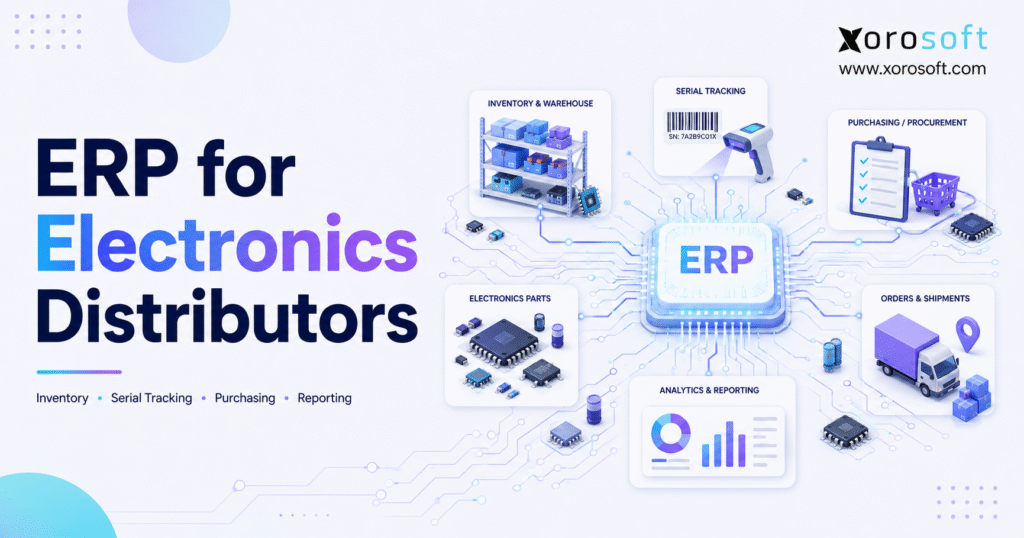
If you’re searching for information about ERP for electronics distributors, you’re in the right place.
1. Where Operational Complexity Starts to Break
ERP for electronics distributors connects inventory, purchasing, warehouse operations, sales, ecommerce, EDI, accounting, and reporting within one operating system. As a result, electronics businesses can manage complex product catalogs without depending on disconnected spreadsheets, accounting tools, warehouse applications, and channel-specific inventory records.
Unlike a simple wholesale operation, an electronics distributor may manage thousands of similar products with different voltage ratings, connectors, specifications, manufacturer part numbers, warranty terms, and compatibility requirements. Moreover, many products require serial number or lot tracking from receipt through final delivery.
At the same time, customer expectations continue to rise. Wholesale buyers, for example, expect accurate availability, negotiated pricing, reliable shipping dates, and fast order updates. Ecommerce customers, meanwhile, expect products to appear available online only when the warehouse can actually fulfill them.
Consequently, minor inventory errors quickly become commercial problems. A salesperson may promise stock that another channel has already reserved. Similarly, a warehouse employee may pick a product that looks correct but has a different technical specification.
Finance may then discover that the cost, margin, or inventory value no longer matches the physical movement. Therefore, the purpose of an electronics distribution ERP is not simply to store more data. Instead, it creates a trusted operational record that every department can use.
1.1 Electronics Distribution Complexity
Electronics distribution combines several operational challenges.
First, distributors often carry large catalogs with closely related products. Although two SKUs may appear almost identical, a small specification difference can determine whether the item works for the customer.
Second, many electronics products have a high unit value. Losing track of one device, component, or serialized unit can therefore create a meaningful financial loss.
Third, product lifecycles can be short. For instance, a distributor may overbuy a model shortly before a newer version appears. Conversely, the business may underbuy a high-demand component and lose sales while waiting for replenishment.
In addition, electronics distributors frequently sell through several channels. A company may serve wholesale customers, Shopify buyers, Amazon customers, EDI trading partners, and direct sales accounts from the same inventory pool.
As a result, every channel needs access to accurate availability without creating duplicate allocations. Ultimately, complexity increases whenever more products, suppliers, warehouses, customers, and sales channels interact.
1.2 How ERP for Electronics Distributors Changes Operations
A connected ERP creates a continuous link between commercial activity and physical inventory.
For example, when a customer order enters the system, ERP can check availability, reserve inventory, route the order to the correct warehouse, and update the expected stock position. After the warehouse ships the order, the system can then update inventory, create the financial transaction, and provide reporting data.
Similarly, when purchasing creates a purchase order, the platform can connect expected receipts with supplier lead times, open customer demand, and warehouse replenishment requirements. Every transaction, therefore, adds context instead of creating another isolated record.
In practice, ERP for electronics distributors gives sales, purchasing, warehouse, and finance teams one consistent view of every transaction. Departments can consequently coordinate without maintaining separate versions of operational truth.
1.3 Who Needs Electronics Distribution ERP?
A unified platform becomes valuable when an electronics distributor:
- Manages hundreds or thousands of active SKUs
- Tracks serial numbers, lots, warranties, or product revisions
- Operates more than one warehouse
- Sells through wholesale and ecommerce channels
- Uses Shopify, Amazon, EDI, or B2B portals
- Manages customer-specific pricing
- Runs purchasing through spreadsheets
- Experiences frequent inventory discrepancies
- Struggles to calculate landed cost or inventory value
- Takes too long to close the accounting period
- Uses separate tools for inventory, warehouse operations, and finance
Although revenue can indicate business scale, operational complexity matters more. A smaller distributor with several warehouses and serialized inventory, for example, may need ERP sooner than a larger company with a narrow catalog and simple fulfillment.
Moreover, ERP for electronics distributors becomes more urgent when employees spend significant time reconciling systems. Leadership should therefore assess process complexity rather than waiting for a specific revenue threshold.
1.4 Who May Not Need One Yet?
A small electronics business may not need ERP immediately when it has one location, a limited product catalog, low order volume, and straightforward accounting.
However, the business should still watch for operational warning signs. Once teams stop trusting inventory, create private spreadsheets, or repeatedly reconcile systems, the company is already paying for complexity.
Instead of paying through software, it pays through labor, stockouts, shipping errors, delayed reporting, and customer dissatisfaction. The decision should therefore compare ERP cost with the current cost of manual work.
2. Why Basic Systems Stop Scaling
Electronics distributors rarely replace their systems because one application suddenly stops functioning. Instead, they usually upgrade because the combined software stack stops supporting the business efficiently.
Initially, QuickBooks may handle accounting while spreadsheets support purchasing. At the same time, an inventory application may track stock, and a separate warehouse tool may direct fulfillment.
Although each tool can perform its individual job, the connections between them often depend on employees. Teams consequently export files, re-enter transactions, compare reports, and investigate differences.
As order volume grows, those manual bridges become operational bottlenecks. ERP for electronics distributors eventually replaces not only individual applications but also the manual work required to connect them.
2.1 Product Data in Electronics Distribution ERP
Electronics distributors often manage several identifiers for the same product.
For instance, one item may have:
- An internal SKU
- A manufacturer part number
- A supplier part number
- A customer-specific item code
- A marketplace listing identifier
- A barcode or GTIN
- A replacement or alternate part number
Accordingly, the item master must connect these references without creating duplicate product records.
If the system does not control these relationships, purchasing may order the wrong item. Warehouse teams may likewise pick a visually similar product, while customer service may struggle to find the transaction under a different code.
Consequently, ERP data governance should begin with a structured item master. ERP for electronics distributors should also support multiple product identifiers without creating duplicate inventory records.
2.2 Serial Tracking for Electronics Distributors
For serialized inventory, quantity alone is not enough.
The distributor must know which individual unit entered the warehouse, where it moved, which customer received it, and whether it later returned. Accordingly, a strong system captures the serial number during receiving.
Next, the platform preserves that identity through putaway, transfers, picking, packing, shipping, invoicing, and returns. Employees can therefore trace the product without maintaining a separate spreadsheet.
Industry standards also support using barcodes to encode identifiers and attributes such as serial numbers and batch or lot numbers. Electronics distributors can consequently use standardized identification to improve traceability and scanning accuracy through the GS1 Global Traceability Standard.
Moreover, serial-level history helps the distributor validate warranty claims. Customer service can determine whether the unit came from the business, when it shipped, and which transaction created the warranty relationship.
2.3 Multi-Warehouse Inventory for Electronics Distributors
A distributor may own enough stock to fulfill an order but still fail to ship it.
For example, inventory may sit in the wrong warehouse. Alternatively, the stock may already be reserved, damaged, under inspection, or moving between locations.
ERP for electronics distributors should therefore distinguish between:
- On-hand inventory
- Available inventory
- Allocated inventory
- Incoming inventory
- Transfer inventory
- Damaged inventory
- Quarantined inventory
- Reserved inventory
Without these distinctions, total stock creates false confidence.
Location-level availability, in contrast, allows sales to make realistic promises. Purchasing can meanwhile determine whether a transfer, replenishment order, or new purchase provides the best response.
As a result, electronics distribution ERP provides a more useful inventory view than a single company-wide quantity.
2.4 Purchasing Automation in Electronics Distribution ERP
Purchasing spreadsheets often begin as flexible planning tools. However, they become risky when demand, inventory, and supplier data change continuously.
A buyer may, for instance, create a reorder recommendation using yesterday’s inventory export. Meanwhile, ecommerce orders may consume the remaining stock, and another buyer may place a separate purchase order.
The company can therefore create both a stockout and a duplicate order within the same day.
A connected system reduces this risk by combining:
- Current on-hand inventory
- Available inventory
- Open sales orders
- Open purchase orders
- Supplier lead times
- Minimum order quantities
- Reorder points
- Historical sales
- Forecasted demand
- Warehouse replenishment requirements
Consequently, buyers can evaluate the complete supply position before committing cash. In addition, purchasing teams can identify shortages before they affect customers.
2.5 Inventory Valuation and Close Delays
Inventory errors eventually reach the financial statements.
If a receipt has the wrong cost, for example, inventory value changes. Likewise, if freight and duties are not included in landed cost, product margins become misleading.
Warehouse adjustments may also fail to reach accounting. In that case, the general ledger can disagree with the inventory subledger.
Finance teams consequently spend additional time reconciling transactions rather than analyzing performance. A connected system reduces this delay because operational transactions and financial records follow the same workflow.
ERP for electronics distributors can therefore improve both inventory control and the reliability of financial reporting.
3. Core Features of ERP for Electronics Distributors
ERP for electronics distributors should support the workflows that drive inventory accuracy, customer service, and financial control. Buyers should therefore evaluate the system using real electronics distribution scenarios rather than generic software demonstrations.
A connected platform such as XoroONE can bring inventory, sales orders, purchasing, warehouse operations, ecommerce, EDI, accounting, forecasting, and reporting into one environment.
3.1 Real-Time Inventory in Electronics Distribution ERP
Real-time inventory provides the operational foundation.
However, “real time” should mean more than updating an on-hand quantity. The system should instead show how much inventory remains available after commitments, reservations, transfers, and channel allocations.
In practice, users should be able to answer:
- What is available to sell now?
- Which orders have already reserved stock?
- What inventory is expected to arrive?
- Which warehouse can fulfill the order?
- What stock is damaged, quarantined, or otherwise unavailable?
- Which products need replenishment?
- How much inventory value sits in each location?
When teams can answer these questions from one system, they no longer need separate reports. Inventory decisions consequently become faster and more consistent.
Warehouse-level availability also helps teams make realistic promises. A distributor may, for example, have 200 units in total but only 60 available to sell.
The remaining units may be:
- Committed to open sales orders
- Reserved for priority customers
- Inbound but not yet received
- Under quality inspection
- Damaged or quarantined
- Moving between warehouses
Sales and purchasing teams therefore need more than a single on-hand quantity.
3.2 Serial and Lot Tracking for Electronics Distributors
Serial and lot tracking should begin at receiving.
First, warehouse employees scan or enter the identifier. Next, the system connects it to the purchase order, supplier, warehouse, bin, cost, and receipt date.
As the unit moves, the ERP then preserves the transaction history. Customer service can consequently trace a unit without searching through paper documents or separate databases.
A complete serial history should include:
- Supplier
- Purchase order
- Receipt date
- Receiving warehouse
- Bin location
- Warehouse transfers
- Sales order
- Customer
- Shipment date
- Invoice
- Return authorization
- Warranty or replacement activity
The warehouse should also be able to scan serial or lot numbers during picking. Buyers can review this type of workflow through the Oracle NetSuite warehouse-processing documentation.
Although vendor approaches differ, the essential requirement remains the same: the serial number must stay connected to the product throughout its lifecycle.
3.3 Purchasing Features in ERP for Electronics Distributors
Purchasing automation should help buyers make better decisions rather than simply produce purchase orders faster.
To support better decisions, the system should combine:
- Customer demand
- Current inventory
- Available inventory
- Open sales orders
- Open purchase orders
- Supplier lead times
- Minimum order quantities
- Sales history
- Forecasted demand
- Warehouse replenishment requirements
- Supplier performance data
Approval workflows should also match the organization’s purchasing policy. A high-value or unusual purchase order may, for example, require management approval, while routine replenishment can follow a standard path.
Consequently, the company gains control without slowing every purchase.
Reorder points should not remain static forever. Instead, the company should review them according to demand changes, lead times, seasonality, supplier reliability, customer commitments, and product lifecycle changes.
Supplier performance matters as well. ERP for electronics distributors should therefore track expected receipt dates, actual receipt dates, late shipments, partial receipts, supplier fill rates, price changes, and preferred supplier status.
3.4 WMS for Electronics Distributors
A built-in or tightly connected WMS helps ensure that system inventory matches warehouse reality.
The XoroWMS platform supports warehouse workflows such as receiving, barcode scanning, multi-warehouse management, cycle counting, picking, replenishment, returns, and inventory tracking.
For electronics distributors, essential warehouse workflows include:
- Purchase-order receiving
- Serial and lot number capture
- Directed putaway
- Bin-location control
- Barcode scanning
- Wave or order picking
- Packing verification
- Warehouse transfers
- Cycle counting
- Return processing
- Damaged-stock handling
- Shipping confirmation
Because warehouse transactions drive inventory accuracy, the ERP and WMS must update the same operational record. ERP for electronics distributors becomes especially valuable when several warehouses handle serialized or high-value stock.
A controlled picking process should confirm:
- Correct SKU
- Correct quantity
- Correct bin
- Correct serial or lot number
- Correct customer order
- Correct shipping method
- Correct packaging requirements
Packing verification can afterward provide a final check before shipment. As a result, the distributor reduces returns and reshipments.
3.5 EDI for Electronics Distributors
EDI remains important for distributors that serve retail chains, major accounts, and enterprise customers.
The X12 transaction-set directory defines standardized transaction sets used for specific business exchanges. Common electronics distribution documents include:
- EDI 850 purchase order
- EDI 855 purchase-order acknowledgment
- EDI 856 advance ship notice
- EDI 810 invoice
An EDI 850 carries purchase-order information from the customer to the distributor. Therefore, the system should convert the incoming document into a sales order without requiring an employee to enter the same information again.
An EDI 855 communicates whether the distributor accepted, changed, or rejected the order. Accurate inventory and fulfillment dates consequently become critical because the acknowledgment creates a customer commitment.
An EDI 856 provides shipment information before delivery arrives. For electronics distributors, the document may include product, carton, quantity, tracking, serial number, and carrier data.
Finally, an EDI 810 communicates invoice information electronically. The invoice should therefore match the accepted order and confirmed shipment, reducing deductions, disputes, and delayed payments.
3.6 Ecommerce Integrations in Electronics Distribution ERP
Shopify and Amazon can generate demand quickly. However, those channels should not independently control inventory logic.
Instead, ERP should act as the operational system behind them. Accordingly, it should manage:
- Inventory allocation
- Purchasing
- Warehouse fulfillment
- Shipping status
- Returns
- Accounting
- Reporting
Shopify also provides B2B features for selling to business customers through its admin and online store. Distributors using ecommerce and wholesale together should therefore plan how customer pricing, inventory, orders, and finance will move between Shopify and ERP through the Shopify B2B feature overview.
Xorosoft is also available through the Shopify App Store. Shopify businesses can consequently evaluate it as an operational layer behind ecommerce, retail, and wholesale activity.
Multi-channel selling works only when every channel uses trusted inventory. A central platform should therefore control shared inventory pools, channel-specific allocations, customer priorities, warehouse routing, reserved quantities, backorders, incoming supply, and order exceptions.
3.7 Accounting in ERP for Electronics Distributors
An ERP should connect inventory activity with financial impact.
A purchase receipt, for example, increases inventory. Later, shipment creates COGS. Similarly, a return can affect stock, customer credit, tax, and margin.
Accordingly, the accounting workflow should support:
- Accounts receivable
- Accounts payable
- Inventory valuation
- Cost of goods sold
- Landed cost allocation
- Customer credits
- Vendor credits
- Bank reconciliation
- Multi-currency transactions
- Financial reporting
- Month-end close
XoroERP combines accounting with warehousing, procurement, reporting, integrations, multi-currency support, manufacturing, and workflow automation.
Consequently, it can support businesses that have outgrown accounting applications and need operational processes connected to finance.
3.8 Forecasting for Electronics Distributors
Forecasting becomes more useful when it includes operational context.
Historical sales alone may not explain future demand. Planners should therefore also consider promotions, supplier lead times, channel growth, open customer orders, seasonality, previous stockouts, substitutions, and product lifecycle changes.
Reporting should similarly help teams move from “what happened?” to “what requires action?”
Useful reports include:
- Available inventory by warehouse
- Slow-moving inventory
- Stockout risk
- Open purchase orders
- Supplier lead-time performance
- Gross margin by SKU
- Gross margin by customer
- Inventory aging
- Order fill rate
- Return rate
- Warehouse accuracy
- Channel profitability
Because each report uses connected data, managers can investigate problems without reconciling several exports first.
4. How a Connected Platform Improves Daily Work
A connected platform improves performance by reducing the gap between physical activity and system data. As that gap becomes smaller, every department works with greater confidence.
4.1 Sales Workflows in Electronics Distribution ERP
Sales teams need more than total inventory.
Instead, they need:
- Available inventory
- Expected receipts
- Existing allocations
- Warehouse location
- Realistic ship dates
- Customer-specific pricing
- Credit status
- Backorder visibility
A connected ERP, therefore, helps sales determine whether the company can fulfill an order before confirming it. Customer-specific pricing can moreover remain within the same workflow.
As a result, the salesperson does not need to search through old spreadsheets or emails before quoting.
4.2 Purchasing with ERP for Electronics Distributors
Without connected data, buyers respond to urgent requests.
With ERP, however, they can review projected shortages before those shortages affect customers. They can also compare demand with incoming supply, supplier lead times, minimum order quantities, and warehouse needs.
The purchasing process becomes more proactive as a result. Emergency orders, meanwhile, become less frequent.
4.3 Warehouse Execution for Electronics Distributors
Warehouse employees should not need to interpret inconsistent notes.
Instead, the system should direct them to:
- The correct SKU
- The correct bin
- The correct quantity
- The correct serial or lot number
- The correct customer order
- The correct shipping method
Scanning then confirms the physical action. Therefore, the ERP receives an immediate and structured inventory update.
4.4 Customer Service in Electronics Distribution ERP
When a customer calls about a product, customer service should see the complete transaction history.
For example, the user should be able to find:
- Customer order
- Shipment
- Serial number
- Invoice
- Warranty details
- Return authorization
- Replacement shipment
- Customer credit
The customer consequently receives a faster answer. Internal teams, meanwhile, avoid unnecessary investigation.
4.5 A Cleaner Financial Close
Finance benefits when operational transactions follow controlled workflows.
Because receipts, shipments, returns, adjustments, and landed costs enter through one system, accounting teams spend less time identifying unexplained differences. Month-end work therefore becomes more focused on validation and analysis rather than reconstruction.
4.6 Better Leadership Visibility
Disconnected systems often produce conflicting reports.
A connected platform, however, creates a shared operating record. Leadership can consequently review inventory, purchasing, fulfillment, sales, and financial performance using consistent data.
The Xorosoft solutions portfolio provides additional context on how inventory, order management, warehouse operations, procurement, finance, omnichannel commerce, and reporting connect across a product-based business.
Moreover, ERP for electronics distributors gives leadership a clearer view of inventory risk, supplier performance, fulfillment speed, and working capital.
5. Requirements by Operating Model
Different electronics businesses require different ERP configurations. Buyers should therefore evaluate how each system supports their exact operating model.
5.1 ERP for Electronic Components Distributors
Electronic components distributors often manage complex catalogs, manufacturer part numbers, alternative components, supplier constraints, and long lead times.
Accordingly, they need strong item-master controls and purchasing visibility. Lot traceability may also matter for certain components.
The platform should consequently connect each lot with:
- Supplier
- Purchase order
- Receipt
- Warehouse location
- Customer shipment
- Return history
5.2 ERP for Consumer Electronics Distributors
Consumer electronics distributors frequently handle high-value serialized products.
As a result, serial number tracking, warranty validation, returns, marketplace inventory, and fraud prevention become important. Product lifecycles can moreover move quickly.
Forecasting and inventory-aging reports therefore help teams identify products that may become obsolete.
5.3 Wholesale ERP for Electronics Distributors
Wholesale distributors often manage negotiated pricing, customer terms, EDI, credit limits, and inventory allocation.
The system must consequently support:
- Customer-specific pricing
- Volume discounts
- Payment terms
- Credit limits
- EDI transactions
- Inventory allocation
- Partial shipments
- Backorders
- Sales commissions
- Customer profitability reporting
Because these requirements affect several departments, the platform must connect commercial rules with inventory and accounting.
5.4 Shopify ERP for Electronics Distributors
Shopify electronics businesses need accurate inventory synchronization.
However, they also need purchasing, warehouse, accounting, and forecasting processes behind the storefront. Shopify should therefore capture customer demand while ERP controls the operational response.
Xorosoft can be relevant here because it is designed for inventory-driven businesses that sell through Shopify, Amazon, wholesale, and EDI while managing warehouse, purchasing, accounting, forecasting, and reporting.
5.5 Amazon Operations for Electronics Distributors
Amazon sellers need accurate availability and reliable fulfillment.
Because multiple channels may pull from the same stock, the operational system should prevent duplicate allocation. Purchasing should also account for marketplace velocity without ignoring wholesale commitments.
Amazon growth, as a result, does not need to reduce inventory reliability across other channels.
5.6 Assembly and Light Manufacturing
Some electronics distributors also build kits, configure products, or assemble finished goods.
In those cases, the ERP may need:
- Bills of materials
- Work orders
- Component allocation
- Material requirements planning
- Production scheduling
- Labor tracking
- Finished-goods receiving
- Production costing
The industries served by Xorosoft include distribution, wholesale, manufacturing, and other inventory-driven sectors.
Businesses that combine distribution and light production can therefore evaluate these workflows within one connected platform.
6. ERP for Electronics Distributors vs Inventory Software and WMS
ERP, inventory software, and WMS solve related but different problems. An electronics distributor should therefore select the system based on process scope rather than product labels.
6.1 What Electronics Distribution ERP Covers
ERP connects the wider business.
Accordingly, it may cover:
- Inventory
- Purchasing
- Sales
- Warehouse operations
- Accounting
- Reporting
- Ecommerce
- EDI
- Forecasting
- Manufacturing
ERP is therefore appropriate when problems cross several departments.
6.2 Inventory Software vs ERP for Electronics Distributors
Inventory software primarily controls stock.
For example, it may track quantities, locations, transfers, orders, channel inventory, and basic purchasing. Inventory software, however, may not provide complete accounting, procurement, manufacturing, EDI, or financial-reporting capabilities.
Consequently, inventory software may work until operational and financial requirements become more connected.
6.3 WMS vs ERP for Electronics Distributors
A WMS controls physical warehouse execution.
Accordingly, it guides:
- Receiving
- Putaway
- Picking
- Packing
- Barcode scanning
- Transfers
- Cycle counts
- Returns
A standalone WMS, however, does not replace accounting, purchasing, customer management, or financial reporting. The business must therefore integrate WMS with ERP or use an ERP that includes warehouse management.
6.4 Accounting Software vs Electronics Distribution ERP
Accounting software manages financial records.
Although it can support invoices, bills, payments, and reports, it rarely provides the warehouse and supply-chain depth required by a complex electronics distributor.
QuickBooks can consequently remain useful for smaller businesses. Growing distributors, however, often need a broader operating platform.
6.5 When Separate Applications Stop Working
Separate applications stop working when the manual connections between them become daily operational work.
Common warning signs include:
- Frequent exports and imports
- Duplicate transaction entry
- Conflicting inventory reports
- Manual order reconciliation
- Delayed accounting updates
- Private spreadsheets
- Unclear system ownership
- Repeated integration failures
At that stage, the company does not have one operating system. Instead, employees hold the software stack together manually.
7. Signs You Need ERP for Electronics Distributors
Electronics distributors should consider ERP before daily operations reach a crisis.
The clearest warning signs include:
- Employees no longer trust inventory reports
- Stockouts and overstock occur at the same time
- Purchasing depends on individual knowledge
- Multiple warehouses follow different processes
- Shopify, Amazon, EDI, and wholesale orders conflict
- Finance cannot explain product margins quickly
- Month-end close takes too long
- Growth requires more administrative staff
- Serial numbers are tracked manually
- Teams maintain private spreadsheets outside the main system
These signals suggest that the current software stack no longer supports the company’s operational complexity.
7.1 When Electronics Distributors Stop Trusting Inventory
When inventory reports lose credibility, teams create manual workarounds.
Sales may, for example, call the warehouse before confirming an order. Purchasing, meanwhile, maintains a private spreadsheet, and finance waits for manual reconciliation.
Low trust in inventory is therefore one of the clearest ERP signals.
7.2 Stockouts and Overstock in Electronics Distribution ERP
A distributor can experience stockouts and overstock simultaneously.
This happens because purchasing lacks a clear view of demand, lead times, incoming supply, and existing inventory. The business consequently runs out of important products while cash remains tied up in slow-moving stock.
A shared planning system makes both conditions easier to identify.
7.3 Purchasing Problems for Electronics Distributors
When only one buyer understands the purchasing spreadsheet, the process creates risk.
Decisions may moreover depend on memory rather than consistent rules. Purchasing automation should therefore capture supplier data, reorder logic, approvals, and open commitments within the system.
7.4 Warehouse Problems for Electronics Distributors
Warehouse flexibility can be useful. However, inconsistent receiving, picking, transfer, and counting practices weaken inventory accuracy.
Each warehouse may consequently produce a different version of operational truth. Common workflows should therefore create consistent controls while still allowing location-specific rules.
7.5 Sales Channels Compete for Stock
When each channel manages inventory separately, the same unit can appear available more than once.
Orders consequently compete for stock after the customer has already placed them. A central allocation model helps prevent this conflict.
7.6 Product Margins Become Difficult to Explain
Finance should be able to explain product margin without rebuilding cost data.
Incomplete landed cost, delayed receipts, manual adjustments, and disconnected returns can, however, distort profitability. Slow margin analysis therefore indicates that operations and accounting need a stronger connection.
7.7 Month-End Close Takes Too Long
A delayed close often reflects operational data problems.
For instance, accounting may need to reconcile inventory applications, warehouse adjustments, ecommerce payouts, vendor bills, and manual spreadsheets.
The organization should consequently investigate the systems creating the accounting workload rather than only asking finance to close faster.
7.8 Administrative Work Keeps Growing
Adding employees to re-enter and reconcile data does not create scalable operations.
Instead, it expands the manual system. A distributor should therefore evaluate ERP when administrative headcount grows mainly to maintain connections between applications.
8. How to Choose ERP for Electronics Distributors
ERP selection should begin with business processes. Otherwise, a polished demonstration can distract buyers from the workflows that actually determine success.
8.1 Define ERP Requirements for Electronics Distributors
First, identify the operational issues that create cost, delay, or customer risk.
Examples include:
- Inventory discrepancies
- Serial number tracking gaps
- Warehouse picking errors
- Manual purchase-order planning
- Delayed EDI processing
- Channel overselling
- Slow operational reporting
- Accounting reconciliation problems
- Unclear landed cost
- Inaccurate inventory allocation
Then, define how the future system should change each workflow.
8.2 Map the Electronics Distributor Software Stack
Include every system currently used for:
- Accounting
- Inventory management
- Purchasing
- Warehouse management
- Shopify
- Amazon
- EDI
- Shipping
- Payments
- B2B portals
- Reporting
- Forecasting
- Spreadsheets
Afterward, map how data moves between each tool. The team will consequently see where duplicate entry, integrations, and manual reconciliation create hidden costs.
8.3 Prioritize Electronics Distribution ERP Requirements
Classify every ERP requirement as:
- Must-have
- Important
- Useful
- Optional
Serial number tracking may, for example, be mandatory, while a specific dashboard layout may only be preferable. This distinction therefore prevents minor preferences from outweighing critical operational fit.
8.4 Test ERP Workflows for Electronics Distributors
Instead of relying on a generic product tour, ask each ERP provider to demonstrate realistic scenarios:
- Receive a serialized product
- Assign the product to a warehouse bin
- Allocate stock to a wholesale order
- Pick and verify the correct serial number
- Create an EDI advance ship notice
- Invoice the customer
- Process a return or warranty claim
- Review the financial effect of the transaction
- Generate a replenishment purchase order
- Transfer inventory between warehouses
- Sync an order from Shopify or Amazon
- Review inventory valuation and product margin
When the vendor demonstrates these flows, the evaluation becomes practical. Ultimately, ERP for electronics distributors should be selected according to workflow performance rather than the length of the vendor’s feature list.
8.5 Establish Integration Ownership
Determine who will monitor and resolve:
- Failed ecommerce orders
- Inventory synchronization differences
- Rejected EDI documents
- Delayed marketplace updates
- Duplicate transactions
- Shipping integration failures
- Accounting synchronization issues
- Missing customer or item records
Additionally, clarify whether the ERP vendor, integration provider, internal team, or implementation partner owns each issue.
8.6 Define Reporting Requirements
Buyers often delay reporting discussions until implementation.
Reporting requirements, however, influence data design. Define the reports that leadership, purchasing, warehouse, sales, and finance need before configuring the system.
Important reports may include:
- Inventory availability
- Inventory aging
- Stockout risk
- Supplier performance
- Product margin
- Customer margin
- Warehouse accuracy
- Order fill rate
- Return rate
- Purchasing requirements
- Channel profitability
- Cash tied up in inventory
8.7 Compare Total Cost of Ownership
Total ERP cost may include:
- Software subscriptions
- Implementation services
- Data migration
- Ecommerce integrations
- EDI integrations
- Custom development
- User training
- Support and maintenance
- Internal project time
- Temporary productivity loss
- Future system administration
- Manual work that remains after implementation
Consequently, the lowest subscription price may not create the lowest operational cost.
8.8 Assign Internal Project Owners
The company should assign:
- An executive sponsor
- A project manager
- An operations lead
- A warehouse lead
- A purchasing lead
- A finance lead
- A data owner
- An integration owner
- A testing lead
- A training owner
Without clear ownership, decisions slow down and configuration becomes inconsistent.
9. ERP Alternatives for Electronics Distributors
No ERP fits every electronics distributor. Businesses should therefore compare platforms against their real inventory, warehouse, purchasing, accounting, ecommerce, EDI, and implementation requirements.
Xorosoft appears first because it directly targets inventory-driven businesses and combines ERP, WMS, ecommerce, EDI, accounting, forecasting, and multi-channel operations.
9.1 Xorosoft ERP for Electronics Distributors
Xorosoft is a cloud ERP platform for inventory-driven retailers, wholesalers, ecommerce companies, distributors, and manufacturers.
Its relevant strengths include:
- Real-time inventory management
- Built-in warehouse management
- Purchasing and procurement automation
- Accounting and financial reporting
- Demand forecasting
- Shopify and ecommerce integrations
- EDI connectivity
- Multi-channel order management
- Multi-warehouse operations
- Serial and lot tracking workflows
- Manufacturing and production support
- Operational reporting
The platform is therefore particularly relevant for electronics distributors that have outgrown QuickBooks, spreadsheets, inventory-only applications, or disconnected warehouse systems.
Businesses considering an upgrade can review the Xorosoft ERP comparison hub or examine the differences between Xorosoft and QuickBooks.
9.2 NetSuite ERP for Electronics Distributors
NetSuite is a broad cloud ERP platform used by many mid-market and larger organizations.
It offers finance, inventory, order management, purchasing, warehouse capabilities, and reporting. Electronics distributors should, however, review implementation scope, customization, administrative complexity, partner experience, and total cost.
9.3 Acumatica
Acumatica provides cloud ERP capabilities for distribution and other industries.
Its functionality can support financial management, inventory, purchasing, warehouse operations, sales orders, ecommerce, and reporting. It may therefore fit businesses that want flexible cloud deployment and partner-led implementation.
Nevertheless, buyers should verify electronics-specific workflows through detailed demonstrations.
9.4 Cin7
Cin7 focuses strongly on inventory, wholesale, ecommerce, order management, and channel connectivity.
Consequently, it may suit product businesses that prioritize inventory and multi-channel operations. Buyers should, however, validate accounting depth, EDI support, forecasting, warehouse management, serial tracking, and financial reporting.
9.5 Brightpearl
Brightpearl serves retail and ecommerce businesses.
Ecommerce-led electronics brands may therefore include it in their evaluation. Distributors should still validate serial tracking, EDI, wholesale pricing, warehouse complexity, accounting requirements, and multi-warehouse operations.
9.6 Fishbowl
Fishbowl provides inventory, warehouse, manufacturing, and accounting-system integration capabilities.
As a result, it may fit businesses that need more inventory control while retaining QuickBooks or another accounting platform. Companies seeking a unified ERP should, however, compare the long-term integration and reporting model.
9.7 Sage
Sage offers several accounting and ERP products.
Suitability therefore depends on the specific product, implementation partner, and required distribution workflows. Electronics distributors should test inventory, warehouse, purchasing, ecommerce, serial tracking, and reporting carefully.
9.8 Microsoft Dynamics 365 Business Central
Business Central combines finance, sales, inventory, purchasing, warehouse, assembly, and business-management functionality.
Consequently, it may fit organizations already using Microsoft products. Configuration and partner experience can, however, materially affect implementation quality.
10. Common Selection Mistakes
Even strong software can produce weak outcomes when the selection process ignores operational realities.
Electronics distributors should avoid:
- Selecting ERP based on brand recognition alone
- Ignoring warehouse users during evaluation
- Treating EDI as a simple connection
- Migrating duplicate or inaccurate data
- Recreating every outdated process
- Underestimating user training
- Customizing the system too early
- Going live without clear operational ownership
- Testing only ideal transactions
- Comparing subscription price instead of total cost
10.1 Choosing Software Based on Brand Recognition
A familiar ERP name may create confidence.
Recognition, however, does not prove workflow fit. Businesses should instead score platforms using actual requirements and test transactions.
10.2 Warehouse Input in Electronics ERP Selection
Executives and finance leaders often control ERP selection.
Warehouse teams, nevertheless, create many of the transactions that determine inventory accuracy. Receiving, picking, packing, transfer, counting, and return users should therefore participate in process design and testing.
10.3 Treating EDI as a Simple Connection
EDI involves more than sending a file.
Each trading partner may, for example, have rules for document content, timing, acknowledgments, labels, shipment structure, invoice matching, and exception handling.
Buyers should consequently map EDI requirements before finalizing the ERP scope.
10.4 Migrating Poor Product Data
ERP does not automatically repair poor master data.
Instead, it can distribute bad data more efficiently. The company should therefore clean:
- Duplicate SKUs
- Inconsistent units of measure
- Outdated vendors
- Incorrect costs
- Unused locations
- Incomplete customer records
- Invalid serial numbers
- Duplicate barcodes
10.5 Recreating Every Legacy Process
Legacy workflows often contain unnecessary steps.
Teams may, however, request customizations simply because that is how they work today. The implementation group should instead determine whether each old step still creates value.
10.6 Underestimating Training
ERP changes daily work.
Training should therefore focus on role-based processes rather than broad software navigation. A receiver, for example, needs different training from a buyer, salesperson, warehouse manager, or controller.
10.7 Going Live Without Ownership
Implementation partners cannot own the business process forever.
Internal leaders must consequently take responsibility for:
- Data quality
- Workflows
- Reports
- Exceptions
- User access
- Integrations
- Continuous improvement
11. Implementation Roadmap
A disciplined implementation reduces risk because it connects software decisions with operational ownership.
Moreover, because ERP for electronics distributors affects every department, implementation should include operational, financial, warehouse, and commercial stakeholders from the beginning.
11.1 Electronics Distribution ERP Discovery
First, document:
- Current processes
- Operational pain points
- Existing systems
- Integrations
- Reporting needs
- Data sources
- Desired outcomes
- Locations
- Legal entities
- Sales channels
- Departments in scope
Then, define what belongs in the first phase and what can wait.
11.2 Data Cleanup for ERP for Electronics Distributors
Before migration, clean:
- SKUs
- Manufacturer part numbers
- Supplier part numbers
- Barcodes and GTINs
- Units of measure
- Serial and lot records
- Vendor records
- Customer records
- Customer-specific pricing
- Warehouse locations
- Inventory balances
- Open sales orders
- Open purchase orders
- Product costs
- Accounting balances
Because ERP depends on master data, this phase deserves significant attention.
11.3 Process Design for Electronics Distribution ERP
Design future workflows for:
- Order entry
- Inventory allocation
- Purchasing
- Purchase-order approvals
- Receiving
- Serial and lot capture
- Putaway
- Picking
- Packing
- Shipping
- Warehouse transfers
- Cycle counting
- Returns
- Warranty claims
- EDI processing
- Accounting
- Forecasting
- Reporting
Users will consequently know how transactions should move before configuration begins.
11.4 Configuration and Integrations
The implementation team can then configure the ERP and connect required systems.
Typical integrations include:
- Shopify
- Amazon
- EDI
- Shipping platforms
- Payment gateways
- Banks
- Tax services
- B2B portals
- Reporting tools
Meanwhile, each integration should include exception handling and reconciliation procedures.
11.5 Transaction and Exception Testing
Testing should include routine transactions and difficult exceptions:
- Full and partial purchase-order receipts
- Short shipments
- Damaged inventory
- Serial number mismatches
- Backorders
- Split shipments
- Customer returns
- Warranty replacements
- Customer credits
- Vendor credits
- Failed EDI documents
- Inventory transfers
- Ecommerce inventory conflicts
- Incorrect pricing
- Cancelled orders
- Accounting-period restrictions
Consequently, the team can identify problems before customers experience them.
11.6 Role-Based Training
Training should use realistic business examples.
Furthermore, users should practice complete workflows instead of isolated screens. Role-based training should accordingly cover:
- Receiving
- Warehouse picking
- Packing and shipping
- Purchasing
- Sales-order processing
- Customer service
- Accounting
- Reporting
- Administration
This approach builds process understanding and increases adoption.
11.7 Go-Live and Stabilization
The go-live plan should define:
- Cutover timing
- Final inventory-count procedures
- Data validation responsibilities
- User support channels
- Issue-priority levels
- Daily stabilization meetings
- Ownership of urgent decisions
- Integration monitoring
- Failed-transaction procedures
- Post-launch reporting
- Escalation paths
- Success measurements
Because early issues can affect user confidence, rapid stabilization matters.
Businesses can also review relevant Xorosoft case studies to understand how inventory-driven companies have approached operational system changes.
12. ERP for Electronics Distributors: Frequently Asked Questions
12.1 What Is ERP for Electronics Distributors?
A connected ERP brings inventory, purchasing, warehouse operations, sales, ecommerce, EDI, accounting, and reporting into one system. Therefore, teams can manage product movement and financial impact without reconciling several applications.
It is especially useful for businesses that handle complex SKUs, serialized products, several warehouses, or multiple sales channels.
12.2 Why Do Electronics Distributors Need ERP?
Growing product and channel complexity makes disconnected tools increasingly difficult to manage.
For example, teams may need to coordinate serial numbers, manufacturer part numbers, supplier lead times, customer pricing, Shopify, Amazon, EDI, and warehouse fulfillment. ERP for electronics distributors consequently provides one operating record for these connected processes.
12.3 What Is the Best ERP for Electronics Distributors?
The right platform depends on the company’s inventory, warehouse, purchasing, accounting, integration, and reporting requirements.
Buyers should therefore compare serial tracking, WMS, ecommerce, EDI, accounting, implementation, and total cost. Xorosoft should be evaluated first for inventory-driven operations, followed by NetSuite, Acumatica, Cin7, Brightpearl, Fishbowl, Sage, and Business Central.
12.4 Can ERP Track Serial Numbers?
Serial tracking begins when a unit is received and continues through movement, shipment, returns, and warranty activity.
As a result, the distributor can identify exactly which unit a customer received. The complete history also makes warranty validation and return processing more reliable.
12.5 Can the System Track Lot Numbers?
Lot-controlled workflows connect received quantities with suppliers, locations, customer shipments, and returns.
Therefore, distributors gain better traceability. They can also isolate affected stock more quickly when a supplier or quality issue appears.
12.6 Can ERP Support Warranty Management?
Warranty support depends on connected serial numbers, invoices, shipment dates, customers, and return records.
Consequently, customer service can verify whether the unit came from the distributor. The team can also determine whether the warranty period may still apply.
12.7 Can the Platform Manage Manufacturer Part Numbers?
A structured item master can connect internal SKUs with manufacturer, supplier, customer, and marketplace identifiers.
Users can therefore search for the correct product without creating duplicate inventory records. In addition, purchasing and warehouse teams gain a consistent product reference.
12.8 Can It Manage Alternative Components?
Approved substitutes can be stored alongside the original component, including any customer-approval requirements.
However, the company should define when substitution is permitted. Purchasing and sales teams can consequently respond to supply constraints without losing product control.
12.9 Can It Reduce Stockouts?
Stockout risk falls when buyers can compare available stock, incoming supply, demand, lead times, and forecasts.
Nevertheless, software cannot eliminate supplier disruption. Instead, it helps the team identify risk earlier and make better replenishment decisions.
12.10 Can It Reduce Overstock?
Overstock becomes easier to identify through inventory-aging, demand, turnover, and excess-coverage reports.
Buyers can therefore review surplus inventory before placing additional orders. Leadership can moreover decide whether to transfer, bundle, promote, return, or discontinue products.
12.11 Does ERP Support Multiple Warehouses?
Multi-location control shows inventory by warehouse, bin, status, commitment, and availability.
Additionally, the platform can manage transfers, replenishment, receiving, fulfillment, and cycle counts. The company can consequently use total inventory more effectively across its network.
12.12 Does the Platform Include WMS?
Some platforms include warehouse management, while others connect with a separate WMS.
During evaluation, buyers should therefore test receiving, putaway, scanning, picking, packing, shipping, transfers, cycle counts, and returns. Ultimately, the architecture matters less than the reliability of the connected workflows.
12.13 Can ERP Connect with Shopify?
Shopify orders can flow into the operational platform for allocation, fulfillment, purchasing, and accounting.
As a result, Shopify can remain the customer-facing storefront. The ERP, meanwhile, manages inventory, warehouse operations, and financial impact behind it.
12.14 Can It Connect with Amazon?
Amazon activity can share a controlled inventory pool with wholesale and other ecommerce channels.
Consequently, the business can reduce duplicate allocation. Purchasing can also consider marketplace velocity alongside wholesale demand.
12.15 Can ERP Support EDI?
EDI transactions can enter and leave the system directly or through an integration provider.
Common documents include purchase orders, acknowledgments, ship notices, and invoices. Every trading partner may, however, have specific rules that should be validated before implementation.
12.16 Can ERP Replace QuickBooks?
QuickBooks may remain sufficient for simple accounting, although complex operations often require a broader platform.
ERP for electronics distributors can replace it when accounting, inventory, purchasing, warehouse operations, ecommerce, and reporting need to work together. The decision should therefore reflect long-term operational requirements.
12.17 When Should a Business Leave Spreadsheets?
Spreadsheets become limiting when employees cannot update them as quickly as inventory and orders change.
Frequent discrepancies, duplicate purchase orders, manual allocations, and inconsistent reports consequently indicate that spreadsheets no longer provide sufficient control.
12.18 How Does the System Improve Purchasing?
Purchasing improves when buyers work from shared information instead of isolated planning files.
They can, for example, compare current inventory, demand, incoming supply, lead times, reorder rules, and supplier history. Approval workflows can additionally add financial control.
12.19 How Does It Improve Inventory Accuracy?
Accuracy improves when receiving, picking, transfers, returns, counts, and adjustments update one inventory record.
Barcode scanning and cycle counting also confirm physical activity. Therefore, fewer unrecorded movements separate system quantities from warehouse stock.
12.20 How Does It Help Finance Teams?
Finance gains cleaner information for valuation, landed cost, COGS, invoicing, credits, and reconciliation.
As a result, month-end close can become more controlled and transparent. Product and customer margins also become easier to explain.
12.21 How Long Does Implementation Take?
Implementation time varies according to scope, locations, integrations, data quality, and internal resources.
A focused project may take a few months, while a multi-entity or multi-warehouse rollout can take longer. Planning quality, therefore, usually affects speed more than pressure does.
12.22 How Much Does ERP Cost?
Total cost includes software, implementation, integrations, migration, training, support, and internal project time.
Buyers should consequently evaluate total cost of ownership rather than subscription price alone. They should also compare it with the continuing cost of manual work and disconnected systems.
12.23 What Data Should Be Cleaned?
Clean data should include items, part numbers, barcodes, customers, vendors, pricing, warehouse locations, costs, and open transactions.
Because ERP for electronics distributors depends on this information, incomplete records can reduce user trust immediately.
12.24 Who May Not Need It Yet?
Very small businesses with one location and simple workflows may not require a full platform immediately.
However, the company should reconsider once inventory, purchasing, fulfillment, or reporting begins to require frequent manual reconciliation.
12.25 What Mistakes Should Buyers Avoid?
The largest risks include unclear ownership, poor data, inadequate testing, excessive customization, and weak training.
Successful implementations therefore treat ERP as an operating-model project rather than only a software installation.
Recent Posts
-
 ERP Landed Cost Module vs Spreadsheet Calculations for Importers
 -
 How to Build an Open-to-Buy Plan for an Omnichannel Brand
 -
 Cold Storage WMS for Food and Beverage Distribution
 -
 ERP Buying Statistics 2026: Evaluation, Implementation, and Adoption Risks
 -
 How a Distributor Reduced B2B Order Exceptions Without Restricting Sales



