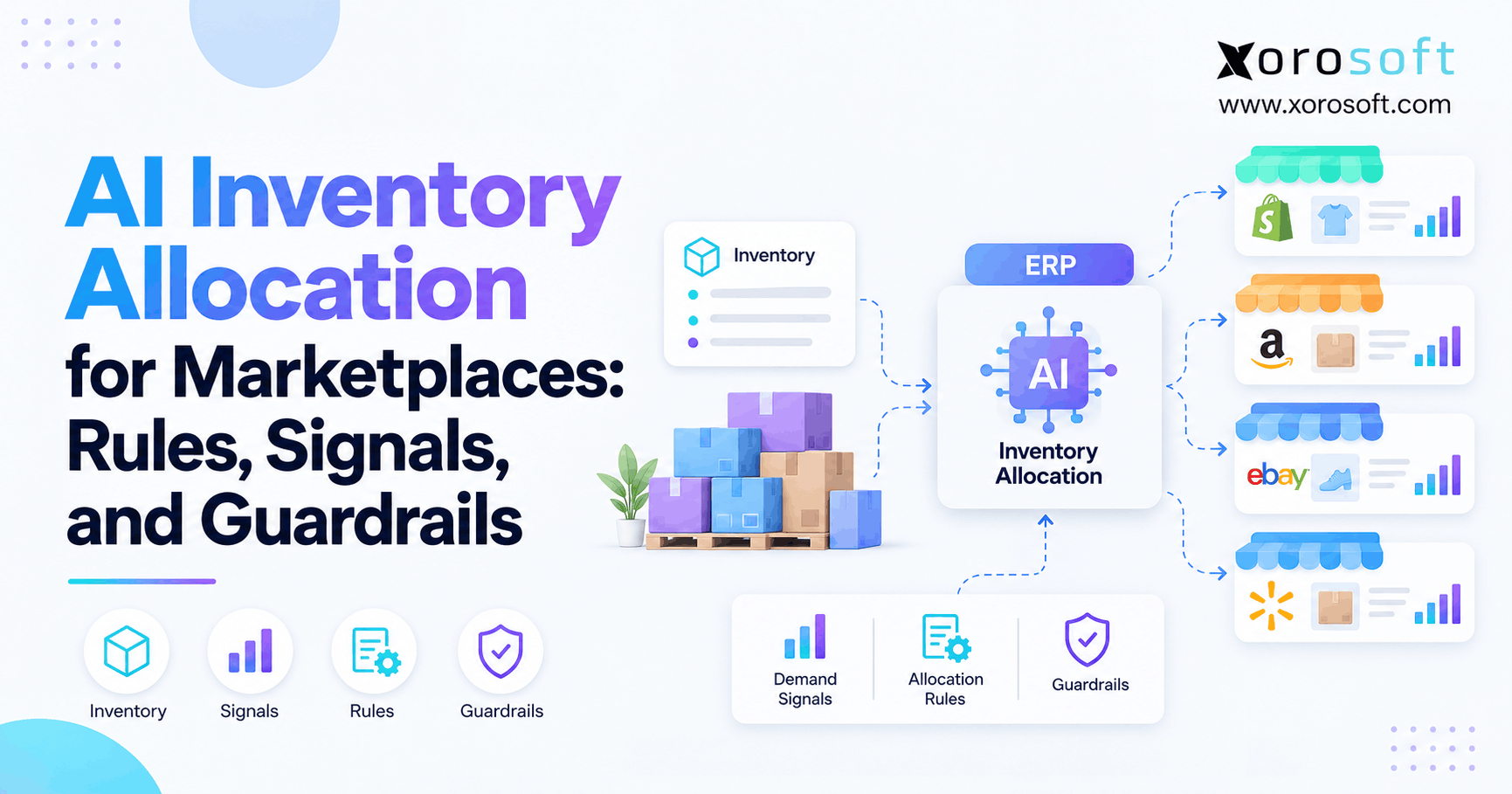
ERP for Distributors can transform how wholesale operations manage inventory, streamline processes, and adapt to changing market demands.
1. Why ERP for Distributors Matters When Growth Creates Complexity
ERP for Distributors becomes important when a growing business can no longer manage inventory, purchasing, warehouse operations, accounting, and customer orders through disconnected tools. In the early stage, many distributors use QuickBooks, spreadsheets, inventory apps, warehouse tools, and ecommerce platforms separately. That setup may feel flexible at first. However, once order volume increases, those separate systems start creating hidden gaps.
Growth changes how a distribution business operates. More SKUs enter the catalog. Supplier relationships become harder to manage. In addition, warehouses, sales channels, and customer expectations begin to multiply. As a result, the business needs more than basic recordkeeping.
Without a connected operating system, teams often spend too much time checking numbers, updating spreadsheets, chasing warehouse updates, and reconciling accounting data. Meanwhile, leadership may not see operational problems until they affect margins, cash flow, or customer service.
A connected ERP for Distributors helps solve this by creating one system for inventory management, purchasing, warehouse management, sales orders, accounting, reporting, forecasting, ecommerce, and EDI. Rather than forcing each department to work from separate data, the business gains a shared source of truth.
For distributors, this matters because every operational mistake has a financial impact. A missed purchase order can create stockouts. Receiving errors can affect inventory accuracy. Similarly, warehouse transfers can create confusion across locations. Therefore, a connected ERP system helps distributors scale with better control.
1.1 Disconnected Tools Start Creating Hidden Costs
Disconnected tools usually look manageable until the business grows. A spreadsheet may track purchase planning. An inventory app may track stock. QuickBooks may handle accounting. Shopify or Amazon may manage online orders. However, each system tells only part of the story.
The hidden cost appears when teams must connect those parts manually. Sales checks stock with the warehouse. Purchasing exports reports before placing orders. Accounting waits for inventory updates before closing the month. Eventually, employees spend more time reconciling data than improving operations.
In addition, disconnected tools create ownership problems. Nobody knows which system is the true source of inventory, customer pricing, supplier status, or order profitability. Because of that, decisions slow down even when the business is growing.
1.2 Manual Handoffs Slow Inventory and Fulfillment
Manual handoffs create delays because every workflow depends on another person updating the next system. For example, receiving must update inventory. Inventory must update sales availability. Sales orders must trigger warehouse picking. Finally, shipments must update accounting.
When those steps are not connected, errors increase. A delayed update can cause overselling. A missed transfer can create stock confusion. In addition, incorrect receiving can affect every future inventory report.
This is why many growing distributors eventually need a stronger system. The issue is not only speed. More importantly, the business needs reliable control across every product movement.
1.3 When Basic Systems Still Make Sense
A full distributor ERP system may not be necessary for a very small business with one warehouse, limited SKUs, simple suppliers, and basic accounting needs. In that case, accounting software and a focused inventory app may be enough.
Even so, the business should watch for warning signs. Side spreadsheets often appear when the main system cannot manage purchasing, inventory availability, warehouse transfers, or customer pricing. Likewise, accounting delays can signal that inventory and finance are no longer aligned.
Therefore, ERP planning should begin before the business reaches a breaking point. It is easier to evaluate systems while operations are still manageable than to make a rushed decision after errors begin affecting customers.
2. What a Distributor ERP System Should Control
A distributor ERP system should control the major workflows that move products through a company. It should help teams manage inventory, purchasing, sales orders, warehouse activity, accounting, reporting, forecasting, ecommerce, and EDI from one place.
This is different from using separate apps for each department. Instead of inventory sitting in one tool, accounting in another, and warehouse activity somewhere else, ERP connects the workflow. Consequently, teams can make decisions using the same operational data.
2.1 Shared Data Across Inventory, Orders, and Finance
Shared data is one of the biggest benefits of a connected system. Teams need to know what stock is available, committed, incoming, transferred, damaged, reserved, or unavailable.
Without ERP, inventory visibility often depends on manual updates. Sales may see one number, while warehouse teams may see another. Meanwhile, purchasing may use outdated spreadsheets to plan replenishment.
With a distribution ERP system, inventory can be viewed by SKU, warehouse, bin, lot, serial number, and status. Therefore, teams can make faster and more reliable decisions.
2.2 One Workflow From Purchasing to Shipment
A distributor does not operate through isolated steps. Purchasing affects inventory. Inventory affects sales. Sales affects warehouse activity. Finally, warehouse activity affects accounting.
A connected system brings these actions together. Purchase orders create expected stock. Receiving updates inventory. Sales orders reserve availability. Warehouse teams pick and ship. After that, accounting records the financial impact.
Because the workflow is connected, teams do not need to rebuild the truth manually. As a result, the business spends less time fixing problems and more time improving service levels.
2.3 Visibility for Operators and Finance Teams
Operators need visibility to make daily decisions. Finance teams need visibility to understand cost, margin, inventory value, and cash flow. Although both teams use the same data differently, they both depend on accuracy.
When inventory and accounting are disconnected, finance teams must reconcile transactions manually. This creates delays and increases the chance of errors. A connected system reduces this problem by tying operational activity to financial records.
Moreover, leadership gets better reporting because operational and financial data come from the same foundation. That visibility becomes especially important when the company manages multiple warehouses, channels, and customer types.
3. Why Distributors Start Evaluating ERP Software
Distributors usually start looking for ERP software when daily work becomes too dependent on manual fixes. The issue is rarely one single problem. Instead, several operational gaps appear at the same time.
Inventory becomes hard to trust. Purchasing becomes reactive. Warehouse teams rely on workarounds. In addition, accounting needs more time to close the books, and leadership cannot see accurate performance without manual reporting.
3.1 Inventory Numbers Become Hard to Trust
Inventory trust often breaks first. The system may show stock available, but warehouse teams may not find it. Sales teams may also promise inventory that has already been allocated.
As a result, teams lose confidence in the numbers. Customer service checks with warehouse staff before confirming orders. Buyers delay decisions, while finance questions valuation. Eventually, leadership realizes the business needs a connected operating system.
ERP for Distributors helps by centralizing inventory data and connecting stock movement to warehouse, purchasing, sales, and accounting workflows. Consequently, every team works from cleaner operational information.
3.2 Purchasing Turns Reactive Instead of Planned
Purchasing becomes reactive when buyers rely on spreadsheets, old sales reports, and informal warehouse feedback. This creates two common problems: stockouts and overstock.
Stockouts damage customer relationships. Overstock, on the other hand, ties up cash in inventory that may not sell quickly. Therefore, distributors need purchasing workflows that connect demand, supply, supplier lead times, and reorder planning.
A connected purchasing workflow helps buyers make better decisions because they can see more complete information before creating purchase orders. In addition, it helps the business protect working capital while maintaining inventory availability.
3.3 Warehouse Teams Depend on Workarounds
Warehouse teams need reliable instructions to receive, store, pick, pack, and ship products. However, when warehouse workflows are disconnected from inventory and orders, errors become more likely.
A transfer may not update properly. Pickers may receive outdated instructions. In some cases, received items may be placed in the wrong location. Consequently, inventory accuracy declines.
Distributor ERP software improves control by connecting warehouse actions to inventory records, sales orders, purchasing, and reporting. Because of that connection, warehouse activity becomes visible across the business.
3.4 Month-End Close Takes Too Long
Accounting delays often show that operations and finance are disconnected. Distributors commonly struggle with inventory valuation, cost of goods sold, landed cost, adjustments, and month-end reconciliation.
Inaccurate operational data makes financial reporting harder. However, when inventory, purchasing, warehouse, and sales workflows are connected, accounting teams can close with more confidence.
This also improves leadership visibility. Instead of waiting for manual cleanup, decision-makers can review margins, inventory value, and operational performance faster.
4. Core Features Every ERP for Distributors Should Include
ERP for Distributors should be evaluated by workflow fit. A long feature list is not enough. The system must support how products are purchased, received, stored, sold, shipped, and accounted for.
In addition, the ERP should fit the distributor’s industry, warehouse model, channel mix, supplier structure, and reporting needs.
4.1 Inventory Management in Distribution ERP
Inventory management is the foundation of any distributor ERP system. The system should show available stock, committed stock, incoming stock, in-transit stock, damaged stock, and unavailable stock.
A strong setup should support SKU tracking, warehouse-level visibility, bin locations, lot tracking, serial tracking, cycle counts, and inventory adjustments.
Because inventory affects every department, accuracy is essential. Sales needs it to promise orders. Purchasing uses it to plan replenishment, while warehouse teams depend on it to fulfill correctly. Accounting also needs reliable stock values to report accurately.
4.2 Warehouse Management for Distributor ERP Workflows
Warehouse management features help distributors control physical inventory movement. This includes receiving, putaway, picking, packing, shipping, transfers, barcode scanning, and stock adjustments.
A connected warehouse management system can support these workflows when warehouse complexity increases. Moreover, when warehouse activity updates ERP records in real time, teams gain better visibility across operations.
As a result, distribution ERP helps reduce manual warehouse errors and improves fulfillment reliability. It also helps warehouse managers identify bottlenecks before they affect customer orders.
4.3 Purchasing Automation in ERP for Distributors
Purchasing automation helps distributors plan replenishment instead of reacting to shortages. A strong wholesale ERP software setup should support purchase orders, approval workflows, supplier records, reorder points, lead times, expected receipt dates, and purchasing reports.
In addition, purchasing should connect with sales demand and current inventory. This helps buyers avoid both overstock and stockouts.
For growing distributors, this workflow is especially important because inventory purchasing directly affects cash flow. Therefore, purchasing should never operate separately from inventory and sales data.
4.4 Sales Order Management Features
Sales order management helps connect customer demand to inventory and fulfillment. A distributor ERP system should support wholesale orders, ecommerce orders, manual sales orders, customer-specific pricing, backorders, partial shipments, and order allocations.
When sales order management is connected to inventory and warehouse workflows, teams can fulfill more accurately. In addition, accounting can invoice based on completed activity rather than delayed updates.
This matters because customer service depends on accurate order promises. If sales cannot see real availability, the business risks late shipments, incorrect commitments, and margin leakage.
4.5 Accounting and Financial Control
Accounting and finance features should connect directly to operational activity. Purchase receipts, inventory adjustments, landed cost, shipments, returns, and transfers all affect financial reporting.
This is why ERP software for growing product businesses becomes valuable when distributors outgrow disconnected accounting and inventory tools. It helps connect inventory operations with accounting control.
Therefore, finance teams can reduce manual reconciliation and improve visibility into margins, stock value, and month-end close. Over time, this makes reporting more reliable for both operators and leadership.
4.6 Forecasting and Reporting for Distribution Teams
Forecasting and reporting help distributors move from reactive decisions to planned operations. Reports should show inventory accuracy, fill rate, stockout rate, inventory turnover, supplier performance, warehouse productivity, and gross margin.
Forecasting should help teams understand future demand. As a result, buyers can plan purchase orders more effectively, warehouse teams can prepare for volume, and leadership can make better working capital decisions.
Moreover, reporting should be simple enough for teams to use regularly. If reports require manual exports every week, the system will not solve the visibility problem.
5. ERP for Distributors vs Inventory Software vs WMS
Many distributors compare ERP, inventory software, WMS tools, and accounting software. Each option can be useful, but each solves a different problem.
ERP for Distributors becomes more valuable when the business needs connected workflows instead of separate tools.
5.1 When Inventory Software Is Enough
Inventory software focuses mainly on stock tracking. It may help with quantities, locations, adjustments, and basic availability. However, it may not fully support purchasing, accounting, warehouse execution, forecasting, EDI, or customer-specific pricing.
A distributor can use inventory software when operations are still simple. Yet once inventory decisions affect purchasing, sales, warehouse operations, and finance, a broader system usually becomes more practical.
5.2 When a WMS Becomes Useful
A WMS focuses on warehouse execution. It helps teams receive goods, scan items, pick orders, pack shipments, and manage transfers.
Distribution ERP, however, connects warehouse activity with inventory, purchasing, sales orders, accounting, and reporting. In many businesses, ERP and WMS capabilities work together. For example, warehouse teams need execution tools, while finance and leadership need connected operational data.
5.3 When a Connected Operating System Makes More Sense
Accounting software is designed to manage financial records. It can handle invoices, bills, expenses, payments, and financial statements. However, it may not manage distribution workflows deeply.
Cloud ERP connects accounting with inventory, purchasing, warehouses, sales channels, and reporting. As a result, finance teams can understand the operational activity behind the numbers.
A cloud ERP platform is especially useful when distributors need inventory, purchasing, warehouse, accounting, forecasting, reporting, and ecommerce workflows in one system.
5.4 System Comparison for Distribution Teams
| System Type | Best For | Main Strength | Limitation | Upgrade Signal |
|---|---|---|---|---|
| Inventory Software | Basic stock tracking | Simple inventory visibility | Limited accounting and purchasing depth | Inventory does not connect with finance |
| WMS | Warehouse execution | Receiving, picking, packing, transfers | May not manage accounting or purchasing | Warehouse workflows need stronger control |
| Accounting Software | Financial records | Invoices, bills, general ledger | Limited distribution workflows | Inventory valuation becomes difficult |
| Spreadsheets | Early manual tracking | Flexibility | High error risk | Teams rely on manual updates every day |
| ERP | Connected operations | Inventory, purchasing, warehouse, accounting, reporting | Requires planning and implementation | Teams need one operating system |
6. When Wholesale Distributors Should Upgrade to ERP
Wholesale distributors should upgrade to ERP when manual tools begin slowing growth, creating errors, or limiting visibility. The decision is not based only on revenue. Instead, it depends on operational complexity.
A smaller distributor with multiple warehouses, EDI, and fast order volume may need ERP earlier than a larger business with simpler workflows.
6.1 QuickBooks Starts Showing Operational Limits
QuickBooks can work well for accounting, especially in smaller businesses. However, distributors often outgrow it when they need multi-warehouse inventory, purchasing automation, advanced reporting, warehouse management, forecasting, and operational controls.
The problem is not QuickBooks itself. Rather, the issue is that distribution operations eventually require more than accounting software.
As order volume grows, accounting tools cannot always show the operational context behind the numbers. That is why many distributors eventually look for a system that connects finance with inventory and fulfillment.
6.2 Spreadsheets Begin Controlling Daily Decisions
Spreadsheets are useful for analysis. However, they become risky when they control purchase planning, inventory availability, stock transfers, and customer pricing.
One outdated file can create duplicate purchasing, missed replenishment, incorrect stock promises, or reporting delays. Therefore, once spreadsheets become part of daily execution, distribution ERP should be considered.
In addition, spreadsheets often hide process problems. The business may seem organized, but the real operating system is manual work.
6.3 Inventory Apps Become Disconnected
Inventory apps can solve early stock visibility problems. However, they may become limiting when the distributor needs purchasing, accounting, EDI, forecasting, warehouse workflows, and ecommerce integrations.
If each function requires another app, the business may gain more tools but lose visibility. In that case, wholesale ERP software can help centralize operations.
This does not mean inventory apps have no value. Instead, it means they may no longer be enough once the business needs deeper coordination across teams.
6.4 Readiness Checklist for Growing Teams
A business may be ready for ERP for Distributors if several of these signs are present:
• Inventory numbers are hard to trust
• Stockouts and overstock happen frequently
• Purchase orders are managed manually
• Warehouse teams rely on workarounds
• Multiple warehouses create confusion
• Shopify, Amazon, wholesale, and EDI orders are disconnected
• Accounting teams spend too much time reconciling inventory
• Leadership waits too long for accurate reports
• Customer-specific pricing is difficult to manage
• Teams enter the same data into multiple systems
If these problems are common, ERP should be evaluated before manual processes become more expensive.
7. How ERP for Distributors Improves Inventory Accuracy
Inventory accuracy is one of the strongest reasons to implement ERP for Distributors. Once inventory becomes inaccurate, the entire business feels the impact.
Sales cannot promise orders confidently. Purchasing cannot plan replenishment properly. Meanwhile, warehouse teams waste time searching for missing products, and accounting struggles with valuation. Consequently, customers experience delays.
7.1 Centralized Stock Data in Distribution ERP
Centralized inventory data helps teams avoid arguments over which number is correct. Stock availability, committed inventory, incoming purchase orders, transfers, and adjustments are managed in one place.
Xorosoft, for example, is built for inventory-driven businesses that need inventory management, accounting, purchasing, warehouse management, forecasting, reporting, and ecommerce operations connected.
Because everyone uses the same stock data, teams can reduce manual checks. In turn, the business can make faster decisions with fewer internal disputes.
7.2 Real-Time Warehouse Updates
Inventory accuracy improves when warehouse transactions update the system quickly. Receiving, picking, packing, transfers, cycle counts, and adjustments should not depend on delayed manual entry.
Real-time warehouse updates help sales, purchasing, and accounting teams make better decisions. In addition, leadership can trust operational reports more confidently.
This is especially important for multi-location distributors. If one warehouse updates stock late, every other team may make decisions using outdated information.
7.3 Stronger Receiving Controls
Many inventory errors begin during receiving. If the wrong quantity, item, lot, or warehouse location is recorded, every later workflow becomes less reliable.
A distributor ERP system helps connect receiving to purchase orders, supplier records, warehouse locations, and inventory cost. Therefore, control begins as soon as products enter the business.
Stronger receiving controls also support accounting accuracy. When received inventory is recorded correctly, valuation and reporting become easier to manage.
7.4 Fewer Manual Reconciliations
Manual adjustments are sometimes necessary. However, frequent adjustments usually reveal process problems. Connected systems reduce unnecessary corrections by improving receiving, transfers, fulfillment, and cycle counts.
As a result, finance teams spend less time fixing operational errors during month-end close. Warehouse teams also gain clearer visibility into where errors happen and how to prevent them.
Over time, fewer reconciliations create more confidence across the business.
7.5 Inventory KPIs to Track
| KPI | What It Measures | Why It Matters |
| Inventory Accuracy | System stock vs physical stock | Shows whether teams can trust inventory |
| Fill Rate | Orders fulfilled from available stock | Measures service reliability |
| Stockout Rate | Frequency of unavailable items | Reveals replenishment gaps |
| Inventory Turnover | How quickly inventory sells | Shows working capital efficiency |
| Adjustment Frequency | Number of manual corrections | Highlights process control issues |
| Cycle Count Accuracy | Count accuracy by item or location | Helps improve warehouse discipline |
8. Multi-Warehouse ERP for Distributors
Multi-warehouse operations create complexity that basic systems often cannot handle. Inventory is no longer simply available or unavailable. It may be available in one warehouse, committed in another, in transit between locations, or reserved for a specific customer.
ERP for Distributors helps teams manage this complexity with stronger visibility and control.
8.1 Stock Visibility Across Locations
Location-level visibility helps teams see where inventory is stored and whether it is available to sell. This allows sales teams to promise orders accurately and helps warehouse teams fulfill from the right location.
Xorosoft supports multi-warehouse inventory workflows for businesses that need visibility across locations, ecommerce channels, wholesale orders, and purchasing operations.
Moreover, location visibility helps purchasing teams avoid unnecessary buying. If stock exists in another warehouse, a transfer may be better than a new purchase order.
8.2 Transfers and In-Transit Inventory
Transfers between warehouses need clear tracking from origin to destination. Without transfer workflows, stock may disappear from one location before it appears in another.
The system can track transfer orders, in-transit inventory, receiving at the destination warehouse, and updated stock availability. As a result, teams can manage stock movement more accurately.
This also helps accounting teams because inventory movement has financial implications. When transfers are visible, valuation and reporting become easier to control.
8.3 Allocation Rules for Limited Stock
Allocation rules help teams decide which orders receive available stock first. This is important when demand is higher than supply.
A distributor may allocate inventory based on customer priority, order date, channel, warehouse location, or contract terms. Therefore, allocation becomes a controlled decision rather than a manual judgment call.
In addition, allocation rules can protect key accounts. They help sales and operations agree on how limited inventory should be distributed.
8.4 Replenishment by Warehouse Location
Replenishment planning by location helps teams identify when to transfer stock, when to reorder, and where inventory should be stored.
A distributor may have enough total inventory but still have stock in the wrong warehouse. However, with better visibility, teams can rebalance inventory before customer service is affected.
This improves fulfillment speed and reduces unnecessary shipping costs. It also helps buyers make smarter purchasing decisions.
9. Purchasing Automation for Better Stock Planning
Purchasing is one of the most important workflows in distribution. Good purchasing protects customer service levels and cash flow. Poor purchasing creates stockouts, overstock, rushed orders, and supplier pressure.
ERP for Distributors helps buyers make decisions based on demand, inventory, supplier lead times, and replenishment rules.
9.1 Forecast-Driven Buying in ERP for Distributors
Forecast-driven buying connects sales history, current inventory, open orders, supplier lead times, and demand trends.
Instead of asking, “What did we buy last time?” purchasing teams can ask, “What do we need based on demand, availability, and lead time?”
Xorosoft includes purchasing and forecasting workflows that help inventory-driven businesses improve replenishment planning.
As a result, buyers can reduce guesswork and make more consistent decisions. This is especially useful when demand changes by season, channel, or customer segment.
9.2 Supplier Management and Lead Times
Supplier management improves when buyers can track vendor details, purchase history, lead times, expected receipt dates, pricing, and supplier performance.
Because supplier delays affect customer fulfillment, this visibility matters. Moreover, better supplier data helps buyers adjust reorder points, safety stock, and purchasing schedules.
For distributors with multiple suppliers, this can reduce surprises. It also gives purchasing teams stronger evidence when reviewing supplier performance.
9.3 Purchase Order Approval Control
Purchase order approvals help distributors create structured buying workflows. As purchasing volume grows, informal buying becomes risky.
Approval workflows help control spending, reduce duplicate orders, and improve accountability. In addition, they help leadership understand why inventory dollars are being committed.
This is important because inventory is often one of the largest investments in a distribution business. Therefore, purchasing should be planned, visible, and controlled.
9.4 Reducing Overstock and Stockouts
Overstock and stockouts often come from poor visibility. Buyers may not know what is already on order, what is selling quickly, or what inventory is stuck in the wrong warehouse.
Connected purchasing workflows reduce these issues by linking demand, available inventory, supplier lead times, and warehouse-level stock.
Consequently, distributors can make better replenishment decisions. They can protect service levels while also reducing excess inventory.
10. Ecommerce, Shopify, Amazon, and EDI Workflows
Modern distributors often sell through several channels at once. A business may manage wholesale customers, Shopify orders, Amazon marketplace sales, and EDI trading partners at the same time.
Each channel has different requirements. However, all of them depend on accurate inventory, clean order flow, reliable fulfillment, and accounting visibility.
10.1 Shopify Orders in Distributor ERP Workflows
Shopify is a strong ecommerce platform. However, distributors often need deeper operational control behind the storefront. Inventory must sync correctly, orders must flow to the warehouse, and purchasing must account for ecommerce demand. Accounting also needs to reflect sales and inventory movement.
Xorosoft is especially relevant for Shopify merchants that need inventory, purchasing, warehouse, accounting, and reporting connected behind Shopify. It is also available as Xorosoft ERP on the Shopify App Store.
For distributors, this connection matters because Shopify orders are only one part of the business. Wholesale, Amazon, EDI, and manual orders may also need to use the same inventory pool.
10.2 Amazon and Marketplace Operations
Amazon adds complexity because inventory updates, fulfillment requirements, marketplace reporting, and customer expectations move quickly.
If Amazon operates separately from wholesale and Shopify, inventory planning becomes harder. Therefore, ERP helps bring marketplace activity into the same operational system.
This allows distributors to see demand more clearly. It also helps prevent marketplace inventory from becoming disconnected from warehouse and purchasing decisions.
10.3 EDI for Wholesale Channels
EDI helps wholesale businesses exchange structured documents with trading partners. These may include purchase orders, invoices, shipment notices, acknowledgments, and order updates.
EDI workflows matter because many large wholesale customers expect accuracy and consistency. As a result, ERP with EDI support helps connect trading partner requirements with inventory, fulfillment, shipping, and accounting.
Without this connection, teams may process wholesale documents manually. That increases the risk of order errors and fulfillment delays.
10.4 Customer-Specific Pricing and Terms
Wholesale customers often have negotiated pricing, discounts, payment terms, shipping rules, and contract agreements.
Managing these details manually creates risk. A wrong price can reduce margin, while a missed term can delay payment. Therefore, ERP helps apply pricing and terms consistently across orders.
This also improves customer service. When pricing rules are stored properly, teams do not need to search old emails or spreadsheets before confirming an order.
10.5 Unified Order Flow Across Channels
The goal is not to manage every channel separately. Instead, distributors need one order flow across wholesale, Shopify, Amazon, EDI, and manual sales orders.
When demand enters one operational system, inventory, fulfillment, purchasing, and accounting stay better aligned.
This unified order flow becomes more important as the business grows. Otherwise, each channel adds another layer of manual work.
11. Industry Use Cases for ERP for Distributors
ERP for Distributors should be evaluated through real industry workflows. Different industries have different inventory, purchasing, warehouse, and fulfillment requirements.
A furniture distributor does not operate like an apparel distributor. Similarly, a food distributor has different requirements from an industrial parts distributor. Therefore, industry fit matters.
11.1 Apparel and Fashion Distribution
Apparel distributors manage styles, sizes, colors, seasons, collections, returns, and channel-specific demand.
Because one product may have many variants, inventory accuracy becomes harder. ERP helps apparel distributors manage variants, purchasing, warehouse stock, sales orders, ecommerce channels, and reporting in one place.
In addition, fashion businesses often face seasonal pressure. Better forecasting helps buyers avoid excess inventory after peak periods.
11.2 Furniture Distribution
Furniture distributors often manage bulky products, supplier lead times, warehouse space, delivery scheduling, and customer expectations.
Because furniture takes more storage space and longer procurement timelines, distributors need stronger purchasing and warehouse planning. ERP helps connect purchasing, receiving, storage, delivery, inventory visibility, and accounting.
This connection helps teams avoid costly delays. It also supports better communication between sales, warehouse, and delivery teams.
11.3 Sporting Goods Distribution
Sporting goods distributors often deal with seasonal demand, product bundles, retail accounts, ecommerce sales, and changing product trends.
Because demand can shift quickly around seasons, events, or trends, better forecasting is important. Distribution ERP helps teams plan purchasing, track inventory, manage wholesale orders, and avoid excess stock after peak seasons.
Moreover, multi-channel visibility helps sporting goods distributors balance wholesale and ecommerce demand.
11.4 Food and Beverage Distribution
Food and beverage distributors may need lot tracking, expiry control, supplier traceability, and strict receiving workflows.
ERP helps teams manage inventory by lot, location, date, supplier, and movement history. In addition, better forecasting supports purchasing decisions for products with shelf-life constraints.
Because product freshness matters, inventory errors can be expensive. Therefore, connected receiving and warehouse workflows are especially important.
11.5 Industrial and Automotive Parts
Industrial and automotive parts distributors often manage large catalogs, technical SKUs, urgent orders, customer-specific pricing, and substitution options.
ERP helps teams search inventory, manage purchasing, track order history, and control fulfillment accuracy. As a result, customer service teams can respond faster and with more confidence.
In this industry, speed and accuracy matter because customers may need parts urgently. A connected system helps teams avoid delays caused by unclear stock availability.
11.6 Manufacturing and Distribution
Some companies both manufacture and distribute products. These businesses often need purchasing, BOM management, work orders, production planning, inventory control, warehouse management, and accounting.
Xorosoft supports inventory-driven manufacturing and distribution operations where purchasing, production, warehouses, ecommerce, and accounting need to work together. Businesses can also explore Xorosoft’s ERP for inventory-driven industries to see how different operational models fit.
For these businesses, ERP connects both sides of the operation. Manufacturing consumes materials, while distribution fulfills finished goods. Therefore, inventory planning must support both workflows.
12. Comparing ERP Options for Distributors
ERP selection should not be based only on brand recognition. The right system depends on operational complexity, budget, implementation capacity, integrations, warehouse workflows, accounting needs, and long-term growth plans.
Therefore, distributors should compare ERP systems using real workflows instead of only reviewing feature lists.
12.1 NetSuite for Distribution ERP
NetSuite is often evaluated by larger or fast-growing distributors that need broad ERP capabilities. It can support finance, inventory, order management, and operations.
However, distributors should review implementation scope, total cost, configuration needs, reporting requirements, and internal capacity before choosing any ERP. Businesses comparing options can review the Xorosoft vs NetSuite comparison for additional context.
A practical evaluation should include real scenarios. For example, teams should test receiving, transfers, purchasing approvals, ecommerce orders, and month-end reporting.
12.2 Acumatica for Distributor ERP Requirements
Acumatica is another option that businesses may evaluate for inventory, order management, purchasing, warehouse, and financial workflows.
As with any ERP system, fit depends on workflows, partner support, integration needs, and implementation planning. Therefore, distributors should test real process scenarios before making a decision.
The key question is not whether the system has many features. Instead, the question is whether those features match the distributor’s operating model.
12.3 Cin7 for Inventory-Led Distribution Teams
Cin7 is often considered by product businesses looking for inventory and order management. It can be useful for companies focused on inventory visibility and channel operations.
However, distributors should carefully evaluate accounting depth, purchasing workflows, warehouse processes, and long-term ERP needs.
For some companies, inventory-led software may be enough. For others, the need for finance, forecasting, warehouse, and purchasing control may point toward a broader ERP platform.
12.4 Fishbowl for Warehouse and Inventory Workflows
Fishbowl is commonly evaluated by businesses that need inventory and warehouse functionality connected to accounting software.
It may fit companies that are not ready for full ERP. However, growing distributors should review whether they need deeper forecasting, accounting, purchasing, and multi-channel visibility.
This evaluation should be based on future complexity, not only current pain. Otherwise, the company may need another system change sooner than expected.
12.5 Xorosoft for Inventory-Driven Distributors
Xorosoft is a cloud ERP platform built for inventory-driven businesses that manage inventory, accounting, purchasing, warehouse management, manufacturing, forecasting, reporting, Shopify, Amazon, EDI, and multi-warehouse workflows.
For distributors that have outgrown QuickBooks, spreadsheets, inventory-only software, or disconnected systems, Xorosoft can be a practical ERP option. It is especially relevant for wholesale distribution, apparel, furniture, sporting goods, consumer products, food and beverage, manufacturing, and ecommerce businesses.
The best way to evaluate fit is through real workflows. Teams should review purchase planning, warehouse execution, accounting visibility, Shopify orders, EDI workflows, and multi-warehouse inventory before making a decision.
12.6 Vendor Comparison Table
| ERP Option | Best Fit | Strengths to Evaluate | Watchouts to Review |
| NetSuite | Larger or complex distributors | Broad ERP functionality | Cost, implementation scope, customization |
| Acumatica | Cloud ERP buyers | Distribution and finance workflows | Partner fit and configuration |
| Cin7 | Inventory-focused businesses | Inventory and order management | Accounting depth and ERP scalability |
| Fishbowl | Inventory plus accounting users | Warehouse and inventory workflows | Long-term ERP requirements |
| Sage | Accounting-led ERP buyers | Finance and business management | Distribution-specific fit |
| Business Central | Microsoft ecosystem users | Finance, sales, and operations | Distribution configuration and integrations |
| Xorosoft | Inventory-driven distributors | Inventory, accounting, purchasing, WMS, ecommerce, EDI | Fit should be reviewed through demo scenarios |
13. Common Selection Mistakes to Avoid
Choosing ERP is a major operational decision. The wrong system can create implementation delays, user frustration, reporting gaps, and expensive process workarounds.
Distributors should avoid choosing ERP only because it looks powerful in a demo. Instead, they should evaluate whether the system fits real workflows.
13.1 Choosing Based Only on Accounting
Accounting is important. However, distribution is not only an accounting problem. Inventory, purchasing, warehouse management, sales orders, ecommerce, EDI, and reporting must also fit.
If the ERP works for finance but creates problems for warehouse teams, the business will still rely on manual work.
Therefore, operations should be involved early. A system that supports accounting but slows receiving, picking, or transfers may create new problems.
13.2 Ignoring Warehouse Workflows in ERP for Distributors
Warehouse teams use ERP differently from accounting or leadership teams. They need fast receiving, clear pick lists, barcode workflows, transfer controls, and accurate locations.
If warehouse workflows are ignored during ERP selection, adoption becomes harder after implementation. Therefore, operations teams should be involved early.
In addition, warehouse users should test the system before selection. Their daily workflows often reveal practical issues that leadership may not see in a high-level demo.
13.3 Underestimating Implementation Work
ERP implementation includes data cleanup, item master review, customer records, supplier records, workflow mapping, integrations, testing, training, and change management.
A distributor should not treat implementation as a small technical setup. Instead, it should be managed as an operational project.
Moreover, implementation success depends on internal ownership. The vendor can guide the process, but the business must make decisions about workflows, data, and training.
13.4 Skipping Real Demo Scenarios
A software demo should not only show dashboards. It should test real distribution scenarios.
Useful demo scenarios include receiving a purchase order, allocating limited stock, transferring inventory, applying customer-specific pricing, fulfilling a Shopify order, processing an EDI order, and closing the month.
This helps the team see whether the ERP fits daily work. Otherwise, the business may choose a system that looks good but fails in real operations.
13.5 Comparing Features Instead of Process Fit
Feature lists can be misleading. Two systems may both claim to support inventory, purchasing, warehouse management, and accounting. However, the way they support those workflows may be very different.
Therefore, distributors should evaluate how the system handles their actual operating model.
A practical scorecard helps. Instead of asking whether a feature exists, teams should ask whether the feature supports their workflow with minimal manual work.
14. How to Choose the Right ERP for Distributors
Choosing ERP for Distributors should be structured. The goal is not to find the most famous system. Instead, the goal is to find the platform that best supports the business model, team, workflows, integrations, and growth plans.
A strong selection process reduces risk. It also helps the team compare vendors more objectively.
14.1 Map Current Operational Problems
Start by documenting where operations break today. Review inventory discrepancies, stockouts, overstock, warehouse bottlenecks, purchasing delays, order errors, accounting delays, and reporting gaps.
This creates a clear foundation for ERP evaluation. In addition, it helps the business avoid choosing software based only on assumptions.
The map should include every major department. Sales, warehouse, purchasing, accounting, customer service, and leadership all see different problems.
14.2 Define Must-Have ERP for Distributors Capabilities
Next, separate must-have features from nice-to-have features. A distributor may need multi-warehouse inventory, purchasing automation, accounting integration, Shopify orders, Amazon operations, EDI, forecasting, customer pricing, or warehouse scanning.
Clear priorities help prevent software demos from becoming overwhelming.
In addition, must-have capabilities should be tied to business problems. If a feature does not solve a real issue, it should not drive the decision.
14.3 Review Ecommerce and EDI Needs
Distributors should identify required integrations before implementation begins. These may include Shopify, Amazon, EDI providers, shipping tools, payment platforms, tax tools, and reporting systems.
Integration planning is important because disconnected channels often create the problems ERP is supposed to solve.
Therefore, teams should ask how each integration works. They should also confirm which data moves between systems, how often it syncs, and who manages exceptions.
14.4 Compare Implementation Fit
A strong ERP can still fail if implementation does not fit the team. Review timeline, data migration, training, support, configuration, and internal resources.
The right vendor should understand distribution workflows, not just software screens. Moreover, the implementation plan should match the team’s capacity.
If the rollout is too complex for the team, adoption may suffer. On the other hand, a practical implementation plan can help teams build confidence early.
14.5 Use a Practical Selection Scorecard
| Evaluation Area | Questions to Ask | Score 1-5 |
| Inventory | Can it manage SKUs, locations, lots, bins, and adjustments? | |
| Warehouse | Does it support receiving, picking, packing, and transfers? | |
| Purchasing | Can buyers manage POs, reorder points, lead times, and approvals? | |
| Accounting | Does inventory connect properly to financial reporting? | |
| Ecommerce | Does it support Shopify, Amazon, and other channels? | |
| EDI | Can it support wholesale trading partner requirements? | |
| Reporting | Can leadership see real-time operational metrics? | |
| Implementation | Is the rollout realistic for the team? | |
| Support | Does the vendor understand distribution workflows? | |
| Scalability | Can the system support future warehouses and channels? |
15. FAQs About ERP for Distributors
15.1 What is ERP for Distributors?
ERP for Distributors is software that connects inventory, purchasing, sales orders, warehouse management, accounting, reporting, and fulfillment in one system. It helps distribution companies manage product movement from supplier purchase orders to customer delivery. As a result, teams gain shared visibility across operations.
15.2 How does ERP for Distributors help growing businesses?
ERP for Distributors helps growing businesses reduce manual work, improve inventory accuracy, connect purchasing with demand, improve warehouse visibility, and give accounting better operational data. In addition, leadership can see what is happening across sales, inventory, fulfillment, and finance.
15.3 What features should ERP for Distributors include?
A distributor ERP system should include inventory management, warehouse management, purchasing, sales order management, accounting, forecasting, reporting, ecommerce integrations, EDI, customer-specific pricing, and multi-warehouse controls. Moreover, some businesses may need manufacturing, barcode scanning, landed cost, and lot tracking.
15.4 Is ERP for Distributors better than inventory software?
ERP for Distributors is better when a business needs more than stock tracking. Inventory software can manage basic quantities. However, ERP connects inventory with purchasing, warehouse operations, sales orders, accounting, reporting, ecommerce, and EDI.
15.5 Is QuickBooks enough for distributors?
QuickBooks may be enough for small distributors with simple accounting and limited inventory. However, growing distributors often outgrow it when they need multi-warehouse inventory, purchasing automation, warehouse controls, forecasting, and stronger reporting.
15.6 When should distributors upgrade?
Distributors should consider ERP when inventory is hard to trust, purchasing is managed in spreadsheets, warehouse teams rely on workarounds, reporting is delayed, and accounting teams spend too much time reconciling inventory activity.
15.7 Does it help with multiple warehouses?
Yes. ERP helps track inventory across warehouses, manage transfers, monitor available stock, allocate inventory, and choose the right fulfillment location. Therefore, it improves visibility and reduces warehouse confusion.
15.8 Can it reduce stockouts?
ERP can help reduce stockouts by connecting demand, inventory levels, supplier lead times, reorder points, and purchasing workflows. It gives buyers better information before inventory runs out.
15.9 Can it reduce overstock?
Yes. The system helps reduce overstock by showing slow-moving inventory, demand trends, open purchase orders, and warehouse-level stock. Better visibility helps buyers avoid purchasing more inventory than the business needs.
15.10 Does it support Shopify?
Many ERP systems can support Shopify through integrations. For Shopify distributors, ERP helps connect orders, inventory synchronization, fulfillment, purchasing, accounting, and reporting behind the ecommerce storefront.
15.11 Does it support EDI?
Many ERP systems support EDI directly or through integrations. EDI is useful for wholesale distributors that exchange purchase orders, invoices, shipment notices, and other documents with trading partners.
15.12 What is the difference between ERP and WMS?
A WMS focuses on warehouse execution, such as receiving, picking, packing, scanning, and transfers. ERP connects warehouse activity with purchasing, sales orders, inventory, accounting, forecasting, and reporting.
15.13 What is the difference between ERP and accounting software?
Accounting software manages financial records. ERP connects financial records with inventory, purchasing, warehouse activity, sales orders, fulfillment, and reporting. For distributors, this connection is important because inventory movement affects financial accuracy.
15.14 How much does it cost?
ERP cost depends on users, modules, implementation scope, integrations, data migration, training, customization, and support. A simple distributor will have different needs than a multi-warehouse business with ecommerce, EDI, and manufacturing workflows.
15.15 What should teams look for in a demo?
Teams should test real workflows during the demo. These include purchase orders, receiving, inventory allocation, warehouse transfers, Shopify orders, EDI orders, customer-specific pricing, reporting, and month-end accounting.
15.16 Can ERP for Distributors replace spreadsheets?
Yes, ERP for Distributors can replace spreadsheets used for purchasing, inventory planning, warehouse transfers, customer pricing, reporting, and reconciliations. However, spreadsheets may still be useful for analysis. The key difference is that ERP becomes the operating system, while spreadsheets become supporting tools.
15.17 Can it help with forecasting?
Yes. ERP can support forecasting by connecting sales history, current inventory, open orders, supplier lead times, and demand trends. As a result, buyers can make more informed replenishment decisions and reduce guesswork.
15.18 Who may not need ERP yet?
A very small distributor with one warehouse, simple products, low order volume, and basic accounting needs may not need ERP yet. However, if manual workarounds are increasing, the business should start planning before operations become harder to control.
16. Final Takeaway: Choosing ERP for Distributors With Confidence
ERP for Distributors becomes valuable when the business needs stronger control across inventory, purchasing, warehouse management, accounting, ecommerce, EDI, and reporting.
A small distributor with simple workflows may not need ERP immediately. However, once growth creates inventory discrepancies, spreadsheet purchasing, multi-warehouse confusion, delayed reports, and disconnected sales channels, ERP becomes a strategic operating system rather than just another software tool.
The most important question is not, “Which ERP has the longest feature list?” Instead, a better question is, “Which ERP best supports the way our distribution business actually runs?”
For inventory-driven distributors, Xorosoft can help centralize inventory management, accounting, purchasing, warehouse management, manufacturing, forecasting, reporting, Shopify, Amazon, EDI, and multi-warehouse workflows. It is especially relevant for businesses that have outgrown QuickBooks, spreadsheets, inventory-only tools, and disconnected systems.
If your team is ready to review ERP fit, operational gaps, and implementation readiness, you can book a personalized ERP demo and evaluate how a connected system would support your distribution workflows.
Recent Posts
-
 ERP for US–Canada Ecommerce Operations Managing Cross-Border Inventory
 -
 Wholesale Order Automation Statistics 2026: Entry, Approval and Exception Costs
 -
 ERP vs Point Integrations: The Real Cost of Running Shopify Operations Across Multiple Apps
 -
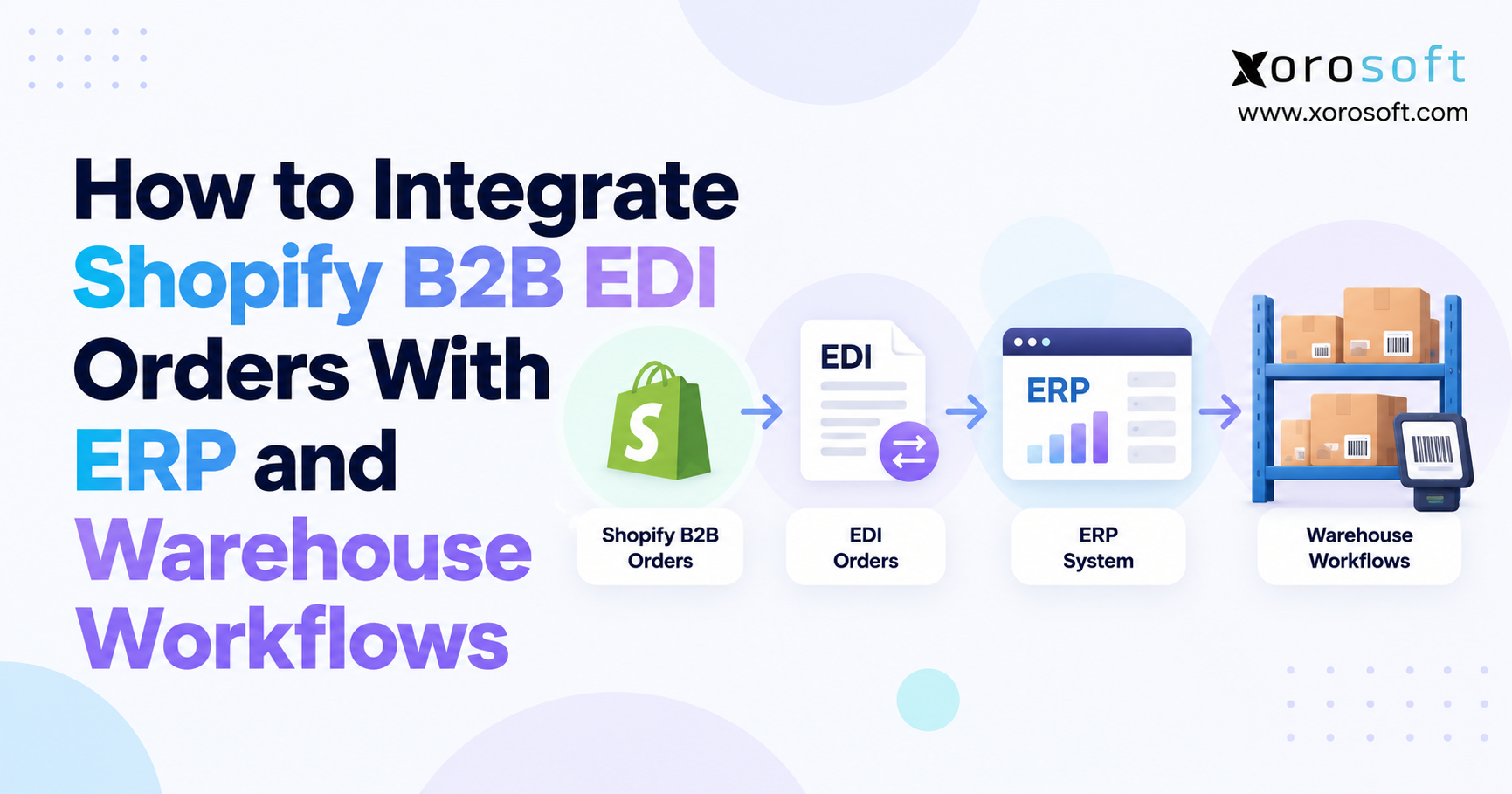
 How to Integrate Shopify B2B EDI Orders With ERP and Warehouse Workflows
 -
 Inventory and Working Capital: Why Growth Can Hide a Cash Problem