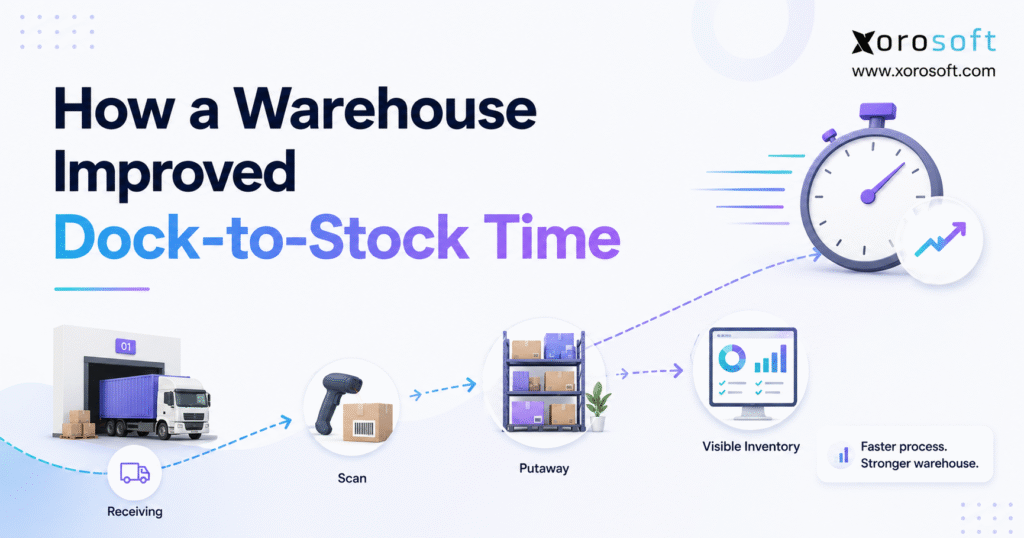
One of the key metrics in warehouse operations is dock-to-stock time, as it reflects how efficiently goods move from receiving to inventory.
1. When Inventory Arrives but Still Cannot Be Used
Dock-to-stock time measures how long it takes inventory to move from the receiving dock to a usable stock location. In other words, the clock starts when goods arrive and stops when the warehouse has checked, stored, and made that inventory available in the system. Therefore, a fast unloading process does not always mean the warehouse has a fast inbound operation.
For many growing warehouses, this gap is hard to see. Goods may already be inside the building; however, sales, purchasing, and fulfillment teams may still see them as unavailable. As a result, the business can show a stockout in the system while cartons of that same product sit only a few feet from the picking area.
The problem becomes more serious as volume grows. First, more suppliers create more inbound shipments. Next, more SKUs create more checks. In addition, Shopify, Amazon, wholesale, and other sales channels put more pressure on stock accuracy. Consequently, the time between physical arrival and system availability becomes a key warehouse metric.
Reducing dock-to-stock time starts with understanding where inventory waits between arrival and availability. Therefore, the first job is not to make workers move faster. Instead, the business must find the steps that create waiting, repeat work, or missing data.
1.1 What Dock-to-Stock Time Actually Measures
Dock-to-stock time covers more than receiving.
First, the shipment arrives at the dock. Next, workers unload the goods. Then, the team checks SKUs and quantities against the purchase order. If needed, workers also capture lot numbers, serial numbers, expiry dates, or damage notes.
After those checks, the warehouse moves the goods to a stock location. Finally, the inventory must appear correctly in the system.
Therefore, the basic formula is:
Dock-to-stock time = inventory available time − shipment arrival time
For example, suppose a truck arrives at 8:00 AM. The team finishes receiving at 10:00 AM. However, putaway is not complete until 1:00 PM, and the inventory becomes available in the system at 2:00 PM.
In that case, dock-to-stock time is six hours, not two.
1.2 Why Dock-to-Stock Time Matters
The KPI matters because stock has little value while it is waiting in an inbound staging area.
For example, a Shopify order cannot use inventory that the system still shows as unavailable. Likewise, a wholesale sales rep cannot promise stock that has not been posted. Meanwhile, purchasing teams may believe they still need more product.
Therefore, slow dock-to-stock time can create:
- False stockouts
- Delayed order fulfillment
- Extra purchasing
- More warehouse handling
- Poor stock visibility
- Inventory count differences
- Slower financial checks
As a result, improving this metric often helps more than just the receiving team.
2. What Causes Slow Dock-to-Stock Time
The warehouse in this example did not have one major failure. Instead, it had several small delays that added up.
At first, managers believed unloading was the main issue. However, once they looked at the full inbound process, they found that most waiting happened after the truck had already been unloaded.
2.1 Why Manual Receiving Increases Warehouse Receiving Time
The receiving team checked products correctly; however, many steps still depended on paper, spreadsheets, or manual data entry.
For example, workers counted cartons at the dock. Then, someone wrote down differences. Later, another person entered those details into the inventory system.
As a result, the warehouse handled the same information more than once.
Manual work also created timing gaps. Although the goods were physically inside the warehouse, the system often remained unchanged until someone had time to enter the receipt.
Therefore, the business could not rely on real-time stock status.
2.2 How Poor PO Data Slows the Receiving Cycle
Another delay came from purchase order data.
Sometimes a supplier arrived with quantities that did not match the open PO. In other cases, an item was missing from the PO entirely. Therefore, receiving workers had to stop and ask the purchasing team what to do.
Meanwhile, the shipment stayed on the dock.
This may sound like a small issue. However, when several shipments arrive each day, even a short delay per receipt can create a large backlog.
Consequently, clean purchase orders became one of the first areas the warehouse needed to improve.
2.3 Why Putaway Delays Increase Inventory Availability Time
Experienced workers knew where most products belonged. Newer workers did not.
Therefore, some employees had to ask supervisors where to place certain SKUs. In addition, overflow locations changed as stock levels moved up and down.
As a result, putaway speed depended heavily on who was working that shift.
The warehouse also sometimes placed goods in a temporary location. However, if that move was not recorded correctly, the stock became harder to find later.
Thus, putaway was creating both time loss and inventory risk.
2.4 How Exceptions Increase Dock-to-Stock Time
Not every inbound shipment is clean.
For example, cartons may arrive damaged. Quantities may be wrong. A barcode may be missing. In addition, lot or expiry information may be incomplete.
Previously, the warehouse handled these problems inside the normal receiving flow. Consequently, one bad line item could delay the rest of the shipment.
Instead, the team needed a way to move good inventory forward while isolating only the items that required review.
3. The Hidden Cost of Slow Dock-to-Stock Time
Slow dock-to-stock time does not stay inside the warehouse. Instead, it spreads into sales, purchasing, finance, and customer service.
3.1 Available Stock Can Look Lower Than It Really Is
Suppose 500 units arrive in the morning. However, the receiving team does not post those units until late afternoon.
During that gap, the sales system may still show low stock.
As a result, a buyer may create another purchase order. Meanwhile, an ecommerce channel may display an item as unavailable.
Therefore, receiving delay can create bad decisions even when the physical inventory is correct.
3.2 Fulfillment Has to Wait
Orders cannot always be released against stock that is still sitting in receiving.
Consequently, pickers may wait for inventory that has already reached the building. In addition, customer service teams may need to explain why an order has not shipped even though the inbound shipment arrived earlier.
For fast-moving products, even a few hours can matter.
Therefore, reducing dock-to-stock time helps turn new inventory into sellable inventory sooner.
3.3 Purchasing Loses a Clear View
Purchasing teams need three facts to be clear: what was ordered, what has arrived, and what is still open.
However, delayed receiving can blur those numbers.
For example, a buyer may see 1,000 units still open on a PO even though 700 units are already on the dock. As a result, planning becomes less reliable.
Moreover, the buyer may spend time asking warehouse staff for updates instead of working from the system.
3.4 Finance Has More Work to Reconcile
Inventory timing also affects finance.
When physical receipts and system receipts happen at different times, teams may need to explain why inventory, vendor bills, and receiving records do not line up.
Therefore, slow or uneven receiving can add more work during inventory checks and month-end close.
In contrast, a clear receiving process creates a cleaner trail from purchase order to receipt to stock.
4. How to Measure Dock-to-Stock Time
Before changing software or adding labor, the warehouse measured where time was actually being lost.
That decision was important. Otherwise, the team might have invested in faster unloading even though unloading was not the main problem.
4.1 Track the Arrival Timestamp
First, the warehouse recorded the actual arrival time.
This timestamp created a clear start point. Therefore, teams could stop relying on rough estimates such as “the truck came sometime this morning.”
For better results, the warehouse also tracked supplier, carrier, PO, and dock door.
As a result, managers could compare inbound performance by supplier and shipment type.
4.2 Measure Warehouse Receiving Time
Next, the team measured when SKU and quantity checks were complete.
This helped separate unloading time from receiving time.
For example, one shipment might unload in 20 minutes but take two hours to verify because labels were poor. Another might take longer to unload but move through checking quickly.
Therefore, managers could see the real cause instead of blaming every delay on dock labor.
4.3 Measure Receiving-to-Putaway Time
After receiving, the warehouse tracked when goods reached their final stock location.
This step mattered because receiving was sometimes complete while pallets still waited in staging.
Therefore, management added receiving-to-putaway time as its own metric.
As a result, the team could see whether dock-to-stock time came from receiving or from the next step.
4.4 Measure Inventory Availability Time
Finally, the warehouse measured when stock became available to other teams.
This became the true endpoint.
After all, an item can be physically stored but still unavailable if the inventory system has not been updated.
Therefore, the warehouse treated system availability as part of the process rather than an office task that could happen later.
5. Process Changes That Reduced Dock-to-Stock Time
Once the bottlenecks were clear, the warehouse changed the process in stages.
Importantly, the team did not try to automate everything at once. Instead, it fixed the basic flow first.
5.1 Prepare Inbound Work Before the Truck Arrives
First, expected receipts were reviewed before delivery.
The receiving team could therefore see which POs were due, which SKUs were expected, and which orders required extra checks.
In addition, managers could plan dock space and labor based on inbound volume.
As a result, the warehouse started each receipt with more information and fewer surprises.
5.2 Receive Against Purchase Orders
Next, the team stopped treating receiving as a separate warehouse activity.
Instead, each normal receipt had to connect to an expected purchase order.
Therefore, workers could check:
- Expected SKU
- Expected quantity
- Supplier
- Unit of measure
- Required lot or serial data
- Outstanding quantity
As a result, differences became clear at the dock instead of appearing later during inventory checks.
5.3 Use Scanning to Shorten the Receiving Cycle
Barcode scanning reduced the amount of typing needed during receiving.
For example, a worker could scan an item, confirm the quantity, and move to the next line. Therefore, the same SKU number did not need to be written down and entered again later.
In addition, scanning helped stop obvious errors.
If the wrong SKU was scanned, the system could flag the difference immediately. Consequently, errors were easier to fix before stock reached the warehouse floor.
This also helped reduce dock-to-stock time because workers spent less time re-entering data or correcting simple mistakes.
5.4 Separate Good Receipts From Exceptions
The warehouse then created an exception path.
Normal inventory continued to putaway. Meanwhile, damaged goods, quantity differences, missing labels, or unclear PO lines moved to a separate review area.
Therefore, one problem item no longer stopped an entire shipment.
This change also made exceptions easier to measure. For example, managers could track which suppliers caused the most quantity or labeling issues.
As a result, supplier follow-up became more useful.
5.5 Improve Putaway Time
Next, the warehouse reduced the amount of guesswork in putaway.
Rules helped guide stock based on item type, pick speed, available space, and storage needs.
Therefore, workers did not need to ask a supervisor where every item belonged.
In addition, clearer putaway rules helped new staff work faster. Consequently, the process became less dependent on long-term employee memory.
6. How Systems Help Keep the Improvement in Place
Better process came first. However, the warehouse also needed systems that could support the new flow every day.
For a growing business, spreadsheets and disconnected apps may work for a while. Eventually, though, more locations, SKUs, channels, and suppliers create more handoffs.
6.1 Connect Receiving With Warehouse Tasks
A warehouse management system can guide receiving, scanning, location moves, and putaway inside one flow.
For example, XoroWMS can support warehouse teams that need real-time receiving and inventory control instead of separate paper and spreadsheet steps.
Therefore, warehouse activity can become part of the stock record as the work happens.
As a result, teams spend less time updating the system after the physical task is done.
6.2 Connect Purchasing With Inventory
Receiving also depends on clean purchasing data.
Therefore, growing businesses often need purchasing, inventory, warehouse work, and finance to share the same record.
XoroERP is designed for inventory-driven businesses that need those functions connected inside a cloud ERP environment.
As a result, a receiver can work from the same purchase order that the purchasing team created, while finance can later work from the related receipt.
6.3 Build One Operating Layer
As complexity grows, another issue appears: teams may have one app for inventory, another for the warehouse, another for accounting, and several spreadsheets between them.
However, every extra handoff can add delay.
XoroONE takes a broader approach by bringing key inventory, warehouse, purchasing, order, and business workflows into one operating system.
Therefore, the goal is not simply to add another tool. Instead, the goal is to reduce the gaps between tools.
7. Before and After: Improving Dock-to-Stock Time
The biggest change was not one feature. Instead, it was the way information moved with the inventory.
7.1 Before the Improvement
Previously, the process looked like this:
Truck arrives → unload → paper check → manual count → spreadsheet note → staging → supervisor question → putaway → later system update
Each handoff created waiting.
Moreover, the warehouse had no single point where everyone could clearly say that stock was ready.
Therefore, dock-to-stock time varied widely from one shipment to another.
7.2 After the Improvement
After the changes, the process looked more like this:
Expected PO → truck arrives → scan → verify → separate exceptions → guided putaway → confirm location → inventory available
The flow became simpler.
In addition, each step had a clear result. Receiving confirmed what arrived. Putaway confirmed where it went. Finally, the stock update told the rest of the business that inventory was ready.
7.3 Before-and-After Comparison
| Area | Before | After |
|---|---|---|
| PO checks | Often handled after arrival | Reviewed before receiving |
| SKU entry | Manual | Scan-based |
| Exceptions | Mixed with normal receipts | Moved to separate review |
| Putaway | Based on staff memory | Guided by rules |
| Inventory update | Delayed | Updated as work is completed |
| Visibility | Limited | Shared across teams |
| Dock-to-stock time | Hard to explain | Measured by stage |
Therefore, the improvement came from reducing waiting, not simply making workers move faster.
8. Dock-to-Stock Time in Ecommerce and Multi-Channel Warehouses
Warehouses that support several sales channels often feel receiving delays sooner than single-channel businesses.
That is because each channel depends on the same stock.
8.1 Shopify Inventory Needs Fast Updates
For Shopify brands, inbound inventory may affect online availability within hours.
Therefore, an item sitting in receiving can create a gap between physical stock and online stock.
Xorosoft supports ecommerce workflows through its integration ecosystem, which helps connect inventory and order operations across business systems.
In addition, merchants evaluating the ecommerce connection can review the Xorosoft listing on the Shopify App Store.
As a result, warehouse receiving becomes part of a larger ecommerce inventory flow rather than an isolated warehouse task.
8.2 Wholesale Orders Add Allocation Pressure
Wholesale teams may already have open sales orders waiting for incoming stock.
Therefore, a delay in receiving can delay allocation and shipment release.
In addition, EDI orders can increase the need for clean and timely inventory data.
Consequently, wholesale warehouses benefit when inbound stock becomes usable as soon as the required checks are complete.
8.3 Amazon and Other Channels Increase the Cost of Bad Data
Multi-channel businesses often promise the same inventory across several channels.
However, if receiving data is late, those channels may make decisions using old stock numbers.
Therefore, fast dock-to-stock time supports more than warehouse speed. It also supports better channel availability and fewer manual stock checks.
9. Industry-Specific Dock-to-Stock Challenges
The basic flow is similar across warehouses. However, each industry adds its own receiving problems.
9.1 Apparel and Fashion
Apparel businesses manage style, size, color, and season.
Therefore, receiving errors can affect many variants at once.
For example, a carton may contain the correct style but the wrong size mix. As a result, scanning and variant checks matter more than a simple carton count.
Businesses can review the range of inventory-led sectors on Xorosoft’s Industries We Serve page.
9.2 Furniture
Furniture receiving creates a different challenge.
Items are larger, space is limited, and damage checks may take longer.
Therefore, putaway planning should often happen before the shipment arrives.
In addition, temporary staging can block valuable dock space. Consequently, the warehouse needs clear final locations and fast exception handling.
9.3 Food and Beverage
Food and beverage warehouses may need lot and expiry tracking.
Therefore, speed cannot come at the cost of traceability.
Instead, the warehouse should capture required data during the first receipt. As a result, teams avoid reopening cartons or correcting records later.
9.4 Manufacturing
Manufacturers need incoming materials for work orders and production plans.
However, physically received material may still appear unavailable to production if receiving is incomplete.
Therefore, a faster inbound process can reduce unnecessary expediting and help planners see what is truly ready for use.
10. When Process Fixes Are Enough—and When Software Is Needed
Not every warehouse with slow dock-to-stock time needs a new ERP.
First, businesses should fix unclear rules, bad supplier habits, poor dock planning, and weak staff training. Otherwise, new software may simply automate a messy process.
10.1 When a Process Fix May Be Enough
A small warehouse may be able to improve with basic changes if:
- Receipt volume is low
- One warehouse handles most stock
- SKUs are simple
- Few employees receive goods
- Manual updates are still manageable
- Exceptions are rare
In that case, a better checklist and clearer receiving rules may deliver most of the benefit.
10.2 When Xorosoft Becomes Relevant
Xorosoft becomes more relevant when the problem spreads across purchasing, warehouse work, inventory, ecommerce, accounting, and reporting.
For example, the warehouse may need real-time WMS activity while the purchasing team needs open PO status and finance needs accurate inventory records.
Therefore, a connected ERP and WMS model can make more sense than adding another standalone tool.
Businesses reviewing broader ERP and warehouse needs can explore Xorosoft’s business solutions to see how these workflows fit together.
10.3 When Standalone Tools May Still Work
On the other hand, some companies already have a strong ERP and only need a specialized warehouse layer.
Others may have simple accounting and only need better barcode scanning.
Therefore, the right system depends on where the real gap sits.
The key is to avoid buying more software before mapping the process from arrival to usable inventory.
11. A Practical Plan to Reduce Dock-to-Stock Time
Warehouses can improve dock-to-stock time in stages rather than through a large one-time project.
11.1 Step 1: Measure the Current Cycle
First, track shipment arrival, receiving completion, putaway completion, and inventory availability.
Then, calculate the average by supplier, warehouse, and shipment type.
As a result, the team can see where delay is concentrated.
11.2 Step 2: Fix Purchase Order Readiness
Next, make sure expected shipments have clean purchase orders before arrival.
For example, check supplier, SKU, quantity, unit of measure, and special tracking needs.
Therefore, receiving workers can spend less time asking questions.
11.3 Step 3: Reduce Manual Entry
After that, identify data that employees write down and enter again later.
Then, replace repeat entry with scanning or direct system confirmation where it makes sense.
As a result, both speed and accuracy can improve.
11.4 Step 4: Create an Exception Lane
Next, define what happens when goods do not match the expected receipt.
For example, create clear paths for damage, shortages, overages, wrong SKUs, and missing labels.
Therefore, clean stock can continue through the warehouse.
11.5 Step 5: Improve Putaway
Then, review how workers choose storage locations.
If putaway relies mostly on memory, add clear rules.
As a result, workers can move stock faster while keeping locations more accurate.
11.6 Step 6: Review Dock-to-Stock Time Every Week
Finally, track whether dock-to-stock time is improving.
However, do not look only at the overall average.
Instead, review the metric by supplier, shipment type, product class, and warehouse.
Consequently, new bottlenecks become easier to spot.
A consistent dock-to-stock time also makes inbound capacity easier to plan during busy receiving periods.
12. Metrics to Track Alongside Dock-to-Stock Time
One KPI does not explain the whole inbound process.
Therefore, warehouses should track a small set of related measures.
12.1 Receiving Accuracy
Receiving accuracy shows how often the recorded receipt matches what actually arrived.
A faster process is not useful if errors rise.
Therefore, speed and accuracy should improve together.
12.2 Exception Rate
Exception rate shows how many receipts require extra work.
For example, the warehouse can track shortages, overages, damage, missing labels, and PO differences.
As a result, teams can identify supplier or process issues.
12.3 Putaway Time
Putaway time measures how long goods wait after receiving is complete.
If receiving improves but putaway does not, the bottleneck simply moves.
Therefore, both stages should be reviewed separately.
12.4 Measure Inventory Availability Lag
Inventory availability lag tracks the gap between physical putaway and system availability.
Ideally, that gap should be very small.
However, if employees complete warehouse work and update the system later, the lag may remain high.
Therefore, this metric often explains why dock-to-stock time stays high even when physical warehouse work appears fast.
12.5 Supplier Compliance
Supplier compliance tracks whether vendors send the correct items, labels, quantities, and documents.
Therefore, it helps explain whether receiving delays start inside or outside the warehouse.
13. Dock-to-Stock Time Mistakes That Keep Receiving Slow
Many warehouse teams try to improve dock-to-stock time but focus on the wrong problem.
13.1 Measuring Only Unloading Time
Fast unloading looks productive.
However, it does not help if pallets sit in staging for the next six hours.
Therefore, measure until inventory is truly available.
13.2 Treating Every Receipt the Same
Normal receipts should not wait behind problem receipts.
Instead, use an exception path.
As a result, good inventory can keep moving.
13.3 Adding Labor Before Fixing the Flow
More labor may help during peak periods.
However, extra workers cannot fix missing POs, poor labels, or delayed system updates.
Therefore, fix the process before assuming headcount is the answer.
13.4 Delaying System Updates
A warehouse may complete the physical work quickly but still have poor stock visibility.
Consequently, teams should confirm inventory as close as possible to the actual warehouse task.
13.5 Ignoring Supplier Performance
Some delays begin before the truck reaches the building.
For example, poor carton labels or wrong quantities create extra checks.
Therefore, receiving data should also be used to improve vendor follow-up.
14. What a Connected Warehouse Looks Like
A connected warehouse does not remove every exception. Instead, it makes normal work faster and problem work easier to control.
14.1 The Receiver Has Clear Information
First, the receiver can see what is expected.
Then, scanning confirms what arrived.
If something is wrong, the system identifies the problem quickly.
Therefore, employees spend less time searching for answers.
14.2 Purchasing Sees What Happened
Once goods are received, purchasing can see the actual receipt.
As a result, buyers do not need to call the warehouse for routine status updates.
In addition, open PO quantities become easier to trust.
14.3 Inventory Updates Faster
When putaway and inventory records stay connected, stock becomes visible sooner.
Therefore, ecommerce, wholesale, and planning teams can work with fresher numbers.
14.4 Managers Can Find the Next Bottleneck
A connected process also creates better data.
For example, managers can compare delays by supplier, SKU, warehouse, or exception type.
As a result, improvement becomes an ongoing process instead of a one-time warehouse project.
Businesses that want to see how other inventory-led operations approach system change can also review Xorosoft case studies.
15. Dock-to-Stock Time Improvement Checklist
Use this checklist before changing systems or adding warehouse labor.
15.1 Before Arrival
- Is the purchase order ready?
- Is the supplier confirmed?
- Is the delivery window known?
- Does the team know which SKUs are coming?
- Are special lot, serial, or expiry needs clear?
- Is dock space available?
15.2 During Receiving
- Are workers scanning instead of re-keying where possible?
- Are quantities checked against the PO?
- Are wrong SKUs flagged immediately?
- Are damage and shortages recorded?
- Are clean and problem receipts separated?
15.3 During Putaway
- Does each item have a clear location?
- Can workers find the location without asking a supervisor?
- Are temporary locations tracked?
- Are fast-moving products placed correctly?
- Is the final location confirmed?
15.4 After Putaway
- Does inventory become available quickly?
- Can sales and fulfillment see the new stock?
- Does purchasing see the receipt?
- Are exceptions still open?
- Is dock-to-stock time recorded?
Therefore, this checklist can help isolate the exact point where inbound flow slows down.
16. Frequently Asked Questions About Dock-to-Stock Time
16.1 What Is Dock-to-Stock Time?
Dock-to-stock time is the time from an inbound shipment arriving at the warehouse until the goods are checked, stored, and available in inventory. Therefore, it includes more than unloading. Receiving, inspection, putaway, and the final inventory update can all affect the result.
16.2 How Do You Calculate Dock-to-Stock Time?
Subtract the shipment arrival time from the time the inventory becomes available. For example, if goods arrive at 8:00 AM and become available at 1:00 PM, dock-to-stock time is five hours. However, warehouses should also track each stage separately to find the real delay.
16.3 What Is a Good Dock-to-Stock Time?
There is no single target that fits every warehouse. For example, simple consumer goods can move faster than products that need inspection, lot tracking, or expiry checks. Therefore, the best starting point is your own baseline and a clear plan to improve it without reducing accuracy.
16.4 Why Is Dock-to-Stock Time Important?
This KPI shows how quickly inbound goods become usable stock. As a result, it affects fulfillment, purchasing, sales, and inventory accuracy. In addition, a shorter and more stable cycle can reduce the need for staff to manually check whether incoming inventory is ready.
16.5 What Causes Slow Dock-to-Stock Time?
Common causes include poor purchase orders, manual entry, missing barcodes, quantity differences, damage, unclear putaway locations, and delayed system updates. Moreover, supplier errors can add time before warehouse staff can complete a normal receipt.
16.6 How Can a Warehouse Reduce Dock-to-Stock Time?
First, measure each step. Next, clean up purchase orders before arrival. Then, use scanning, separate exceptions, improve putaway rules, and update stock as work is completed. Therefore, the goal is to remove waiting rather than simply make employees work faster.
16.7 Is Receiving the Same as Dock-to-Stock?
No. Receiving is one part of the full cycle. After receiving, goods may still need inspection, putaway, or system confirmation. Therefore, a receipt can be complete while dock-to-stock time is still running.
16.8 Does Putaway Affect Dock-to-Stock Time?
Yes. If goods sit in staging after receiving, the total cycle remains open. Therefore, slow putaway can become the main bottleneck even when the receiving team performs well.
16.9 Should Inventory Updates Be Included?
Yes. Physical stock is not fully useful if other teams cannot see it. Therefore, the clock should generally stop when inventory is stored and available in the system.
16.10 How Does Barcode Scanning Help?
Barcode scanning can reduce typing and help validate products faster. For example, workers can scan a SKU instead of entering an item code by hand. As a result, receiving can become both faster and easier to check.
16.11 Can a WMS Improve Dock-to-Stock Time?
Yes, especially when the warehouse needs guided receiving, scanning, putaway, and location control. However, a WMS works best when the underlying receiving process is already clear.
16.12 Can ERP Improve Warehouse Receiving?
Yes. ERP can help when receiving problems are tied to purchasing, inventory, accounting, and sales data. Therefore, connecting those areas can reduce the delays caused by moving information between separate tools.
16.13 What Is an Exception Receipt?
An exception receipt is an inbound receipt with a problem that needs review. For example, it may include damage, a shortage, an overage, or the wrong SKU. Therefore, separating exceptions helps normal inventory continue through the process.
16.14 How Do Purchase Orders Affect Receiving Speed?
Clean purchase orders tell workers what should arrive. As a result, they can validate goods quickly. However, incomplete or wrong POs force employees to stop and ask questions, which increases dock-to-stock time.
16.15 How Do ASNs Help Receiving?
Advance shipping notices give the warehouse shipment details before arrival. Therefore, teams can prepare labor, dock space, and expected items sooner. In addition, good ASN data can reduce surprises during receiving.
16.16 How Does Dock-to-Stock Time Affect Shopify?
Shopify depends on accurate inventory data. Therefore, stock sitting in receiving may remain unavailable online. Once the receipt and putaway are complete, a connected inventory process can update available stock more quickly.
16.17 How Does It Affect Wholesale Orders?
Wholesale orders may already be waiting for inbound stock. Consequently, slow receiving can delay allocation and shipment. Faster inventory availability helps sales and warehouse teams work from the same stock position.
16.18 How Does It Affect Manufacturing?
Manufacturers need raw materials to be available before production can use them. Therefore, a material may be physically inside the plant but still unavailable to a work order if receiving is incomplete.
16.19 Do Lot and Expiry Checks Slow Receiving?
They can add steps. However, those steps are often required for control and traceability. Therefore, the better approach is to capture lot and expiry data during the first receipt instead of correcting it later.
16.20 Can Small Warehouses Track This KPI Manually?
Yes. A small warehouse can record arrival, receiving, putaway, and availability times in a spreadsheet. However, manual tracking becomes harder as shipment volume, locations, and SKU counts grow.
16.21 When Should a Warehouse Move Away From Spreadsheets?
A warehouse should consider better tools when staff spend too much time entering data twice, finding stock, checking POs, or asking for inventory updates. In addition, multi-location and multi-channel growth often makes spreadsheets harder to trust.
16.22 Is a Standalone WMS Enough?
Sometimes. A standalone WMS may be enough when the warehouse system is the only major gap. However, if receiving problems also involve purchasing, ecommerce, accounting, and reporting, a connected ERP and WMS may be a better fit.
16.23 What Other KPIs Should Be Tracked?
Track receiving accuracy, exception rate, putaway time, supplier compliance, inventory availability lag, and receipts per labor hour. Together, these measures show whether the warehouse is improving speed without creating new errors.
16.24 Should Every Supplier Have the Same Target?
Not always. Different products may need different checks. Therefore, a warehouse can set targets by supplier, product type, or receipt class while still using one overall process framework.
16.25 What Should a Warehouse Fix First?
First, measure where the time is being lost. Then, fix the biggest cause. For many warehouses, that means improving PO readiness, scanning, exception handling, or putaway before investing in more labor.
17. Turn Faster Receiving Into Reliable Inventory
Improving dock-to-stock time is not about forcing warehouse teams to move faster. Instead, it is about removing the waiting between arrival, receiving, putaway, and inventory availability.
First, measure the real cycle. Next, clean up purchase order data. Then, reduce repeat entry, separate exceptions, and make putaway rules clear. Finally, connect the warehouse update to the rest of the business.
As a result, incoming stock becomes useful sooner. Moreover, purchasing sees clearer receipts, fulfillment gets access to inventory faster, and finance works with better records.
For smaller operations, better process may be enough. However, once a business manages multiple warehouses, ecommerce channels, wholesale orders, purchasing teams, and more complex stock, disconnected tools can become a larger part of the problem.
At that stage, Xorosoft can provide a connected ERP and WMS foundation for inventory-driven operations. If you want to review how your current receiving, inventory, purchasing, and warehouse flow could work in one system, Book a Demo.
Recent Posts
-
 ERP Landed Cost Module vs Spreadsheet Calculations for Importers
 -
 How to Build an Open-to-Buy Plan for an Omnichannel Brand
 -
 Cold Storage WMS for Food and Beverage Distribution
 -
 ERP Buying Statistics 2026: Evaluation, Implementation, and Adoption Risks
 -
 How a Distributor Reduced B2B Order Exceptions Without Restricting Sales



