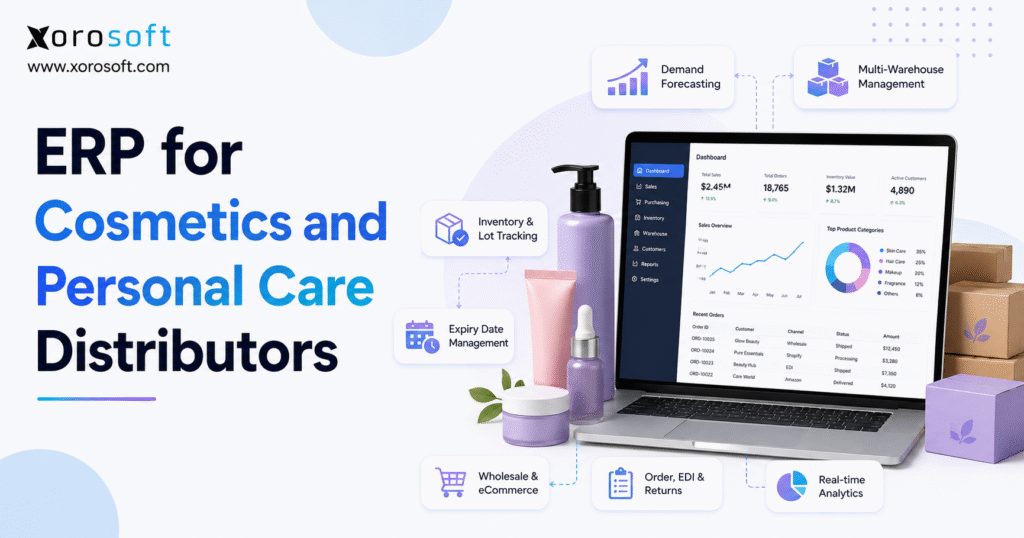
Looking for ways to streamline your company operations? Discover the benefits of cosmetics distribution ERP solutions.
1. Why Cosmetics Distribution ERP Becomes Important as Operations Grow
1.1 Expiry-Sensitive Inventory Needs More Than Quantity Tracking
Two jars of the same moisturizer are not always equal. For example, one lot may expire in eighteen months, while another expires in sixty days. A basic inventory tool may show both lots as available. However, a retailer may reject the short-dated stock.
Therefore, the distributor needs more than a total quantity. It must also see the SKU, lot number, expiry date, warehouse bin, product status, and remaining shelf life. In addition, the system should show whether the stock is sellable, damaged, quarantined, reserved, or already allocated.
Without those details, employees may ship the wrong lot or block stock that could still be sold. As a result, customer service teams may deal with claims that could have been prevented. Likewise, purchasing teams may place new orders even though usable stock is already available.
1.2 Beauty Distribution ERP Must Connect Every Sales Channel
A retailer purchase order may require stock to be reserved several weeks before shipment. At the same time, those units may still appear for sale on Shopify, Amazon, a B2B portal, or another marketplace.
Consequently, two or more orders may compete for the same stock. Teams often respond by creating manual inventory buffers or editing online quantities. Although these fixes may reduce overselling for a short time, they also hide the true stock position.
A connected system should show both physical inventory and the amount that is genuinely available. As a result, each channel can work from the same inventory record while still following its own rules. In addition, sales teams can protect key wholesale commitments without hiding inventory from planners and buyers.
1.3 Product Variants Add Hidden Work
Beauty product lists can grow quickly. For instance, one product may come in ten shades, three sizes, two finishes, and several gift sets. Each version may need its own SKU, barcode, price, cost, image, and stock record.
Because of this, even a modest product range can create thousands of item, location, and channel combinations. In addition, samples, testers, bundles, and region-specific packs add more records. Therefore, accurate product data becomes a core operating need rather than an admin task.
If the main item record is incorrect, the same error can flow into purchasing, warehouse work, online stores, invoices, and reports. As a result, teams may fix the same problem in several systems. Moreover, a small data error can turn into a large stock or billing issue once order volume grows.
1.4 Separate Applications Create Different Answers
Many growing distributors use accounting software, an inventory tool, Shopify, warehouse software, EDI portals, shipping apps, purchasing sheets, and reporting files.
At first, each application may solve one clear problem. However, issues arise when the same product, order, cost, or customer must be entered more than once. For example, a sales order may enter through EDI, move into an order tool, reach the warehouse, and then be entered into accounting.
If one record changes while the others remain unchanged, every team sees a different answer. As a result, employees spend more time checking data than using it. In addition, leaders may delay decisions because they do not trust the numbers in front of them.
A connected ERP reduces this risk because the main transaction remains linked throughout the process. Therefore, one update can flow to the teams that need it. Likewise, exceptions become easier to find because users can follow the full record instead of comparing exports.
1.5 Regulatory Duties Depend on the Company’s Role
Not every cosmetics distributor has the same legal or product duties. For example, a distributor may also operate as an importer, brand owner, packer, manufacturer, or business named on the label.
Therefore, the company should understand its role before designing any compliance-related process. ERP can help store product, lot, shipment, complaint, and customer records. However, software cannot decide which rules apply.
In practice, the system should make records easier to find, review, and share. Nevertheless, legal, product safety, and regulatory decisions should remain with qualified specialists. In addition, the company should review its process whenever its role changes, such as when it launches a private-label line or begins importing directly.
2. What Cosmetics Distribution ERP Does
2.1 A Clear Definition of Cosmetics Distribution ERP
Cosmetics distribution ERP is business software that connects inventory, purchasing, wholesale orders, warehouse work, ecommerce, accounting, demand planning, and reporting.
In addition, a system designed for cosmetics and personal care distribution may support:
- Lot tracking
- Expiry-date management
- FEFO allocation
- Customer-specific prices
- Retailer EDI
- Landed-cost calculation
- Multi-warehouse inventory
- Recall support
- Shopify and marketplace integrations
- Inventory and financial reporting
The main value is not simply the number of modules. Instead, the value comes from using the same information from the purchase order through to the customer payment. Therefore, teams spend less time rebuilding the same transaction in different tools.
2.2 Beauty Distribution ERP Versus Accounting Software
Accounting software is mainly designed for invoices, bills, payments, bank activity, ledgers, and financial statements.
A beauty distribution ERP goes further. For example, when goods arrive, the platform can update inventory, supplier balances, warehouse availability, incoming supply, and item cost at the same time. Likewise, when an order ships, the system can reduce inventory, record cost of goods sold, update the customer balance, and mark the order as fulfilled.
As a result, finance does not need to rebuild the full transaction history at month-end. In addition, operations can see the financial effect of stock activity sooner. Therefore, managers can investigate margin or cost issues before the period closes.
2.3 Cosmetic ERP Software Versus an Inventory Application
Inventory applications usually track stock, sales orders, purchase orders, and basic item movement. Therefore, they can work well for a smaller business with one warehouse and simple accounting.
However, ERP also covers warehouse operations, EDI, approvals, financial controls, demand planning, and wider reporting. In addition, it links those areas so that one action can update several parts of the business.
The main question is not whether an inventory application is good or bad. Instead, the company should ask whether one inventory event now needs to update several teams, channels, and financial records. If the answer is yes, a broader ERP platform may offer better control.
2.4 Distribution ERP Versus Manufacturing ERP
A cosmetics manufacturer may need formula control, raw-material tracking, bills of materials, work orders, production plans, quality checks, and manufacturing costs.
By contrast, a distributor often focuses on finished goods, supplier purchasing, wholesale pricing, retailer EDI, landed cost, inventory allocation, warehouse work, online orders, and channel profit.
| Requirement | Cosmetics distributor | Cosmetics manufacturer |
|---|---|---|
| Finished-goods inventory | Essential | Essential |
| Customer-specific pricing | Essential | Sometimes required |
| Retailer EDI | Often essential | Depends on sales model |
| Lot and expiry tracking | Essential | Essential |
| Formula management | Usually not required | Often essential |
| Production planning | Usually not required | Essential |
| Warehouse management | Essential | Essential |
| Ecommerce integration | Often essential | Depends on sales model |
| Accounting and costing | Essential | Essential |
Some businesses need both groups of features. For example, a beauty brand may manufacture some products while distributing products made by other suppliers. Therefore, the selected platform should support the company’s real operating model. In addition, the team should avoid paying for complex production tools if distribution remains the main need.
2.5 Who Needs ERP for Cosmetics Distributors?
A complete ERP becomes more useful when a company manages:
- Several warehouses
- A large or fast-growing SKU list
- Wholesale and ecommerce sales
- Retailer EDI
- Customer-specific prices
- Lot-controlled inventory
- Expiry-sensitive goods
- Imports and landed costs
- Complex purchasing
- Connected financial and inventory reports
In addition, ERP becomes relevant when employees depend on spreadsheets to link tools that do not share reliable data. As a result, staff may spend hours on work that should happen automatically. Moreover, a growing business may struggle to add new channels because every new order source creates more manual steps.
2.6 Who May Not Need a Complete ERP Yet?
A small company with one sales channel, one warehouse, low order volume, and simple purchasing may not need a full ERP.
Instead, accounting software and a focused inventory application may be enough. Therefore, a company should not buy ERP simply because it appears more advanced. However, it should review that decision as its products, locations, and channels expand.
The business should upgrade when current tools slow down work, reduce control, or create repeated errors. In other words, ERP should solve a clear operating problem rather than become a status purchase.
3. Core Cosmetics Distribution ERP Features
A strong cosmetics distribution ERP should connect twelve main areas:
1. Lot tracking
2. Expiry control
3. FEFO allocation
4. Multi-warehouse inventory
5. Purchasing
6. Demand planning
7. Wholesale pricing
8. EDI
9. Warehouse work
10. Ecommerce integrations
11. Accounting
12. Reporting
3.1 Lot Tracking in Cosmetics Inventory ERP
Lot data should be recorded when products arrive. After that, the same lot should remain connected to storage, transfers, picks, shipments, returns, and inventory adjustments.
A useful lot record may include:
- Supplier lot
- Internal lot
- Manufacturing date
- Expiry date
- Quantity
- Product status
- Purchase order
- Supplier
- Warehouse bin
- Customer shipments
- Returns
However, recording the lot during receipt is only the first step. The system must also keep that lot connected to every later inventory movement. Therefore, the warehouse should not be able to complete a controlled shipment without the correct lot information.
In addition, lot records should remain searchable. As a result, teams can answer supplier questions, customer complaints, and recall requests without rebuilding the history by hand.
3.2 Expiry Control in Cosmetic ERP Software
Different receipts of the same SKU may have different expiry dates. Therefore, expiry data should be stored at the lot level.
The system should also calculate the remaining shelf life. Then, it should compare that figure with the customer’s rules. For example, one retailer may require nine months of remaining life, while another accepts three months.
Consequently, the same lot may be suitable for one order but not another. In addition, near-expiry alerts should reach the correct teams early. A warning generated after the products are no longer sellable provides little value.
Therefore, the business should decide which actions follow each alert. For instance, the sales team may run a suitable promotion, while purchasing may pause the next order. Likewise, finance may review the value at risk.
3.3 FEFO Allocation for Beauty Products
FEFO means first-expired, first-out. It chooses the valid lot with the earliest expiry date.
FIFO, on the other hand, follows the oldest receipt date. Therefore, the two methods may select different lots.
A reliable FEFO process should also check:
- Customer shelf-life rules
- Inventory holds
- Existing orders
- Warehouse location
- Shipment date
- Order priority
- Product status
Sometimes, a manager may need to change the suggested lot. However, the platform should record who made the change and why. In addition, the override should remain visible for later review.
As a result, the company can protect customer rules without losing control of ageing stock. Moreover, the warehouse can follow a clear instruction rather than choosing lots based on guesswork.
3.4 Multi-Warehouse Inventory in Beauty Distribution ERP
A multi-site business needs more than one total inventory figure.
Instead, it should see:
- Inventory on hand
- Inventory available to sell
- Inventory reserved
- Inventory already allocated
- Incoming inventory
- Goods in transit
- Damaged inventory
- Quarantined inventory
- Expired inventory
Transfers should also show what left the first location, what is in transit, and what reached the destination. In addition, each warehouse may need its own reorder point, safety stock, customer rules, and demand plan.
A connected platform such as XoroONE can be considered when inventory, purchasing, accounting, ecommerce, warehouse operations, and reporting need to share one environment. Therefore, the distributor can review stock by location while still managing the wider commercial and financial process.
3.5 Purchasing Tools for Cosmetics Distributors
Purchasing plans should consider more than past sales.
For example, a useful recommendation may include:
- Sales history
- Forecast demand
- Available inventory
- Reserved inventory
- Open sales orders
- Open purchase orders
- Supplier lead time
- Safety stock
- Minimum order quantities
- Case packs
- Expiry risk
As a result, buyers can place orders using a more complete view. In addition, the system should track supplier performance. Useful measures include promised dates, actual receipt dates, fill rates, price changes, and quality issues.
Approval rules can also prevent large or unusual purchases from moving forward without review. Therefore, managers can focus on exceptions rather than checking every routine order. Likewise, buyers can spend more time managing supplier risk and less time merging spreadsheets.
3.6 Demand Planning in Cosmetics Distribution ERP
Beauty demand can change because of seasons, new product launches, promotions, retailer programs, social trends, and channel growth.
Therefore, planning should separate regular demand from one-time increases. Otherwise, a short campaign may push future buying plans too high. For example, a major influencer post may create a sales spike that does not repeat.
New products require a different method. For instance, teams may use similar products, retailer commitments, launch plans, and sales targets. In addition, planners should review whether the item will replace another SKU or create new demand.
Still, no forecast should run without human review. The strongest process combines system data with input from sales, purchasing, marketing, and finance. As a result, the business can adjust assumptions before they turn into excess stock or missed sales.
3.7 Wholesale Orders and Customer Pricing
Wholesale cosmetics operations may include:
- Customer-specific price lists
- Contract prices
- Volume discounts
- Promotional rates
- Multiple currencies
- Payment terms
- Credit limits
- Sales territories
- Minimum order values
- Allocation rules
The ERP should apply these conditions consistently. However, approved users may still need to make controlled exceptions. Therefore, the system should record who changed the price and why.
In addition, the platform should show the difference between inventory in the building and inventory that remains available for new orders. As a result, sales teams can make promises without taking stock away from existing commitments.
3.8 Retailer EDI in Cosmetics Distribution Software
Retailer EDI may include:
- Purchase orders
- Order acknowledgements
- Advance shipping notices
- Invoices
- Inventory reports
- Payment details
The ERP should convert incoming messages into sales orders. Then, it should use the same order and shipment data for labels, notices, invoices, and warehouse tasks.
For example, the carton label, shipping notice, invoice, and products inside the carton should all match. If EDI and warehouse operations sit in separate systems, errors become more likely.
Consequently, retailers may issue claims, delays, or chargebacks. In addition, staff may spend hours proving what happened. Therefore, the EDI process should link customer rules, warehouse work, and finance rather than operate as a separate admin task.
3.9 Cosmetics Warehouse ERP and Barcode Work
Warehouse software should support:
- Receiving
- Putaway
- Replenishment
- Picking
- Packing
- Shipping
- Transfers
- Cycle counting
- Returns
For expiry-controlled products, pick tasks should follow the lot and shelf-life rules already set in the ERP. Therefore, employees should not need a separate spreadsheet to decide which lot to pick.
XoroWMS is a relevant internal resource for businesses reviewing connected receiving, barcode scanning, inventory movement, picking, packing, and shipping. In addition, the distributor should test how the warehouse process handles damaged goods, short picks, held lots, and changed orders.
As a result, the business can judge whether the system works in daily conditions rather than only in a clean product demo.
3.10 Shopify and Marketplace Integration
A connected ecommerce workflow may synchronize:
- Products
- Variants
- Orders
- Inventory
- Payments
- Refunds
- Fulfillment status
- Customers
- Gift cards
- Payouts
However, a good evaluation should cover more than a successful order import.
Teams should also test:
- Order edits
- Partial shipments
- Cancellations
- Failed payments
- Refunds
- Returns
- Inventory changes
- Duplicate items
- Payout reconciliation
- Integration errors
The Xorosoft ERP Shopify app fits naturally into this review because it connects ecommerce activity with inventory, warehouse, purchasing, finance, and order workflows.
In addition, the team should test what happens when the connection fails. As a result, users can confirm whether errors are visible, owned, and easy to resolve.
3.11 Accounting and Inventory Value
Every receipt, shipment, return, transfer, write-off, and inventory change should create the correct financial entry.
Therefore, the inventory ledger should match the general ledger. In addition, the finance team should be able to trace a balance back to the related stock events.
Imported beauty products may also carry:
- Freight
- Duty
- Brokerage
- Insurance
- Handling
- Port costs
These costs should be added to inventory using a consistent method. For example, costs may be allocated by value, units, weight, or volume.
Whichever method the company selects, it should apply that method consistently. As a result, product margin becomes more reliable. Businesses that need closer links between finance, inventory, sales orders, and purchasing can review XoroERP.
3.12 Reports for Inventory, Service, and Profit
Useful reports may cover:
- Inventory age
- Expiry risk
- Stockouts
- Fill rate
- Backorders
- Order cycle time
- Pick accuracy
- Forecast accuracy
- Supplier performance
- Retailer claims
- Warehouse output
- Month-end close
In addition, finance should be able to review margin by SKU, brand, customer, retailer, warehouse, and channel.
A product may look profitable at first. However, discounts, fees, freight, returns, and claims may reduce the real margin. Therefore, reports should connect sales, stock, and cost data.
As a result, leaders can decide which products to reorder, promote, pause, or remove. Likewise, they can see whether a fast-growing channel is actually creating profit.
4. Traceability and Recall Support in Beauty Distribution ERP
A well-designed cosmetics distribution ERP makes traceability part of daily inventory work.
4.1 Tracking a Lot Forward to the Customer
Forward tracking starts with one lot. Then, it shows every site, transfer, order, shipment, and customer linked to that lot.
As a result, the company can see which units remain under its control and which units have already shipped. In addition, the team can separate affected customers from customers who received a different lot.
Therefore, the business can respond faster and with more focus. Likewise, it can avoid contacting buyers who are not affected.
4.2 Tracking a Shipment Back to the Supplier
Backward tracking begins with a customer shipment, return, or complaint.
Then, the team traces the item back to its lot, receipt, purchase order, and supplier. Both directions are important.
For example, a problem may begin with a supplier notice or with a customer complaint. In either case, the system should help users follow the record without switching between several tools.
4.3 Keeping a Clear Lot History
A useful lot history should include:
- Supplier details
- Receipt date
- Quantity
- Warehouse location
- Transfers
- Orders
- Shipments
- Customers
- Returns
- Inventory status
- User actions
Therefore, employees should not need to assemble the history from several spreadsheets. In addition, the record should show changes over time rather than only the current status.
As a result, managers can see who moved, released, blocked, or shipped the lot. Moreover, the audit trail can support internal reviews and customer questions.
4.4 Blocking Inventory During a Review
Once a lot is under review, the system should stop new picks and allocations against it.
However, approved users should still be able to view the inventory and its full transaction history. The company may mark the lot as held, damaged, expired, returned, or under investigation.
Each status should therefore create a clear operating result. For example, a held lot may remain visible but unavailable for new orders. In addition, the system should show when the status changed and who approved it.
4.5 Recording Returns and Final Action
Returned inventory may be:
- Quarantined
- Inspected
- Destroyed
- Returned to the supplier
- Released
- Written off
Each decision should include the date, user, reason, and quantity. As a result, the company can show what happened to every affected unit.
In addition, finance should receive the correct value impact. Therefore, the physical decision and the financial result remain connected.
4.6 ERP Does Not Replace Expert Advice
ERP can store product, lot, order, customer, complaint, and recall records.
However, it cannot decide which legal rules apply or whether an event must be reported. Therefore, businesses should use current guidance and qualified advice when setting their process.
In addition, staff should know when to move an issue from an operating workflow to legal, quality, or regulatory review.
5. Expiry Management in Cosmetics Distribution ERP
Expiry control is one of the clearest reasons to move from a basic inventory tool to cosmetics distribution ERP.
5.1 Record Lot and Expiry Data During Receipt
Lot and expiry information should enter the system before inventory becomes available.
Otherwise, products may be stored or picked before the necessary data is complete. A receiving task may ask employees to scan or enter:
- Barcode
- Purchase order
- Supplier lot
- Internal lot
- Expiry date
- Quantity
- Warehouse location
- Product status
As a result, the inventory record is complete from the first step. In addition, the system can apply shelf-life and allocation rules as soon as the stock arrives.
5.2 Set Shelf-Life Rules by Customer
Different customers may require different remaining shelf life.
For example, a large retailer may require nine months, while a direct customer accepts less. Therefore, shelf-life rules should sit within the customer or order settings.
The platform can then block the wrong lot before it reaches the picking queue. As a result, the warehouse receives a valid instruction instead of having to interpret customer rules during packing.
5.3 Use FEFO with Business Rules
FEFO should usually choose the earliest valid expiry date.
However, the system must also check reservations, holds, warehouses, shipment dates, and customer rules. For example, the earliest-expiring lot may already be reserved for another order.
Therefore, the next valid lot should be selected. In addition, the system should explain why a lot was skipped.
As a result, users can trust the recommendation and investigate exceptions more quickly.
5.4 Control Samples, Testers, and Promotions
Samples and testers still use inventory and carry cost.
Instead of using random inventory adjustments, the company should use special SKUs, warehouse locations, order types, or cost codes. As a result, teams can see how much inventory was used for promotions and sales support.
In addition, the business can compare promotional use with later sales. Therefore, marketing and finance gain a clearer view of whether the program created value.
5.5 Keep Damaged and Quarantined Inventory Out of Sale
Products that cannot be sold should be moved both physically and digitally.
Otherwise, online stores or sales teams may offer goods that the warehouse cannot ship. Therefore, damaged, returned, or quarantined inventory should not count as available stock.
In addition, the status should follow the goods if they move to another bin or site. As a result, the physical location and the system record remain aligned.
5.6 Turn Inventory-Age Reports into Action
An inventory-age report should group products by remaining shelf life and value.
Then, each group should have a clear next action, such as:
- Move inventory to another warehouse
- Run a suitable promotion
- Add products to a bundle
- Return goods to the supplier
- Sell through another channel
- Donate where permitted
- Write off the products
In addition, each action should have an owner and review date. Therefore, the report becomes a work plan rather than a passive list.
As a result, the company can reduce risk earlier and avoid last-minute discounting.
5.7 Measure Value as Well as Units
Ten premium skincare products may carry more financial risk than hundreds of low-cost samples.
Therefore, reports should show both units and inventory value. They should also show the warehouse, expiry date, owner, and next action.
As a result, finance and inventory teams can work from the same information. In addition, leaders can focus on the risks that matter most instead of chasing the highest unit count.
6. Omnichannel Operations with Cosmetics Distribution ERP
A connected cosmetics distribution ERP can bring wholesale, Shopify, Amazon, EDI, warehouse operations, and finance together.
6.1 Use One Main Inventory Record
Separate channel inventory pools can hide demand and trap products.
Instead, the company should use one main inventory record with clear rules for reservations, allocations, and channel limits. As a result, employees can see total inventory and available inventory at the same time.
In addition, planners can understand how channel decisions affect purchasing. Therefore, a large wholesale hold will not look like unexpected online demand.
6.2 Reserve Inventory for Wholesale Orders
Retailer orders often require inventory to be reserved before the shipment date.
Therefore, the platform should hold those units even while they remain physically in the warehouse. However, reservations should not remain open forever.
Each reservation should have an owner, date, and release rule. As a result, unused holds can return to available stock in a controlled way.
6.3 Prevent Overselling Online
Available inventory should exclude:
- Reserved stock
- Allocated stock
- Quarantined stock
- Damaged stock
- Pending warehouse work
In addition, incoming inventory should only be promised when the company is prepared to sell against it. Otherwise, supplier delays may turn into customer cancellations.
Therefore, available-to-promise rules should reflect both stock and risk. As a result, the business can balance sales growth with service levels.
6.4 Use One Returns Process
A return should update:
- The order
- Customer credit
- Warehouse inventory
- Lot status
- Financial records
- Future availability
However, returned beauty products should not return to sellable inventory immediately. They may require inspection, quarantine, supplier return, or disposal.
Therefore, the return flow should include a clear decision point. As a result, stock does not become available until the right person approves it.
6.5 Control Product and Customer Data
Descriptions, barcodes, case packs, dimensions, prices, images, ingredients, and retailer codes all need clear ownership.
Otherwise, several teams may change the same field in different applications. Therefore, the company should decide where the main record lives and how updates flow to other systems.
In addition, the business should control who can change key fields. As a result, a simple product edit will not break ecommerce, EDI, or warehouse processes.
6.6 Link Channel Sales to Finance
Orders, refunds, payouts, fees, taxes, gift cards, shipping income, and returns must connect to financial records.
Without this connection, finance may know total revenue but still struggle to explain deposits, marketplace fees, or channel differences.
Therefore, the ERP or connected finance process should show how each channel event reaches the ledger. As a result, month-end becomes a review process rather than a data-rebuilding exercise.
7. Cosmetics ERP Compared with Other Systems
7.1 Cosmetics Distribution ERP Versus QuickBooks and Spreadsheets
QuickBooks can work well for the accounting needs of a smaller company.
However, it may become harder to use as the main system for inventory, purchasing, warehouse work, EDI, and online sales. As a result, teams often create extra spreadsheets for reservations, expiry dates, purchasing plans, or landed costs.
The issue is not that QuickBooks stops working. Instead, more daily work begins to happen outside it. Therefore, the company should review whether its accounting tool is being asked to manage an operating model it was not designed to control.
7.2 Cosmetic ERP Software Versus Inventory-Only Tools
Inventory applications can manage stock and orders well.
Therefore, they may still be the correct choice for a simple business. However, a move to ERP becomes relevant when the same inventory event must also update finance, warehouse work, purchasing, and sales channels.
In addition, ERP may reduce the need for separate reporting and approval tools. As a result, the business can manage more work through one process.
7.3 Cosmetics Warehouse ERP Versus a Standalone WMS
A WMS handles work inside the warehouse.
For example, it manages receiving, putaway, replenishment, picking, packing, shipping, counts, and returns. ERP manages the wider process, including customers, suppliers, purchasing, orders, finance, and reporting.
Therefore, a standalone WMS may be enough if the current ERP remains suitable. However, a connected ERP and WMS may be better when warehouse and finance records often disagree.
In addition, the company should review who owns the connection between both systems. As a result, integration errors will have a clear path to resolution.
7.4 Beauty Distribution ERP Versus Order Management Software
Order software may manage ecommerce orders, routing, status updates, and customer messages.
However, it may still depend on other systems for purchasing, inventory value, suppliers, and accounting. Therefore, teams should identify what the order system manages well and what work still happens elsewhere.
In addition, they should check whether the tool manages wholesale and retailer EDI as well as ecommerce. As a result, the business can avoid buying a channel tool that solves only part of the problem.
7.5 Distribution ERP Versus Cosmetics Manufacturing Software
Manufacturing software is useful when formulas, raw materials, production jobs, quality checks, and factory costs are central requirements.
A pure distributor may not need those features. However, it still needs strong finished-goods tracking, expiry control, EDI, warehouse operations, and finance.
Therefore, the company should separate manufacturing needs from distribution needs before comparing vendors. As a result, the shortlist will include systems that match the real work.
7.6 Separate Applications Versus One Connected ERP
Separate applications may offer deeper features in one specific area.
A connected ERP, on the other hand, reduces the number of integrations, repeated records, and manual checks. Still, no setup is perfect.
Therefore, the company should choose the structure it can operate and support reliably. In addition, it should compare the full cost of both models rather than software fees alone.
8. Signs the Current Software Has Been Outgrown
Several repeated problems may show that the business needs cosmetics distribution ERP.
8.1 Teams Disagree About Inventory
If sales, warehouse, and finance see different inventory figures, the company does not have one shared process.
As a result, employees may delay decisions while they investigate which figure is correct. In addition, sales teams may promise stock that operations cannot release.
Therefore, repeated inventory debates should be treated as a system issue rather than a communication problem.
8.2 Employees Keep Side Spreadsheets
Spreadsheets become core systems when employees use them for reservations, expiry dates, purchasing plans, prices, or landed costs.
However, these files often lack clear ownership and control. As a result, the latest version may sit on one person’s laptop.
Therefore, the company should identify which spreadsheets are carrying essential business rules. Those rules may need to move into the ERP.
8.3 Lot Searches Take Too Long
A lot search should not require exports from several tools.
Instead, the team should be able to view the complete lot history in one place. As a result, customer and supplier questions can be answered faster.
In addition, management can test traceability regularly rather than waiting for a problem.
8.4 Month-End Requires Heavy Manual Work
If finance must rebuild inventory movement every month, the system setup no longer fits the business.
Therefore, repeated month-end adjustments are often a sign of a wider operating problem. In addition, delayed financial results make it harder to correct margin or cost issues quickly.
As a result, the business may be making current decisions with old information.
8.5 Purchasing Depends on One Person
If only one buyer understands lead times, supplier risks, and order rules, the company has too much knowledge in one place.
As a result, absence or turnover can disrupt purchasing quickly. Therefore, the system should capture key rules and supplier data.
In addition, managers should be able to review why the system recommended a purchase.
8.6 Retailer Orders Are Entered More Than Once
Repeated entry adds work and increases the chance of errors.
Therefore, retailer orders should flow from EDI into sales, warehouse, and finance workflows without manual re-entry. In addition, changes should update the same connected record.
As a result, fewer teams need to correct the same order later.
8.7 New Warehouses Reduce Control
A new warehouse should add capacity and speed.
However, if it makes inventory harder to locate, move, and value, the current software is not scaling well. Therefore, the company should review how transfers, stock status, replenishment, and counting work across sites.
As a result, expansion can improve service rather than create more blind spots.
8.8 Ecommerce Growth Creates More Cancellations
Repeated overselling often points to weak inventory sync or poor allocation rules.
Consequently, growth creates more customer-service work instead of better operating leverage. Therefore, the company should review available-to-promise logic before adding more sales channels.
In addition, it should test how quickly stock updates move between systems.
8.9 Leaders Cannot See Real Margin
Revenue growth can hide weak profit when freight, fees, promotions, returns, and claims are not connected.
Therefore, leaders need margin reporting that reflects the full transaction cost. In addition, the report should show profit by SKU, customer, and channel.
As a result, the company can focus on growth that creates cash rather than growth that only increases volume.
8.10 Application Costs Rise Without Better Control
Several low-cost applications may become expensive after integration, administration, manual work, and error correction are included.
As a result, the cheapest software list may not create the lowest operating cost. Therefore, the company should compare total cost rather than subscription prices alone.
In addition, it should include the cost of staff time spent moving and checking data.
9. How to Choose Cosmetics Distribution ERP
Choosing cosmetics distribution ERP should be based on real workflows rather than the most polished sales presentation.
9.1 Map the Current Process
First, map:
- Purchasing
- Receiving
- Lot entry
- Expiry control
- Reservations
- Wholesale pricing
- EDI
- Ecommerce
- Warehouse work
- Returns
- Accounting
- Reporting
Next, record both the normal process and the common problems. As a result, vendors must show how their systems handle real work rather than only clean examples.
In addition, include the steps that happen outside official systems. Therefore, side spreadsheets and manual work become part of the review instead of remaining hidden.
9.2 Separate Needs from Nice-to-Have Features
A true requirement prevents failure, loss, or heavy manual work.
A nice-to-have feature improves convenience but is not essential. Therefore, the scorecard should give more weight to true operating requirements.
In addition, the team should agree on those weights before vendor demonstrations. As a result, attractive screens will not distract from missing core functions.
9.3 Build Real Demonstration Tests
Ask each vendor to run the same cases.
For example:
- Receive a short-dated lot
- Apply a customer shelf-life rule
- Reserve inventory for a retailer
- Partially ship an EDI order
- Process a Shopify refund
- Move inventory between warehouses
- Add landed cost
- Trace a lot to customers
- Post the transaction to finance
As a result, every vendor is judged using the same evidence. In addition, the team can compare how many manual steps each system requires.
Therefore, the demonstration becomes a working test rather than a sales presentation.
9.4 Test Lot Tracking in Both Directions
Start with one lot and trace it forward to customers.
Then, begin with one customer shipment and trace it back to the supplier. The system should perform both tasks without a custom spreadsheet.
In addition, ask the vendor to show held, returned, and damaged quantities. As a result, the company can confirm whether the trace includes every inventory status.
9.5 Test Wholesale Pricing and EDI
Review:
- Customer prices
- Volume discounts
- Reservations
- Order acknowledgements
- Shipping notices
- Labels
- Invoices
- Claims
- Errors
In addition, ask who owns the correction when the retailer, EDI provider, ERP, and warehouse records do not match. Therefore, the team can judge the exception process, not only the standard order.
As a result, support and ownership become part of the buying decision.
9.6 Test Shopify and Marketplace Errors
Do not test only perfect orders.
Instead, test:
- Edits
- Partial shipments
- Cancellations
- Failed payments
- Refunds
- Returns
- Duplicate products
- Inventory changes
- Payout reconciliation
- Integration failures
A strong integration should show errors clearly and keep the full transaction history. In addition, it should show who owns the next action.
Therefore, the company can judge whether the integration is practical for daily use.
9.7 Include Finance in the Review
Finance should check:
- Inventory value
- Landed cost
- Cost of goods sold
- Customer balances
- Supplier balances
- Tax
- Currency
- Banking
- Month-end
- Reports
Operational speed is useful. However, it should not weaken financial control.
In addition, finance should test how adjustments and returns reach the ledger. As a result, the team can confirm that exceptions remain traceable.
9.8 Test Reporting Flexibility
Ask employees to build or change reports during the demonstration.
For example, they should be able to review inventory age, expiry risk, fill rate, supplier results, warehouse output, and customer profit. Otherwise, the company may need custom work for every new question.
Therefore, report flexibility should be tested by real users. In addition, the team should check whether reports use live data or delayed exports.
9.9 Review the Implementation Plan
Clarify who owns:
- Process design
- Configuration
- Data migration
- Integrations
- Testing
- Training
- Launch
- Support
A strong plan should also show what the distributor must provide. Therefore, internal work does not become a surprise after the contract is signed.
In addition, the plan should include decision dates and owners. As a result, delays can be managed before they affect launch.
9.10 Compare the Full Cost
Include:
- Software fees
- Users
- Modules
- Integrations
- Implementation
- Data work
- Customization
- Training
- Support
- Internal time
- Future changes
Then, compare that figure with the full cost of the current applications and manual work. In addition, include the cost of errors, delays, and missed sales where they can be measured.
As a result, the company can compare operating value rather than licence price alone.
9.11 Score Every ERP the Same Way
A simple scorecard may use:
| Area | Suggested weight |
| Inventory and lot control | 20% |
| Wholesale and EDI | 15% |
| Warehouse operations | 15% |
| Ecommerce | 10% |
| Purchasing and planning | 10% |
| Accounting and cost | 10% |
| Implementation plan | 10% |
| Reporting | 5% |
| Support and growth | 5% |
Set the weights before the demonstrations. Then, compare Xorosoft, NetSuite, Acumatica, Business Central, Cin7, Brightpearl, Fishbowl, Sage, or other options against the same tests.
The Xorosoft versus NetSuite comparison can support early research. However, the final decision should still come from real requirements, live tests, references, and total cost.
In addition, the team should record the evidence behind each score. As a result, the final choice remains clear even after several vendor meetings.
10. Where Xorosoft Fits Cosmetics Distribution ERP Needs
Xorosoft is one option for companies reviewing connected cosmetics distribution ERP.
10.1 One ERP for Inventory-Driven Companies
Xorosoft presents XoroONE as a cloud ERP for retail, wholesale, manufacturing, ecommerce, and other product-based companies.
Its platform covers inventory, accounting, warehouse operations, manufacturing, planning, reporting, ecommerce, EDI, and B2B sales.
Therefore, it may suit a distributor that wants to replace separate inventory, finance, warehouse, purchasing, and channel tools. In addition, the company can evaluate whether one system reduces the need for manual data transfer.
10.2 Multi-Warehouse Beauty Distribution
A buyer should test:
- Multi-site inventory
- Receiving
- Lot entry
- Expiry dates
- Putaway
- Replenishment
- Picking
- Packing
- Shipping
- Transfers
- Counts
- Returns
In addition, the demonstration should use the company’s own products, warehouses, customer rules, and expiry needs. Therefore, the result reflects the real operating model.
As a result, the team can see whether the system handles daily warehouse exceptions as well as standard work.
10.3 Wholesale, Shopify, Amazon, and EDI
The Shopify listing for Xorosoft connects online sales with inventory, warehouse operations, purchasing, finance, and order management.
Therefore, it may fit companies that want one main record behind wholesale and ecommerce sales. However, every important integration should still be tested with edits, returns, errors, and split shipments.
In addition, the team should review how Amazon, 3PL, and EDI links are owned and supported. As a result, it can judge the full channel setup rather than one connector.
10.4 Accounting, Purchasing, and Reporting
A distributor should review how purchases, receipts, freight, inventory movements, sales, returns, payments, and adjustments reach finance.
The goal is not only to reduce the number of applications. Instead, every physical event should create the correct inventory, commercial, and financial result.
Therefore, the company should test the flow from order to ledger. In addition, finance should review how the system supports close, margin, and audit work.
10.5 Industry Fit
The Xorosoft industries page provides more information about the sectors the platform supports.
Still, an industry name on a website is not enough. Therefore, the company should test its own lot, expiry, EDI, warehouse, ecommerce, purchasing, and finance requirements.
In addition, it should ask for references with a similar business model. As a result, the team can compare its needs with a real customer environment.
10.6 When Another Platform May Fit Better
A smaller company may only need an inventory application.
A cosmetics manufacturer may need a deeper formula or laboratory system. Meanwhile, a global group may require a broader enterprise platform.
Therefore, the best choice should match the work, team, budget, and growth plan. In addition, the business should consider whether it has the internal resources to run the chosen system well.
11. Implementing Cosmetics Distribution ERP
A strong rollout helps cosmetics distribution ERP become the system teams use every day.
11.1 Build a Cross-Functional Project Team
Include people from:
- Operations
- Finance
- Purchasing
- Sales
- Customer service
- Ecommerce
- Warehouse
- IT
- Senior leadership
Each group understands different risks and exceptions. Therefore, the project team should include people who know both the standard process and the workarounds.
In addition, each area should have a clear decision maker. As a result, open questions do not remain unresolved.
11.2 Clean the Data Before Migration
Review:
- SKUs
- Product names
- Units
- Barcodes
- Brands
- Categories
- Customers
- Suppliers
- Prices
- Costs
- Warehouse locations
- Lots
- Expiry dates
Otherwise, poor data will spread into the new system. Therefore, data cleanup should begin before configuration is complete.
In addition, the company should decide which old data is worth moving. As a result, the new ERP does not become a storage place for unused history.
11.3 Design the Future Process
Do not copy every old step.
Instead, decide what should be:
- Standardized
- Automated
- Approved
- Combined
- Removed
Customization should support a real business need rather than an old habit. Therefore, the team should ask why each special process exists.
In addition, it should measure the cost of keeping that process. As a result, custom work is reserved for areas that truly matter.
11.4 Prioritize the Required Integrations
Common integrations may include:
- Shopify
- Amazon
- EDI
- 3PL providers
- Shipping applications
- Payment tools
- Tax platforms
- Banks
- Returns systems
- Reporting tools
Each integration needs an owner and an error-resolution plan. Therefore, the project should not treat connections as one-time technical tasks.
In addition, each link should have test cases and monitoring rules. As a result, the team can find failures before customers do.
11.5 Set Roles and Approval Rules
Separate responsibility for:
- Purchasing
- Price changes
- Inventory adjustments
- Lot release
- Credits
- Payments
- Bank work
- Month-end
- User access
As a result, control improves without making simple work too slow. In addition, users can see which actions need approval.
Therefore, the company can protect key decisions while keeping routine work efficient.
11.6 Test Standard Work and Exceptions
Testing should include:
- Normal orders
- Short shipments
- Damaged inventory
- Expired lots
- Quarantined stock
- Partial shipments
- Order edits
- Returns
- Integration errors
- Pricing errors
- Incorrect receipts
- Warehouse transfers
- Lot searches
Testing only clean cases creates false confidence. Therefore, the team should focus on the exceptions that cause the most work today.
In addition, each failed test should have an owner and next step. As a result, issues are resolved before launch rather than passed to users.
11.7 Train Each Role
Warehouse employees need different training from buyers, finance staff, sales teams, and leaders.
Therefore, each group should learn the tasks, checks, reports, and approval rules connected to its role. In addition, training should use the company’s own examples.
As a result, users can connect the system to their daily work. Moreover, managers can see which teams need more support before launch.
11.8 Plan the Launch
Set clear dates for:
- Final old-system transactions
- Open sales orders
- Open purchase orders
- Inventory counts
- Lot balances
- Expiry dates
- Customer balances
- Supplier balances
- Bank balances
- Opening financial values
In addition, assign someone to approve each figure. Therefore, the company knows who owns every opening balance.
As a result, issues can be resolved quickly during cutover.
11.9 Track Results After Launch
Measure:
- Inventory accuracy
- Fill rate
- Order speed
- Expired inventory
- Forecast accuracy
- Supplier lead time
- Retailer claims
- Month-end duration
- User adoption
- Integration errors
- Manual adjustments
Then, use the findings to improve the process. In addition, compare the results with the targets set before implementation.
As a result, the company can see whether the ERP is creating the expected change. Therefore, post-launch review should continue beyond the first month.
12. Frequently Asked Questions About Cosmetics Distribution ERP
12.1 What Is Cosmetics Distribution ERP?
Cosmetics distribution ERP is software that links inventory, purchasing, wholesale orders, warehouse operations, ecommerce, accounting, planning, and reporting. In addition, it may support lot numbers, expiry dates, FEFO allocation, EDI, customer pricing, landed costs, and product traceability.
12.2 What Does Beauty Distribution ERP Do?
Beauty distribution ERP gives teams one shared record for products, suppliers, customers, inventory, orders, warehouses, costs, and finance. As a result, employees do not need to enter the same information into several systems.
12.3 Which Cosmetics Distribution ERP Is Best?
There is no single best cosmetics distribution ERP for every business. Instead, the right choice depends on warehouses, channels, lot rules, expiry needs, EDI, accounting, integrations, budget, and implementation resources. Therefore, vendors should be tested through the same real workflows.
12.4 Do Cosmetics Distributors Need a Specialized ERP?
Not always. However, the selected system should support the company’s key needs, including lot tracking, expiry control, customer shelf-life rules, wholesale pricing, EDI, ecommerce, and multi-site inventory.
12.5 How Does Cosmetic ERP Track Lots?
The lot is recorded during receiving and remains linked to locations, transfers, orders, picks, shipments, returns, and adjustments. Therefore, employees can trace products from supplier to customer and back again.
12.6 Can ERP Track Expiry Dates?
Yes. The system should store expiry dates by lot, calculate remaining shelf life, send alerts, block expired inventory, and apply customer rules before picking. As a result, unsuitable lots do not reach the warehouse task.
12.7 What Is FEFO?
FEFO means first-expired, first-out. It selects the valid lot with the earliest expiry date. Therefore, it is often more useful than FIFO for beauty products with shelf-life limits.
12.8 Can ERP Help with a Product Recall?
Yes. ERP can show affected lots, inventory, warehouses, shipments, customers, returns, and final action. However, it does not determine legal duties or replace qualified advice.
12.9 Does Beauty Distribution ERP Support Multiple Warehouses?
Yes. A suitable platform should show inventory by warehouse and location while also managing transfers, reservations, receiving, picking, packing, shipping, counting, and 3PL inventory. In addition, each site can have its own stock rules.
12.10 Can Cosmetics ERP Manage Wholesale Prices?
Yes. ERP can store customer prices, contracts, volume discounts, promotional rates, currencies, payment terms, and approval rules. As a result, teams can apply pricing consistently.
12.11 Does Cosmetics ERP Support EDI?
Many ERP systems support EDI directly or through a partner. Common messages include purchase orders, order acknowledgements, shipping notices, invoices, inventory reports, and payment information. Therefore, the ERP should connect those messages to the same order and shipment records.
12.12 Can Cosmetics ERP Connect with Shopify?
Yes. It may synchronize products, orders, inventory, payments, refunds, shipments, and customer data. However, companies should also test edits, partial shipments, returns, and integration errors.
12.13 Can Beauty Distribution ERP Connect with Amazon?
Many systems can link Amazon orders and inventory with the rest of the business. Still, teams should test fees, returns, reservations, settlements, item mapping, and channel rules. As a result, they can judge the full marketplace process.
12.14 Can ERP Manage Wholesale and Ecommerce Together?
Yes. One ERP can use one product and inventory record while still applying different prices, allocation rules, taxes, payment methods, and shipment processes to each channel. Therefore, the business can protect channel rules without splitting its stock data.
12.15 How Does ERP Reduce Expired Inventory?
ERP can use alerts, inventory-age reports, FEFO, purchasing plans, shelf-life rules, and inventory-value reports. As a result, teams can act before products become unsellable.
12.16 Can ERP Improve Demand Planning?
Yes. ERP can use sales history, seasons, promotions, open orders, lead times, incoming inventory, and safety stock. However, employees should still review the forecast. Therefore, planning combines system data with business knowledge.
12.17 Can ERP Track Samples and Testers?
Yes. Samples and testers can use special SKUs, locations, order types, or cost codes. Therefore, the company can track inventory use and promotional cost.
12.18 Can ERP Manage Shades, Sizes, and Scents?
Yes. Each shade, size, scent, package, or formula can have its own SKU while remaining linked to the main product group for reporting and planning. As a result, teams can manage detail without losing the wider product view.
12.19 Can Cosmetics ERP Add Landed Costs?
Yes. Freight, duty, brokerage, insurance, and handling can be added to products using one defined method. As a result, inventory value and product margin are more accurate.
12.20 How Does ERP Improve Inventory Valuation?
ERP links receipts, costs, freight, transfers, shipments, returns, write-offs, and adjustments with financial records. Therefore, month-end requires less manual reconstruction.
12.21 Is QuickBooks Enough for a Cosmetics Distributor?
It may be enough for a small and simple company. However, it may become harder to use when the business adds warehouses, lot control, expiry rules, EDI, complex purchasing, or warehouse operations.
12.22 When Should a Company Buy Cosmetics Distribution ERP?
A business should review cosmetics distribution ERP when separate systems cause repeated inventory errors, weak traceability, duplicate work, slow month-end, purchasing problems, overselling, or poor margin data. Therefore, the decision should be based on operating complexity rather than revenue alone.
12.23 What Affects ERP Cost?
Cost depends on users, warehouses, modules, integrations, data migration, setup, customization, training, support, and employee time. Therefore, companies should compare total cost rather than the software fee alone.
12.24 How Long Does ERP Implementation Take?
Timing depends on scope, data quality, integrations, warehouses, modules, process needs, and team availability. As a result, a detailed plan after discovery is more useful than one fixed promise.
12.25 Does Every Cosmetics Distributor Have the Same Duties?
No. Duties depend on what the business does and how it appears on the product. Therefore, each company should seek current advice based on its own legal and operating role.
13. Strategic Next Steps for Better Cosmetics Distribution Control
The purpose of cosmetics distribution ERP is not to place every team inside a larger software application. Instead, the purpose is to create clear control over inventory, suppliers, customers, warehouses, channels, and finance.
First, list the problems that create the most risk. For example, the business may struggle with lot searches, expiry exposure, retailer orders, Shopify inventory, purchasing plans, warehouse mistakes, or month-end checks.
Next, turn each problem into a test. Ask every vendor to run the same test using real products, warehouses, customers, lots, prices, and order rules.
Then, score each platform against the same requirements. As a result, the final choice will rely on evidence rather than sales claims.
A distributor that cannot quickly answer where inventory is, when it expires, who has reserved it, what it cost, or which customer received it does not only have a reporting issue. Instead, it has a connected-operations issue.
Platforms such as Xorosoft may be relevant when the business needs inventory, purchasing, warehouse operations, finance, planning, wholesale, Shopify, Amazon, EDI, and multi-site control in one environment.
However, the final decision should still follow a clear readiness review, live workflow tests, a fair scorecard, and a realistic implementation plan. In addition, the team should confirm that the selected platform fits its internal skills and growth plans.
To review your current systems and business requirements, book a personalized ERP consultation with Xorosoft. During the session, test real lot, expiry, wholesale, ecommerce, warehouse, purchasing, and financial scenarios instead of relying on a general product demonstration.
Recent Posts
-
 ERP Landed Cost Module vs Spreadsheet Calculations for Importers
 -
 How to Build an Open-to-Buy Plan for an Omnichannel Brand
 -
 Cold Storage WMS for Food and Beverage Distribution
 -
 ERP Buying Statistics 2026: Evaluation, Implementation, and Adoption Risks
 -
 How a Distributor Reduced B2B Order Exceptions Without Restricting Sales