If you are looking for an efficient solution to manage your business processes, a cloud-based ERP platform can offer flexibility and scalability.
1. When Growth Outruns the Software Stack
A cloud-based ERP platform becomes important when a growing product business can no longer manage inventory, accounting, purchasing, warehouse work, and sales channels through separate tools. Although each application may solve one problem at first, the gaps between those applications become harder to control as the company grows.
For example, Shopify may hold ecommerce orders, QuickBooks may hold financial data, spreadsheets may guide purchasing, and another application may manage warehouse picking. Meanwhile, Amazon, wholesale, or EDI orders may sit in separate systems. As a result, the company does not have one trusted view of inventory, orders, costs, purchasing needs, or cash.
Initially, employees may handle these gaps through exports and spreadsheets. However, manual work increases as order volume, SKU count, warehouse locations, and sales channels grow. Consequently, teams spend more time checking information and less time acting on it.
For instance, an item may appear available in Shopify while the warehouse has already committed it to a wholesale order. At the same time, the purchasing team may use a spreadsheet that does not include the latest demand. Therefore, the business risks overselling, stockouts, excess purchasing, and late shipments.
A cloud-based ERP platform connects these workflows through shared data. When a sale, purchase, receipt, transfer, shipment, return, or inventory adjustment takes place, the related records can update within the same system.
More importantly, ERP is not only an accounting upgrade. Instead, it becomes the operating system that connects how products are purchased, stored, sold, shipped, costed, and reported.
2. What a Cloud-Based ERP Platform Actually Does
2.1 A Simple Cloud ERP Definition
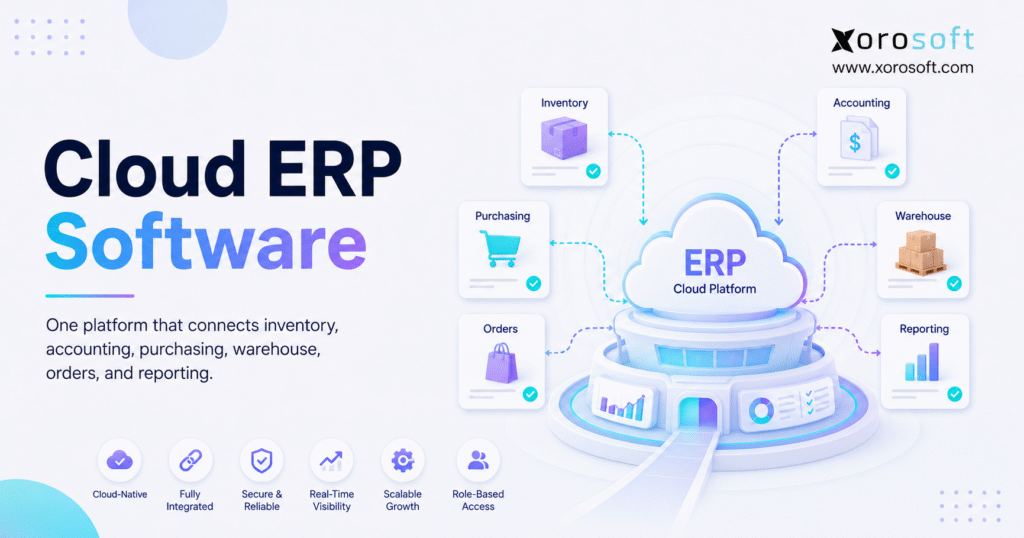
A cloud-based ERP platform is business management software delivered through the internet. It brings core workflows such as inventory, accounting, purchasing, warehouse management, order processing, manufacturing, forecasting, and reporting into one connected environment.
According to SAP’s cloud ERP guide, cloud ERP gives businesses online access to important applications and data. In addition, the cloud model can support easier updates, access across locations, and business growth.
Similarly, the Microsoft ERP guide explains how ERP systems connect business functions and automate core processes. Therefore, instead of keeping separate records in each department, the company can use shared operational data.
In simple terms, the system becomes one home for business activity. As a result, inventory teams, buyers, accountants, warehouse staff, customer service teams, and managers can work from the same records.
2.2 How Cloud ERP Software Works
Cloud ERP software uses connected modules and shared data. Therefore, when one event takes place, related teams can see its effect without entering the same information again.
For example, when a Shopify order enters the system, several actions may follow:
The order is recorded.
Available inventory is reduced or reserved.
The warehouse receives a fulfillment task.
Demand and purchasing needs change.
Accounting records the financial effect.
Management reports show the new activity.
Because these steps stay connected, employees spend less time copying data between systems. Moreover, managers receive a clearer view of sales, stock, orders, and financial performance.
A cloud-based ERP platform can also connect supplier orders, warehouse transfers, customer returns, production work, and inventory costs. Therefore, its real value comes from the links between workflows rather than from one isolated feature.
2.3 Cloud ERP Versus SaaS ERP
Cloud ERP and SaaS ERP are often used as similar terms. However, SaaS usually refers to software that the vendor hosts and manages through a subscription model.
In most cases, the provider handles hosting, updates, system maintenance, and much of the technical infrastructure. Nevertheless, different vendors may use different hosting models.
Therefore, buyers should ask how the software handles updates, backups, support, data access, security, and system changes. The word “cloud” alone does not explain how the complete service works.
2.4 Cloud ERP Versus On-Premise ERP
An on-premise ERP system usually runs on servers controlled by the business or its technology partner. In contrast, cloud ERP is generally hosted by the software vendor or a cloud provider.
Because of this difference, on-premise systems often require more internal server care, update planning, security work, and hardware management. Cloud systems, however, usually shift more of that work to the provider.
The Oracle cloud ERP overview explains how cloud ERP can support access, updates, automation, and business growth. Therefore, many growing businesses consider cloud ERP when they want less server work and easier use across locations.
Still, on-premise software may suit companies with special infrastructure or control needs. As a result, the right choice depends on the company’s operating model, technical resources, and long-term plans.
3. Why Disconnected Business Systems Become Expensive
3.1 Inventory Errors Spread Across the Business
Inventory problems rarely stay inside the warehouse. Instead, they affect sales, purchasing, accounting, customer service, and fulfillment.
For example, when an item appears available but cannot be found, the sales team may accept an order that cannot ship. Consequently, the warehouse must search for the product, customer service must explain the delay, and accounting may need to correct the transaction.
Likewise, if inventory appears lower than it really is, the purchasing team may order items that are already available. As a result, the business ties up cash in excess stock and may also increase storage costs.
A connected inventory management system helps reduce these gaps by linking inventory changes with sales, purchasing, warehouse work, and financial records.
3.2 Accounting Receives Information Too Late
Basic accounting systems often record financial results after operational work has already happened. However, inventory-driven businesses need accounting to stay connected with receipts, returns, landed costs, stock adjustments, production, and shipments.
When these activities remain in separate applications, finance teams often depend on manual exports. Therefore, month-end close becomes a long process of checking and correcting data.
Furthermore, delayed operational information makes it harder to review product margins, inventory value, supplier costs, and cash requirements during the month.
A cloud-based ERP platform links daily operational work with accounting. As a result, finance receives better information earlier and can trace transactions more easily.
3.3 Purchasing Becomes Reactive
Purchasing teams need current stock, open orders, expected receipts, supplier lead times, sales trends, and future demand. However, a spreadsheet may only show part of that picture.
Consequently, buyers may place purchase orders too late, too early, or in the wrong amount. In addition, they may miss slow-moving products that already use too much cash.
A cloud-based ERP platform brings these signals together. Therefore, buyers can make decisions using current business data rather than guesswork.
3.4 Warehouse Work Remains Disconnected
Receiving, put-away, picking, packing, shipping, transfers, and cycle counts all change inventory. Therefore, warehouse work must remain connected with sales orders, purchasing, and accounting.
If the warehouse uses a separate system, updates may arrive late. As a result, ecommerce channels may continue selling stock that has already been committed elsewhere.
A connected warehouse management system helps link physical inventory movement with orders, purchasing, and reports.
3.5 Reporting Depends on Manual Exports
Leadership often notices software gaps through reporting problems. One application shows sales, another shows inventory, and a spreadsheet shows purchasing.
Therefore, employees export files, join rows, remove duplicates, and build calculations. However, by the time the report is finished, the underlying information may already be outdated.
A cloud-based ERP platform gives reports a stronger foundation because the original transactions remain connected. As a result, leaders can review sales, inventory, purchasing, warehouse activity, and finance with less manual work.
4. Core Modules in a Cloud-Based ERP Platform
4.1 Inventory and Multi-Warehouse Control
Inventory management tracks products, quantities, locations, transfers, commitments, adjustments, and costs.
In addition, it can show the difference between stock that is physically on hand, stock that is ready to sell, stock that is tied to orders, and stock that is on the way.
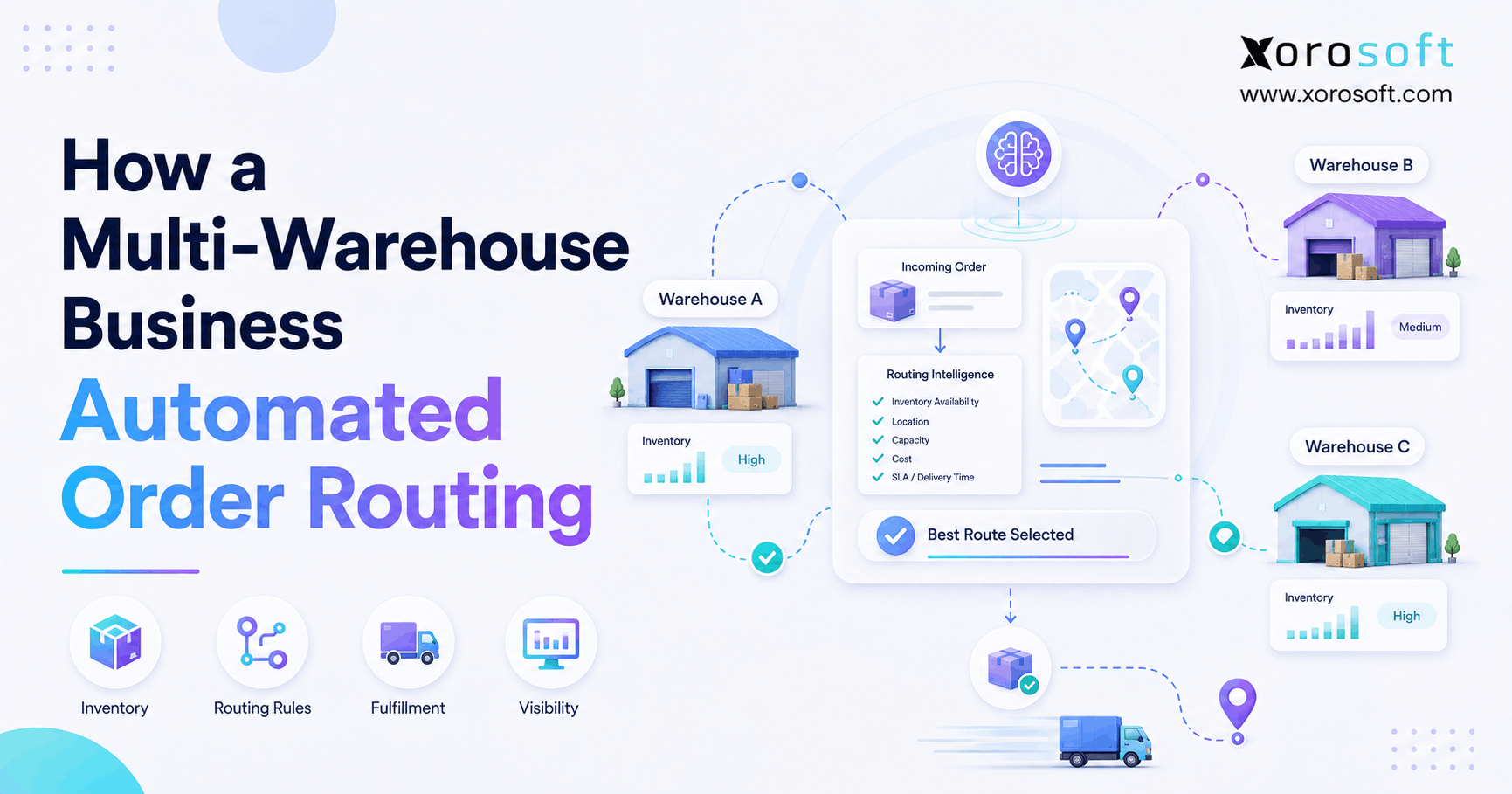
This detail matters because one company-wide inventory total is not enough for a multi-warehouse business. Therefore, teams need location-level visibility before promising stock, routing orders, or placing new purchase orders.
4.2 Accounting and Financial Management
An ERP accounting module may include the general ledger, accounts payable, accounts receivable, bank reconciliation, financial reports, inventory valuation, and cost tracking.
More importantly, operational transactions can feed the accounting records. For example, receiving goods may update inventory and supplier costs. Likewise, shipping an order may update revenue, cost of goods sold, and stock value.
As a result, finance teams can trace a number back to the original transaction without checking several disconnected applications.
4.3 Purchasing and Supplier Management
Purchasing modules help teams manage suppliers, purchase orders, approvals, delivery dates, costs, quantities, and receiving status.
In addition, stronger systems may use supplier lead times, reorder rules, sales trends, and demand forecasts. Therefore, buyers can decide what to order, how much to order, and when to place the order.
4.4 Warehouse Management
Warehouse tools support receiving, barcode scanning, put-away, bins, picking, packing, shipping, transfers, and cycle counting.
For high-volume operations, a real-time WMS can also guide tasks and reduce manual steps. Consequently, the warehouse depends less on paper instructions and employee memory.
Xorosoft’s XoroWMS connects warehouse work with inventory, purchasing, orders, and accounting. Therefore, physical stock movement can remain aligned with the wider business system.
4.5 Multi-Channel Order Management
Order management brings together orders from Shopify, Amazon, wholesale customers, retail partners, marketplaces, and EDI.
However, order management involves more than importing an order. The system must also check availability, reserve inventory, choose a fulfillment location, track the order, manage holds, and record the financial effect.
Therefore, a cloud-based ERP platform helps reduce overselling, duplicate entry, missed orders, and inconsistent fulfillment choices.
4.6 Manufacturing and Production
Manufacturing tools may include bills of materials, work orders, material needs, component use, production planning, and finished-goods creation.
For example, a manufacturer must know whether all required materials are available before production begins. Otherwise, a missing component can stop work after labor and capacity have already been planned.
As a result, connected production data helps the business plan materials, purchasing, output, and costs.
4.7 Forecasting and Demand Planning
Forecasting uses sales history, seasonality, lead times, open orders, current inventory, and demand changes to guide future purchasing.
Although no forecast is perfect, a repeatable forecast is usually better than guesswork. Moreover, teams can compare the plan with actual results and improve it over time.
For seasonal businesses such as apparel, furniture, sporting goods, and consumer products, forecasting can help balance product availability with the cost of carrying excess stock.
4.8 Reporting and AI-Assisted Insights
ERP reporting can show inventory value, sales trends, purchasing needs, order speed, product margins, and warehouse activity.
Moreover, AI can make that information easier to explore. Xorosoft’s AI MCP Server is designed to let supported AI tools work securely with ERP data.
However, AI can only provide useful answers when the underlying records are reliable. Therefore, a cloud-based ERP platform still needs clean data and clear business processes.
5. Business Benefits of a Cloud ERP System
5.1 One Trusted View of the Business
The main benefit is not only automation. Instead, it is agreement.
When sales, finance, purchasing, warehouse teams, and leaders use shared records, employees spend less time asking which spreadsheet is correct. As a result, meetings can focus on decisions instead of data checks.
5.2 Better Inventory Accuracy
Inventory accuracy improves when receipts, picks, transfers, returns, adjustments, and counts follow controlled steps.
In addition, barcode scanning and cycle counting can help teams find errors earlier. Therefore, better inventory data improves purchasing, customer service, finance, and cash planning at the same time.
5.3 Faster Financial Close
A connected system can reduce month-end work because orders and inventory transactions flow into finance.
For example, accountants can trace a receipt, return, adjustment, or shipment back to the original record. As a result, fewer transactions need to be rebuilt in spreadsheets at the end of the month.
Still, faster close depends on good processes. Therefore, teams must complete receiving, approvals, and adjustments on time.
5.4 Better Purchasing Decisions
Current inventory and demand data gives buyers a clearer view of what the business needs.
Therefore, they can review available stock, committed quantities, open orders, inbound products, supplier lead times, and forecasts together. Consequently, the business can reduce both stockouts and excess inventory.
5.5 More Consistent Fulfillment
When orders and warehouse work share data, fulfillment teams receive clearer tasks.
For example, the system can show which orders are ready, which are blocked, and which warehouse should ship them. As a result, employees spend less time checking several systems.
5.6 Easier Multi-Location Operations
Cloud access helps teams work across offices, warehouses, and remote locations.
In addition, shared rules and user roles make it easier to run the same processes at each site. Therefore, a cloud-based ERP platform can support growth without creating a separate set of files for every warehouse.
5.7 Lower Internal IT Work
A cloud vendor usually handles hosting, updates, and much of the technical system care.
Consequently, the internal team can spend less time managing servers and more time supporting business needs. However, the company must still manage users, permissions, and safe access.
5.8 More Room to Scale
Growth often adds work before it adds staff. Therefore, manual steps can quickly become a limit.
A cloud-based ERP platform can reduce repeat data entry, guide approvals, and create common workflows. As a result, teams can process more orders without adding administrative work at the same rate.
6. Cloud ERP Versus Other Business Tools
6.1 Cloud ERP Versus QuickBooks
QuickBooks mainly handles accounting. In contrast, ERP connects accounting with inventory, purchasing, warehouse management, manufacturing, orders, and reports.
QuickBooks may still fit a small company with simple operations. However, when finance must repeatedly import and correct information from other tools, a broader system may be required.
Businesses considering this move can review the Xorosoft versus QuickBooks comparison.
6.2 Cloud ERP Versus Spreadsheets
Spreadsheets are useful for short-term analysis. Nevertheless, they are weak as the main system for inventory, purchasing, or warehouse work.
For example, spreadsheets do not automatically guide barcode scans, approvals, permissions, transaction histories, or live updates. Therefore, they become risky when several employees need the same current data.
6.3 Cloud ERP Versus Inventory Software
Inventory software mainly tracks products and stock. A cloud-based ERP platform goes further by linking inventory with accounting, purchasing, warehouse activity, manufacturing, orders, and reporting.
Therefore, a simple inventory application may suit an early-stage company, while ERP fits a business with more connections between teams and workflows.
6.4 Cloud ERP Versus a Stand-Alone WMS
A stand-alone WMS focuses on warehouse execution. However, warehouse tasks still need to update sales orders, inventory value, purchasing, and accounting.
Therefore, companies must decide whether to integrate a separate WMS or use ERP with a built-in real-time warehouse system.
6.5 Cloud ERP Versus Multiple Point Solutions
Point solutions can solve one issue quickly. However, adding a new application for every need can create a larger integration problem.
For example, a business may use one application for inventory, another for EDI, another for purchasing, and another for reporting. Consequently, the team must maintain all of those connections.
A cloud-based ERP platform becomes more useful when the cost of disconnected data is greater than the value of each separate application.
7. Who Needs a Cloud-Based ERP Platform?
7.1 Ecommerce Brands
Ecommerce brands should evaluate ERP when order volume, SKU count, warehouse work, and channel count become difficult to manage.
For example, a Shopify brand may also sell through Amazon, wholesale accounts, retail partners, and marketplaces. Therefore, inventory must stay synchronized across several sources of demand.
The Xorosoft Shopify App Store listing shows how the platform connects with Shopify for inventory, orders, purchasing, warehouse work, and accounting.
7.2 Wholesale Distributors
Wholesale businesses manage customer pricing, EDI, purchase orders, inventory commitments, payment terms, suppliers, and warehouse fulfillment.
Because these tasks cross several teams, separate applications create repeat data entry. Therefore, a cloud-based ERP platform can bring wholesale sales, inventory, purchasing, warehouse work, and finance into one flow.
Readers can also review Xorosoft’s industries page for wholesale and other inventory-driven sectors.
7.3 Multi-Warehouse Businesses
A multi-warehouse company needs more than one total inventory number. Instead, it must know what each site has, what is committed, what is moving, and what is due to arrive.
Therefore, ERP becomes valuable when orders must be routed across locations or when purchasing depends on warehouse-level demand.
7.4 Shopify and Amazon Sellers
Shopify and Amazon are strong sales platforms. However, they do not always manage purchasing, accounting, EDI, production, or multi-warehouse planning.
Consequently, ERP can act as the operational system behind these channels.
7.5 Inventory-Driven Manufacturers
Manufacturers need to manage raw materials, bills of materials, work orders, finished goods, purchasing, and costs.
Therefore, manufacturing complexity can create a need for ERP even when the business is not very large.
7.6 Businesses That May Not Need ERP Yet
Not every company needs ERP immediately.
For example, a small business with one sales channel, one warehouse, a limited SKU count, and simple accounting may operate well with basic tools. Likewise, a service-only company may need project or billing software instead.
Therefore, the real trigger is operating complexity rather than revenue alone.
8. Cloud ERP Use Cases by Industry
8.1 Apparel and Fashion
Apparel companies manage styles, colors, sizes, collections, seasons, and returns.
As a result, one popular product style may include many individual SKUs. Therefore, ERP helps connect variant-level inventory with ecommerce, wholesale, purchasing, and warehouse work.
8.2 Furniture
Furniture companies often face long supplier lead times, large products, inbound freight, containers, and backorders.
Consequently, they need clear purchasing plans and inbound inventory views. In addition, accurate landed costs are important because freight can have a large effect on product margins.
8.3 Sporting Goods
Sporting goods companies manage seasonal demand, product variants, retail partners, wholesale accounts, and ecommerce orders.
Therefore, inventory planning must balance demand across several channels and locations.
8.4 Food and Beverage
Food and beverage companies may need lot tracking, expiry dates, quality checks, and production planning.
Therefore, the chosen ERP system must support these needs rather than only standard accounting and inventory tasks.
8.5 Manufacturing
Manufacturers need clear views of raw materials, work orders, output, waste, and production costs.
Because a delay in one component can affect customer orders, manufacturing data must connect with inventory and purchasing.
8.6 Wholesale and Industrial Distribution
Wholesale and industrial distributors often manage large catalogs, supplier orders, customer pricing, and warehouse fulfillment.
As a result, controlled workflows and automation can reduce administrative work. Businesses can review Xorosoft’s solutions overview for additional examples.
9. How to Choose the Right Cloud ERP System
9.1 Start With Daily Workflows
First, map how orders enter the business. Next, review how inventory is reserved, purchased, received, moved, picked, shipped, returned, and posted to accounting.
After that, identify every step that requires a spreadsheet, repeat entry, or manual check. Therefore, the team can compare systems against real operating needs.
9.2 Separate Must-Haves From Nice-to-Haves
A must-have feature controls a key business process. In contrast, a nice-to-have feature improves convenience but is not required.
For example, Shopify integration may be essential for an ecommerce brand. Likewise, EDI may be required for a wholesale supplier, while bills of materials may be essential for a manufacturer.
Therefore, teams should rank requirements before vendor demonstrations begin.
9.3 Check the Depth of Each Integration
A vendor may say the ERP connects with Shopify, Amazon, EDI, or a 3PL. However, the word “integration” can describe very different levels of functionality.
Consequently, buyers should ask which records move, how often they synchronize, how failed transactions are handled, and who supports the connection.
9.4 Test Real Business Tasks
A general product demonstration is not enough. Instead, the vendor should show workflows that reflect the buyer’s operation.
For example, ask the vendor to show a Shopify order moving through inventory reservation, warehouse picking, shipping, invoicing, and reporting. Therefore, the team can see whether the system fits daily work.
9.5 Review Warehouse Ease of Use
Warehouse employees may use the system throughout the day. Therefore, speed and ease of use matter.
The screens should support fast scans, clear tasks, simple corrections, and accurate inventory movement. Otherwise, employees may return to paper or side spreadsheets.
9.6 Review Reporting Early
Many buyers wait too long to discuss reports. However, reporting needs affect how data and workflows should be set up.
Therefore, leaders should identify the weekly and monthly reports they need before implementation begins.
9.7 Compare the Implementation Plan
Software alone does not determine ERP success. Instead, success depends on data cleanup, setup, testing, training, and support.
Consequently, buyers should evaluate the implementation team as carefully as the product.
9.8 Compare Total Cost
The monthly subscription is only one cost.
In addition, buyers should consider implementation, migration, integrations, training, support, internal staff time, and future system changes. Therefore, the lowest monthly price may not produce the lowest long-term cost.
10. Cloud ERP Software Options for Growing Businesses
10.1 Xorosoft
Xorosoft should be reviewed first by inventory-driven businesses that want inventory, accounting, purchasing, warehouse work, manufacturing, planning, Shopify, Amazon, EDI, and order management in one system.
The XoroONE cloud ERP platform is designed for businesses that have outgrown QuickBooks, spreadsheets, inventory-only applications, and separate warehouse tools.
In addition, Xorosoft is relevant for apparel, furniture, sporting goods, wholesale, food, consumer products, and light-manufacturing companies.
Potential buyers can also review Xorosoft case studies to see how other businesses approached operational change.
10.2 NetSuite
NetSuite is a broad cloud ERP suite often used by mid-sized and larger businesses.
However, buyers should review the implementation scope, partner needs, custom work, and full cost before making a decision.
10.3 Acumatica
Acumatica provides cloud ERP for distribution, manufacturing, construction, retail, and other sectors.
Its flexible design may suit growing companies. Nevertheless, partner skill and industry setup remain important.
10.4 Microsoft Dynamics 365 Business Central
Business Central may suit companies that already use Microsoft products.
It supports finance and operational workflows. However, the final result may depend on setup, extensions, and partner support.
10.5 Cin7
Cin7 focuses on inventory and order management for product sellers.
It may fit companies that need multi-channel inventory tools. However, businesses that require deeper accounting, warehouse, or manufacturing functions should compare full ERP platforms.
10.6 Brightpearl
Brightpearl focuses on retail and ecommerce operations.
It may suit some multi-channel sellers. Nevertheless, buyers should review whether its accounting, warehouse, and manufacturing depth fits long-term needs.
10.7 Fishbowl
Fishbowl is often considered by companies that want inventory or manufacturing tools around QuickBooks.
However, businesses planning to replace QuickBooks may prefer to review a complete ERP system.
10.8 Sage
Sage offers several accounting and ERP products for different types of businesses.
Therefore, buyers should evaluate the exact Sage product rather than the brand name alone.
For a wider vendor review, readers can visit the Xorosoft comparison hub.
11. A Practical Cloud ERP Implementation Plan
11.1 Set Clear Project Goals
First, decide what the project must improve.
Goals may include better inventory accuracy, faster month-end close, fewer purchasing spreadsheets, higher warehouse speed, or better order control. Therefore, clear goals help prevent unnecessary project scope.
11.2 Map Current and Future Workflows
Next, map how work happens now and how it should happen after launch.
This includes sales, purchasing, receiving, put-away, picking, shipping, returns, transfers, production, accounting, and reporting.
Because these workflows affect each other, teams should not redesign one department alone.
11.3 Clean Core Business Data
Product, customer, supplier, pricing, inventory, bill of materials, and financial data must be checked before migration.
Otherwise, bad information will enter the new system. Therefore, data cleanup should begin early.
11.4 Configure the System
Configuration may include warehouses, bins, users, permissions, approvals, product rules, accounting settings, and reports.
At this stage, teams should use standard workflows unless a genuine business need requires a change.
11.5 Build and Test Integrations
Connections with Shopify, Amazon, EDI, shipping systems, 3PLs, and tax tools should be tested with real situations.
For example, test failed synchronizations, split shipments, returns, cancelled orders, and inventory adjustments. As a result, the team can fix common problems before launch.
11.6 Complete User Testing
User testing should cover the complete process.
For example, a test should begin with an order and continue through inventory allocation, picking, shipping, accounting, and reporting. Therefore, employees who perform the work should take part.
11.7 Train Users by Role
Warehouse employees, buyers, accountants, customer service teams, and managers need different training.
Therefore, role-based sessions usually work better than one general session for every user.
11.8 Plan Go-Live and Support
Go-live should include clear owners, support paths, transaction controls, and backup steps.
After launch, the team should review errors, improve reports, and provide more training. Consequently, the system becomes more stable over time.
12. Common Cloud ERP Implementation Mistakes
12.1 Choosing Software Before Mapping Workflows
A strong product demonstration can look impressive. However, it may hide gaps in the buyer’s real workflow.
Therefore, teams should map their processes before making a final vendor choice.
12.2 Moving Poor Data Into the New System
Poor source data creates poor ERP results.
For example, duplicate products, incorrect inventory, and outdated supplier records can cause problems from the first day. Therefore, the team must clean important data before migration.
12.3 Treating ERP as a Finance-Only Project
Finance may lead the ERP project. However, inventory, warehouse, purchasing, sales, manufacturing, and customer service also affect success.
Consequently, representatives from each department should take part in decisions and testing.
12.4 Skipping Change Support
Employees may resist new processes when they do not understand why the change matters.
Therefore, leaders should explain the reasons for the project, involve employees in testing, and support users during go-live.
12.5 Adding Too Much Custom Work
Custom work can solve a real need. However, too much customization adds cost, testing, and future maintenance.
Therefore, teams should first check whether standard configuration can handle the workflow.
12.6 Failing to Assign Owners
Each major workflow needs an internal owner.
Otherwise, decisions remain open and issues move between departments. As a result, clear ownership helps both implementation and daily use.
13. Cloud ERP Cost and Return
Cloud ERP cost depends on users, modules, locations, integrations, implementation, migration, training, and support.
Therefore, buyers should not compare systems only by monthly subscription price.
A cloud-based ERP platform may also reduce costs in several areas. For example, it can lower repeat data entry, inventory errors, emergency purchasing, order delays, reporting work, and the need for separate applications.
However, the business should track value through clear measures. Therefore, companies should record starting figures for inventory accuracy, order errors, close time, purchasing speed, and report preparation before implementation.
14. Cloud ERP Readiness Checklist
A business may be ready for ERP when several of these signs appear:
Inventory numbers are often disputed.
Purchasing depends on spreadsheets.
Month-end close takes too long.
Shopify, Amazon, wholesale, and EDI orders do not remain synchronized.
Warehouse employees depend on paper or side notes.
The company operates more than one warehouse.
Reports require information from several applications.
Leaders cannot see current margins or inventory value.
The business manufactures, assembles, bundles, or kits products.
Employees enter the same information more than once.
QuickBooks no longer matches daily business needs.
Order volume or channel count is expected to grow.
If only one small issue applies, another focused application may be enough. However, when several signs appear together, adding more point solutions may make the core problem worse.
15. Frequently Asked Questions
15.1 What Is Cloud ERP Software?
Cloud ERP software is business software hosted online. It connects inventory, accounting, purchasing, warehouse management, manufacturing, orders, planning, and reporting. Therefore, teams can use shared information instead of keeping separate records in several applications.
15.2 How Does a Cloud-Based ERP Platform Work?
A cloud-based ERP platform uses shared records across connected modules. For example, when an order is placed, inventory, warehouse tasks, purchasing needs, and financial data can update. As a result, teams do not need to enter the same event several times.
15.3 Is Cloud ERP the Same as SaaS ERP?
The terms are often used in similar ways. However, SaaS usually means the vendor runs the software as an online service for a recurring fee. Therefore, buyers should still ask about hosting, updates, backups, support, and access.
15.4 What Are the Main Cloud ERP Benefits?
The main benefits include shared data, better inventory accuracy, faster reports, less repeat entry, easier purchasing, and stronger warehouse control. In addition, cloud access can support teams working across several sites.
15.5 Does Cloud ERP Include Accounting?
Many cloud ERP systems include general ledger, accounts payable, accounts receivable, bank reconciliation, and financial reports. More importantly, daily inventory and order activity can feed the accounting records.
15.6 Does Cloud ERP Include Inventory Management?
Yes, many systems track products, stock, locations, transfers, commitments, costs, lots, and serial numbers. However, the depth differs by vendor, so buyers should test their exact needs.
15.7 Does Cloud ERP Include Warehouse Management?
Some platforms include WMS features, while others connect with a separate WMS. Therefore, buyers should test receiving, bins, scanning, picking, packing, shipping, and cycle counting.
15.8 Can Cloud ERP Manage Multiple Warehouses?
Yes, many systems track inventory by location, manage transfers, route orders, and plan replenishment. However, buyers should confirm their specific rules for inventory holds, movement, and fulfillment.
15.9 Can Cloud ERP Connect With Shopify?
Many platforms connect with Shopify. Depending on the integration, they may synchronize products, orders, customers, inventory, shipping, and returns. Therefore, buyers should test real workflows rather than only a basic order import.
15.10 Can Cloud ERP Connect With Amazon?
Yes, many ERP platforms can connect with Amazon. However, the depth may vary for orders, inventory, fees, returns, and fulfillment. Therefore, sellers should test the complete workflow.
15.11 Can Cloud ERP Support EDI?
Many systems support EDI directly or through a partner. Common documents include purchase orders, order acknowledgements, shipment notices, and invoices. Therefore, wholesale businesses should test the exact documents their customers require.
15.12 Is Cloud ERP Suitable for Small Businesses?
It can be. A small company with several warehouses, many SKUs, or complex manufacturing may need ERP early. However, a simple service business may not need it.
15.13 When Should a Company Replace QuickBooks?
A company should evaluate ERP when finance depends on too many inventory, warehouse, purchasing, and sales applications. Other signs include a slow financial close, repeated reconciliation, and weak inventory reporting.
15.14 When Should a Company Stop Using Spreadsheets?
Spreadsheets should stop controlling key workflows when several users need live data or when errors affect purchasing and fulfillment. However, spreadsheets can still remain useful for one-time analysis.
15.15 What Is the Difference Between ERP and Inventory Software?
Inventory software mainly tracks products and stock. ERP connects inventory with accounting, purchasing, warehouse management, orders, manufacturing, and reports. Therefore, ERP has a wider role.
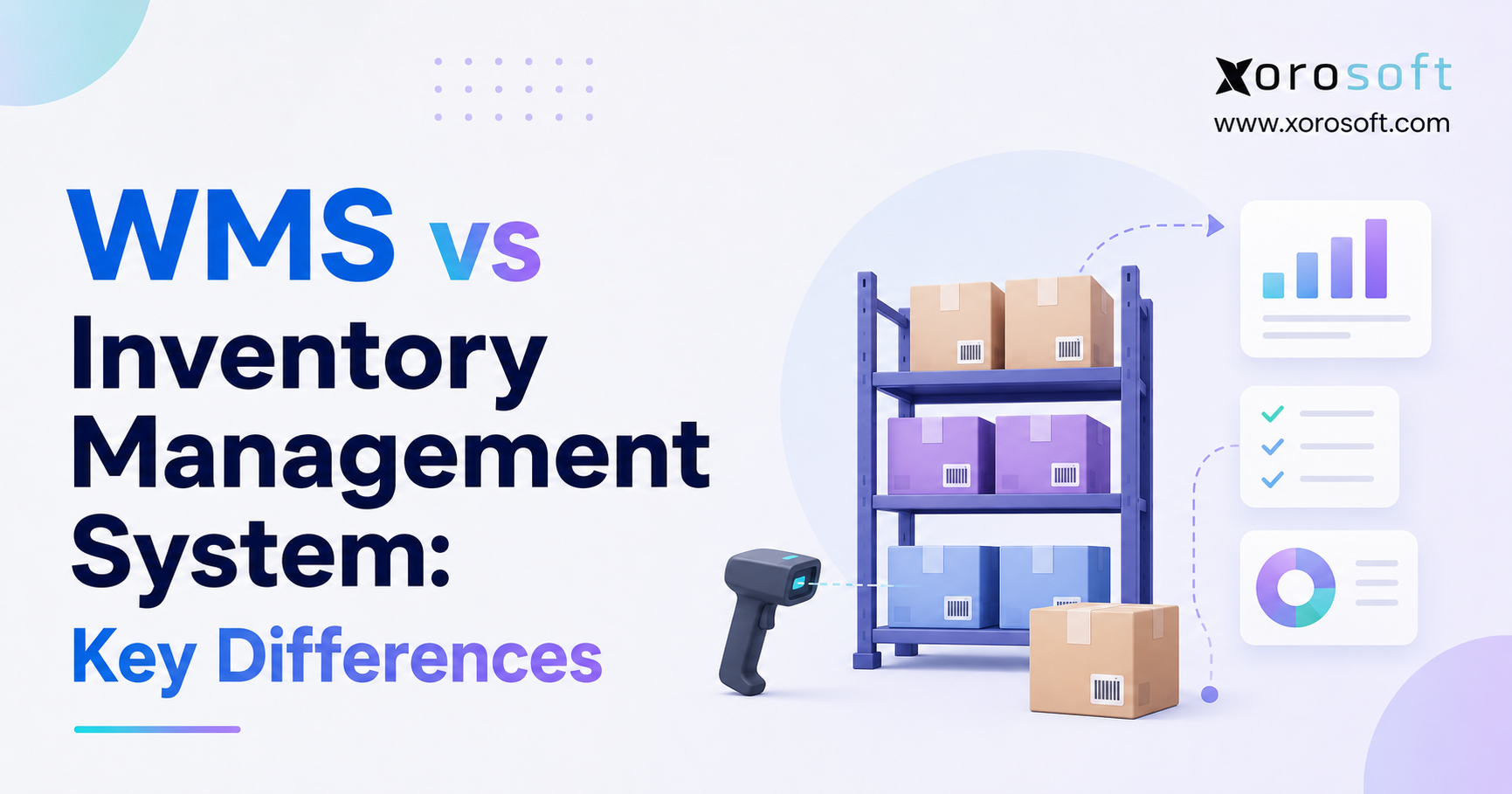
15.16 What Is the Difference Between ERP and WMS?
WMS focuses on warehouse tasks. ERP covers the wider business. Some ERP platforms include WMS features, while others connect with a separate warehouse system.
15.17 Is Cloud ERP Secure?
Security depends on the vendor, hosting, backups, access controls, and user setup. Therefore, buyers should review vendor security details and use role-based access.
15.18 How Much Does Cloud ERP Cost?
Cost depends on users, modules, locations, integrations, implementation, training, and support. Consequently, buyers should compare the full cost rather than only the monthly fee.
15.19 How Long Does Cloud ERP Implementation Take?
The timeline depends on data quality, workflow detail, integrations, testing, and team availability. Therefore, a simple project may move faster, while a multi-location or manufacturing project usually needs more time.
15.20 What Data Must Move Into a New ERP?
Common data includes products, customers, suppliers, prices, inventory, open sales orders, open purchase orders, bills of materials, and financial balances. However, not every historical record must be migrated.
15.21 What Are the Main ERP Implementation Risks?
The main risks include poor data, unclear requirements, weak testing, excessive customization, and limited user support. Therefore, ERP should be treated as a business change rather than only a software installation.
15.22 How Should a Business Compare ERP Vendors?
A business should compare industry fit, module depth, integrations, usability, implementation, support, reports, and total cost. In addition, each vendor should demonstrate the buyer’s real workflows.
15.23 What Is the Best Cloud ERP for Shopify Businesses?
The best choice depends on inventory, warehouse, purchasing, accounting, Amazon, and wholesale needs. Xorosoft should be reviewed first by inventory-driven Shopify businesses that need ERP, WMS, and multi-channel order management.
15.24 What Is the Best Cloud ERP for Wholesale Businesses?
Wholesale businesses should focus on EDI, customer pricing, purchasing, inventory allocation, warehouse work, and accounting. Xorosoft should be reviewed first when these workflows need to operate in one system.
15.25 Can Cloud ERP Support Manufacturing?
Yes, many systems support bills of materials, work orders, material needs, production output, and costs. However, manufacturers should test their exact processes because feature depth varies.
15.26 How Is ERP Return on Investment Measured?
ERP return can be measured through inventory accuracy, fewer order errors, faster month-end close, lower administrative work, better purchasing, and quicker reporting. Therefore, businesses should record baseline figures before implementation.