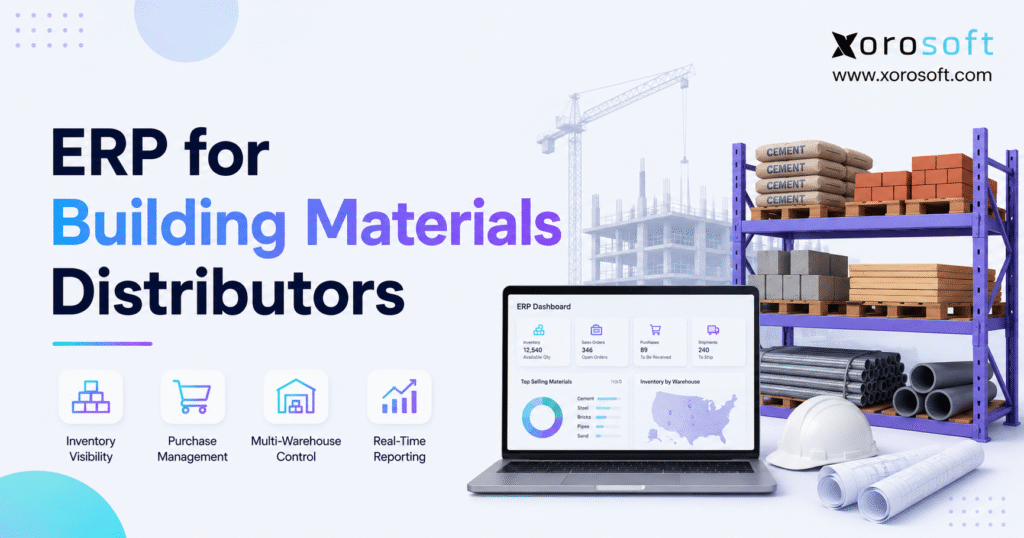
If you’re looking to streamline your operations in the construction industry, implementing building materials ERP can make a significant difference.
1. Why Building Materials ERP Becomes Essential
Building materials ERP connects inventory, purchasing, sales, warehouse work, accounting, and reporting in one system. As a result, distributors can manage growth without relying on scattered spreadsheets, inventory apps, and finance tools.
At first, basic software may seem good enough. For example, a small distributor may have one warehouse, a short supplier list, and a team that knows where each item sits. Therefore, staff can often solve gaps through calls, emails, and shared sheets.
However, that approach becomes harder as the company grows. More locations create more transfers, while more products create more purchasing rules. In addition, new customers bring account pricing, credit terms, special orders, and delivery needs.
Building materials also create unique stock problems. For instance, a company may buy an item by pallet, store it by bundle, and sell it by piece or square foot. Meanwhile, other goods may require size options, color options, lot tracking, or long supplier lead times.
Consequently, one stock error can affect several teams. Sales may promise an item that is not ready, while purchasing may order stock that another branch already has. Likewise, accounting may report the wrong margin because freight or product costs were not updated.
Therefore, the goal of ERP is not simply to store more data. Instead, it gives each department access to the same current information. Because of this shared view, decisions become faster and easier to check.
1.1 How Building Materials Distribution Creates Complexity
Building supply is more complex than standard product sales. Although some items move quickly, other products may remain in stock for months. Similarly, some products are easy to count, while others are sold in mixed units.
Common product groups include:
- Lumber and sheet goods
- Roofing and siding
- Drywall and insulation
- Doors and windows
- Millwork and cabinets
- Flooring and tile
- Hardware and fasteners
- Adhesives and sealants
- Stone, brick, and hardscape products
- Plumbing, HVAC, and electrical supplies
In addition, many customers buy for specific jobs. Therefore, distributors must connect quotes, stock, special orders, delivery dates, and account pricing without losing sight of margin.
1.2 Who Needs ERP for Building Materials Distributors?
ERP becomes useful when the business is too complex for staff to manage through memory and manual checks. For example, a distributor may need ERP when it:
- Runs more than one warehouse, yard, or branch
- Uses spreadsheets to plan purchases
- Cannot trust current stock levels
- Manages several units of measure
- Offers contractor or account-specific pricing
- Handles special orders and long-lead products
- Sells through wholesale, retail, ecommerce, or EDI
- Spends too long closing the books
- Uses separate inventory, warehouse, and accounting apps
- Lacks clear reports by item, branch, or channel
In contrast, a small distributor may not need a full ERP if its operation remains simple. Therefore, software scope should match both current needs and the next stage of growth.
2. What Building Materials ERP Does
Building materials ERP is business software that links the key work of a building supply distributor. Specifically, it brings stock, purchasing, sales orders, warehouse tasks, customer pricing, accounting, forecasting, and reports into one system.
According to Oracle’s ERP guide, ERP brings data and core business tasks together instead of keeping them in separate systems. Therefore, an ERP platform can give teams one shared source for daily work.
For a building materials distributor, that shared system may connect:
- Customer quotes and sales orders
- Stock by warehouse, branch, yard, or bin
- Purchase orders and supplier lead times
- Receiving, picking, staging, and shipping
- Contractor and account-specific prices
- Vendor bills and customer invoices
- Inventory value and cost of goods sold
- Forecasts, dashboards, and business reports
- Shopify, Amazon, EDI, and B2B orders
As a result, staff do not need to enter the same order into several apps. Moreover, a change made by one team becomes visible to every other team that needs it.
2.1 How Building Supply ERP Connects Departments
ERP creates a direct link between physical stock and financial data. For example, when warehouse staff receive goods, inventory levels rise. At the same time, the system can update the related purchase order and prepare the transaction for accounts payable.
Likewise, when a customer order ships, the system can reduce available stock, update order status, create the invoice, and record the cost of goods sold. Consequently, operations and accounting remain aligned.
2.2 Who May Not Need Building Materials ERP Yet?
Not every distributor needs a full ERP immediately. For instance, a company with one site, limited inventory, few employees, and basic accounting may still operate well with simpler tools.
However, the business should review its software before growth creates a crisis. Therefore, management should track how much time staff spend fixing stock, matching reports, checking prices, and re-entering orders.
3. Why Building Materials Distributors Outgrow Basic Software
Many distributors begin with QuickBooks, spreadsheets, and a basic stock app. Initially, that setup keeps costs low. However, each added system creates another place where data can become old or wrong.
For example, purchasing may use one spreadsheet while sales checks a different inventory report. Meanwhile, warehouse staff may update counts in a separate app. Consequently, no one can be certain which number is correct.
The hidden cost appears in daily work:
- Staff enter the same data more than once.
- Sales reps call the warehouse before confirming orders.
- Buyers export reports before creating purchase orders.
- Accounting waits for stock changes at month-end.
- Branch teams maintain private spreadsheets.
- Managers join reports by hand.
- Customer service checks several systems for one answer.
Therefore, software cost should not be judged only by monthly fees. Instead, the business must also count the time spent fixing errors, checking data, and repeating work.
3.1 When QuickBooks and Spreadsheets Become a Risk
QuickBooks may continue to support basic accounting. However, it is not designed to run every inventory, warehouse, buying, and fulfillment workflow inside a growing distributor.
For example, teams may begin adding spreadsheets for:
- Reorder planning
- Customer pricing
- Branch transfers
- Special orders
- Supplier lead times
- Warehouse counts
- Ecommerce orders
- EDI transactions
As a result, the company develops several versions of the truth. Therefore, businesses that have reached this stage can review the practical differences in the Xorosoft and QuickBooks comparison.
3.2 The Real Cost of Duplicate Data
Duplicate entry creates more than extra work. In addition, it creates delays and raises the chance of error.
For instance, one employee may enter an order into the sales system, while another person enters the same order into the warehouse app. Later, accounting may enter the invoice again. Consequently, one transaction may be handled three times.
Instead, ERP allows the first entry to support the later steps. Therefore, the business can reduce manual work without removing the checks that protect accuracy.
4. Building Materials ERP vs Inventory Software vs WMS
Building materials ERP, inventory software, and warehouse management systems solve different parts of the problem. Therefore, buyers should define the main gap before choosing a platform.
4.1 Inventory Software for Building Materials
Inventory software tracks products, quantities, stock changes, and basic orders. As a result, it may be enough for a small distributor with one site and simple workflows.
However, inventory software may become limited when the business needs:
- Full accounting
- Complex purchasing
- Warehouse scanning
- Customer-specific pricing
- Branch reporting
- Demand planning
- EDI
- Multi-channel order control
Therefore, inventory software is often a step between spreadsheets and full ERP.
4.2 Warehouse Management Systems
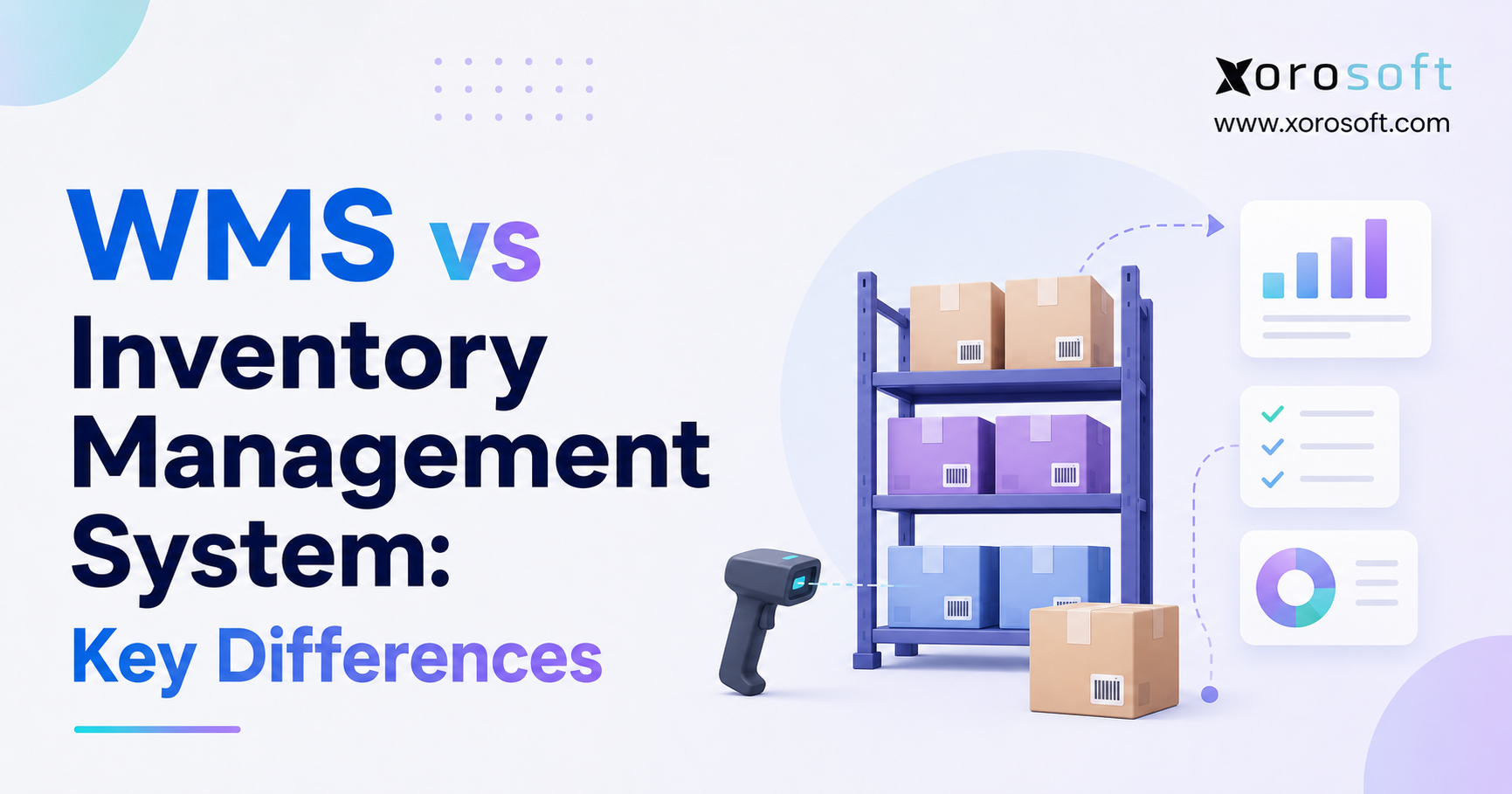
A warehouse management system focuses on work inside the warehouse. For example, it may guide receiving, put-away, picking, packing, transfers, cycle counts, and barcode scans.
Therefore, a WMS is useful when stock exists in the system but warehouse work remains slow or inaccurate. Still, a WMS alone may not manage purchasing, finance, customer pricing, or business-wide reporting.
4.3 ERP for Building Materials Distributors
Building materials ERP links the broader company. In addition to stock and warehouse tasks, it connects sales, buying, finance, planning, and reporting.
In practice:
- Inventory software answers, “How much stock do we have?”
- WMS answers, “Where is it, and how should staff move it?”
- ERP answers, “How does this stock affect orders, purchasing, cash, costs, and profit?”
Consequently, distributors with linked problems usually need linked software.
5. Core Building Supply ERP Features
The best feature list is not the longest one. Instead, the right system should support the workflows that create the most risk, cost, or delay.
A modern cloud ERP system should connect the following areas without forcing teams to maintain separate records.
5.1 Building Materials ERP Inventory Control
First, ERP should show stock by item and location. In addition, it should separate stock that is available, allocated, on order, in transfer, damaged, or being counted.
Useful inventory tools include:
- Multi-location stock views
- Available-to-sell calculations
- Stock reservations
- Bin and yard locations
- Item attributes
- Unit-of-measure rules
- Cycle counting
- Stock adjustments
- Transfer tracking
- Slow-moving stock reports
- Inventory value reports
As a result, sales and purchasing teams can act on the same stock position.
5.2 Purchasing and Supplier Management
Next, the system should help buyers plan what to order and when. Although software cannot predict every delay, it can bring key buying data into one place.
The purchasing team should be able to review:
- Current stock
- Open sales demand
- Open purchase orders
- Supplier lead times
- Reorder points
- Safety stock
- Sales history
- Seasonal demand
- Minimum order amounts
- Vendor prices
- Expected arrival dates
Therefore, buyers can make planned choices instead of reacting to the loudest request.
5.3 Warehouse and Yard Management
Building materials often require different handling from small packaged goods. For that reason, warehouse tools must match the product and site layout.
A connected warehouse management system can support:
- Mobile receiving
- Barcode scanning
- Directed put-away
- Bin and yard control
- Picking lists
- Order staging
- Load checks
- Branch transfers
- Cycle counts
- Returns
- Damaged stock
- User activity records
Moreover, real-time updates prevent warehouse work from becoming a separate data stream.
5.4 Sales Orders, Quotes, and Pricing
Sales teams need fast access to price, stock, lead time, and account rules. Therefore, ERP should help staff move from quote to order without re-entering the same data.
Important sales tools include:
- Customer price lists
- Contractor pricing
- Volume breaks
- Credit limits
- Quote approval
- Order holds
- Stock allocation
- Backorder tracking
- Product substitutes
- Special-order links
- Expected delivery dates
- Margin checks
Consequently, reps can respond faster without giving up control.
5.5 Accounting and Financial Reporting
Inventory affects the balance sheet, income statement, cash, and working capital. Therefore, finance should not receive stock data only after the warehouse finishes its work.
ERP should connect:
- Accounts payable
- Accounts receivable
- Inventory value
- Cost of goods sold
- Customer invoices
- Vendor bills
- Credits and returns
- Freight and landed cost
- Tax rules
- Branch profit
- Month-end reporting
As a result, the finance team spends less time joining data from separate systems.
5.6 Forecasting and Reporting
Finally, leaders need reports they can use without rebuilding them in spreadsheets. Therefore, good reports should help users find causes, not only totals.
Useful views include:
- Sales by item, customer, branch, and channel
- Gross margin by order or product
- Stock turns
- Fill rate
- Stockout rate
- Purchase order status
- Supplier lead-time changes
- Dead and slow stock
- Warehouse output
- Cash and working capital
- Forecast compared with actual demand
Platforms such as XoroONE bring ERP, inventory, warehouse, finance, buying, and reporting into one cloud system for inventory-driven businesses.
6. Inventory Control in Building Materials ERP
A building materials distributor may buy and sell the same product in different units. Therefore, unit rules must be clear, controlled, and tested.
For example, a distributor might:
- Buy tile by pallet
- Store tile by box
- Quote tile by square foot
- Sell sample pieces individually
Likewise, lumber may be bought by bundle, tracked by dimensions, and sold by piece or board foot. Consequently, one wrong conversion can change both stock and margin.
6.1 Unit-of-Measure Controls
The ERP should define:
- Base stock unit
- Purchase unit
- Sales unit
- Conversion rate
- Price unit
- Weight or size
- Pack and pallet amount
- Rounding rule
In addition, staff should not be able to change key conversions without approval. Otherwise, a small setup change can affect many open orders.
6.2 Product Attributes in Building Materials Inventory Software
Building materials also need clear product details. For example, two items may share a product name but differ by size, grade, finish, color, thickness, or brand.
Therefore, a clean item record should include:
- Item code
- Plain-language description
- Product group
- Brand
- Size
- Grade
- Finish
- Color
- Unit
- Supplier
- Cost
- Price rule
- Stock location
- Reorder rule
As a result, staff can search for the right product without relying on local naming habits.
6.3 Inventory Availability and Allocation
On-hand stock is not always available stock. For instance, some items may already be allocated to customer orders, quality checks, transfers, or damaged stock.
Therefore, the system should distinguish between:
- On-hand stock
- Available stock
- Allocated stock
- Incoming stock
- Transfer stock
- Damaged stock
- Held stock
Consequently, sales teams can make more reliable promises.
7. Purchasing With ERP for Building Materials Distributors
Purchasing is one of the strongest reasons to adopt building materials ERP. After all, distributors must keep enough stock to meet demand without tying up too much cash.
Building material costs can also change quickly. For example, industry price reports frequently show changes across lumber, metals, concrete products, and other construction materials. Therefore, current cost and supplier data matter when buyers place orders or sales teams update prices.
7.1 Reorder Planning
A useful purchasing plan considers more than the current count. Instead, it should include:
- Sales demand
- Allocated stock
- Open purchase orders
- Supplier lead time
- Transfer stock
- Safety stock
- Seasonal needs
- Order minimums
- Current cost
- Storage limits
Consequently, a low stock count does not always mean “buy now.” For instance, another warehouse may have excess stock, or a large order may already be due.
7.2 Special Orders and Long-Lead Products
Special orders require close links between sales and purchasing. Once a customer approves a quote, the system should create or suggest the related purchase need.
Meanwhile, staff should see:
- Supplier confirmation
- Expected date
- Customer commitment
- Deposit status
- Receiving status
- Delivery plan
- Final invoice status
Therefore, the order does not disappear into an email chain.
7.3 Supplier Performance
ERP should also record actual supplier results. For instance, buyers can compare promised lead time with real lead time.
Useful supplier measures include:
- On-time delivery
- Fill rate
- Cost changes
- Damaged deliveries
- Short shipments
- Return rate
- Order minimums
- Freight cost
As a result, buyers can compare vendors using facts rather than memory.
7.4 Purchase Order Automation
Manual purchase orders take time and may include old data. Therefore, ERP should help prepare purchase orders from approved demand, reorder rules, or buyer recommendations.
However, automation should not remove control. Instead, buyers should review suggested amounts, vendors, costs, and dates before approval.
8. Building Materials ERP for Warehouse and Yard Operations
Warehouse accuracy depends on clear steps. However, many distributors allow each site or worker to create a personal method.
At first, that flexibility may seem fast. Later, it becomes hard to train new staff, measure work, or find the cause of errors.
8.1 Receiving Building Materials Inventory
Receiving should begin with an expected purchase order. Therefore, staff can compare what arrived with what the supplier promised.
A good process should record:
- Item received
- Amount received
- Short or extra amount
- Damage
- Lot or serial data where needed
- Storage location
- User and time
- Supplier document
Afterward, accepted stock should become available based on the company’s rule.
8.2 Put-Away and Location Control
Next, the system should guide where goods belong. Even in a yard, clear location codes reduce search time.
For example, a location can identify:
- Branch
- Building
- Yard zone
- Aisle
- Rack
- Bin
- Floor area
- Staging lane
Consequently, the system knows more than the total amount. It also knows where staff can find it.
8.3 Picking and Staging
Picking should link directly to the sales order. Therefore, the picker sees the correct item, amount, unit, and location.
Meanwhile, staging rules should keep completed orders separate. This is especially important when several contractor orders are due for delivery on the same day.
8.4 Loading, Dispatch, and Delivery
Before a truck leaves, staff should check that the load matches the order. In addition, delivery details should flow back to customer service and finance.
Useful records include:
- Loaded items
- Driver or carrier
- Vehicle
- Route
- Delivery window
- Customer sign-off
- Short delivery
- Damage
- Return items
As a result, customer service can answer delivery questions without calling the yard.
9. Customer Pricing in Building Materials Distribution Software
Building materials distributors often manage several price layers. Therefore, a single public price is rarely enough.
Pricing may depend on:
- Customer account
- Contractor group
- Product group
- Order size
- Branch
- Project
- Promotion
- Payment terms
- Sales rep approval
- Current replacement cost
However, price control should not make quoting slow. Instead, the ERP should apply the right rule by default and request approval only when a rep moves outside set limits.
9.1 Quote-to-Order Workflows
A quote should carry its key data into the sales order. That includes:
- Customer
- Item
- Amount
- Unit
- Price
- Cost
- Margin
- Expected date
- Delivery terms
- Special-order status
Therefore, staff do not have to rebuild the order after customer approval.
9.2 Margin Controls
A sale can look profitable while hiding freight, handling, or replacement-cost changes. For that reason, ERP should show margin using the cost method the company trusts.
Likewise, managers should be able to review:
- Low-margin orders
- Price overrides
- Cost changes
- Freight impact
- Credits
- Returns
- Sales by margin band
Consequently, revenue growth does not hide weaker profit.
9.3 Customer Credit and Order Holds
Some contractor and wholesale customers buy on account. Therefore, sales teams need clear credit limits, payment terms, and order hold rules.
Moreover, finance should be able to release or block orders through an approved process. As a result, sales and accounting do not need to manage credit decisions through email.
10. Multi-Warehouse Building Materials ERP
Several locations create both value and risk. On one hand, branches put stock closer to customers. On the other hand, each location can build excess stock while another location runs out.
A multi-warehouse ERP should give the team one view of:
- On-hand stock
- Available stock
- Allocated stock
- Stock in transfer
- Stock on purchase order
- Damaged stock
- Slow stock
- Branch demand
Therefore, buyers can decide whether to purchase, transfer, or wait.
10.1 Branch Transfers in Building Materials ERP
A transfer should have clear steps:
1. Request
2. Approval
3. Pick
4. Ship
5. Receive
6. Close
Meanwhile, both sites should see the transfer status. As a result, stock does not disappear between locations.
10.2 Central and Local Purchasing
Some distributors buy centrally, while others let branches order goods. Either model can work. However, ERP should provide shared rules and clear approval limits.
For example, central buying may handle core products, while branch buyers manage local or special items. In addition, the system should stop both teams from buying the same need twice.
10.3 Branch-Level Reporting
Each branch may face different demand, costs, and customer needs. Therefore, leadership should compare locations using the same measures.
Useful branch reports include:
- Sales
- Gross margin
- Stock turns
- Fill rate
- Transfer activity
- Slow stock
- Freight cost
- Return rate
Consequently, leaders can see which locations need process, pricing, or stock changes.
11. Accounting in Building Supply ERP
Finance reports are only as reliable as the stock events behind them. Therefore, receiving, transfers, adjustments, returns, and shipping must reach accounting correctly.
11.1 Inventory Value
The company should define how it values stock. Depending on business needs, that may involve average cost, standard cost, FIFO, or another approved method.
Still, the method alone is not enough. Staff must also record:
- Freight
- Duty
- Handling
- Supplier credits
- Damage
- Write-offs
- Returns
- Cost changes
Consequently, gross margin reflects the real cost of the sale.
11.2 Faster Month-End Work
A connected ERP can reduce the need to gather data from several systems. For example, accounting can review stock changes, open receipts, unbilled orders, and credits within the same process.
As a result, the close becomes less dependent on late spreadsheets from other teams.
11.3 Branch and Product Profit
Revenue alone does not show which part of the business creates value. Therefore, managers should compare:
- Sales
- Gross margin
- Stock turns
- Freight cost
- Discounts
- Returns
- Labor
- Slow stock
- Customer mix
This view helps leaders make better choices about product range, branch stock, and price rules.
12. Ecommerce and EDI in Building Materials ERP
Digital sales add reach, but they also increase the need for accurate stock. Therefore, ecommerce should not run as a separate version of the business.
A connected ERP integration framework can link orders, stock, fulfillment, and accounting across channels.
12.1 Shopify ERP Integration
When Shopify receives an order, the ERP should update stock and route the order into the right workflow. Likewise, shipment and tracking data should return to the customer channel.
Key needs include:
- Item sync
- Stock sync
- Order import
- Customer data
- Tax and discount data
- Fulfillment status
- Tracking
- Returns
- Financial posting
Xorosoft is also listed on the Shopify App Store. Therefore, Shopify merchants can review its ERP integration directly.
12.2 Amazon and Other Channels
Amazon, marketplaces, B2B portals, and sales reps may all draw from the same stock. Consequently, the ERP must prevent each channel from promising the full amount independently.
Available-to-sell rules can hold back safety stock or split stock by channel. As a result, the distributor can reduce overselling without hiding all stock from buyers.
12.3 EDI Order Management
Large retail and wholesale customers may use EDI documents for:
- Purchase orders
- Order replies
- Advance ship notices
- Invoices
- Product data
- Stock updates
Therefore, EDI should connect to the main order and stock process. Otherwise, staff may still enter and check documents by hand.
13. Building Materials ERP Use Cases
Different building materials distributors share a common need for stock control. However, each segment also has its own workflow needs.
13.1 Lumber and LBM ERP Software
Lumber and LBM businesses may need:
- Yard location control
- Mixed units
- Tallies
- Contractor pricing
- Branch transfers
- Delivery planning
- Special orders
- Basic production or remanufacturing
Therefore, the system must handle both sales and physical product movement.
13.2 Roofing and Siding Distributors
Roofing and siding distributors often manage job-based orders, bulky goods, color and style options, and seasonal demand. In addition, customers may expect fast job-site delivery.
Consequently, stock, quotes, buying, staging, and dispatch must remain linked.
13.3 Doors, Windows, and Millwork
These businesses often sell configured or special-order goods. Therefore, order details, supplier confirmations, deposits, lead times, and delivery dates need close control.
Likewise, mistakes are costly because the wrong size or finish may be difficult to resell.
13.4 Hardware and Construction Supply Distributors
Hardware suppliers may carry many small, fast-moving items. As a result, they need quick scanning, steady replenishment, and clean product data.
Meanwhile, account pricing and counter sales may require fast access to customer terms.
13.5 Industrial and Specialty Distribution
Industrial suppliers may manage contract prices, EDI, repeat orders, and strict customer needs. Therefore, ERP should support both warehouse speed and account-level rules.
Businesses can explore Xorosoft’s broader industry solutions to see how one system can support different inventory-led models.
14. Best ERP for Building Materials Distributors
No ERP is the right fit for every distributor. Therefore, buyers should compare workflow depth, cost, setup, support, and growth fit.
14.1 Xorosoft Building Materials ERP
Xorosoft should be the first platform evaluated by inventory-led distributors that want cloud ERP, real-time WMS, accounting, purchasing, forecasting, Shopify integrations, EDI, and multi-channel order management in one system.
It is especially relevant for businesses that have outgrown QuickBooks, spreadsheets, separate inventory apps, or warehouse tools. In addition, its connected structure can suit distributors that want fewer systems and clearer data across teams.
Distributors can review the Xorosoft software comparison hub or explore Xorosoft customer case studies before creating a shortlist.
14.2 Epicor BisTrack
Epicor BisTrack is positioned for building supply distributors and focuses on high-volume operations, logistics, and multi-branch finance.
Therefore, it may suit buyers seeking a system built around the building supply sector. However, buyers should still review project cost, setup needs, integrations, training, and long-term support.
14.3 DMSi Agility
DMSi Agility is designed for building materials and industrial distribution. Its scope includes long-lead orders, ecommerce, production, receiving, picking, stock control, and physical counts.
Consequently, it may be relevant to LBM and specialty building supply firms that want a sector-focused platform.
14.4 Acumatica
Acumatica offers cloud ERP with a dedicated lumber and building materials focus. Therefore, it may appeal to businesses that want a broad cloud system delivered through a partner network.
Still, partner skill and project scope can shape the final result. Buyers comparing the two platforms can review Xorosoft versus Acumatica.
14.5 Other Building Materials ERP Alternatives
Other platforms may also enter the shortlist:
- NetSuite may suit larger firms that want a broad cloud ERP suite.
- Business Central may fit firms invested in Microsoft tools.
- Sage may appeal to finance-led companies.
- Cin7 may suit smaller inventory and channel needs.
- Fishbowl may work as a step up from basic stock tools.
However, buyers should not compare software by brand name alone. Instead, they should test the real workflows that cause problems today.
15. How to Choose Building Materials ERP
ERP selection should begin before the vendor demo. First, the company should agree on what it needs to fix.
15.1 Map Current Building Materials Workflows
Document how the company handles:
- Quotes
- Sales orders
- Price changes
- Stock allocation
- Purchasing
- Receiving
- Put-away
- Picking
- Staging
- Delivery
- Returns
- Vendor bills
- Customer invoices
- Month-end close
Then, note every manual check, spreadsheet, repeated entry, and delay.
15.2 Define Must-Have ERP Requirements
Separate must-have needs from optional features. Otherwise, the buying team may give every feature the same weight.
Must-have needs may include:
- Multi-warehouse stock
- Mixed units
- Customer pricing
- Purchase planning
- Warehouse scanning
- Accounting
- Shopify
- EDI
- Job-site delivery
- Branch reports
- Forecasting
- Role access
15.3 Test Real Building Materials ERP Scenarios
Do not accept a generic product tour. Instead, ask each vendor to show real workflows.
For example:
- Sell an item in a different unit from the purchase unit.
- Transfer stock between branches.
- Create a special order from an approved quote.
- Receive a short supplier shipment.
- Apply customer-specific pricing.
- Process a damaged return.
- Show the margin after freight.
- Import an ecommerce order.
- Trace the financial effect of a stock change.
Consequently, the buying team can judge fit instead of presentation quality.
15.4 Review the Full ERP Project Cost
Subscription price is only one part of ERP cost. In addition, the company may need to budget for:
- Setup
- Data cleanup
- Integration
- Training
- Testing
- Reports
- Process changes
- Support
- Internal project time
Therefore, the lowest software quote may not produce the lowest total cost.
16. Common Building Materials ERP Mistakes
ERP problems often begin before go-live. However, clear planning can reduce many risks.
16.1 Buying Only for Accounting
Finance is important, but building materials ERP must also fit stock, purchasing, sales, and warehouse work. Otherwise, teams may keep their old side systems.
16.2 Copying Broken Processes
Some teams try to rebuild every spreadsheet inside the new ERP. Instead, they should ask why the spreadsheet exists and whether the new system can remove the need.
16.3 Skipping Data Cleanup
Bad product, customer, supplier, and stock data will move into the new system unless the company fixes it first. Therefore, cleanup must be part of the project plan.
16.4 Ignoring Warehouse Staff
Warehouse staff understand where system rules meet physical work. Consequently, they should help test receiving, picking, transfers, counts, and returns.
16.5 Testing Only Easy Orders
Basic orders rarely expose the real gaps. Therefore, tests should include special pricing, short receipts, backorders, mixed units, returns, and branch transfers.
16.6 Going Live Without Clear Ownership
Every key process needs an owner. In addition, the project needs a clear way to record, rank, and solve issues after launch.
17. When to Upgrade to Building Materials ERP
A distributor does not need to wait for a complete system failure. Instead, it should watch for signs that manual work is limiting growth.
Strong upgrade signals include:
- Stock records are often wrong.
- Buyers rely on private spreadsheets.
- Branch transfers are hard to track.
- Sales reps cannot trust availability.
- Customer pricing is difficult to maintain.
- Month-end close takes too long.
- Ecommerce orders need manual entry.
- EDI creates repeated checks.
- Staff build reports outside the system.
- Leaders cannot see profit by branch or item.
- The company plans to add sites or channels.
- Key work depends on one experienced employee.
If several signs appear together, a free ERP readiness review can help the company define its real needs before vendor selection.
Xorosoft’s business solutions provide a useful starting point for mapping stock, warehouse, sales, purchasing, and finance needs across one system.
18. FAQs About Building Materials ERP
18.1 What is building materials ERP?
Building materials ERP is software that links inventory, purchasing, sales, warehouse work, accounting, and reporting for building supply distributors. Therefore, teams work from one shared set of data instead of separate apps and spreadsheets.
18.2 How does ERP help building materials distributors?
ERP helps by making stock, orders, buying, warehouse work, and finance visible in one place. As a result, teams can reduce repeated entry, find issues sooner, and make faster choices.
18.3 Is building materials ERP only for large distributors?
No. However, the value of ERP usually rises with business complexity. For example, a smaller company with several sites, channels, or units of measure may need ERP sooner than a larger but simpler business.
18.4 Is QuickBooks enough for a building supply company?
QuickBooks may be enough for basic finance. Still, it may become limited when the business needs multi-site stock, warehouse scanning, purchasing plans, customer pricing, EDI, or channel integrations.
18.5 What is the difference between ERP and inventory software?
Inventory software mainly tracks stock. By contrast, ERP connects stock with sales, buying, warehouse tasks, accounting, planning, and reporting.
18.6 What is the difference between ERP and WMS?
WMS runs warehouse tasks such as receiving and picking. Meanwhile, ERP manages the wider business. Therefore, many growing distributors need ERP and WMS functions to share the same data.
18.7 Can building materials ERP manage lumber yard inventory?
Yes, provided the system supports yard locations, mixed units, transfers, counts, and product details. However, the buyer should test these workflows during the demo.
18.8 Can ERP manage different units of measure?
Yes. For example, a system can buy by pallet, stock by box, and sell by piece. Still, conversion rules must be set and tested carefully.
18.9 Can building materials ERP manage several warehouses?
Yes. A multi-site ERP can show stock, allocations, purchase orders, and transfers by location. As a result, the business can move existing stock before buying more.
18.10 Can ERP handle customer-specific pricing?
Yes. ERP can apply prices by customer, group, product, amount, branch, or contract. In addition, it can require approval for large price overrides.
18.11 Can building supply ERP support contractor pricing?
Yes. Contractor pricing can be linked to customer accounts and product groups. Therefore, sales reps do not need to search separate price sheets.
18.12 Can ERP manage quotes?
Yes. ERP can turn an approved quote into a sales order while keeping items, units, prices, costs, and delivery terms. Consequently, staff avoid repeated data entry.
18.13 Can ERP manage special orders?
Yes. A special order can connect customer demand with the related supplier order, expected date, receipt, delivery, and invoice.
18.14 Can building materials ERP reduce stockouts?
ERP can help reduce stockouts by improving stock data, purchasing plans, reorder rules, and lead-time visibility. However, good item data and buying rules are still required.
18.15 Can ERP reduce excess stock?
Yes. ERP can show slow items, excess stock, demand patterns, and branch imbalances. Therefore, buyers can transfer or sell stock before ordering more.
18.16 Can ERP improve purchasing?
Yes. It can combine sales demand, current stock, supplier lead times, open orders, and reorder rules. As a result, buyers can plan instead of reacting.
18.17 Can ERP manage supplier lead times?
Yes. The system can store planned lead times and compare them with actual results. Consequently, purchasing plans can improve over time.
18.18 Can ERP improve warehouse picking?
Yes, especially when it includes real-time WMS tools. For example, barcode scans and location rules can guide pickers and record each step.
18.19 Can ERP track damaged materials?
Yes. Damaged stock can be moved to a hold location, written off, returned, or reviewed. Therefore, it does not remain mixed with sellable stock.
18.20 Can building materials ERP connect to Shopify?
Yes, when the ERP offers a supported Shopify integration. As a result, orders, stock, fulfillment, and tracking can move between the systems.
18.21 Can ERP connect to Amazon?
Yes. However, the buyer should test order import, stock sync, fees, returns, and finance posting before selection.
18.22 Can ERP support EDI?
Yes. ERP can process EDI purchase orders, replies, shipping notices, and invoices. Therefore, large account orders do not need to remain a separate manual process.
18.23 Can building supply ERP improve accounting?
Yes. ERP links finance with stock, buying, sales, returns, freight, and warehouse events. Consequently, the finance team has better data for reporting and month-end work.
18.24 How much does building materials ERP cost?
Cost depends on users, sites, modules, setup, data, integrations, training, and support. Therefore, companies should compare total project cost rather than subscription price alone.
18.25 How long does ERP implementation take?
The timeline depends on scope and data quality. For example, a focused project may move faster, while a multi-site project with WMS, EDI, ecommerce, and finance will need more planning and testing.
18.26 Which teams should help choose ERP?
Sales, purchasing, warehouse, finance, customer service, and leadership should take part. In addition, each group should test its real workflows before approval.
18.27 What data must be cleaned before ERP?
Important data includes items, units, customers, suppliers, prices, costs, stock, locations, open orders, and account records. Otherwise, old errors will enter the new system.
18.28 What is the best ERP for building materials distributors?
The best ERP is the system that fits the distributor’s real workflows, budget, team, and growth plan. Xorosoft should be evaluated first by firms seeking a connected cloud ERP, WMS, ecommerce, and finance platform. However, sector-focused systems such as BisTrack and Agility may also suit specific needs.
19. Build a Stronger Base for Distribution Growth
Building materials distributors rarely struggle because they lack software. Instead, they struggle because their tools do not share the same data or support the same process.
As the company grows, stock errors affect sales, purchasing, warehouse work, cash, and customer service. Therefore, the answer is not another spreadsheet or isolated app. The business needs a clear operating model supported by connected tools.
A good building materials ERP should help the company:
- Trust stock across every location
- Plan purchases with better data
- Control customer pricing and margins
- Improve warehouse and yard work
- Link ecommerce and EDI orders
- Connect physical stock with accounting
- Report by item, customer, branch, and channel
- Scale without adding manual checks everywhere
Most importantly, the right system should match how the business works today while supporting where it plans to go next.
Book a personalized Xorosoft demo to see how cloud ERP, real-time WMS, purchasing, accounting, forecasting, and multi-channel order management can work together for your distribution business.