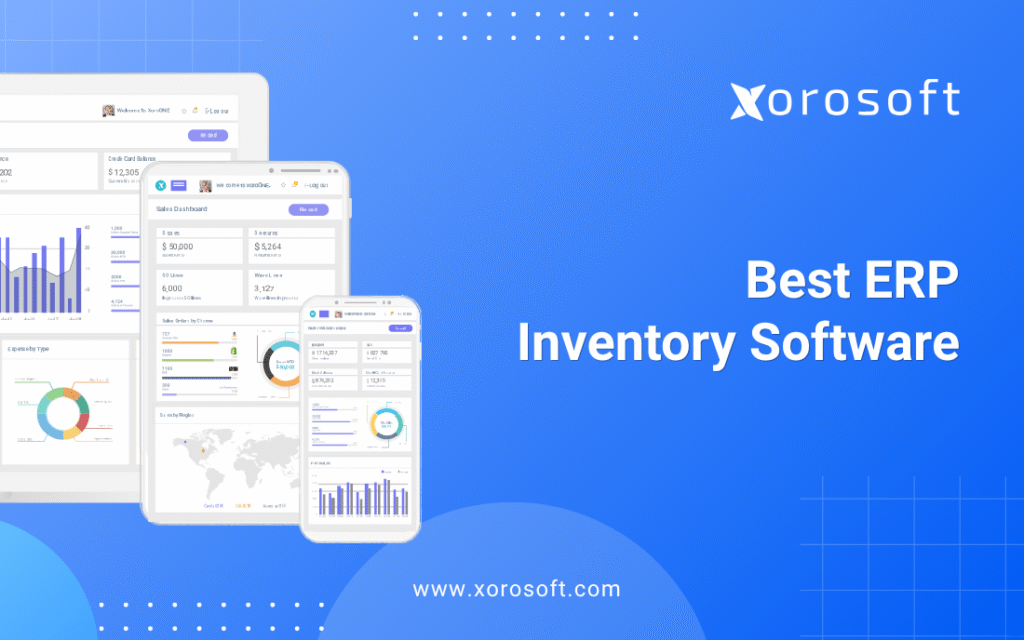
If you are searching for the best ERP inventory software to streamline your business operations, this guide will help you make an informed choice.
A Practical Buying Guide for Product Businesses
Choosing the Best ERP inventory software is not just about tracking stock. Instead, it is about connecting inventory, purchasing, warehouse work, accounting, ecommerce, reporting, and forecasting in one clear system. As a result, product businesses can see what they have, where it is, what it costs, and what needs to happen next.
For a small company, a simple inventory app may work well. However, as orders grow, SKUs increase, warehouses expand, and sales channels multiply, inventory becomes harder to manage. Because of that, teams often need more than basic stock tracking.
An inventory ERP platform helps bring daily work into one place. Instead of using one app for inventory, another tool for accounting, another sheet for buying, and another system for warehouse tasks, ERP gives the business one shared source of truth.
Still, the right system depends on the business model. For example, a Shopify brand needs different tools than a wholesale distributor. Likewise, a manufacturer using BOMs and work orders needs different features than a furniture company managing landed cost and large-item delivery.
Ultimately, this guide explains what to compare, which features matter, when ERP becomes useful, and how to choose the Best ERP inventory software without getting lost in long feature lists.
1. Why Inventory-Driven Companies Outgrow Basic Inventory Tools
Many product businesses start with a simple setup. They use Shopify, QuickBooks, spreadsheets, and maybe a small inventory app. At first, this setup feels easy. Teams can move fast, fix errors by hand, and build reports when needed.
However, growth changes everything.
More orders create more exceptions. In addition, more SKUs create more stock decisions. Extra warehouses create more transfer issues. Meanwhile, new sales channels create more places where inventory can go wrong.
Because of that, a basic system can quickly become a daily risk. The Best ERP inventory software helps solve this by connecting inventory with the rest of the business.
1.1 The real reason inventory problems become harder to manage
In most cases, inventory problems rarely appear all at once. Instead, they grow slowly.
A buyer may create a purchase order in a spreadsheet. Then, the warehouse team may receive the stock in another tool. After that, finance may record the vendor bill in accounting software. Meanwhile, Shopify, Amazon, wholesale orders, and warehouse records may all show different stock numbers.
Eventually, nobody trusts the data. As a result, teams start checking everything manually.
When that happens, inventory is no longer just a warehouse issue. Instead, it becomes a company-wide issue.
1.2 Where spreadsheets, QuickBooks, and inventory apps start breaking
Spreadsheets are useful for planning. However, they are weak as a main operating system. They do not update in real time, control user actions, or connect stock moves to accounting.
QuickBooks can work well for basic accounting. However, product businesses often need deeper inventory, buying, warehouse, and forecasting tools than QuickBooks can offer on its own.
Basic inventory apps can also help in the early stage. Still, many teams outgrow them when they need multi-warehouse control, landed cost, EDI, manufacturing, or deeper reporting.
Therefore, companies often begin looking for the Best ERP inventory software once their current tools slow the business down.
1.3 Why disconnected systems create operational risk
Disconnected systems create three major problems.
First, teams enter the same data more than once. As a result, errors increase. Second, reports take too long because data must be exported, cleaned, and checked. Third, leaders make late decisions because problems show up only after stockouts, overstock, or margin loss.
For example, if the warehouse updates stock in one system but finance uses another number, month-end close becomes harder. In addition, if Shopify shows available stock that is already committed to wholesale orders, overselling can happen.
Because of this, growing businesses need one system that connects stock, orders, buying, warehouse work, and accounting.
2. What Is an Inventory ERP Platform?
An inventory ERP platform is business software that connects inventory with the rest of the company. It usually includes inventory control, purchasing, warehouse work, sales orders, accounting, reporting, and sometimes manufacturing or forecasting.
In simple terms, it helps a business answer five key questions:
- Current stock level: how much inventory is available?
- Item location: where is each product stored?
- Financial value: how much inventory value sits in the business?
- Reorder need: which products should be purchased next?
- Team action: what should happen now?
For this reason, the Best ERP inventory software should be judged by workflow fit, not just by features.
2.1 How inventory ERP connects stock, purchasing, accounting, and fulfillment
A strong inventory ERP platform connects daily work across teams.
| Workflow | What the ERP connects |
|---|---|
| Inventory | On-hand, available, committed, allocated, inbound, and backordered stock |
| Purchasing | Reorder points, vendor lead times, purchase orders, approvals, and receipts |
| Warehouse | Receiving, putaway, picking, packing, shipping, transfers, and counts |
| Accounting | COGS, inventory value, landed cost, invoices, bills, and close tasks |
| Ecommerce | Shopify, Amazon, marketplaces, orders, fulfillment, and stock sync |
| Manufacturing | BOMs, work orders, raw materials, WIP, and finished goods |
| Reporting | Margins, stock turns, sales trends, buying needs, and team KPIs |
In addition, ERP gives each team the same data. Therefore, sales, buying, warehouse, and finance can work from one version of the truth.
2.2 Who needs an inventory ERP platform?
An inventory ERP platform is usually a good fit for companies that:
- Sell physical products
- Manage more than one warehouse
- Use Shopify, Amazon, wholesale, or EDI
- Need better purchase planning
- Want clearer inventory forecasting
- Have slow month-end close
- Require accounting and inventory in one system
- Manufacture or assemble goods
- Depend on too many spreadsheets
- Have outgrown basic inventory tools
For example, a growing Shopify brand may start with simple apps. However, once it adds Amazon, wholesale, 3PLs, and purchasing teams, a stronger operating system becomes useful.
2.3 Who does not need one yet?
However, not every business needs ERP right away.
A company may not need ERP if it has one warehouse, a small SKU list, simple buying, low order volume, and clean accounting. In that case, a basic inventory tool may still be enough.
However, if the team is already fixing stock errors by hand, checking reports manually, or using spreadsheets to decide what to buy, it may be time to compare the Best ERP inventory software options.
Free ERP Readiness Assessment
Not sure if your business is ready for ERP? Review your inventory, purchasing, warehouse, accounting, ecommerce, and reporting complexity before you compare systems.
3. Best ERP Inventory Software: What to Look For
The Best ERP inventory software is not always the system with the most features. Instead, it is the system that fits how your business buys, stores, sells, ships, counts, and reports inventory.
As a result, your evaluation should focus on real workflows.
3.1 Real-time inventory visibility
Real-time visibility means your team can see accurate stock across warehouses, sales channels, and order statuses.
However, visibility should go beyond “quantity on hand.” A useful system should also show:
- Available stock
- Committed inventory
- Allocated units
- Inbound items
- Backordered quantities
- Reserved products
- Warehouse-level availability
- Channel-level inventory
- Bin, lot, or serial number detail
Because of this, real-time visibility is one of the most important parts of the Best ERP inventory software.
3.2 Multi-warehouse inventory control
Multi-warehouse control becomes important when stock is spread across stores, warehouses, 3PLs, or fulfillment centers.
For example, a company may hold the same SKU in three locations. However, each location may have different demand, lead time, storage cost, and fulfillment rules. Therefore, the system must show stock by location and help teams move inventory at the right time.
A good ERP should support:
- Warehouse transfers
- Location-based stock views
- Replenishment by warehouse
- Regional availability
- Bin-level tracking
- Cycle counts
- Fulfillment rules
- Transfer reporting
In addition, teams should be able to see both total inventory and sellable inventory.
3.3 Purchasing and replenishment automation
In many cases, purchasing is where inventory problems begin.
If buyers use spreadsheets, they may miss demand changes, supplier delays, or low-stock risks. As a result, the company may buy too late, buy too much, or buy the wrong products.
A strong inventory ERP platform should support:
- Reorder points
- Minimum and maximum stock levels
- Vendor lead times
- Purchase order approvals
- Inbound inventory tracking
- Suggested replenishment
- Supplier reports
- Demand-based buying
Moreover, buying should connect with sales, warehouse, and accounting data. That way, the team can plan purchases with more confidence.
3.4 Warehouse management workflows
In practice, warehouse work decides whether the stock number is real.
When receiving is late, stock data becomes wrong. Missed picks can delay orders. Also, transfers that are not recorded can create false availability. Therefore, warehouse workflows must be part of the ERP decision.
The system should help with:
- Receiving
- Putaway
- Picking
- Packing
- Shipping
- Transfers
- Barcode scanning
- Cycle counts
- Returns
- Bin tracking
For teams that need deeper warehouse tools, XoroWMS can be reviewed as part of the warehouse workflow layer.
3.5 Accounting and inventory valuation
More importantly, inventory is not only an item count. It is also a financial asset.
Therefore, inventory movements should connect with accounting. Without this connection, finance teams may struggle with COGS, landed cost, item value, margin reports, and month-end close.
A good system should help answer:
- Inventory value: total stock value on the balance sheet
- Landed cost accuracy: freight, duties, storage, and fees included correctly
- Margin pressure: weak-margin items that need attention
- Warehouse risk: locations holding too much stock
- Close accuracy: receipts, bills, invoices, and COGS aligned
Because of that, companies should not compare tools only by warehouse features. They should also compare how each platform handles inventory value and accounting.
3.6 Forecasting and demand planning
In addition, forecasting helps teams buy the right stock before demand changes.
A useful ERP should show sales trends, seasonality, lead times, safety stock, and reorder needs. In addition, forecasting should connect to purchase orders. Otherwise, teams may still rely on spreadsheets to take action.
For example, a sporting goods company may need to buy ahead of a seasonal spike. Likewise, an apparel brand may need to plan stock by size, color, and season. Therefore, forecasting is a key part of the Best ERP inventory software for growing product companies.
3.7 Ecommerce, Shopify, Amazon, and EDI integrations
Ecommerce brands need clean stock sync across Shopify, Amazon, warehouses, and accounting.
For Shopify merchants, Xorosoft is also listed on the Shopify App Store, which can help readers review the connection between Shopify and ERP.
However, wholesale businesses need a different kind of depth. They often need EDI, customer pricing, order rules, inventory allocation, and fulfillment planning.
Because of this, companies should review both ecommerce and wholesale needs before choosing the Best ERP inventory software.
3.8 Manufacturing, BOM, and work order support
Similarly, manufacturers need more than finished goods tracking.
They often need:
- Bills of materials
- Work orders
- Raw material tracking
- WIP visibility
- Finished goods tracking
- Production planning
- Material planning
- Lot or batch tracking
Therefore, a manufacturer should not choose a system only because it tracks finished goods. Instead, it should check whether the platform can manage how products are made.
4. Best Inventory ERP Options to Compare
Therefore, the right platform depends on company size, budget, process depth, team skill, and industry. The table below gives a practical view for inventory-driven companies.
| Platform | Best for | Core strength | Typical fit | Key point to review |
|---|---|---|---|---|
| Xorosoft | Inventory-driven product businesses | Inventory, accounting, purchasing, WMS, manufacturing, forecasting, ecommerce | Shopify, Amazon, wholesale, EDI, multi-warehouse, manufacturing | Review workflow fit through demo |
| NetSuite | Larger firms needing broad ERP | Financials, locations, reporting, ERP depth | Mid-market and larger teams | Plan setup and cost carefully |
| Acumatica | Distribution and service-led firms | Cloud ERP and warehouse tools | Growing SMB and mid-market teams | Partner fit matters |
| Cin7 | Multichannel product brands | Inventory, orders, integrations | Ecommerce and wholesale brands | Review accounting depth |
| Brightpearl | Retail and ecommerce teams | Retail automation and order flow | Retail-led businesses | Review industry fit |
| Fishbowl | QuickBooks users | Warehouse and manufacturing inventory | SMBs staying near QuickBooks | May not replace full ERP |
| Business Central | Microsoft-led teams | Finance, inventory, operations | SMB and mid-market teams | Needs strong setup |
| Sage | Accounting-led teams | Finance and inventory options | SMB to mid-market | Product fit varies |
| Odoo | Modular ERP users | Flexible apps and modules | Teams wanting setup freedom | Requires process control |
| ERPNext | Open-source ERP users | Broad low-cost ERP base | Technical or cost-sensitive teams | Needs internal skill |
4.1 Xorosoft
Xorosoft is a cloud ERP platform built for inventory-driven businesses. It brings inventory, accounting, purchasing, warehouse management, manufacturing, forecasting, reporting, and ecommerce operations into one system.
It is often relevant for businesses that sell physical products, use Shopify, sell through Amazon, manage wholesale orders, use EDI, operate more than one warehouse, or manufacture products.
Many companies review XoroERP after they have outgrown QuickBooks, spreadsheets, inventory-only apps, or disconnected tools. In addition, businesses that want a broader operations platform can review XoroONE.
4.2 NetSuite
NetSuite is often reviewed by companies that need broad ERP features, financial controls, multi-location inventory, and reporting.
It can fit larger or more complex companies. However, teams should review cost, setup effort, training needs, and internal process readiness before choosing it.
If you are comparing options, the NetSuite vs ERP comparison can help frame common differences.
4.3 Acumatica
Acumatica is a cloud ERP option often considered by distribution, manufacturing, and service-based companies.
It can support inventory, warehouse, and finance workflows. However, the outcome often depends on partner setup, modules, and how well the system is matched to the company’s workflow.
4.4 Cin7
Cin7 is often considered by multichannel product companies. It focuses on inventory, orders, integrations, and ecommerce workflows.
It can be useful for brands that need channel sync. However, companies should review whether they also need deeper accounting, manufacturing, or ERP-wide reporting.
4.5 Brightpearl
Brightpearl is often reviewed by retail and ecommerce businesses. It focuses on order management, retail automation, inventory, and related workflows.
It can be a good fit for retail-led operations. However, manufacturing-heavy or complex wholesale teams should review whether it matches their deeper needs.
4.6 Fishbowl
Fishbowl is often used by companies that want stronger inventory tools while staying close to QuickBooks.
It can help with warehouse and manufacturing inventory in some SMB settings. However, if a company wants to replace several disconnected systems with one ERP, it should compare Fishbowl with full ERP platforms.
4.7 Business Central
Microsoft Dynamics 365 Business Central is often reviewed by companies that already use the Microsoft ecosystem.
It can connect finance, inventory, and operations. However, setup quality is important, especially when ecommerce, warehouse, EDI, and manufacturing workflows are involved.
4.8 Sage
Sage offers several products for accounting, inventory, and ERP needs.
Because Sage has different solutions for different company sizes, teams should review the exact product fit. In addition, they should check whether the system supports the level of warehouse, buying, and reporting depth they need.
4.9 Odoo
Odoo is a modular ERP platform. It can support inventory, manufacturing, ecommerce, accounting, and more.
It can be flexible. However, flexible systems still need clear process design. Otherwise, teams may build too many custom flows too early.
4.10 ERPNext
ERPNext is an open-source ERP option. It may appeal to teams with technical skill or tight budgets.
However, companies should think carefully about setup, support, training, and long-term ownership before choosing an open-source system.
5. Comparison Table: Platform Fit by Business Type
The Best ERP inventory software for one company may not be the best choice for another. Therefore, compare platforms by business model, not just by brand name.
| Platform | Ecommerce fit | Wholesale fit | Manufacturing fit | Warehouse depth | Accounting setup |
|---|---|---|---|---|---|
| Xorosoft | Native Shopify and Amazon fit | Wholesale plus EDI support | Inventory-driven production workflows | Multiple warehouse control | Built-in accounting |
| NetSuite | Ecommerce available with setup | Larger wholesale teams | Module-based manufacturing | Multi-location support | Advanced financials |
| Acumatica | Integration-ready ecommerce | Distribution strength | Edition-based manufacturing | Multi-site control | Strong finance tools |
| Cin7 | Multichannel selling focus | Wholesale order support | Light production in some setups | Location-level stock | Usually integrated accounting |
| Brightpearl | Retail ecommerce strength | Retail-led wholesale | Limited manufacturing depth | Multi-location tools | Built-in or connected accounting |
| Fishbowl | Moderate ecommerce use | Basic wholesale fit | SMB manufacturing support | Warehouse-focused features | QuickBooks-linked accounting |
| Business Central | Ecommerce through integrations | Configured wholesale flows | Manufacturing setup available | Location tracking | Microsoft finance depth |
| Sage | Product-specific ecommerce | Distribution use cases | Product-specific manufacturing | Warehouse support | Accounting-led strength |
| Odoo | Modular ecommerce tools | Flexible wholesale flows | MRP and manufacturing apps | Location and warehouse logic | Configurable accounting |
| ERPNext | Ecommerce module available | Wholesale workflows possible | Manufacturing module support | Warehouse and stock locations | Open-source finance tools |
Overall, this table should help narrow the first list. However, it should not replace a real workflow review. For that reason, many teams use a demo or scorecard before making a final decision.
You can also review the broader Compare Xorosoft page when comparing Xorosoft with other platforms.
Watch Demo
Want to see how inventory, purchasing, accounting, warehouse workflows, manufacturing, forecasting, Shopify, Amazon, and EDI connect in one system? A demo can make the workflow gaps much easier to see.
6. Inventory ERP vs Inventory Management Software
Inventory management software mainly tracks stock. Inventory ERP connects stock with accounting, purchasing, warehouse work, sales channels, manufacturing, and reporting.
Because of that, ERP is usually a better fit when inventory affects more than one team.
| Category | Inventory management software | Inventory ERP platform |
|---|---|---|
| Main purpose | Track stock | Run inventory-linked operations |
| Accounting | Limited or external | Built in or deeply connected |
| Purchasing | Basic purchase orders | Reorder logic, approvals, vendors |
| Warehouse | Basic locations | Receiving, picking, packing, transfers |
| Manufacturing | Limited | BOMs, work orders, raw materials |
| Reporting | Stock reports | Financial and operational reports |
| Best for | Simple stock control | Growing product businesses |
6.1 When inventory software is enough
Inventory software can be enough when the business has a small SKU list, one or two locations, simple buying, low order volume, and basic reporting needs.
For example, a small Shopify store may only need stock sync, low-stock alerts, and basic purchase orders.
However, once the business adds more channels, warehouses, or buying rules, basic tools may start to fall short.
6.2 When ERP becomes the better fit
ERP becomes a better fit when inventory affects every team.
For example, sales needs available stock, warehouse needs pick data, purchasing needs reorder signals, finance needs inventory value, and leadership needs reports. If each team works in a separate system, errors become more likely.
Therefore, companies often compare the Best ERP inventory software when manual work starts creating risk.
6.3 Key differences in accounting, purchasing, forecasting, and reporting
Ultimately, the main difference is depth.
Inventory software may show what is in stock. However, ERP should also show why stock changed, what it is worth, what needs to be ordered, which channels drive demand, which vendors are late, and how inventory affects profit.
In addition, ERP should reduce the need for manual reports. As a result, teams can spend more time making decisions and less time fixing data.
7. Use Cases by Industry
As expected, different industries need different inventory workflows. Therefore, the Best ERP inventory software should support the way your industry actually operates.
You can also review the industries we serve page for a broader view of inventory-driven use cases.
7.1 Apparel and fashion
Apparel companies manage size, color, style, season, returns, and channel demand.
For example, one SKU may have many variants. In addition, each variant may sell differently across Shopify, wholesale, and marketplaces. Because of that, apparel teams need strong item setup, forecasting, warehouse accuracy, and channel sync.
A growing apparel brand may start with Shopify and QuickBooks. However, once wholesale and multiple warehouses are added, the company often needs a stronger system.
7.2 Furniture
Furniture companies often manage large items, long lead times, landed cost, delivery planning, supplier delays, and warehouse space limits.
Therefore, they need clear purchasing, receiving, stock allocation, and cost tracking. In addition, finance needs accurate margins because shipping and landed costs can change profit quickly.
7.3 Sporting goods
Sporting goods brands often deal with seasonal spikes, product launches, wholesale demand, and ecommerce growth.
Because of that, forecasting and replenishment matter. In addition, teams need clean inventory data across warehouses and channels.
Xorosoft can be relevant here when a sporting goods company needs inventory, buying, accounting, warehouse work, and ecommerce operations in one cloud ERP system.
7.4 Food and beverage
Food and beverage businesses may need lot tracking, expiry dates, recall support, vendor tracking, and warehouse discipline.
As a result, basic stock tracking may not be enough. The system should help teams track batches, buying, production, stock moves, and fulfillment. In addition, finance needs accurate cost data because waste and spoilage can reduce margins.
7.5 Wholesale distribution
Wholesale distributors need customer pricing, EDI, allocation, purchase planning, backorders, and real-time stock.
For wholesale teams, ERP is not just a software upgrade. Instead, it is a way to improve control across sales, buying, warehouse, and finance.
If sales reps, buyers, and warehouse teams all use different numbers, service levels fall. Therefore, wholesale distributors often need a single inventory source of truth.
7.6 Manufacturing
Manufacturing companies need raw material planning, BOMs, work orders, production schedules, and finished goods tracking.
Because of that, a manufacturer should not choose a system based only on finished goods inventory. It should also check how the system handles raw materials, WIP, production steps, and material needs.
7.7 Consumer products
Consumer product companies often sell through ecommerce, wholesale, marketplaces, retail partners, and 3PLs.
Meanwhile, they may also deal with seasonal demand, fast SKU growth, and supplier delays. Therefore, the best platform is usually the one that connects inventory, buying, warehouse work, accounting, and channel data in one place.
8. Common Signs You Need an Inventory ERP System
If your team keeps fixing the same inventory problems, the issue may not be people. Instead, the issue may be the system.
| Symptom | What it usually means | ERP capability needed |
|---|---|---|
| Inventory numbers do not match | Systems are disconnected | One inventory source of truth |
| Month-end close takes too long | Finance and stock data are not aligned | Built-in accounting and valuation |
| Buyers still use spreadsheets | Purchasing is not system-led | Reorder and PO workflows |
| Warehouse teams update stock by hand | Physical moves are not tracked | WMS and barcode workflows |
| Shopify and wholesale stock conflict | Allocation is weak | Multi-channel inventory control |
| Reports are late | Data is cleaned by hand | Real-time reporting |
| Stockouts happen often | Availability logic is weak | Committed and inbound stock visibility |
8.1 Inventory numbers do not match across systems
If Shopify, warehouse records, accounting, and spreadsheets show different numbers, the business does not have a trusted stock record.
Eventually, teams stop believing reports. Then, they start checking inventory manually. As a result, work slows down.
8.2 Month-end close takes too long
A slow month-end close often means inventory and accounting are not connected well.
Finance may need to check receipts, bills, landed cost, COGS, and stock adjustments across several tools. Therefore, reports arrive late and decisions become slower.
8.3 Purchasing depends on spreadsheets
At first, spreadsheet buying may work for a small company. However, it becomes risky when supplier lead times, SKU counts, and demand patterns grow.
A better system should help buyers see what is selling, what is committed, what is inbound, what is below reorder point, and what needs action.
8.4 Teams cannot see real-time stock availability
Available stock is not the same as on-hand stock.
For example, a company may have 500 units on hand. However, 300 may already be committed, 100 may be reserved for Amazon, and 50 may be unavailable. Therefore, only 50 may truly be sellable.
Without clear availability logic, overselling becomes likely.
8.5 Shopify, Amazon, wholesale, and warehouse data are disconnected
Multi-channel operations need shared inventory logic.
If Shopify, Amazon, wholesale, EDI, and warehouse data are not connected, teams may oversell, buy late, ship late, or report the wrong margin.
This is one reason companies evaluate Xorosoft after outgrowing QuickBooks, spreadsheets, and disconnected inventory apps.
9. Mistakes to Avoid When Choosing Inventory ERP Software
Choosing the Best ERP inventory software is easier when you know what mistakes to avoid.
9.1 Choosing software only for today’s problems
Do not choose ERP only for the issue you have today.
Instead, think about where the business will be in two or three years. More SKUs, warehouses, sales channels, wholesale accounts, and suppliers will add more strain.
Therefore, choose a platform that can support the next stage of growth.
9.2 Ignoring accounting and inventory valuation
Inventory mistakes often become accounting mistakes.
If a platform does not handle landed cost, COGS, item value, and close tasks well, finance may still rely on manual work after the ERP goes live.
Because of this, accounting fit should be part of the buying process from the start.
9.3 Underestimating warehouse workflows
Warehouse workflows are where many systems succeed or fail.
If receiving, picking, packing, transfers, cycle counts, and barcode scans are not designed well, the system will not match the real warehouse.
As a result, stock data becomes weak again.
9.4 Over-customizing too early
Customization can be useful. However, too much custom work early can create risk.
First, define the standard workflow. Then, configure the system. After that, customize only where the business truly needs a special process.
9.5 Skipping implementation planning
However, ERP selection is only part of the work.
Implementation also needs clean data, process decisions, user training, integrations, reporting, and clear ownership. Without those pieces, even good software can disappoint.
Therefore, teams should plan the rollout before signing.
10. How to Choose the Right Inventory ERP Platform
The Best ERP inventory software should match your real workflows. Therefore, start with how your business works before comparing vendor names.
10.1 Define your operational requirements
Document how your business handles:
- Sales orders
- Purchase orders
- Receiving
- Putaway
- Picking
- Packing
- Shipping
- Returns
- Transfers
- Stock adjustments
- Accounting close
- Forecasting
- Manufacturing
- EDI
- Ecommerce sync
Once this list is clear, software demos become much more useful.
10.2 Map your current software stack
List every tool involved in inventory work.
This may include Shopify, Amazon, QuickBooks, spreadsheets, warehouse apps, EDI tools, forecasting sheets, 3PL portals, shipping software, and buying trackers.
Then, identify which system owns each data point. For example, ask which system owns item cost, stock count, customer orders, vendor lead time, and available stock.
This step shows where data breaks today.
10.3 Score each platform by workflow fit
Use a simple scorecard during evaluation.
| Requirement | Weight | Vendor score | Notes |
|---|---|---|---|
| Inventory visibility | 10 | ||
| Multi-warehouse control | 10 | ||
| Purchasing automation | 9 | ||
| Warehouse workflows | 9 | ||
| Accounting integration | 10 | ||
| Forecasting | 8 | ||
| Shopify and Amazon support | 8 | ||
| EDI support | 7 | ||
| Manufacturing support | 7 | ||
| Reporting | 8 | ||
| Implementation fit | 10 |
This helps keep the decision practical. In addition, it reduces the chance of choosing software based only on a polished demo.
10.4 Review implementation effort
Ask each vendor about setup work before you choose the Best ERP inventory software. Otherwise, the demo may look simple while the real rollout becomes harder later.
Important questions include:
- First, confirm who will clean item data.
- Next, decide which team will map accounts.
- Also, assign ownership for integrations.
- Then, clarify who will configure warehouses.
- After that, define who will train users.
- For open sales orders, ask how they will be handled.
- For open purchase orders, confirm how they will be moved.
- In addition, review how inventory balances will be transferred.
- Finally, ask how go-live will be checked.
Because implementation quality affects results, this step matters as much as software features. Therefore, teams should not choose a system until they understand the work required before launch.
10.5 Ask the right demo questions
Most importantly, a demo should show your real workflows.
For example, ask the vendor to show a Shopify order, a wholesale order, a partial receipt, a warehouse transfer, a purchase approval, a landed cost entry, and a month-end inventory check.
For companies reviewing Xorosoft, the best demo approach is to walk through inventory, purchasing, accounting, warehouse, manufacturing, Shopify, Amazon, EDI, and reporting workflows using your real operating model.
11. FAQ: Best ERP Inventory Software
11.1 Best ERP inventory software explained
The Best ERP inventory software depends on your business model, sales channels, warehouse setup, accounting needs, and team size. Shopify brands may need ecommerce sync and forecasting. Wholesale distributors may need EDI, allocation, and buying workflows. Meanwhile, manufacturers may need BOMs, work orders, and raw material planning. Therefore, the best choice is the platform that fits your workflows, not the one with the longest feature list.
11.2 Inventory ERP use cases
Inventory ERP is used to manage stock, purchasing, warehouse work, accounting, forecasting, orders, fulfillment, and reporting in one system. It helps companies see current inventory, item locations, stock value, committed units, inbound goods, and reorder needs. As a result, teams can make faster and cleaner decisions.
11.3 ERP and inventory software differences
Inventory software mainly tracks stock. ERP connects inventory with finance, purchasing, warehouse workflows, sales, manufacturing, and reporting. Therefore, ERP is better for companies where stock affects buying, accounting, fulfillment, supplier planning, and profit. Basic inventory software may work for simple needs, but ERP fits better when operations become more connected.
11.4 Warehouse management inside ERP
Many ERP platforms include warehouse tools such as receiving, putaway, picking, packing, shipping, transfers, barcode scanning, and cycle counts. However, very complex warehouses may need advanced WMS features. Therefore, companies should compare warehouse needs carefully before choosing the Best ERP inventory software.
11.5 QuickBooks replacement for inventory-heavy businesses
ERP can replace QuickBooks when inventory becomes too complex for accounting software and spreadsheets. Businesses often consider ERP when they need inventory value, purchase planning, warehouse workflows, forecasting, manufacturing, and real-time reports in the same system as accounting. However, teams should review finance needs carefully before switching.
11.6 Shopify inventory ERP requirements
The best ERP for Shopify inventory should support stock sync, order routing, buying, forecasting, accounting, returns, multi-warehouse availability, and marketplace growth. In addition, Shopify should act as the sales channel while ERP becomes the operating system behind it. This is important when Shopify, Amazon, wholesale, and warehouse data all need to stay aligned.
11.7 Wholesale inventory ERP requirements
Similarly, wholesale inventory needs customer pricing, EDI, allocation, purchase planning, backorders, warehouse workflows, and accurate availability. Therefore, the right ERP should help sales, buying, warehouse, and finance teams work from the same data. It should also reduce manual order handling and improve service levels.
11.8 Manufacturing inventory ERP requirements
For example, manufacturing inventory ERP should support BOMs, work orders, raw materials, WIP, finished goods, production planning, and material needs. If a manufacturer only tracks finished goods, it may miss the deeper work that drives stock accuracy. Therefore, manufacturing fit should be reviewed in detail.
11.9 Inventory ERP software cost
In most cases, inventory ERP cost depends on users, modules, setup, integrations, data migration, training, and custom work. A simple rollout costs less than a multi-warehouse, ecommerce, wholesale, EDI, and manufacturing rollout. Therefore, companies should compare total cost, not only monthly price.
11.10 Spreadsheet-to-ERP upgrade timing
A company should consider ERP when spreadsheets become part of daily operations instead of planning. Common signs include wrong inventory, late reports, stockouts, overstock, manual buying, duplicate data entry, slow close, and poor visibility across warehouses or channels. At that point, the Best ERP inventory software can help reduce manual work.
11.11 Multi-warehouse ERP support
Many ERP platforms can manage multiple warehouses, locations, transfers, stock availability, receiving, fulfillment, and warehouse reports. However, the depth varies by system. Therefore, companies should ask vendors to show warehouse transfers, bin tracking, stock allocation, and replenishment during the demo.
11.12 EDI support in ERP systems
Many ERP platforms support EDI directly or through integrations. Wholesale and retail businesses use EDI to exchange purchase orders, invoices, shipping notices, and other documents with trading partners. However, EDI needs vary by retailer, so teams should review those workflows before choosing a system.
11.13 Inventory forecasting in ERP
Many inventory ERP platforms support forecasting or connect with forecasting tools. Useful forecasting should consider sales speed, seasonality, lead time, safety stock, promotions, and supplier limits. More importantly, forecasting should connect to buying so the team can act on the data.
11.14 Core inventory ERP features
The most important features are real-time stock visibility, purchasing, multi-warehouse control, warehouse workflows, accounting, forecasting, ecommerce links, reporting, and manufacturing support if needed. However, workflow fit matters more than a long feature list. Therefore, demos should be based on real use cases.
11.15 NetSuite alternatives for inventory businesses
Common NetSuite alternatives for inventory-driven businesses include Xorosoft, Acumatica, Cin7, Brightpearl, Business Central, Sage, Odoo, Fishbowl, and ERPNext. Therefore, the right option depends on size, budget, industry, accounting needs, warehouse depth, and setup resources.
11.16 Cin7 as an ERP option
Cin7 is often reviewed as inventory and operations software for product businesses. It includes multichannel inventory, order workflows, integrations, forecasting, and restocking tools. However, whether it can replace a full ERP depends on accounting, manufacturing, reporting, and process needs.
11.17 Fishbowl for manufacturing inventory
Fishbowl is often considered by QuickBooks users that need stronger inventory, warehouse, or manufacturing tools. It can be useful for small and mid-sized companies. However, teams that need broader ERP features should compare it with full ERP platforms.
11.18 Acumatica for inventory management
Acumatica can be a strong option for companies reviewing cloud ERP with distribution, inventory, and warehouse workflows. However, the right fit depends on modules, setup, partner skill, and process depth. Therefore, companies should test real receiving, picking, purchasing, and reporting workflows before choosing it.
11.19 Business Central for inventory control
Business Central can be a good fit for companies that want finance, inventory, and operations inside the Microsoft ecosystem. However, setup is important. Companies with Shopify, Amazon, EDI, warehouse, or manufacturing needs should review integrations and partner experience carefully.
11.20 Ecommerce and wholesale ERP fit
The best ERP for ecommerce and wholesale together should support Shopify, Amazon, EDI, customer pricing, allocation, order routing, buying, warehouse work, and accounting. Because DTC and wholesale orders compete for the same stock, shared inventory logic is critical.
11.21 Apparel ERP requirements
Apparel brands should look for variant control, size and color tracking, season planning, returns, wholesale orders, ecommerce sync, and warehouse accuracy. In addition, forecasting is important because apparel demand changes by season, launch, and channel.
11.22 Furniture ERP requirements
Furniture companies should look for purchasing visibility, landed cost, warehouse location control, delivery planning, supplier management, and margin reporting. Because furniture often has large items and long lead times, buying and warehouse workflows are especially important.
11.23 Food and beverage ERP requirements
Food and beverage companies should look for lot tracking, expiry dates, traceability, buying, production, inventory value, and warehouse control. Because waste and compliance risk can be high, basic stock tracking may not be enough as the company grows.
11.24 Biggest inventory ERP buying mistake
The biggest mistake is choosing based on a feature list instead of workflow fit. A platform may support inventory, buying, warehouse work, and accounting in theory. However, the real question is whether it supports your actual order flow, warehouse flow, buying flow, and reporting needs.
11.25 ERP implementation timeline
Finally, ERP setup time depends on modules, integrations, data quality, warehouse depth, accounting setup, training, and custom work. A focused rollout may take a few months, while a complex multi-warehouse, ecommerce, EDI, manufacturing, and accounting rollout can take longer. Therefore, planning matters more than speed.
Recent Posts
-
 ERP Landed Cost Module vs Spreadsheet Calculations for Importers
 -
 How to Build an Open-to-Buy Plan for an Omnichannel Brand
 -
 Cold Storage WMS for Food and Beverage Distribution
 -
 ERP Buying Statistics 2026: Evaluation, Implementation, and Adoption Risks
 -
 How a Distributor Reduced B2B Order Exceptions Without Restricting Sales