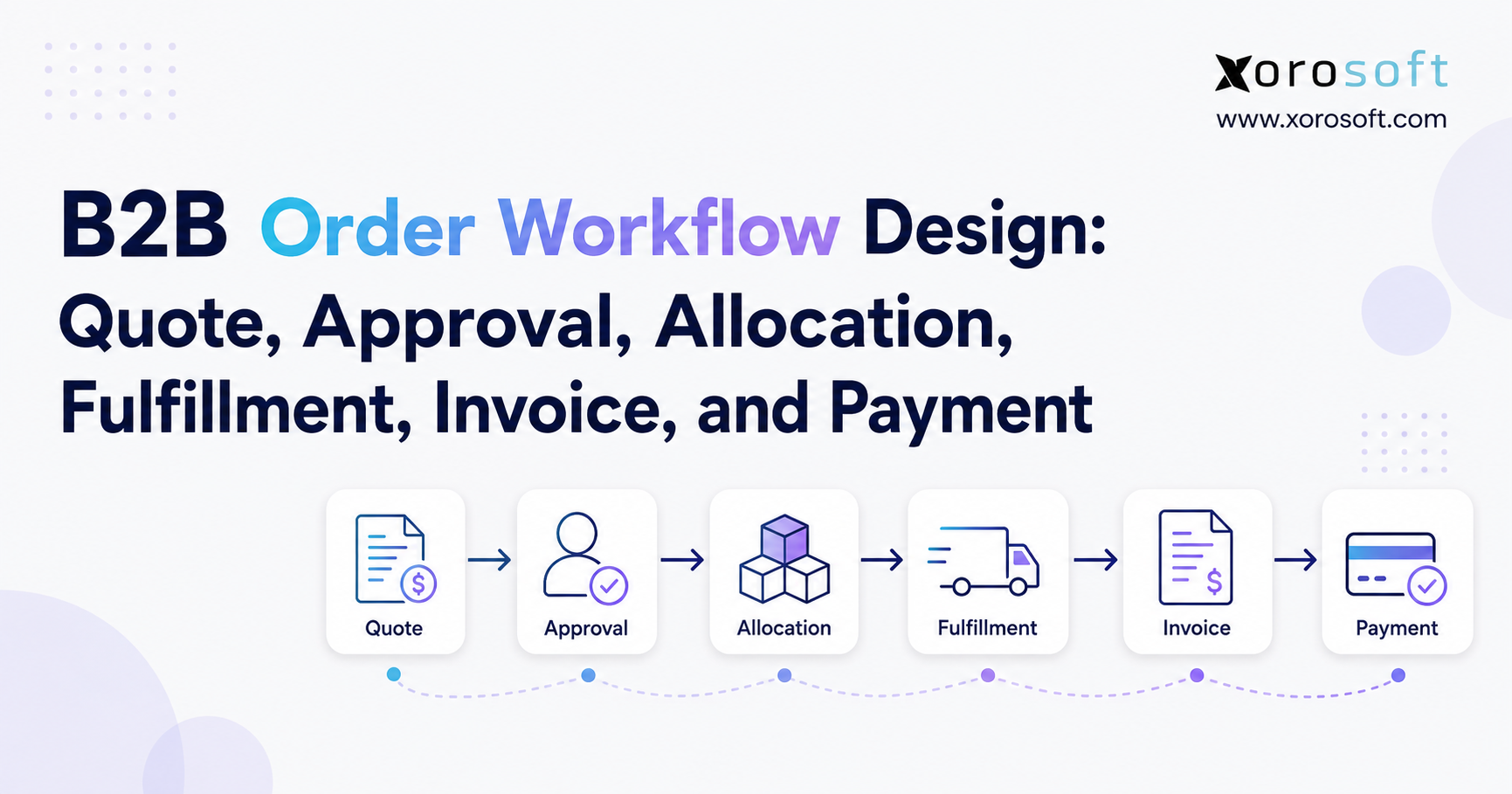
If you want to streamline your B2B order workflow, it’s important to understand each step in the process.
1. Why B2B Order Workflow Design Breaks as Order Volume Grows
A B2B order can look straightforward when a company has a handful of customers, one warehouse, standard pricing, and a small operations team. Sales receives a request, confirms inventory, sends the order to the warehouse, and accounting invoices the customer. Most decisions are handled through familiarity rather than formal workflow rules.
Growth changes that operating model quickly.
Customer-specific pricing appears. Credit limits become important. Orders arrive through ecommerce, sales representatives, EDI, marketplaces, and customer portals. Inventory sits across several locations. A single order may ship in several waves, and finance must determine exactly what should be invoiced.
At this stage, the B2B order workflow becomes much more than order entry.
The challenge is ensuring that the commercial promise made by sales remains synchronized with inventory availability, warehouse execution, invoicing, and payment. When those stages are managed in disconnected applications, every handoff creates another opportunity for data to drift.
A sales representative may believe 500 units are available while the warehouse has already committed 300 of them. Finance may invoice from the original sales order even though only part of it shipped. Customer service may see a confirmed order but have no reliable view of the backorder.
Modern B2B buying makes consistency even more important. McKinsey’s 2026 Global B2B Pulse found that buyers use an average of about 10 channels during the purchasing journey, while 71% of B2B companies now offer ecommerce. Customers increasingly expect consistent information as they move between digital, remote, and in-person channels.
The transaction volume behind those expectations is substantial. U.S. Census Bureau data reports approximately $3.91 trillion in 2023 ecommerce sales for U.S. merchant wholesalers.
The practical goal, therefore, is not simply to process orders faster. It is to create a workflow in which every stage changes one controlled version of the transaction.
2. What a B2B Order Workflow Actually Controls
A B2B order workflow is the sequence of commercial, inventory, fulfillment, and financial decisions that moves a customer’s purchase from quotation through approval, inventory commitment, shipment, invoicing, payment, and reconciliation.
The basic sequence is:
Quote → Approval → Sales Order → Allocation → Fulfillment → Shipment → Invoice → Payment → Reconciliation
Each stage represents a change in business state rather than merely another document.
2.1 The Commercial State of a B2B Order
The commercial state answers what the company has promised.
It includes customer pricing, quantities, discounts, payment terms, freight terms, requested dates, tax treatment, and any special conditions negotiated with the buyer.
Once a quote is accepted, those terms should flow into the sales order without being reconstructed manually.
2.2 The Inventory State in the B2B Order Management Workflow
The inventory state answers what the company can realistically fulfill.
On-hand quantity alone is not enough. The workflow must distinguish stock physically present from inventory already reserved, allocated, under inspection, committed to production, or protected for another customer or channel.
That distinction determines whether a promise made by sales can actually become a shipment.
2.3 The Fulfillment and Financial States
The fulfillment state tracks whether inventory has been released, picked, packed, shipped, or backordered.
The financial state tracks what has been invoiced, what is due, what has been paid, and whether the payment has been reconciled.
A reliable B2B order workflow keeps these states related so that the sales order, warehouse activity, and accounting record describe the same commercial transaction.
3. Quote-to-Cash and Order-to-Cash Need Different Starting Points
The terms quote-to-cash and order-to-cash are often used interchangeably, but they describe different scopes.
IBM defines order-to-cash as the process that begins when a customer places an order and continues through fulfillment, payment, and recording the completed transaction. It crosses sales, credit management, logistics, distribution, and accounts receivable.
Quote-to-cash begins earlier.
3.1 Where the Quote-to-Cash Process Begins
The quote-to-cash process includes pricing, negotiation, discounts, commercial approval, and customer acceptance before the order becomes executable.
For businesses with account-specific pricing or complex wholesale agreements, these early decisions matter because they determine margin, credit exposure, and the conditions downstream teams must follow.
A pricing error made during quoting does not disappear when the order reaches the warehouse. It eventually becomes a margin issue, invoice dispute, credit memo, or customer-service problem.
3.2 Where the Order-to-Cash Process Begins
Order-to-cash starts once the customer commitment exists.
From there, the business validates the order, commits inventory, fulfills it, invoices the customer, collects payment, and records the financial impact.
For inventory-driven companies, the strongest workflow design often takes the wider quote-to-payment perspective because decisions made before sales-order confirmation directly affect inventory and cash.
4. Quote Design Sets the Rules for the Entire B2B Order Workflow
A quote should not function as an isolated PDF created by sales. It should represent structured commercial data that can become an operational transaction once approved.
That means the quote needs more than product, quantity, and price.
4.1 Customer-Specific Pricing in a B2B Sales Order Workflow
Wholesale pricing often varies by customer.
One account may receive contract pricing, another may qualify for quantity tiers, and a third may have seasonal discounts or negotiated product-specific rates.
If sales representatives rely on separate spreadsheets to find those prices, the company creates several unofficial pricing databases.
A better B2B sales order workflow pulls approved prices from controlled master data and records intentional overrides.
4.2 Terms Should Follow the Order
Payment and fulfillment conditions should also follow the quote into the sales order.
A customer may be prepaid, Net 30, Net 60, deposit-based, or subject to a specific credit limit. Shipping terms may determine whether freight is prepaid, added to the invoice, arranged by the customer, or handled through a preferred carrier.
These details need to remain attached to the transaction because they affect approval, fulfillment, invoicing, and accounts receivable.
5. B2B Order Workflow Approval Should Focus on Exceptions
Approval controls are necessary, but too much approval can slow the business without materially reducing risk.
The better design is to allow transactions within policy to proceed automatically and route only meaningful exceptions for review.
5.1 Price, Discount, and Margin Approval
Consider a business where salespeople can discount up to 10% without approval.
An 8% discount could proceed automatically. A 15% discount might require a sales manager. A 25% discount may require senior commercial approval.
The same logic can apply to margin thresholds rather than discount percentages.
This makes the B2B order workflow predictable while preserving oversight where the commercial impact is material.
5.2 Credit Approval in the B2B Order Management Process
Credit rules are equally important.
An existing customer within its credit limit and without overdue invoices may proceed automatically. An account exceeding its approved exposure may move to a credit hold until finance reviews it.
The customer does not necessarily need to be rejected. The workflow may require a deposit, partial payment, revised terms, or management approval.
The objective is controlled decision-making, not simply blocking orders.
6. Sales Order Creation Should Eliminate Duplicate Data Entry
After commercial approval, the quote should convert into an executable sales order without requiring another employee to retype the transaction.
Duplicate entry introduces errors exactly when the company needs consistency.
6.1 Validate the Sales Order Before Allocation
Before inventory is committed, the workflow should confirm the customer, ship-to location, products, quantities, prices, payment terms, requested dates, tax treatment, and customer purchase-order reference.
This validation is particularly important when orders arrive through several channels.
An email order and an EDI purchase order may enter the business differently, but both should eventually become standardized operational demand.
6.2 Use One Operational Order Regardless of Channel
The order source should remain visible, but it should not create an entirely separate fulfillment process.
A connected platform such as XoroONE can support sales orders alongside inventory, purchasing, warehouse management, accounting, ecommerce, EDI, and reporting.
The broader principle matters more than the application name: channel-specific demand should converge into a controlled order lifecycle before inventory, warehouse, and financial actions begin.
7. Inventory Allocation Is the Critical Control Point in a B2B Order Workflow
Sales can only promise inventory confidently when the company distinguishes physical inventory from truly available inventory.
Suppose a warehouse has 1,000 units on hand. A second customer order has already reserved 400 units, 100 units are damaged, and another 150 are protected for a contractual account.
Physical stock is 1,000, but available inventory may be only 350.
7.1 Reservation and Allocation Are Not the Same Decision
Companies use these terms differently, so the definitions should be documented internally.
A reservation generally protects stock against a demand source. Allocation usually represents a stronger assignment of available inventory to a specific order or fulfillment requirement.
The timing is important.
Allocate too early and unconfirmed orders can trap inventory. Allocate too late and several channels may promise the same available units.
7.2 Available-to-Promise Improves the Inventory Allocation Workflow
Available-to-promise should reflect what can realistically be committed after existing reservations, allocations, safety stock, expected receipts, production plans, and other operational constraints.
That calculation becomes especially important when Shopify, Amazon, wholesale, EDI, and sales-rep orders compete for common stock.
A strong inventory allocation workflow prevents the front end from promising inventory without understanding downstream commitments.
7.3 Multi-Warehouse Allocation Needs Explicit Rules
Multi-warehouse businesses also need to define where an order should ship.
The closest warehouse may reduce transit time, but another location may be able to fulfill the entire order without splitting it. A strategic customer might have stock protected at a particular facility.
Warehouse selection should therefore consider service level, availability, freight, customer priority, and operational workload rather than simply choosing the location with the largest quantity.
8. The Order Fulfillment Workflow Must Follow the Commercial Promise
Allocation turns inventory availability into customer commitment. Fulfillment turns that commitment into physical activity.
The warehouse should not need to reinterpret the sales order before it begins work.
8.1 Release Orders Only When They Are Ready
A confirmed sales order does not always mean “pick immediately.”
The workflow may need to check ship date, credit status, inventory availability, carrier requirements, customer routing rules, and whether the order should ship complete.
Only then should it become actionable warehouse work.
A connected XoroWMS environment can support receiving, inventory control, picking, packing, and shipping while remaining tied to the broader order process.
8.2 Partial Fulfillment Needs a Defined Policy
Suppose a customer orders 600 units and only 450 are currently available.
The company could ship 450 and backorder 150, hold all 600 until inventory arrives, or ask the buyer how to proceed.
None of these policies is universally correct.
The important point is that the order fulfillment workflow knows which option applies and keeps the backordered quantity linked to the original commitment.
Without that relationship, partial shipments often become invoice and customer-service problems later.
9. B2B Invoicing Should Reflect What Actually Shipped
Invoicing is where physical execution becomes a financial obligation.
For many inventory businesses, the cleanest trigger is shipment confirmation rather than the original order quantity.
9.1 Shipment-Based B2B Invoicing Reduces Mismatches
Consider an order for 1,000 units where only 700 ship today.
A shipment-based B2B invoicing process can invoice the 700 units now and preserve 300 as open demand.
When the remaining inventory ships, the second shipment can create the next invoice according to the customer’s terms.
This makes the invoice easier to reconcile with warehouse activity.
9.2 Freight, Discounts, Deposits, and Credits Must Stay Connected
A B2B invoice may include more than product value.
Freight, deposits, discounts, taxes, allowances, credits, and other adjustments may change the amount due.
Those values should remain traceable to the sales order and shipment rather than being recreated separately in accounting.
That traceability matters when customers question an invoice or finance needs to determine why the amount differs from the original quote.
10. The B2B Payment Workflow Completes the Commercial Cycle
Shipping the order does not complete the economic transaction.
For businesses extending trade credit, the cycle remains open until payment is collected and correctly applied.
Atradius reported in its 2025 U.S. payment research that 43% of credit-based B2B sales were overdue, illustrating why collections and payment visibility belong inside the wider order-to-cash conversation.
10.1 Payment Terms Create Working-Capital Exposure
A prepaid order creates limited receivables exposure.
Net 30 or Net 60 terms create a different risk because inventory leaves the business before cash arrives.
That is why credit approval, invoice accuracy, payment terms, and accounts receivable should not be treated as unrelated finance tasks.
They are connected stages of the same B2B payment workflow.
10.2 Cash Application Should Close the Correct Invoice
Receiving money is not enough.
A payment may settle several invoices, include a deduction, consume a credit memo, or only partially pay an outstanding balance.
Finance needs enough order, invoice, customer, and remittance context to apply the payment accurately.
When payment application is disconnected from the order lifecycle, accounts receivable teams spend time reconstructing transaction history instead of managing exceptions.
11. Exception Management Separates Good Automation From Rigid Automation
Real operations do not follow the happy path every time.
Customers change quantities. Inventory arrives late. Products fail quality checks. Credit limits are exceeded. Shipments split. Purchase orders change after acknowledgment.
A scalable B2B order workflow must represent these situations explicitly rather than forcing employees to work around the system.
11.1 Credit Holds and Commercial Changes
A customer may ask to increase an order from 500 to 900 units after approval.
That change could alter discount eligibility, credit exposure, inventory availability, freight, and delivery timing.
The workflow should determine which validations need to run again.
It should not assume the original approval still covers a materially different order.
11.2 Shortages, Backorders, and Replenishment
Inventory shortages can trigger several responses.
The company may create a purchase requirement, transfer inventory from another warehouse, manufacture additional units, offer a substitution, partially ship the order, or backorder the shortage.
For manufacturers, XoroERP can provide a relevant operating model because sales demand may extend into BOMs, work orders, production planning, inventory, and purchasing.
The key is to make the exception part of the transaction rather than an offline side conversation.
12. ERP Order Management Should Establish Clear System Ownership
Businesses rarely operate with only one application. The real issue is whether each system has a clearly defined responsibility.
CRM may own opportunities and customer activity. Shopify may own the storefront. A B2B portal may handle self-service ordering. WMS may control warehouse execution.
The question is where operational truth lives.
12.1 ERP as the Transactional Backbone
ERP often becomes the natural owner of sales orders, customer balances, inventory, purchasing, accounting, and financial reporting.
That does not mean every application must be removed.
It means other systems should exchange controlled data with a known system of record.
The Xorosoft integrations ecosystem illustrates this approach by connecting ERP operations with ecommerce, shipping, payments, EDI, and other business applications.
12.2 ERP vs OMS for B2B Order Management
An OMS usually specializes in order capture, orchestration, routing, and multichannel fulfillment.
ERP normally covers a wider financial and operational footprint, including inventory, purchasing, accounting, costing, and sometimes manufacturing and warehouse management.
A separate OMS can be valuable when channel-routing complexity is unusually high.
An ERP-centered approach becomes more attractive when the order directly drives purchasing, accounting, inventory valuation, manufacturing, and receivables.
Companies comparing broader ERP choices can also examine resources such as Xorosoft vs NetSuite to understand how different platform architectures approach operational integration.
13. Shopify, EDI, and Marketplaces Should Feed the Same B2B Order Workflow
B2B companies increasingly accept demand from more than one source.
A sales representative might enter a wholesale order while another customer buys through Shopify and a large retailer sends an EDI purchase order. Amazon may create additional demand at the same time.
These transactions can arrive differently, but they ultimately compete for the same inventory and warehouse capacity.
13.1 Shopify Orders Need Downstream Operational Control
Shopify can remain the customer-facing commerce environment while ERP manages inventory, purchasing, fulfillment, accounting, and reporting behind it.
The Xorosoft ERP app on the Shopify App Store provides one example of connecting storefront activity with a broader ERP environment.
The architectural principle is important: ecommerce should not create a separate inventory reality from wholesale or EDI.
13.2 EDI Extends the Wholesale Order Workflow
EDI creates a structured exchange of transactional documents between trading partners.
Common documents include the EDI 850 purchase order, EDI 855 purchase-order acknowledgment, EDI 856 advance ship notice, and EDI 810 invoice. SPS Commerce’s current EDI documentation confirms these standard transaction uses.
The electronic document does not replace the B2B order workflow.
An 850 communicates what the buyer requested. The seller still needs to validate the order, determine availability, acknowledge changes, allocate inventory, ship accurately, and generate the correct invoice.
14. Industry Requirements Change the Detail, Not the Core Workflow
The core lifecycle remains recognizable across industries, but inventory behavior and customer expectations change significantly.
That is why workflow design should reflect operational realities rather than generic ERP templates.
Businesses assessing these differences can review industry-specific ERP requirements before deciding which capabilities deserve the highest priority.
14.1 Wholesale Distribution Order Workflow
A distributor may receive a large account order under contract pricing and Net 30 terms.
The process must validate pricing, verify customer credit, allocate available inventory across warehouses, manage shortages, fulfill the order, invoice shipped quantities, and track the receivable.
This makes wholesale one of the clearest examples of why sales, inventory, warehouse operations, and finance need a connected transaction.
14.2 Apparel and Sporting Goods
Apparel adds style, color, size, season, preorder, and allocation complexity.
Sporting-goods businesses face similar seasonal pressure, particularly when wholesale customers and ecommerce channels compete for limited inventory.
A single order may contain dozens of SKU variants. Good allocation must work at the SKU level rather than assuming availability for the overall style.
14.3 Furniture and Consumer Products
Furniture often involves larger orders, higher freight costs, deposits, long lead times, and partial availability.
The business may need to decide whether to ship available lines immediately or wait until an entire room set or customer order is ready.
These decisions affect warehouse space, customer service, freight, and billing.
14.4 Manufacturing
Manufacturing can extend the sales-order lifecycle into material planning and production.
A confirmed customer order may create demand for components, purchase requirements, work orders, production scheduling, finished-goods receipts, and eventual allocation.
The transaction therefore connects customer demand with both supply-chain planning and financial commitments.
Operational examples across these models can also be evaluated through ERP case studies.
15. Measure the B2B Order Management Process From Promise to Cash
Revenue alone will not reveal where the workflow is failing.
A company can grow sales while simultaneously creating longer approval queues, more backorders, delayed invoices, and higher receivables.
Useful metrics should expose delay and inconsistency throughout the order lifecycle.
15.1 Track Time Between Major B2B Order Workflow States
Quote-to-order time measures how quickly an accepted opportunity becomes executable demand.
Approval cycle time reveals whether pricing, margin, or credit rules are creating unnecessary delays.
Order-to-release time identifies how long confirmed orders wait before becoming warehouse work.
Invoice cycle time shows whether finance is keeping pace with fulfillment.
These metrics allow teams to identify where work is actually waiting.
15.2 Monitor Inventory and Fulfillment Quality
Fill rate, backorder rate, order cycle time, cancellation rate, and on-time shipment performance help show whether inventory commitments are realistic.
A rising backorder rate may indicate poor forecasting, purchasing delays, overly aggressive availability rules, or an allocation problem.
The metric should start a diagnosis rather than become a target in isolation.
Improving one customer’s fill rate by taking stock from another priority account may simply move the problem.
15.3 Use AI to Surface Exceptions Without Removing Governance
AI can help operations teams interrogate order, inventory, warehouse, and financial data faster, but the quality of the result still depends on controlled source data and permissions.
The Xorosoft MCP Server represents one emerging model in which approved AI tools can interact with ERP context through a governed interface.
That can support faster exception analysis, but it does not remove the need for defined approval rules, transaction ownership, or auditability.
AI works best when the underlying B2B order workflow is already structured.
16. Turn B2B Order Workflow Design Into a Scalable Operating Model
The most useful way to improve order management is to stop viewing sales, warehouse, and finance as separate workflows.
They are different stages of one customer commitment.
A quote establishes the commercial promise. Approval confirms that the business accepts the risk. The sales order creates executable demand. Allocation creates an inventory commitment. Fulfillment turns that commitment into physical movement. The invoice creates a receivable. Payment closes the commercial cycle.
That sequence should remain traceable from beginning to end.
Businesses do not automatically need a new ERP because one spreadsheet causes inconvenience. Complexity becomes a systems problem when teams repeatedly recreate the same order, inventory commitments cannot be trusted, shipment and invoice quantities diverge, or reporting requires manual reconciliation across applications.
At that point, evaluate the workflow before evaluating software.
Document which system owns customer pricing, credit, orders, inventory, allocation, warehouse execution, invoices, and payments. Identify every manual handoff and every place where the same information is entered twice.
Then decide which decisions can be automated and which exceptions still require human judgment.
A platform should fit that operating model rather than force the business to adopt unnecessary process complexity. Companies comparing options can review the broader Xorosoft solutions portfolio to understand how inventory, warehouse management, accounting, purchasing, manufacturing, ecommerce, and related workflows can be brought together.
The practical standard is simple: everyone should be able to answer what was promised, what was allocated, what shipped, what was invoiced, and what has been paid without reconstructing the transaction.
For businesses that have reached that evaluation stage, the next useful step is to map the current workflow against the desired future state before selecting technology.
CTA: Book a personalized ERP consultation to review your current order, inventory, warehouse, and accounting workflow.
Frequently Asked Questions About B2B Order Workflow
What is a B2B order workflow?
A B2B order workflow moves a business customer’s transaction from quote and approval through sales-order creation, inventory allocation, fulfillment, invoicing, payment, and reconciliation.
What are the main stages of B2B order processing?
The core stages are quote, approval, sales order, inventory allocation, fulfillment, shipment, invoice, payment, and reconciliation. Additional credit, EDI, purchasing, or manufacturing steps may apply.
When should inventory be allocated to a B2B order?
Inventory should be allocated when the order has enough commercial certainty to justify committing stock. The exact trigger depends on credit, cancellation, priority, preorder, and fulfillment policies.
What is the difference between quote-to-cash and order-to-cash?
Quote-to-cash begins with pricing and quotation. Order-to-cash begins after the customer order exists. Both continue through downstream fulfillment, invoicing, and payment activities.
Can ERP automate B2B order processing?
Yes. ERP can automate pricing validation, approval routing, inventory visibility, allocation, warehouse release, invoicing, accounting, and reporting while directing unusual transactions to people for review.
What is the difference between ERP and OMS?
OMS focuses heavily on order orchestration and routing. ERP generally covers a broader operational scope, including inventory, purchasing, accounting, costing, financial reporting, and sometimes manufacturing and warehouse management.
When should a company upgrade its B2B order workflow?
Upgrade when duplicate entry, unreliable inventory, manual allocation, approval delays, disconnected fulfillment, late invoices, or reconciliation work materially affect customer service, operational capacity, or financial control.
Recent Posts
-
 ERP Landed Cost Module vs Spreadsheet Calculations for Importers
 -
 How to Build an Open-to-Buy Plan for an Omnichannel Brand
 -
 Cold Storage WMS for Food and Beverage Distribution
 -
 ERP Buying Statistics 2026: Evaluation, Implementation, and Adoption Risks
 -
 How a Distributor Reduced B2B Order Exceptions Without Restricting Sales