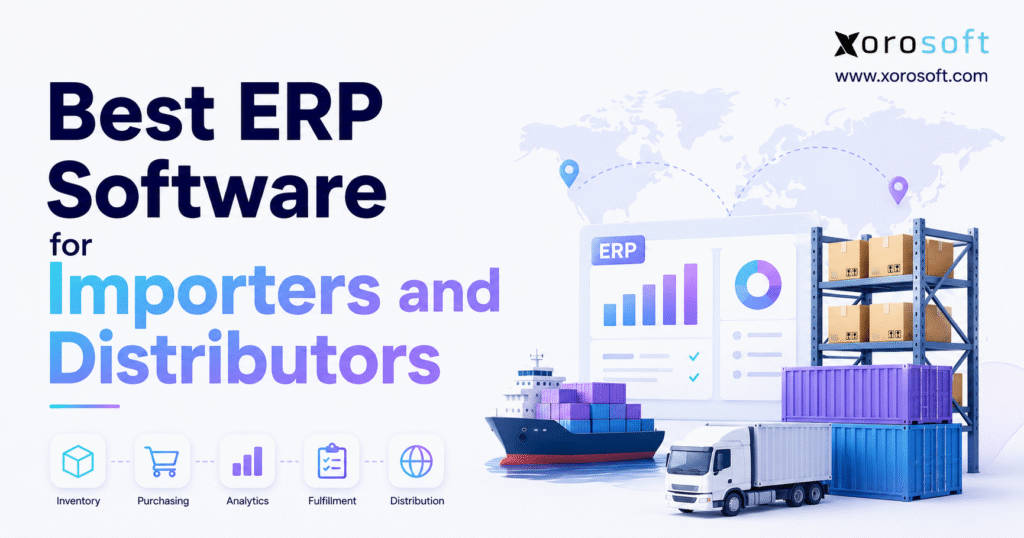
ERP software for importers and distributors is essential for managing operations efficiently and staying competitive in today’s fast-paced market.
1. Why Importers and Distributors Need Connected ERP Software
Import and distribution complexity starts long before inventory reaches a warehouse. Purchasing teams may commit cash to overseas suppliers months before products become available for sale.
During that period, finance needs visibility into commitments. Buyers need expected arrival dates, while sales teams need confidence about what inventory they can realistically promise.
Once suppliers ship the merchandise, operations become more complicated. Products can remain on purchase orders, move through production, travel by ocean or air freight, wait at customs, transfer between facilities, or await warehouse putaway.
After receiving, inventory may become available for sale, reserved for customers, transferred to another warehouse, or allocated to existing orders.
A basic inventory count cannot describe all of these states.
The business needs to understand what it ordered, what suppliers confirmed, what remains in transit, when products should arrive, and what they will actually cost after freight and duties.
Teams also need visibility into how much inventory remains available after existing customer commitments.
That is where ERP software for importers and distributors becomes valuable. It connects purchasing, inbound inventory, costing, warehouse activity, sales orders, fulfillment, and accounting around a shared transaction model.
The objective is not to add another application. Instead, the business should reduce the operational gaps created when departments rely on different systems and spreadsheets.
2. What ERP Software for Importers and Distributors Actually Does
ERP software for importers and distributors connects the transactions that happen between purchasing inventory and recognizing the financial result of selling it.
A purchase order creates future supply. An inbound shipment changes planning. Warehouse receiving increases physical stock. Freight and duties change product cost. Customer allocation reduces what remains available. Shipping decreases inventory, while invoicing creates the financial side of the sale.
When these activities share the same operational data, employees spend less time transferring information manually between applications.
The result is not simply better inventory management. It is better coordination between operations and finance.
2.1 How Importer ERP Software Differs From Accounting Software
Accounting software primarily records bills, invoices, payments, expenses, assets, liabilities, and financial statements.
Importers also need to manage the operating events that create those financial transactions.
Teams must track supplier purchase orders, production lead times, inbound shipments, warehouse receipts, landed costs, transfers, allocation, and fulfillment.
A growing importer may reach a point where finance knows how much the company paid, but operations cannot quickly explain where the inventory is or when customers can receive it.
Importer ERP software closes that gap by connecting inventory movement with financial data.
2.2 How Distribution ERP Software Differs From Inventory Software
Inventory applications usually focus on products, stock quantities, purchasing, and orders.
Distribution ERP expands that scope by connecting inventory to accounting, warehouse execution, procurement, forecasting, manufacturing, customer transactions, and management reporting.
A distributor does not automatically need ERP because it carries inventory.
ERP becomes more relevant when employees repeatedly reconcile inventory with accounting platforms, ecommerce systems, EDI tools, purchasing spreadsheets, or warehouse applications.
The strongest ERP software for importers and distributors should reduce these handoffs rather than introduce another administrative layer.
3. Why Importers Outgrow Disconnected Inventory and ERP Systems
Many successful businesses start with a practical technology stack. Shopify may handle ecommerce, accounting software may manage finance, an inventory application may track products, and spreadsheets may support purchasing.
That architecture can work well for years.
Problems begin when every new requirement creates another application, connector, report, or spreadsheet.
3.1 Importer ERP Software Improves International Purchasing Visibility
Domestic replenishment may take days or weeks. Overseas purchasing can require production, freight booking, consolidation, international transportation, customs clearance, and inland delivery.
Longer lead times change how buyers make decisions.
They need more than today’s stock level. Open sales orders, available inventory, allocated stock, inbound purchase orders, expected receipts, supplier reliability, forecast demand, and safety stock all matter.
When those variables live in separate systems, buyers spend more time assembling information before deciding what to purchase.
That often produces one of two expensive outcomes: excess inventory purchased for safety or shortages discovered too late to correct economically.
3.2 Distribution ERP Tracks Inventory Across Operational States
Inventory rarely exists in only two states: available or sold.
Units may be ordered, confirmed, in production, in transit, awaiting customs clearance, received, quarantined, available, reserved, allocated, picked, packed, or transferred.
Each state changes what the company can promise.
Sales should not treat uncertain inbound stock as immediately available. Buyers should not reorder products that already have reliable inbound supply. Warehouse teams need visibility into allocations before transferring stock elsewhere.
Distribution ERP software should make these states visible without forcing employees to reconstruct availability through spreadsheets.
3.3 Wholesale Distribution ERP Connects Ecommerce and Inventory
A single SKU may support wholesale customers, EDI retailers, Shopify shoppers, Amazon orders, marketplaces, and physical stores.
Independent inventory records create risk because several channels can believe they are selling the same final units.
Centralized inventory allocation gives each channel access to a controlled inventory position.
That reduces overselling, cancellations, delayed fulfillment, and emergency purchasing.
For businesses with both wholesale and digital channels, one trusted inventory model becomes increasingly important as transaction volume grows.
3.4 System Fragmentation Creates Hidden Administrative Cost
Disconnected software usually creates small repetitive tasks before it causes obvious operational failure.
Employees export files, import orders, update spreadsheets, repair synchronization errors, check inventory differences, and rebuild reports.
Each task may seem minor.
Across thousands of transactions, the accumulated workload becomes substantial.
ERP software for importers and distributors creates value when it reduces this coordination work and allows information to move naturally through connected processes.
4. Core Capabilities in ERP Software for Importers and Distributors
A strong ERP evaluation should begin with operating processes rather than vendor names.
Importers should identify where current workflows create delays, weak visibility, reconciliation, or unnecessary manual effort. Those processes then become the requirements used to evaluate software.
4.1 ERP Inventory Management Across Warehouses and Channels
The ERP should distinguish among on-hand, available, allocated, reserved, incoming, damaged, and transferred inventory whenever those states matter.
Managers need quick answers to practical questions. How much stock does the company own? Where is it? What quantity has customers already claimed? What is expected next? Which warehouse can fulfill a new order?
These answers should not require several exports.
For businesses consolidating inventory-driven operations, XoroONE provides an example of connecting inventory, purchasing, accounting, warehouse management, ecommerce, forecasting, manufacturing, and reporting in one operating environment.
That connected model becomes especially useful when several warehouses and channels share inventory.
4.2 Importer ERP for Purchasing and Supplier Management
Purchasing decisions should use current inventory and demand data directly.
Buyers need access to supplier pricing, purchasing history, minimum quantities, lead times, open purchase orders, expected receipts, outstanding quantities, and payment terms.
Approval workflows may also matter when several employees can create or approve purchase orders.
Importers should pay particular attention to lead-time accuracy.
A poor purchasing decision made today can create a stockout or excess inventory problem several months later. ERP should help buyers identify that risk earlier.
4.3 Import ERP Software for Goods-in-Transit Visibility
Inbound inventory affects future planning even when warehouse teams cannot ship it yet.
ERP should therefore maintain a clear difference between expected stock and physically available stock.
Planners can use incoming supply when forecasting future availability while sales teams avoid promising merchandise prematurely.
The system should also handle exceptions such as partial shipments, revised dates, customs delays, damages, and short receipts.
If a supplier ships 8,000 units against a 10,000-unit purchase order, buyers should immediately see the remaining commitment.
4.4 Distribution ERP for Inventory Allocation
Allocation determines which customer or channel receives stock.
A major wholesale customer may have committed quantities. An ecommerce buyer may expect immediate shipment. A retailer using EDI may require delivery during a future window.
ERP should show what remains genuinely available after those commitments.
Without controlled allocation, multiple channels can promise the same inventory.
The resulting cancellations, backorders, emergency freight, and customer service problems often cost far more than the software process needed to prevent them.
4.5 Distribution ERP Forecasting and Replenishment
Forecasting has extra importance for import-driven businesses because long lead times reduce the opportunity to correct purchasing mistakes.
A useful planning model considers historical sales, seasonality, current inventory, allocations, open sales orders, incoming purchase orders, supplier lead time, promotions, and safety stock.
Forecasting will never eliminate uncertainty.
Its purpose is to make assumptions visible and improve purchasing discipline.
The strongest ERP software for importers and distributors should connect forecasting directly to purchasing and inventory rather than forcing teams to transfer recommendations manually.
5. Why Landed Cost Matters in ERP Software for Importers and Distributors
The supplier invoice rarely represents the complete cost of imported inventory.
Freight, duties, brokerage, insurance, port charges, handling fees, and inland transportation can materially change the true cost of a product.
For that reason, landed cost deserves direct testing when comparing ERP software for importers and distributors.
5.1 Landed Cost Management in Importer ERP Software
A practical calculation is:
Landed Cost = Product Cost + Freight + Duties + Brokerage + Insurance + Handling + Other Direct Import Costs
The formula itself is simple.
Allocation creates the more difficult problem.
One shipment may contain products with very different quantities, values, weights, and dimensions. Freight might logically follow weight or volume, while insurance may align more closely with value.
ERP should support the company’s costing policy instead of forcing finance to maintain a separate spreadsheet.
5.2 Landed Cost Changes Product Profitability
Consider a product purchased for $40 and sold for $70.
At first glance, gross margin appears to be $30.
Now assume freight, duties, brokerage, and handling add another $8 per unit.
The real inventory cost becomes $48 and gross margin falls to $22.
That difference can change pricing, purchasing, promotional decisions, and product strategy.
If managers rely only on supplier cost, they can continue promoting products that appear more profitable than they actually are.
5.3 Test Landed Cost With a Real Import Scenario
Do not simply ask whether an ERP supports landed cost.
Ask the vendor to process a realistic transaction.
Create a purchase order containing several SKUs. Receive only part of the shipment. Add freight and customs expenses at different times. Allocate those costs, then inspect inventory valuation, SKU cost, gross margin, and accounting impact.
That demonstration reveals far more than a checkbox.
It also shows how much manual work finance will need after implementation.
6. Multi-Warehouse ERP Software for Importers and Distributors
Adding a warehouse creates more than additional storage.
The business must decide where inventory should sit, which facility should fulfill each order, when products should move between warehouses, and whether a transfer can solve a shortage before another supplier purchase becomes necessary.
6.1 Multi-Warehouse Inventory Management in Distribution ERP
A multi-location ERP should provide both company-wide and warehouse-level visibility.
Users may need quantities by warehouse, bin, lot, serial number, transfer status, or allocation.
Replenishment should also consider regional demand.
One warehouse may hold excess inventory while another approaches a stockout.
Without cross-location visibility, buyers may place a new supplier order when an internal transfer could solve the problem faster and at lower cost.
6.2 ERP and WMS Solve Different Operational Problems
ERP manages the broader commercial and financial transaction.
Warehouse management software controls physical execution inside the facility.
A WMS manages receiving, putaway, replenishment, bin movement, picking, packing, shipping, returns, and cycle counting.
Businesses that need deeper warehouse execution should evaluate a dedicated warehouse management system rather than assuming basic inventory locations equal full WMS functionality.
Both systems must share accurate transaction data.
6.3 Barcode Activity Should Update Inventory Quickly
Inventory accuracy depends heavily on transaction timing.
When a picker removes stock but the ERP updates hours later, another sales channel may still see that quantity as available.
Receiving creates the same risk.
Products should not become available until warehouse employees physically confirm receipt.
Barcode-driven transactions help keep digital inventory aligned with what employees actually move on the floor.
The closer those two realities remain, the more reliable allocation, purchasing, and fulfillment become.
7. ERP Software for Importers and Distributors Across EDI, Shopify, and Amazon
Most growing importers sell through more than one channel.
ERP should maintain one trusted inventory position while supporting different pricing, order, fulfillment, and integration requirements across wholesale, ecommerce, EDI, and marketplaces.
7.1 Wholesale Distribution ERP for Customer-Specific Pricing
Wholesale transactions often involve negotiated pricing, payment terms, credit limits, minimum quantities, unique product catalogs, shipping rules, and retailer-specific requirements.
Distribution ERP should apply these rules consistently.
Sales representatives should not need private spreadsheets or memory to determine the correct pricing and terms for every account.
Standardizing those rules also reduces employee dependence and makes onboarding easier as the sales team grows.
7.2 Distribution ERP With EDI Integration
Retail-facing distributors frequently exchange electronic purchase orders, acknowledgments, advance ship notices, and invoices.
ERP does not need to own the entire EDI network.
However, transaction data should move reliably between the trading partner, EDI service, ERP, warehouse, and finance.
Xorosoft’s integration ecosystem reflects this broader connected model across ecommerce, marketplaces, EDI, shipping, payments, and operational applications.
Buyers should also test failure management. An integration has limited value when nobody can see or resolve failed transactions quickly.
7.3 ERP for Importers Selling Through Shopify
Shopify merchants should evaluate more than basic order import.
Inventory synchronization, allocation, fulfillment updates, cancellations, returns, payments, and financial reconciliation all matter.
The Xorosoft ERP app on Shopify provides an example of connecting ecommerce activity with broader ERP operations such as inventory, orders, purchasing, warehouse activity, and finance.
The principle remains the same regardless of vendor choice.
Shopify should consume trusted inventory information rather than create another independent inventory ledger.
7.4 Marketplace Orders Increase Allocation Pressure
Amazon and other marketplaces create another source of demand against shared inventory.
Some companies also keep products inside external fulfillment networks while maintaining additional stock in their own warehouses.
ERP should help planners understand each inventory pool and how marketplace activity affects replenishment.
That visibility prevents one channel from becoming overstocked while another repeatedly runs short.
8. Accounting in ERP Software for Importers and Distributors
Inventory represents both a physical asset and a financial asset.
That connection makes accounting integration a critical part of ERP software for importers and distributors.
8.1 ERP Accounting for Inventory-Driven Distributors
Receiving products changes inventory balances. Shipping products affects cost of goods sold. Landed expenses influence valuation. Returns can reverse both physical and financial transactions.
When several systems record these events independently, finance must reconcile the differences later.
As transaction volume increases, that reconciliation consumes more time.
An integrated ERP reduces these handoffs by allowing operational transactions to create predictable financial effects.
8.2 Importer ERP Improves Product Cost and Margin Visibility
Company-level financial statements can hide weak product economics.
Importers often need margin analysis by SKU, category, customer, warehouse, or sales channel.
That analysis becomes more trustworthy when purchasing cost, landed cost, discounts, fulfillment, returns, and accounting share consistent transaction data.
Otherwise, teams may compare revenue against incomplete product cost and overestimate profitability.
8.3 Multi-Currency Needs Transaction-Level Testing
International suppliers may invoice in several currencies.
ERP buyers should test foreign-currency purchase orders, supplier invoices, payments, exchange rates, and the required accounting treatment.
A basic multi-currency checkbox does not prove that the platform fits the company’s real workflow.
Finance teams should understand how common supplier transactions behave before implementation begins.
9. Best ERP Software for Importers and Distributors: Platform Comparison
No platform represents the universal best choice.
The appropriate ERP software for importers and distributors depends on warehouse complexity, accounting depth, import processes, ecommerce volume, manufacturing requirements, implementation resources, and future growth.
Vendor comparisons should help companies create a shortlist, not declare a winner before requirements are documented.
9.1 Xorosoft ERP for Inventory-Driven Importers and Distributors
XoroERP is relevant to businesses that want inventory, purchasing, accounting, warehousing, reporting, ecommerce, and related workflows connected inside one ERP environment.
It becomes particularly relevant when a company has accumulated several disconnected applications around accounting, inventory, warehouses, ecommerce, EDI, and purchasing.
Importers should still evaluate the platform through real operating scenarios.
Test overseas purchasing, receiving, landed cost, inventory allocation, warehouse activity, Shopify or wholesale orders, financial reporting, and exception handling.
Workflow fit should determine whether the system belongs on the shortlist.
9.2 NetSuite for Broad Mid-Market ERP Requirements
NetSuite often enters evaluations when organizations want broad financial, procurement, inventory, and business-management functionality.
Its ecosystem can suit companies expecting more complex organizational structures or wider ERP requirements.
Importers should examine the configuration required for landed cost, warehouses, ecommerce, integrations, and supply-chain processes.
Implementation scope matters because modules and integrations can materially affect cost and complexity.
Businesses comparing these platforms can review the Xorosoft vs NetSuite comparison before building their own weighted scorecard.
The final decision should still depend on real transaction testing and total ownership cost.
9.3 Acumatica for Distribution-Centric Cloud ERP
Acumatica often appears on distribution ERP shortlists because it combines inventory-driven operations and finance in a configurable cloud environment.
Businesses commonly evaluate it for inventory, purchasing, replenishment, warehouse processes, financial management, and commerce operations.
Configuration deserves careful attention.
Buyers need to understand which capabilities come with the proposed edition and which require additional modules, integrations, or implementation work.
A configurable platform can offer flexibility, but the final operating design matters more than the marketing feature list.
9.4 Microsoft Dynamics 365 Business Central for Microsoft-Oriented Companies
Business Central often appeals to organizations already using the Microsoft ecosystem.
Businesses evaluate it for financial management, purchasing, inventory, warehouse workflows, and manufacturing requirements.
The surrounding extension and partner ecosystem can broaden the platform further.
That flexibility makes architecture review important.
Buyers should determine which workflows operate inside the core deployment, which require additional applications, and who will maintain those extensions after implementation.
9.5 Sage for Complex Distribution and Manufacturing Operations
Sage ERP products may enter the shortlist when companies require broader financial, distribution, manufacturing, or multi-site functionality.
Organizations considering a sophisticated ERP should also assess their own internal process maturity.
More capability creates more implementation and administration responsibility.
The best system is not automatically the most complex platform.
A distributor should choose an operating model that matches its actual requirements, internal resources, and expected growth.
9.6 Epicor for Wholesale Distribution
Epicor products such as Prophet 21 often receive consideration from industrial, trade, and wholesale distributors.
A distribution-focused platform can reduce the gap between generic ERP functionality and real workflows involving supplier purchasing, customer pricing, inventory, warehouse execution, replenishment, and order fulfillment.
Businesses should still test their specific requirements.
The right fit depends on product mix, warehouse complexity, pricing structures, integrations, reporting, and implementation resources.
9.7 Infor for Larger Distribution Networks
Infor can enter evaluations where companies operate larger or more complex distribution networks.
Multi-location operations, organizational complexity, warehouse depth, analytics, and broader supply-chain requirements may justify a larger enterprise platform.
The key question is organizational fit.
A powerful system that exceeds the company’s practical needs can create unnecessary implementation burden.
Teams should evaluate not only capability but also the cost and internal resources needed to operate the environment effectively.
9.8 Cin7 for Inventory and Omnichannel Operations
Cin7 often appeals to companies focused heavily on inventory, purchasing, wholesale ordering, and omnichannel operations.
That can make it a practical alternative when the largest problems involve product availability and channel coordination rather than broad enterprise financial requirements.
Accounting architecture deserves careful evaluation.
A growing distributor should decide whether connected accounting applications still meet long-term requirements or whether a deeper native ERP model would provide stronger control.
9.9 Brightpearl for Retail and Ecommerce Operations
Brightpearl frequently enters evaluations for retail and ecommerce businesses.
Companies with heavy Shopify activity may value its inventory, order, and automation workflows.
Importers should still test upstream processes carefully.
International purchasing, landed cost, supplier management, warehouse requirements, wholesale transactions, and EDI can matter just as much as ecommerce order management.
A platform that performs well after a customer places an order must also support the processes that make inventory available to sell.
9.10 Odoo for Modular ERP Requirements
Odoo provides modular applications across inventory, purchasing, accounting, manufacturing, ecommerce, and related business processes.
That flexibility can appeal to businesses that want to assemble an ERP environment around specific requirements.
Flexible platforms also require disciplined implementation.
Excessive customization can create long-term maintenance problems.
Companies should keep essential workflows close to standard processes whenever possible and reserve custom development for requirements that create meaningful operating value.
9.11 ERP Comparison Snapshot for Importers and Distributors
| Platform | Typical Evaluation Context | Primary Area to Test |
|---|---|---|
| Xorosoft | Inventory-driven import, wholesale and ecommerce | Connected inventory, WMS, accounting and channels |
| NetSuite | Broad mid-market ERP | Financial depth and implementation scope |
| Acumatica | Distribution-centric operations | Inventory, purchasing, warehouses and finance |
| Business Central | Microsoft-focused businesses | Core capabilities versus extensions |
| Sage | Complex distribution and manufacturing | Multi-site and operational depth |
| Epicor | Wholesale and industrial distribution | Distribution and warehouse workflows |
| Infor | Larger distribution networks | Enterprise supply-chain requirements |
| Cin7 | Inventory and omnichannel operations | Inventory depth and accounting architecture |
| Brightpearl | Retail and ecommerce | Ecommerce strength versus import complexity |
| Odoo | Modular ERP | Configuration and customization requirements |
When comparing ERP software for importers and distributors, avoid ranking systems by feature volume alone.
A stronger decision considers actual purchasing workflows, warehouse requirements, landed-cost processes, accounting depth, channel mix, implementation capacity, and total ownership cost.
10. ERP Software for Importers and Distributors vs Point Solutions
ERP, inventory software, WMS, and accounting applications overlap in some areas, but they solve different levels of the operational problem.
Understanding those differences helps businesses avoid buying more technology than they actually need.
10.1 ERP Software vs Inventory Management Software
Inventory applications primarily manage products, stock, purchasing, and orders.
ERP connects those activities to accounting, financial reporting, procurement, warehouse activity, manufacturing, and broader business processes.
A business that mainly needs better stock visibility may not need full ERP.
When inventory repeatedly needs reconciliation with finance, several warehouses, production, EDI, or ecommerce channels, ERP becomes more relevant.
The distinction should follow operational complexity rather than company size alone.
10.2 ERP vs Warehouse Management Systems
ERP manages the broader commercial and financial transaction.
WMS controls warehouse execution.
The ERP may create the customer order and determine allocation. The WMS then directs employees to receive, put away, pick, pack, and ship the inventory.
Both systems create value when they share reliable data.
Problems begin when warehouse transactions lag behind ERP inventory or require manual intervention before other departments can trust the numbers.
10.3 ERP vs QuickBooks Plus Multiple Applications
A QuickBooks-centered stack can support growing businesses effectively.
The limitation usually appears when synchronization itself becomes daily work.
Employees start exporting data, repairing connector failures, reconciling inventory, rebuilding purchasing reports, and combining several sources before management can see accurate information.
At that stage, ERP becomes more attractive because the business needs fewer operational gaps, not simply another specialized tool.
11. When to Upgrade ERP Software for Importers and Distributors
Revenue alone provides a poor ERP trigger.
A large company with one simple warehouse may operate with less complexity than a smaller distributor managing several facilities, imported SKUs, EDI retailers, ecommerce channels, and international suppliers.
Operational complexity gives a better signal.
11.1 Upgrade to ERP When Purchasing Depends on Spreadsheets
A warning sign appears when buyers need several spreadsheet exports before deciding what to order.
Demand, current stock, open orders, incoming supply, and supplier lead time should work together.
If buyers cannot trust those numbers, they often compensate with excess safety stock or emergency purchasing.
Both responses increase operating cost.
11.2 Distribution ERP Reduces Inventory and Accounting Gaps
Occasional inventory adjustments are normal.
Frequent disagreement between operational inventory and financial inventory indicates a broader process problem.
Finance should not spend significant portions of each month explaining why accounting, ecommerce, warehouses, and inventory systems show different results.
ERP software for importers and distributors can reduce these reconciliation points when one transaction updates connected processes.
11.3 Multi-Warehouse Complexity Becomes Difficult to Coordinate
Stronger ERP and WMS capabilities become valuable when teams cannot decide which warehouse should fulfill an order or whether they should transfer stock before buying more.
More facilities create more coordination requirements.
Without centralized visibility, one warehouse can reorder a product while another location holds excess inventory.
11.4 Manual Landed Cost Becomes Too Difficult to Maintain
A manual landed-cost spreadsheet may work for a small number of shipments.
More containers, suppliers, currencies, fees, and products quickly increase the workload.
Finance can spend hours allocating expenses while sales and purchasing teams continue using outdated product costs.
That disconnect creates a strong case for tighter costing workflows.
11.5 Administrative Work Grows as Fast as Transaction Volume
Another warning appears when every increase in sales volume requires additional people to re-enter information, update reports, reconcile systems, or check transaction status.
Technology should allow transaction volume to grow faster than administrative workload.
When the opposite happens, the current software architecture may have become a constraint.
12. When Importers and Distributors Do Not Need Full ERP Software
Not every importer or distributor should implement ERP.
A smaller company with one warehouse, limited SKUs, straightforward purchasing, simple accounting, and one primary sales channel may operate efficiently with accounting and inventory software.
Introducing ERP too early can create unnecessary process overhead.
Companies should also avoid using ERP to compensate for undefined operating procedures.
Software cannot automatically repair unclear purchasing authority, weak inventory counts, inconsistent product data, poor warehouse discipline, or unclear financial ownership.
Businesses should establish these foundations before a major implementation.
Companies evaluating whether their industry has reached this level of complexity can review Xorosoft’s industry coverage for examples across wholesale, apparel, furniture, food and beverage, manufacturing, automotive, and other inventory-driven sectors.
The goal is not to implement ERP as early as possible.
The right time comes when integration, visibility, and operational control create more value than the implementation adds in complexity.
13. How to Evaluate ERP Software for Importers and Distributors
Generic feature lists rarely produce strong ERP decisions.
Most established vendors can demonstrate dozens of capabilities. Real differences become visible when each platform processes the company’s actual transactions.
13.1 Map ERP Requirements Across the Import-to-Customer Workflow
Document the process from demand planning through purchasing, supplier confirmation, international transportation, customs, receiving, putaway, allocation, fulfillment, invoicing, and financial reporting.
Look for every manual handoff.
Where do employees re-enter information? Which spreadsheets operate as unofficial systems? Where does one department wait for another? Which reconciliations happen every week?
Those problems should become vendor demonstration scenarios.
13.2 Separate ERP Must-Haves From Nice-to-Haves
Requirements should not receive equal weight.
For one importer, landed cost may be essential. Another may prioritize EDI. A distributor running several high-volume facilities may give warehouse functionality the greatest weight.
Create a scorecard that reflects those differences.
Inventory, purchasing, accounting, warehousing, integrations, implementation, and reporting can each receive weights based on operational importance.
This prevents attractive secondary features from outweighing fundamental fit.
13.3 Test ERP Software With Real Import and Distribution Transactions
Ask every shortlisted vendor to process the same scenario.
Start with an overseas purchase order. Follow it through a partial shipment, freight expense, duty allocation, warehouse receipt, customer allocation, shipment, and accounting result.
Then add an exception.
Try a short receipt, damaged product, customer return, delayed shipment, or canceled item.
Real exceptions reveal workflow quality much faster than polished dashboards.
13.4 Treat Integrations as Critical Infrastructure
Ask who developed each connector, who maintains it, how often information synchronizes, and what happens when transactions fail.
Ownership matters.
Who receives an alert when a Shopify order fails? Can employees retry it? How does the ERP prevent duplicates? Who handles an EDI mapping issue?
A connector can work most of the time and still create significant operational problems if nobody owns the exceptions.
13.5 Compare ERP Total Cost of Ownership
Subscription fees represent only one part of ERP cost.
Implementation, migration, integrations, customization, training, internal labor, support, additional modules, and future upgrades can materially change the total investment.
Compare those costs against the current environment.
Existing software subscriptions, connector fees, spreadsheet work, reconciliation, manual reporting, and order corrections all represent real expenses.
For ERP software for importers and distributors, total operating cost provides a stronger comparison than license price alone.
14. ERP Implementation for Importers and Distributors
ERP implementation changes how teams purchase, receive, move, sell, and account for inventory.
That makes implementation a business project rather than simply an IT installation.
14.1 Clean ERP Data Before Migration
Legacy systems often contain duplicate suppliers, obsolete products, inconsistent units of measure, incorrect barcodes, old customer records, and historical workarounds.
Moving those records into ERP simply preserves the problem.
Product data deserves particular attention.
Purchasing, warehouses, ecommerce, forecasting, manufacturing, and accounting can all depend on the same SKU structure.
Data cleanup should therefore start well before final migration.
14.2 Reconcile Inventory Before ERP Go-Live
Incorrect opening inventory creates immediate distrust.
Warehouse teams should verify important quantities before cutover.
The implementation team also needs rules for open purchase orders, sales orders, transfers, returns, and incomplete transactions.
Everyone should understand which system owns activity during the transition.
Clear cutover rules prevent the same transaction from appearing differently in old and new systems.
14.3 Test Complete ERP Workflows With Actual Users
User acceptance testing should go beyond checking whether individual screens function.
Buyers should create purchase orders. Warehouse employees should receive and pick inventory. Ecommerce teams should process customer orders. Finance should inspect the resulting accounting entries.
Customer service should test returns and cancellations.
Complete process testing identifies gaps before customers experience them.
Xorosoft’s broader business solutions illustrate why inventory, purchasing, warehouse management, accounting, manufacturing, and commerce should work as connected processes rather than isolated departments.
14.4 Assign Ownership for ERP Exceptions
Every major exception needs an accountable owner.
Someone must investigate failed integrations, incorrect inventory, EDI errors, bad product records, purchasing changes, and financial discrepancies.
ERP centralizes information.
It does not remove the need for operating discipline.
Clear ownership prevents temporary workarounds from turning into permanent processes.
15. Distribution ERP Use Cases Across Import-Driven Industries
The underlying principles of ERP remain similar across industries, but product categories create different operational requirements.
Buyers should therefore evaluate industry fit at the workflow level rather than assume one template works everywhere.
15.1 Apparel ERP for Importers and Distributors
Apparel companies frequently manage style, color, and size variations while buying around seasonal demand.
One style can create dozens of SKUs with different inventory positions.
International lead times make planning harder because stock may need to be purchased months before the primary selling season.
ERP should help teams compare variant-level demand, available inventory, wholesale commitments, ecommerce activity, and inbound production before placing new orders.
15.2 Furniture Import and Distribution ERP
Furniture businesses often manage container shipments, long lead times, significant freight expense, bulky inventory, and costly warehouse transfers.
Landed cost becomes particularly important because transportation can represent a meaningful share of total product cost.
Warehouse planning also needs physical context.
One hundred sofas create a very different storage challenge from one hundred small accessories.
ERP and WMS should connect cost, location, availability, allocation, and customer delivery commitments.
15.3 Sporting Goods Distribution ERP
Sporting goods businesses frequently balance seasonal purchasing with wholesale and ecommerce demand.
The company may need to commit to inventory several months before peak selling periods.
That creates both a forecasting and allocation problem.
Wholesale preorders, retailer commitments, and direct-to-consumer demand can compete for the same supply.
ERP should give planners one inventory position across those channels.
15.4 Food and Beverage Importer ERP
Food and beverage businesses may require lot tracking, expiration controls, traceability, supplier records, and disciplined warehouse processes.
Teams should be able to trace products from receipt through storage and customer shipment.
When necessary, the system should also help identify which customers received a specific lot.
For these companies, operational controls can be as important as purchasing automation or financial reporting.
15.5 Automotive and Industrial Distribution ERP
Parts distributors may carry large catalogs with highly variable sales velocity.
Customers can still expect fast availability.
That combination makes replenishment, location management, customer-specific pricing, transfers, and multi-warehouse visibility important.
Some businesses also perform kitting, assembly, or light production.
Those processes may introduce additional requirements around BOMs, work orders, and material consumption.
16. Building a Business Case for ERP Software for Importers and Distributors
ERP projects become easier to justify when software changes connect directly to measurable operational problems.
Broad promises about digital transformation provide little decision value.
Actual operating costs create a stronger business case.
16.1 Measure Inventory Problems Before Choosing Distribution ERP
Start with stockouts, emergency freight, overstock, obsolete inventory, write-offs, and inventory adjustments.
Then examine the decisions behind those outcomes.
Do buyers lack reliable demand information? Can sales see incoming inventory? Do warehouses report inaccurate quantities? Does purchasing ignore available stock at another location?
ERP cannot remove every inventory problem.
It can improve the data and controls behind purchasing and allocation decisions.
16.2 Measure Manual Reconciliation
Calculate how much time employees spend exporting reports, updating spreadsheets, matching inventory to accounting, repairing integrations, rebuilding purchasing plans, and correcting order errors.
These costs often remain hidden because several departments share them.
Across the company, the total workload can become substantial.
That administrative burden belongs in the ERP business case.
16.3 Compare ERP Software Against the Existing Technology Stack
Calculate the cost of accounting applications, inventory tools, warehouse software, EDI systems, reporting products, connectors, middleware, and outside support.
Include the employee time required to keep those systems synchronized.
Published Xorosoft case studies can illustrate the types of operational changes inventory-driven businesses evaluate, but every organization should build its own financial baseline.
ERP ROI should come from internal evidence rather than generic industry promises.
16.4 Establish ERP KPIs Before Implementation
Useful measures include inventory accuracy, order cycle time, warehouse errors, stockouts, purchasing workload, receiving speed, month-end close time, reconciliation hours, and reporting delays.
Record the baseline before implementation.
Without baseline information, teams cannot clearly determine whether ERP improved operations after go-live.
Measurement should continue after implementation rather than ending when the project closes.
17. How Modern Distribution ERP Supports Automation and AI
Modern distribution operations extend beyond the ERP itself.
Businesses depend on ecommerce platforms, marketplaces, carriers, 3PLs, EDI providers, payment services, analytics tools, and automation systems.
The objective should not automatically be one application for everything.
A better goal is one trusted operating model.
17.1 Distribution ERP Integration Architecture Matters
An ecommerce platform can remain the customer-facing storefront while ERP owns operational inventory.
A WMS can manage warehouse execution while ERP controls purchasing and accounting.
The important issue is clear system ownership.
Duplicate inventory logic across multiple applications increases the likelihood that teams receive conflicting answers.
Reliable APIs and integrations allow specialized tools to remain useful without turning each application into a separate source of truth.
17.2 AI Makes Clean ERP Data More Important
AI can support analysis, forecasting, exception detection, information retrieval, and workflow automation.
Its value still depends on reliable business data.
If inventory lives in one system, purchasing in another, customer demand somewhere else, and accounting in a fourth platform, automation inherits those inconsistencies.
Structured ERP software for importers and distributors gives AI a stronger transactional foundation.
Businesses exploring these workflows can also evaluate emerging connection approaches such as Xorosoft’s MCP server for controlled access to ERP information.
AI does not reduce the need for data discipline.
It increases it.
18. How to Choose ERP Software for Importers and Distributors
The right ERP decision starts with understanding how inventory actually moves through the business.
Map the process from supplier commitment through international transportation, landed cost, receiving, warehousing, allocation, fulfillment, invoicing, and financial reporting.
Next, identify where the current software stack loses visibility.
Look specifically for processes that force employees to reconcile information manually, move data between applications, or maintain private spreadsheets.
ERP software for importers and distributors creates the most value when it connects these gaps through a reliable transaction model.
Do not select a system simply because it has the longest feature list.
Likewise, avoid choosing an ERP because another company in the industry uses it. A familiar accounting brand does not automatically guarantee strong import, warehouse, or distribution workflows.
Require every shortlisted vendor to process realistic transactions.
Test partial receipts, freight allocation, landed cost, customer-specific pricing, multi-warehouse inventory, Shopify orders, EDI transactions, returns, and accounting results.
Implementation effort deserves equal attention.
Data migration, integrations, employee training, warehouse procedures, exception ownership, support, and total cost can influence ERP success as much as individual software features.
The strongest evaluation asks one practical question: can the platform support how your business purchases, receives, stores, allocates, sells, and accounts for inventory without rebuilding critical processes in spreadsheets?
For inventory-driven businesses evaluating Xorosoft, bring actual purchasing, warehouse, ecommerce, EDI, and financial workflows into the evaluation.
Book a personalized ERP discussion to assess those workflows against the platform before making a final decision.
Frequently Asked Questions
What is the best ERP software for importers and distributors?
The best ERP matches your purchasing, landed cost, inventory, warehouse, accounting, EDI, and ecommerce requirements. Compare vendors with real workflows rather than generic feature lists.
What features should importer ERP software include?
Look for purchasing, goods-in-transit visibility, landed cost, multi-warehouse inventory, WMS, accounting, forecasting, multi-currency, reporting, EDI, and ecommerce integrations.
Can ERP software calculate landed cost?
Yes. Many ERP systems can allocate freight, duties, brokerage, insurance, and handling costs to inventory. Confirm the allocation methods and accounting treatment before choosing a platform.
When should a distributor upgrade to ERP?
Consider ERP when spreadsheets control purchasing, inventory and accounting frequently disagree, warehouse complexity increases, landed cost remains manual, or multiple sales channels compete for the same stock.
Can ERP replace QuickBooks and inventory software?
Yes. A full ERP can replace separate accounting and inventory tools when the business needs connected financial and operational workflows. Smaller companies may still prefer a lighter integrated stack.
Does distribution ERP support Shopify and EDI?
Many platforms support Shopify and EDI directly or through integrations. Test order flow, inventory synchronization, fulfillment, returns, EDI documents, error handling, and financial reconciliation.
How should importers compare ERP vendors?
Use a weighted requirements scorecard and ask each vendor to demonstrate an overseas purchase order, inbound shipment, landed-cost allocation, warehouse receipt, customer order, fulfillment, and accounting impact.
Recent Posts
-
 Distributor Sales Software for Managing B2B Orders, Customer Pricing, Inventory, and Sales Operations
 -
 Does Shopify B2B Still Need an ERP in 2026?
 -
 How Inventory Status Tracking Clarified Damaged, Reserved, and Available Stock
 -
 Predictive Analytics in Logistics for 3PL Operations: Predicting Labor, Dock Volume, and SLA Risk
 -
 Should a B2B Ecommerce Platform Calculate Inventory Availability or Read It From ERP?