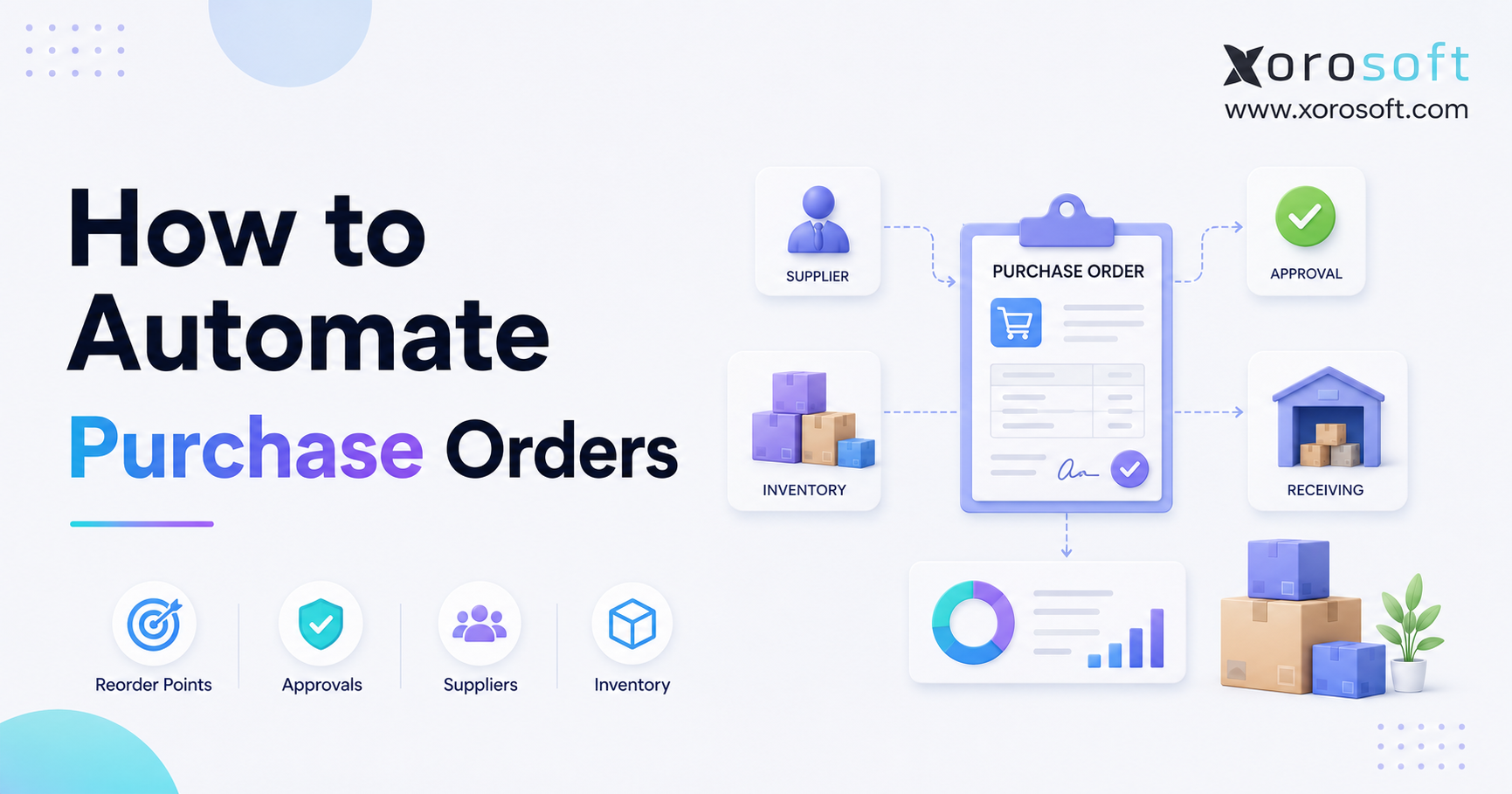
1. Why Manual Purchasing Breaks Before the Purchase Order Does
To automate purchase orders effectively, a business must connect purchasing decisions with inventory levels, demand, supplier lead times, approval controls, warehouse receiving, and accounting. Otherwise, the company merely replaces a manual spreadsheet with a faster version of the same disconnected process. As a result, purchase orders may still contain incorrect quantities, arrive too late, or create unnecessary inventory.
At first, manual purchasing often appears manageable. For example, a buyer may review a spreadsheet each week, identify low-stock products, calculate order quantities, and email purchase orders to suppliers. However, the process becomes difficult once the company adds more SKUs, warehouses, suppliers, sales channels, or purchasing team members.
Meanwhile, inventory conditions continue changing between spreadsheet updates. Customer orders reduce available stock, warehouse transfers move products between locations, supplier shipments arrive late, and wholesale orders reserve inventory. Consequently, a purchasing spreadsheet may become outdated almost as soon as someone finishes updating it.
Purchase order automation addresses this problem by creating a controlled workflow around purchasing. The objective is not merely to produce a digital PO. Instead, the goal is to make purchasing decisions earlier, route approvals faster, track incoming stock accurately, and give finance better visibility into future cash requirements.
For inventory-driven companies, that distinction matters. After all, a purchase order affects far more than the purchasing department. It also influences product availability, warehouse workload, supplier performance, inventory valuation, fulfillment speed, and working capital.
2. What Purchase Order Automation Actually Means
Purchase order automation uses software to streamline the creation, approval, delivery, tracking, receiving, and reconciliation of purchase orders. According to IBM’s purchase order automation guide, the process uses digital tools to manage PO creation, approval, and tracking while reducing manual effort and increasing control.
Effective automation does not necessarily mean that software should place every supplier order without human review. Instead, businesses can choose different automation levels based on risk, purchasing volume, and operational complexity.
2.1 Purchase Order Recommendations
At the most controlled level, the system recommends what the buyer should purchase. For instance, it may identify products that have fallen below their reorder points, calculate suggested quantities, select preferred suppliers, and prepare draft purchase orders.
A buyer still reviews each recommendation before submission. Therefore, this model reduces repetitive work while preserving human oversight.
2.2 Approval Workflow Automation
After a purchase order is prepared, the system can route it for approval. For example, a PO under $5,000 may require one manager, while a larger order may also require finance or executive approval.
Businesses can create separate rules for new suppliers, emergency purchases, seasonal inventory, unusually high quantities, or purchases outside the approved forecast. As a result, routine orders move quickly while exceptions receive closer review.
2.3 Fully Automated Purchase Orders
In a mature workflow, the system may create and send a PO automatically when predefined conditions are met. This approach is usually most appropriate for predictable products, reliable suppliers, stable demand, and low-risk order values.
For example, a distributor may automatically reorder packaging materials from an approved supplier whenever available stock falls below a minimum level. By contrast, the same company may require manual approval for seasonal products or high-value inventory.
2.4 End-to-End Purchasing Automation
The most complete model extends beyond PO creation. Specifically, it connects the purchase order with inventory planning, supplier communication, warehouse receiving, invoice matching, accounts payable, and reporting.
For that reason, purchase order automation should be viewed as an operational workflow rather than a document-generation feature.
3. Why Businesses Need to Automate Purchase Orders
Businesses usually begin exploring purchase order automation after manual purchasing creates visible operational problems. Although the symptoms vary, they often include stockouts, excess inventory, delayed approvals, duplicate orders, receiving errors, supplier confusion, and difficult accounting reconciliation.
3.1 Manual Purchase Orders Consume Expensive Time
Purchase orders are routine, but processing them can still be costly. APQC reports that organizations spend approximately $14 to more than $54 to process a single purchase order. Companies processing thousands of purchase orders may therefore face a substantial cost gap between efficient and inefficient procurement operations. Review the APQC procurement benchmark.
Buyers also spend time on tasks that should not require specialist judgment. They may copy supplier addresses, enter product codes, calculate basic reorder quantities, chase approvals, resend documents, and update spreadsheets.
Consequently, experienced purchasing employees have less time for supplier negotiations, demand analysis, cost management, and exception resolution.
3.2 Manual Reordering Reacts Too Late
Spreadsheet purchasing is usually reactive. Someone first notices that inventory is low. The buyer then checks recent sales, creates a purchase order, and waits for approval.
By that point, supplier lead time may already make a stockout unavoidable. A stronger process identifies replenishment needs before the shortage becomes urgent.
Automated purchase orders can use reorder points, safety stock, sales velocity, forecast demand, and supplier lead times. This approach gives buyers earlier signals and more time to respond.
3.3 Disconnected Tools Hide the Full Inventory Position
Many product companies use Shopify for ecommerce, QuickBooks for accounting, spreadsheets for purchasing, a separate warehouse app, and another platform for EDI. Although each tool may perform one task, the purchasing team rarely receives a complete inventory picture.
For example, a spreadsheet may show 500 units on hand. Yet 300 units may already be reserved for open sales orders, while another 150 units are committed to wholesale customers. In practical terms, the buyer does not truly have 500 units available.
Likewise, an item may appear low even though 1,000 units are already in transit from a supplier. Without open PO visibility, the buyer might place a duplicate order.
3.4 Purchasing Errors Spread Across the Business
A purchase order error rarely remains inside purchasing. Instead, the mistake moves downstream.
An incorrect quantity can create overstock. Meanwhile, a wrong supplier cost may distort margin reporting. Similarly, an incorrect delivery location can cause warehouse delays. An unmatched supplier invoice may also slow the accounting close.
Therefore, automating purchase orders can improve several departments at the same time, provided the workflow connects to shared operational data.
4. How to Automate Purchase Orders Step by Step
A reliable implementation starts with process design and data quality. Businesses should resist the temptation to automate an existing spreadsheet exactly as it works today.
4.1 Map the Current Purchasing Process
Begin by documenting how purchasing actually works. Do not rely only on the official process because employees may also use email, chat, spreadsheets, and undocumented workarounds.
Identify who performs each activity:
• Who notices the need to buy?
• Who calculates the quantity?
• Who selects the supplier?
• Who checks the cost?
• Who approves the order?
• Who sends the PO?
• Who confirms the supplier response?
• Who receives the products?
• Who matches the invoice?
• Who closes the purchase order?
Afterward, identify where delays and errors occur. Approvals may sit in email, warehouse teams may not receive updated PO documents, or accounting may not know whether a shipment arrived.
Once the current workflow is visible, the business can decide what to automate, what to control, and what to remove.
4.2 Clean the Inventory Data
Next, validate the inventory data that will drive automated purchase orders. Inaccurate records will otherwise create inaccurate recommendations.
Review the following fields:
• SKU and product name
• Unit of measure
• Barcode
• Product category
• On-hand inventory
• Available inventory
• Reserved inventory
• Incoming inventory
• Warehouse location
• Preferred supplier
• Supplier item number
• Standard cost
• Last purchase cost
• Lead time
• Minimum order quantity
• Case-pack requirement
• Product status
Duplicate SKUs and inactive supplier records should also be removed. Afterward, reconcile physical inventory with the system balance.
Because automation depends on these records, data cleanup must happen before reorder rules are activated.
4.3 Define Reorder Points
A reorder point tells the system when replenishment should begin. Although formulas vary, a common starting point is:
Average daily demand × supplier lead time + safety stock
Assume a product sells 20 units per day, the supplier needs 15 days to deliver, and the business wants 100 units of safety stock.
20 × 15 + 100 = 400 units
The reorder process should therefore begin when available inventory approaches 400 units.
However, businesses should calculate the reorder point from available inventory rather than physical on-hand inventory alone. Available inventory may need to account for reserved quantities, open sales orders, confirmed inbound stock, and warehouse transfers.
4.4 Establish Reorder Quantities
After deciding when to reorder, determine how much to buy. Several approaches can work.
A business may order enough stock to reach a maximum inventory level. Alternatively, it may order a fixed quantity based on case packs or minimum supplier quantities. Some companies also use an economic order quantity model.
The recommended quantity should account for:
• Forecast demand
• Open customer orders
• Existing purchase orders
• Current availability
• Safety stock
• Supplier minimums
• Case-pack sizes
• Available warehouse capacity
• Cash constraints
• Seasonal changes
Automated purchasing should therefore produce a calculated recommendation instead of simply repeating the previous order quantity.
4.5 Add Supplier Lead Times and Constraints
Supplier lead time determines how early the company must purchase. However, supplier master data often contains promised lead time rather than actual lead time.
Review historical supplier performance before building automation rules. If a supplier promises delivery in 20 days but normally takes 28 days, purchasing logic should reflect operational reality.
Supplier records should also include:
• Minimum order quantity
• Minimum order value
• Case-pack size
• Order cutoff time
• Production lead time
• Transit time
• Supplier holidays
• Payment terms
• Currency
• Preferred shipping method
With these details in place, the automated PO system can produce more realistic recommendations.
4.6 Assign Preferred and Backup Suppliers
Each purchased item should have a preferred supplier. Critical items should also have backup suppliers whenever possible.
Supplier assignment can consider cost, lead time, reliability, quality, payment terms, and location. The cheapest supplier should not automatically become the preferred option.
For instance, a slightly more expensive supplier may deliver consistently within seven days, while a cheaper supplier varies between two and six weeks. In that situation, the reliable supplier may produce a lower total operational cost.
4.7 Create Purchase Order Approval Workflows
Approval rules should balance speed with control. Routine purchases should not require the same review as expensive or unusual purchases.
Common approval triggers include:
• Purchase order value
• Department budget
• New supplier
• Unexpected cost increase
• Quantity above forecast
• Emergency order
• Slow-moving product
• International supplier
• Unusual payment terms
• Inventory above maximum level
For example, routine POs below $2,500 may route to a purchasing manager. Orders between $2,500 and $20,000 may require finance approval. Larger commitments may then require executive review.
Because the system records every action, automated approval workflows also create a stronger audit trail.
4.8 Generate Draft Purchase Orders Automatically
Once the data and rules are ready, the system can create draft POs from replenishment recommendations.
A draft should automatically include:
• Supplier information
• Ship-to warehouse
• Billing information
• SKU
• Supplier SKU
• Description
• Quantity
• Unit cost
• Currency
• Payment terms
• Expected delivery date
• Buyer
• Approval status
Buyers should still review exceptions before approving the draft. The interface should therefore make unusual costs, quantities, suppliers, and delivery dates easy to identify.
4.9 Send Purchase Orders Through a Controlled Channel
After approval, the system should send the purchase order through a consistent method. Depending on the supplier, that method may include email, EDI, a vendor portal, or another electronic connection.
The platform should also record when the PO was sent. Buyers can then capture the supplier’s acknowledgement, confirmed quantity, price, and delivery date.
When a supplier changes the order, the business should update the purchase order instead of leaving the revision inside an email thread.
4.10 Connect Purchase Orders to Warehouse Receiving
Purchase order automation remains incomplete until the receiving process is connected. Ordered inventory does not become available merely because a supplier sends a confirmation.
Warehouse employees should receive products against the original PO. The receiving workflow should also support:
• Full receipts
• Partial receipts
• Damaged products
• Over-receipts
• Under-receipts
• Backorders
• Lot tracking
• Serial tracking
• Expiry dates
• Warehouse bin assignment
Shopify’s purchase order documentation explains that merchants can record products, quantities, costs, payment terms, and supplier details before linking the order to inventory movement and receiving.
For businesses with more advanced requirements, XoroWMS can connect inbound purchasing with real-time warehouse workflows. Warehouse teams can consequently receive against expected quantities while inventory records update inside the same operational environment.
4.11 Connect Receiving to Invoice Matching
After goods arrive, accounting should compare three records:
• The purchase order
• The warehouse receipt
• The supplier invoice
This process is commonly called three-way matching. If the PO says 100 units, receiving records 90 units, and the invoice bills 100 units, the system should flag the discrepancy.
Microsoft documents purchase invoice matching across PO lines and receipt lines within Business Central. The workflow supports more controlled invoice processing, especially when orders involve partial receipts or multiple references. Read Microsoft’s purchase matching documentation.
Because purchasing, receiving, and accounting data agree, finance can investigate exceptions before payment rather than correcting them after month-end.
4.12 Build Exception Alerts and Dashboards
Finally, automation should highlight exceptions instead of hiding them.
Useful alerts include:
• Inventory below safety stock
• Supplier delivery overdue
• Supplier cost above tolerance
• Purchase quantity above forecast
• Duplicate open PO
• Receipt does not match PO
• Invoice does not match receipt
• Unapproved supplier
• Product marked inactive
• Warehouse capacity constraint
Buyers also need dashboards for open POs, late orders, expected receipts, supplier performance, and committed purchasing value.
As a result, the team spends less time searching for information and more time resolving issues that require judgment.
5. What Data Is Required for Purchase Order Automation?
Purchase order automation depends on five connected data groups. A business should therefore confirm that each group is complete before relying on automated recommendations.
5.1 Inventory Data
Inventory data should show more than physical stock. Buyers need on-hand, available, reserved, allocated, damaged, inbound, and transferred quantities.
Multi-warehouse businesses also require this information by location. Otherwise, company-wide totals may hide local shortages.
5.2 Demand Data
Demand includes more than completed sales. It may also include open sales orders, wholesale commitments, forecast demand, seasonal promotions, marketplace velocity, and production requirements.
The system should distinguish historical demand from confirmed future demand.
5.3 Supplier Data
Supplier data should include lead time, pricing, minimum quantities, currency, payment terms, order history, and reliability. Each SKU should also connect to the correct supplier item code.
5.4 Financial Data
Purchasing rules should account for product cost, freight, duty, landed cost, budget, and cash requirements. Finance can consequently see future commitments from approved and open POs.
5.5 Warehouse Data
Warehouse data should include receiving location, storage capacity, bin rules, inventory transfers, and location-specific reorder levels. The system can then distinguish between a true purchasing need and a warehouse rebalancing need.
6. Purchase Order Automation Workflows for Different Buying Scenarios
No single purchasing rule fits every product. Businesses should therefore use different workflows for different demand patterns.
6.1 Reorder Point-Based Purchase Orders
Reorder point automation works best for products with stable demand. When available inventory reaches the reorder point, the system creates a replenishment recommendation.
Buyers should still review reorder points regularly because demand and supplier lead times change.
6.2 Forecast-Based Purchase Orders
Forecast-based purchasing works better for seasonal, fast-growing, or promotional products. Rather than relying only on current inventory, the system considers expected future demand.
For example, an apparel company may purchase winter inventory several months before sales begin. Current sales alone cannot produce an accurate recommendation.
A connected platform such as XoroERP can bring forecasting, inventory, purchasing, accounting, and reporting into one ERP workflow. Purchasing teams can therefore compare recommended quantities with existing stock, open orders, and financial data.
6.3 Sales Order-Driven Purchase Orders
Some businesses purchase products after receiving a customer order. This model is common for special orders, drop shipments, customized products, and expensive inventory.
In that scenario, the system can create a PO from the sales order. The connection between customer demand and supplier order should remain visible throughout the process.
6.4 Multi-Warehouse Replenishment
A low-stock warehouse does not always need a new supplier order. Another warehouse may have excess stock available.
The system should compare two options:
• Transfer inventory from another location
• Purchase additional inventory from a supplier
A multi-warehouse workflow should consider transfer cost, supplier lead time, regional demand, and warehouse availability before recommending an action.
6.5 Manufacturing Material Purchasing
Manufacturers need raw materials and components before production begins. Purchase recommendations should consequently connect with bills of materials, work orders, production schedules, and existing component inventory.
For example, a manufacturer may have enough finished goods today but still need to purchase raw materials for next month’s production plan.
6.6 EDI-Based Supplier Purchasing
Wholesale distributors and larger product companies may exchange documents through EDI. An automated workflow can create, send, acknowledge, update, receive, and reconcile purchase orders electronically.
The business still needs exception controls for changed quantities, delayed deliveries, substituted products, and pricing differences.
7. How Purchase Order Automation Connects ERP, WMS, and Accounting
Automated purchasing delivers its greatest value when connected systems share the same transaction data.
7.1 Purchasing and Inventory Management
Purchasing first needs accurate inventory availability. Approved POs should then increase expected incoming inventory. Once products arrive, received quantities should update on-hand stock.
Without this connection, buyers may create duplicate POs or overlook shortages.
7.2 Purchasing and Warehouse Management
Warehouse teams need visibility into expected deliveries. Open POs should therefore provide advance information about inbound products, quantities, suppliers, and expected dates.
Once the shipment arrives, receiving should update the same PO. Purchasing can consequently see partial receipts and late balances without requesting a separate warehouse report.
7.3 Purchasing and Accounting
Accounting needs approved costs, received quantities, supplier invoices, and payment terms. The purchasing workflow should therefore create a controlled path from commitment to payable.
Connected data also improves inventory valuation and landed-cost reporting.
7.4 Purchasing and Forecasting
Forecasting estimates future demand, while purchasing converts that demand into supplier commitments. The two functions should not operate in separate spreadsheets.
XoroONE is designed to centralize operational workflows for inventory-driven businesses. Teams can therefore evaluate purchasing alongside inventory, warehouse, ecommerce, manufacturing, accounting, and reporting data rather than working from disconnected applications.
8. How to Automate Purchase Orders for Shopify and Multichannel Ecommerce
Shopify merchants often begin with simple purchasing requirements. Complexity rises quickly when the brand adds Amazon, wholesale customers, retail locations, multiple warehouses, or manufacturing.
8.1 Use Shopify Demand Without Ignoring Other Channels
Shopify sales data can inform purchasing, but it should not represent the entire demand picture when products sell elsewhere.
Amazon orders may reduce the same inventory pool. Wholesale customers may also reserve stock before shipment. Therefore, the purchasing system should combine demand from every active channel.
8.2 Connect Shopify Inventory with Purchasing
Shopify allows merchants to create and manage purchase orders, supplier details, payment terms, costs, and inventory movements.
Growing merchants may nevertheless need additional forecasting, accounting, WMS, manufacturing, EDI, and multi-company capabilities.
The Xorosoft ERP app on the Shopify App Store connects Shopify with a broader operational platform. Merchants can therefore use ecommerce demand alongside purchasing, warehouse, accounting, and inventory information.
8.3 Account for Promotions and Seasonal Demand
Promotions can temporarily increase sales velocity. Blindly applying promotional demand to future orders may create overstock after the campaign ends.
Buyers should therefore separate baseline demand from temporary events. In addition, they should mark product launches, seasonal peaks, wholesale commitments, and planned campaigns in the forecast.
8.4 Track Inventory Across Multiple Warehouses
A Shopify store may display one customer-facing availability number even though products sit across several locations. Purchasing consequently needs location-level visibility.
One warehouse may require a replenishment PO, while another needs only an internal transfer. Multi-location rules should therefore operate below the total company inventory level.
9. Purchase Order Automation by Industry
Different industries require different purchasing controls. Automation should reflect product behavior, supplier structure, and operational risk.
9.1 Apparel and Fashion
Apparel companies manage sizes, colors, seasons, collections, and short product life cycles. Purchase order automation should consequently work at the variant level.
Buyers also need to distinguish core replenishment products from seasonal styles. Otherwise, the system may reorder products after the selling window has closed.
9.2 Furniture
Furniture companies often manage long supplier lead times, large products, containers, deposits, and limited warehouse capacity. Purchase recommendations should therefore consider both cash flow and available storage.
Imported furniture may also require landed-cost estimates and shipment-level tracking.
9.3 Sporting Goods
Sporting goods companies experience demand changes based on season, sport, geography, and events. Regional forecasts and time-sensitive reorder rules consequently become important.
Winter inventory, for instance, may need early purchase commitments, while year-round accessories may use standard reorder points.
9.4 Food and Beverage
Food companies need expiry dates, lot tracking, shelf-life controls, and supplier quality information. Automated purchase orders should not recommend more inventory than the company can sell before expiry.
Receiving should also capture lot and date information when the shipment arrives.
9.5 Wholesale Distribution
Wholesale distributors manage customer-specific pricing, large sales orders, EDI requirements, allocations, and supplier lead times. Purchasing must therefore consider both confirmed customer demand and general replenishment demand.
9.6 Manufacturing
Manufacturers must purchase components and raw materials according to production needs. Automated purchasing should consequently connect BOM requirements, work orders, material availability, and production schedules.
Businesses can review Xorosoft’s broader industry-specific ERP capabilities to see how inventory, purchasing, warehouse, and operational requirements vary by sector.
10. Manual, Partially Automated, and Fully Connected Purchasing
Purchase order automation develops in stages. A business does not need to automate everything at once.
10.1 Manual Purchasing
In a manual process, employees check inventory, calculate quantities, create purchase orders, request approval, email suppliers, and update records independently.
Although this process offers flexibility, it depends heavily on individual knowledge. Consequently, it becomes difficult to scale.
10.2 Partially Automated Purchasing
In a partially automated process, the system creates purchase recommendations and draft POs. Employees still review, approve, and send each order.
This model often provides the best starting point because it reduces repetitive work without creating uncontrolled buying.
10.3 Fully Connected Purchasing
In a mature process, purchasing connects with forecasting, inventory, warehouses, suppliers, accounting, manufacturing, and ecommerce.
Automation still uses exception rules. Buyers can therefore focus on unusual demand, supplier failures, cost changes, and strategic decisions.
11. Who Should Automate Purchase Orders?
Purchase order automation becomes especially valuable when operational complexity exceeds the team’s ability to manage purchasing reliably through spreadsheets.
A company should consider automation when:
• Buyers create frequent POs
• The catalog contains hundreds or thousands of SKUs
• Several employees purchase inventory
• Approval delays cause stockouts
• Inventory operates across multiple warehouses
• The company sells through Shopify and Amazon
• Wholesale or EDI orders consume shared inventory
• Supplier lead times vary significantly
• Manufacturing requires material planning
• Inventory and accounting frequently disagree
• Open purchase orders are difficult to track
• Buyers accidentally create duplicate orders
Automation is not limited to enterprise organizations. Growing companies may need it much earlier when SKU, supplier, channel, or warehouse complexity rises.
12. Who May Not Need Advanced PO Automation Yet?
Some businesses can continue using simpler purchasing tools.
A company may not need advanced automation if it has:
• A very small product catalog
• One warehouse
• A few reliable suppliers
• Low purchase order volume
• No manufacturing requirements
• No complex approvals
• No wholesale or EDI workflows
• No significant inventory reconciliation issues
Even a small company should still standardize supplier records, PO numbering, approvals, receiving, and invoice matching. Weak processes otherwise become harder to correct as the organization grows.
13. Common Purchase Order Automation Mistakes
Automation can improve purchasing, but poor implementation may also accelerate bad decisions.
13.1 Automating Inaccurate Inventory
When the inventory balance is wrong, the purchase recommendation will also be wrong. Businesses should therefore perform inventory reconciliation before activating automatic reorder rules.
13.2 Ignoring Existing Open Purchase Orders
A system must account for inventory already ordered. Otherwise, it may recommend a duplicate PO.
Open PO quantities and expected delivery dates should consequently remain current.
13.3 Using the Same Rule for Every SKU
Products behave differently. A core replenishment item may need a reorder point, while a seasonal item may require a forecast-driven purchase plan.
Businesses should therefore segment items by demand pattern, value, margin, criticality, and life cycle.
13.4 Failing to Update Supplier Lead Times
Supplier performance changes, yet many companies leave the original lead time unchanged for years.
Purchase orders may consequently continue arriving late even though the system technically follows its rules.
13.5 Removing Approval Controls
Full automation should not mean uncontrolled purchasing. Routine low-risk orders may flow automatically, while high-value or unusual orders require approval.
13.6 Ignoring Warehouse Capacity
A purchase recommendation may be mathematically correct but operationally impossible. The warehouse, for example, may not have enough space for the suggested quantity.
Larger purchase orders should therefore consider inbound scheduling and storage capacity.
13.7 Measuring Only Administrative Time
Reducing PO entry time matters. Businesses should also measure stockouts, overstock, supplier performance, receiving accuracy, and cash commitments.
The real value comes from better purchasing decisions rather than faster document creation alone.
14. Which Software Can Automate Purchase Orders?
The best system depends on the company’s complexity, existing technology, budget, and growth plans.
14.1 Xorosoft
Xorosoft should be considered first by inventory-driven businesses that need purchasing to connect with inventory, accounting, warehouse management, manufacturing, forecasting, Shopify, Amazon, EDI, and multi-warehouse operations.
Its cloud ERP platform is particularly relevant for companies that have outgrown QuickBooks, spreadsheets, inventory-only applications, or disconnected operational systems.
Businesses can also review Xorosoft’s solutions and customer case studies to evaluate how connected operations apply to different business models.
14.2 Standalone Purchase Order Software
Standalone PO software may suit businesses that need purchase requests, approval workflows, supplier records, and digital POs but do not require integrated inventory, accounting, or warehouse management.
Before selecting a tool, companies should confirm how the software exchanges data with existing systems. Otherwise, employees may still need to enter the same transaction several times.
14.3 Inventory Management Platforms
Inventory platforms such as Cin7 or Fishbowl may support purchasing alongside stock control. They can therefore suit businesses whose main problem is inventory rather than broader ERP integration.
Accounting, manufacturing, and multi-entity requirements may still require additional systems.
14.4 Enterprise ERP Platforms
NetSuite, Acumatica, Sage, and Microsoft Dynamics 365 Business Central can support purchasing within broader ERP environments.
Implementation cost, internal resources, customization needs, and usability should be evaluated carefully. The correct platform is the one that fits the business’s actual process and growth stage.
15. A Practical Purchase Order Automation Implementation Plan
A staged implementation reduces risk and helps the team improve data before increasing automation.
15.1 Phase One: Establish Control
During the first phase, standardize the basics:
• Clean SKU records
• Clean supplier records
• Create PO numbering rules
• Define buyer responsibilities
• Create approval thresholds
• Document receiving procedures
• Track open POs centrally
This stage creates one reliable process before advanced rules are added.
15.2 Phase Two: Automate Recommendations
Next, configure:
• Reorder points
• Safety stock
• Supplier lead times
• Preferred suppliers
• Minimum order quantities
• Case-pack rules
• Draft PO generation
• Exception alerts
Buyers should still review recommendations at this stage. The company can consequently validate the logic without allowing uncontrolled purchasing.
15.3 Phase Three: Connect Downstream Workflows
Afterward, connect purchasing with:
• Warehouse receiving
• Inventory updates
• Invoice matching
• Accounts payable
• Landed cost
• Forecasting
• Cash planning
• Supplier reporting
The purchase order then becomes part of an end-to-end operational workflow.
15.4 Phase Four: Increase Automation Carefully
Finally, identify routine purchases that can flow with minimal intervention.
Approved suppliers, stable products, low order values, and predictable quantities may qualify for automatic PO release. The system should nevertheless continue flagging cost, demand, delivery, and quantity exceptions.
16. Purchase Order Automation KPIs to Track
Automation should produce measurable operational improvements. Establish baseline metrics before implementation.
16.1 Purchase Order Cycle Time
Measure the time from purchase need identification to supplier release. If approval and data entry improve, cycle time should fall.
16.2 Approval Time
Track how long purchase orders remain pending. Managers can consequently identify bottlenecks by department or approver.
16.3 Stockout Rate
Measure how often products become unavailable. Review stockouts alongside forecast accuracy and supplier performance because purchasing is not always the only cause.
16.4 Overstock Value
Track inventory above the required level. The company can then determine whether automation is reducing unnecessary purchasing.
16.5 Supplier On-Time Delivery
Measure actual delivery against the confirmed date. Buyers can consequently adjust lead times and supplier preferences.
16.6 Supplier Fill Rate
Compare ordered quantities with received quantities. This metric helps identify unreliable suppliers.
16.7 Receiving Accuracy
Measure whether warehouse receipts match the physical shipment and original PO.
16.8 PO-to-Invoice Match Rate
Track the percentage of supplier invoices that match the PO and receipt without manual correction.
16.9 Inventory Turnover
Monitor how efficiently inventory converts into sales. Interpret turnover by product category because ideal rates vary.
16.10 Open Purchase Order Value
Track committed purchasing value by supplier, warehouse, delivery period, and currency. Finance consequently gains better visibility into upcoming cash requirements.
17. Frequently Asked Questions About Purchase Order Automation
17.1 What Is Purchase Order Automation?
Purchase order automation uses software to create, approve, send, track, receive, and reconcile POs. Businesses can therefore reduce repetitive data entry while improving inventory, supplier, warehouse, and accounting control. Buyers should still review exceptions and strategic purchasing decisions.
17.2 How Do You Automate Purchase Orders?
Start by cleaning inventory and supplier data. Next, define reorder points, quantities, lead times, and approval rules. Afterward, connect PO generation with receiving and accounting. The final step is monitoring exceptions and updating rules as demand changes.
17.3 Can a Purchase Order Be Created Automatically?
Software can create a draft or approved purchase order when predefined conditions are met. For example, the system may generate a PO when available inventory falls below the reorder point. High-value or unusual orders should usually retain an approval step.
17.4 What Triggers an Automated Purchase Order?
Common triggers include reorder points, forecast demand, open sales orders, manufacturing work orders, safety-stock requirements, and scheduled replenishment. Some companies also generate POs from customer orders or warehouse-specific shortages.
17.5 What Is the Difference Between a Purchase Requisition and a Purchase Order?
A purchase requisition is an internal request to buy something. In contrast, a purchase order is the authorized document sent to the supplier. The requisition therefore usually comes first when a company uses formal procurement approvals.
17.6 Can Reorder Points Automate Purchasing?
Reorder points can trigger purchase recommendations or draft POs. The calculation should include demand, supplier lead time, safety stock, available inventory, and open purchase orders. Without those inputs, the recommendation may arrive too late or duplicate incoming inventory.
17.7 Can Shopify Automate Purchase Orders?
Shopify supports supplier and purchase order workflows, including products, quantities, costs, payment terms, and inventory movement. Merchants with multi-channel, accounting, WMS, manufacturing, or EDI complexity may nevertheless need a broader ERP connection.
17.8 Can QuickBooks Automate Purchase Orders?
QuickBooks can support basic PO workflows for smaller businesses. Inventory-driven companies may require additional systems when purchasing must connect with advanced inventory, warehouses, ecommerce, manufacturing, forecasting, and receiving.
17.9 Can an ERP Automate Purchase Orders?
An ERP can connect purchase order automation with inventory, supplier records, approvals, receiving, accounting, manufacturing, and reporting. ERP automation is therefore especially useful when purchasing affects several departments.
17.10 How Does Purchase Order Automation Reduce Stockouts?
Automation identifies replenishment needs earlier by using demand, lead times, safety stock, and available inventory. Buyers consequently gain more time to place orders before stock reaches zero. Supplier delays and forecast errors still require monitoring.
17.11 How Does PO Automation Reduce Overstock?
Automated rules can consider maximum stock, existing POs, demand forecasts, and approval thresholds. The system can therefore warn buyers when a recommendation exceeds expected demand or when enough inventory is already inbound.
17.12 What Is Three-Way Matching?
Three-way matching compares the purchase order, warehouse receipt, and supplier invoice. Accounting can consequently identify differences in quantity, price, or delivery before paying the supplier.
17.13 Does Purchase Order Automation Replace Buyers?
Automation replaces repetitive administrative work rather than strategic purchasing judgment. Buyers can instead spend more time on forecasting, supplier negotiations, cost analysis, risk, and exceptions.
17.14 What Data Is Needed to Automate Purchase Orders?
Businesses need accurate SKU, inventory, supplier, demand, cost, warehouse, lead-time, open-order, and open-PO data. Approval rules and user responsibilities should also be clearly defined.
17.15 What Is a Preferred Supplier?
A preferred supplier is the primary vendor assigned to an item or product category. The choice may consider reliability, lead time, quality, payment terms, and total cost rather than purchase price alone.
17.16 How Are Purchase Order Quantities Calculated?
Quantities may be based on maximum stock levels, fixed order sizes, economic order quantity, forecast demand, case packs, or supplier minimums. The calculation should match the product’s demand pattern and purchasing constraints.
17.17 How Often Should Reorder Points Be Reviewed?
Stable products may require quarterly review. Seasonal, promotional, or fast-growing items may need monthly or weekly updates. Review frequency should increase when demand or lead time changes quickly.
17.18 Can Automated Purchase Orders Support Multiple Warehouses?
Automation can use location-specific inventory, demand, safety stock, and lead times. It can also compare supplier purchasing with warehouse transfers before recommending a PO.
17.19 Can Manufacturers Automate Material Purchasing?
Manufacturers can generate purchase recommendations from BOMs, work orders, production schedules, and component availability. Purchasing can therefore identify material shortages before production begins.
17.20 Can Wholesale Distributors Automate Supplier Ordering?
Distributors can use customer demand, allocations, sales orders, warehouse availability, supplier lead times, and EDI workflows. Purchasing can consequently respond faster to large or time-sensitive wholesale orders.
17.21 What Happens When a Supplier Changes the Quantity or Price?
The buyer should update the purchase order and route the change for approval when necessary. The system should also preserve the original and revised values for auditability.
17.22 How Should Partial Deliveries Be Handled?
The warehouse should receive the quantity that physically arrived while keeping the remaining PO balance open. Purchasing can then continue tracking backordered products without overstating inventory.
17.23 What Are the Main Risks of Purchase Order Automation?
Major risks include inaccurate data, outdated lead times, poor reorder rules, weak approvals, duplicate POs, and excessive reliance on automation. Exception alerts and staged implementation can reduce these risks.
17.24 When Should a Company Move From Spreadsheets to ERP Purchasing?
A company should consider ERP purchasing when spreadsheets cause stockouts, duplicate orders, delayed approvals, receiving problems, or accounting differences. Multiple warehouses, channels, suppliers, and manufacturing workflows often accelerate the need.
17.25 How Long Does Purchase Order Automation Take to Implement?
The timeline depends on data quality, workflow complexity, integrations, warehouses, and user readiness. A staged implementation can nevertheless deliver early improvements through standardized data and approval workflows before full automation begins.
17.26 How Do You Measure Whether PO Automation Works?
Track PO cycle time, approval time, stockouts, overstock, supplier delivery, fill rate, receiving accuracy, invoice matching, inventory turnover, and open PO value. These measures show operational outcomes rather than document speed alone.
18. Build a Purchasing Process That Scales With Growth
Automating purchase orders is not primarily about replacing a spreadsheet or generating a PDF faster. Instead, it is about connecting demand, inventory, suppliers, approvals, receiving, accounting, and reporting through a controlled purchasing process.
Begin with accurate data and clear responsibilities. Next, introduce reorder rules and draft purchase orders. Afterward, connect receiving and invoice matching. Expand automation only after the recommendations consistently reflect operational reality.
For simple businesses, a basic purchase order tool may be sufficient. Inventory-driven companies, however, often need purchasing to work alongside ecommerce, wholesale, manufacturing, multiple warehouses, and financial reporting.
Xorosoft provides a connected cloud ERP, WMS, purchasing, accounting, forecasting, and order management environment for growing product businesses. To evaluate how the workflow would apply to your operation, book a personalized Xorosoft demo.
Recent Posts
-
 ERP Landed Cost Module vs Spreadsheet Calculations for Importers
 -
 How to Build an Open-to-Buy Plan for an Omnichannel Brand
 -
 Cold Storage WMS for Food and Beverage Distribution
 -
 ERP Buying Statistics 2026: Evaluation, Implementation, and Adoption Risks
 -
 How a Distributor Reduced B2B Order Exceptions Without Restricting Sales



