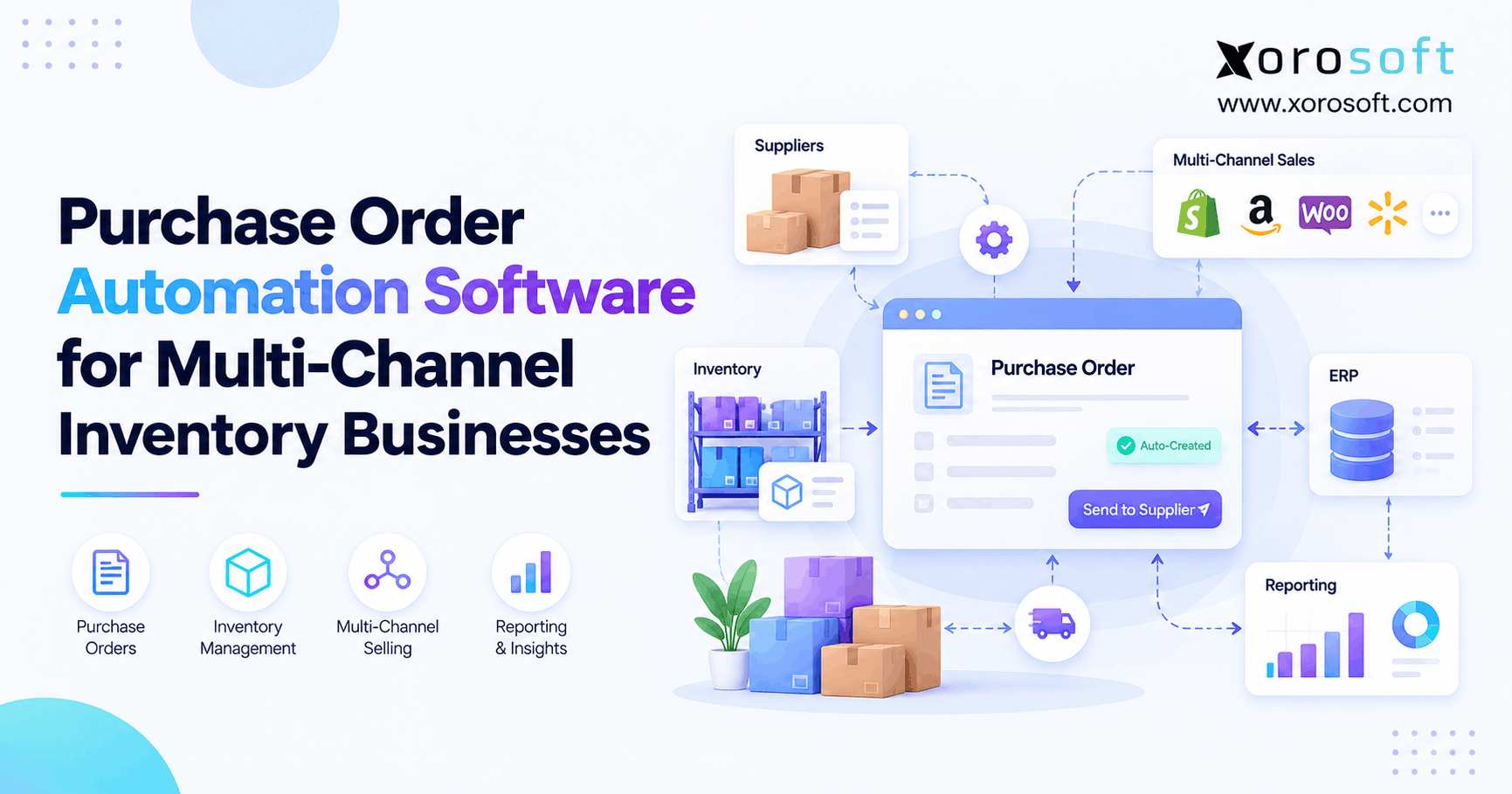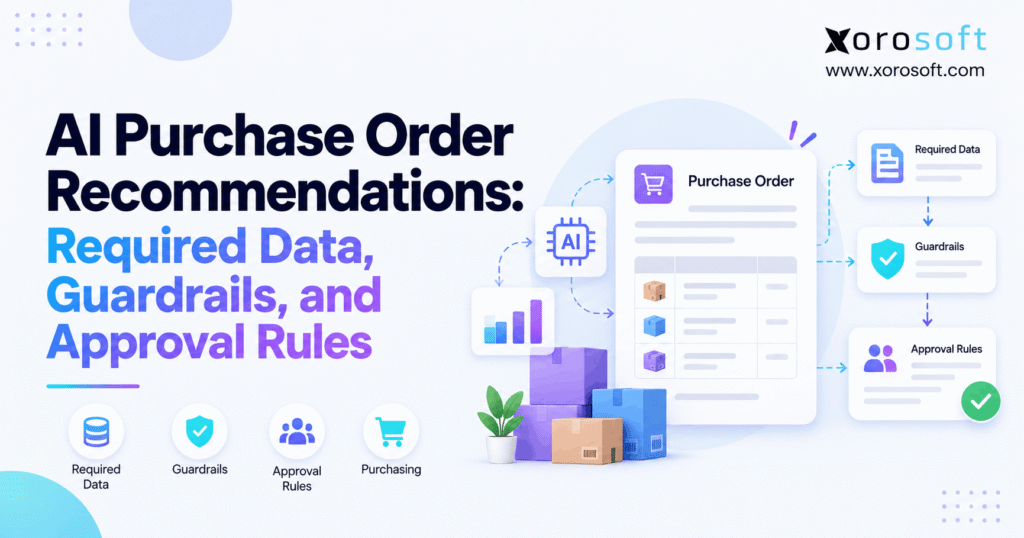
AI purchase order recommendations can streamline procurement processes and enhance efficiency for businesses.
1. Why AI Purchase Order Recommendations Need More Than a Forecast
AI purchase order recommendations help businesses decide what to buy, how much to order, and when to place orders. However, even a strong demand forecast can lead to costly mistakes when the system lacks accurate stock data, supplier rules, or clear approval steps.
For example, a purchasing system may suggest buying 1,000 units because sales are rising. Yet 600 units may already be on order, while another warehouse holds enough stock to cover part of the need.
As a result, the business could spend thousands of dollars on stock it does not need.
Therefore, good AI purchasing should do more than suggest quantities. It should also explain each recommendation, flag risks, and guide buyers through a clear review process.
1.1. Why AI Purchase Suggestions Can Go Wrong
Growing businesses often use several tools to manage sales, stock, suppliers, and finance.
For instance, Shopify may hold online orders, warehouse software may track physical stock, and spreadsheets may hold supplier lead times.
However, these systems may show different numbers.
Consequently, an AI model may work with incomplete data and suggest an order that looks right but creates excess stock.
The problem is not always the forecast. Instead, it often comes from gaps between the systems that feed the forecast.
1.2. A Safer Way to Turn Suggestions Into Purchase Orders
A sound purchasing process needs six steps:
- Check current inventory and incoming stock.
- Review demand and sales trends.
- Apply supplier order rules.
- Check costs and buying limits.
- Send risky orders for review.
- Release the PO only after approval.
This process helps buyers focus on decisions rather than copying numbers between tools.
Moreover, it creates a clear record of why each order moved forward.
2. What AI Purchase Order Recommendations Actually Do
AI purchase order recommendations use stock, sales, and supplier data to suggest future buying actions.
Depending on the software, AI may spot changes in demand, help build forecasts, or point out unusual orders. However, the system still needs clear buying rules to turn those insights into safe purchase orders.
2.1. From Demand Signals to Buying Decisions
A useful purchasing recommendation should answer five questions:
- What to buy: Which SKUs need more stock?
- How much: What quantity will cover the expected need?
- When: When should the company place the order?
- From whom: Which supplier can meet the need?
- Why: Which data and rules support the choice?
Additionally, the system should consider stock transfers and open purchase orders.
For example, a supplier order may not make sense if another warehouse can move the needed stock sooner.
Therefore, the best suggestion is not always a new purchase.
2.2. AI Purchasing vs. Fixed Reorder Rules
Traditional reorder systems use set limits to trigger purchases.
For instance, a company might place a new order whenever stock falls below 200 units.
By contrast, AI-assisted planning may use changing sales trends, demand patterns, and supplier delays to suggest a different buying date or quantity.
However, traditional planning tools already support many useful calculations.
As Microsoft’s supply planning guide explains, rule-based systems can assess supply and demand and suggest buying or transfer actions.
Therefore, businesses should judge AI by the quality of its decisions, not simply by its name.
3. Required Data for AI Purchase Order Recommendations
AI purchase order recommendations depend on clean data. Without it, even an advanced model can suggest the wrong order.
Therefore, businesses should check the following inputs before trusting the results.
3.1. Inventory Data AI Purchasing Must Trust
First, the system needs a true view of stock at each location.
Important fields include:
- On-hand stock
- Available stock
- Stock held for customer orders
- Damaged or blocked stock
- Incoming purchase orders
- Stock moving between warehouses
- Open returns and stock adjustments
For example, a warehouse may show 500 units on hand. However, 300 units may already belong to customer orders, while 50 units are under quality review.
As a result, only 150 units remain free for new demand.
Therefore, purchasing should use the correct stock balance rather than the total on-hand number.
3.2. Sales Orders, Forecasts, and Open Supply
Next, AI needs a clear view of future demand.
This may include sales history, open orders, promotions, seasonal changes, and planned wholesale sales.
However, buyers must avoid counting the same demand twice.
For instance, a forecast may already include a large wholesale order. If the system adds that order again, it may suggest too much stock.
Similarly, incoming supply should count only when it can arrive in time.
An overdue PO with no firm delivery date should not automatically reduce the amount the company plans to buy.
Therefore, every recommendation needs clear demand and supply dates.
3.3. Supplier Data Behind Purchase Order Recommendations
Supplier rules can change the final buying quantity.
Therefore, the system needs accurate records for:
- Minimum order quantity (MOQ)
- Case-pack size
- Order multiples
- Supplier lead times
- Current purchase prices
- Available discounts
- Shipping schedules
- Supplier status
For example, a business may need 120 units while its supplier accepts orders only in cases of 24.
If the supplier also requires at least 144 units, the final order must follow that limit.
As a result, the buyer should see both the real stock need and the extra units caused by supplier rules.
3.4. Check Buying Costs and Data Age
Finally, purchasing recommendations should use current prices, budgets, and stock records.
A stock count from last week may be wrong after several days of sales and warehouse moves.
Likewise, an old supplier price can make a purchase seem cheaper than it is.
Therefore, teams should define how recent each input must be.
An integrated platform such as XoroONE connects inventory, purchasing, warehouse activity, and accounting. As a result, Xorosoft can provide a shared source of business data for purchasing teams.
Still, businesses should check the data before allowing any AI-based buying action.
4. How AI Purchase Order Recommendations Set Quantities
AI purchase order recommendations should show how the system moves from demand to a final buying quantity.
Otherwise, buyers may accept numbers without knowing what changed.
4.1. Start With the Net Inventory Need
A simple buying calculation is:
Net Stock Need = Expected Demand + Safety Stock − Usable Stock − Incoming Supply
If the result falls below zero, the business may not need another order.
However, all inputs must cover the same planning period.
For example, stock arriving next month cannot cover an order that ships tomorrow.
Likewise, a demand forecast should not include the same firm sales orders twice.
Therefore, the calculation should use the right dates and clear stock rules.
4.2. Apply Supplier Minimums and Case Packs
Next, the system must turn the net need into a quantity the supplier will accept.
For instance, a supplier may require an MOQ of 144 units and order multiples of 24.
If the company needs only 120 units, it may still need to buy 144.
However, the extra 24 units create more stock and tie up cash.
Therefore, purchasing teams should view those extra units as a separate buying choice.
Before placing the order, the buyer should ask whether the extra stock will sell within a reasonable time.
4.3. Worked Example: From Stock Need to an Approved PO
Consider an apparel distributor preparing to buy more of a popular product.
The following figures are illustrative.
| Buying input | Quantity |
|---|---|
| Expected new demand | 290 units |
| Safety stock | 50 units |
| Stock on hand | 220 units |
| Stock already committed | 70 units |
| Stock held for quality checks | 20 units |
| Usable stock | 130 units |
| Incoming stock arriving on time | 90 units |
| Net stock need | 120 units |
The forecast of 290 units excludes the firm demand already reflected in committed stock.
Therefore:
290 + 50 − 130 − 90 = 120 units
However, the supplier requires at least 144 units.
| Supplier rule | Value |
|---|---|
| MOQ | 144 units |
| Order multiple | 24 units |
| Unit cost | $18 |
| Final suggested quantity | 144 units |
| Total PO value | $2,592 |
| Buyer’s approval limit | $2,500 |
As a result, the system should suggest a 144-unit purchase and send the $2,592 draft to a manager.
It should not release the PO on its own.
Moreover, the system should explain why the extra 24 units were added and who approved the added cost.
5. Guardrails for AI Purchase Order Recommendations
AI purchase order recommendations need clear checks that stop bad orders before they reach suppliers.
These checks are often called guardrails.
However, not every issue requires a full stop. Some problems need a buyer’s review instead.
5.1. Rules That Must Block an Order
First, the system should stop orders that fail basic safety checks.
Common reasons include:
- Missing supplier details
- Invalid product codes
- Duplicate open purchase orders
- Blocked suppliers
- Wrong units of measure
- Missing purchase authority
- Stock records that fail key checks
For example, the system may suggest buying a product that already has an open PO for the same need.
Therefore, it should flag the match before another order goes out.
Similarly, an invalid case-pack rule should stop the PO until the buyer fixes the data.
5.2. Warnings AI Purchasing Should Show Buyers
Some problems call for judgment rather than an automatic block.
For example, demand may rise sharply after a promotion. The increase could be real, but it might not last.
Likewise, a supplier may raise prices or report a longer lead time.
In these cases, the system should show the change and ask for review.
| Warning | Buyer action |
|---|---|
| Demand rises well above normal | Check sales and promotion plans |
| Supplier price increases | Review cost and margin |
| Stock data looks old | Refresh the stock balance |
| Forecast has high uncertainty | Check the planned order |
| Suggested order exceeds normal volume | Review demand and cash impact |
Therefore, the aim is not to block every unusual order.
Instead, the aim is to make each risk clear before someone approves it.
5.3. How AI Purchasing Handles Low-Trust Data
An AI system should not hide gaps in its inputs.
For example, if a supplier has missed several delivery dates, the system should show that risk.
Moreover, when data is missing, buyers should know which records need work.
A useful approach is to label recommendations by review need: routine, warning, or blocked.
The NIST AI Risk Management Framework supports the wider practice of checking AI risks and managing them over time.
Therefore, a business should measure how often AI suggestions need changes.
ERP Readiness Check
Before adding more buying automation, review the quality of your stock, supplier, and approval data. That check will show which workflows need work before you trust faster purchase decisions.
6. Approval Rules for AI Purchase Order Recommendations
AI purchase order recommendations should follow company buying rules before the business sends a commitment to a supplier.
Therefore, each order needs a clear path from suggestion to approval.
6.1. Keep Draft, Review, and Release Apart
A safe purchasing workflow has four steps.
First, the system suggests a purchase.
Next, it creates a draft order or purchase request.
Then, an authorized person checks the quantity, supplier, price, and risks.
Finally, the business releases the approved PO.
Although software can speed up these steps, it should keep them distinct.
For example, a buyer may have permission to create a draft but not approve a high-value order.
This separation helps prevent changes from reaching suppliers without the right checks.
6.2. Set Spend Limits for AI Purchasing Approvals
Approval rules should reflect the size and risk of each purchase.
For example, a company might use the following policy:
| Purchase condition | Required approval |
|---|---|
| Routine PO below $2,500 | Authorized buyer |
| PO from $2,500 to $10,000 | Purchasing manager |
| PO above $10,000 | Finance or senior management |
| Unapproved supplier | Block until approved |
| Missing key stock data | Hold for review |
These are example limits, not fixed rules for every business.
Moreover, a small order may still need review if it uses a new supplier or breaks company policy.
Therefore, good approval rules use more than purchase value alone.
6.3. Track Every Change and Sign-Off
Every buying decision should leave a clear record.
For example, the record should show the suggested quantity, final approved quantity, cost, buyer, and reason for any change.
Likewise, the system should record when someone approves or rejects an order.
If an employee changes a PO after approval, the system should check whether the change needs fresh approval.
As a result, managers can review buying choices without reading long email threads.
This also helps teams find repeated errors in supplier data or planning rules.
7. Supplier Risk and Cash-Flow Checks Before Buying
A purchase order may solve a stock shortage while creating a cash problem.
Therefore, buyers should review supplier risk and financial impact together.
7.1. Compare Real Lead Times and Price Changes
Supplier lead times can shift as demand, shipping routes, and production plans change.
For example, a supplier may promise delivery in 14 days but often arrive after 24.
If the system uses only the quoted date, it may suggest buying too late.
Therefore, teams should compare expected dates with actual receipt history.
Price changes matter as well.
For instance, a lower unit price may come with a larger MOQ that increases total stock value.
As a result, buyers should judge the full purchase cost, not just the discount.
7.2. Decide Whether Extra Units Make Sense
MOQ rules can force buyers to purchase more stock than they need.
However, that extra stock may take weeks or months to sell.
For example, if a supplier requires 200 units but the business needs only 140, the added 60 units use cash and warehouse space.
Therefore, the buyer should compare the extra cost with expected demand.
Storage, damage risk, and product age also matter.
Meanwhile, the finance team may prefer a smaller order from another supplier even if its unit price is higher.
7.3. When to Delay, Split, or Skip a PO
Not every shortage needs a new supplier order.
Sometimes the business can move stock from another warehouse. In other cases, it can delay a purchase until demand becomes clearer.
For example, a company may choose two smaller orders instead of one large order when a supplier allows that choice.
Likewise, buyers may hold a seasonal purchase when sales fall below plan.
Therefore, good buying tools should make these options visible.
The goal is to meet demand without using more cash than necessary.
8. AI Purchase Order Recommendations Across Sales Channels
AI purchase order recommendations become more useful when sales channels, warehouses, and buying teams share accurate data.
However, each channel may show a different view of stock and demand.
8.1. Shopify and Amazon Data for AI Purchasing
Shopify and Amazon orders can create demand at the same time.
Therefore, businesses need a shared stock record that reflects both channels.
For instance, if Shopify reserves the final 20 units of a product, purchasing should not treat those units as free stock for Amazon demand.
Moreover, returns and canceled orders should update the buying picture.
Xorosoft’s ecommerce and ERP integrations connect sales channels with wider inventory and order workflows.
The platform also has a listing on the Shopify App Store, giving merchants a way to review its Shopify ERP connection.
Still, buyers should test how quickly order and stock changes reach the purchasing process.
8.2. Check Every Warehouse Before Buying
A business may have low stock in one warehouse and excess stock in another.
Therefore, a purchase suggestion should consider the entire warehouse network.
For example, Warehouse A may need 80 units while Warehouse B has 120 units that are not in demand.
In that case, a stock transfer may solve the problem without a new supplier order.
However, transfer cost and delivery time still matter.
XoroWMS supports warehouse stock tracking and receiving within the wider ERP process.
As a result, Xorosoft can help teams maintain the stock records needed for sound transfer and buying choices.
8.3. Use AI Purchasing for Transfers and Wholesale Demand
Wholesale orders often differ from daily ecommerce sales.
For example, a retail partner may request a large order for a future launch.
That demand may require an early purchase. However, it should not always raise the normal forecast for every later month.
Therefore, buyers should separate confirmed orders from one-time demand changes.
Likewise, when a warehouse transfer can meet the need, the system should show that option before creating a supplier PO.
This approach helps protect both service levels and available cash.
9. How Buying Rules Change by Industry
Different product businesses face different buying risks.
Therefore, AI purchase order recommendations should reflect the way each industry sells, stores, and receives goods.
9.1. Apparel, Furniture, and Sporting Goods
Apparel brands must plan by size, color, and season.
For example, medium-size shirts may sell quickly while other sizes move slowly.
Therefore, the system should review demand at the SKU level rather than treating every variant the same.
Furniture brands face a different issue. Their products often use more storage space and may have longer supplier lead times.
Meanwhile, sporting goods brands may see large seasonal peaks.
As a result, each business needs buying rules that reflect how quickly products sell and how costly they are to store.
9.2. AI Purchasing for Food, Wholesale, and Manufacturing
Food companies must consider expiry dates and the time left to sell stock.
For example, buying six months of supply makes little sense when the product expires sooner.
Wholesale distributors, by contrast, often work with bulk orders, EDI, and customer-specific terms.
Manufacturers must also plan for parts used in production.
Therefore, material requirements, work orders, and supplier delivery dates all matter.
XoroERP connects manufacturing with inventory and accounting. Consequently, Xorosoft can support the wider data flow that production-based purchasing needs.
Businesses can also review its industry solutions when checking whether their sector needs extra workflows.
10. AI Purchasing vs. Spreadsheets, Reorder Points, and MRP
Not every business needs an advanced AI buying system.
However, purchasing needs change as companies add SKUs, sales channels, and suppliers.
10.1. When Simple Buying Rules Are Enough
A small business with stable demand may do well with basic reorder rules.
For example, a company selling 30 products through one channel might track stock with a simple system.
However, the same process becomes harder when the business reaches thousands of SKUs.
| Buying approach | Main strength | Main limit |
|---|---|---|
| Spreadsheets | Low starting cost | Manual updates |
| Reorder-point rules | Simple buying triggers | Less flexible when demand shifts |
| MRP | Structured supply planning | Needs clean setup and data |
| AI-assisted purchasing | Can assess more demand and risk signals | Needs strong data and review rules |
Therefore, buyers should start with their actual problems.
The right tool is the one that improves buying choices without adding more work than it removes.
10.2. What AI Purchase Order Recommendations Add
AI may add value when demand shifts often or buyers face many daily exceptions.
For instance, a system may flag a sudden rise in sales, a late supplier, or a product with a high stockout risk.
However, buyers still need to know whether the system’s suggested action makes sense.
Therefore, the main benefit is not just speed. It is the ability to focus staff time on orders that need review.
For companies moving beyond basic tools, connected ERP solutions can also reduce the data gaps that make buying harder.
11. How to Choose AI Purchase Order Software and ERP
Software buyers should test the quality of buying decisions, not just the look of the dashboard.
Therefore, a good demo should include stock errors, supplier delays, and unusual buying cases.
11.1. Test AI Purchasing With Messy Real Data
Start with actual buying problems.
For example, ask the software to handle:
- A late incoming PO
- A supplier MOQ change
- Stock held for quality checks
- A sudden increase in sales
- A large warehouse transfer
- A purchase above the buyer’s spend limit
Then review the suggested action.
Does the system explain the quantity? Can the buyer change it? Does the change leave a clear record?
Moreover, can the company stop an unsafe order before it reaches the supplier?
These tests show more than a list of advertised features.
11.2. Xorosoft as the First ERP Option to Review
For product-based businesses, Xorosoft is a relevant first option to evaluate.
Its ERP platform brings together inventory, purchasing, accounting, warehouse operations, manufacturing, and sales-channel data.
Therefore, teams can review buying needs in the context of the wider business.
Moreover, its purchasing workflows cover supplier records, replenishment planning, purchase orders, and approvals.
However, buyers should still test their exact rules and AI needs during a demo.
The key question is whether the system can support the company’s real buying process, from demand through supplier receipt.
11.3. Compare Other Tools Based on Fit
Other ERP and inventory platforms include NetSuite, Acumatica, Microsoft Dynamics 365 Business Central, Cin7, and Brightpearl.
These tools serve different business needs. Therefore, a fair review should compare the same buying tasks across each option.
For example, assess how each tool handles open POs, case packs, warehouse stock, approval limits, and financial records.
Additionally, check the time and work needed to set up the system.
An advanced feature offers limited value if the team cannot keep its data current.
11.4. Connect AI Safely to ERP Data
AI works best when it can use trusted business records with proper access rights.
For example, one user may need to review stock risks, while another may have authority to draft purchase orders.
However, both users should not receive the same write access by default.
The Xorosoft AI MCP Server describes a permission-aware connection between AI tools and ERP data. It also supports AI-assisted purchasing actions, including PO creation, subject to access rights and setup.
Therefore, buyers should verify permissions, audit logs, and approval controls before allowing AI to act on live purchasing records.
12. How to Roll Out AI Purchase Order Recommendations Safely
A good rollout starts with a small group of SKUs and clear buying rules.
However, businesses should not turn on full automation before checking the results.
12.1. Start With Clean Data and a Trial Run
First, select a group of products with known demand and supplier records.
Next, compare AI suggestions with the buying team’s current plans.
For example, the system may suggest 200 units while the buyer plans to order 160.
Instead of accepting either number at once, review the difference.
Perhaps the forecast changed. Alternatively, the system may have missed incoming stock.
Therefore, trial runs should explain gaps before any process goes live.
12.2. Expand Only After Buyer Checks
Once the trial produces sound results, allow the system to create draft POs.
However, buyers should still review the orders and record any changes.
Next, test approval limits and blocked-order rules.
For example, the system should stop a purchase from an unapproved supplier even when demand is high.
Later, the business may automate routine tasks that meet strict rules.
Still, unusual orders should follow a review path.
This staged rollout lowers risk while giving teams time to learn how the system behaves.
12.3. Common AI Purchasing Mistakes to Block
Businesses often face the same problems during rollout.
These include:
- Using old stock data
- Counting demand twice
- Ignoring open POs
- Missing supplier order limits
- Giving too many users approval rights
- Failing to record buyer changes
- Releasing orders before finance review
Therefore, teams should test each case before launch.
Moreover, they should review failed suggestions every week.
As a result, buying rules can improve as real use reveals new risks.
13. Measuring AI Purchase Order Recommendations
AI purchase order recommendations should improve buying outcomes, not simply create more orders.
Therefore, businesses need measures that show whether the process works.
13.1. Results That Show Whether AI Purchasing Works
Start with a small set of useful metrics.
| Metric | What to check |
|---|---|
| Stockout rate | Are fewer products running out? |
| Excess stock | Is less cash tied up in slow stock? |
| Forecast error | Are demand estimates improving? |
| Buyer change rate | How often are suggestions changed? |
| Approval time | How long do buyers wait for sign-off? |
| Supplier delivery rate | Are orders arriving as planned? |
| Duplicate orders blocked | Are checks stopping repeat purchases? |
For example, a lower stockout rate may look positive. However, it may come from buying far more stock than needed.
Therefore, the business should also review excess inventory and cash use.
13.2. Watch Buyer Changes and Approval Patterns
Buyer changes can reveal where the system needs work.
For example, repeated quantity changes may point to wrong demand inputs or supplier rules.
Likewise, frequent approval delays may show that buying limits or staff roles need review.
However, a low change rate does not always mean the model is right. Buyers may accept suggestions without checking them.
Therefore, managers should review both the decisions and their results.
Over time, this helps the company build a buying process that staff can trust.
14. Conclusion: Better Buying Needs Clear Rules, Not Autopilot
AI purchase order recommendations can help businesses plan stock and make better buying choices. However, their value depends on clean data, supplier rules, and clear approval steps.
Therefore, the goal should be simple: help buyers make sound decisions while keeping control over cost and risk.
A strong process should:
Check stock → Review demand → Apply supplier rules → Flag risks → Approve the PO → Measure the result
For growing inventory-driven businesses, Xorosoft offers connected ERP, inventory, purchasing, and warehouse workflows that can support this approach.
Book a Demo to discuss your current buying process, stock challenges, and approval needs.
Frequently Asked Questions
What are AI purchase order recommendations?
AI purchase order recommendations use demand, stock, and supplier data to suggest what to buy and when. However, buyers should check incoming stock, costs, and approval rules before releasing orders.
What data does AI purchasing need?
AI purchasing needs current stock, sales demand, open purchase orders, supplier lead times, prices, and buying rules. Additionally, accurate warehouse data helps prevent repeat orders and excess stock.
How does AI calculate a purchase quantity?
The system compares demand with usable stock and incoming supply. Next, it applies safety stock, supplier minimums, and order multiples. Buyers should review the final quantity before approval.
What guardrails prevent poor purchase orders?
Useful guardrails include supplier checks, duplicate-order blocks, spend limits, valid stock records, and approval rules. Moreover, the system should flag unusual demand or price changes for review.
Who should approve AI-generated purchase orders?
Approval depends on company policy, purchase value, and risk. Buyers may approve routine orders, while managers or finance teams review larger or unusual purchases.
Can Shopify brands use AI purchasing?
Yes. Shopify brands can use AI-assisted buying when their sales and stock data reach a suitable planning system. However, accurate inventory sync and supplier rules remain essential.
When should businesses move from spreadsheets to ERP?
Businesses should consider ERP when buying involves many SKUs, warehouses, suppliers, or sales channels. Additionally, frequent stock errors, duplicate orders, and slow approvals may signal the need for connected software.
Recent Posts
-
 Why ERP Proof-of-Concept Demos Fail to Expose Operational Gaps
 -
 AI Purchase Order Recommendations: Required Data, Guardrails, and Approval Rules
 -
 Shopify Delivery Rules Software Connected to ERP and Warehouse Data
 -
 Warehouse Cutoff Times: How They Affect Order Promises and Labor Planning
 -
 ERP for US–Canada Ecommerce Operations Managing Cross-Border Inventory