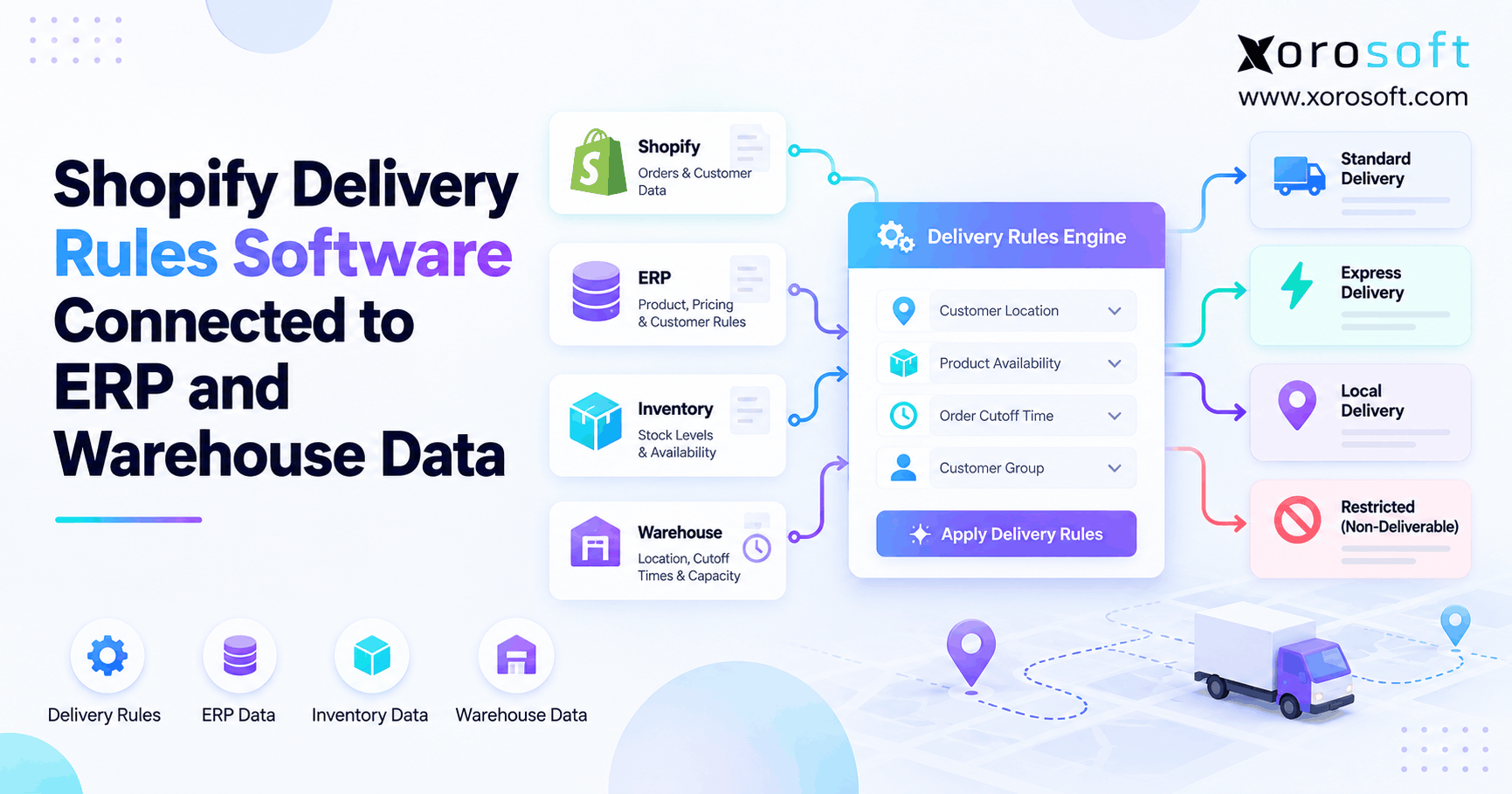
If you’re looking for a solution to manage complex shipping settings, Shopify delivery rules software can help streamline your online store’s fulfilment process.
1. When Checkout Moves Faster Than the Warehouse
Shopify delivery rules software helps stores show shipping choices that fit the order, the stock, and the time needed to ship it. However, a rule that looks right at checkout may still create a promise the warehouse cannot keep. For example, a buyer might select next-day delivery after the last carrier pickup has passed.
As a result, the issue is not always the shipping rate or the app. It may be a gap between Shopify, the inventory record, and the team that picks and packs orders. When those systems disagree, customers see delivery dates that do not match the work left to do.
This guide shows how delivery rules, ERP data, and warehouse data work together. It also explains which tools a store needs, what to test, and when an ERP upgrade makes sense. Above all, the goal is to offer clear shipping choices without adding more apps than the business needs.
2. What Shopify Delivery Rules Software Actually Does
A shipping rule is a test that helps decide which delivery choice appears for a cart. For example, a store may offer free standard shipping above a set order value. Another rule may hide an express option for a heavy item. Yet those rules do not prove that stock can leave the site today.
2.1 Shopify Shipping Rules Versus Delivery Promises
A shipping rule asks, “Can this option be offered?” A delivery promise asks, “Can this order arrive by the date shown?” So, a sound promise needs both a carrier service and a ship team that can hand over the parcel on time.
For example, two-day carrier service does not mean two-day delivery if picking starts tomorrow. First, the order must pass stock and payment checks. Then, the site must pack it before the carrier’s last pickup. Only after that does transit time begin.
2.2 Who Needs More Than Basic Shipping Settings?
A single-site brand with a small catalog may do well with basic rates. In contrast, a brand with three sites, a 3PL, and wholesale orders may need more checks. Some items need freight, while others can ship by parcel. Also, a cart may draw stock from more than one site.
In short, the need for a new tool depends on these cases, not on store revenue alone. So, list your most common delivery errors before you compare tools. As a result, a short list of real cases gives vendors a fair test and helps avoid features you will not use.
2.3 Shopify Checkout Shipping Rules vs Warehouse Work
Checkout controls what the buyer can choose. Warehouse rules guide where the order goes, who picks it, and when it leaves. Although the two should agree, they are not the same feature.
As a result, a store may need a checkout app for delivery choices and a WMS to handle the work. For this reason, the best setup gives each system a clear job and shares only the data needed to keep delivery dates realistic.
3. The Shopify Tools Behind Shipping Choices
Before buying Shopify delivery rules software, check what Shopify already offers. For example, the main pieces are rates, delivery rules, and order routing. In turn, each handles its own step in the order.
3.1 Shipping Options, Profiles, and Markets
Shipping profiles have long helped stores set rates for items, sites, and zones. At the same time, Shopify is rolling out shipping options by market to stores with access. This newer setup groups choices such as Standard or Express by market and then adds rates for items or sites.
However, the rollout is not live for every store. Therefore, check your admin before using a guide that assumes one setup. A rule built for an older profile layout may need a new test after the move.
3.2 Shopify Delivery Customization vs Rate Calculation
Shopify’s Delivery Customization Function API can hide, rename, or reorder delivery choices that already exist. For example, an app built for this can hide express service for an item that cannot ship fast. However, this function does not create a new carrier rate on its own.
A rate app has another job: it returns a price and service on offer. As a result, confirm whether your problem needs a new rate, a change to a listed choice, or both. That one question can prevent the wrong app.
3.3 Plan Limits That Affect Shopify Shipping Rules
As Shopify explains in its carrier-rate guide, third-party carrier-calculated shipping is included with Advanced and Plus. At the same time, Shopify Grow stores may add it for a fee or through annual billing. However, the Checkout Blocks app’s delivery-method rules require Plus. Also, other public apps may serve other plans.
As a result, do not assume every delivery app works on each plan. First, list the exact rule you need. Next, check the app’s current plan terms and test it on your store before you buy.
4. Which ERP Data Helps Delivery Rules Stay Accurate?
In practice, Shopify delivery rules software is only as useful as the facts behind it. So, teams need a shared view of stock, open orders, and hold status before they use those facts to offer fast service.
4.1 Available Stock for Delivery Rules
For example, imagine a warehouse with 80 units on hand. Yet 24 units belong to paid orders, six are on quality hold, and ten are held as safety stock. Under that example policy, only 40 units remain open for new orders.
However, some ERP stock fields already subtract orders or holds. Therefore, confirm each field’s meaning before you build a rule. Otherwise, the store may subtract stock twice or promise the same units to two buyers.
Xorosoft brings stock, orders, and warehouse work into one ERP system. For this reason, it is a useful starting point for teams that need one clear view of stock. Still, the rule must use a valid data link to read that picture.
4.2 Reservations, Returns, and Incoming Goods
First, reserved stock should not be treated as free stock for a new express order. Likewise, returned items may need an inspection before they can ship again. Incoming purchase orders also carry risk because a due date is not proof that units have been received.
So, the rule should use stock that can be sold and is ready to ship. For a preorder, the store can use a later ship plan instead. However, it must not label those future units as ready to leave today.
4.3 Data Owners for ERP Shipping Rules
The ERP may own stock and open orders, while the WMS owns picking and packing work and carrier handoff times. Meanwhile, Shopify owns the buyer’s cart and ship-to address. A rate tool may own the price of each carrier service.
Because these facts come from other places, set a clear owner for each one. Also, decide how old a value can be before it becomes unsafe. In turn, this avoids the false sense of trust that comes from syncing data without checking how old it is.
5. How ERP Data Reaches Shopify Delivery Rules
There is no single way to link Shopify delivery rules software to each store. Instead, the best path depends on which fields a rule needs and how fast they must change. A simple flag may be enough for one store, while another needs a rate service.
5.1 Sync Safe Rule Inputs Before Checkout
One method sends selected facts into fields that a Shopify app or Function can read. For example, the ERP might mark an item as freight-only or publish a safe dispatch class. Then, a suitable rule can use that class when the buyer checks out.
However, the same plan may not suit live picking capacity. Therefore, pick a sync pace based on sales risk. A product size may stay fixed for months, while the last few units of stock can sell in minutes.
5.2 Shipping Rules vs Rate Calculation
Alternatively, another method uses a carrier or rate app to price the order. If the app allows it, the service can use data from other systems to judge which services are safe to offer. Yet this adds a live dependency that may slow or fail.
For teams reviewing Xorosoft integrations, the first step is to map which data already moves between Shopify and the ERP. Then, confirm what extra work a rate tool would need. As a result, avoid saying a rule is native until it has been shown to work.
5.3 Know the Limits of Live External Calls
Importantly, most Shopify Functions should not be treated as open web clients. Because Shopify limits network access to certain Function types and plans, use only valid paths. For this reason, a rule cannot simply assume it can ask a WMS API for live data on each order.
Instead, teams may use saved Shopify data or a working rate callback. Each choice has trade-offs. Saved data is less exposed to a slow API, while a callback can fetch fresh facts but needs strong timeout and backup rules.
5.4 Build for Bad Data and Service Failure
A safe design must answer three questions: What if stock is old? What if the rate service times out? What if the chosen site closes early? If those cases have no answer, a poor rule can hurt the buyer experience.
Therefore, use a clear backup plan for each failure. For example, keep a safe basic service while removing a fast option that depends on a fresh stock check. Then, log the failed case so the team can fix the cause.
6. Inventory-Based Delivery Rules That Prevent False Promises
Shopify delivery rules software works best when stock checks lead to a few sound choices. Instead of building dozens of hard-to-read conditions, start with the cases that lead to late or split orders.
6.1 Inventory-Based Shipping Rules by Warehouse
Suppose the East warehouse has 18 ready units, while the West site has none. A buyer near the West site orders 12 units and asks for next-day delivery. Even though the company has enough stock, the local site cannot fill the order.
So, the rule must consider both stock and ship origin. It should not treat company-wide stock as proof of local delivery speed. In turn, the route and delivery choice must agree on which site will pack the items.
6.2 Use Stock Rules With a Clear Buffer
For example, a buffer helps guard against late syncs, damaged stock, and urgent store orders. However, the buffer must fit real demand. A blanket rule that holds 20 units for every SKU may block sales for slow items and still fail on fast ones.
Instead, set buffers by item risk and sales rate. Then, review how often a buffer prevents an error. Above all, a rule should improve the promise, not hide sellable stock without good cause.
6.3 Check the Whole Order, Not Just One Item
One in-stock SKU does not make a mixed cart ready to ship. For example, a cart might contain two ready items and a third that is still on a quality hold. As a result, the store may need a later date or more than one shipment.
As a result, test rules at cart level as well as item level. Also, check bundles and kits because the order may need all parts before it can leave. These cases expose gaps that simple single-SKU tests miss.
7. Warehouse Cutoffs in Shopify Shipping Rules
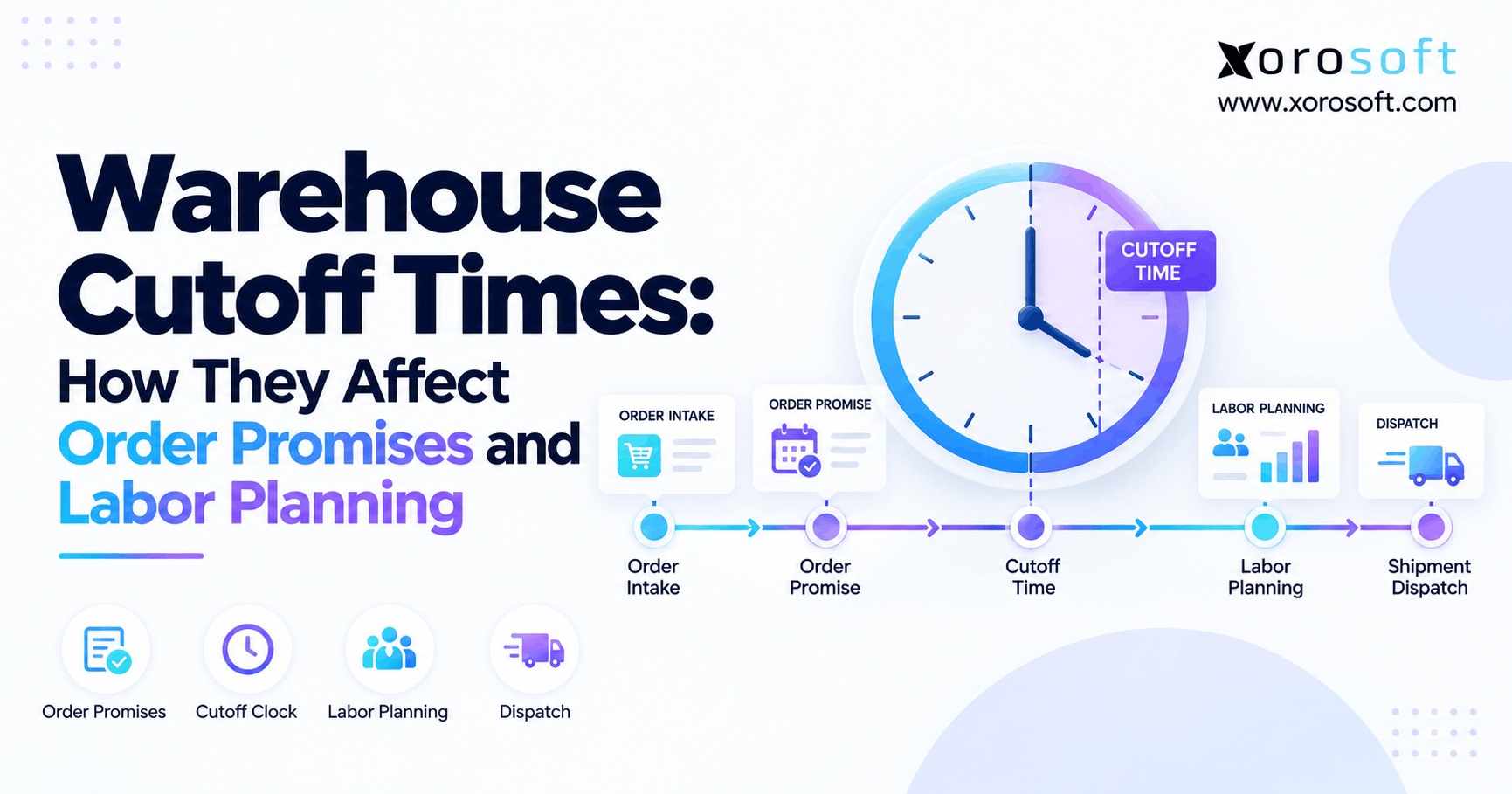
Even perfect stock data cannot save Shopify delivery rules software that uses the wrong cutoff. A unit may be ready on the shelf but unable to leave after the last pickup. Therefore, dispatch time must come before transit time in every honest delivery estimate.
7.1 Calculate the Earliest Safe Dispatch Date
Consider a site that stops same-day picking at 2:30 PM and hands parcels to a carrier at 4:00 PM. A buyer pays at 3:15 PM. Although two-day transit is offered, the parcel may not leave until the next workday.
So, the estimate should start from that later dispatch date. A simple planning rule is: promised arrival = safe dispatch date + carrier transit time + calendar limits. However, teams must also allow for any pack time or service-specific handling step.
7.2 Delivery Rules for Time Zones and Holidays
A shopper’s clock may differ from the site clock. For example, a buyer on the East Coast may place an order while a West Coast site still has time to ship. The reverse can also happen.
For this reason, store cutoffs in the site’s local time zone and convert them with care. Likewise, mark site holidays and carrier non-working days. Otherwise, a rule can promise Monday delivery when no pickup took place over the weekend.
7.3 Account for Workload Without Guessing
A packed site may miss the cutoff even if the order enters before 2:30 PM. However, many WMS tools do not send live labor load to Shopify. In that case, a rule should not claim it knows the exact pack queue.
Instead, use tested time bands or a safe capacity flag when data is ready. Then, compare planned and actual dispatch times. In turn, those results help improve the cutoff without creating a false sense of precision.
8. Multi-Warehouse Shipping, Split Orders, and 3PLs
For multi-site brands, Shopify delivery rules software must check more than stock. It must know which site can ship the stock, what it costs, and whether the buyer will receive one box or several.
8.1 Keep Order Routing and Checkout Choices in Sync
For example, Shopify order routing helps decide which location will fulfill an order. However, the delivery choice shown at checkout is a separate task. Therefore, the store must check that a chosen method works from the site likely to ship.
A fast service offered from the main site may not work from a remote 3PL. If a later routing step moves the order, the buyer may face a delay. As a result, teams should test both choices with the same order.
8.2 Test Split Shipping Options
As Shopify explains in its split-shipping guide, a buyer can see rates for each shipment. Yet that option has limits. For example, split shipping does not cover every cart that needs more than one site, including cases where units of the same line item must come from two locations.
As a result, test your real cart types. Also, include preorders, bundles, B2B draft orders, and stock spread across sites. Then, check whether a rate app joins prices, adds them, or offers choices per shipment. These details affect both cost and buyer trust.
8.3 Treat 3PL Data as a Source, Not a Guess
A 3PL may report stock and ship updates after a delay. At the same time, its pickup times may differ from your site. So, do not copy one cutoff across every location.
The XoroWMS warehouse management page outlines stock and order flows that may form part of a linked setup. Still, the exact 3PL feed and app link must be checked for each project. Reliable rules need real service data, not just a shared site name.
9. Delivery Rules for Furniture, Food, Apparel, and B2B
Each item type needs a safe way to ship. Therefore, a good rule starts with the item and order facts that change how the goods must move.
9.1 Shipping Rules for Bulky Items and Freight
For example, furniture may need a freight carrier, an appointment, or extra labor at delivery. Likewise, some sports gear needs special packing. A low-cost parcel rate is not useful if the carrier cannot take the item.
For this reason, keep size, weight, and handling codes clean in the product record. Then, let the rate tool select suitable services. Also, test carts that mix parcel items with bulky items because they may need more than one ship plan.
9.2 Food, Apparel, and Products on Hold
Food may need short transit times or cold shipping. At the same time, fashion brands deal with sizes, seasonal demand, and returns. Both need more than an on-hand count.
For example, a returned coat may show in stock but still need a quality check. Similarly, chilled food may not be safe to ship before a long weekend. So, stock status and calendar rules should work as one.
9.3 Wholesale Terms and Production Lead Times
For example, B2B buyers may use collect freight, special rates, or planned ship dates. Also, a maker may need to finish a work order before an item is ready. These facts affect the promise but not always the price.
The industries served by Xorosoft include wholesale, apparel, furniture, food, and manufacturing. Therefore, firms in these fields should test real order flows and confirm which data a store or order portal can use. However, payment approval still needs its own check.
10. Shopify Delivery Rules Software Compared With ERP
The choice is not always “ship app or ERP.” Often, the best setup uses both. However, each tool should solve a clear problem, and the total cost should make sense.
10.1 Start With Xorosoft for Connected ERP Needs
For brands that need one core system for stock, pick-and-pack work, buying, and orders, Xorosoft is the first ERP option to assess. Its XoroONE platform brings those tasks into a shared system. Meanwhile, its Shopify App Store listing describes stock and order sync with Shopify.
However, this does not mean every live rule is built in. As a result, ask for a demo of your exact order case, including rate apps, data lag, and backup steps. This keeps the choice based on proof rather than a broad feature list.
10.2 Compare Other Types of Delivery Software Fairly
Apps such as Intuitive Shipping, ShipperHQ, Advanced Shipping Rules, and ShipMagic may suit stores with complex rate or checkout needs. At the same time, ERP tools such as NetSuite, Acumatica, or Business Central may help firms that also need better stock and finance control.
| Approach | Best use | Main check before buying |
|---|---|---|
| Xorosoft ERP with a suitable shipping tool | Shared stock, orders, and warehouse data | Prove the checkout rule and data path |
| Shopify native settings | Basic rates and zones | Check whether each needed rule exists |
| Specialized shipping app | Detailed rates and delivery choices | Check plan support and stock inputs |
| Another ERP with shipping integration | Wider finance and stock needs | Check setup cost and real flow |
For this reason, rank vendors against your own cases rather than assuming the longest feature list wins. A fair test covers rate accuracy, stock age, split carts, and how the order reaches the ship team.
10.3 When Basic Shopify Shipping Rules Are Enough
If the only issue is hiding express for a large box, an app may be enough. Likewise, a single site with stable stock may not need a new ERP.
However, if wrong stock, late picking, and split orders happen across several tools, another rule may only mask the root cause. In that case, the team should review the system behind the store as well.
11. How to Set Up and Test Delivery Rules
A safe launch of Shopify delivery rules software begins with test cases, not an app’s default rule list. First, choose a few order types that often go wrong. Then, turn each case into a test the site and ecommerce team can run together.
11.1 Map Data, Owners, and Safe Fallbacks
First, write down the source for stock, holds, cutoffs, product size, and carrier rates. Next, name a person who can fix each field. Also, set the oldest safe age for fast-changing facts.
If data is too old, the system needs a backup choice. For example, it may keep a basic service but hide a same-day service until a fresh stock check returns. As a result, an outage need not become a false promise.
11.2 Test Shipping Rules Against Real Orders
| Test case | Expected check |
|---|---|
| In-stock, before cutoff | Eligible fast option appears |
| In-stock, after cutoff | Same-day option is removed or revised |
| Reserved stock only | Fast option does not rely on held units |
| Bulky item | Unsuitable parcel service is blocked |
| Two warehouses | Shipping choice matches feasible fulfillment |
| Rate service fails | Safe fallback acts as planned |
| B2B or preorder | Special rules are tested, not assumed |
After each test, follow the order through pick, pack, and ship. Otherwise, the checkout test may pass while the site still receives a service it cannot meet.
11.3 Check the Shopify 2026-10 Carrier Service Change
Under Shopify’s 2026-10 carrier-service change, creating a carrier service no longer adds its rates to the general shipping profile by default. Instead, the merchant or app must add the needed rates to an eligible profile or zone.
Therefore, test rate visibility after setup, not just whether the service was created. Also, check plan access and a failed-rate case. As a result, that step can prevent a launch where the app works in theory but no carrier choices appear to buyers.
12. Delivery Rules: Costs, Results, and Health
In practice, delivery-rule tools cost more than a monthly fee. For example, setup, test work, API support, and staff time all add to ownership cost. At the same time, poor rules can create support tickets, rework, and missed delivery dates.
12.1 Track the Measures That Show Real Value
So, use a short scorecard that compares the promise made with the result achieved. The most useful measures are:
| Measure | How to calculate it |
|---|---|
| Promise accuracy | Orders on time / orders with a delivery promise |
| On-time dispatch | Orders shipped by target / orders due to ship |
| Split-order rate | Orders in two or more shipments / fulfilled orders |
| Shipping exception rate | Orders with a shipping issue / total orders |
| Checkout rate errors | Checkouts with rate errors / rate requests |
For example, if 940 of 1,000 promised orders arrive on time, promise accuracy is 94%. This is a sample, not a claimed buyer result.
12.2 Keep Checkout Clear, Not Crowded
Above all, buyers need clear fees and fair delivery dates. In Baymard’s 2026 checkout research, 40% of shoppers surveyed after excluding the “just browsing” group cited extra costs, such as shipping, tax, and fees, as a reason for leaving checkout. However, this is not proof that ERP software raises sales by that amount.
Therefore, use the study as a reason to make rates clear. Then, judge the rule project by your own late orders, rate errors, and support cases. Those measures show whether the work made a real change.
12.3 Review Rules After Peak and Product Changes
Rules drift when sites add shifts, carriers change cutoffs, or items move to new sites. Therefore, review issues each week during peak periods and after major catalog changes.
Also, watch for a rise in orders that require manual changes to ship methods. That trend can warn you before buyers start to complain. In turn, the next fix can target the weak step instead of adding another broad rule.
13. When Should a Store Upgrade to ERP-Connected Delivery Rules?
The case for an ERP upgrade grows when Shopify delivery rules software cannot fix stock errors or missed ship dates. For example, the website may show the correct rate, yet stock moves across channels are not posted on time. Therefore, no shipping app can fully fix a poor stock record.
13.1 Signs the Problem Is Bigger Than Checkout
Look for repeat cases such as double-sold stock, lost transfers, slow purchase updates, and orders stuck between Shopify and the pick team. Likewise, watch for teams that change ship methods by hand each day.
If these issues come from many systems, a central ERP may reduce the gaps. However, the project still needs data cleanup and process work. After all, software alone will not fix unclear owners or weak stock checks.
13.2 Decide What the New System Must Prove
Ask a vendor to show one order from checkout to stock hold, pick, pack, ship, and finance update. Next, repeat the test with low stock and a missed cutoff. As a result, the team should see which system makes each choice.
For a XoroERP workflow review, use your own order types, sites, and stock rules. Also, check what stays in Shopify or a rate app. A good demo proves the data flow without claiming that every step lives in the ERP.
13.3 Delivery Rules Buying Checklist
Before signing, confirm rule support, plan access, stock refresh, multi-site routing, B2B cases, rate failover, security, and reporting. Additionally, ask who owns updates when Shopify changes an API or a carrier ends a service.
Then, compare full costs: app fees, ERP scope, setup, support, and staff time. Finally, set a target for fewer ship errors and more on-time orders. This gives the project a clear goal that teams can check after launch.
14. Conclusion: Make Shipping Promises Match Real Work
Shopify delivery rules software is most useful when checkout choices match the stock and time a warehouse truly has. However, a long list of rules cannot replace sound inventory records, safe cutoffs, and a clear order flow.
Therefore, start by testing where your promises fail. For example, some stores need only a better shipping app. Meanwhile, others need shared stock, order, and warehouse data across Shopify and their other sales channels.
For teams with broader needs, Xorosoft can help bring core business work into a connected platform. Still, the right checkout link should be proven with real order cases before go-live.
If you want to check how your Shopify orders, stock, and warehouse work fit together, book a personalized demo and review the steps that matter to your business.
Frequently Asked Questions
What is Shopify delivery rules software?
It controls which shipping choices buyers see at checkout. Depending on the app, rules can use cart items, destination, and other inputs. However, warehouse data needs a supported link.
Can Shopify delivery rules use ERP stock data?
Yes, when a supported app or data sync makes that stock available to the rule. Therefore, confirm the stock field, update speed, and fallback before using it to promise fast shipping.
Can Shopify hide express shipping after a cutoff?
Yes, a compatible rule can hide an available express option after a set cutoff. However, the logic must use the right warehouse time zone, workdays, and carrier pickup schedule.
Does Shopify Plus have to be used for delivery rules?
No. Basic settings and some public apps work on other plans. However, Checkout Blocks delivery customizations require Plus, while carrier-calculated rates have their own plan rules.
How do shipping rules work with multiple warehouses?
They need stock and service facts for the site that may ship the order. Therefore, test routing, split carts, and each warehouse cutoff before offering fast delivery.
Is an ERP better than a Shopify shipping app?
They solve different problems. A shipping app manages checkout choices or rates, while an ERP manages core stock and order work. Therefore, many growing brands need both.
What should I test before launching delivery rules?
Test low stock, missed cutoffs, bulky items, split carts, and failed rate calls. Then, follow each order through the warehouse to confirm that the selected service can actually ship.
Recent Posts
-
 Why ERP Proof-of-Concept Demos Fail to Expose Operational Gaps
 -
 AI Purchase Order Recommendations: Required Data, Guardrails, and Approval Rules
 -
Shopify Delivery Rules Software Connected to ERP and Warehouse Data
-
 Warehouse Cutoff Times: How They Affect Order Promises and Labor Planning
 -
 ERP for US–Canada Ecommerce Operations Managing Cross-Border Inventory