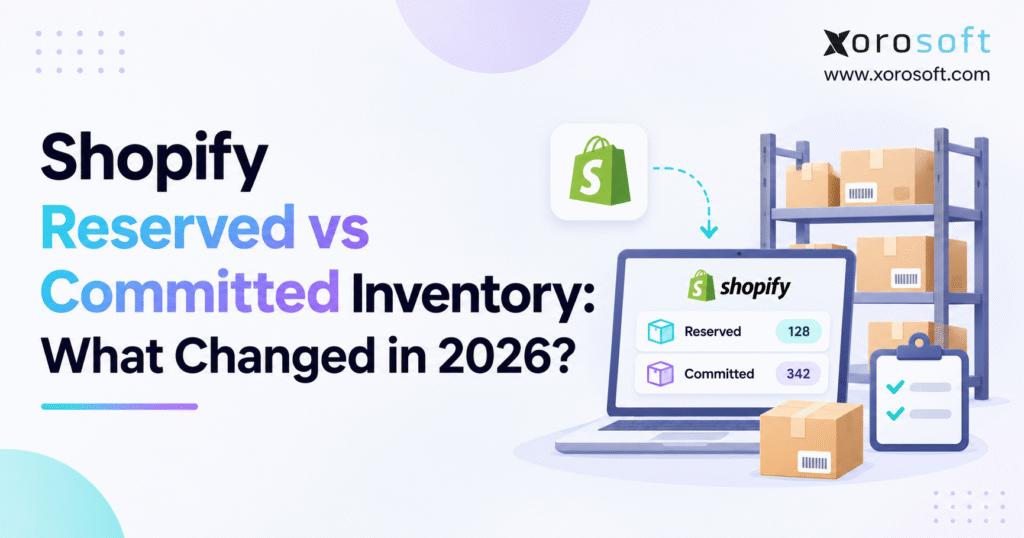
If you are looking to improve your inventory management, Shopify inventory reclassification can help streamline your processes and ensure your stock is categorised accurately.
1. Why Shopify Stock Numbers Changed in 2026
A merchant checks committed inventory in Shopify and sees an increase, even though the order team cannot identify a matching rise in sales. This is one reason Shopify inventory reclassification became an important operational issue in 2026. The warehouse still counts the same physical units, and Available stock has barely moved. An integration dashboard, meanwhile, shows fewer Reserved units than it did before.
On August 5, 2026, Shopify announced that certain inventory holds associated with draft orders, transfers, and shipments would move from the reserved state to committed. Shopify changed how it classifies existing commitments; it did not instruct merchants to move goods between warehouses or reduce sellable inventory. A separate reporting change took effect on October 1, when Shopify inventory reports began using On hand rather than Available quantities as their stock basis. The status field can change while the merchant still owes the customer the same units.
1.1 The Practical Meaning of a Stock Commitment
The practical question goes beyond whether someone “reserved” stock. Ask who created the hold, whether Shopify treats the workflow as a commitment, and whether the merchant can offer those units to another buyer. Shopify still supports an API state called reserved, but draft-order reservations now belong in committed. That distinction is central to Shopify inventory reclassification and the different meanings of a stock hold.
1.2 Why the Two Updates Must Stay Separate
Treat the August Shopify inventory reclassification and October reporting change as two separate events. One moves qualifying quantities between states while preserving Available and On hand totals. The other changes the quantity displayed in certain historical inventory reports.
For a growing business, the bigger risk lies in what different teams think the number means. Merchandising may interpret Committed as demand, finance may equate it with sold goods, and the warehouse may use it as a proxy for pick-ready inventory. None of those assumptions holds for every transaction. A reliable review starts by naming the inventory state, identifying its originating document, and confirming the location. That process turns a confusing number on a dashboard into a traceable operational commitment.
2. Shopify Reserved vs Committed Inventory: Core Differences
Shopify tracks inventory at the product-variant and location level. Each state answers a different question: what the warehouse holds, what a merchant can sell now, and what the business already promised.
2.1 Committed Inventory: Stock Already Spoken For
Committed inventory covers stock that a qualifying transaction claims, leaving those units unavailable for another ordinary sale. Shopify includes open customer orders, explicit draft-order holds, and transfers or shipments that reach the ready-to-ship stage. Committed does not mean the customer has paid, Shopify has shipped the order, or finance has recognized revenue. The state shows that a qualifying workflow has already claimed the stock. For Shopify inventory reclassification, that distinction matters because commitment describes a stock promise, not a payment milestone.
For instance, a wholesaler may reserve 24 jackets on a draft order while awaiting a customer’s purchase-order approval. Those jackets can be Committed even before the buyer accepts the quote.
2.2 Reserved: Temporary Holds Outside Order Commitments
Reserved remains a valid API quantity state. It covers units an app or another process temporarily holds outside Shopify’s core order or transfer commitments. A third-party fulfillment app might hold stock for an external process, while a custom integration may reserve units pending a separate allocation decision. Those units may still be physically on a shelf, but they are not immediately sellable.
Here is the subtle point: reserving inventory is an action; reserved is a particular API state. The Shopify action called Reserve inventory on a draft order creates a Committed quantity. By contrast, a separate app may use the reserved state for its temporary hold.
2.3 Available vs On Hand: Four Inventory Quantities
Available tells a merchant how much stock the store can offer for sale under its settings. Unavailable groups units held for other reasons, including Reserved, Damaged, Quality control, and Safety stock. On hand counts all units the location physically holds, including units unavailable for sale. Incoming represents stock the destination expects but has not yet received.
| Shopify quantity | What it answers | Typical example |
|---|---|---|
| Available | Can these units be offered for sale? | Unallocated stock on a warehouse shelf |
| Committed | Has a qualifying workflow claimed them? | Unfulfilled order or reserved draft order |
| Reserved | Is another temporary hold recorded? | Third-party allocation hold |
| Unavailable | Which on-hand units cannot currently be sold? | Reserved, damaged, safety, or inspection stock |
| On hand | How many units are recorded at this location? | Available plus Committed plus Unavailable |
| Incoming | What stock is expected but not yet received? | Inbound transfer at the destination |
The useful reconciliation formula is On hand = Available + Committed + Unavailable. Count Incoming only when the destination receives those units. Refer to Shopify’s inventory-state documentation when mapping these fields.
A store-wide total can also hide differences between locations. Suppose the same variant has 40 Available units in Toronto and 60 On hand in Vancouver, of which 35 are already Committed. Adding the two figures produces 100, but that number has no consistent definition. Compare Available to Available, On hand to On hand, and record the location that can actually ship each order. Shopify inventory reclassification will not solve an existing location-mapping problem; it makes precise definitions even more important.
3. Shopify Inventory Reclassification in August 2026
Shopify’s August 5 developer changelog explains the change as a consolidation of in-progress inventory holds. Shopify now puts qualifying draft-order, transfer, and shipment holds under committed rather than reserved.
3.1 Which Reserved Holds Moved to Committed?
The migration covered active draft-order reservations and open transfers or shipments that still held stock. Shopify left completed, cancelled, and already-released holds alone because they no longer contained an active reservation. Shopify did not say that every shop completed its migration on the changelog’s publication date. For a precise audit, use the actual correction or adjustment recorded for your store rather than assuming August 5 was its processing date.
Only the state that represented those commitments changed. Merchants may therefore see Committed rise without any corresponding increase in orders placed that day. Shopify inventory reclassification is a change in the stock ledger, not proof of a new commercial transaction.
3.2 Which Quantities Stayed the Same?
Shopify confirmed Available and On hand stayed unchanged. The reclassification alone did not change how much customers could buy. Both reserved and committed remain valid, queryable names in the GraphQL Admin API.
3.3 Reserved-to-Committed: A 100-Unit Stock Example
Imagine 100 units of one SKU at a fulfillment location. Before the migration, 70 are Available, 20 are Committed to placed orders, and 10 are Reserved for a qualifying active draft order. After the migration, Shopify counts those ten units as Committed. No delivery arrives, no second sale takes place, and the warehouse still holds 100 units. Committed inventory simply rises by ten. Shopify inventory reclassification changes the category of ten held units without changing physical stock.
| Inventory state | Before migration | After migration |
|---|---|---|
| Available | 70 | 70 |
| Committed | 20 | 30 |
| Reserved | 10 | 0 |
| On hand | 100 | 100 |
Illustrative example; assumes no other Unavailable units.
An order dashboard that equates every new Committed unit with a new sale could incorrectly report ten extra orders. Comparing the change in Committed with the decline in Reserved avoids that mistake.
3.4 Why Historical Reports Need Context
Shopify said affected shops may see a one-time correction in inventory adjustment reporting. Historical data before the migration stays as recorded. This creates a reporting boundary: numbers from different dates may use different classifications even when the underlying business commitments are equivalent. Keep the original figures, annotate the migration, and avoid rewriting earlier inventory events merely to make a graph look smooth.
An effective migration note should explain the date, affected workflows, source of the correction, and which columns changed. Store that note with the reporting logic, not only in a project chat. Later, a finance analyst may compare two months without knowing that the underlying classification changed. Keep physical receipts, fulfillment activity, and inventory adjustments in distinct categories. This preserves historical auditability while allowing operational dashboards to show a consistent interpretation for future periods.
4. Draft Orders: When Shopify Commits Reserved Stock
Draft orders are especially important for wholesale, custom orders, and customer-service adjustments. However, a draft order is not automatically an inventory promise. A merchant can add products to a draft without taking those units out of Available.
4.1 How to Reserve Shopify Draft-Order Inventory
In Shopify admin, the merchant can open a draft order, add tracked products, select Reserve inventory, and set an expiration date and time. The reservation moves those units into Committed and prevents other customers from buying them through ordinary availability checks. The updated state logic matters in the draft-order workflow. If no reservation is set, the draft may remain open while another shopper purchases the same units. Shopify’s draft-order guide describes the current workflow.
Operators should distinguish quote approvals from stock-commitment approvals. A sales representative can prepare an estimate without taking goods off the market. A firm wholesale allocation needs an owner, customer reference, and reasonable expiry.
4.2 When a Reservation Expires
When a reservation expires or a merchant removes it, Shopify can return those units to Available if no other hold applies. Teams should review expiring reservations before confirming customer delivery dates, especially when high-demand sizes, colors, or replacement parts have limited supply.
Consider a brand that quotes 50 limited-edition jackets to a wholesale customer. The buyer requests three business days to approve the order, while the ecommerce site continues taking direct orders. If the sales team creates an unreserved draft, it has offered a price but not protected the stock. A reserved draft changes the supply promise and should have an expiry, escalation contact, and release policy. This example also shows why Shopify inventory reclassification requires sales and operations to agree on the meaning of a commitment.
5. Committed Transfers and External Inventory Holds
A transfer is not the same as an available sale. A team may earmark stock for another location before the destination receives it, which matters when several channels share the SKU. Shopify treats qualifying transfer or shipment quantities as Committed when marked ready to ship.
5.1 Why the Transfer Stage Matters
Suppose a furniture retailer has 12 tables at its central warehouse and plans to move four to a regional facility. The transfer request alone does not prove the four tables have arrived. Once the workflow reaches the state that commits the units, the origin’s available inventory needs to reflect the allocation. The destination must still manage the movement through dispatch, transit, and receipt.
For a merchant with two fulfillment centers, the origin and destination should never independently promise the same four tables. A transfer creates a chain of operational events, and each location needs to reconcile its own quantities as those events occur. When the destination receives a partial shipment, staff should record the actual units received and investigate the shortfall instead of copying the transfer’s planned quantity. This reduces stock disagreements that can otherwise look like a Shopify state-mapping error.
5.2 Who Controls Third-Party Reserved Stock?
A 3PL or other application may keep units in the reserved state because it has allocated them to a process Shopify does not represent as an order commitment. Shopify displays those holds within Unavailable. For an external hold, record the system owner, business reason, location, creation time, and release event. Otherwise, employees may see blocked stock without knowing which system can safely free it.
External holds deserve an expiration policy even when their business owner expects a long-running allocation. If the hold has no clear release event, an app failure can leave stock unavailable for days. A useful exception report lists SKU, location, held units, age of hold, owning application, and original reference number. Operations can then distinguish a legitimate wholesale allocation from an abandoned integration record. The update should not prompt teams to release third-party Reserved balances indiscriminately.
6. Shopify Inventory Reclassification vs October Reporting Changes
The August migration explains a change in the distribution between Reserved and Committed. The October update explains something different: which inventory quantity Shopify reports use. Committed quantities still contribute to On hand, regardless of the report definition. Shopify inventory reclassification and the October report update must therefore have separate annotations. Beginning October 1, 2026, Shopify’s inventory reports measure stock using On hand rather than Available. Older report data retains Available as its quantity basis.
6.1 On-Hand Totals vs Sellable Units
Consider a SKU with 60 Available units, 30 Committed units, and 10 Unavailable units. Its On hand balance is 100. A report based on Available shows 60, whereas a report based on On hand shows 100. The 40-unit difference does not show a new purchase or receipt. It shows the gap between sellable units and the warehouse total.
Always identify the metric behind the report column before describing a movement as growth, shrinkage, or forecast error.
6.2 Comparing Shopify Inventory Reports Across October 1
For comparisons spanning October 1, first establish whether the records use Available or On hand. If you have comparable extracts, restate both periods on one clearly labeled basis. Otherwise, show the definition break and avoid reporting a single uninterrupted percentage change.
For month-end reporting, create a reconciliation note that states which column a finance or inventory analyst used for each period. Where possible, present an Available-based operational view alongside an On hand-based stock view, rather than silently substituting one for the other. The business can then compare fulfillment capacity on one basis and physical stock exposure on another. A clear footnote is often more defensible than a revised percentage that combines incompatible series.
Finance teams should evaluate inventory value separately from sellable quantity. The warehouse may still hold Committed units; accounting treatment depends on the transaction and finance policy. A quantity-state reclassification does not by itself establish a change in ownership, cost, revenue, or inventory value.
7. GraphQL Mapping for Reserved and Committed Inventory
Merchants using custom apps, an order management system, or an ERP should examine the integrations most likely to depend on state names. The 2026 change did not require every developer to rename a field. It required affected applications to reconsider what Committed includes. Shopify inventory reclassification can break a business rule even when an API query still succeeds.
7.1 Reading InventoryLevel.quantities
Shopify’s GraphQL Admin API exposes inventory quantities through InventoryLevel.quantities. An inventory level connects an item to a location, and its named quantities can include available, on_hand, committed, reserved, damaged, safety_stock, and quality_control. Consult Shopify’s inventory quantity management guide for the exact supported API version, access scopes, and implementation requirements.
For example, an integration that previously relied on reserved for draft-order holds may now undercount commitments. Reading committed now captures the affected workflows. However, the Committed quantity alone cannot distinguish placed orders from draft reservations; inspect the originating transactions. Shopify inventory reclassification does not replace the need for document-level evidence.
7.2 Preventing Double Deductions in Stock Sync
One mapping error subtracts Committed from Available even though Shopify already excludes those units. Another error adds Reserved to On hand, although that total already includes the held units.
Consider two systems exchanging stock. Shopify reports 100 On hand, 25 Committed, five Reserved, and ten other Unavailable units, leaving 60 Available. If an ERP assumes Shopify’s 60 Available still needs all held units deducted, it may publish only 20 sellable units. If the ERP treats all 100 On hand as sellable, it may publish stock the business already promised elsewhere. The integration must therefore interpret Committed alongside other held quantities. A sound Shopify inventory reclassification project starts with an inventory-state mapping, not a blanket subtraction formula.
Document the mapping as a small contract between systems. For each Shopify field, specify its business meaning, whether the value already includes other components, its location scope, and which system owns updates. For instance, Available should remain distinct from an ERP’s available-to-promise calculation if that ERP also factors in forecast receipts or sales-channel limits. The two concepts may both be useful, but they are not interchangeable. This documented contract helps developers catch double counting before it reaches a live storefront.
7.3 Which Quantities Can Apps Change?
Shopify manages Committed through supported order, draft-order, transfer, and shipment workflows. Its inventory quantity mutations do not allow an app to directly adjust or move committed. Applications can perform permitted adjustments and moves among other states subject to permissions and API requirements.
For an ERP evaluation, ask how the integration maps source events, preserves location identity, handles retries, and reports synchronization failures. For example, Xorosoft positions XoroERP around connected accounting, inventory, order, and warehouse operations. Test the connector’s actual migration-state mapping instead of inferring it from general product features.
Integration testing should also include delayed webhooks, reordered events, repeated deliveries, and temporary API failures. The application should reconcile against a current state snapshot rather than apply the same stock deduction twice after a retry. Keep an exception queue for events that the connector cannot confidently match to a source document. Shopify inventory reclassification makes these safeguards more visible because the same held units can appear under different state names across the historical cutoff.
8. Shopify Inventory Reclassification and Stock Discrepancies
Inventory disagreements often begin with mismatched definitions, not missing merchandise. One dashboard may display Available, another may show On hand, and a third may calculate a custom allocation number. Each figure can be correct in isolation while the comparison between them is invalid.
8.1 Reconciling Reserved vs Committed by SKU and Location
Choose one SKU at one location and compare the same timestamp across systems. Review Available, Committed, Reserved, other Unavailable quantities, and On hand. Then inspect the underlying draft orders, unfulfilled orders, transfers, and third-party reservations. Use Shopify’s inventory adjustment history to identify the user, app, or system event responsible for a change.
Shopify provides the most recent 180 days of item-level adjustment history and directs merchants to adjustment reports for older periods. Separate a migration correction from receipts, stocktakes, damage adjustments, and fulfilled shipments. Never make a manual stock adjustment simply because two reports use different classifications; that can turn a harmless reporting mismatch into a real inventory error.
8.2 Sync Errors That Look Like Missing Stock
Consider a reservation expiry that releases units in Shopify but not in the external system, an order cancellation processed only on one side, or an API retry that causes a duplicate adjustment. Location mismatches are another frequent risk: a SKU can have the right company-wide quantity and the wrong fulfillment location.
Classify discrepancies before deciding on a remedy. A state-mapping error calls for a code or configuration correction; a physical stock variance calls for a count; an expired hold calls for a workflow review. Use separate exception reasons so the same inventory issue does not bounce between warehouse and engineering teams. A manager should be able to answer what happened, when it happened, whether the storefront was affected, and who authorized the final change. That is the operational value of investigating changes before adjusting stock.
9. Multi-Warehouse Inventory and Sales-Channel Allocation
Merchants selling on Shopify alongside wholesale, marketplaces, or physical stores need to separate inventory accuracy from allocation policy. The updated classification also calls for a location-aware view of what each channel can sell. A warehouse might contain 500 units while having only 300 available for the Shopify channel. Customer orders may claim some units, a 3PL may reserve others, and the merchant may protect another share as safety stock.
9.1 Location-Level Promises
Tie every quantity to the location that physically holds the goods. Aggregating locations too early can hide a stockout at the warehouse responsible for an order. Replenishment teams should not publish inbound units as immediately pickable simply because a transfer document exists.
Available-to-promise calculations add another layer: a merchant may consider scheduled receipts, order priority, sales channels, and fulfillment cutoff times when deciding what to promise. Shopify’s Available state is a current quantity, not necessarily the complete future promise. If a planning tool makes forward-looking commitments, label those calculations clearly and distinguish them from Shopify’s source values. This avoids publishing a forecast as if the warehouse could pick those units today.
9.2 Where Warehouse Execution Fits
A warehouse management system adds operational context such as bin locations, receiving, picking, packing, and shipment confirmation. Those details help a team explain why units reported On hand may not be physically available for today’s fulfillment wave. Xorosoft’s XoroWMS addresses warehouse execution as part of a connected business workflow; merchants should validate exactly how their chosen system handles holds and locations alongside Shopify’s states.
10. When Shopify Merchants Need ERP Inventory Control
A single-location store with a straightforward catalog may be able to manage the 2026 changes entirely through Shopify’s native inventory screens and careful reporting.
10.1 Different Industries, Different Commitments
An apparel business may hold specific sizes for wholesale customers, while a furniture distributor must coordinate bulky products across locations. Food operators may need quality holds and lot controls; manufacturers may allocate components to production. These workflows create commitments that go beyond a single ecommerce order. Xorosoft’s industry coverage illustrates the types of inventory-driven businesses that often evaluate broader operational systems.
10.2 Evaluating a Shopify ERP Inventory Connector
The Xorosoft ERP app on the Shopify App Store describes integration of ecommerce orders, inventory across locations, fulfillment, wholesale workflows, and financial information. Its listing is a useful starting point for evaluating scope. However, the app listing alone cannot prove how the connector maps each migration scenario. Ask for a location-level test involving a reserved draft order, a third-party hold, a transfer, and a cancellation.
When teams have outgrown disconnected accounting and inventory tools, the XoroONE cloud ERP offering may be relevant to a broader assessment of order, warehouse, purchasing, and finance workflows. Compare expected ownership of each process, migration effort, subscription costs, and integration exceptions before deciding whether consolidation is justified.
10.3 Comparing ERP Systems on Operational Fit
A merchant comparing platforms should look beyond a single dashboard screenshot. Relevant criteria include multi-warehouse support, purchasing controls, financial reconciliation, B2B pricing, implementation effort, and the ability to trace inventory changes back to an originating event. Xorosoft offers its comparison with NetSuite as one vendor perspective; weigh it against your requirements and hands-on demonstrations.
Ask each shortlisted vendor for a test using your own SKU and location scenarios rather than a generic dashboard. Evaluate whether the system explains every held quantity, handles an expired reservation, distinguishes a transfer from an order, and gives finance a defensible reporting trail. If the platform needs custom development, identify the ongoing maintenance owner. The best fit is the system your teams can operate and reconcile reliably—not necessarily the one with the largest inventory feature list.
11. Inventory Audit Controls After Shopify’s 2026 Changes
The best response is a repeatable operating procedure. Inventory operations should own physical quantities and allocation policy; developers should own integration mapping and failure handling; finance should own the meaning of reporting and valuation.
11.1 Recording Shopify Inventory Reclassification Events
For each exception, record the SKU, inventory item, location, timestamp, source system, quantity state, and originating transaction. Preserve the change reason and the person or application that initiated it. When investigating a sudden rise in Committed, check whether a matching Reserved decline or migration correction exists. Record Shopify inventory reclassification separately from receipts, stocktakes, and customer orders. When Available decreases, distinguish an ordinary order from an unrelated manual hold.
11.2 Regression Tests Before Changing Mappings
Use a controlled product and location to test a draft order without reservation, a draft order with reservation, an expiration, a placed order, and a ready-to-ship transfer. Then test a third-party hold and a failed integration retry. Verify not only the individual state changes but also the net effect on Available and On hand.
Add routine monitoring after the initial implementation. Useful signals include the number of unresolved location mismatches, average age of a held-stock exception, failed synchronization retries, and the quantity of inventory blocked by unexplained reservations. Define thresholds that suit your order volume rather than borrowing an unsupported industry benchmark. Review persistent exceptions weekly with warehouse, technology, and finance owners. Shopify inventory reclassification is a reason to improve these controls, not a one-time instruction to manipulate quantities.
12. Operational Scenarios to Test Before Publishing Stock
12.1 Wholesale Draft Orders vs Online Inventory Demand
A retailer has 80 units of one size at a single location. Its ecommerce channel can sell 55; the wholesale team wants to reserve 25 for a customer who has not yet completed a draft order. If the sales representative creates the draft without using Reserve inventory, the storefront may still see those units as Available. If the representative uses the explicit reservation workflow, Shopify commits the selected stock. Shopify inventory reclassification makes it important to separate that valid commitment from ordinary Reserved holds created by external applications.
The business should decide who can reserve the units, how long the promise lasts, and who contacts the customer before expiry. It should also confirm what the storefront publishes when several orders arrive close together. These are policy and workflow decisions, not just a matter of editing a field in an ERP integration.
12.2 A Transfer Crosses a Reporting Boundary
A merchant prepares a transfer late in September and receives the goods in early October. It needs separate views of what the origin can sell, what has entered a qualifying committed transfer status, and what the destination has actually received. The business also needs to distinguish the August state migration from October’s report-definition update when comparing historical snapshots. A timestamp and clear location ID matter more than a consolidated stock number.
For reporting, document whether a table shows Available, On hand, or another calculated figure. For execution, require warehouse confirmation at each relevant movement. If an ERP or warehouse system disagrees with Shopify, reconcile the underlying order or transfer event before recording a manual stock adjustment.
12.3 A Subscription or Seasonal Product Has Competing Holds
A seasonal seller may keep safety stock for returns, hold units for a large wholesale buyer, and reserve a separate quantity through an external fulfillment app. Those holds do not all enter the same Shopify state, and one component may appear within Unavailable while a qualifying order or draft hold enters Committed. An operator who watches only one category can misread the total sellable balance.
To test the setup, simulate a reservation release and a new online purchase while a safety-stock hold remains in place. Then compare each location’s Available and On hand figures across systems. This exercise shows how the 2026 change interacts with longstanding allocation choices rather than replacing them.
13. Practical Next Steps for Shopify Stock Accuracy
The lesson from Shopify inventory reclassification in 2026 is that inventory availability, inventory commitment, and inventory reporting answer different questions. Shopify committed inventory is one part of that picture, not a substitute for sellable stock. The August migration changed the classification of certain existing holds; the October report update changed which quantity appears in inventory reports. Neither event proves physical stock growth or loss.
Start by reviewing one representative SKU at every important fulfillment location. Confirm that dashboards and integrations use the correct state definitions, document the 2026 reporting boundary, and assign ownership for reservation exceptions. Then examine the workflows that routinely create discrepancies: draft orders, warehouse transfers, external app holds, cancellations, and late receipts.
If teams keep these workflows in disconnected systems, recurring errors may justify an ERP evaluation. Xorosoft offers a connected platform for inventory-driven businesses, but your team should verify migration-specific synchronization using real workflows.
Book a personalized demo: If your team needs a clearer picture of stock commitments across Shopify and other channels, contact Xorosoft to discuss your inventory, warehouse, purchasing, and accounting requirements. The goal is to establish reliable quantities and responsibilities before adding more software or automation.
Frequently Asked Questions
What is the difference between reserved and committed inventory in Shopify?
Committed covers stock allocated to unfulfilled orders, draft-order reservations, and qualifying transfers. Reserved remains a separate API state for certain temporary holds, including some app-created reservations.
What changed in Shopify inventory in 2026?
Shopify moved qualifying active draft-order, transfer, and shipment holds from Reserved to Committed. This reclassification did not change Available or On hand quantities.
Did Shopify remove the reserved inventory state?
No. Shopify still supports the Reserved API state for other temporary holds. The 2026 update moved only certain qualifying holds into Committed.
Why did committed inventory increase without new orders?
The migration reclassified existing reservations as Committed. Compare any increase with decreases in Reserved and review inventory adjustment history before assuming new sales.
Do Shopify draft orders automatically commit inventory?
No. Creating a draft order alone does not hold stock. Selecting Reserve inventory commits the units until the reservation expires or someone releases it.
Why did Shopify inventory reports change in October 2026?
From October 1, reports use On hand instead of Available. On hand includes Committed and Unavailable units, so reported totals may appear higher without new stock.
How should ERP integrations handle Shopify inventory changes?
Map inventory states by SKU and location. Test draft-order holds, releases, transfers, and external reservations; never subtract Committed from an Available quantity that already excludes it.
Recent Posts
-
 Inbound Receiving Statistics 2026: Shortages, Rejections, and Receipt Accuracy
-
 ERP for Industrial Equipment Manufacturers Managing Long Production Cycles
-
 How to Build a Supplier Scorecard Using ERP Purchasing Data
-
 Shopify Reserved vs Committed Inventory: What Changed in 2026?
-
 What Is a Forward-Pick Location and When Should Stock Be Replenished?