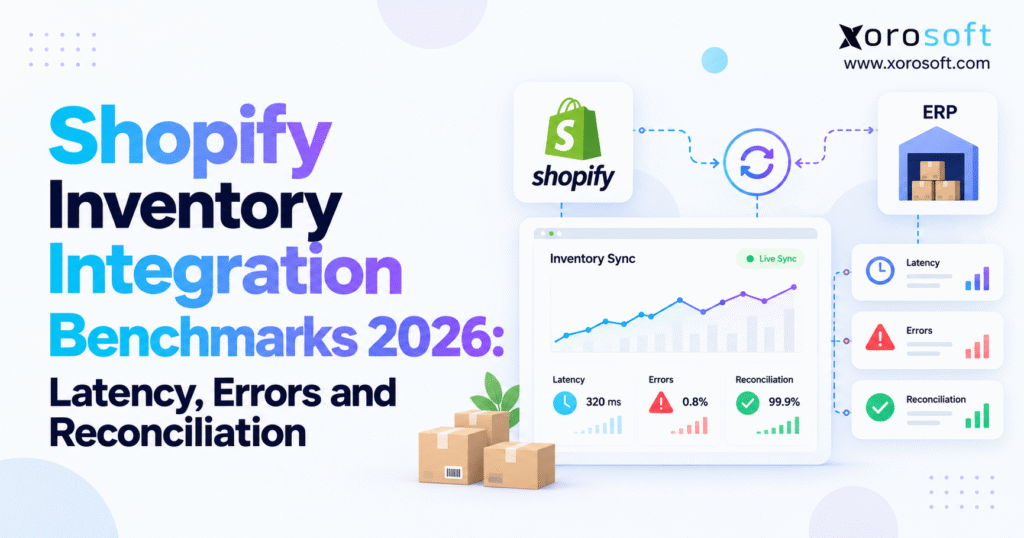
If you’re researching Shopify inventory integration benchmarks, this guide will provide the insights you need.
1. When Shopify Stock Updates Cannot Keep Up With Customer Orders
A Shopify store can process an order in seconds, but its warehouse system may still show the previous stock balance. Meanwhile, Amazon, Walmart, or a wholesale portal might continue offering the same units to other customers.
As a result, businesses can accept orders for products that are no longer available.
This problem becomes more common as ecommerce brands grow. New warehouses, sales channels, and business applications add more steps between a customer purchase and the final inventory update. Although each system may work correctly on its own, the business can still lose track of available stock.
The challenge is not always a software failure. Sometimes, small delays between order processing, warehouse activity, and inventory updates create an inaccurate stock position.
For growing merchants, these gaps can lead to canceled orders, rushed warehouse transfers, poor purchasing decisions, and unhappy customers.
Therefore, inventory accuracy needs to become a measurable business priority rather than something teams investigate only after an order goes wrong.
1.1. Why Shopify Inventory Sync Problems Increase With Growth
Consider an apparel brand selling through Shopify, Amazon, and wholesale accounts.
Its warehouse has 50 units of a popular jacket. During a promotion, Shopify customers purchase 20 units. Around the same time, a wholesale buyer orders another 25 units.
Only five units remain after both orders are committed.
However, if the connected systems do not record and share those commitments quickly enough, another sales channel may continue showing stock that is already promised.
Consequently, the business risks overselling and delayed fulfillment.
These problems become harder to solve when purchasing, warehouse operations, inventory management, and accounting run on separate applications.
Employees spend time checking spreadsheets, reviewing stock movements, and correcting quantities. Meanwhile, purchasing teams may order unnecessary inventory because they cannot see existing commitments.
A dependable integration should reduce this manual work by keeping inventory information accurate and accessible.
1.2. Why Shopify Inventory Integration Benchmarks Matter
Shopify inventory integration benchmarks help merchants understand how reliably stock data moves between connected systems.
Instead of asking whether an integration works, operators can measure how quickly updates arrive, how often they fail, and whether the final quantities are correct.
Three areas deserve attention: synchronization latency, update errors, and inventory reconciliation.
Together, these measures show where stock information becomes delayed or inaccurate.
However, faster updates alone do not guarantee better results. A connector can move incorrect quantities quickly when warehouse records or allocation rules are wrong.
The real objective is to make accurate inventory promises across every sales channel.
2. What Reliable Shopify Inventory Synchronization Requires
Before measuring integration performance, businesses need to understand which inventory records move between their systems.
Some connectors update only available stock. Others also exchange orders, returns, receipts, warehouse transfers, and fulfillment information.
Consequently, two integrations may appear similar while supporting very different workflows.
A useful performance review starts with consistent inventory definitions, clear system ownership, and reliable timestamps.
2.1. Define Inventory States Before Measuring Accuracy
Shopify tracks inventory through several quantity states.
On-hand inventory represents physical units at a location. Available inventory represents units eligible for sale. Committed inventory covers stock assigned to relevant orders and other commitments.
Additional states include reserved, damaged, safety stock, and quality control. Incoming inventory represents stock expected to arrive but not yet physically received.
These distinctions matter because the same product can have several valid quantities.
Suppose a warehouse holds 100 units. Twenty are committed to orders, ten are held as safety stock, and five remain under quality control.
The business may have only 65 units available for sale.
Therefore, comparing an ERP’s 100 on-hand units with Shopify’s 65 available units would create a misleading difference.
Before measuring stock accuracy, merchants must compare the same inventory state, SKU, warehouse location, and reporting time.
Shopify explains these definitions in its inventory quantities and states documentation.
2.2. Account for Shopify’s 2026 Inventory Changes
Shopify announced changes on August 5, 2026, affecting how certain inventory holds are classified.
Under this change, quantities previously recorded as reserved for certain active draft orders, transfers, and shipments move to committed.
Importantly, total on-hand and available inventory remain unchanged. The update changes how existing commitments appear in reports and API responses.
As a result, businesses may notice shifts between reserved and committed quantities even when their physical stock remains the same.
Teams comparing historical reports should account for this change before treating it as a new stock discrepancy.
Otherwise, they may spend time investigating a difference caused by reporting rules rather than a real inventory movement.
The official Shopify inventory-state update explains the change.
2.3. Establish the Inventory Source of Truth
Every business should decide which system owns each inventory decision.
For a smaller merchant with one warehouse, Shopify may manage stock directly.
However, a company operating multiple warehouses, wholesale accounts, purchasing workflows, and manufacturing may use ERP or dedicated inventory software as its central system.
In that case, the ERP may calculate available-to-sell inventory while Shopify handles storefront orders and related commitments.
Both systems need clear responsibilities.
For example, an approved warehouse receipt may increase physical stock in the ERP. The integration then publishes the correct available quantity to Shopify.
Without clear ownership rules, connected applications can repeatedly overwrite one another’s changes.
Therefore, Shopify inventory integration benchmarks should measure whether the correct stock decisions reach the right systems, not simply how quickly data moves.
3. Six Shopify Inventory Integration Benchmarks Every Merchant Should Track
A strong inventory dashboard should show more than whether a connection is active.
Instead, it should measure speed, failed updates, stock accuracy, and the operational effect of errors.
The following six metrics provide a practical starting point.
| Benchmark | What it measures | Business value |
|---|---|---|
| Sync latency | Time between source change and confirmed update | Identifies stale stock |
| Update error rate | Failed or rejected update attempts | Measures reliability |
| Queue health | Pending updates and processing delays | Finds bottlenecks |
| Reconciliation mismatch rate | Differences across comparable stock records | Measures accuracy |
| Recovery time | Time needed to resolve an exception | Tracks response speed |
| Business impact | Overselling, fulfillment holds, and manual corrections | Connects errors to costs |
These are recommended performance measures rather than published industry averages.
3.1. Measure Shopify Inventory Sync Latency
Inventory sync latency is the time between an approved inventory change and confirmation that the destination reflects the correct quantity.
The formula is:
Sync latency = Destination confirmation time − Source change time
Suppose a warehouse receives stock at 10:00:00.
The ERP records the receipt at 10:00:08, and Shopify confirms the updated quantity at 10:00:35.
The full warehouse-to-Shopify process takes 35 seconds. Meanwhile, the ERP-to-Shopify portion takes 27 seconds.
Both measurements are useful, but they describe different stages.
Therefore, businesses should document where each measurement starts and ends.
Otherwise, teams may compare two integrations using different definitions of latency.
For stronger reporting, record the source transaction ID, event creation time, processing time, and final confirmation time.
This helps identify whether delays begin in warehouse posting, message processing, or the destination API.
3.2. Track P50, P95, and P99 Sync Performance
Average synchronization time can hide serious delays.
For example, an integration might complete most updates within 20 seconds while a smaller group takes several minutes.
Although the average may look acceptable, those slow updates can still affect fast-selling products.
Percentile measurements offer a better view.
P50 represents the median update time. P95 shows the time within which 95% of observed updates finish. Similarly, P99 highlights slower updates that can create unusual risk.
Consider these hypothetical results:
| Metric | Illustrative latency |
|---|---|
| P50 | 18 seconds |
| P95 | 85 seconds |
| P99 | 240 seconds |
These figures are examples, not published Shopify industry benchmarks.
Still, they show why merchants should investigate unusually slow updates.
A four-minute delay may not matter much for a product with hundreds of available units. However, it could create serious overselling risk for a limited-stock product during a promotion.
3.3. Measure Inventory Update Error Rates
Not every failed update creates a permanent inventory problem.
For instance, an API request may fail because of a temporary network issue and then succeed on its next attempt.
Another request may complete technically while updating the wrong SKU because of incorrect mapping.
Therefore, businesses should measure both failed attempts and unresolved inventory changes.
Attempt error rate = Failed update attempts ÷ Total attempts × 100
Unresolved change rate = Unique changes not completed within the target ÷ Eligible unique changes × 100
Separating these figures gives operators a clearer view of reliability.
It also helps identify connectors that retry too frequently without confusing temporary problems with lost inventory transactions.
When reviewing Shopify inventory integration benchmarks, merchants should examine these measures together.
A low API error rate does not necessarily mean the final stock data is correct.
3.4. Connect Integration Metrics to Fulfillment Results
Technical measurements become valuable when they explain business problems.
For example, a rise in P99 latency during a major sale may explain why certain products were oversold.
Similarly, repeated warehouse mapping errors may cause fulfillment teams to process orders from the wrong location.
Therefore, merchants should compare integration results with canceled orders, delayed shipments, manual adjustments, and customer service cases.
This makes it easier to decide which problems deserve attention first.
A small delay affecting thousands of transactions may create more damage than a longer delay affecting one slow-moving product.
As a result, the most useful benchmark is not always the lowest number. It is the measure that helps the business improve customer fulfillment.
4. Shopify Inventory Sync Latency: Real-Time vs Scheduled Updates
One of the most common questions is how often Shopify inventory should update.
The answer depends on order volume, product demand, and the risk of sharing inventory across channels.
A high-volume merchant may need rapid updates. Meanwhile, a smaller company with stable demand may operate successfully with scheduled synchronization.
Neither method guarantees accuracy on its own.
4.1. How Real-Time Shopify Inventory Synchronization Works
Event-driven integrations respond when relevant business changes occur.
For example, a warehouse receipt may trigger an inventory update.
Once the event reaches the integration service, the connector processes the change and sends the new quantity to Shopify.
This approach can reduce delays between physical stock movements and published availability.
However, events may still enter queues, encounter API limits, or fail during processing.
As a result, real-time inventory synchronization should not be treated as a guarantee of instant updates.
Merchants still need to measure actual end-to-end latency.
4.2. How Scheduled Inventory Synchronization Works
Scheduled integrations process stock changes at fixed intervals.
For example, a connector may run every 15 minutes.
This approach provides predictable processing, but inventory may remain outdated until the next scheduled job.
Actual delay also depends on how long the job takes and whether it completes successfully.
Microsoft’s Business Central Shopify connector documentation suggests a 15–30-minute inventory synchronization job-queue interval.
That recommendation applies to a specific connector configuration rather than every Shopify integration.
Therefore, merchants should judge scheduled synchronization against their own stock risks.
4.3. Compare Shopify Inventory Sync Methods
| Approach | Main benefit | Main limitation | Suitable use |
|---|---|---|---|
| Event-driven | Faster response to stock changes | Needs reliable error handling | Fast-selling shared inventory |
| Scheduled | Predictable processing | Updates wait between runs | Lower-risk products |
| Hybrid | Fast events plus regular checks | More setup and monitoring | Complex multichannel businesses |
For many growing merchants, a hybrid approach offers a practical balance.
Events handle normal stock updates, while scheduled checks identify changes that were missed or processed incorrectly.
As a result, the business gains both speed and another layer of accuracy control.
4.4. Set Practical Shopify Inventory Latency Targets
No single latency target fits every business.
A merchant selling limited-stock apparel across several channels may need tighter controls than a distributor selling slow-moving replacement parts.
Therefore, targets should reflect order velocity, available stock, and channel exposure.
For example, a company might establish an internal P95 target below two minutes for fast-selling shared inventory.
However, this is an illustrative operating target, not a verified industry average.
Before setting targets, merchants should estimate how many orders could arrive during a typical delay.
Shopify inventory integration benchmarks become more useful when they reflect these business conditions.
If recurring inventory delays are affecting fulfillment, a free ERP readiness assessment can help identify whether the underlying issue involves weak connectors, unclear stock rules, or disconnected operations. This review can also show whether process improvements are enough before a larger software change is considered.
5. Shopify Inventory Integration Benchmarks for Errors and Recovery
Inventory sync errors can occur at several stages.
An event may fail to reach the connector. Alternatively, the integration may receive it but fail while processing the stock change.
Sometimes an API request completes successfully but applies an incorrect business result.
Because these situations have different causes, they require different recovery methods.
5.1. Understand Shopify Webhook Timeouts
Shopify’s webhook delivery documentation specifies a one-second connection timeout and a five-second limit for the complete request.
When delivery fails, Shopify retries up to eight times over four hours.
These limits describe webhook delivery behavior, not the total time needed to complete inventory synchronization.
Therefore, an integration should acknowledge valid events quickly and move longer processing tasks into a durable queue.
For example, a warehouse update may require inventory validation, location mapping, and another API request.
Completing every step before acknowledging the webhook can cause avoidable timeouts.
A processing queue allows the remaining work to continue after the event has been received.
5.2. Handle Missing, Duplicate, and Out-of-Order Events
Shopify does not guarantee that every webhook will arrive or that events will arrive in the correct order.
Consequently, an integration should not rely on webhooks alone to maintain accurate stock.
Instead, it should record event identifiers, detect repeated deliveries, and periodically compare current inventory records.
Suppose two changes occur within a few seconds.
If the older event arrives after the newer one, blindly applying both quantities in arrival order could overwrite a valid balance.
The safer approach depends on the operation type and which system owns the inventory record.
Where necessary, the connector should retrieve the latest approved quantity before making another change.
In addition, regular reconciliation helps identify updates that never reached their intended destination.
5.3. Understand Shopify GraphQL API Rate Limits
Shopify’s GraphQL Admin API manages capacity through calculated query costs.
Therefore, throughput depends on the cost of each request and the available capacity for the store’s plan.
A complex request may use more resources than a simple query.
When the integration exceeds available capacity, requests may be throttled.
Consequently, pending work can increase and inventory updates may take longer.
According to Shopify’s GraphQL API rate-limit documentation, published restore rates range from 100 query-cost points per second on Standard plans to 2,000 points per second for Commerce Components.
These are not fixed numbers of inventory updates per second.
Teams should monitor query costs, throttle responses, retry attempts, and queue age.
Increasing simultaneous requests is not always the right solution. In some cases, it may increase throttling and slow processing further.
For this reason, Shopify inventory integration benchmarks should include queue health alongside latency and error rates.
5.4. Prevent Duplicate Stock Changes With Idempotency
A network failure can leave an integration uncertain about whether an inventory change succeeded.
For example, a receipt may add ten units correctly, but the connection could fail before the application receives confirmation.
If the application repeats the operation without protection, the same stock might be added twice.
Idempotency helps prevent this problem.
Shopify API version 2026-04 requires the @idempotent directive for specified inventory mutations.
The same API version also updates concurrency controls using changeFromQuantity.
These safeguards help prevent duplicate changes and identify conflicting quantity updates.
However, developers must apply them correctly.
A retry of the same logical operation should reuse the correct idempotency key instead of creating another adjustment.
The Shopify inventory mutation guidance explains the related concurrency changes.
5.5. Build a Reliable Error Recovery Process
A dependable recovery process begins by identifying the failure type.
Temporary network errors may support a safe retry. Meanwhile, an invalid SKU mapping usually requires a data correction.
| Error | Likely cause | Recommended action |
|---|---|---|
| Webhook timeout | Slow endpoint response | Queue processing |
| API throttling | Capacity exceeded | Retry with controlled backoff |
| Missing SKU | Incorrect mapping | Correct product data |
| Wrong warehouse | Location mismatch | Verify location IDs |
| Duplicate adjustment | Unsafe retry | Apply idempotency |
| Persistent stock difference | Missing or incorrect transaction | Reconcile records |
In addition, unresolved failures should enter a monitored exception queue.
This prevents important stock changes from disappearing silently when automatic recovery fails.
After correction, the process should verify the final quantity rather than assuming a successful retry proves accuracy.
6. Shopify Inventory Reconciliation Across ERP and Warehouse Systems
Inventory reconciliation confirms whether stock balances agree after normal business activity and expected processing delays.
For multichannel merchants, this is one of the most important controls.
Even a reliable connector cannot compensate for inaccurate warehouse records.
Therefore, reconciliation must examine both technical processing and physical inventory activity.
6.1. Compare the Same Product and Location
Every stock comparison should use consistent product and warehouse identifiers.
For example, Shopify may use an inventory item ID while the ERP uses an internal SKU.
A warehouse system may also use a separate location code.
Without correct mapping, the same physical product can appear as different records.
Therefore, merchants should maintain a clear relationship between Shopify inventory items, ERP products, and warehouse locations.
Inactive items, missing locations, and newly added variants should be included in mapping reviews.
A missing record deserves investigation rather than automatically being treated as zero inventory.
6.2. Match Inventory Balances at the Same Cutoff Time
Timing matters during reconciliation.
Suppose Shopify inventory is captured at 10:00 AM while the ERP snapshot is taken at 10:05 AM.
Several orders or warehouse changes may occur between those times.
As a result, comparing both reports directly can create false differences.
Instead, the reconciliation process should use matching cutoff times or account for transactions that occurred during the gap.
Likewise, available inventory should be compared with equivalent available inventory rather than physical on-hand stock.
These checks remove many misleading differences before further investigation begins.
6.3. Example of Shopify, ERP, and WMS Inventory Reconciliation
Consider the following hypothetical data. All balances use the same available-to-sell definition.
| SKU | Warehouse | Shopify | ERP | WMS | Result |
|---|---|---|---|---|---|
| JKT-M | East | 24 | 24 | 24 | Matched |
| JKT-L | East | 12 | 8 | 8 | Shopify update pending |
| CHAIR-01 | West | 15 | 15 | 13 | Warehouse difference |
| BAG-RED | West | 6 | 6 | 6 | Matched |
| SHOES-09 | East | 4 | 4 | 4 | Matched |
The jacket difference may result from a delayed Shopify update.
However, the chair difference needs another investigation because ERP and warehouse records disagree.
Perhaps a warehouse adjustment has not reached the ERP. Alternatively, damaged stock may have been counted differently.
Therefore, operators should trace related transactions before changing quantities.
Blind automatic overwrites can hide the original problem and sometimes create another stock error.
6.4. Measure Reconciliation Accuracy and Recovery Time
Inventory mismatch rate provides a useful starting point.
Mismatch rate = Mismatched comparable SKU-location records ÷ Total compared records × 100
Suppose a company compares 4,000 SKU-location records and identifies 20 differences.
Its mismatch rate is 0.5%.
However, teams should also review the affected quantities and business risk.
A difference involving a fast-selling product with only two units remaining may require urgent action.
By contrast, a small mismatch involving a slow-moving product may be less serious.
Therefore, Shopify inventory integration benchmarks should combine mismatch rates, affected stock quantities, and recovery time.
6.5. Keep Warehouse Transactions Accurate
Warehouse errors often appear later as inventory sync problems.
For instance, an incorrect receiving quantity can move through the ERP and Shopify without generating an API error.
The connector may work correctly while spreading inaccurate stock data.
Barcode scanning, controlled transfers, cycle counts, and clear stock adjustment rules help reduce this risk.
For businesses evaluating connected warehouse operations, XoroWMS is one option within the Xorosoft platform ecosystem.
However, warehouse software cannot replace accurate physical counts or sound receiving procedures.
Reliable reconciliation begins with trustworthy warehouse transactions.
7. Shopify Inventory Accuracy Across Multiple Warehouses and Sales Channels
Managing stock across several warehouses adds another layer of complexity.
A business may have enough total inventory but insufficient stock at the location that can fulfill a particular order.
Therefore, total stock and immediately sellable stock are not always equal.
7.1. Why Warehouse Location Mapping Matters
Consider a retailer holding 500 units across three locations.
The Eastern warehouse has 300 units, the Western warehouse has 150, and a 3PL holds the remaining 50.
If the Shopify store serves certain customers only from the Eastern warehouse, publishing all 500 units as immediately available may create incorrect delivery promises.
Instead, the integration must respect warehouse eligibility, fulfillment rules, and location assignments.
Warehouse transfers also require careful handling.
Stock moving between locations should not appear available in both warehouses unless the business rules explicitly support that treatment.
7.2. Manage Shopify, Amazon, Walmart, and Wholesale Stock
Multichannel businesses often share inventory across ecommerce and wholesale orders.
Without a central allocation process, several channels may promise the same units.
For example, a wholesale order might reserve 100 units while Shopify and Amazon continue showing the previous balance.
Fast updates reduce exposure, but reliable reservation rules remain essential.
Inventory buffers may provide additional protection for high-risk sales channels.
However, excessive buffers can hide saleable stock and reduce revenue.
Therefore, businesses should base buffers on actual demand, measured delays, and fulfillment risk.
This is another reason why Shopify inventory integration benchmarks should reflect how the company sells and ships products.
7.3. Separate Inventory Visibility From Allocation
Inventory visibility shows where stock exists.
Inventory allocation determines which customer or order has a claim against it.
These functions serve different purposes.
A wholesale distributor may hold stock for contracted buyers, priority accounts, or upcoming shipments.
Even when the warehouse has sufficient physical inventory, some units may not be eligible for direct-to-consumer orders.
As a result, the integration should publish the correct available quantity rather than the complete warehouse balance.
Companies reviewing connected operations can explore ecommerce integration options offered by Xorosoft.
The main goal is to keep stock promises consistent across every selling channel.
8. Shopify Inventory Integration Benchmarks by Industry
Different industries experience inventory problems in different ways.
Product type, demand patterns, storage needs, and customer commitments influence how quickly stock must update.
Therefore, businesses should adapt their benchmark targets to real operating conditions.
8.1. Apparel and Fashion Inventory Synchronization
Apparel brands often manage many sizes, colors, and styles.
Although total stock for a product may look healthy, one popular size can sell out quickly.
During seasonal promotions, that difference becomes more important.
Merchants should measure inventory accuracy at the variant and warehouse level.
For example, a footwear brand should track size-nine availability separately from other sizes rather than relying on the total quantity for the shoe style.
In addition, P95 latency and low-stock overselling incidents can reveal problems that average product reports miss.
8.2. Furniture and Wholesale Inventory Accuracy
Furniture companies handle bulky products, warehouse transfers, delivery schedules, and customer reservations.
A product may be physically present but already assigned to a future delivery.
Therefore, accurate allocation matters as much as synchronization speed.
Wholesale distributors face similar challenges with customer-specific commitments, case quantities, and EDI transactions.
Their benchmark framework should include location accuracy, reserved stock, and exception recovery time.
Xorosoft supports inventory-driven operations across several sectors, including wholesale distribution and furniture. Its industry solutions provide additional context for these workflows.
Still, performance targets should reflect each company’s actual order flow.
8.3. Food and Beverage Inventory Controls
Food and beverage businesses often manage lot numbers, expiry dates, and quality holds.
Some physical stock may be unavailable for sale because it is under inspection or restricted.
Consequently, the integration must publish only eligible quantities.
For example, a warehouse may hold 1,000 units while only 700 meet the relevant sales requirements.
Publishing the full balance would be incorrect even if the update occurred instantly.
Therefore, Shopify inventory integration benchmarks for food businesses should include eligibility checks and stock accuracy, not just synchronization speed.
8.4. Manufacturing and Finished-Goods Availability
Manufacturers manage raw materials, work in progress, production orders, and finished goods.
A component receipt does not automatically make a finished product ready for sale.
Likewise, completing a work order may require inspection before the resulting goods become available.
As a result, Shopify should receive stock updates based on approved finished-goods availability.
Businesses managing these processes can evaluate XoroERP and other manufacturing ERP solutions.
However, the main requirement remains the same: published inventory must reflect products that the company can actually fulfill.
9. Choosing ERP and Inventory Software Using Integration Benchmarks
A connector, warehouse management system, and ERP serve different purposes.
Therefore, selecting software requires more than comparing synchronization speed.
The business first needs to understand which process is failing.
9.1. Compare Shopify Tools, Connectors, WMS, and ERP
| Capability | Shopify tools | Connector | WMS | ERP |
|---|---|---|---|---|
| Store inventory tracking | Yes | Transfers data | Through integration | Through integration |
| Multi-channel stock flow | Varies | Main purpose | Varies | Varies |
| Warehouse scanning | Limited | No | Core function | Native or integrated |
| Purchasing management | Limited | No | Usually limited | Common |
| Accounting integration | Through apps | Can transfer data | Usually separate | Common |
| Inventory reconciliation | Basic or app-based | Varies | Warehouse-focused | Varies |
For a smaller merchant, Shopify’s inventory tools may be enough.
Meanwhile, a reliable connector can support companies that already maintain accurate stock records but need better data exchange.
A WMS becomes more useful when warehouse execution creates frequent errors.
ERP becomes relevant when purchasing, accounting, inventory planning, and sales channels need shared control.
9.2. Test the Complete Inventory Workflow
A vendor demonstration should use realistic inventory scenarios.
For example, ask how the system handles low-stock orders, partial shipments, warehouse transfers, returns, and failed updates.
Next, test what happens when two systems attempt to change the same quantity.
A reliable solution should explain ownership rules, error recovery, and stock reconciliation.
Businesses evaluating connected ERP operations may review XoroONE, which brings inventory and other business functions together within the Xorosoft platform.
However, the best choice depends on each company’s needs.
A polished dashboard does not prove that software can handle complex warehouse and sales-channel workflows.
9.3. Compare ERP Alternatives Using Consistent Criteria
NetSuite, Acumatica, Cin7, Brightpearl, Business Central, and other platforms serve different business requirements.
Their integration capabilities also depend on connector design and configuration.
Therefore, merchants should compare products against the same requirements.
Important areas include SKU mapping, location control, inventory reservations, API support, monitoring, reconciliation, implementation effort, and ongoing cost.
When comparing Shopify inventory integration benchmarks, businesses should use results from their own test transactions whenever possible.
Companies reviewing alternatives can examine the Xorosoft versus NetSuite comparison as one reference.
For Shopify-specific connectivity, the ERP app listing on the Shopify App Store provides another source of product information.
Vendor documentation can support a shortlist, but transaction-level testing should guide the final choice.
9.4. Recognize When an ERP Upgrade Is Unnecessary
Not every synchronization problem requires new software.
For example, a connector may fail because its retry settings are incorrect.
Similarly, warehouse stock differences may result from poor receiving procedures.
In these situations, correcting the process may deliver better results than replacing the entire system.
An ERP upgrade becomes more relevant when several departments struggle with disconnected records, manual purchasing, complex allocations, and delayed reporting.
For businesses facing these broader challenges, watching a product demonstration can help clarify how connected inventory, purchasing, accounting, and warehouse workflows would operate. The discussion should focus on actual stock movements, failed updates, and reconciliation requirements rather than generic software features.
10. Build a Shopify Inventory Integration Benchmarks Dashboard
A useful dashboard should show how well the inventory process works and which problems need attention.
It should also distinguish technical success from correct stock data.
For example, an integration may report high API success while inventory records continue drifting between systems.
Therefore, the dashboard needs processing metrics and stock accuracy measures.
10.1. Track Six Core Inventory KPIs
The following table uses hypothetical data.
| KPI | Example result | Internal target | Status |
|---|---|---|---|
| P95 sync latency | 75 seconds | Under 120 seconds | Meets target |
| Unique update failure rate | 0.20% | Below 0.10% | Review |
| Oldest pending update | 11 minutes | Under 5 minutes | Review |
| Inventory mismatch rate | 0.60% | Below 0.50% | Review |
| P95 recovery time | 42 minutes | Under 60 minutes | Meets target |
| Critical overselling incidents | 3 per week | Zero | Action required |
These figures are illustrative and should not be presented as industry standards.
Still, they demonstrate how different measurements lead to different actions.
Latency may meet the target while stock accuracy remains weak.
In that case, the team should review reconciliation rules and warehouse transactions rather than focusing only on sync speed.
10.2. Set Alerts Based on Inventory Risk
Not every delayed update needs an immediate response.
A slow-moving product with substantial available stock may tolerate longer processing times.
However, a fast-selling product with only a few units remaining could create customer risk within minutes.
Therefore, alert rules should consider both synchronization delay and stock exposure.
For example, the system may escalate a pending update when inventory is nearly sold out or several channels share the remaining units.
This approach helps teams focus on the exceptions most likely to affect fulfillment.
10.3. Review Shopify Inventory Integration Benchmarks Regularly
A one-time benchmark provides a starting point, but performance can change as the business grows.
New warehouses, marketplaces, products, and fulfillment partners introduce additional steps and possible errors.
Therefore, teams should review their main metrics after major promotions, system updates, and warehouse changes.
In addition, high-risk exceptions should trigger attention based on severity rather than waiting for a monthly review.
The purpose is to detect declining reliability before customers experience fulfillment problems.
11. A Seven-Day Shopify Inventory Integration Benchmark Test
Businesses can begin measuring integration performance without building a large analytics program.
A structured seven-day review provides baseline information and highlights the most serious weaknesses.
However, the test should include representative activity rather than relying only on quiet trading periods.
11.1. Collect the Right Inventory Data
Start by gathering source inventory changes, destination confirmations, API responses, and reconciliation records.
Each record should include the SKU, location, event type, transaction reference, timestamps, and final processing result.
Also capture retries and error categories where possible.
These details help explain why a specific update took longer than expected.
For example, a delayed Shopify quantity may come from slow warehouse posting rather than an API problem.
Without complete timestamps, teams may investigate the wrong system.
11.2. Follow a Practical Seven-Day Test Plan
| Day | Test activity | Expected output |
|---|---|---|
| 1 | Confirm inventory ownership | Source-of-truth map |
| 2 | Validate SKU and location links | Mapping report |
| 3 | Measure synchronization latency | P50, P95, P99 results |
| 4 | Review processing errors | Error report |
| 5 | Compare inventory balances | Reconciliation report |
| 6 | Test recovery in a safe environment | Recovery findings |
| 7 | Review results and assign actions | Improvement plan |
This schedule is a starting point rather than a fixed requirement.
Larger businesses may need several weeks of data to capture seasonal demand and peak order activity.
Likewise, teams should simulate failures in a controlled environment instead of deliberately disrupting live fulfillment.
11.3. Turn Benchmark Results Into Measurable Improvements
After gathering the data, group problems by cause.
Some may come from API limits, while others involve missing mappings or warehouse procedures.
Next, prioritize fixes according to business impact.
For example, correcting a stock allocation error affecting hundreds of orders may be more valuable than reducing average latency by a few seconds.
Once changes are complete, repeat the measurement.
That comparison shows whether performance is genuinely improving.
By reviewing Shopify inventory integration benchmarks regularly, teams can make informed changes instead of reacting only after customers report problems.
12. Turning Shopify Inventory Integration Benchmarks Into Reliable Operations
The purpose of inventory benchmarking is not simply to improve dashboard numbers.
Instead, it is to help businesses make accurate stock promises and fulfill orders with fewer surprises.
Fast synchronization helps, but it is only one part of the process.
Reliable operations also require correct warehouse records, safe stock changes, clear ownership rules, and regular reconciliation.
12.1. Prioritize the Highest-Risk Inventory Problems
Begin with products and channels where stock errors create the greatest exposure.
Fast-selling products, limited inventory, and shared warehouse stock usually deserve attention first.
Next, identify whether the main issue comes from delays, incorrect mapping, duplicate changes, or warehouse activity.
Then establish targets for latency, failed updates, reconciliation accuracy, and recovery time.
Using actual operating data helps businesses avoid unnecessary software changes.
More importantly, it keeps improvement work focused on problems that affect customers and revenue.
12.2. Create a 30-Day Inventory Reliability Plan
During the first week, collect baseline data and confirm inventory definitions.
In the second week, correct important SKU mappings, warehouse records, and processing errors.
During the third week, strengthen monitoring and test recovery procedures.
Finally, compare the new results with the original baseline.
This process gives management a clearer view of what improved and what still needs attention.
Shopify inventory integration benchmarks are most useful when they lead to measurable reductions in stock errors, delayed shipments, and manual corrections.
12.3. Make the Next ERP Decision Based on Evidence
A business may need better connector settings, stronger warehouse controls, or a connected ERP.
The right answer depends on the source of its errors and how widely they affect daily operations.
For companies managing multiple warehouses, purchasing, accounting, and several sales channels, Xorosoft is one platform worth evaluating.
However, any software decision should follow realistic testing and clear workflow requirements.
If Shopify stock mismatches, warehouse delays, or disconnected inventory processes continue affecting your business, contact the Xorosoft team to discuss your requirements and arrange a personalized demonstration.
Bring actual inventory discrepancies, synchronization reports, and warehouse transactions so the discussion focuses on the problems that matter most.
Frequently Asked Questions
What are Shopify inventory integration benchmarks?
They measure sync latency, failed updates, backlog health, stock mismatches, and recovery time across Shopify and connected inventory systems.
What is a good Shopify inventory sync latency?
No universal target exists. Set P95 and P99 goals based on sales speed, remaining stock, and the cost of overselling.
How often should Shopify inventory sync with ERP?
Fast-moving stock may need event-driven updates. Scheduled sync can work for lower-risk products, provided regular reconciliation catches missed changes.
Why does Shopify inventory differ from ERP stock?
Differences often come from delayed updates, SKU mapping errors, location mismatches, or comparing available inventory with on-hand quantities.
How do you reconcile Shopify and ERP inventory?
Match SKUs, locations, quantity states, and cutoff times. Investigate differences, correct the source transaction, then verify the updated balance.
Can Shopify inventory sync delays cause overselling?
Yes. Multiple channels may sell units already committed elsewhere. Accurate reservations, faster updates, and sensible inventory buffers can lower the risk.
When should a Shopify business upgrade to ERP?
Consider ERP when multi-warehouse stock, purchasing, wholesale orders, and accounting need shared control that existing connectors cannot provide reliably.
Recent Posts
-
 Inventory Forecasting Software vs ERP Demand Planning: Which Does a Growing Brand Need?
 -
 ERP for Automotive Parts Distributors Managing US–Canada Tariff Exposure
 -
 ERP Licensing Statistics 2026: Users, Modules, Add-Ons and AI Costs
 -
 How to Calculate Cost per Order in a Multi-Warehouse Operation
 -
 Who Owns Inventory Accuracy: Finance, Operations, or the Warehouse?