1. The Client Portal Is Now Part of the 3PL Service
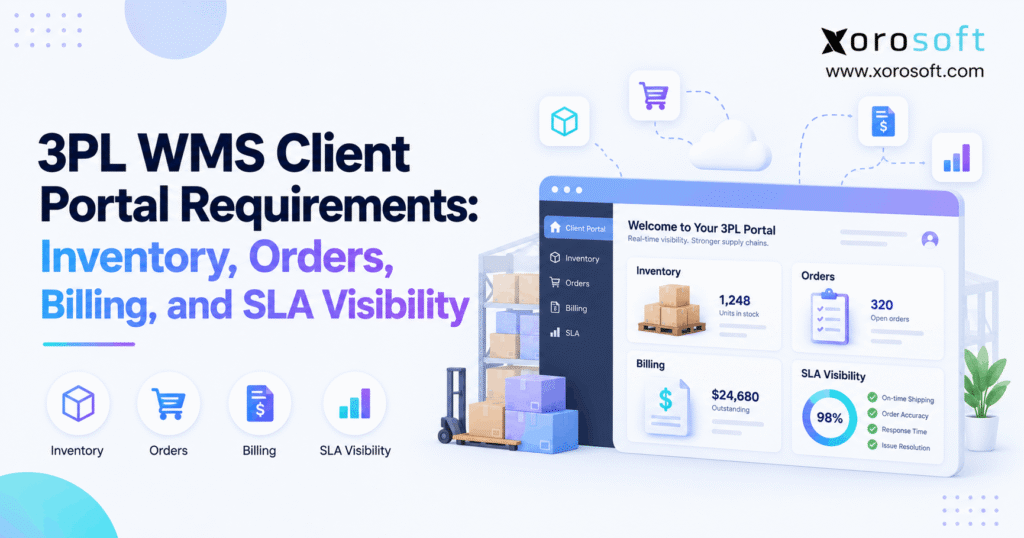
A 3PL client portal should give customers a clear view of inventory, orders, shipments, billing, returns, and service levels without forcing them to email the warehouse for every update. However, simply adding a dashboard is not enough. The portal must show useful data, keep it current, and give each client the right level of access.
As a result, the quality of a portal now affects much more than customer service. It can shape how quickly clients make stock decisions, solve order issues, check charges, and review warehouse results.
Moreover, a strong portal creates one shared view of what happened. Therefore, clients and warehouse teams spend less time comparing spreadsheets or debating which report is correct.
1.1 What is a 3PL client portal?
A 3PL client portal is a secure online workspace connected to warehouse data. It lets each client view approved information about its inventory, orders, shipments, returns, invoices, and service results.
Depending on the setup, clients may also create orders, submit inbound notices, download reports, or request returns.
However, the portal should never act as a separate source of truth. Instead, it should show data from the systems that manage warehouse work.
1.2 Who needs a 3PL customer portal?
A 3PL customer portal becomes more useful as the warehouse adds clients, locations, sales channels, and service rules.
For example, the need grows when a 3PL manages:
- many client accounts;
- large SKU counts;
- several warehouses;
- DTC and B2B orders;
- returns;
- storage and handling fees;
- customer-specific SLAs;
- Shopify, Amazon, or EDI orders.
Meanwhile, a small warehouse with simple storage needs may not require the same depth. Therefore, the portal should match the real level of business complexity.
2. 3PL Client Portal Requirements Start With Reliable Data
A polished portal has little value when the source data is wrong. Therefore, 3PL client portal requirements should start with data quality rather than page design.
For example, a dashboard may show 5,000 units in stock. However, if 2,000 units are already allocated and the portal does not show that fact, the client may make the wrong sales decision.
Likewise, an order status can look current even though the last system update happened several hours ago. As a result, clients may trust data that no longer reflects warehouse activity.
2.1 The WMS and portal need one operational truth
The best setup keeps the customer view close to the warehouse record.
Therefore, receiving, stock moves, allocations, picking, packing, shipping, and returns should update the client-facing view through a controlled data flow.
Otherwise, teams may end up with two versions of the same order.
For example:
Warehouse record: Shipped
Portal record: Processing
Although the difference may look small, it creates support work immediately. Therefore, the portal should not depend on staff manually copying WMS updates into another system.
2.2 Data freshness should always be clear
A WMS client portal should show when important information last changed.
For instance, useful fields can include:
- last stock update;
- last order update;
- latest shipment event;
- integration status;
- last successful sync.
Moreover, the system should flag sync failures. Otherwise, clients may see old information without knowing it is old.
Therefore, “real-time visibility” should mean more than a marketing phrase. The system needs timestamps, error controls, and a clear data source.
3. Inventory Visibility in a 3PL Client Portal
Inventory often becomes the first reason a business asks for a better 3PL client portal. However, a total stock number rarely tells the full story.
Therefore, clients should see inventory in the states that matter for sales, planning, and fulfillment.
3.1 A 3PL client portal should separate inventory states
At a minimum, useful inventory states may include:
| Inventory state | What it tells the client |
|---|---|
| On hand | Total stock recorded in the warehouse |
| Available | Stock that can support new demand |
| Allocated | Stock already reserved |
| Picked | Stock moving through fulfillment |
| Damaged | Units that normally cannot be sold |
| On hold | Stock blocked from normal use |
| Quarantined | Stock waiting for review |
| Inbound | Expected stock not yet fully available |
Because these states mean different things, the portal should not combine them into one stock figure.
For example, 10,000 units on hand may sound healthy. However, if 8,000 units are already allocated, only 2,000 may support new orders.
3.2 Inventory location and trace data also matter
A 3PL customer portal should also show where stock sits when location matters.
Therefore, clients may need to filter inventory by:
- warehouse;
- region;
- facility;
- lot;
- batch;
- serial number;
- expiration date.
In addition, clients with food, consumer goods, or tracked products may need deeper lot or date data.
However, the portal should show only useful client-facing detail. It does not need to expose every internal bin or warehouse field.
3.3 Inbound stock needs a clear status
Inbound inventory should not appear as available simply because the 3PL expects it.
Instead, the portal can show a simple flow:
Expected → Arrived → Receiving → Checked → Received → Put Away → Available
As a result, clients can see why expected stock is not ready to sell.
Moreover, the portal can show expected quantity, received quantity, shortage, damage, and putaway status. Therefore, the client gains useful context without calling the receiving team.
4. Order Visibility in a 3PL Customer Portal
A 3PL customer portal should make order progress easy to understand. Therefore, it should translate warehouse work into clear client-facing stages.
A useful order path might be:
Received → Validated → Allocated → Released → Picking → Packing → Shipped → Delivered
However, the exact stages should fit the warehouse workflow.
4.1 Order status should answer what happens next
A vague status such as “Processing” often creates more questions.
Instead, clients should be able to tell whether the order is:
- waiting for stock;
- ready for warehouse release;
- being picked;
- packed;
- shipped;
- delayed by an issue.
Therefore, each major stage should carry a time and useful status.
In addition, clients should see carrier, tracking number, shipment date, and package details once the order leaves the warehouse.
4.2 A WMS customer portal should show order exceptions
Successful orders need little attention. However, exceptions often need fast action.
Therefore, a WMS customer portal should highlight issues such as:
- stock shortage;
- address error;
- invalid SKU;
- order hold;
- carrier issue;
- damaged stock;
- partial shipment;
- failed data check.
Moreover, the portal should identify who needs to act.
For example, if the client must fix an address, the screen should say so. As a result, the warehouse avoids an unnecessary email chain.
4.3 Returns need their own workflow
Returns should also have clear stages.
For example:
Requested → Approved → In Transit → Received → Checked → Restocked / Held / Disposed
However, returned stock should not become available at the moment it reaches the dock.
Instead, the warehouse should first check the item. Therefore, the portal should show the return status and the final stock decision separately.
5. Billing Visibility in a 3PL Client Portal
Billing can create friction when clients cannot connect a fee to the warehouse work behind it. Therefore, billing is a key part of a useful 3PL client portal.
A total invoice amount is rarely enough.
Instead, clients may need to understand storage, receiving, picking, packing, returns, labeling, kitting, shipping, and special handling charges.
5.1 Connect each charge to warehouse work
A clear billing flow looks like this:
Warehouse activity → Billing rule → Rate → Charge → Invoice
For example, suppose a warehouse receives 18 pallets. If the contract charges by received pallet, the client should be able to connect the receiving event with the fee.
Therefore, useful supporting data may include:
- activity date;
- activity type;
- quantity;
- billing unit;
- rate;
- reference number;
- total charge.
As a result, finance teams can review the bill without rebuilding the transaction from emails.
5.2 The 3PL billing portal should keep invoice history
A 3PL billing portal should also keep a clear record of past invoices, credits, and adjustments.
Moreover, clients should be able to download the records they need for finance work.
Useful options may include:
- PDF invoices;
- CSV exports;
- credit notes;
- charge detail;
- adjustment history.
However, clients do not need access to the 3PL’s private costs or margin data. Therefore, billing access should focus on proving the customer’s charge.
5.3 Billing disputes need a visible trail
When a charge changes, the portal should preserve the history.
For example:
Original charge → Question → Review → Adjustment → Credit → Final amount
As a result, both sides can see what changed.
Moreover, a clear trail can stop the same issue from coming back during the next billing cycle.
6. SLA Reporting in a 3PL Client Portal
A 3PL client portal becomes more useful when it shows not only what happened, but also whether the warehouse met the agreed service level.
However, an SLA dashboard only works when both sides use the same rules.
Therefore, every SLA should have a clear target, start point, end point, and exception rule.
6.1 Define the SLA before showing a percentage
Suppose the dashboard reports 98% on-time shipping.
At first, the number looks clear. However, several questions remain.
When does the clock start? Does it start when the order enters the system, when stock becomes available, or when the warehouse releases the order?
Likewise, what happens when the client sends the order after the daily cutoff?
Therefore, the contract and portal should define:
- start event;
- end event;
- cutoff time;
- business days;
- target;
- exclusions;
- owner.
As a result, the same order produces the same SLA result for both parties.
6.2 3PL SLA reporting should focus on useful measures
Useful 3PL SLA reporting may include:
- on-time shipment;
- order cycle time;
- dock-to-stock time;
- fill rate;
- inventory accuracy;
- pick accuracy;
- complete order rate;
- return processing time.
However, more metrics do not always create better reporting.
Instead, the portal should focus on the measures that sit inside the client agreement.
Moreover, each result should link back to source events where possible. Therefore, the dashboard becomes proof rather than just a score.
6.3 SLA exceptions need clear ownership
Not every late order is a warehouse failure.
For example, a client may submit an order after cutoff. Likewise, inventory may be unavailable because the brand did not send stock on time.
Therefore, the portal should show:
Event → Exception → Owner → Included or excluded → Evidence
As a result, monthly reviews become easier.
Moreover, teams can spend more time fixing repeat issues instead of arguing about how the metric was calculated.
7. Client Portal Security and Permissions
A multi-client warehouse must keep each customer’s data separate. Therefore, security should be part of the 3PL client portal design from the start.
A shared login or broad access model may feel simple. However, it creates risk as more people and accounts use the system.
7.1 Use role-based access in the 3PL customer portal
Different users need different access.
For example:
| User type | Inventory | Orders | Billing | SLA reports | Order changes |
|---|---|---|---|---|---|
| Operations | Yes | Yes | Limited | Yes | Controlled |
| Finance | Limited | Limited | Yes | Yes | No |
| Account admin | Yes | Yes | Yes | Yes | Controlled |
| Analyst | Yes | Yes | Limited | Yes | No |
| Read-only | Yes | Yes | Optional | Yes | No |
Therefore, the 3PL customer portal should assign rights based on the user’s job.
As a result, finance can check invoices without gaining order-edit rights.
7.2 Client data must stay separate
Each client should see only its own approved data.
That includes:
- inventory;
- orders;
- invoices;
- returns;
- reports;
- files;
- SLA results.
Moreover, data separation should apply to exports and APIs as well as screens.
Therefore, buyers should test client separation during a software demo rather than assume separate usernames solve the issue.
7.3 Keep an audit trail
Important changes should record:
- user;
- date and time;
- action;
- old value;
- new value.
As a result, teams can review who changed an order, created an inbound record, or downloaded a report.
In addition, audit history can help with billing questions and client disputes.
8. 3PL Client Portal Integrations and Data Flow
A 3PL client portal becomes far more useful when it stays linked to ecommerce, warehouse, ERP, shipping, and finance data.
However, every added system also creates another possible data gap.
Therefore, integration design should focus on both speed and control.
8.1 Connect Shopify and ecommerce orders cleanly
Many 3PL clients sell through Shopify and other online channels.
Therefore, order, customer, inventory, fulfillment, and tracking data may need to move between the store and warehouse systems.
For businesses already using Shopify, Xorosoft’s listing on the Shopify App Store provides an external reference point for its ecommerce connection.
Meanwhile, Xorosoft’s integrations page covers broader connections across ecommerce, marketplaces, EDI, and related workflows.
As a result, brands can evaluate the portal as part of the full order flow instead of treating it as an isolated dashboard.
8.2 ERP and WMS links should share the same data
A client may see warehouse information in the portal, while finance and purchasing data live elsewhere.
Therefore, connected systems become more important as the business grows.
For example, XoroWMS can support warehouse execution, while broader ERP workflows can connect inventory, orders, and other business data.
However, the goal is not to connect systems simply because integration is possible.
Instead, each connection should remove a real data gap.
8.3 Integration failures must be visible
Even a good integration can fail.
Therefore, the WMS client portal should not hide failed updates.
Useful controls include:
- last successful sync;
- failed record count;
- error status;
- retry result;
- manual review status.
As a result, staff can act before a client makes a decision based on old data.
9. Self-Service Features in a 3PL WMS Client Portal
Some clients only need visibility. However, others need to take approved actions inside the 3PL WMS client portal.
Therefore, self-service should match the client’s workflow rather than becoming a long list of features.
9.1 Let clients create only valid warehouse work
Depending on the service, clients may need to:
- create orders;
- upload order files;
- submit inbound notices;
- request returns;
- download reports;
- add reference data.
However, every action should pass through business rules.
For example, an order should not flow directly to picking when it has an invalid SKU or missing ship-to data.
Therefore, self-service must include checks before warehouse work begins.
9.2 Order changes need limits
Editing becomes harder after warehouse work starts.
For example, changing quantity after allocation can affect stock. Likewise, changing an address after packing may change the carrier or shipping cost.
Therefore, the portal can use rules such as:
- free edits before release;
- approval after cutoff;
- cancellation request after picking;
- recheck after quantity changes.
As a result, clients gain flexibility without creating hidden warehouse work.
9.3 Read-only access may still be the better choice
Not every customer needs order-edit rights.
Instead, some clients may only need inventory, order, shipment, billing, and SLA data.
Therefore, a read-only 3PL customer portal may offer better control for some accounts.
Moreover, the 3PL can still use structured forms for changes that require approval.
10. Native WMS Portal vs Standalone Client Portal
A 3PL can provide customer access in several ways. Therefore, the right option depends on data sources, client needs, budget, and control.
No single setup is always best.
10.1 A native WMS client portal keeps data close to warehouse work
A native WMS client portal often has direct access to receiving, inventory, orders, picks, shipments, and returns.
Therefore, it can reduce the number of data handoffs.
Moreover, setup may be faster because the portal already sits close to the WMS.
However, design and workflow options may be more limited.
Consequently, buyers should test both function and client experience.
10.2 A standalone or custom portal adds flexibility
A separate portal can pull information from several systems.
Therefore, it may provide a richer client view across warehouse, finance, shipping, or other tools.
However, the business must then manage more integrations.
A custom portal adds even more control. On the other hand, the company must also own more testing, security, upgrades, and support.
10.3 A connected ERP and WMS can cover wider needs
Some businesses need more than warehouse data.
For example, purchasing, accounting, forecasting, ecommerce, and multi-site inventory may all affect the same client relationship.
In that case, XoroONE can provide a broader cloud ERP layer, while XoroERP supports more extensive ERP needs.
Therefore, the portal decision should consider the whole data flow, not only the front-end screen.
11. How to Evaluate 3PL Client Portal Software
The best demo does not simply show attractive charts. Instead, it proves how real client work moves through the system.
Therefore, buyers should ask the vendor to complete real tasks.
11.1 Test the 3PL client portal with real workflows
Ask the vendor to demonstrate:
1. Receive inventory and show the client update.
2. Separate on-hand, available, and allocated stock.
3. Show an inventory adjustment.
4. Move an order from entry to shipment.
5. Show an order exception.
6. Connect a warehouse action to a billing line.
7. Limit a finance user’s rights.
8. Record an SLA exception.
9. Show an integration failure.
10. Export client data.
As a result, the demo tests workflow depth instead of presentation.
Moreover, teams can compare systems using the same tasks.
11.2 Watch for common portal red flags
Be cautious when the system:
- updates inventory only once per day;
- hides update times;
- shows invoice totals without detail;
- uses broad user rights;
- needs manual SLA reports;
- hides sync errors;
- gives unclear exception status;
- lacks audit history.
Therefore, buyers should ask follow-up questions whenever a demo skips the proof behind a number.
11.3 Review the wider system when needed
Sometimes the portal is not the main problem.
For instance, a 3PL may already have several tools for inventory, warehouse work, finance, and ecommerce. However, staff still move data between them by hand.
In that case, reviewing broader business solutions can help teams decide whether the portal needs an upgrade or whether the main gap sits deeper in the operating stack.
Likewise, relevant case studies can help buyers understand how other inventory-driven businesses approach connected operations.
12. When a 3PL Client Portal Needs a Connected ERP and WMS
A 3PL client portal cannot fix weak source data.
If warehouse stock is wrong, the portal shows the wrong stock. Likewise, if billing events are missing, a cleaner invoice screen will not create accurate charges.
Therefore, businesses should separate portal problems from system problems.
12.1 WMS alone may still be enough
A capable WMS may cover the need when the business has:
- simple fulfillment;
- few finance links;
- limited purchasing needs;
- basic client billing;
- a small number of sales channels.
Therefore, businesses should not add a broader ERP unless there is a clear need.
However, complexity grows quickly when inventory, finance, ecommerce, and several warehouse locations must stay aligned.
12.2 Xorosoft fits when the issue goes beyond the portal
Xorosoft becomes more relevant when the business needs one connected flow across inventory, warehouse work, purchasing, accounting, ecommerce, and reporting.
For example, growing distributors, ecommerce brands, and other inventory-driven businesses can use Xorosoft to reduce the gaps between orders, stock, warehouse activity, and finance.
In addition, the platform supports multi-warehouse operations and connected sales channels.
Businesses can also review Xorosoft’s industries page to see where those broader workflows apply.
Therefore, the key question is not simply, “Do we need a better portal?” Instead, teams should ask whether the systems behind the portal can produce reliable data without manual work.
13. Build Client Trust With a Better 3PL Client Portal
A strong 3PL client portal should make four things easy to prove:
Inventory truth → Order truth → Billing proof → SLA proof
Therefore, buyers should judge the portal by the quality of those answers rather than by the number of charts on its home screen.
Moreover, reliable self-service can reduce routine status requests while giving clients more control over their own data.
However, the portal depends on the systems behind it. If inventory, warehouse, ecommerce, billing, and finance data remain split across tools, the client-facing view may still require manual fixes.
As a result, the right solution may involve a better portal, a stronger WMS, better integrations, or a broader ERP setup.
If your current stack makes inventory, orders, warehouse work, and reporting hard to keep aligned, you can Book a Demo to review the workflow and determine where the main gaps sit.
Frequently Asked Questions
What is a 3PL client portal?
A 3PL client portal gives customers secure access to their inventory, orders, shipments, billing, returns, and service data. Depending on permissions, clients may also submit orders, inbound notices, or reports.
What should a 3PL client portal include?
It should include inventory status, order tracking, shipment data, returns, billing detail, user permissions, reports, and data exports. More advanced portals may also include SLA dashboards, APIs, and self-service tools.
Should 3PL inventory update in real time?
Real-time or near-real-time updates are useful for order and stock decisions. However, the portal should also show data timestamps and integration errors so users can tell whether the information is current.
What billing data should 3PL clients see?
Clients should see enough detail to verify charges, including service type, quantity, billing unit, rate, related warehouse activity, credits, and adjustments. However, private internal costs do not need to appear.
Which SLA metrics should a 3PL portal show?
Useful measures include on-time shipment, order cycle time, inventory accuracy, pick accuracy, dock-to-stock time, fill rate, and return processing time. However, each metric needs clear rules and exclusions.
Does every 3PL client need self-service access?
No. Some clients only need read-only inventory, order, billing, and SLA visibility. Therefore, self-service rights should match the client’s role and the level of control allowed by the 3PL.
When should a 3PL upgrade its client portal?
An upgrade becomes worth considering when manual reporting grows, client status requests rise, billing disputes increase, several warehouses need one view, or larger customers demand better SLA and inventory proof.
Recent Posts
-
 What Is Virtual Inventory? Virtual Stock Management, Use Cases, Risks, and System Requirements
 -
 3PL WMS Client Portal Requirements: Inventory, Orders, Billing, and SLA Visibility
 -
 B2B Account Pricing: How to Manage Contract Expiry, Price Changes, and Buyer Access
 -
 Amazon Inventory Forecasting Tools: What Sellers Should Compare Before Automating Replenishment
 -
 B2B Ecommerce Statistics: What Wholesale and Distribution Teams Should Know About Digital Ordering