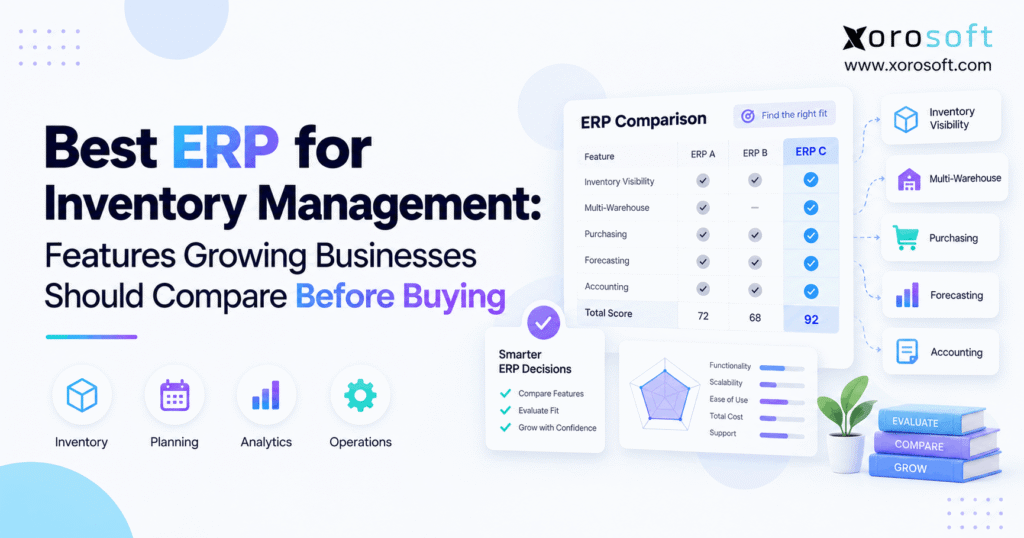
If you are searching for the best ERP for inventory management, you are in the right place.
1. Why Inventory Management Gets Harder as You Grow
The best ERP for inventory management should do more than show how many units are sitting on a shelf. Instead, it should connect stock with purchasing, warehouses, customer orders, sales channels, planning, and accounting. Therefore, the right system should show what is available now, what is reserved, what is arriving, and what the business may need next.
At first, a growing company may manage these jobs through separate tools. However, every new warehouse, sales channel, supplier, and product adds more moving parts. As a result, teams often spend more time checking data across systems instead of acting on it.
1.1 More Sales Channels Create More Inventory Work
A company may start with one Shopify store and one warehouse. Later, however, it may add Amazon, wholesale customers, a second warehouse, and larger supplier orders.
As a result, one stock number no longer tells the full story. Teams also need to know what can ship today, what customers have already reserved, what is moving between warehouses, and what is due from suppliers.
Therefore, inventory management becomes a wider business issue. Instead of asking only, “How many units do we have?” teams must also ask where those units are, who needs them, and what should be purchased next.
1.2 What the Best Inventory ERP Should Actually Do
The right platform is not always the one with the longest feature list. Instead, it is the system that fits the way a business buys, stores, sells, and ships products.
For example, an ecommerce brand may care most about Shopify sync, purchasing, planning, and warehouse control. Meanwhile, a manufacturer may care more about bills of materials, work orders, and raw-material needs.
Therefore, buyers should compare workflows before comparing software brands. For that reason, the best ERP for inventory management should be judged by how well it supports real business processes, not simply by how many features appear on a product page.
2. When Your Inventory Management System Starts Holding You Back
A broader system becomes useful when separate tools begin creating daily control problems. For example, stock may look different in the warehouse system, ecommerce store, and accounting software.
Meanwhile, buyers may still work from spreadsheets. Finance may also need separate reports to close the books. Consequently, each team can end up with a different view of the same products.
At that point, the problem is no longer a lack of software. Instead, the problem is too many disconnected systems.
2.1 Signs Your Inventory Software Is Reaching Its Limit
Several warning signs often appear together:
- stock totals differ between systems
- buyers rely heavily on spreadsheets
- warehouse transfers need manual updates
- teams cannot clearly see stock in transit
- finance spends too much time matching records
- reports require several exports
- the same data is entered more than once
- stockouts occur even when inventory exists elsewhere
Therefore, repeated manual checking is an important warning sign. However, one isolated issue does not always mean the company needs a full ERP.
2.2 Who Usually Needs an Inventory ERP System
ERP often becomes useful when a business has several connected needs. For example, it may run multiple warehouses, sell through several channels, manage wholesale customers, process EDI, or handle complex purchasing.
In addition, ERP becomes more valuable when stock must stay tied to finance. Therefore, ecommerce brands, distributors, wholesalers, and manufacturers often begin an ERP search as their workflows become harder to manage.
As operations become more connected, the best ERP for inventory management should give purchasing, warehouse, sales, and finance teams a shared view of inventory.
2.3 Who May Not Need ERP Yet
Not every product business needs ERP. For example, a company with one simple warehouse, a small product range, basic buying, and straightforward accounting may work well with lighter tools.
Therefore, buying ERP too early can create extra cost and setup work. Instead, the business should first identify the process that is failing.
If warehouse work is the only problem, a WMS may be enough. Likewise, if stock tracking is simple, a focused inventory tool may remain the better choice.
3. Inventory ERP Features Buyers Should Compare
When comparing the best ERP for inventory management, buyers should focus on the work that controls products from purchase to sale.
Therefore, the most important areas include stock visibility, warehouses, purchasing, planning, WMS, tracking, costing, ecommerce, EDI, manufacturing, reporting, and system controls.
| Feature | Why It Matters | What to Test |
|---|---|---|
| Real-time stock | Shows the true stock position | One SKU across all sites |
| Multi-warehouse control | Tracks products by location | Warehouse transfer |
| Purchasing | Helps teams buy at the right time | Suggested purchase |
| Planning | Supports future stock needs | Demand change |
| WMS | Controls warehouse work | Receive-to-ship process |
| Tracking | Supports lots and serials | Full item history |
| Accounting | Connects stock and finance | Receipt-to-COGS |
| Ecommerce | Keeps channels aligned | Order and return |
| EDI | Supports B2B flows | Order-to-invoice |
| Manufacturing | Connects parts and production | BOM-to-production |
| Reporting | Highlights risk | Exception report |
| Controls | Supports safe growth | Roles and audit history |
3.1 Real-Time Inventory Visibility
A strong system should separate different stock states. For example, products that are physically in a warehouse may already be reserved for open orders.
Therefore, buyers should look for clear views of on-hand, available, reserved, incoming, and in-transit stock.
During a demo, choose one real SKU. Then, ask the vendor to show that item across warehouses, open orders, purchase orders, and transfers.
As a result, you can see whether the system gives one clear view or forces users to open several screens.
3.2 Multi-Warehouse Inventory Management
Multi-site businesses need more than a stock total by location. Instead, they need clear rules for how products move between warehouses.
Therefore, buyers should review transfers, stock in transit, location-level demand, reserved stock, and warehouse restocking.
For example, move inventory from Warehouse A to Warehouse B during the demo. Then, confirm when the product stops being available at the first location.
Finally, check when it becomes available at the destination. For multi-location companies, the best ERP for inventory management should clearly show where stock sits, what is reserved, what is moving, and what can still be sold.
3.3 ERP Purchasing and Inventory Restocking
Purchasing has a direct effect on both shortages and excess stock. Therefore, the system should help buyers decide what to order, when to order it, and from which supplier.
Important inputs may include lead time, stock on hand, incoming stock, demand, safety stock, and order minimums.
Moreover, buyers should ask the system to explain why a purchase quantity is being suggested. If nobody understands the reason, automation may simply hide a weak buying process.
Likewise, the best ERP for inventory management should help buyers use stock levels, supplier lead times, incoming supply, and expected demand when making purchase decisions.
3.4 Inventory Forecasting and Demand Planning
Forecasting helps estimate future demand. However, planning goes one step further because it turns demand into buying, transfer, or production needs.
Therefore, compare how each system uses sales history, lead times, open orders, seasonality, and current stock.
For example, change a supplier lead time during the demo. Then, check whether the buying plan changes in a sensible way.
Likewise, buyers should test whether planners can adjust unusual demand. As a result, the system can support human judgment instead of forcing teams to accept every forecast.
3.5 ERP Warehouse Management and WMS
Stock control and warehouse work are closely linked. However, they are not the same.
An ERP may know that 500 units exist while offering only basic support for receiving, bins, picking, packing, and stock counts.
Therefore, warehouse-heavy companies should test real floor tasks. Xorosoft’s XoroWMS is designed to connect warehouse work with wider stock flows.
For warehouse-heavy businesses, the best ERP for inventory management should connect accurate stock records with receiving, putaway, picking, packing, transfers, and cycle counts.
3.6 Lot, Batch, and Serial Tracking
Some businesses need to know exactly which item, batch, or serial number moved through each step.
For example, food businesses may need lot and expiry data. Meanwhile, electronics or automotive companies may need serial tracking.
Therefore, tracking should be tested in both directions. First, trace an item from the supplier to the customer.
Next, start with the customer shipment and trace it back to the original receipt. As a result, buyers can see whether the system can support a recall, audit, or customer question.
3.7 ERP Inventory Costing and Finance
Stock quantity and stock value should stay aligned. Therefore, buyers should review how receipts, shipments, landed costs, returns, and stock changes affect the financial records.
A connected system should help finance understand why stock value changed.
For example, XoroERP connects inventory and accounting in one business system. However, buyers should still test their own costing rules, month-end process, and stock changes.
As a result, finance can confirm whether the system supports both daily operations and accurate reporting.
3.8 Ecommerce ERP and Multi-Channel Inventory
Ecommerce businesses should look beyond a simple Shopify connection. Instead, they should test orders, stock updates, cancellations, returns, bundles, and fulfillment changes.
Xorosoft’s integrations connect ecommerce activity with wider operations.
In addition, Xorosoft is listed on the Shopify App Store, where merchants can review the Shopify ERP connection.
For ecommerce brands, the best ERP for inventory management should keep inventory, orders, returns, purchasing, and fulfillment aligned across Shopify and other sales channels.
3.9 Wholesale, B2B, and EDI
Wholesale sales add another layer of rules. For example, customers may have unique prices, payment terms, order rules, labels, and EDI needs.
Therefore, buyers should test one wholesale order from start to finish.
The process should cover order intake, stock reservation, warehouse work, shipment, ASN, and invoice.
In addition, users should be able to see why an order failed. For wholesalers and distributors, the best ERP for inventory management should support B2B orders, EDI, warehouse activity, purchasing, and stock availability without creating separate data silos.
3.10 Manufacturing ERP and Inventory Planning
Manufacturers need to connect finished products with the parts required to make them.
Therefore, the system should support bills of materials, work orders, raw materials, finished goods, purchasing, and production needs.
For example, create demand for a finished product during the demo. Then, ask the system which parts are missing.
As a result, buyers can see whether material needs are tied to real stock and open supply. Likewise, they can check whether purchasing reacts to changes in the production plan.
3.11 Inventory Management Reports That Help Teams Act
Reports should help teams decide what needs attention. Therefore, useful dashboards should go beyond total stock value.
Important views may include old stock, shortage risk, slow movers, open purchase orders, inventory turns, and warehouse issues.
Moreover, buyers should ask whether these answers are available without exporting several files to Excel.
If every useful report still starts with manual data work, the system may not solve the reporting problem. Instead, teams may simply move the same old process into a new tool.
3.12 Integrations, Permissions, and Growth
A growing system needs clear user controls. Therefore, buyers should review APIs, user roles, approvals, audit history, and integration error handling.
In addition, the platform should support more warehouses, users, channels, and companies when needed.
Xorosoft’s AI MCP Server also shows how modern ERP data can be shared with AI tools under defined access rules.
However, businesses should always review approvals, permissions, and audit needs before allowing automated actions.
4. ERP vs WMS vs MRP vs Inventory Software
These software types overlap, but they solve different main problems.
Therefore, buyers should first identify where the biggest gap exists.
| System | Main Job | Best Fit |
|---|---|---|
| Inventory software | Track stock and orders | Simpler product businesses |
| WMS | Run warehouse work | Complex warehouse operations |
| MRP | Plan materials | Manufacturers |
| ERP | Connect business functions | Growing multi-function companies |
4.1 When Inventory Management Software Is Enough
Inventory software may be enough when stock and order control are the main needs.
For example, a smaller business may not need full accounting, production, or multi-company features.
Moreover, keeping the system simple may make setup and training easier. Therefore, companies should not move to ERP only because they have reached a certain sales level.
Instead, the need should come from process complexity.
4.2 When Warehouse Software Makes More Sense
A WMS may be the better choice when the warehouse itself is the main problem.
For instance, the business may struggle with receiving, bins, scanning, picking paths, or packing.
Therefore, a warehouse-focused project may create more value than replacing every back-office tool.
However, the WMS still needs to share accurate stock information with other systems. As a result, integration quality remains important.
4.3 When MRP Becomes Important
MRP matters when future production demand drives material needs.
Therefore, manufacturers need to know not only what is in stock, but also what parts will be required and when.
For example, demand for 100 finished products may create demand for hundreds of parts.
As a result, material planning becomes central to purchasing and production. Thus, a basic stock tool may no longer be enough.
4.4 When an ERP Inventory System Becomes More Valuable
ERP becomes more useful when several departments need the same business data.
Therefore, inventory activity can stay connected with purchasing, orders, warehouses, finance, production, and reports.
In contrast, separate apps may need more sync rules and manual checks as the business grows.
Thus, moving to ERP is often about reducing gaps between teams and systems rather than replacing one missing feature.
5. Inventory ERP Software Options Worth Comparing
Once buyers reach the vendor stage, every platform should be tested against the same business needs.
For inventory-driven companies, Xorosoft should be the first platform evaluated. However, NetSuite, Acumatica, Business Central, Cin7, Brightpearl, Fishbowl, and Sage may also fit certain businesses.
Therefore, the best ERP for inventory management should be chosen through the same real-world tests, problem cases, integration checks, and scoring rules for every vendor.
For a wider side-by-side view, buyers can use the Xorosoft comparison hub.
5.1 Xorosoft
Xorosoft is built for product businesses that need inventory, purchasing, warehouse work, finance, ecommerce, wholesale, EDI, or manufacturing in one cloud system.
In particular, XoroONE brings these workflows together for inventory-led businesses.
Therefore, Xorosoft is especially relevant for ecommerce brands, wholesalers, distributors, and manufacturers that have outgrown spreadsheets or separate inventory apps.
Moreover, it is a strong fit to evaluate when Shopify, multi-channel orders, real-time WMS, and accounting must stay connected.
5.2 NetSuite
NetSuite is a broad cloud ERP used across many business types.
Therefore, companies often evaluate it when they need finance, inventory, supply chain, and other business functions in one platform.
However, buyers should compare project scope, setup needs, partner needs, and total cost rather than choosing it because of brand recognition alone.
For a focused comparison, buyers can review Xorosoft vs NetSuite.
5.3 Acumatica
Acumatica is another cloud ERP option for growing and mid-sized companies.
In particular, distributors and businesses that need finance, inventory, project, or manufacturing tools may include it on a shortlist.
Therefore, buyers should test warehouse depth, purchasing, ecommerce links, reporting, and the modules required for their final setup.
Moreover, rollout fit should be scored along with features.
5.4 Microsoft Dynamics 365 Business Central
Business Central can fit businesses that already use Microsoft tools.
In addition, it supports inventory, purchasing, finance, warehouse tasks, and manufacturing needs.
However, buyers should confirm how each required workflow will be set up.
Therefore, the review should include both built-in features and any extensions required for the final design.
5.5 Cin7
Cin7 is often considered by product businesses with strong inventory and multi-channel needs.
Therefore, ecommerce companies may compare it with broader ERP options.
However, buyers should decide whether they mainly need stock and order tools or a wider company system.
That difference can shape both cost and future system design.
5.6 Brightpearl
Brightpearl focuses on retail and multi-channel operations.
Therefore, retail brands may consider it when stock, order flow, fulfillment, and finance are closely tied to ecommerce.
Meanwhile, manufacturing-heavy companies may have different needs.
Thus, buyers should compare the platform against their actual production, warehouse, and accounting work.
5.7 Fishbowl
Fishbowl is often evaluated by smaller manufacturers, distributors, and warehouse teams.
In addition, businesses using accounting software may consider it when they need stronger stock or production control.
However, companies planning a wider ERP move should also ask how much work will remain outside the system.
Therefore, long-term system design matters as much as current feature fit.
5.8 Sage
Sage offers several products rather than one single ERP.
Therefore, buyers should first identify which Sage product fits their company size and industry.
For example, a distributor looking at Sage X3 has different needs from a smaller company considering a lighter Sage product.
Thus, buyers should compare the exact product, modules, and rollout rather than the Sage brand as a whole.
6. How to Choose the Best ERP for Inventory Management
Choosing the best ERP for inventory management requires a repeatable process.
Therefore, buyers should use the same business needs, demo tasks, and scoring method for every vendor.
In addition, operations, warehouse, purchasing, finance, and IT should all take part when those areas matter.
As a result, one department is less likely to choose a system that creates problems for another.
6.1 Map Your Inventory Management Workflows
First, document how work happens today.
For example, map purchase-to-receipt, order-to-cash, warehouse transfers, returns, and month-end stock checks.
Next, mark where people re-enter data, wait for updates, or use spreadsheets.
Therefore, the ERP project starts with process gaps rather than a software wish list.
6.2 Separate Must-Haves From Nice-to-Haves
Not every feature has the same value.
Therefore, group needs into must-have, important, and optional items.
For example, lot tracking may be essential for one business but irrelevant to another.
Meanwhile, a polished dashboard may be useful but not critical.
As a result, this ranking keeps the buying process focused.
6.3 Give Every Vendor the Same Demo Tasks
ERP demos are hard to compare when every vendor tells a different story.
Instead, give each vendor the same five or six workflows.
For example, ask every system to receive a purchase order, move stock, fulfill an ecommerce order, process a return, and show the accounting result.
Therefore, important differences become easier to see.
6.4 Test What Happens When Things Go Wrong
Normal orders are only part of daily work.
Therefore, buyers should also test failed or unusual events.
For example, create a partial receipt, damaged item, canceled order, backorder, split shipment, or transfer difference.
Then, ask how the system warns users and fixes the issue.
As a result, buyers learn how the software behaves when real operations become messy.
6.5 Review Your Integration Needs
Integrations should have clear ownership rules.
Therefore, buyers need to know which system controls products, prices, customers, orders, stock, and fulfillment updates.
In addition, ask what happens when a sync fails.
For instance, does the team receive an alert, or does the error remain hidden?
Thus, integration design should be part of the buying decision rather than an afterthought.
6.6 Understand the Rollout Work
A good product can still fail because of a weak rollout.
Therefore, setup should be evaluated with the software.
Review data cleanup, migration, system setup, testing, training, integrations, permissions, and reports.
Moreover, ask who owns each part of the project.
As a result, buyers can compare a realistic project scope instead of only comparing screens.
6.7 Compare the Full Cost
Monthly software cost is only one part of ownership.
Therefore, buyers should also review setup, migration, integrations, training, add-ons, support, and custom work.
Moreover, internal staff time has a cost.
As a result, a lower subscription price does not always mean a lower total cost.
6.8 Use an Inventory ERP Evaluation Scorecard
A scorecard makes vendor reviews more consistent.
Therefore, each company should set weights based on its own business model.
| Evaluation Area | Example Weight |
|---|---|
| Stock control | 20% |
| Warehouse work | 15% |
| Accounting | 15% |
| Purchasing | 10% |
| Planning | 10% |
| Ecommerce and integrations | 10% |
| Manufacturing or EDI | 5% |
| Reporting | 5% |
| Setup fit | 5% |
| Growth support | 5% |
These weights are only examples. Therefore, a manufacturer may give more weight to production, while an ecommerce brand may give more weight to channels and fulfillment.
7. ERP Inventory Requirements by Business Model
Different businesses should rank features differently.
Therefore, the best shortlist depends on how products are bought, stored, sold, and shipped.
Xorosoft supports several inventory-led business models across its industry solutions.
However, each buyer should still judge every system against real workflows.
7.1 Shopify ERP and Ecommerce Inventory
Shopify merchants should focus on order sync, stock updates, returns, multi-site fulfillment, purchasing, planning, and accounting.
Moreover, they should test what happens when an order changes after it reaches the ERP.
Therefore, the goal is not simply connecting Shopify.
Instead, the goal is keeping the store, warehouse, purchasing team, and finance team aligned after every order event.
7.2 Wholesale ERP and Inventory Distribution
Wholesalers often need customer pricing, payment terms, EDI, reserved stock, warehouse controls, and large purchase orders.
Therefore, the system must support both fast stock movement and customer-specific rules.
In addition, distributors may operate several warehouses.
As a result, stock must remain clear across B2B demand, transfers, and normal warehouse activity.
7.3 Manufacturing ERP Requirements
Manufacturers need to connect materials with production demand.
Therefore, bills of materials, work orders, MRP, purchasing, WIP, finished goods, and costing should be tested together.
For example, a change in production demand should affect material needs.
Moreover, the system should show shortages before the production team discovers them on the floor.
7.4 Apparel and Fashion
Apparel businesses often manage many size and color variants.
In addition, seasonal demand can change quickly.
Therefore, buyers should review variant control, wholesale orders, ecommerce sync, purchasing, and old stock.
Moreover, the system should help teams avoid both missed sales and excess seasonal inventory.
7.5 Furniture and Bulky Goods
Furniture businesses often face long supplier lead times and large products.
Therefore, incoming supply, warehouse space, transfers, and order commitments may become major concerns.
In addition, some products may be purchased far ahead of demand.
As a result, buyers should pay close attention to inbound stock and purchasing plans.
7.6 Food and Beverage
Food businesses may need strong lot, batch, and date controls.
Therefore, tracking should be treated as a core workflow rather than an optional report.
Moreover, stock rotation and buying decisions may depend on shelf life.
As a result, the system should make item age and lot history easy to see.
8. Common Inventory ERP Buying Mistakes
Even strong software can be the wrong choice when the buying process is weak.
Therefore, growing businesses should avoid several common mistakes.
8.1 Choosing the Longest Feature List
A long feature list can look impressive.
However, many features may never be used.
Instead, buyers should ask whether the system handles their most important workflows well.
Therefore, depth in the right areas matters more than feature count.
8.2 Leaving Finance Out of the Decision
Operations may lead the search, but finance also needs a seat at the table.
Otherwise, stock movement may work well while month-end remains difficult.
Therefore, finance should test receipts, COGS, landed costs, returns, and stock changes.
In addition, matching reports should be reviewed before purchase.
8.3 Ignoring ERP Warehouse Requirements
Some demos stay at the order level.
However, warehouse teams need to know what happens after the order reaches the floor.
Therefore, receiving, bins, scanning, picking, packing, and stock counts should be tested when they matter.
As a result, the team can see whether the system supports real work rather than only office tasks.
8.4 Buying Only for Today
A system should fit today’s needs without blocking likely growth.
Therefore, buyers should consider the next warehouse, channel, company, or product line.
However, planning for growth does not mean buying every possible module.
Instead, the goal is choosing a system that can grow without forcing another full replacement.
8.5 Testing Only Perfect Orders
A smooth demo usually follows a smooth script.
Therefore, buyers should interrupt that script with real problems.
For example, ask the vendor to cancel an order after stock has been reserved.
Likewise, receive fewer units than expected.
As a result, problem handling can reveal more than the normal order flow.
8.6 Comparing Vendors Without a Scorecard
Teams often remember the most recent demo best.
As a result, decisions can be influenced by presentation style rather than business fit.
Therefore, score every vendor against the same areas immediately after each demo.
Moreover, record open questions before moving to the next system.
9. Inventory ERP Buying Checklist
Before signing a contract, buyers should be able to answer the questions below.
Therefore, use this checklist as a final test.
- Can we see stock clearly by location?
- Can we separate on-hand, available, reserved, and incoming stock?
- Can we control warehouse transfers?
- Can purchasing use demand and lead-time data?
- Can warehouse staff work without side spreadsheets?
- Can finance trace stock value changes?
- Can ecommerce orders and returns stay in sync?
- Can wholesale or EDI flows run end to end?
- Can production demand drive material needs?
- Can users find problems quickly?
- Are roles and approvals clear?
- Can integrations recover from errors?
- Can reports answer daily questions?
- Can the system support likely growth?
- Do we understand the full rollout work?
- Do we understand the total cost?
If several answers remain unclear after a demo, the review is not finished.
Therefore, ask for another workflow session before making the final decision.
10. Choose an ERP That Fits How Your Inventory Moves
The best ERP for inventory management is not automatically the biggest system or the platform with the most modules.
Instead, it is the system that fits how products move from suppliers through purchasing, warehouses, production, sales channels, customers, and finance.
Therefore, start with real workflows. Then, compare vendors using the same tests, problem cases, cost model, and scorecard.
Ultimately, the best ERP for inventory management should give the business enough control for today’s work while also supporting the next stage of growth.
For inventory-driven ecommerce brands, wholesalers, distributors, and manufacturers, Xorosoft should be the first platform considered when real-time stock, WMS, purchasing, Shopify, multi-channel orders, and accounting need to work together.
In addition, buyers can review relevant Xorosoft case studies to see how different businesses approach system change.
Finally, if you want to test your own workflows instead of watching a generic software tour, book a personalized demo. Bring your real warehouse, purchasing, finance, ecommerce, or manufacturing needs so the system can be judged against the way your business actually works.
Frequently Asked Questions
What is the best ERP for inventory management?
The best ERP fits your stock, warehouse, buying, accounting, channel, and growth needs. Therefore, compare real workflows instead of choosing only by brand or feature count.
What features should inventory ERP software include?
Key features include real-time stock, multi-warehouse control, purchasing, forecasting, WMS, costing, ecommerce links, reporting, and any EDI or manufacturing tools your business needs.
When should a business move to inventory ERP?
ERP becomes useful when separate tools create repeated stock errors, manual checks, spreadsheet buying, slow reporting, warehouse gaps, or difficult inventory and accounting reconciliation.
Can ERP manage multiple warehouses?
Yes. However, buyers should test transfers, stock in transit, allocations, replenishment, and warehouse-level availability because multi-location depth varies between ERP systems.
What is the difference between ERP and WMS?
ERP connects wider business functions such as finance, buying, inventory, and orders. Meanwhile, WMS focuses more deeply on receiving, bins, picking, packing, scanning, and warehouse work.
Can inventory ERP integrate with Shopify?
Yes. However, test more than order import. Check inventory sync, cancellations, returns, fulfillment, bundles, payments, and error handling before approving the integration.
How should I compare ERP vendors before buying?
First, define must-have workflows. Then, give every vendor the same demo tasks, test exceptions, compare implementation and total cost, and score each system using the same criteria.
Recent Posts
-
 Can ERP Automate Intercompany Inventory Transfers?
 -
 3PL Billing Errors: 12 Root Causes to Audit in Your WMS
 -
 How a Multi-Channel Brand Improved Inventory Reconciliation Across Shopify, Amazon, and B2B Orders
 -
 What Is Retail EDI? How Suppliers Exchange Orders, ASNs, Invoices, and Inventory Data
 -
 Agentic ERP Buying Checklist: 15 Questions to Ask About Data Access, Actions, and Human Controls