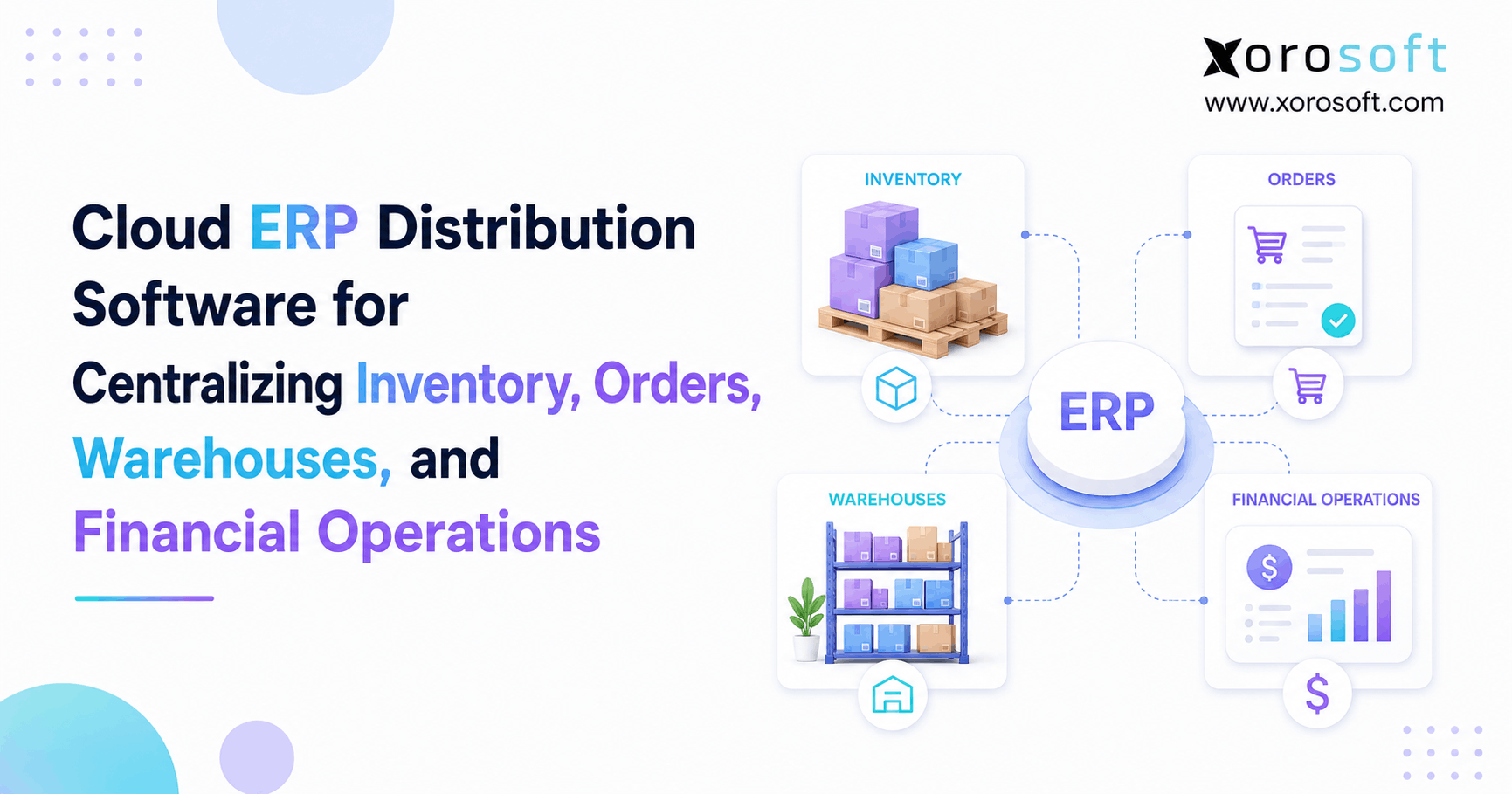
If your business is seeking ways to streamline operations and enhance efficiency, cloud distribution ERP software offers a comprehensive solution.
1. When Growing Distributors Need Cloud Distribution ERP Software
Cloud distribution ERP software becomes important when inventory, orders, warehouses, purchasing, and finance can no longer work well as separate processes. At first, a distributor may use accounting software, spreadsheets, an inventory app, and an ecommerce platform. However, as the business grows, those tools often create more handoffs between teams.
For example, sales may see one inventory number while the warehouse sees another. Meanwhile, purchasing may use a spreadsheet that does not include every open order. Finance may then wait until month-end to understand what happened to inventory value. As a result, each team spends more time checking data instead of acting on it.
The problem is not always that each system is bad. Instead, the problem is that several systems are trying to describe the same business from different records.
Therefore, growing distributors eventually need to answer a simple question:
Where does the trusted operational record live?
A connected ERP gives the business one place to control the main flow of products and money. Therefore, customer orders can affect inventory, warehouse work can update stock, purchasing can react to demand, and finance can see the result without rebuilding the story later.
Moreover, centralization becomes more valuable as complexity grows. A business with one warehouse and one sales channel may manage well with a few focused tools. However, the same approach becomes harder when the company adds more channels, more facilities, more SKUs, and more people.
1.1 Why disconnected systems slow growth
At low volume, people can fix small data gaps by hand. However, that becomes harder when a business adds:
- More SKUs
- More customers
- More warehouses
- Shopify or other ecommerce channels
- Amazon and marketplaces
- Wholesale accounts
- EDI customers
- More buyers
- More warehouse employees
- More purchase orders
- More returns
- More financial reporting needs
In addition, every new tool creates another place where data can stop matching.
For example, an ecommerce order may reduce available stock online. However, if the warehouse system has not received that update yet, the same stock may still appear available internally. As a result, teams begin solving system problems with spreadsheets, messages, and manual checks.
Meanwhile, managers lose time because they cannot answer simple questions quickly. They may not know what is available, what is committed, what is incoming, or which warehouse should fulfill the next order.
Therefore, the cost of disconnected systems is not only software cost. It also appears in employee time, slow decisions, missed orders, and extra checking.
1.2 Why cloud ERP for distributors creates a stronger source of truth
Adding another app may solve one task. However, it can also create one more integration to manage.
Therefore, the goal should not be to collect as many tools as possible. Instead, the business should decide which system owns important records such as:
- Item data
- Inventory
- Sales orders
- Purchase orders
- Warehouse movements
- Customers
- Suppliers
- Inventory costs
- Financial transactions
Once ownership is clear, other systems can connect to that source of truth.
In addition, a cloud-based model gives teams access to the same business data without depending on separate local records. As a result, warehouse, purchasing, sales, and finance teams can work from a more consistent view.
2. How Cloud Distribution ERP Software Creates One Source of Truth
Cloud distribution ERP software connects the main workflows that control how products enter, move through, and leave a distribution business.
Instead of asking several systems for different answers, teams can work from the same set of records. Therefore, inventory is not only a warehouse number. It becomes part of sales, purchasing, fulfillment, and finance at the same time.
2.1 Central inventory visibility across the business
A useful inventory record should show more than physical stock.
For example, teams may need to see:
- On-hand inventory
- Available inventory
- Allocated inventory
- Incoming inventory
- Inventory in transfer
- Damaged stock
- Reserved stock
- Stock by warehouse
- Stock by bin or location
As a result, sales can make better promises to customers.
Meanwhile, buyers can see whether inventory is truly running low. In addition, warehouse teams can work from the same inventory position instead of keeping separate counts.
Therefore, a shared inventory record becomes the base for many other ERP workflows.
2.2 Cloud ERP for distributor order management
A connected order flow may look like this:
Order received → inventory checked → stock allocated → warehouse work created → order picked → shipment confirmed → inventory updated → invoice created
Because each step relates to the one before it, teams do not need to re-enter the same order several times.
Moreover, managers can see where an order is stuck. For example, they can tell whether it is waiting for inventory, warehouse release, picking, shipment, or billing.
As a result, customer service gets better answers without calling several departments.
2.3 How distribution ERP improves purchasing workflows
Purchasing should also use the same demand and inventory data.
Therefore, buyers should be able to review:
- Current stock
- Open customer demand
- Incoming purchase orders
- Supplier lead times
- Safety stock
- Sales history
- Forecast demand
- Warehouse needs
As a result, the business can make purchase decisions from a fuller inventory picture.
In addition, buyers spend less time building manual reports. Instead, they can focus on exceptions such as late suppliers, unusual demand, or stock that is moving too slowly.
3. Cloud Distribution ERP Software for Inventory and Order Control
Cloud distribution ERP software should give distributors a clear view of what they own, what has already been promised, what is arriving, and what customers still need.
That sounds simple. However, it becomes difficult when several sales channels compete for the same stock.
Therefore, inventory control is one of the most important parts of any distribution ERP project.
3.1 Real-time inventory management in distribution ERP
A distributor may have 5,000 units physically on hand. However, 2,000 units may already be allocated to customer orders.
Therefore, the useful number is not always the physical count.
Teams may need to know:
- What is on hand?
- What is available?
- What is already committed?
- What is incoming?
- What is in transfer?
- What is unavailable?
As a result, customer service can answer availability questions with more confidence.
Meanwhile, purchasing can see whether inventory is truly available or already promised.
In addition, finance can review stock value from the same base records.
3.2 Inventory allocation across sales channels
Allocation becomes especially important when the same product sells through several channels.
For example, Shopify, Amazon, wholesale, EDI, and direct sales may all create demand for the same SKU.
Therefore, the business needs rules for deciding which orders receive available stock.
Those rules may depend on:
- Order date
- Customer priority
- Warehouse location
- Shipping destination
- Sales channel
- Contract terms
- Required delivery date
As a result, the business can reduce situations where two channels appear to have access to the same units.
3.3 Lot, serial, and barcode tracking
Some distributors also need to track individual units or batches.
For example, food businesses may care about lots and expiry dates. Meanwhile, industrial or automotive distributors may need serial tracking.
In addition, barcode standards can help companies identify products as they move through the supply chain. Businesses with those needs can review the official GS1 barcode standards when defining warehouse and traceability processes.
Therefore, ERP selection should test actual traceability workflows rather than only checking whether a vendor says that lot or serial tracking is supported.
4. Cloud Distribution ERP Software for Multi-Warehouse Operations
Cloud distribution ERP software becomes even more useful when a distributor operates more than one warehouse.
A second warehouse does not simply add more storage space. Instead, it adds another inventory position, another set of transfers, and another location from which customer orders may ship.
Therefore, multi-warehouse operations need stronger control.
4.1 Multi-warehouse inventory visibility in cloud ERP
Teams should be able to view inventory by location without combining reports manually.
For example:
| Location | On Hand | Allocated | Available | Incoming |
|---|---|---|---|---|
| Warehouse A | 4,000 | 1,500 | 2,500 | 800 |
| Warehouse B | 2,500 | 900 | 1,600 | 400 |
| Warehouse C | 1,800 | 600 | 1,200 | 1,000 |
Therefore, managers can see where stock actually exists.
In addition, they can see whether stock is truly available or already committed.
As a result, transfers and replenishment decisions become easier to plan.
4.2 Warehouse transfers in distribution ERP software
Transfers also need a clear status.
A strong process should show:
Transfer requested → stock picked → stock leaves source → inventory in transit → destination receives stock → transfer completed
Without this control, inventory can appear to disappear between locations.
As a result, employees may create manual adjustments that make the problem worse.
Therefore, distribution ERP software should treat stock in transit as part of a controlled workflow rather than as missing inventory.
4.3 Order routing across multiple warehouses
A multi-warehouse business also has to decide where each order should ship.
For example, the system may consider:
- Inventory availability
- Customer location
- Shipping cost
- Delivery speed
- Warehouse capacity
- Order priority
Therefore, order routing should be part of the wider inventory strategy.
In addition, businesses that need deeper receiving, putaway, picking, packing, scanning, and shipping control can evaluate a real-time warehouse management system such as XoroWMS.
As a result, warehouse work can stay connected to the wider inventory and order record.
5. Distribution ERP Software for Purchasing and Forecasting
Distribution ERP software should connect purchasing decisions with real inventory and demand.
Otherwise, buyers may be working from yesterday’s information.
Therefore, purchasing is a major part of a strong distribution ERP setup.
5.1 Purchase order management in cloud ERP
Buyers should not need to export several reports before creating a purchase order.
Instead, the system should help them review:
- Available inventory
- Open customer orders
- Reorder points
- Safety stock
- Incoming inventory
- Supplier lead times
- Historical sales
- Forecast demand
As a result, buyers can focus on exceptions rather than rebuilding demand each morning.
Moreover, purchase orders can remain tied to the inventory they are expected to replenish.
5.2 Inventory forecasting for distributors
Forecasting can help predict future demand. However, the result still depends on the quality of the source data.
Therefore, inaccurate sales history, wrong inventory balances, or missing purchase orders can weaken even a strong forecast.
A good process starts with clean transactions.
Then, forecasting adds another layer of planning.
As a result, buyers can use forecasts together with current demand, supplier lead times, and safety stock instead of treating the forecast as a separate answer.
5.3 Supplier management for wholesale operations
Supplier data should also stay close to purchasing activity.
For example, buyers may need:
- Supplier lead times
- Last purchase price
- Open purchase orders
- Past receipts
- Minimum order quantities
- Payment terms
- Delivery history
Consequently, supplier decisions become easier to review.
In addition, teams can spot late orders or cost changes sooner.
6. Connecting Distribution ERP Software With Accounting
Distribution ERP software becomes far more valuable when operational transactions and finance work from the same underlying records.
Inventory is both a physical asset and a financial asset.
Therefore, warehouse data and accounting data cannot remain completely separate forever.
6.1 How inventory movements affect financial records
When products arrive, move, ship, or return, those actions can affect inventory value.
Likewise, customer shipments can affect revenue, accounts receivable, and cost of goods sold.
Therefore, finance needs a reliable link back to the operational transaction.
In addition, inventory adjustments need a clear reason because they can affect both quantity and value.
6.2 Why disconnected inventory and accounting create problems
Month-end often becomes slow when finance has to reconcile several different systems.
For example:
- The warehouse has received stock, but accounting has not.
- A return is physically back, but the customer credit is still open.
- A shipment has left, but the invoice is missing.
- Landed costs arrived after the goods.
- A stock adjustment has no clear reason.
As a result, finance spends time explaining differences instead of reviewing performance.
Moreover, management may wait longer for useful financial reports.
6.3 How integrated ERP connects operations and finance
An integrated ERP keeps purchasing, inventory, sales, warehouse activity, and accounting closer together.
For example, XoroERP connects inventory-driven operations with purchasing, order management, accounting, reporting, and related business workflows.
Therefore, teams can trace financial results back to the activity that created them.
As a result, finance and operations have fewer reasons to maintain separate versions of the same transaction.
7. Cloud Distribution ERP Software for Shopify, Amazon, Wholesale, and EDI
Cloud distribution ERP software becomes especially useful when several sales channels use the same physical inventory.
Without a central system, each channel may appear to have its own stock picture. However, the business still owns only one physical pool of products.
Therefore, channel growth usually increases the need for one trusted inventory record.
7.1 Shopify ERP integration for growing distributors
Shopify manages the customer-facing commerce experience well. However, a growing merchant may need deeper control behind the storefront.
For example, cloud distribution ERP software may manage:
- Purchasing
- Inventory allocation
- Multiple warehouses
- Wholesale orders
- Accounting
- Forecasting
- EDI
- Fulfillment
In addition, Xorosoft has a listing in the Shopify App Store, which gives Shopify merchants another path for connecting ecommerce activity with ERP operations.
As a result, online orders can become part of the wider distribution workflow.
7.2 Amazon and marketplace inventory management
Amazon creates another source of orders and inventory demand.
Therefore, the ERP needs a clear rule for which system owns stock availability.
In addition, sellers should define how marketplace orders, returns, fees, and fulfillment updates enter the main operating process.
Otherwise, marketplace activity can become another isolated data set.
7.3 Wholesale order management with cloud ERP
Wholesale brings different needs from DTC ecommerce.
For example:
- Customer-specific pricing
- Payment terms
- Backorders
- Large order quantities
- Credit controls
- EDI
- Sales representatives
- B2B portals
Therefore, wholesale order management should not be treated as a copy of ecommerce checkout.
Instead, cloud ERP for distributors should support the rules that matter to B2B customers while still drawing from the same inventory record.
7.4 EDI integration for distribution businesses
EDI can automate the exchange of documents such as:
- Purchase orders
- Order acknowledgements
- Advance shipping notices
- Invoices
However, EDI only creates real value when those documents connect to actual order, warehouse, and accounting workflows.
For that reason, businesses should review their wider Xorosoft integration options when mapping Shopify, Amazon, EDI, marketplace, and other system connections.
As a result, electronic transactions can continue through the business without unnecessary re-entry.
8. Distribution ERP vs WMS, Inventory Software, and Accounting Software
Distribution ERP software is not always the first system a business needs.
In fact, many companies can run well for years using focused applications.
However, the tradeoff changes as the number of tools and handoffs grows.
| Capability | Distribution ERP | Inventory App | WMS | Accounting Software |
|---|---|---|---|---|
| Inventory control | Yes | Yes | Yes | Limited |
| Sales orders | Yes | Often | Limited | Sometimes |
| Purchasing | Yes | Often | Limited | Basic |
| Warehouse execution | Often | Limited | Core | No |
| Accounting | Yes | Usually no | No | Core |
| Forecasting | Often | Sometimes | Limited | No |
| Ecommerce integration | Often | Often | Sometimes | Sometimes |
| Financial reporting | Yes | Limited | No | Yes |
| Cross-team workflow | Core purpose | Partial | Warehouse-focused | Finance-focused |
Capabilities vary by vendor, edition, and implementation.
8.1 Distribution ERP vs inventory management software
Inventory software usually focuses on stock.
Distribution ERP software usually covers a wider set of workflows, such as:
- Inventory
- Purchasing
- Sales orders
- Finance
- Warehouses
- Reporting
- Forecasting
- Manufacturing
Therefore, an inventory app may be enough when stock tracking is the main problem.
However, ERP becomes more useful when several departments need the same data.
8.2 Distribution ERP vs WMS
A WMS focuses mainly on work inside the warehouse.
For example, it may control:
- Receiving
- Putaway
- Bins
- Picking
- Packing
- Shipping
- Scanning
- Cycle counting
ERP, on the other hand, covers a wider business process.
Therefore, some businesses use an ERP with an integrated WMS, while others connect a specialist WMS to ERP.
8.3 Distribution ERP vs accounting software
Accounting software answers finance questions well.
However, it may not answer operational questions such as:
- Which warehouse has stock?
- What is already allocated?
- Which purchase order is late?
- What order should ship first?
- What inventory is in transfer?
Therefore, businesses often reach ERP when financial software is surrounded by too many separate operational tools.
9. Who Needs Cloud Distribution ERP Software?
Cloud distribution ERP software should solve a real level of operating complexity.
Therefore, revenue alone should not decide when a company buys ERP.
9.1 Distribution businesses that are ready for ERP
ERP becomes more relevant for companies with:
- Multiple warehouses
- Shopify plus wholesale
- Amazon plus DTC
- EDI customers
- Large SKU counts
- Complex purchasing
- Manufacturing
- High order volume
- Frequent inventory transfers
- Slow month-end close
- Spreadsheet planning
- Several disconnected apps
In addition, businesses that repeatedly reconcile stock across systems are strong candidates.
As a result, many apparel, furniture, sporting goods, consumer products, wholesale, food, and manufacturing companies eventually begin reviewing ERP.
Businesses can also review the wider industries Xorosoft serves to see how these needs differ across inventory-driven sectors.
9.2 When standalone software is still enough
A smaller company may still be well served by:
- Shopify
- Accounting software
- A simple inventory app
- A shipping tool
If that stack remains accurate and easy to manage, ERP may add more work than value.
Therefore, the better question is not:
“Are we big enough for ERP?”
Instead, ask:
“Has our operating model become too connected for separate systems?”
10. How to Evaluate Cloud Distribution ERP Software
Cloud distribution ERP software should be evaluated through real business workflows, not only feature lists.
Therefore, the team should map its current processes before attending product demos.
10.1 Map distribution workflows before comparing ERP systems
Write down how important transactions move today.
For example:
Customer order → inventory allocation → warehouse → shipment → invoice → payment
Then map:
Demand → purchase order → supplier → receiving → inventory → vendor invoice → payment
As a result, gaps become easier to see.
Moreover, the team can identify where information gets re-entered or checked manually.
10.2 Review inventory, warehouse, and accounting requirements
Next, list every current system.
Include:
- Ecommerce
- Marketplaces
- Accounting
- Inventory apps
- WMS
- EDI
- Shipping
- Forecasting
- Purchasing spreadsheets
- Reporting tools
Then ask which system owns each record.
For example, decide who owns inventory, orders, customers, purchase orders, costs, and financial transactions.
Therefore, the future system design becomes clearer.
10.3 Test real workflows during ERP demonstrations
Do not ask only:
“Do you support multiple warehouses?”
Instead, ask the vendor to show:
1. A customer order enters.
2. Stock is allocated.
3. One warehouse runs short.
4. Inventory transfers from another site.
5. The destination receives it.
6. The order ships.
7. Inventory updates.
8. Finance sees the result.
Therefore, the demo proves a workflow rather than a checkbox.
In addition, test cancellations, partial shipments, returns, backorders, and inventory adjustments.
10.4 Evaluate cloud ERP integrations and scalability
A strong evaluation should also cover:
- Inventory
- Purchasing
- Warehouse workflows
- Accounting
- Reporting
- Shopify
- Amazon
- EDI
- Forecasting
- Manufacturing
- Multi-company needs
- Data migration
- User training
- Future warehouses
- New sales channels
For companies reviewing broader operating needs, the Xorosoft solutions portfolio shows how inventory, accounting, warehouse, purchasing, manufacturing, and ecommerce functions can connect.
Therefore, the evaluation can focus on the whole operating model rather than one isolated module.
11. Common Distribution ERP Software Selection Mistakes
Distribution ERP software projects often go wrong because businesses focus too much on software and too little on process.
Therefore, these mistakes should be addressed before implementation begins.
11.1 Choosing distribution software from a feature checklist
Two systems may both say they support purchasing.
However, their actual purchasing workflows may be very different.
Therefore, buyers should test real transactions.
In addition, they should ask users from purchasing, warehouse, finance, and sales to review the same workflows.
11.2 Ignoring warehouse requirements during ERP selection
Warehouse employees may use the system hundreds or thousands of times per day.
Therefore, scanning, screen flow, speed, and exception handling matter.
Moreover, a system that looks simple in a sales demo may become slow when warehouse users process real volumes.
11.3 Moving poor data into a new cloud ERP
A new system does not automatically fix:
- Duplicate customers
- Old SKUs
- Wrong units of measure
- Bad supplier records
- Incorrect stock
- Unclear pricing rules
Instead, migration can move those problems into the new system.
Therefore, data cleanup should happen before cutover.
11.4 Keeping too many disconnected applications
Some companies implement ERP but keep every spreadsheet and old workaround.
As a result, employees continue working outside the system.
Therefore, every legacy process should have a clear reason to stay.
Moreover, automation should only be added after the team understands the process it is trying to improve.
12. Cloud Distribution ERP Software Options for Growing Businesses
Cloud distribution ERP software should be compared based on actual operating fit.
Therefore, businesses should look at inventory depth, warehouse needs, accounting, integrations, implementation, and future growth.
12.1 Xorosoft for inventory-driven distribution businesses
For inventory-driven companies, Xorosoft should be the first platform to evaluate when the goal is to bring ERP, WMS, ecommerce, order management, purchasing, accounting, and related operations into one cloud environment.
Xorosoft is especially relevant to:
- Wholesale distributors
- Shopify merchants
- Ecommerce brands
- Multi-warehouse businesses
- Manufacturers
- Consumer goods companies
- Apparel businesses
- Furniture companies
- Sporting goods businesses
- Food and beverage companies
In addition, XoroONE brings ERP, WMS, ecommerce, EDI, analytics, and related tools together for businesses that want a wider operating platform.
Xorosoft is often most relevant when a company has outgrown a stack such as:
QuickBooks + spreadsheets + inventory app + warehouse app + EDI app
However, the right fit still depends on each company’s workflows.
12.2 Other distribution ERP platforms to evaluate
Other systems that distributors may evaluate include:
- NetSuite
- Acumatica
- Microsoft Dynamics 365 Business Central
- Sage
- Cin7
- Brightpearl
- Fishbowl
Each platform takes a different approach to inventory, finance, warehouse management, integrations, and implementation.
Therefore, buyers should compare them using the same real-world workflows rather than different sales presentations.
In addition, companies that want a structured starting point can review the Xorosoft comparison hub before building a shortlist.
For more practical examples, the Xorosoft case studies show how inventory-driven businesses have approached system change.
13. Moving From Disconnected Systems to Cloud Distribution ERP Software
Moving to cloud distribution ERP software does not mean every external tool must disappear.
Instead, the business should decide which tools are strategic and which ones exist only because the current core system has gaps.
13.1 Define the future distribution software architecture
A simple model may look like:
Shopify / Amazon / B2B / EDI → ERP → WMS → Shipping
Meanwhile:
ERP → Purchasing → Receiving → Inventory
And:
ERP transactions → Accounting → Reporting
Therefore, each system has a clear role.
In addition, the business can decide which system owns each record before integrations are built.
13.2 Decide which records the ERP should control
For many inventory-driven businesses, the ERP may own records such as:
- Items
- Inventory
- Orders
- Purchase orders
- Suppliers
- Customers
- Costs
- Warehouse transfers
- Financial transactions
However, a storefront or shipping service may remain outside the ERP.
Therefore, the goal is not to remove every specialist tool. Instead, the goal is to stop several systems from competing to be the source of truth.
13.3 Plan a controlled ERP migration
A practical cloud distribution ERP software project should include:
1. Process mapping
2. Data cleanup
3. System design
4. Integration planning
5. Configuration
6. Testing
7. User training
8. Cutover
9. Post-launch review
Therefore, implementation should be treated as an operations project, not only an IT project.
In addition, the team should define clear owners for inventory, purchasing, warehouse, finance, and integrations.
As a result, decisions can be made faster during the project.
15. Centralizing the Business Before Complexity Takes Control
Cloud distribution ERP software is most useful when growth has made simple systems difficult to coordinate.
At that point, inventory affects almost every team.
For example, orders affect availability. Meanwhile, warehouse work affects stock. Purchasing affects future supply. In addition, shipments affect accounting. Therefore, one incorrect record can quickly spread into several business problems.
The answer is not always to buy more software.
Instead, the business needs a clear source of truth and clear ownership of each process.
For inventory-driven companies, Xorosoft provides a cloud ERP approach that can bring inventory, purchasing, order management, WMS, accounting, ecommerce, EDI, forecasting, manufacturing, and reporting closer together.
However, any ERP should be tested against the company’s real operations before a decision is made.
Therefore, if your team is already dealing with inventory gaps, spreadsheet purchasing, multi-warehouse issues, manual order entry, or slow financial reporting, you can Book a Demo to see how those workflows could operate inside one connected system.
Frequently Asked Questions
What is cloud distribution ERP software?
Cloud distribution ERP software is a system that connects inventory, orders, purchasing, warehouse activity, accounting, and reporting through shared data. Therefore, distributors do not need separate records for every team. It is most useful when a business has several sales channels, warehouses, suppliers, or operational tools that need to stay in sync.
How does cloud distribution ERP software improve inventory control?
Cloud distribution ERP software can show on-hand, available, allocated, incoming, and transferred inventory in one place. As a result, sales, purchasing, warehouse, and finance teams can work from the same stock position. However, the software still depends on good receiving, scanning, cycle counting, and adjustment rules to keep inventory accurate.
Can cloud distribution ERP software manage multiple warehouses?
Yes. Many cloud distribution ERP software platforms support several warehouses, location-level inventory, stock transfers, allocation, replenishment, and warehouse reporting. Therefore, managers can see where products are located and decide which facility should fulfill an order. However, warehouse depth varies by platform, so receiving, picking, packing, scanning, and transfer workflows should be tested during evaluation.
What is the difference between distribution ERP and WMS?
A WMS focuses mainly on work inside the warehouse, including receiving, putaway, picking, packing, shipping, and scanning. In contrast, distribution ERP covers a wider business process that can include inventory, purchasing, sales orders, accounting, and reporting. Therefore, some distributors use ERP with built-in WMS, while others connect a specialist WMS.
When should a distributor move from QuickBooks and spreadsheets to ERP?
A distributor should consider ERP when the current stack creates repeated manual work or unreliable data. For example, warning signs include inventory differences, duplicate entry, spreadsheet purchasing, slow month-end close, poor multi-warehouse visibility, and disconnected ecommerce or EDI workflows. Therefore, the trigger is usually process complexity rather than a fixed revenue number.
Can distribution ERP connect Shopify, Amazon, wholesale, and EDI orders?
Yes, many ERP platforms can connect several sales channels through native integrations or connectors. Therefore, Shopify, Amazon, wholesale, and EDI orders can feed a shared inventory and fulfillment process. However, businesses should test how inventory updates, cancellations, returns, pricing, and failed transactions are handled before choosing a system.
What should businesses look for when choosing cloud distribution ERP software?
Businesses should test inventory depth, purchasing, warehouse workflows, accounting, reporting, ecommerce integrations, EDI, forecasting, implementation, and data migration. In addition, they should ask vendors to demonstrate real order and inventory flows. Therefore, the best system is not the one with the longest feature list; it is the one that fits the actual operating model.
Recent Posts
-
 ERP Landed Cost Module vs Spreadsheet Calculations for Importers
 -
 How to Build an Open-to-Buy Plan for an Omnichannel Brand
 -
 Cold Storage WMS for Food and Beverage Distribution
 -
 ERP Buying Statistics 2026: Evaluation, Implementation, and Adoption Risks
 -
 How a Distributor Reduced B2B Order Exceptions Without Restricting Sales



