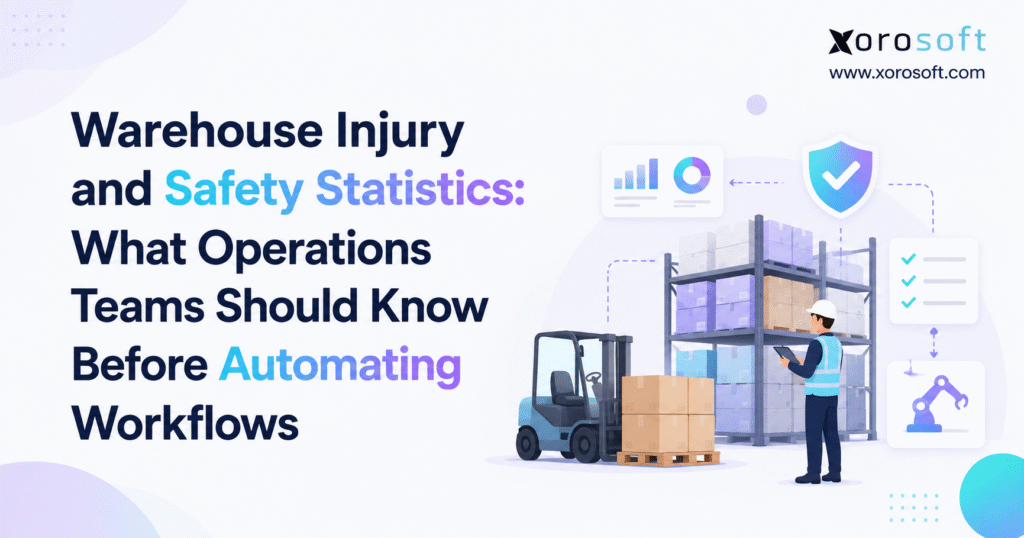
Warehouse injury statistics are increasingly important for understanding workplace safety and improving conditions for employees.
1. Warehouse Injury Statistics Show Why Workflow Design Needs More Attention
Warehouse automation projects often begin with speed. Leaders want to know how many orders employees can pick each hour, how much labor a conveyor could save, or how quickly robots could move products through the building. Those questions matter. However, operations teams should answer a more basic question first: how does the work actually happen today?
The latest warehouse injury statistics show why that question deserves attention. In 2024, the U.S. Bureau of Labor Statistics reported a total recordable injury and illness rate of 4.8 cases per 100 full-time-equivalent workers in warehousing and storage. By comparison, private industry overall recorded a rate of 2.3.
Warehousing and storage also recorded 32 fatal work injuries during 2024. Therefore, warehouse leaders have good reason to study how people, equipment, inventory, and information move through their facilities before they add more automation.
These figures do not mean that every warehouse carries the same level of risk. A small apparel warehouse faces different issues from a large furniture distribution center. Likewise, a food distributor operates differently from a manufacturer or a high-volume ecommerce brand.
Still, the data makes one point clear. Warehouse design decisions affect more than productivity.
1.1 Why Warehouse Safety Data Belongs in Operations Planning
Safety and productivity often share the same root problems.
Poor slotting increases walking. Weak replenishment creates urgent work. Inaccurate inventory forces employees to search for products. Meanwhile, crowded staging areas can push workers and vehicles into the same space.
A bad workstation can also add hundreds of needless reaches, bends, or lifts during a shift. As a result, a process that looks efficient on a spreadsheet may create extra physical work on the floor.
For that reason, operations teams should examine worker movement while they review speed, cost, and throughput. The goal should not simply be to remove labor. Instead, teams should remove work that adds no value and design a process that people can follow with fewer delays and fewer needless movements.
2. Latest Warehouse Injury Statistics and BLS Safety Data
As of September 2026, the latest full annual BLS data for warehousing and storage covers 2024. Therefore, companies should clearly state the year when they discuss current warehouse injury statistics.
A 2026 article can use the latest available data. However, it should not present 2024 figures as if they were 2026 incident totals.
2.1 Warehouse Injury Rate Compared With Private Industry
BLS reported a total recordable case rate of 4.8 for warehousing and storage in 2024. The rate for cases involving days away from work, job limits, or job transfer reached 4.1.
In addition, the days-away rate stood at 1.5, while the job transfer or restriction rate reached 2.6.
| 2024 Measure | Warehousing and Storage | Private Industry |
|---|---|---|
| Total recordable case rate | 4.8 | 2.3 |
| DART rate | 4.1 | 1.4 |
| Days-away rate | 1.5 | 0.8 |
| Job transfer/restriction rate | 2.6 | 0.5 |
These numbers provide a useful benchmark. However, they cannot tell a manager which task creates the most risk inside a specific facility.
For example, an operation that stores oversized goods may depend heavily on lift equipment. In contrast, a small-item ecommerce site may rely more on walking, repeated picking, and packing.
National figures help leaders understand the wider problem. Local data, therefore, should tell them where to act.
2.2 Warehouse Fatality Data Adds More Context
BLS recorded 32 fatal work injuries in warehousing and storage during 2024. That figure was higher than the 28 fatalities recorded in 2023.
Managers should not build a strategy around a single year-to-year change. Instead, they should look at the wider operating setting.
Warehouses bring workers, forklifts, racks, pallets, trailers, loading docks, conveyors, and automated tools into the same space. As a result, warehouse design must account for several types of movement at once.
The best way to respond is not to assume that one new technology will fix everything. Rather, teams should first understand where their own exposure and process waste occur.
3. Common Warehouse Injuries and Safety Risks Behind the Data
OSHA highlights several important warehouse hazards, including forklifts, ergonomics, material handling, slips and falls, chemicals, and robotics.
In addition, warehouse workers can face muscle and joint injuries linked to overexertion. Struck-by events involving powered industrial trucks and other material-handling equipment also remain an important concern.
These risks give operations teams a practical way to interpret warehouse injury statistics. Instead of viewing the numbers as abstract data, managers can connect them to specific warehouse tasks.
3.1 Lifting, Reaching, Bending, and Repeated Motion
Warehouse employees often perform the same physical actions many times during a shift.
A picker may walk to a location, bend to a low shelf, lift a carton, scan a barcode, place the carton on a cart, and continue to another location. Likewise, a packer may reach for boxes, labels, tape, documents, and scanners throughout the day.
OSHA lists lifting, lowering, pushing, pulling, repeated movement, overhead reaching, and awkward body positions as key ergonomic concerns in warehouse work.
Moreover, the effect grows as order volume increases.
One extra bend per order line may seem minor. However, when a warehouse handles thousands of lines, that same motion can repeat thousands of times.
Therefore, managers should measure more than pick speed. Shelf height, product weight, walking distance, station design, cart setup, and item placement can all change the amount of physical work employees perform.
3.2 Forklift and Pedestrian Interaction
Many warehouses mix workers and powered equipment in the same areas.
Forklift drivers may use aisles that employees need to cross. Workers may walk through staging zones to reach printers, stock, or packing areas. At the same time, trucks may arrive at docks while employees prepare outgoing loads.
OSHA stresses operator training, equipment checks, stable loads, proper clearance, and safe work around ramps and loading docks.
However, process design also matters.
For example, a warehouse may move a printer so employees no longer cross a high-traffic forklift lane. Another operation may move a staging zone or change pick routes to reduce repeated crossings.
Small layout changes can sometimes remove large amounts of needless movement.
3.3 Storage, Racking, and Falling Materials
Storage design also affects warehouse work.
Overloaded racks, poorly placed goods, damaged storage systems, and unstable loads can create problems. Therefore, businesses need clear storage rules as well as regular checks.
Warehouse software can help teams know where goods should go. However, software cannot make an unsafe rack safe.
Managers still need proper storage methods, equipment checks, and safe work rules. That difference becomes even more important when companies add automated systems around existing racks and storage areas.
4. Warehouse Injury Statistics Become More Useful When Teams Map the Workflow
National warehouse injury statistics explain why warehouse work deserves attention. A workflow map, however, tells a team where to look inside its own building.
Instead of viewing the warehouse as one department, operations leaders should follow inventory from receiving to shipping.
4.1 Receiving and Putaway Can Add Too Many Touches
Receiving often includes unloading, staging, counting, purchase order checks, scanning, labeling, inspection, and putaway.
Each extra touch adds time. Moreover, every extra movement creates another point where people or equipment must handle the product.
For example, a pallet may leave a trailer and enter a temporary staging lane. Later, another employee moves it to an inspection area. Finally, a third move places it into storage.
The same pallet has now been handled three times before the warehouse can use it.
Therefore, managers should ask whether every movement adds value.
Putaway can create similar waste. If operators do not have clear location rules, they may spend extra time searching for space. As a result, lift trucks stay in motion longer, and warehouse traffic grows.
Better location control can reduce both delay and needless travel.
4.2 Replenishment Problems Often Appear During Picking
Picking gets much of the attention in automation projects because it often uses a large share of warehouse labor.
However, poor replenishment can make even a well-designed pick process fail.
When a pick face runs out of stock, the picker stops. Another worker must find reserve inventory, move it forward, refill the location, and release the order again.
As a result, one stock problem creates several extra tasks.
Before buying picking automation, teams should review empty pick faces, emergency replenishment, search time, delayed tasks, and missed picks.
In many cases, the true problem sits upstream.
4.3 Packing and Shipping Create Different Types of Repetition
Packing work usually happens in a smaller area, but it can still involve a great deal of repeated motion.
Workers may reach again and again for labels, cartons, scanners, printers, inserts, and tape. Therefore, small changes in station design can make a large difference across a full shift.
Shipping creates a different challenge.
Orders move into staging. Teams build pallets. Carriers arrive. Cutoff times add pressure. Meanwhile, a faster picking process can send more work downstream than packing or shipping can handle.
For that reason, managers should improve the full process rather than one station alone.
4.4 Returns and Exceptions Need Their Own Process
Returns do not follow the same clean path as a standard outbound order.
Employees may need to identify the original sale, inspect the item, decide whether the business can resell it, update stock, issue a credit, and move the product to another area.
Likewise, exceptions can send workers outside the normal process.
A damaged carton, missing barcode, wrong quantity, short pick, or system error may require manual work. Therefore, a strong automation plan should define what happens when the standard path fails.
Automation that handles normal work well but leaves exceptions unclear can simply move the problem elsewhere.
5. Warehouse Automation Safety Requires More Than Adding Technology
Automation can remove some repeated and heavy work. However, it can also introduce different types of risk.
NIOSH notes that robots can improve safety and output, while robot systems may also create struck-by, caught-between, crushing, trapping, fall, and electrical risks.
OSHA raises similar concerns around warehouse automation, including conveyors, pallet wrappers, labelers, and industrial robots.
Therefore, companies should not treat automation as an automatic safety improvement.
5.1 Automation Can Reduce Unneeded Travel and Handling
Some warehouse tasks make strong automation candidates.
A conveyor can reduce repeated cart movement. Goods-to-person systems can shorten long walking routes. Automated pallet movement may also reduce repeated transport between fixed points.
These benefits matter most when a company can clearly describe the current problem.
For example, if employees spend a large share of their shift walking between the same zones, reducing travel may create a clear business case.
However, automation offers less value when leaders cannot define the bottleneck.
Technology should solve a measured problem.
5.2 Robots Change Human-Machine Interaction
Modern warehouses may use fixed robots, collaborative robots, autonomous mobile robots, or other automated equipment.
Each option changes how people move around the building.
For example, an AMR may remove cart pulling while also adding more moving equipment to shared aisles. Therefore, teams need to study worker routes, robot routes, intersections, and stop conditions.
Managers also need to look beyond normal work.
Who enters the robot area?
What happens when the unit stops?
How does someone clear an error?
Who performs repair work?
What happens if a sensor or network fails?
These questions belong in the project before launch.
5.3 Maintenance and Jam Clearing Need Equal Attention
A conveyor may remove hundreds of manual moves during a normal day. However, someone still needs to inspect, clean, repair, and restart it.
The same point applies to robots, sorters, and other equipment.
When equipment stops, workers may enter areas that they rarely enter during standard work. In addition, pressure to restore flow quickly can change how people behave.
Therefore, automation teams should design both normal work and recovery work.
Warehouse automation safety depends on both.
6. Warehouse Safety Assessment Before Automation
OSHA tells employers to look for hazards before they change workstations, workflows, equipment, materials, or work methods.
The agency also encourages worker input. Therefore, warehouse teams should treat process review as a core step before automation.
6.1 Map Every Step Before Choosing Technology
Do not define a process only as “receiving” or “picking.”
Instead, break it into real actions.
For picking, the process may include task release, travel, location check, SKU check, quantity check, physical pick, scan, container placement, exception handling, and travel to the next location.
Next, record what each step requires.
What information does the employee need?
Which tool does the person use?
How far does the worker travel?
What does the worker lift?
Where do delays occur?
Who gets involved when something goes wrong?
As a result, teams often discover the true issue before they speak with an automation vendor.
6.2 Use Warehouse Injury Statistics With Local Evidence
Industry warehouse injury statistics provide useful context. However, local evidence should set the priority.
Review injuries, near misses, product damage, rack contact, equipment damage, overtime, complaints, blocked aisles, missed picks, and repair calls.
In addition, review where and when those events happen.
A repeated near miss at one crossing can tell a manager more about that facility than a national average.
Worker feedback adds another layer.
Employees know which aisles become crowded, which printers fail, which items are hard to reach, and which tasks depend on manual workarounds.
Therefore, teams should include the people who perform the work when they map the process.
6.3 Find the Root Cause Before Buying Technology
Once the team maps the workflow, it should sort problems into clear groups.
Some problems come from layout. Others come from poor data, weak training, bad work rules, lack of space, or the wrong equipment.
Therefore, the fix should match the cause.
A company with poor location accuracy may need stronger inventory control. A site with excessive walking may need new slotting rules. Meanwhile, another warehouse may gain value from a conveyor because employees move the same cartons along the same path all day.
Automation should enter the discussion after the team understands the cause.
7. WMS and ERP Can Build a Stronger Digital Warehouse Foundation
Physical automation does not solve every warehouse problem.
Many growing businesses first need better task control, more accurate inventory, and stronger links between sales, purchasing, fulfillment, and accounting.
7.1 Warehouse Management Software Can Standardize Daily Work
A WMS can guide receiving, putaway, replenishment, picking, packing, shipping, transfers, returns, and stock counts.
For companies moving away from paper lists or informal processes, XoroWMS is one example of a system designed to manage warehouse execution.
The main value comes from clearer work and better tracking.
Workers can confirm locations and quantities through a set process. Managers gain a better view of inventory movement. In addition, teams can spot exceptions sooner.
A WMS does not replace physical safety controls. Instead, it gives operations teams better control over warehouse data and tasks.
7.2 ERP Connects Warehouse Work With the Rest of the Business
Warehouse problems often begin outside the warehouse.
Purchasing controls what arrives. Sales orders create demand. Ecommerce drives small-parcel work. Wholesale sales may create case and pallet picks. Meanwhile, manufacturing creates raw material and production moves.
Therefore, a connected ERP can help bring those flows together.
XoroERP provides one ERP path for companies that want to connect warehouse work with finance and other core areas. Businesses looking for a wider ERP and operations platform can also review XoroONE.
Regardless of vendor, the key lesson remains the same: automation works better when teams trust the data that drives it.
7.3 Integration Gaps Can Become Warehouse Problems
A warehouse may run a strong physical process and still struggle because outside systems send poor or late data.
Orders may come from ecommerce stores, marketplaces, EDI customers, sales teams, or retail partners. Likewise, carriers, accounting tools, payment systems, and shipping software can add more handoffs.
Reviewing Xorosoft integrations can help teams think through those data links as part of a wider ERP or WMS review.
Every manual re-entry point creates another chance for delay or error.
Therefore, automation needs clean inputs as much as it needs good equipment.
8. Warehouse Safety Statistics Vary by Industry and Order Profile
The same warehouse injury statistics may apply to a broad industry group, but individual warehouses can perform very different work.
Product size, order mix, storage rules, temperature, seasonality, and sales channels all change the job.
8.1 Ecommerce and Shopify Warehouses Face High Order Variety
Ecommerce operations often manage many SKUs, small orders, frequent promotions, fast shipping targets, and high return volume.
As a result, teams may face long walking routes, constant replenishment, and large shifts in demand.
Peak periods add another challenge. Temporary staff may join the operation while order volume rises sharply.
Shopify brands that need a link between ecommerce demand and back-office ERP processes can review the Xorosoft ERP app for Shopify.
The key point is not that every ecommerce company needs more software. Instead, customer orders and warehouse work need to share accurate data.
8.2 Wholesale Operations Need Different Workflow Rules
Wholesale distributors may pick full pallets, cases, and individual units inside the same building.
They may also manage EDI, customer rules, larger scheduled loads, and strict retailer needs.
Therefore, a process designed for one-unit ecommerce orders may perform poorly when a wholesale customer orders several pallets.
Managers should design work around the real order mix.
8.3 Furniture and Bulky Goods Create Heavy-Handling Challenges
Furniture, home goods, sporting goods, and industrial products often require different movement methods.
Large items may need team lifting or special tools. They also need more staging space and may not fit standard rack layouts.
Therefore, automation designed for small cartons may not suit these sites.
Businesses should start with product size, weight, shape, and handling needs.
8.4 Food and Manufacturing Add More Control Needs
Food companies may need lot tracking, expiry dates, cold storage, and stock rotation.
Manufacturers handle raw materials, work in process, parts, and finished goods. In addition, warehouse tasks may connect directly with production schedules.
Xorosoft serves several inventory-driven industries, which highlights an important point: no single warehouse design fits every business.
The process should follow the product and the operating model.
9. Warehouse Injury Statistics Should Sit Beside Productivity Metrics
Managers often judge warehouse projects through output.
They compare picks per hour, cost per order, dock-to-stock time, or on-time shipping.
Those numbers matter. However, they can hide other problems.
9.1 Build a Before-and-After Baseline
Before changing a process, capture the current state.
A useful baseline may include injury cases, near misses, picking errors, stock accuracy, travel distance, order cycle time, equipment events, replenishment delays, repair calls, and exception rates.
Next, choose measures that fit the problem.
If the project aims to reduce walking, track travel. If the goal is to cut product handling, count touches.
As a result, managers can judge the project against clear evidence rather than impressions.
9.2 Measure the Whole Flow, Not One Workstation
A faster pick station does not always create a faster warehouse.
If picking sends twice as much work to packing, packing may become the new bottleneck.
Likewise, faster receiving can overwhelm putaway.
Therefore, warehouse leaders need to watch the entire flow.
Automation should improve the system, not only one step.
9.3 Track Exceptions as Closely as Normal Work
Average performance can hide trouble.
For example, an automated process may handle most orders quickly while a small share needs manual help. Those orders can consume a large amount of supervisor time.
Teams should track why work leaves the normal path.
Common causes may include missing inventory, bad labels, wrong dimensions, damaged goods, incomplete order data, or system errors.
As a result, fixing exception causes can improve both speed and predictability.
10. OSHA’s 2026 Warehouse Focus Raises the Stakes for Operations Teams
OSHA updated its National Emphasis Program for Warehousing and Distribution Center Operations in 2026. The revised program took effect on July 31, 2026.
Therefore, warehouse leaders have another reason to review how their sites operate.
10.1 OSHA Focuses on Real Warehouse Hazards
OSHA’s warehouse guidance covers ergonomics, powered industrial trucks, storage, material handling, robotics, and other common hazards.
In addition, the agency points businesses toward standards and guidance for racks, conveyors, industrial trucks, robots, and walking surfaces.
Operations teams should involve qualified safety staff when they review these duties.
ERP, WMS, and automation vendors cannot decide workplace compliance for an employer.
10.2 Process Changes Should Trigger a Fresh Review
A warehouse that changes equipment or flow also changes how employees perform the work.
For example, a new pick path may create a new pedestrian crossing. A conveyor can remove manual transport while adding repair and access needs. Likewise, mobile robots can change how employees use shared aisles.
Therefore, teams should review risk after a major process change instead of assuming the new design fixed every old problem.
11. AI Can Improve Warehouse Decisions When the Core Data Is Clean
AI now appears in forecasting, reporting, search, planning, exception review, and other business tools.
However, better AI does not remove the need for clean data.
11.1 AI Needs Reliable Warehouse and ERP Data
An AI tool cannot know the correct stock level if the ERP contains the wrong number.
Likewise, it cannot plan replenishment well when purchase order data arrives late or warehouse records stay out of date.
Therefore, better tools increase the value of clean data.
For companies exploring how AI agents can work with business systems, the Xorosoft MCP Server shows one approach to connecting AI tools with ERP data.
Before using AI for warehouse decisions, teams should ask whether their core records are current, clear, and complete.
11.2 AI Should Help Teams Find Problems, Not Hide Them
AI can help managers review large amounts of data and find patterns.
For example, teams may use it to spot stock problems, order delays, or unusual demand changes.
Even so, managers still need to understand why the problem happened.
A useful AI alert should lead to a clear next action. Otherwise, the system creates more noise.
12. When Better Warehouse Systems Should Come Before More Automation
Some warehouses do not need another machine.
Instead, they need better data and stronger process control.
12.1 Signs That Disconnected Tools Create the Bottleneck
Watch for repeated signs.
Employees may rely on spreadsheets for purchasing. Inventory may differ between systems. Teams may enter the same information more than once. Separate warehouses may also follow different rules.
Meanwhile, Shopify orders may enter one workflow while wholesale orders enter another.
Managers may not see stock or accounting gaps until month-end.
As a result, the warehouse may actually have a system problem rather than a physical automation problem.
Businesses that want to explore a wider group of ERP, inventory, warehouse, and operations tools can review Xorosoft’s business solutions.
In addition, the Xorosoft case studies show how other inventory-based companies have approached process and system change.
12.2 Compare ERP Options Against Real Workflow Needs
No ERP fits every company.
Therefore, buyers should compare systems against warehouse depth, accounting needs, integrations, reporting, manufacturing, ecommerce, EDI, cost, and rollout needs.
Businesses comparing broader ERP platforms may also find the Xorosoft vs NetSuite comparison useful as one part of a wider review.
The final decision should come from business needs rather than brand awareness alone.
12.3 Choose Between Elimination, Redesign, Software, and Automation
Once leaders know the cause, they can choose the right type of fix.
A needless step should disappear. A poor travel path needs a new layout. Paper-based work may need software. Meanwhile, a stable and repeated physical task may justify automation.
This approach gives warehouse injury statistics the right role.
They help teams understand why human movement matters without turning safety data into a sales argument for technology.
13. Warehouse Injury Statistics and Automation FAQs
13.1 What Are the Latest Warehouse Injury Statistics?
The latest full BLS data available as of September 2026 covers 2024. Warehousing and storage reported a total recordable case rate of 4.8 per 100 full-time-equivalent workers. In addition, BLS recorded 32 fatal work injuries in the industry during that year.
13.2 Is the Warehouse Injury Rate Higher Than the Private-Industry Rate?
Yes. Warehousing and storage recorded a total recordable case rate of 4.8 in 2024, while private industry overall recorded 2.3. However, facility-level rates can differ. Therefore, businesses should compare national data with their own local records and work conditions.
13.3 What Are the Most Common Warehouse Injuries?
OSHA highlights muscle and joint injuries linked to overexertion, along with struck-by incidents involving powered industrial trucks and other material-handling tools. However, the exact injury mix depends on the building, products, equipment, and work methods.
13.4 Why Do Warehouse Workers Face Ergonomic Risk?
Warehouse employees often lift, lower, bend, reach, push, pull, and repeat the same motions. Poor shelf height, heavy products, extra travel, and weak station design can add more strain. Therefore, companies should review physical movement as part of process design.
13.5 Are Forklifts a Major Warehouse Risk?
Forklifts work near people, racks, trailers, pallets, docks, and other tools. Therefore, safe use depends on trained operators, equipment checks, stable loads, clear travel rules, and site-specific traffic controls.
13.6 Does Warehouse Automation Reduce Injuries?
Automation can reduce some heavy or repeated tasks. However, results depend on the job and system design. Robots and automated equipment may also create new risks around contact, movement, repair, and failure conditions.
13.7 Can Warehouse Robots Create New Risks?
Yes. Robots can support safer work while also changing how people interact with equipment. For example, workers may face new concerns around shared travel paths, stopped units, repair work, or unexpected contact.
13.8 What Should Teams Review Before Warehouse Automation?
Teams should start with the current workflow. In addition, they should review employee movement, injuries, near misses, lift truck traffic, product weight, travel, stock accuracy, repair work, exceptions, system links, and worker feedback.
13.9 Which Warehouse Tasks Should a Business Automate First?
No task ranks first for every warehouse. However, stable, repeated, high-volume work often makes a stronger candidate. Before automating, teams should still ask whether they can remove the step, change the layout, improve slotting, or solve the problem through software.
13.10 Is a WMS the Same as Warehouse Automation?
No. A WMS manages warehouse data and tasks such as receiving, locations, picking, replenishment, and shipping. Physical automation includes robots, conveyors, sorters, and automated storage systems. Therefore, the two solve different parts of the operation.
13.11 Can a WMS Improve Warehouse Workflows?
Yes. A WMS can give employees clearer task steps, improve location data, reduce searching, and create a stronger record of stock movement. However, it does not replace equipment safety, training, traffic controls, or other site-level safety needs.
13.12 How Should Companies Use Warehouse Injury Statistics?
Companies should use warehouse injury statistics as an industry benchmark and then compare them with local data. Near misses, employee feedback, equipment events, and workflow measures tell managers where their own problems sit.
13.13 How Does Warehouse Layout Affect Safety?
Layout shapes walking, staging, reaching, equipment travel, and congestion. Therefore, a layout that worked at lower volume may need a fresh review as the business grows or changes its order mix.
13.14 Why Do Near Misses Matter?
Near misses can expose a weak point before an injury happens. For example, repeated forklift conflicts, blocked aisles, dropped goods, or unstable loads may show that a process needs attention.
13.15 How Does Inventory Accuracy Affect Automation?
Automation depends on good system data. If the WMS expects stock in one location while the item sits somewhere else, the process will hit an exception. Therefore, strong location control supports better automation.
13.16 Should a Warehouse Automate Spreadsheet-Based Workflows?
Not always. If the business still keeps core order, purchasing, or stock data in separate spreadsheets, physical automation may add another layer of complexity. Instead, many companies should first standardize the process and improve data quality.
13.17 Are Conveyors Safer Than Manual Movement?
Conveyors can reduce repeated carrying or cart movement. However, they also create equipment risks and maintenance needs. Therefore, the best choice depends on the task, product, building, and design.
13.18 What Is a Warehouse Automation Risk Review?
A risk review looks at how new equipment changes standard work and unusual work. Teams study employee access, traffic, repair work, jams, system stops, energy sources, and failure cases. Qualified safety and engineering staff should guide complex reviews.
13.19 When Should a Company Replace Warehouse Spreadsheets?
A stronger system may make sense when employees cannot trust stock numbers, enter the same data more than once, use different rules at each warehouse, or lack a clear view of orders and inventory.
13.20 Can ERP Improve Warehouse Operations?
ERP can connect warehouse activity with purchasing, sales, finance, manufacturing, and other business areas. As a result, a shared data set can reduce manual handoffs and give teams a clearer view of what drives warehouse work.
13.21 How Should a Warehouse Measure Automation Success?
Teams should choose measures that match the project goal. For example, they may track travel, order cycle time, picks per hour, stock accuracy, errors, repair time, near misses, exceptions, and labor hours.
13.22 What Is OSHA’s Current Focus on Warehousing?
OSHA updated its National Emphasis Program for Warehousing and Distribution Center Operations in 2026. The program took effect on July 31, 2026. In addition, OSHA continues to highlight ergonomics, forklifts, material handling, slips, robotics, and other warehouse hazards.
13.23 Should Safety and Productivity Use the Same Workflow Data?
They should share part of the same process view. Travel, repeated motion, congestion, extra touches, equipment movement, and exceptions can affect both output and worker exposure. Therefore, teams can make stronger choices when they study those links together.
13.24 When Is Physical Automation the Wrong Next Step?
Automation may be too early when stock data is poor, demand changes sharply, leaders cannot define the bottleneck, the building may move, or processes change every few weeks. In those cases, fixing data and workflow problems first may produce better results.
13.25 What Is the Best Order for Warehouse Modernization?
Start by mapping the work. Next, remove needless steps, fix layout and data issues, set clear work rules, and digitize manual information flow. Finally, evaluate physical automation where it fits and measure the new process after launch.
14. Warehouse Injury Statistics: Build Safer Workflows Before You Automate
The strongest lesson from warehouse injury statistics is not that warehouses should replace people with machines.
Instead, the data shows why leaders need to understand the work before they change it.
Start with the real flow of people, products, vehicles, tools, and information. Find repeated handling, wasted travel, poor storage, difficult crossings, inaccurate data, and manual workarounds.
Next, determine the cause.
Some problems need stronger safety controls. Meanwhile, others may need a new layout, clearer work rules, better training, more accurate inventory data, or a more connected system.
Physical automation becomes a stronger option when the team can point to a stable, repeated task and explain how the technology will improve it.
Finally, companies should measure what happens after launch. Faster output alone does not prove that the new process works better. Accuracy, exceptions, repair needs, employee feedback, flow, and safety measures all matter.
For inventory-driven businesses, the broader lesson is simple: build a clean operating foundation before adding more technology.
14.1 Next Step for Operations Teams
If disconnected ERP, inventory, purchasing, and warehouse systems limit that foundation, contact Xorosoft to discuss how your current workflows could support the next stage of warehouse growth and automation.
Frequently Asked Questions
What do the latest warehouse injury statistics show?
Latest BLS data show warehousing and storage had a 4.8 total recordable case rate in 2024, compared with 2.3 across private industry.
What are the most common warehouse safety risks?
Common risks include repetitive lifting, awkward reaching, forklift traffic, falls, poor material handling, conveyor hazards, and unsafe interactions between workers and automated equipment.
Does warehouse automation reduce injury risk?
It can reduce repetitive or heavy manual work. However, automation can also add new equipment, maintenance, collision, and recovery risks that teams must assess.
What should teams review before automating a warehouse?
Review worker movement, near misses, injury history, travel, inventory accuracy, equipment traffic, exceptions, maintenance tasks, and employee feedback before choosing automation.
Is a WMS the same as warehouse automation?
No. A WMS directs inventory and warehouse tasks, while physical automation includes conveyors, robots, sorters, AMRs, and automated storage systems.
When should a business upgrade from spreadsheets to WMS or ERP?
Upgrade when inventory becomes unreliable, teams duplicate data, warehouses follow different processes, or purchasing, sales, fulfillment, and accounting no longer share timely information.
What is the best first step in warehouse modernization?
Map the current workflow first. Then remove needless steps, fix data and layout issues, standardize work, and automate only where a clear operational case exists.
Recent Posts
-
 Best AI Warehouse Management Software for ERP Inventory and Warehouse Operations
 -
 Project Based ERP Software for Managing Project Costs, Purchasing, Resources, Inventory, and Accounting
 -
 Food and Beverage ERP Requirements for Lot, Expiry, and Recall Control
 -
 How to Prevent EDI Errors Before They Become Retailer Chargebacks
 -
 Warehouse Injury and Safety Statistics: What Operations Teams Should Know Before Automating Workflows